The sticker price of a printer says little about what it will cost you over time. Ink or toner is where the money goes, and the best way to compare printers is by cost per page. This guide shows the simple formula, how to find the numbers and how to turn them into a realistic yearly cost.
All figures in the examples are invented to show the method. Use real prices and yields from the product pages of the models you are considering.
By the Reviewstook Editorial Team. Last updated: October 31, 2026.

The Basic Formula
Cost per page = price of the ink or toner set ÷ number of pages it prints (its page yield).
For a printer with several cartridges, add the prices and divide by the yield of the cartridge that runs out first, or calculate each color separately and add them.
In this guide
Where to Find the Yield
The page yield is on the cartridge box, in the product listing or on the maker’s site. It is stated in pages at a standard coverage of about 5% of the page for lasers and a standard test for inkjets. Makers usually quote yields based on international test standards. Real yields vary with how much ink each page uses: photos and heavy graphics use far more than text.
Worked Example: Black-and-White Laser
Imagine a toner cartridge that prints 1,500 pages. Cost per page = its price ÷ 1,500.
Worked Example: Cartridge Inkjet
Imagine a black cartridge rated for 300 pages and a color cartridge rated for 200 pages. Divide each price by its yield; a color page adds the black and color shares.
Worked Example: Ink Tank Printer
Imagine a set of four bottles that prints about 4,000 black or 2,000 color pages. Divide the set price by each yield — the result shows why tank printers cost less per page.
Turn It Into a Yearly Cost
Multiply by your yearly page count. If you print 500 black pages and 100 color pages a year, multiply each cost per page by its page count and add the two results.
Total Cost of Ownership
Add the printer price to the ink cost over the years you expect to use it. A pricier printer with lower ink cost can pay back the difference if you print enough. Also include paper, drum and maintenance parts, and any ink subscription.
Check the Starter Cartridges
Starter cartridges that come with the printer often have much smaller capacity. The first refill comes sooner than the yield suggests. Compare the starter yield too.
Compare Third-Party and Refill Options
Compatible cartridges are cheaper but may have different yields and quality. Check the warranty and the printer’s firmware policy.
Pick the Right Printer for Your Volume
If you print little, a cheap printer with expensive ink can be fine. If you print a lot, spend more on a tank or laser. See ink tank vs laser, inkjet vs laser for home and best printers for home use.
Why Stated Yields Differ From Real Use
The yield printed on a cartridge or bottle is the maker’s estimate, usually measured with a standard test page and a set method. Your own documents rarely match that test. A page with a lot of dense text, a full-color chart or a photograph uses more ink than the test page, so you may get fewer pages than stated. A page of light text may stretch further.
Coverage is the main driver. A page with a small amount of text uses only a little ink, while a page with large blocks of color uses a lot. If your work includes slides, flyers or photos, expect real cost per page to rise compared with the figure on the box.
Printer behavior also uses ink. Many printers run cleaning cycles at start-up or when idle for a while, and these draw from the ink supply even though no page is printed. Printing a few pages often and keeping the printer powered correctly can reduce waste, while rare printing can lead to more cleaning.
Because of this, treat the stated yield as a comparison tool between products, not a promise. For a closer estimate, track your own usage for a few weeks, as described in later sections, and replace the maker’s figure with your own.
Tracking Your Own Page and Ink Use
The most accurate cost per page comes from your own habits. Start by noting how many pages you print in a typical month, split into black text, color documents and photos. Many printers keep a page counter that you can read from the menu or a status report, so you can check the total before and after a period.
Record the date and the page count whenever you install a new cartridge or refill a tank. When that cartridge runs out, subtract the counts to find how many pages it produced. Divide the price you paid by that number to find your actual cost per page for that cartridge.
Repeat this for a few cartridges so that a single unusual month does not skew the result. If you print mostly black text, the black cartridge is the one to watch, while a color-heavy household should track each color.
A simple notebook or spreadsheet is enough. Keep columns for the date, the page counter, the item installed and the price. After a couple of cycles you will know your real figure, and you can compare it with the maker’s estimate to see how far apart they are.
Black Versus Color Pages
Cost per page is not one number. Black pages usually cost less than color pages, because color pages draw from several colors and often from the black as well. When comparing printers, look at both figures, and weigh them by how you print.
Some printers use a single combined color cartridge, while others use separate cartridges per color. A combined cartridge is simple but means the whole unit needs replacing when one color runs out, which can raise cost if you use one color heavily. Separate cartridges let you replace only what is empty, which can reduce waste.
Photo printing is its own category. Photos use a large amount of ink, and some printers use extra ink types for photos. If you print photos often, include them in your estimate, or consider that a lab print may suit occasional needs better than printing at home.
Finally, remember that printing in color by default can be wasteful. Many printers let you set black and white as the default for documents, which saves color ink for the pages that need it.
Print Settings That Change Ink Use
Your settings can change the cost of each page. Draft or economy mode uses less ink and prints faster, and it is fine for internal documents and drafts. High-quality mode lays down more ink and suits final copies and photos.
Print only what you need. Use the print preview to check layout, and select page ranges instead of printing a whole document. Removing images or backgrounds from web pages and emails saves ink, and many browsers have a reader view that strips them.
Duplex printing, when supported, saves paper rather than ink, but it reduces overall running cost because paper is part of the total. Fonts and layout also matter: lighter fonts and generous line spacing use less ink, though they may use more paper.
Finally, check the paper type setting. Selecting the wrong paper type can lead to heavier ink laydown than needed. Match the setting to the paper you use, following the manual, so each page gets the right amount of ink.
Spotting a Misleading Cost Claim
Cost claims in advertising can be hard to compare. Watch for statements based on a different type of cartridge or bottle than the one you will actually use. A claim based on a high-capacity cartridge will look better than one based on a standard-size cartridge, and the two may not be priced the same.
Check what the claim includes. Some figures include only ink, while others include paper, and some count the starter ink that came in the box. Make sure you are comparing like with like. If a listing does not say how the number was calculated, treat it with caution.
Be cautious about subscription ink plans. These can lower per-page cost for some users, but they may include page limits, extra charges and terms about cancelling, so read the terms before you sign up. They suit people with steady, predictable printing.
Finally, ask what happens if the printer does not accept a cartridge. Some printers reject third-party ink or limit features, and a cheap cartridge that will not work offers no savings. Check compatibility notes on the listing before buying.
How Do You Compare Two Printers Using Cost Per Page?
Calculate the cost per page for each printer using the same type of page, then multiply by the pages you actually print and add the purchase price. The printer with the lower total over the years you expect to use it is the cheaper one, even if the sticker price is higher.
Follow these steps so the comparison stays fair:
- Pick the same cartridge size for both printers. Compare standard with standard, and high-capacity with high-capacity.
- Use the same page type. Compare black text pages with black text pages, and color with color.
- Use the maker’s stated yield from the listing, then adjust later with your own tracked numbers.
- Add the full set price if the printer needs several cartridges, or add each color you use.
- Multiply by your yearly pages and add the printer price divided by the years you plan to keep it.
Keep the arithmetic simple. A table in a notebook or spreadsheet with one row per printer is enough. If the totals are close, other factors can decide: print speed, scan and copy features, wireless setup, paper handling and size.
Do not forget parts beyond ink or toner. Some laser printers use a separate drum, and some inkjets have a maintenance box that collects waste ink. Check the listing or manual to see whether these are included or sold separately, and whether they need replacing on a schedule.
When the difference between two printers is small, choose the one with easier refills and clearer supply information. A printer whose supplies are easy to find costs less time and stress than one that is slightly cheaper on paper.
Which Printer Type Should You Buy for Your Printing Habits?
Choose by how much and what you print: a cartridge inkjet for occasional printing, an ink tank printer for frequent color printing, and a laser printer for steady black-and-white documents. This guide uses the three types from the worked examples above.
- If you print rarely, a cartridge inkjet can be enough. Ink may dry out between jobs, so a lower purchase price can matter more than running cost.
- If you print every week, including color, an ink tank printer usually brings the cost per page down, as the invented tank example shows.
- If you print mostly black text, a black-and-white laser keeps cost per page low, and toner tends to hold up well when the printer sits idle.
- If you print photos at home, look at the yield for photo-quality printing and the paper cost, and compare it with the cost of ordering prints.
- If you print for a small business, add up toner or ink, paper, maintenance parts and downtime, and consider whether you need a heavier duty cycle.
Check the listing for what each model includes. Some come with full-size cartridges, some with starter supplies, and some with bottles or a set number of months of ink. Those details change the first-year cost more than the formula suggests.
Also think about space and noise. Tank printers often have a larger body to hold the reservoirs, and lasers may need more desk depth. Measure the spot before you decide, and confirm the model supports the paper sizes you use.
What to Check Before You Buy a Printer for Low Running Costs
Before you buy, confirm the page yield, the cost of replacement supplies, what ships in the box, and any restrictions on third-party ink. These details determine your real cost per page.
- Yield and price of replacements: find both on the listing or the maker’s site, and use the same cartridge size for every model.
- Starter supplies: see whether the supplies in the box are full size or smaller, and how soon you will need to buy more.
- Cartridge or bottle design: separate colors let you replace only what is empty.
- Third-party supplies: check whether the printer accepts them, and how the warranty treats them.
- Extra parts: look for drums, maintenance boxes or other items that wear out.
- Subscription terms: if a plan is offered, read page limits, extra fees and cancellation terms.
- Features you will use: duplex printing, wireless printing, scanning and a document feeder can save more time and paper than a small ink saving.
- Warranty and returns: confirm the terms on the listing before you decide.
Write down the answers for each model you are considering. When you compare notes side by side, differences that were easy to miss, such as smaller starter cartridges or a required maintenance part, show up quickly.
If anything on the listing is unclear, check the product manual or the maker’s support page for the model number. Specifications vary by model and by region, so avoid assuming that two printers in the same product line share the same supplies.
Is a Cheaper Printer With Expensive Ink Ever Worth It?
Yes, if you print very little and mostly want a printer for occasional forms, labels or a few pages a month. In that case the savings on the purchase price can outweigh a higher cost per page.
The trade-off is straightforward. A low-priced printer usually has a higher running cost, and a printer with a higher price and lower running cost pays back only if you print enough. Use the yearly cost method from earlier: multiply your pages by the cost per page, add the printer price spread over its life, and compare.
Consider these honest downsides before choosing either way:
- Cheap printer, high running cost: costs rise quickly if your printing grows, such as when a family member starts school work.
- Ink dries out: if you print rarely, cleaning cycles and dried nozzles can waste ink and add frustration.
- Tank or laser printer, higher entry price: it takes time to recover the extra cost, and only heavy users reach that point soon.
- Refill effort: tank printers need careful refilling, which some people find more hands-on.
Who should skip the cheapest option? Anyone who prints weekly, prints in color, or runs a home office. Who can reasonably choose it? Someone who prints a handful of pages a month and values a small, simple device.
If you are unsure, track your pages for a month. A real number removes guesswork and often shows you print less, or more, than you thought.
How to Lower Your Printer Cost Per Page After You Buy
The fastest ways to lower cost per page are to buy the highest-yield supplies that suit you, print in draft mode when quality is not needed, and avoid wasted pages. Small habits add up across a year.
- Buy the larger size if the yield per unit of cost is better and you print enough to use it before it ages.
- Set black and white as the default so color ink is used only when needed.
- Use draft mode for internal documents and notes.
- Preview before printing and print only the pages you need.
- Print regularly if you have an inkjet, to reduce dried nozzles and repeated cleaning cycles.
- Keep spare supplies sealed and stored as the maker advises.
- Track your page counter each time you change supplies and recalculate your own figure.
Review your cost every six months or whenever a supply runs out. If your real cost is far above the estimate, check settings, paper type and whether the printer is running many cleaning cycles.
Your next step is simple: write down the price and yield of the supplies for the models you are comparing, calculate black and color cost per page, multiply by your yearly pages, add the printer price, and then choose the one that fits how much you print. Check the current listing for what is included before you decide.


Ready to Buy? Start Here
If this guide helped you decide what to look for, these products are a place to start.
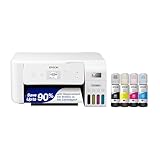

As an Amazon Associate we earn from qualifying purchases. Prices and availability are shown on Amazon.
Building Your Own Cost-Per-Page Spreadsheet
The formula in this guide becomes genuinely powerful when it lives in a small spreadsheet you control, because then every printer you consider — and every cartridge you buy for the printer you own — can be compared on identical terms. Build it with four columns per supply: what the cartridge or bottle costs, the yield the maker states, the yield you realistically expect, and the resulting cost per page from each yield figure. The two cost columns matter because the gap between them is where buying decisions are won and lost: a printer whose stated and realistic costs are close is a predictable machine, while one whose economy depends on optimistic yields is a gamble wearing a bargain’s clothes.
Add a second block to the sheet for the machine itself: purchase price divided by the pages you expect across its life gives a hardware cost per page that most buyers never calculate and that changes comparisons between cheap printers with expensive ink and expensive printers with cheap ink into simple arithmetic. Add paper as a third block if your household buys paper in varied grades, because the sheet a photograph is printed on can cost more than the ink that covers it. Then total the three blocks for your realistic monthly volume, and you have the number that actually leaves your bank account — the only number that was ever worth optimising.
Keep the spreadsheet alive after purchase. Record each cartridge change with the date and the printer’s page count at that moment, and your realistic-yield column stops being an estimate and becomes your machine’s measured truth. Two cartridge cycles of records teach you more about your printer’s economy than any review, because they describe your coverage, your paper and your habits — the three variables no laboratory test can know.
Coverage: The Variable Hiding Inside Every Yield Claim
Page yield is measured at a standard coverage — a conventional test page with a modest fraction of its area covered in ink or toner. Real pages differ wildly. A page of double-spaced essay covers little; a full-bleed photograph covers everything, several layers deep; a worksheet with a large colored header sits between. This is why two owners of the same printer report cartridge lives that differ by multiples, and why your own cost per page is a property of your documents as much as of your machine.
The practical response is to sort your printing into families and think about each family’s coverage honestly. Text documents cluster near the test standard, so stated yields predict them fairly. Photographs and graphics-heavy pages consume at several times the text rate, so a household printing many of them should build its cost model on its own records rather than on the box. Mixed households — most households — should weight the families by their real proportions, which the spreadsheet above makes easy once a month of records exists.
Coverage also explains a frustration new owners voice: the first cartridge seems to vanish. Starter cartridges are smaller, the machine’s initial setup consumes some supply, and the owner’s first month usually includes the experiments — test photographs, alignment pages, the poster for the child’s room — that coverage statistics punish. Judge a printer’s economy from its second full cartridge onward, with records, and the judgement will be fair to the machine and useful to you.
Worked Examples With Different Households
Consider a student printing essays and readings: mostly text, modest coverage, a few hundred pages a month in term time and almost none in holidays. For this household the hardware cost per page dominates in the early months because volume is low, and the cheapest route is often a modest laser whose toner outlasts several terms, making its cost per page across the degree remarkably stable. The calculation the student should fear is the bargain inkjet whose cartridges are replaced twice a term; its cost per page, honestly totalled, is rarely the bargain the shelf promised.
Consider a family printing schoolwork, photographs and household documents in color every week. Their coverage is high and their volume is real, so consumable cost per page dominates everything. This is the household the ink tank exists for: its consumable cost per page is so low that even at photographic coverage the arithmetic stays calm, and the hardware premium is repaid by volume within the family’s normal year. The family’s spreadsheet will show the tank’s advantage widening with every month of records, which is why tank owners become evangelists.
Consider a home business printing invoices, packing documents and labels daily. Its pages are text with logos — low coverage, high count — and its true cost includes something households can ignore: time. A cost-per-page model for a business should add the minutes spent changing cartridges, clearing the occasional jam and waiting on a slow machine, priced at whatever the owner’s hour is worth. Businesses that run this fuller calculation often choose a faster, dearer machine whose pure ink arithmetic looked worse, and they are right to, because they priced the whole system rather than the cartridge alone. Cost per page is the beginning of wisdom about printer economics, not the end of it — and knowing what to add to it, for your situation, is the skill this guide is really teaching.
Reading a Cartridge Listing Like an Accountant
Cartridge listings are written to be compared badly. The same printer may be offered standard and high-yield cartridges, single packs and multipacks, genuine supplies and compatibles, each advertised with its own yield figure measured under its own assumptions. The accountant’s discipline cuts through all of it: convert every offer to cost per page using the same yield basis, and refuse to compare any two offers on different bases. A multipack that looks expensive per box is routinely the cheapest per page; a compatible cartridge that looks cheap per box can be the dearest per page if its real yield is short; a high-yield cartridge is only a bargain if you will actually print its yield before the printer is replaced.
Watch for the combined-cartridge trap in color printing. A single cartridge containing all three colors ends its life when the first color does, so a household whose printing leans heavily on one color — skies, oceans, a school uniform’s particular shade — pays for the two colors it throws away. Individual color cartridges, or a tank system, end that waste. The listing will not volunteer this; your spreadsheet, fed with your own records of which color empties first, reveals it within two cycles.
And keep one column for the unglamorous: shipping, and the cost of the emergency. A supply bought calmly in advance costs its shelf price; the same supply bought at a local shop in a deadline panic costs more and teaches the same lesson every household eventually learns. Cost per page, fully understood, includes the price of your own planning — which is good news, because planning is the one input entirely within your control.
More Questions About Printer Running Costs
Should I include the printer’s purchase price when comparing two models?
Yes, always, divided across the pages you realistically expect over the machine’s life with you. Two printers with identical ink costs can differ enormously once the hardware is spread across a low-volume household’s pages, and two with different ink costs can converge at high volume. The comparison is only honest when both halves of the cost are on the table.
Why did my second cartridge last longer than my first?
Because the first was probably a starter cartridge with a smaller fill, and because your first month with a printer includes setup consumption and experiments. This pattern is normal across brands. Judge economy from full replacement cartridges, recorded against page counts, and the pattern settles into the machine’s true rhythm.
Do I save money by printing at a shop for big jobs?
Sometimes. A very long document at a shop can beat home printing on a cartridge machine whose per-page cost is high, and shops win outright for sizes your printer cannot handle. On a tank or laser machine with low running costs, home usually wins on both price and convenience. Run your own cost per page against the shop’s per-page charge for the specific job; the answer is arithmetic, not loyalty.
How does two-sided printing change the calculation?
It halves the paper component and leaves the ink component untouched, so its effect depends on which component dominates your costs. For text households on ordinary paper it is a meaningful saving across a year; for photographic printing on expensive media it matters less to cost than to storage. It also halves the physical bulk of what you file, which some households value more than the money.
Is it worth tracking all this for a home printer?
A light version of it, yes: note cartridge changes and page counts, and glance at the totals once or twice a year. That small record converts every future decision — repair or replace, genuine or compatible, this model or that one — from guesswork into arithmetic. The households that overpay for printing are rarely the ones with expensive printers; they are the ones who never learned what their pages actually cost.
When the Cheap Printer Is the Expensive One: A Cautionary Pattern
Every experienced printer owner has met the pattern, personally or through a friend: the machine bought for its tiny shelf price that proceeded to consume its purchase price again in cartridges within the year, while a colleague’s dearer machine ran on, apparently, air. The pattern is not bad luck. It is the predictable result of comparing printers on the one number that matters least — the price of the box — while ignoring the number that compounds monthly. Manufacturers understand this asymmetry intimately, which is why the market contains machines whose business model is the cartridge, and why the defence against them is not cynicism but arithmetic: your arithmetic, done with this guide’s formula, at your volume, before the purchase rather than after it.
The pattern has a second act worth knowing. Owners of expensive-to-run printers ration their printing. They send fewer drafts, skip the photograph, read on screen what they would rather annotate on paper. The printer’s true cost thus includes the value of the printing that never happened — a cost no spreadsheet captures, but one every rationing household feels. A machine with a low cost per page does not merely save money; it returns the printer to its proper status as a tool used freely. When you calculate, remember that you are not only pricing pages. You are pricing your own willingness to print them.
The Repair-or-Replace Calculation
Cost per page also settles the question every owner eventually faces: when a printer falters, is it worth repairing? Frame it with the numbers you now keep. Estimate the repair’s cost, the machine’s remaining likely life in pages, and the running cost of a replacement across the same pages. An old machine with cheap running costs often deserves its repair, because its per-page economy was the reason you kept it. A young machine with expensive running costs often does not, because replacement is a chance to escape an economy you should never have bought. Sentiment aside, the arithmetic usually points clearly one way — and owners who keep records can follow it in minutes, while owners who guess tend to repair the wrong machines and replace the right ones. Keep the records. They are worth more than any single decision they will inform, because they inform all of them.
One final habit ties the whole subject together: review your numbers when your life changes, not just when your printer does. A household that becomes a home business, a student who becomes a teacher, a family whose children start school — each crosses cost-per-page thresholds that can quietly invert a decision that was correct when it was made. The printer that was economical for essays may be ruinous for invoices, and the machine that was extravagant for letters may be perfect for a classroom’s worth of worksheets. Revisit the spreadsheet at those moments, with the records you have kept, and let the arithmetic do what it has done throughout this guide: turn a vague feeling about printing costs into a number you can act on. That is the entire promise of calculating cost per page — not a cheaper cartridge, but a clearer decision, every time the question arises.
A Worked Month in the Life of a Spreadsheet
To see the method breathe, imagine a household that adopts it in January. They record the printer’s page count on the first of the month and note the ink levels. During the month they print as they always do — schoolwork, a set of photographs, two long documents, a dozen forms — and on the last day they record the page count again and check the levels. The difference in page counts is the month’s volume. Nothing about their behaviour changed; only their knowledge did. In February a cartridge is replaced, and because the page counts exist, that cartridge’s true yield in their home is a fact rather than an impression. By spring they know their cost per page for text and can estimate it for photographs, and every purchasing question that arises — a cartridge offer, a paper choice, a relative asking which printer to buy — is answered from evidence. By the following January they possess something most printer owners never have: a year of their own data, which makes them effectively unmarketable-to. No listing can frighten or seduce them, because they know what a page costs in their house. That transformation, from impression to evidence, is the real product of this guide. The formula is a paragraph long. The habit is a lifetime long, and it pays for itself every single month it is kept.
Frequently Asked Questions
What is a good cost per page?
Tank and laser printers usually achieve the lowest cost per page; cartridge printers are often higher.
Is cost per page the only factor?
No. Also consider the purchase price, quality and features.
Do third-party cartridges lower costs?
They can, but check compatibility and warranty.
How can I lower cost per page?
Use high-yield cartridges, draft mode and tank or laser printers. See how to save ink when printing.
Why is my real cost higher than the stated figure?
Stated yields use a standard test page, while real pages often have more ink coverage. Cleaning cycles also use ink without printing any page.
How do I find my printer's page count?
Many printers show it in the menu or on a printed status report. Check the manual for where to find it.
Are combined color cartridges more expensive to run?
They can be if one color runs out faster than the others. Separate cartridges let you replace only the empty color.
Does draft mode really save money?
It uses less ink per page, so it can reduce cost for drafts and internal documents. It is not ideal for final copies or photos.
Should I include paper in my cost per page?
For a full picture, yes. Paper is a real cost, especially for high-volume printing, so add it to ink for total cost.
Are subscription ink plans worth it?
They can be for steady printers, but check page limits, extra fees and cancellation terms first. Compare the plan with your tracked usage.
How do I calculate cost per page for a printer with four separate cartridges?
Divide each cartridge price by its own yield, then add the colors a page uses. For a black page, use only the black cartridge. For a color page, add the black and color shares, as in the cartridge inkjet example above.
What does page yield mean on a cartridge?
Page yield is the number of pages a cartridge is rated to print under a standard test. Your real result depends on how much ink or toner each page uses. Treat it as a comparison figure, not a promise.
Is it cheaper to print at home or at a print shop?
It depends on volume and page type. For occasional photos or large color jobs, a print service may cost less than home supplies. For regular documents, home printing with a low cost per page is usually more convenient.
Are high-capacity cartridges always cheaper per page?
Often, but not always. Compare the price divided by the yield for the standard and high-capacity versions. Also consider whether you will use all of it before it dries out or expires.
Does a laser printer have a lower cost per page than an inkjet?
For black-and-white text, often yes. For color, ink tank printers can be cheaper per page than many cartridge printers and some color lasers. Check the yield and supply price of the specific model.
How can I tell how many pages my cartridge really printed?
Note the printer's page counter when you install the cartridge and again when it runs out. Subtract the two numbers, then divide the price you paid by the pages. Repeat for several cartridges to see a reliable average.
Do cleaning cycles affect cost per page?
Yes. Cleaning cycles use ink without printing a page, so frequent cycles raise your real cost per page. Printing regularly and turning the printer off the way the manual recommends can help.
Should I buy a printer based on cost per page alone?
No. Also consider purchase price, print quality, speed, features, paper handling and warranty terms. Cost per page matters most for people who print often.
Bottom Line
Divide the price of the ink or toner by its page yield, multiply by the pages you print each year and add the printer price to see the real cost. See best EcoTank printers and best laser printers for low running costs.
Related Reading
- Types of Printers Explained: Inkjet, Laser, Ink Tank and More
- 7 Best Wireless Printers for Home Use
- How to Find Your Printer’s IP Address (Windows, Mac and Printer)
- How to Fix a Printer Offline Error (Windows and Mac)
- How to Refill an Ink Tank Printer (EcoTank and MegaTank)
More Printer Guides
- Best Printers for Home Use
- How to Check Printer Ink Levels on Windows, Mac and Phone
- How to Choose Photo Paper
- How to Clean a Printhead
- How to Connect a Printer to WiFi
- How to Fix a Printer Paper Jam

