Ink is the largest cost of owning an inkjet printer, and a few habits can cut it noticeably. Some of them are quick settings, and some are choices about what to print and which printer you use. This guide collects the ones that actually work.
Savings depend on the printer. Estimates of savings from any tip vary, so treat them as ways to reduce use, not guarantees.
By the Reviewstook Editorial Team. Last updated: October 31, 2026.

1. Use Draft or Economy Mode for Everyday Documents
Draft mode puts less ink on the page. It is fine for drafts, internal documents and school work. Set it as the default in the printer preferences for plain paper.
In this guide
2. Preview Before You Print
Use Print Preview to catch mistakes, blank pages and layout problems before wasting ink and paper. Print only the pages you need by entering a page range.
3. Print in Black and White or Grayscale
Color uses all inks, and some printers use color ink even for black text if grayscale is not set. Choose Black and White or Grayscale when you do not need color.
4. Fit More on a Page
Print two pages per sheet or use a compact layout for notes. Reduce margins sensibly.
5. Remove Images and Backgrounds You Do Not Need
Web pages often print ads and large images. Use “Reader view” or remove images, and avoid printing background colors.
6. Do Not Overuse Cleaning Cycles
Head cleaning uses ink. Only run it when you see print quality problems. See how to clean a printhead.
7. Print Regularly to Prevent Clogs
Printing nothing for weeks can dry the nozzles, which wastes ink in later cleaning cycles. Print a short page every week or two. See how to stop printer ink drying out.
8. Choose the Right Printer for Your Volume
If you print a lot, an ink tank printer or a laser has a much lower cost per page than a cartridge printer. See how to calculate printer cost per page, ink tank vs laser and EcoTank printers.
9. Buy High-Yield Cartridges
High-capacity cartridges often cost less per page than standard ones. Compare the yield and price on the product page.
10. Check Your Settings and Fonts
Choose a clean, thin font for drafts and avoid large solid areas. Some fonts use less ink than others.
11. Consider a Subscription Carefully
Ink subscriptions can reduce costs for light users, but check the terms and the limits.
12. Keep Track of Ink Levels
See how to check printer ink levels to plan purchases.
Where Ink Goes Besides Your Pages
Not all the ink in a cartridge ends up on paper. Inkjet printers use some of it for maintenance, and understanding this helps you avoid the habits that waste the most. When a printer powers up after sitting idle, it may run a short cleaning routine. Cleaning cycles, whether automatic or manual, push ink through the nozzles and into a waste area. Replacing a cartridge or refilling a tank can also trigger priming that uses ink.
Small, frequent jobs can add to this. Some printers run a routine each time they wake from sleep or after a period of inactivity, so printing a single page every few days can cost more ink than the page itself would suggest. Turning the printer on and off repeatedly through the day can have a similar effect on some models. The manual or the maker’s support pages explain what your model does at startup and whether any setting reduces it.
What you can do about it:
- Batch your printing so the printer wakes less often.
- Leave the printer in its normal standby mode if the manual says that uses less ink than switching it off and on repeatedly.
- Run the nozzle check before a cleaning cycle, and clean only if the check shows gaps.
- Use the power button to shut down so the head caps itself properly and keeps nozzles moist.
- Keep the printer in a stable room, away from heat and drafts that dry out nozzles.
These changes do not give dramatic results on their own, but they stop avoidable waste, which matters most for people who print rarely.
Working Out Your Real Cost Per Page
You cannot judge whether a tip is worth the effort without knowing what a page costs you. The basic calculation is the price you pay for a cartridge or bottle divided by the number of pages it prints. The maker usually states a page yield for each cartridge, based on a standard test, and your pages may use more or less ink than that standard. A page with a photo or a solid block of color uses a great deal more than a page of plain text.
A more honest approach is to track your own use. Note the date you install a cartridge, count roughly how many pages you print, and write down when it runs out. After a few cartridges, you will see your real average. Include the kind of printing you do: text-heavy documents, school worksheets and photos have different costs.
Compare printer types fairly too. A printer with a low purchase price may use cartridges that cost more per page, while a printer with a higher purchase price may use refillable tanks that cost less per page over time. The sensible question is the total cost over the time you will own the printer, including ink, paper and any maintenance. The cost-per-page guide linked earlier takes you through the steps.
- Separate your text printing from your color and photo printing when you estimate.
- Remember that cartridges may include a printhead, which affects replacement cost.
- Check whether the starter cartridges that came in the box hold less ink than standard ones.
- Take paper cost into account if you print a lot.
Compatible and Refilled Ink: Trade-Offs to Weigh
Some people look at compatible cartridges, refill kits or third-party tank ink to lower costs. These can reduce the price per page, but the details differ by printer and supplier, and it pays to weigh the trade-offs instead of looking only at price.
First, warranty and support. Printer makers may state in their terms what happens if you use ink that is not theirs, so read the policy for your model before you switch. Second, print quality: compatible inks can look different in color, density or how they dry, and results vary. A small test with a few pages is better than committing to a large pack. Third, reliability: cartridges may be recognized differently by your printer, and a firmware update can change what the printer accepts. If a cartridge fails to register, the seller’s return policy matters.
Fourth, the printer’s design. Printers built for refilling, such as ink tank models, are made with this in mind, while refilling a standard cartridge is more fiddly and can leak or let air in. If you use refills, follow the instructions for your exact cartridge type.
- Check that the listing names your exact printer model or cartridge number.
- Read the return policy before ordering a large quantity.
- Buy a small quantity first and compare prints with your usual ones.
- Do not mix different ink types in one cartridge or tank.
If a problem appears after switching, such as streaks or error messages, return to the original ink to check whether the new ink is the cause.
Print Workflow Habits That Cut Waste
The cheapest page is the one you do not print. A few workflow habits reduce volume without making you give up anything you need. Before you print, ask whether you need paper at all. A PDF or a screenshot can often be shared, signed and stored on a device. For things you must have in hand, such as tickets, forms or recipes, print only the parts you need by choosing a page range or copying the content into a short document.
Set up reusable defaults. In your printer preferences, set the default to grayscale and draft or economy quality for plain paper, and switch to higher quality only when needed. If you share the printer with others, such as family members or colleagues, tell them the defaults and ask them to preview jobs. Many programs have a print preview that shows extra pages with a single line or an empty footer.
Templates help for repeated documents. A worksheet or form that you print every week can be redesigned with less shading and smaller headers so it uses less ink. For web content, use reader view or copy the text. When you need two-sided pages, use the duplex setting or print odd and even pages by hand, which saves paper if not ink.
- Print one test page when setting up a new layout before running a batch.
- Delete queued jobs that are stuck so they do not print twice.
- Keep a pencil note on frequently used settings so others follow them.
Over time, these habits matter more than any single trick, because they reduce both ink and paper use.
When Your Printer Type Is the Real Problem
Sometimes settings cannot fix a printer that does not suit your use. Signs that the printer type is the problem include running out of cartridges frequently, spending more on ink than on the printer over a short time, or buying cartridges that cost nearly as much as the printer. In those cases, think about what you print and how much.
Different types suit different patterns. People who print mostly black text in volume often find laser printers a good match because the toner does not dry out and the cost per page tends to be steady. People who print color, photos or school projects might prefer ink tank printers, which hold large ink reservoirs and use bottles that cost less per page. People who print rarely might choose a model that handles long idle periods well, or a simple printer they accept will be used infrequently. The listings and manuals state the supported ink or toner types and the yield; compare them honestly.
Questions to ask before switching:
- How many pages do I print in a typical month, and is that stable?
- Do I print mostly text, mostly color or a mix?
- How long does the printer sit idle between uses?
- Do I need scanning, copying or wireless printing as well?
- Is there trade-in or recycling for the old printer and cartridges?
Replacement is worth considering if the printer is old, unreliable or no longer supported with ink, but there is no rush if your current printer works and your habits are efficient.
A One-Minute Checklist Before Every Print Job
Most wasted ink comes from jobs sent without a second look. Run through this short list each time, and the habit will soon take only seconds.
- Confirm the correct printer is selected, so a job does not land on a device with different cartridges.
- Check the page range, because a long email thread can hide a dozen pages you never wanted.
- Pick the quality mode that fits the purpose of the page.
- Choose single color or grayscale when the content is mostly text.
- Look at the number of copies before you press the button.
- Glance at the paper tray so a jam does not force a reprint.
Treat the list as a pause, not a chore. A quick pause costs nothing and keeps repeat prints from piling up over a month.
Two Ways to Print a Draft: Screen Check or Paper Copy
Many people print a draft only to find a typo on page one. Compare the two approaches before you commit ink.
| Approach | Where it works well | Where it falls short |
|---|---|---|
| Proofing on screen | Letters, forms, short reports and anything you can zoom in on | Layouts with tight margins or small footnotes can look different on paper |
| Printing a paper draft | Long documents, tables and pages where alignment matters | Uses ink and paper each time you revise |
A good middle path is to proof on screen first and print one paper draft only for the final layout check.
How to Read a Cartridge Listing Without Guessing
A product page can look confusing, yet a few fields tell you what you are buying. Find the model code and compare it against the number printed in your printer manual or on the old cartridge. Note whether the listing is for a single cartridge or a multipack, since the pack count changes the value of the whole purchase. Look for a page yield figure and read how the maker states it, because yield figures depend on a standard test pattern and real documents vary. If a listing never names your printer model, search again with the full model code before you order.
Decision Guide by Situation
- Home printing for school forms: favor grayscale defaults and occasional use of draft mode.
- Photo printing now and then: keep a dedicated photo setting for those jobs only, and use plain settings otherwise.
- Home office with steady text output: consider whether your printer type matches that volume, and check the maker’s guidance on cartridge sizes.
- Very light use: run the printer on a regular schedule per the manual so the nozzles stay in good shape.
- Shared family printer: set the default preferences once so everyone begins from the thrifty option.
Short Glossary of Ink Terms
- Page yield: the approximate number of pages a cartridge produces under a standard test.
- Draft mode: a lighter output setting that lays down less ink per page.
- Grayscale: printing in shades of black instead of mixing colors.
- Printhead: the part that places ink on paper, built into some cartridges and fixed in some printers.
- Duty cycle: the monthly volume the maker says the printer is designed for.
When to Follow the Manual or Call a Professional
Settings menus and cartridge swaps are safe to handle yourself when you follow the maker’s steps. Cleaning routines, printhead alignment and any error that persists belong in the manual first, since the correct sequence differs by model. If a printer leaks ink, smokes, smells of burning or shows damaged power cables, unplug it and contact the maker’s support or a qualified repair technician. Do not open sealed parts unless the manual describes the steps, and keep ink away from children and pets as the cartridge packaging advises.
Setup and Care Notes That Protect Your Supply
Place the printer on a flat surface away from direct sun and heat, as the maker’s guide usually advises. Keep spare cartridges sealed in their original packaging until needed, and store them as the box describes. Set the paper type in the driver to match the paper loaded, because a mismatch can lead to heavy coverage and smudges. After a firmware or driver update, glance at your default settings again, since updates sometimes reset them to standard quality and color.


Ready to Buy? Start Here
If this guide helped you decide what to look for, these products are a place to start.
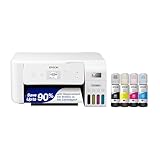

As an Amazon Associate we earn from qualifying purchases. Prices and availability are shown on Amazon.
The Ink Budget: Giving Your Household a Number to Aim At
Advice to save ink stays vague until it becomes a budget, and a budget needs only one number: how many pages a cartridge should last in your house. You cannot know it in advance, but you can learn it from one cartridge’s honest life — note the printer’s page count when a fresh cartridge goes in and when its replacement is truly due, and the difference is your household’s personal yield, shaped by your coverage, your settings and your habits. Every saving habit in this article can then be judged against that number rather than against hope. A household that adopts draft defaults and watches its personal yield climb across two cartridges has proof, not faith, and proof is what keeps a habit alive after the enthusiasm fades.
Set the budget as a range rather than a target to be defended at all costs, because some months are photograph months and some documents deserve full quality. The budget’s job is to make waste visible, not to make printing anxious. When a cartridge dies young, the budget prompts the right questions — was there a long run of full-color posters, a cleaning binge, a visitor with a thesis? — and the answers are usually innocent. When a cartridge dies young twice in a row with no explanation, the budget has caught something real: a setting that reset itself, a leaking supply, a habit that crept in. Numbers do not save ink. Numbers tell you where the ink went, and that knowledge, in a household, is nine-tenths of saving anything.
Where Ink Goes When You Are Not Looking
Some ink consumption never touches a page you keep, and knowing its hiding places separates real saving from superstition. Maintenance is the first: an inkjet keeps its nozzles alive by moving small amounts of ink, more after idle periods, more after being switched off at the wall mid-routine, more in a hot room. The saving here is behavioural — regular use, proper shutdown, a sane room — and it is why the cheapest ink habit in this entire guide is simply printing something small every week. The second hiding place is the discarded print: the job sent twice, the document printed before its final edit, the web page that brought its advertisements along. Preview and patience govern that entire category, and they govern it completely.
The third hiding place is the test that never happened: the photograph printed full-size on good paper that a thirty-second proof would have corrected, the batch of labels printed at the wrong setting and binned entire. Proofs are printed on the cheapest paper at the fastest setting precisely so that mistakes happen there, where they cost almost nothing, instead of on the good stock where they cost everything. And the fourth hiding place is color used by default: the driver set to color for a month of black documents, laying down a composite of colors to make its blacks. One default, changed once, outperforms a year of vigilance. Audit these four places before buying anything in the name of economy, because in most households they account for more ink than every gadget and gimmick combined.
Saving Ink Without Saving Yourself Into Worse Printing
Every saving in this guide has a quality price somewhere, and the wise saver knows which prices are worth paying on which pages. Draft mode on your own working documents costs nothing you value — you are the only reader, and the ideas survive a lighter print. Draft mode on a document that represents you — the application, the proposal, the letter to be kept — costs more than the ink it saves, in impression and in legibility. Photographs invert the logic again: their ink is the point of them, and a photograph printed stingily is a memory taxed at the moment of its creation. Save aggressively where the page is a tool; spend gladly where the page is the product.
There is also a floor below which saving becomes its own waste. Settings lightened until text greys into effort produce reprints, and a reprint spends the saving twice. Paper saved by cramming produces documents nobody reads closely. Ink saved by letting nozzles dry produces cleaning cycles that drink the savings in an afternoon. The economics of printing reward the moderate, consistent saver — defaults set sensibly, previews always, proofs before keepers — over the heroic one, because the moderate saver’s habits survive contact with a busy life. Build the habits you will still have in six months. They are the only ones that will have saved anything by then.
A Household System: Defaults, Proofs and the Friday Page
Turn the advice into a system with three moving parts, because systems outlast intentions. First, the defaults: set the printer driver once — monochrome and a sensible quality for everyday work, two-sided if your paper habits agree — so that saving is what happens when nobody is thinking, and spending is what happens only on purpose. Review the defaults after any software reinstall or new computer, because defaults are where economy silently emigrates. Second, the proof habit: anything large, colorful or headed for good paper gets a cheap proof first, and the proof is examined in the light the final will live in. Third, the Friday page — or whatever day your household chooses — a single small print that keeps the machine exercised, the levels checked and the paper tray honest, folded into an existing routine so it survives.
Add one supply rule and the system is complete: a replacement is ordered when the warning first appears, from the note of the exact supply the machine takes, so no cartridge is ever bought in a panic at a premium or in the wrong version. Panic purchases are an ink cost too — the wrong cartridge opened is the most expensive ink of all, because it prints nothing. A household running this modest system will find, at the end of a year, that its ink lasted longer, its printing improved and its printer complained less, without anyone having thought about saving ink more than occasionally. That is the signature of a system working: the benefit is continuous and the attention required is nearly zero.
More Questions About Saving Ink
Does shaking a cartridge help?
With toner, a gentle rock redistributes the powder and can restore even printing near a cartridge’s end — a legitimate short reprieve. With liquid ink cartridges, shaking gains little and risks a mess; the ink is either present or it is not. In both cases the reprieve is measured in pages, and its proper use is to finish the current job while the replacement you ordered at the first warning makes its way to you.
Should I turn the printer off between uses to save ink?
Let it sleep instead. A sleeping printer maintains itself economically and wakes ready; a printer switched off at the wall cannot park its heads properly and may spend more ink recovering than it saved resting. Switch off properly, with the machine’s own button, for long absences. For daily life, the sleep you did not interrupt is the cheapest ink policy there is.
Do ink-saving fonts work?
Fonts with thinner strokes or tiny voids do use less ink on text pages, and for internal documents the saving is real if modest. Their cost is legibility and dignity — a formal document set in a visibly frugal font announces its priorities. Use them where the audience is you; use honest typography where the audience matters. The larger text saving, available to everyone, is simpler: do not print the pages you do not need.
Is it cheaper to print photos at a shop?
Per print, a shop’s production line is hard to beat, and for a large batch of standard prints it usually wins. Home printing wins on immediacy, privacy, unusual sizes and the single print needed tonight. The households that overspend on home photographs are those printing shop-sized batches at home without counting; count your batch, compare honestly, and let each job go where it belongs.
Why does a new printer seem to drink its first cartridge?
Because the first cartridge is usually a smaller starter supply, and because a new printer’s first weeks include setup, alignment and the experiments of a household learning it. Judge the machine’s appetite from its second full cartridge, recorded against page counts, and the appetite will look far more reasonable — because it will finally be measured rather than remembered.
Saving Ink in a House Full of People
A solitary saver controls every setting; a household must save by agreement, and agreements about printing survive only if they are few, visible and kind. The few that work are these. The printer’s defaults are the household’s policy, set once by whoever keeps the machine, and nobody’s individual job is policed — a guest’s boarding pass and a child’s project print as they print, because a home is not an office and ink is not rationed at the level of love. The proof rule applies to everyone equally, including its inventor, which is what makes it a rule rather than a nag. And the supply shelf is communal property with one named keeper, so a low cartridge is an errand, never an accusation.
Children, in particular, should meet ink as a material to respect rather than a treasure to guard. A child who is taught the preview, the proof and the difference between a draft and a keeper has learned the whole curriculum of this article in the form of manners. A child who is taught that printing is expensive and slightly forbidden learns only to print at other people’s houses. The economics agree with the kindness: the habits save more than the rationing ever did, because habits scale across every page a person will print for the rest of their life. Teach the household the system, set the defaults, keep the keeper’s shelf stocked — and then stop talking about ink. The silence afterwards is the sound of the saving working.
When Saving Ink Is the Wrong Goal
Finally, the counterweight this guide owes you. Ink exists to be printed. A household that saves its way out of printing the photographs, the children’s work and the documents that make a home legible to itself has not saved money; it has spent a printer to no purpose. The goal of every habit here is narrower and better: to stop spending ink on pages nobody wanted — the duplicates, the drafts at full quality, the advertisements that rode along, the cleanings that idleness made necessary — so that the ink remains, affordable and unresented, for the pages everybody wants. Judge your saving by that standard alone. If the wanted pages are flowing and the unwanted ones have dried up, your ink is being spent perfectly, whatever the cartridge count says. Print the photograph. Print the story with the teacher’s comment. Print the map for the wall. The economy was always for their sake.
The One-Week Ink Audit
If you do nothing else in this guide, do this for one ordinary week: keep every discarded print. Not to shame anyone — to see. At the week’s end, sort the small pile into its families: the duplicates, the pre-final drafts, the pages that printed wrong, the pages nobody needed. Most households find the pile smaller than feared and more instructive than expected, because each family in it points at exactly one habit in this article — a default, a preview, a proof — that would have prevented it. Fix the family that is largest, live with the fix for a month, and let the pile shrink by evidence rather than by exhortation. Ink saving, done this way, is not a virtue campaign. It is a small, honest feedback loop between a household and its printer, and it will still be saving ink, quietly, long after a more heroic effort would have been abandoned.
Settings That Reset Themselves, and Other Silent Leaks
Some ink leaks are not habits at all but events, and they are worth a periodic check precisely because nobody notices them happening. A driver update can return quality and color settings to their factory defaults, undoing a household’s careful economy in a night. A new computer arrives with its own defaults, cheerfully set to the finest quality for every grocery list. A borrowed laptop prints through settings nobody chose. The defence is a twice-a-year glance at the defaults on every machine that prints — a minute per computer — with the household’s chosen settings restored where they have wandered. Keep a note of what the chosen settings are, in the same household record that holds the supply numbers, because a default you cannot describe is a default you cannot restore.
The other silent leak is the well-meaning rescue: the relative who, faced with a faded page, runs cleaning after cleaning on your machine as a favour. Each cycle spends real ink, and the fifth spends it on a problem the first had already solved or cannot. The household rule that prevents it is gentle and absolute — maintenance beyond one cycle is the keeper’s job — and like most rules in this article it exists not to control anyone but to protect the machine from love administered in the wrong dosage. Ink, in the end, is saved by the same thing that saves most household resources: a few defaults, a little knowledge in a shared place, and a system that keeps working on the weeks when nobody is thinking about it at all.
Take stock of the whole philosophy in one line and you are done: ink is saved in the settings and the seconds before a job, never in the anxiety after it. Set the defaults once, preview always, proof what matters, keep the machine exercised and the supplies ahead — and then go and print, freely and well, the pages your household actually wants. That freedom, purchased cheaply and kept permanently, is what saving ink was always for.
Paper Habits That Save Ink Indirectly
Ink and paper are separate purchases with a shared fate, because nearly every ink mistake is also a paper mistake and most paper discipline saves both. Print two-sided for your own long documents and the saving is visible in the shelf as much as in the cartridge — a thinner stack is a household’s most honest report of its printing economy. Print several slides or pages to a sheet for reference material and the ink saving follows the paper saving down. Keep a scratch tray of one-sided discards beside the printer for proofs, directions and disposable lists, and the proof habit described earlier becomes nearly free in both currencies at once.
Store the good paper apart from the everyday, clearly, so that no draft ever emerges on the photographic stock by accident and no keeper is ever printed on the curled remainder of a packet. These are librarian’s habits, and they pay a librarian’s dividend: order that saves money without ever being noticed. A household that runs its paper this way will find its ink lasting longer without a single additional ink decision — proof, if any were needed, that saving ink was never really about ink. It is about a household that knows what it is printing, why, and on what — and lets everything else take care of itself.
Begin tonight, if you like, with the smallest possible version of the whole system: set one default, and preview the next job. Everything else in this article is commentary on those two acts, repeated until they are invisible. Ink saved invisibly is ink saved forever, and a printer that is never thought about is a printer doing its job — which is the last, best definition of economy this guide can offer.
And if, a year from now, you total the household’s records and find the cartridges lasting half again as long as they did before this article, do not credit any single tip. Credit the accumulation — a default here, a preview there, a proof before a keeper, a machine kept exercised — because that is how ink is actually saved in real homes: not by a trick, but by a dozen small kindnesses to the truth of what each page was for. The printer will not thank you. It will simply keep printing, longer between cartridges, which is the only thanks a printer knows how to give.
Save the ink that was being wasted, spend the ink that was being hoarded, and let the difference show up where it belongs — in more of the pages your household loves, kept longer, printed better, without a thought spared for the cartridge that made them.
That is the whole method, and it fits on an index card: defaults, preview, proof, exercise, supplies ahead. Keep the card by the printer and the method will keep itself.
Print well, and print only what deserves it.
Frequently Asked Questions
Does draft mode really save ink?
Yes, it uses less ink per page.
Is refilling a good way to save?
It can lower cost, but check warranty and compatibility.
Which printer type saves the most?
Ink tank or laser printers, for heavy use.
Does printing in grayscale save ink?
Usually yes, if the printer uses black ink only.
Does turning the printer off save ink?
It depends on the model. Some printers run a startup routine that uses ink, so turning them on and off often can cost more. Check the manual and use the power button for shutting down properly.
Is it cheaper to print one big job than several small ones?
Often yes, because each wake-up may trigger a short maintenance routine. Batching jobs reduces how often that happens.
Does a smaller font use less ink?
Slightly, because less area is covered, but readability matters. A clean, simple font in draft mode is a practical way to cut use without making text hard to read.
Do starter cartridges hold less ink?
Some printers include starter cartridges that hold less than standard ones. Check the product listing or manual for what comes in the box.
Will print preview really save ink?
It can, because it shows blank pages, cut-off layouts and unwanted images before they print. That saves both ink and paper.
Is color ink used when I print black text?
On some printers and settings, yes. Choose a black-only or grayscale option in the print dialog when you do not need color.
Is a laser printer always cheaper to run?
Not always. Lasers can be a good fit for high-volume text, but the answer depends on the toner price, yield and what you print. Compare models using the maker's stated yield.
How can I tell whether a cartridge is really empty?
Printers estimate levels, and a low warning does not always mean empty. Keep printing until quality drops or the printer stops you, unless the manual advises otherwise.
Bottom Line
Print in draft and grayscale, preview before printing, keep nozzles healthy and choose a printer that suits your volume. See best ink for printers and best printers for home use.
Related Reading
- Types of Printers Explained: Inkjet, Laser, Ink Tank and More
- 7 Best Wireless Printers for Home Use
- 6 Best Printers for High-Volume Printing at Home or Office
- 5 Best Printers for Low-Volume Printing (Occasional Use)
- 6 Best Printers With Automatic Duplex (Double-Sided) Printing
More Printer Guides
- Best Printers for Home Use
- How to Scan a Document With a Printer
- How to Set Up a Wireless Printer on Mac
- How to Stop Inkjet Printer Ink From Drying Out and Clogging
- Ink Tank vs Laser Printer
- Inkjet vs Laser Printer for Home Use

