Ink and toner both put marks on paper, but they are different materials used in different printers. Ink is a liquid used by inkjet printers, and toner is a fine powder used by laser printers. The difference affects cost, quality, how long supplies last and what happens when a printer sits unused. This guide explains how they compare.
Costs in this guide are general. Use real prices and yields to compare specific models.
By the Reviewstook Editorial Team. Last updated: October 31, 2026.

What Ink Is
Ink is liquid, usually dye-based or pigment-based. An inkjet printer pushes it through tiny nozzles onto paper. Dye inks give vivid colors, and pigment inks resist water and fading. Because ink is liquid, it can dry out in the nozzles if you do not print for a while.
In this guide
What Toner Is
Toner is a dry powder made from fine plastic particles and pigment. In a laser printer, static electricity places toner on a drum, which transfers it to the paper. A heated roller (the fuser) melts it into the page. Dry toner does not dry out, so a laser can sit idle for months.
Print Quality
- Text: toner prints sharp, smudge-resistant text. Ink text is good but can smear on some papers.
- Color and photos: inkjet printers produce better photos and smoother gradients. Color lasers are good for graphics and charts.
Cost
Per page, toner often costs less for black text. Ink cartridge printers can have a high cost per page. Ink tank printers have a very low cost per page for both text and color. Compare using how to calculate printer cost per page.
Longevity and Storage
Toner cartridges last long and tolerate irregular use. Ink dries and can clog. See how to stop printer ink drying out.
Environmental and Practical Notes
Both ink and toner cartridges can be recycled through maker or store programs. Toner is messy if spilled, and ink can stain. Handle both carefully.
Which Should You Choose?
- Mostly text, irregular use: toner (laser). See best laser printers.
- Color, photos and crafts: ink (inkjet). See best inkjet printers.
- High volume at low cost: ink tank. See EcoTank printers.
Read inkjet vs laser for home and ink tank vs laser.
Reading Page Yield Claims Sensibly
Every cartridge listing mentions a page yield, the number of pages the maker says it can print. This figure is useful for comparison, but it is measured under standard test conditions with a set amount of coverage on each page. Your own pages may use more or less ink or toner than the test page, so the real number can differ, sometimes by a lot. A page full of photos or dense graphics uses far more than a plain letter.
To compare supplies fairly, look at three things together: the yield figure, the type of supply (starter, standard or high-capacity) and the price of the replacement. Divide the replacement price by the yield to get a rough cost per page, and treat the result as an estimate. Separate figures for black and for color matter, since color often runs out faster in an inkjet, and color laser printers may use four separate toner cartridges.
- Starter cartridges that ship with a new printer are often smaller than standard ones, so do not judge running cost by them.
- High-capacity options usually give a lower cost per page, but only help if you print enough to use them before print quality or storage becomes an issue.
- Inkjets also use ink for cleaning cycles, so low-volume printing can cost more per page than the yield suggests.
- Some laser printers separate the drum from the toner, and the drum is a separate wear part; check what the manual lists.
Ask yourself how many pages you print in a typical month and what share is photos or color. That answer matters more than any single figure on a box.
Genuine, Compatible and Refilled Supplies
Printer supplies come in three broad categories: those sold by the printer maker, those made by other companies to fit the same printer, and refilled or remanufactured cartridges. Each has trade-offs, and the right choice depends on how you use the printer.
Maker-supplied cartridges are designed for the printer, and their listing information is usually clearer about compatibility. They often cost more. Compatible cartridges from other companies can cost less, and quality varies. Some printers detect non-original cartridges and may show a warning or refuse them, depending on the model and firmware, so check the manual, the listing and the seller’s notes before buying. Refilled cartridges can reduce waste, but results depend on the process and the seller.
- Match the exact cartridge model number to your printer; similar-looking numbers can be incompatible.
- Read the seller’s return and defect policy before buying non-original supplies.
- Check whether using non-original supplies affects your printer’s warranty, according to the maker’s terms.
- If print quality changes after switching, test a different cartridge before blaming the printer.
- Ink tank printers use bottles of ink; check that the bottle type is the one the printer specifies.
If you print rarely, a smaller cost difference between categories matters less than reliability. If you print often, running cost becomes a larger factor, which is where a printer with a low cost per page deserves a closer look.
Paper, Labels and Special Media
Ink and toner behave differently on different surfaces, so paper choice should be part of your decision. Inkjets spray liquid, so absorbent plain paper may let color bleed slightly, while coated photo paper holds fine detail. Pigment inks usually sit on top of the paper and resist smudging, while some dye inks may smear if a page gets damp. Check the printer’s manual for the paper types it supports.
Lasers fuse powder with heat, which suits plain paper, cardstock and many labels, but not everything. Some plastic sheets, adhesive labels or glossy stocks can melt or warp under the fuser if they are not designed for laser printers. Using the wrong material can damage the printer, so look for sheets labeled for laser use and follow the maker’s guidance.
- Photos: inkjets with photo paper usually give smoother tones than a typical laser.
- Labels and envelopes: check that the product states compatibility with your printer type.
- Thick cardstock: check the maximum paper weight in the specifications and whether a rear feed is available.
- Double-sided printing: consider whether wet ink needs drying time before the second side.
- Crafts and transfers: read the instructions for the specific material, because heat and moisture affect them.
If a main use is something unusual, such as stickers, iron-on sheets or large photos, start from that use and choose the printer type that supports it.
Speed, Workload and Office-Style Use
Ink and toner printers differ in how they handle volume. Laser printers typically warm up and then produce pages steadily, which suits documents, reports and shared use. Inkjets can be slower on long jobs, especially at higher quality, though many handle everyday home printing perfectly well. Compare the maker’s stated print speeds with caution, since they are measured on simple pages.
Duty cycle is another number worth knowing about. It describes the maximum monthly volume the maker designed the printer for, and a recommended range is often given alongside it. Printing within the recommended range helps the printer last. If you print a small number of pages, a heavy-duty machine is not necessary, but if several people share one device, a model built for higher volume can save frustration.
- Look at the paper tray capacity if you print long documents.
- Check for automatic two-sided printing if you want to save paper.
- Consider an automatic document feeder if you also scan or copy multi-page documents.
- Think about network features if several devices will share it.
- Check warm-up time, since a printer that sleeps may take a moment before the first page.
A small home office printing mostly black text often finds toner convenient, because the printer is ready when needed. A household with school projects, photos and occasional documents may prefer the flexibility of ink, especially a refillable tank system.
Care, Handling and Signs to Replace
Good habits make both types of supply last longer. For inkjets, print something small regularly to keep nozzles moving, store the printer away from direct sun and heat, and use the power button to shut it down so the print head parks properly. If streaks or missing lines appear, run the maker’s cleaning routine, though repeated cleaning uses ink and should be limited.
For laser printers, handle cartridges gently and keep them level when installing them. If toner spills, wipe it up with a dry cloth or follow the manual’s advice and avoid blowing it around. Do not touch the drum surface, and do not open or force the fuser area while hot. Let the printer cool before clearing a jam.
- Keep unopened cartridges in their packaging, in a cool dry place, until needed.
- Do not shake or tilt cartridges beyond what the instructions say.
- Keep supplies away from children and pets.
- Recycle used cartridges through available maker or store programs.
Signs that it is time to replace a supply include faded or streaky prints that do not improve after a cleaning cycle, gray patches on laser pages, or a low-level message from the printer. Signs that it is time to replace the printer itself include frequent jams, repeated errors, parts that are no longer available and running costs that exceed the value of the machine. Check the warranty before paying for a repair.
Matching the Technology to the Way You Print
The ink or toner question is really a question about habits. How often do you print, what do you print, and how long does the printer sit idle between jobs? Answering those three questions tells you more than any technical comparison.
If you print rarely, in short bursts, ink systems can suffer from dried nozzles, and toner systems tend to cope better with long idle periods. If you print photos or color graphics, ink systems often handle smooth tones and special papers well. If you print mostly black text documents in volume, toner printers are typically designed for that job.
| Your habit | Leans toward | Why |
|---|---|---|
| Occasional documents | Toner | Toner is less affected by long idle periods |
| Frequent black text | Toner | Built for steady text printing |
| Photos and crafts | Ink | Works with many photo papers |
| Mixed use, small office | Either | Depends on volume and color needs |
| Student projects | Ink or toner | Depends on photo and poster work |
None of this is absolute. Models within each category differ, so read the maker details for the specific printer.
Cartridge Types and Refill Options
Ink printers use cartridges or tanks. Cartridge systems are common and simple, while tank systems let you refill from bottles, which some people prefer for high-volume use. Toner printers use cartridges or drums that hold dry powder. Some designs separate the drum from the toner, so you replace parts at different times.
Original, compatible and refilled
Makers recommend their own supplies, and using others may affect warranty or print quality. If you consider alternatives, read the maker terms and the seller description carefully.
Page yield
Yield figures state how many pages a cartridge can print under standard conditions. They are useful for comparing, but your own results depend on coverage.
Chips and compatibility
Some printers check cartridges with a chip. Make sure the cartridge model number matches your printer exactly.
How Ink and Toner Differ on the Page
Ink is liquid, sprayed onto paper in tiny drops that soak in. Toner is a fine powder fused to the page with heat. This affects the feel of the paper, the way smudging behaves and the look of text. Toner prints often look crisp and resist smearing, while ink prints can be vivid but may smear if they get wet unless the ink is designed to resist it.
Paper choice also matters. Ink printers are sensitive to paper type, because coated paper can change the way ink dries. Laser printers heat the page, so paper must be suitable for that process, and labels or special media should be checked against the manual.
Storage, Handling and Safety Notes
Treat supplies according to the maker instructions. Keep unopened cartridges in their packaging in a cool, dry place. Toner is a fine powder, so handle cartridges carefully to avoid spills, and if powder escapes, follow the cleanup advice in the manual. Keep supplies away from children and pets.
- Store cartridges upright or as indicated on the box.
- Do not shake a cartridge unless the maker says to.
- Dispose of used cartridges through recycling programs offered by makers or retailers where available.
- Do not attempt to open sealed toner units.
Thinking About Running Costs Honestly
Comparing running costs requires some arithmetic. Divide the replacement cartridge cost by its stated page yield, and compare that figure across models. Remember that color printing uses more than one cartridge, and that setup cartridges may print fewer pages than replacements. Idle cleaning cycles in ink printers consume some ink, which shifts the numbers for light users.
- Note the cost of each cartridge you will need.
- Check the stated page yield for each.
- Estimate how many pages you print in a month.
- Add a margin for color and cleaning cycles.
This simple exercise often reveals that the least costly printer to buy is not always the least costly to run.
A Short Decision Checklist
- How many pages do you print each month?
- Do you need color, photos or only text?
- How long does the printer sit idle?
- Do you have space for the size of the machine?
- What do you want to do about supplies and recycling?
Mistakes to Avoid When Choosing
People often choose a printer by the purchase tag alone and then discover that supplies are the bigger expense. Others buy a color laser when they print only black text, or an ink printer when it will sit unused for months. Some ignore the size of the machine and find it does not fit the shelf. A few forget that setup cartridges are often smaller than the replacements.
- Do not skip the page yield figures on the listing.
- Do not assume all cartridges are interchangeable.
- Do not ignore warranty terms about third-party supplies.
- Do not forget about recycling, and check the maker program.
Glossary for Printer Shoppers
- Page yield: the number of pages a cartridge is expected to print under standard test conditions.
- Drum: a part in laser printers that transfers toner to the page.
- Fuser: the heated part that bonds toner to the paper.
- Printhead: the component that sprays ink in an inkjet.
- Duplex: automatic two-sided printing.
- Ink tank: a refillable reservoir used in some inkjet models.


Ready to Buy? Start Here
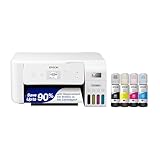
If this guide helped you decide what to look for, these products are a place to start.

As an Amazon Associate we earn from qualifying purchases. Prices and availability are shown on Amazon.
What Each Feels Like to Live With
Beyond chemistry and cost, ink and toner create different daily textures, and owners feel the difference in small moments. Ink arrives as a liquid event: a cartridge clicked in, a tank filled from a bottle, a first print that must dry before it is stacked with confidence. Its failures are gradual and visible — a color thinning, a line appearing — and its maintenance is a conversation the machine holds with you through cleaning cycles and warnings. Toner arrives as a dry, sealed object that asks to be shaken once in its life, prints pages that emerge finished and touchable, and then is silent for months. Its failures are few and sudden: the cartridge ends, the drum announces itself, and the machine that never asked for anything asks once, decisively.
Households have temperaments that match these textures. The household that prints daily and enjoys its tools finds ink’s conversation companionable; the machine is alive, responsive, part of the home’s rhythm. The household that wants printing to resemble the water supply — present, unconsidered, billed occasionally — finds toner’s silence worth its higher per-page price on color and its indifference to photographs. Neither texture is a defect. They are the lived surface of the two chemistries, and a buyer choosing between them is choosing, whether they know it or not, which texture their home will feel for years. Choose the one that sounds like peace to you, because peace, in a household appliance, is the feature that outlasts all the others.
How Ink and Toner Age in Storage
Spare supplies behave as differently on a shelf as they do in a machine, and households that stock ahead — as this site’s guides keep recommending — should know the two shelf lives. Ink is a liquid with a memory of time: a sealed cartridge keeps well for a good while in a cool, ordinary room, but it is not immortal, and a cartridge stored for years, or baked in a hot cupboard, may arrive at its moment already diminished. Bottled ink for tank systems keeps similarly, sealed and upright, and rewards the same cool, dark, unremarkable storage. The practical rule is to stock one spare deep, not five: rotation keeps supplies young, and a bargain hoard of ageing cartridges is a false economy that announces itself at the worst moment.
Toner is the shelf’s aristocrat. A dry powder in a sealed cartridge is close to indifferent to time within any household horizon; it asks only to be kept dry, unopened and away from extremes, and it will print its first page years after purchase exactly as it would have on the first day. This is one of the laser system’s quiet structural advantages for light users: the household that prints little can keep a spare without a clock ticking over it, while the ink household’s spare is a perishable to be managed. Neither fact should decide a purchase alone, but both belong in the honest ledger — ink’s supplies are a rhythm to maintain, toner’s are a cupboard to forget, and households know which of those they are better at.
Ink, Toner and the Printed Page’s Own Life
The comparison continues after printing, in the life of the page itself. A toner print is a thin layer of plastic fused to the surface: it resists water, shrugs off a highlighter, and survives in a file or a folder with very little change across years, which is why the world’s offices entrust their records to it. A dye ink print lives inside the paper’s fibres, vivid and integrated, and its enemies are water and light, which it meets bravely on good paper and poorly on bad. A pigment ink print stands between the two — particles resting on the surface, chosen for documents precisely because it borrows toner’s durability while keeping ink’s color gifts.
Match the medium to the page’s destiny. The document that will be handled, highlighted, rained on once and filed for a decade wants toner or pigment. The photograph that will live framed, away from direct sun, is gloriously served by dye inks on proper paper, whose gradients no toner attempts. The child’s project, the handout, the draft — these have short, happy destinies and either medium serves them. Buyers who think about the page’s life, and not only the machine’s price, find the ink-versus-toner question answering itself from the far end: start with what your pages must survive, and walk backwards to the chemistry that survives it.
Reading the Fine Print: Chips, Yields and Compatibility
Modern supplies speak to their printers through chips, and the conversation shapes ownership more than most buyers realise. The chip reports identity and level, enforces the maker’s idea of a genuine supply, and increasingly carries the cartridge’s biography. For the owner, the practical consequences are three. First, level readings are estimates with personalities — optimistic in some systems, conservative in others — and the owner learns their own machine’s dialect within a cartridge or two. Second, compatibility is exact: a cartridge that almost fits is a cartridge that does not, and the model number in the household records is the only safe shopping list. Third, the choice between genuine, compatible and refilled supplies is a real choice with real trade-offs — in consistency, in the machine’s willingness to report levels, in warranty conversations — and it should be made as a policy, calmly, rather than as a panic purchase at an empty cartridge’s deadline.
Yield claims are the fine print’s second language. They are measured on standard test pages at standard coverage, which makes them honest as comparisons and optimistic as predictions, because real documents cover more of the page than test documents do. The translation skill is to treat a yield as a ranking between supplies rather than a promise to your household, and to replace it, after a cartridge or two, with your own recorded yield — the number your pages, your coverage and your habits actually produce. Owners who keep that one record stop being marketed to, in this category at least, because they possess the only yield figure that was ever about them.
More Questions About Ink and Toner
Can I mix genuine and compatible supplies in one printer?
Physically, printers that accept compatibles will usually run a mixture, but consistency suffers: color balance is a system property, and a color built from different makers’ inks can drift in ways that are hard to diagnose. Choose a policy per machine — all genuine, or compatibles from one reputable source — and change it wholesale rather than cartridge by cartridge, so any change in output has one suspect instead of four.
Why does my printer say a cartridge is empty when it clearly is not?
Because the machine estimates by counting and by its own caution, and its caution is deliberate: running an ink system truly dry can harm it, so the warning is set to arrive early. Learn your machine’s margin by experience — how many honest pages follow the first warning — and treat the warning as a prompt to order rather than a verdict that printing must stop. With toner, a gentle shake redistributes the powder and often restores even printing for a while, which is the machine’s design, not a trick.
Is toner safe to have in a home with children?
In normal use it lives sealed inside a cartridge inside a machine, which is where it should stay. Treat a damaged or leaking cartridge as you would any fine powder: keep it away from faces, wipe spills with a damp cloth rather than a dry duster or a vacuum not designed for fine particles, and wash hands afterwards. Ink asks for the same ordinary respect in liquid form. Neither belongs in a toy box; both belong in the category of household chemicals handled calmly and stored sensibly.
Which is better for printing on labels and envelopes?
Both, with the media matched to the heat. Laser printing fuses at high temperature, so labels for a laser must be rated for it — the wrong adhesive softens and can foul the machine. Inkjet labels must suit a liquid process and be given their drying moment. The printer’s manual names the media it blesses; obeying it matters more than the ink-versus-toner question, which for labels is nearly a draw.
Do ink and toner prices ever make one choice obviously wrong?
At the extremes of volume, yes. A household printing thousands of color pages on a cartridge inkjet, or a business printing its river of documents on anything but a laser, is paying a tax that arithmetic exposes in minutes. Between the extremes, the choice is the balanced one this article describes. Run your own cost per page before concluding that your household lives at an extreme; most discover, with relief, that they live in the wide, forgiving middle.
Disposal, Recycling and the End of a Cartridge’s Story
Every cartridge’s story ends, and the two chemistries end differently. A toner cartridge is a substantial plastic object with powder residue and, in many designs, a drum companion; makers run return programmes for them because the object is worth recovering and because a powder-bearing object does not belong in household waste. An ink cartridge is smaller but no simpler — a chipped, ink-filmed object that recycling schemes also collect — while tank ink’s ending is the lightest of all: an empty bottle, and a printer that simply continues. Households that print in volume feel these endings accumulate; a small business can fill a box of spent toner cartridges in a season, and the return programme stops being a virtue and becomes a logistics habit, like the supply order it mirrors.
The refill question belongs in this section too, because it is where economics and responsibility meet. Refilling a cartridge — by a service or from a kit — extends the object’s life and reduces its cost, at the price of variability: the chip may not agree, the seals may not hold, the yield may not repeat. Owners who refill successfully treat it as a craft with a supplier they trust; owners who treat it as a gamble usually collect the losses that gamblers do. The honest middle path this guide recommends is a policy decided in advance, per machine, with the records to judge it by — because a refill judged by your own yield notes is a decision, and a refill judged by hope is a lottery ticket with a printer attached.
The Hybrid Truth Most Homes End Up Living
Step back from the rivalry and a pattern emerges from real households: many end up fluent in both. The laser by the desk speaks toner; the family machine speaks ink; the owner moves between them without ideology, choosing per job — the contract to the laser for its dry authority, the photograph to the inkjet for its color soul. Fluency is the mature state of this comparison, and it reframes the original question. Ink versus toner is not a war with a winner; it is a vocabulary with two words, and a household’s printing life is a sentence that may need either, or both, or one now and the other in five years when the children, the business or the hobby have changed the sentence’s meaning.
So learn the two chemistries the way this article has taught them — what they are, what they cost, how they age, what pages they dignify — and then hold the knowledge lightly. Buy for the sentence your household is writing today. Keep the records that tell you when the sentence changes. And when it does, you will not need another comparison to tell you what to do, because you will have become the person this article was trying to create: an owner who understands what is inside their printer, and why it was the right thing to put there.
A Ten-Second Test for Any Supply Purchase
Before any cartridge, bottle or toner joins your household, put it through the test this whole article implies. Do I know, from my own records or from a yield I trust, roughly how many of my pages this contains? Do I know it fits my exact model, from the note I made when the machine arrived? Do I know whether it suits the pages I actually print — their color, their coverage, their destiny? Three yeses make a purchase; any no makes a research task that costs less now than the wrong supply costs later. Ink and toner are simple substances wrapped in complicated marketing, and the test cuts the wrapping. Keep it, and the chemistry inside your printer will remain what it should be: the least interesting, most reliable part of getting a page printed — which is the highest compliment either of them can earn.
What the Two Chemistries Teach About Every Other Printer Decision
It is worth noticing, at the end, how much of printer wisdom is contained in this one comparison. Ink teaches that a low headline cost can hide a rhythm of small payments, and that a technology’s weakness — drying — is really a request for a habit. Toner teaches that a higher headline cost can purchase indifference, and that a technology’s strength — permanence — is purchased with a narrower range of gifts. Every other decision in printing rhymes with one of those lessons. The cheap machine with dear supplies is ink’s lesson wearing a printer’s clothes. The sturdy machine that asks nothing is toner’s. Even paper obeys the pattern: the bargain ream that jams is a rhythm of small payments, and the good paper that simply feeds is indifference, bought once.
Households that internalise the rhyme stop shopping by headline and start shopping by life — by the rhythm a thing will impose, the habits it will require, the pages it will dignify and the ones it will merely produce. That is a larger skill than choosing between ink and toner, and it is available free to anyone who has read this far and understood that the two substances were never really the subject. The subject was your household’s way of living with a machine. Ink or toner, you now know how to choose — and, more valuable still, you know how you chose, which means every future choice of the kind is already half made.
Keep, finally, the one record that makes all of this article’s advice personal: a line in your household notes for each supply change — the date, the machine’s page count, what was fitted. Within a year that modest line becomes your printer’s biography and your household’s private yield table, immune to every listing’s optimism. Ink or toner, the biography is the truth, and owners who keep it are never sold the wrong chemistry twice.
One more lived difference deserves recording before the verdict, because it is the one owners mention years later without being asked: how the two kinds of print feel in the hand and read across a room. A toner page has a faint sheen and a slight relief you can sense with a fingertip; it looks, to most eyes, like authority — the page of a letter from a solicitor or a report from a boardroom. An ink page, especially a pigment one on good paper, sits flatter and quieter, closer in spirit to the printed book. Neither impression is a quality; both are associations, and associations matter in documents meant to persuade, reassure or commemorate. The business that prints its proposals on the wrong-feeling page is not making an error of fact, but it may be making one of rhetoric. Choose your chemistry with your readers’ hands in mind as well as your own costs, and the pages your household sends into the world will carry the right feeling as faithfully as they carry the right words.
And so the difference between ink and toner, pursued to its end, is not a difference between two products but between two promises. Ink promises color, versatility and economy at the price of a little regular attention. Toner promises permanence, pace and peace at the price of a narrower palette. A household that knows which promise it needs has finished shopping, whatever it buys — and a household that does not will keep shopping even after the printer arrives. Read this article once, decide which promise is yours, and let the machine that keeps it disappear into years of unconsidered service.
If a single sentence could carry the whole comparison to a friend, it would be this: ink is water finding its level in your household’s habits, and toner is powder waiting patiently for your household to need it — so ask not which is better, but which patience matches yours. The household that prints in a steady stream will love the liquid. The household that prints in occasional certainties will love the powder. And the household that does both will, in time, keep both chemistries under its roof and wonder why the question was ever framed as a contest at all.
Know your pages, know your rhythm, and the chemistry chooses itself — that is the difference, and it was never only about ink or toner.
Choose accordingly, print confidently, and keep the record.
Frequently Asked Questions
Is toner cheaper than ink?
Often for black text, but ink tank printers can be cheaper still.
Can I use ink in a laser printer?
No. Each printer uses its own supply.
Does toner expire?
Toner lasts a long time but should be stored in a cool, dry place.
Why is ink so expensive?
Cartridge printers are cheap, and makers earn on ink. Ink tank printers avoid this.
Why does my laser printer leave toner smudges?
Smudges can mean the fuser is not fully bonding toner to the page, the paper is unsuitable, or the cartridge is faulty. Try a different paper, check the manual for cleaning steps and contact the maker if it continues.
Can I print photos on a laser printer?
Yes, but photo detail and smoothness are usually better from an inkjet using photo paper. A color laser can be fine for charts, graphics and simple images.
Does an inkjet use ink when it is turned on but idle?
Many inkjets perform small automatic cleaning cycles that use some ink, especially after being off for a while. Check the manual and keep it shut down properly between uses.
Is toner dangerous to breathe?
Toner is a fine powder, so avoid creating clouds of it. Clean spills carefully using the maker's guidance, keep the room ventilated, and consult the safety data from the maker if you have concerns.
What is the difference between a toner cartridge and a drum?
Toner is the powder that forms the image. The drum is the part that carries it to the paper. In some printers they are combined in one cartridge, in others they are separate parts with their own lifespans.
Should I buy the biggest cartridge available?
Only if you print enough to use it in a reasonable time. A larger capacity can lower the cost per page, but supplies stored for long periods should be kept cool and dry, per the maker's advice.
How do I know which cartridge fits my printer?
Look for the model number on the old cartridge or in the manual, and match it to the product listing. Do not rely on the printer's name alone, since similar models can use different cartridges.
Bottom Line
Ink suits color and photos, toner suits fast, sharp text and irregular use. Choose by what you print and compare cost per page. See best printers for home use.
Related Reading
- 7 Best Wireless Printers for Home Use
- How to Refill an Ink Tank Printer (EcoTank and MegaTank)
- Printer Says Out of Ink After a New Cartridge: What to Do
- 5 Best Ink Cartridges for Printers: Genuine and Compatible
- 5 Best Toner Cartridges for Laser Printers: Genuine Sets
More Printer Guides
- Best Printers for Home Use
- Printer Terms Explained
- Types of Printers Explained
- What Is an All-in-One Printer? Features and Who Needs One
- How to Calculate Printer Cost Per Page
- How to Check Printer Ink Levels on Windows, Mac and Phone

