Where to buy
Check the latest price, availability and delivery on Amazon. Orders are placed on Amazon. We may earn a commission from qualifying purchases.
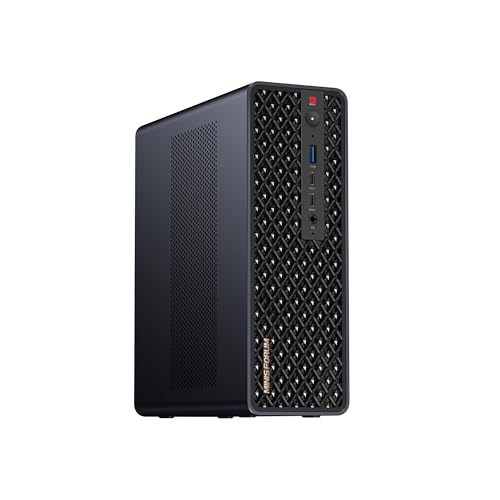
- Best mini PC for streaming overall: Minisforum MS-S1 MAX, Ryzen AI Max+ 395, 64GB, 2TB, Dual 10GbE — Check on Amazon
- GMKtec EVO-X2, Ryzen AI Max+ 395, 64GB, 1TB — Check on Amazon
- Beelink SER9 Pro, Ryzen AI 9 HX 370, Radeon 890M, 32GB, 1TB — Check on Amazon
- Minisforum MS-02 Ultra, Core Ultra 9 285HX, 32GB, 1TB, Dual 25GbE — Check on Amazon
See 2 more Amazon options
- Apple Mac mini M4 Pro, 24GB Unified Memory, 512GB SSD — Check on Amazon
- Minisforum MS-A2 Mini Workstation, Ryzen 9 HX, PCIe x16 — Check on Amazon
Read the full guide ↓
Disclosure: As an Amazon Associate, reviewstook.com earns from qualifying purchases. Links to Amazon on this page are affiliate links; they cost you nothing extra. Listing details such as price and availability change often, so check the current Amazon listing before you buy.
A streaming PC has one job that outranks every other specification on the page: it has to turn gameplay, a camera and a microphone into a clean encoded feed, live, for hours, without dropping frames when the game gets busy. So this guide grades the six mini PCs under $3,000 the way a streamer actually uses them — encoder first. The workflow being graded is the real one. On Twitch, the working standard is a constant-bitrate feed around 6,000 kbps at 1080p60 with two-second keyframes; that is the number your encoder has to hold while the game is also rendering. YouTube is more generous and more demanding at once: it accepts far higher bitrates, carries 1440p streams, and is the platform where AV1 live encoding earns its keep today, with Twitch’s AV1 arriving through its Enhanced Broadcasting programme rather than as a universal default. And 4K streaming remains platform-limited rather than hardware-limited — the services, not these machines, set that ceiling. Every pick below is judged against that workflow, not against a spec sheet.
Two honest facts frame the whole list before the rankings start. First, there is no NVIDIA graphics hardware in any of these six machines as shipped, which means there is no NVENC anywhere in this guide — the encoder most streaming advice is written about is simply absent, and what replaces it is AMD’s VCN media engine, Intel Quick Sync, and Apple’s VideoToolbox, each graded on its own documented silicon below. Second, $3,000 is far more money than streaming requires. The base guide for this tier established that general-purpose mini PCs sit in a much lower tier and that much of a $3,000 budget is unspendable on a better ordinary mini; streaming does not repeal that logic. What the extra money buys here is specific: an AV1-capable encoder on current AMD silicon, memory and storage headroom for running a game, OBS, a browser and chat on one box, networking fast enough to pull media from a NAS while the feed runs, and — on three of these machines — a PCIe slot that lets a real discrete encoder card arrive later. If none of that is your bottleneck, the spend-less pick in this guide is a genuinely good streaming machine, and the cheaper tiers in Best Mini PC For Streaming Under $1500 deserve your attention first.
In this guide
Quick Picks
Short on time, or comparing several options at once? Each row below names a streaming job and the machine that suits it, with a link to the listing.
| Streaming job | Pick | Encoder and why it stands out | Link |
|---|---|---|---|
| Best for streaming overall | Minisforum MS-S1 MAX, 64GB, 2TB | RDNA 3.5 VCN with AV1 encode, 2TB fitted for recordings, dual 10GbE, PCIe slot in reserve | Check on Amazon |
| Best AV1 encoder value | GMKtec EVO-X2, Ryzen AI Max+ 395, 64GB | The same RDNA 3.5 AV1 encoder and 64GB unified pool at a lower tier — check price on Amazon | Check on Amazon |
| Best reason to spend less | Beelink SER9 Pro, Ryzen AI 9 HX 370 | Radeon 890M RDNA 3.5 encoder with AV1 at a much lower tier — check price on Amazon | Check on Amazon |
| Best platform for a future encoder card | Minisforum MS-02 Ultra, Core Ultra 9 285HX | Quick Sync today; a PCIe 5.0 x16 slot, 25GbE networking and ECC memory tomorrow | Check on Amazon |
| Best for macOS streaming and editing | Apple Mac mini M4 Pro, 24GB, 512GB | VideoToolbox H.264/HEVC plus hardware ProRes engines; no AV1 encode | Check on Amazon |
| Best grow-it-yourself stream box | Minisforum MS-A2, Ryzen 9 HX | Display-grade integrated encoder as shipped; the PCIe slot is the streaming story | Check on Amazon |
How These Picks Were Chosen
The six machines are exactly the six verified picks of the base guide, Best Mini PC Under $3000 — same listings, same ASINs — re-graded for streaming. The budget was applied the same way: as a ceiling on real Amazon listings — check price on Amazon for the current figure on each pick. Every pick was verified in a configuration that sits under $3,000, and this category reprices often with the memory market, so confirm the live listing before you buy. The 128GB Strix Halo machines stay landmarks rather than picks here, exactly as in the base guide: the EVO-X2 in 128GB form sits in a premium tier above this entire budget, so no review below pretends you can buy one here.
What changed is the grading. The first test is the encoder each machine’s documented silicon actually carries — not the encoder its marketing implies. AMD’s RDNA 3.5 media engine, in the Radeon 8060S and 890M, encodes H.264, HEVC and AV1 in hardware, and three picks here carry it. Intel’s integrated graphics on the Core Ultra 9 285HX provide Quick Sync for H.264 and HEVC; this guide credits it with exactly that and claims no AV1 encode for it. Apple’s M4 Pro encodes through VideoToolbox in H.264 and HEVC, with hardware ProRes engines that matter to editors; its AV1 hardware is decode-side, and this guide states plainly that it does not encode AV1. The MS-A2’s Radeon 610M is RDNA 2 silicon whose media engine predates AV1 encode entirely — and which the base research documents as display-grade — so it is graded as the weakest as-shipped encoder here, with its PCIe slot carrying its streaming case. No pick is credited with a dual encoder, because none of the six ships with two hardware encode paths worth the name, and no pick is credited with NVENC, because no NVIDIA silicon is present in any of them as shipped.
The second test is simultaneous load, because streaming is never one workload. A one-box streamer runs the game, the encoder, OBS’s compositor, a browser, chat and voice software at the same time, for hours. So each review weighs the memory fitted — and whether the encoder shares that memory with the game, as it does on the unified-memory AMD and Apple machines — the storage fitted for local recordings, which fill faster than new streamers expect, and the CPU cores left over for everything that is not the game or the encode. The third test is the wire. Every machine here is graded on its documented wired networking, because the standing rule of this guide is that a stream leaves on Ethernet, never on Wi-Fi, and a box that also pulls game captures and media from network storage needs the port speed to do both at once. Fan noise is graded as a microphone specification, not a comfort footnote: a machine that gets loud under sustained load is a machine your audience hears.
The Encoder Map: What Each Machine Actually Encodes
Read this section before the reviews, because it is the whole guide in one place. The two Strix Halo machines — the MS-S1 MAX and the EVO-X2 — and the SER9 Pro carry AMD’s RDNA 3.5 VCN engine, the strongest streaming silicon in this set: hardware AV1 encode for YouTube’s higher-bitrate and 1440p workflows, plus H.264 and HEVC. The honest qualifier, stated here and in their reviews, is that AMD’s H.264 encoding at Twitch’s roughly 6,000 kbps ceiling is visibly softer than NVIDIA’s NVENC at the same bitrate — fine detail in fast motion smears sooner — so a Twitch-first streamer on these machines is trading a little H.264 sharpness for AV1 capability and everything else these boxes do. The MS-02 Ultra encodes through Intel Quick Sync on its integrated graphics: a mature, efficient H.264/HEVC path that serves Twitch and YouTube competently, with no AV1 encode claimed for it in this guide. The Mac mini M4 Pro encodes through VideoToolbox in H.264 and HEVC only — AV1 decode is present in its hardware engines, AV1 encode is not — and its hardware ProRes acceleration is a recording-and-editing asset rather than a live-feed one. The MS-A2’s Radeon 610M encodes H.264 and HEVC through RDNA 2-generation VCN, with no AV1 encode, on silicon the base research documents as display-grade; treat its integrated encoder as a stopgap and its slot as the plan. CPU software encoding — x264 in OBS — is graded as an emergency fallback everywhere: the 16-core Strix Halo chips and the 24-core 285HX have the headroom to hold a modest x264 preset alongside a light game, and nobody should plan a channel around it.
The 6 Best Mini PCs for Streaming Under $3,000
Minisforum MS-S1 MAX — Ryzen AI Max+ 395, 64GB, 2TB, Dual 10GbE
Who it suits: One-box streamers who also live on fast network storage — a NAS on 10GbE, a capture archive, a small studio — and who want the strongest encoder in this guide fitted alongside the storage and networking a streaming machine actually consumes.
The MS-S1 MAX takes first place on this angle because it is the only pick that answers every streaming question at once. Its encoder is the Radeon 8060S’s RDNA 3.5 VCN engine: hardware AV1 encode for YouTube’s 1440p and high-bitrate workflows, HEVC, and H.264 for Twitch’s 6,000 kbps constant-bitrate standard, with the standing AMD qualifier that its H.264 output at that bitrate is visibly softer than NVENC’s in fast motion. Around that encoder sits the rest of a streaming machine done properly: the 16-core Ryzen AI Max+ 395 leaves real CPU headroom beside the game and the encode; 64GB of unified memory means OBS, a browser, chat and the game are never fighting over a small pool; a 2TB SSD is fitted as standard, so local recordings — which every serious streamer keeps alongside the live feed — have somewhere to live from day one; and dual 10GbE RJ45 ports mean the box can pull media and game files from network storage at full speed while the feed runs, on the wired connection this guide insists on. An internal 320W power supply replaces the laptop-style brick, and a PCIe x16 slot per the listing keeps a door open: if a future discrete encoder card ever makes sense, this chassis can host it. Check price on Amazon for the current figure — this is a premium-tier machine in the 64GB Strix Halo class.
The caveats are the ones the base guide documented, and they survive the re-grading. The 64GB of memory is soldered beside the chip and final — the 128GB configuration of this same machine sits outside this budget entirely, so the pool you buy is the pool you retire. Availability deserves the same scrutiny: there have been stretches where the 64GB configuration could be ordered only for later delivery instead of shipping from stock, so read the delivery estimate before you read anything else on the page. And the chassis is a workstation’s — larger and more industrial than a living-room mini — so measure the desk or rack space it will actually occupy.
- RDNA 3.5 VCN encoder with hardware AV1 — the strongest streaming silicon in this guide.
- 2TB fitted, dual 10GbE and a PCIe x16 slot: recordings, network media and a future encoder card all covered.
- Premium tier in the 64GB Strix Halo class — check price on Amazon.
Honest limitation: AMD’s H.264 at Twitch bitrates is visibly softer than NVENC, the 64GB memory is soldered for life, and the premium over the EVO-X2 buys storage, slots and networking — not a faster encoder.
Choose it if you stream to YouTube at high bitrates or 1440p, record locally, and feed the machine from fast network storage. Skip it if it will sit alone on a desk with one Ethernet cable and no NAS; the EVO-X2 below carries the same encoder for less.

GMKtec EVO-X2 — Ryzen AI Max+ 395, 64GB, 1TB
Who it suits: Streamers whose priority is the encoder itself — AV1 for YouTube, a large unified memory pool shared between the game and the encode — and who do not need workstation networking or an expansion slot to get it.
The EVO-X2 carries exactly the same streaming silicon as the pick above it: the Ryzen AI Max+ 395’s Radeon 8060S, whose RDNA 3.5 media engine encodes AV1, HEVC and H.264 in hardware, fed by the same 64GB of LPDDR5X-8000 that the CPU and GPU address as one pool. For a one-box streamer that shared pool cuts both ways, and the review should say so in both directions. In its favour, 64GB is a great deal of room: the game, the encoder’s frame buffers, OBS, a browser and chat software coexist without the memory pressure that makes smaller machines stutter mid-stream. Against it, the encoder and the game render are drawing on the same memory bandwidth, so the most demanding games at the highest settings will negotiate with the stream rather than ignore it — the practical fix, covered in the OBS section below, is to let the hardware encoder carry the feed and keep the game’s own demands a notch below maximum. Check price on Amazon for the current figure, including the 64GB/2TB sibling configuration — the EVO-X2 is the more accessible route to this encoder class compared with the MS-S1 MAX, while giving up the second drive position’s convenience, the 10GbE ports and the slot.
The limitations are cast in the same silicon as its strengths. The memory is soldered down, which makes the 64GB a lifetime figure; the only way up to the 128GB version is a different machine, and that version sits well above this budget, which is this guide’s standing warning about the category. Networking is 2.5GbE class, which is entirely sufficient for the feed itself and for ordinary storage, but it is not the 10-gigabit ingest machine the Minisforum above is. Buy it as what it is: the value centre of AV1-capable mini streaming.
- The same RDNA 3.5 AV1 encoder as the top pick, at a lower tier for the platform — check price on Amazon.
- 64GB unified memory pool: game, encoder, OBS and browser coexist without memory pressure.
- Quad-display output per the listing, Wi-Fi 7 and USB4 for the rest of the desk.
Honest limitation: Soldered memory is final, networking is 2.5GbE class, and game rendering and encoding share one memory pool — the heaviest games will negotiate with the stream.
Choose it if AV1 encoding and memory headroom are the purchase and your storage lives on the machine or an ordinary network. Skip it if you run 10GbE storage, need a second internal drive position, or want a slot for a future discrete encoder — that is the MS-S1 MAX’s premium, spent correctly.

Beelink SER9 Pro — Ryzen AI 9 HX 370, Radeon 890M, 32GB, 1TB
Who it suits: Streamers who want this guide’s encoder generation — hardware AV1 on RDNA 3.5 silicon — without the workstation money: a one-box Twitch and YouTube machine at a much lower tier, with headroom in the budget kept for the rest of the streaming kit.
The SER9 Pro is the base guide’s spend-less control pick, and on the streaming angle it stops being a control and becomes a headline. Its Radeon 890M carries the same RDNA 3.5 media-engine generation as the two Strix Halo machines: hardware AV1 encode for YouTube’s higher-bitrate workflows, HEVC, and H.264 that carries the same honest qualifier — at Twitch’s roughly 6,000 kbps, AMD’s H.264 is visibly softer than NVENC in fast motion, and a streamer whose entire output is fast-paced Twitch gameplay should weigh that sentence seriously. The machine around the encoder is the strongest conventional mini of its generation: a 12-core HX 370, 32GB of memory, a 1TB SSD, USB4, 2.5GbE wired networking and Windows 11 Pro, in a chassis of about 0.82 litres that sits quietly on a desk — and quiet matters on this angle, because a small, unobtrusive box is one your microphone ignores. Its positioning is the value argument in one line: a mid-range machine well below the Strix Halo tier — check price on Amazon for the current figure. For documents-and-games streamers, talk-format streamers, and anyone streaming games the 890M itself can play at 1080p, this is the encoder-value centre of the entire guide.
Its ceilings are the conventional ones, and two of them touch streaming directly. The 32GB of LPDDR5X cannot be changed after purchase, so it stands as the machine’s lifetime memory figure — comfortable for one-box streaming of the games this machine plays, but without the Strix Halo pool’s headroom for the heaviest simultaneous loads. Nor is there an OCuLink port, which removes the simple external-GPU path some rivals provide; and whether the chassis carries a second M.2 slot is something its own listing copy and hands-on reviews contradict each other on, so settle it on the live listing if a second drive for recordings matters to you. None of these are flaws at this tier; they are the boundaries that the two machines above it exist to push past.
- RDNA 3.5 encoder with hardware AV1 — this guide’s encoder generation in a mid-range machine — check price on Amazon.
- 32GB, 1TB, USB4 and 2.5GbE in a 0.82-litre chassis your microphone will ignore.
- The money it saves against the Strix Halo picks funds the microphone, lighting and camera this guide’s kit section prioritises.
Honest limitation: The 32GB memory is soldered in place, there is no OCuLink route to an external GPU, and the sources cannot agree on how many M.2 slots the chassis holds — settle that on the live listing before planning a second recording drive around it.
Choose it if your games are the ones an 890M plays well and you want AV1 encoding without workstation pricing. Skip it if you need the 64GB pool’s simultaneous-load headroom, 10-gigabit networking, or a PCIe slot — the reasons the two picks above it exist.
Minisforum MS-02 Ultra — Core Ultra 9 285HX, 32GB, 1TB, Dual 25GbE
Who it suits: Streamers who are really infrastructure builders — a homelab on the same desk, virtual machines beside the stream, the fastest networking in this guide — and who accept that its best encoder is a card they will add to its slot later.
Graded purely as it ships, the MS-02 Ultra is a competent rather than a leading streaming machine, and the review should not blur that. Its encoder is Intel Quick Sync on the 285HX’s integrated graphics: a mature hardware path for H.264 and HEVC that will hold Twitch’s 6,000 kbps constant-bitrate standard and serve YouTube’s H.264 workflows without drama — and that is the whole claim. This guide credits it with no AV1 encode, so a streamer whose strategy is YouTube AV1 today should look at the three AMD picks above. What the MS-02 Ultra offers instead is everything around the encoder, at a level nothing else here approaches: 24 cores of CPU headroom for the game, the compositor and the supporting cast — the most simultaneous-load room in this guide, and the only machine here where a modest x264 software encode is a realistic fallback rather than a hope; four DDR5 SO-DIMM slots to 256GB with ECC support, so memory is a choice rather than a fate; four M.2 storage positions, so recording archives grow internally; and networking that reads like a switch catalog — dual 25GbE SFP+, 10GbE and 2.5GbE — for streamers pulling media from serious storage. Above all, its PCIe 5.0 x16 slot takes a low-profile dual-slot card under its internal 350W supply: the day a discrete encoder card makes sense, this is the chassis that hosts it, with the documented caveat that the CPU’s power limit steps down when a card is installed. Check price on Amazon for the current figure — it sits in a lower tier than either Strix Halo machine.
The limitations are the base guide’s, restated for this angle. As shipped, graphics are integrated only — display and decode work, not a gaming or GPU-compute engine — so one-box game streaming is limited to what the integrated graphics can play, which makes this machine a stronger dedicated stream-and-infrastructure box, or console-via-capture-card station, than a one-box gaming streamer today. Owner reports add a streaming-specific wrinkle: sustained load is when owners hear the power supply fan — a microphone consideration, not just a comfort one — and Proxmox and Linux users have run into driver and PCIe passthrough quirks, which is why Windows is the smoother first path here.
- Quick Sync H.264/HEVC today; a PCIe 5.0 x16 slot for the discrete encoder card of tomorrow — the strongest future-encoder path here.
- 24 cores, ECC memory to 256GB and four M.2 positions: the most simultaneous-load and recording headroom in the guide.
- Dual 25GbE SFP+, 10GbE and 2.5GbE — networking no other pick approaches — check price on Amazon.
Honest limitation: No AV1 encode is credited to its Quick Sync in this guide, integrated graphics only as shipped, and the PSU fan is audible under sustained load per owner reports — place it with the microphone in mind.
Choose it if the streaming machine is one role of a homelab platform, or your feed comes from a console through a capture card and the box’s job is encode, record and serve. Skip it if you want AV1 encoding or strong one-box game streaming on day one; that is the AMD trio above.

Apple Mac mini M4 Pro — 24GB Unified Memory, 512GB SSD
Who it suits: Streamers inside Apple’s ecosystem — creators who stream from macOS software, edit the VODs on the same machine, and value a near-silent desk over encoder flexibility.
The Mac mini M4 Pro streams through VideoToolbox, Apple’s hardware encode path, in H.264 and HEVC — and the encoder map for this pick needs to be stated with care, because it is the one most often oversold. The M4 Pro’s hardware media engines include ProRes acceleration and AV1 decode; AV1 encode is not among them, and this guide does not credit it. For Twitch’s H.264 standard and YouTube’s H.264 and HEVC workflows that is a workable, efficient encoder, and the machine around it is the most refined in this guide: a 12-core CPU and 16-core GPU across 273GB/s of unified memory bandwidth, three Thunderbolt 5 ports and HDMI, published support for up to three displays, and — the streaming-relevant virtue nobody lists on a spec sheet — near-silence in ordinary work, which is an audio feature in a room with a live microphone. Its hardware ProRes engines make it a disproportionately strong machine for recording and editing stream footage after the fact. File it as a premium-tier machine — check price on Amazon for the current figure, as its pricing moves over time.
The constraints are Apple’s eternal ones, and streaming sharpens two of them. The specification is sealed: 24GB of memory and 512GB of storage are what the machine will have on the day it retires, and 512GB is genuinely tight for a machine that records its own streams — an external SSD for recordings is a planned second purchase — treat it as machine plus drive rather than part of this pick alone. Anyone who already knows their work is memory-bound should cost the 48GB configuration before ordering, because afterward there is no upgrade path at all. And it runs macOS, which decides the streaming software shelf: OBS runs there, but the wider Windows ecosystem of capture devices, plugins and game titles largely does not, and most games a streamer would play on the same box are simply absent.
- VideoToolbox H.264/HEVC encoding and hardware ProRes engines — stream today, edit the footage on the same silent box.
- Near-silent in ordinary work: the best microphone-room manners in this guide.
- Premium tier — check price on Amazon for the current figure.
Honest limitation: No AV1 encode — its AV1 hardware is decode-only — and the fixed 24GB/512GB specification makes an external recording drive a planned purchase, not an option.
Choose it if your streaming and editing tools live on macOS and your games arrive from a console or a second machine. Skip it if you need AV1 encoding, Windows streaming software, or any plan to upgrade the machine itself.

Minisforum MS-A2 — Ryzen 9 HX Mini Workstation, PCIe x16, Socketed RAM
Who it suits: Buyers who distrust soldered specifications and want to build their streaming machine in stages — a serviceable mini workstation now, memory and storage of their own choosing, and a real encoder card in its PCIe slot when the channel justifies it.
The MS-A2 ranks last on this angle for one stated reason: as shipped, its encoder is the weakest in this guide. The integrated Radeon 610M is RDNA 2-generation silicon whose media engine encodes H.264 and HEVC but predates AV1 encode entirely, and the base research documents the 610M as a display engine rather than a graphics processor — so one-box game streaming as delivered is limited to the lightest titles, and its integrated encoder should be treated as a stopgap for talk-format and desktop streams, console feeds through a capture card, and second-box duties. The streaming case for the MS-A2 is its chassis, and it is a real one: a PCIe x16 slot — PCIe 4.0, wired for eight lanes — that takes an actual card, which is the documented route by which a genuine discrete encoder arrives in this machine; a pair of standard DDR5-5600 SO-DIMM slots with room for 96GB of memory you choose yourself, in a shortage market where configured memory carries a heavy premium; three M.2/U.2 storage positions to fill with recording archives; and homelab networking — dual 10G SFP+ plus dual 2.5GbE — with display output over HDMI and two USB-C ports. The positioning underlines the platform argument: the barebone sits in a budget tier and the configured 32GB/1TB machine in a mid-range tier — check price on Amazon for both — remembering always that a barebone is a kit, excluding the memory, storage and operating system you must add before it streams anything at all.
The honesty notes are the base guide’s. Review coverage of the family adds fan noise you can hear under load and idle power draw that runs high for a mini — the fan point is a microphone placement problem on this angle — plus limited airflow around the PCIe area, which is worth weighing when the card you eventually install will work for a living. One more buying caution: a single Amazon listing family covers barebone and configured styles and two chip variants, so the listings span both forms on purpose — confirm precisely which style you are ordering on the live page before ordering.
- A real PCIe x16 slot in 1.78 litres — the documented route to a discrete encoder card in a machine this size.
- Socketed DDR5 to 96GB and three storage positions: memory and recording space you choose and grow yourself.
- Budget tier for the barebone, mid-range configured with 32GB/1TB — check price on Amazon — and before the encoder card, read both as platform money, not finished-streamer money.
Honest limitation: The integrated 610M is display-grade with no AV1 encode, so as shipped this is the weakest streaming machine here; its fans run audibly under load per review coverage.
Choose it if you are deliberately staging the purchase — platform now, encoder card later — and want socketed everything in between. Skip it if you want to stream well the day it arrives; every pick above it does that, and the SER9 Pro does it at a lower tier.

Comparison Table
| Product | Encoder as shipped | Best streaming use | Link |
|---|---|---|---|
| Minisforum MS-S1 MAX | RDNA 3.5 VCN — AV1, HEVC, H.264 | YouTube AV1 and 1440p workflows, local recording, 10GbE media | Check on Amazon |
| GMKtec EVO-X2 64GB | RDNA 3.5 VCN — AV1, HEVC, H.264 | AV1 encoding and one-box simultaneous load at a lower tier for the platform | Check on Amazon |
| Beelink SER9 Pro | RDNA 3.5 VCN — AV1, HEVC, H.264 | Twitch and YouTube one-box streaming at a much lower tier | Check on Amazon |
| Minisforum MS-02 Ultra | Intel Quick Sync — H.264, HEVC (no AV1 encode credited) | Infrastructure and capture-card stations; discrete encoder via its slot later | Check on Amazon |
| Apple Mac mini M4 Pro | VideoToolbox — H.264, HEVC (AV1 decode only) | macOS streaming plus ProRes recording and editing, near-silently | Check on Amazon |
| Minisforum MS-A2 | RDNA 2 VCN — H.264, HEVC (no AV1 encode) | Staged builds: platform now, discrete encoder card in the slot later | Check on Amazon |
Setting Up OBS on Any of These Machines
Whichever pick you buy, the setup discipline is the same, and most of it is decided before the first stream. In OBS, choose the hardware encoder that matches your machine rather than the software default: the AMD VCN encoder on the MS-S1 MAX, EVO-X2 and SER9 Pro — selecting AV1 for YouTube workflows that accept it and H.264 for Twitch; Quick Sync on the MS-02 Ultra; VideoToolbox on the Mac mini; and on the MS-A2, its VCN encoder for light duties until a discrete card takes over. Set rate control to constant bitrate — around 6,000 kbps for a Twitch 1080p60 feed — with a two-second keyframe interval, because those are the terms the platforms’ ingest is built around; YouTube accepts substantially higher bitrates and rewards them at 1440p, which is where the AV1 picks earn their ranking. Keep x264 software encoding as the emergency fallback it is, not the plan.
When a stream stutters, OBS tells you which of three counters is failing, and each has a different fix — learn to read them before your first live hour, and rehearse a full-load hour inside the machine’s return window. Rendering lag means the GPU could not composite the scene in time: the fix is to lower the game’s settings or cap its frame rate so the graphics hardware keeps a margin, and on the unified-memory AMD machines to remember that game and encoder share one pool. Encoding lag means the encoder itself is overloaded: step the encoder’s quality preset down one notch, confirm you are on the hardware encoder rather than x264, and do not ask a display-grade integrated engine — the MS-A2’s — to carry a demanding one-box game stream at all. Network lag means the feed is not reaching the platform intact: the fix is never a setting, it is the wire. Run the stream on Ethernet, full stop — every pick in this guide has a wired port, the 2.5GbE machines included, and Wi-Fi’s convenience is paid for in dropped frames at the worst moments. If the wire is sound and frames still drop, lower the bitrate rather than hoping; a stable 5,000 kbps feed looks better than a 6,000 kbps feed that sheds frames.
Costing the Rest of the Streaming Kit
The computer is not the whole purchase, and this section deliberately names no prices for any of it — accessory prices move too fast to print honestly, and none of it belongs inside a pick’s price above. Budget for the kit in this order, because it is the order your audience notices it. Microphone first: viewers forgive ordinary video and never forgive bad audio, so a proper microphone — and the headphones that keep game sound out of it — outranks every other accessory; it is also why this guide graded fan noise as a microphone specification, and why the near-silent Mac mini and the 0.82-litre SER9 Pro score better in a small room than their encoders alone would suggest. Lighting second: a modest, well-placed light does more for a camera image than a camera upgrade does, and it costs a fraction as much. Webcam third: buy it after the light, sized to the frame you actually show. Capture card last, and only for console streaming: a capture card exists to bring a console’s or a second machine’s picture into the streaming PC — it does nothing at all for games played on the same computer, and buying one for a one-box setup is the most common wasted purchase in this hobby. On the platform picks, remember the other staged cost: the MS-A2 and the barebone listings are kits, and the memory, storage, operating system and eventual encoder card are machine-plus-parts purchases, never part of the headline figure.
How to Choose a Mini PC for Streaming Under $3,000
- Start by trying to leave this budget. Streaming is an encoder, a wire and a microphone before it is a computer. If your games are the kind an integrated flagship plays well, the SER9 Pro in this guide — or the tiers in Best Mini PC For Streaming Under $2500 — streams them properly, and the difference buys the entire kit section above. Stay at $3,000 only if your workflow names what the money buys: AV1 encoding with a 64GB pool behind it, 10-gigabit media networking, or a slot for a future encoder card.
- Choose the encoder before the machine. YouTube-first and AV1-minded: the RDNA 3.5 trio. Twitch H.264 today with infrastructure ambitions: Quick Sync on the MS-02 Ultra, knowing its card slot is the upgrade. macOS-only workflow: VideoToolbox, accepting H.264 and HEVC as the whole story. There is no NVENC in this guide as shipped — if NVENC specifically is non-negotiable, your machine is a tower from Best Streaming PC Under $3000, or a platform pick here plus a card.
- Grade the simultaneous load, not the benchmark. The stream is game plus encoder plus OBS plus browser plus chat, for hours. Memory capacity, storage fitted for recordings, and cores left over after the game are the specifications that decide whether hour three looks like hour one.
- Count the wire like a streamer. The feed leaves on Ethernet or it leaves badly. Beyond that, match the port to your storage: 2.5GbE serves a single machine and ordinary NAS work; dual 10GbE and 25GbE are for streamers whose media genuinely moves at those speeds — and are worthless behind a gigabit switch.
- Cost the whole machine, not the listing. A barebone’s headline figure leaves out memory, storage and often the operating system; a fixed-specification machine like the Mac mini instead needs its external recording drive as a second purchase. Check price on Amazon for every missing part first, and only then compare two machines.
- Check the live price before you buy. This category reprices often. Check price on Amazon for each pick, decide your walk-away point within the $3,000 budget before you start shopping, and when a listing sits well above its usual tier, walk away and wait — pricing and stock in this class turn over weekly.
Common Streaming Buying Mistakes
- Assuming every modern machine encodes AV1. It does not: AV1 encode in this guide lives only on the RDNA 3.5 AMD picks. Quick Sync here is credited with H.264 and HEVC, the Mac’s AV1 hardware is decode-only, and RDNA 2 predates AV1 encode entirely.
- Assuming NVENC is in the room. None of these six machines ships with NVIDIA hardware; streaming advice written around NVENC presets does not transfer directly, and AMD’s H.264 at Twitch bitrates is visibly softer — plan the platform choice around that fact, not around a preset name.
- Streaming over Wi-Fi because the desk is tidier. Dropped frames are a network diagnosis, and the cure is a cable. Every pick here has a wired port; use it.
- Buying a capture card for a one-box setup. Capture cards ingest consoles and second machines. For games played on the streaming PC itself, the card adds cost and latency and captures nothing.
- Reading a barebone listing as a finished streaming-PC listing. The MS-A2 barebone — check price on Amazon — excludes memory, storage and an operating system — and, on this angle, the encoder card that is its real streaming plan.
- Recording to a drive that cannot hold it. Local recordings grow quietly and then suddenly; the Mac mini’s fixed 512GB is the sharpest case, treated in this guide as machine plus external drive from the start.
- Confusing listing families. The MS-A2 listing spans barebone and configured styles and two chip variants; the SER9 Pro’s own listing copy and reviews disagree on its drive slots. Confirm the exact style in the cart before paying.
Final Recommendation
- Best for streaming overall: Minisforum MS-S1 MAX — the AV1 encoder, the 2TB drive and the 10GbE ports in one box.
- Best AV1 encoder value: GMKtec EVO-X2 64GB — the same encoder generation and memory pool at a lower tier — check price on Amazon.
- Best reason to spend less: Beelink SER9 Pro — and fund the microphone, light and camera with the change.
- Best platform: Minisforum MS-02 Ultra — Quick Sync today, the slot for a discrete encoder tomorrow.
- Best for macOS: Apple Mac mini M4 Pro — VideoToolbox, ProRes and silence, with no AV1 encode.
- Best staged build: Minisforum MS-A2 — socketed everything, with the encoder card as a deliberate second purchase.
Our top two are the Minisforum MS-S1 MAX, because it is the only machine here that answers the encoder question, the recording-storage question and the networking question at full strength simultaneously — check price on Amazon — and the GMKtec EVO-X2, because it carries the identical RDNA 3.5 AV1 encoder and the same 64GB pool at a lower tier, the more accessible route to this encoder class. Between them they cover the two legitimate reasons to stream at $3,000: a complete one-box workstation, and the encoder itself at a lower tier. If neither of those reasons is yours, then the SER9 Pro — at a much lower tier — is not the compromise option at all; it is simply the right one, and the rest of its tier is laid out in Best Mini PC Under $2500 and Best Mini PC Under $1500. Whatever you settle on, verify the exact configuration and the live price on the listing before paying: in this category, in this year, that one check is worth more than any specification on the page.
Frequently Asked Questions
Which of these mini PCs encodes AV1 for streaming?
Three of them: the MS-S1 MAX and EVO-X2 through the Radeon 8060S, and the SER9 Pro through the Radeon 890M — all RDNA 3.5 media engines with hardware AV1 encode, which is what YouTube’s higher-bitrate and 1440p live workflows reward. The MS-02 Ultra’s Quick Sync is credited in this guide with H.264 and HEVC only, the Mac mini’s AV1 hardware is decode-only, and the MS-A2’s RDNA 2 engine predates AV1 encode. No machine here ships with NVENC, because none ships with NVIDIA hardware.
Is AMD’s encoder good enough for Twitch?
Yes, with one honest qualifier. At Twitch’s roughly 6,000 kbps constant-bitrate standard, AMD’s VCN H.264 output is visibly softer than NVIDIA’s NVENC in fast motion — fine detail smears sooner — while being entirely watchable and, for talk-format, desktop and slower-paced content, effectively indistinguishable. A streamer whose output is fast-paced competitive gameplay should weigh that difference seriously; everyone else is trading a little H.264 sharpness for AV1 capability and the rest of what these machines do.
Can one of these minis really run the game and the stream at once?
The three RDNA 3.5 machines can, for the games their integrated graphics genuinely play — that is what the simultaneous-load grading in this guide measures, and the 64GB Strix Halo pool gives the most headroom for it. The MS-02 Ultra and MS-A2 ship with display-class integrated graphics, so as delivered they are better used as dedicated stream boxes, console-via-capture-card stations, or platforms awaiting a card than as one-box gaming streamers. The Mac mini streams macOS-native and console-fed content well and simply does not have the Windows game library.
Why does this guide keep insisting on a wired connection?
Because dropped frames are the most common streaming fault and the wire is their cure. OBS separates its failures into rendering lag, encoding lag and network lag; the first two are settings and headroom, but network lag on Wi-Fi is a property of the medium — interference and contention arrive exactly when the household is busiest. Every pick in this guide has a wired Ethernet port, from the SER9 Pro’s 2.5GbE to the MS-02 Ultra’s 25GbE. Plug in.
Should I buy the MS-A2 barebone and build my stream box in stages?
Only with the full build worked out first. The barebone — check price on Amazon — leaves out memory, storage and an operating system, and retail memory in this market can make a parts-added build cost more than the identical machine bought configured. The MS-A2’s case is stronger than most because its encoder card is a planned second purchase anyway; just compare the whole staged route, card included, against the SER9 Pro as a finished machine before committing.
What should a new streamer actually buy?
The SER9 Pro in this guide, a microphone before anything else, a light before a camera, and a cable to the router. That combination — an AV1-capable encoder in a quiet 0.82-litre box at a mid-range tier — check price on Amazon — covers Twitch and YouTube properly today, and the money not spent on workstation hardware is exactly the money the kit section spends better. Streamers who outgrow it will know precisely which ceiling they hit, and the Strix Halo picks will be waiting above it.


