Where to buy
Check the latest price, availability and delivery on Amazon. Orders are placed on Amazon. We may earn a commission from qualifying purchases.
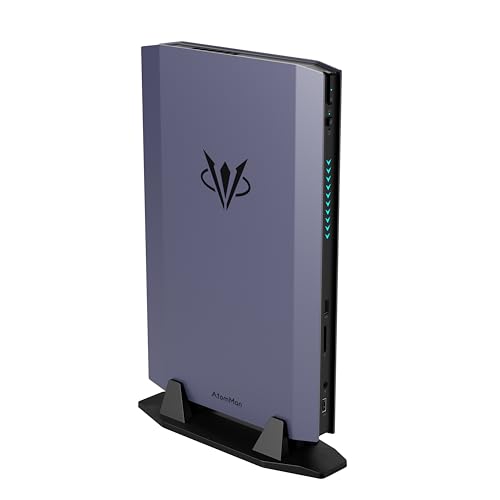
- Best mini PC for streaming under $1500: AtomMan G7 Ti Mini PC, Core i9-14900HX, RTX 4070 Laptop GPU, 32GB DDR5, 1TB SSD — Check on Amazon
- AtomMan G7 Pt Mini PC, Ryzen 9 7945HX, RX 7600M XT, 32GB DDR5, 1TB SSD — Check on Amazon
- Beelink SER9 Pro AI Mini PC, Ryzen AI 9 HX 370, Radeon 890M, 32GB, 1TB SSD — Check on Amazon
- Minisforum MS-01 Mini Workstation, Core i9-13900H, Dual 10GbE SFP+, PCIe Slot — Check on Amazon
See 2 more Amazon options
- Apple Mac mini M4 Pro, 24GB Unified Memory, 512GB SSD — Check on Amazon
- Minisforum MS-A2 Mini Workstation, Ryzen 9 HX, PCIe x16 Slot, Dual 10G SFP+ — Check on Amazon
Read the full guide ↓
Disclosure: As an Amazon Associate, reviewstook.com earns from qualifying purchases. Links to Amazon on this page are affiliate links; they cost you nothing extra. Listing details such as price and availability change often, so check the current Amazon listing before you buy.
Streaming is the workload where a spec sheet most often lies to you. A mini PC can advertise sixteen cores and a flagship processor and still be a poor streaming machine, because a live broadcast is not limited by how fast a computer thinks — it is limited by a small, fixed-function block of silicon called the encoder, which turns your gameplay into the compressed video your viewers actually watch. So before any of the six machines below is graded on cores, memory or footprint, this guide grades it on that block first. Understand the workflow and the grading follows from it. On Twitch, the standard broadcast is a 1080p60 stream at roughly 6,000 kbps with constant bitrate (CBR) and a two-second keyframe interval; that bitrate ceiling is why encoder quality matters so much there, because at 6,000 kbps a weak encoder produces visibly softer, blockier motion than a strong one. YouTube is the more generous platform: it accepts higher bitrates, 1440p streams, and AV1 live encoding, which delivers a cleaner picture at the same bitrate. Twitch’s own AV1 support is arriving through its Enhanced Broadcasting programme rather than as a universal switch, so treat AV1 today as a YouTube and future-proofing asset, not a Twitch guarantee. And 4K streaming remains platform-limited rather than hardware-limited — no purchase in this guide unlocks a mainstream 4K broadcast, because the platforms, not the PCs, set that ceiling.
Against that workflow, the six machines under $1,500 sort themselves honestly. Two carry discrete graphics with serious hardware encoders: one Nvidia, one AMD. Three rely on integrated graphics whose encoders range from genuinely capable (with AV1) to serviceable (H.264 only). Two are workstation minis bought for slots and networking whose streaming role is narrower than their price suggests — one works as a dedicated encode box, and one is included so nobody buys it for streaming by accident. One is a Mac, with an operating system that narrows what it can stream. Every encoder claim in this guide is derived from the documented silicon in each machine — nothing is credited to a chip that does not have it.
In this guide
Quick Picks
Short on time, or comparing several options at once? Each row below names a streaming job and the machine that suits it, with a link to the listing.
| Streaming job | Pick | Why it stands out | Link |
|---|---|---|---|
| Best one-box game streamer | AtomMan G7 Ti | RTX 4070 Laptop GPU with dual NVENC encoders and AV1 — the strongest streaming silicon in a mini at this budget | Check on Amazon |
| Best value game streamer | AtomMan G7 Pt | RX 7600M XT with an AV1-capable RDNA 3 encoder and a 16-core CPU — check price on Amazon | Check on Amazon |
| Best quiet / second-PC encoder | Beelink SER9 Pro | Radeon 890M with AV1 encode in a near-silent 0.82-litre box — kind to a microphone in the same room | Check on Amazon |
| Best dedicated encode box | Minisforum MS-01 | Quick Sync H.264/HEVC, vPro remote management, dual 10GbE and a PCIe slot for a future encoder card | Check on Amazon |
| Best for Mac streamers | Apple Mac mini M4 Pro | Silent, with hardware media engines — for macOS-native and console-capture workflows | Check on Amazon |
| Buy it for the lab, not the stream | Minisforum MS-A2 | Basic integrated encoder as shipped; its PCIe slot is the documented route to a real one later | Check on Amazon |
How These Picks Were Chosen
The budget was applied as a ceiling for a finished, working computer: every pick is a real Amazon listing for a configured machine — memory, storage and operating system included — positioned at or under $1,500 in the United States. Listings move in and out of this budget, so check the current price on Amazon first, and two picks carry explicit buy-only-at-or-under-$1,500 rules because their listings drift above it as often as below it. Barebone versions of these machines exist and are discussed in the reviews where they matter, but a barebone kit is never presented as a finished streaming PC: a kit with no memory, no storage and no operating system encodes nothing.
On top of that shared filter, this variant applied a streaming filter with four tests. The first is the encoder test: what hardware encoding block does the documented silicon actually contain, in which codecs, and is it strong enough to carry a broadcast while the same machine renders the game? The second is the simultaneous-load test: streaming is never one job — it is the game, the encoder, OBS compositing scenes, a browser, chat and alerts all at once — so memory fitted, core count and storage room for recordings are graded as streaming specifications, not general ones. The third is the microphone test: a streaming PC usually sits in the same room as the mic, so documented fan noise is graded as an audio specification. The fourth is the network test: a broadcast is only as stable as its upload path, so wired Ethernet is treated as mandatory. We did not use these machines ourselves; we read the maker listings and specification pages and the independent reviews that publish measurements, and every encoder attribution below traces to the documented graphics silicon.
The Encoder Map: What Each Machine Can Actually Broadcast
This section is the guide in miniature. If you read nothing else, read the encoder line for the machine you are considering.
- AtomMan G7 Ti — RTX 4070 Laptop GPU: dual NVENC, with AV1. The RTX 4070’s Ada-generation media block carries two NVENC encoder engines and encodes H.264, HEVC and AV1. Dual engines matter in practice: one can carry the live broadcast while the second records a clean, high-bitrate local copy for editing and clips, without either job touching the game’s rendering. This is the only machine in the guide whose encoder is never the compromise. Its Core i9-14900HX also has integrated graphics with Quick Sync, which serves as a reserve encoder for a secondary stream or recording — useful, but the NVENC pair is the story.
- AtomMan G7 Pt — RX 7600M XT: RDNA 3 VCN, with AV1. AMD’s RDNA 3 media engine encodes H.264, HEVC and AV1, so this machine can send an AV1 stream to YouTube today. The honest qualification is H.264 quality: at Twitch’s ~6,000 kbps ceiling, AMD’s H.264 encoding is visibly softer than Nvidia’s NVENC on fast motion — a known, silicon-level difference, not a settings problem. The 16-core Ryzen 9 7945HX is also the set’s most genuine software-encoding fallback: x264 on sixteen full-speed cores is a real option for a dedicated encode role in a way it never is on a small integrated chip. No encoder claim is made for the processor’s small integrated graphics; the discrete card does the encoding here.
- Beelink SER9 Pro — Radeon 890M: RDNA 3.5 VCN, with AV1. The integrated graphics in the Ryzen AI 9 HX 370 carry AMD’s current media engine, so this little box encodes H.264, HEVC and AV1 in hardware despite having no discrete GPU. The same H.264 softness caveat at Twitch bitrates applies. What it cannot do is share the work: the same integrated GPU renders your game and encodes your stream from one shared pool of memory, which is why its best streaming roles are lighter games on the same box, or any game at all when it works as a dedicated second PC fed by a capture card.
- Minisforum MS-01 — Intel Iris Xe: Quick Sync H.264/HEVC. No AV1 encode. The Core i9-13900H’s Quick Sync is a mature, good-quality H.264 and HEVC encoder, entirely adequate for a Twitch broadcast or a console-capture station. It does not encode AV1 — this silicon decodes AV1 but cannot encode it, and no setting changes that. Anyone who needs AV1 from this machine gets it the documented way: a low-profile card in its PCIe slot, accepting the slot’s half-height, single-slot limits and its documented card-compatibility quirks.
- Apple Mac mini M4 Pro — Apple media engines via VideoToolbox: H.264/HEVC. On macOS, OBS encodes through Apple’s VideoToolbox framework in H.264 and HEVC, and the M4 Pro’s hardware media engines — including dedicated ProRes hardware — make timeline and recording work feel effortless. AV1 on this chip is a decode-side strength; this guide does not credit it with AV1 live encoding, so plan a Mac streaming setup around H.264 to Twitch or HEVC/H.264 to YouTube. The second limit is the platform itself: the Mac streams what macOS can run or what a capture card feeds it, which in practice means console capture, desktop and creative content, and the Mac-native game library.
- Minisforum MS-A2 — Radeon 610M: RDNA 2 VCN, H.264/HEVC. No AV1 encode. The MS-A2’s integrated graphics are a basic display adapter, and its media engine is the older RDNA 2 generation: H.264 and HEVC encode, no AV1. It can technically encode a stream; it is simply the weakest encoder in this guide attached to the strongest CPU-and-networking platform, which is why the machine is graded as a lab purchase whose streaming future, if any, arrives as a low-power card in its PCIe slot.
The 6 Best Mini PCs for Streaming Under $1,500
AtomMan G7 Ti Mini PC — Core i9-14900HX, RTX 4070 Laptop GPU, 32GB, 1TB
Who it suits: Streamers who want to play and broadcast from one small machine — the only pick in this guide where the streaming answer has no asterisk — plus creator-streamers who record their gameplay for edited videos afterwards.
Start with the naming, because it decides expectations: the graphics chip is the GeForce RTX 4070 Laptop GPU, the mobile part with 8GB of memory running at up to 140 watts in this chassis — not the desktop card. For streaming, though, the part that matters most is fully present: the Ada-generation NVENC block, in its dual-encoder form, with AV1. That gives this mini the exact streaming toolkit of a good tower. One NVENC engine carries your live Twitch broadcast in H.264 at 6,000 kbps with quality a software encoder cannot match at that bitrate; the second engine simultaneously records a clean local copy at a far higher bitrate for YouTube edits and clips; and when you stream to YouTube, AV1 encoding is available for a cleaner picture at the same bitrate. None of this work touches the GPU’s rendering in any meaningful way, which is the entire point of a hardware encoder: the game keeps its frames, the stream keeps its quality, and the 24-core Core i9-14900HX (32 threads, to 5.8GHz) handles OBS, browser, chat and everything else with headroom to spare. Its integrated Quick Sync even offers a third, reserve encode path if you ever want a separate vertical or recording stream.
The simultaneous-load grading is equally strong. The configured machine pairs that CPU with 32GB of DDR5-5600 in two SO-DIMM slots (upgradeable to 96GB) and a 1TB SSD with a second slot in reserve — enough memory that game plus OBS plus a browser full of dashboards never squeezes, and enough storage that recordings are an afterthought rather than a weekly cleanup, with room to add more. Connectivity is current: HDMI 2.1 and USB4 display outputs, Wi-Fi 7 and Bluetooth 5.4 — though for streaming you will use the wired Ethernet port, because no Wi-Fi generation makes an upload path as stable as a cable. Check the current price on Amazon for the configured 32GB/1TB version. A barebone version is also listed; the gap is poor value unless your parts drawer already holds DDR5 and an NVMe drive, because the parts cost more than the difference. Buy the configured machine.
- Dual NVENC encoders with AV1 — stream and record at the same time, on dedicated silicon, with the game untouched.
- 24-core i9-14900HX plus 32GB of socketed memory: simultaneous-load headroom no other pick here matches.
- Second SSD slot and a 96GB memory ceiling, so the streaming setup can grow instead of being replaced.
Honest limitation: The GPU is the laptop part, not the desktop RTX 4070, and it can never be upgraded; a 140W GPU and a 24-core CPU in a mini chassis also means fans you will hear under full load — position the machine away from the microphone and let the encoder’s headroom, not the room’s silence, carry the broadcast.
Choose it if you stream games from the same machine you play them on and want the encoder question settled outright. Skip it if your stream is a console fed through a capture card (cheaper picks below do that job), or if your room is a quiet studio where fan noise under load is a deal-breaker.

AtomMan G7 Pt Mini PC — Ryzen 9 7945HX, RX 7600M XT, 32GB, 1TB
Who it suits: Streamers who want a discrete GPU and an AV1-capable encoder for meaningfully less than the G7 Ti — especially YouTube-first streamers — and dual-PC streamers who want a powerful, flexible encode box.
The G7 Pt pairs AMD’s Ryzen 9 7945HX — 16 cores, 32 threads, to 5.4GHz — with the Radeon RX 7600M XT, and the naming rule applies again: this is the mobile version of the 7600 XT, with 8GB of GDDR6, run at 120 watts. Its RDNA 3 media engine encodes H.264, HEVC and AV1 in hardware. That codec list produces a split verdict, and this guide will not blur it. If you stream to YouTube, the verdict is excellent: AV1 live encoding at YouTube’s more generous bitrates gives a picture that competes with anything in this guide, from a machine at the value end of this tier — check the current price on Amazon for the configured version. If you stream to Twitch, the verdict is good-with-a-caveat: you will broadcast in H.264 at ~6,000 kbps, and AMD’s H.264 output at that bitrate is visibly softer in fast motion than the NVENC output of the G7 Ti. It is a difference your viewers see in a racing game or a shooter, and no OBS setting removes it, because it lives in the silicon.
What the G7 Pt offers that its Nvidia sibling does not is a genuine second path: sixteen full-speed cores make software x264 encoding a realistic choice rather than an emergency fallback. Run this machine as a dedicated encode PC beside a gaming rig and it can encode with the CPU, with the GPU’s VCN, or split duties between them — a flexibility homelab-minded streamers will appreciate. As a one-box machine it still grades well on simultaneous load: 32GB of DDR5-5200 across two SO-DIMM slots with a 96GB ceiling, a 1TB NVMe drive, and a PCIe 5.0-class storage platform. The whole machine draws from a 300W external power supply, which is one more object to place on or under the desk. A barebone version sits meaningfully below the configured version, and that gap can genuinely close if you already own memory and storage or catch them on sale, but price the full completion, Windows licence included, before assuming it wins. Thermals follow the family pattern: 120 watts of GPU plus a 16-core CPU in a small chassis means audible cooling under load, so the microphone-placement advice from the G7 Ti applies here too.
- RDNA 3 encoder with AV1 — the cheapest route in this guide to a discrete GPU that can AV1-stream to YouTube.
- 16-core CPU makes x264 a real fallback and this the most flexible dedicated encode box here.
- Positioned at the value end of this tier in configured form — check price on Amazon.
Honest limitation: AMD’s H.264 encoding is visibly softer than NVENC at Twitch’s bitrate ceiling, there is no CUDA or NVENC for Nvidia-dependent tools, and the GPU is the 8GB mobile part — capable at 1080p and 1440p play, never upgradeable.
Choose it if you stream mainly to YouTube, or you want one box that can game, GPU-encode, or CPU-encode depending on the night. Skip it if Twitch is your platform and picture quality at 6,000 kbps is the priority — that is the G7 Ti’s home turf.

Beelink SER9 Pro AI Mini PC — Ryzen AI 9 HX 370, Radeon 890M, 32GB, 1TB
Who it suits: Streamers whose microphone shares the room with the PC, console streamers who need a small capture-and-encode station, and anyone whose stream is a lighter game, a desktop, a camera and a conversation rather than a demanding title at high settings.
The SER9 Pro is the surprise of this guide: a 0.82-litre box with no discrete GPU whose integrated Radeon 890M carries AMD’s current RDNA 3.5 media engine — hardware encoding for H.264, HEVC and AV1. That makes it the cheapest pick here that can send an AV1 stream to YouTube, and it does so while running quietly under load by the standards of this class, which for a streamer is not a comfort feature but an audio specification: a machine your microphone cannot hear is worth real money in a small room. Its Ryzen AI 9 HX 370 (12 cores, 24 threads, to 5.1GHz) is plenty of CPU for OBS, scenes, browser sources and chat, and the 32GB of memory fitted as standard means the simultaneous load of a broadcast never squeezes the way a 16GB machine’s does. As a dedicated second PC — a gaming rig or a console feeding it through a capture card, the SER9 Pro doing nothing but encode and broadcast — it is arguably the most sensible streaming purchase in this entire guide.
The limits are the integrated-graphics limits, and they are structural. The same silicon renders your game and encodes your stream, drawing on the same shared memory pool, so demanding one-box game streaming is where it runs out: lighter titles, esports games and older games stream well from this box; a heavy new release at high settings will force a choice between game settings and stream quality that the discrete-GPU picks never make you face. The H.264 softness caveat at Twitch bitrates applies here exactly as it does to the G7 Pt. The 32GB of LPDDR5X memory is soldered — fast, but frozen forever at 32GB — there is no OCuLink port for an external GPU later, and sources disagree about whether the chassis holds one M.2 slot or two, so check the live listing’s specification table before buying around a second drive for recordings. Pricing has moved with the memory shortage, so check the current price on Amazon for the 32GB/1TB configuration, and treat this as a mid-range pick in this guide. One naming warning that has already caught buyers: a cheaper “SER9 Pro” variant built on AMD’s lesser H 255 processor circulates in marketplace tables; the listing linked here is the HX 370 machine, and the processor line is the spec to verify in the cart.
- AV1 hardware encoding from integrated graphics — the most affordable pick here that can AV1-stream.
- Near-silent under load and 0.82 litres: the kindest machine in this guide to a microphone and a small desk.
- 32GB fitted as standard and a 12-core CPU — simultaneous-load headroom that belies its size.
Honest limitation: Game rendering and encoding share one integrated GPU and one memory pool, so demanding one-box game streaming is beyond it; memory is soldered at 32GB forever, and a lesser H 255 variant shares the model name — verify the HX 370 in the listing before paying.
Choose it if your stream is console capture, lighter games, or desktop-and-camera content, or you want a quiet dedicated encode box. Skip it if you play and stream demanding games from one machine — that job belongs to the two AtomMan picks above.
Minisforum MS-01 Mini Workstation — Core i9-13900H, Dual 10GbE SFP+, PCIe Slot
Who it suits: Dual-PC streamers and homelab builders who want a small, remotely managed encode-and-infrastructure box — and streamers who like the idea that its encoder can be upgraded later with a card.
The MS-01’s streaming story starts with Intel Quick Sync. The Core i9-13900H’s integrated Iris Xe graphics carry Quick Sync H.264 and HEVC hardware encoding: mature, efficient, and good quality at Twitch’s ~6,000 kbps — a broadcast from this encoder looks right, and because the encoding happens on the integrated graphics, a console or gaming PC feeding this box through a capture card gets a clean, dedicated encode with the 14-core CPU (20 threads, to 5.4GHz) left free for OBS and everything around it. The boundary is equally clear: this silicon decodes AV1 but does not encode it, so there is no AV1 live stream from Quick Sync here, at any setting. Around that encoder sits the most infrastructure-minded machine in the guide: dual 10GbE SFP+ ports on an Intel X710 controller plus dual 2.5GbE — one of them an Intel i226-LM with vPro remote management, so the encode box in the closet can be administered from the desk — three M.2 storage positions with a U.2 adapter included for recordings, and a physical PCIe x16 slot wired for x8 bandwidth.
That slot is the machine’s streaming future, and it deserves precise language: it accepts half-height, single-slot cards only, which suits network cards, storage controllers and low-profile GPUs — and a low-profile RTX 40-series-class card is exactly how this box would gain NVENC and AV1 later. Independent plug-testing found some cards that never initialize in this slot, so research your exact card against owner reports before buying around it. Check the current price on Amazon for the configured 32GB/1TB machine, and confirm it sits inside this budget. Memory runs in two DDR5 slots to an official ceiling of 64GB (a higher owner-reported figure is deliberately not claimed here). Two qualifications matter specifically to streamers. The integrated graphics are for desktops and dashboards, not for rendering the game being streamed — this is an encode box, not a one-box gaming streamer. And cooling is working hardware: measurements put it around 42–45 dB(A) under full CPU load, the loudest figure in this guide, which is fine in the closet its vPro management assumes and a genuine problem on a desk beside a microphone.
- Quick Sync H.264/HEVC encoding on integrated graphics — a clean dedicated encode that leaves the CPU free.
- vPro remote management plus dual 10GbE: the encode box you can run headless from another room.
- A real PCIe slot gives it the only encoder upgrade path among the integrated picks — a low-profile card later.
Honest limitation: No AV1 encoding from its own silicon, the slot fits only half-height single-slot cards and has documented card-compatibility quirks, and at 42–45 dB(A) under full load it is the loudest pick here — a closet machine, not a desk companion for a microphone.
Choose it if you run a two-PC or console setup and value remote management, networking and an upgradeable encoder. Skip it if you want AV1 today without adding a card, or one machine that both plays and streams demanding games.

Apple Mac mini M4 Pro — 24GB Unified Memory, 512GB SSD
Who it suits: Streamers already inside Apple’s ecosystem — creative streamers, musicians, educators and console streamers — who want a silent machine and whose content macOS can actually produce.
The Mac mini M4 Pro streams differently from everything else in this guide, because macOS streams differently. OBS on this machine encodes through Apple’s VideoToolbox framework in H.264 and HEVC, driven by the M4 Pro’s dedicated media hardware — the same silicon, including its ProRes engines, that makes this the strongest video-editing mini here, which matters to the many streamers whose real workflow is a live broadcast followed by an edited upload. The 12-core CPU and 24GB of fast unified memory handle the simultaneous load of a broadcast comfortably, three Thunderbolt 5 ports plus HDMI give it excellent capture-card and display connectivity (Apple publishes support for up to three displays), and it does all of it in effective silence — for a streamer recording voice in the same room, that silence is a genuine production feature, not a luxury. This configuration’s listing drifts above this budget as often as it sits inside it, so the rule is strict: check the current price on Amazon, and it belongs in a $1,500 guide only when the live listing is at or under $1,500.
Now the boundaries, which are Apple’s terms and are absolute. AV1 on this chip is a decode-side strength; this guide does not credit the Mac with AV1 live encoding, so a Mac streaming plan is an H.264 plan for Twitch and an H.264/HEVC plan for YouTube. The content boundary matters more: the Mac streams what macOS runs — creative software, desktop and camera content, console play arriving through a capture card, and the Mac-native games library — while most Windows games are simply not available, so it is never a one-box game streamer for a typical PC catalogue. Nothing inside can be upgraded, ever: not the memory, not the storage. And the fitted 512GB drive is tight for a streamer, because local recordings are large; treat a fast external Thunderbolt SSD as a planned second purchase from day one, priced into the decision as machine plus drive rather than discovered mid-season. Buyers who need NVENC, AV1 encoding or Windows games should take the hint and choose from the Windows machines above; buyers inside Apple’s world, at the right live price, get the quietest streaming station in this guide.
- Effectively silent with strong hardware media engines — the best room-mate a microphone can have.
- VideoToolbox H.264/HEVC encoding plus ProRes hardware: broadcast tonight, edit tomorrow, same box.
- Three Thunderbolt 5 ports make capture cards, fast external recording storage and displays easy.
Honest limitation: No AV1 live encoding is credited here, it runs macOS only — so most Windows games are unavailable to stream from it — the 512GB drive fills quickly with recordings, and its listing drifts above this budget as often as below it: buy only at or under $1,500.
Choose it if your content is creative work, console capture or Mac-native software and your workflow already lives in macOS. Skip it if you stream a Windows game library, need AV1, or want any internal upgrade path.

Minisforum MS-A2 Mini Workstation — Ryzen 9 HX, PCIe x16 Slot, Dual 10G SFP+
Who it suits: Homelab builders first — buyers whose mini is really a small server — who want the option of adding a streaming encoder later, and who are clear-eyed that streaming is not what the purchase price is for.
The MS-A2 is the most capable workstation in this guide and, as shipped, the weakest streaming machine in it. Both halves of that sentence come from its specification. The capability is real: a 16-core, 32-thread Zen 5 processor running to 5.4GHz, two DDR5 SO-DIMM slots accepting up to 96GB of memory, three storage positions, dual 10-gigabit SFP+ ports on an Intel X710 controller with dual 2.5-gigabit Ethernet alongside, and a physical PCIe x16 slot wired for x8 bandwidth — all in 1.78 litres. The streaming weakness is equally real: its graphics are AMD’s Radeon 610M, a basic display adapter whose RDNA 2-generation media engine encodes H.264 and HEVC but not AV1, and which exists to put dashboards on monitors, not to carry broadcasts. Sixteen fast cores could encode in software at a pinch, but spending this machine’s CPU on x264 while its actual jobs wait is a poor trade, and this guide will not dress it up as a streaming feature.
So the honest streaming case for the MS-A2 is a two-step one. Step one: buy it for the lab — virtual machines, containers, storage, 10-gigabit networking — in its configured 32GB/1TB form — check price on Amazon (a barebone version is also listed, and the completion maths only favors the barebone if you already own DDR5 and an SSD). Step two, only if streaming joins the workload: fit a low-power, short graphics card in the PCIe slot — the slot’s airflow is limited, so that class of card is the realistic fit — and an RTX 40-series-class card turns this into a proper NVENC-and-AV1 encode box beside its server duties. Two further qualifications from independent testing belong in a streamer’s calculation: the MS-A2 is audible under sustained load, and its idle power draw is comparatively high for a mini PC — the first matters if it shares a room with your microphone, the second if it runs 24/7, as lab machines do. Judged as a streaming purchase alone, every machine above it in this guide is a better use of the money; judged as a lab machine with an encoder-shaped upgrade path, it has no rival here.
- A real PCIe x16 slot (x8 electrical) — the documented route from basic integrated encoding to a proper NVENC/AV1 card.
- 16 Zen 5 cores, a 96GB memory ceiling and dual 10G SFP+: the strongest platform in this guide, full stop.
- Three storage positions including U.2 — recording archives and lab storage in the same small box.
Honest limitation: As shipped, its Radeon 610M encoder is the weakest in this guide and has no AV1; it is audible under sustained load with a comparatively high idle draw, and none of its price buys streaming ability until a card is added.
Choose it if the machine is a workstation or home server first and streaming is a possible later addition via the slot. Skip it if streaming is the job you are buying for today — every pick above it does that job better for the same or less money.

Comparison Table
| Product | Encoder (from documented silicon) | Best streaming use | Link |
|---|---|---|---|
| AtomMan G7 Ti | Dual NVENC (Ada) — H.264/HEVC/AV1, plus Quick Sync reserve | One-box game streaming with a simultaneous high-quality local recording | Check on Amazon |
| AtomMan G7 Pt | RDNA 3 VCN — H.264/HEVC/AV1; 16-core x264 fallback | YouTube AV1 streaming; flexible dedicated encode box | Check on Amazon |
| Beelink SER9 Pro | RDNA 3.5 VCN (integrated) — H.264/HEVC/AV1 | Quiet second-PC or console-capture station; lighter one-box streams | Check on Amazon |
| Minisforum MS-01 | Quick Sync — H.264/HEVC; no AV1 encode; slot for a future card | Remotely managed encode box for dual-PC and console setups | Check on Amazon |
| Apple Mac mini M4 Pro | VideoToolbox — H.264/HEVC; AV1 decode only | Silent macOS creative and console-capture streaming | Check on Amazon |
| Minisforum MS-A2 | RDNA 2 VCN (integrated) — H.264/HEVC; no AV1 encode; slot for a future card | Workstation/homelab first; streaming only after a card is added | Check on Amazon |
Setting Up OBS on Any of These Machines
The hardware decides what is possible; the setup decides what your viewers get. These are the settings and checks that apply across this guide.
- Pick the hardware encoder, per machine. In OBS’s output settings, select the encoder that matches your pick: NVENC on the G7 Ti (and use its second encoder for a separate, higher-bitrate local recording), the AMD hardware encoder on the G7 Pt and SER9 Pro, Quick Sync on the MS-01, and VideoToolbox on the Mac mini. Software x264 is the fallback everywhere — a genuine option only on the 16-core G7 Pt, and an emergency setting elsewhere, because every CPU cycle spent encoding is a cycle taken from the game, OBS and the operating system.
- Use CBR and a two-second keyframe interval. For Twitch, set rate control to CBR at roughly 6,000 kbps for a 1080p60 broadcast and the keyframe interval to two seconds — the platform’s expected configuration, and the one its ingest handles most predictably. For YouTube you can raise the bitrate substantially and, on the G7 Ti, G7 Pt or SER9 Pro, choose AV1 for the cleanest picture; on Quick Sync and the Mac, send H.264 (or HEVC where the platform accepts it) and let the higher bitrate do the work.
- Set the output resolution honestly. A 1080p canvas beats a native 1440p stream starved of bitrate on Twitch. Reserve 1440p streaming for YouTube’s higher bitrates; 4K live streaming is platform-limited, and no encoder setting changes that.
- Read the three lag counters before blaming the PC. OBS’s stats view separates your problems into three kinds, each with a different fix. Rendering lag means the graphics are saturated — the game plus OBS’s scene compositing exceed the GPU; lower the game’s settings or cap its frame rate, and simplify heavy browser sources. Encoding lag means the encoder is overloaded — drop to a faster encoder preset, reduce output resolution or frame rate, and confirm you actually selected the hardware encoder rather than x264. Network dropped frames mean the upload path failed, not the computer — no encoder preset fixes them; the connection does.
- Wire the Ethernet. Always. Every pick in this guide has a wired Ethernet port, and a broadcast should use it. Wi-Fi — even the current generations fitted to some of these machines — varies with walls, neighbours and microwave ovens, and variance is what dropped frames are made of. Run a cable to the streaming machine, and if the machine lives in a closet (the MS-01 and MS-A2 pattern), that is one more reason the cable, not the radio, carries the stream.
- Rehearse at full load inside the return window. Stream a private or unlisted test for an hour with the game, scenes, alerts and recording all running, then read the OBS log. Thermals, fan noise at the microphone, and encoder behaviour at sustained load are all first-week discoveries — make them while returns are still simple.
What the Rest of the Stream Costs (In Kind, Not in Prices)
The PC is the largest purchase in a streaming setup, but it is not the only one, and this guide deliberately prices none of the rest — accessory prices vary too much to print responsibly, and none of them belongs inside a PC’s price. Budget for them in this order. A microphone first: viewers forgive ordinary video far sooner than bad audio, and a decent USB or XLR microphone with a stand that keeps it close to your mouth improves a stream more than any other single purchase; it also relaxes the noise demands on the PC, though the quiet picks above still earn their keep. Lighting second: a simple key light makes an inexpensive camera look deliberate and an expensive one look professional — light matters more than the camera it illuminates. A webcam third: any competent modern webcam is sufficient once it is lit; spend here only after the microphone and light are sorted. A capture card only if you stream a console (or a second PC’s output): it is the essential bridge for the SER9 Pro, MS-01 and Mac mini console workflows in this guide, and it is entirely useless for games played on the streaming PC itself. Finally, remember the unglamorous items: the Ethernet cable this guide insists on, and extra storage for recordings if your pick’s fitted drive is small.
How to Choose a Mini PC for Streaming Under $1,500
- Name the streaming shape first. One-box game streaming, a dedicated second encode PC, console capture, and desktop/creative streaming are four different purchases wearing one label. The G7 Ti answers the first; the SER9 Pro and MS-01 answer the second and third; the Mac answers the fourth for Apple users. Buying before naming the shape is how workstations end up reviewed as streamers.
- Grade the encoder before the processor. The encoder block in the documented silicon decides your picture: dual NVENC with AV1 (G7 Ti), RDNA 3-class VCN with AV1 (G7 Pt, SER9 Pro), Quick Sync H.264/HEVC (MS-01), VideoToolbox H.264/HEVC (Mac), basic RDNA 2 VCN (MS-A2). Core counts market better; encoders broadcast.
- Match the codec to the platform. Twitch today means H.264 at ~6,000 kbps, where NVENC’s quality lead is real and AMD’s output is visibly softer in fast motion; YouTube rewards AV1 and higher bitrates, where the AMD picks close the gap entirely. Twitch’s AV1 path runs through Enhanced Broadcasting, so do not buy any machine on a promise that Twitch AV1 is universal today.
- Count the simultaneous load, not the headline load. Game + encoder + OBS + browser + chat + recording is the real workload. That is why 32GB of fitted memory and a second storage slot grade as streaming features in this guide, and why the Mac’s 512GB drive and the integrated picks’ shared memory pools are called out as catches rather than footnotes.
- Treat fan noise as a microphone specification. Documented figures in this guide run from effective silence (Mac mini, SER9 Pro) to 42–45 dB(A) under full CPU load (MS-01), with the GPU minis audible under full load. If the PC and the microphone share a room, that ranking is a streaming ranking.
- Do the barebone maths in full, or not at all. Kit price plus memory plus storage plus an operating system licence, at today’s prices. The G7 Ti’s small barebone gap almost never survives it; the G7 Pt’s larger gap sometimes does; the MS-A2’s barebone needs parts you already own. An unbuilt kit streams nothing.
- Verify the exact configuration in the cart. This category reuses model names across processors — there is an H 255 machine wearing the SER9 Pro name, and MS-A2 listings span two processor generations. The processor line in the listing title is the contract; read it before paying.
Common Buying Mistakes
- Buying cores instead of an encoder. Sixteen threads do not encode your stream; the media block does — and the strongest CPU platform in this guide carries its weakest encoder.
- Assuming every modern chip encodes AV1. It does not: Quick Sync in the MS-01 and the RDNA 2 block in the MS-A2 have no AV1 encode, and this guide credits AV1 only where the silicon has it.
- Reading “RTX 4070” or “RX 7600 XT” as the desktop cards. In these minis they are the laptop GPUs — with their encoders fully intact, but at laptop rendering levels, with 8GB of memory and no upgrade path.
- Streaming over Wi-Fi because the spec sheet brags about it. Dropped frames are a connection failure, and the fix is a cable, not a setting.
- Leaving OBS on the software encoder. x264 as a default wastes the hardware you paid for; select the hardware encoder that matches your machine, and reserve x264 for the one pick whose sixteen cores make it a deliberate choice.
- Buying a capture card for a one-box setup. It captures other machines’ output; for games played on the streaming PC itself it does nothing at all.
- Ignoring recording storage until the drive is full. Local recordings are the streamer’s archive and edit source; a 512GB drive shared with games fills in a season, not a year.
- Trusting a model name instead of the configuration line — the H 255 “SER9 Pro” is the standing example in this guide.
Final Recommendation
- One-box game streaming, settled outright: AtomMan G7 Ti.
- YouTube-first or value-first game streaming: AtomMan G7 Pt.
- Quiet room, console capture, second-PC encoding: Beelink SER9 Pro.
- Remotely managed encode box with an upgrade path: Minisforum MS-01.
- Mac-ecosystem streamers: Apple Mac mini M4 Pro, at or under $1,500 only.
- Homelab first, streaming later via the slot: Minisforum MS-A2.
Our top two for streaming at this budget are the AtomMan G7 Ti, because its dual NVENC encoders with AV1 remove the encoder from the list of things a one-box streamer has to think about — one engine broadcasts, one records, and the game keeps its frames — and the AtomMan G7 Pt, because — check price on Amazon — it delivers an AV1-capable discrete encoder and a sixteen-core fallback at the value end of this tier, asking only that Twitch-first streamers accept a softer H.264 picture. The SER9 Pro is the pick we would hand to console streamers and small-room streamers: quiet, AV1-capable, and positioned in the mid-range of this guide. The MS-01 serves the dual-PC builder who wants vPro and a slot; the Mac mini serves Apple’s streamers in silence; and the MS-A2 is a superb workstation that should be bought for streaming only by someone who has read its review above and still wants the platform. Readers whose streaming starts cheaper should see Best Mini PC For Streaming Under $1200, those comparing against full-size machines should see Best Streaming PC Under $1500, and those who want a mini built for games first can start with Best Mini Gaming PC For Streaming Under $1500.
Frequently Asked Questions
Which encoder is best for streaming: NVENC, AMD VCN or Quick Sync?
For Twitch’s H.264 at ~6,000 kbps, NVENC is the quality leader, which is why the G7 Ti tops this guide. AMD’s RDNA 3 VCN matches the codec list — including AV1, which makes it excellent for YouTube — but its H.264 output at Twitch bitrates is visibly softer in fast motion. Quick Sync is a strong, mature H.264/HEVC encoder with no AV1 encode in the MS-01’s generation. The right question is platform first, encoder second.
Do I need AV1 to stream in 2026?
No. Twitch’s standard broadcast is still H.264, and its AV1 support is rolling out through Enhanced Broadcasting rather than universally. AV1 matters if you stream to YouTube, where it is supported live at generous bitrates, or if you want the encoder you buy today to be the encoder you want in three years. Three picks here encode it — the G7 Ti, G7 Pt and SER9 Pro — and three do not.
Can a mini PC really handle playing and streaming at the same time?
One in this guide plainly can: the G7 Ti, whose hardware encoders work independently of game rendering and whose 24-core CPU absorbs everything else. The G7 Pt manages it with its discrete GPU doing both jobs and its encoder dedicated silicon helping. The integrated picks are honest second-PC and console-capture machines, or one-box streamers for lighter games — asking the SER9 Pro to render and encode a demanding new release is asking one small chip to do two big jobs from one memory pool.
Why is a workstation like the MS-A2 in a streaming guide at all?
Because buyers cross-shop it, and because its PCIe slot gives it a genuine — if two-step — streaming story: add a low-power card and it becomes an NVENC/AV1 encode box beside its server duties. It is ranked last deliberately, so nobody mistakes platform strengths for broadcast strengths.
Should I stream over Wi-Fi 7 if my mini PC has it?
No. A broadcast needs a boring, stable upload path, and Wi-Fi of any generation is neither boring nor stable across an evening. Every pick here has wired Ethernet; use it. OBS’s network dropped-frame counter measures your connection, not your computer, and a cable is the cheapest fix in this entire guide.
Is the Mac mini a serious streaming machine?
For the content macOS can produce — creative work, desktop and camera streams, console capture, Mac-native games — yes: silent, with strong VideoToolbox H.264/HEVC encoding and media hardware that makes the edit afterwards painless. For a Windows game library, no: those games are not available to it, and no AV1 live encoding is credited to it here. It is a serious machine inside a specific fence.
Barebone or configured for a streaming PC?
Configured, for most buyers, at current prices. Memory and SSD prices spiked hard in late 2026, so the barebone gaps in this guide — small on the G7 Ti, larger on the G7 Pt — rarely survive buying the parts new. And a streaming schedule adds its own argument: a configured machine can be rehearsed and tested inside a return window; a half-built kit cannot.


