Where to buy
Check the latest price, availability and delivery on Amazon. Orders are placed on Amazon. We may earn a commission from qualifying purchases.
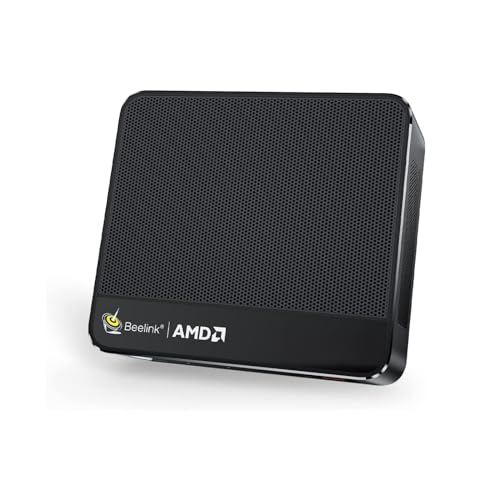
- Best overall: Beelink SER5 MAX Mini PC, Ryzen 7 7735HS, Radeon 680M, 24GB RAM, 500GB SSD — Check on Amazon
- GMKtec NucBox K6, Ryzen 7 7840HS, Radeon 780M, 32GB DDR5, 1TB SSD — Check on Amazon
- GMKtec M5 Plus, Ryzen 7 5825U, 32GB RAM, 1TB SSD, Dual 2.5GbE LAN — Check on Amazon
- BOSGAME P4 Mini PC, Ryzen 7 5700U, 32GB RAM, 1TB SSD, Triple 4K — Check on Amazon
See 2 more Amazon options
- MINIX NEO Z300-0dB Fanless Mini PC, Intel i3-N300, 16GB RAM, 512GB SSD — Check on Amazon
- Beelink EQ14 Mini PC, Intel N150, 16GB RAM, 500GB SSD, Dual 2.5GbE — Check on Amazon
Read the full guide ↓
Disclosure: As an Amazon Associate, reviewstook.com earns from qualifying purchases. Links to Amazon on this page are affiliate links; they cost you nothing extra. Listing details such as price and availability change often, so check the current Amazon listing before you buy.
A 1440p monitor is the easiest upgrade in PC gaming to buy and the easiest one to misunderstand. Plug any machine in this guide into a 1440p screen and the desktop, the browser and every video will arrive at the panel’s full 2560×1440 — because showing a desktop at 1440p is trivial work, and every pick here has display outputs rated well beyond it, most of them to 4K. Games are a different transaction. A game has to be rendered — every frame drawn pixel by pixel — and at 1440p that is roughly 78% more pixels per frame than 1080p. Under $500, no mini PC carries a discrete graphics card; every machine below renders through the graphics built into its processor. So the honest question for this guide is never “does it support 1440p?” — they all do, as a display. It is “which of these chips can actually draw games at 1440p, in which kinds of games, and what does the rest of the set do instead?”
The short answer, stated before any product names: exactly two picks — the two built on AMD’s Radeon 680M and 780M integrated graphics — render some games natively at 1440p, and only the lighter end of the catalogue: esports titles, indie games and older releases, at reduced settings. Everything else in this guide, including those two picks when a demanding modern game loads, plays the same honest trick: render at 1080p or below, then upscale the picture to fill the 1440p panel. Done well, that looks considerably better than a 1080p monitor showing the same render, because the panel has more pixels to describe the image with — but it is not native 1440p, and this guide will not call it that. One more absence to name now: there is no NVIDIA hardware anywhere in this set, so there is no DLSS anywhere in this guide. The upscaling on the AMD picks is FSR, AMD’s own technology, and the Intel picks have no gaming upscaler story worth the name. If a seller’s listing for any of these machines implies otherwise, the listing is decorating, not describing.
In this guide
Quick Picks
Short on time, or comparing several options at once? Each row below names a buyer type and the machine that suits it, with a link to the listing.
| Buyer type | Pick | Why it stands out | Link |
|---|---|---|---|
| Best overall | Beelink SER5 MAX, Ryzen 7 7735HS, 24GB | Radeon 680M — native 1440p in lighter titles, buyable in budget every day | Check on Amazon |
| Strongest renderer, on sale | GMKtec NucBox K6, Ryzen 7 7840HS, 32GB | Radeon 780M — the widest native-1440p envelope here, when its sale price lands | Check on Amazon |
| Best value | GMKtec M5 Plus, Ryzen 7 5825U, 32GB/1TB | Socketed 32GB and 1TB — check price on Amazon; a 1080p-render machine with room to grow | Check on Amazon |
| Best storage per dollar | BOSGAME P4, Ryzen 7 5700U, 32GB/1TB | 32GB and a full terabyte at the lowest positioning in this guide — check the current price on Amazon | Check on Amazon |
| Best silent 1440p desk | MINIX NEO Z300-0dB, Intel i3-N300, 16GB | Fanless; a 1440p desktop and media machine, not a gaming renderer | Check on Amazon |
| Best budget | Beelink EQ14, Intel N150, 16GB/500GB | A complete modern mini positioned at the lower end of this budget — check price on Amazon; 1440p desktop duty only | Check on Amazon |
How These Picks Were Chosen
The budget was applied as a ceiling for a complete, working computer: every pick is a real Amazon listing that includes its memory, storage and a Windows license, and that sells at or regularly within $500 in the United States. Barebone kits were excluded however attractive their sticker, because in the current parts market completing one costs far more than the headline suggests; that route is covered separately at Best Barebones Mini PC Under $500. One pick, the GMKtec K6, qualifies only at its recurring sale price and is framed that way everywhere it appears: its tracked average sits above this budget, and we would not buy it at that average. Prices in this category move often, so check the current price on Amazon before you buy rather than relying on any figure quoted elsewhere. Memory and SSD prices surged through late 2026, and mini PCs are mostly memory and storage wrapped around a laptop chip, so they absorbed the hit directly.
On top of that base filter, this variant re-graded all six machines on 1440p criteria, in a deliberate order. First, graphics class, because the integrated GPU decides what can be rendered at all: the Radeon 780M and 680M are one category, the Vega-generation Radeon graphics in the two value picks are a clear class below, and Intel’s UHD graphics in the last two picks are not gaming hardware in any honest sense. Second, memory — capacity, speed and construction — because integrated graphics have no memory of their own and borrow from the system pool; a 32GB socketed machine feeds its graphics better, for longer, than a 16GB machine at its platform ceiling. Third, display outputs, checked per model from the makers’ published port lists, because the monitor pairing only works if the ports exist as described. We did not use these machines ourselves; we read the maker listings, specification pages and model databases, and compared processor class, graphics class, memory, storage, outputs, networking and price history.
The pick order follows the base guide deliberately, and the reason is a 1440p reason. The GMKtec K6’s 780M is the stronger renderer — but it is only a $500 machine on sale days, while the Beelink SER5 MAX’s 680M is buyable inside this budget every day of the year. A guide that leads with a price you may not be able to pay this month is not leading with a recommendation; it is leading with a lottery ticket. So the SER5 MAX keeps the top spot as the strongest 1440p-capable mini that is actually purchasable under the ceiling, and the K6 sits directly beneath it as the upgrade for patient buyers. Where a pick cannot render games at 1440p in any meaningful sense — the two Intel machines — the review says so in its first lines rather than burying it, and grades the machine on the 1440p job it genuinely does: driving the desktop, the browser and video at the panel’s native resolution, silently or cheaply.
Rendered at 1440p vs Displayed at 1440p: The Distinction This Guide Runs On
Two numbers describe every gaming setup with a 1440p monitor, and marketing copy works hard to blur them. The display resolution is what the panel shows: 2560×1440 pixels, refreshed as fast as the monitor allows. The render resolution is what the graphics hardware actually draws before the picture is scaled to fit. When the two match, the image is native — every pixel on the screen was computed for that screen. When the render runs lower and an upscaler stretches it, the panel still shows 2560×1440 pixels, but they were interpolated from a smaller drawing. Your operating system, your videos and your photos are always native; they cost almost nothing to draw. Games are where the gap opens, because games are the one workload whose cost scales with every pixel.
The arithmetic explains the strategies in this guide. A 1080p render upscaled to a 1440p panel is a non-integer scale — about 1.33× per axis — which is why upscaled 1080p on a 1440p screen can look slightly soft at the edges: the scaler is inventing pixels that do not divide evenly into the originals. A 720p render, by contrast, scales to 1440p by an exact 2×2 integer multiple, which is why very demanding games sometimes look cleaner rendered at 720p and integer-scaled than rendered at an in-between resolution. Modern upscalers are smarter than plain stretching — AMD’s FSR, the technology available on the four Radeon picks here, reconstructs detail from previous frames and motion data, and at its better quality settings a 1080p-class render upscaled to 1440p is a genuinely good picture. What it is not is a native render: fine detail the hardware never drew — distant text, thin wires, foliage edges — cannot be recovered by any upscaler, only approximated.
Three clarifications belong in this section because the rest of the guide depends on them. First, DLSS does not exist in this set. DLSS is NVIDIA’s upscaling, it requires NVIDIA RTX hardware, and no pick here has any — the four gaming-relevant picks are AMD integrated graphics and the other two are Intel. Any internal-resolution figures you may have seen quoted for DLSS apply to RTX machines in other guides and are deliberately not printed here, because attaching them to these picks would be attaching another product’s specification to this one. Second, frame generation is not resolution. Where a game offers a frame-generation option, it inserts interpolated frames between rendered ones to smooth motion on the display; the underlying render resolution does not change by a single pixel, and this guide never counts it toward a 1440p claim. Third, 4K is refused as a gaming target for this entire set: a 4K frame is roughly four times the 1080p workload, and hardware that negotiates 1440p at reduced settings has no honest 4K story. The one route by which a screen in front of these machines can show genuinely 1440p-rendered modern games is cloud gaming, where a remote server does the rendering and streams the picture — a real option worth naming, with its own conditions: it depends on the service, the subscription and the connection, and it adds input lag that competitive players will feel. It is a property of the service, not of any pick below.
The 6 Best Mini PCs for 1440p Gaming Under $500
Beelink SER5 MAX Mini PC, Ryzen 7 7735HS, Radeon 680M, 24GB RAM, 500GB SSD
Who it suits: Buyers pairing a mini PC with a 1440p monitor who want the strongest rendering available at a price that is actually in budget today — native 1440p in the lighter half of the game catalogue, and the best upscaled picture in the guide for the heavier half.
The 7735HS’s Radeon 680M is the reason this machine leads a 1440p guide. Twelve compute units of RDNA 2 integrated graphics put it in the territory of an entry-level discrete card from a few years ago, and that class has a specific, honest 1440p envelope: esports titles, indie games and older AAA releases render natively at 2560×1440 at reduced settings, and current AAA games become a 1080p render upscaled to the panel with FSR — playable and good-looking, but upscaled, and described that way here. The supporting cast matters more at 1440p than at 1080p, because the 680M has no memory of its own: it borrows from the 24GB of fast LPDDR5 fitted to the board, and 24GB is enough pool that the graphics are not competing with the game and the operating system for scraps. The eight-core Ryzen 7 running to 4.75GHz keeps the CPU side of the frame out of the argument. Storage is a 500GB PCIe 4.0 NVMe SSD with a second M.2 2280 slot standing empty for a later drive. Check the current price on Amazon — this pick sits at the top end of this budget, and for this angle that positioning is buying graphics class, which is the right thing for it to buy.
The debits are the same ones the base guide prints, and both touch this angle. The 24GB of memory is LPDDR5 soldered to the board: it will never be 32GB, and because the graphics share that pool, the memory ceiling is also a soft graphics ceiling over a long ownership. Storage — the thing that actually fills — is the upgradeable part. And there is no USB4 port: the USB-C carries data and video but not the 40Gbps standard, so an external GPU dock is not in this machine’s future, which means its 1440p envelope is the one it ships with, permanently. One caution completes the picture: Beelink sells older, weaker machines under the SER5 name, including a Vega-graphics 5800H model whose 1440p story would be far thinner. The linked listing is the 7735HS/680M configuration, and the configuration selector in the cart is worth a careful look before you pay.
- Radeon 680M graphics — the strongest renderer buyable in budget on any given day.
- 24GB of fast memory gives the integrated graphics a workable shared pool at 1440p.
- Second M.2 slot stands empty, so storage can grow even though memory cannot.
Honest limitation: Native 1440p covers lighter and older titles at reduced settings; demanding modern games are a 1080p render upscaled — and the soldered 24GB and missing USB4 mean that envelope never widens.
Choose it if you want the best 1440p mini PC under $500 that you can order today at an in-budget price. Skip it if you can wait for a sale — the machine below renders a class better when its price lands.

GMKtec NucBox K6, Ryzen 7 7840HS, Radeon 780M, 32GB DDR5, 1TB SSD
Who it suits: Patient buyers who can shop on a price alert — and who want to see what the $700 tier’s graphics look like when they briefly visit this budget: the widest native-1440p envelope in the guide, on socketed memory that can grow.
The price is where any honest account of this machine has to begin. The K6’s 32GB/1TB configuration usually sits above this guide’s budget, full stop. It also drops into this budget in recurring sales — check price on Amazon to see whether that lower positioning is live. Everything in this review is conditional on that sale positioning, and the condition is not fine print; it is the review. At the sale price, the Radeon 780M — the successor class to the 680M, and the strongest integrated graphics AMD ships in this form factor — widens the 1440p envelope by a real step: the same esports, indie and older-AAA classes render natively at 1440p at somewhat better settings, and demanding titles move from “1080p render, upscaled, low settings” toward the same arrangement at medium. The memory story reinforces the graphics story: 32GB of DDR5-5600 in two SO-DIMM slots that accept 64GB is the largest, fastest, most upgradeable pool feeding an integrated GPU in this guide, and at 1440p — where the graphics borrow system memory for textures — that pool is part of the rendering specification, not an accessory to it. A 1TB PCIe 4.0 SSD with a second M.2 slot, USB4 alongside HDMI 2.0 and DisplayPort, dual 2.5-gigabit Ethernet and Wi-Fi 6E complete the sheet.
What the K6 gives back is refinement and availability. Reviewers who have measured this model note fan noise under sustained load, and there is no fan-profile control in the BIOS to tame it — 45W quiet and 65W performance power modes exist, but the acoustic character is set by GMKtec, not by you, and a long 1440p session is exactly the sustained load that provokes it. A verified buyer in the model’s review history reported a fitted SSD whose SMART data showed prior power-on hours; the sensible response is the one that applies to any mini PC — read the drive’s health figures during the first week, while a return is still painless. And the availability point bears repeating in a 1440p guide specifically: at its everyday price this machine belongs to the $700 conversation, where it competes against finished towers with discrete cards. When it drops into budget, nothing else in this guide renders as much. At its usual positioning, it is simply a good machine filed under the wrong budget.
- Radeon 780M graphics — the widest native-1440p envelope here when the sale price lands.
- 32GB of socketed DDR5, expandable to 64GB: the best memory pool for shared graphics in the guide.
- USB4 keeps an external-GPU future open that the pick above cannot offer.
Honest limitation: Its place in a $500 guide exists only when a sale brings it into budget — its usual positioning breaks the budget — and under sustained load its fan makes itself heard, with no BIOS setting offered to calm it.
Choose it if you can set a price alert and wait — the sale recurs, and this is the renderer to buy when it does. Skip it if the purchase cannot wait for the sale to come back around, or if desk quiet outranks rendering power in your priorities.

GMKtec M5 Plus, Ryzen 7 5825U, 32GB RAM, 1TB SSD, Dual 2.5GbE
Who it suits: Buyers whose 1440p monitor mostly shows a desktop, media and older games — and who would rather have socketed memory, a terabyte of storage and dual fast networking than a newer graphics class they would rarely tax.
Grade this machine on the correct axis and it is easy to place: the M5 Plus is a 1080p-render machine that displays beautifully at 1440p. Its Ryzen 7 5825U carries Vega-generation Radeon graphics, eight compute units of the architecture before the 680M’s — a clear class below the two picks above. The honest envelope: esports and older titles at 1080p render upscaled to the panel, with the lightest competitive games able to nudge toward native 1440p only at their lowest settings, and modern releases a reduced-settings conversation at 1080p or below. What the machine offers instead is the most complete ownership package in the guide at the lowest everyday price. The 32GB of DDR4 sits in two slots and expands to 64GB — and since the graphics borrow system memory, that headroom is genuinely part of its (modest) rendering story, not separate from it. Beside the 1TB NVMe SSD sits a second, empty M.2 slot, and total storage can reach 4TB. Two 2.5-gigabit Ethernet ports make it a natural home-server second career. Check price on Amazon — this pick is positioned toward the lower end of this budget, which is part of its value story.
For the right desk, that trade is not a compromise at all. A 1440p panel spends most of its life showing text, spreadsheets, browser windows and video, and on all of that this machine is indistinguishable from the picks above it — the desktop is native 1440p, the video is native 1440p, and the eight cores are more CPU than office work asks for. The graphics class only announces itself when a demanding game loads, and a buyer whose gaming is older titles and esports will meet that limit rarely and mildly. The generational debits are real but specific: the 5825U’s single-core pace trails the 7735HS, and DDR4 is the past rather than the future. If you intend to game on the machine every week with current releases, buy the graphics class above and accept the solder. If your games are the ones this chip already handles, this is the pick most likely to still be earning its place in five years.
- 32GB of socketed DDR4, expandable to 64GB — the memory pool can grow with the machine’s jobs.
- Dual 2.5GbE LAN plus an empty second M.2 slot — the guide’s home-server candidate.
- Its lower-budget positioning makes it the guide’s best capacity value — check the current price on Amazon.
Honest limitation: Vega-generation graphics render at 1080p and upscale; native 1440p gaming is limited to the lightest titles at their lowest settings.
Choose it if your 1440p screen is a work screen first and your games are older or competitive titles. Skip it if rendering modern games at 1440p — native or upscaled at good settings — is the point of the purchase.

BOSGAME P4 Mini PC, Ryzen 7 5700U, 32GB RAM, 1TB SSD, Triple 4K
Who it suits: Buyers who want the headline capacities — 32GB of memory and a full terabyte — at the lowest positioning in the guide, behind a 1440p monitor that mostly shows work, and who are willing to check a configuration selector carefully to get them.
The P4’s 1440p grade matches the M5 Plus above, because the silicon story is the same generation: a Ryzen 7 5700U with Vega-generation graphics. Esports and older games render at 1080p and upscale to the panel; the lightest titles can approach native 1440p at minimal settings; modern releases are not a reason to buy this machine, and at its in-budget positioning nobody sensible expects them to be. What the P4 is bought for is the capacity pair at the price: 32GB of RAM and a 1TB SSD, triple 4K display output across HDMI, DisplayPort and USB-C, dual 2.5-gigabit Ethernet, Wi-Fi 6E and Windows 11 Pro — check the current price on Amazon. That is the guide’s storage-and-memory story at its lowest positioning, and for a desk machine — browser fleets, office suites, media, light photo work across a sharp 1440p panel — the 5700U’s eight cores are entirely sufficient and the fitted capacities are the ones buyers actually feel day to day.
What needs care here is the listing page rather than the hardware. Both 5700U and 5825U versions have been sold inside this listing family under titles that barely differ, and mini PC pages commonly cycle several configurations through one address — so the chip, memory and storage shown in your cart are the purchase, regardless of what the headline photo implies. The research behind this guide ties the linked page to the 5700U/32GB/1TB build; confirm those three lines in the ten seconds before checkout. One question this guide deliberately does not answer about the P4 is how its memory is constructed — the verified research behind the base guide does not document whether it is socketed or soldered, so no upgrade promise is made for it here; check the live listing if that point decides your purchase. BOSGAME is also a smaller brand than Beelink or GMKtec, which shows up in thinner documentation and a smaller owner community. At its in-budget positioning those are fair trades. If its price climbs toward the top of this budget, though, the same idea is better bought as the M5 Plus above, whose documentation runs deeper.
- Its low positioning in this budget is the cheapest route in this guide to 32GB paired with a terabyte — check price on Amazon.
- Triple 4K outputs and twin 2.5GbE ports stretch its desk and server usefulness well past its price.
- An eight-core Ryzen 7 leaves office and media workloads with headroom for years.
Honest limitation: The listing family mixes 5700U and 5825U configurations under similar titles — the configuration in the cart is the purchase — and its graphics are the 1080p-render class, not a native-1440p one.
Choose it if it is showing in budget and the cart reads 5700U, 32GB and 1TB. Skip it if the price has climbed toward the top of this budget — the GMKtec above becomes the safer purchase at that point.

MINIX NEO Z300-0dB Fanless Mini PC, Intel i3-N300, 16GB RAM, 512GB SSD
Who it suits: Buyers whose 1440p monitor sits in a bedroom, studio or listening room, and whose real requirement is a silent, sharp desktop — this machine is graded here as a 1440p display machine, because as a 1440p gaming renderer it does not exist, and the review will not pretend otherwise.
What the Z300-0dB sells is a sound that never happens. The enclosure is a finned block of metal, and it sheds the heat of its eight-core Intel i3-N300 by passive convection alone — there is no fan, there are no moving parts, and there is nothing inside that can wear out or wake you. Its graphics are Intel UHD, which settles the gaming question in one line: retro titles and cloud-streamed games aside, this machine does not render games at 1440p, at 1080p, or at any resolution you would plan around. What it does superbly is everything a 1440p panel shows the rest of the time — a native 2560×1440 desktop with crisp text, documents, browsing and video — in complete silence, while sipping power. Around that core: 16GB of DDR4 in a slot that accepts 32GB, a 512GB PCIe SSD in an M.2 slot that accepts drives up to 4TB, two HDMI ports at 4K@60 plus USB-C with power delivery and display output, 2.5-gigabit Ethernet, Wi-Fi 6 and Windows 11 Pro. Check price on Amazon — it sits at the top end of this budget, and what that positioning pays for is cooling and construction rather than pace.
Physics collects its fee in a specific currency: heat. Independent testing measured this model’s processor at 98°C under sustained load — within its design envelope, yet clear evidence of the fanless bargain: heavy work is shed by slowing down, because getting louder is not an option the design has. Long renders, big compiles and sustained transcoding are simply not its jobs. Judge it as what it is — the quietest way in this guide to put a native 1440p desktop on a desk, with upgradeable memory and storage as a genuine bonus — and it justifies its price to exactly the buyers who need that. Judge it as a gaming purchase and it is the weakest machine here. Both things are true, and which one matters is a question about your room and your games list, not about the spec sheet. Buyers whose silence requirement comes with a real games list should look at the gaming-first silent options in Best Fanless Mini PC Under $500 rather than asking this machine to be something it is not.
- Genuinely fanless — no fan noise, no moving parts, a metal shell that does the heatsink’s job.
- Memory in a slot (to 32GB) and storage in an M.2 bay (to 4TB) — upgrade room fanless designs rarely leave.
- Dual HDMI 4K@60 and USB-C display output drive a 1440p desk without adapters.
Honest limitation: Its graphics are for displays, not games — there is no 1440p gaming story here at all — and passive cooling caps sustained performance, measured at 98°C under load.
Choose it if the machine will live where you sleep, record or listen, and its screen time is desktop and media. Skip it if gaming at any resolution is part of the plan — every other pick here is faster.

Beelink EQ14 Mini PC, Intel N150, 16GB RAM, 500GB SSD
Who it suits: Buyers who want a 1440p monitor on the desk for the sharpness of its desktop — text, documents, video — at the lowest possible cost, and who are honest that games are not part of this machine’s job description.
A $500 budget does not oblige anyone to spend $500, and the EQ14 is this guide’s standing evidence. Its Intel N150 — four cores to 3.6GHz — is the modern entry chip: unglamorous, cool-running, and entirely adequate for the workload most computers actually carry, which is tabs, documents, spreadsheets, streaming video and calls, all of it displayed natively at 1440p over its dual HDMI outputs. The gaming grade is short and is not buried: the graphics are Intel UHD, limited to the lightest and oldest games at low resolutions, with no upscaling story that changes that verdict. If a game is rendered on this machine at all, it is rendered small. The specification around the chip is more generous than the price suggests: 16GB of DDR4, a 500GB SSD with two M.2 2280 slots in the chassis, dual 2.5-gigabit Ethernet — a pairing that also makes it a tidy little firewall or home-server starter — Wi-Fi 6 and Bluetooth 5.2. Check the current price on Amazon — it is positioned at the lower end of this budget. Pricing in this category moved during the late-2026 memory surge, so confirm the live listing before you buy.
The limitations are structural and worth stating cleanly. Its single memory slot already holds the platform’s maximum: 16GB is what it ships with and all it can ever hold, so growth would mean a different machine. The listing title names Windows 11 Home rather than Pro — relevant if you rely on Pro’s remote desktop hosting or drive encryption policies, irrelevant if you do not. Supply of this listing also broke from late September to mid-November 2026, a reminder that the cheapest listings sit on the most fragile supply lines; when it shows in stock in budget, that is the moment to take it. Buyers whose work will grow should treat the EQ14 as a two-to-three-year answer and put the savings aside; buyers with a fixed, light workload and a 1440p screen to feed may never need more machine than this — and the money not spent here is most of a good monitor, which for this buyer is where the 1440p experience actually lives.
- A complete, new mini PC with 16GB and 500GB, positioned at the lower end of this budget — check price on Amazon; a budget pick with nothing toy-like about it.
- Dual HDMI drives a 1440p desktop natively; dual 2.5GbE gives it server second careers.
- Runs cool and quietly, and sips power — everyday work never strains it.
Honest limitation: 16GB is both the fitted memory and the platform maximum, the listing ships Windows 11 Home, and the graphics are for video and the lightest old games — not for 1440p gaming in any sense.
Choose it if your 1440p monitor is a work purchase and the savings are worth more than headroom. Skip it if games are even a secondary purpose — the Radeon picks above start where this one’s capability ends.

Comparison Table
| Product | Chip and graphics | Memory | 1440p verdict | Link |
|---|---|---|---|---|
| Beelink SER5 MAX (7735HS) | Ryzen 7 7735HS, Radeon 680M | 24GB LPDDR5, soldered | Native 1440p in lighter/older titles; 1080p render + FSR for demanding games | Check on Amazon |
| GMKtec NucBox K6 | Ryzen 7 7840HS, Radeon 780M | 32GB DDR5, socketed to 64GB | Widest native-1440p envelope in the guide — at its sale price only | Check on Amazon |
| GMKtec M5 Plus | Ryzen 7 5825U, Vega graphics | 32GB DDR4, socketed to 64GB | 1080p render upscaled; native 1440p desktop and media | Check on Amazon |
| BOSGAME P4 | Ryzen 7 5700U, Vega graphics | 32GB fitted, 1TB SSD | 1080p render upscaled; capacity value is the story | Check on Amazon |
| MINIX NEO Z300-0dB | Intel i3-N300, UHD graphics | 16GB DDR4, slotted to 32GB | Native 1440p desktop and video in silence; not a gaming machine | Check on Amazon |
| Beelink EQ14 | Intel N150, UHD graphics | 16GB DDR4, platform maximum | Native 1440p desktop and video for the least money; games not its job | Check on Amazon |
Pairing These Machines With a 1440p Monitor
The good news is that the pairing itself is uncomplicated, because every pick in this guide was checked for its display outputs rather than assumed. The Beelink SER5 MAX drives its screens over HDMI 2.0, DisplayPort 1.4 and a USB-C port carrying video — a triple-4K-capable mix, so a 1440p monitor connects natively on any of the three. The GMKtec K6 offers HDMI 2.0, DisplayPort and USB4, again triple 4K. The GMKtec M5 Plus covers DisplayPort, HDMI and USB-C video. The BOSGAME P4 lists HDMI, DisplayPort and Type-C video output. The MINIX Z300-0dB provides two HDMI ports rated 4K@60 plus USB-C with display output. The Beelink EQ14 has dual HDMI rated 4K@60. In plain terms: any 1440p monitor with an HDMI or DisplayPort input pairs with any machine here using an ordinary cable, and every one of them will show the desktop at the panel’s full native resolution.
Three pairing decisions matter more than the cable. First, refresh rate: a 1440p monitor that refreshes at 144Hz or faster is a pleasure for the desktop and for the esports titles the top two picks render natively — and it is not wasted on the rest, because an upscaled picture at a high refresh rate still moves more smoothly than one at 60Hz. Buy the fast panel if the price gap is small; the machines will grow into parts of it. Second, set the render, not the panel: in each game’s settings, leave the display resolution at 2560×1440 and lower the render resolution or engage FSR where the game offers it. That keeps menus, overlays and the desktop crisp while the 3D scene draws at the resolution the hardware can sustain — the exact arrangement this guide’s verdicts assume. Third, do not buy a 4K monitor for gaming on these machines. A 4K panel multiplies the render problem this guide has spent its length negotiating, and even as a display target it asks the upscaler to stretch further. A good 1440p panel is not the compromise choice for this set; it is the correct one. This guide deliberately quotes no monitor prices — they move on their own schedule — but the port facts above are the part of the pairing that cannot change after purchase, and they are all in your favour.
How to Choose a Mini PC for 1440p Gaming Under $500
- Ask the render question, not the support question. Every listing in this category “supports 4K” as a display. The information is the graphics class: Radeon 780M, Radeon 680M, Vega-generation Radeon, or Intel UHD. That ladder, in that order, is the whole 1440p story at this budget.
- Match the pick to your actual games list. Esports, indie and older AAA titles: the top two picks render them natively at 1440p at reduced settings. Current AAA releases: the same two picks, rendered at 1080p and upscaled. Anything heavier than that is a discrete-GPU purchase at a higher budget, whatever the listing implies.
- Count memory as a graphics specification. Integrated graphics borrow system RAM. A 32GB socketed machine feeds its GPU better today and can be fed better still later; a soldered 24GB machine is fixed at a workable level; a 16GB machine at its platform maximum has nothing left to lend. At 1440p, this is not a footnote — it is part of the render budget.
- Check the current price before you judge value. This category’s prices move weekly, and the strongest renderer in this guide is explicitly price-conditional. A price alert on the K6 is worth more than a weekend of deliberation; at its usual positioning above this budget, the correct purchase is the SER5 MAX or a step up in budget.
- Read the configuration selector like a contract. Mini PC listings rotate processors, memory and storage through one page, and one pick here shares its name with a weaker Vega machine. The three lines in your cart — chip, RAM, SSD — are the product you are buying.
- Check the port mix against your monitor. HDMI, DisplayPort and USB-C video are all present in this guide but not in the same combination on every pick. Match the machine’s outputs to your panel’s inputs before ordering, and remember a USB-C port carrying video is not automatically USB4 — which matters only if an external GPU dock is in your future plans.
- Decide whether the monitor or the machine gets the next dollar. If you do not own a 1440p panel yet, the EQ14-plus-monitor route may deliver more visible 1440p than a stronger mini behind an old 1080p screen. The render still will not be native — but the desktop, text and video will be, and for many desks that is most of the day.
- Know when to leave this guide. If native 1440p in modern games is the requirement rather than the aspiration, the honest routes are a gaming-first mini at Best Mini Gaming PC For 1440p Gaming Under $500, a full gaming PC at Best Gaming PC For 1440p Gaming Under $500, or the next mini tier up at Best Mini PC For 1440p Gaming Under $700 — each with the same render-versus-display honesty applied at a higher graphics class.
Common Buying Mistakes
- Reading “supports 4K output” on a listing as a gaming claim. It describes the desktop the machine can display, not the resolution it can render games at — the two differ by the entire content of this guide.
- Expecting DLSS on an AMD or Intel integrated GPU. DLSS requires NVIDIA RTX hardware; no pick here has any, and any listing implying otherwise for these models is wrong.
- Counting frame generation as resolution. Generated frames smooth motion on the display; the render underneath them is unchanged, and a 1080p render with frame generation is still a 1080p render.
- Paying the K6’s everyday price because a review — including this one — praised its rendering, without noticing the praise was addressed to its sale price.
- Buying the SER5 name without checking the configuration, and receiving the older Vega-graphics 5800H machine whose 1440p envelope is far thinner than the 680M model’s.
- Skipping the cart check on the BOSGAME listing family and receiving a different processor configuration than the one researched.
- Pairing any of these machines with a 4K monitor for gaming, quadrupling the render workload to win a sharper desktop the 1440p panel would have shown nearly as well.
- Setting the game’s display resolution to 1080p on a 1440p panel instead of lowering the render resolution — the first blurs the whole screen including menus and text; the second keeps the interface native and scales only the 3D scene.
- Expecting the fanless or N-series picks to game because they appear in a guide with “gaming” in the title. They are here because they drive the monitor honestly at its native resolution for everything except games, and their reviews say so.
Final Recommendation
- Most buyers with a 1440p monitor: Beelink SER5 MAX (7735HS) — the strongest renderer buyable in budget today; native 1440p in lighter titles, the guide’s best upscaled picture in heavier ones.
- Patient sale-watchers: GMKtec NucBox K6 — the widest native-1440p envelope here, when a sale brings it into this budget — check price on Amazon.
- Capacity and longevity first: GMKtec M5 Plus — socketed 32GB, dual 2.5GbE, and a 1440p desktop that will look sharp for years; games render at 1080p.
- Capacity hunters: BOSGAME P4 — the 32GB/1TB pairing at the lowest positioning in this guide, once the cart confirms it.
- Silent rooms: MINIX NEO Z300-0dB — a native 1440p desktop in complete silence, bought for the desktop and not for games.
- Tightest budgets: Beelink EQ14 — a native 1440p work screen for the least money, with the savings left for the monitor itself.
Our top two for a 1440p desk are the Beelink SER5 MAX, whose 680M is the only graphics in this guide that treats native 1440p rendering as a regular event rather than a sale-day one, and the GMKtec NucBox K6, whose 780M and socketed 32GB make it the better machine outright on the days its price cooperates — set the alert, and if it fires, the argument is over. Everyone else should choose by which half of the 1440p truth their desk lives in: the M5 Plus and P4 if the panel mostly shows work and the games are older, the MINIX if the room must stay silent, the EQ14 if the budget has a monitor still to buy. The general version of this budget, graded without the 1440p lens, is at Best Mini PC Under $500; first-time mini PC owners will find the gentler on-ramp at Best Mini PC For Beginners Under $500, and compact-desk buyers at Best Mini PC For Small Spaces Under $500. Check the configuration in the cart, check the current price on Amazon, and set the render resolution honestly when the machine arrives — the picture will be better for it.
Frequently Asked Questions
Can a mini PC under $500 really game at 1440p?
Yes — with the definition kept honest. The two Radeon 680M/780M picks render esports, indie and older AAA games natively at 1440p at reduced settings, and render demanding modern games at 1080p for upscaling to the panel, which looks better than the same render on a 1080p screen. The Vega picks upscale from 1080p as their normal mode, and the Intel picks do not game at 1440p in any meaningful sense. Native 1440p in current AAA titles at high settings remains discrete-GPU territory at higher budgets.
Is FSR at 1440p actually rendering at 1440p?
No. When a game renders below 1440p and FSR upscales it to a 1440p panel, the displayed image has 2560×1440 pixels but the scene was drawn at the lower render resolution. FSR is good at its job — it reconstructs a convincing picture from that render, using temporal data a simple stretch would throw away — but detail that was never rendered cannot be recovered, only approximated. That is why this guide always names the render resolution alongside the panel resolution.
Do any of these mini PCs support DLSS?
No. DLSS is NVIDIA’s upscaling technology and requires an NVIDIA RTX graphics processor. Every pick in this guide uses AMD or Intel integrated graphics, so DLSS is unavailable on all six — not disabled, not coming in an update, simply not the hardware. The AMD picks use FSR instead; the Intel picks have no comparable gaming upscaler. Any buying decision that depends on DLSS depends on a different machine.
Is a 1440p monitor wasted on the cheaper picks here?
No — because most of what a monitor shows is not games. The desktop, text, documents, photos and video are displayed at the panel’s native 1440p by every pick in this guide, including the cheapest, and that sharpness is most of what a 1440p monitor is for on a working desk. What the cheaper picks cannot do is render games at that resolution; if your screen time is mostly work, the panel earns its place regardless of which pick drives it.
Why is the K6 not ranked first if its graphics are stronger?
Because its price is conditional. When a recurring sale brings it into this budget, the K6 is the best 1440p machine in this guide and this guide says so; at its usual positioning above the ceiling it is not a $500 machine at all. The SER5 MAX leads because its slightly weaker 680M is buyable inside the budget on any day — a recommendation a reader can act on immediately outranks a stronger one they may have to wait weeks to use.
Should I buy a 4K monitor instead, to be future-proof?
Not for gaming on these machines. A 4K frame is about four times the 1080p workload, and hardware that negotiates 1440p at reduced settings has no honest 4K gaming story; the upscaler would simply stretch further from a lower render. For desktop sharpness a 4K panel is lovely and every pick here can display one — but as a gaming pairing for this set, 1440p is the correct ceiling, and the money saved over a 4K panel is better kept or spent on refresh rate.
Can these machines run a 1440p monitor alongside a second screen?
Yes. Multi-monitor support is standard at this tier and was verified per model from the makers’ published port lists: the four Ryzen picks drive up to three 4K-class displays across their HDMI, DisplayPort and USB-C video outputs, the MINIX drives its screens over dual HDMI plus USB-C, and the EQ14 drives two over dual HDMI. A 1440p gaming panel plus a secondary screen is an ordinary arrangement for every pick here — just match the port mix to the cables and inputs your monitors actually have.


