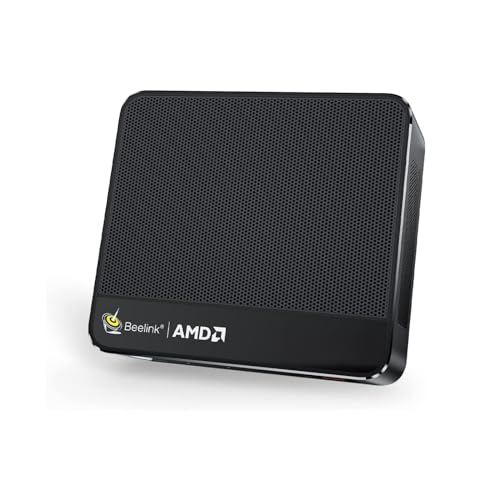
Where to buy
Check the latest price, availability and delivery on Amazon. Orders are placed on Amazon. We may earn a commission from qualifying purchases.
- Best overall: Beelink SER5 MAX Mini PC, Ryzen 7 7735HS, Radeon 680M, 24GB RAM, 500GB SSD — Check on Amazon
- GMKtec NucBox K6, Ryzen 7 7840HS, Radeon 780M, 32GB DDR5, 1TB SSD — Check on Amazon
- GMKtec M5 Plus, Ryzen 7 5825U, 32GB RAM, 1TB SSD, Dual 2.5GbE LAN — Check on Amazon
- BOSGAME P4 Mini PC, Ryzen 7 5700U, 32GB RAM, 1TB SSD, Triple 4K — Check on Amazon
See 2 more Amazon options
- MINIX NEO Z300-0dB Fanless Mini PC, Intel i3-N300, 16GB RAM, 512GB SSD — Check on Amazon
- Beelink EQ14 Mini PC, Intel N150, 16GB RAM, 500GB SSD, Dual 2.5GbE — Check on Amazon
Read the full guide ↓
Disclosure: As an Amazon Associate, reviewstook.com earns from qualifying purchases. Links to Amazon on this page are affiliate links; they cost you nothing extra. Listing details such as price and availability change often, so check the current Amazon listing before you buy.
Five hundred dollars is where the mini PC stops being a compromise you apologize for. The cheaper tiers are built around Intel’s small N-series chips — fine for a browser, a document and a video call, and visibly out of their depth the moment a photo library, a big spreadsheet or a game asks for real work. At $500 the shelf changes character. AMD’s Ryzen mobile chips take over, and with them come the things that make a small computer feel like a real one: eight proper cores, integrated graphics from the Radeon 680M class that can genuinely play games at modest settings, memory configurations up to 32GB, and — on the right models — memory you can still upgrade years from now. What $500 does not buy is a discrete graphics card, a fact this guide will not dress up: every machine here renders through its processor’s built-in graphics, and the honest differences between them are about which graphics class you get, how much memory is welded in place, and how the box will age.
One warning belongs at the top, because it shapes every price in this guide. Memory and SSD prices surged through late 2026, and mini PCs — which are mostly memory and storage wrapped around a laptop chip — absorbed the hit directly. Listings across Amazon moved up through that period, and a configuration that looked ordinary a year earlier now sits noticeably higher. That is why this guide does not print fixed prices: check the live price on Amazon for each pick before you buy, and treat factory-fitted capacity as worth more in this market than it used to be, because the 32GB and 1TB configurations in this guide carry memory and storage you would otherwise have to buy at today’s higher parts prices. For most buyers we would start with the Beelink SER5 MAX for the strongest graphics under the ceiling, or the GMKtec M5 Plus if upgradeable memory and a terabyte of storage matter more than frame rates. Below are the quick picks, detailed reviews of all six machines, a comparison table, a buying checklist built around the soldered-versus-socketed question, the case for and against stretching to $700, the mistakes that waste money at this tier, and the questions buyers ask us most.
In this guide
Quick Picks
Short on time, or comparing several options at once? Each row below names a buyer type and the machine that suits it, with a link to the listing.
| Buyer type | Pick | Why it stands out | Link |
|---|---|---|---|
| Best overall | Beelink SER5 MAX, Ryzen 7 7735HS, 24GB | Radeon 680M graphics — the strongest game-capable iGPU under $500 | Check on Amazon |
| Best performance, on sale | GMKtec NucBox K6, Ryzen 7 7840HS, 32GB | Radeon 780M and socketed DDR5 — a higher-tier machine; check price on Amazon | Check on Amazon |
| Best value and home server | GMKtec M5 Plus, Ryzen 7 5825U, 32GB/1TB | 32GB upgradeable RAM, 1TB, dual 2.5GbE — check price on Amazon | Check on Amazon |
| Best storage value | BOSGAME P4, Ryzen 7 5700U, 32GB/1TB | 32GB and a full terabyte fitted — check price on Amazon | Check on Amazon |
| Best silent | MINIX NEO Z300-0dB, Intel i3-N300, 16GB | Genuinely fanless metal chassis — no fan noise, ever | Check on Amazon |
| Best budget | Beelink EQ14, Intel N150, 16GB/500GB | A complete modern mini at a budget-tier price — check price on Amazon | Check on Amazon |
How These Picks Were Chosen
The budget was applied as a ceiling for a complete, working computer: every pick below is a real Amazon listing that includes its memory, storage and a Windows license, and that sells at or regularly within $500 in the United States. Barebone kits — machines sold without RAM, SSD or operating system — were excluded however attractive their sticker, because in the current parts market completing one costs far more than the headline suggests; guides for that route exist separately at Best Barebones Mini PC Under $500. Prices in this category move often, so the reviews do not print a hard number you should hold us to — check the live price on Amazon for each pick instead. One pick, the GMKtec K6, qualifies only when its live price falls within this budget and is framed that way everywhere it appears, including here: it often sits above this budget, and we would not buy it while it does.
We did not use these machines ourselves. We read the maker listings, specification pages and model databases, and compared processor class, graphics class, memory type and ceiling, storage, display outputs, networking and value positioning, favoring listings and specification sources that publish their details in full. Two filters did most of the work. The first is graphics class, because at this budget the integrated GPU is the single biggest difference between machines that feel fast for five years and machines that feel old in two: the Radeon 680M and 780M are a different category from the Vega-generation graphics below them and a different universe from Intel’s small-chip UHD graphics. The second filter is memory construction. RAM that sits in slots can be doubled later for the price of a kit; RAM soldered to the board is the machine’s permanent ceiling, set forever on the day you pay. Both kinds appear in this guide — deliberately, because each suits a different buyer — but every review states which kind you are getting in plain terms, because listing pages rarely volunteer it.
A third, quieter filter was honesty about roles. A mini PC at $500 is a superb desk machine, a capable light-gaming box and a natural home server, but it is not a workstation and not a gaming rig in the discrete-GPU sense, and picks that blurred that line in their marketing were judged on their silicon instead. Each pick was checked against its Amazon listing, and where a listing family sells several configurations under one name — a common trap in this category — the review names the exact configuration the linked listing represents and tells you to confirm it in the cart before paying.
The 6 Best Mini PCs Under $500
Beelink SER5 MAX Mini PC, Ryzen 7 7735HS, Radeon 680M, 24GB RAM, 500GB SSD
Who it suits: Buyers who want one small machine that does everything reasonably well — office work, media, photo sorting and real gaming at modest settings — and who would rather have the strongest graphics under $500 than an upgrade path they may never use.
The 7735HS is the reason this machine tops the guide. It is an eight-core Ryzen 7 running to 4.75GHz, and paired with it is the Radeon 680M, a 12-compute-unit integrated GPU that sits in a class of its own at this price — roughly the territory of an entry-level discrete card from a few years ago, and the strongest graphics you can buy in a complete mini PC under $500 without waiting for a sale. In practice that class means esports and indie titles run comfortably at 1080p, older AAA games are genuinely playable at medium settings, and current AAA releases are a low-settings-and-upscaling conversation rather than a refusal. Around the chip: 24GB of LPDDR5 memory, a 500GB PCIe 4.0 NVMe SSD with a second M.2 2280 slot standing empty for a later drive, triple 4K display output over HDMI 2.0, DisplayPort 1.4 and USB-C, 2.5-gigabit Ethernet, Wi-Fi 6 and Windows 11 Pro. Check the live price on Amazon before you buy — it sits at the top of this budget tier, and the guide treats it as the machine the ceiling is for.
The trade is printed on the spec sheet if you know where to look: that 24GB of memory is LPDDR5 soldered to the board. It will never be 32GB, and it will never be 48GB. For the buyer this machine suits — whose workload is a browser, office apps, media and games, none of which starve at 24GB — that ceiling is theoretical for the machine’s whole working life, and the fast soldered memory is part of why the 680M performs as well as it does. Storage, the thing that actually fills up, is the upgradeable part, with the second slot waiting. Two cautions complete the picture. There is no USB4 port — the USB-C carries data and video but not the 40Gbps standard, so external GPU docks are not in this machine’s future. And Beelink sells older, weaker machines under the SER5 name, including a Vega-graphics 5800H model: the linked listing is the 7735HS/680M configuration, and the configuration selector in the cart is worth a careful look before you pay.
- Radeon 680M graphics — the strongest game-capable integrated GPU in a complete mini under $500.
- Second M.2 slot stands empty, so the storage you will actually outgrow is the upgradeable part.
- Triple 4K displays, 2.5GbE and Windows 11 Pro in a desk-corner footprint.
Honest limitation: The 24GB of RAM is soldered and permanent — this machine’s memory ceiling is fixed at purchase, and there is no USB4 for an external GPU later.
Choose it if you want the best all-round mini under $500 and your memory needs are honestly covered by 24GB. Skip it if you plan to grow into heavy multitasking, virtual machines or large creative projects over a five-year ownership — buy socketed memory instead.

GMKtec NucBox K6, Ryzen 7 7840HS, Radeon 780M, 32GB DDR5, 1TB SSD
Who it suits: Patient buyers who can wait for a sale — and who want to see what the $700 tier looks like when it briefly visits this budget: the newest graphics class in the guide, socketed memory, and a terabyte of fast storage.
Start with the price, because it defines the pick: check the live price on Amazon before anything else. The K6’s 32GB/1TB configuration often sits above this guide’s budget, full stop — but its price drops into this tier often enough that patient buyers regularly catch it here. When it does, it is not merely a good mini PC under $500; it is a machine from the tier above, with the Radeon 780M — the successor class to the 680M, and the strongest integrated graphics AMD ships in this form factor — a Ryzen 7 7840HS, 32GB of DDR5-5600 in two SO-DIMM slots that accept 64GB, a 1TB PCIe 4.0 SSD with a second M.2 slot beside it, USB4 alongside HDMI 2.0 and DisplayPort for triple 4K output, dual 2.5-gigabit Ethernet and Wi-Fi 6E. The 780M widens the gaming envelope honestly: the same game classes as the 680M, at somewhat better settings, with demanding titles moving from “low with upscaling” toward “medium with upscaling.” Everything in this review is conditional on the live price sitting inside this budget when you check it, and the condition is not fine print — it is the review.
When its live price sits above this budget, the K6 belongs to the tier above, and the section below on stretching budgets explains when paying more deliberately makes sense. What the K6 adds over the Beelink above is the ownership profile: socketed memory and a spare drive slot mean the machine can grow, and USB4 keeps the external-GPU door open. What it gives back is refinement. Reviewers who have measured this model note fan noise under sustained load and no fan-profile control in the BIOS to tame it — there are 45W quiet and 65W performance power modes, but the acoustic character is set by GMKtec, not by you. One verified buyer report in the model’s review history described a fitted SSD showing prior power-on hours in its SMART data; treat that the way you would with any mini PC and check the drive’s health readouts in the first week, while returns are painless. Caught while its price is inside this budget, this is the most computer in the guide. Caught above it, it is a good machine in the wrong guide.
- Radeon 780M graphics and a 7840HS — a class above everything else here when the sale price lands.
- Socketed DDR5 to 64GB, a second M.2 slot and USB4: the fullest upgrade profile under $500.
- 32GB and 1TB fitted from the factory — capacity that is increasingly costly to add later.
Honest limitation: It only belongs in this guide when its live price on Amazon falls within this budget; it often sits above budget, and its fan is audible under load with no BIOS control to quiet it.
Choose it if you can watch the listing and wait for its price to drop into budget — it does so regularly. Skip it if you need to buy this week regardless of the live price, or a quiet desk matters more than graphics class.

GMKtec M5 Plus, Ryzen 7 5825U, 32GB RAM, 1TB SSD, Dual 2.5GbE
Who it suits: Buyers whose priorities are memory, storage and networking over graphics — home-server builders, heavy multitaskers, and anyone who wants a machine that can be opened and improved in year three.
The M5 Plus is the guide’s argument that the best mini PC under $500 is not always the one with the newest chip. Its Ryzen 7 5825U is an eight-core part from the generation before the 680M machines, and its Radeon graphics — eight compute units of the Vega architecture — are a clear class below the two picks above: fine for esports, indie games and older titles at 1080p, not a machine bought for current releases. What you get instead is the most complete ownership package in the guide at a genuinely value-tier price — check the live price on Amazon. The 32GB of DDR4 sits in two slots and expands to 64GB. The 1TB NVMe SSD has a second M.2 slot beside it, with room for up to 4TB total. Two 2.5-gigabit Ethernet ports — a rarity at any mini PC price — make it a natural router-adjacent server, NAS companion or virtualization host. Triple 4K display output, Wi-Fi 6E and Windows 11 Pro complete a spec sheet that reads like a small workstation’s. Check its live price on Amazon — the most upgradeable machine here is also, on most days, one of the most affordable in this guide.
That combination is why this is the pick we would hand to anyone planning a second career for their computer. A mini PC’s afterlife is the home server — media library, file storage, a small rack of self-hosted services — and the M5 Plus is built for it in a way the soldered machines are not: memory that doubles, storage that quadruples, and dual fast Ethernet to feed it. The honest debits are generational. The 5825U’s single-core pace and graphics trail the 7735HS noticeably, and DDR4, while cheap and plentiful, is the past rather than the future. If your work is a browser, documents, media and a dozen services humming in the background, none of that will ever announce itself. If you intend to game on the machine every week, it will — buy the graphics class above instead and accept the solder.
- 32GB of socketed DDR4, expandable to 64GB — memory that can grow with the machine’s jobs.
- Dual 2.5GbE LAN and a second M.2 slot: the natural home-server pick in this guide.
- Strong value for its capacity — check price on Amazon.
Honest limitation: Vega-generation graphics are a class below the 680M picks — this is a capacity and networking machine, not the gamer’s choice.
Choose it if you multitask heavily, run services, or keep machines for five-plus years and upgrade as you go. Skip it if gaming performance is the point of the purchase.

BOSGAME P4 Mini PC, Ryzen 7 5700U, 32GB RAM, 1TB SSD, Triple 4K
Who it suits: Buyers who want the headline capacities — 32GB of memory and a full terabyte at strong value for this tier, and who are willing to check a configuration selector carefully to get them.
On paper the P4 is the value shock of this tier: a Ryzen 7 5700U with 32GB of RAM and a 1TB SSD, triple 4K output across HDMI, DisplayPort and USB-C, dual 2.5-gigabit Ethernet, Wi-Fi 6E and Windows 11 Pro — check the live price on Amazon. That is the M5 Plus’s capacity story at strong value, and for a desk machine — browser fleets, office suites, media, light photo work, a couple of displays — the 5700U’s eight cores are entirely sufficient and the fitted capacities are the ones buyers actually feel. Its graphics are the same Vega generation as the M5 Plus, with the same honest envelope: esports and older games at 1080p, modern titles only at reduced settings with upscaling, if at all. Nobody should buy this machine to play new releases, and at this tier nobody sensible expects to.
The caution is about the listing, not the machine. This listing family has been sold with both 5700U and 5825U processors under near-identical titles, and mini PC listings generally rotate configurations through a single page — the processor, memory and storage in the cart are the ones you are buying, whatever the headline photo suggests. The linked listing is the 5700U/32GB/1TB configuration documented in the price records; spend the ten seconds before checkout confirming those three lines. BOSGAME is also a smaller brand than Beelink or GMKtec, which shows up in the intangibles: thinner documentation, a smaller community of owners to search when something odd happens, and support that runs through the seller rather than a large service network. At a value-tier live price, those are fair trades — the hardware capacities are real and verifiable in the cart. If its live price climbs toward the top of this budget, the M5 Plus above is the better-documented way to buy the same idea.
- 32GB and 1TB together — standout capacity value in this guide; check price on Amazon.
- Triple 4K output and dual 2.5GbE give it desk and server range beyond its price.
- Eight-core Ryzen 7 is more CPU than office and media work will ask of it for years.
Honest limitation: The listing family mixes 5700U and 5825U configurations under similar titles — the configuration in the cart is the purchase, and the brand’s support bench is thinner than the bigger names’.
Choose it if its live price on Amazon sits at the value end of this tier and the cart confirms 5700U/32GB/1TB. Skip it if its live price has climbed toward the top of the budget — at that point the GMKtec above is the safer buy.

MINIX NEO Z300-0dB Fanless Mini PC, Intel i3-N300, 16GB RAM, 512GB SSD
Who it suits: Buyers for whom silence is not a preference but the requirement — bedroom and studio desks, recording corners, living-room media duty, and anyone who has ever been kept awake by a fan deciding to spin up at 2 a.m.
The Z300-0dB’s product is the absence of a sound. Its chassis is a finned metal enclosure that cools an eight-core Intel i3-N300 entirely by passive convection — no fan, no moving parts, nothing to wear out or wake you. Around that silence sits a respectable small computer: 16GB of DDR4 in a slot that accepts 32GB, a 512GB PCIe SSD in an M.2 slot that accepts drives up to 4TB, two HDMI ports at 4K@60 plus USB-C with power delivery and display output, 2.5-gigabit Ethernet, Wi-Fi 6 and Windows 11 Pro. Check its live price on Amazon — it sits at the top of this budget tier, spent entirely on the cooling and the build rather than on speed. As a media player, a writing and browsing machine, a always-on low-power server or a kiosk-class desktop, it is genuinely excellent: the N300’s eight efficiency cores handle the everyday web-and-office load without drama, and the machine sips power while doing it.
What the ceiling price does not buy is performance headroom, and physics collects its fee in a specific currency: heat. Independent measurement of this model recorded the processor at 98°C under sustained load — inside its design limits, but a plain demonstration that a fanless box sheds heavy work by slowing down rather than by getting louder. Long renders, big compiles and sustained transcoding are simply not its jobs, and its Intel UHD graphics are for displays, not games: retro and cloud-streamed titles aside, gaming is not a reason to buy this machine. Judge it as what it is — the quietest complete computer in this guide, with upgradeable memory and storage as a genuine bonus — and it justifies its price to the buyers who need exactly that. Judge it as a $500 performance purchase and it is the weakest in the guide. Both things are true, and which one matters is a question about your room, not about the spec sheet.
- Truly fanless: zero fan noise and no moving parts, in a metal chassis built to be the heatsink.
- Slotted memory (to 32GB) and an M.2 slot (to 4TB) — rare upgrade room in a fanless design.
- Dual HDMI 4K@60, USB-C with PD, and 2.5GbE make it a natural media and always-on machine.
Honest limitation: Passive cooling caps sustained performance — measured at 98°C under load — and the price buys silence, not speed; its graphics are not for gaming.
Choose it if the machine will live where you sleep, record or listen, and its work is everyday computing. Skip it if you run sustained heavy loads or want to game — every other pick here is faster.

Beelink EQ14 Mini PC, Intel N150, 16GB RAM, 500GB SSD
Who it suits: Buyers who need a complete, modern, inexpensive computer for the everyday load — browsing, documents, video, calls, a second desk or a relative’s first PC — and who would rather spend well under the ceiling than buy performance they will not use.
Not everyone shopping under $500 needs $500 of computer, and the EQ14 is the guide’s proof. Its Intel N150 — four cores to 3.6GHz — is the modern entry chip: unglamorous, cool-running, and entirely adequate for the workload most computers actually carry, which is tabs, documents, spreadsheets, streaming video and calls. The specification around it is more generous than the price suggests: 16GB of DDR4, a 500GB SSD with two M.2 2280 slots in the chassis, dual HDMI at 4K@60, dual 2.5-gigabit Ethernet — a pairing that also makes it a tidy little firewall or home-server starter — Wi-Fi 6 and Bluetooth 5.2. Check its live price on Amazon — it sits at the budget end of this tier and undercuts everything else in this guide while remaining a complete, warrantied, new machine.
The limitations are structural and worth stating cleanly. The 16GB of memory occupies the machine’s single slot, and 16GB is also the platform’s maximum — there is no upgrade, only replacement. The listing title specifies Windows 11 Home rather than Pro, which matters if you need Pro’s remote desktop hosting or drive encryption policies and does not matter at all if you do not. The graphics are Intel UHD: video playback is smooth, games are limited to the lightest and oldest, and that is the end of the discussion. Stock on this listing was interrupted from late September to mid-November 2026, a reminder that the cheapest listings are also the most fragile supply lines — if it is in stock at a fair live price when you shop, that is the moment. Buyers whose work will grow should treat the EQ14 as a two-to-three-year answer and put the savings aside; buyers with a fixed, light workload may never need more machine than this.
- A complete new mini with 16GB and 500GB at a budget-tier price — check price on Amazon; the budget pick that is not a toy.
- Dual 2.5GbE and a second M.2 slot give it firewall and home-server second careers.
- Cool, quiet and frugal — the everyday workload never makes it work hard.
Honest limitation: 16GB is both the fitted memory and the platform maximum, the listing ships Windows 11 Home, and the graphics are for video, not games.
Choose it if your workload is the everyday one and the savings are worth more than headroom. Skip it if you multitask heavily or expect the machine to grow — the socketed picks above start where this one’s ceiling sits.

Comparison Table
| Product | Chip and graphics | Memory | Best use | Link |
|---|---|---|---|---|
| Beelink SER5 MAX (7735HS) | Ryzen 7 7735HS, Radeon 680M | 24GB LPDDR5, soldered | Best all-rounder; strongest graphics under $500 | Check on Amazon |
| GMKtec NucBox K6 | Ryzen 7 7840HS, Radeon 780M | 32GB DDR5, socketed to 64GB | Best performance when its live price lands in budget | Check on Amazon |
| GMKtec M5 Plus | Ryzen 7 5825U, Vega graphics | 32GB DDR4, socketed to 64GB | Home server, multitasking, long ownership | Check on Amazon |
| BOSGAME P4 | Ryzen 7 5700U, Vega graphics | 32GB fitted, 1TB SSD | Most capacity for the money in this tier | Check on Amazon |
| MINIX NEO Z300-0dB | Intel i3-N300, UHD graphics | 16GB DDR4, slotted to 32GB | Silent rooms, media, always-on duty | Check on Amazon |
| Beelink EQ14 | Intel N150, UHD graphics | 16GB DDR4, platform maximum | Everyday computing for the least money | Check on Amazon |
How to Choose a Mini PC Under $500
- Decide the memory question before the processor question. At this budget, how RAM is installed matters more over five years than a half-generation of CPU. Soldered memory (the SER5 MAX’s 24GB LPDDR5) is faster per watt and fine forever if your workload fits it; socketed memory (the K6 and M5 Plus, both to 64GB) is the machine’s only real growth path. Buy the ceiling you will actually hit, not the one that sounds safer.
- Shop by graphics class, not by the word “gaming” in a title. The honest ladder at this price runs: Intel UHD (video and the lightest games), Vega-generation Radeon (esports and older titles at 1080p), Radeon 680M (the same, plus older AAA at medium and modern titles at low with upscaling), Radeon 780M (a step better again, sale-dependent here). Every seller uses the word gaming; the class is the information.
- Treat 32GB as the multitasker’s line. Sixteen gigabytes runs the everyday load well. Thirty-two is where browser fleets, office suites, a chat stack, a video call and a photo editor stop negotiating with each other. If that sentence describes your desk, two picks in this guide fit 32GB from the factory — and in the current parts market, factory-fitted memory avoids buying extra memory at today’s higher parts prices.
- Count the displays you will really plug in. Every pick here drives at least two 4K screens; most drive three. Check the port mix against your monitors — HDMI, DisplayPort and USB-C video are not interchangeable without adapters — and remember that a USB-C port carrying video is not automatically USB4, which matters only if an external GPU dock is in your future plans.
- Read the configuration selector like a contract. Mini PC listings rotate processors, memory and storage through one page. The three lines in your cart — chip, RAM, SSD — are the product. A listing photographed with a stronger chip and priced with a weaker one is the category’s oldest trick, and it is defeated by ten seconds of reading.
- Price the whole desk, not the box. A mini PC still needs a monitor, keyboard and mouse. If those are not already on your desk, the EQ14’s savings may be the difference between a complete setup and a box waiting for peripherals — and a renewed business desktop with a keyboard in the box becomes a legitimate rival, a route covered in Best Home Office PC Under $500.
- Match the network to the second career. Dual 2.5-gigabit Ethernet looks like a spec-sheet flourish until the machine retires into server, firewall or NAS duty, at which point it becomes the feature. Three picks here have it. If a second career is even a possibility, weight it now — it cannot be added later.
- Check the live price, not the headline. This category’s prices move weekly, and two picks in this guide are explicitly price-conditional. Checking the K6’s live price on Amazon before you commit is worth more than a weekend of deliberation; the P4’s live price is the difference between a bargain and an ordinary purchase.
Soldered or Socketed: The Decision That Outlives the Spec Sheet
Every other difference between the machines in this guide fades with time. Processors that feel fast today feel ordinary in four years, storage that seems vast fills up, and graphics classes are leapfrogged by the next generation. Memory construction is the one decision that cannot be revisited, and it divides this guide cleanly in two. The Beelink SER5 MAX solders its 24GB of LPDDR5 to the board: in exchange for permanence it gets memory that is faster and more power-efficient than any slotted equivalent, which is part of why its 680M graphics lead the guide. The GMKtec pair and the MINIX put their memory in slots: slower on paper, but a machine bought with 32GB can wear 64GB in year three for the price of a kit, and a machine whose memory fails can be repaired with a screwdriver instead of replaced with a credit card.
The right answer depends on a prediction about yourself, and it is worth making it honestly. If your workload is stable — the same browser, office and media routine, plus games whose demands the fitted graphics already meet — soldered memory will never once be the thing that limits you, and the SER5 MAX’s 24GB is more than that workload asks. If your work grows — heavier multitasking, a first virtual machine, a creative hobby becoming a creative job, a server role accumulating services — socketed memory converts a replacement purchase into a memory-kit upgrade, and in a market where retail memory has become expensive, the slots themselves carry real value. The EQ14 marks the third case: a single slot already at its platform maximum, which is neither soldered nor upgradeable in any useful sense — a fine machine bought with both eyes open about its ceiling. There is no wrong construction here. There is only a wrong prediction, and it is the one purchase in this guide you cannot return your way out of.
Who Should Stretch to $700 — and Who Should Not
The next tier up is real, and this guide’s own K6 is the proof: at $700, the Radeon 780M class stops being a sale-day accident and becomes the standard specification, 32GB of memory and a terabyte of storage come fitted without hunting, and features like OCuLink — a direct PCIe lane for an external graphics dock — appear on machines built for a second act as a gaming rig. Buyers who game every week, who keep a computer five years or more, or who can genuinely see an external GPU in their future should read Best Mini PC Under $700 before spending anything here: the stretch buys a graphics class and an upgrade door that no amount of clever shopping at $500 fully reproduces.
Everyone else should keep the difference. The everyday workload — browsing, documents, media, calls, light photo work — runs identically on an M5 Plus from this tier and on a machine from the tier above, because it was never waiting on the hardware in the first place. The home-server builder is better served by this tier’s dual-LAN socketed machines and a hard drive bought with the change. And the buyer furnishing a whole desk from nothing will feel the savings in the monitor far more than in the mini. The $700 tier is a better computer; it is not a better purchase for a workload that cannot tell the difference. Spend where your actual days are spent.
Common Buying Mistakes
- Buying a barebone kit at a low headline price and discovering the RAM, SSD and Windows license carry the real total past the $500 ceiling — in the current memory market, past it by a lot.
- Assuming memory can be upgraded because the brand’s other model allows it. Soldered and socketed machines share names, boxes and listing photos; the construction is per-configuration.
- Paying the K6’s above-budget price because a review — including this one — praised it, without noticing the praise was addressed to the times its price drops into this budget.
- Choosing by processor name alone and missing the graphics class entirely: an eight-core chip with UHD graphics is a slower games machine than a six-core with a 680M, every time.
- Believing a fanless machine is a free lunch. Silence is bought with sustained performance; long heavy loads are exactly what passive cooling cannot do.
- Skipping the cart check on multi-configuration listings and receiving the 16GB/512GB variant of the machine you researched at 32GB/1TB.
- Spending the whole $500 on the box and leaving nothing for the monitor, keyboard and mouse the box requires — or discovering the desk has no second power outlet plan for any of it.
- Expecting discrete-GPU gaming from any machine in this guide. The 680M and 780M are remarkable integrated graphics; they are not a graphics card, and modern AAA at high settings is not on their menu.
Final Recommendation
- Most buyers: Beelink SER5 MAX (7735HS) — the strongest graphics and the most complete all-round machine under the ceiling.
- Patient sale-watchers: GMKtec NucBox K6 — a tier above, when its live price drops into this budget; check price on Amazon.
- Multitaskers and home-server builders: GMKtec M5 Plus — socketed 32GB, dual 2.5GbE, room to grow.
- Capacity hunters: BOSGAME P4 — 32GB and 1TB at standout value for the tier, cart checked.
- Silent rooms: MINIX NEO Z300-0dB — true zero-noise computing, bought for exactly that.
- Tightest budgets: Beelink EQ14 — the everyday workload, honestly covered, money kept.
Our top two for most desks are the Beelink SER5 MAX, whose 680M graphics make it the only pick that treats gaming as a feature rather than a footnote, and the GMKtec M5 Plus, whose socketed memory, dual networking and terabyte of storage make it the pick most likely to still be earning its place in five years — one buys the present, the other buys the future, and the choice between them is the soldered-versus-socketed question wearing two name badges. If a K6 sale is live while you read this, it interrupts that argument entirely: take the 780M and the slots both. Buyers whose real interest is gaming first should also see Best Mini Gaming PC Under $500, those building for a small desk should see Best Mini PC For Small Spaces Under $500, and first-time mini PC owners will find the gentler on-ramp at Best Mini PC For Beginners Under $500. Check the configuration in the cart, check the live price on Amazon, and the machine that arrives will be the machine you meant to buy.
Frequently Asked Questions
Can a mini PC under $500 really play games?
Yes — within an honest definition of play. The Radeon 680M and 780M machines in this guide run esports and indie titles comfortably at 1080p, handle older AAA games at medium settings, and make current AAA releases playable at low settings, usually with upscaling. What they cannot do is modern AAA at high settings or native 1440p — that remains discrete-GPU territory, and the gaming-first version of this budget is covered at Best Mini PC For 1440p Gaming Under $500 with the same caveat in larger type. If gaming is the main job, the tower PCs in the wider $500 guides will always outrun a mini; the mini’s counter-offer is size, silence and a power bill measured in light bulbs.
Is 16GB of RAM enough in 2026?
For the everyday load — browsing, documents, media, calls — yes, and the EQ14 and MINIX in this guide prove it daily. It stops being enough when the workload stacks: dozens of tabs plus office suites plus a call plus a creative app, or any virtual machine work. That is why this tier’s real story is the arrival of 32GB configurations under $500. If you are unsure, buy the configuration with slots: a 16GB socketed machine can become a 32GB machine later, while a soldered one is a decision you live with.
What does the stretch to $700 actually buy?
Three things: the Radeon 780M graphics class as a standard specification rather than a sale event, 32GB/1TB configurations fitted without hunting, and on some models an OCuLink port that allows an external graphics dock later. It does not buy a discrete GPU, a different category of machine, or any improvement an office workload can feel. Weekly gamers and five-year keepers benefit; everyone else is funding a spec sheet.
Mini PC or a cheap tower — which is better under $500?
They win different arguments. A tower at this price can carry a discrete graphics card and full-size upgrade paths, and for gaming-first buyers it is the stronger purchase. A mini wins on desk space, noise, power consumption and second careers — it can mount behind a monitor, idle as a home server for pennies, and move rooms in one hand. Most mixed-use buyers are happier with the mini; most gaming-first buyers should buy the tower and accept the footprint.
Are the fanless models worth their price?
For the rooms they are built for, yes. A fanless machine like the MINIX is the only computer in this guide that makes literally no fan noise, and in a bedroom, studio or listening room that is a feature no benchmark captures. The price is sustained performance: passive cooling sheds heat slowly, so long heavy loads run slower than on a fanned machine with the same chip class. For everyday computing the trade never shows; for rendering queues it always does.
Why does this guide tell me to check the live price instead of printing one?
Because in late 2026 they move too fast for anything else to be honest. Memory and storage costs surged, and mini PC listings — which are mostly memory and storage — reprice weekly, sometimes daily. A printed price would be stale within days, so each pick points you to its live Amazon listing instead: if the live price sits inside this budget, the pick stands as reviewed; if it has drifted far above the tier, the guide’s own advice is to wait or choose the pick whose price still fits.
Can these machines run two or three monitors?
Yes — multi-monitor support is standard at this tier, verified per model from the makers’ published port lists rather than assumed. The Ryzen picks drive three 4K displays over combinations of HDMI, DisplayPort and USB-C video; the MINIX drives its displays over dual HDMI plus USB-C; the EQ14 drives two over dual HDMI. What varies is the port mix, so match it against the cables and inputs your monitors actually have before ordering.


