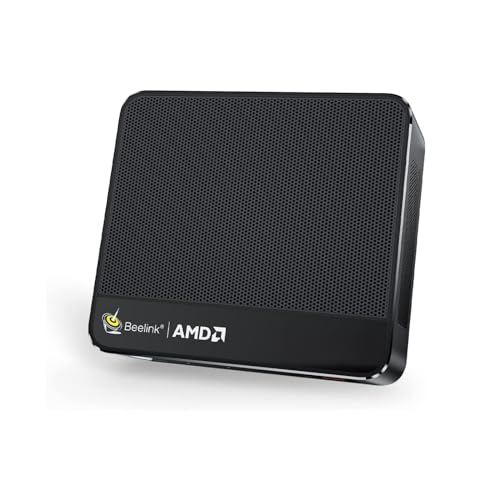
Where to buy
Check the latest price, availability and delivery on Amazon. Orders are placed on Amazon. We may earn a commission from qualifying purchases.
- Best overall: Beelink SER5 MAX Mini PC, Ryzen 7 7735HS, Radeon 680M, 24GB RAM, 500GB SSD — Check on Amazon
- GMKtec NucBox K6, Ryzen 7 7840HS, Radeon 780M, 32GB DDR5, 1TB SSD — Check on Amazon
- GMKtec M5 Plus, Ryzen 7 5825U, 32GB RAM, 1TB SSD, Dual 2.5GbE LAN — Check on Amazon
- BOSGAME P4 Mini PC, Ryzen 7 5700U, 32GB RAM, 1TB SSD, Triple 4K — Check on Amazon
See 2 more Amazon options
- MINIX NEO Z300-0dB Fanless Mini PC, Intel i3-N300, 16GB RAM, 512GB SSD — Check on Amazon
- Beelink EQ14 Mini PC, Intel N150, 16GB RAM, 500GB SSD, Dual 2.5GbE — Check on Amazon
Read the full guide ↓
Disclosure: As an Amazon Associate, reviewstook.com earns from qualifying purchases. Links to Amazon on this page are affiliate links; they cost you nothing extra. Listing details such as price and availability change often, so check the current Amazon listing before you buy.
If this is your first mini PC, start with the honest version of what you are buying. A mini PC is a complete Windows computer shrunk into a box small enough to hold in one hand. There is no tower, no separate graphics card, and nothing to assemble: you plug in a screen, a keyboard and a mouse, and it works like any other PC. Under $500, this is where small computers stop being underpowered novelties and become machines you can genuinely live on for years — eight-core processors, memory enough for a heavy browser habit, and built-in graphics that honestly play games at modest settings. The honest limits matter just as much. None of the six machines below has a graphics card; all of them draw their pictures with graphics built into the processor, so modern games at high settings are not on the menu, and no purchase here can be upgraded into a gaming rig later. One of the six also only earns its place in this guide when its sale price is live, and this guide says so every time it appears.
Two beginner traps explain most of the confusion in this category, and both are easy to dodge once someone names them. The first is memory that can never grow: on some minis the RAM is soldered — welded — to the board, so the amount fitted on the day you pay is the amount the machine has forever. That is not automatically bad — it is a fact to choose on purpose rather than discover in year three. The second trap is the product page itself. Mini PC listings rotate several different computers through a single page — a stronger processor here, half the memory there — and the machine that arrives is the one described by the three lines in your cart, not the one in the headline photo. Every review below names the exact configuration to check before you pay, and the walkthrough near the end of this guide includes a two-minute first-evening check that the machine on your desk is the one you ordered. Check the current price on Amazon for each pick, because listings reprice constantly. That is also why the 32GB and 1TB configurations below carry extra value — that capacity is fitted at the factory rather than bought later.
In this guide
Quick Picks
Short on time, or comparing several options at once? Each row below names a buyer type and the machine that suits it, with a link to the listing.
| Buyer type | Pick | Why it stands out | Link |
|---|---|---|---|
| Best overall | Beelink SER5 MAX, Ryzen 7 7735HS, 24GB | The strongest game-capable built-in graphics in a complete mini under $500 | Check on Amazon |
| Best performance, on sale | GMKtec NucBox K6, Ryzen 7 7840HS, 32GB | 780M graphics and memory in slots — a machine from the tier above, when sale pricing brings it within this budget | Check on Amazon |
| Best value and home server | GMKtec M5 Plus, Ryzen 7 5825U, 32GB/1TB | 32GB you can later double, 1TB fitted, two fast network ports | Check on Amazon |
| Best storage per dollar | BOSGAME P4, Ryzen 7 5700U, 32GB/1TB | The guide’s biggest memory-and-storage pairing at the lower end of this budget | Check on Amazon |
| Best silent | MINIX NEO Z300-0dB, Intel i3-N300, 16GB | No fan at all — a finned metal case that cools in complete silence | Check on Amazon |
| Best budget | Beelink EQ14, Intel N150, 16GB/500GB | A complete, modern, warrantied mini at the lower end of this budget | Check on Amazon |
How These Picks Were Chosen
The $500 ceiling was applied to a finished computer, not a starting point. To qualify, a listing had to arrive with its memory, its storage and its Windows license already inside, and it had to sit within — or regularly return to — this guide’s under-$500 budget in the US. Check the current price on Amazon before you buy. Barebone kits were left out no matter how tempting the sticker looked, because at today’s parts prices the RAM, SSD and license they omit cost far more than the saving; that route has its own guide at Best Barebones Mini PC Under $500. One pick needs that framing more than the rest: the GMKtec K6’s everyday pricing sits above this budget, and it is recommended strictly when its recurring sale pricing brings it within this budget, a condition repeated wherever it appears below.
Nobody on this guide’s team has these machines on a desk. The picks come from reading manufacturer listings, specification sheets and model databases side by side — processor, graphics, memory and how that memory is fitted, storage, screen outputs, networking and price history — and preferring sources that publish complete numbers over sources that publish adjectives. Two questions did most of the sorting. First: which graphics class is inside? At this money, the built-in GPU is the difference between a machine that still feels lively in five years and one that feels tired in two — the Radeon 680M and 780M sit in a different league from the older Vega graphics below them, and both are a world away from Intel’s UHD. Second: can the memory ever grow? Slotted RAM can be doubled later for the price of a kit; soldered RAM is a ceiling poured in concrete on purchase day. This guide deliberately includes both kinds, because each fits a different owner, but every review tells you plainly which kind you are getting — the listing page almost never will.
The last filter was role honesty. A $500 mini PC is an excellent everyday computer, a respectable light-gaming box and a natural little server; it is not a workstation, and it is not a gaming rig of the graphics-card kind. Machines whose marketing blurred those lines were judged by their chips, not their adjectives. Where one listing page sells several configurations under a single model name — the category’s most reliable trap — the review names the precise configuration the link represents and asks you to confirm it in the cart before paying.
New to Mini PCs? Thirteen Terms, in Plain English
Almost every confusing sentence on a mini PC product page is built from the thirteen terms below. Learn these and the rest of this guide — and every listing you compare it against — reads plainly.
- Mini PC. A complete desktop computer in a box roughly the size of a paperback book. It still needs a screen, keyboard and mouse, which are sold separately unless a listing says otherwise.
- Processor (CPU) and cores. The chip that does the computer’s thinking. Cores are parallel workers inside it: more cores means more jobs handled at once without the machine feeling busy. Every pick here has four or eight.
- Integrated graphics (iGPU). The picture-making circuitry built into the processor. All six picks use it — none has a separate graphics card — so its class (UHD, Vega, Radeon 680M, Radeon 780M, weakest to strongest) decides what games the machine can honestly play.
- RAM (memory). The computer’s short-term workspace, measured in gigabytes (GB). More RAM means more apps and browser tabs open at once without slowdowns. Sixteen GB runs the everyday load; 32GB is where heavy multitasking stops negotiating.
- Soldered. Memory welded permanently to the board at the factory. It can never be added to or replaced. In this guide, exactly one pick is soldered: the Beelink SER5 MAX’s 24GB.
- Socketed / SO-DIMM slot. Memory fitted as small removable sticks in slots. Socketed RAM can be swapped for a bigger kit years later with a screwdriver — the only real growth path a mini PC has.
- SSD (storage). Where your files, apps and Windows live permanently, also measured in GB (1,000GB is written 1TB). An empty second SSD slot, which several picks have, is how storage grows later.
- Barebone. A mini PC sold without some or all of its RAM, SSD and Windows — a kit, not a computer. None of the six picks is a barebone; all arrive complete. Barebone versions of these same model names exist on the same listing pages, which is why the cart check in the walkthrough matters.
- Renewed. Amazon’s word for refurbished — a used machine inspected, cleaned and resold with a guarantee. None of the six picks is renewed; all six are sold new.
- USB4. The fastest version of the USB-C-shaped port: 40Gbps data, video out, and the only connection that can drive an external graphics dock. Only the GMKtec K6 in this guide has it; a USB-C port that carries video is not automatically USB4.
- Ethernet and 2.5GbE. The wired internet socket. The “2.5G” version moves data two and a half times faster than the older gigabit standard across a home network — it matters most for file servers, and a wired connection is steadier than Wi-Fi for updates and downloads. Two sockets (“dual”) is a server feature.
- Refresh rate (Hz). How many times per second your screen redraws. Many monitors can run faster than the 60Hz Windows selects by default; setting the real rate by hand, covered in the walkthrough, is the cheapest upgrade in this entire guide — it is free.
- Windows 11 Home vs Pro. Two editions of the same system. Pro adds business tools, chiefly hosting a remote-desktop connection and advanced drive-encryption policies. Five picks here include Pro; the Beelink EQ14’s listing specifies Home, which is fine unless you specifically need those Pro tools.
One memory in this guide gets no label at all, on purpose: the research behind the BOSGAME P4 does not establish whether its 32GB is soldered or socketed, so neither this glossary nor its review claims either way — buy it for the capacity it ships with, not for an upgrade nobody has documented.
The 6 Best Mini PCs Under $500
Beelink SER5 MAX Mini PC, Ryzen 7 7735HS, Radeon 680M, 24GB RAM, 500GB SSD
Who it suits: A first-time buyer who wants one small machine that handles everything — work, media, photo sorting and genuine gaming at sensible settings — and would rather have the best graphics under $500 than an upgrade path they will probably never open.
Everything about this pick starts with its processor, the Ryzen 7 7735HS: eight cores running up to 4.75GHz, carrying Radeon 680M graphics with twelve compute units. That graphics class is the headline. It performs in the territory of an entry-level graphics card from a few years back, which in beginner terms means this: esports and indie games run comfortably at 1080p, older big-name games are properly playable at medium settings, and current releases are a conversation about low settings and upscaling rather than a flat no. No other complete mini PC under $500 — bought at its normal price, on a normal day — gives you graphics this strong. Around the chip sit 24GB of fast LPDDR5 memory, a 500GB PCIe 4.0 SSD with a second, empty M.2 slot waiting for another drive, three 4K screen outputs (HDMI 2.0, DisplayPort 1.4 and USB-C), a 2.5-gigabit network port, Wi-Fi 6 and Windows 11 Pro. Check the current price on Amazon — it sits right at the top of this guide’s budget band, deliberately, because it is the machine the ceiling exists for.
The compromise is one sentence long: the 24GB of memory is soldered, so it is 24GB on the day it arrives and 24GB on the day it retires. For the workload this machine is aimed at — browser, office, media, games — 24GB is genuinely enough, and fast soldered memory is part of why the graphics perform as they do; the thing owners actually outgrow, storage, can grow via that second slot. Two warnings complete the review. First, there is no USB4 port: the USB-C carries data and video, but not the 40Gbps standard, so an external graphics dock is never in this machine’s future. Second, Beelink also sells an older, much weaker machine — a 5800H with Vega graphics — under the same SER5 name. The link here is the 7735HS version; before you pay, and again on your first evening using the check in the walkthrough below, confirm the processor reads 7735HS.
- 680M graphics no rival here matches at a normal, non-sale price.
- The storage you will outgrow is the part that can grow — a second SSD slot waits empty.
- Three 4K screens, a 2.5-gigabit network port and Windows 11 Pro in the box.
Honest limitation: Memory is settled forever at 24GB — soldered means soldered — and the missing USB4 port closes the external-graphics door for good.
Choose it if 24GB honestly covers the next five years and you want the best all-rounder under the ceiling. Skip it if virtual machines, big creative projects or steadily growing multitasking are in your future — buy slots instead.

GMKtec NucBox K6, Ryzen 7 7840HS, Radeon 780M, 32GB DDR5, 1TB SSD
Who it suits: A beginner with patience — someone willing to set a price alert and wait — who wants to see what the $700 tier looks like on the days it briefly visits this budget: the newest graphics class here, memory in slots, and a terabyte fitted.
Read the pricing condition before the specs, because that condition is the review. This 32GB/1TB configuration’s everyday pricing sits in the tier above — over this budget, plainly. In recurring sales, however, it drops into this budget. Check price on Amazon: only when the current price sits within this under-$500 budget does it become the pick described here — a machine with a Ryzen 7 7840HS, Radeon 780M graphics (the class above the 680M — the same kinds of games, at somewhat kinder settings), 32GB of DDR5-5600 in two slots that accept 64GB, a 1TB PCIe 4.0 SSD with a second slot beside it, and the guide’s fullest port set: USB4, HDMI 2.0 and DisplayPort for three 4K screens, two 2.5-gigabit network ports and Wi-Fi 6E. Everything in this review is conditional on that sale pricing. That is not fine print; it is the whole point.
At its everyday pricing the K6 belongs in the $700 guide; the FAQ below covers when paying that money deliberately makes sense. What it offers over the Beelink above is a future: slotted memory, a spare drive slot and USB4 mean this is the one machine here that can genuinely change shape over its life. What it gives back is polish. Owners and reviewers who have measured this model report a fan you can hear under sustained load, with no setting in the BIOS to soften it — there are 45W quiet and 65W performance modes, but the acoustic character is GMKtec’s choice, not yours. One verified buyer also reported a fitted SSD whose health data showed roughly 86 hours of prior use; a single report is not a pattern, but it is why the walkthrough below includes a two-minute drive-health check during your first week, while returning the machine is still painless.
- 780M graphics put it a class above the rest of this guide — on sale days.
- Memory in slots to 64GB, a spare SSD slot and USB4: no pick here can change shape like this one.
- 32GB and 1TB already fitted, so there is no immediate memory or storage purchase to plan.
Honest limitation: The pick exists only when its sale pricing brings it within this budget; at its everyday pricing it is over budget, and its fan makes itself heard under load with no setting to calm it.
Choose it if a price alert and a little patience are acceptable — the sale comes back. Skip it if the purchase is this week at any price, or silence outranks graphics class at your desk.

GMKtec M5 Plus, Ryzen 7 5825U, 32GB RAM, 1TB SSD, Dual 2.5GbE
Who it suits: Beginners whose real priorities are room to grow — memory, storage, networking — over game performance: heavy multitaskers, future home-server builders, and anyone who likes the idea of opening the box in year three and improving it.
The M5 Plus is this guide’s argument that the newest chip is not always the right first computer. Its Ryzen 7 5825U is an eight-core processor from the generation before the 680M machines, and its Vega graphics — eight compute units of an older design — sit a clear class below the two picks above: esports, indie and older games at 1080p, yes; current releases, no. In exchange you get the most complete ownership package here at the lower end of this budget — check price on Amazon. The 32GB of DDR4 memory sits in two slots and can double to 64GB. The 1TB SSD has a second slot beside it, with room for up to 4TB in total. Two 2.5-gigabit Ethernet ports — rare at any mini PC price — make it a natural future file server, media library or router-side services box. Three 4K outputs, Wi-Fi 6E and Windows 11 Pro round out a specification that reads like a small workstation’s. Check the current price on Amazon — the most upgradeable machine here is also among the most accessibly priced in this band.
That is why this is the pick to hand anyone planning a machine’s second career. A mini PC’s retirement job is usually the home server — photo archive, media library, a handful of self-hosted services humming quietly — and the M5 Plus is built for that afterlife in ways the soldered machines are not: memory that doubles, storage that quadruples, twin fast network ports to feed it all. The honest costs are generational: single-core pace and graphics trail the 7735HS, and DDR4 is yesterday’s standard — plentiful and cheap, but not the future. If your days are browser, documents, media and background services, you will never feel it. Game weekly and you will — take the graphics class above and accept the solder.
- 32GB in slots, doubling to 64GB whenever the machine’s jobs outgrow it.
- Twin 2.5-gigabit ports plus a spare drive slot — the born home server of this guide.
- Among the most capacity-focused picks in this budget band.
Honest limitation: Its Vega graphics trail the 680M class by a clear step — capacity and networking are the purchase here, not game performance.
Choose it if you stack windows all day, fancy running home services, or keep machines for years and improve them as you go. Skip it if the purchase is really about games.

BOSGAME P4 Mini PC, Ryzen 7 5700U, 32GB RAM, 1TB SSD, Triple 4K
Who it suits: A beginner who wants the headline numbers — 32GB of memory and a full terabyte of storage — at the lower end of this guide’s budget, and who is comfortable spending ten careful seconds checking a configuration selector to make sure they get them.
On paper, the P4 is the value shock of this tier: a Ryzen 7 5700U, 32GB of RAM, a 1TB SSD, three 4K outputs across HDMI, DisplayPort and USB-C, two 2.5-gigabit network ports, Wi-Fi 6E and Windows 11 Pro. Check price on Amazon — it sits at the lower end of this budget band. That is the M5 Plus’s capacity story positioned lower in the band. For desk work — browser tabs, office suites, media, light photo jobs, a couple of screens — the 5700U’s eight cores are more than sufficient, and the fitted memory and storage are what you actually feel every day. Its graphics are the same Vega generation as the M5 Plus, with the same honest envelope: esports and older games at 1080p; modern titles only at reduced settings with upscaling, if they run acceptably at all. Do not buy it to play new releases — at this end of the budget, nobody reasonable is asking it to.
The caution here concerns the listing, not the hardware. This listing family has been sold with both 5700U and 5825U processors under near-identical titles, and mini PC pages generally rotate configurations through a single listing — so the processor, memory and storage shown in your cart are the computer you are buying, whatever the headline photograph implies. The link here is the 5700U/32GB/1TB configuration documented in the research records; confirm those three lines before checkout, and again on arrival with the walkthrough’s check. BOSGAME is also a smaller brand than Beelink or GMKtec, which shows in the intangibles: thinner documentation, a smaller pool of fellow owners to search when something odd happens, and support that runs through the seller rather than a large service network. At its lower-band positioning those are fair trades. If its current pricing drifts toward the upper end of the band, the better-documented M5 Plus above becomes the safer way to buy the same idea — check the current price on Amazon for both before you decide.
- The guide’s most accessible route to 32GB with a full terabyte.
- Triple 4K output and two fast network ports stretch it from desk duty to server duty.
- Eight Ryzen cores will not be the bottleneck in office or media work for years.
Honest limitation: Its listing family rotates 5700U and 5825U builds under look-alike titles, so the cart lines are the real product — and a smaller brand means a thinner support bench behind it.
Choose it if its current pricing sits at the lower end of this budget band and the cart reads 5700U, 32GB, 1TB. Skip it if its pricing has drifted toward the upper end of the band — there, the GMKtec above buys the same idea with better documentation.

MINIX NEO Z300-0dB Fanless Mini PC, Intel i3-N300, 16GB RAM, 512GB SSD
Who it suits: A beginner for whom silence is the requirement, not a preference — a bedroom or studio desk, a recording corner, living-room media duty, or anyone who has ever been woken at 2 a.m. by a fan deciding to spin up.
What this machine sells is the absence of a sound. Its case is a finned metal shell that cools an eight-core Intel i3-N300 by passive convection alone: no fan, no moving parts, nothing to wear out and nothing to hear. Inside that silence sits a respectable small computer — 16GB of DDR4 in a slot that accepts 32GB, a 512GB SSD in a slot that accepts drives up to 4TB, two HDMI ports at 4K@60 plus a USB-C with power delivery and display output, a 2.5-gigabit network port, Wi-Fi 6 and Windows 11 Pro. Check the current price on Amazon — it sits at the very top of this budget band, with that positioning spent on cooling and build rather than speed. As a media player, a writing and browsing machine, an always-on low-power server or a simple desktop, it is genuinely excellent: the N300’s eight efficiency cores carry the everyday web-and-office load without drama, sipping power as they go.
What that top-of-band positioning does not buy is headroom, and physics collects its fee in heat. Independent measurement of this model recorded the processor at 98°C under sustained load — within its design limits, but a clear demonstration that a fanless box answers heavy work by slowing down rather than by getting louder. Long renders, big software builds and sustained video conversion are simply not its jobs. Its Intel UHD graphics drive displays, not games: retro titles and cloud-streamed games aside, gaming is not a reason to buy this machine. The fanless design also writes its own placement rule, which the walkthrough below repeats: the case is the heatsink, so it needs open air around its fins — never buried in a drawer or sealed into a cabinet. Judge it as the quietest complete computer in this guide, with upgradeable memory and storage as a real bonus, and it earns its price for the buyers who need exactly that. Judge it purely as a performance purchase within this budget and it is the weakest machine here. Both are true; which matters is a question about your room.
- No fan, no moving parts, no noise — a finned metal shell does all the cooling.
- Memory can grow to 32GB and storage to 4TB, upgrade room fanless designs rarely offer.
- Two HDMI 4K@60 outputs, a USB-C with power delivery, and fast wired networking.
Honest limitation: Silence is what this pick’s top-of-band positioning buys, not speed: passive cooling throttles long heavy work (98°C measured under sustained load), and the UHD graphics are for screens, not games.
Choose it if it will sit where you sleep, record or listen, doing everyday work. Skip it if your work includes long heavy loads — or games — since every other pick here is faster within this budget or positioned lower in the band.

Beelink EQ14 Mini PC, Intel N150, 16GB RAM, 500GB SSD
Who it suits: A beginner who needs a complete, modern, inexpensive computer for the everyday load — browsing, documents, video, calls, a second desk, a relative’s first PC — and would rather keep part of the budget unspent than buy performance they will never use.
Not everyone shopping under $500 needs to spend to the top of that budget, and the EQ14 is the proof. Its Intel N150 — four cores up to 3.6GHz — is the modern entry chip: unglamorous, cool-running, and entirely adequate for the workload most computers actually carry, which is tabs, documents, spreadsheets, streaming video and calls. The specification around it is more generous than its lower-band positioning suggests: 16GB of DDR4, a 500GB SSD with two M.2 slots in the chassis, two HDMI outputs at 4K@60, two 2.5-gigabit Ethernet ports — a pairing that also makes it a tidy little firewall or home-server starter — Wi-Fi 6 and Bluetooth 5.2. Check the current price on Amazon — it sits at the lower end of this budget band. Its earlier launch positioning belongs to the era before memory prices surged and should be read as history. Even at the upper end of its recent positioning it sits below the other picks here while remaining a complete, new machine.
The limitations are structural, stated cleanly: the 16GB occupies the machine’s single memory slot, and 16GB is the most this platform can ever hold — the fitted memory is final, so buy it for the workload you have, not one you might grow into. The listing title specifies Windows 11 Home rather than Pro, which matters only if you need Pro’s remote-desktop hosting or encryption policies. The graphics are Intel UHD: video playback is smooth, games are limited to the lightest and oldest, and that is the end of that discussion. Stock on this listing was interrupted from late September to mid-November 2026 — a reminder that the cheapest listings are also the most fragile supply lines, so if it is in stock at a fair position within this budget when you shop, that is the moment. Buyers whose work will grow should treat the EQ14 as a two-to-three-year answer and bank the savings; buyers with a fixed, light workload may never need more machine than this.
- A complete, new, warrantied computer with 16GB and 500GB at the lower end of this budget.
- Two fast network ports and a second drive slot open firewall and server second careers.
- Runs cool and sips power; the everyday workload never stretches it.
Honest limitation: The fitted 16GB is also the most this platform can ever hold; the listing’s Windows is the Home edition; and the graphics serve video, not games.
Choose it if your workload is fixed and light and keeping part of the budget unspent matters more than headroom. Skip it if you multitask hard or expect growth — the slotted picks above begin exactly where this one’s ceiling ends.

Comparison Table
| Product | Chip and graphics | Memory | Best use | Link |
|---|---|---|---|---|
| Beelink SER5 MAX (7735HS) | Ryzen 7 7735HS, Radeon 680M | 24GB LPDDR5, soldered | The all-rounder; strongest graphics at a normal, non-sale positioning | Check on Amazon |
| GMKtec NucBox K6 | Ryzen 7 7840HS, Radeon 780M | 32GB DDR5, socketed to 64GB | Top performance on the days its sale price lands | Check on Amazon |
| GMKtec M5 Plus | Ryzen 7 5825U, Vega graphics | 32GB DDR4, socketed to 64GB | Servers, heavy multitasking, keep-it-for-years ownership | Check on Amazon |
| BOSGAME P4 | Ryzen 7 5700U, Vega graphics | 32GB fitted, 1TB SSD | The most capacity at the lower end of the band — check price on Amazon | Check on Amazon |
| MINIX NEO Z300-0dB | Intel i3-N300, UHD graphics | 16GB DDR4, slotted to 32GB | Quiet rooms, media centers, always-on jobs | Check on Amazon |
| Beelink EQ14 | Intel N150, UHD graphics | 16GB DDR4, platform maximum | The everyday workload for the least money | Check on Amazon |
Your First Evening: Setup, Step by Step
None of the six picks needs tools, assembly or expertise to set up. Work through these steps in order on the night the box arrives; the whole sequence takes under an hour, most of it waiting for updates.
- Place it where air can reach it. A mini PC wants an open patch of desk, not a drawer. This matters most for the fanless MINIX: its metal case is its heatsink, so it needs open air around its fins — never sealed into a cabinet or buried under papers, or it will slow itself down to stay cool.
- Connect the power. Use the adapter in the box, plug it into the machine and the wall, and press the power button. Nothing else needs to be inside the machine — every pick here arrives complete, with memory, storage and Windows already fitted.
- Connect the screen — and relax about sockets. Run the HDMI, DisplayPort or USB-C video cable from any of the machine’s video outputs to your monitor. On a full-size tower, beginners are warned to use the graphics card’s sockets rather than the motherboard’s, because the wrong ones can be dead or slow. That trap does not exist here: no pick has a separate graphics card, and every pick’s processor drives all of its sockets with its built-in graphics — whichever video port you choose is live and correct.
- Add keyboard, mouse and internet. Plug in (or pair) your keyboard and mouse. For internet, an Ethernet cable into the machine’s network port is the steadier choice if your router is within reach — every pick here has a fast wired port — and it makes the update step below quicker and your game downloads faster. Wi-Fi works fine if a cable is impractical.
- Let Windows update, then update the graphics driver. Follow the first-run prompts, connect your account, then open Windows Update and install everything it offers, restarting as many times as it asks. After that, update the graphics driver itself — AMD’s driver software on the Ryzen picks, Intel’s on the MINIX and EQ14 — because the driver is the piece of software your games actually talk to, and the one Windows ships is rarely current.
- Set your monitor’s real refresh rate. Windows often defaults a screen to 60Hz even when it can run faster. Open Settings, then Display, then Advanced display, and select the highest refresh rate your monitor offers. If your screen is a 60Hz model, nothing changes; if it is faster, this free setting is the single most visible improvement in this entire guide.
- Check the machine you received is the machine you ordered. Open Settings, then System, then About, and compare three lines — processor, RAM, storage — against your order. The checks that matter per pick: the SER5 MAX must read Ryzen 7 7735HS, not the older 5800H sold under the same name; the K6 must read 7840HS with 32GB and 1TB; the BOSGAME must read 5700U with 32GB and 1TB; the EQ14’s Windows edition should read Home, exactly as its listing title states. K6 buyers should also glance at the SSD’s health readout during the first week — one buyer of this model reported a drive showing prior power-on hours. Any disagreement is a returns conversation, and it is painless now and awkward in month three.
- Install a game store. Download Steam (or the store you already use), sign in, and let it build your library. That finishes the evening: the machine is updated, verified and ready.
What Else You Will Spend
The budget in this guide covers the computer only. Budget honestly for the rest of the desk, in this order. First, a monitor: no pick here includes a screen, and if you do not already own one it is the first additional purchase — ahead of everything else, because the box is useless without it. Second, a keyboard and mouse, unless a set is already on your desk. Third, small things: an Ethernet cable if you take the wired advice above. No prices are quoted for these because the research behind this guide documents none — they vary too much by what you already own to price responsibly.
Each pick also carries its own catch, worth weighing alongside the machine itself. The K6’s catch is timing: at its everyday pricing it is over budget, and the fix costs nothing but patience — wait until sale pricing brings it within this budget, and check the current price on Amazon. The SER5 MAX’s catch is storage: 500GB fills, and the fix is a second SSD in its empty slot when it does. The EQ14’s catch has no fix: its 16GB is final, so the fix is buying the right machine first time. Memory pricing surveyed during this research showed growing a machine later can be genuinely expensive — which is why factory-fitted 32GB is worth more than it looks, and “I will upgrade it later” should be a plan, not a reflex.
How to Choose a Mini PC Under $500
- Decide the memory question before the processor question. How RAM is fitted matters more over five years than half a generation of CPU. Soldered memory (the SER5 MAX’s 24GB) is fast and fine forever if your workload fits it; slotted memory (the K6 and M5 Plus, both to 64GB) is the machine’s only real growth path. Buy the ceiling you will actually reach.
- Shop by graphics class, not by the word “gaming” in a title. The honest ladder at this price runs: Intel UHD (video and the lightest games), Vega-generation Radeon (esports and older titles at 1080p), Radeon 680M (older big-name games at medium, modern ones at low with upscaling), Radeon 780M (a step better again, sale-dependent here). Sellers all print the word gaming; the class underneath it is the only honest part of the claim.
- Treat 32GB as the multitasker’s line. Sixteen gigabytes runs the everyday load well. At 32GB, the browser fleet, the office suite, the chat stack, the call and the photo editor all stop competing for room. If that sentence describes your desk, buy it fitted — in this market, factory-fitted memory avoids a later upgrade purchase.
- Read the configuration selector like a contract. Listings rotate processors, memory and storage through one page. The three lines in your cart — chip, RAM, SSD — are the product, and ten seconds of reading defeats the category’s oldest trick.
- Budget for the whole desk, not just the box. The box is not the whole purchase: a screen, a keyboard and a mouse still stand between it and a working desk. If those are not already on your desk, the EQ14’s savings may be the difference between a complete setup and a box waiting for peripherals.
- Match the network to the second career. Two fast Ethernet ports look like spec-sheet decoration until the machine retires into server, firewall or NAS duty, when they become the whole point. Three picks here have them, and they cannot be retrofitted.
- Check the current price, not an old listing figure. Pricing moves weekly, and two picks here are explicitly price-conditional. A price alert on the K6 beats a weekend of deliberation — check price on Amazon — and the P4 is strongest at its lower-band Prime positioning, while toward the upper end of the band it is ordinary.
Upgrades, in Plain Terms
Beginners are often sold a mini PC with a promise that it can “be upgraded later,” so here is exactly what that means for each of these six machines — starting with the promise nobody should make you. No pick in this guide can take a graphics card. There is no slot for one, no standard case to house one and no named power supply to feed one; the graphics live inside the processor and stay there for the machine’s whole life. Any seller implying otherwise is selling you a different computer than the one in the box.
What genuinely can grow is memory and storage, and only where the base specifications document it. The K6’s memory can rise from 32GB to 64GB and a second SSD can join its first. The M5 Plus can likewise double its memory to 64GB and grow storage toward 4TB. The MINIX can move from 16GB to 32GB of memory and take a much larger SSD. The SER5 MAX can grow only its storage — its second slot is real, its soldered 24GB is final. The EQ14 can add storage in its second slot, but its 16GB is the platform maximum and cannot move. For the BOSGAME P4, this guide makes no upgrade promise of either kind: its memory construction is not established in the verified research, so buy it for the 32GB and 1TB it ships with. One narrow exception deserves an honest label: the K6’s USB4 port keeps the door open to an external graphics dock later — a dock and a card bought separately, as an enthusiast experiment. It is not a plan, it is not priced into this guide, and the SER5 MAX, with no USB4, lacks even that door.
Common Buying Mistakes
- Taking a barebone kit’s low headline positioning at face value, then watching the missing RAM, SSD and Windows license push the real total past this budget — well past it, at current memory pricing.
- Assuming a machine’s memory upgrades because a sibling model from the same brand allows it. Construction is per-configuration; shared names and photos prove nothing.
- Paying the K6’s everyday pricing on the strength of reviews — this one included — whose praise was aimed at its sale pricing within this budget.
- Shopping by processor name and never checking the graphics class: eight cores with UHD graphics lose at games to six cores with a 680M, every single time.
- Treating fanless as a free lunch. The silence is paid for in sustained performance, and long heavy loads are precisely what passive cooling cannot sustain.
- Skipping the ten-second cart check and unboxing the 16GB/512GB variant of a machine you researched at 32GB/1TB.
- Blowing the entire budget on the box, with nothing left for the screen, keyboard and mouse it cannot work without.
- Expecting graphics-card gaming from integrated graphics. The 680M and 780M are extraordinary for built-in chips; they remain built-in chips, and modern AAA at high settings is not on their menu.
Final Recommendation
- Most buyers: the Beelink SER5 MAX — strongest graphics here, and the most rounded machine under the ceiling.
- Patient sale-watchers: the GMKtec NucBox K6, bought only while its sale pricing brings it within this budget — check price on Amazon.
- Multitaskers and future server builders: the GMKtec M5 Plus — 32GB in slots, twin fast ports, room to grow.
- Capacity hunters: the BOSGAME P4 — 32GB and 1TB at the lower end of this budget band, after the cart check.
- Silent rooms: the MINIX NEO Z300-0dB — genuine zero-noise computing, bought for exactly that.
- Tightest budgets: the Beelink EQ14 — the everyday workload covered honestly, with money left over.
For most first-time buyers the choice narrows to two machines that embody this guide’s central question. The Beelink SER5 MAX buys the present: the strongest graphics under the ceiling and a machine that treats gaming as a feature, at the cost of memory that can never grow. The GMKtec M5 Plus buys the future: slotted memory, twin fast network ports and a terabyte fitted, at the cost of graphics from the previous generation. Neither answer is wrong; the right one is the honest prediction about your own next five years. And if a K6 sale happens to be live while you read this — check the current price on Amazon to confirm it sits within this budget — it settles the argument from above: take the 780M graphics and the slots both, at that within-budget sale positioning only. Beginners whose real interest is gaming first should also see Best Mini Gaming PC For Beginners Under $500; those furnishing a small desk should see Best Mini PC For Small Spaces Under $500; and anyone weighing this budget against the cheaper tier should compare Best Mini PC For Beginners Under $400 before deciding the extra money is necessary.
Frequently Asked Questions
Can a mini PC under $500 really play games?
Yes, within an honest definition of play. The Radeon 680M and 780M machines run esports and indie titles comfortably at 1080p, handle older big-name games at medium settings, and make current releases playable at low settings, usually with upscaling. What they cannot do is modern AAA at high settings or native 1440p — that remains graphics-card territory, and the 1440p version of this budget is covered at Best Mini PC For 1440p Gaming Under $500 with the same caveat in larger type.
Is 16GB of RAM enough in 2026?
For the everyday load — browsing, documents, media, calls — yes, and the EQ14 and MINIX prove it daily. It stops being enough when the workload stacks: dozens of tabs plus office suites plus a call plus a creative app, or any virtual-machine work. If you are unsure, buy a configuration with slots: a 16GB slotted machine can become a 32GB machine later, while a soldered one — or the EQ14, whose 16GB is its platform’s maximum — is a decision you live with.
What does the stretch to $700 actually buy?
It buys the 780M graphics class as the standard specification instead of a sale-day event, 32GB/1TB configurations fitted without hunting, and — on some models — an OCuLink port for an external graphics dock later. It does not buy a graphics card or a different category of machine. Weekly gamers and five-year keepers benefit; everyone else is funding a spec sheet — compare Best Mini PC Under $700 before spending.
Why does this guide tell me to check the price on Amazon instead of printing one?
Because pricing here moves weekly, sometimes daily. Memory and storage costs surged, and a mini PC is mostly memory and storage in a small box, so listings reprice with them. Check the current price on Amazon for each pick: if it still sits within the budget position described in its review, the reasoning holds; if it has moved well above that position, wait, or pick a machine whose current pricing still fits this budget.
Can these machines run two or three monitors?
Yes. Every pick was checked against its maker’s published port list rather than assumed capable. The Ryzen machines run three 4K screens across HDMI, DisplayPort and USB-C video in combination; the MINIX uses its two HDMI ports plus USB-C; the EQ14 runs two over dual HDMI. Port mixes differ, so compare them with the inputs and cables your monitors actually have before you order.


