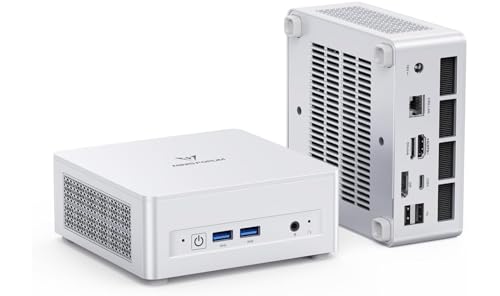
Where to buy
Check the latest price, availability and delivery on Amazon. Orders are placed on Amazon. We may earn a commission from qualifying purchases.
- Best overall barebones: MINISFORUM UM880 Plus Barebone, Ryzen 7 8845HS, No RAM / SSD / OS — Check on Amazon
- GMKtec NucBox K8 Plus, Ryzen 7 8845HS, Without RAM / SSD / OS — Check on Amazon
- MINISFORUM UM870 Slim Barebone, Ryzen 7 8745H, Without RAM / SSD / OS — Check on Amazon
- MINISFORUM UM790 Pro Barebones Version, Ryzen 9 7940HS, Without RAM and SSD — Check on Amazon
- MINISFORUM UM773 Lite Barebones, Ryzen 7 7735HS, No RAM No SSD — Check on Amazon
- ASUS NUC 14 Pro+ Barebone Kit, Intel Core Ultra 5 125H — Check on Amazon
Read the full guide ↓
Disclosure: As an Amazon Associate, reviewstook.com earns from qualifying purchases. Links to Amazon on this page are affiliate links; they cost you nothing extra. Listing details such as price and availability change often, so check the current Amazon listing before you buy.
A barebones mini PC is the most misunderstood bargain in small computers, so this guide starts with the definition everything else depends on. Barebones means the box arrives with a processor, a motherboard, a case, a cooler and a power supply — and nothing else that makes a computer run. There is no RAM, no SSD and no operating system in any of the six machines below unless a listing explicitly says otherwise, and none of these listings do. The price on the listing is the price of a starting point. You will add memory, storage and an OS before the machine displays a desktop, and the honest cost of a finished barebones PC is the box plus those parts. Any guide that ranks barebones machines by sticker price alone is comparing half-built computers against finished ones, and we will not do that here: every review in this guide carries a completion cost, worked out in the open.
That honesty matters more now than it ever has, because memory and SSD prices have surged. Independent tracking of Amazon US listings has shown how expensive a single 16GB DDR5 SO-DIMM can be at retail, and how completing the same MINISFORUM UM880 Plus with a 32GB DDR5 kit and a 1TB NVMe drive can end up costing more in total than the complete version of the same machine with 32GB and 1TB already installed. Read that again, because it is the whole story of this category right now: at today’s parts prices, completing a barebone with new parts can cost more than buying the finished machine. A barebones mini PC under $500 is the right buy in exactly three situations — you already own DDR5 SO-DIMMs and an NVMe drive, you are pulling those parts from a dead laptop or an older mini PC, or you specifically want a configuration no complete machine sells, such as 64GB of RAM or a 4TB drive, and you accept paying for the privilege. If none of those describes you, the complete machines in our other guides are the better purchase, and this guide will keep telling you so.
What the $500 barebones budget buys, for buyers it does suit, is genuinely exciting: the current generation of AMD mini PC silicon. Five of the six picks are built on Ryzen processors with Radeon 780M or 680M integrated graphics — the strongest integrated graphics ever put in a mini PC — with two DDR5 SO-DIMM slots you fill yourself, one or two M.2 SSD slots, and in two cases an OCuLink port that can connect a desktop graphics card later. Completed sensibly, these are 1080p gaming machines for esports and older AAA titles, serious emulation boxes, home servers and compact workstations. The sixth pick is the Intel alternative, a business-grade ASUS NUC kit with a three-year warranty, included for buyers who value support over raw graphics. Below are the quick picks, a full explanation of how the completion maths works, detailed reviews of all six machines with their true finished costs, a comparison table, a parts-buying guide, the mistakes that burn money in this category, and the questions barebones buyers ask before their first build.
In this guide
Quick Picks
Short on time, or comparing several options at once? Each row below names a buyer type and the machine that suits it, with a link to the listing. Remember that every price here is for the bare box — RAM, SSD and OS are extra on all six.
| Buyer type | Pick | Why it stands out | Link |
|---|---|---|---|
| Best overall barebones | MINISFORUM UM880 Plus Barebone, Ryzen 7 8845HS | 780M graphics, OCuLink eGPU port, dual M.2 slots — check price on Amazon | Check on Amazon |
| Best for expansion and networking | GMKtec NucBox K8 Plus, Ryzen 7 8845HS (No RAM / SSD / OS) | Dual 2.5G LAN, dual USB4, OCuLink, room for 96GB and two SSDs | Check on Amazon |
| Best value 780M barebone | MINISFORUM UM870 Slim Barebone, Ryzen 7 8745H | Among the lower-priced routes to Radeon 780M in this group — check price on Amazon | Check on Amazon |
| Best CPU headroom | MINISFORUM UM790 Pro Barebones, Ryzen 9 7940HS | Flagship 5.2GHz chip and dual USB4, sold via marketplace sellers — check price on Amazon | Check on Amazon |
| Best budget previous-generation pick | MINISFORUM UM773 Lite Barebones, Ryzen 7 7735HS | Radeon 680M platform positioned as the lowest-cost way in — check price on Amazon | Check on Amazon |
| Best warranty and business support | ASUS NUC 14 Pro+ Barebone Kit, Core Ultra 5 125H | Three-year warranty, Thunderbolt 4, toolless chassis — buy only when it falls within budget | Check on Amazon |
How These Picks Were Chosen
The first filter was the definition itself. A machine only belongs in this guide if its Amazon listing is a genuine barebones configuration — no RAM, no SSD, no OS — sold as its own listing or a clearly labelled barebone variant. That filter removed most of the famous names in mini PCs. Beelink, for example, sells the excellent SER8, but its Amazon listings are complete configurations; there is no clean Amazon barebone SER8 listing to link, so it is not here. Several GMKtec and MINISFORUM models are sold both ways, and for those we linked the barebone listing specifically, with its own ASIN — because on Amazon, the complete and barebone versions of the same machine are different listings at different prices, and confusing them is how buyers end up surprised by an empty box.
The second filter was the platform. Every pick takes socketed DDR5 SO-DIMM memory — two slots, replaceable with a screwdriver — and at least one M.2 2280 NVMe slot. Machines with soldered LPDDR5 memory cannot be barebones in any meaningful sense, because the most expensive component is already fixed at the factory; they were excluded even when their processors were newer. Socketed versus soldered is the single most important spec in this category, and it is why this guide is full of Ryzen 7000/8000 machines rather than the newer Ryzen AI boxes, whose memory is soldered and whose “barebone” versions only omit the SSD.
The third filter was price honesty. Each machine had to fit this guide’s under $500 budget framing — and where a machine only touches the budget when it is on sale, like the ASUS NUC at the bottom of this guide, the review says so and frames it as a conditional buy. Mini PC prices on Amazon move often, so check the current price on Amazon on every listing before you order, and treat the budget framing as a guide, not a promise about a listing’s current price.
Finally, we did not use these machines ourselves. We read the maker listings, specification pages, manuals and independent reviews, and compared processors, graphics, slot counts, port selections and warranty terms. Where a listing’s own copy is vague — and barebones listings are often vague about exactly which slots are fitted — the review says what is confirmed and what you should verify on the live listing before buying.
The Completion Maths: What a Barebones PC Really Costs
Every review below quotes a completion cost, and this section explains where those numbers come from so you can rebuild them with live prices. A finished barebones PC needs four things the box does not include: RAM, an SSD, an operating system, and about twenty minutes with a screwdriver. The screwdriver is free. The other three are not.
RAM is the expensive problem right now. All six picks use DDR5 SO-DIMM laptop memory — five at DDR5-5600 or DDR5-4800 depending on the platform — and DDR5 prices have surged in the current market. Recent tracking of in-stock Amazon US mini PC listings underlines the point: a single 16GB DDR5 SO-DIMM can be expensive on its own at retail. Two of those — the 32GB dual-channel configuration these graphics chips need to perform properly — plus a 1TB NVMe drive can bring a barebone’s finished total well above the complete version of the same machine. You do not have to complete a machine that way: a single 16GB stick and a 512GB drive is the minimum sensible build, and parts pulled from a shelf or a dead laptop cost nothing at all. But any completion built from new retail DDR5 in this market starts from a painful baseline, and the reviews below use a consistent basket — 32GB (2×16GB) DDR5 and a 1TB PCIe 4.0 NVMe drive at current retail prices, described qualitatively so the six machines can be compared on equal terms.
The DDR4 question deserves a direct answer. Older barebones platforms — Intel NUC 13 Pro kits, Ryzen 5000 mini PCs — use DDR4 SO-DIMMs, which are far cheaper than DDR5 and which many buyers already own from dead laptops. If your spare parts are DDR4, they will not fit any machine in this guide: DDR4 and DDR5 SO-DIMMs are keyed differently and are not interchangeable, in either direction. That is a genuine loss, and it is why DDR4 owners should look at previous-generation kits instead. We kept one foot in that world with the UM773 Lite — a DDR5 machine, but a previous-generation one priced like a clearance platform — and we flag the DDR4 alternative honestly in its review and in the buying guide below.
The operating system is the quiet third cost. No machine here includes Windows. Your options are a retail Windows license bought separately, an eligible license transferred under Microsoft’s terms, or Linux, which is free and runs superbly on every processor in this guide — Ryzen 7000/8000 and Intel Core Ultra are all first-class Linux platforms, and for a home server, emulation box or Steam library machine, Linux may be the plan rather than the compromise. What you cannot do is assume the box will “just have Windows”: it will boot to a BIOS screen and wait for you. Budget the OS line item before you compare a barebone against a complete machine, because complete machines include the license in their price.
The 6 Best Barebones Mini PCs Under $500
MINISFORUM UM880 Plus Barebone, Ryzen 7 8845HS (No RAM / SSD / OS)
Who it suits: Buyers with DDR5 SO-DIMMs and an NVMe drive already on the shelf who want the most complete modern platform in this guide — the strongest integrated graphics here, an eGPU port for later, and two of everything that matters.
The UM880 Plus is the machine the barebones maths was documented on, which makes it the easiest pick in this guide to discuss honestly. Check the current price on Amazon — the listing to buy is the one titled “Barebone Version Without RAM / SSD / OS,” and it means exactly that. Inside is a Ryzen 7 8845HS: eight Zen 4 cores, sixteen threads, boost to 5.1GHz, and the Radeon 780M — twelve RDNA 3 graphics cores that remain the benchmark for integrated gaming, good for esports titles at high frame rates and older AAA games at sensible 1080p settings once you feed it dual-channel memory. The platform around the chip is the fullest here: two DDR5 SO-DIMM slots supporting up to 96GB, two M.2 2280 PCIe 4.0 SSD slots, USB4, HDMI and DisplayPort outputs, 2.5G Ethernet, Wi-Fi 6E, and an OCuLink port — the small connector that lets you attach a desktop graphics card in an external dock later, which no amount of integrated graphics can substitute for.
Now the completion cost, stated as plainly as we can state it. With new parts at current retail prices, a build using this box, a 32GB DDR5 kit and a 1TB NVMe drive can total more than the complete UM880 Plus with 32GB and 1TB installed. If you are buying every part new, buy the complete machine instead; this review is telling you to. The barebone wins when the parts are already yours: a pair of DDR5 SO-DIMMs from a laptop you upgraded, an NVMe drive in a drawer. Then the finished machine costs the box alone plus nothing, and it is faster and more expandable than any complete mini PC in a comparable tier. It also wins for the one configuration the complete range does not sell off the shelf — 64GB or 96GB of RAM, or a 4TB drive — where choosing your own parts is the point. The external 120W power brick is the one physical annoyance: there is a brick to hide behind the desk, as with most machines in this class.
- Radeon 780M integrated graphics — the strongest in this guide, fed properly by dual-channel DDR5.
- OCuLink port plus USB4: two separate eGPU paths when integrated graphics stop being enough.
- Two DDR5 SO-DIMM slots (to 96GB) and two M.2 PCIe 4.0 slots — nothing soldered, nothing fixed.
Honest limitation: At current parts prices, completing it with new RAM and SSD can cost more than the complete version of the same machine — this pick only makes financial sense with parts you already own or a configuration the complete range does not sell.
Choose it if your parts are already on the shelf, or you want 64GB+ of RAM and an OCuLink port in one box. Skip it if you are buying RAM and SSD new at retail — buy the complete UM880 Plus instead.

GMKtec NucBox K8 Plus, Ryzen 7 8845HS (Without RAM / SSD / OS)
Who it suits: Tinkerers and homelab buyers who want the most ports and the most networking in the class — dual 2.5G Ethernet, dual USB4, OCuLink — and who are comfortable buying from a value brand rather than a premium one.
GMKtec’s K8 Plus matches the UM880 Plus chip for chip — the same Ryzen 7 8845HS, the same Radeon 780M, the same two DDR5-5600 SO-DIMM slots good for up to 96GB, and the same pair of M.2 2280 PCIe 4.0 slots — then out-connects it. The front panel carries the OCuLink port for an external GPU; the back carries two USB4 ports, HDMI 2.1 and DisplayPort 2.1 for up to four displays, and two 2.5-gigabit Ethernet ports, which is why this machine keeps turning up in home-server and firewall builds as well as gaming roundups. The barebone listing — titled “Without RAM / SSD / OS,” and again, it means it — sits in a higher tier in this group than the UM880 Plus barebone for a similar platform: check price on Amazon. The honest reason to pay the premium is the port selection, particularly the dual LAN, not performance: completed identically, the two machines game the same.
The completion maths is the same shape as the pick above it, slightly less favourable for the higher starting position: add the standard basket of 32GB DDR5 and a 1TB NVMe drive and the finished K8 Plus will cost noticeably more than the box alone, against complete K8 Plus configurations whose pricing has moved a lot as memory costs moved, which is itself a finding: on this listing, timing matters, so check the current price on Amazon before you decide. Two brand-level caveats belong in this review. The warranty is one year, where the ASUS kit at the bottom of this guide offers three. And reviewers consistently note the fans become audible in the Performance power mode for modest gains — run it in its balanced mode and it is a civilised desk machine; the cooling itself, with a removable top panel that makes RAM and SSD swaps genuinely easy, is well regarded.
- Dual 2.5G Ethernet and dual USB4 — the best connectivity in this guide, gaming or homelab.
- OCuLink on the front panel for a desktop GPU dock later.
- Removable top panel: the easiest RAM and SSD access of any pick here.
Honest limitation: A one-year warranty and audible fans in Performance mode, from a brand with thinner support than the big names — and a listing price that can swing, so check the current price on Amazon before ordering.
Choose it if dual LAN, dual USB4 or the front OCuLink port solves a problem the UM880 Plus does not. Skip it if you only need one Ethernet port — the same chip costs less in the pick above.

MINISFORUM UM870 Slim Barebone, Ryzen 7 8745H (Without RAM / SSD / OS)
Who it suits: Value hunters who want Radeon 780M graphics and a current platform for the lowest box price in this guide — and who understand exactly which small compromises the saving buys.
The UM870 Slim is positioned as one of the lowest-priced verified routes to a 780M barebone on Amazon right now: check price on Amazon. Its pricing has been comparatively steadier than the other picks here by mini PC standards. The processor is the Ryzen 7 8745H, and the name deserves one sentence of demystifying: it is the same eight-core Zen 4 design with the same 780M graphics as the 8845HS in the two picks above, clocked a touch lower at 4.9GHz boost and without the Ryzen AI NPU. For gaming, desktop work and emulation, the practical difference is negligible; the NPU matters to a short list of AI-accelerated Windows features and to almost nobody’s game library. Around the chip: two DDR5 SO-DIMM slots (each rated to 48GB, 96GB total), two M.2 2280 PCIe 4.0 SSD slots per MINISFORUM’s own store specification, HDMI 2.1, DisplayPort and USB4 outputs good for 8K@60Hz on a single display, 2.5G Ethernet, Wi-Fi 6E, and auto power-on — a small feature home-server and signage buyers care about disproportionately.
What you give up against the UM880 Plus is the OCuLink port: there is no dedicated eGPU connector here, so the graphics ceiling is the 780M itself, with USB4 eGPU docks as the slower, pricier fallback. For the large majority of barebones buyers — who will never buy an eGPU dock — that is the right trade for a lower box price in this group, and it makes the UM870 Slim a strong completion-cost option among the 780M machines: with the standard parts basket its finished total stays below the pricier 780M picks on equal terms, and with salvaged parts it is a finished computer with flagship integrated graphics for the cost of the box alone. One verification note, stated the way we would want it stated to us: MINISFORUM sells this model through several near-identical Amazon listings, and the listing copy varies on whether it describes one SSD slot or two — the maker’s own store page for the model specifies dual M.2 slots, but confirm the slot count on the live listing before ordering if a second drive is part of your plan.
- Among the lowest verified box prices for a Radeon 780M barebone in this guide — check price on Amazon.
- Same Zen 4 eight-core / 780M platform as the pricier picks; the missing NPU rarely matters.
- Stable pricing by mini PC standards, and auto power-on for server-style use.
Honest limitation: No OCuLink port, so there is no clean eGPU upgrade path — the 780M is the beginning and the end of this machine’s graphics story.
Choose it if you want the 780M platform as cheaply as possible and will never dock an external GPU. Skip it if an eGPU is in your future — that is the UM880 Plus or the K8 Plus.

MINISFORUM UM790 Pro Barebones Version, Ryzen 9 7940HS (Without RAM and SSD)
Who it suits: Buyers who want the flagship chip of this processor generation — the fastest CPU here — and who are comfortable buying through a marketplace seller listing rather than a factory storefront.
The UM790 Pro was the machine that defined this class: a Ryzen 9 7940HS with eight Zen 4 cores boosting to 5.2GHz — the highest clocks in this guide — the same Radeon 780M graphics as the 8845HS machines, two DDR5 SO-DIMM slots, two M.2 PCIe 4.0 slots, and a port selection built around connectivity: two HDMI ports and two USB4 ports for four displays, 2.5G Ethernet, Wi-Fi 6E and Bluetooth 5.3. Its barebones listing is sold without RAM and SSD: check price on Amazon. On paper that is flagship silicon positioned close to the UM870 Slim’s tier in this guide, and completed with the standard parts basket its finished total sits in the middle of the group — the strongest CPU in the guide at a mid-pack total on equal terms.
The caveats are about the listing, not the machine, and they are the reason this pick sits fourth rather than first. Its attractive positioning depends on a third-party marketplace listing, not always an Amazon or factory-store listing, and its price can move well above this guide’s budget, which means this is a price to check carefully, not a price to expect, and the seller behind it will vary. The model is also the oldest design in this guide’s top half — launched a generation before the UM870/UM880 machines — so its cooling and board design are a step behind theirs, and stock of the barebones version comes and goes. None of that makes it a bad buy when it falls within budget; all of it makes it a buy to verify carefully — check the seller, check that the listing still says “Barebones Version Without RAM and SSD,” and check the live price against the UM870 Slim before you commit, because when this listing drifts higher, its argument weakens and the newer Slim’s begins.
- Ryzen 9 7940HS — the fastest CPU in this guide, with the same 780M graphics as the 8845HS picks.
- Dual USB4 and dual HDMI: the best four-display support here.
- Flagship silicon at a mid-range barebone positioning, when the marketplace price cooperates — check price on Amazon.
Honest limitation: The attractive positioning depends on a third-party marketplace listing whose price can move well above budget — availability and seller quality vary, and the design is a generation older than the UM870/UM880 machines.
Choose it if the live listing falls within budget from a seller you are comfortable with, and CPU clocks matter to you. Skip it if the price has drifted up — at that point the UM870 Slim is the same graphics for less risk.

MINISFORUM UM773 Lite Barebones, Ryzen 7 7735HS (No RAM No SSD)
Who it suits: Budget builders completing a machine as cheaply as possible — especially anyone whose parts basket is a single modest DDR5 kit and a small SSD, and who games at the level the previous generation handles happily.
Every guide needs a floor, and the UM773 Lite is this one’s: a previous-generation barebone positioned as the cheapest box in this guide by a clear margin — check price on Amazon. The platform is the Ryzen 7 7735HS: eight Zen 3+ cores to 4.75GHz and Radeon 680M graphics. The 680M is a real step down from the 780M — fewer graphics cores on an older architecture, roughly the difference between playing a demanding game at 1080p low with upscaling and not quite managing it — but it remains a thoroughly capable integrated GPU: esports titles, indie games, older AAA and emulation all run well, and as a desktop, media and home-server platform the 7735HS is not meaningfully slower than the Zen 4 chips for everyday work. You still get the barebones essentials done right: two DDR5 SO-DIMM slots (this is a DDR5-4800 platform — cheaper kits are correct here, and DDR5-5600 kits will simply run at the lower speed), an M.2 SSD slot, two HDMI outputs, a USB4 port, and 2.5G Ethernet.
The completion maths is where this pick earns its place. Because the platform is content with 16GB of DDR5-4800 and a 512GB drive, it is the one machine here that can be finished cheaply without salvaged parts being a fantasy — though “cheaply” in the current memory market is relative, and you should still check current prices for the parts basket before ordering rather than after. It is also the natural home for a single 16GB stick bought during a price dip, with the second slot waiting. Two honest warnings. First, this is an older, third-party-sold listing: stock is finite, the design dates from 2023, and when these listings sell through they tend not to return at the same price. Second, the DDR4 question from the how-chosen section cuts the other way here — if your spare parts are DDR4, even this budget pick cannot use them; your platform is an older DDR4 kit such as the Intel NUC 13 Pro family, not anything in this guide.
- Cheapest verified barebone in the guide — check price on Amazon.
- Radeon 680M still handles esports, older AAA and emulation well at 1080p.
- DDR5-4800 platform: correct memory is the cheaper memory, and 16GB is a sensible start.
Honest limitation: Previous-generation silicon with graphics a clear tier below the 780M picks, sold through an ageing third-party listing with finite stock.
Choose it if the finished total matters more than the graphics tier and you are completing with modest parts. Skip it if you want the 780M — the UM870 Slim sits a tier above in this guide and is a generation ahead.

ASUS NUC 14 Pro+ Barebone Kit, Intel Core Ultra 5 125H
Who it suits: Buyers who want a barebone from a global brand with a real warranty and support network — offices, schools, and anyone for whom the machine must simply work for years — and who do not need AMD’s graphics.
The ASUS NUC line is the continuation of Intel’s NUC programme under ASUS manufacture, and the 14 Pro+ kit is a different kind of barebone from the five gaming-leaning machines above it: an anodised aluminium 5×4-inch chassis with toolless access, built around the Intel Core Ultra 5 125H — fourteen cores, Intel Arc integrated graphics, and an NPU for AI-accelerated tasks — with two DDR5-5600 SO-DIMM slots, an M.2 2280 slot plus a smaller M.2 2242 slot, dual Thunderbolt 4, Wi-Fi 6E, and a three-year warranty that no other pick in this guide matches. As a kit it is genuinely bare: ASUS specifies no memory, no storage and no OS at shipment, and the machine is aimed at exactly the buyers who prefer to spec those themselves under a business support umbrella.
It is in this guide conditionally, and the condition is price. The kit’s Amazon listing is often priced above this guide’s budget, but it can fall within budget when it is on sale: check the current price on Amazon. Buy it when a sale brings it within the under $500 budget, and it is a defensible premium pick; buy it above budget and it does not belong in a guide with a $500 ceiling, and we would tell you to take the UM880 Plus instead. The second condition is graphics: Intel’s Arc integrated graphics in the 125H are capable for desktop work, media and light gaming, but they are not the Radeon 780M’s equal for games, and no OCuLink port means the eGPU path runs through Thunderbolt, which is slower. Completed with the standard DDR5 basket it is also among the most expensive finished machines here on equal terms. What the premium buys is the warranty, the chassis, the support network and Intel’s driver and firmware maintenance — things that are worth real money to the buyers this kit is for, and very little to the buyers the other five picks are for.
- Three-year warranty and ASUS support — double or triple the cover of the other picks.
- Toolless aluminium chassis, dual Thunderbolt 4, and business-grade firmware support.
- Core Ultra 5 125H brings an NPU and strong single-core performance for office and creative work.
Honest limitation: Usually priced over this guide’s budget — only the version that falls within budget on sale belongs here — and its integrated graphics trail the Radeon 780M for gaming.
Choose it if it is on sale at or under $500 and warranty/support outrank gaming in your priorities. Skip it if it is above budget, or if games are the point — every AMD pick above it is faster for games and sits in a lower tier in this guide.

Comparison Table
| Product | Processor / Graphics | You add | Best use | Link |
|---|---|---|---|---|
| MINISFORUM UM880 Plus Barebone | Ryzen 7 8845HS / Radeon 780M | DDR5 SO-DIMM ×2, M.2 SSD ×2 slots, OS | The complete modern platform, with OCuLink for later | Check on Amazon |
| GMKtec NucBox K8 Plus (No RAM / SSD / OS) | Ryzen 7 8845HS / Radeon 780M | DDR5-5600 SO-DIMM ×2, M.2 SSD ×2 slots, OS | Dual LAN, dual USB4, homelab and gaming in one box | Check on Amazon |
| MINISFORUM UM870 Slim Barebone | Ryzen 7 8745H / Radeon 780M | DDR5 SO-DIMM ×2, M.2 SSD, OS | 780M graphics at the lowest box price | Check on Amazon |
| MINISFORUM UM790 Pro Barebones | Ryzen 9 7940HS / Radeon 780M | DDR5 SO-DIMM ×2, M.2 SSD ×2 slots, OS | Fastest CPU here, four-display port selection | Check on Amazon |
| MINISFORUM UM773 Lite Barebones | Ryzen 7 7735HS / Radeon 680M | DDR5-4800 SO-DIMM ×2, M.2 SSD, OS | Cheapest finished build in the guide | Check on Amazon |
| ASUS NUC 14 Pro+ Barebone Kit | Core Ultra 5 125H / Intel Arc | DDR5-5600 SO-DIMM ×2, M.2 2280 + 2242, OS | Warranty, support and business deployment | Check on Amazon |
How to Choose a Barebones Mini PC Under $500
- Start with your parts shelf, not the listings. Inventory what you already own first: DDR5 SO-DIMMs and an M.2 2280 NVMe drive make any pick in this guide a bargain; DDR4 memory and 2.5-inch SATA drives fit none of them. If your shelf is empty, price the complete versions of these same machines before you price the barebones — in the current memory market the complete machine frequently wins.
- Always run the completion maths with live prices. Box + RAM kit + SSD + OS, written down, compared against the complete machine’s live price. The documented example in this guide — a barebone whose completed total ended up above the complete machine’s price — is the cautionary tale, not the exception, while DDR5 prices stay high.
- Buy memory in pairs. Integrated graphics share system memory, and a single stick halves the memory bandwidth the Radeon 780M and 680M depend on. Two matched SO-DIMMs in dual channel is not an upgrade for these machines; it is the specification. A single-stick start is acceptable only as a deliberate, temporary economy on the UM773 Lite.
- Match the memory generation and speed to the platform. All six picks are DDR5, but not the same DDR5: the UM773 Lite is a DDR5-4800 platform, the others run DDR5-5600 or DDR5-4800 depending on model. Faster kits downclock safely; slower kits cap the faster platforms. DDR4 fits nothing here, whatever the discount.
- Decide whether an eGPU is genuinely in your future. If it is, the choice narrows to the UM880 Plus and the K8 Plus and their OCuLink ports — a materially faster connection than Thunderbolt docks. If it is not, do not pay for the port: the UM870 Slim exists precisely for you.
- Count SSD slots against your storage plan. Two M.2 slots (UM880 Plus, K8 Plus, UM790 Pro, UM870 Slim) let you add a drive later without replacing the first. One slot (UM773 Lite) means your first drive should be sized for the machine’s whole life, or replaced wholesale later.
- Check the listing title character by character. On Amazon, “Without RAM / SSD / OS,” “Barebone Version” and a suspiciously low price on a familiar model name are the same message in three forms. Conversely, if you want a complete machine, make sure the listing you are on is not the barebone one — the model names are identical.
- Weigh the warranty as a line item. One year (GMKtec, and typical for the value brands) against three years (ASUS NUC) is a real difference on a machine you cannot easily repair. For a gaming desk it may not matter; for a machine going to a relative, a classroom or an office, it may be the deciding spec.
- Plan the OS before the box arrives. Linux costs nothing and suits servers, emulation and Steam. Windows costs a license unless you have an eligible one to transfer. Either way, prepare a bootable USB installer in advance — a barebone’s first screen is a BIOS, and the build goes faster when the installer is already in your hand.
- Keep every box and bag until the machine has run for a week. A barebones build has more failure points than a complete PC — a stick that will not train, a drive the BIOS dislikes — and returns and exchanges are painless with packaging and simple without it.
Barebones vs Complete: The Honest Ledger
Because this category’s marketing runs on the sticker price, it is worth setting the two routes side by side in qualitative terms. Take the UM880 Plus, the one machine with a fully documented two-way comparison. Barebone route, parts bought new at current prices: the box plus a 32GB DDR5 kit and a 1TB NVMe drive, with the OS still to add, can total more than the complete route. Complete route: the same machine with the same memory and storage installed and Windows licensed. In that comparison the complete machine can be cheaper and arrives working. That is the ledger when parts are bought new in a memory-price surge, and it is why this guide’s first recommendation for most readers is a sentence no barebones roundup usually prints: check the complete version first.
The ledger flips in three specific situations, and they are the situations this guide is for. First, salvaged parts: RAM and an SSD you already own reduce the parts line to zero, and a box at the lower end of this guide becomes a finished, current-generation computer for the cost of the box alone. Second, asymmetric configurations: if you need 64GB of RAM for virtual machines or a 4TB drive for a media library, complete ranges rarely sell your configuration, and the barebone plus parts is not the expensive route — it is the only route. Third, staged buying: a barebone bought today with a modest kit, in a memory market everyone expects eventually to cool, leaves both slots open for the upgrade that a soldered machine can never take. Notice what is not on the list: saving money on a standard configuration with new parts. In the current memory market, that reason does not survive arithmetic.
Building It: What the First Hour Looks Like
Completing a barebone is the gentlest build in computing, and this section exists so first-timers know the whole of it before they start. Every pick here opens with a handful of screws — the ASUS kit is toolless, the K8 Plus lifts a panel — revealing the SO-DIMM slots and the M.2 slot or slots. Memory installs at an angle and clicks down flat; buy the pair and fill both slots. The SSD slides into its M.2 slot and holds with a single small screw, which is in the box. That is the entire hardware build: two components, no cables, no thermal paste, typically fifteen to twenty-five minutes including the part where you photograph the empty board for the pleasure of it.
Then the machine meets its operating system. Fit your bootable USB installer, power on, and enter the BIOS once — not to tune anything, but to confirm the BIOS sees the full memory capacity and the drive you fitted; a stick that is not seated shows up here as half the expected RAM, and reseating it now is a two-minute fix instead of a week of mysterious crashes. Install the OS to the NVMe drive, let it fetch drivers — Ryzen and Core Ultra platforms are both well supported by Windows Update and by every major Linux distribution — and run the machine under a game or a benchmark for twenty minutes while you listen to the fans and watch temperatures settle. A barebone that passes its first evening will almost always pass its next three years, and you will know more about what is inside your computer than any complete-PC buyer ever learns about theirs. That knowledge, honestly, is part of what the barebones route sells.
Common Buying Mistakes
- Reading the barebone price as the computer’s price. The box is roughly a third to a half of a finished build at current parts prices; the rest is RAM, SSD and OS.
- Buying DDR4 for a DDR5 machine — or the reverse. The SO-DIMM generations are physically keyed apart and will not fit, let alone work. Check the platform’s memory type before ordering parts.
- Installing a single memory stick in an integrated-graphics machine and judging the graphics by the result. Single-channel memory can cost the Radeon 780M a large share of its frame rate; these chips are designed around a pair.
- Assuming Windows is included because the processor is “Windows-ready.” Barebone means no OS: the listing’s “Without RAM / SSD / OS” is a complete sentence, not marketing texture.
- Comparing a barebone against a complete machine on box price alone, without the completion maths — the comparison that makes barebones look cheaper than they are in a high memory market.
- Clicking the wrong listing. Complete and barebone versions of the UM880 Plus, K8 Plus and UM870 Slim are separate Amazon listings with near-identical names and photographs; a price that looks like a miracle is usually the empty version of the machine.
- Overbuying the SSD and underbuying the RAM. For integrated graphics, memory capacity and configuration move frame rates; SSD speed past PCIe 3.0-class does not. Spend on the pair of SO-DIMMs first.
- Ignoring the second M.2 slot until you need it. A one-slot machine’s first drive is a lifetime decision; a two-slot machine forgives a small first drive. Buy the slot count your storage plan needs.
- Paying the ASUS kit’s usual above-budget price in a $500 guide. Above budget it is a fine kit in the wrong budget; the version that falls within budget on sale is the version that belongs here.
- Throwing away the M.2 screw, the VESA bracket or the packaging. The screw is tiny, specific and in the box exactly once; the rest is your return ticket if a part will not train.
Final Recommendation
- Most barebones buyers (parts already owned): MINISFORUM UM880 Plus Barebone.
- Cheapest finished 780M build: MINISFORUM UM870 Slim Barebone.
- Homelab, dual LAN, maximum ports: GMKtec NucBox K8 Plus.
- Fastest CPU, if the marketplace price behaves: MINISFORUM UM790 Pro Barebones.
- Tightest total budget: MINISFORUM UM773 Lite Barebones.
- Warranty and business support, on sale only: ASUS NUC 14 Pro+ Barebone Kit.
Our top two are the UM880 Plus, for buyers whose parts shelf makes its box a finished flagship-integrated-graphics computer with an eGPU port in reserve, and the UM870 Slim, which delivers the same Radeon 780M at a lower positioning in this group and is a strong completion-cost option for everyone not planning an external GPU. Start either build by reading the completion maths in this guide against live parts prices — and if those prices make the complete version of the machine cheaper, buy the complete version with our blessing; the guides at Best Mini PC Under $500 and Best Mini Gaming PC Under $500 cover them. Buyers deciding between this route and a small tower should also see Best Compact Gaming PC Under $500, and anyone stretching the box budget for a stronger platform should compare Best Barebones Mini PC Under $700 before ordering.
Frequently Asked Questions
What exactly is missing from a barebones mini PC?
RAM, storage and the operating system. The box contains the processor, motherboard, case, cooling and power supply or brick, plus the wireless card on most models here. You add DDR5 SO-DIMM memory, an M.2 NVMe SSD and an OS — Windows via a license you supply, or Linux free — and the machine is complete. Nothing else is required; keyboard, mouse and display are assumed, as with any desktop.
Is a barebones mini PC actually cheaper than a complete one?
Only if you already own the parts, or need a configuration complete machines do not sell. With parts bought new at current prices, the documented example in this guide — a UM880 Plus barebone completed with 32GB and 1TB fitted — totalled more than the complete version with the same configuration. DDR5 prices are the reason: a single 16GB SO-DIMM can be expensive on its own in the current market. Run the maths with live prices for your configuration before assuming the barebone saves money.
Can I use the DDR4 RAM from my old laptop?
Not in any machine in this guide. All six are DDR5 platforms, and DDR4 and DDR5 SO-DIMMs are physically keyed differently — the stick will not seat. DDR4 spares point you to previous-generation barebone kits, such as the Intel NUC 13 Pro family, which are built for DDR4-3200. The UM773 Lite is this guide’s budget pick, but it is a DDR5-4800 platform like the rest.
How much RAM should I install?
32GB as a matched pair of 16GB SO-DIMMs is the right default: dual channel is what the Radeon 780M and 680M need for full graphics performance, and 32GB covers gaming, desktop work and light virtualisation. 16GB as a pair of 8GB sticks is the acceptable minimum; a single 16GB stick is a false economy on an integrated-graphics machine, because single-channel memory cuts the graphics bandwidth in half. Homelab and VM buyers are why the 96GB ceilings on the top picks exist.
Can these barebones mini PCs actually play games?
Yes, at the level integrated graphics allow — which is higher than it used to be. The Radeon 780M machines (UM880 Plus, K8 Plus, UM870 Slim, UM790 Pro) play esports titles at high frame rates and older AAA games at 1080p with sensible settings; the 680M UM773 Lite is a step down and leans more on upscaling. None of them replaces a discrete graphics card for current AAA games at high settings — which is why the OCuLink port on the top two picks matters: it is the upgrade path to a desktop GPU in an external dock.
What is OCuLink, and should I pay for it?
OCuLink is a compact PCIe connector that carries a faster, more direct connection to an external graphics dock than Thunderbolt or USB4 docks provide. If there is any real chance you will add an external GPU — the one upgrade that transforms these machines for gaming — buy a pick that has it: the UM880 Plus or the K8 Plus. If the integrated graphics are the whole plan, the port is dead weight and the UM870 Slim is the smarter buy.
How hard is it to complete a barebones mini PC?
It is the easiest build in computing: open the case (the ASUS kit is toolless), click two SO-DIMMs into their slots, fit the M.2 SSD under one screw, close it, and install an OS from a USB stick you prepared earlier. Twenty minutes is typical, most of it the OS install. The one skill involved is checking the BIOS once to confirm it sees all the memory and the drive you fitted.
- Best Barebones Mini PC Under $400
- Best Barebones Mini PC Under $700
- Best Barebones Mini PC For Beginners Under $500
- Best Barebones Mini PC For Small Spaces Under $500
- Best Barebones Mini PC For Streaming Under $500
- Best Barebones Mini PC For 1440p Gaming Under $500
- Best Mini PC Under $500
- Best Mini Gaming PC Under $500
- Best Compact Gaming PC Under $500
- Best Budget Gaming PC Under $500


