Where to buy
Check the latest price, availability and delivery on Amazon. Orders are placed on Amazon. We may earn a commission from qualifying purchases.
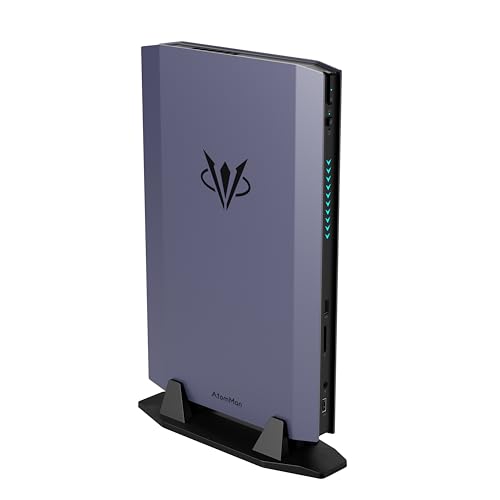
- Best mini PC for 1440p gaming under $1500: AtomMan G7 Ti Mini PC, Core i9-14900HX, RTX 4070 Laptop GPU, 32GB DDR5, 1TB SSD — Check on Amazon
- AtomMan G7 Pt Mini PC, Ryzen 9 7945HX, RX 7600M XT, 32GB DDR5, 1TB SSD — Check on Amazon
- Beelink SER9 Pro AI Mini PC, Ryzen AI 9 HX 370, Radeon 890M, 32GB, 1TB SSD — Check on Amazon
- Apple Mac mini M4 Pro, 24GB Unified Memory, 512GB SSD — Check on Amazon
See 2 more Amazon options
- Minisforum MS-A2 Mini Workstation, Ryzen 9 HX, PCIe x16 Slot, Dual 10G SFP+ — Check on Amazon
- Minisforum MS-01 Mini Workstation, Core i9-13900H, Dual 10GbE SFP+, PCIe Slot — Check on Amazon
Read the full guide ↓
Disclosure: As an Amazon Associate, reviewstook.com earns from qualifying purchases. Links to Amazon on this page are affiliate links; they cost you nothing extra. Listing details such as price and availability change often, so check the current Amazon listing before you buy.
Every mini PC in this guide can put a 1440p picture on your monitor. That sentence is true, and it is also nearly meaningless — because displaying 1440p and rendering a game at 1440p are two different jobs, and only one of them is hard. Drawing a desktop, a browser and a video stream at 2560×1440 is trivial work that integrated graphics have handled for years. Rendering a modern game at that resolution, frame after frame, is the most demanding thing a home computer does. So this guide grades all six machines on the second job, not the first, and the results reorder the $1,500 mini PC hierarchy.
Here is the honest shape of the tier. Two of the six picks carry discrete graphics chips — both laptop parts, named as such every time in this guide — and those two are the only machines here that render modern games natively at 1440p in any broad sense. One pick has the strongest integrated graphics in the category and plays the 1440p game a different way: render at 1080p, upscale to the panel, eyes open. One is a Mac, whose silicon is genuinely capable but whose games library is a fraction of Windows’. And two are workstation minis with PCIe slots and 10-gigabit networking whose fitted graphics are display adapters, not game renderers — here because their slots are a documented route to a discrete card later, and because server plumbing is not gaming hardware. If your one job for this machine is 1440p gaming, the first two reviews below are the guide; the rest is context, alternatives and honest warnings.
In this guide
Quick Picks
Short on time, or comparing several options? Each row below names a buyer type and the machine that suits it, with a link to the listing.
| Buyer type | Pick | Why it stands out | Link |
|---|---|---|---|
| Best for 1440p gaming | AtomMan G7 Ti | RTX 4070 Laptop GPU at up to 140W — the only pick that renders demanding games natively at 1440p, with DLSS as headroom | Check on Amazon |
| Best value for 1440p gaming | AtomMan G7 Pt | RX 7600M XT mobile GPU and a 16-core Ryzen 9 — native 1440p in lighter titles, upscaled in demanding ones; check price on Amazon | Check on Amazon |
| Best integrated graphics | Beelink SER9 Pro | Radeon 890M in a 0.82-litre box — renders at 1080p and upscales to the 1440p panel; check price on Amazon | Check on Amazon |
| Best for Mac gamers | Apple Mac mini M4 Pro | Capable 16-core GPU and effortless 1440p display output — limited by the macOS games library, not the silicon | Check on Amazon |
| Best expansion route | Minisforum MS-A2 | 16-core Zen 5 and a real PCIe x16 slot — a display-adapter mini today, a card away from gaming tomorrow | Check on Amazon |
| Best homelab route | Minisforum MS-01 | Dual 10GbE, vPro and a half-height PCIe slot — server first, with a documented low-profile-card path | Check on Amazon |
How These Picks Were Chosen
The six machines are the six verified picks from our general guide to the best mini PCs under $1,500 — same listings, same verified research, same deal rules — re-examined and re-ranked through a single lens: what each one actually renders at 1440p. No new products were introduced and no price or specification appears here that the base research did not verify. The budget was applied as a ceiling for a finished, working computer, and where a listing drifts — prices in this category have moved violently during the recent memory and SSD shortage — the reviews point you to the live Amazon listing for the current price, and, for two picks, state that the machine belongs here only while its live price stays in budget.
The grading itself has three rules. First, rendering is graded, not displaying: a pick earns 1440p credit only for games its graphics hardware can draw at or near that resolution, and upscaled output is always labelled as upscaled, with the render resolution named wherever the technology documents one. Second, graphics names are read literally: the two discrete GPUs here are laptop parts — an RTX 4070 Laptop GPU and a mobile RX 7600M XT, each with 8GB of memory — and they are graded as laptop parts, a class below the desktop cards that share their names. Third, upscaling claims follow the silicon, not the marketing: DLSS exists only on Nvidia RTX hardware, which means exactly one pick in this guide; AMD’s FSR is credited generically on the Radeon picks, with no internal-resolution figures attached, because the underlying research documents none; and frame generation is treated as a smoothness feature interpolating between rendered frames — it never raises the resolution a game is rendered at, and it is never counted as 1440p rendering.
One structural note. Five of these machines are Windows PCs from the mini PC specialists — Minisforum (under its own name and its AtomMan brand) and Beelink — and the sixth is Apple’s Mac mini, included because buyers comparing small, powerful desktops at $1,500 will cross-shop it regardless. It is labelled as a macOS machine wherever it appears, and its gaming grade carries the library caveat. The companion guide covering this same shelf from the general angle is Best Mini PC Under $1500; this page exists for the buyer whose first question is about a 1440p monitor.
Rendering Is Not Displaying: The 1440p Distinction
Start with the two resolutions a “1440p gaming” setup actually involves. The display resolution is what your monitor shows: 2560×1440 pixels, refreshed dozens or hundreds of times a second. The render resolution is what the graphics hardware actually draws before the picture is scaled to fit that panel. When the two match, the game is rendering natively at 1440p, and the image is as sharp as the monitor can present. When they do not — when the game renders at 1920×1080 and the result is stretched across a 1440p screen — you are looking at an upscaled picture: perfectly playable, visibly softer, and not native 1440p no matter what the monitor’s badge says. Every pick in this guide displays 1440p. They differ enormously in what they render, and that difference is the entire subject of the reviews below.
Scaling arithmetic explains why the gap feels the way it does. Going from a 1080p render to a 1440p panel is a non-integer scale — about 1.33× on each axis — so there is no clean pixel mapping, and an upscale looks soft. Going from 720p to 1440p is an exact 2× on each axis, which scales cleanly but starts from a quarter of the pixels. Modern upscaling exists to close that gap intelligently rather than by simple stretching, and it is here that the picks divide by brand. On the one Nvidia pick, DLSS renders below the panel and reconstructs: at a 1440p output, DLSS Quality renders internally at roughly 1707×960, DLSS Balanced at roughly 1485×836, and DLSS Performance at roughly 1280×720 — a 720p-class render wearing a 1440p badge, labelled that way throughout this guide. Those figures belong to DLSS alone. The Radeon picks use AMD’s FSR for the same job; FSR is credited here generically, with no internal-resolution numbers attached, because the research behind these picks documents none — and no DLSS figure is ever borrowed and relabelled as an FSR figure.
Two more distinctions keep the marketing honest. Frame generation — offered by the RTX pick’s DLSS feature set and by AMD’s equivalent — inserts interpolated frames between rendered ones to raise the displayed frame rate. It makes motion look smoother; it does not render a single additional pixel, it adds some latency, and in this guide it is never treated as evidence of 1440p capability. And textures do not upscale: a game’s texture data loads at the resolution the game targets, from the fitted graphics memory. Both discrete picks here carry 8GB of graphics memory, and at 1440p that pool — not the upscaler — is the binding constraint in demanding titles; upscaling can reconstruct edges and detail, but it cannot rebuild texture data that was never loaded. Finally, the one route by which every pick here can present a genuinely 1440p-rendered game is cloud gaming: a remote server renders the game and streams the picture. That is a real option with real caveats — a subscription, a fast and stable connection, and input lag the local picks do not have — and it is a property of the service, never of the machine. Native 4K gaming is refused for the whole set: it is roughly four times the 1080p workload, and nothing in a mini chassis at this budget does it honestly.
The 6 Best Mini PCs for 1440p Gaming Under $1,500
AtomMan G7 Ti Mini PC — Core i9-14900HX, RTX 4070 Laptop GPU, 32GB, 1TB
Who it suits: The 1440p gamer who wants a mini PC, full stop — the one buyer this keyword describes exactly, plus creators who game on the same machine.
The G7 Ti is the only pick in this guide whose graphics hardware was built for the job in the title. Its chip is the GeForce RTX 4070 Laptop GPU — the mobile part, with 8GB of memory, run at up to 140 watts in this chassis — and the naming discipline matters: it is a genuinely fast mobile GPU, and it is not the desktop RTX 4070. Graded as what it is, it is the strongest renderer here by a wide margin. Lighter and older titles, esports games and well-optimised releases render natively at 1440p at high settings; demanding modern titles are where its DLSS earns its keep, rendering internally at roughly 1707×960 in Quality mode and reconstructing a 1440p image that is honestly labelled, in this guide and in the comparison table, as upscaled rather than native. DLSS Balanced (roughly 1485×836 internal) is the sensible step down before settings are cut, and DLSS Performance (roughly 1280×720) is a 720p-class render — a last resort, not a headline. DLSS frame generation is available on this Ada-generation part and makes motion look smoother, but it interpolates between rendered frames; it does not raise the render resolution, and no claim in this review rests on it.
Around the GPU sits Intel’s Core i9-14900HX — 24 cores, 32 threads, boosting to 5.8GHz — which will never be the bottleneck at 1440p, plus 32GB of DDR5-5600 in two SO-DIMM slots (upgradeable to 96GB) and a 1TB SSD with a second slot in reserve. The documented display outputs are HDMI 2.1 and USB4, either of which drives a 1440p high-refresh monitor directly. The configured 32GB/1TB version is the one to buy — check price on Amazon. The barebone version, without memory, storage or an operating system, sits below it, and that gap is poor value unless your parts drawer holds DDR5 and an NVMe drive, because completing the kit costs far more than the difference. The honest constraints are the class constraints: the 8GB of graphics memory is the texture budget at 1440p, and demanding titles will ask you to trade texture settings for resolution; a 140-watt GPU and a 24-core CPU in a mini chassis means fans you will hear under full load; and when the GPU ages, there is no replacing it — the graphics you buy are the graphics the machine retires with.
- The set’s only native-1440p renderer in demanding games, and its only DLSS hardware — Quality mode renders ≈1707×960 and reconstructs the panel image.
- Core i9-14900HX with 24 cores, memory upgradeable to 96GB and a second SSD slot — nothing else in the machine holds the GPU back.
- HDMI 2.1 and USB4 outputs documented — a high-refresh 1440p monitor connects directly, no dongle lottery.
Honest limitation: The GPU is the laptop part with 8GB of memory, not the desktop RTX 4070; at 1440p that memory pool caps texture settings in demanding titles, and the GPU can never be upgraded.
Choose it if 1440p gaming is the machine’s main job and you want it done natively where possible, with DLSS as headroom rather than as a crutch. Skip it if your games are light enough that the G7 Pt or SER9 Pro covers them, or if fan noise under load in a quiet room is a deal-breaker.

AtomMan G7 Pt Mini PC — Ryzen 9 7945HX, RX 7600M XT, 32GB, 1TB
Who it suits: The value-first 1440p gamer — someone whose library leans to esports, older releases and well-optimised titles, and who would rather take the value route than chase the strongest mobile GPU.
The G7 Pt pairs AMD’s Ryzen 9 7945HX — 16 cores, 32 threads, boosting to 5.4GHz, trading blows with the Intel flagship above in multi-threaded work — with a Radeon RX 7600M XT, and the naming rule applies again: this is the mobile version of the 7600 XT, with 8GB of GDDR6, run at 120 watts in this machine. Graded for 1440p, it splits its library in two. Lighter titles, esports games and older releases render natively at 1440p at sensible settings — genuinely native, no reconstruction. Demanding modern titles are a different arrangement: render at 1080p and let AMD’s FSR upscale the result to the panel, which this guide labels as upscaled output every time. FSR is credited generically here, with no internal-resolution figures attached, because the research behind this pick documents none — and there is no DLSS on this machine at all, because DLSS requires Nvidia RTX hardware this pick does not have. That absence, plus the lack of Nvidia’s CUDA ecosystem, is the real dividing line between this machine and the G7 Ti.
Memory is 32GB of DDR5-5200 across two SO-DIMM slots with a 96GB ceiling, storage is a 1TB NVMe drive on a platform with PCIe 5.0 support, and the machine draws from a 300W external power supply — a brick that is part of the installation, worth knowing if the desk plan assumed a self-contained box. One discipline note: the base research for this pick does not enumerate its display outputs, so this guide claims no port list for it; check the live listing’s output panel before pairing it with a specific monitor, and treat that check as part of the purchase. Check price on Amazon for the configured 32GB/1TB version; a barebone version without memory, storage or an operating system sits a clear step below it in the range — a gap that can close if you own memory and storage or catch them on sale, but price the completion, Windows licence included, before assuming the kit wins. Thermals follow the family pattern — audible cooling under load — and the upgrade story is the mini PC story: memory and storage yes, graphics never.
- Native 1440p rendering in lighter, older and esports titles from a discrete mobile GPU — the cheapest route to it in this guide.
- Ryzen 9 7945HX 16-core CPU with a 96GB memory ceiling — flagship-class processing behind the graphics.
- The value pick of the discrete pair — a clear tier below the G7 Ti; check price on Amazon.
Honest limitation: Demanding games at 1440p are an upscaled-1080p arrangement via FSR, not native rendering; the GPU is the 8GB mobile part, there is no DLSS and no CUDA, and its display outputs are not enumerated in the verified research — confirm them on the live listing.
Choose it if your library is esports-and-older at 1440p, or you accept upscaling in demanding titles in exchange for the lowest discrete-GPU price here. Skip it if you want native rendering in demanding games (that is the G7 Ti), or your creative tools need CUDA.

Beelink SER9 Pro AI Mini PC — Ryzen AI 9 HX 370, Radeon 890M, 32GB, 1TB
Who it suits: The gamer whose 1440p monitor is also their work monitor — someone who plays lighter games, values a small and quiet box over raw rendering, and does not need a discrete GPU.
The SER9 Pro’s Radeon 890M is the strongest integrated graphics in any mini PC on this page, and its 1440p story should be told in exactly that order: integrated first, 1440p second. The desktop side is effortless — the documented USB4 output drives a 1440p panel, and multi-monitor desk work is this machine’s home turf. The rendering side is a 1080p story. The 890M delivers genuine 1080p gaming at sensible settings, and at a 1440p panel the honest arrangement for most titles is to render at 1080p and let AMD’s FSR upscale to the screen — an upscaled picture, labelled as such here, softer than native and entirely playable. The lightest esports and older titles can be pushed to native 1440p rendering at reduced settings, and that is the ceiling: demanding modern games are not native-1440p propositions on any integrated graphics, and the strongest iGPU does not change that. There is no DLSS — DLSS requires Nvidia RTX hardware — and FSR is credited generically, with no internal-resolution figures, because the research documents none.
The machine around the graphics is the smallest and among the quietest here: roughly 135 × 135 × 45mm, about 0.82 litres, with a Ryzen AI 9 HX 370 (12 cores, 24 threads, to 5.1GHz), USB4, 2.5-gigabit Ethernet, Wi-Fi 6 and Bluetooth 5.2, and Windows 11 Pro installed. Pricing for the 32GB/1TB configuration has swung sharply during the recent shortage, so the only number that counts is the live one: check price on Amazon, and treat an inflated listing as the shortage talking, not the machine’s real tier. The structural caveats are permanent ones. The 32GB of LPDDR5X memory is soldered, frozen forever at 32GB — and because the integrated graphics borrow from that same pool, the memory is also the graphics budget, shared rather than dedicated. Nor is there an OCuLink port, so the external-GPU escape hatch offered by some rivals is missing here. Sources disagree about whether the chassis holds one M.2 slot or two, so check the live listing’s specification table before buying around a second drive. And a naming warning that has already caught buyers: a cheaper “SER9 Pro” variant built on AMD’s lesser H 255 processor circulates in marketplace tables; the listing linked here is the HX 370 machine, and the processor line is the spec to verify in the cart.
- Radeon 890M — the strongest integrated graphics in this guide; real 1080p rendering with FSR upscaling to the 1440p panel.
- The smallest chassis here at about 0.82 litres and among the quietest, with USB4, 2.5GbE and Windows 11 Pro fitted.
- A mid-range price for the category — the 1440p-monitor companion well under the budget ceiling; check price on Amazon.
Honest limitation: At 1440p this is an upscaling machine, not a native renderer, outside the lightest titles; memory is soldered at 32GB and shared with the graphics, there is no OCuLink, and a lesser H 255 variant shares the model name — verify the HX 370 before paying.
Choose it if your games are light, your desk is also a workplace, and small-and-quiet outranks native rendering. Skip it if native 1440p rendering in demanding games is the requirement — that is the AtomMan pair above — or if you will ever need more than 32GB of memory.
Apple Mac mini M4 Pro — 24GB Unified Memory, 512GB SSD
Who it suits: The Mac-ecosystem gamer — someone whose work already lives in macOS, whose games are the ones that exist there, and who wants a silent, tiny machine that drives a 1440p desk beautifully.
Grade the Mac mini in two halves, because they point in opposite directions. The display half is the strongest in this guide: three Thunderbolt 5 ports alongside HDMI, and Apple’s own published specification of support for up to three displays — a 1440p monitor, or several, connects directly and runs at full refresh without adapters or negotiation. The rendering half is genuinely capable silicon — an M4 Pro with a 12-core CPU and a 16-core GPU fed by very fast unified memory, plus dedicated ProRes and AV1 media engines — wrapped around a constraint that has nothing to do with hardware: the macOS games library. The games that exist for it, the Apple-silicon-native releases and the well-ported titles, can be rendered at or near 1440p on this chip; the games that do not exist for it cannot be rendered at any resolution, and most of the Windows catalogue is in the second group. Games that do run typically render below the panel and are upscaled by their own rendering technology — an arrangement this guide labels as upscaled. There is no DLSS here (that is Nvidia’s technology, and there is no Nvidia hardware in this machine), and no upscaling figures are printed for this pick, because the verified research documents none.
Price is the moving part: during 2026 this 24GB/512GB configuration’s Amazon listing has drifted to both sides of this guide’s budget, so check price on Amazon first. The rule for this guide is therefore strict: it belongs in a $1,500 guide only when the live listing sits within that budget; above that it is a fine machine in the wrong guide. The remaining limitations are Apple’s terms, and they are absolute. Nothing inside can be upgraded — not the memory, not the storage, not ever — so the configuration you buy is the machine you retire, and the 24GB of unified memory is shared between the processor and the graphics, which is the pool any 1440p game draws from. The 512GB internal drive is tight for a games library; budget for a fast external Thunderbolt SSD as a planned second purchase rather than a surprise. It is effectively silent in ordinary work and sips power — a real virtue on the desk it games on — but it is a work machine that plays a curated library, never a Windows gaming PC in a smaller box.
- Three Thunderbolt 5 ports plus HDMI, with Apple’s published support for up to three displays — the strongest 1440p display story here.
- M4 Pro GPU silicon capable of rendering its native library at or near 1440p, with hardware ProRes and AV1 engines for creators.
- Near-silent and power-sipping, with 24GB of unified memory serving CPU and GPU alike.
Honest limitation: The constraint is the catalogue, not the chip — most Windows games are unavailable, nothing is upgradeable, the 512GB drive is tight, and its live price has drifted above this budget as often as below it, so buy only when the listing sits inside the $1,500 budget.
Choose it if your work and your games both live in macOS and the live price is in budget. Skip it if your library is on Windows or Steam-first, you need CUDA, or you want any upgrade path at all.

Minisforum MS-A2 Mini Workstation — Ryzen 9 HX, PCIe x16 Slot, Dual 10G SFP+
Who it suits: The homelab builder or professional whose 1440p monitor is a work screen today, and who wants the option — documented, not promised — of adding a graphics card tomorrow.
Read this review as a tale of two machines. The machine as shipped is not a 1440p gaming PC, and this guide says so in the first person: its integrated graphics are AMD’s Radeon 610M, a basic display adapter. That adapter drives a 1440p desktop, dashboards and video across the documented outputs — HDMI plus two USB-C ports capable of 8K displays — easily, because displaying 1440p is the easy job. Rendering modern games at 1440p is beyond it entirely; at any gaming resolution it is a lightest-titles-only proposition at low settings, and no upscaling technology changes that verdict — there is no DLSS (no Nvidia hardware), and FSR cannot manufacture rendering power the silicon does not have. Anyone who buys the MS-A2 as shipped to play games at 1440p has bought the wrong machine, and the comparison table grades it accordingly.
The second machine is the one the slot builds. Inside the 1.78-litre case, beside the 16-core, 32-thread Zen 5 processor (to 5.4GHz), sits a physical PCIe x16 slot wired for x8 bandwidth — documented in the base research as suited to a fast network card, a storage controller or a compact GPU, with the honest caveat that the slot’s airflow is limited, so low-power, short cards are the realistic fit. That is a genuine, documented route from this box to discrete graphics later, and it is the only reason a workstation appears in a gaming guide at all: the MS-A2’s 1440p story is a two-purchase story, the card priced separately and never folded into this pick’s price. Around the slot sit dual 10-gigabit SFP+ ports on an Intel X710 controller, dual 2.5-gigabit Ethernet, three storage positions spanning M.2 2280, M.2 22110 and U.2, and two DDR5 SO-DIMM slots accepting up to 96GB of memory. Configured with 32GB and a 1TB SSD, the MS-A2 sits in the upper part of this guide’s range — check price on Amazon; a barebone version without memory, storage or an operating system is the budget entry to the family, and the completion only makes sense if you own DDR5 and an SSD. Independent testing has found the machine audible under sustained load and comparatively thirsty at idle — worth knowing for a box that may run 24/7 in a living space.
- A real PCIe x16 slot (x8 electrical) beside a 16-core Zen 5 CPU — the documented route to a compact discrete GPU later.
- Dual 10G SFP+ plus dual 2.5G Ethernet, three storage positions and a 96GB memory ceiling: workstation plumbing no gaming mini matches.
- HDMI plus two USB-C display outputs — a 1440p work desk, or two, driven natively.
Honest limitation: As shipped, the Radeon 610M is a display adapter, not a gaming GPU — 1440p gaming requires the second purchase of a compact card for the slot, whose airflow limits it to low-power parts; the machine is also audible under load and thirsty at idle.
Choose it if the machine’s day job is virtualisation, networking or heavy multitasking, and the slot’s card path is a bonus you may exercise later. Skip it if you want to play at 1440p on delivery day — both AtomMan picks do that out of the box for less.

Minisforum MS-01 Mini Workstation — Core i9-13900H, Dual 10GbE SFP+, PCIe Slot
Who it suits: The home-server builder first and desktop user second — someone running a lab behind a 1440p monitor, who values vPro remote management and the lowest price of entry to an expandable mini.
The MS-01’s gaming grade can be stated in one sentence and then explained: as shipped, it does not render games at 1440p, because its Intel Iris Xe integrated graphics are for desktops and dashboards, not for game rendering at any demanding resolution. The display side, as with every pick here, is not the issue — two USB4 ports and HDMI drive up to three displays, and a 1440p desktop across them is effortless. The rendering side is where the sentence ends: there is no DLSS (no Nvidia hardware), and no upscaling route turns Iris Xe into a 1440p gaming GPU. What the MS-01 offers a gaming-minded buyer is the same two-purchase structure as the MS-A2, at a lower entry price: a physical PCIe x16 slot, wired for x8 bandwidth and limited to half-height, single-slot cards, documented as suiting network cards, storage controllers and low-profile GPUs. Two qualifications ride along with that slot and are not softened here: independent plug-testing found some cards that never initialise in it, so check your intended card against owner reports before buying around it, and the half-height, single-slot limit means the card class is low-profile parts, not gaming towers’ hardware.
The rest of the machine is the homelab default for good reasons. Networking is the headline: dual 10GbE SFP+ ports on an Intel X710 controller, plus dual 2.5GbE — one of them an Intel i226-LM with vPro remote management, a feature no other pick here offers and one that matters enormously when the machine lives in a closet. The Core i9-13900H provides 14 cores and 20 threads to 5.4GHz — a generation older than the MS-A2’s processor and a class below it in multi-threaded work — memory runs in two DDR5 slots to an official ceiling of 64GB (an owner-reported 96GB figure is not claimed here), and storage spans three M.2 slots with a U.2 adapter included. Cooling is working hardware, not silent hardware: measurements put it around 42–45 dB(A) under full CPU load. Check price on Amazon for the 32GB/1TB configuration — it sits comfortably inside this budget, and it is the most affordable genuinely expandable machine in the guide. Buy it as a server that can grow a graphics card; do not buy it as a gaming PC that happens to have ports.
- Dual 10GbE SFP+ on Intel X710 silicon, two 2.5GbE ports and vPro remote management — the complete homelab networking checklist in one small box.
- PCIe x16 slot (x8 electrical, half-height, single-slot) and three M.2 positions plus a U.2 adapter — a documented low-profile-card path.
- The most affordable expandable route in this guide — check price on Amazon; it leaves room in the budget for the card and drives.
Honest limitation: Iris Xe graphics do not render 1440p games as shipped; the slot accepts only half-height single-slot cards, has documented card-compatibility quirks, and the machine is audible under full load at a measured 42–45 dB(A).
Choose it if the machine is a home server first, the 1440p screen is its console, and a low-profile card is a plausible later step. Skip it if gaming is the primary job — every pick above it on this page serves that job better, and the AtomMan pair serve it out of the box.

Comparison Table
| Product | Processor / Graphics | 1440p verdict | Link |
|---|---|---|---|
| AtomMan G7 Ti | Core i9-14900HX / RTX 4070 Laptop GPU 8GB | Native 1440p in most titles; DLSS Quality (≈1707×960 render) as headroom in demanding ones | Check on Amazon |
| AtomMan G7 Pt | Ryzen 9 7945HX / RX 7600M XT mobile GPU 8GB | Native 1440p in lighter and older titles; 1080p render + FSR upscale in demanding ones | Check on Amazon |
| Beelink SER9 Pro | Ryzen AI 9 HX 370 / Radeon 890M | 1080p render + FSR upscale to the panel; native only in the lightest titles at reduced settings | Check on Amazon |
| Apple Mac mini M4 Pro | M4 Pro 12-core / 16-core GPU, unified memory | Displays 1440p effortlessly; renders its macOS library at or near 1440p — the catalogue is the limit | Check on Amazon |
| Minisforum MS-A2 | Ryzen 9 HX 16-core / Radeon 610M + PCIe x16 slot | 1440p desktop, not 1440p gaming, as shipped; the slot is a documented route to a compact card | Check on Amazon |
| Minisforum MS-01 | Core i9-13900H / Iris Xe + PCIe slot | 1440p desktop and dashboards as shipped; gaming only via a future half-height card in the slot | Check on Amazon |
Pairing a 1440p Monitor With These Mini PCs
A monitor pairing is two decisions: whether the machine’s outputs can drive the panel properly, and whether its graphics can feed the panel what it is for. On the first decision, work only from documented outputs. The G7 Ti documents HDMI 2.1 and USB4 — either drives a 1440p high-refresh monitor directly. The MS-A2 documents HDMI plus two USB-C display outputs rated for 8K displays, which makes a 1440p panel the easy end of its range. The MS-01 documents two USB4 ports and HDMI, driving up to three displays. The SER9 Pro documents USB4 among its outputs, and the Mac mini documents three Thunderbolt 5 ports plus HDMI, with Apple’s published support for up to three displays. The G7 Pt is the exception: the verified research behind this guide does not enumerate its display outputs, so no port list is claimed for it here — read the output panel on the live listing before you commit to a monitor or a cable, and treat that check as part of the purchase.
On the second decision, match the panel’s refresh rate to the renderer, not the badge. A high-refresh 1440p monitor earns its price with the G7 Ti, which can feed it native or DLSS-reconstructed frames at pace, and partially with the G7 Pt in the lighter titles it renders natively. For the SER9 Pro, the same panel is a superb work screen whose gaming feed is a 1080p render upscaled — buy it for the desk, and let the gaming be the bonus it is. For the two workstation minis and the Mac, a 1440p monitor is a productivity purchase: text, timelines and dashboards are where the resolution pays, and the Mac will drive the panel at full refresh for everything except the games it cannot run at all. Whichever pick you choose, set the monitor’s real refresh rate in the operating system after setup — panels default to 60Hz until told otherwise. No monitor prices are quoted in this guide: the panel is a separate purchase, and folding its cost into a pick’s price would corrupt every comparison above.
How to Choose a Mini PC for 1440p Gaming Under $1,500
- Ask what renders, not what displays. Every machine here displays 1440p. Only the two AtomMan picks render modern games at or near it as shipped; the SER9 Pro upscales to it; the Mac renders a small library at it; the workstation pair do not render it at all without a card. That single question, answered honestly, is the whole guide.
- Decide whether upscaling is your plan or your safety net. On the G7 Ti, DLSS is headroom — Quality mode renders ≈1707×960 and buys settings and smoothness in demanding titles. On the G7 Pt and SER9 Pro, upscaling is the mechanism by which 1440p happens at all in demanding games. Both are legitimate purchases; they are not the same purchase.
- Count graphics memory as the texture budget. Both discrete picks carry 8GB. At 1440p, texture data loads at target resolution and upscaling cannot rebuild what was never loaded — expect texture settings, not render resolution, to be the first compromise in demanding titles on either AtomMan.
- Read GPU names like a lawyer. On a mini PC’s badge, “RTX 4070” means the Laptop GPU and “RX 7600 XT” means the mobile 8GB part. Both are good hardware at laptop performance levels, with laptop upgrade prospects: none. A desktop card of the same name is faster, and it lives in a tower.
- Treat frame generation as smoothness, never as resolution. Interpolated frames make motion look fluid; they do not render the game at a higher resolution, and they add latency. If a listing sells frame generation as “1440p performance,” it is selling you the badge, not the rendering.
- Check the memory ceiling and who shares it. Integrated graphics borrow system memory, so the SER9 Pro’s soldered 32GB and the Mac’s fixed 24GB are graphics budgets as well as system budgets. The AtomMan pair and the workstations take socketed memory to 64GB or 96GB; the sealed machines are finished at purchase.
- Price the two-purchase machines as two purchases. The MS-A2 and MS-01 reach discrete graphics only through their slots — a compact, low-power card, bought separately, within the slots’ documented limits (x8 electrical; half-height and single-slot on the MS-01, with documented card-compatibility quirks). If the total does not beat the G7 Pt bought once, buy the G7 Pt.
- Verify the exact configuration in the cart. This category reuses model names across processors — there is an H 255 machine wearing the SER9 Pro name, and MS-A2 listings span two processor generations. The processor line in the listing title is the contract; read it before paying, and re-check live prices, because two picks carry buy-only rules — the SER9 Pro only while its listing stays under the ceiling, the Mac mini only while its listing sits inside the $1,500 budget — that exist because their listings drift across the line.
Common Buying Mistakes
- Buying a workstation mini for gaming because the CPU is fast. Sixteen cores do not render games; the MS-A2’s Radeon 610M and the MS-01’s Iris Xe are display adapters, and no processor headroom changes that.
- Believing the monitor badge. A 1440p panel fed a 1080p render shows an upscaled picture — playable, softer, and not native 1440p, whatever the setup looks like from across the room.
- Counting DLSS Performance as 1440p gaming. At a 1440p output it renders at roughly 1280×720 — a 720p-class render with good reconstruction. Quality and Balanced are the honest modes; Performance is the emergency exit.
- Attributing DLSS to machines that cannot run it. DLSS needs Nvidia RTX hardware: in this guide, the G7 Ti alone. The Radeon picks use FSR, the Mac uses its own platform’s rendering path, and the Intel and 610M picks have no upscaling story worth the name.
- Treating frame generation as rendered frames. Interpolated frames smooth motion; the game’s rendered resolution and its texture load are unchanged, and input latency rises. It is a display feature, not a graphics upgrade.
- Mistaking the laptop GPUs for the desktop cards of the same name. In mini PCs these are mobile parts — capable, but a class down, with 8GB of memory and no upgrade path.
- Assuming a PCIe slot accepts any card. The slots here are x8 electrical with limited airflow; the MS-01’s takes only half-height, single-slot cards and has documented cards that never initialise. Research your exact card before buying around a slot.
- Buying the panel before the renderer. A high-refresh 1440p monitor paired with an integrated-graphics mini is a lovely work desk and a mismatched gaming rig; grade the machine first, then the screen it can feed.
Final Recommendation
- 1440p gaming, native where possible: AtomMan G7 Ti.
- 1440p gaming on a tighter budget: AtomMan G7 Pt.
- Light gaming on a 1440p work desk: Beelink SER9 Pro — check price on Amazon.
- Mac-ecosystem players: Apple Mac mini M4 Pro, only when its live price sits inside the $1,500 budget.
- Workstation first, card later: Minisforum MS-A2.
- Home server first, card maybe: Minisforum MS-01.
For the buyer this keyword describes — a 1440p monitor, a games library, and $1,500 that has to cover a mini PC — the answer is the AtomMan G7 Ti, the only pick whose graphics render demanding games natively at 1440p and the only one with DLSS in reserve when they do not. The G7 Pt is the value version of the same idea: native rendering in the lighter half of a library, honest upscaling in the heavier half, at a clearly lower tier. Below them, the guide changes character. The SER9 Pro is the pick for a 1440p desk that games lightly, the Mac mini for a library that lives in macOS, and the two Minisforum workstations for buyers whose real subject is expansion — included here so that nobody mistakes their virtues for gaming hardware. Readers whose rendering ambitions sit at 1080p should also see Best Mini PC Under $1200 and Best Mini PC Under $800, and those who want this tier’s gaming machines in gaming-first company can compare Best Mini Gaming PC For 1440p Gaming Under $1500 and Best Mini Gaming PC Under $1500.
Frequently Asked Questions
Can a mini PC really game at 1440p?
Two of these six can, as shipped, with the naming caveat attached: the G7 Ti’s RTX 4070 Laptop GPU renders most titles natively at 1440p and uses DLSS in demanding ones, and the G7 Pt’s RX 7600M XT renders lighter titles natively and upscales the rest. The SER9 Pro upscales to a 1440p panel from a 1080p render, the Mac renders its own library, and the two workstation minis need a card in their slots before the question applies to them. A tower at the same money renders 1440p more strongly — that is the standing trade for the form factor.
Is DLSS Quality actually rendering at 1440p?
No. At a 1440p output, DLSS Quality renders the game internally at roughly 1707×960 and reconstructs the 1440p image from that render plus temporal data. The result can look very close to native — that is the technology’s point — but the rendered resolution is 1707×960, and this guide counts it as upscaled every time. The same applies one rung down: Balanced renders roughly 1485×836, and Performance roughly 1280×720, which is a 720p-class render regardless of the panel it lands on.
Which picks here support DLSS?
Exactly one: the AtomMan G7 Ti, because DLSS is Nvidia RTX technology and its RTX 4070 Laptop GPU is the only RTX hardware in the set. The G7 Pt and SER9 Pro use AMD’s FSR instead — credited generically, with no internal-resolution figures, because the verified research documents none — the Mac mini follows Apple’s own rendering path, and the MS-A2 and MS-01 have no DLSS and no meaningful upscaling route on their fitted graphics.
Is an upscaled 1440p picture good enough?
For most players, in most games, yes — a well-upscaled image from a 1080p render is clean, stable and entirely playable, and it powers a large share of “1440p gaming” at every PC size. What it is not is native rendering: fine detail and texture clarity are reconstructed rather than drawn, and textures themselves load from the fitted graphics memory — 8GB on both discrete picks — whatever the upscaler does. Buy upscaling with your eyes open and it disappoints almost no one; buy it believing it is native and it eventually will.
Should I buy a workstation mini and add a graphics card for 1440p?
Only if the workstation half of the machine is something you genuinely need. The MS-A2’s slot (x8 electrical, limited airflow) and the MS-01’s (x8 electrical, half-height, single-slot, with documented card-compatibility quirks) accept compact, low-power cards — a real path, but a capped one, and a second purchase on top of a premium-tier workstation. If gaming is the primary job, the G7 Pt does it out of the box for less than either workstation costs before the card. The slot route makes sense when the lab, the networking or the virtualisation is the point and gaming is the side project — the same logic that governs the wider shelf in Best Workstation PC Under $1500.
What about the tiers above and below this one?
Below, the rendering story thins quickly: the picks in Best Mini PC For 1440p Gaming Under $1200 lean harder on upscaling and integrated graphics, and at $800 and under, native 1440p rendering is off the table entirely. Above, Best Mini PC For 1440p Gaming Under $2500 is where stronger mobile GPUs enter the mini shelf — though the same discipline matters there, because a bigger budget buys bigger badges as readily as bigger rendering.
Can these mini PCs drive a 1440p high-refresh monitor?
On the display side, yes, where the outputs are documented: the G7 Ti’s HDMI 2.1 and USB4, the MS-A2’s HDMI and dual USB-C, the MS-01’s dual USB4 and HDMI, the SER9 Pro’s USB4, and the Mac mini’s Thunderbolt 5 ports all drive 1440p panels at high refresh without adapters; the G7 Pt’s outputs are not enumerated in the verified research, so confirm them on the live listing. Whether the games arrive at high frame rates is the rendering question this whole guide grades.


