Disclosure: As an Amazon Associate, reviewstook.com earns from qualifying purchases. Links to Amazon on this page are affiliate links; they cost you nothing extra.
Epson’s range runs from refillable EcoTank printers to Expression photo printers and WorkForce office models. The EcoTank line has the lowest running cost, while Expression and WorkForce suit photos and business use.
This guide covers six Epson printers. It is built from published specifications and listings, not our own testing, so confirm details on each product page.
New to printers? Start with our guide to the best printers for home use and how we pick printers.
By the Reviewstook Editorial Team. Last updated: October 31, 2026.

In this guide
Quick Picks
| Printer | Type | Best for |
|---|---|---|
| Epson EcoTank ET-2800 | Ink tank all-in-one | Entry-level ink tank printing |
| Epson EcoTank ET-2850 | Ink tank all-in-one | High-volume home printing at low running cost |
| Epson Expression Home XP-4250 | Color inkjet all-in-one | Budget home inkjet |
| Epson WorkForce Pro WF-4820 | Color inkjet all-in-one | Business-oriented inkjet |
| Epson Expression Photo XP-980 | Wide-format photo all-in-one | Home photo prints with scanning and copying |
| Epson EcoTank Photo ET-8550 | Wide-format photo tank all-in-one | Large photo prints with tank economy |
6 Best Epson Printers for Home and Office

Top pickBest for light-to-moderate printing where ink cost matters
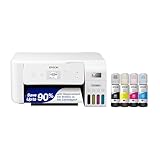
1. Epson EcoTank ET-2800
A simple entry model in Epson’s EcoTank range that prints, copies and scans over wireless.
Good for: Light-to-moderate printing where ink cost matters. Strengths: Refillable tanks and a basic feature set. Weaknesses: Fewer conveniences than higher-tier models; check duplex and feeder support. Skip it if you need an automatic document feeder.
Best for families and students who print every week
2. Epson EcoTank ET-2850
A refillable ink tank all-in-one that prints, scans and copies over wireless.
Good for: Families and students who print every week. Strengths: Ink tanks usually bring a lower cost per page than cartridges. Weaknesses: Higher up-front price than a basic cartridge model, and inkjet nozzles can clog if left idle. Skip it if you print only a few pages a month.
Best for light home use
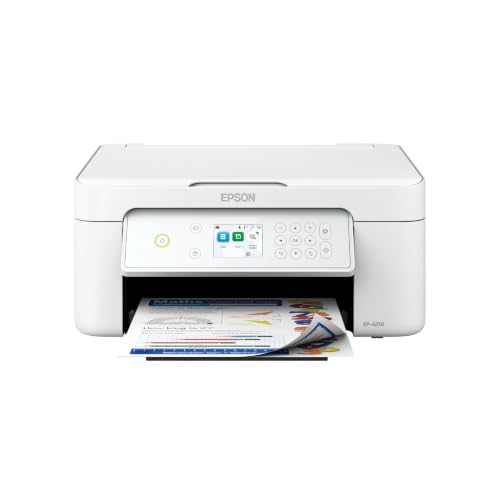
3. Epson Expression Home XP-4250
A budget wireless color inkjet all-in-one from Epson.
Good for: Light home use. Strengths: Low entry price and basic features. Weaknesses: Cartridge running cost is high for frequent printing. Skip it if you print more than occasionally.
Best for small offices that want color and faster document handling
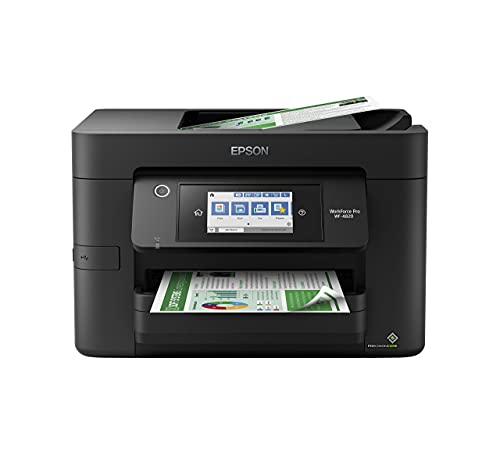
4. Epson WorkForce Pro WF-4820
A business-focused wireless color inkjet all-in-one.
Good for: Small offices that want color and faster document handling. Strengths: Built for office workloads, per the manufacturer. Weaknesses: Larger and pricier than home inkjets. Skip it if you print little.
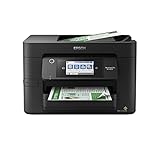

5. Epson Expression Photo XP-980
A wireless wide-format all-in-one from Epson’s Expression Photo line.
Good for: Hobbyists who want borderless photos and everyday documents from one machine. Strengths: Wide-format printing plus scanner and copier in one body. Weaknesses: Bigger and heavier than a standard all-in-one, and cartridge ink is not cheap per page. Skip it if you only print documents.

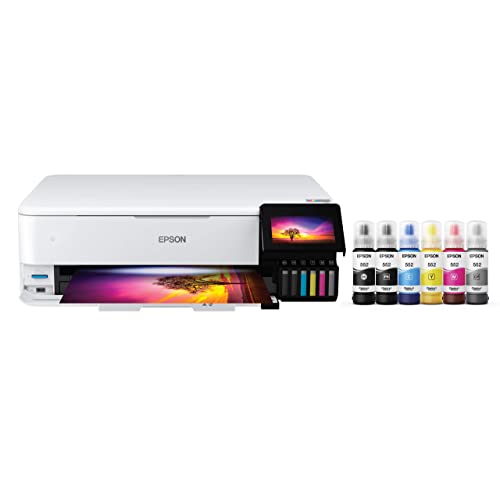
Best for photographers and crafters who print large photos regularly
6. Epson EcoTank Photo ET-8550
A wireless wide-format all-in-one tank printer aimed at photo printing.
Good for: Photographers and crafters who print large photos regularly. Strengths: Wide-format printing with refillable tanks. Weaknesses: Expensive and large for a home printer. Skip it if you mostly print documents.

Epson’s Printer Lines Compared
EcoTank
Refillable tank printers with a low cost per page. See best EcoTank printers.
Expression
Home inkjets, including the photo-focused Expression Photo line.
WorkForce
Office-focused inkjets, including wide-format models. See wide-format printers.
Ink policies
Check Epson’s guidance on third-party ink before you buy compatible supplies.
Best Picks by Category
These labels summarize the picks by role and price tier. They are not hands-on test results.
- Top rated: Epson EcoTank ET-2850 — mid-range tier; check price on Amazon.
- Most reviewed: Epson EcoTank ET-2800 — mid-range tier; check price on Amazon.
- Budget option: Epson Expression Home XP-4250 — budget tier; check price on Amazon.
- Premium option: Epson EcoTank Photo ET-8550 — premium tier; check price on Amazon.
Price Tier Comparison
The table groups the picks by price tier. Prices change often, so check price on Amazon before you buy.
| Product | Price | Price tier |
|---|---|---|
| Epson Expression Home XP-4250 | Check price on Amazon | Budget |
| Epson WorkForce Pro WF-4820 | Check price on Amazon | Budget |
| Epson EcoTank ET-2850 | Check price on Amazon | Mid-range |
| Epson EcoTank ET-2800 | Check price on Amazon | Mid-range |
| Epson Expression Photo XP-980 | Check price on Amazon | Premium |
| Epson EcoTank Photo ET-8550 | Check price on Amazon | Premium |
How Much Feedback Backs Each Rating
A high average from a handful of ratings is weaker evidence than a slightly lower average from thousands. Here is how the sample size looks for each pick.
- Epson EcoTank ET-2800: a large sample of feedback backs this pick.
- Epson EcoTank ET-2850: a large sample of feedback backs this pick.
- Epson Expression Home XP-4250: only a very small sample of feedback backs this pick, so treat it cautiously.
- Epson WorkForce Pro WF-4820: a large sample of feedback backs this pick.
- Epson Expression Photo XP-980: only a small sample of feedback backs this pick, so treat it cautiously.
- Epson EcoTank Photo ET-8550: a large sample of feedback backs this pick.
How to Choose
EcoTank, Expression or WorkForce?
EcoTank uses refillable tanks. Expression targets home and photos. WorkForce targets offices.
Compare running costs
Check the price of a replacement ink set and the page yield. EcoTank usually costs the least per page.
Check the extras
Duplex printing, a feeder and wide-format support differ by model.
How We Chose These Products
We start from products sold on Amazon with a full product name and clear specifications, and we skip results that show only a brand name or a vague title. We then read the listing and any manufacturer information for each one and note the features that matter for printers: print technology, running costs, connectivity and size. We do not run our own lab tests, and this guide contains no hands-on measurements. Use it to build a shortlist, then check current prices, dimensions and return terms on the Amazon page before you buy.
Buying Guide: What to Check Before You Choose
Brand ecosystems
Some brands use subscriptions or restrict third-party ink. Check the terms and the cost of consumables.
Ink tank versus cartridge
Ink tank printers use refillable tanks and usually have a lower cost per page, with a higher purchase price. Cartridge printers are cheaper up front but ink can cost more over time. Check the page yield and the cost of refills.
Laser printers
Laser printers print text quickly and sharply and do not clog like inkjets. Color lasers cost more. Check the toner cost and the print speed.
Quick Reference: Which Pick Suits Whom
- Epson EcoTank ET-2800: suits light-to-moderate printing where ink cost matters
- Epson EcoTank ET-2850: suits families and students who print every week
- Epson Expression Home XP-4250: suits light home use
- Epson WorkForce Pro WF-4820: suits small offices that want color and faster document handling
- Epson Expression Photo XP-980: suits hobbyists who want borderless photos and everyday documents from one machine
- Epson EcoTank Photo ET-8550: suits photographers and crafters who print large photos regularly
Common Mistakes to Avoid
- Judging a printer by its price without considering ink cost.
- Ignoring the starter cartridge size.
- Forgetting the paper types needed.
- Assuming all-in-ones are always better.
- Skipping the return window.
Setup and Care
- Install the maker’s app or driver.
- Connect to Wi-Fi.
- Run an alignment and nozzle check.
- Print regularly to avoid clogs.
What to Check Before You Buy
- Check the ink system: tank or cartridge.
- Look for wireless and mobile support.
- Compare print speed and duplex.
- Check the scan and copy features.
- Compare refill costs.
How Epson Ink Systems Differ Under the Hood
Epson sells inkjet printers almost exclusively, and the company’s lineup divides more by how ink is stored and delivered than by anything else. Understanding that difference explains most of the price gaps in the list above, and it is the best predictor of what the printer will cost you in year two and year three.
The first system is the refillable tank, which is what EcoTank means. Ink sits in large reservoirs built into or attached to the printer, and you top them up from bottles. There are no cartridges to snap in. The purchase price is higher because you are buying a lot of ink with the machine, and the bottles are inexpensive for the volume they hold. Tank printers suit people who print weekly, who print color regularly, or who dislike the feeling of watching a small cartridge run out in the middle of a job. The Epson EcoTank ET-2800 and ET-2850 are in that group, and so is the larger EcoTank Photo ET-8550 listed in this guide.
The second system is the traditional cartridge, used in the Expression Home XP-4250, Expression Photo XP-980 and WorkForce Pro WF-4820. You buy the printer cheaply and replace cartridges as they empty. The upfront price looks attractive, but the cost per page is usually higher, and starter cartridges that ship in the box are often smaller than the replacements. For light printing this is a fair trade. For frequent printing it becomes the expensive path.
The other thing to understand is ink chemistry. Dye-based inks tend to produce vivid color on glossy photo paper, while pigment-based inks tend to sit on the surface of plain paper and are often preferred for crisp text and for documents that must resist smudging. Many printers use both, a pigment black for text and dye colors for graphics. When a listing says it uses a pigment black, it is usually pointing at office-style document quality. When a photo model lists extra ink colors, it is aiming at smoother gradients and a wider range of tones. The maker’s own product page tells you which inks a specific model uses, so verify that rather than assuming.
Reading an Epson Model Name and Spec Sheet
Epson’s names look like alphabet soup, but the prefixes follow a loose logic that helps when you compare models. EcoTank means refillable tanks. Expression covers home and hobby printers, with Expression Home aimed at everyday documents and Expression Photo aimed at picture printing. WorkForce is the office-oriented family, with Pro models positioned for heavier duty. The letters and numbers after the family name identify the generation and feature level, and within a family a higher number usually, though not always, means more features.
When you read the specifications, a few lines deserve extra attention:
- Ink system: tank or cartridge, and how many colors. More colors often indicate a photo focus.
- Printing speed: the maker’s pages-per-minute figures are normally measured on simple draft pages, so real-world speed on a photo or a dense graphic will be slower.
- Duplex: automatic two-sided printing is a convenience for homework and reports. Some entry models offer only manual duplex.
- Document feeder: scanning a stack of pages is far easier with an automatic feeder, and it is missing from several of the cheaper models.
- Paper sizes: wide-format printers, such as the XP-980 and ET-8550, handle larger sheets than a standard letter-size model.
- Display and controls: a small screen makes setup and maintenance easier than a few buttons with blinking lights.
- Connectivity: Wi-Fi, Wi-Fi Direct, Ethernet on some office models, and support for mobile printing standards.
Treat anything the listing leaves out as unconfirmed. Some listings omit duplex or feeder details, and the product page or the manual is the place to settle it before you order.
Choosing an Epson for Your Situation
Rather than ranking by price, match the family to the way you print.
| If you mostly… | Look at | Why |
|---|---|---|
| Print a few pages a month | Expression Home XP-4250 | Low entry price; ink cost matters less at low volume |
| Print school and household pages weekly | EcoTank ET-2800 or ET-2850 | Refillable tanks lower the ongoing cost |
| Run a small business with color documents | WorkForce Pro WF-4820 | Office-oriented features and faster document handling |
| Print photos and want borderless pages | Expression Photo XP-980 | Wide-format output with a photo-focused ink set |
| Print large photos often and want tank economy | EcoTank Photo ET-8550 | Wide-format printing with refillable tanks |
A few more situations are worth thinking about. A student in a shared apartment needs something compact, quiet and cheap to run, which points toward the smaller models. A family with several kids doing homework wants low per-page cost and sturdy paper handling, which points toward tanks. A craft hobbyist who prints stickers, cards or photo projects should look at paper size support first, then ink. A home office that prints invoices and shipping labels should consider whether a document feeder and duplex matter more than photo quality.
Getting Good Photos From an Epson
If you bought one of the photo models, the printer is only part of the result. Paper choice, color settings and viewing conditions all change how a print looks. A few principles hold across brands.
- Use paper made for your printer’s ink type. Glossy, luster and matte papers behave differently, and the wrong setting in the driver can cause dull color or smearing.
- Set the paper type in the print dialog to match what is loaded. The printer adjusts ink amounts based on that choice.
- Start from a calibrated screen if you edit images. A screen that is too bright makes prints look dark by comparison.
- Let prints dry fully before stacking or framing them, especially on glossy paper.
- Store unused photo paper flat, sealed and away from humidity.
- Check borderless printing support for the paper sizes you want, since not every size supports it.
None of this requires special equipment, but it explains why two people with the same printer can get quite different photographic results.
Keeping an Epson Running Well
Inkjet printers reward regular use and punish neglect. Dried ink in the nozzles is the most common cause of streaky output, and it is more likely when a printer sits unused for weeks. Printing a short test page every week or two keeps ink moving. If streaks appear, run the printer’s nozzle check and head cleaning from the maintenance menu, but avoid repeating cleaning cycles more than a few times in a row because each one uses ink and fills the waste ink pad.
That waste ink pad deserves a mention. Inkjets collect purged ink in an internal pad or a replaceable maintenance box. Many tank models use a replaceable box, which you can swap yourself when the printer tells you it is full. Models with a fixed pad may eventually need service. Checking which type your model uses, and whether the maintenance box is available, is a smart part of any long-term purchase decision.
When refilling an EcoTank, use the bottle keyed to the matching tank, refill in a well-lit spot, and wipe up any drops straight away, because ink stains fabric and skin. Do not overfill beyond the upper line, and do not let a tank run completely dry, since air in the lines can cause printing problems. Keep bottles upright and stored away from direct sunlight and from children.
Questions to Ask Before You Order
- Does this model use tanks or cartridges, and what do replacement inks cost for a full set?
- How much ink comes with the printer, and is it enough to start printing for months?
- Do I need a document feeder, duplex, or a wide-format tray, and does the listing confirm them?
- Will I print often enough to keep the nozzles in good shape?
- Is the maintenance box or waste ink pad user-replaceable?
- Does the printer work with my phone, tablet and computer operating system?
- Does the retailer offer a return window long enough to run real jobs through the printer?
One last practical point: run a few different jobs in the first week, such as a plain document, a color page, a scan and a phone print. Problems with setup, paper feeding or wireless connections usually show up early, and finding them inside the return window gives you a clean way out if the printer is not the right fit.
What Epson’s Three Families Are Really Selling
Epson’s range makes sense once you see that each family sells a different freedom. EcoTank sells freedom from cartridge anxiety: ink in visible tanks, refills that feel like topping up rather than replacing, and running costs low enough to change how a household behaves around a printer. Expression sells freedom of size and simplicity for homes that print modestly and want the machine to be small, quiet and uncomplicated. WorkForce sells freedom from waiting: speed, paper capacity and document handling for people whose printing is work and whose work has deadlines. The Photo models within Expression and EcoTank sell a fourth freedom — the freedom to print images generously, learning by doing, without each experiment carrying a cartridge’s price tag.
Buyers go wrong when they shop across these freedoms by price alone. An EcoTank bought for a household that prints ten pages a month is a fine machine whose main virtue will never be exercised; a cartridge Expression bought for a family printing schoolwork nightly becomes a subscription to the ink aisle. The family’s name on the box is a statement about rhythm, and matching your household’s rhythm to it matters more than any single feature comparison in this guide.
Within EcoTank, the step from the ET-2800 to the ET-2850 is about refinement — display, handling and the small conveniences that busy households notice daily — rather than about ink economics, which both share. Within WorkForce, the WF-4820’s Pro designation signals its document ambitions: this is the Epson for the home office that prints like a small business. And the photo pair, the Expression Photo XP-980 and the EcoTank Photo ET-8550, divide the photographic world between them: the XP-980 for the enthusiast who prints selectively, the ET-8550 for the photographer who prints constantly and wants tank economics behind a serious photo ink set.
Getting Photographs Right on an Epson
Epson’s photo reputation is earned, but it is not automatic; it is the product of a chain in which the printer is only one link. The first link is the file: a photograph printed from a messaging app’s compressed copy will look like a compressed copy, however good the machine. Print from the original file whenever the print matters. The second link is paper. Epson’s own photo papers are profiled for its inks, and the paper-type setting in the driver is how you tell the printer which surface it is feeding; a glossy print made with a matte setting, or the reverse, is the commonest cause of the flat, odd-looking photo that owners blame on the machine.
The third link is patience at both ends of the job. Before printing, let the preview show you the crop, because photo paper sizes and phone-photo shapes rarely match, and the printer will crop silently if you let it. After printing, let the sheet rest before stacking, framing or writing on the back; inkjet photo surfaces set over minutes, and a print handled instantly can carry the fingerprints of its first minute for its whole life.
The fourth link is honesty about which photographs deserve the good paper. The ET-8550 and XP-980 reward a workflow in which drafts and contact-sheet style proofs happen on plain or inexpensive paper, and only the chosen images graduate to the premium sheets. That workflow is not stinginess; it is how photographers have always worked, and the tank economics of the ET-8550 make the proofing stage nearly free, which is precisely why serious home printers gravitate to it.
EcoTank Ownership: The Habits That Keep Tanks Trouble-Free
Refillable tanks remove the cartridge problem and introduce a small set of tank habits in its place. Fill slowly, with the bottle properly seated, and stop at the marked line rather than treating it as a suggestion; overfilling is the one mess a tank system can make, and it is entirely avoidable. Fill before a tank runs completely dry, because a tank emptied to air asks the system to re-prime, turning a two-minute refill into a longer ceremony. Keep the caps closed and the tank unit out of harsh sunlight, and glance at the levels as part of passing the machine — the visibility of the ink is the system’s great virtue, and it only works for owners who look.
Keep printing in color occasionally even if your workload is text. The color nozzles of a tank machine clog from disuse exactly as a cartridge machine’s do, and the household that prints a photograph or a colorful document every week or two will simply never meet the streaked-print problem that dominates tank owners’ complaints. When streaks do appear, run the nozzle check first and a single cleaning if it shows gaps; the check pattern is the diagnosis, and cleaning without it is guessing with ink.
Finally, respect the machine’s own housekeeping. An EcoTank that is moved should be moved level and carefully, with its ink inside it treated as the liquid it is. An EcoTank that will sit through a long absence should be left switched off properly, in a room that stays within ordinary household temperatures. None of this is demanding. It is the small price of a system that removes the far larger demand of cartridges, and owners who pay it describe their printers the way this guide’s readers hope to: as appliances that simply work.
WorkForce Thinking: When the Home Office Prints Like a Business
The WorkForce Pro WF-4820 deserves its own discussion because it serves a buyer the other families underserve: the home worker whose printing is measured in documents per day rather than pages per week. For that buyer, the relevant qualities are pace, paper capacity, feeder stamina and the ability to keep producing identical, professional pages hour after hour. Cartridge yields and per-page costs still matter, but they matter across a volume where a slow printer costs something money cannot easily measure — the worker’s own time, spent standing beside a machine.
If that description fits your desk, evaluate the WF-4820 the way an office manager would. Ask how it handles your longest typical document, how the feeder treats a mixed stack of pages, how often the tray needs refilling in a working week, and how the machine behaves on the network when several devices send work. Ask, too, about its scanning-to destinations, because a work printer that scans directly to the places your files live saves a small amount of time on every document and a large amount across a year.
If the description does not fit — if your printing is family printing with an occasional work document — the WorkForce’s virtues are wasted and its size is not. The Expression and EcoTank families exist for your desk. This is the recurring discipline of the whole guide: Epson’s families are honest, and the buyer’s job is to be equally honest about which working life the printer is joining.
More Questions Epson Buyers Ask
Does an EcoTank print as well as a cartridge Epson?
For documents and everyday color, yes — the tank is a delivery system, not a quality tier, and the ET-2800 and ET-2850 produce the output households expect from Epson. The dedicated photo models, with their specialised ink sets, are where photographic quality steps up, which is why they exist as separate machines rather than as a setting on the standard ones.
How messy is refilling an EcoTank, really?
Less than cartridge owners fear. The bottles are designed to fit only their correct tank, to flow without squeezing and to stop cleanly, so a careful refill takes minutes and leaves no evidence. The messes in tank folklore come from rushing, overfilling past the line, or using ink meant for another system. Slow, correct and finished at the line is the whole technique.
Can an Epson all-in-one scan well enough for archiving family documents?
For the documents families archive — certificates, letters, records, photographs for safekeeping — yes, comfortably. Scan at a sensible resolution for the material, save in a format you can still open in ten years, and name files as you go. The bottleneck in family archiving is never the scanner; it is the unlabelled folder of scans nobody can identify afterwards.
What should I do if my Epson prints with a colour missing?
Run the nozzle check to confirm which color is affected, then a single cleaning cycle, then the check again. If the color returns, print something with that color in it weekly to keep it returning. If several cleanings do not restore it, consult Epson’s support for your model rather than continuing to clean — persistent absence after proper cleaning is a service question, not a persistence contest.
Is the WorkForce too much printer for a student?
For most students, yes — its pace and capacity answer a workload students rarely have, and its size competes with the desk space students never have. The EcoTank ET-2800 is the student-shaped Epson: economical across a course’s bursts and quiet months alike, with scanning for the forms and notes student life generates. Buy the WorkForce when the work, not the wish, demands it.
Setting Up an Epson So the First Month Goes Well
The first hour with a tank printer is unlike the first hour with any other kind, because the ink begins in bottles rather than inside the machine. Take it slowly. Fill each tank with its correct bottle, in a place where a drip would not matter, and give the printer the full time it asks for its initial charging routine without interrupting it. That routine is the machine preparing its ink system for years of work; impatience during it is the one setup error that echoes. For the cartridge models, the equivalent patience is seating each cartridge until the machine acknowledges it, and printing the alignment or setup page the printer requests rather than skipping ahead to a photograph.
Connect to the network next and update the firmware before printing anything that matters, because Epson refines network behaviour and app compatibility through updates, and a printer updated on day one avoids a class of connection mysteries entirely. Then run the three-job test that this guide recommends for every new printer: one ordinary document, one scan to the destination you will actually use, and one color job — a photograph if the machine is photo-minded. Each job certifies a different system, and together they mean the printer has no surprises left for its first real deadline.
Set your defaults while the manual is still open. Choose the paper type that matches your everyday load, set two-sided printing if your household’s paper habits want it, and save the quality level you intend for drafts as the driver default so economy is automatic and quality is deliberate. Note the ink or bottle codes your model uses in your household records. And register the machine with Epson if you are comfortable doing so, because support, firmware notices and warranty records all become simpler when the maker knows your printer exists.
Paper, Media and the Epson Difference
Epson’s inkjet technology places ink with a precision that makes paper choice unusually visible in the results. On plain paper, an Epson document is crisp because the droplets are small and controlled; on the correct photo paper, the same control produces the smooth gradations the brand is known for. The corollary is that the wrong paper shows just as clearly. A photograph printed on copier paper cannot be rescued by settings, because the surface itself scatters and absorbs what the printer placed carefully. Households that print photographs should keep the paper conversation simple: everyday paper for everyday work, the maker’s photo paper for photographs, and the driver setting changed every time the paper changes.
Special media — envelopes, labels, card, iron-on and craft materials — follow the manual’s guidance for your exact model, including which feed path to use and what weight limits apply. Epson’s home machines are more capable with creative media than their size suggests, which is part of their appeal to crafters, but the capability lives in the correct path and setting. Print one test piece before any batch, let inkjet output dry before handling it, and treat a successful test as the recipe you write down for next time.
Across all of it runs one theme: an Epson rewards an owner who tells it the truth — about the paper loaded, about the job being printed, about the volume it will really face. The six machines in this list differ in family, in ink system and in ambition, but they share that contract. Keep your side of it, and whichever Epson you choose will keep its side for years: documents when you need documents, photographs when you need photographs, and a printer that fades into the household’s life exactly as a good appliance should.
A Word on Epson and the Environment of a Household
The tank system carries an environmental argument that many buyers feel instinctively: fewer cartridges over the machine’s life means less plastic moving through the household and less packaging arriving at the door. It is a real benefit, and it compounds with the behavioral one — owners who are not rationing ink print their drafts on paper once, correctly, rather than reprinting faded cartridge-end pages. But the larger environmental choice is the same one this guide keeps returning to for economic reasons: buy the machine that fits, keep it for its full working life, and maintain it lightly and correctly. A printer replaced early is waste regardless of its ink system; a printer kept for years, printing on both sides where it can and retired responsibly at the end, is the greenest machine in this list whichever badge it wears. Epson gives you the tools for that long life across all three families. The choice, as ever, is to use them.
Comparing the Photo Pair: XP-980 Against ET-8550 in Daily Life
Buyers cross-shopping the two photo machines in this list often ask which prints better, and the useful answer is that both print beautifully while asking different things of their owners. The Expression Photo XP-980 is the considered photographer’s machine: a cartridge-based system that suits someone who prints selected images at a deliberate pace, values a wide format for larger prints, and treats each sheet as an occasion. Its running costs are the cartridge kind, and for a selective printer they stay proportionate, because the volume is chosen rather than constant.
The EcoTank Photo ET-8550 is the prolific photographer’s machine. Its tank system changes the psychology of printing at exactly the point where photographers learn: the proofing stage. Printing a test, adjusting, printing again — the loop that turns a good photograph into a great print — costs patience rather than ink anxiety. For a household where photography is a weekly practice, or where a small creative business prints its own work, that difference compounds into the deciding factor. The ET-8550 also carries the everyday all-in-one duties of a home, so it can be the household’s only printer in a way a specialist machine sometimes cannot.
Choose the XP-980 when your printing is an event; choose the ET-8550 when it is a habit. Either way, feed the machine original files, the correct paper and the matching driver setting, and give finished prints their resting minutes before they are handled. Epson’s photographic reputation was built by owners who learned those habits, and both of these machines are ready to uphold it at your desk the moment you are.
One last consideration belongs to households choosing between the standard EcoTanks and everything else in this list: the question of who else prints. A tank machine in a family home becomes a shared resource in a way a cartridge machine never quite does, because nobody guards it. Children print their projects, partners print their documents, and the machine’s low running cost quietly absorbs the whole household’s demand. If your home has several printers’ worth of people in it, that shared-resource quality may be the EcoTank’s strongest argument — stronger even than the arithmetic of ink, because it ends the small daily negotiations about whether a page is worth printing. A household that prints freely, within reason, is a household using its printer for exactly what printers are for.
Choose the Epson whose rhythm matches your household’s, set it up with the patience described above, and it will repay you in the only currency that matters in a printer: pages, photographs and scans produced without drama, week after week, for years.
Frequently Asked Questions
Which Epson has the cheapest ink?
EcoTank models, which use refillable tanks, usually cost the least per page.
Are Epson printers good for photos?
Expression Photo models are popular for photos, and the EcoTank Photo line adds tank economy.
Do Epson printers accept third-party ink?
Some people use it, but it can affect quality and support. Check Epson’s guidance.
Which is cheaper to run, inkjet or laser?
Laser is usually cheaper per page for text, and ink tank printers are cheaper for color and photos.
How do I connect my printer to Wi-Fi?
Use the printer’s setup menu or the maker’s app. See our Wi-Fi guide.
Do I need genuine ink?
Not always, but some printers restrict third-party ink. Check the terms.
Are EcoTank printers worth it?
They have a high upfront price but lower ink costs.
Do Epson printers support AirPrint?
Many do.
What is the difference between Epson EcoTank and Expression printers?
EcoTank printers have built-in refillable ink tanks and are designed to lower the cost per page, at a higher purchase price. Expression printers use replaceable cartridges, usually cost less up front, and are aimed at home users and photo printing. Which suits you depends mostly on how much you print.
How often should I use an Epson inkjet to keep it from clogging?
Printing a small color and black test page every week or two helps keep ink flowing and reduces the chance of dried nozzles. If a printer sits unused for a month or more, expect to run a nozzle check and perhaps a cleaning cycle before it prints well again.
Do Epson EcoTank printers come with enough ink to start?
EcoTank models generally ship with bottles of ink to fill the tanks at setup, which is a large part of why they cost more than cartridge printers. The exact amount and the page yield claimed vary by model, so read the product page to see what is included in the box.
Which Epson printer is best for printing labels and cards at home?
Any model that supports the paper size and weight you need can work, and what matters is the media specification. Check the maximum paper weight, the rear or front feed path, and whether borderless printing is offered. Wide-format models like the XP-980 or ET-8550 handle larger sheets than the standard all-in-ones.
Can I scan documents with an Epson all-in-one without a computer?
Many Epson all-in-ones can scan to a USB drive, a cloud service or a connected phone, depending on the model. Support differs between entry and higher-tier printers, so check whether the specific model lists scan-to-USB or scan-to-cloud, and whether it has an automatic document feeder for multi-page stacks.
Bottom Line
For most homes, the Epson EcoTank ET-2850 or ET-2800 is the sensible choice. Pick the Expression Home XP-4250 for a cheap cartridge model, the WorkForce Pro WF-4820 for an office, and the XP-980 or ET-8550 for photos.
Related Reading
- Types of Printers Explained: Inkjet, Laser, Ink Tank and More
- 7 Best Wireless Printers for Home Use
- 6 Best AirPrint Printers for iPhone, iPad and Mac
- 7 Best All-in-One Printers for Scanning and Printing
- 6 Best Basic Printers for Home: Simple, Easy and Reliable
More Printer Guides
- Best Printers for Home Use
- Best HP DeskJet Printers for Home Use
- Best HP LaserJet Printers for Home and Small Office
- Best HP OfficeJet Pro Printers for Home Offices
- Best HP Printers for Home and Office
- Best Brother Laser Printers for Home and Office

