Disclosure: As an Amazon Associate, reviewstook.com earns from qualifying purchases. Links to Amazon on this page are affiliate links; they cost you nothing extra.
The cheapest printer on the shelf is often the most expensive one to own. A low sticker price usually means small starter cartridges and costly refills, and the gap shows up within months.
These six picks balance entry price against running cost. The list is built from published specifications, not our own testing, and prices change often, so check the current price before buying.
New to printers? Start with our guide to the best printers for home use, then come back here for the details.

In this guide
Quick Picks
| Printer | Type | Best for |
|---|---|---|
| Canon PIXMA TR4720 | Color inkjet all-in-one | Light, occasional printing in a small space |
| HP DeskJet 2827e | Color inkjet all-in-one | The lowest entry price for printing, copying and scanning |
| Epson Expression Home XP-4250 | Color inkjet all-in-one | Budget home inkjet |
| Epson EcoTank ET-2800 | Ink tank all-in-one | Entry-level ink tank printing |
| Brother HL-L2350DW | Monochrome laser | Text-only printing at home |
| Brother Work Smart 1360 | Color inkjet all-in-one | Compact everyday color printing |
6 Best Cheap Printers

Top pickBest for a dorm, spare room or apartment
1. Canon PIXMA TR4720
A small, plain color inkjet all-in-one that prints, copies and scans.
Good for: A dorm, spare room or apartment. Strengths: Compact body and a simple feature set. Weaknesses: Small cartridges mean it is not meant for heavy use. Skip it if you print daily.

Best for someone who prints a few pages a month
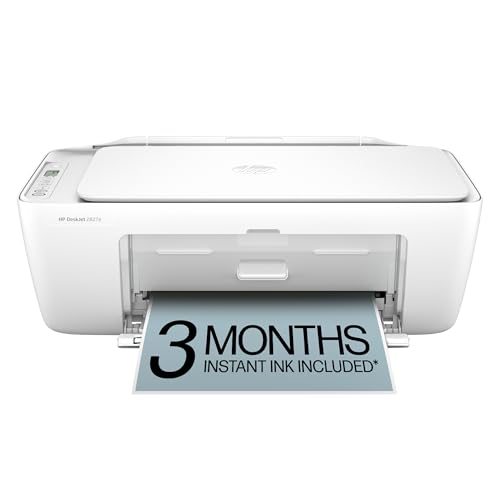
2. HP DeskJet 2827e
A low-cost wireless color inkjet all-in-one.
Good for: Someone who prints a few pages a month. Strengths: Low purchase price and small footprint. Weaknesses: Starter ink is limited and running cost is high for frequent use. Skip it if you print regularly.

Best for light home use
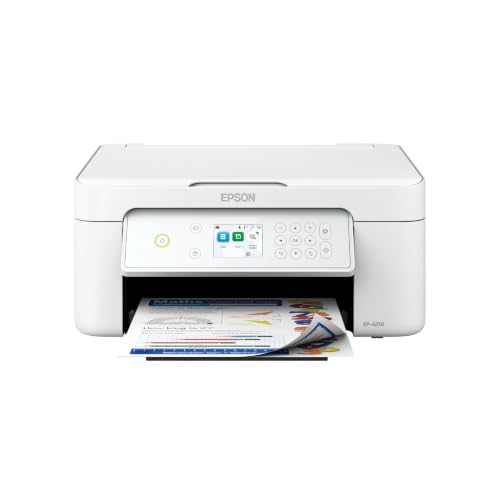
3. Epson Expression Home XP-4250
A budget wireless color inkjet all-in-one from Epson.
Good for: Light home use. Strengths: Low entry price and basic features. Weaknesses: Cartridge running cost is high for frequent printing. Skip it if you print more than occasionally.
Best for light-to-moderate printing where ink cost matters
4. Epson EcoTank ET-2800
A simpler entry model in Epson’s ink tank range.
Good for: Light-to-moderate printing where ink cost matters. Strengths: Refillable tanks and a basic feature set. Weaknesses: Fewer conveniences than higher-tier models; check duplex and feeder support. Skip it if you need an automatic document feeder.

Best for homework, forms and shipping paperwork
5. Brother HL-L2350DW
A compact monochrome laser with wireless and automatic two-sided printing.
Good for: Homework, forms and shipping paperwork. Strengths: Crisp text, and toner does not dry out between uses. Weaknesses: No color, and no scanning or copying. Skip it if you print photos or need a scanner.


6. Brother Work Smart 1360
A compact color inkjet all-in-one that prints, scans and copies, from Brother’s Work Smart line.
Good for: Households that want occasional color without a bulky machine. Strengths: Small size and a basic, easy feature set. Weaknesses: Cartridge refills add up if volume grows. Skip it if you need a document feeder; check the product page.

The Real Cost of a Cheap Printer
Total cost of ownership
The cost of a printer is the purchase price plus the ink or toner you buy over its life. A cheap printer with expensive cartridges can cost more over three years than a pricier one with cheap ink.
A worked example
Think of the comparison in terms of pages, not just the shelf tag. A low-cost inkjet with a small cartridge set can work out expensive per page, so steady printing means buying set after set. A tank printer costs more up front, but its ink goes much further, so the first year can still cost more overall while later years cost far less to run. Run the same comparison for your own page count.
Starter ink and subscriptions
Many cheap printers ship with partly filled starter cartridges, so your first refill comes soon. Ink subscription plans can lower cost for light users but tie you to one brand.
Be careful with renewed units
Renewed or refurbished printers can save money but check the seller, warranty and supplies. Some listings are renewed, and the model may not be the one you want.
When it is cheaper to print elsewhere
If you print under a few pages a month, a library or print shop may cost less than owning a printer. See also printers under $100 and printers for low-volume printing.
Best Picks by Category
These labels group the picks by role. They summarize listing data and are not hands-on test results.
- Top rated: Canon PIXMA TR4720 — a compact color all-in-one for light, occasional printing; check price on Amazon.
- Most reviewed: Epson EcoTank ET-2800 — an entry-level ink tank all-in-one; check price on Amazon.
- Best value: Canon PIXMA TR4720 — a budget pick for light, occasional printing; check price on Amazon.
- Lowest price: Brother Work Smart 1360 — a budget-tier compact color all-in-one; check price on Amazon.
- Premium option: Epson EcoTank ET-2800 — a premium-tier ink tank option; check price on Amazon.
Price, Rating and Review Comparison
The table compares the picks by price tier. Prices change often, so confirm the current price on Amazon.
| Product | Price | Rating | Ratings | Price tier |
|---|---|---|---|---|
| Brother Work Smart 1360 | Check price on Amazon | — | — | Budget |
| Epson Expression Home XP-4250 | Check price on Amazon | — | — | Mid-range |
| HP DeskJet 2827e | Check price on Amazon | — | — | Mid-range |
| Canon PIXMA TR4720 | Check price on Amazon | — | — | Mid-range |
| Epson EcoTank ET-2800 | Check price on Amazon | — | — | Premium |
| Brother HL-L2350DW | Check price on Amazon | — | — | n/a |
How Much Feedback Backs Each Rating
A high average from a handful of ratings is weaker evidence than a slightly lower average from thousands. Here is how the sample size looks for each pick.
- Canon PIXMA TR4720: check the current listing on Amazon for up-to-date details.
- HP DeskJet 2827e: check the current listing on Amazon for up-to-date details.
- Epson Expression Home XP-4250: check the current listing on Amazon for up-to-date details.
- Epson EcoTank ET-2800: check the current listing on Amazon for up-to-date details.
- Brother HL-L2350DW: check the current listing on Amazon for up-to-date details.
- Brother Work Smart 1360: check the current listing on Amazon for up-to-date details.
How to Choose
Add the first refill to the price
Starter cartridges are often half full. Add the price of the first replacement set to the printer price.
Low volume: cheap inkjet. High volume: not cheap
Under about 20 pages a month, a cheap inkjet or laser is fine. Beyond that, consider an ink tank or a laser.
Look for sales
Printers are discounted often. Ink and toner are the real cost, so compare yields rather than chasing the lowest sticker price.
How We Chose These Products
We start from products sold on Amazon with a full product name and clear specifications, and we skip results that show only a brand name or a vague title. We then read the listing and any manufacturer information for each one and note the features that matter for printers: print technology, running costs, connectivity and size. We do not run our own lab tests, and this guide contains no hands-on measurements. Use it to build a shortlist, then check current prices, dimensions and return terms on the Amazon page before you buy.
Buying Guide: What to Check Before You Choose
What changes with price
Cheaper printers often cost more to run. Compare ink or toner cost per page and the starter cartridge size.
Ink tank versus cartridge
Ink tank printers use refillable tanks and usually have a lower cost per page, with a higher purchase price. Cartridge printers are cheaper up front but ink can cost more over time. Check the page yield and the cost of refills.
Laser printers
Laser printers print text quickly and sharply and do not clog like inkjets. Color lasers cost more. Check the toner cost and the print speed.
Quick Reference: Which Pick Suits Whom
- Canon PIXMA TR4720: suits A dorm, spare room or apartment
- HP DeskJet 2827e: suits someone who prints a few pages a month
- Epson Expression Home XP-4250: suits light home use
- Epson EcoTank ET-2800: suits light-to-moderate printing where ink cost matters
- Brother HL-L2350DW: suits homework, forms and shipping paperwork
- Brother Work Smart 1360: suits households that want occasional color without a bulky machine
Common Mistakes to Avoid
- Judging a printer by its price without considering ink cost.
- Ignoring the starter cartridge size.
- Forgetting the paper types needed.
- Assuming all-in-ones are always better.
- Skipping the return window.
Setup and Care
- Install the maker’s app or driver.
- Connect to Wi-Fi.
- Run an alignment and nozzle check.
- Print regularly to avoid clogs.
What to Check Before You Buy
- Check ink cost, not just printer price.
- Look at wireless support.
- Compare print speed.
- Check cartridge availability.
- Decide if you need a scanner.
How do you choose a cheap printer that will not cost more later?
Choose a cheap printer by comparing the cost of ink or toner along with the purchase price. A low sticker price only saves money if refills are reasonable for how much you print.
Start by estimating your monthly pages. If you print a few pages occasionally, a basic inkjet can make sense. If you print weekly, the cost per page starts to matter more than the entry price, and a laser or an ink tank model may come out ahead.
- Print volume: be honest about how much you print, including school forms and shipping labels.
- Color or black only: a monochrome laser is often the thrifty choice for text.
- Starter supplies: check whether the first cartridges are full-size or partly filled.
- Features: decide whether you need scanning, copying, wireless or automatic two-sided printing.
- Supply availability: make sure replacement cartridges or ink are easy to find.
Look at the listed page yield for each cartridge, then divide the refill cost by the yield to compare models fairly. Because yields and supply prices change, confirm them on the listing rather than assuming.
Which cheap printer should you buy?
Pick the printer whose strengths match your printing habits. Here is how the named options in this guide map to buyer types.
- If you print rarely and want a small, simple color machine: go for the Canon PIXMA TR4720, which suits a dorm, spare room or apartment.
- If you want a low-cost wireless color all-in-one for a few pages a month: choose the HP DeskJet 2827e.
- If you want a budget Epson inkjet for light home use: look at the Epson Expression Home XP-4250.
- If ink cost matters and you print more often: pick the Epson EcoTank ET-2800, an entry-level ink tank model.
- If you mostly print text, forms and homework: choose the Brother HL-L2350DW, a monochrome laser with two-sided printing.
- If you want compact occasional color: consider the Brother Work Smart 1360.
The simplest rule is to match the technology to your habits. Occasional color points to a cartridge inkjet, regular text points to a laser, and frequent printing points to an ink tank. Check the listing for a document feeder if you scan multi-page papers, since some of these picks do not have one.
Inkjet versus ink tank versus laser for budget buyers
An inkjet is cheapest to buy, an ink tank is cheapest to run for color, and a monochrome laser is usually the steadiest for text. Each fits a different kind of user.
A cartridge inkjet has a low entry price and handles color and photos, but small cartridges and refills add up with regular use. Ink can also dry out if the printer sits unused for long stretches.
An ink tank printer costs more up front but uses refillable tanks, which lowers the running cost for people who print often. It is a good fit for families and students with steady printing.
A monochrome laser prints sharp text quickly, and toner does not dry out between uses. The trade-off is no color, and many models skip scanning and copying.
- Choose an inkjet for occasional color and a small footprint.
- Choose an ink tank for regular printing where refills would otherwise pile up.
- Choose a laser for documents, forms and shipping paperwork.
If you only print rarely, the lowest purchase price may still be the best answer, as long as you accept higher cost per page.
Photo printing deserves a note. Everyday inkjets can print photos, but dedicated photo quality and paper cost are separate matters, and a laser will not help at all. If photos are your main goal, check the listing for photo-capable ink and borderless support, or consider using a print shop for the occasional large order.
What to check before you buy a budget printer
Confirm the supply costs, the features you need and the return terms before ordering. A few minutes of checking prevents most budget-printer regrets.
- Starter cartridges: find out whether the included ink or toner is a full or partial fill.
- Refill cost and yield: compare the price of replacements with the pages they print.
- Third-party supplies: check the maker’s policy, since some printers restrict them.
- Connectivity: confirm wireless support and the phone or computer apps you will use.
- Scanner and feeder: decide whether you need scanning, copying or an automatic document feeder.
- Paper handling: check paper sizes, tray capacity and whether two-sided printing is automatic.
- Size: measure your desk or shelf against the listed dimensions.
- Warranty and returns: read the terms and keep packaging until you have printed a test page.
Be careful with renewed units. Check the seller, the warranty and the supplies before choosing one.
After setup, run an alignment and nozzle check on an inkjet, and print a page regularly so the ink does not clog.
How do you keep a cheap printer running well?
Print regularly, use the right paper and keep the printer in a stable spot. Simple care extends the life of an inexpensive machine and protects your ink budget.
Inkjets dry out when left idle, so printing a color test page every week or two keeps the nozzles active. If streaks appear, run the maker’s cleaning cycle once, then print a test page, rather than repeating it many times, since each cleaning uses ink. Laser printers need less of this attention, but they still benefit from clean paper paths and a dust-free location.
- Use suitable paper: check the weight and size the manual lists, and avoid damp or curled sheets.
- Update drivers and firmware: they can fix connection problems.
- Mind the location: keep it away from direct sun, heat and heavy dust.
- Turn it off properly: use the power button so the print head can park and seal.
- Use draft or grayscale settings: they save ink for everyday documents.
- Replace cartridges when prompted: running dry can harm print quality on some models.
Know when it is time to replace the printer. Repeated jams, constant cleaning cycles, failing wireless connection or a refill cost that rivals a new model are all signs. At that point, compare the picks above and consider whether a laser or ink tank suits your volume better.
Are cheap printers worth it, and who should skip them?
A cheap printer is worth it for light, occasional use, and a poor value for heavy or daily printing. The right answer depends on how many pages you really print.
The honest downsides are clear. Entry-level inkjets often ship with limited starter ink, refills can cost a lot relative to the printer, and ink may dry out if you print rarely. Basic models can also lack a document feeder, automatic two-sided printing or fast output. A laser avoids clogging but gives up color. An ink tank saves on running cost but costs more upfront.
Who should skip a very cheap model? Skip it if you print daily, run a home business, or need to scan stacks of pages. In those cases a sturdier laser or ink tank printer is usually the smarter choice. If you print only a handful of pages a month, a library or print shop might cost less than owning any printer.
For everyone else, the decision is straightforward. Compare the picks above, check the current listing for cartridge yield, features and what is included, then choose the printer that fits how much you print.
Living With a Budget Printer: Habits That Keep It Cheap
The main sections of this guide cover what to buy and why. This section covers what ownership actually feels like once the cheap printer is on your desk: the habits, settings and small decisions that decide whether it delights you or nags at you. None of it requires technical skill. It requires only that you set the machine up around your real life once, thoughtfully, instead of rediscovering the same lessons one paper jam at a time.
Where budget printers really cost you, month by month
The purchase price of an inexpensive printer is the smallest part of what you will spend on it. The recurring costs are consumables, paper wasted on failed prints, and time lost to a machine that clogs or disconnects at the wrong moment. That is why the habits in this section matter as much as the model you choose. Printing a short document regularly keeps an inkjet’s nozzles clear, which prevents the deep-cleaning cycles that waste a surprising share of a cartridge. Switching the machine off properly, rather than at the wall, lets it park its print head where the ink is protected from drying air.
Paper discipline saves money too. Proofread on screen, preview before printing, and keep a small stack of already-printed-on-one-side paper for drafts and internal notes where your printer handles it reliably. Over a year, these unglamorous habits separate the households that find a cheap printer genuinely cheap from the ones who conclude, unfairly, that the printer itself was a false economy.
Deciding what you can safely compromise on
Every budget printer trades something away, and the skill is choosing trades you will not feel. Slow printing rarely matters at home, because home jobs are short. A small paper tray matters only if you print long documents often. Basic screens and controls matter if several people share the machine and need to fix problems at the printer itself. What you should not compromise on is the availability and sensible cost of the ink or toner it uses, because you will buy that many times over, long after the hardware price is forgotten.
Also think twice before compromising on connectivity you will use daily. A printer that is awkward to reach from your phone will simply not be used, and the household drifts back to printing at work or at a shop. The cheapest printer is the one that fits your real routine so well that it quietly handles everything for years, not the one with the lowest number on the box and a list of daily annoyances.
Extending the life of a printer that was built to a price
Budget machines use lighter components, so they reward gentle handling. Lift paper trays and covers rather than forcing them, keep the printer out of dusty workshops and steamy kitchens, and never pull a jammed sheet backwards against the feed direction, which is how small gears and sensors get damaged. When a jam happens, open the access the manual describes, remove the sheet slowly with both hands, and check for torn corners left inside, because a leftover scrap causes the next three jams and looks like a new fault.
Keep the box and packaging if you have storage space. Budget printers are the ones most likely to be moved, lent or taken to a dorm room, and transporting any printer without its packaging risks ink spills and cracked trays. A machine treated this way routinely outlasts expectations, which is the real secret behind most satisfied budget-printer owners.
How the Picks in This Guide Compare in Everyday Use
Specifications separate these machines on paper, but daily life separates them differently. The paragraphs below revisit each pick in this guide strictly in the role the guide itself assigns it, and set that role against the neighbouring picks, so you can feel the shape of the choice rather than just reading it. Read the pick that matches your situation first, then read its neighbours: the right decision usually becomes obvious in the contrast.
Canon PIXMA TR4720 earns its place in this lineup as a color inkjet all-in-one, picked for light, occasional printing in a small space. In daily use, what that positioning really means is that its strengths arrive exactly where light, occasional printing in a small space matters, and its compromises fall where that kind of user rarely looks. Readers comparing it with the neighbouring picks should start from their own habits rather than the headline features: the household or office that matches this description will find it quietly dependable, while someone whose printing looks very different will get more from a pick designed around their pattern instead.
Canon PIXMA TR4720 is the Color inkjet all-in-one option here, chosen for light, occasional printing in a small space. Set beside the other picks, its character is defined by that role: it is the answer when light, occasional printing in a small space is the priority, and it is not trying to be the answer to every other question in this guide. That focus is a virtue rather than a limitation. Printers that chase every strength tend to serve no one particularly well, whereas a model with a clear job, matched to the buyer who has that job, tends to be the one still earning praise years later.
Consider HP DeskJet 2827e if your printing centres on the lowest entry price for printing, copying and scanning. As a color inkjet all-in-one it approaches the work differently from the alternatives around it, and the detailed review above sets out where that approach pays off. The honest skip case matters just as much: if the lowest entry price for printing, copying and scanning is something you do rarely, this pick’s particular strengths will sit unused while its trade-offs remain, and another model in this guide will fit you better. Matching the pick to the pattern of use, rather than to the longest feature list, is the decision this whole guide is built around.
Within this guide, HP DeskJet 2827e covers the the lowest entry price for printing, copying and scanning ground. Its detailed section explains the specifics; the comparative point is that no other pick here occupies quite the same position. Where two picks seem to overlap, the difference usually shows up in daily rhythm rather than in specifications: how the machine suits the space it will live in, the people who will share it, and the mix of documents it will actually see. Choose on that rhythm, and the specification sheet becomes a confirmation rather than a gamble.
Epson Expression Home XP-4250 earns its place in this lineup as a color inkjet all-in-one, picked for budget home inkjet. In daily use, what that positioning really means is that its strengths arrive exactly where budget home inkjet matters, and its compromises fall where that kind of user rarely looks. Readers comparing it with the neighbouring picks should start from their own habits rather than the headline features: the household or office that matches this description will find it quietly dependable, while someone whose printing looks very different will get more from a pick designed around their pattern instead.
Epson Expression Home XP-4250 is the Color inkjet all-in-one option here, chosen for budget home inkjet. Set beside the other picks, its character is defined by that role: it is the answer when budget home inkjet is the priority, and it is not trying to be the answer to every other question in this guide. That focus is a virtue rather than a limitation. Printers that chase every strength tend to serve no one particularly well, whereas a model with a clear job, matched to the buyer who has that job, tends to be the one still earning praise years later.
Consider Epson EcoTank ET-2800 if your printing centres on entry-level ink tank printing. As an ink tank all-in-one it approaches the work differently from the alternatives around it, and the detailed review above sets out where that approach pays off. The honest skip case matters just as much: if entry-level ink tank printing is something you do rarely, this pick’s particular strengths will sit unused while its trade-offs remain, and another model in this guide will fit you better. Matching the pick to the pattern of use, rather than to the longest feature list, is the decision this whole guide is built around.
Within this guide, Epson EcoTank ET-2800 covers the entry-level ink tank printing ground. Its detailed section explains the specifics; the comparative point is that no other pick here occupies quite the same position. Where two picks seem to overlap, the difference usually shows up in daily rhythm rather than in specifications: how the machine suits the space it will live in, the people who will share it, and the mix of documents it will actually see. Choose on that rhythm, and the specification sheet becomes a confirmation rather than a gamble.
Brother HL-L2350DW earns its place in this lineup as a monochrome laser, picked for text-only printing at home. In daily use, what that positioning really means is that its strengths arrive exactly where text-only printing at home matters, and its compromises fall where that kind of user rarely looks. Readers comparing it with the neighbouring picks should start from their own habits rather than the headline features: the household or office that matches this description will find it quietly dependable, while someone whose printing looks very different will get more from a pick designed around their pattern instead.
Brother HL-L2350DW is the Monochrome laser option here, chosen for text-only printing at home. Set beside the other picks, its character is defined by that role: it is the answer when text-only printing at home is the priority, and it is not trying to be the answer to every other question in this guide. That focus is a virtue rather than a limitation. Printers that chase every strength tend to serve no one particularly well, whereas a model with a clear job, matched to the buyer who has that job, tends to be the one still earning praise years later.
Consider Brother Work Smart 1360 if your printing centres on compact everyday color printing. As a color inkjet all-in-one it approaches the work differently from the alternatives around it, and the detailed review above sets out where that approach pays off. The honest skip case matters just as much: if compact everyday color printing is something you do rarely, this pick’s particular strengths will sit unused while its trade-offs remain, and another model in this guide will fit you better. Matching the pick to the pattern of use, rather than to the longest feature list, is the decision this whole guide is built around.
Within this guide, Brother Work Smart 1360 covers the compact everyday color printing ground. Its detailed section explains the specifics; the comparative point is that no other pick here occupies quite the same position. Where two picks seem to overlap, the difference usually shows up in daily rhythm rather than in specifications: how the machine suits the space it will live in, the people who will share it, and the mix of documents it will actually see. Choose on that rhythm, and the specification sheet becomes a confirmation rather than a gamble.
Setup, Workflow and Troubleshooting: The Rest of Ownership
Choosing the right cheap printer is half the task; the other half is the environment it works in and the routines around it. The topics below are the ones that generate most of the questions owners ask after the first month, whatever model they bought, and each one is cheaper to handle early than late.
A troubleshooting order that actually works
When a printer misbehaves, work through the causes in order of likelihood instead of reinstalling everything at random. First, look at the printer itself: an error light, a message on its screen, an open cover or a sheet half-fed into the mechanism explains most failures. Second, check the paper: empty tray, wrong size loaded, or guides adrift. Third, check the queue on your computer and cancel stuck jobs, because one corrupt job blocks everything behind it. Fourth, restart in order: printer off, computer’s print service left alone, printer back on, then resend a simple one-page test.
Change one thing at a time and test after each change, otherwise you will never know what fixed it and the fault will feel random when it returns. If the problem follows one computer but not a phone, the fault is in that computer’s driver or queue, not the printer. If every device fails the same way, the fault is in the printer or the network. That single distinction, device-specific or universal, cuts every troubleshooting session in half and tells you where to spend your time.
Cleaning and care routines that extend a printer’s life
Printers live in dusty air and feed on paper, which itself sheds fibres, so a light cleaning routine pays off. Every few months, with the printer off and unplugged, wipe the exterior and the paper path areas you can reach with a dry, lint-free cloth. Clean the scanner glass with a slightly dampened cloth and dry it fully: a single fingerprint or correction-fluid spot on the glass prints as a line or mark on every scan and copy until it is removed, and it is routinely misdiagnosed as a scanner fault.
For inkjets, the built-in cleaning and alignment utilities exist for a reason, but use them sparingly, because each cleaning cycle consumes ink to flush the nozzles. One cycle, a test print, and only then a second cycle if needed is the right rhythm. For lasers, never touch the drum surface or expose it to bright light for long, and shake a toner cartridge only if the manual for your model suggests it as a way to redistribute toner near the end of its life. Keep the manual’s care page bookmarked; the routine for your exact model always beats generic advice.
Frequently Asked Questions
What is the cheapest printer to own?
Over several years, a monochrome laser or an ink tank model usually beats a low-cost cartridge inkjet.
Are cheap printers reliable?
Basic models are fine for occasional use. For daily use, a sturdier laser or tank model lasts longer.
Should I buy compatible ink?
It can save money, but some brands block it. Check the ink policy first.
What are the best affordable and inexpensive printers?
Check the printer price and the cost of ink or toner together. See our price-based lists: printers under $100, under $150 and under $200.
Which is cheaper to run, inkjet or laser?
Laser is usually cheaper per page for text, and ink tank printers are cheaper for color and photos.
How do I connect my printer to Wi-Fi?
Use the printer’s setup menu or the maker’s app. See our Wi-Fi guide.
Do I need genuine ink?
Not always, but some printers restrict third-party ink. Check the terms.
Why are cheap printers pricey to run?
Ink is often the main cost.
Is a laser cheaper?
For text, often yes.
Is it cheaper to buy a new printer or new ink?
It depends on the model, because starter ink is often partial and refills can cost a large share of the printer's price. Compare the refill cost and page yield before deciding. Sometimes a new, better-suited printer is the more sensible option.
How many pages should a cheap printer be expected to print?
Basic cheap printers are built for light use, a few pages a week at most. Heavy daily printing wears them faster and raises ink costs. For higher volume, look at a laser or ink tank model.
Why does my inkjet printer clog if I do not use it?
Inkjet ink can dry in the nozzles when the printer sits idle for long periods. Printing a page regularly helps prevent it. Many printers have a cleaning cycle you can run if print quality drops.
Do I need a color printer or is black and white enough?
Black and white is enough if you mostly print text, forms and homework, and a monochrome laser can be economical for that. Choose color if you print charts, photos or school projects. Think about how often you will use color.
Are ink tank printers worth the higher price?
They are worth it when you print often, because refillable ink tanks lower the running cost over time. For rare printing, the higher purchase price may not pay off. Estimate your monthly pages before deciding.
Can I use a cheap printer wirelessly with my phone?
Many budget printers support wireless printing through the maker's app or built-in phone printing features. Check the listing for the apps and standards it supports. Setup usually takes a few minutes using the printer's menu.
What should I do before returning a printer that prints poorly?
Run the cleaning and alignment tools, check the paper type and replace any nearly empty cartridge. If the problem continues, use the return window. Keep the packaging so the return goes smoothly.
How can I make ink cartridges last longer in a cheap printer?
Print something in colour and black regularly so nozzles stay clear, avoid running cleaning cycles back to back, and use draft mode for anything informal. Choose the printer’s own power button instead of switching it off at the wall, so the head parks correctly. Store spare cartridges sealed, upright and at room temperature, and do not stockpile more than you will use within a reasonable period, because cartridges age even in the box.
Is it worth repairing a cheap printer when it breaks?
Usually only when the fix is free or nearly so: clearing a real jam, cleaning contacts, updating a driver or replacing rollers you can reach without tools. Once a budget printer needs a print head, a board or a professional call-out, the labour alone tends to exceed what the machine is worth, and the sensible move is to replace it, ideally with a model whose running costs you have checked this time. Always try the manufacturer’s troubleshooting steps first, because a surprising number of dead printers are one stuck queue away from working.
Why does my budget printer use colour ink when I print black text?
Many inkjets mix a little colour ink to make richer blacks, and nearly all use some ink during automatic maintenance to keep nozzles healthy. You can reduce this by selecting black-only or greyscale in the driver for text work, where the model offers it, but some maintenance use is unavoidable by design. If your printing is almost entirely black text, that behaviour is one of the strongest arguments for a simple mono laser instead.
Can a cheap printer handle occasional photo printing?
Yes, within limits. Use proper photo paper, select that paper type in the driver, and choose the best quality setting for the final print after a draft on plain paper to check composition. Colours will not match a dedicated photo printer and glossy prints may dry slowly, but for school projects, family snapshots and the odd framed picture, a budget inkjet on the right paper surprises most people. Just count the ink it uses before printing a whole album.
Bottom Line
For rare printing, the Canon PIXMA TR4720 is the budget choice. For text, the Brother HL-L2350DW is cheap to own. For frequent printing, spend more on an ink tank such as the Epson EcoTank ET-2800 and save on ink.
Related Reading
- Types of Printers Explained: Inkjet, Laser, Ink Tank and More
- 7 Best Wireless Printers for Home Use
- 5 Best 11×17 Tabloid Printers for Home and Office
- 6 Best AirPrint Printers for iPhone, iPad and Mac
- 7 Best All-in-One Printers for Scanning and Printing
More Printer Guides
- Best Printers for Home Use
- Best Color Laser Printers for Home Use
- Best Color Printers for Home and Family Use
- Best Epson EcoTank Printers for Low Ink Cost
- Best Laser Printers for Home and Home Office

