Disclosure: As an Amazon Associate, reviewstook.com earns from qualifying purchases. Links to Amazon on this page are affiliate links; they cost you nothing extra.
A basic printer does the essentials: print, maybe scan and copy, and connect without fuss. If you or a family member wants something simple, fewer features is a plus.
This guide covers six simple printers for home. It is built from published specifications and listings, not our own testing, so check details on each product page.
New to printers? Start with our guide to the best printers for home use and how we pick printers.
By the Reviewstook Editorial Team. Last updated: October 31, 2026.

In this guide
Quick Picks
| Printer | Type | Best for |
|---|---|---|
| Canon PIXMA TR4720 | Color inkjet all-in-one | Light, occasional printing in a small space |
| Brother HL-L2460DW | Compact monochrome laser | Text-only printing with two-sided output |
| HP DeskJet 4155e | Color inkjet all-in-one | Small-space everyday printing |
| HP DeskJet 2955 | Color inkjet all-in-one | Everyday basic printing, copying and scanning |
| HP Envy 6555e | Color inkjet all-in-one | Everyday home color printing |
| Epson EcoTank ET-2800 | Ink tank all-in-one | Entry-level ink tank printing |
6 Best Basic Printers for Home: Simple, Easy and Reliable

Top pickBest for a dorm, spare room or apartment
1. Canon PIXMA TR4720
A small 4-in-1 color inkjet that prints, copies, scans and faxes, with an auto document feeder, per the listing.
Good for: A dorm, spare room or apartment. Strengths: Compact body, a document feeder and a simple feature set. Weaknesses: Small cartridges mean it is not meant for heavy use. Skip it if you print daily.


Best for students, teachers and home workers who print text
2. Brother HL-L2460DW
A wireless compact monochrome laser with duplex printing.
Good for: Students, teachers and home workers who print text. Strengths: Toner keeps between uses, and duplex saves paper. Weaknesses: No color, and no scanner. Skip it if you need color or a scanner.

Best for apartments and shared rooms
3. HP DeskJet 4155e
A compact color inkjet all-in-one with a feature set above the entry tier.
Good for: Apartments and shared rooms. Strengths: Compact body and basic automation. Weaknesses: Cartridge costs can climb with volume. Skip it if you need heavy-duty output.

Best for small households with light printing needs
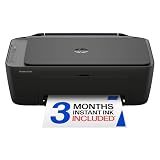
4. HP DeskJet 2955
A wireless color inkjet all-in-one in HP’s DeskJet range.
Good for: Small households with light printing needs. Strengths: Simple operation and compact size. Weaknesses: Cartridge costs climb with volume, and HP’s ink program applies. Skip it if you print in volume.
Best for homework, recipes and occasional photos
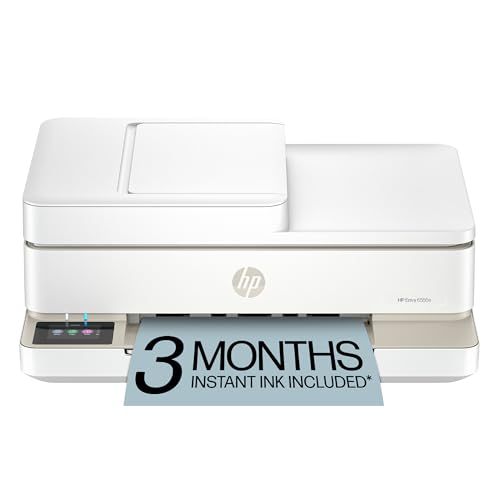
5. HP Envy 6555e
A home-focused color inkjet all-in-one with duplex printing.
Good for: Homework, recipes and occasional photos. Strengths: A straightforward feature set and automatic two-sided printing. Weaknesses: Cartridges and HP’s ink program may add running cost. Skip it if you print in volume.


Best for light-to-moderate printing where ink cost matters
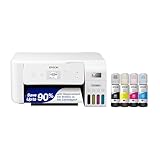
6. Epson EcoTank ET-2800
A simple entry model in Epson’s EcoTank range that prints, copies and scans over wireless.
Good for: Light-to-moderate printing where ink cost matters. Strengths: Refillable tanks and a basic feature set. Weaknesses: Fewer conveniences than higher-tier models; check duplex and feeder support. Skip it if you need an automatic document feeder.
Choosing a Simple Printer
Fewer features can be a plus
A basic printer that prints, copies and scans without fuss is easier to set up and use, especially for older users.
Clear app and display
A guided app setup and a readable display make setup easier. See how to connect a printer to WiFi.
Low-upkeep type
A monochrome laser is the lowest-upkeep type for text because toner does not dry out.
Check the refill cost
Cheap printers can have costly refills. Compare cost per page.
Best Picks by Category
They summarize listing data and are not hands-on test results.
- Top rated: Canon PIXMA TR4720 — mid-range tier, check price on Amazon.
- Most reviewed: HP DeskJet 4155e — mid-range tier, check price on Amazon.
- Best value: Canon PIXMA TR4720 — mid-range tier, check price on Amazon.
- Lowest price: HP DeskJet 2955 — budget tier, check price on Amazon.
- Premium option: Epson EcoTank ET-2800 — premium tier, check price on Amazon.
Price, Rating and Review Comparison
Prices change often, so confirm the current price on Amazon.
| Product | Price | Price tier |
|---|---|---|
| HP DeskJet 2955 | Check price on Amazon | Budget |
| HP Envy 6555e | Check price on Amazon | Budget |
| Brother HL-L2460DW | Check price on Amazon | Mid-range |
| Canon PIXMA TR4720 | Check price on Amazon | Mid-range |
| HP DeskJet 4155e | Check price on Amazon | Mid-range |
| Epson EcoTank ET-2800 | Check price on Amazon | Premium |
How Much Feedback Backs Each Rating
A high average from a handful of ratings is weaker evidence than a slightly lower average from thousands.
How to Choose
Decide on color
A black-and-white laser is simplest for text. A color inkjet covers school projects and photos.
Prefer wireless with an app
A printer with a clear app and screen is easier for less technical users.
Check ink or toner cost
Cheap printers can have costly refills. Compare cost per page.
How We Chose These Products
We start from products sold on Amazon with a full product name and clear specifications, and we skip results that show only a brand name or a vague title. We then read the listing and any manufacturer information for each one and note the features that matter for printers: print technology, running costs, connectivity and size. We do not run our own lab tests, and this guide contains no hands-on measurements. Use it to build a shortlist, then check current prices, dimensions and return terms on the Amazon page before you buy.
Buying Guide: What to Check Before You Choose
What changes with price
Cheaper printers often cost more to run. Compare ink or toner cost per page and the starter cartridge size.
Ink tank versus cartridge
Ink tank printers use refillable tanks and usually have a lower cost per page, with a higher purchase price. Cartridge printers are cheaper up front but ink can cost more over time. Check the page yield and the cost of refills.
Laser printers
Laser printers print text quickly and sharply and do not clog like inkjets. Color lasers cost more. Check the toner cost and the print speed.
Quick Reference: Which Pick Suits Whom
- Canon PIXMA TR4720: suits A dorm, spare room or apartment
- Brother HL-L2460DW: suits students, teachers and home workers who print text
- HP DeskJet 4155e: suits apartments and shared rooms
- HP DeskJet 2955: suits small households with light printing needs
- HP Envy 6555e: suits homework, recipes and occasional photos
- Epson EcoTank ET-2800: suits light-to-moderate printing where ink cost matters
Common Mistakes to Avoid
- Judging a printer by its price without considering ink cost.
- Ignoring the starter cartridge size.
- Forgetting the paper types needed.
- Assuming all-in-ones are always better.
- Skipping the return window.
Setup and Care
- Install the maker’s app or driver.
- Connect to Wi-Fi.
- Run an alignment and nozzle check.
- Print regularly to avoid clogs.
How Much Printer Do You Really Need?
The word “basic” hides a surprising range of households. The right machine for a retiree who prints a boarding pass twice a year is not the right machine for a family with two students. Start by estimating your volume and your document types, then match them to the three broad designs.
- Under about a dozen pages a month, mostly forms and occasional color: a low-cost inkjet is fine, though the main risk is dried ink if the printer sits idle for weeks.
- A few dozen pages a month, mostly text: a compact monochrome laser is hard to beat, because the toner does not dry out and each page costs little.
- Regular color printing, such as school projects, crafts and photos: an ink tank model lowers the cost per page, even though it costs more on day one.
Be honest about your habits. Many people buy a color printer and then print almost entirely black-and-white documents. If that sounds like you, the color capability is mostly a source of maintenance and ink cost, not an advantage.
The cost-per-page idea
Cost per page is the number that separates a cheap printer from an affordable one. Divide the price of a replacement cartridge or toner by its stated page yield, remembering that yield is measured under standard test conditions and real documents often use more ink. Run the same sum for each color if you print color. A printer that is inexpensive today can cost more over two years than a pricier model with cheaper refills.
Features Worth Paying For, and Features to Skip
Feature lists on basic printers can look long, but only a few change daily life.
Worth paying for if you will use them:
- Automatic duplex printing, which prints on both sides and cuts paper use. If a printer lacks it, you can still print manually by flipping the pages.
- An automatic document feeder, which lets you scan or copy several pages at once instead of placing each on the glass.
- A wireless connection with support for common mobile printing standards, so phones and tablets can print without cables.
- A readable screen. A tiny two-line display makes error messages harder to understand, while a larger touch screen reduces frustration.
Often not worth the extra cost for a household:
- Fax capability, unless you actually send faxes.
- Memory card slots, which phones and cloud storage have largely replaced.
- Very high maximum print speeds, which matter in an office but rarely at home.
- Large paper trays, since most households print a handful of pages at a time.
Scanning and copying deserve a note. A flatbed scanner in an all-in-one is more than enough for receipts, homework and documents. If you scan paperwork often, a feeder saves time, but you can also use your phone camera with a scanning app as an alternative.
Wireless Setup and Everyday Troubleshooting
Most home printers connect over Wi-Fi, and most problems that people call printer failures are connection or software problems. A calm, step-by-step approach solves the majority of them.
- Check that the printer and your devices are on the same network. Some routers broadcast separate 2.4 GHz and 5 GHz networks, and many printers only support the first.
- Use the maker’s app for the first setup. It usually handles driver installation and firmware updates in one pass.
- Give the printer a fixed address in your router settings if it keeps dropping off the network.
- If a computer shows the printer as offline, restart the printer, then the computer, then the router, in that order.
- Keep the firmware current, since updates fix compatibility problems with new operating systems.
When prints look wrong
Streaks or missing lines on an inkjet point to clogged nozzles, which a cleaning cycle often fixes. Run the maker’s cleaning routine once, then print a test page. Repeated cleaning wastes ink, so if two attempts do not help, check whether the cartridge is empty or the print head needs a longer rest. On a laser, faint stripes or smudges typically mean low toner or a worn drum. Paper jams are more often caused by humid, curled or overloaded paper than by the machine itself.
Paper matters more than you think
Cheap, thin paper can cause jams and show-through on inkjet prints. Stick to a mid-weight sheet, keep it flat in its wrapper and fan the stack before loading. If you ever print photos, buy paper made for your printer type, because plain paper will not give good results.
Hidden Costs: Ink Programs, Starter Cartridges and Subscriptions
Printer pricing includes more than the sticker. Several costs show up after the purchase.
Starter cartridges are often partially filled, so the first replacement comes sooner than expected. Look at the starter capacity if the listing provides it and budget for a spare set within a few months.
Some makers sell optional ink subscriptions that ship cartridges based on pages printed. These can suit light users with predictable habits and can be a poor fit for people who print rarely, because the plan fee continues even in quiet months. Read the terms about cancellation, page limits and what happens to the printer if you stop paying. The related issue is dynamic security: some printers use firmware that rejects cartridges from other brands. If using third-party ink matters to you, search for recent buyer reports for the exact model.
Finally, factor in the time cost of maintenance. Inkjets that go unused tend to clog, which wastes ink on cleaning cycles. Printing a small color test page every week or two helps, and it is usually cheaper than replacing a print head or buying a new printer.
Matching Printers to Household Situations
Older adults and low-tech households
Simplicity wins. Look for a model with a large readable display, clear buttons, a guided setup and few menus. A black-and-white laser reduces the number of consumables and avoids dried ink. Keeping the printer on a table near the router makes troubleshooting easier.
Students and dorm rooms
Space and portability matter. A compact all-in-one handles essays and the occasional scan. Duplex printing saves paper, and a feeder helps if you submit multi-page forms. Check campus network rules, since some dormitory networks restrict wireless printers.
Families with children
Color becomes useful, and ink consumption rises quickly with school projects. An ink tank design reduces refill cost, and a sturdy body tolerates handling. Teach children to use draft mode for homework drafts.
Home offices and remote workers
If you print contracts, invoices and shipping labels, reliability and speed matter more. A laser is often the better tool for this work, and duplex printing becomes a real advantage.
Habits That Lower Your Running Costs
- Print in draft or economy mode for documents you only read yourself.
- Preview before printing to avoid pages that contain only a footer or an extra line.
- Print in grayscale when color adds nothing, because some printers use color ink for black text when set to automatic.
- Replace cartridges only when the printer reports empty, not when the level indicator first drops.
- Keep the printer powered through its own button, so it can cap the print head properly.
With a realistic idea of volume, a quick calculation of cost per page and a plan for setup, a basic printer stays what its name promises: simple and out of the way.
A Short Checklist Before You Commit
Before buying, run through a few practical questions. Where will the printer sit, and is there a power outlet and Wi-Fi coverage nearby? Measure the shelf, including space to open the scanner lid and the paper tray. Check which operating systems and mobile platforms the printer supports, since older models can drop support as software updates arrive. Think about who will use it most and what they will print most often, then choose the type that matches. If the answer is mostly text, favor laser. If it is occasional color, a compact inkjet works. If it is frequent color, look hard at ink tank models. Finally, keep the box and receipt until you have set the printer up and printed a few test pages.
What “Basic” Should Mean — and What It Should Not
A basic printer is not a bad printer; it is a printer that refuses to charge you, in money or complexity, for things you will never use. The distinction matters because the cheapest machines on a shelf sometimes achieve their price by removing things you do need — reliable Wi-Fi, a scanner, sane software — while the picks in this guide keep the essentials and skip the theatre. The Canon PIXMA TR4720, HP DeskJet 4155e and DeskJet 2955, HP Envy 6555e, Brother HL-L2460DW and Epson EcoTank ET-2800 all cover the genuine basics of home printing well; they differ in which extras they add back, and that is the right way to read the list.
The essentials themselves are worth naming. A basic home printer must connect to your Wi-Fi without a fight, print clearly from phones as well as computers, accept paper without drama, and tell you honestly when it needs ink or toner. A scanner-copier belongs on the list for most homes, because the occasions that need one — a form, a certificate, a child’s drawing — arrive for every household eventually. Everything beyond that, from touchscreens to fax to photo specialisation, is a preference, and preferences should be bought deliberately rather than by accident.
The Three Kinds of Basic Buyer
Most basic-printer shoppers are one of three people. The first prints documents and almost nothing else — letters, forms, tickets, homework text — and wants the machine to wait patiently between jobs. That buyer belongs with the Brother HL-L2460DW, whose toner never dries out and whose manners are impeccable at low and moderate volumes alike. The second prints a family mixture: homework in colour, photographs occasionally, documents for work, a scan whenever life requires one. That buyer is choosing among the inkjet all-in-ones, and the questions are about ink systems and feeders rather than print quality, which is ample across the group.
The third buyer prints rarely but in colour, and resents every penny and inch a printer claims. The HP DeskJet 2955 and DeskJet 4155e speak to them: small, inexpensive, capable of the occasional colour job and the occasional scan, asking only the light discipline any inkjet asks. The Epson EcoTank ET-2800 serves a fourth, quieter buyer — the one who prints a moderate amount every week and has done the running-cost arithmetic, concluding that a slightly larger purchase now buys years of not thinking about ink. Naming which buyer you are is most of the decision; the models then sort themselves.
Setup Day: Making a Basic Printer Behave From the Start
Basic printers earn their reputation in the first hour, so set yours up like you mean it. Connect it to the main home network rather than a guest band, let it finish any firmware update it offers before judging it, and install it on every device that will ever print — computers, phones, the family tablet — while the instructions are still open. Print one real job from each device. The homework emergency in three months’ time will use exactly the path you test today, or it will discover the path you did not.
Set the small defaults that prevent large annoyances: the correct paper size for your country, the printer as the default on the main computer, and a name for the machine that the whole household recognises when it appears in a list beside a neighbour’s similar model. Put one spare ink or toner in a known place and write the cartridge type on a card kept with it. None of this takes long, and together it is the difference between a basic printer that feels basic in the good way — simple — and one that feels basic in the bad way, which is to say unfinished.
Running a Basic Printer Cheaply Without Thinking About It
Home printing costs are mostly decided by habits so small they escape notice. Draft quality for anything that stays inside the house — lists, drafts, practice worksheets — stretches ink and toner noticeably over a year. Colour only when colour earns its place does the same, since a colour page costs several times its monochrome equivalent on most of these machines. And printing the document you actually need, rather than the whole file it lives in, is the oldest saving in printing and still the largest.
The ink-system choice you made at purchase sets the background level of all this. Cartridge models reward the household that keeps a spare and buys calmly rather than in a panic at convenience prices. The EcoTank ET-2800 largely retires the question, replacing it with a glance at the tanks now and then. The laser’s toner sits patiently through every pattern of use. None of the systems punishes a household that follows the draft-and-deliberate habits above, which is why this guide treats running costs as a reason to choose a camp, not a reason to fear any of them.
When Basic Stops Being Enough
There is an honest limit to a basic printer, and recognising it saves a second purchase made in frustration. If your home starts producing long documents weekly, scanning stacks of paperwork, or printing photographs you care about deeply, the basic machine will still work — it will simply start taxing your time, which is the cost nobody lists. The upgrade paths from this list are natural ones: toward a feeder and faster engine for paperwork, toward tank ink for volume, toward a photo-focused model for images.
Until that day, resist feature envy. A basic printer that wakes, connects and prints the family’s ordinary life without argument is delivering exactly what it promised, and the picks here were chosen because they keep that promise for years rather than months. Judge yours monthly by a single question — did printing ever become a problem this month? — and while the answer stays no, your basic printer is not a compromise at all. It is the right machine, doing its quiet work, in a house with better things to think about.
Helping Less Technical Households Live With a Printer
Many basic printers are bought for a household, not a person, and the household includes someone who regards the printer as hostile territory. Design for that person and everyone benefits. Choose the model whose everyday operations — loading paper, replacing ink, clearing a jam — can be done from the front, with the fewest doors and levers. Tape a small card inside the paper tray’s lid or on the machine itself with the three instructions that matter: how to load paper the right way up, which button cancels a job, and who to call before unplugging anything.
Print names and defaults do the rest of the work. When the printer appears in every phone and computer list under one obvious name, and when pressing print produces a page without a dialogue about settings, the reluctant user becomes a successful one. The DeskJet and PIXMA models in this guide are designed for exactly this domestic reality, with apps that walk a user through setup and maintenance in plain language. A printer the whole house can operate is worth more than a technically superior machine that only one person dares touch, because printing emergencies specialise in occurring when that one person is out.
Paper and Everyday Jobs Around the House
A basic printer’s paper life is more varied than its name suggests: plain paper for documents, envelopes for the cards and forms that still travel by post, labels for jars and school books and the storage boxes in the loft, and photo paper for the prints that go on the fridge. Keep small quantities of each in one place near the printer, clearly separated, because the classic home printing accident is the important document printed on the last sheet of photo paper by someone who did not look. A labelled set of slim folders or a divided tray ends that accident permanently.
Feed special papers one or a few at a time, and tell the printer what you have loaded. The paper-type setting is not pedantry; it controls how much ink is laid down and how slowly the sheet travels, and it is the difference between a label sheet that emerges crisp and one that emerges smeared. Envelopes deserve a test with a spare before the good set goes through, since every model has a preferred orientation and the first envelope is the tuition fee everyone pays — better paid on a spare.
Children, Homework and the School-Night Test
For families, a basic printer is ultimately judged on school nights. The test is specific: at bedtime-minus-ten-minutes, a child announces a project due tomorrow, and the printer must wake, connect to whatever device holds the work, and produce colour pages without a parental IT session. Machines pass this test by being left connected, stocked and defaulted — the setup habits from earlier in this guide — and by having ink systems that survive the quiet weeks between projects. That survival is why the laser earns its place in a school household despite lacking colour, and why inkjet owners in such households should adopt the fortnightly test-page habit as a family calendar event.
There is a teaching opportunity in the machine, too. A child who learns to print thoughtfully — preview first, choose the pages, check the tray — learns a small, real economy that schools quietly appreciate. Set the family defaults to duplex where the machine offers it and to draft for practice work, and let the printer’s settings carry the lesson so the parents do not have to. Basic printers are often a child’s first piece of office technology; the picks here are good first teachers.
Keeping a Basic Printer Alive for Years
Longevity in an inexpensive printer is mostly about environment and mercy. Keep it out of direct sun and away from radiators, because heat ages ink and plastics alike. Dust it occasionally, especially around the paper path, and keep the tray loaded modestly rather than stuffed, so sheets feed singly. Use it regularly enough that inkjet nozzles stay honest — the recurring theme of every inkjet guide — and when a cleaning cycle is needed, run one and test rather than three in a row.
Accept the small consumable truths: feed rollers eventually glaze, and a wipe with a slightly damp lint-free cloth, as the manual describes, revives many a printer that has started grabbing two sheets at once. Keep the firmware updated so the machine stays on speaking terms with new phones and computers. None of this is maintenance in any heavy sense; it is the light housekeeping that separates the basic printer still serving in year six from the one replaced in year two, and it costs less time per year than a single trip to buy its replacement.
Buying Basic on a Budget Without Buying Twice
The expensive basic printer is the one bought twice — the ultra-cheap machine whose ink costs ambush the household, whose Wi-Fi drops weekly, and whose replacement arrives within eighteen months. Avoiding it is a matter of the checks this guide has repeated: ink system understood before purchase, Wi-Fi from a maker with a decent app, a scanner included unless you are certain, and a brand whose cartridges or toner will be on a local shelf for years. The five picks here pass those checks at different prices and in different camps, which is why the list contains no anonymous bargains.
Buy once, set it up properly in the first week, keep the spare supply and the card with the cartridge number, and then — the true luxury of a basic printer — forget about it. It will print the forms, the homework, the tickets and the photographs of an ordinary household life, asking almost nothing, for years. That is not a modest achievement for the least expensive appliance in the home office. It is the entire idea, and these are the machines that deliver it.
Scanning and Copying: The Basic Printer’s Second Job
Households that have never owned a scanner discover its uses within a month: the form that must be returned by email, the certificate that should exist in two places, the child’s drawing worth keeping before the original disintegrates, the receipt for the expensive thing still under warranty. A basic all-in-one’s flatbed handles all of it at a quality far beyond the need, and the copying function — one button, no computer — remains the fastest way to duplicate a document ever built into a home appliance. This is why this guide treats the scanner as part of the basics rather than an extra: the PIXMA TR4720, both DeskJets and the Envy 6555e include it because households genuinely use it.
Build the smallest possible system around it. One folder on the family computer, named for scanned documents, with files named by date and a few plain words. One habit: scan the important paper when it arrives, not when it is needed, because the day it is needed it will be at the bottom of a drawer. And one backup, even a simple cloud folder, so the scans outlive the computer. A basic printer plus those three arrangements is a household records system in disguise, and for many families it becomes the machine’s most valued function after the first year.
Comparing the Basic Picks One Last Time, by Room
Sometimes the deciding factor is simply where the printer will live. In a bedroom or a small flat, the compact DeskJets win on footprint and quiet manners, and their occasional-use design matches the printing life of a small household. In a family kitchen or shared living space, the PIXMA TR4720’s all-in-one completeness and feeder make it the household utility machine, reachable by everyone. In a study or home office corner, the Brother HL-L2460DW’s speed and patience suit a document-centred worker, and the Envy 6555e splits the difference for the worker who also scans stacks and prints colour. On a desk where printing is a weekly constant, the EcoTank ET-2800’s tanks turn the room’s economics upside down in the owner’s favour.
Picture your machine in its room, at the moment of its most typical job, with the person who will actually use it standing there. That small act of imagination resolves more buying decisions than any specification table, because printers are lived with, not benchmarked. The five machines in this guide are all honest answers to the basic brief; the room, the household and the pattern of your printing choose among them — and once chosen and set up with the care this guide describes, any of them will quietly get on with being the least interesting, most useful appliance in the house.
Troubleshooting the Five Problems Every Basic Printer Has
Nearly every call for help with a basic printer is one of five problems, and all five have calm answers. The printer will not connect: check it is on the same network as the device, restart the router and printer in that order, and re-add the printer on the device if it still sulks. The printout is blank or faint: on an inkjet, run one cleaning cycle and a test page; on a laser, remove the toner and rock it gently to redistribute what remains while you order the replacement. The paper jams repeatedly: fan the stack, load less of it, and check for the torn corner left behind by the last jam, which causes the next three.
Colours look wrong: confirm you told the printer the truth about the paper type, and print a test image on plain paper to separate a settings problem from an ink problem. The printer prints, but from the wrong machine or not at all from one device: look for duplicate printer entries in that device’s list and delete the stale copies, keeping the one that works. These five routines cover the overwhelming majority of basic-printer misery, and writing them on the card kept with the spare ink — as suggested earlier — turns the household’s second-most-technical person into a perfectly capable first responder.
Notice what is not on the list: anything requiring a screwdriver, a parts order, or a reinstall performed in anger. Basic printers are honest machines with a short list of complaints, and the picks in this guide were chosen partly for that honesty. Learn the five answers and you have, in effect, completed the training course for the appliance — after which it returns to its proper state, which is being beneath your notice for months at a time.
One Last Check Before You Buy
Before the purchase, run the shortest honest audit in this guide. Write down the last ten things your household printed, or would have printed if a printer had been within reach. Look at the list: how many needed colour, how many needed scanning, how long they were, and how urgently they were needed. That list, and not any showroom comparison, is your true specification — and matched against the five picks here, it will point at one machine with surprising clarity. Buy that one, set it up in a calm hour with every device in the house, and then enjoy the peculiar satisfaction of an appliance that simply does its job: quietly, cheaply, and for years, asking for nothing but paper, the occasional supply, and to be left alone in between.
And if two models still seem tied after that audit, choose the one whose ink or toner you can buy most easily near your home and whose footprint fits the shelf you actually have. In the long, quiet life of a basic printer, those two unglamorous conveniences will matter more often than any difference in the specification tables ever will.
Frequently Asked Questions
What is the easiest printer to set up?
Printers with a guided app setup and a clear display are easiest. Read recent buyer comments on setup.
Is a basic printer enough for most people?
For occasional printing, yes.
Should seniors get a laser or inkjet?
A monochrome laser is the lowest-upkeep choice for text.
Which is cheaper to run, inkjet or laser?
Laser is usually cheaper per page for text, and ink tank printers are cheaper for color and photos.
How do I connect my printer to Wi-Fi?
Use the printer’s setup menu or the maker’s app. See our Wi-Fi guide.
Do I need genuine ink?
Not always, but some printers restrict third-party ink. Check the terms.
How often should I use my inkjet printer to prevent clogs?
Print something small every week or two, such as a color test page. Regular use keeps ink moving through the nozzles and reduces cleaning cycles. If the printer will sit unused for long periods, a laser printer avoids dried ink altogether.
Is it worth buying an all-in-one printer for home?
If you need to scan or copy even occasionally, yes. An all-in-one costs little more than a print-only model and replaces a separate scanner. If you only print text, a print-only laser is simpler and often cheaper to run.
How much does it cost to print a page at home?
It depends on the printer type and the cartridge. Divide the price of a replacement cartridge by its stated page yield to estimate cost per page. Ink tank and laser models usually cost less per page than inexpensive cartridge inkjets.
Do I need a printer with duplex printing?
It is useful if you print many multi-page documents and want to save paper. If you print only occasionally, manual two-sided printing, flipping the pages yourself, works fine. Duplex becomes more valuable for schoolwork and home offices.
Can I print from my phone to a basic printer?
Most wireless printers support printing from phones through the maker’s app or built-in standards like AirPrint and Mopria. Check the listing for your phone’s platform, connect the phone to the same Wi-Fi network and follow the app’s setup steps.
Bottom Line
For text, the Brother HL-L2460DW is the simple pick. For color, the Canon PIXMA TR4720 or HP DeskJet 4155e cover the basics, and the Epson EcoTank ET-2800 keeps ink costs down if you print often.
Related Reading
- Types of Printers Explained: Inkjet, Laser, Ink Tank and More
- 7 Best Wireless Printers for Home Use
- 6 Best Color Printers for Home and Family Use (Oct 2026)
- 6 Best Printers for Working From Home
- 5 Best 11×17 Tabloid Printers for Home and Office
More Printer Guides
- Best Printers for Home Use
- Best Printers for Chromebook Users
- Best Printers for High-Volume Printing at Home or Office
- Best Printers for Low-Volume Printing
- Best Printers for Mac and MacBook Users
- Best Printers for Real Estate Agents and Notaries

