Disclosure: As an Amazon Associate, reviewstook.com earns from qualifying purchases. Links to Amazon on this page are affiliate links; they cost you nothing extra.
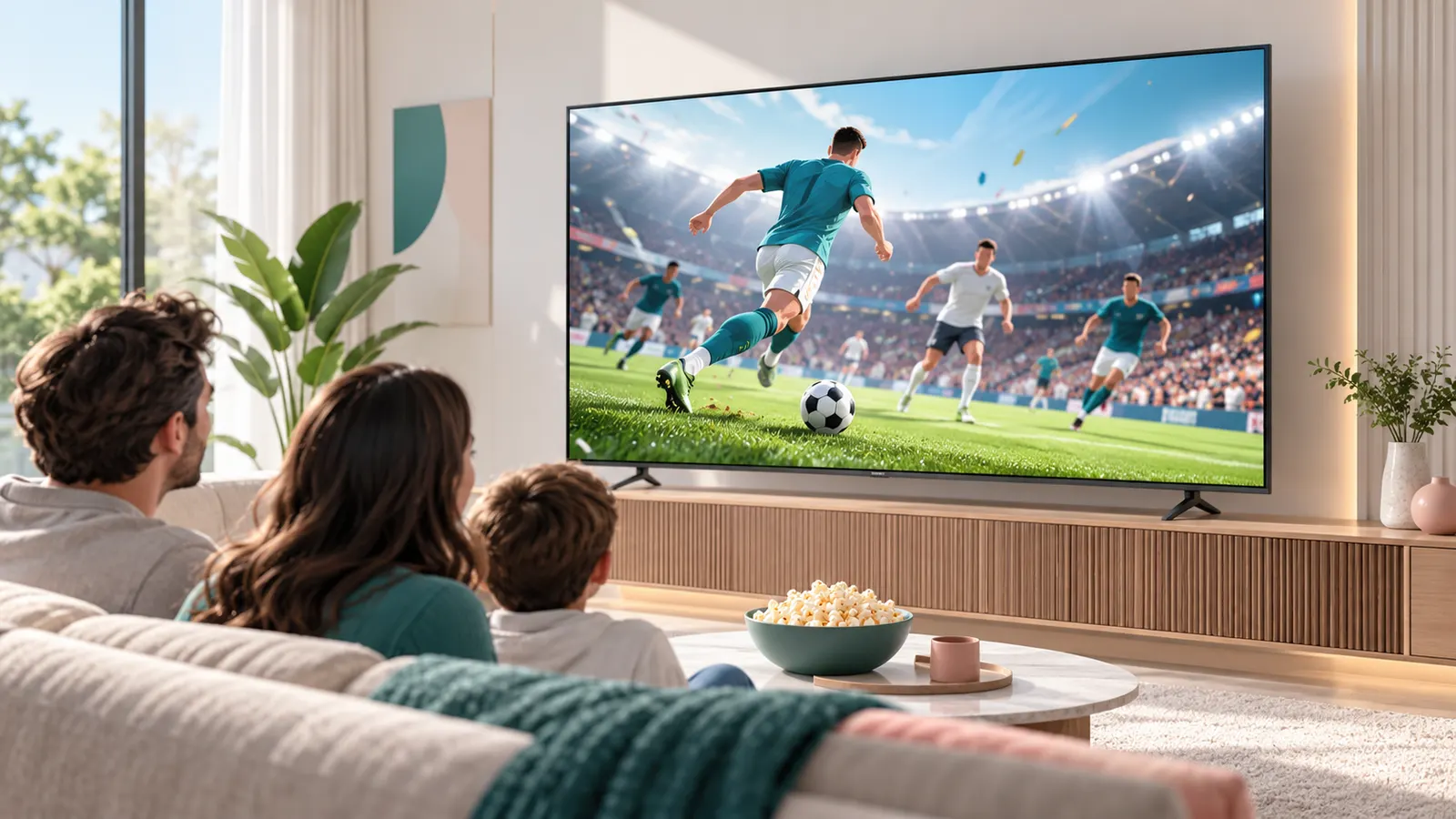
Sports are one of the hardest things for a TV to show well, because fast motion, bright stadium lighting and group viewing all test the panel. This guide covers the specs and settings that matter for game day and what not to overpay for.
This guide is based on product listings and general TV knowledge rather than our own testing. Specs and features vary by model and year, so confirm the details on the product page.
By the Reviewstook Editorial Team. Last updated: October 31, 2026.
Motion Handling and Refresh Rate
Fast pans and a flying ball show up blur and judder. A TV with a true 120Hz panel handles motion more cleanly than a 60Hz one, although most broadcasts are still 60 frames per second or lower. Check reviews for motion blur measurements, since specs such as “motion rate” are marketing numbers rather than the real panel speed.
In this guide
Brightness for Daytime Games
Day games and sunny living rooms need a bright TV. Mini LED and bright QLED sets cope better with daylight than most OLEDs, though OLED has outstanding contrast for night games. See bright room guide and OLED vs QLED vs Mini LED.
Viewing Angles for a Crowd
If people sit to the sides, pick a panel with good off-angle performance. OLED and IPS-type LCDs hold color from the side, while many VA panels lose contrast. Look at reviews that test side viewing.
Screen Size
A bigger screen helps you see players and the scoreboard. 65 inches and up suits most living rooms, and 75 to 85 inches suits large rooms with seating more than eight feet away. Use the TV size guide.
Motion Smoothing: Use With Care
Motion smoothing creates extra frames and can make live sports look smoother, but it can also create artifacts around the ball and a “soap opera” look. Many people prefer a sports mode with light smoothing, or leave it off. Try the setting during a live game and decide. See the picture settings guide.
Getting the Games
Local games often air on free channels, which you can get with an antenna. Streaming services need a good internet connection and a smart platform with the right apps. See smart platforms compared.
Sound for Game Day
Crowd noise and commentary benefit from a soundbar with a clear center channel. See the soundbar guide.
Quick Sports TV Checklist
- Fast panel and good motion handling in reviews.
- Enough brightness for daytime viewing.
- Wide viewing angles for a crowd.
- A size that fits your seating distance.
- A smart platform with the sports apps you use.
Inputs, Streaming Boxes and Cable TV Connections
Sports often arrive through more than one source, and the TV needs to handle all of them without constant cable swapping. Think about what you will connect: a cable or satellite box, a streaming stick or box, a game console, a soundbar and possibly an antenna. Count the HDMI ports on the listing and check which ones have special features. A port labelled for audio return lets the TV send sound to a soundbar through a single cable, and a port with higher bandwidth supports newer game console features.
It is also worth checking how quickly the TV switches between inputs and how it handles channel changes. On game day you might flip between a broadcast and a streaming game several times. A sluggish interface is annoying, and reviews often mention how responsive the menu is. Check that the remote is easy to use in a dim room, has dedicated buttons for the services you use and, ideally, offers voice search for finding games.
If you use a streaming box that supports multiple views or a multi-game screen, check that the TV supports it, though this feature depends more on the app than the hardware. Some TVs have a built-in sports hub that gathers scores and schedules. These can be useful, but they are also fed by the maker’s partners, so do not rely on them as your only source. Whatever setup you choose, make a list of every device and every service before you buy, and check that the TV’s apps and ports cover them. That list prevents surprises on the first big game.
Screen Surface, Glare and Room Lighting
Many sports are watched in daytime, in rooms with windows, or in rooms where the lights stay on for guests. The finish of the screen and the placement of the TV can make as much difference as brightness. A glossy screen gives deeper colors and sharper contrast in a dark room but reflects windows and lamps. A matte or anti-reflective screen finish reduces reflections, and it often performs better in a bright room, though some of the contrast can be reduced. The listing or reviews will usually describe the screen coating, and photos from reviewers in bright rooms are helpful.
Start with the room itself. Note where the windows are, where lamps reflect and where people sit. Place the TV on a wall that does not directly face a large window, if possible. Curtains, blinds or sheer shades can be a low-cost way to reduce glare during afternoon games. Lamps with adjustable shades or warm bulbs can be placed behind the viewing area rather than beside the screen.
- If your room is dark for night games, contrast and black levels matter more.
- If your room is sunny, prioritise peak brightness and an anti-glare finish.
- If you have both, consider a TV with strong brightness and good local dimming, and use picture modes for day and night.
Bias lighting, a soft light behind the TV, can reduce eye strain in a dark room without reflecting on the screen. If you place the TV on a stand, keep it at or slightly below eye level when seated. A mounted TV that is too high makes you tilt your head and may increase glare.
Picture Modes and Tuning for Live Sports
TV picture modes are presets that change brightness, contrast, color and motion processing. Showroom-style modes such as vivid make the picture look punchy but can oversaturate grass and jerseys. Standard or cinema modes tend to look more natural. Many TVs include a sports mode that increases brightness and motion smoothing. Try each one during a live game and judge for yourself, because what looks great on a store shelf may be tiring in your living room.
When tuning the picture, change one setting at a time. Begin by choosing a mode close to natural. Adjust backlight or brightness to match the room. Lower sharpening if white lines on the field look harsh or have halos. Adjust color so that grass looks like grass and team colors look right. Test motion settings by watching a fast pan or a ball in flight; if you see smearing, try a different setting. If the TV offers a game mode with reduced processing, remember that this disables some features, so use it for consoles and not for broadcasts unless you prefer the result.
Check if the TV can save different settings per input. That lets you keep one profile for a cable box and another for a console. Look for an ambient light sensor that adjusts brightness to the room, but turn it off if it keeps changing during a game. If you are not confident about adjusting settings, many reviews publish recommended settings for specific models, which can be a starting point. Write down your preferred settings so you can restore them after a software update or reset.
Mounting, Placement and Seating for a Crowd
A big game often means a crowd, and where people sit changes what matters. Measure the room and plan seating before you buy. The best seat is not at the sides. A TV on a stand in the center of a wall with seating in an arc allows everyone a reasonable view. If you have a long, narrow room, people far to the side may see reduced contrast on some panels, which is why viewing angles are worth checking in reviews.
Think about the height and the stand. A TV that sits too high makes seats at the front uncomfortable, and a TV that sits too low is blocked by people standing. A wall mount can free up floor space and allow tilting or swiveling toward the main seating area, but you must check that the wall can take the weight and that the mount supports the TV’s size and hole pattern. A full-motion mount is helpful in an open room, while a fixed mount suits a single seating zone. See the wall mount guide for details.
Also plan for cables, power and ventilation. Keep cables tidy to avoid trip hazards when people gather. Leave room around the TV for air flow. Place a soundbar or speakers where they will not block the screen or the remote sensor. If you plan outdoor viewing, such as on a covered patio, make sure the TV is designed for outdoor use, because indoor TVs are not made for weather, moisture or large temperature swings. Check the warranty terms and the manual for safe use.
Budget Tiers and What to Skip
You can build a good sports setup at several budget levels, and it helps to know where extra money gives a real return. At the lower end, you will find larger screens with simpler panels and fewer brightness and motion features. These can be perfectly watchable, especially in a dim room and for casual viewing. The trade-offs are usually narrower viewing angles, lower peak brightness and basic motion handling.
In the middle range, you often get better brightness, a faster panel, more dimming zones and better processing. This tier suits most households that watch sports regularly in a living room with some daylight. At the top end, you pay for peak brightness, refined local dimming and more advanced processing. That can be worthwhile if you watch in a very bright room or want the best contrast for night games, but the improvements can be modest compared with the extra cost.
- Spend on: screen size that suits your seating distance, brightness for your room, motion handling and a good smart platform.
- Be cautious about: inflated motion rate numbers, extreme refresh rate claims on a 60Hz broadcast, and gimmick modes.
- Skip if unnecessary: extra features that you will not use, such as built-in cameras or elaborate sound modes, if you plan to use a soundbar anyway.
Check the return window, as it gives you time to try the TV on a real game. Watch a fast sport, a bright daytime game and a night game before deciding. If you notice blur, glare or poor viewing angles that bother you, return it. Signs that an older TV needs replacing include a dim picture, uneven backlight, burn-in marks, slow apps and lost software updates.
A Sports Viewing Checklist Before You Buy
Sports put unusual demands on a television. Fast camera pans, bright stadium lights and a room full of friends all expose weak spots that a quiet movie night would hide. Work through this list before you commit to a model.
- Measure the wall or stand space, then check how far the main couch sits from the screen.
- Look at the panel’s refresh rate and the motion handling options in the settings menu.
- Think about the room’s light: a sunny living room needs a brighter panel than a basement den.
- Count how many people watch at once and where they sit, because wide viewing angles matter for crowds.
- Check the number of HDMI inputs for a console, a streaming box and a soundbar.
- Find out which apps the built-in system carries for the leagues and channels you follow.
- Decide whether you want to mount the set or keep it on a stand, and confirm the weight and mounting pattern.
Even one unchecked item can spoil game day, so spend a few minutes on the list before you click anything into a cart.
Mistakes Sports Fans Make When Buying
Many buyers focus on a single headline feature and overlook the rest. A few missteps come up again and again.
- Chasing size alone. A huge screen in a small room can make fast action tiring to follow, and the picture may look soft from up close.
- Trusting the box claims about motion. Marketing terms for motion smoothing vary by maker, so read the product listing for the actual refresh rate and look for a dedicated sports or game picture mode.
- Forgetting the sound. Thin built-in speakers flatten crowd noise and commentary. Set aside space and money for a soundbar or a receiver.
- Ignoring glare. A glossy panel opposite a window can reflect the sky right when the ball is in the air.
- Leaving the default picture mode on. Showroom modes are often too bright and too blue for home use. Switch to a sports, standard or filmmaker style and adjust from there.
Comparing Two Common Panel Choices
Most sports watchers end up weighing a brighter panel against a deeper-contrast panel. This table lays out the general trade-offs, not the specifics of any single set.
| Consideration | Bright LED-style panel | Deep-contrast panel |
|---|---|---|
| Daytime games | Usually handles glare better | May need curtains or a dimmer room |
| Night games | Good, with some halo around bright objects | Strong black levels and a cinema feel |
| Wide seating | Varies by panel type | Varies by panel type |
| Large sizes | Widely available | Fewer choices at the biggest sizes |
The right column for you depends on when you watch. If most games air in the afternoon with the blinds open, brightness is your friend. If you watch late evening matches with the lights low, contrast carries more weight.
Setting Up the Picture and Sound at Home
Once the set is on the wall, spend a short session in the menus. Turn off any energy-saving dimming that darkens the picture in bright scenes, and look for a sports mode that keeps the grass natural without flooding it with color. If the set offers motion smoothing, try low and medium levels and judge by eye, since some viewers like the clean look and others find it strange on live broadcasts.
For sound, place a soundbar directly under the screen and check that your cable box or streaming device is sending the audio format the bar supports. Always follow the maker’s mounting instructions for the wall bracket, and if you are unsure about the wall structure, hire a qualified installer.
Planning for Game Day Crowds
A set that looks fine for one viewer can disappoint when ten people crowd the room. Think about the seats at the far edges, since some panels lose contrast and color when viewed from the side. If your couch is wide or people stand along the back wall, look for a model known for wide viewing angles and judge it in a store from the corner of the room, not only from the center.
Also leave space for a stand or a soundbar shelf that does not block the screen, and keep cables tidy so a stray foot does not pull the set. Wall mounting in a busy room keeps the screen out of reach of flying cushions and excited elbows.

Ready to Buy? Start Here
If this guide helped you decide what to look for, these products are a place to start.

As an Amazon Associate we earn from qualifying purchases. Prices and availability are shown on Amazon.
Game Day: Setting Up for a Full Match
Sport exposes a TV differently from films, because the camera never stops moving and the eye follows one small object across a bright, uniform field. On setup day, prepare with the sport you actually watch rather than a film clip. A football or soccer broadcast tests motion and the evenness of the green; racing tests fast pans against detailed backgrounds; tennis tests the ball against a hard, bright court. If your main sport looks clean and stable, the settings are right for your viewing, whatever a film would say.
Prepare the room as you would for guests, because sports viewing is social viewing. Seats spread wider than for a film, which brings the viewing-angle discussion in this guide back into play: the friend on the end of the sofa lives with the angle for two hours. If one seat is noticeably worse, rotate the TV on its stand slightly toward the group or accept the best seat rotation at half time; small courtesies beat silent resentment across a season.
Two matches at once and second screens
Modern sports households rarely watch one thing. A second match runs on a tablet, scores arrive by phone, and some TVs offer split or multi-view features worth checking in your model’s menus before assuming you need extra equipment. Even without them, plan the second screen’s place: a tablet on the coffee table with its brightness down adds information without stealing the room’s attention, and keeping phones face down between checks is a social decision this guide will happily endorse.
Sports Settings, Settled Once
- Set the main sports input to the picture mode you calibrated for sport and leave it there; constant re-tuning between matches is how settings drift into extremes.
- Keep a modest motion setting for ball sports, then check a slow drama on the same input to be sure the compromise is livable, or use a separate input for films.
- Raise brightness for daytime matches, but set a second, calmer memory for evening games if your TV offers one, because floodlit night matches in a dark room can glare.
- Turn off any automatic eco dimming for match viewing; a long bright passage of play can fool sensors into dimming mid-match.
- Check that overscan or picture size is set to show the full broadcast frame, so score graphics at the edges are never cropped.
Broadcast quality varies by channel and competition more than viewers expect. The same TV can look superb on one match and ordinary on the next because the feed, not the set, changed. Before blaming the TV during a big event, check another channel or the streaming version of the same match; streaming feeds of major events are often produced to a higher standard than the broadcast one, and switching source is a legitimate picture upgrade on the day.
Sound for Sport: Crowd, Commentary and Clarity
Sports sound is a balance problem: the crowd provides the atmosphere and the commentator provides the information, and poor setups drown one in the other. A soundbar or TV with a clear voice or sports mode that lifts commentary without flattening the crowd transforms big matches, especially for older viewers and for late-night games watched at low volume. Test with a real broadcast rather than a film, because the mix is completely different.
For gatherings, volume spreads unevenly across a room full of people, and conversation adds its own noise floor. Placing a single soundbar near the TV still serves the room better than the TV’s speakers, and resisting the urge to keep raising the volume saves everyone’s ears by the second half. If your setup offers a dialogue level control separate from overall volume, it is the control to reach for on game day.
Outdoor and garage viewing, with limits
Big matches tempt people to carry the TV outside or into a garage. A normal indoor TV can do an occasional shaded, dry afternoon, but it is not built for weather, insects or temperature swings, and brightness that wins a living room loses against open sky. Treat outdoor sessions as occasional events with the TV brought back inside afterwards, keep it out of direct sun where heat builds fast behind the panel, and never leave an indoor set out overnight.
Across a Season: Small Habits
At the season’s start, run the checks once: confirm the sports channels and apps still sit where you left them after any platform updates, verify the motion and brightness settings survived software changes, and clean the screen, because a season of fingerprints shows worst on bright pitches. Then forget the settings and watch the sport. The best sports TV is the one you stop noticing, and reaching that state is the entire purpose of the choices in this guide.
The Sports Purchase, Decided
Everything in this guide converges on a short ritual for the sports buyer. Take your main sport and your main seat as the fixed points. Choose the size that fills that seat’s view for a full match without overwhelming the room’s other life. Prefer the panel and brightness that survive your room’s match-day light, and test motion with your own sport rather than a film. Give sound, and especially commentary clarity, a share of the budget from the start rather than the leftovers. Then set it up once, properly, with the discipline this guide describes, and spend the season watching sport instead of shopping.
The households that love their sports televisions share a trait that has nothing to do with specifications: they stopped adjusting. The settings were settled in the first fortnight, the seats were arranged once, the sound was balanced for commentary and crowd together, and after that the television vanished into the ritual of the match itself. That disappearance is the true product every section of this guide has been selling, and it is available at almost every tier of the market to the buyer who chooses for their sport, their room and their crowd rather than for the specification sheet.
Sport and the household calendar
A last practical thought: sports purchases have a calendar. Buying and setting up in the quiet weeks before a season or a tournament means the mistakes are made during ordinary matches and the system is invisible by the time the games matter. The same purchase made in a panic during the tournament’s first week will be installed in a hurry, judged at the worst possible moment and argued about at half time. If a big summer of sport is coming, let this guide’s checklist be finished in spring, and let the tournament be about the sport.
Sports Television, Sport by Sport
Football in its several codes is the benchmark because it combines everything: a fast small ball, a uniform green field that exposes panel unevenness, long bright passages and crowds in varied light. A television that shows football cleanly, the ball traceable in a long pass, the pitch one consistent green from end to end, the score graphic steady in its corner, will show almost any other sport well. This is why this guide keeps returning to football as the test, and why a buyer in a shop should ask for a match rather than a film when sport is the purchase’s purpose.
Motorsport asks different questions. The camera pans at speed against backgrounds full of detail, advertising boards, fences, crowds, and weaknesses in motion processing show as smearing and judder exactly where the eye is following the car. Racing also runs long, through changing light in outdoor events, so a set whose brightness and eco behaviour stay stable across a whole afternoon earns its keep. Tennis and golf, by contrast, are tests of stillness and colour: a small white or yellow ball against a hard bright court, long static framings, and commentary at conversational level, where panel uniformity and clear dialogue matter more than raw motion heroics.
Winter sports and athletics expose brightness and white handling, screens full of snow or stadium glare where an over-eager picture mode clips the detail out of the brightest areas and leaves the scene flat. American sports add the marathon dimension: several games back to back, studio shows between them, and a household grazing for hours, where comfort, sound clarity and a remote nobody has to think about decide the day as much as the panel does. The common thread is that each sport has its own examination, and the wise buyer sets the paper their own sport will sit.
The Second Sports Screen and the Big Occasion
Major tournaments rearrange houses. A second screen appears in the kitchen so the cook does not miss the match, a television migrates to a garden room, a projector is borrowed and returned. Plan the big occasion with the same discipline as a permanent setup: the second screen needs the match reliably more than it needs it beautifully, so a modest set with a solid tuner or a streaming stick that has been tested before the day beats an ambitious arrangement assembled during the anthems. Sound in two rooms needs a decision too, because two broadcasts a second apart produce an echo through doorways that drives households to distraction; pick one room as the sound room and mute or headphone the other.
After the tournament, the second screen needs a home and a job, which is why the flexible, modest television, the one that can be a bedroom set, a kitchen set or a spare-room set as the year demands, is the tournament purchase that keeps paying. This guide’s sports advice ends where its other advice ends: buy for the life the screen will actually lead across the whole year, let the big occasion borrow it, and resist the magnificent purchase that only makes sense for three weeks in four years.
Recording and catching up on sport
Not every match can be watched live, and sports recording has its own traps worth knowing. Broadcasts overrun, extra time happens, and a recorder set naively will cut off the ending that mattered; pad recordings generously for live events. Spoilers are the second trap, and the household that records the late match should agree its morning protocol, phones and radio included, because the television cannot protect you from the breakfast news. These are small disciplines, but they are the difference between recording as a convenience and recording as a recurring disappointment.
Planning the Room for a Crowd
Big matches bring more viewers than the room was designed for, and a little planning separates the legendary game day from the cramped one. Arrange the extra seating inside the screen’s good viewing angles rather than wherever chairs fit, even if that means moving furniture in a way that looks odd for the rest of the week; the match is the event, the week can adapt. Give the farthest seat a fair test before guests arrive, with the score graphic on screen, because the person who cannot read the score will spend the match asking it aloud. Keep a clear path to the kitchen that does not cross the screen’s front, and put the drinks where a celebration cannot reach the television.
Sound for a crowd is its own problem, since bodies absorb sound and conversation raises the floor the commentary must clear. The dialogue emphasis this guide recommends earns its keep precisely here, and a household that tests it during a quiet match will trust it during a loud one. Agree the volume’s custodian before kick-off, one remote, one hand, because a match refereed by four volume decisions is a match nobody hears properly. These are small host’s disciplines, and they are the difference between a sports television that performs on the day and one that merely attends it.
After the final whistle
When the crowd goes home, return the room with the same deliberateness: settings checked back to their everyday marks, the extra seating gone, the screen given its quick dust while the match is still being argued about. A sports setup that resets easily is one that will be set up gladly next time, and the rhythm of big occasions, prepared calmly and cleared kindly, is how a television becomes part of a household’s celebrations rather than a source of work around them.
Sport Across a Television’s Lifetime
A sports television will serve several eras of its owner’s life: the flatshare years of crowded sofas, the family years of daytime matches with children underfoot, the later years of two chairs and the volume set for clarity. The purchase that survives all three is the honest all-rounder this guide describes, sized for the room rather than the crowd, bright for the room’s real light, clear in dialogue at every volume. Buy for the room and the sport, and let the eras arrange themselves around a screen that was chosen, from the first, for the life it would actually lead.
Sport Across the Seasons: Light That Will Not Sit Still
A sports room’s light has seasons, and a setup tuned in one can quietly fail in another. The evening matches of winter are watched in a dark room where the television’s brightness should be calmed; the same fixture list in summer is watched in daylight that lasts past the final whistle, demanding everything the panel has. Households that notice the drift adjust twice a year as a ritual, at the season changes, checking the day and evening faces of their sports setup the way they check the heating. It takes ten minutes, and it prevents the slow dissatisfaction that owners misread as the television ageing when it is only the sun that has moved.
Tournament summers deserve their own note in the ritual, because they concentrate a year’s daytime viewing into a month. Before such a summer, run the big-occasion checks early: the second screen’s place, the crowd seating inside the angles, the sound balance for a full room, the recording padded for extra time. A household that does this in the quiet weeks watches the tournament; a household that does it during the first match watches the setup instead, and the difference is remembered for four years.
The Sports Buyer’s Pocket Checklist
Compress this guide into the card that goes to the shop. My sport, named, and a clip of it ready to test with. My distance, measured, and the size it nominates. My room’s match-day light, and the brightness and finish that answer it. My widest regular seat, and the angles it demands. My sound plan, with commentary clarity funded from the start. My motion setting, to be settled on my sport in the first fortnight and then left alone. Six lines, each earned in a section of this guide, and together they describe a purchase that cannot go far wrong, because every line is a fact about your life rather than a claim about a product.
After the purchase, the checklist’s second half runs itself: set up once, test with the real fixture list, adjust in the first fortnight only, photograph the settings, and then join the crowd in simply watching. The sports television’s destiny is to be forgotten in the roar of a goal and remembered only in the quiet satisfaction of a season well shown, and a buyer who has followed the card will get exactly that destiny.
Sport on the radio’s terms: when the picture is away
A sports household’s television also lives a double life with the radio and the phone, for the matches that happen during journeys, work and other people’s plans. The home setup can honour that life rather than compete with it: recordings padded and waiting for the travelling fan, the household’s spoiler discipline agreed, the second screen’s highlights ready for the debrief. The television at the centre of a sports household is not the only window on the game, and the setups that acknowledge the other windows, planning for the fan who missed it live, are the ones that serve the whole season rather than only the evenings everyone was home. Sport is a calendar before it is a picture, and the best sports rooms are run like fixtures lists: prepared, padded and impossible to spoil.
The away fixture and the second-hand set
Two footnotes complete the sports picture. The away fixture, watched in someone else’s room on someone else’s settings, teaches more about your own setup than a month of home viewing, because it shows you what you miss and what you are glad to return to; bring one lesson home each time and the setup improves by osmosis. And the second-hand sports set, bought for a spare room or a student house, should be judged by this guide’s card with the prices forgotten: distance, light, angles, dialogue. A used set that passes those four will show a season beautifully, whatever its year, and the badge on its bezel will matter to nobody by the second match.
Frequently Asked Questions
Is 120Hz needed for sports?
It helps motion clarity, but most broadcasts are not 120Hz. Good processing and a fast panel matter too.
Is OLED good for sports?
Yes for night games with great contrast, but it is less bright for sunny rooms.
Should I turn on motion smoothing?
Try it on a live game. Some people like it and others dislike the artifacts.
What size TV is best for football?
Larger than usual, such as 65 inches or more for a living room.
Does a matte screen help with daytime games?
Usually yes, because it reduces reflections from windows and lamps. Some matte or anti-reflective finishes slightly lower contrast, so check reviews that discuss both glare and black levels.
Should I use game mode for watching sports?
Game mode lowers delay but reduces some picture processing. For broadcast sports, a sports or standard mode is often better, but try both and see which one looks better to you.
How many HDMI ports do I need for a sports setup?
Count your devices: cable box, streaming device, console and soundbar. Choose a TV with at least one spare port, and check which port supports audio return for a soundbar.
Can I watch sports outdoors on a regular TV?
Not safely in most cases. Indoor TVs are not built for rain, humidity or big temperature changes. Look for a model made for outdoor use if you plan to watch on a patio.
Why does the grass look too bright or unnatural?
The picture mode may be set to vivid or the color setting too high. Switch to a more natural mode and reduce color and sharpness until the field looks right.
Is a soundbar needed for sports?
Not required, but TV speakers are often thin. A soundbar with clear dialogue makes commentary easier to follow, and a connection through an audio return port keeps wiring simple.
What size TV is too big for a room?
If you have to turn your head to follow the action or can see individual pixels, it is probably too large or you are too close. Measure the seating distance and compare it with the size guide.
Bottom Line
For sports, look for a fast panel, strong brightness, wide viewing angles and a big screen, and tune motion settings during a live game.
Related Reading
- Best 55-Inch TVs
- Best 65-Inch TVs
- OLED vs QLED vs Mini LED TVs
- Best TVs for Bright Rooms: Buying Guide
- What Size TV Should You Buy?
- All TV guides