Disclosure: As an Amazon Associate, reviewstook.com earns from qualifying purchases. Links to Amazon on this page are affiliate links; they cost you nothing extra.
8K TVs have four times the pixels of 4K, which sounds like an easy win. In practice the benefit is small for most people, and the cost and limits are real. This guide compares 4K and 8K on content, distance, price and features.
This guide is based on product listings and general TV knowledge rather than our own testing. Specs and features vary by model and year, so confirm the details on the product page.
By the Reviewstook Editorial Team. Last updated: October 31, 2026.
Pixel Counts
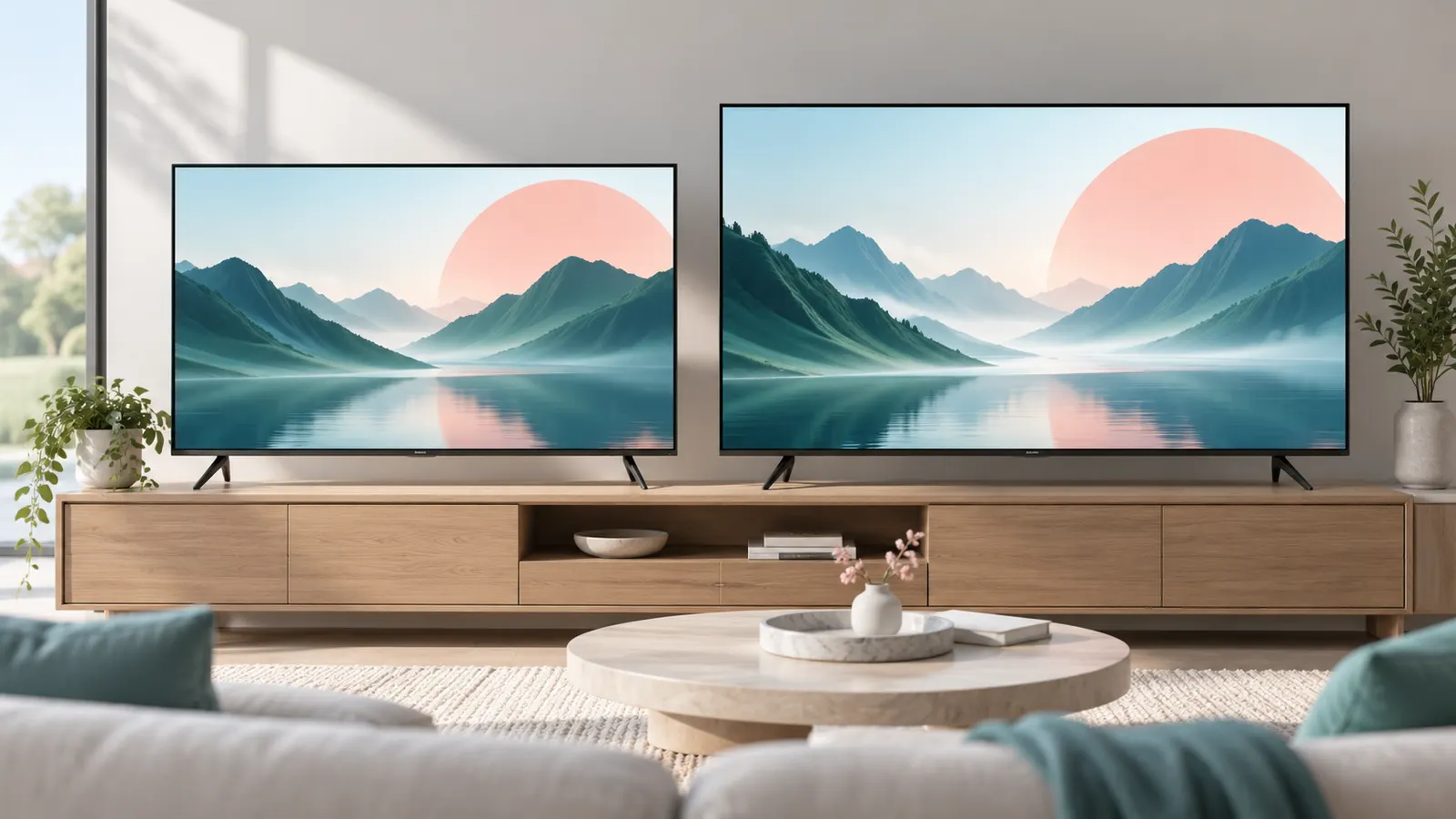
4K is 3840 x 2160, about 8.3 million pixels. 8K is 7680 x 4320, about 33 million pixels. The jump is big on paper, but whether you can see it depends on screen size and how far you sit.
In this guide
Content: The Biggest Limit
Almost all streaming, TV and games are in 4K or lower. There is very little native 8K content. An 8K TV upscales 4K and 1080p to fit its pixels, and the upscaling quality varies. Most of the time you are watching upscaled content.
Can You See the Difference?
At typical living room distances, the difference between 4K and 8K is hard to see, especially below 75 inches. 8K may show a little more detail on very large screens viewed from close, or with high-quality 8K sources. For most rooms, spending on panel quality and brightness gives a bigger improvement than extra pixels. See the size and distance chart.
Price and Features
8K TVs cost more than 4K sets of the same size and brand, and they may use more power. Some 4K sets with better panels (OLED, Mini LED) look better than cheaper 8K ones. Compare picture quality rather than resolution alone. See OLED vs QLED vs Mini LED.
HDMI and Gaming
8K needs HDMI 2.1 and enough bandwidth, and most consoles do not output 8K games. For gaming, a 4K 120Hz TV is a better target. See the gaming TV guide.
Who Might Want 8K
Buyers with very large screens, close seating or photography and video workflows may benefit. If you want to future-proof, a high-quality 4K TV is still the safer value.
Quick Decision Checklist
- Is your screen 75 inches or larger and viewed from close range?
- Do you have a real source of native 8K content?
- Does the 8K TV also have better contrast, brightness and HDMI 2.1 than a 4K set at the same price?
- Will you use the extra budget better on OLED or Mini LED panel quality?
If you answered no to most of these, a good 4K TV is the better value.
Matching Resolution to Seating Distance
The human eye can only resolve so much detail, and that limit shrinks as you move back from the screen. This is why resolution debates are really distance debates. A rough rule used by many display guides is that the sharper the panel, the closer you must sit to see any benefit, and at ordinary couch distances the extra pixels of an 8K set often fall below what your eyes can separate.
To check your own room, measure the distance from your eyes to the screen and the diagonal size you are considering. Then ask whether you would have to lean forward or sit unusually close to notice fine detail such as small text, hair strands or stitching on clothing. If you normally sit far enough back to take in the whole picture without moving your head, you are very likely in the zone where 4K already shows everything your eyes can use.
Seating closer makes 8K more plausible, but it also changes how comfortable viewing is. Sitting near a very large screen means you turn your head to follow the action, and any flaws in the picture, such as banding in dark scenes or motion artifacts, become easier to see. Before paying for more pixels, picture how you really watch: most households sit at a fixed spot on a sofa and rarely change it. Tape-measure the distance and compare it with the maker’s own size and distance guidance if one is published.
Also consider screen size relative to the room. A set that is too big for the wall or the seating position creates a different problem than resolution can fix. A well-sized 4K TV that fits your space will serve you better than an oversized panel chosen for its pixel count.
How Upscaling Works and Why It Matters More Than Pixels
Because nearly everything you watch is below 8K, an 8K TV spends most of its life converting lower resolution video to fit its panel. This process is called upscaling, and the quality of the processor doing it decides whether the picture looks clean or soft. A strong upscaler analyzes edges and textures and fills in missing detail sensibly. A weak one can leave edges looking smeared, add halos around objects or exaggerate noise in compressed streams.
The same logic applies to 4K sets. A 4K TV has to upscale 1080p cable, older discs and many streaming shows, and its processor is just as important. When comparing models, look for how the maker describes its picture processing, then read independent reviews that discuss how lower resolution content looks. Do not assume that a higher resolution label guarantees better handling of everyday video.
Compression is another factor people overlook. Streaming services compress video heavily to save bandwidth, so a 4K stream may contain less detail than a 4K disc. Adding more pixels to the display does not restore detail that compression removed. Your internet speed, the app you use and the settings on the TV all affect what reaches the screen.
- Test with content you actually watch, not only demo clips.
- Check how the picture looks on sports, older shows and dark movie scenes.
- Look at the TV in a store with the lights and source similar to your home if possible.
If the demo looks impressive only with special 8K material, remember that you will not be watching that material most days.
Panel Quality: Where the Budget Does More Good
Contrast, brightness, color and motion handling shape how a picture feels far more than raw pixel count. If you have a fixed amount to spend, putting it into panel quality usually gives a more visible improvement than moving up a resolution tier. Look at what the panel technology offers: deep blacks and per-pixel dimming on OLED, strong brightness and local dimming zones on Mini LED, or good color volume on QLED sets.
Think about the room first. In a bright living room, peak brightness and anti-glare treatment matter a lot, because reflections wash out dark scenes. In a dark room used for movies, black levels and contrast take priority. A TV that suits your lighting will look better every single day, while resolution differences rarely show up in normal viewing.
Other panel traits to compare include viewing angles, which matter if people sit off to the side, and refresh rate, which matters for sports and gaming. Check whether the set supports the HDR formats your streaming devices and discs use, since HDR support affects highlights and color noticeably. Check the product page or manual for these details rather than relying on the resolution headline.
When a 4K and an 8K model at similar prices are on your shortlist, the 8K one often has to give something up elsewhere, such as dimming zones or brightness. Ask which compromise you would rather live with. For most buyers, a better 4K panel wins.
Power Use, Heat and Long-Term Ownership
More pixels mean more work for the electronics, and large, bright panels can draw noticeable power. Energy use varies widely by model, brightness setting and content, so do not assume figures; check the energy label or manual and compare similar sizes. Running a TV in a lower-brightness mode, using automatic brightness and turning off unneeded features can reduce consumption without hurting everyday viewing.
Think about the useful life of the set as well. Most buyers keep a TV for many years, and the smart platform is often the first part to feel dated. Check how long the maker supports app and software updates, and whether the platform runs smoothly. Since an external streaming device can replace a slow built-in system, the quality of the panel matters more for long-term satisfaction than the software.
The idea of future-proofing deserves a sober look. Buying 8K today in the hope that content will arrive later assumes both that broadcasters and streaming services adopt it and that you will want it. Standards and connection requirements also evolve, so a set purchased early may not match what becomes common. A high quality 4K TV that handles the formats in use today is a safer bet, and any later upgrade can be timed to when you actually need it.
Finally, consider installation. Large panels are heavy and fragile, so plan the mounting or stand, doorway width and a second person to help with setup before delivery day.
Questions to Ask Before You Pay for 8K
A few direct questions can save you from an expensive mistake. Answer them honestly and let the answers, not marketing, guide the decision.
- What will I watch most? If it is streaming, broadcast and games, the content is 4K or lower.
- How far do I sit? Measure it rather than guessing.
- What is the room like? Bright rooms favor brightness; dark rooms favor contrast.
- Which ports does it have? Check how many HDMI inputs support the higher bandwidth modes, and whether the one you need for a soundbar or console is among them.
- What does the return policy say? A generous return window lets you compare at home.
Also watch out for common mistakes. Do not judge a TV by a showroom demo set to its brightest mode, since stores use settings that rarely suit a home. Do not ignore the cost of the supporting gear, such as HDMI cables rated for your use, a soundbar and a mount. And do not let a spec sheet substitute for reading about real-world picture quality from independent reviewers.
If after this you still want 8K, because you sit close to a very large screen or work with high resolution images, that is a reasonable choice. Just make it deliberately, with the limits in mind. For everyone else, a well-chosen 4K model is the sensible starting point.
A Plain-Language Glossary for TV Shoppers
Television listings pile on abbreviations, and it is easy to feel lost. This short glossary explains the terms that come up most when comparing 4K and 8K models.
- Resolution: the number of pixels on the screen, written as width by height. More pixels means finer detail, up to what your eyes can resolve.
- Native resolution: the true pixel count of the panel itself, as opposed to what the TV accepts as an input signal.
- Upscaling: the TV processor stretching a lower resolution picture to fit the panel, adding estimated detail.
- Refresh rate: how many times per second the picture updates, shown in hertz. Higher numbers help with motion.
- Bitrate: the amount of data used per second of video. Higher bitrates keep more detail, especially in streaming.
- Local dimming: backlight zones that brighten or darken independently to improve contrast.
- HDMI bandwidth: how much data a port and cable can carry, which limits resolution and frame rate combinations.
When a listing mentions a term you cannot place, check the maker’s specification sheet. The same label can mean different things from one product line to another, so rely on the documented details rather than the marketing summary.
A Decision Table by Room and Viewing Habit
Resolution is only one of several factors, and the right choice depends on how the TV will be used. The table below pairs common situations with the features that tend to matter most.
| Situation | What matters most | Is 8K likely to help? |
|---|---|---|
| Bedroom or small den | Screen size that fits the wall, good dark-room contrast | Rarely, since you sit close to a modest screen but content is mostly 4K or lower |
| Family living room with streaming | Brightness, motion handling, easy apps | Not usually, because most streaming is 4K at most |
| Dedicated movie room | Contrast, black levels, screen size | Only if the screen is very large and you sit close |
| Gaming setup | Refresh rate, input lag, HDMI features | Seldom, as games and consoles target lower resolutions |
| Shop display or photo viewing | Sharpness of still images | Possibly, if you supply your own high resolution content |
If most of your viewing is broadcast, streaming and standard discs, a high quality 4K panel gives you the picture you can actually feed it.
Mistakes to Sidestep When Comparing Resolutions
People often focus on the pixel count and overlook the details that shape what they see every day. Watch for these common slips.
- Assuming a bigger number always means a better picture. Panel quality, contrast and processing matter just as much.
- Ignoring the source. A sharp panel cannot add detail that the signal never contained.
- Skipping the ports. Check which HDMI inputs support the features your devices need.
- Forgetting the room. Sunlight and reflections can spoil a good picture.
- Judging in a bright shop. Showroom settings are often tuned to look vivid under bright lights.
- Overlooking the sound. Slim TVs often have modest built-in speakers.
Take a moment to write down how you actually watch, then match the television to that. A well-chosen 4K model with excellent contrast often looks better in a living room than a higher resolution panel with weaker fundamentals.
Future-Proofing Without Overbuying
It is tempting to buy the most advanced technology on the shelf to avoid replacing it soon. In practice, content catches up slowly, and a TV is more likely to be replaced because of a smart platform that stops receiving updates than because the resolution is out of date. Look at how the maker describes software support and what ports the TV offers.
A sensible approach is to spend on the features you will use now, such as a good panel, enough brightness and up-to-date HDMI inputs. That gives you a strong foundation, and if higher resolution content becomes common, you can upgrade when the benefits are clear. Keep the manual and the maker’s support page handy, since those sources describe firmware updates and any features unlocked later.
Cables, Ports and Settings Worth Checking
A TV only shows its best picture when the rest of the chain keeps up. Even an excellent panel can disappoint if the cable, port or menu setting is limiting it.
- Use the HDMI port that the TV labels for your highest quality device, since not every port supports the same features.
- Choose cables certified for the bandwidth you need and replace old ones if a signal drops out or flickers.
- Look in the picture menu for modes such as cinema, movie or filmmaker, which tend to be more accurate than vivid modes.
- Turn off extra processing, like heavy motion smoothing, if it makes films look unnatural.
- Make sure streaming apps and external devices are set to output the best resolution your connection allows.
These checks cost little and often improve the picture more than a jump in pixel count. If something still looks off, the TV manual and the maker’s support page explain how to reset picture settings and update the software.
Tests You Can Do With Your Own Eyes
The resolution debate is usually settled with charts, but your living room offers better evidence. If you visit a shop, ask to see the same content on a 4K and an 8K set of the same size, from your real viewing distance rather than from a foot away where every demonstration is staged. Most viewers who do this honestly discover that at their distance the difference shrinks to something they have to hunt for, while differences in brightness, contrast and colour between the two sets announce themselves immediately. That observation is worth more than any pixel count, because it tells you where your money is visible.
At home, your current 4K set can run a version of the same test. Play a well-made 4K film and pause on a detailed scene, then move a chair closer until the picture’s structure just begins to show. That distance is your personal threshold. If it is well inside your normal seating distance, a higher-resolution screen has something real to offer you in the future; if you have to sit uncomfortably close, resolution is not the limit on your enjoyment, and your next upgrade should spend on the panel qualities you can see from the sofa.
Upscaling, judged fairly
Most of what any TV shows is lower resolution than the panel, so upscaling is the feature you use every hour while native resolution is the one you use occasionally. Judge upscaling on ordinary content: a broadcast drama, an older film, a streamed series in standard high definition. Good processing keeps faces natural and edges clean without inventing a plastic sharpness. An 8K set must upscale almost everything it shows, which is why its processor matters more than its pixel count, and why a strong 4K set can look better on tonight’s viewing than a weaker 8K one.
The Ecosystem Around 8K, Honestly
A resolution needs an ecosystem: cameras, broadcasts, discs, streams and games that supply it. For 8K that ecosystem remains thin, with content scattered across a few streaming clips, some games upscaled rather than native, and little in the way of regular programming. Ecosystems can grow, and early adopters accept thin years as the price of being first, but a buyer should make that choice knowingly. The question to ask is not whether 8K content will ever be common, but whether it will be common during the years you own this particular TV, because that is the only window in which it can reward you.
- Count the sources you own today that could feed an 8K screen natively; for most households the honest number is zero or one.
- Check whether your favourite streaming services offer anything in 8K at all, rather than assuming the badge on the TV implies a library.
- Consider file and bandwidth realities: higher resolution streams demand more from your broadband and your data allowance.
- Remember that a TV bought today will be replaced on its own schedule; future-proofing beyond one replacement cycle rarely pays.
Where the Same Money Works Harder
The clearest way to decide is to price the alternative. The difference between a good 4K set and an 8K set at the same size typically buys, in 4K form, a better panel with stronger brightness and contrast, or the same panel in a larger size, or the TV plus a soundbar that transforms every programme rather than a few. Each of those alternatives improves everything you watch, every night. That is the honest comparison 8K has to win, and for most households at normal distances it does not win it yet.
There are exceptions, and this guide names them rather than hiding them. Very large screens viewed closely, dedicated rooms where the front row sits near the screen, and viewers who use the TV for detailed work such as photography at close range can all reach the point where resolution becomes the visible limit. If that describes your room, you already know it from the chair test above, and an 8K set is a rational purchase rather than a badge purchase.
The second-hand and hand-me-down angle
One more practical thought: today’s premium 4K set becomes tomorrow’s excellent second TV in a bedroom or study, where it will serve for years. Buying the best 4K set you can afford keeps that future open with a screen you will still enjoy. Resolution one-upmanship ages faster than picture quality, and the households that buy well are the ones whose old TVs remain worth moving to another room instead of worth apologising for.
The Verdict, With the Reasoning Attached
Buy 4K for the content that exists, the distances you sit at and the panel quality your budget reaches; revisit 8K when the content you love arrives in it or when your room changes to a size and distance where your own eyes ask for more. That is not a verdict against progress. It is the same advice this guide gives about every feature: pay for what your room and your viewing can use today, and let the future’s features arrive at future prices, which have a reliable habit of being lower.
The Lesson of Earlier Format Jumps
Television has made this jump before, and the history is instructive rather than merely nostalgic. When high definition replaced standard definition, the change was visible from across the room on ordinary programmes, because the starting point was low enough that every viewer could see the step. When 4K followed, the step was real but required a bigger screen or a closer seat to appreciate, and it succeeded because the content ecosystem, streaming first and discs alongside, arrived quickly and the sets became affordable while the content was still arriving. Each generation’s step has been smaller to the eye and more dependent on circumstances than the last, which is not an argument against progress but a description of where resolution now sits: near the point where the eye, at domestic distances, stops being the bottleneck.
The other lesson of those jumps is about timing. Early buyers of each format paid the most for the least content and were rewarded mainly with the pleasure of being early, while buyers a few years later paid less for sets that were better in every way and arrived to a library that already existed. There is no dishonour in being an early buyer who knows that is the bargain; the mistake is being an early buyer who believes they are being practical. This guide’s advice on 8K is simply that history applied honestly: the practical purchase today is the excellent 4K set, and the early purchase is available to those who want it for its own sake.
What would change this guide’s answer
Advice should state its own expiry conditions. This guide’s answer changes if several things happen together: if the streaming services households actually subscribe to begin offering their major releases in 8K as a standard tier rather than a curiosity, if broadcast sport adopts it for the events people gather around, and if the price gap between a strong 8K set and an equivalent 4K set narrows to the point where the panel quality is no longer the sacrifice. Any one of those alone is not enough, because the purchase needs content, value and visible benefit at the same time, and at the time of writing they have not yet arrived together.
Buying the 4K Set With Confidence
Since the verdict lands on 4K for most households, the useful question becomes how to buy the best version of that decision. Spend the resolution savings in the order this guide’s other chapters teach: the right size for your distance, because you will see size every minute; the panel that suits your room’s light, because you will see that in every scene; the sound the room needs, because you will hear it in every programme; and the platform your household can drive, because you will touch it every day. A 4K set chosen that way is not a compromise awaiting an 8K future; it is the finished article for the content that exists.
Keep the receipt-era habits too: the box through the return window, the settings photographed, the warranty registered. And when the 8K conversation returns in a few years, as it will, run the same chair test this guide describes, from your own seat, with your own eyes, on the content you actually watch. The answer may be different then, and it will be trustworthy for the same reason it is trustworthy now: because it was measured in your room rather than borrowed from a headline.
A note for photographers and creators
One audience should read this guide’s verdict with an asterisk. People who make high-resolution photographs and films have content of their own that can fill an 8K screen today, and a large set used to review that work at close range is a tool, not a television purchase. If that is you, judge the set as you would a monitor: colour behaviour, uniformity and the accuracy of its most honest picture mode matter alongside resolution, and the purchase can be right for you years before it is right for the viewing public.
The Shop Demonstration, Decoded
The 8K demonstration in a shop is a piece of theatre with a script worth knowing. The viewer is stood close, closer than any sofa, in front of content made or chosen to reward closeness: slow pans over detailed landscapes, faces in perfect light, nothing that moves like a broadcast or streams like a Tuesday night. At that distance the extra resolution is genuinely visible, because the demonstration has recreated the one set of conditions, very close viewing of pristine content, where it matters. The buyer’s defence is not cynicism but choreography: step back to your own distance, ask for ordinary content, and watch the advantage shrink to its true domestic size.
None of this makes the shop useless. The same visit can test everything this guide says matters more: the panel’s behaviour in a dark scene, the viewing angles from your widest seat, the platform in your hand, the remote’s sanity, the sound at the volume your room will use. A shop visit spent on those questions is research; a shop visit spent inside the demonstration is advertising. Buyers who know the difference leave with the right television, and it is usually the one standing quietly beside the one the demonstration was built around.
The resolution question for the next decade
Resolution will keep climbing in catalogues long after it stops climbing in importance, because numbers are easy to sell and rooms are hard to argue with. The durable skill this guide hopes to leave is the habit of translating every specification into your room’s terms: your distance, your light, your content, your seats. A buyer with that habit is immune to each generation’s headline and equipped for each generation’s real improvements, which tend to arrive quietly, in brightness, in processing, in efficiency, wearing the resolution badge as a disguise. Buy the improvements, in whatever order your room ranks them, and the badges will look after themselves.
8K and Gaming: The Special Case Examined
Gaming is where the 8K conversation gets its second wind, because games are rendered rather than filmed and a powerful PC or a future console could, in principle, feed a screen resolutions no broadcaster will touch for years. The principle deserves its fair hearing. A player with a high-end PC, sitting close to a large screen, playing titles that support the resolution natively or through high-quality upscaling, is one of the few viewers alive who can use what an 8K panel offers today, and for that player the purchase can be rational in the same way the photographer’s is.
For the console household, the arithmetic is colder. The current machines aim their power at 4K output and high frame rates, and a television’s job is to receive that signal beautifully, with the gaming features this site’s gaming guide details, rather than to multiply its pixels. Spending the console household’s money on refresh, response and panel quality buys performance in every game tonight; spending it on resolution buys a capability the console cannot feed. The special case is real, and it is special precisely because so few households live in it. Know which household yours is, by the machine under the television rather than by aspiration, and the 8K question answers itself one final time.
Resolution and resale, briefly
A word on the second-hand market, where resolution badges do curious things. An outgoing 8K set can look like a bargain beside a new 4K one, and sometimes it is, if its panel, brightness and processing are genuinely of the higher tier and your room’s distance is short. Judge it as this guide judges everything, by the panel’s qualities in your light and the content you actually have, and let the badge be a footnote. A bargain is a good television cheaply, not a large number cheaply, and the distinction has saved more buyers than any other sentence in this guide.
The Decision as a Worksheet
Reduce the whole question to the worksheet this guide has been building. How far is your main seat, honestly measured. What is the largest screen that seat and that room make sensible. How much of your viewing exists in 8K today, counted from your own subscriptions and shelves rather than from hope. What would the same money buy in a 4K set, in panel quality, in size, in sound. And what does your own chair test, performed at your distance on ordinary content, tell your own eyes. Five answers, all of them yours, none of them borrowable from a headline. For the great majority of households those answers assemble themselves into the 4K purchase with money left working elsewhere in the system; for the few whose distances are short, screens enormous and content their own, they assemble into an 8K purchase made with open eyes.
Either way, the worksheet’s virtue is that it survives the marketing cycle. Run it again in five years and the answers may differ, because content and prices move, and that is as it should be: the method is permanent precisely because its conclusions are not. Buy the answer your worksheet gives today, keep the worksheet, and let the future argue with your measurements rather than with your regrets.
What to Watch Instead of the Resolution Race
While the resolution race runs its course, the improvements that will actually change your evenings are arriving elsewhere, and a wise buyer watches those. Panels keep gaining brightness with better manners, holding highlights without bleaching faces. Processing keeps learning to upscale ordinary broadcasts with restraint instead of enthusiasm. Efficiency improves, so large screens ask less of the electricity bill and the room’s heat. Platforms, slowly, are learning to be quieter. Each of these will be visible from your sofa on the programmes you already watch, which is more than the next resolution step can promise, and each will arrive attached to 4K sets at ordinary prices while the badge above them argues about numbers.
So the guide’s final counsel is a redirection of attention rather than a refusal of progress. Follow the improvements your room can see, buy them when your television’s turn comes, and let the pixel count be whatever it happens to be on the set that wins on those terms. Households that buy this way end up with televisions that delight them nightly and a curious immunity to buyer’s remorse, because their purchase was never a bet on the future. It was a fit for the present, and the present, in television as in most things, is where the viewing happens.
Putting It to the Household Vote
Television purchases in shared homes are small democracies, and the resolution question benefits from being voted on with evidence rather than argued from brochures. Show the household the chair test: the same content, at the real distance, on the best 4K set you can borrow or visit, and ask the only question that matters, which is whether anyone in the room feels a lack that more pixels would cure. In most living rooms the vote is not close, and the money released goes, by the same vote, to the size, the sound and the seating that everyone can feel. Democracies occasionally vote for the flagship anyway, for the pleasure of it, and that is a legitimate outcome too, provided the vote was taken with the evidence on the table. What this guide opposes is not the 8K purchase but the unexamined one, and an examined household, whichever way it votes, will not regret the result.
What 4K still owes you: a checklist for the money saved
Spend the resolution savings deliberately, or they evaporate into the general budget and the 4K decision gets no credit for them. The checklist is short: the size your distance nominated, funded fully rather than trimmed; the soundbar the room’s dialogue needed, bought with the television rather than promised for later; the mount or stand that puts the screen at the seats’ eye level; and the streaming tier that feeds the set the best version of what you watch. Four items, each visible or audible every evening. When a household can point to those and say the 8K badge bought them, the format debate is over in the only court that matters, which is the sofa, at nine o’clock, with the programme starting.
Frequently Asked Questions
Is 8K worth it in 2026?
For most people no. Content is limited and the visible gain is small.
Does an 8K TV make 4K look better?
Good upscaling can help a little, but quality varies by model.
Do I need 8K for a 75-inch TV?
No. 4K is enough for most seating distances.
Will 8K content become common?
Possibly, but 4K remains the standard for streaming and games.
Is a 4K TV still good enough for movies?
Yes. Most movies and shows are mastered and streamed in 4K or lower, so a good 4K TV shows them as intended. Panel quality, HDR and contrast matter more than extra resolution.
What size makes 8K more noticeable?
Very large screens viewed from close range are where extra resolution has the best chance to show. In typical living rooms with moderate screens, the difference is hard to notice.
Do 8K TVs need special HDMI cables?
Higher bandwidth modes need cables rated for them, and the TV input must support the mode too. Check the TV manual and the cable packaging rather than assuming any cable works.
Should I buy 8K to future-proof my setup?
It is hard to justify unless you have a specific use for it. Streaming and game content is still mostly 4K, and a quality 4K TV will remain useful for years.
Does a better processor matter more than resolution?
For everyday viewing it often does. Because most content is below the panel's native resolution, upscaling, motion handling and HDR processing shape what you see.
How do I compare 4K and 8K in a store?
Ask to view the same familiar content on both, at a normal distance, with settings reset to something close to home use. Ignore demo loops tuned to flatter one model.
Will an 8K TV cost more to run?
It can use more power depending on size, brightness and settings. Compare the energy information for the specific models you are considering.
Bottom Line
Buy a high-quality 4K TV with strong contrast and brightness and skip 8K unless you have a very large screen and a clear need.
Related Reading
- Best 65-Inch TVs
- What Size TV Should You Buy?
- OLED vs QLED vs Mini LED TVs
- Gaming TV Buying Guide
- HDR on TVs Explained
- TV Buying Guide
- All TV guides