Disclosure: As an Amazon Associate, reviewstook.com earns from qualifying purchases. Links to Amazon on this page are affiliate links; they cost you nothing extra.
A TV antenna gives you free local channels, often in better picture quality than cable because the signal is less compressed. Results depend more on your location than on the antenna label. This guide explains how to choose and place an antenna and avoid the claims that are not realistic.
This guide is based on product listings and general TV knowledge rather than our own testing. Specs and features vary by model and year, so confirm the details on the product page.
By the Reviewstook Editorial Team. Last updated: October 31, 2026.
What an Antenna Gets You
An antenna picks up over-the-air broadcasts from nearby towers, which in the US include major networks and many local and sub-channels. Almost all modern TVs include a digital tuner for this. You need no subscription for these channels.
In this guide
Check Your Location First
The key factors are distance to the broadcast towers, the direction of the towers and obstacles such as hills, buildings and trees. Use a reception map tool, such as the FCC or other free signal map sites, to see which stations are available at your address and which direction they are in.
Indoor vs Outdoor
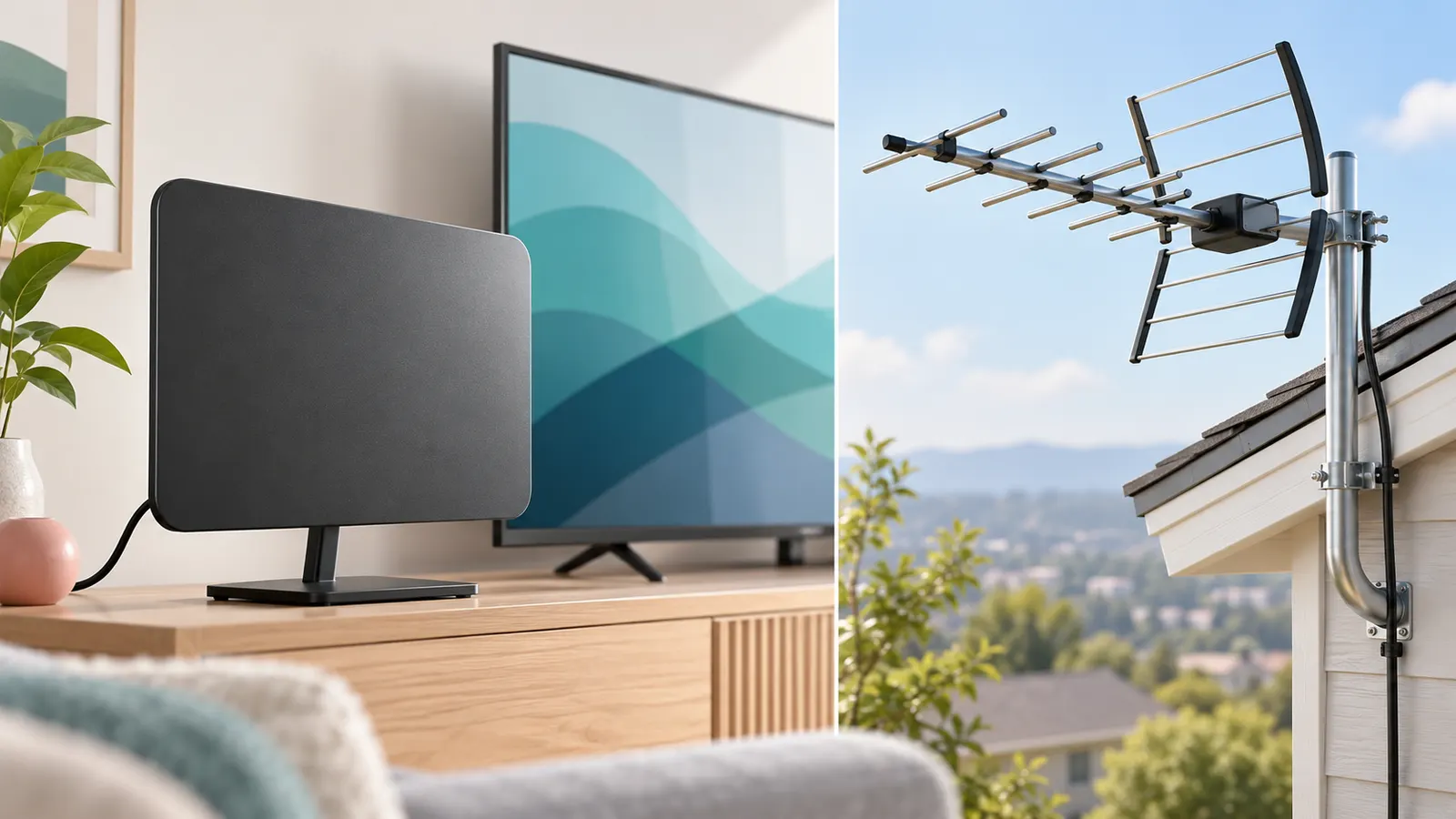
Indoor antennas are cheap and easy and suit homes within a moderate distance of the towers. Outdoor and attic antennas are bigger and receive weaker signals, and they help in rural areas or when towers are in different directions. Attic installs avoid weather but lose some signal through the roof.
Amplified or Not
An amplifier (preamp) boosts the signal but also boosts noise. It can help with a long cable run or several TVs, but it can overload the tuner when you are close to a tower. Try without it first. Be skeptical of long range claims such as “150 miles”, since real range depends on terrain and tower power.
VHF, UHF and ATSC 3.0
Most US channels are on UHF, and some are on VHF, so check which your local stations use. ATSC 3.0 (also called NextGen TV) is a newer broadcast standard in some markets, and you need a compatible tuner to receive it. A normal antenna can receive both, but the TV tuner decides what you can watch.
Placement and Setup Tips
- Put the antenna as high as possible and near a window facing the towers.
- Keep it away from metal, electronics and thick walls.
- Use short, good-quality coax cable.
- Run a channel scan after every move and try a few spots.
- Rescan every few months, since stations change channels.
Troubleshooting
If channels break up, move the antenna, try a different window, remove the amplifier or add one, or change the cable. Weather and sunspots can also affect reception. Try both ends of the cable to be sure it is firmly connected.
Quick Antenna Checklist
- Checked a signal map for your address.
- Confirmed your TV has a digital tuner, or ATSC 3.0 if you want NextGen TV.
- Planned a high spot near a window facing the towers.
- Ran a channel scan and rescanned later.
Cables, Connectors and Signal Loss
The antenna gets the headlines, but the cable between it and the TV can make or break reception. Every extra length of coaxial cable, every splitter and every poor connector weakens the signal slightly. For a short run from an indoor antenna to a nearby TV, loss is minor. For a long run from an attic or roof to a TV in another room, it can be considerable, and the loss tends to be bigger at higher frequencies.
Use the shortest cable that reaches comfortably, and choose a good quality coaxial type that is designed for TV signals. Thin flat or very cheap cables can be easier to route, but they may offer less shielding. Check the connectors. A threaded connector that is screwed on firmly gives a better connection than a push-on type. Make sure the center wire is straight and clean, and do not over-tighten.
- Splitters: each output divides the signal, so use as few as possible, and use one rated for the frequencies you need.
- Outdoor connections: use weather-sealed connectors and drip loops so that water does not run along the cable into the house.
- Grounding: outdoor antennas and masts should be installed and grounded in line with local safety rules. If you are unsure, hire a qualified installer.
- Power lines: keep the antenna and mast well away from overhead power lines when installing.
If you have existing coaxial outlets in the walls from an old cable or satellite service, test them before using them. Some may be disconnected, damaged or part of a system with splitters or filters that block over-the-air signals. A loose connector inside a wall plate can explain poor reception that no antenna change will cure. When reception is poor, try connecting the antenna directly to the TV with a short cable to rule out wiring problems.
Multipath, Interference and Why Channels Break Up
Digital TV signals either work or they do not. When the signal is borderline, you get pixelation, freezing or dropouts rather than a gradually snowy picture. Two main culprits are weak signal and multipath. Multipath happens when the signal arrives at your antenna by several routes, directly from the tower and bounced off buildings, hills or tall trees, so the copies arrive at slightly different times and confuse the tuner. In cities with many tall structures, moving the antenna a few inches can change reception noticeably.
Interference is another factor. Strong signals from nearby cell towers, radios, LED lights, power supplies, routers and some electronics can interfere with TV signals. Some antennas and amplifiers have filters to reduce cell signals, but a filter must be designed for your situation. Look at the product page to see what is stated, and avoid assuming that every antenna includes filtering. If picture problems occur when you turn on a particular device or a light, try turning it off to test.
Weather and seasons play a role. Heavy rain, snow and trees with leaves can reduce signal strength, particularly for stations with weaker transmission. Atmospheric conditions can occasionally cause stations to become stronger or weaker. If channels are good on some days and bad on others, the signal is likely marginal, and improving height, aim or reducing cable loss may help. A signal strength meter in your TV’s menu, if present, helps while adjusting. Move the antenna in small steps, rescan after each and give the TV a moment to update the readings.
Aiming and Fine-Tuning Directional Antennas
Antennas differ in how they receive signals from different directions. An omnidirectional antenna accepts signals from many directions but is generally less sensitive in any one direction. A directional antenna favors a narrower beam and can pull in weaker stations from that direction, but it must be pointed correctly. In a market where all stations come from one direction, a directional antenna can be a good choice. In a market where stations are in different directions, an omnidirectional or a rotatable setup may be easier.
Aiming is a matter of patience. First, use a signal map to identify the direction and distance of the towers. Point the antenna toward the center of that direction, then rescan the channels. Make a small adjustment of a few degrees, rescan and compare how many channels you receive and how strong they are. Some TVs show signal quality for each channel, so note the values for your key stations. If some channels come from a different direction, choose a position that balances them or consider a second antenna.
Height and clear line of sight improve reception for most installations. An antenna in an attic, on a mast or on a roof generally performs better than one on the floor behind furniture. Windows facing the towers often work better than interior walls. Metal screens, foil-backed insulation, and low-emissivity window coatings can reduce signal. If you live in an apartment, try the window, a balcony rail or a high shelf. Keep a notebook of positions and results so that you can return to the best one.
Whole-Home Setups and Multiple TVs
Many households want over-the-air channels on more than one TV. One option is a splitter, which divides the signal among several outputs, but each split reduces signal strength. A two-way splitter typically cuts the signal for each output noticeably, and a four-way more so. If the signal is strong, this may be fine. If it is marginal, the extra loss may cause dropouts. A distribution amplifier designed for multiple outputs can compensate, but it must be used carefully to avoid overloading the tuner.
Another route is a network tuner, which receives the signal and sends it over your home network to phones, tablets and TVs. This avoids running coaxial cable to every room and can allow viewing on devices without tuners. Check what the product page says about channels, recording and the apps it supports, and whether it needs a subscription for the guide data. Network streaming relies on a stable network, so wired Ethernet or a good Wi-Fi link is preferable.
A third option is to attach a recorder with a tuner and storage to record shows, then stream them around the home. Check how the guide works, whether it needs a service plan and how many channels it can record at once. If you only need one TV, keep it simple and avoid extra equipment. If you plan several TVs, count the outputs you need, check the cable runs and consider installing a single high-quality antenna rather than many small ones. Whichever plan you choose, run a channel scan on each TV, because tuners differ in sensitivity.
After Setup: Maintenance and When to Upgrade
Over-the-air reception is not set and forget. Stations change frequency, add sub-channels, move to new towers or change power, and when that happens your TV may not find them until you rescan. Make a habit of rescanning every few months or when a favorite channel disappears. Some TVs offer an automatic update option, but it may only add channels, not remove old ones, so a manual rescan after clearing the list can be more reliable.
Inspect the installation now and then. Check outdoor connectors for corrosion, cables for cracks or chewing, and mast mounts after storms. Dust and cobwebs on indoor antennas are not usually a problem, but moving furniture or adding electronics near the antenna can change reception. If channels drop out at certain times, think about what else is running, such as a microwave, a router, or a charger. A different position or a ferrite choke on a nearby cable may help.
Signs it is time to upgrade include losing stations that used to come in, constant breakup despite adjustments, damage to the antenna or cable, or a change in your needs, such as moving to a new house or adding TVs. When upgrading, use your experience. If signal strength was marginal, increase height or move to a directional model. If you had overload problems, remove the amplifier. If you want more channels, check what additional stations are available in a map tool. Confirm any claims about range with the actual distance to your towers. Keep your old equipment as a spare for testing before you replace anything.
A Short Glossary of Antenna Terms
Antenna packaging is full of jargon. These plain definitions make the box and the listing easier to read.
- Over the air: free broadcast TV signals picked up by an antenna, as opposed to cable or streaming.
- Gain: how strongly an antenna favors signals from a certain direction, often given in decibels.
- Directional: an antenna that works best when pointed toward the broadcast towers.
- Omnidirectional: an antenna that picks up signals from many directions with less aiming.
- Channel scan: the TV function that searches for available broadcast channels.
- Coax: the round cable with a threaded connector that carries the signal to the TV.
- Splitter: a small device that sends one signal to more than one TV.
Range numbers on boxes are best viewed as marketing guides. Real reception depends on your distance from towers, terrain, buildings and what is between you and the signal.
Decision Guide by Situation
| Where you live | Likely approach |
|---|---|
| City apartment close to towers | Try a simple indoor antenna near a window |
| Suburban house, moderate distance | Test an indoor model high on a wall, or consider an attic or outdoor model |
| Rural home, long distance | Outdoor or roof-mounted directional antenna, possibly with a mast |
| Hilly or wooded area | Careful aiming and patience, as terrain blocks signals |
| Multiple TVs | Plan the cable run and use a quality splitter or distribution method |
Use an official signal map tool from a trusted source, such as a government or broadcaster coverage tool, to see which channels reach your address and in which direction the towers lie.
Common Mistakes When Setting Up an Antenna
Most reception problems come from a few simple errors. People often place the antenna low or deep inside a room, behind metal or large appliances, then conclude that the product does not work. Higher and nearer to a window usually helps. Another mistake is forgetting to run a fresh channel scan after moving the antenna. Each position can produce a different set of channels, and the TV only knows about what it found on the last scan.
Others include using a long, thin or damaged coax cable, stacking too many splitters, and leaving a power inserter or amplifier connected in the wrong order. Read the instructions that come with each piece, and change one thing at a time so you can tell which change helped.
Roof, Attic and Mast Work: When to Call a Professional
Installing an antenna outdoors involves ladders, roofs, power lines and sometimes electrical grounding. Those are real hazards. If you plan to mount an antenna on a roof or a tall mast, hire a qualified installer or follow the maker instructions and local building codes carefully, including advice on grounding and distance from power lines. Never work near overhead lines yourself.
Even attic installs call for care: watch for weak flooring, insulation and wiring. If the idea of any of this makes you uneasy, a licensed installer can often complete the job quickly, and they bring a signal meter to find the best aim.
A Simple Setup Routine to Keep on Hand
- Check your local coverage map and note the direction of towers.
- Place the antenna as high as practical and near a window facing the towers.
- Connect the cable firmly, and avoid sharp bends.
- Run a full channel scan on the TV.
- Write down the channels found.
- Move the antenna a short distance, rescan and compare.
Seasonal and Daily Reception Changes
Signals are not constant. Leaves on trees can weaken reception in summer, weather can bend signals, and broadcasters sometimes adjust power or move channels. If your picture breaks up on certain days, do not assume the antenna has failed. Rescan the channels, check the cable connections and note the time of day. Keeping a short log helps you see whether the problem repeats under the same conditions.
Nearby electronics can also interfere. Routers, LED lights, chargers and some appliances create noise that affects weak signals. Moving the antenna a short distance away from these devices sometimes clears the picture. If problems persist, local broadcasters and antenna installers can often explain whether changes in the area are involved.


Ready to Buy? Start Here
If this guide helped you decide what to look for, these products are a place to start.


As an Amazon Associate we earn from qualifying purchases. Prices and availability are shown on Amazon.
Understanding Your Reception Before You Spend
Antenna buying goes wrong when people shop for the antenna before understanding their location. The transmitters serving your home, the terrain between you and them, and the building you live in decide what is possible; the antenna only collects what arrives. Two homes a street apart can need completely different solutions if one sits in a dip or behind a large building. This is why the location check earlier in this guide comes first, and why a neighbour’s perfect indoor antenna tells you almost nothing about your own roofline and walls.
Distance figures printed on packaging deserve scepticism. A range claim assumes favourable conditions that your street may not offer, and it says nothing about which direction the signals come from. What matters is whether the transmitters you need sit in one direction or several, because that decides between a directional antenna aimed carefully and a design that gathers from a wider spread. One strong transmitter in one direction is the easiest situation in antenna work; weak signals from three directions is the hardest, and no single product makes it simple.
Signals through the seasons
Reception is not fixed. Leaves on trees between you and the transmitter, heavy rain, and even summer atmospheric conditions can change which channels hold and which break up. If your setup works in winter and falters in May, the trees are a likelier explanation than a failing antenna. Height helps more than amplification in these cases, because raising the antenna clears obstacles rather than shouting louder about a blocked signal.
Installation Details That Decide Success
- Point first, fix second: hold the antenna in position and run a channel scan before drilling or fixing anything permanently.
- Keep coaxial cable runs as short and direct as the building allows, and avoid sharp bends that damage the cable’s core.
- Use one continuous cable where you can; every join and splitter takes a share of the signal.
- Weatherproof outdoor connections with the boots or tape the maker supplies, because water in a connector degrades reception slowly and confusingly.
- Earth and mount outdoor antennas to the standard your local rules require, especially on tall masts, and treat lightning safety as non-negotiable.
For attic installations, remember that roofing materials matter. A modern roof with foil-backed insulation or metal elements can block more signal than the height gains you, which is why some attic antennas disappoint while a smaller one outdoors succeeds. Test in the attic before committing to cable runs, and keep the antenna away from metal ducting and water tanks, which distort the signal in ways that look like random channel loss.
Feeding Several TVs and Recording
One good antenna can serve the whole house, but splitting the signal divides it. Each split costs strength, so a house that splits to four rooms may need an amplified distribution setup where a single TV needed nothing. Plan the split count honestly, including the recorder or tuner box, and put any amplifier where the signal is strongest, close to the antenna, rather than at the far end where it can only amplify a weakened signal and its noise together.
Recording from an antenna is one of its quiet pleasures: a tuner with storage, or a TV with recording to a USB drive where supported, turns free broadcasts into a personal library without a subscription. Check the recording features of your equipment before assuming, and remember that some TVs record only the channel being watched. Households that record heavily often end up with a dedicated tuner box, which also solves the problem of a second programme clashing with the first.
When an antenna is not the answer
Honesty completes this guide. If your location check shows the main transmitters blocked by terrain with no usable signal, or your building’s rules forbid any effective placement, streaming the same channels over the internet may serve you better than an escalating fight with physics. Many households use both: an antenna for the main channels and live events, streaming for everything else. The antenna’s value is that it is free after purchase and immune to broadband outages, which is reason enough to keep one even in a streaming-first home.
Looking After the Installation
Outdoor antennas live hard lives. Once a year, look at the fixings, check the cable for cracking where it bends, and confirm the aim has not drifted in storms. Indoor antennas need less: an occasional rescan as broadcasters reorganise their channel line-ups, which happens more often than most viewers realise and is the first fix to try when a familiar channel vanishes. Keep a note of the date and direction of your best setup; when reception changes, that note turns guesswork into a comparison.
Antennas and the Next Broadcast Changes
Broadcast television is not standing still, and antenna buyers reasonably ask whether today’s installation will survive tomorrow’s standards. The reassuring truth is that the antenna itself is the most future-proof part of the system: it collects radio waves, and while broadcast standards evolve in the tuners and televisions that decode them, a well-sited antenna pointed at your transmitters remains a well-sited antenna. What changes over time is the receiving equipment, and it changes on the television’s replacement cycle rather than the antenna’s. Buy the antenna your location needs today, install it properly once, and expect it to serve several generations of televisions, which is more than can be said for any other component in the house.
Channel line-ups, meanwhile, shuffle more often than standards do. Broadcasters reorganise, new channels arrive in the space old ones leave, and a television that is never rescanned slowly loses touch with what its own antenna could give it. Make the rescan a household habit, twice a year or whenever a familiar channel vanishes, and keep the note of your best direction and setup with the manuals. The antenna household’s whole maintenance burden is that note, that rescan and an annual glance at the fixings, which is a light price for television that arrives free, in high quality, whatever the broadband is doing.
The antenna as part of a mixed household
Most antenna homes are mixed homes, and the mixture is the mature form of modern viewing: broadcast for live events, news and the shared national moments, streaming for series and films, recordings for everything that clashes. Set the television’s home screen and the household’s habits to honour that mixture rather than hiding the broadcast side in a menu’s basement, and the antenna will be used daily instead of being rediscovered during internet outages. Infrastructure that is used is infrastructure that is maintained, and the antenna that is watched is the antenna that gets rescanned.
Three Households, Three Antenna Answers
A flat in a city, a few miles from a main transmitter, is the indoor antenna’s home ground. A modest set-top aerial near a window, aimed with a little patience and rescanned once in its final position, will usually deliver the full channel line-up, and the household’s money is better spent on nothing at all. The mistakes in this setting are all of excess: an amplified antenna cranked up until it overloads the tuner with a strong signal, producing break-up that looks exactly like weakness and sends the owner shopping for ever larger aerials to fix a problem of too much. If a city picture breaks up, try less amplification and a plainer position before trying more of anything.
A house in a suburb between two transmitters is the interesting case. One direction offers the full service from a main transmitter at moderate strength; another offers a nearer relay with fewer channels but a stronger signal. The right answer depends on what the household watches: the main transmitter’s full line-up usually wins for variety, aimed carefully with a directional antenna on the roof or in the loft, while the relay tempts with its reliability. This is the household that benefits most from the location check at this guide’s start, and from testing both directions before fixing anything, because the difference between the two answers is an evening of scanning rather than a guess.
A rural home in a valley, many miles from any transmitter, is where honesty earns its keep. An outdoor antenna, high and well aimed, with a masthead amplifier fitted correctly, may deliver a solid service, and for many such homes it does, becoming the backbone of their viewing for decades. But if the survey says the signal is not there, the escalating purchase of larger aerials and stronger amplifiers cannot manufacture it, and the household’s money belongs in a satellite or internet-based route instead. The guide’s loyalty is to the household’s evenings, not to the antenna, and knowing when the antenna is not the answer is part of antenna expertise.
Antenna Viewing as a Way of Watching
Households that return to antenna viewing after years of subscriptions often remark on the change of rhythm as much as the saving. Broadcast has a schedule, and the schedule becomes a gentle structure: the news at its hour, the film on Saturday, the series everyone watches on the night it airs or records deliberately. Recording restores the flexibility, and a household that pairs an antenna with a recorder owns the best of both arrangements, live television for events and news, a personal library for everything else, and no monthly bill for the privilege.
There is also a resilience argument that streaming cannot match. The antenna does not care about broadband outages, router failures or a provider’s dispute with a channel owner; in storms and emergencies, when the internet is at its most fragile, broadcast television is at its most valuable. Keeping an antenna connected to at least one television in the house is cheap insurance for information, and it costs nothing to maintain beyond the occasional rescan this guide recommends. For many households that alone justifies the modest installation, even if streaming does most of the week’s entertaining.
Teaching the household the new old system
When an antenna arrives in a streaming-shaped home, give it a fair introduction. Put the broadcast channels where people will find them, set the guide up, show the household how recording works, and resist judging the experiment in the first week, when every remote fumble is charged to the antenna’s account. By the second week the habits form, the savings become visible, and the antenna settles into the background of the home’s viewing, which is where good infrastructure belongs.
The Antenna Year: Costs, Habits and Quiet Benefits
Run the antenna’s accounts over a full year and its character emerges. The purchase and any installation sit at the start; after that the costs are a rescan’s ten minutes twice a year, a glance at the fixings, and electricity measured in coins. Against that stand the subscription months not paid, the live events watched without a buffer wheel, and the evenings the broadband failed while the antenna carried the news regardless. Households rarely make the switch for the arithmetic alone, but the arithmetic, once made, has a way of converting the rest of the street, because it is one of the few household technologies whose running cost genuinely rounds to nothing.
The habits are equally light and worth naming as a set. Rescan when channels shuffle or vanish. Note the date of any change in reception before touching the hardware, because patterns explain more than wrenches do. Keep the amplifier, if you have one, powered and undisturbed, since more antenna faults trace to an unplugged amplifier in a cupboard than to any failure in the sky. And teach the household where the antenna’s channels live on the television, so the system is used by everyone rather than curated by one enthusiast. An antenna that only one person understands is a hobby; an antenna the whole house uses is infrastructure.
The antenna in an emergency, once more with feeling
It is unfashionable to plan for the bad day, and the antenna is the unfashionable hero of it. When storms take the broadband, when a provider’s network fails on the night of a national event, when the household simply needs the news and the internet is a rumour, the antenna’s signal arrives by a road nothing else uses. Keeping that road open costs the habits above and nothing else. For many households that resilience, once experienced, settles the antenna’s place permanently, whatever else their viewing becomes, and a guide concerned with evenings rather than specifications is right to end its case there.
The Antenna Decision, Closed
Check the location, respect the physics, buy the antenna the transmitters require rather than the one the packaging praises, install it with the patience this guide describes, and maintain it with two habits a year. Do that and the antenna becomes what it has been for generations of households: the quietest, cheapest, most reliable way of filling a screen with the nation’s television, waiting patiently in the roof while the louder technologies argue below.
The Antenna’s First Weekend: A Practical Plan
Give the antenna one proper weekend rather than a snatched hour, and it will serve for a decade. On the first morning, run the location check and the scans from the likely positions, indoors or in the loft, with the antenna unfixed and the results noted honestly against the channels the household actually watches. Spend the afternoon on the winning position’s installation, cables routed with the care this guide describes, fixings done once and done properly. In the evening, watch real programmes from every seat, set the favourites and the guide, and show the household where its channels now live.
On the second day, do the quiet tasks: rescan once in the final position to be sure, test the second television or the recorder if the household has them, write the note of direction, date and setup, and put the packaging and spare cable away where they can be found. Then declare the experiment open for a fortnight of normal viewing before any verdict, because reception has weather in it and households have habits to form. Most antennas judged that way are never thought about again, which is the highest verdict infrastructure can earn, and the few that disappoint will have disappointed with evidence, making the next step, a different position, a different antenna, a different technology, a decision rather than a guess.
Antenna Myths, Retired for Good
Close with the myths, because they cost households more than any transmitter’s distance. The first says a bigger antenna is a better antenna; in truth the right antenna is the one matched to your transmitters’ direction and strength, and an oversized aerial in a strong-signal area creates the overload problems this guide describes. The second says amplification fixes weakness; amplification fixes distribution losses and long cable runs, while a weak signal at the aerial is a position and direction problem that an amplifier can only make louder, noise included. The third says indoor antennas are toys; near a transmitter they are the entire correct solution, and their failures farther away are geography, not build quality. The fourth says the aerial point is dead in a streaming age; the households with the news on during a broadband outage are the standing refutation.
Believe the survey, the scan and your own roofline instead. Antenna work is one of the last corners of home technology where the physics is stable, the equipment is honest and the running cost is zero, and a household that approaches it with this guide’s order, location, direction, position, then product, will be rewarded with the rarest outcome in modern electronics: a system that, once installed, simply works, for years, in silence, asking almost nothing.
The antenna and the rented home
Renters deserve their own paragraph, because the antenna is unusually kind to them. An indoor antenna near a window involves no landlord, no drilling and no trace on departure, and in the towns and cities where most renting happens, transmitters are usually close enough for it to work handsomely. Where it does not, the renter’s escalation stays permission-free for a long way: a better position, a window in another room, an antenna in the loft space if access allows. The household that may move next year should buy the antenna as portable infrastructure, keeping its box and its cable coiled with it, so the next home’s first evening has television before the broadband engineer has even been booked. Few technologies reward the unsettled so reliably.
Renters also teach the rest of us something worth keeping: an antenna setup that can move is an antenna setup that gets tested. Because nothing is fixed, the renter tries the second window, the higher shelf, the other wall, and often finds reception the settled homeowner, drilling once in a hurry, never discovers. Wherever you live, borrow the renter’s patience for the first weekend, and fix nothing until the scans have had their say in every position the room allows.
Take that patience as the guide’s parting gift. The antenna rewards the household that surveys before it spends and tests before it fixes, and it punishes, gently and in broken-up pictures, the household that reverses the order. Survey, test, then buy once: a motto that would serve every guide on this site, and one the humble aerial has been teaching since long before the streaming era arrived to learn it again.
Frequently Asked Questions
Do I need a special antenna for 4K?
No. Antennas are not 4K or HD rated. The picture depends on the broadcast.
Why do I get fewer channels on some TVs?
TV tuner quality varies, and location and antenna matter more.
Can one antenna feed several TVs?
Yes with a splitter, but each split weakens the signal, so you may need an amplifier.
Is an indoor antenna enough?
In many cities yes. Check your signal map and try before investing in an outdoor antenna.
Does the length of coaxial cable matter?
Yes. Longer cables lose more signal, especially at higher frequencies. Use the shortest practical run of good quality coaxial cable and avoid unnecessary splitters.
What is multipath interference?
It occurs when the same signal reaches the antenna by several paths, such as directly and by bouncing off buildings. This can cause pixelation. Moving the antenna slightly often helps.
Why do channels disappear for a few days at a time?
Weather, seasonal changes in trees, station maintenance or temporary power changes can all affect weaker stations. If it keeps happening, increase antenna height or improve the aim.
Can I put a TV antenna in an attic?
Yes, and it is a common option because it is high and protected from weather. Some signal is lost through roofing materials, and metal or foil insulation can block it, so test before fixing it in place.
Should I use a signal filter?
A filter can help if strong cell or radio signals interfere with reception, but it must match the signals involved. Read the product page for what the filter covers and try without one first.
Can I watch over-the-air channels on a phone or tablet?
Yes, with a network tuner or a device that has a tuner. Check the supported apps and whether you need a subscription for guide data.
How often should I rescan channels?
Every few months, or whenever a channel goes missing. Stations change frequencies and add channels, and a rescan updates your list.
Bottom Line
Check your signal map, choose an indoor antenna in cities and an outdoor or attic one in rural areas, place it high near a window and rescan channels often.