Disclosure: As an Amazon Associate, reviewstook.com earns from qualifying purchases. Links to Amazon on this page are affiliate links; they cost you nothing extra.
OLED, QLED and Mini LED are the labels you see most on TVs, and they describe different ways of making light. This guide compares them on contrast, brightness, viewing angles, burn-in risk and price so you can match the panel to your room.
This guide is based on product listings and general TV knowledge rather than our own testing. Specs and features vary by model and year, so confirm the details on the product page.
By the Reviewstook Editorial Team. Last updated: October 31, 2026.
How Each Panel Works
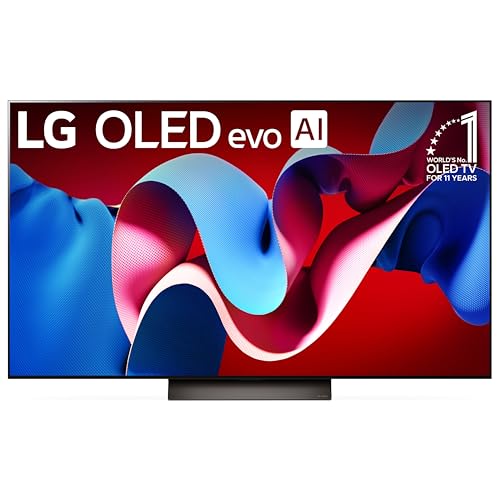
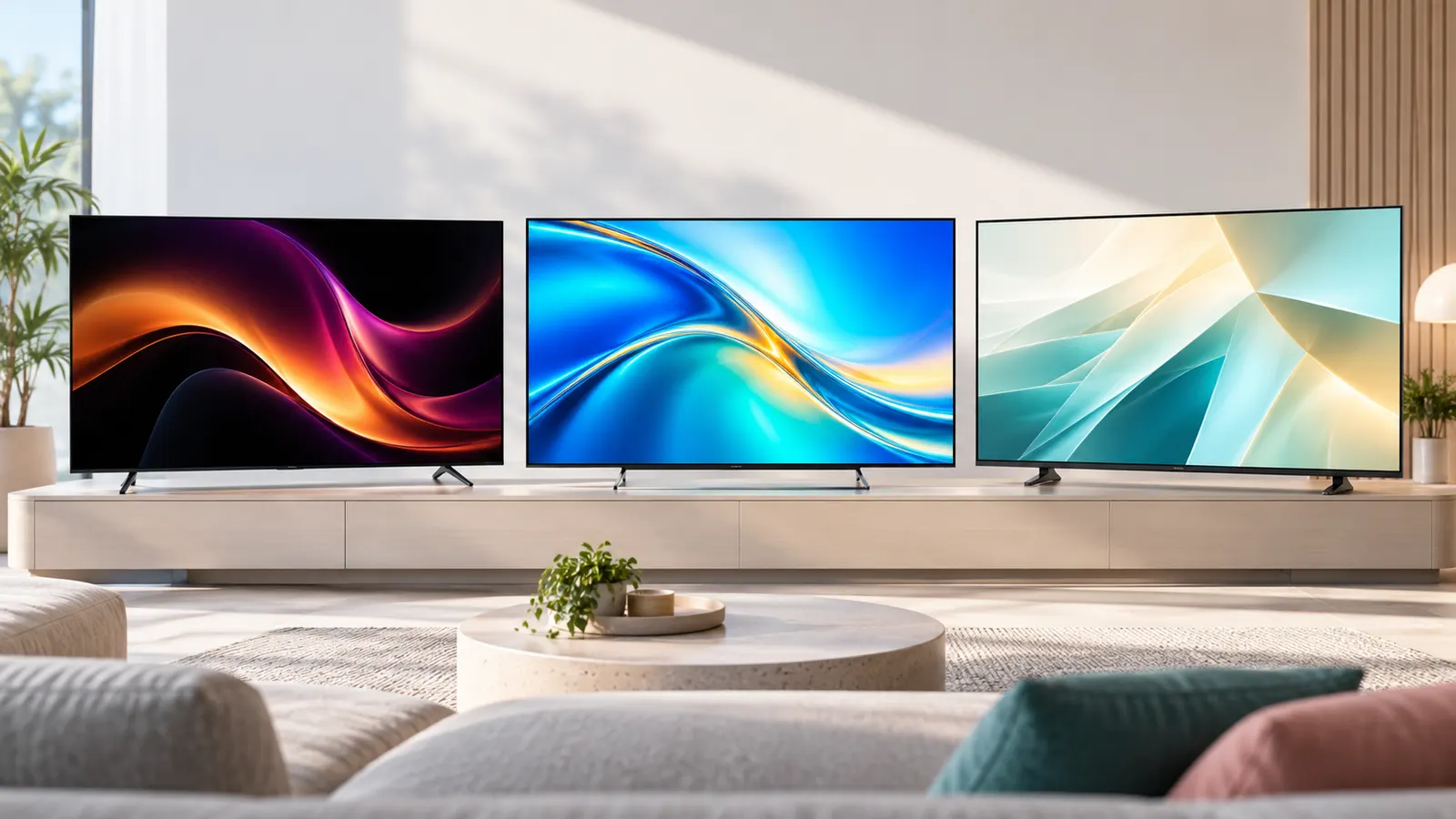
OLED TVs have pixels that make their own light, so a black pixel can switch off completely. QLED is a marketing name for an LED-backlit LCD TV with a quantum dot layer that improves color and brightness. Mini LED is a backlight upgrade that uses many small LEDs grouped into dimming zones, usually on a QLED-style LCD panel.
In this guide
Contrast and Black Levels
OLED has the best contrast because each pixel can turn fully off, which makes dark scenes look rich. Mini LED sets with many dimming zones can look very good, but bright objects on a dark background may show a halo, often called blooming. Basic LED sets with few zones have the weakest blacks.
Brightness and Bright Rooms
Mini LED and QLED sets generally reach higher peak brightness, which helps in sunny rooms and with HDR highlights. OLED has improved, but it is still usually dimmer on large bright scenes. If your room has big windows, brightness matters more than perfect blacks. See our bright room guide.
Viewing Angles
OLED keeps color and contrast when you watch from the side. Many LCD-based QLED and Mini LED sets use VA panels, which can lose contrast off-axis, though some use IPS panels with wider angles. If people sit at the sides of a wide room, check reviews for off-angle performance.
Burn-In and Longevity
OLED panels can show permanent image retention if the same static image, such as a channel logo or a game HUD, is displayed for very long periods. Modern OLED TVs use pixel shifting and care routines, and normal mixed viewing rarely causes problems, but heavy static use, such as a TV used as a desktop monitor, carries more risk. LED-based panels do not burn in the same way.
Price and Sizes
OLED TVs usually cost more at the same size, and the price gap has narrowed. Mini LED and QLED sets are available in more sizes, including very large ones, at lower prices. Basic LED sets remain the cheapest option for secondary rooms.
Which Should You Buy?
- Dark living room or home theater: OLED for contrast.
- Bright room: Mini LED or bright QLED.
- Gaming: either works if it offers HDMI 2.1, VRR and 120Hz. See the gaming TV guide.
- Tight budget or bedroom: a basic LED or QLED set.
Common Mistakes When Choosing a Panel
- Choosing OLED for a room with large sunny windows and no light control.
- Assuming QLED means better than OLED. It is a different technology, not a higher tier.
- Ignoring local dimming zones on Mini LED, which affect blooming.
- Paying extra for brightness you cannot use in a dim room.
Read independent reviews for the exact model, because quality varies a lot between lines within the same brand.
Room Lighting and Seating Check
Before comparing panels, look at the room the TV will live in. The same set can look excellent in one room and disappointing in another, and lighting is the biggest reason. Note how many windows the room has, which direction they face, and whether you can close curtains or blinds during the hours you usually watch. A room you use mostly in the evening with lamps behind you is a very different case from a living room that is bright all afternoon.
Reflections matter as much as raw brightness. A glossy screen can act like a mirror when a window or lamp sits opposite it. Some sets have anti-reflective coatings and others do not, so check the product listing and independent reviews for how the specific model handles glare. If a reflection is unavoidable, moving the TV or the light source can help more than paying for a different panel type.
Seating also changes the answer. If everyone sits directly in front of the screen, viewing angles are a minor concern. If a sofa runs along the side of the room or people watch from a dining area, off-axis picture quality becomes more important. Measure the distance from the seats to the screen too, because that helps you pick a size that suits the room rather than the biggest one that fits.
- List the times of day you actually watch and how bright the room is then.
- Check where windows and lamps sit relative to the screen.
- Note the widest angle from which someone will regularly watch.
- Measure the viewing distance before choosing a size.
HDR and Picture Processing
HDR, or high dynamic range, is where the differences between these panels show up most clearly, and it is also where marketing gets confusing. An HDR logo on the box tells you the TV can accept an HDR signal. It does not tell you how well the panel displays it. A bright Mini LED set can make highlights such as sunlight on water or a lamp in a dark scene stand out strongly, while an OLED set can show those highlights next to truly black areas. Both can look impressive, in different ways.
Several HDR formats exist, and a TV may support some but not others. Check the product page for the formats listed and make sure they match the streaming apps, discs or consoles you use. Do not assume that a longer list of supported formats means a better picture; it mainly affects compatibility.
Processing also shapes what you see. Upscaling takes lower-resolution content, such as older shows or cable channels, and stretches it to fit the screen. Good processing keeps it clean, and weaker processing can look soft or noisy. Because this varies by model and brand line, independent reviews of the exact set are more useful than a general rule about panel type. If much of what you watch is not 4K, pay attention to how reviewers describe the handling of lower-quality sources.
Motion Handling and Gaming Features
Motion is another area where the panel type is only part of the story. Refresh rate, response time and the way the TV processes movement all affect how sports and games look. A 120Hz panel can show smoother motion than a 60Hz one, but only if the content or console sends enough frames. Check the listing for the native refresh rate, because some sets advertise higher numbers using processing tricks.
For gaming, look at the ports as well as the panel. HDMI 2.1 support, variable refresh rate and an automatic low-latency mode are the features most players look for. Read the listing carefully, because on some TVs only one or two of the HDMI ports support the full feature set. If you connect a console, a soundbar and a streaming box, that limit can matter. Also check whether the TV has a dedicated game mode that reduces input lag.
The static-image concern on OLED comes up here again. Games with fixed health bars, maps or score displays keep the same shapes on screen for long sessions. If you play for many hours a day, weigh that against the contrast benefit, and use the care features described in the manual. A bright LED-based set avoids the issue, though it may show other trade-offs such as blooming in dark game scenes.
Sound, Smart Features and Ports
Thin modern TVs have little room for speakers, so built-in sound is usually modest whatever the panel type. If you care about dialogue clarity or movie sound, plan for a soundbar or a receiver, and check that the TV has the output you need. An HDMI port marked for audio return lets the TV send sound to a compatible soundbar over a single cable. An optical output is another option on some models. Look for these in the specifications rather than assuming they are present.
Smart features are worth a few minutes of checking. The operating system decides which streaming apps are available, how fast the menus feel and how long the maker supports the TV with updates. Check that the services you use are listed, and consider whether you would rather use an external streaming box instead. A separate box can be replaced cheaply later, which helps if the built-in software ever feels slow.
Count the ports you need before you buy:
- HDMI inputs for a console, a streaming box, a soundbar and any disc player.
- USB ports for media or accessories, if you use them.
- An ethernet port if you prefer a wired network connection.
- An antenna input if you watch broadcast channels.
Setup, Calibration and Care
How you set the TV up changes what you see as much as the panel does. Many sets ship in a bright, vivid mode designed to stand out in a store. Switching to a movie, cinema or filmmaker style picture mode often gives a more natural result in the room. Try a few modes with familiar content and keep the one that looks right to you rather than the one with the highest numbers.
Basic adjustments are usually enough. Lower the backlight or brightness setting if the screen feels harsh in the evening, and avoid turning on every motion or noise-reduction option at once, because they can make the picture look artificial. The manual or the maker’s support pages describe the available options for your model.
Placement and care help the TV last. Leave space around the set for ventilation, follow the mounting instructions for the stand or wall bracket, and keep the screen away from direct heat. To clean it, switch it off, let it cool and use a soft, dry microfiber cloth. Avoid spraying liquid directly on the screen, and check the manual before using any cleaning product. If you own an OLED, use the maker’s recommended care routines and avoid leaving a static image on screen for hours, such as a paused game menu.
Questions to Ask Before You Buy
When you have narrowed the choice, run through a short list of questions. They help separate what you need from what simply sounds impressive, and they protect you from paying for features you will not use.
- Is the room mostly bright or mostly dark when I watch? This points toward brightness or contrast.
- Do I watch from the side? If yes, check viewing-angle reviews for the exact model.
- How much static content will the TV show? Heavy use as a monitor or for fixed game screens deserves extra thought on OLED.
- What do I connect? Count the ports and feature support you need.
- What size fits my distance and space? A larger panel in a small room can feel overwhelming.
- What is the return window and warranty? Check the seller’s terms and the maker’s coverage.
Budget tiers follow naturally from these answers. Entry-level sets suit bedrooms and secondary rooms where picture perfection is not the goal. Mid-range sets usually add better local dimming, higher refresh rates and more features. Premium sets focus on the best contrast or brightness for a main room. Ask what extra performance you will actually notice in your own space, and spend only for that.
Finally, remember that reviews of the exact model beat general advice. Names such as OLED, QLED and Mini LED describe technology, but quality still depends on the brand line, the size and the year. If a deal on a slightly older model looks attractive, compare its listed features against the newer one, and decide whether the difference matters to you.

Ready to Buy? Start Here
If this guide helped you decide what to look for, these products are a place to start.

As an Amazon Associate we earn from qualifying purchases. Prices and availability are shown on Amazon.
Matching a Panel to Your Room
The room you watch in often matters more than the label on the box. A dark living room and a bright sunlit one favor different panel types, so think about when you watch and how much light the space has before comparing technologies.
| Room situation | What to weigh |
|---|---|
| Dark room, evening movies | Deep black levels and fine contrast control matter most |
| Bright room with big windows | High peak brightness and a screen that handles glare |
| Mixed daytime and night use | A balance of brightness and contrast, with good anti-reflection treatment |
| Gaming setup | Fast response and support for variable refresh features your console uses |
OLED panels light each pixel on their own, which can give very dark blacks in dim rooms. QLED and Mini LED sets use a backlight with a layer that adjusts color, which tends to allow brighter images in lit rooms. These are general tendencies, and individual models vary, so read the specification sheet for the set you are considering.
Reading Spec Sheets Without Getting Lost
Television listings are full of figures that sound impressive but do not always tell you much. Focus on a handful that connect to real viewing.
- Peak brightness: how bright small highlights can get, often shown in nits.
- Local dimming zones: more zones usually means better control of dark areas on backlit sets.
- Refresh rate: how many times the picture updates each second, important for sport and games.
- HDMI features: the number of ports and which ones support the newest gaming modes.
- Viewing angle: how well the picture holds up when seen from the side.
Be wary of marketing names that blend several features into one term. If a listing is vague, check the maker support page for the exact panel type.
Screen Care and Long-Term Habits
Different panels ask for slightly different habits. With OLED, avoid leaving a bright, static image such as a news ticker or a game menu on screen for many hours, because that can leave a faint ghost. Use the pixel refresh and screen saver options the maker provides. With any panel, clean the screen with a soft dry cloth and follow the manual before using any liquid. Keep the set away from direct sun and give it room to ventilate.
Size, Distance and Where to Buy the Stand
A bigger screen is not always better if you sit close. Measure your sofa distance and compare it with the maker guidance on viewing distance for each size. Check whether the stand legs fit your furniture, and whether the set can be wall mounted with a standard bracket. If you plan to mount it, use a bracket built for the weight and have it installed by a qualified person, especially on plasterboard walls.
Choosing a Panel by Habit, Not by Hype
The panel debate is usually argued as if one technology wins outright, but the honest answer depends on what fills your screen most evenings. Keep a rough diary for a week: how many hours are films and series, how many are sport, how many are news and daytime programmes with static banners and logos, and how many are games. That diary maps almost directly onto a panel. Film-heavy diaries point to OLED and its contrast. Mixed diaries in bright rooms point to Mini LED. Diaries full of all-day news and sport, where the same graphics sit in the same place for hours, are the strongest case for an LED-based panel that carries no burn-in worry at all.
Households also differ in how they treat settings. OLED rewards viewers who watch in controlled light and enjoy a filmic picture. Mini LED and QLED reward viewers who want a bright, forgiving picture that looks lively with the curtains open and the default settings untouched. Neither preference is more serious than the other; the panel that matches the household’s habits will look better in that home than the technically superior panel used against its strengths.
The second-TV test
A useful thought experiment is to ask which panel you would choose for a second TV in a bedroom or kitchen, where nobody will fuss over it. Most people pick the forgiving, bright, low-maintenance option for that job without hesitation. If your main room is honestly similar in use, just bigger, let that answer inform the main purchase too. Reserve the specialist choice for the room that is genuinely set up as a viewing space.
Living With Each Panel for Years
Longevity is about habits more than chemistry. For OLED, the practical habits are simple: vary what you watch, let the TV run its built-in panel care routines by leaving it in standby rather than switching it off at the wall every night, and avoid parking a paused news channel on screen while you leave the house. Modern OLED sets include pixel-shift and refresh features precisely because manufacturers expect normal mixed use, and normal mixed use is what most households actually do.
For Mini LED and QLED sets, the long-term watch-outs are different. Backlights age gradually, so a set that lives at maximum brightness in a sunlit room will fade faster than one used gently in the evening. Keeping brightness at the level the room needs rather than the maximum available is both a picture-quality choice and a longevity choice. Software support matters for all three types: a panel can outlast the smart platform built into it, which is why adding a streaming stick later is a normal mid-life upgrade rather than an admission of failure.
- Leave any TV in standby overnight so its maintenance and update routines can run.
- Update the software when prompted; panel care and dimming algorithms genuinely improve in updates.
- Keep vents clear and dust the back of the set occasionally, since heat is the quiet enemy of every panel type.
- Note the purchase date and keep the receipt; panel warranties are judged from that date, not from when a fault appears.
Judging Panels in a Shop Without Being Fooled
Shop floors are the worst possible place to compare panels and also the only place most people try. Every set runs a vivid demo mode, the lighting is brighter than any home, and the content is chosen to flatter each brand. You can still learn useful things if you change the test. Ask for the remote, switch each finalist to its movie-style mode, and play the same ordinary content on each: a news broadcast, a football clip and a dark film scene if the shop allows it. Differences that survive fair settings are real; differences that vanish were the demo mode.
Check viewing angle in the shop too, because that one translates directly home. Stand where your side chairs sit relative to the screen and look at faces and dark clothing, not at the bright demo graphics. Also check reflections: a glossy panel under shop lights shows you exactly how it will behave opposite your window, and a matte or anti-glare finish shows its value in the same moment.
Questions to ask before you commit
Ask which panel type the set actually uses rather than accepting the badge on the box, since marketing names overlap between brands. Ask how many HDMI ports carry the full gaming feature set if games matter to you. Ask what the return window is, because living-room light is the final test no shop can reproduce. A retailer who answers those three plainly is giving you the information this guide is built on; one who steers you back to the demo reel is telling you something else.
The Decision, Compressed
If you remember one line, make it this: buy the panel whose weaknesses your room hides. A dark, film-focused room hides OLED’s modest brightness and shows off its contrast. A bright, busy room hides Mini LED’s occasional blooming in dark scenes and shows off its punch. A household that leaves the same channel on all day hides nothing about static images, so it should choose the panel that does not ask it to care. Every other consideration in this guide is refinement; that one sentence is the decision.
Hybrid Rooms and the Panels That Serve Them
Most rooms are hybrids, and hybrid rooms are where panel arguments go to be humbled. The living room that is bright at breakfast, dim at the film hour and full of static news graphics in between asks every panel to be good at everything, which none is. The practical answer for the true hybrid is the panel whose weaknesses fall where the household looks least: if the news hours are background and the film hours are sacred, OLED’s caution about static images matters less than its evening glory; if the film hours are casual and the daytime hours are the point, the LED-based panels’ blooming in rare dark scenes will never be noticed by anyone. Hybrid rooms do not need a perfect panel; they need an honest diary of which hours matter.
There is also a hybrid of people to consider. One partner watches films like a critic, the other watches sport like a fan, and the television must not become a referendum on whose viewing counts. In such houses the middle technology, competently chosen, often wins the peace: bright enough for the afternoon match, controlled enough for the evening film, and free of the care routines that one partner would resent performing for the other’s benefit. Panel choice is a household decision wearing technical clothes, and the households that treat it that way argue about it once, briefly, and then watch television for years.
Panel choice for the long-distance household
A final scenario deserves mention: the household buying for a room it has not yet lived in, a new home, a conversion, a room being built. Panels cannot be chosen for imaginary light, so buy time instead: live in the room with a borrowed or existing set for a few weeks, learn where the sun lands in the evening and which seats the family actually claims, and then choose the panel with evidence. The delay feels like indecision and is actually the cheapest research in the whole subject, because a panel bought for the room as it truly is will not need to be explained away for the next decade.
The Panel Verdict, Restated Without Slogans
OLED is the panel of controlled light and varied content, of film lovers and wide sofas, and its cautions are real but manageable for the households it suits. Mini LED is the panel of bright rooms and mixed loyalties, the closest thing to an all-rounder the market makes, priced and built accordingly. QLED and conventional LED are the panels of simplicity and value, of all-day viewing and second rooms, and they ask the least of their owners. Choose by your room’s light, your content’s habits and your household’s temperament, in that order, and the panel wars that fill the internet will shrink to what they always were: other people’s rooms, arguing.
Your Content Diet, Mapped to a Panel
Take the programmes your household watched in the last month and sort them honestly into piles, because the piles vote. A month dominated by films and drama series, especially in the evening, votes for contrast above all, and that is OLED’s home ground: shadows in a thriller, candlelight in a period drama, the black of space in science fiction all depend on a panel that can produce true darkness next to bright detail. A month dominated by sport votes for brightness, motion handling and freedom from worry about static score graphics sitting in the corner for hours, which is Mini LED and QLED territory. A month of news, daytime shows and background television votes for the panel you never have to think about, and that vote also lands on the LED-based side of this guide.
Gamers should count their hours separately, because games stress panels in their own way. Long sessions with fixed interface elements, maps and health bars argue for caution with any technology sensitive to static images, while dark atmospheric games argue the opposite way, toward the contrast that makes them playable. The practical resolution for a mixed household is the one this guide returns to repeatedly: vary the content, use the panel care features the makers provide, and do not let a theoretical worry about one use case veto the panel that serves the other ninety percent of your viewing.
Children’s viewing deserves its own line in the audit, because it is repetitive in a way adult viewing is not. The same channel, the same corner logo, the same bright menu left waiting while a child is called to lunch: patterns like these are the realistic source of image retention worries, far more than films or sport. In a household where the TV spends its days this way, the forgiving panel is not the cautious choice but the correct one, and the premium picture of the alternative would be spent on an audience that values the programme, not the panel.
How Panel Choice Interacts With Size and Sound
Panel decisions do not happen alone. At larger sizes, every panel trait is magnified: OLED’s contrast becomes more cinematic, Mini LED’s occasional blooming becomes more visible, and viewing-angle limits matter more because the screen’s edges are farther from the centre seat’s line of sight. A panel that satisfied you at one size may not at the next size up in the same room, which is why upgrades are the moment to re-ask the panel question rather than assuming the old answer scales. If the budget forces a choice between the panel you prefer at a smaller size and a lesser panel at a larger size, let the room decide: dark film rooms reward the panel, bright shared rooms reward the size.
Sound interacts too, in an unexpected direction. Households that invest in a serious panel tend to watch more deliberately, in darker rooms, with the door closed, and that style of viewing exposes television speakers cruelly. Budget the soundbar alongside the panel rather than after it, whichever technology you choose, because the disappointment of a magnificent picture with thin sound arrives on the first film night and colours the whole purchase. The panel debate consumes the attention, but the complete experience is picture plus sound plus the room, and the complete experience is what you will actually own.
The showroom pair test
If you can, perform one fair test before buying: the same dark scene, on an OLED and a Mini LED of similar size, both in their accurate picture modes, viewed from your seating distance and then from your widest seat. Note three things only: whether shadow detail survives, whether bright objects bleed light into the darkness around them, and whether the side seat’s picture still looks like the same programme. That test, honestly observed, contains nearly everything the panel debate is about, and its result in your circumstances outranks every general verdict, including the ones in this guide.
Switching Panels Later, and What It Teaches
Many households will own both technologies across a decade, a main set of one type and a second set of the other, and that experience is the best education in the subject. Living with the second panel teaches you which of your preferences were real and which were inherited from reviews. Viewers who discover they never dim the room stop paying for contrast; viewers who discover that side-seat washout irritates them nightly never buy a narrow-angle panel again. Treat your current purchase as the experiment that informs the next one, keep a note of what the room taught you, and the panel question will answer itself more quickly each time, because you will be consulting your own evidence instead of the internet’s arguments.
Panels and the Wider Costs: Energy, Heat and Lifespan
The panel choice echoes beyond the picture. Bright LED-based sets driven hard in sunny rooms use more electricity and shed more heat than an OLED watched gently in the evening, and across a decade of family viewing those differences are real if not decisive. The honest way to hold them is as tiebreakers: between two panels that both suit your room, the one that will live at moderate brightness will usually live longer, run cooler and cost less to feed, and it will also, not coincidentally, be the one whose picture you preferred in the shop’s accurate modes. Panel virtue and panel economy point the same way more often than marketing suggests.
Lifespan deserves its final clarification. Panels rarely die outright in modern sets; they fade, tire or are overtaken by their own smart platforms, and the household replaces them for a mixture of reasons in which the panel’s health is only one. This is liberating news for the panel decision: choose for the picture your room needs now, maintain the set with the simple habits this guide describes, and expect the replacement decision, when it comes in many years, to be about the television as a whole rather than a verdict on the technology you chose today. The panel wars are loudest at the moment of purchase and silent for the decade that follows, which tells you how much weight they deserve.
One panel, honestly chosen
If this guide has a hope for its reader, it is that the panel question becomes boring: a quick audit of light, content and household, a decision that follows from the evidence, and then years of not thinking about it. Boring is what good infrastructure feels like from the inside. Choose the panel whose strengths your room will use nightly and whose weaknesses your habits will never provoke, and the technology will repay you by disappearing, leaving only the programmes, which were the point from the beginning.
What the panel cannot fix
End with the panel’s limits, because a buyer who knows them is immune to the last sales pitch. No panel fixes a poor source, a room arranged against its own light, sound that cannot carry dialogue, or a seat in the wrong place. Those are the province of the other guides in this series, and they matter in the order the household feels them: daily. The panel is the picture’s foundation, and foundations are chosen once, carefully, for the ground they will stand on. Choose yours for your ground, and then go and build the rest of the room on it with a clear conscience.
Panels in the second-hand market
One practical coda for buyers of used and outgoing sets: panel history matters more than panel type at the second-hand counter. Ask what the set mostly showed, because a varied life of films and programmes is the history you want, while years as a shop display or a news-channel fixture is the history that tests any technology’s patience with static images. View the set on a plain, pale screen and a dark scene before money moves, in the seller’s room and then, if you buy, in yours within whatever return arrangement exists. The panel debate, conducted over a used set with evidence in front of you, becomes refreshingly concrete, and the right answer is usually visible from the sofa within five minutes.
And if, after all this, two panels still tie in your judgement, let the tie be broken by the household rather than the laboratory: the remote everyone prefers, the platform the family already speaks, the maker’s support in your country, the set that can be delivered and installed without drama. Ties in technology are usually broken by life, and there is no shame in admitting it. The panel will be watched for a decade; the tiebreaker will be used every day of it.
Frequently Asked Questions
Is QLED the same as OLED?
No. QLED is an LED-backlit LCD with quantum dots, while OLED pixels produce their own light.
Is Mini LED better than OLED?
Mini LED is brighter, while OLED has better contrast and viewing angles. Which is better depends on your room.
Will an OLED TV burn in?
It can with long static images, but typical TV viewing rarely causes it on modern sets.
Is OLED worth the price?
If you watch movies in a dim room, yes. For a sunny living room a bright Mini LED may be a better value.
How long should a TV last?
Lifespan depends on the model, how many hours a day it runs and how it is cared for. Check the maker's warranty and support pages for the specific set. Reasonable ventilation, stable power and avoiding long static images all help.
Should I use a soundbar with any of these TVs?
Many people do, because thin TVs have limited room for speakers. If you value clear dialogue or movie sound, a soundbar or receiver is worth considering. Check that your TV has an HDMI audio return port or another output that suits it.
Does a bigger screen always look better?
Not necessarily. A larger screen helps if you sit far enough away, but in a small room it can feel too close. Measure your seating distance and consider the size guides in the manual or reviews.
Can I mount an OLED or Mini LED TV on the wall?
Most TVs can be wall mounted, but the weight and mounting pattern vary. Check the manual and listing for the compatible bracket type and weight, and make sure the wall can support it.
Is a higher refresh rate worth paying for?
It matters most for gamers and sports fans with sources that send high frame rates. For films and ordinary streaming it makes little difference. Check whether the listed rate is native to the panel.
What picture mode should I start with?
A movie, cinema or filmmaker style mode is a good place to start, since it tends to look more natural than a vivid store mode. Adjust brightness to suit the room, and compare modes using content you know well.
When is it time to replace my TV?
Common signs include dim or uneven patches, persistent image retention, failing inputs, or software that no longer runs the apps you use. If a repair would cost close to a new set, replacing it may make more sense.
Is it worth buying last year's model?
Often it can be, as long as the features you need are still there. Compare the listed ports, HDR formats and refresh rate against the newer version, and read reviews of the exact older model.
Bottom Line
Choose OLED for dark rooms and contrast, Mini LED or QLED for bright rooms and large sizes, and basic LED when budget matters most.