Disclosure: As an Amazon Associate, reviewstook.com earns from qualifying purchases. Links to Amazon on this page are affiliate links; they cost you nothing extra.
A TV stand carries the heaviest and most expensive device in the room, so size, strength and stability matter. This guide explains how to choose one that fits your TV and your space.
This guide is based on product listings and general TV knowledge rather than our own testing. Specs and features vary by model and year, so confirm the details on the product page.
By the Reviewstook Editorial Team. Last updated: November 1, 2026.
Check the Width First
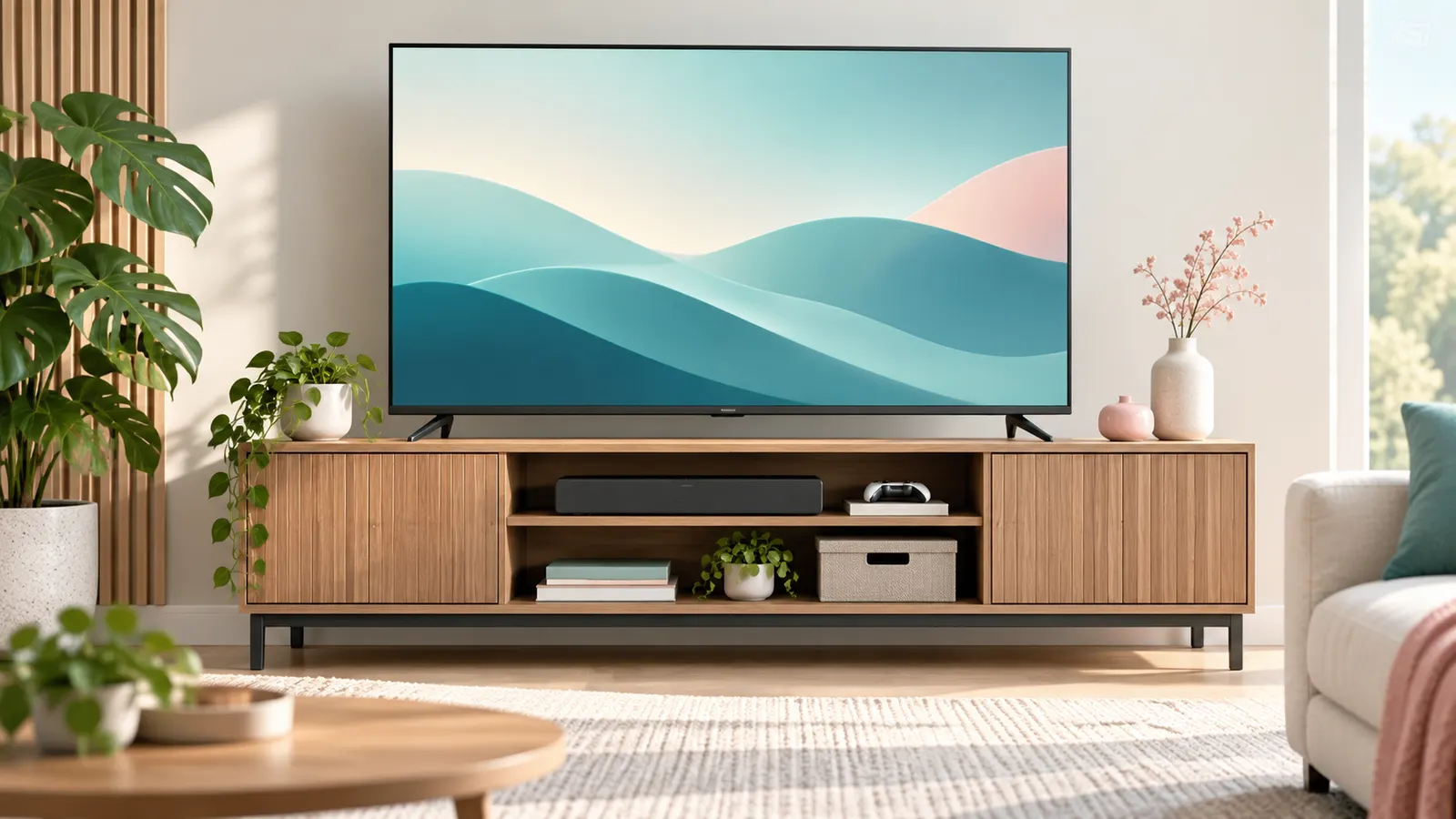
The stand should be about as wide as the TV, or wider. Many modern TVs have feet at the far edges, so a narrow stand can leave them overhanging. Measure the distance between the feet and compare it with the stand’s top surface. Some TVs also come with a center pedestal that fits smaller stands.
In this guide
Weight Capacity
Look for a listed weight limit and add a margin. The TV’s weight is in its spec sheet; a 55-inch set is usually well under what most stands can hold, but large screens and heavier sets need more. The listed capacity also matters if you put a soundbar, console or decor on top.
Height and Viewing Angle
The center of the screen should be near eye level when you are seated. A low stand plus a high chair leads to neck strain. Consider the sofa height and the viewing distance before choosing between a low media console and a taller unit.
Storage and Cable Management
- Open shelves keep remotes and consoles in reach and help signals.
- Closed doors hide clutter but may block infrared remotes; leave some ventilation.
- Cable holes at the back make wiring neater.
- Adjustable shelves help with soundbars and gaming gear.
Materials and Stability
Solid wood and engineered wood stands both work. Check customer comments for stability, assembly difficulty and wobble. Metal frames and glass shelves look light, but verify the supports and the weight rating. In homes with children or pets, consider anti-tip straps for the TV.
Corner and Small-Space Options
Corner stands and narrow consoles fit tight rooms. If floor space is limited, a wall mount may be a better choice; see our TV wall mount guide.
Quick Measurement Guide
- Measure TV width and the distance between the feet.
- Measure the room opening and doorway if the stand is bulky.
- Check the stand depth against your TV’s foot depth.
- Leave several inches behind for cables and airflow.
Write down the TV weight and add the soundbar and console weights to get the real load.
Stability and Safety Tips
- Use anti-tip straps if you have children or pets.
- Place the stand on a level surface.
- Do not stack heavy items on thin shelves.
- Check the assembly screws after a few weeks.
Planning the Layout of Your Equipment
Before choosing a stand, list everything that will sit on or inside it. A TV rarely lives alone: there may be a soundbar, a streaming box, a console, a cable box, a router and a few discs. Each item has its own size, vents and cables, and the best stand is the one that gives all of them a sensible place.
A soundbar is a good example. It normally sits in front of the TV or below it, so check the depth of the stand’s top surface and the height of the TV’s screen above it. If the bar is taller than the gap beneath the screen, it may block the lower edge of the picture or the remote sensor. Look at the TV’s listed foot height and the soundbar’s listed height, and compare the two.
- Put hot, active devices such as consoles on an open shelf, not in a closed compartment.
- Keep the router away from thick metal or closed doors if it needs a clear wireless signal.
- Leave room beside the TV for speakers or lamps you may add later.
- Count your cables and plan where the power strip will sit so plugs do not hang across the front.
Sketch the layout on paper, using the dimensions from each product page. A few minutes spent here avoids the common problem of a stand that holds the TV but has nowhere sensible for anything else.
TV Feet Versus Center Pedestal Fit
TV bases come in two common styles. Some sets stand on two feet near the outer edges, while others use a single central pedestal. This changes what kind of stand will work, so check how your TV is built and what the manual says about the stand and base.
With edge feet, the stand’s top must be wide enough to support both feet, and the TV’s footprint is as wide as the screen, or nearly so. A narrow console may leave one foot hanging over the edge, which is a stability risk. With a center pedestal, the TV can sit on a much smaller surface, but the pedestal is still deep and heavy, so the stand needs enough depth and a firm top.
- Measure the spacing between the outer edges of the feet, not just the screen width.
- Check the depth of the foot or base plate and compare it with the stand’s top.
- Look for a stand with a flat, rigid top. Surfaces that flex under weight are a poor match for heavy sets.
- If the TV has adjustable foot positions, read the manual to see whether you can move them inward for a narrower stand.
Some stands list a maximum TV size. Treat that as a starting point and also check width and weight, since screen size alone does not tell you how wide the base is.
Airflow, Heat and Remote Signals
Electronics produce heat, and a stand can either help or trap it. Streaming boxes, consoles and receivers all have vents, and covering those vents with a door, a back panel or a stack of items can shorten the life of a device or cause it to shut down. Always follow the maker’s guidance for clearance around vents, which you can find in the manual.
Closed doors bring a second issue. Many remotes use infrared, which needs a clear line of sight to the device. Solid wood or frosted glass doors can block the signal, so you may have to keep doors open while using the equipment. Some devices use Bluetooth or radio remotes that pass through doors, but check the product listing.
- Choose a stand with open back panels or cutouts if you plan to use closed doors.
- Leave a gap between devices so air can move around them.
- Avoid placing the stand directly over a heating vent or radiator.
- Keep dust off the shelves and vents with occasional cleaning.
- If a device feels very hot or restarts, move it to an open space and check the manual.
A stand with a mix of open and closed storage is often the practical choice, since it keeps clutter out of sight while leaving the hot or remote-controlled devices exposed.
Delivery, Assembly and Floor Checks
Many stands arrive as flat-pack furniture, and the build quality of the final piece depends on how carefully it is put together. Read the assembly steps before you start, check that all parts and hardware are present, and use the correct tools. Over-tightening can strip screw holes in engineered wood, while loose fasteners lead to wobble.
Build the stand close to where it will be used, since a fully assembled unit can be heavy and awkward to move. Two people make assembly and placing the TV safer. Never lift a TV alone if it is large, and follow the TV manual for how to hold it.
- Check the floor. A stand on an uneven floor can rock, and a thick carpet can make a light stand lean. Use the adjustable feet if the stand has them.
- Test stability by gently pushing on the empty stand before the TV goes on.
- Keep the packaging and receipt until you are sure everything fits, in case of a return.
- Tighten screws again after a few weeks, since wood settles and fittings can loosen.
- Look for pre-drilled cable holes and check they are large enough for plugs, not just wires.
If a stand arrives damaged or with missing parts, stop and contact the seller instead of forcing a fit.
Questions to Ask Before You Buy and Signs to Replace
When comparing stands, a short list of questions helps you separate solid choices from nice-looking ones. Check the product listing for the answers, and if a detail is missing, treat that as a reason for caution.
- What is the listed weight capacity for the top shelf and for each lower shelf?
- What are the exact outside dimensions, and what is the usable depth of the top?
- What material is the top, and does it feel rigid in customer comments?
- Is the hardware included, and are there anti-tip points or fixing options?
- What is the return policy if it arrives damaged or does not fit the space?
Budget tiers are easier to read in terms of tradeoffs. Simpler stands tend to focus on a flat top and basic shelves. Mid-range models often add better materials, cable management and adjustable shelves. Higher-end furniture may add solid construction, finishing details and more storage, but a higher cost does not guarantee a better fit for your TV, so always check measurements.
Signs it may be time to replace a stand include a visible sag in the shelves, a persistent wobble after tightening, cracked panels, loose joints, or a change in your setup that the stand cannot carry. If the stand is no longer stable, do not wait: move the TV to a safe place until you can replace the stand.
A Room Planning Checklist Before You Shop
Many TV stand problems come from skipping a few minutes of planning. Go through this list with a tape measure and a notepad before you look at any listing.
- Measure the width of the TV, including the stand feet or base, and note the distance between the feet.
- Record the weight of the TV and of every device that will sit on the stand.
- Measure the wall space and any furniture that will sit beside the stand.
- Check the height of your seating so the screen sits near eye level.
- Locate power outlets and cable entry points.
- Note the width of doors and hallways the stand must pass through when it arrives.
- Decide whether you need open shelves, closed doors or drawers.
With these figures in hand, you can compare any stand against your real needs rather than guessing. Write the numbers on your phone so they are with you when you shop.
Consider how the room will change over time, too. A bigger TV in a few years or a new game console can change what the stand must hold. Choosing a unit with some extra width and weight capacity gives you room to grow without a second purchase.
Open, Closed and Mixed Storage Compared
Storage style affects both the look of the room and how practical the stand is. The table summarizes the tradeoffs.
| Style | Strength | Watch for |
|---|---|---|
| Open shelves | Good airflow and easy remote access | Shows clutter and cables |
| Closed doors | Hides devices and keeps dust down | May block remote signals and trap heat |
| Mixed layout | Balances display and hidden storage | Check shelf heights for your devices |
| Floating or wall-hung | Frees floor space | Needs secure mounting into the wall structure |
If you pick closed storage, look for doors with glass fronts or cutouts so remote signals pass through, and confirm there is room at the back for airflow.
Reading the Specifications in a Listing
Listings show a mix of dimensions and claims. Focus on the top surface size, which tells you whether the TV feet fit, and the maximum TV size the maker recommends. Look at the weight capacity of the top and of each shelf separately, since shelves often hold less. Check the material description, such as solid wood, engineered wood or metal, and whether the finish is veneer, laminate or paint.
Look for notes on assembly time and tools, and whether anti-tip hardware is included. Read the care instructions, as some surfaces dislike moisture or heat. When a listing offers only a generic photo, ask the seller for exact measurements before ordering.
Mistakes That Lead to Returns
- Buying by the screen diagonal alone instead of measuring the feet or base.
- Overlooking the depth of the stand, so the TV overhangs the front.
- Forgetting space for a soundbar or console on the same level.
- Ignoring the weight of heavier devices on lower shelves.
- Underestimating the floor space needed to open doors and drawers.
- Skipping the anti-tip hardware during assembly.
Avoiding these errors saves the hassle of repacking a bulky box and arranging a return. Take photos of the room with your measurements marked, then compare them with the dimensions on the listing.
Assembly, Anchoring and Care
Assemble the stand on a soft surface with all hardware sorted, and tighten fasteners as the maker instructs. Place it on a level floor and use the supplied feet or shims if the floor is uneven. Follow the manual for anchoring the unit and the TV to prevent tipping, particularly in homes with children, and ask a licensed professional about wall mounting or structural questions.
Dust the surface with a soft cloth and avoid harsh cleaners that could damage the finish. Keep the vents behind devices clear and avoid placing hot items directly on the top. Check screws and joints from time to time, since furniture can loosen with use.
Matching a Stand to a Few Common Rooms
Different rooms ask different things of a stand. The scenarios below help you picture what to prioritize.
- Small apartment: a slim, low unit with a few shelves keeps the floor feeling open.
- Family living room: sturdy construction, closed storage for toys and games and rounded corners make life easier.
- Bedroom: a shorter, lighter piece that lines up with eye level when you are lying or sitting up in bed.
- Open-plan space: a stand with a finished back looks good when seen from behind or from the side.
- Rental home: a freestanding unit avoids drilling and moves with you.
- Media-heavy setup: wide shelves with room for consoles, a receiver and a soundbar.
Think about how you watch. If you sit on a low sofa, a lower stand keeps the screen from tilting your head back. If you watch from a high bed, a taller stand may feel better. A few minutes of imagining your usual seat saves a lot of adjustment later.
Cable and Power Habits That Keep Things Tidy
Cables can ruin a good-looking setup. Choose a stand with rear cutouts or a gap between the back panel and the wall, and use cable ties or sleeves to bundle wires. Keep power cables apart from signal cables where possible, and avoid tight bends or crushed cords behind heavy furniture.
Use a power strip with built-in protection if the maker of your devices recommends one, and place it where it is reachable but out of the way. Label each plug so you can find the right one in seconds. For any questions about wiring in the wall or about electrical safety, consult a licensed electrician.
Moving Day and Delivery Tips
Large furniture boxes are heavy and awkward. Measure doors, stairwells and turns before the delivery date, and clear a path. Open the box carefully to avoid scratching the panels, and check every part against the parts list before you begin assembly. Keep the packaging until you are sure everything fits and works, in case a return is needed.
Measuring Properly: The Numbers That Decide Everything
Most stand mistakes are measurement mistakes, and they happen because people measure the screen’s advertised size instead of the television itself. The advertised size is a diagonal; what the stand cares about is the set’s actual width, the distance between the outer edges of its feet, the depth of those feet from front to back, and the total weight of the set with its base attached. All four figures are in the manufacturer’s specifications, usually in a dimensions section that lists the set with and without its stand. Work from those numbers, not from the box’s headline.
Measure the stand the same way: the usable top surface, not the widest point of a decorative frame; the depth of that surface; the internal width, height and depth of each shelf or compartment you intend to use; and the height from the floor to the top surface. Then leave margins. A television whose feet end exactly at the stand’s edges has no tolerance for a nudge, a cable pulling sideways or a slightly uneven floor. A few centimetres of spare surface on each side is not wasted space; it is the difference between a stable arrangement and a precarious one. Finally, measure the route into the room: doorways, hallway turns and stairwells have ended more furniture plans than any showroom misjudgement, especially with long, fully assembled consoles.
Materials Compared: What You Are Really Choosing Between
Solid wood is heavy, strong and repairable; scratches can be sanded and the piece tends to age gracefully. It is also the most expensive route and can be overkill for a modest set. Engineered wood, such as MDF or particleboard with a veneer or laminate finish, covers most of the market: it is consistent, affordable and perfectly strong when the design and fixings are good, but its weak points are edges and screw holes, which suffer if the piece is assembled, moved and reassembled repeatedly. A stand you expect to move house with several times deserves a harder look at build quality than one that will sit in the same room for a decade.
Metal frames offer strength with visual lightness and often the best ventilation, since the structure is open. Check welds and the quality of the feet, and consider whether a metal-and-glass design suits a home with small children, because glass shelves, even tempered ones, demand respect and regular checks of their supports. Tempered glass is strong for its thickness but its rated load should be treated as a ceiling, not a target, and nothing heavy should be dragged across it. Whatever the material, the honest signals of quality are the same: a stated weight capacity per shelf as well as overall, fixings that pull joints tight rather than relying on glue, and a back panel or bracing that stops the whole unit racking sideways.
Ventilation: The Requirement People Forget Until Equipment Complains
Consoles, amplifiers and recording boxes produce heat, and a stand that traps that heat shortens their lives and can cause shutdowns that look like faults. Closed compartments are the worst offenders, especially with a powerful console inside. If you prefer doors, look for designs with open backs, slatted fronts or mesh panels, and leave space above the hottest device rather than stacking equipment directly on top of each other. A simple test after installation is to feel the air and the top of each device after an hour of use; if a compartment is uncomfortably warm, it needs air, not optimism.
Cable holes help here too, not just with tidiness. A generous opening at the back of each shelf lets warm air escape and stops cables being pinched by equipment pushed back against a solid panel. If a stand you like has a solid back, leaving the back panel off during assembly, where the design allows it without losing rigidity, is a common and sensible modification. Keep the power strip accessible rather than buried behind the unit, because the day a device needs a hard reset is the day you will be grateful for it.
Stands for Soundbar-Centred Setups
The soundbar has quietly become the stand’s most demanding tenant. It needs a home that keeps it at roughly ear level, unobstructed, and close to the screen so voices stay anchored to the picture. The common arrangements each have a catch. On the stand’s top surface in front of the TV is simplest, but check the bar does not cover the TV’s remote sensor or the bottom edge of the picture, which depends on how high the set’s feet lift the panel. On a dedicated shelf below the top surface, the bar must sit at the front edge of the shelf with nothing above it overhanging its upward-firing drivers if it has them; a bar buried deep in a compartment sounds muffled and its height channels are wasted.
Measure the bar’s width against the shelf and the TV’s width, because a bar wider than the stand looks and is precarious. If you plan to add a bar later, choose a stand whose top surface or upper shelf can take one, rather than discovering the conflict after both purchases. Subwoofers, by contrast, are flexible: they can live beside the stand on the floor, and indeed usually sound better with some space around them than squeezed into a compartment.
Renters and Small Spaces: Stability Without Drilling
If you cannot drill into walls, the stand carries the whole safety burden, which argues for a lower, wider unit rather than a tall narrow one, and for anti-tip straps that fix to the stand itself where the landlord permits no wall fixings at all. Some stands offer a built-in mounting column that rises behind the unit and holds the TV like a wall mount does; these raise the screen to a good height, free the top surface for a soundbar, and keep the set’s own feet out of the equation, which solves the wide-feet problem for compact rooms. Check the column’s screen-size and weight ratings as carefully as the stand’s own.
In genuinely small rooms, consider whether the stand needs to be furniture at all in the traditional sense. A low, narrow console that only just carries the set and one or two devices may serve better than a full media unit that dominates the floor. Corner placement, covered earlier in this guide, works best with a stand designed for it; a rectangular unit pushed into a corner wastes the space behind it and rarely sits level on both walls.
Assembly Day: Getting a Flat Pack to Feel Like Furniture
The difference between a wobbly stand and a solid one is often decided in the first hour. Lay every part out, count the fixings against the instructions, and assemble on a rug or blanket to protect both floor and finish. Tighten fixings in stages, working around the frame so joints pull together evenly, rather than fully tightening one corner and distorting the rest. Do not use a power driver on cam locks and small screws unless you are confident; overtightened fittings in engineered wood strip their holes and can never be made tight again.
Once assembled, level the unit before any equipment goes on it. Many stands have adjustable feet; a unit that rocks will transmit every footstep to the television. Then load it in order: heaviest items lowest, the television last, with a second person for any set large enough to be awkward. Route the cables as you place each device rather than afterwards, label them at both ends, and only then push the stand back to the wall, leaving the ventilation gap you planned. Recheck the main fixings after a fortnight, as the guide’s safety section advises, because new joints settle.
More Questions About TV Stands
Can a stand be slightly narrower than the TV itself?
Only if the television’s feet or pedestal sit safely within the stand’s top surface with margin to spare. A screen that overhangs the sides is normal and fine, since the panel is light at its edges; feet that reach or pass the edges are not fine, because that is where the weight and the tipping risk live. Judge by the feet, never by the screen width alone.
How much weight margin should I leave?
Treat the stated capacity as a maximum for the whole arrangement, then add up everything honestly: the set, the soundbar, consoles, and anything else the top or shelves will carry, including the books and ornaments that accumulate over time. If the total sits close to the limit, choose a stronger stand. Manufacturers’ figures assume an evenly spread load in good condition, and real life is less tidy than that.
Is a stand with doors or an open stand better for a games console?
For the console itself, open is better because of heat, as the ventilation section explains. A compromise that suits many homes is a stand with doors for the clutter and an open section, or a door left ajar during long sessions, for the console. If you choose doors, check the console fits with its cables bent at a safe radius, not crushed against the back panel.
What should I check when buying a used TV stand?
Stability first: push it gently from the side and reject anything that racks or wobbles. Then inspect the fixing points and shelf supports for stripped holes or cracks, especially on engineered wood, check glass for chips at the edges where damage starts, and confirm the stated dimensions yourself with a tape. A used stand that passes those checks can be excellent value; one that fails the wobble test will not be improved by your television’s weight.
Cable Management in Depth: A System, Not a Tidy-Up
Good cable management is planned, not tidied into existence afterwards. Start by grouping cables by job: power in one bundle, signal in another, because separating them makes tracing a fault easier and reduces the chance of interference hum in audio lines. Give every device a labelled cable at both ends; when something stops working at nine in the evening, a label is worth more than a torch and a temper. Leave a service loop, a gentle extra length coiled or folded behind the stand, for each device, so equipment can be pulled forward for cleaning or a new connection without unplugging everything else.
Choose your hardware with the stand’s design in mind. A stand with a cable channel or a raceway along the back keeps bundles off the floor and away from small fingers and vacuum cleaners. Velcro ties beat plastic zip ties for anything you may rearrange, because they can be opened without cutting near cables. The power strip deserves a deliberate home: fixed to the back of the stand or resting in a cable box on the floor behind it, with its switch reachable. Finally, photograph the finished arrangement. When a device is replaced months later, the photograph shows exactly where each cable went, and the replacement takes minutes instead of becoming an archaeological dig.
Matching the Stand to the Room’s Style Without Sacrificing Function
A TV stand is one of the largest pieces of furniture in most living rooms, so its look matters, but style choices have functional consequences worth knowing. Dark finishes show dust more readily; high-gloss surfaces reflect light toward viewers and can mirror the screen in a distracting way; pale woods and matte finishes are the most forgiving in bright rooms. Legs raise a unit visually and let a robot vacuum underneath, but they also raise the screen, so check the viewing height with the leg height included rather than assuming a low-profile design.
Scale is the most common style error. A stand much wider than the television can look deliberate and balanced, giving room for speakers or plants at each end. A stand exactly the width of the set looks neat and minimal. A stand narrower than the set looks like a mistake even when the feet technically fit, and it concentrates the visual weight awkwardly. If the room has other furniture in a consistent material or colour, echoing it in the stand usually integrates the television better than choosing a statement piece that competes with the screen for attention, because when the set is on, the screen should win.
Moving House and Rearranging: Designing for the Second Room
Stands outlive their first room. If you expect to move, weigh portability honestly: solid, fully assembled consoles are heavy and unforgiving in stairwells, while flat-pack designs can be taken apart, though engineered wood loses a little integrity with each reassembly, as the materials section noted. Keep the assembly instructions and any spare fixings in an envelope taped inside the unit; future you, in a new home with a device to install, will be grateful.
Rearranging within the same home deserves the same care as the first installation. Empty the stand completely rather than dragging it loaded, check the new position for level flooring and nearby sockets before the lift, and re-run the safety checks, anti-tip measures included, in the new spot. A stand that was stable against one wall may sit differently on a different floor, and the television’s safety should never depend on the memory of a previous room.
Stands for Unusual Cases: Projectors, Centre Speakers and Vinyl
Some setups bend the usual rules. A home-cinema arrangement with a separate centre speaker needs that speaker at ear level and close to the screen, which often means the stand’s top centre shelf or a dedicated speaker stand in front of the unit; do not bury a centre speaker inside a closed compartment, because its whole job is dialogue clarity. A short-throw projector sits on the stand’s top surface very close to the wall or screen, demands a surface at an exact height and depth, and turns the stand into a precision platform: measure the projector’s requirements first and choose the stand to match, not the other way round.
Turntables and other vibration-sensitive equipment prefer the heaviest, most rigid surface available and distance from speakers, so a solid stand with the record player on top and speakers on separate stands is the classic arrangement for a reason. In each of these cases the principle from the rest of this guide holds: list every device, with its size, heat and access needs, and let that list, rather than the television alone, choose the furniture.
Floor Protection and the Life of the Room Around the Stand
A loaded TV stand is one of the heaviest objects in the room, and floors remember it. On hardwood or laminate, fit felt or rubber pads under every foot before the equipment goes on, and check them when you rearrange, because a pad that has slipped leaves a leg grinding directly on the finish. On carpet, wide feet or a board beneath the unit spread the load and stop the slow tilt that develops as narrow legs sink unevenly into pile. That tilt is not merely cosmetic: a television leaning a few degrees puts constant uneven stress on its own feet and makes doors and drawers on the stand below it drift out of alignment.
Leave a hand’s width of space between the stand and the wall where cables and ventilation need it, and resist pushing the unit hard against skirting boards, which bends cables at the back panel and traps warm air. If the room has a heat source nearby, such as a radiator or a sunny window, keep the stand and especially any recording equipment or console out of its direct line; heat from the room adds to heat from the devices, and the ventilation planning elsewhere in this guide assumes ordinary room temperatures.
The Stand as the Room Grows: Future-Proofing Sensibly
The most common reason a good stand gets replaced is not wear but change: a bigger television, a first soundbar, a console that runs hot, a child who turns every shelf into a climbing frame. You cannot predict everything, but a few choices keep options open. A top surface a little wider than today’s set, one open shelf tall enough for a future console or centre speaker, and a back design that allows cables to be added without dismantling the unit will absorb most of what the next five years bring. Adjustable shelves, mentioned earlier in this guide, are worth their small premium for exactly this reason.
What you should not do is buy a stand for a fantasy setup you may never own. Size and furnish for the equipment you have and the one addition you are genuinely likely to make, and let the rest go. A stand that suits today’s room perfectly and adapts to one change is a better purchase than a cavernous media wall waiting for equipment that never arrives.
A Final Checklist Before the Television Goes On
Run through this list in the quiet moment before the screen is lifted into place. The stand is level and does not rock. Every foot has a floor pad. The anti-tip arrangement is fitted or ready to fit the moment the set is positioned. The shelves hold their equipment with air space above the hottest device, and the power strip is reachable. Cables are routed, labelled and loose enough to allow each device to be pulled forward. The soundbar’s future home, if one is planned, has been measured rather than assumed. And the remote sensor at the front of the television will have a clear view of the seats once everything is in place. Two minutes on this list is the cheapest insurance in the whole setup, because every item on it is ten times harder to fix with a large television already sitting on top.
Frequently Asked Questions
How wide should a TV stand be?
At least as wide as the TV’s feet. Wider is better, especially if you want to place a soundbar or console next to it.
Can a TV stand hold a soundbar and console?
Yes, if the surface is large enough and the total weight stays within the stand’s rating.
Do I need ventilation in a TV stand?
Yes, for consoles and streaming devices. Leave space around vents and avoid enclosed shelves for hot equipment.
Is a mount better than a stand?
Mounts save floor space; stands offer storage and flexibility. It depends on the room.
What should I do if my TV feet are wider than the stand?
Choose a wider stand, or check whether the feet can be moved inward. Leaving a foot hanging over the edge is a stability risk, so avoid it.
Can I put a TV on a dresser or cabinet I already own?
Yes, if the top is flat, strong, deep enough and rated for the weight. Make sure the piece does not tip forward, and use anti-tip straps if there is any risk.
How much space should be left behind the TV?
Leave enough room for cables to bend without strain and for air to move. The exact amount varies, so check the TV and device manuals.
Are glass tops safe for a TV?
Many glass-topped stands are designed for TVs, but check the listed weight rating and the way the glass is supported. Be careful with sharp edges when assembling and cleaning.
Should the stand be lower than the sofa seat height?
It is usually comfortable when the screen center sits near eye level while seated. A low stand with the TV a bit high or a tall stand with the TV too high can both cause neck strain.
Do I need a stand with cable management?
It is not required, but holes or channels make wiring neater and reduce the chance of cables being pulled. You can also add clips and sleeves to any stand.
How do I stop the TV from tipping?
Use anti-tip straps or brackets that attach the TV or stand to the wall, following the manual. This is especially useful in homes with children or pets.
Bottom Line
Measure the TV’s feet, check the weight rating, pick a comfortable height and plan cable and ventilation space. A solid stand protects your TV and keeps the room tidy.
Related Reading
- How to Wall Mount a TV
- What Size TV Should You Buy?
- How to Connect a Soundbar to a TV
- TV Buying Guide
- Bedroom TV Buying Guide
- All TV guides