Disclosure: As an Amazon Associate, reviewstook.com earns from qualifying purchases. Links to Amazon on this page are affiliate links; they cost you nothing extra.
A kitchen TV has a different job from a living room set. You glance at it while you cook, listen to it over running water and a vent hood, and it lives near heat, steam and grease. This guide explains what to look for before you buy.
This guide is based on product listings and general TV knowledge rather than our own testing. Specs and features vary by model and year, so confirm the details on the product page.
By the Reviewstook Editorial Team. Last updated: November 1, 2026.
Start With Size and Viewing Distance
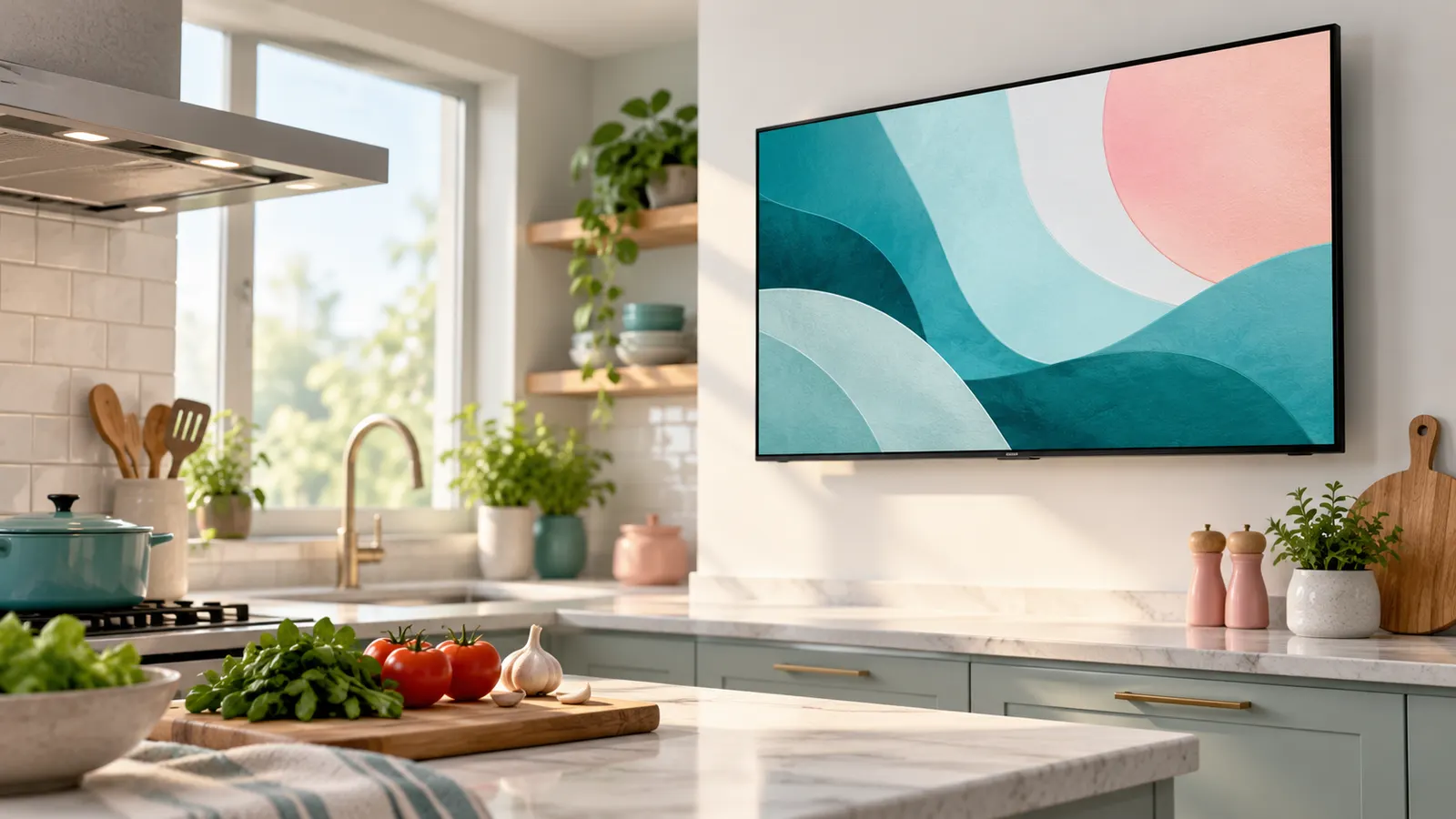
Most kitchen TVs sit 6 to 12 feet from where you stand or sit, and you rarely watch with full attention. That makes smaller screens practical. A 24 to 32 inch set suits a small kitchen or a counter; 32 to 43 inches works for an open-plan kitchen where the TV is also visible from a dining table.
Resolution matters less at this size. A 1080p panel looks fine at 32 inches from across a room, so a 4K model is a nice-to-have rather than a need, mainly because most new smart platforms are tied to 4K models.
In this guide
Where to Put It
Wall mounting saves counter space and keeps the screen away from splashes. Under-cabinet mounts exist for very small sets, but check the weight rating and the clearance for the stove hood. A swivel arm helps if you want to see the screen from both the counter and the sink.
Avoid placing the TV directly above a cooktop or beside a dishwasher vent. Rising steam and heat shorten the life of electronics. Keep ventilation openings clear and leave a few inches of space behind and above the set.
Glare and Brightness
Kitchens often have windows, bright overhead lights and reflective surfaces. A brighter panel and a matte or low-reflection screen coating reduce washed-out pictures. Check the product page for brightness figures, but treat them as a rough guide because manufacturers measure differently.
If you can, place the screen perpendicular to the main window instead of opposite it. Even a modest TV looks better when the sun is not hitting the glass.
Sound in a Noisy Room
Range hoods, dishwashers and running water drown out small built-in speakers. Look for a dialogue or voice-enhancement mode, and consider a compact soundbar or a pair of Bluetooth speakers. Closed captions are a free fix that many kitchen viewers use all day.
Smart Features Worth Having
A simple interface helps in a room where you have flour on your hands. Voice control, a good remote with large buttons and quick access to streaming apps matter more than advanced picture options. If you mostly watch recipe videos, make sure the TV supports the apps you use.
Cleaning and Care
Grease builds up as a faint film on kitchen screens. Wipe with a dry microfiber cloth and, when needed, a cloth lightly dampened with water. Do not spray liquid on the screen. Our TV screen cleaning guide covers the safe method.
Mistakes to Avoid in a Kitchen
- Mounting over the stove or right beside a range hood.
- Buying a huge screen for a small kitchen, which leaves no room to move.
- Ignoring the power outlet location and ending up with cords across the counter.
- Choosing a glossy screen for a room with a large window.
- Forgetting that kitchen noise needs a sound solution, not just a bigger TV.
A kitchen is a working room, so practical choices beat spec-sheet wins. If a model is cheaper but has a bright, easy-to-read screen and a clear remote, it will usually serve you better than a premium TV that is hard to see from the sink.
Quick Setup Checklist
- Measure the wall space and the distance to the nearest outlet.
- Choose a mount that fits the TV’s VESA pattern; see our wall mount guide.
- Test the WiFi signal at the exact spot before you commit.
- Set captions and dialogue mode on day one.
- Plan a wipe-down routine with a dry microfiber cloth.
Mounting Options Compared
How you hold the TV up shapes how useful it is in a kitchen, and it is worth deciding before you choose a model. The main options are a wall mount, an under-cabinet mount, a shelf or counter stand, and a cart or movable stand.
Fixed wall mounts hold the screen flat and close to the wall, which keeps it tidy and out of the way. They suit a kitchen where the viewing spot is always the same. Tilt mounts let you angle the screen down, which helps if the TV sits high. Swivel or articulating arms let you turn the screen toward the counter, the sink or the dining table, and they suit open-plan rooms. Under-cabinet mounts fold the screen away when you are not watching, but they are designed for light, small sets, so check the weight rating and the clearance beneath the cabinet. A counter stand is the simplest option and needs no drilling, though it uses valuable surface space and exposes the TV to splashes.
Whichever you choose, confirm that the mount supports your TV’s size, weight and VESA pattern, which are on the product page and in the manual. Make sure the wall can carry the weight, and use the right fixings for your wall type. If you are unsure, ask a qualified installer.
- Choose fixed if the viewing spot never changes.
- Choose swivel if you move between work areas.
- Avoid mounts that block cabinet doors or the hood.
- Leave space for cables to bend without strain.
Power, Cables and Connections
Cables are the part of a kitchen TV that people forget until the TV is on the wall. Start by finding the nearest outlet and checking whether it is safe and convenient to use. Kitchen outlets near sinks are often protected by special circuit protection, so ask an electrician if you are unsure about adding or moving an outlet. Avoid running power cords across work surfaces or near the sink.
Plan how the cables will run. Cable covers and in-wall rated kits can give a clean look, but follow local rules and the product instructions, and do not run standard power cords inside walls unless a product is rated for it. If in doubt, hire a professional.
Next, think about what you will connect. Many kitchen TVs only need a built-in streaming platform, so a single power cord may be all you need. If you want a streaming stick, a soundbar or a cable box, check the number and position of ports on the TV. Side-facing ports are easier to reach on a wall-mounted set. Check that any stick you use will fit in the space behind the screen.
- Check the TV’s rear clearance with the mount in place.
- Keep power adapters and boxes away from steam and heat.
- Label cables so a later swap is simple.
Choosing Between a TV, a Monitor and a Tablet
A traditional TV is not the only way to watch in the kitchen, and the right answer depends on what you actually want from it.
A TV offers the biggest picture, a built-in tuner or streaming platform and a remote. It suits people who want news, shows and sport on while cooking. A computer monitor can work as a small screen, but many lack built-in apps or speakers of useful quality, so you may need an extra device. A tablet or smart display on a stand suits people who mainly follow recipes, take video calls or listen to music, and it takes up little space. It also moves easily, though the screen is small and the battery needs charging.
Think about how you would use it day to day. If you mostly follow recipes, a tablet may be all you need. If you want to watch shows from across the room while chopping, a TV earns its place. If the kitchen is part of a family room, the TV may be the one screen everyone uses.
- Pick a TV for shared viewing and full-room use.
- Pick a tablet or display for recipes and short clips.
- Consider the remote: a simple one is easier with messy hands.
- Check the product page for the apps and services supported.
Budget Tiers and What to Prioritise
Kitchen TVs do not need to be top-tier. Think of budgets in three qualitative bands and decide what each should give you.
At the entry level, look for a size that fits the space, a clear interface and the apps you use. Skip extras. Expect simpler speakers and a basic picture, which is often fine at a distance. In the middle band, you can reasonably ask for a brighter panel, better viewing angles, a more responsive interface and a decent remote. This tends to be the most useful band for a kitchen, where glare and distance matter more than refinement. At the upper end, you pay for picture processing, better sound and larger sizes, which are less valuable in a busy, noisy kitchen unless the TV doubles as a main family screen.
Spend where it counts: brightness, a screen finish that handles glare, a simple interface and a sensible warranty. Compare these on the product pages instead of relying on brand or on a single spec.
- Check how long the maker supports software updates.
- Read the warranty terms for what is covered.
- Look at the return window, in case the screen glare is a problem in your room.
- Be wary of paying more for features you will not use in this room.
Replacement is worth considering when the picture dims noticeably, the interface becomes slow or the apps you use stop being supported.
How to Read a TV Listing for a Busy Kitchen
Product pages are written to sound exciting, so it helps to know which lines carry weight in a room that gets steam, splashes and sunlight. Begin with the screen size and compare it to your measured viewing distance. Then read the resolution line, the panel description, and any note about a matte or anti-glare surface. A brightness figure, when given, is useful for a kitchen with large windows, but only if you compare it with similar models from the same listing style.
Look at the ports on the back. Kitchens often host a streaming stick, a soundbar, or a small speaker, so count the video inputs and see where they face. Side-facing ports are easier to reach when the set is tucked against a wall. Also note the stand footprint and the mounting hole pattern, which is usually listed as a pair of numbers in millimeters.
- Screen size and measured seat or stool distance
- Anti-glare or matte finish
- Number and position of video inputs
- Footprint of the stand and the wall-mount pattern
- Weight, which affects what mount or shelf you need
When to Follow the Manual and When to Call a Professional
A TV on a counter is a plug-and-play affair, but anything attached to a wall deserves more care. Always follow the maker’s manual for mount spacing, screw size and the recommended clearance around vents. Heat and steam are the main concerns near cooking areas, so the instructions about ventilation and installation location are not optional reading.
If the plan involves cutting into a wall, running power behind drywall, or fixing the set to a surface that may hide pipes or wiring, hire a licensed professional. The same goes for hanging the TV over or near a cooktop; local codes and the product’s own guidance decide what is allowed, not preference. For a simple shelf or cabinet placement, a careful reading of the weight limit and a level surface is usually enough.
Comparing Two Placement Plans
| Plan | Good points | Drawbacks |
|---|---|---|
| Counter stand in a corner | No drilling, easy to move | Uses counter space and cords show |
| Wall mount on a clear wall | Frees surfaces, adjustable angle with some mounts | Needs stud or anchor planning and cable routing |
| Under-cabinet unit | Out of the way | Small screen, awkward neck angle |
| Island or peninsula side | Visible from several seats | Exposed to spills and bumps |
Think about who watches and where they sit. A screen that is perfect from the sink may be useless from the table.
A Short Glossary for Shoppers
- Anti-glare coating: a surface treatment that scatters reflections from windows and lamps.
- Nits: a unit of screen brightness; higher numbers help in bright rooms.
- VESA pattern: the spacing of the mounting holes on the back, which must match the bracket.
- ARC port: an HDMI connection that sends sound to a soundbar through a single cable.
- Viewing angle: how far to the side you can sit before the picture looks washed out.
Keeping this list in mind makes it easier to cut through marketing language and compare real differences.
Setup Notes for the First Weekend
Unbox the set on a soft surface and keep the packaging until you are sure the placement works. Connect power and inputs before you fix the TV in its final position, because reaching behind a mounted screen is awkward. Turn off any shop-demo or vivid picture mode and choose a movie or standard mode, which usually looks more natural in daylight. Finally, label each cable with a small tag so future changes take minutes, not an afternoon.
Sound, Cables and Power: Practical Setup Tips
A kitchen is a noisy place, with extractor fans, running water and clattering pans competing with the TV. Built-in speakers on slim sets are usually modest, so many people add a small soundbar or a speaker placed closer to where they stand. Position any speaker away from steam and splashes, and follow the maker’s guidance about placement and ventilation.
Cable management is the other half of a tidy setup. Run the power cord and any video cable along a single path, use adhesive clips or a cable cover, and keep cords away from sinks, kettles and hot surfaces. Plug the TV into a socket that suits its power draw, and avoid daisy-chaining several extension leads. For anything involving new wiring or sockets, hire a qualified electrician.
- Choose a soundbar or speaker with a footprint that fits your shelf
- Keep cables clear of heat and water
- Use cable covers rather than loose loops
- Label each plug for quick changes
- Leave breathing room around vents
A Decision Guide by Kitchen Style
| Kitchen style | Placement idea | Feature to favor |
|---|---|---|
| Open plan with living area | Shared wall visible from both rooms | Wide viewing angle |
| Narrow galley | End wall at eye level | Smaller screen and slim stand |
| Eat-in kitchen | Wall opposite the table | Comfortable viewing distance |
| Bright sunny kitchen | Wall perpendicular to windows | Matte screen and higher brightness |
| Rental with no drilling | Shelf or counter stand | Stable base and light weight |
Use this as a conversation opener with your household, then confirm details in the manual for the model you choose.


Ready to Buy? Start Here
If this guide helped you decide what to look for, these products are a place to start.


As an Amazon Associate we earn from qualifying purchases. Prices and availability are shown on Amazon.
The Kitchen TV in Daily Life
A kitchen TV is used in fragments: the weather with breakfast, a cookery programme while dinner is made, the news while the dishwasher is emptied. Those fragments shape what matters. The set must start quickly, show its home screen without fuss, and be readable at a glance from across the room while your hands are busy. A TV that demands three menus before the morning news will be abandoned for a phone within a month, however good its picture, so favour the pick and the platform that make the path from standby to programme the shortest in your household’s hands.
Sound carries a special burden here because kitchens are loud and reflective: hard floors, tiles and appliances compete with the programme, and much kitchen viewing happens while facing away from the screen entirely, chopping at a counter. Judge a kitchen TV’s sound while standing at the stove or sink with the extractor running, because that is the real test. Clear speech at modest volume matters more than bass or spectacle, and a small soundbar or a portable speaker placed near the work area can serve a kitchen better than a larger TV with bigger speakers in the wrong place.
Following recipes and cooking programmes
The kitchen TV’s finest hour is cooking along with a programme or a recipe video. Pause and resume need to be reachable with a wrist or a voice command when hands are floury, which makes voice control and a simple remote worth more here than in any other room. A screen you can angle toward the worktop, on a mount that moves easily and holds its position, turns a recipe from something you glance at into something you cook from. If cooking content is the main job, choose placement and mount for the worktop first and the breakfast table second.
Placement Problems Specific to Kitchens
- Steam rises: a TV placed where kettle and hob steam reach it will mist, gather grease faster and age sooner, so map the steam paths before choosing the wall.
- Splashes travel farther than expected from a sink; give the screen a respectful distance or a position that a splash guard naturally protects.
- Cupboard doors and fridge doors swing through space a wall-mounted TV may occupy; open every door fully before drilling anything.
- Worktop sockets are precious and often behind appliances; plan the TV’s power route before installation day, not during it.
- Under-cabinet positions need the cabinet’s underside measured for depth and strength, and the folded-up clearance checked against tall items stored below.
Heat deserves its own sentence. A TV above or beside a hob lives in the kitchen’s hottest, greasiest air, and manufacturers’ clearance guidance exists because electronics and cooking heat are poor companions. The charming photograph of a screen directly over a range is a staging decision, not an installation recommendation; choose the wall that keeps the set out of the plume of heat and steam, even if it means a slightly less central view.
Keeping a Kitchen TV Clean and Working
Kitchens coat screens with a fine film of grease that living rooms never produce, and it builds invisibly until the picture looks tired. The gentle cleaning method in this guide applies, with frequency doing the work: a weekly dry pass stops the film becoming the stubborn layer that later needs moisture and patience. Never spray cleaner toward the screen in a kitchen clean-up, and keep the cloth for the TV separate from kitchen cloths, which carry detergents and grease that would be spread straight onto the panel.
The remote suffers more than the screen in a kitchen. Flour, oil and sauce find their way into buttons, so choose a remote that wipes clean, keep it in a drawer or on a hook away from the worktop rather than beside the chopping board, and consider a cheap spare or the phone app as the backup for the day the main remote is wearing cake mixture. Vents matter too: check them when you clean the extractor filters, since a kitchen TV breathes the same air and clogs on the same schedule.
Smart features that earn their keep here
Timers are the kitchen’s own feature: a TV that can show a countdown, or a platform whose assistant sets one by voice, integrates with cooking in a way no picture specification can. Radio and music apps serve the long, quiet cooking sessions, and a screen that wakes to the morning news and weather at a set time becomes part of the household’s rhythm. Favour these everyday integrations over cinema features when you choose between the picks for this room; the kitchen rewards convenience every single day and spectacle almost never.
Sizing the Decision Down to One Purchase
Stand in the kitchen at the busiest moment of the day and look at the intended wall. From the worktop and the table, in the real light, with the real noise, imagine the screen there. If you can read the imagined news ticker and hear imagined speech over the kettle, the size and placement are right, and any pick in this guide that fits the space will serve you. Kitchens are honest rooms: they punish fussy equipment and reward simple, sturdy, well-placed choices, so buy for the room as it is at six in the evening, not as it looks in a showroom photograph.
Kitchen Televisions for Different Households
The keen cook’s kitchen television is a tool, and it should be bought like one. Its screen will show recipe videos paused and resumed a dozen times an evening, its sound must survive the extractor, and its position must serve the worktop where the work happens. For this household the mount that angles easily, the voice control that works with floury hands and the platform that reaches cooking content in two presses are the specification, and panel refinement for film nights is money spent on the wrong room. A modest set in exactly the right place will be used five hundred times a year; a finer set in the wrong place will be used fifty.
The family kitchen-diner is a social room wearing an apron. Its television serves breakfast news, children’s programmes while tea cooks, sport while adults graze and talk, and the occasional film night at the table when the lounge is claimed. Viewing happens from every seat and several standing positions, so angles and brightness matter, sound must hold a conversation’s competition without winning it, and size should be judged from the farthest regular seat, usually the head of the table. This is the kitchen that justifies the largest screen this guide’s sizing allows, because it is really a second living room that happens to contain an oven.
The small flat’s kitchen television is an exercise in honesty about space. It may be the household’s second screen or its only one, it will sit close to steam and splashes whatever anyone intends, and it competes for sockets and surfaces with everything else the household owns. Compactness, a stand that fits a shelf or a mount that folds flat, quick starting and simple controls are the whole specification, and the money saved by accepting that is better spent on the main screen or not spent at all. Small kitchens punish grandeur and reward fit, and a set that fits will be loved in a way specifications cannot argue with.
The Kitchen TV Across a Day
Judge a kitchen television by its whole day. In the morning it must wake fast, show the news and weather at a brightness that matches a room filling with daylight, and be heard over the kettle from the table. At midday it is a radio with pictures, glanced at more than watched. In the evening it becomes the cook’s companion and the family’s second screen, and its sound and angles are tested properly. Late at night it may serve one person washing up, at low volume, in a dim room, where a screen that cannot dim gracefully will glare like a shop window. A set that handles all four of those days in one body is the right kitchen television, and testing a candidate against that day, in your imagination or in the shop’s settings, is a better method than any feature list.
Build the small routines that make the day smooth. Set the morning source as the one the television wakes to, keep the remote in its one place, and let the sleep and timer features handle the late shift. Kitchens run on rhythm more than any room in the house, and a television that joins the rhythm disappears into the household’s life, while one that interrupts it, with menus, updates at breakfast and a remote that wanders, will be resented out of all proportion to its faults.
When the kitchen TV should not be bought at all
Honesty completes the guide. Some kitchens are too small, too steamy or too busy for a television to earn its place, and in those kitchens a radio, a tablet on a stand that can be wiped and put away, or a small smart display serves the same needs without a permanent screen gathering grease above the worktop. The test is the imagined day above: if the television in it keeps colliding with the cooking, the room is telling you its answer, and the best kitchen television purchase is sometimes the one that stays in the shop.
Kitchen Light, Kitchen Sound: A Second Look
Two kitchen forces deserve a final examination because they defeat more kitchen televisions than any specification. The first is the room’s light at breakfast, when low sun through an east window can strike the screen’s position at an angle no other hour repeats. A kitchen television chosen and placed at midday may fail only at breakfast, which for many households is its most-watched hour. Check the intended position at the breakfast hour before fixing anything, and let that single check veto positions that every other consideration approved, because a screen that cannot show the morning news in a sunlit kitchen has failed its first duty.
The second force is the room’s acoustic, all hard surfaces and competing machines, which turns television sound into a contest the set usually loses by being turned up rather than understood. The remedies are placement and expectation: a set or a small speaker nearer the listeners beats a louder one across the room, captions switched on for the noisy hours are a legitimate kitchen feature rather than an admission of defeat, and a household that accepts the kitchen’s sound for what it is will choose clarity over power every time. The kitchen rewards the realistic, in sound as in everything, and punishes the showroom answer brought home.
The five-year kitchen television
Finally, think about the kitchen set at five years. Its screen will have been wiped more than any other in the house, its remote will have survived things no remote should, its platform will have aged, and its position will either have become part of the room’s furniture or a daily irritation that five years have not softened. Choose for that fifth year: the sturdy mount, the wipeable remote, the simple platform, the size that the room’s real seats wanted. Kitchen televisions are bought in an afternoon and lived with for a decade of breakfasts, and the households that remember the breakfasts while standing in the shop are the ones still pleased in year five.
Recipes, Timers and the Connected Kitchen
The connected kitchen gives the television colleagues: the phone that holds the shopping list, the speaker that sets the timers, the tablet that lives in a drawer of flour. A kitchen television earns its place among them by doing the big-screen jobs, following a cookery programme at a distance, showing the match to the whole table, waking with the news, and by not demanding to be the kitchen’s brain. Set it up to cooperate rather than compete: signed into the household’s accounts, its assistant, if it has one, using the same voice the household already talks to, its timers and reminders agreeing with the ones on the phone. Kitchens run on rhythm and shared information, and a television that joins both becomes infrastructure; one that insists on its own ecosystem becomes another screen to manage.
Practical touches finish the integration. A recipe paused on screen should still be there when the cook returns from the door; a programme interrupted by a timer’s alarm should be resumable in one press; the morning’s news should not require a password typed with wet hands. Test these small flows in the first week, while the return window is open and the setup is still plastic, because they are the flows the next decade will repeat daily. The kitchen television’s specification sheet never mentions them, and they are, in the end, most of what its owners will ever know about it.
The kitchen screen and the children
Where children cook, watch and graze, the kitchen television inherits the household’s rules in their most practical form: profiles set, purchases pinned, the screen positioned where small hands and flying ingredients reach it least, and a remote that can survive being dropped in the washing-up bowl’s splash zone. None of this requires a special product; it requires the same ten minutes of setup this guide recommends everywhere, spent in the room where the consequences are measured in sauce. Do it on day one and the kitchen screen becomes the family’s, in the best sense, rather than the cook’s worry.
Kitchen Installation Day: A Calm Order of Work
Kitchen installations go wrong in predictable ways, so run the day in a deliberate order. First, with the kitchen empty and clean, confirm the position one final time against the breakfast light, the door swings, the steam paths and the seats, because every later step assumes it. Second, fit the mount or stand and hang the set unpowered, checking the angle from the worktop and the table with the screen dark, since reflections are judged best on a dark screen. Third, route power and any cables before the set is finally settled, keeping them clear of heat, water and the working triangle’s traffic. Fourth, power up, tune, sign in and set the morning source, the favourites and the timer while the kitchen is still in installation mode rather than dinner mode.
Finish with the lived test: make a cup of tea, stand where cooking happens, run the extractor, and watch the news for five minutes. That small, honest rehearsal finds the glare, the volume and the angle problems while the tools are still out and the return window is wide open. A kitchen television installed this way joins the room’s routine from its first morning, and the household will struggle to remember it was ever not there, which is the precise definition of a successful appliance.
The Kitchen Budget, Spent in Order
Kitchen money has an order, and spending it in that order is the difference between a set that delights and a set that merely hangs. First, position and mount, because the right place at the right angle is worth more than any feature and costs the least. Second, sound that survives the extractor, whether that is the set’s own clear voice or a small speaker near the listeners. Third, the platform and controls that make the morning news a two-press affair with wet hands. Fourth, and only fourth, the panel’s refinements, which a kitchen’s light, steam and viewing distances will mostly forgive. Buyers who reverse the order own beautiful pictures in the wrong place, inaudible over the kettle, and the reviews they leave frighten the next buyer away from a purchase that, properly ordered, would have been loved at every breakfast for a decade.
The kitchen television and the house’s future
Kitchens get remodelled, and the television’s place in the plan deserves a sentence at the design stage rather than a compromise at the fitting stage. If a renovation is anywhere in the house’s future, let the kitchen designer hear the television’s requirements early: a wall position out of the steam’s path with a socket where the set will live, a sightline from the worktop and the table, and light that the breakfast hour has been consulted about. Retrofitting a screen into a finished kitchen is the story of most of the compromises in this guide; designing it in costs a conversation. And if no renovation is coming, the same thinking, applied to the kitchen as it stands, is simply this guide’s method one final time: the room decides, the screen obeys, and breakfast is better for it.
One sentence for the buyer standing in the shop, phone in hand, comparing two kitchen sets that seem identical: choose the one whose remote you would rather use with wet hands, whose home screen you reached fastest, and whose sound stayed clearest when you stepped back and turned away, because those three small tests are the kitchen’s whole examination, and everything else on the specification sheet is the living room’s business, not this room’s.
Frequently Asked Questions
What size TV is best for a kitchen?
Most kitchens suit a 24 to 32 inch TV. Choose 43 inches or more only if the TV is visible from a dining area or open-plan space.
Is it safe to mount a TV above a stove?
It is generally not recommended. Heat, steam and grease can damage the set, so choose a spot away from the cooktop and hood.
Do I need a 4K TV for the kitchen?
No. At small sizes and long viewing distances, 1080p looks fine. 4K is useful mainly if you want newer smart platforms.
How do I improve sound in a loud kitchen?
Use dialogue enhancement, closed captions, or a small soundbar or Bluetooth speaker placed closer to where you work.
Can I use a computer monitor as a kitchen TV?
You can, but many monitors lack built-in streaming apps and good speakers, so you may need a streaming device and extra audio. Check the ports and the speaker details on the product page.
What mount should I buy for a kitchen TV?
Choose a mount rated for your TV's size, weight and VESA pattern. A swivel arm suits an open kitchen, while a fixed mount suits a single viewing spot. Check your wall type and ask an installer if you are unsure.
Is an under-cabinet TV a good idea?
It can save space, but these mounts are for light, small screens. Check the weight limit, the clearance below the cabinet and how close the hood or cooktop is.
Should a kitchen TV have a matte screen?
A low-reflection finish helps in rooms with windows and bright lights. Check the product page for the screen finish and test it in your own lighting during the return window.
Can I put a TV near the sink?
Keep it away from splashes and wet surfaces, and follow the maker's guidance on placement and electrical safety. Ask an electrician about outlets near water.
How do I keep cords tidy on the counter?
Choose a spot near an outlet, use cable clips or covers, and keep cords away from the sink and cooktop. Do not run standard cords inside walls unless the product is rated for it.
When should I replace a kitchen TV?
Consider replacing it if the picture dims, the screen is damaged by heat or moisture, or the apps you rely on are no longer supported. Check the manual before deciding.
Bottom Line
For a kitchen, pick a smaller, brighter, easy-to-use TV, keep it away from heat and steam, and plan for sound separately. Comfort and placement matter more than top-end picture specs.
Related Reading
- What Size TV Should You Buy?
- How to Wall Mount a TV
- TVs for Bright Rooms
- Best 32-Inch TVs
- TV Buying Guide
- All TV guides