Disclosure: As an Amazon Associate, reviewstook.com earns from qualifying purchases. Links to Amazon on this page are affiliate links; they cost you nothing extra.
TV screens scratch and stain easily, and the wrong cleaner can strip the anti-glare coating. This guide shows a safe method that works on LED, QLED and OLED screens and lists products and habits to avoid. Always check your TV manual first, since manufacturers have their own advice.
This guide is based on product listings and general TV knowledge rather than our own testing. Specs and features vary by model and year, so confirm the details on the product page.
By the Reviewstook Editorial Team. Last updated: October 31, 2026.
What You Need
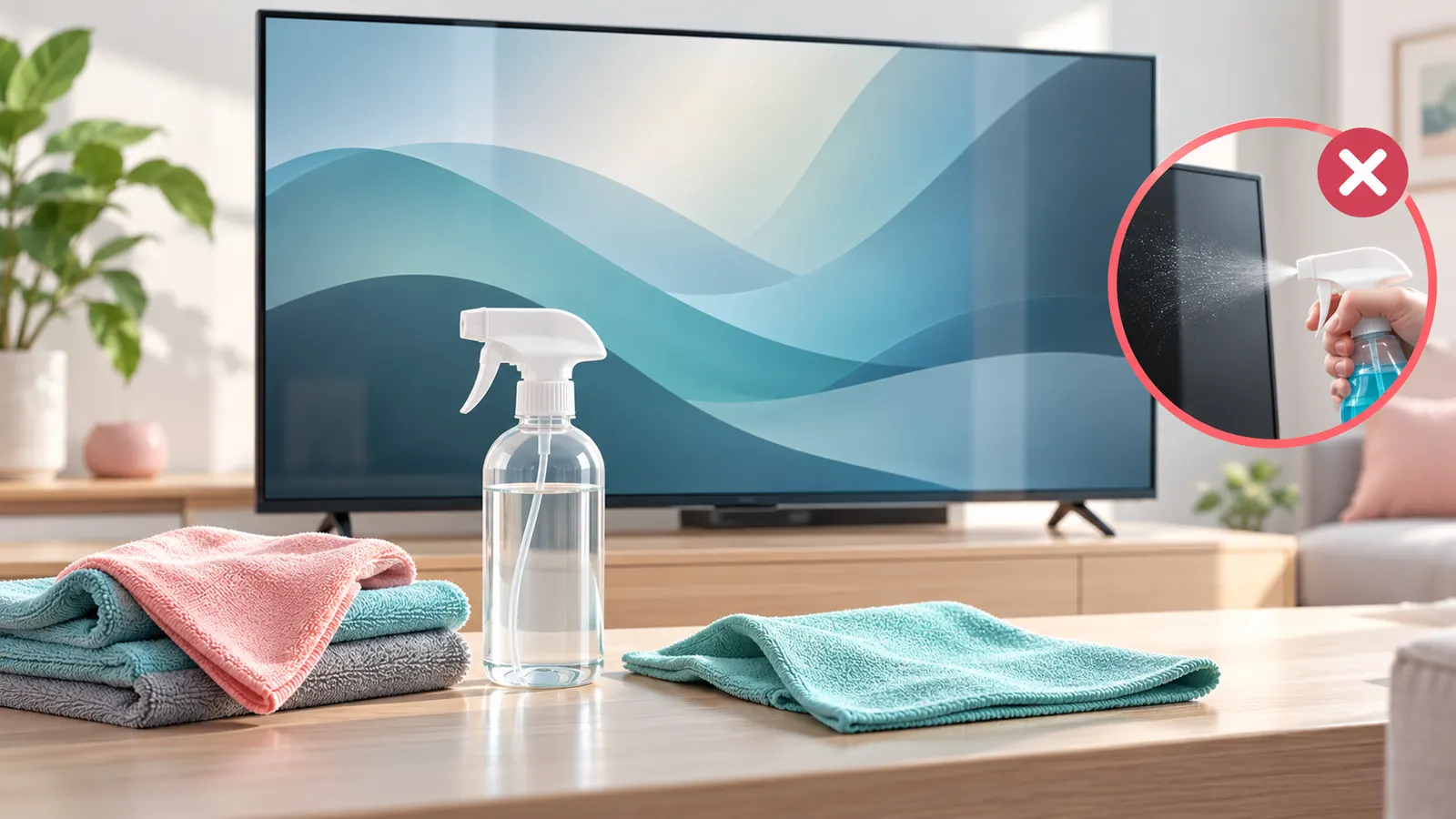
- Two clean, dry microfiber cloths.
- Distilled water, or a screen cleaner made for TVs.
- A soft brush or compressed air for the vents and bezel.
In this guide
Step-by-Step Method
- Turn off the TV, unplug it and let the screen cool. A dark screen shows dust and smudges.
- Wipe the screen gently with a dry microfiber cloth, in one direction, with light pressure.
- If marks remain, dampen a cloth slightly with distilled water. Wring it so it is barely damp.
- Wipe the marks, then dry with the second cloth.
- Let it dry fully before plugging in and turning the TV on.
What Not to Use
- Glass cleaner, ammonia, alcohol, bleach or acetone, which can damage coatings.
- Paper towels, tissues or rough cloths, which can scratch.
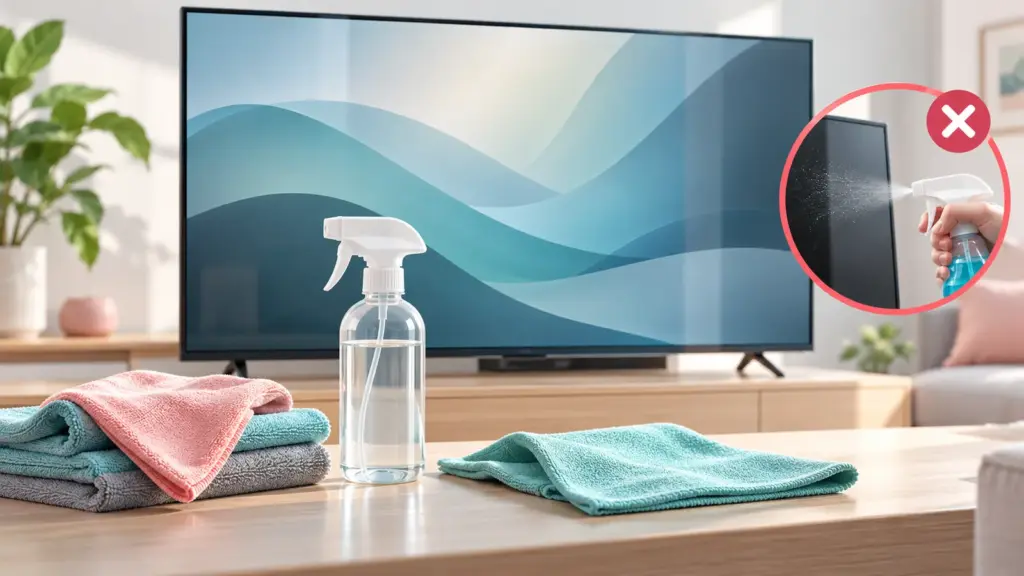
- Spraying liquid straight on the screen, since it can seep into edges.
- Hard pressure or fingernails on spots.
Fingerprints, Dust and Stubborn Marks
Dust is best removed with a dry cloth or a soft brush. Fingerprints usually lift with a barely damp microfiber cloth. For sticky marks, use a cleaner made for electronics and spray on the cloth, not the screen. If a mark does not come off, stop and check the manual.
Cleaning the Bezel, Stand and Vents
Wipe the bezel with a dry or barely damp cloth. Use a soft brush or a gentle puff of air for the vents, and keep liquid out of ports and speakers. Dust can build up inside vents, so occasional cleaning helps the TV run cooler.
Keep It Cleaner Longer
- Avoid touching the screen, and keep kids and pets away from it.
- Dust weekly with a dry microfiber cloth.
- Keep the TV away from kitchen grease and smoke.
Common Cleaning Mistakes
- Cleaning while the TV is on or warm, which makes streaks hard to see.
- Using too much liquid, which can run behind the bezel.
- Rubbing in circles with force, which can leave marks on coatings.
- Using a dirty cloth that carries grit across the screen.
Keep microfiber cloths for the TV only, wash them without fabric softener and let them dry fully.
Choosing and Caring for Microfiber Cloths
The cloth you use matters as much as the technique. A good microfiber cloth is soft, lint-free and designed for screens or lenses. It traps dust and oils without scratching, and it does not shed fibers that stick to the surface. Look for cloths described as suitable for screens, glasses or electronics, and avoid thick towels, kitchen cloths or anything with a rough texture.
Keep your TV cloths separate from the ones you use for kitchen or household work. Grease, cleaning chemicals and grit from other jobs can transfer to the screen. A cloth that has picked up a hard particle can drag it across the surface and leave a scratch. Many people keep two: one for dry wiping and one for the lightly damp pass.
- Washing: wash microfiber with mild detergent and no fabric softener, which clogs the fibers and leaves streaks.
- Drying: air dry or use a low heat setting, and store the cloths in a clean bag or container.
- Inspect before use: shake the cloth and look for debris.
- Replace when worn: if a cloth is matted, stiff or leaves lint, replace it.
Keep cloths in the same place as the TV, such as a drawer in the media unit, so you reach for the right one every time. Small habits like this protect the screen more than any special product.
Screen Types and Surface Coatings
Not all screens have the same surface. Some have a matte, anti-glare layer that scatters reflections, while others have a glossier finish that looks richer but reflects more. These coatings can be delicate, which is why harsh chemicals and pressure are risky. Some screens also have a thin protective front layer, and some have a bare plastic or glass surface, depending on the model.
Because designs differ, the manual is your best guide. Manufacturers often state which products are safe and which to avoid, and they may recommend a specific cloth. If you cannot find your manual, search the maker’s support pages for your model number. Do not assume a method that is safe for one TV is safe for another.
- Matte coatings: may show smears if wiped with oily cloths, so use clean, dry fabric first.
- Glossy coatings: show fingerprints readily and benefit from regular gentle dusting.
- Touch-sensitive or special displays: follow the instructions given for those products.
- Older plasma or glass-fronted TVs: may tolerate slightly different care, but check the manual before using any liquid.
When in doubt, use a dry microfiber cloth first, then step up to distilled water only if needed. Avoid experimenting with household cleaners on an expensive display.
Cleaning Remotes, Cables and the Area Around the TV
A clean screen can look dirty again quickly if the area around it is dusty. Dust circulates in the air, and the TV’s static charge tends to attract it. Cleaning the surrounding surfaces cuts down on how often you must wipe the screen itself.
Start with the unit or wall area behind and beside the TV. Dust shelves, cabinets and the top edge of the set. Use a vacuum with a brush attachment on nearby areas, but keep the nozzle away from the screen. Wipe the stand, and clear cables and clutter so air can move freely around the vents.
- Remote control: remove the batteries, wipe the surface with a slightly damp cloth, and avoid letting liquid seep into the buttons.
- Cables and ports: unplug before cleaning, use a dry brush for dust and never spray liquids near connectors.
- Soundbar and speakers: use a soft brush on grilles and a dry cloth on the casing.
- Wall mounts: check that brackets are tight and clean the wall behind the TV occasionally.
- Cable organization: neat cables make dusting easier and reduce knocking cables against the screen.
Reduce the dust in the room as a whole. Vacuum regularly, wash curtains or throws and consider placing the TV away from open windows or places where dust or cooking fumes drift in.
Dealing With Spills, Sticky Marks and Pet Damage
Accidents happen, and quick, careful action helps. If liquid lands on the screen or near vents, turn off the TV and unplug it immediately. Wipe the surface with a dry microfiber cloth, and do not turn it on until it is fully dry. If liquid may have entered the set, do not use it until it has been checked by a qualified service person. Do not try to open the TV yourself.
For sticky marks such as food or tape residue, resist the urge to scrape. Start with a barely damp cloth and gentle pressure, and let moisture soften the residue for a few seconds before wiping. If it will not lift, stop and check the manual or contact the maker, because strong solvents can strip the coating.
- Children’s fingerprints: usually removed with a barely damp cloth, and a dry pass to finish.
- Pet hair and noses: a dry cloth takes hair off, and a dry brush helps in vents.
- Insect marks: treat them like sticky residue, gently.
- Static: a dry cloth also reduces static buildup that attracts dust.
- Scratches: cleaning will not remove a scratch, and polishing it can make it worse. Ask the maker about options.
Prevent repeat issues by keeping drinks away from the TV area and teaching children not to touch the screen.
How to Tell If a TV Needs More Than Cleaning
Sometimes what looks like dirt is not on the surface. Marks that stay after careful cleaning may be a sign of a problem inside the screen or the panel. Knowing the difference saves wasted effort and prevents damage from over-cleaning.
- Stains that do not move: if a dark spot or cloudy patch stays after the surface is clean, it may be inside the panel or a pressure mark.
- Dead or stuck pixels: tiny dots that stay bright or dark are a display fault, not dirt.
- Uneven brightness or shadows: can come from the backlight or the panel and will not respond to cleaning.
- Burn-in or image retention: faint, lingering images are a display behavior. Check the manual for recommended handling.
- Dust inside the vents: if the TV runs hot or the fan seems loud, vents may be clogged. Clean the outside, and ask a technician for internal cleaning.
- Cracks or lines: physical damage requires service or replacement.
If you are unsure, take a photo, check your warranty and contact the maker. Do not apply pressure to test a mark, since pressing on a panel can cause more damage. Cleaning is a maintenance task, not a repair, and a gentle approach is nearly always the right one.
What Is the Safest Way to Clean a TV Screen at Home?
The safest way is a clean, dry microfiber cloth first, then a barely damp cloth with distilled water only if marks remain. Turn the TV off and let it cool before you start.
This keeps pressure low, avoids chemicals and reduces the chance of liquid reaching the edges. Here is how the approach differs by situation:
- Light dust: use a dry microfiber cloth in gentle, straight strokes.
- Fingerprints: use a barely damp cloth, then a dry pass to remove moisture.
- Greasy or sticky marks: use a cleaner made for electronics, sprayed on the cloth, only if your manual allows it.
- Persistent marks: stop and check the manual or the maker’s support page.
Work in good light and view the screen from an angle, since streaks are easier to see that way. Use a gentle touch, even if the mark seems stubborn. Pressing harder on a panel can leave marks that are worse than the original smudge.
If you are cleaning a TV mounted on a wall, support yourself on a stable step and avoid leaning on the screen. For a large screen, work from the top down in sections so you do not drag dust over areas you have already cleaned.
Finish by checking the corners and the bezel edge, where dust collects. Wait until the screen is completely dry before plugging in and turning on the TV.
Which TV Screen Cleaning Method Should You Choose?
Choose dry microfiber for routine care, distilled water on a cloth for fingerprints, and a screen cleaner made for TVs only if your manual allows it. Use the gentlest method that works.
Use this guide to decide:
- If you clean weekly and the TV is in a low-traffic room, a dry microfiber cloth is usually enough.
- If you have children or pets, keep a second, barely damp cloth ready for fingerprints and noses.
- If the TV is near a kitchen, grease can build up, so you may need a cleaner designed for electronics, applied to the cloth.
- If you live in a dusty area, add a soft brush for vents and the bezel.
- If you own a high-end OLED or a glossy panel, read the manual before using anything but dry cloths and distilled water.
- If you are unsure what is safe, use the maker’s support page for your model number.
Distilled water is preferred because it has no minerals that can leave spots. Tap water can leave residue as it dries. A ready-made screen cleaner can be convenient, but check that it is made for TVs or displays, that it does not contain alcohol or ammonia unless the manual allows it, and that you apply it to the cloth, not the screen.
Wipes marketed for electronics can be handy for the casing but may not be suitable for every screen coating. If you are unsure, test on the bezel first.
What to Check Before You Buy TV Cleaning Supplies
Before you buy a screen cleaning kit or cloths, check that they are made for displays, that the ingredients suit your TV and that the cloth is soft and lint-free. Many kits are fine, but the label and your manual matter.
- Intended use: look for wording such as safe for screens, displays or electronics.
- Ingredients: avoid products with alcohol, ammonia, bleach or acetone unless your manual says they are safe.
- Cloth quality: soft microfiber that does not shed lint, in a size large enough for a wide screen.
- Spray bottle design: a fine mist is easier to control, but apply it to the cloth, not the TV.
- What is included: how many cloths, the volume of liquid and whether a brush is included.
- Care instructions: washing guidance for the cloths, without fabric softener.
- Returns and terms: confirm on the listing in case the product does not suit you.
You do not need to buy a special kit. Two clean microfiber cloths and distilled water cover most homes. A kit is useful if you want a ready-made option or have a larger display or several screens to look after.
Read the manual for your TV, which may list approved cleaning products or warn against certain ones. Warranty terms can depend on following care instructions, so it is worth a quick check.
Is a Screen Cleaning Kit Worth Buying, or Is Water Enough?
For most people, microfiber cloths and distilled water are enough, and a kit is optional. A kit is worth considering if you want convenience, have greasy marks or care for several screens.
Consider the honest trade-offs:
- Cloths and distilled water: low cost, simple and safe when used correctly, but they may not lift oily residue easily.
- Screen cleaning kits: convenient and may handle greasy marks better, but you must check the ingredients and apply them correctly.
- Cleaning wipes: quick for casings and remotes, but not always suitable for the screen itself.
- Compressed air or a soft brush: useful for vents and ports, not a replacement for wiping the screen.
Who should skip a kit? People who only need to dust and remove occasional fingerprints. Who might want one? People with children, pets, cooking fumes or a very glossy display, where marks appear often.
A common mistake is to buy a strong cleaner after one stubborn mark. The marks that do not come off are often not on the surface, as discussed above, so a stronger product may only risk the coating. Try the gentle method repeatedly before you think about changing products.
How to Keep a TV Screen Clean and Protected Over Time
Dust weekly with a dry microfiber cloth, keep the screen out of reach and manage dust in the room. A short routine prevents buildup and reduces how often you need liquid.
- Set a schedule: a quick dry dusting weekly and a deeper clean monthly or as needed.
- Place the TV well: avoid spots near cooking, open windows or heavy foot traffic.
- Control dust: vacuum the room, clean the unit and keep cables tidy.
- Keep hands off: teach children and guests to point rather than touch.
- Store cloths nearby: a clean, dedicated cloth in a drawer makes quick care easy.
- Watch for changes: mark any spots that do not clean off and check them against the signs in the section above.
- Protect during moves: cover the screen with a clean, soft cloth and avoid pressing on it when carrying or storing the TV.
When you move house or redecorate, cover the TV with a clean sheet to keep out plaster and paint dust. Take it down or turn it to a wall only if you can do so safely.
Your next step is simple: gather two clean microfiber cloths and distilled water, check your TV manual for any warnings, and clean the screen with the dry-first method. If you decide to buy a cleaning kit, check the listing for ingredients and what is included before you choose.
Cleaning Notes by Screen Type and Finish
The method in this guide is deliberately gentle because it has to suit every screen, but the screens differ in what they forgive. Glossy screens show every fingerprint and streak, which tempts owners to clean harder; the correct response is to clean more lightly, more often, with a fresh side of the cloth, because pressure is what turns dust into fine scratches. Matte and anti-glare finishes hide fingerprints better but hold onto skin oils in a way that can leave a soft sheen if a dirty cloth spreads the oil around, so the cloth’s cleanliness matters even more than the cleaning motion.
OLED screens deserve the same method with extra patience around heat: let the set cool fully before cleaning, because a warm panel dries a barely damp cloth unevenly and leaves the streaks owners then chase in circles. Large screens of any type are best cleaned in sections, working across the panel in overlapping passes, so you can see in the room’s light which areas are done. Stand side-on to a window or lamp while you check; reflections that hide smears from the sofa reveal them from an angle, and that angle check at the end is what separates a finished job from a smeary one discovered during the evening’s film.
Screens in difficult homes
Homes with open fires, candles, cooking nearby or smokers will coat a screen faster than any schedule in a manual assumes. In those homes the answer is frequency with the dry method alone: a weekly pass with a clean dry cloth keeps deposits from building into the film that later demands moisture and effort. The same applies to screens near a kitchen, where airborne grease settles invisibly and then holds dust. Catching it weekly with a dry cloth is a two-minute job; removing a season of it is the slow, careful work described in the stubborn-marks section.
A Realistic Cleaning Routine
- Weekly: a dry dust pass over the screen, bezel and stand, taking under two minutes once it is a habit attached to another household routine.
- Monthly: inspect the screen at an angle in daylight, and spot-clean fingerprints and marks with the barely damp method only where they exist.
- Twice a year: clean the vents and the back of the set with a soft brush or vacuum on its gentlest setting, because dust in the vents makes the TV run warmer.
- After any decorating, building work or a house move: a full careful clean and an inspection, since plaster dust and grit are the most abrasive things a screen ever meets.
- Whenever a cloth has been used several times: wash it as this guide describes, or retire it to household duty away from screens.
Keep the cleaning kit together in one place near the TV: two cloths in rotation, so one is always clean while the other is in the wash, and nothing else. Kits that wander get replaced by whatever is at hand, and whatever is at hand is how paper towels and glass spray end up on screens. The routine succeeds by being easier than the wrong method, not by relying on anyone’s memory or good intentions.
When Something Has Already Gone Wrong
A household cleaner was sprayed on the screen
Do not panic and do not scrub. If the screen shows rainbow patches or a changed sheen where the cleaner sat, the coating may be marked, and further rubbing spreads the damage rather than removing it. Wipe once, gently, with a cloth barely dampened with clean water to remove residue, let it dry, and then judge the result in normal viewing rather than under inspection light. Marks that vanish in normal viewing are a lesson, not a disaster; marks that remain visible are a reason to contact the manufacturer about options rather than to try stronger chemicals, which only deepen coating damage.
A child has drawn or pressed on the panel
Wax crayon and pen usually sit on the surface and yield to the patient damp-cloth method with many light passes; never reach for solvents or erasers, which attack coatings and can drive pigment into them. For a panel that was pressed hard enough to show a lingering image or discolouration, stop cleaning entirely and check whether it fades over a day of normal use; if it does not, that is a repair conversation, not a cleaning one, and pressing harder in hope is the one response that can turn a fault into a write-off.
Water or a drink went into the vents
Switch off, unplug, and leave the set alone to dry fully before any thought of switching it on; the full guidance is in the questions below, and it is repeated here because urgency makes people test too soon. Electricity and patience are the whole of this advice: no hairdryers, no tilting the set to drain it onto the screen, and no power until you are confident it is dry inside, which takes longer than feels reasonable.
Fingerprints Have Authors: Prevention That Works
Most screen marks come from the same few moments: pointing at the screen during a match, carrying the TV by its panel, adjusting its angle by pushing the screen, and small hands treating it as a touchscreen. Prevention is mostly handles and habits: move and angle the set by its bezel or stand, keep a step of distance during excited pointing, and give children a clear rule backed by a reason, because screens genuinely are easy to mark and hard to unmark. In homes where the TV sits low within toddler reach, a screen cleaned weekly and touched daily will never stay perfect, and accepting a faint smudge between cleans is saner than a daily battle with a cloth.
Pets add their own signature: nose prints at animal height and fur carried on static. A dry cloth pass handles both, and keeping the stand and the area beneath the TV free of fur reduces how much the screen collects. None of this requires products; it requires the two clean cloths, kept close, and the understanding that a screen in a lived-in room is maintained, not preserved.
Cleaning After Moves, Decorating and Building Work
The most dangerous moments in a screen’s life are not daily use but upheaval. A house move wraps the television in blankets that carry grit, carries it through doorways at angles, and stands it in a new room whose dust has been disturbed by the move itself. After any move, inspect the screen in angled light before the first clean, and begin with the driest, gentlest pass this guide describes, because move dust contains the abrasive particles that turn an ordinary wipe into damage. If the screen travelled without its box, check the corners and edges for pressure marks before assuming any mark you find is dirt that cleaning should chase.
Decorating is the second danger, quieter than a move. Paint mist travels farther than decorators expect, plaster dust settles on every horizontal surface and works into vents, and a television left uncovered in a room being sanded collects exactly the grit a screen least wants. The protection is simple and belongs in the decorating plan: switch off, cover the set loosely with a clean sheet that does not press on the panel, or move it out of the room entirely if the work involves sanding. Afterwards, clean in the order this guide implies: vents and back first with a soft brush, stand and bezel next, and the screen last, with a freshly washed cloth, so nothing dislodged from elsewhere is carried across the panel.
Storing a television safely
Sometimes a set must be stored, between moves, during building work, or while a room is repurposed. Store it upright, as it was designed to stand, never flat with weight upon it, in its box if the box survives and otherwise wrapped in a clean, soft blanket with the screen protected by a layer that cannot scratch. Keep it in a dry room at ordinary temperatures, off a cold floor, and note where the remote, stand and screws have gone, in a labelled bag taped to the set or its box. A television stored carelessly for six months can come back with more damage than a decade of viewing would have caused, while one stored with ten minutes of thought returns to service as if it never left.
Teaching the Household: One Method, Everyone
Screens are damaged less by ignorance than by helpfulness: a partner wiping a mark with the kitchen cloth, a guest polishing a fingerprint with a tissue, a cleaner doing the whole house with one spray and one duster. The defence is to make the right method the easiest method. Keep the two clean cloths in a known place beside the television, tell the household once, kindly and with the reason, that the screen takes nothing but those cloths, and put any other cleaning products where they will not be reached for in a hurry. If professional cleaners visit, a sentence in the instructions, screens wiped only with the cloths by the television, prevents the commonest accident in this entire subject.
Children deserve the reason rather than only the rule, because a child who understands that the screen has a delicate skin, and that marks from pressing it can be permanent, becomes the screen’s protector rather than its threat. Give small hands their own job in the routine, dusting the stand with a spare cloth, and the weekly clean becomes a shared ritual instead of a prohibition. Households that approach it this way report the same outcome: the screen stays clean not because it is guarded, but because everyone in the house knows how it is cared for and the knowledge has become ordinary.
Knowing when to stop cleaning
The final cleaning skill is stopping. A mark that survives the gentle method, seen only at an angle in hard light and invisible from the sofa during a programme, is a mark to live with, because every further attempt trades an invisible flaw for the risk of a visible one. Screens live in rooms, not laboratories, and the standard this guide aims for is a screen that looks perfect from where you watch, maintained by a routine light enough to keep up for the television’s whole life. Chasing inspection-light perfection is how good screens get damaged by the people who love them most.
The Cleaning Habit, Settled for Good
Everything in this guide reduces to a habit small enough to survive real life: two clean cloths kept by the television, a dry pass when dust shows, a barely damp pass when fingerprints demand it, nothing sprayed, nothing pressed, nothing improvised from the kitchen. The habit works because it is matched to how screens actually get dirty, gradually and superficially, and because it removes the two true dangers, grit dragged across the coating and chemicals that attack it, by simply never introducing them. Households do not need a cleaning regime for a television; they need the absence of accidents, and absence is achieved by making the safe method the convenient one.
Keep the perspective this subject deserves. A screen with a faint smudge visible only in inspection light is a screen in a loved room doing its job, and the owner who can see that smudge and leave it until the weekly pass has understood the guide better than the owner with a cupboard of products. Care for the screen as you would for a good pair of glasses, regularly, gently and without drama, and it will return the care by looking, from the sofa, exactly as it did on the day it arrived, for as many years as the television serves.
Cloths, water and the two-minute rule
Two small disciplines deserve a final underline because they prevent nearly every cleaning accident this guide has catalogued. The first is water discipline: the cloth is dampened, never the screen, and dampened means wrung until it feels almost dry, because a screen needs a whisper of moisture to lift a fingerprint and is harmed by anything that can run, drip or pool at the bezel’s edge. The second is the two-minute rule: any single cleaning session that passes two minutes of active wiping has stopped being cleaning and become chasing, and chasing is where pressure creeps in and coatings suffer. Stop, let the screen rest, look from the sofa rather than from inspection distance, and let the next weekly pass finish what patience started. Screens are cleaned by calendars, not by sieges.
And keep the faith of the method when visitors marvel at the screen and ask what you use on it. The answer, a clean cloth and almost nothing, sounds like a secret being kept, and in a sense it is: the screen industry sells shelves of products for a job that two cloths and a habit perform better. Pass the habit on, in your household and beyond it, and fewer screens will meet the sprays, papers and good intentions that this guide has spent its length warning against.
Frequently Asked Questions
Can I use glass cleaner on a TV?
No. It can damage the coating. Use distilled water or a cleaner made for screens.
Is cleaning an OLED screen different?
Use the same gentle method. Follow your manual for any specific advice.
Can I use wet wipes?
Only wipes made for electronics, and only on a dry or slightly damp cloth basis.
How often should I clean my TV?
Dust weekly, and clean fingerprints when needed.
What kind of cloth is best for a TV screen?
A clean, soft microfiber cloth made for screens or lenses. Keep it separate from household cleaning cloths and wash it without fabric softener.
Can I use compressed air on the screen?
It is better used on vents and ports, and a gentle puff only. Hold the can upright and at a distance, and follow the manual.
What should I do if liquid gets into the TV?
Turn it off and unplug it straight away, dry the outside and do not turn it on again until it has been checked by a qualified technician.
Why does my screen look streaky after cleaning?
You may have used too much liquid, a dirty cloth or cleaned while the screen was warm. Re-wipe with a dry cloth, then try a barely damp pass.
Can I remove a scratch from my TV screen?
Cleaning will not remove it, and polishing can cause more damage. Contact the manufacturer for advice.
How do I clean the TV remote safely?
Remove the batteries and wipe it with a slightly damp cloth, keeping liquid out of the buttons. Dry it fully before use.
Is it normal to see dots that cleaning does not remove?
Tiny dots that stay bright or dark are usually pixel faults. Check your warranty and contact the maker if they bother you.
Can I clean a TV screen with water?
Yes, but use distilled water on a barely damp microfiber cloth, never sprayed on the screen. Dry the screen with a second cloth. Check your manual for any model-specific advice.
Why should I use distilled water instead of tap water?
Distilled water has no minerals, so it is less likely to leave spots or residue when it dries. Tap water can leave marks, especially on dark screens. It is cheap and easy to find.
Can I use vinegar or rubbing alcohol on a TV screen?
It is best not to. Alcohol and acidic cleaners can damage anti-glare and other coatings. Stick to dry microfiber and distilled water unless your manual says otherwise.
Should the TV be on or off when I clean it?
Off, and ideally unplugged and cooled. A dark screen shows dust and smudges clearly, and turning it off avoids moisture reaching live parts.
How do I clean a curved or large TV screen?
Use the same gentle method, working from the top down in small sections. Use a large soft cloth and keep your pressure light, especially at the edges. Ask someone to help if the screen is hard to reach.
Is it safe to use a screen cleaning spray on an OLED TV?
Only if the spray is made for displays and your manual allows it. Spray it on the cloth, never on the screen. When unsure, use dry microfiber and distilled water.
How do I get rid of dust that keeps coming back?
Dust the room regularly, clean the area around the TV and keep vents clear. Static on a screen attracts dust, and wiping with a dry microfiber cloth can reduce it. Moving the TV away from open windows can help too.
Can I use a lint roller or paper towel on my TV?
No. Lint rollers can leave adhesive residue and paper towels can scratch. A clean microfiber cloth is the safer choice.
Bottom Line
Use a dry microfiber cloth, add a little distilled water only if needed, never spray the screen directly and avoid harsh chemicals.
Related Reading
- TV Buying Guide
- Best TV Picture Settings
- How to Wall Mount a TV
- Best TVs for Bright Rooms: Buying Guide
- All TV guides