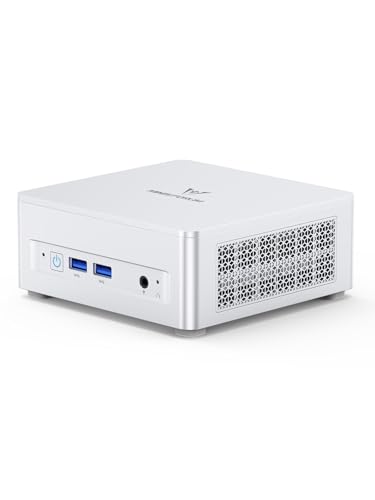
Where to buy
Check the latest price, availability and delivery on Amazon. Orders are placed on Amazon. We may earn a commission from qualifying purchases.
- Best overall for streaming: Minisforum UM870 Slim, Ryzen 7 8745H, 32GB RAM, 1TB SSD — Check on Amazon
- Beelink SER8, Ryzen 7 8745HS, 32GB RAM, 1TB SSD — Check on Amazon
- GMKtec NucBox K8 Plus, Ryzen 7 8845HS, 32GB RAM, 1TB SSD, OCuLink — Check on Amazon
- GMKtec NucBox M6 Ultra, Ryzen 5 7640HS, 32GB RAM, 512GB SSD — Check on Amazon
See 2 more Amazon options
- Minisforum UM890 Pro Barebone, Ryzen 9 8945HS (no RAM, SSD or OS) — Check on Amazon
- Apple Mac mini, M4 chip, 16GB memory, 256GB SSD — Check on Amazon
Read the full guide ↓
Disclosure: As an Amazon Associate, reviewstook.com earns from qualifying purchases. Links to Amazon on this page are affiliate links; they cost you nothing extra. Listing details such as price and availability change often, so check the current Amazon listing before you buy.
A streaming PC is really two machines wearing one case. One of them plays the game; the other compresses the picture sixty times a second and pushes it up your internet connection without dropping frames. In a mini PC under $800, both jobs land on the same small chip — and that single fact, not the processor badge or the RAM figure, is what this guide grades. Every Windows pick here renders its games on integrated Radeon graphics and encodes the stream on the media block built into that same silicon. There is no discrete graphics card in a mini PC at this price on Amazon, which means there is no NVENC encoder anywhere in this guide — the NVIDIA hardware encoder that streaming advice usually revolves around simply does not exist in this form factor at this budget. What these machines have instead is AMD’s RDNA 3 media engine, and the honest questions are how good it is, where it falls short, and which of these six boxes surrounds it with the memory, storage, networking and quiet that a real stream needs.
First, the workflow this guide is grading against, because “good for streaming” means nothing until the stream is defined. On Twitch, the standard contract is a 1080p60 picture at roughly 6,000 kbps with constant bitrate — the ceiling Twitch’s ingest effectively works to for most streamers. YouTube is the more generous platform: it accepts much higher bitrates, takes 1440p streams, and accepts AV1, the newer codec that holds detail better at a given bitrate. Twitch’s own AV1 route exists only through its Enhanced Broadcasting programme, still a limited path rather than the default. And 4K streaming is limited by the platforms, not by anything you can buy — no pick in this guide is held back by it, and none should be bought for it. Within that workflow, a mini PC can hold four different jobs: playing and encoding on the same box, which is the hardest; encoding a console’s picture arriving through a capture card, which is mostly encoder work; running as a dedicated second machine that encodes while a gaming PC plays; and talk, desktop and creative streams, where the “game” is a screen full of windows and the encoder does nearly all the work. The picks below are graded on all four, in that order of difficulty.
The Encoder Map: What These Chips Can Actually Encode
Everything in this guide turns on one piece of silicon, so it deserves a plain explanation before the picks. The five Windows machines use AMD integrated graphics — the Radeon 780M in four of them, the Radeon 760M in the fifth — and both are RDNA 3 parts whose media engine (AMD’s VCN block) encodes H.264, HEVC and AV1 in hardware. That AV1 line matters: AV1 hardware encoding arrived on the AMD side with this generation, and it is genuinely present here, not a marketing borrowing from a desktop card. For a YouTube streamer, these minis can send a hardware-encoded AV1 stream today. The honest qualification is H.264 quality: at Twitch’s roughly 6,000 kbps, AMD’s hardware H.264 output is visibly softer than NVIDIA’s NVENC output at the same bitrate — fast motion smears a little more, fine detail gives up a little sooner. It is a watchable, respectable picture, and thousands of channels run on it; it is not the sharpest Twitch picture money buys, and this guide will not pretend otherwise.
Three absences need stating just as plainly, because streaming folklore will otherwise fill them in wrongly. There is no NVENC anywhere in this set — no pick contains an NVIDIA GPU of any kind, so every recommendation you have read that begins “just use NVENC” does not apply until a future graphics card arrives through a dock, a route two picks below keep open. There is no Intel Quick Sync anywhere in this set either — no pick uses an Intel processor, so the other famous hardware encoder is equally absent. And the Mac mini’s media engine works through Apple’s VideoToolbox, which encodes H.264 and HEVC in hardware: solid, efficient, and — stated explicitly because the M4’s spec sheet invites the assumption — it does not encode AV1. The Mac decodes AV1 in hardware for playback; encoding it is a different block that this chip does not offer. Finally, the fallback: every Windows pick carries an eight- or six-core Zen 4 processor that can encode in software (x264) at light presets, which is a workable emergency route for a talk stream or a second-box setup — but on the same box as a game, software encoding competes with the game for the same cores, and the hardware block is the right tool. One pick, the barebone, ships with no memory, storage or operating system at all: as it arrives, it cannot stream anything, and its review grades the machine it becomes once completed, never the kit in the box.
In this guide
Quick Picks
Short on time? Each row names a streaming situation and the machine that fits it, with a link to the listing.
| Streaming situation | Pick | Why it stands out | Link |
|---|---|---|---|
| Best overall streamer | Minisforum UM870 Slim, Ryzen 7 8745H, 32GB/1TB | The tier’s standard spec around the RDNA 3 encoder — 32GB, 1TB, wired 2.5GbE | Check on Amazon |
| Best where the microphone lives | Beelink SER8, Ryzen 7 8745HS, 32GB/1TB | Near-silent vapor-chamber cooling — the fan your viewers never hear | Check on Amazon |
| Best upgrade path to a real encoder | GMKtec NucBox K8 Plus, Ryzen 7 8845HS, 32GB/1TB | OCuLink leaves the door open to a desktop card — and NVENC — later | Check on Amazon |
| Best value streamer | GMKtec NucBox M6 Ultra, Ryzen 5 7640HS, 32GB/512GB | The same AV1-capable media engine one rung down — check price on Amazon | Check on Amazon |
| Best second-PC or capture station (once built) | Minisforum UM890 Pro Barebone, Ryzen 9 8945HS | The strongest CPU here for a dedicated encoding box — after you complete it | Check on Amazon |
| Best for macOS streaming | Apple Mac mini, M4, 16GB/256GB | Silent, efficient VideoToolbox encoding — H.264/HEVC only, no AV1 | Check on Amazon |
How These Picks Were Chosen
The grading order in this guide is encoder first, everything else second — the reverse of a general mini PC guide, and deliberately so. The first question asked of every candidate was which media engine it carries and which codecs that engine encodes in hardware, taken from the silicon itself rather than from listing copy. That filter is why this list is wall-to-wall RDNA 3: the previous AMD generation’s media engine has no AV1 encode, and at streaming’s bitrates that difference is a feature gap, not a spec-sheet footnote. The second question was simultaneous load — what happens when the same chip must render a game, encode the stream, run OBS’s compositor and keep a browser, chat and alerts alive at once. That is where the fitted memory matters: the four complete Windows picks all carry 32GB in slots, which leaves real headroom after the game takes its share, and it is why no 16GB machine appears here despite several being cheaper.
After that came the unglamorous specifications that decide whether a stream survives a month rather than a demo. Storage, because a stream that is also recorded locally eats drive space in large, quiet bites — 1TB is comfortable, 512GB is a budget to manage, 256GB is a plan that must include somewhere else for recordings to live. Networking, because a dropped-frame counter does not care how fast your processor is: every pick here has a wired Ethernet port, and the wired rule in the OBS section below is a condition of these recommendations, not a suggestion. Noise, because a mini PC streams from the same room as the microphone, usually the same desk — a fan that is merely “not loud” in a review is a fan your viewers hear in every quiet moment of a talk stream, so cooling design was graded as an audio specification. And price discipline, because prices in this class can change often — check the current price on Amazon before you buy, and stay within this guide’s budget.
Two exclusions frame the list. The discrete-graphics mini PC that streaming readers often hope for — Minisforum’s AtomMan G7 Pt, with a mobile Radeon RX 7600M XT — sits above this entire budget tier on Amazon; its media engine is the same RDNA 3 generation as the picks here, so the honest summary is that the extra money buys game rendering, not a better class of encoder. And machines from earlier integrated-graphics generations were left out even when discounted, because giving up AV1 encode and simultaneous-load headroom to save money on the one part of the PC a streamer cannot upgrade is the wrong trade. What remains is six machines that share an encoder generation and differ in everything around it — which is exactly the comparison a streamer needs.
The 6 Best Mini PCs for Streaming Under $800
Minisforum UM870 Slim (Ryzen 7 8745H, 32GB RAM, 1TB SSD)
Who it suits: The one-box streamer who wants the complete package around the encoder — enough memory for game plus OBS plus everything else, a terabyte for recordings, wired networking, and no assembly or completion maths before the first stream.
The UM870 Slim is the reference machine for this guide because it surrounds the RDNA 3 encoder with the fewest compromises. The Ryzen 7 8745H’s Radeon 780M gives you the full codec set — H.264 for Twitch, HEVC, and hardware AV1 for YouTube — and the machine around it is fitted the way simultaneous load demands: 32GB of DDR5 in two slots (expandable to 96GB), a 1TB PCIe 4.0 drive with a second M.2 slot free for the recordings archive every regular streamer eventually starts, and a 2.5GbE port for the wired connection this guide insists on. The maker’s noise claim for its phase-change cooling is below 35dB in performance mode — a claim, not a measurement, but a modest one by industry standards, and for a microphone in the same room the design intent matters: this is a machine built to be unremarkable acoustically. The VESA mount in the box helps the streaming desk too, parking the PC behind the monitor and out of the microphone’s near field. USB4 and triple-display output cover the multi-monitor layout — game on one screen, OBS and chat on another — that one-box streaming really needs.
Check the current price on Amazon before you buy. This pick is positioned around the top of this budget tier, so confirm the listing falls within the under $800 budget when you are ready to stream; if it sits above that budget, waiting or choosing another pick here is the sensible move. Two streaming-relevant caveats. The Wi-Fi 6E module is a MediaTek part with a documented history of driver friction under Linux — streamers on Windows will never notice, and the wired rule makes it moot for the stream itself, but Linux-based capture setups should plan on the Ethernet port or a USB adapter. And the encoder’s honesty note from the map above applies in full: its Twitch H.264 will be a touch softer than an NVENC tower’s at the same bitrate. Within the mini PC form factor, nothing under $800 does better — the gap is the form factor’s, not this machine’s.
- Full RDNA 3 codec set — H.264, HEVC and hardware AV1 encode for YouTube.
- 32GB in slots and 1TB plus a free M.2 slot: headroom for the game and room for recordings.
- 2.5GbE wired networking, USB4, triple displays, VESA mount for a clean streaming desk.
Honest limitation: Its price can sit around the top of this budget tier — check price on Amazon and buy when it falls within budget; AMD’s H.264 at Twitch bitrates is visibly softer than NVENC, and the MediaTek Wi-Fi is a known Linux friction point.
Choose it if you want one box that streams and plays today with nothing left to buy. Skip it if the listing is above this budget when you need to start — the SER8 below is the same encoder class with quieter cooling.

Beelink SER8 (Ryzen 7 8745HS, 32GB RAM, 1TB SSD)
Who it suits: Streamers whose microphone sits close and whose room is quiet — talk, ASMR-adjacent, podcast-style and bedroom streamers for whom fan noise is not background detail but content.
Every encoder in this guide is graded on silicon; the SER8 is graded on what surrounds the silicon, because for a streamer the chassis is part of the audio chain. Its vapor-chamber cooling spreads heat across the whole case instead of forcing it through one small heatsink and one fast small fan, and the reputation it has earned in reviews is the one that matters on a microphone: near-silence under sustained load, without the cycling whine that small fans produce as they chase temperatures up and down. A talk stream has quiet moments by design, and in those moments a lesser mini PC becomes an uninvited guest in its own broadcast. The SER8 is the pick that stays out of the recording. The streaming hardware around that quiet is the tier standard: the same Radeon 780M media engine as the pick above, with the same H.264/HEVC/AV1 hardware encode set, 32GB of DDR5 in slots (to 64GB), a 1TB PCIe 4.0 SSD with a second M.2 slot waiting for recordings, 2.5GbE wired networking, USB4 and triple-display output under Windows 11 Pro.
Check the current price on Amazon before you buy. In plain terms, this machine is positioned around the top of this guide’s budget tier. Bought within this budget, it is arguably the best-owned streamer in this guide — the encoder everyone here shares, in the chassis a microphone would choose. Bought well above that tier, it is workstation money for integrated graphics. One practical streaming note: its single USB-C-class port means a dock, a capture card and fast external storage negotiate for one plug, so plan the desk’s wiring once, deliberately, rather than discovering it live. Silence, here, is worth patience — check price on Amazon and buy when it fits this budget.
- The quiet pick: vapor-chamber cooling with a near-silent reputation under sustained load.
- The same full RDNA 3 encoder as the top pick — H.264, HEVC and AV1 in hardware.
- Slotted 32GB, 1TB plus a free M.2 slot, 2.5GbE — the complete streaming package.
Honest limitation: Its pricing sits around the top of this budget tier, and one USB-C-class port makes the capture-and-dock wiring a one-plug negotiation.
Choose it if your stream is voice-led and your room is quiet, and you can buy on a dip. Skip it if you must start this week at whatever the listing demands — or if a capture card, dock and drives all need their own fast ports at once.

GMKtec NucBox K8 Plus (Ryzen 7 8845HS, 32GB RAM, 1TB SSD)
Who it suits: The streamer with a two-stage plan — integrated graphics and the RDNA 3 encoder today, with a genuine route to a desktop graphics card, and a desktop-class encoder, when the channel justifies it.
Read the encoder map above and one absence dominates: no NVENC, anywhere, at any price in this form factor. The K8 Plus is the one pick that treats that absence as a phase rather than a verdict. Its OCuLink port carries a direct PCIe connection out of the box, so an external GPU dock later turns this mini into a machine with a real desktop card — and if that card is from NVIDIA’s RTX 40 series or newer, it brings NVENC with AV1 encode, the encoder stack this guide keeps having to explain the absence of. No other complete pick here offers that future without replacing the computer. (The barebone below reaches OCuLink too, but through an adapter that costs it an SSD slot, and it arrives as a kit.) Until that day, the K8 Plus streams exactly as well as the picks above it: the same Radeon 780M media engine with H.264, HEVC and AV1 hardware encoding, driven by the 8845HS, with 32GB of DDR5 in two slots, a 1TB PCIe 4.0 drive and a second M.2 slot, dual USB4, and two 2.5GbE ports — the second network port being a genuinely streaming-relevant extra, since it lets a dedicated encoding setup keep the stream’s traffic and the home network’s traffic on separate wires.
Now the rule: check the current price on Amazon before you buy. This pick only belongs in this guide when its listing falls within the under $800 budget; when it sits within that budget, it is strong value in this guide outright. When it sits above that budget, walk away and choose another pick here instead. The second honesty item concerns the upgrade story itself: an OCuLink dock and a desktop card are a significant second purchase when you claim them, and a mini plus dock can approach a small desktop that would have been simpler. The K8 Plus is the right buy when the staged plan is the point — small, quiet and AV1-capable now, a real encoder card later — not as a disguised discount on a gaming tower.
- OCuLink: the only complete pick with a real path to a desktop card — and NVENC — later.
- Dual 2.5GbE ports: separate wires for the stream and the household network.
- Same RDNA 3 encoder, 32GB and 1TB as the top picks — check price on Amazon.
Honest limitation: Its price can be volatile in this tier, and the encoder upgrade it promises is an additional purchase when claimed.
Choose it if the two-stage plan is real and you buy within this budget. Skip it if the listing is spiked, or if you know the dock will never happen — the UM870 Slim is the same streaming class with less to go wrong.

GMKtec NucBox M6 Ultra (Ryzen 5 7640HS, 32GB RAM, 512GB SSD)
Who it suits: The value-first streamer — talk, desktop, creative and console-capture streams, plus light same-box gaming — who would rather keep a meaningful amount of money than buy the tier’s ceiling.
The M6 Ultra’s streaming argument is that the encoder discount barely exists. Its Radeon 760M is one rung below the 780M on the rendering side, but its media engine is the same RDNA 3 generation: H.264, HEVC and AV1 are all encoded in hardware, so a YouTube AV1 stream from this machine is the same class of stream as one from the picks above. Where the rung-down actually shows is simultaneous load on the same box — the 760M renders less game per second, so a demanding title saturates the graphics sooner and the rendering-lag counter in OBS starts complaining earlier; the encoder block itself is separate silicon and keeps its composure while it happens. For the streaming jobs that are mostly encoder — a console arriving through a capture card, a talk or desktop stream, a dedicated second box — that rendering gap is nearly irrelevant, and this is the most accessible honest way into AV1 hardware encoding in this guide. The supporting spec is chosen well: 32GB of DDR5 in two slots rather than a soldered compromise, USB4, triple 4K display output and two 2.5GbE ports, under Windows 11 Pro.
The compromises are storage-shaped, and for a streamer storage is not a footnote. The fitted drive is 512GB and PCIe 3.0 — half the room of the picks above, a generation slower — and a streamer who records locally will feel that ceiling in months, not years; further M.2 slots inside include faster ones, so the fix is a drive addition when you outgrow it rather than a new computer, but it is a fix you should budget as part of this pick’s real cost story. The listing’s stated warranty is one year, the shortest here. And the rendering honesty bears repeating in the other direction: if your stream is same-box play of current, demanding games, this is the wrong pick — not because its encoder fails, but because its renderer hands the encoder less to work with. Judged on the jobs it suits, though, the value is among the best in the guide: the same codec set, slotted 32GB and dual wired networking, positioned lower in this tier than rivals with the same encoder generation — check price on Amazon.
- Same RDNA 3 media engine — H.264, HEVC and AV1 hardware encode — check price on Amazon.
- 32GB in two slots and dual 2.5GbE: the streaming fundamentals were not cut.
- USB4 and triple 4K output for a proper OBS-and-chat desk layout.
Honest limitation: The fitted 512GB PCIe 3.0 drive is the tightest recording budget among the complete Windows picks, the 760M renders a rung below the 780M for same-box gaming, and the stated warranty is one year.
Choose it if your stream is talk, desktop, creative or console-led, or your games are light. Skip it if same-box play of demanding current games is the main event — that is what the 780M picks above are for.

Minisforum UM890 Pro Barebone (Ryzen 9 8945HS, No RAM, SSD or OS)
Who it suits: Builders and homelab streamers who want a dedicated encoding station — a second box whose only job is the stream — with the strongest CPU in this guide and memory and storage they choose themselves.
Start with the sentence this pick’s streaming case depends on: as shipped, this machine cannot stream at all. The listing is a chassis, a motherboard and a Ryzen 9 8945HS — no RAM, no SSD, no operating system — and an encoder with nothing to run on encodes nothing. What follows grades the completed machine. Completed, it becomes the most interesting streaming box here for one specific job: the dedicated encoder. Its 8945HS is the strongest processor in this guide, and its Radeon 780M carries the same RDNA 3 media engine — H.264, HEVC, AV1 in hardware — as the top picks, while the eight fast cores give OBS, a capture feed and supporting software more simultaneous-load headroom than any other pick, including a credible software-encoding fallback for a second-box talk setup. Dual USB4, dual 2.5GbE and four-display output suit a capture station’s wiring, and the memory ceiling — two DDR5 slots to 96GB — is the highest here.
Completing it means adding the parts it lacks: 32GB of DDR5-5600 and a 1TB PCIe 4.0 drive are the natural completion for this guide, and with parts chosen carefully the completed machine can stay within this budget tier — positioned below the configured version of this same machine. Check price on Amazon for the kit, and check current prices for the parts you add. An operating system is not included: add a Windows licence if you need one, or nothing if the box is destined for Linux, a common and sensible plan for a dedicated encoder. Two streaming-specific cautions. Its documented noise in performance mode is around 43dB — the loudest figure in this guide — so as a same-room, same-desk streamer it asks more of your microphone technique than the SER8 asks of anyone; as a second box in another corner or another room, the point evaporates. And its OCuLink connection runs through an included M.2 adapter plate that occupies one of the two SSD slots while fitted — the future encoder card and the second drive are a choice, not a combination. Buy it as a project with a purpose and it is the strongest streaming hardware here; buy it expecting a computer in the box and it is the only pick that cannot stream on arrival day.
- The strongest CPU here — the dedicated-encoder pick once completed, with real x264 fallback headroom.
- Same RDNA 3 encoder as the top picks; 96GB memory ceiling, dual USB4, dual 2.5GbE.
- Completed with new parts, it can stay within this budget tier — below its configured version’s positioning.
Honest limitation: It is a kit, not a computer — it cannot stream until RAM, SSD and an OS are added — and at around 43dB in performance mode it is the loudest pick near a microphone.
Choose it if you are building a dedicated stream box or capture station and have, or will buy, the parts deliberately. Skip it if you want to stream the evening it arrives — every other pick here can, and this one cannot.
Apple Mac mini (M4, 16GB Memory, 256GB SSD)
Who it suits: macOS streamers — talk, podcast, creative and console-capture channels inside Apple’s ecosystem — who value silence and efficiency and whose platform is YouTube or a talk-format Twitch show rather than bitrate-critical gameplay.
The Mac mini’s streaming case rests on a genuinely good encoder and the quietest chassis in this guide. Apple’s VideoToolbox encodes H.264 and HEVC in dedicated hardware, and OBS on macOS uses it directly: the result is an efficient, stable stream from a machine that is effectively silent on the desk and draws single-digit watts at idle — for a voice-led stream recorded in a small room, that combination is not a consolation prize, it is close to ideal. The M4’s ten cores handle the supporting cast of a stream — browser sources, chat, overlays — without drama, its three Thunderbolt 4 ports are the fastest connections here for capture devices and fast external storage, and it drives up to three displays for a proper streaming layout. It is also positioned at the more accessible end of this tier compared with the Windows picks — check price on Amazon.
The limits are architectural, and two of them are streaming limits specifically. First, the codec ceiling: VideoToolbox on this chip encodes H.264 and HEVC and does not encode AV1 — the hardware decodes AV1 for playback, but a YouTube AV1 stream, the one codec advantage the Windows picks here hold, is not available to it, and no software update changes a media engine. Second, the fixed configuration: 16GB of memory and 256GB of storage are soldered at purchase, forever. Sixteen gigabytes is workable for a talk or capture stream and tight for same-box gaming plus OBS; 256GB is the real constraint, because local recordings cannot live on this drive in any quantity — plan on recordings going to external storage from day one, as a permanent part of the setup rather than an upgrade. Check the current price on Amazon before you buy: buy from Amazon itself, and avoid third-party sellers asking well above this pick’s usual positioning in this tier. Chosen as a quiet, finished appliance for a known streaming format, it is superb; chosen as a platform to grow into, the slotted Windows picks are the honest answer.
- Effectively silent, with efficient hardware H.264/HEVC encoding through VideoToolbox.
- Three Thunderbolt 4 ports — the fastest capture and storage connections in the guide.
- Positioned at the accessible end of this tier; superb for talk, podcast and creative formats — check price on Amazon.
Honest limitation: No AV1 encode (decode only), and 16GB of memory with 256GB of storage are soldered forever — recordings must live on external storage from day one.
Choose it if you stream from macOS in a voice-led format and your workload fits the fixed configuration. Skip it if AV1 streaming, same-box gaming headroom or internal recording storage matter to your channel.

Comparison Table
| Product | Encoder (hardware) | Memory & storage | Best streaming use | Link |
|---|---|---|---|---|
| Minisforum UM870 Slim | RDNA 3 VCN — H.264 / HEVC / AV1 | 32GB slotted (to 96GB), 1TB, 2× M.2 | The default one-box streamer | Check on Amazon |
| Beelink SER8 | RDNA 3 VCN — H.264 / HEVC / AV1 | 32GB slotted (to 64GB), 1TB, 2× M.2 | Voice-led streams in quiet rooms | Check on Amazon |
| GMKtec NucBox K8 Plus | RDNA 3 VCN — H.264 / HEVC / AV1 | 32GB slotted, 1TB, 2× M.2, OCuLink | Streaming now, desktop encoder card later | Check on Amazon |
| GMKtec NucBox M6 Ultra | RDNA 3 VCN — H.264 / HEVC / AV1 | 32GB slotted, 512GB fitted | Talk, desktop and console-capture value | Check on Amazon |
| Minisforum UM890 Pro Barebone | RDNA 3 VCN — H.264 / HEVC / AV1 (once completed) | None fitted — you complete it with 32GB/1TB | Dedicated second-PC encoding station | Check on Amazon |
| Apple Mac mini (M4) | VideoToolbox — H.264 / HEVC (no AV1 encode) | 16GB soldered, 256GB soldered | Silent macOS talk and capture streams | Check on Amazon |
Setting Up OBS on These Machines
The settings below are the same discipline on every pick; only the encoder selection changes. On the five Windows machines, choose the AMD hardware encoder in OBS — H.264 for Twitch, AV1 for a YouTube stream that uses it, HEVC where a platform asks for it. On the Mac mini, choose the Apple VT hardware encoder, H.264 for Twitch. In both cases the point is identical: the encode belongs on the media block, not on the processor cores your game is using. Software x264 is the fallback for a dedicated second box running a talk stream, not the plan for a one-box gaming setup.
For Twitch, set constant bitrate at roughly 6,000 kbps and a keyframe interval of two seconds — the two-second keyframe is a platform requirement, not a preference, and it is the setting new streamers most often leave wrong. Output at 1080p60 when the game renders comfortably there; if it does not, a 936p or 720p output from a clean render looks better than a struggling 1080p one, and on these integrated graphics that trade is a normal part of the setup, not a defeat. For YouTube, you have more room: higher bitrates are accepted, a 1440p output is worthwhile for the better transcoding it earns even when the game renders at 1080p, and on the five Windows picks the AV1 hardware encoder is the quality-per-bitrate winner. Twitch’s AV1 path through Enhanced Broadcasting is real but limited — treat it as a bonus where offered, and keep the H.264 setup as your known-good baseline.
When a stream stutters, OBS’s statistics view separates the three ways a frame can be lost, and each has a different fix — confusing them is how streamers spend money on the wrong upgrade. Rendering lag means the graphics were too busy drawing the game to hand OBS its picture: the fix is on the game side — cap the in-game frame rate, lower the game’s settings, or drop the output resolution; on these minis this is the counter you will meet first, because the same silicon renders and encodes. Encoding lag means the encoder itself could not keep up: move to a faster hardware-encoder preset, or reduce the output resolution and frame rate; on the media blocks here this should be rare at 1080p60, and if it appears on the barebone pick, check the completion first — single-channel or undersized memory starves the integrated graphics of bandwidth. Dropped frames are the network’s confession, not the computer’s: no pick in this guide can fix them with processing power, and the fix is the rule this guide has repeated since the introduction — stream on a wire. Every pick here has an Ethernet port (2.5GbE on the Windows machines, gigabit on the Mac, either of which is vastly more than a 6,000 kbps stream needs); Wi-Fi is for everything in the room except the stream itself. If wired dropped frames persist, lower the bitrate before you lower anything else.
What Else You Will Spend On
The computer is not the whole streaming budget, and this section deliberately names the rest of the kit without pricing any of it — accessory prices belong to their own listings, and none of them is ever folded into a pick’s price above. Buy in this order. A microphone comes first, before any camera: viewers forgive a soft picture for hours and a bad microphone for about a minute, and a mini PC streamer’s room is usually small and untreated, which makes the microphone — and the quiet of picks like the SER8 — the highest-value decision in the whole setup. Lighting comes second: one decent light aimed at your face does more for a webcam picture than any camera upgrade, and it does it for every camera you will ever own. A webcam comes third, once the light exists for it to work with. A capture card is a console-only purchase — it is how a console’s picture reaches any of these machines, and how a second PC’s picture reaches a dedicated encoder like the completed UM890 Pro; if you play on the same box you stream from, you do not need one, and buying one “for quality” is the classic wasted purchase of this category. The last quiet cost is recording space: if you keep local recordings — and most growing channels do, for editing and clips — the 512GB pick and the 256GB Mac will need somewhere external for them to live, permanently. Plan it as furniture, not as an emergency.
How to Choose a Mini PC for Streaming
- Name your stream before your machine. One-box gaming, console capture, a dedicated second box and talk/desktop formats load a PC in completely different proportions. The same pick that is overqualified for a talk show is underqualified for same-box AAA play.
- Grade the encoder generation, not the graphics name. In this set the codec list is the streaming specification: RDNA 3’s media engine encodes AV1 in hardware; the generation before it does not. A bigger rendering number on older silicon is the worse streaming buy.
- Expect the H.264 trade and decide if you accept it. At Twitch’s bitrate, AMD’s hardware H.264 is visibly softer than NVENC. If your channel is fast-motion gameplay on Twitch and picture crispness is the product, the honest route is a tower with an NVIDIA card — see Best Streaming PC Under $800 — not a mini at any price in this guide.
- Buy simultaneous-load headroom, not peak specs. The stream runs the game, the encoder, OBS and a browser at once. Fitted 32GB in slots is why these picks are here; a faster chip behind 16GB soldered loses to them by the second hour of a real session.
- Treat storage as a recording budget. Decide where local recordings live before the first stream: 1TB internal is a plan, 512GB is a plan with a date on it, 256GB is external storage as a permanent fixture.
- Wire it, whatever you buy. Dropped frames are a network diagnosis. Every pick here has Ethernet; use it for the stream and let Wi-Fi do everything else.
- Grade the fan as audio equipment. Your microphone hears the room your PC lives in. Cooling design is a streaming specification — the quietest pick here earns its place on that ground alone.
- Stay within the budget. Prices in this class can change often. Check the current price on Amazon for each pick; above this budget, patience outperforms every feature difference in this guide.
Common Streaming Buying Mistakes
- Assuming a mini PC can offer NVENC. No NVIDIA GPU fits this form factor under $800; the encoder here is AMD’s, and advice built on NVENC settings does not transfer.
- Crediting the Mac mini with AV1 streaming. Its media engine decodes AV1 and encodes H.264/HEVC. Those are different blocks, and the spec sheet will not correct you.
- Comparing the barebone’s kit price with complete stream PCs. The kit cannot stream at all until memory, storage and an operating system join it — compare the completed machine, always.
- Diagnosing dropped frames as a slow computer. Dropped frames are the network; rendering and encoding lag are the computer. OBS’s statistics view tells you which one you have — read it before buying anything.
- Streaming over Wi-Fi because the speed test looked fast. Streaming needs sustained, boring stability at a modest bitrate, which is precisely what a wire provides and a busy wireless network does not.
- Buying the capture card first. It is a console-only device. Same-box streamers need a microphone first, then light, then a camera — in that order.
- Recording everything to a 256GB or 512GB drive with no plan. The drive fills mid-season, silently, usually during the stream you most wanted to keep.
- Paying an inflated price for an encoder in this tier. The codec set does not change with the price; check the current price on Amazon and stay within this budget.
Final Recommendation
- Most streamers: Minisforum UM870 Slim — the full RDNA 3 codec set in the tier’s most complete package, bought within this budget — check price on Amazon.
- Voice-led streams and quiet rooms: Beelink SER8 — check price on Amazon.
- A staged plan toward a desktop encoder: GMKtec NucBox K8 Plus, only when it falls within this budget — check price on Amazon.
- Value first: GMKtec NucBox M6 Ultra — check price on Amazon.
- A dedicated encoding station you build yourself: Minisforum UM890 Pro Barebone, completed honestly.
- macOS channels: Mac mini M4 — check price on Amazon.
Our top two for most streamers are the UM870 Slim, because it asks nothing of you — complete, capacious, wired and AV1-capable out of the box — and the SER8, because streaming is an audio medium wearing a video costume, and its silence improves every minute of every broadcast rather than one specification on a chart. If the budget is the binding constraint, the M6 Ultra keeps the same encoder generation and most of your money; if the channel outgrows integrated graphics entirely, the step up is a tier, not a tweak — see Best Mini PC For Streaming Under $1200. Streamers on a smaller budget lose less than they might fear: the encoder story at Best Mini PC For Streaming Under $500 and Best Mini PC For Streaming Under $700 follows the same codec-first logic. New to all of this? Best Mini PC For Beginners Under $800 explains the machines themselves in plain terms, and if the desk is the constraint, Best Mini PC For Small Spaces Under $800 grades the same budget by footprint. Check the current price on Amazon, confirm the configuration on the listing matches the one reviewed, wire the Ethernet, and stream.
Frequently Asked Questions
Can a mini PC under $800 really stream and play games on the same box?
Yes, within the honest boundary of integrated graphics. The encoder is a separate media block, so encoding a 1080p60 stream costs the game far less than software encoding would; the real limit is the rendering side — the Radeon 780M machines here play esports titles, older AAA games and indie libraries at 1080p with sensible settings, and those are the games they can also stream. Current AAA titles at high settings are beyond the renderer, and no encoder can stream what the chip cannot draw. For gaming-first buyers, Best Mini Gaming PC Under $800 applies a gaming lens to the same money.
Is AV1 worth caring about at this price?
On YouTube, yes — it is the one genuine codec advantage in this guide, holding detail at bitrates where H.264 softens, and all five Windows picks encode it in hardware. On Twitch, the standard stream is still H.264 at roughly 6,000 kbps, with AV1 arriving only through the limited Enhanced Broadcasting path — so a Twitch-first streamer should judge these machines on their H.264, which is good and visibly a step behind NVENC, rather than on a codec the platform mostly does not take yet.
Why is there no NVENC pick in a streaming guide?
Because no mini PC with an NVIDIA GPU exists under $800 on Amazon — the form factor’s discrete machines are AMD-based and sit in higher tiers, and even they carry the same RDNA 3 media engine generation as these picks. If NVENC is non-negotiable, the honest answers are a small tower at this budget or an OCuLink pick here with a desktop card added later; this guide grades what the form factor actually offers rather than reviewing the machine readers wish existed.
Can the barebone pick stream on the day it arrives?
No — plainly, and its review is written around that fact. It ships without memory, storage or an operating system, so it cannot run OBS, a game or anything else until completed. Completed with the parts described in its review, it becomes the strongest dedicated encoding box in this guide. Buy it only if the building is part of the plan.
Is the Mac mini a sensible streaming machine?
For the right format, genuinely yes: OBS on macOS uses its VideoToolbox hardware encoder for stable H.264 and HEVC streams, and its silence suits voice-led shows recorded in small rooms. Its ceilings are fixed, though — no AV1 encode for YouTube’s best quality path, 16GB of memory for the whole session, and 256GB of storage that pushes recordings onto external drives from day one. Inside those lines it is excellent; outside them, no setting changes the answer.
Do I need 2.5GbE for streaming?
No — a Twitch stream is roughly 6,000 kbps, which any wired connection of the last two decades carries without noticing. What you need is the wire itself: wired Ethernet’s stability is what keeps the dropped-frame counter at zero. The 2.5GbE ports on the Windows picks earn their keep moving recordings to a NAS and feeding a home server, not carrying the stream.


