Where to buy
Check the latest price, availability and delivery on Amazon. Orders are placed on Amazon. We may earn a commission from qualifying purchases. Every product below is a barebones kit: the price buys the chassis, board, processor and — where one is fitted — the graphics card only. There is no RAM, no SSD and no operating system, and no mini PC here includes a camera, microphone or speakers — budget for parts and broadcast kit before comparing any price with a finished streaming PC.
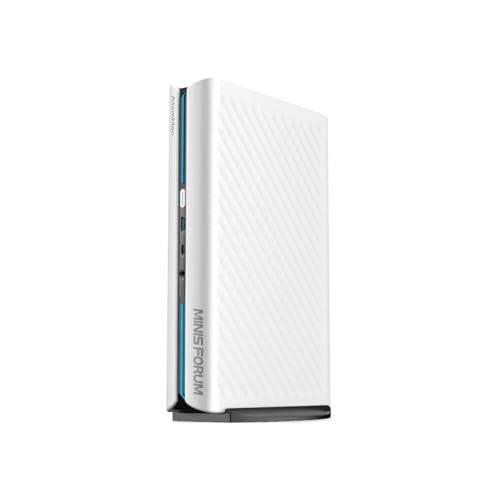
- Best overall for streaming: MINISFORUM AtomMan G1 Pro (Barebone) — Ryzen 9 8945HX, Desktop RTX 5060 — Check on Amazon
- MINISFORUM AtomMan G7 Pro (Barebone) — Core i9-14900HX, RTX 5070 Laptop GPU — Check on Amazon
- MINISFORUM AtomMan G7 PT — Ryzen 9 7945HX, Radeon RX 7600M XT — Check on Amazon
- MINISFORUM MS-A2 (Barebone) — Ryzen 9 9955HX, PCIe Slot, Dual 10G SFP+ — Check on Amazon
See 2 more Amazon options
- MINISFORUM MS-01 (Barebone) — Core i9-13900H, Quick Sync, PCIe Slot — Check on Amazon
- GMKtec NucBox K8 Plus (Barebone) — Ryzen 7 8845HS, Radeon 780M, OCuLink — Check on Amazon
Read the full guide ↓
Disclosure: As an Amazon Associate, reviewstook.com earns from qualifying purchases. Links to Amazon on this page are affiliate links; they cost you nothing extra. Listing details such as price and availability change often, so check the current Amazon listing before you buy.
The first headline: there is no verified barebones mini PC kit on Amazon priced anywhere near $2,500. The most expensive genuine kit we could verify across listings, price trackers and makers’ stores — soldered high-end CPU, discrete GPU, empty slots — is the MINISFORUM AtomMan G7 Pro, the highest-positioned genuine kit in this tier — check the current price on Amazon. Above that there is nothing legitimate to link you to: the one machine that would fill the band, Zotac’s desktop-RTX-5060-Ti Magnus barebone, has an Amazon listing that sits unavailable, and its larger sibling sits above this budget tier before a single part is added. So treat $2,500 as what it actually is — a ceiling for the finished streaming machine, parts included. The second headline is the one streamers live by: a kit is a down payment. Memory, storage and an operating system still have to be bought before the box encodes a single frame.
That reframing is good news for a streamer, because what decides a streaming PC is rarely the sticker — it is the encoder. Broadcasting is two workloads welded together: the game renders while a separate block of silicon compresses the picture, OBS composites your scenes, a browser holds chat open, and a local recording eats drive space. This guide therefore grades every kit encoder-first, using only the encoder hardware its documentation actually establishes — NVENC where an NVIDIA GPU is fitted, AMD’s VCN where a Radeon is fitted, Quick Sync where an Intel chip carries it, and an honest “the encoder is whichever card you install” for the two slot-based workstation kits. Completed with parts, the six builds below span from the starter end of the category up toward the top of this budget — only one can spend the whole $2,500. The workflow they are graded against: play and stream from the same machine at 1080p60 on the three discrete-GPU kits, inside Twitch’s roughly 6,000 kbps CBR ceiling; talk, desktop and console-via-capture-card streaming on the workstation kits; and YouTube’s higher bitrates and AV1 live streaming wherever the fitted encoder genuinely supports AV1.
In this guide
Quick Picks
Short on time? Each row names a streamer type and the kit that suits it. Check the current price on Amazon for each kit — and budget for the completed build, not the kit alone.
| Streamer type | Pick | Why it stands out | Link |
|---|---|---|---|
| Best overall for streaming | MINISFORUM AtomMan G1 Pro (Barebone) | A desktop RTX 5060 at full 145W brings desktop-class NVENC with AV1 encode — check price on Amazon | Check on Amazon |
| Best high-end streamer | MINISFORUM AtomMan G7 Pro (Barebone) | RTX 5070 Laptop NVENC plus a 24-core i9 — the strongest verified kit, and the only build that can spend $2,500 completed | Check on Amazon |
| Best AMD streaming kit | MINISFORUM AtomMan G7 PT | The RX 7600M XT’s VCN encoder is AV1-capable, positioned at the accessible end of the discrete-GPU kits here — check price on Amazon | Check on Amazon |
| Best bring-your-own-encoder platform | MINISFORUM MS-A2 (Barebone) | A PCIe slot lets you choose the encoder card; 16 Zen 5 cores are a real x264 fallback — check price on Amazon | Check on Amazon |
| Best quiet streaming desk | MINISFORUM MS-01 (Barebone) | Quick Sync encoding today and a slot for a card later, with the calmest documented noise figures here | Check on Amazon |
| Best starter stream box | GMKtec NucBox K8 Plus (Barebone) | The 780M’s VCN encoder includes AV1 at an integrated-graphics price; the most accessible completed build here, with an OCuLink dock later — check price on Amazon | Check on Amazon |
How These Picks Were Chosen
The first filter was definitional. A pick had to be a genuine barebone on a real Amazon listing: shipped without RAM, storage or an operating system, or offered as a clearly selectable barebone variant on a shared listing. Fully configured machines wearing a barebones keyword were excluded. The second filter was verification: every ASIN was confirmed against the live listing title, the maker’s manual for that exact ASIN, or a price tracker recording the listing — none was typed from memory or borrowed from a roundup, and models that could not be pinned to an orderable listing (the Zotac Magnus EN275060TC is the headline case) are covered in prose, not linked on a guess.
The third filter was arithmetic, applied identically to every kit. Each was costed to completion with the same parts basket: a 32GB (2×16GB) DDR5 SO-DIMM kit in a volatile memory market; a 1TB PCIe 4.0 NVMe drive; and a Windows 11 Home licence, or no licence cost if you run Linux. A 64GB memory kit is the wild card — by far the largest and least predictable line in any completion during the current memory crunch — and a low-profile RTX 3050-class card is the extra line for the two PCIe-slot kits. That basket, not the kit alone, shapes the completed-build picture in every review.
The fourth filter is the one this angle adds: the encoder audit. Every pick was graded on the encoder its documented silicon actually carries, and on nothing else. Where the base research documents an NVIDIA discrete GPU, the guide credits NVENC — a single encoder block on both RTX kits here, with AV1 encode on both. Where it documents a Radeon, the guide credits AMD’s VCN, with AV1 encode only where the GPU’s generation supports it: the RDNA 3 parts (the RX 7600M XT, the Radeon 780M) have it, and the RDNA 2-generation Radeon 610M in the MS-A2 does not. The MS-01’s Iris Xe is credited with Quick Sync for H.264 and HEVC, and not with AV1 encode, because its silicon does not offer it. For the two workstation kits, the guide says plainly that the shipped integrated graphics are not the streaming story — the encoder is the low-profile card you choose for the slot. Noise figures are used only where documented — a maker quote for the MS-01, a reviewer measurement for the MS-A2; elsewhere the guide makes no quietness claim.
The Encoder Is the Streaming Spec
The picture your audience sees is made by the encoder — a small dedicated block of silicon that compresses each frame before it leaves the machine. Use the hardware encoder and the rendering hardware barely notices the stream exists — which is why hardware-encoder-first is the rule through every review below.
NVENC (the G1 Pro and G7 Pro). NVIDIA’s encoder is the streamer default for a reason: it is a separate block from the rendering hardware, its H.264 output at Twitch’s roughly 6,000 kbps ceiling is the cleanest of the three families here, and both RTX kits pair it with AV1 encode, the format YouTube’s live ingest rewards with visibly better pictures at the same bitrate. Each carries a single NVENC block — plenty for one broadcast plus a local recording. The difference between the two kits is the GPU around the encoder: a full-power desktop RTX 5060 in the G1 Pro, a laptop RTX 5070 in the G7 Pro, both with 8GB of VRAM that the game and your streaming assets share.
AMD VCN (the G7 PT and the K8 Plus). AMD’s encoder has closed most of the gap, and the RDNA 3 generation in both picks adds what older Radeon parts lack: AV1 encode. For a Twitch-only streamer, grade VCN a half-step behind NVENC — at 6,000 kbps its H.264 output runs slightly softer in fast motion. For a YouTube streamer the ranking can flip, because AV1 at YouTube’s higher bitrates beats H.264 at Twitch’s ceiling. The generation rule matters and this guide applies it strictly: RDNA 3 encodes AV1; the RDNA 2-generation Radeon 610M in the MS-A2 encodes H.264 and HEVC only.
Quick Sync (the MS-01). Intel’s encoder is the quiet achiever of this guide. The Iris Xe implementation in the MS-01’s Core i9-13900H produces clean H.264 and HEVC with almost no CPU cost, which makes the machine a natural dedicated encoding box or console-capture station. Its documented ceiling is the absence of AV1 encode — plan on the PCIe slot and a card, not the integrated chip.
The card you fit (the MS-A2 and MS-01). Both workstation kits ship with integrated graphics that are, for streaming purposes, placeholders — the 610M especially. Their PCIe slots (x16 physical, x8 electrical, low-profile cards of 75W or under) are the encoder decision: a low-profile RTX 3050-class card brings NVENC with it. Budget the card from day one if you buy either kit to stream.
x264, the fallback. Every CPU in this guide is strong — 16-core HX chips in the G1 Pro, G7 PT and MS-A2, a 24-core i9 in the G7 Pro — and on a dedicated streaming machine or a talk-and-desktop show, CPU encoding on a medium preset is a legitimate tool. As a simultaneous game-and-stream load on one box it remains the second choice: it spends the cores your game, OBS and browser also want. Platform ceilings sit above all of this: Twitch’s standard is 1080p60 at around 6,000 kbps CBR, while YouTube accepts far higher bitrates, 1440p and AV1 — and 4K streaming is limited by the platforms, not by anything in this guide.
The 6 Best Barebones Mini PCs for Streaming Under $2,500
MINISFORUM AtomMan G1 Pro (Barebone) — Ryzen 9 8945HX, Desktop RTX 5060
Who it suits: Streamers who want the strongest encoder-plus-game combination in a barebone kit — a real desktop GPU doing both jobs — without paying flagship-CPU money.
The G1 Pro is the only verified kit here whose graphics card is a genuine desktop part: a low-profile GeForce RTX 5060 at its full 145W inside a roughly 3.8-litre vertical case. The rendering half is a desktop-class GPU rather than a thermally squeezed laptop chip, and the encoding half is its NVENC block — the streamer-default encoder, with AV1 encode for YouTube — working independently of the game, so a 1080p60 broadcast at Twitch’s ceiling costs the gameplay almost nothing. Behind it sits a 16-core, 32-thread Ryzen 9 8945HX boosting to 5.4GHz — far more CPU than game-plus-OBS-plus-browser asks for. Storage is two M.2 PCIe 4.0 slots (up to 8TB total) — the second drive is your recording archive, at roughly 20GB an hour for high-bitrate local records — and memory is two DDR5 SO-DIMM slots up to 96GB. A built-in 350W power supply instead of a laptop brick, 5-gigabit Ethernet, Wi-Fi 7 and five display outputs (three DisplayPort, two HDMI) complete the desk story. For the kit itself, check the current price on Amazon — and note that this same listing also carries a configured 32GB/1TB version, so confirm the barebone style is the one selected.
Costed to completion — the kit, plus a matched 32GB DDR5 kit, a 1TB drive and Windows — a finished G1 Pro sits in the middle of this budget tier, leaving real room for the microphone and lighting that will do more for your broadcast than any further spec. The machine ships in an 80W “Gaming Mode,” with a substantial slice of performance behind a “Beast Mode” toggle in the maker’s utility — flip it before your first stream, because sustained game-plus-encode loads are what the full power budget is for. That utility’s bundled driver has been flagged by Windows Defender in independent testing. And the desktop GPU is a custom fit: MINISFORUM’s manual warns that only the specified Gigabyte low-profile card is supported, so the GPU — encoder included — is fixed for the life of the machine. Buy memory as a matched two-stick kit: the factory 32GB configuration ships on a single stick in single-channel mode, and a barebone buyer can do better.
- The only verified kit with a full-power desktop RTX 5060 — desktop-class NVENC with AV1 encode, at 145W.
- 16-core CPU and dual M.2 slots — room for game, OBS, browser and a recording archive.
- Positioned below the flagship kit in this tier, with finished builds that leave room in the budget for broadcast kit — check price on Amazon.
- Built-in 350W PSU and 5GbE wired networking — no brick on the desk, no Wi-Fi on the stream.
Honest limitation: The GPU and its encoder cannot be upgraded — the case, cooling and power are built around one specific low-profile card — and the performance-mode toggle plus a Defender-flagged utility driver are first-week homework, not out-of-box polish.
Choose it if you stream games from the same machine you play them on and want the encoder question settled by the best silicon in the guide. Skip it if your stream is a console fed through a capture card and the PC only encodes — the MS-01 below does that job at a lower tier.

MINISFORUM AtomMan G7 Pro (Barebone) — Core i9-14900HX, RTX 5070 Laptop GPU
Who it suits: Streamers with the full $2,500 genuinely available, who want the most powerful verified kit in the category and the headroom to run a heavy game, a busy OBS scene and everything else at once.
Inside a slim aluminium chassis just 33mm thick sits a 24-core, 32-thread Core i9-14900HX boosting to 5.8GHz alongside an NVIDIA GeForce RTX 5070 Laptop GPU with 8GB of GDDR7, cooled by six heat pipes and dual fans within a 200W sustained power budget. The streaming case builds on the encoder: the RTX 5070’s single NVENC block carries AV1 encode alongside the H.264 Twitch wants, so one machine covers both platforms’ best formats, and the base research documents DLSS 4 support on the gaming side of the same chip. The Amazon listing for this ASIN is explicit — its title literally reads “Barebone Version Without Storage/OS” — and what you add is up to 96GB of DDR5-5200 across two SO-DIMM slots and up to 8TB across two M.2 2280 slots, one PCIe 5.0-capable: a fast games drive plus a recording archive. Connectivity: HDMI 2.1 and USB4 video output, Wi-Fi 7, Bluetooth 5.4 and a full-size SD slot. The barebone sits at the top of the verified kit tier — check the current price on Amazon — and MINISFORUM’s own store has shown the barebone sold out, so availability rotates.
Completed with 32GB of DDR5, a 1TB drive and Windows, it sits toward the top of this budget tier. Specify it the way the budget invites — 64GB of memory and a 2TB drive — and it becomes the one build here that can honestly consume a $2,500 budget, and can push past it depending on where memory pricing sits the week you buy. Simultaneous-load grading is where the flagship earns it: 24 cores absorb game, OBS, browser, chat and recording without contention, and the only shared ceiling is the GPU’s 8GB of VRAM, divided between the game and your stream assets. On price discipline: if third-party sellers position the barebone well above the maker’s own tier, walk away, because at that point the configured version is the saner buy — and stock rotation means this kit may need catching rather than simply ordering.
- The strongest verified barebone kit anywhere: 24-core i9-14900HX plus RTX 5070 Laptop GPU with NVENC and AV1 encode.
- The one pick that can genuinely spend the whole $2,500 budget completed (64GB + 2TB specification).
- Dual M.2 slots with a PCIe 5.0 option — a real recording archive inside the box.
- At 33mm it is the slimmest chassis here, with USB4, Wi-Fi 7 and an SD slot.
Honest limitation: Stock is intermittent — the maker’s own store showed the barebone sold out — and the RTX 5070 Laptop GPU’s 8GB of VRAM is a fixed ceiling shared by the game and the stream.
Choose it if you want the strongest kit that verifiably exists and will give it the 64GB and 2TB specification. Skip it if it is only available from resellers positioning it well above the maker’s own tier, or if your stream is lighter than your wallet — the G1 Pro above completes at a lower tier with a desktop GPU.

MINISFORUM AtomMan G7 PT — Ryzen 9 7945HX, Radeon RX 7600M XT
Who it suits: All-AMD streamers and YouTube-first broadcasters who want a discrete GPU with an AV1-capable encoder, a 16-core CPU, and the most accessible positioning of any discrete-graphics pick here.
The G7 PT — launched as the HX200G and rebranded under the AtomMan line — pairs a Ryzen 9 7945HX (16 cores, 32 threads, up to 5.4GHz, run at 85W in its performance mode) with a discrete Radeon RX 7600M XT, 8GB of GDDR6 at up to 120W. Its streaming credential is the encoder generation: the RX 7600M XT is an RDNA 3 part, so its VCN hardware encoder includes AV1 encode — the format that earns visibly cleaner pictures on YouTube’s live ingest — alongside H.264 for Twitch, where at the roughly 6,000 kbps ceiling it grades a half-step softer than NVENC in fast motion. Sixteen cores run the game, OBS and a browser without argument, and leave an honest x264 fallback for a second encode. Storage runs ahead of most rivals — one PCIe 5.0 M.2 slot and one PCIe 4.0 slot, so the second drive can be your recording archive — and memory is DDR5 up to 96GB across two slots. Check the current price on Amazon for the barebone — this listing also carries a configured 32GB/1TB version under the same page, and the kit has historically sat at the accessible end of the discrete-GPU tier. Because the Amazon listing carries every configuration under one ASIN, check that the style selector says “barebone” before checkout if that is the variant you want.
Completed with 32GB of DDR5, a 1TB drive and Windows, it lands in the lower-middle of this budget tier — check price on Amazon. The honest debits are generational. The silicon is last generation’s — a Zen 4 CPU and an RDNA 3 GPU — positioned below the RTX 5060 kit above; AMD’s upscaling story at this tier also leans on FSR rather than anything as mature as DLSS. With the GPU soldered, memory and storage are the only upgrade path. And this model’s stock has always rotated, so check the current price on Amazon on the day rather than relying on a saved-for-later assumption. When it sits at the accessible end of its tier it is a strong buy; when it drifts up toward the G1 Pro’s tier, the G1 Pro’s desktop RTX 5060 and NVENC make the argument instead.
- Discrete RX 7600M XT with an AV1-capable VCN encoder — the most accessible discrete-GPU kit here — check price on Amazon.
- 16-core CPU plus PCIe 5.0 storage — simultaneous loads comfortably covered.
- Completes in the lower-middle of the tier — real streaming hardware at workstation-kit positioning.
Honest limitation: Last-generation Zen 4 / RDNA 3 silicon with a soldered GPU, a VCN H.264 picture a half-step behind NVENC at Twitch bitrates, and positioning that swings within its tier — it is only the right buy at the accessible end of that swing.
Choose it if you stream to YouTube, prefer AMD graphics, run Linux, or catch it when it sits at the accessible end of its tier. Skip it if the listing sits at the top of its tier on the day you buy — at that positioning the G1 Pro’s newer desktop RTX 5060 is the better choice.

MINISFORUM MS-A2 (Barebone) — Ryzen 9 9955HX, Dual 10G SFP+
Who it suits: Home-lab builders who want a 16-core Zen 5 host running stream, services and storage on one box — and who are happy to choose their own encoder card.
As shipped, the MS-A2’s graphics are a Radeon 610M — an RDNA 2-generation integrated part whose VCN encoder handles H.264 and HEVC and, per its generation, not AV1 — driving monitors beautifully and streaming light desktop content adequately, nothing more. The machine’s real streaming story is its full-length PCIe x16 slot (electrically x8, limited to low-profile cards of 75W or under): fit a low-profile RTX 3050-class card and the box gains NVENC and becomes a serious single-PC streamer. Until then, the honest interim is x264 on the Ryzen 9 9955HX — a Zen 5 flagship with 16 cores and 32 threads up to 5.4GHz — which can CPU-encode a talk, desktop or capture-fed show. Around that core sits rack-grade connectivity: two 10-gigabit SFP+ ports, two 2.5-gigabit RJ45 ports (put the broadcast on its own wired port), Wi-Fi 6E, and triple display output. Storage is the deepest here — three M.2 slots with RAID support and a U.2 conversion via the adapter in the box — and memory is two DDR5 SO-DIMM slots up to 96GB. Check the current price on Amazon for the barebone; the same chassis is also offered with the lesser 8945HX chip at a lower tier.
Completed as a workstation — the kit, 32GB of DDR5, a 1TB drive, Windows or free Linux — the MS-A2 lands in the middle of this budget tier, plus the low-profile card that makes it a streamer, and plus transceivers or DAC cables if you intend to use the SFP+ ports. Two documented debits matter specifically to streamers. Reviewers measured fans around 50 dBA under full load — rack manners, not broadcast manners — so plan placement away from the microphone. And one in-depth review reported a PCIe passthrough bug in an early BIOS — exactly the feature a streamer running a dedicated encoding VM cares about — so update the BIOS before building anything on top of it. There is also no USB4 port, no ECC support, and idle power draw in the mid-20s of watts.
- Newest CPU here: Zen 5 Ryzen 9 9955HX, 16 cores — the strongest x264 fallback in the guide.
- PCIe x16 slot (x8, 75W) takes the low-profile card that brings your chosen encoder with it.
- Dual 10G SFP+ plus dual 2.5G and three M.2 slots with U.2 support — unmatched networking and storage depth, in a mid-tier barebone — check price on Amazon.
Honest limitation: The shipped Radeon 610M is not a streaming GPU — no AV1 encode, minimal power — the fans are documented at around 50 dBA under load, and there is no USB4. The encoder is an extra purchase, in the slot.
Choose it if your streaming PC is also your server, and you want to pick the encoder card yourself. Skip it if you want to broadcast games on day one with nothing extra to buy — every pick above it in this guide has real graphics, and an encoder, built in.
MINISFORUM MS-01 (Barebone) — Core i9-13900H, PCIe x16 Slot, Dual 10G SFP+
Who it suits: Streamers who want a quiet, dedicated encoding and capture station — or a home-lab box that streams on the side — with Quick Sync working from day one and a slot for a stronger encoder later.
The MS-01’s streaming credential is the encoder it ships with. Its Core i9-13900H (14 cores, 20 threads, up to 5.4GHz) carries Iris Xe graphics, and with it Intel Quick Sync: a mature, near-free H.264 and HEVC hardware encoder that makes this little box a natural broadcast appliance. Feed it a console or gaming PC through a capture card and it will encode a 1080p60 Twitch stream all day while its cores handle OBS, chat, recording and home services. What Quick Sync here does not do is AV1 encode. If AV1 to YouTube is your plan, the PCIe 4.0 x16 slot (x8 electrical, low-profile cards) is the route — but the card decides: the maker has tested RTX 3050 and RTX A2000 class cards, and those Ampere-generation cards bring NVENC for H.264 and HEVC only, with no AV1 encode; AV1 takes a newer RTX 40-series-class low-profile card. The barebone listing for this ASIN is unambiguous — its own manual describes a unit that “requires the installation of RAM, SSD, and an operating system to function.” Storage matches its successor: three M.2 slots with U.2 conversion and RAID. Networking matches it port for port — two 10G SFP+, two 2.5G RJ45 — and then adds the thing the newer machine dropped: two USB4 ports, which dock a stream desk’s displays and drives over one cable. Check the current price on Amazon for the barebone; the i5-12600H version of the same kit sits at a lower tier.
Completed — the kit, 32GB of memory, a 1TB drive, Windows — the MS-01 is the most accessible completed workstation in this guide, and sits a tier higher with a low-profile GPU in the slot. Check the current price on Amazon. Its manners are the broadcast-friendly part: the maker quotes roughly 23dB at idle and 41–43dB under full load — figures treated here as maker claims, but the only documented noise numbers in the workstation pair, and the reason this pick can sit near a microphone while the MS-A2 cannot. The debits are age and ceilings: a 2023 platform whose CPU trails the 9955HX by a clear generational margin, a PCIe slot a generation older, and Iris Xe gaming that means esports at modest settings and nothing beyond. As an encoder appliance, capture station or quiet services host that streams, the MS-01 at its current positioning is the value pick of the pair.
- Quick Sync H.264/HEVC encoding from day one — the only workstation kit here that streams properly with no extra card.
- Maker-quoted noise around 23dB idle and 41–43dB under load — the documented quiet option near a microphone.
- The most accessible barebone tier among the workstation pair — the cheapest workstation finish in the guide; check price on Amazon.
- Two 10G SFP+, two 2.5G and two USB4 ports — connectivity no other kit here matches in full.
Honest limitation: No AV1 encode from the integrated chip, a 2023 platform whose CPU trails the Zen 5 MS-A2 clearly, and gaming beyond esports requires buying a low-profile card for the slot.
Choose it if your stream is console-capture, talk or desktop content, or you want the quiet second PC in a two-machine setup. Skip it if single-PC gaming at high settings is the point — that is the three kits at the top of this guide.
GMKtec NucBox K8 Plus (Barebone) — Ryzen 7 8845HS, Radeon 780M, OCuLink
Who it suits: New and budget streamers starting on purpose — a first streaming PC for esports, indie and talk content — who want a genuine encoder today and a genuine upgrade path tomorrow.
The K8 Plus is the happy outlier here: the one kit positioned the way this category used to be. The Amazon listing’s title states the deal outright — this configuration ships “Without RAM/SSD/OS” — and what the kit buys is a Ryzen 7 8845HS (8 cores, 16 threads, up to 5.1GHz) with Radeon 780M integrated graphics. The streaming surprise is that the 780M is an RDNA 3 part, so its VCN hardware encoder includes AV1 encode alongside H.264 that handles Twitch’s roughly 6,000 kbps ceiling for the esports and lighter titles this GPU plays. The discipline the 780M imposes is memory: it shares the system pool with the game, OBS and your browser, so the completion parts are a streaming decision, not a formality — a matched two-stick 32GB kit in dual channel is the floor for a single-PC stream on this box, not an upgrade. It takes two DDR5 SO-DIMM sticks and dual M.2 2280 drives; dual Intel 2.5-gigabit LAN ports give the broadcast its own wired connection, and USB4, HDMI 2.1 and DisplayPort cover the desk. Then there is the port that defines the machine: OCuLink, which attaches an external desktop GPU dock later at full PCIe 4.0 x4 bandwidth — the day the 780M stops being enough, the same box gains a desktop GPU and its NVENC encoder without being replaced. The listing also carries a configured 32GB/1TB version; the barebone plus the same class of parts completes at the starter end of this budget tier, depending on where memory pricing sits. Check the current price on Amazon.
The debits are the expected ones for a kit at this end of the tier. The 780M is integrated graphics: modern AAA titles mean 1080p, reduced settings and FSR on the gaming side, and a stream of those titles shares the same silicon — esports, indies and talk shows are this machine’s honest streaming menu until the dock arrives. The dock itself is a substantial second purchase once a desktop GPU is counted, which belongs in the budget conversation now, not later. Eight cores are the fewest in this guide: enough for the game-plus-OBS load this GPU can generate, visibly fewer than the 16-core kits when recordings render or services multiply. GMKtec’s BIOS cadence and support are also a tier below big-OEM polish — source drivers from the maker’s site and keep the shipped BIOS unless a fix matters to you.
- The cheapest verified kit in the guide, finishing at the starter end of the tier — check price on Amazon.
- Radeon 780M’s VCN encoder includes AV1 — a modern streaming format at an integrated-graphics price.
- OCuLink port gives a true external-GPU (and NVENC) upgrade path no rival in this guide matches.
- Dual 2.5G LAN, USB4 and twin M.2 slots — a port selection well above its tier.
Honest limitation: Integrated 780M graphics cap both the games and the stream at 1080p with compromises until you buy an OCuLink GPU dock, and eight cores are the fewest in this guide — the shared memory pool makes a matched 32GB pair mandatory, not optional.
Choose it if you are starting a stream on a budget and want the upgrade path open. Skip it if you want discrete graphics and a top-tier encoder in the box on day one — that is the G7 PT and G1 Pro above.

Comparison Table
| Product | Encoder (as documented) | Best streaming use | Link |
|---|---|---|---|
| MINISFORUM AtomMan G1 Pro (Barebone) | NVENC with AV1 (desktop RTX 5060) | Single-PC game + stream with the strongest encoder here | Check on Amazon |
| MINISFORUM AtomMan G7 Pro (Barebone) | NVENC with AV1 (RTX 5070 Laptop) | The flagship: heaviest simultaneous game, stream and recording load | Check on Amazon |
| MINISFORUM AtomMan G7 PT | AMD VCN with AV1 (RX 7600M XT, RDNA 3) | YouTube-first and all-AMD streaming at the most accessible discrete-kit positioning | Check on Amazon |
| MINISFORUM MS-A2 (Barebone) | 610M VCN (H.264/HEVC) as shipped; your card via PCIe slot | Home-lab streamer who chooses the encoder card; x264 fallback | Check on Amazon |
| MINISFORUM MS-01 (Barebone) | Quick Sync (H.264/HEVC); your card via PCIe slot | Quiet capture/talk station and second-PC encoder | Check on Amazon |
| GMKtec NucBox K8 Plus (Barebone) | AMD VCN with AV1 (Radeon 780M, RDNA 3) | Starter streams — esports, indie, talk — with an OCuLink future | Check on Amazon |
How to Choose a Barebones Streaming PC Under $2,500
- Budget the finished machine plus the kit, never the kit sticker. Add memory, storage and an OS licence to every kit before comparing — a meaningful completion basket on top of the kit, with 32GB and 1TB as the sensible baseline — then add the broadcast kit covered in its own section below. Check the current price on Amazon for each kit as you compare.
- Choose the encoder before the GPU badge. Twitch-only streamers are well served by every hardware encoder in this guide. YouTube streamers should weight AV1 encode — the two RTX kits, the G7 PT and the K8 Plus have it in documented silicon; the MS-01’s Quick Sync does not, and the MS-A2’s 610M does not.
- Decide where your graphics live. Three kits carry a fitted discrete GPU with its encoder (G1 Pro, G7 Pro, G7 PT), two carry a PCIe slot and integrated graphics (MS-A2, MS-01), and one bets on integrated graphics plus an OCuLink dock (K8 Plus).
- Buy memory as a matched two-stick kit, 32GB minimum. A single-PC stream runs the game, OBS, a browser and chat from one pool. Dual channel matters most on the K8 Plus, whose 780M shares that pool with everything — and at least one configured sibling here ships single-stick, which a barebone buyer can avoid.
- Give recordings their own drive. Local archives at high bitrates run to roughly 20GB an hour. The gaming kits’ second M.2 slot and the workstation kits’ third are where last month’s broadcasts live.
- Treat noise as a streaming spec — where it is documented. The MS-A2’s fans are reviewer-measured at around 50 dBA under load; the MS-01 carries maker-quoted figures of roughly 23dB idle and 41–43dB under load. For the gaming kits no figure is documented, so plan placement and microphone direction instead.
- Price the slot kits with the card in. On the MS-A2 the encoder card is not an accessory; it is the encoder. Budget the low-profile card into any streaming total for it, and the same for an MS-01 build that needs an encoder card — bearing in mind that the 3050-class card adds Ampere NVENC (H.264 and HEVC), not AV1.
- Stream on the wire. Every kit here has serious wired networking — 5GbE, dual 2.5G, dual 10G. Run the broadcast on Ethernet and keep Wi-Fi for everything else; on the dual-LAN kits, give the stream its own port.
- Do not forget the operating system. Windows 11 Home adds a retail licence cost to every build here; Linux runs OBS natively and removes the OS line from a workstation build entirely.
- Check which variant you are actually buying. Several of these listings carry barebone and configured versions under one page — the G7 PT is the standing warning. Confirm the style selector and the “without RAM/SSD/OS” wording at checkout.
Set Up OBS Once, Correctly
Every machine here will run OBS Studio; the difference between a clean broadcast and a troubleshooting stream is four settings and one cable. Encoder: choose the hardware encoder your pick actually has — NVENC on the two RTX kits, AMD’s hardware encoder (AMF) on the G7 PT and K8 Plus, Quick Sync on the MS-01, or the NVENC of the card you fitted in a slot kit. Rate control: CBR, with a 2-second keyframe interval — Twitch’s standard — at up to roughly 6,000 kbps for a 1080p60 broadcast. Canvas: 1080p output on the discrete kits; drop to 720p60 before you drop encoder quality on the integrated picks — a sharp 720p stream beats a smeared 1080p one at the same bitrate.
Then learn the three counters in OBS’s Stats window, because each one names its own fix. Dropped frames are a network problem — the connection, not the PC: stream on wired Ethernet (every kit here has the port), lower the bitrate, or change ingest server. Skipped frames due to encoding lag mean the encoder is overloaded: confirm you are on the hardware encoder, not x264, and ease the encoder preset one step toward performance. Missed frames due to rendering lag mean the GPU is saturated by the game before OBS can compose its scene: cap the in-game frame rate, lower the game’s settings a notch, and the stream recovers — on shared-silicon machines like the K8 Plus this is the counter you will meet first.
What $2,500 Does Not Include: The Broadcast Kit
No mini PC in this guide ships with a camera, a microphone or a light. Cost the kit separately, in this order. Microphone first: a USB microphone does more for a young stream than any other single purchase, and it matters doubly next to the MS-A2, whose documented fan noise a directional mic will mostly reject. Lighting second: a simple panel or key light makes any camera look a class more expensive. Webcam: every pick here needs one supplied. Capture card: only for console or second-PC sources; a single-PC gaming stream needs no capture card at all, and buying one anyway is the classic beginner tax. Taken together the kit is a meaningful budget line of its own — which is precisely why this guide insists on completed-build arithmetic: a mid-tier finished build like the G1 Pro plus a proper broadcast kit is a better stream than a top-tier build broadcasting through a headset mic.
Common Buying Mistakes
- Comparing kit prices against configured streaming PCs. Compare completed totals — parts, OS and broadcast kit included — or compare nothing.
- Assuming a $2,500 kit exists because the search box implies one. It does not, verifiably; lists claiming otherwise are padding with configured machines or dead listings.
- Leaving OBS on x264 while a hardware encoder sits idle in the same machine — the single most common cause of encoding-lag complaints on new builds.
- Buying the MS-A2 as a streaming PC and budgeting nothing for the slot. As shipped, its 610M is a desktop GPU with a basic encoder; the card is the streaming purchase.
- Fitting one 32GB stick to “leave room to upgrade” and running single-channel from day one — on the K8 Plus, the game, the encoder and OBS all drink from that same halved-bandwidth pool.
- Funding the scalper tier on the G7 Pro barebone when resellers push it well above the maker’s own tier during a stock rotation. Wait for stock, or buy the configured version instead.
- Clicking the wrong variant on a shared listing. The G7 PT page carries barebone and configured styles under one ASIN; read the style name on the order confirmation, not just the headline.
- Building on the shipped BIOS and drivers. Early revisions on these platforms have shipped with real bugs, including a reported PCIe passthrough fault on the MS-A2 — update before you build your stream on top.
Final Recommendation
- Most single-PC streamers: MINISFORUM AtomMan G1 Pro (Barebone).
- The full-budget flagship: MINISFORUM AtomMan G7 Pro (Barebone).
- YouTube and AMD builds: MINISFORUM AtomMan G7 PT.
- Home lab that streams: MINISFORUM MS-A2 (Barebone), with a card in the slot.
- Quiet capture and talk station: MINISFORUM MS-01 (Barebone).
- First stream, tight budget: GMKtec NucBox K8 Plus (Barebone).
Our top two are the G1 Pro, because a full-power desktop RTX 5060 — desktop NVENC with AV1, a 16-core CPU, room for a recording archive — completes in the middle of the tier and leaves budget for the broadcast kit, and the G7 Pro, because it is the only machine that honestly answers a $2,500 budget, provided you catch it at the maker’s own tier — check the current price on Amazon — and spend the rest on 64GB and 2TB. The G7 PT is the AV1 value pick at the accessible end of its tier; the MS-01 is the quiet encoder appliance; the MS-A2 becomes a streamer when you choose its card; the K8 Plus is where a first stream should start. For a smaller completed budget, see Best Barebones Mini PC For Streaming Under $1500 and Best Streaming PC Under $2500; for the category without the streaming lens, see the base guide at Best Barebones Mini PC Under $2500.
Frequently Asked Questions
Is there really no barebones mini PC that costs $2,000–$2,500?
None — every candidate failed verification as an orderable Amazon listing. The priciest genuine kit we found is the AtomMan G7 Pro, at the top of the verified kit tier — check the current price on Amazon. Next closest is Zotac’s Magnus barebone with a desktop RTX 5060 Ti, offered through other retailers — but its Amazon listing is unavailable. Treat $2,500 as a completed-build budget, as every pick here is costed.
Which encoder should I actually stream with?
The hardware one your machine already has. NVENC on the G1 Pro and G7 Pro is the default — cleanest at Twitch’s bitrate ceiling, with AV1 encode for YouTube. AMD’s VCN on the G7 PT and K8 Plus is a half-step softer in H.264 at Twitch bitrates and equally modern in AV1. Quick Sync on the MS-01 is excellent for H.264 and HEVC and has no AV1 encode. Reserve x264 for dedicated streaming machines and talk shows.
Can one of these machines play and stream at the same time?
Yes — that is the design brief of the top three. The G1 Pro, G7 Pro and G7 PT each pair a discrete GPU with 16 or 24 CPU cores, so a 1080p60 broadcast runs alongside the game with the encoder on its own silicon. The K8 Plus does it for esports, indie and lighter titles within its shared-memory limits. The MS-A2 joins the group once a card is in its slot; the MS-01 is happiest encoding a feed from something else — a console or a second PC.
How much should I budget on top of the kit price?
Budget for a sensible completion basket on top of the kit — a 32GB DDR5 SO-DIMM kit, a 1TB NVMe drive and Windows 11 Home (or Linux, which removes the licence cost) — plus a low-profile encoder card on the MS-A2, and the broadcast kit (microphone, light, webcam, capture card only if you need one). Check the current price on Amazon for the kit and price the parts at the same time. A 64GB memory upgrade is the wild card — the largest single variable in the current memory crunch.
Do I need a capture card with any of these?
Only if your video source is external — a console, a camera used as one, or a second gaming PC. A single-PC stream captures the game internally and needs no card at all. The MS-01’s whole second-PC proposition assumes one; the gaming kits never do. Budget for one if your setup needs one, and nothing if it does not.
Which of these is quietest next to a microphone?
On documented figures, the MS-01: its maker quotes roughly 23dB at idle and 41–43dB under full load. The documented contrast is the MS-A2, reviewer-measured at around 50 dBA under load — a machine to place away from the mic. For the gaming kits and the K8 Plus, the research documents no noise figure, so this guide makes no claim; placement and a directional microphone are the honest tools there.
What if I am new to building and streaming?
Barebone mini PCs are the gentlest builds that exist — two memory sticks, one or two SSDs, a handful of screws, an OS install — and the streaming setup in this guide is four OBS settings and an Ethernet cable. The K8 Plus and MS-01 are the friendliest starting points here; our beginner-focused sibling at Best Barebones Mini PC For Beginners Under $2500 walks the whole process, and the gaming-first view of this budget lives at Best Barebones Mini PC For 1440p Gaming Under $2500.


