Where to buy
Check the latest price, availability and delivery on Amazon. Orders are placed on Amazon. We may earn a commission from qualifying purchases.
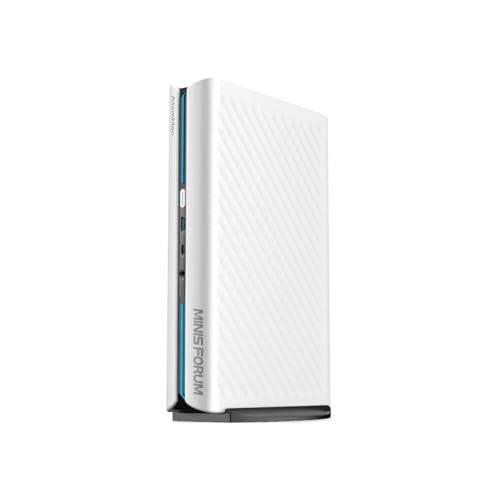
- Best overall for 1440p: MINISFORUM AtomMan G1 Pro (Barebone) — Ryzen 9 8945HX, Desktop RTX 5060 — Check on Amazon
- MINISFORUM AtomMan G7 Pro (Barebone) — Core i9-14900HX, RTX 5070 Laptop GPU — Check on Amazon
- MINISFORUM AtomMan G7 PT — Ryzen 9 7945HX, Radeon RX 7600M XT — Check on Amazon
- MINISFORUM MS-A2 (Barebone) — Ryzen 9 9955HX, PCIe Slot, Dual 10G SFP+ — Check on Amazon
See 2 more Amazon options
- MINISFORUM MS-01 (Barebone) — Core i9-13900H, Iris Xe, PCIe Slot — Check on Amazon
- GMKtec NucBox K8 Plus (Barebone) — Ryzen 7 8845HS, Radeon 780M, OCuLink — Check on Amazon
Read the full guide ↓
Disclosure: As an Amazon Associate, reviewstook.com earns from qualifying purchases. Links to Amazon on this page are affiliate links; they cost you nothing extra. Listing details such as price and availability change often, so check the current Amazon listing before you buy.
Two honesty checks decide whether this guide is useful to you, and both come before any product names. The first is about the money: no verified barebones mini PC kit on Amazon costs anywhere near $2,500. The priciest genuine kit we could verify — chassis, soldered high-end CPU and discrete GPU, waiting on your RAM, SSD and operating system — is the MINISFORUM AtomMan G7 Pro, the flagship at the top of the verified kit range; check the current price on Amazon. Between the top of that verified range and the $2,500 ceiling the shelf is empty; the one machine that would live there, Zotac’s desktop-RTX-5060-Ti Magnus barebone, has an Amazon listing that sits unavailable with no orderable configuration we could pin down. So treat $2,500 as a budget for the finished machine. A kit is only the starting point — memory, storage and an OS licence go on top, at current memory prices, which move often — and costed that way the six verified kits below all complete under the ceiling, with exactly one of them able to spend the whole budget when specified generously.
The second check is about the resolution in the title, and it matters more. “For 1440p gaming” covers three very different realities, and this guide grades every pick against the one it actually delivers. Three kits carry a real discrete GPU and can drive a 2560×1440 panel the honest way — rendering at or near native resolution, or upscaling from a genuinely high internal resolution. Two kits are workstations whose integrated graphics merely light the panel up; their 1440p gaming story begins only when you buy a low-profile graphics card for their PCIe slot, and that card is costed below as the extra purchase it is. One kit bets on strong integrated graphics plus an external GPU dock you buy later. If a guide tells you all six “do 1440p,” it is selling you a display cable’s job as a graphics card’s job. This one won’t.
What “1440p Gaming” Honestly Means on These Kits
Start with the distinction the whole guide hangs on: the resolution your monitor shows is not the resolution your GPU renders. Modern upscaling renders the game lower and reconstructs a 1440p image, and the quality of the result tracks how much real rendering sits underneath it. On NVIDIA’s DLSS, the Quality preset at a 1440p output renders internally at roughly 1707×960 and rebuilds from there — a legitimate, sharp result on a strong card. DLSS Performance at 1440p renders around 1280×720 internally, which is visibly softer and is a fallback, not a plan. For scale, DLSS Quality feeding a 4K panel renders about 2560×1440 internally — which is why a card that is comfortable “at 4K with DLSS” is usually loafing at native 1440p. DLSS only exists where an NVIDIA GPU exists: in this guide that means the two RTX kits, and only those two.
AMD’s side of the same idea is FSR, which runs on the Radeon hardware in four of these six kits, with driver-level RSR as a cruder fallback for games without FSR built in. On the RX 7600M XT in the G7 PT, FSR upscaling from a 1080p-class render is a well-trodden path to a good 1440p picture. On integrated Radeon graphics — the 780M in the K8 Plus — the same technology serves a different purpose: it makes a 1440p panel usable by rendering at 1080p or below, which is honest for lighter and older games and is not the same thing as a 1440p gaming card. The MS-A2’s Radeon 610M gets no such credit; it is a display adapter that happens to share a name with gaming silicon. Intel’s Iris Xe in the MS-01 sits between those poles: it can lean on FSR, and on Intel’s own XeSS upscaling in games that support it, for esports-class play below native resolution. One warning, because the confusion is common: Intel Quick Sync, which the MS-01 also has, is a video encoder for recording and streaming. It does nothing for frame rates and nothing for upscaling, and any listing that blurs the two is blurring them on purpose.
The last variable is memory bandwidth, and on integrated graphics it is not a detail. An iGPU has no video memory of its own; it borrows your system RAM, so a single memory stick in single-channel mode can strangle it before the game even starts. Every integrated-graphics verdict in this guide assumes a matched pair of sticks running dual-channel — buy one 32GB stick “to upgrade later” and you have downgraded the graphics you already paid for. The discrete-GPU kits carry their own GDDR memory and care far less, which is part of what the step up to a discrete-GPU kit buys.
In this guide
Quick Picks
Short on time? Each row names the 1440p job and the kit that honestly does it. For every pick, check price on Amazon before you budget; the 1440p verdict is the one the full review defends, and the completed-build thinking in each review is what to budget against.
| 1440p job | Pick | Honest 1440p verdict | Link |
|---|---|---|---|
| Best overall for 1440p | MINISFORUM AtomMan G1 Pro (Barebone) | Desktop RTX 5060 at full 145W — native 1440p and DLSS headroom, completes comfortably under the ceiling | Check on Amazon |
| Strongest kit, DLSS 4 | MINISFORUM AtomMan G7 Pro (Barebone) | RTX 5070 Laptop GPU — real 1440p with DLSS 4; 8GB VRAM is the ceiling to watch | Check on Amazon |
| Best AMD route | MINISFORUM AtomMan G7 PT | RX 7600M XT — strong 1080p, capable 1440p with FSR and sensible settings | Check on Amazon |
| Workstation first, GPU later | MINISFORUM MS-A2 (Barebone) | Radeon 610M drives the panel only — 1440p gaming starts with an added low-profile slot card | Check on Amazon |
| Workstation value, GPU later | MINISFORUM MS-01 (Barebone) | Iris Xe upscales esports at best — the PCIe slot is its real 1440p door | Check on Amazon |
| Starter kit, dock later | GMKtec NucBox K8 Plus (Barebone) | 780M renders 1080p and upscales to the panel; native 1440p waits for an OCuLink dock | Check on Amazon |
How These Picks Were Chosen
The first filter was definitional: a pick had to be a genuine barebone on a real Amazon listing — a configuration that ships without RAM, storage and an operating system, or a listing with a clearly selectable barebone variant. Configured machines wearing a barebones keyword were excluded however good they are. The second filter was verification: every ASIN was confirmed against the live listing title, the maker’s manual for that exact ASIN, or a price tracker that records the listing. Where a famous model could not be pinned to an orderable Amazon listing — Zotac’s Magnus EN275060TC, whose desktop RTX 5060 Ti would make it a natural 1440p pick — it is discussed in prose rather than linked on a guess.
The third filter is the one this variant adds: each kit was graded on its documented graphics hardware and nothing else. Discrete GPUs were graded as discrete GPUs, with DLSS credited only to the two NVIDIA kits and FSR to the AMD hardware that supports it. Integrated graphics were graded as render-and-upscale solutions with their ceilings stated, and the two workstation kits were graded on the card their slot can take — with that low-profile RTX 3050-class card treated as the extra purchase it is — rather than on the integrated graphics they ship with. No frames-per-second figures appear anywhere in this guide, because we did not benchmark these machines and will not borrow numbers we cannot stand behind; the verdicts rest on GPU class, memory configuration and the resolution maths in the section above. The fourth filter was arithmetic: every kit is considered to completion with the same parts basket — a 32GB (2×16GB) DDR5 SO-DIMM kit, a 1TB PCIe 4.0 NVMe drive, and Windows 11 Home, or no licence cost if you run Linux. Memory and storage prices move often in a volatile market, so check the current price for each part when you plan; the reviews judge completed builds by their position under the budget ceiling rather than by a fixed total.
A note on the shape of the market, because it shapes the shortlist: five of the six verified kits come from MINISFORUM and its AtomMan sub-brand, with GMKtec the lone outsider, because those are the brands shipping high-end barebone configurations through Amazon US. ASUS sells its ROG NUC mostly configured at prices that start where this budget ends, and ASRock’s socketed DeskMini kits reach US buyers through other retailers rather than a pinnable Amazon listing. At this end of the barebones market you are largely choosing between GPU generations inside one catalogue, which is why the reviews spend their words on exactly that.
The 6 Best Barebones Mini PCs for 1440p Gaming Under $2,500
MINISFORUM AtomMan G1 Pro (Barebone) — Ryzen 9 8945HX, Desktop RTX 5060
Who it suits: The 1440p gamer who wants the strongest graphics in a verified barebone kit and likes that the GPU is a genuine desktop card rather than a laptop part.
The G1 Pro’s defining choice is its graphics: not a mobile GPU soldered down, but a low-profile desktop GeForce RTX 5060 — a Gigabyte card running at its full 145W — fitted inside a roughly 3.8-litre vertical case. For a 1440p brief, that distinction is the review. A desktop 5060 brings its own 8GB of GDDR7, DLSS upscaling and frame generation, and the power budget to use them properly: this is a kit that renders modern games at or near native 2560×1440 and reaches for DLSS Quality — a render of roughly 1707×960 reconstructed upward — when a demanding title asks for help, rather than living on upscaling as a permanent crutch. The CPU beside it is a 16-core, 32-thread Ryzen 9 8945HX boosting to 5.4GHz, which will not be the bottleneck at this resolution. For the barebone and for the configured 32GB/1TB version of this same listing, check price on Amazon — the listing carries both, so confirm which configuration the selector is showing. You supply two DDR5 SO-DIMMs (up to 96GB) and up to two M.2 PCIe 4.0 drives. A built-in 350W power supply means no laptop brick on the desk, and five display outputs — three DisplayPort, two HDMI — plus 5-gigabit Ethernet and Wi-Fi 7 cover the desk around the panel.
Costed out — the kit plus 32GB of DDR5, a 1TB drive and Windows, each at its current price — a finished G1 Pro lands comfortably under this budget, leaving genuine headroom under this budget for a 2TB drive or a 64GB memory kit. Check the current price on Amazon for the kit and check current prices for the parts before you total the build. Two quirks belong in the review, not the footnotes. The desktop GPU is a custom fit: the maker’s manual warns that only the specified Gigabyte low-profile card is supported, so the graphics are fixed for the machine’s life — the barebone freedom here is memory and storage, not a future GPU swap. And the machine ships in an 80W gaming mode, with a real slice of performance behind a “Beast Mode” toggle in the maker’s utility — a utility whose bundled driver has been flagged by Windows Defender in independent testing. Neither is disqualifying; both are first-week homework. One more, aimed at configured-version shoppers: the factory 32GB configuration ships on a single memory stick in single-channel mode. The discrete GPU blunts that mistake here, but a barebone buyer can simply do better with a matched pair.
- The only verified kit with a full-power desktop RTX 5060 — 145W, 8GB GDDR7, DLSS on tap.
- Native 1440p is the default expectation, with DLSS Quality as headroom rather than survival.
- Completes comfortably under the budget — the strongest graphics value of any verified kit here.
Honest limitation: The GPU can never be upgraded — case, cooling and power are built around one specific low-profile card — and the performance toggle plus a Defender-flagged utility driver are setup chores, not polish.
Choose it if 1440p gaming is the actual point of the purchase. Skip it if you need 10-gigabit networking or a PCIe slot for a card of your own choosing — that is the MS-A2 and MS-01 further down.

MINISFORUM AtomMan G7 Pro (Barebone) — Core i9-14900HX, RTX 5070 Laptop GPU
Who it suits: The buyer with the full $2,500 genuinely available, who wants the most powerful barebone kit that verifiably exists and the newest upscaling technology to feed a 1440p panel.
Inside an aluminium chassis just 33mm thick, the G7 Pro pairs a 24-core, 32-thread Core i9-14900HX (up to 5.8GHz) with an NVIDIA GeForce RTX 5070 Laptop GPU carrying 8GB of GDDR7, cooled by six heat pipes and dual fans on a 200W sustained power budget. For this brief, its headline feature is DLSS 4: the newest generation of NVIDIA upscaling and frame generation, which suits a 1440p high-refresh panel particularly well, because it multiplies frame rates from a base render that is already strong — Quality-mode upscaling from roughly 1707×960 internal, or native rendering where the game allows. The Amazon listing for this ASIN is explicit in its own title — “Barebone Version Without Storage/OS” — and what you add is up to 96GB of DDR5-5200 across two SO-DIMM slots and up to 8TB across two M.2 2280 slots, one PCIe 5.0-capable. HDMI 2.1 and USB4 video output, Wi-Fi 7 and a full-size SD slot round out a creator-friendly desk. Check the current price on Amazon for the barebone; the maker’s store has shown it sold out.
The completion picture: the kit, plus 32GB of DDR5, a 1TB drive and Windows, lands near the top of this budget without using it all. Specified the way the budget invites — 64GB of memory and a 2TB drive — the same machine becomes the one build here that can honestly use the full $2,500 budget and, depending on current memory prices, occasionally overshoot it, so check the current price on Amazon for the kit and check current part prices before you commit. What the premium buys over the G1 Pro is a stronger CPU, a faster and more efficient GPU, DLSS 4, and the slimmest chassis in the guide. What it does not buy is VRAM: 8GB is 8GB, and at 1440p with ray tracing and heavy textures it is the first wall this machine will meet in a few years — upscaling reduces render cost, but it does not shrink texture memory. And hold the deal discipline at full strength: if the barebone is only available from third-party resellers at a clear premium over the maker’s own positioning, walk away. In that situation the configured version in the maker’s store, with 32GB and 1TB already fitted, is the saner purchase — compare it by checking the current price on Amazon for the barebone first.
- Nothing verified beats it: a 24-core i9-14900HX beside an RTX 5070 Laptop GPU.
- DLSS 4 upscaling and frame generation — the newest toolkit for a 1440p high-refresh panel.
- The only pick whose completed build genuinely reaches the $2,500 budget at 64GB + 2TB.
Honest limitation: The 8GB of VRAM is a fixed ceiling that 1440p ray tracing will test first, and stock is intermittent — the maker’s store showed the barebone sold out, so this can be a kit you catch rather than simply order.
Choose it if you want the category’s ceiling and will spec the memory and storage to match. Skip it if it is only available from resellers at a clear premium, or if value outranks the last increment of performance — the G1 Pro completes for less with a desktop card.

MINISFORUM AtomMan G7 PT — Ryzen 9 7945HX, Radeon RX 7600M XT
Who it suits: All-AMD builders and Linux gamers who want discrete graphics and a 16-core CPU in a compact box, at the lowest kit price of any discrete-GPU pick in this guide.
The G7 PT — launched as the HX200G and rebranded into the AtomMan line — pairs a Ryzen 9 7945HX (16 cores, 32 threads, up to 5.4GHz, run at a serious 85W in performance mode) with a discrete Radeon RX 7600M XT: 8GB of GDDR6 at up to 120W. It was the first mini PC to earn AMD Advantage certification, and independent reviews place it exactly where the hardware suggests for this brief: high-refresh 1080p is its home turf, and 1440p is capable territory with sensible settings and FSR upscaling doing the last stretch — rendering around a 1080p-class resolution internally and reconstructing to the panel is this card’s standard 1440p recipe, and it is a good one. There is no DLSS here, because there is no NVIDIA GPU; FSR is the toolkit, and on Linux that is often the point. Storage is a step ahead of rivals — one PCIe 5.0 M.2 slot and one PCIe 4.0 — and memory is DDR5 up to 96GB. Pricing needs care rather than a headline: this kit sits below the two RTX kits in the range, with promotional positioning at times well below its standard positioning — check the current price on Amazon. The configured 32GB/1TB version shares the same listing family. The listing carries multiple configurations under one ASIN, so confirm the style selector says “barebone” before checkout if that is the variant you want.
Completed with 32GB of DDR5, a 1TB drive and Windows, it lands in the lower-middle of this budget — discrete-graphics gaming for roughly what the workstation kit below costs to finish. The honest debits are generational: the 7945HX is a Zen 4 part and the 7600M XT an RDNA 3 GPU, so you are buying last generation’s silicon at a discount that is real but not enormous next to the RTX 5060 kit above, and AMD’s upscaling at this tier leans on FSR rather than anything as mature as DLSS. Graphics are soldered down for life, which leaves memory and storage as the only upgrades this kit will ever take. Stock has always rotated on this model — it has spent stretches sold out at the maker’s store — so check the current price on Amazon on the day you buy. Caught at its keener promotional positioning it is a strong buy; sitting at its standard positioning, the G1 Pro’s desktop RTX 5060 argues instead.
- Discrete RX 7600M XT graphics — the lowest-positioned discrete-GPU kit here; check price on Amazon.
- FSR upscaling from a 1080p-class render is a proven route to a good 1440p picture on this card.
- PCIe 5.0 storage slot and up to 96GB DDR5 in a compact ~2.6L chassis; completes in the lower-middle of the budget.
Honest limitation: You are buying the previous silicon generation — a Zen 4 CPU and an RDNA 3 GPU, graphics soldered permanently — at a price that oscillates between keen promotional positioning and its standard positioning, and the value case only exists at the keener end of that swing.
Choose it if you prefer AMD graphics, game on Linux, or catch it at promotional pricing. Skip it if the listing is sitting at full list the day you buy — the G1 Pro’s newer desktop RTX 5060 is the better spend there.

MINISFORUM MS-A2 (Barebone) — Ryzen 9 9955HX, Dual 10G SFP+
Who it suits: Home-lab and workstation builders who want the newest CPU architecture and serious networking, and who understand that this machine’s 1440p gaming story is a card they buy for its slot — not the graphics it ships with.
Grade this one in two halves, because the halves disagree. The CPU half is the newest in the guide: a Zen 5 Ryzen 9 9955HX, 16 cores and 32 threads up to 5.4GHz, in a roughly 1.78-litre chassis with two 10-gigabit SFP+ ports, two 2.5-gigabit RJ45 ports, Wi-Fi 6E, three M.2 slots (2280 and 22110, RAID supported, one convertible to enterprise U.2 with the adapter in the box) and two DDR5 SO-DIMM slots up to 96GB. The graphics half is a Radeon 610M, and the honest sentence is the base guide’s: it drives monitors beautifully and plays almost nothing modern. It will light up your 1440p panel all day for desktop work; it will not game on it, and no upscaling setting changes that verdict, because there is too little rendering underneath to upscale from. The gaming door is the full-length PCIe x16 slot — electrically x8, limited to cards of 75W or under — where a low-profile RTX 3050-class card, bought as an extra, turns the workstation into a credible 1440p-with-DLSS machine, since an NVIDIA card brings DLSS through the door with it. That card is an extra purchase on top of every total in this review, and the review refuses to hide it inside them. Check price on Amazon for the barebone; the same chassis is also offered with the lesser 8945HX chip at a lower position in the range if your workloads are core-count-light.
Completed as a workstation — the kit, 32GB of DDR5, a 1TB drive, Windows or free Linux — the MS-A2 lands in the middle of this budget; add the slot card as a separate extra if 1440p gaming is genuinely on the menu, and budget separately for SFP+ transceivers or DAC cables, because 10-gigabit ports do not include the optics. Check the current price on Amazon for the kit before you total the build. The documented debits matter to exactly the buyers this machine attracts. USB4 is missing entirely — a strange step backwards next to the older MS-01 further down. Reviewers measured fans around 50 dBA under full load and idle power draw in the mid-20s of watts — rack manners, not silent-desk manners. ECC support is absent. And one in-depth review reported a PCIe passthrough bug in an early BIOS — precisely the feature home-lab buyers care about most — so update the BIOS before you build a VM stack on top of it. Buy it as the strongest workstation kit here and its gaming becomes a honest optional extra; buy it as a gaming PC and you have misread the guide.
- A mid-budget kit carrying the newest processor in the guide — the 16-core Zen 5 Ryzen 9 9955HX.
- PCIe x16 slot (x8, 75W) is the real 1440p door — an added low-profile card brings discrete graphics and DLSS.
- Dual 10G SFP+ plus dual 2.5G and three M.2 slots — unmatched networking and storage for its position in the range.
Honest limitation: The Radeon 610M is a display adapter, not a gaming GPU — as shipped, this kit does not game at 1440p at all — and there is no USB4; it also runs loud and warm-idle for a desk machine.
Choose it if the budget is really a home-lab or workstation budget, with 1440p gaming as a side quest you fund with the slot card. Skip it if you want to game at 1440p on day one with nothing extra to buy — every pick above it in this guide has real graphics built in.
MINISFORUM MS-01 (Barebone) — Core i9-13900H, PCIe x16 Slot, Dual 10G SFP+
Who it suits: Intel-platform home-lab builders who want USB4 alongside dual 10-gigabit networking and the lowest completed cost of any workstation kit here — and who are clear-eyed that its gaming, like the MS-A2’s, arrives through the slot.
The MS-01 defined this little category, and its own manual describes the deal in plain language: “a barebone unit” that “requires the installation of RAM, SSD, and an operating system to function.” Inside is a Core i9-13900H (14 cores, 20 threads, up to 5.4GHz) with Iris Xe integrated graphics, two DDR5-5200 SO-DIMM slots up to 96GB, three M.2 slots with U.2 conversion and RAID support, and networking that matches the MS-A2 port for port — two 10G SFP+, two 2.5G RJ45 — before adding what the newer machine dropped: two USB4 ports, which make this the better desk machine for one-cable display and drive docking. Graded for this brief, the Iris Xe is an esports-at-modest-settings GPU: it can render below 1440p and lean on FSR, or on Intel’s XeSS upscaling in games that support it, to fill a 1440p panel for lighter titles — a legitimate trick for the games it suits, and not a general 1440p gaming claim. Do not let the spec sheet confuse you on one point: the 13900H’s Quick Sync is an excellent video encoder for streaming and recording, and it contributes nothing at all to rendering or upscaling a game. The real 1440p door is the PCIe 4.0 x16 slot (x8 electrical), which takes low-profile cards of the class the maker has tested — RTX 3050 and RTX A2000 territory — as an extra on the same terms as its sibling, again above the completed-build thinking below. Check price on Amazon for the barebone; the i5-12600H version of the same kit sits lower in the range if the i9’s cores are more than your workloads need.
Completed — the kit, 32GB of memory, a 1TB drive and Windows — the MS-01 finishes toward the lower end of this budget, the lowest completed workstation cost in this guide, and higher — though still comfortably under the ceiling — with a low-profile GPU in the slot. Its manners are the best of the workstation pair: the maker quotes roughly 23dB at idle and 41–43dB under full load, figures that belong on a desk rather than in a rack. The debits are age and ceilings. This is a 2023 platform; the 13900H trails the Zen 5 chip in the MS-A2 by a clear generational margin in heavy multi-core work, and the slot remains limited to low-profile, slot-powered cards however optimistic listing photos look. None of that dents its actual job — as a Proxmox host, a NAS brain or a quiet workstation that can be taught 1440p gaming for one extra card, the MS-01 at its current positioning is the value pick of the pair.
- No kit in this guide connects to more: two 10G SFP+, two 2.5G RJ45 and two USB4 ports.
- Lower-positioned barebone — completes toward the lower end of the budget, the lowest workstation finish in the guide; check price on Amazon.
- PCIe slot takes maker-tested RTX 3050 / A2000-class cards — its honest route to 1440p gaming.
Honest limitation: A 2023 platform with integrated graphics only: Iris Xe fills a 1440p panel for esports-class games via upscaling and nothing beyond, and real 1440p gaming requires buying the slot card.
Choose it if you want the home-lab formula with USB4 and the lowest completed cost, gaming included as a card-shaped extra. Skip it if raw CPU throughput is the priority — that is the MS-A2’s entire argument — or if you want discrete graphics fitted from the factory.
GMKtec NucBox K8 Plus (Barebone) — Ryzen 7 8845HS, Radeon 780M, OCuLink
Who it suits: Builders starting small on purpose — a first barebone, a light-gaming desk PC on a 1440p monitor — who would rather buy a genuine upgrade path than a dead end.
The K8 Plus is priced like the category used to be, and its Amazon listing states the deal in its own title: this configuration ships “Without RAM/SSD/OS.” Check the current price on Amazon: for the entry-level positioning, you get a Ryzen 7 8845HS (8 cores, 16 threads, up to 5.1GHz) with Radeon 780M integrated graphics, two DDR5 SO-DIMM slots, dual M.2 2280 storage slots, dual Intel 2.5-gigabit LAN ports, USB4, HDMI 2.1 and DisplayPort output — and the port that defines the machine, OCuLink. Graded honestly for 1440p, the 780M is the strongest integrated graphics in this guide and it still is not a native-1440p gaming GPU. Its real recipe is the one the explainer section described: render at 1080p or below, let FSR — or driver-level RSR where a game lacks FSR — reconstruct to the 1440p panel, and enjoy lighter, older and esports titles looking entirely respectable on the bigger screen. That recipe has one non-negotiable ingredient: dual-channel memory. The 780M borrows system RAM for both its work and its frame buffer, so a matched pair of sticks is not an optimisation here, it is the difference between the verdict above and a stuttering one. Native 1440p arrives only through OCuLink, which connects an external desktop GPU dock at full PCIe 4.0 x4 bandwidth — a route no USB4-only rival here can match, and a substantial second purchase once the dock and a desktop card are counted. It belongs in the budget conversation now, not as a surprise later. Cross-check the kit’s value against its own family: compare the configured 32GB/1TB version of this machine — check its current price on Amazon — with the barebone plus the same class of parts, which completes toward the lower end of this budget depending on where current memory prices sit.
The remaining debits are the honest ones for an entry-level kit. Eight Zen 4 cores are the fewest in this guide — plenty for gaming, streaming and office work, visibly fewer than the 16-core kits when renders or VM fleets get heavy. GMKtec’s BIOS update cadence and support sit a tier below big-OEM polish, so plan on sourcing drivers from the maker’s site and keeping the shipped BIOS unless a fix matters to you. And set expectations in writing before you order: until the dock arrives, this is a 1080p-render machine wearing a 1440p monitor, and it is a genuinely good one. It is also the pick whose completed build sits lowest in this guide, leaving most of a $2,500 budget for the panel itself or the future dock.
- The lowest verified entry position in the guide, with a finished build toward the lower end of the budget; check price on Amazon.
- Radeon 780M with FSR/RSR: the strongest render-and-upscale integrated graphics in the guide.
- OCuLink port gives a true external-GPU path to native 1440p that no rival in this guide matches.
Honest limitation: Integrated graphics cap you at a 1080p-class render upscaled to the panel until you buy an OCuLink dock and a desktop GPU — a substantial second purchase — and eight cores are the fewest here.
Choose it if you are starting a build journey, your games suit the render-and-upscale recipe, and you want the native-1440p door left open. Skip it if discrete graphics have to be inside the case from the first boot — the G7 PT and G1 Pro above are built that way.

Comparison Table
| Product | Graphics | Honest 1440p route | Link |
|---|---|---|---|
| MINISFORUM AtomMan G1 Pro (Barebone) | Desktop RTX 5060, 8GB GDDR7 | Native 1440p; DLSS Quality as headroom | Check on Amazon |
| MINISFORUM AtomMan G7 Pro (Barebone) | RTX 5070 Laptop GPU, 8GB GDDR7 | Native 1440p and DLSS 4 upscaling/frame generation | Check on Amazon |
| MINISFORUM AtomMan G7 PT | RX 7600M XT, 8GB GDDR6 | 1080p-class render + FSR to the panel; native in lighter titles | Check on Amazon |
| MINISFORUM MS-A2 (Barebone) | Radeon 610M integrated | None as shipped — an added low-profile slot card required | Check on Amazon |
| MINISFORUM MS-01 (Barebone) | Iris Xe integrated | Esports via FSR/XeSS upscaling; real route is the slot card | Check on Amazon |
| GMKtec NucBox K8 Plus (Barebone) | Radeon 780M integrated | 1080p render + FSR/RSR to the panel; native via OCuLink dock | Check on Amazon |
How to Choose a Barebones Mini PC for 1440p Gaming
- Budget the finished machine, never the kit. Memory, storage and an OS licence add a substantial amount to any kit at 32GB and 1TB — and far more at 64GB. Compare completed builds by their position under the ceiling or compare nothing. Check the current price on Amazon for the kit and check current prices for the parts.
- Decide what “1440p” means for your games. Native rendering, DLSS/FSR upscaling from a high internal render, and upscaling from 1080p are three different experiences at three different prices. The reviews grade each kit against the one it actually delivers; match your expectations to that grade, not to the keyword.
- Credit upscaling only where the silicon exists. DLSS requires an NVIDIA GPU — here, the G1 Pro and G7 Pro, or an RTX card you add to a workstation slot. FSR covers the AMD picks, XeSS some Intel ones. A listing that promises DLSS on an integrated-graphics kit is inventing it.
- Watch the 8GB VRAM ceiling. Every discrete GPU in this guide carries 8GB. At 1440p with ray tracing and maximum textures, that is the first wall you will meet — upscaling lowers render cost, not texture memory.
- Buy memory as a matched two-stick kit. Dual-channel bandwidth is load-bearing for integrated graphics and merely sensible for the rest. One 32GB stick “to upgrade later” means single-channel from day one — and at least one configured sibling in this guide ships exactly that way.
- Match memory speed to the platform. These kits span DDR5-5200 and DDR5-5600 SO-DIMM, and all of them take laptop-format memory, not desktop DIMMs. Two minutes with the kit’s manual page prevents the most common barebone return.
- Respect the PCIe slot’s fine print. On the MS-A2 and MS-01 the x16 slot is electrically x8 and limited to low-profile, slot-powered cards in the 75W class — RTX 3050 6GB or RTX A2000 territory, not a desktop RTX 4070, however optimistic a listing photo looks.
- Price the whole OCuLink plan. The K8 Plus’s dock route to native 1440p means a dock plus a desktop graphics card — a substantial second purchase. It is a good plan bought knowingly and a nasty surprise bought casually.
- Do not forget the operating system. Windows 11 Home adds a further licence cost to every build here — check its current price when you plan; Linux is free and superbly supported on the AMD kits especially.
- Check which variant you are actually buying. More than one listing in this guide sells barebone and configured machines from the same page. Confirm the style selector, the title and the “without RAM/SSD/OS” wording at checkout.
Common Buying Mistakes
- Reading “1440p” in a listing title as native rendering. On integrated graphics it means the port can output the resolution — the game is rendering far lower, and on the MS-A2’s 610M it is barely rendering at all.
- Confusing Intel Quick Sync with upscaling. Quick Sync encodes video for streaming and recording; it does not render games and does not raise frame rates.
- Assuming a $2,500 kit exists because the search box suggests one. It does not, verifiably; lists claiming otherwise are padding with configured machines, dead listings or models nobody can sell you.
- Handing a reseller a clear premium over the maker’s own positioning for the G7 Pro barebone just because stock rotated. Walk away, wait for the next drop, or buy the configured machine instead.
- Buying a single memory stick for an integrated-graphics build and running single-channel — the 780M and Iris Xe pay for that decision in every game.
- Expecting the workstation kits’ PCIe slots to swallow a full-size gaming card. The low-profile, 75W envelope is a physical fact of the chassis, not a guideline to negotiate with.
- Skipping the BIOS update on a new barebone. First-release firmware on these platforms has carried genuine faults — a reported PCIe passthrough bug on the MS-A2 among them — so flash the current BIOS before anything is built on top of it.
- Comparing kit prices against configured PCs. A barebone and a configured mini PC can be the same machine at the same overall cost once parts are added.
- Leaving the OS licence out of the budget and then patching the hole with a grey-market key of unknown origin on an expensive machine you have just built.
Final Recommendation
- Most 1440p gamers: MINISFORUM AtomMan G1 Pro (Barebone).
- The full-budget flagship: MINISFORUM AtomMan G7 Pro (Barebone).
- Team Red and Linux gaming: MINISFORUM AtomMan G7 PT.
- Workstation first, 1440p via the slot: MINISFORUM MS-A2 (Barebone).
- Workstation value with USB4: MINISFORUM MS-01 (Barebone).
- Start small, dock later: GMKtec NucBox K8 Plus (Barebone).
Our top two are the G1 Pro, because a full-power desktop RTX 5060 in a kit that completes comfortably under the ceiling is the most honest 1440p proposition in this category — native rendering first, DLSS as headroom — and the G7 Pro, because it is the only machine that honestly answers a $2,500 budget, provided you catch the barebone at its maker’s own positioning rather than at a reseller premium and spend the rest on the 64GB and 2TB it deserves. The G7 PT is the value gamer’s pick at its keener promotional positioning. The MS-A2 and MS-01 are superb workstations whose 1440p gaming costs one clearly-labelled extra card, and the K8 Plus is the starter kit whose upscaling recipe and OCuLink door make its low completed cost a strategy rather than a compromise. If your completed budget is smaller, the same grading applies further down the ladder at Best Barebones Mini PC For 1440p Gaming Under $1500 and Best Barebones Mini PC For 1440p Gaming Under $1200, and the base view of this tier — graded on everything, not just graphics — is at Best Barebones Mini PC Under $2500. Check the variant selector and check price on Amazon before you order; that homework is the whole difference between a build and a bill.
Frequently Asked Questions
Is there really no barebones mini PC that costs near $2,500?
No — nothing near that ceiling survived verification as an orderable Amazon listing. The dearest genuine kit we found, the AtomMan G7 Pro, sits at the top of the verified range in the maker’s store — check the current price on Amazon. Zotac’s Magnus barebone, with a desktop RTX 5060 Ti, would be the closest prose-only alternative after that through other retailers, but its Amazon listing is unavailable. Treat $2,500 as a completed-build budget — which is how every pick in this guide is judged.
Which of these kits actually game at 1440p once completed?
Three do it with the graphics fitted at the factory: the G1 Pro’s desktop RTX 5060 and the G7 Pro’s RTX 5070 Laptop GPU render at or near native 1440p with DLSS in reserve, and the G7 PT’s RX 7600M XT handles 1440p with FSR upscaling from a 1080p-class render and sensible settings. The MS-A2 and MS-01 join the list only after you add a low-profile card to their PCIe slots, and the K8 Plus reaches native 1440p only through an external OCuLink GPU dock.
What does DLSS Quality actually render when the output is 1440p?
Roughly 1707×960 internally, reconstructed up to 2560×1440 — which is why it looks sharp on a strong card: most of the image information is really rendered. DLSS Performance at 1440p renders about 1280×720 internally and is visibly softer, and DLSS Quality feeding a 4K panel renders about 2560×1440 internally. DLSS exists only on NVIDIA GPUs, so in this guide it applies to the G1 Pro and G7 Pro — or to a workstation kit after you fit an RTX card in its slot.
Does the K8 Plus count as a 1440p gaming PC?
As a render-and-upscale machine, yes, with the terms stated: its Radeon 780M renders lighter games at 1080p or below and FSR or RSR reconstructs the result for a 1440p panel, which looks respectable on the titles it suits. As a native-1440p machine, not until an OCuLink GPU dock and a desktop card join it — a substantial second purchase. Buy it for the first description and the second stays an honest option rather than a broken promise.
Can the MS-A2 or MS-01 game at 1440p?
Not as shipped — the MS-A2’s Radeon 610M is a display adapter, and the MS-01’s Iris Xe manages esports-class games upscaled from below native resolution. Both become credible 1440p machines the same way: a low-profile card in the PCIe slot — an RTX 3050-class part bought as an extra — which also brings DLSS with it. That card is an extra on top of the completed totals, and any guide that folds it silently into the kit price is miscounting.
Is Intel Quick Sync a form of upscaling?
No. Quick Sync is a video encoder — it compresses video for streaming and recording without burdening the CPU. It does not render games, does not reconstruct resolution and does not raise frame rates. It is a genuine strength of the Intel kits for streamers, and it is irrelevant to the 1440p gaming question this guide answers.
How much extra should I budget beyond the kit price?
Budget a substantial extra for a sensible completion: a 32GB DDR5 SO-DIMM kit, a 1TB NVMe drive, and Windows 11 Home, or no licence cost for Linux — check the current price for each part when you plan, because memory and storage prices move often. The wild card is a 64GB memory upgrade, which sits much higher in its range while the current memory crunch lasts, so check that line the week you buy. Allow a further extra if your pick’s 1440p plan runs through a PCIe slot card.
Would the configured version work out cheaper?
Sometimes closer than you’d expect. Take the K8 Plus: compare its configured 32GB/1TB version — check the current price on Amazon — with completing the barebone with equivalent parts at current part prices, and the gap can be narrow either way — so the barebone wins in a good memory week and loses in a bad one. Building it yourself reliably pays when you already own parts, want particular drives or memory, run Linux, or catch the kit on promotion; it reliably fails to pay when memory prices jump between your research and your order.


