Where to buy
Check the latest price, availability and delivery on Amazon. Orders are placed on Amazon. We may earn a commission from qualifying purchases.
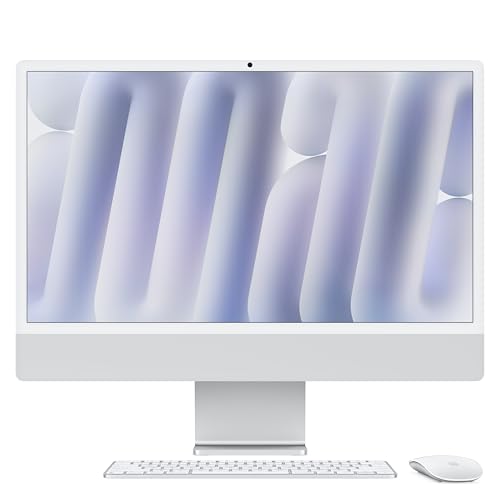
- Smallest footprint, sharpest screen: Apple 2024 iMac with M4 Chip, 16GB Unified Memory, 256GB SSD — Silver — Check on Amazon
- Dell 27 All-in-One ec27250, Core 7 150U, GeForce MX570A, 32GB DDR5, 1TB SSD — Check on Amazon
- HP OmniStudio X 27-cs0010, Core Ultra 7 155H, 16GB RAM, 1TB SSD — Check on Amazon
- HP 27-cr0012, Ryzen 7 7730U, 32GB RAM, 1TB SSD — Check on Amazon
See 2 more Amazon options
- Lenovo IdeaCentre 27, Core i7-13620H, 32GB RAM, 2TB SSD (seller-upgraded listing) — Check on Amazon
- Dell Inspiron 7710 All-in-One, Core i7-1255U, GeForce MX550, 32GB RAM, 1TB SSD — Check on Amazon
Read the full guide ↓
Disclosure: As an Amazon Associate, reviewstook.com earns from qualifying purchases. Links to Amazon on this page are affiliate links; they cost you nothing extra. Listing details such as price and availability change often, so check the current Amazon listing before you buy.
Ask a tower owner what their computer needs and the answer is a corner: floor space for the case, desk space for the monitor, and a small archipelago of extras — speakers, a webcam, a microphone, a keyboard — each with its own cable. An all-in-one deletes the corner. Screen and computer arrive as a single object, the peripherals most people buy separately are already inside it, and the only wire the desk ever sees is the power lead. For a spare-bedroom office, a studio flat, a kitchen worktop or a student’s desk, that is not a styling preference; it is the difference between a computer that fits the room and one that colonises it. So this guide does not waste your time arguing that all-in-ones save space. They do, by construction. What it grades instead is everything that still differs between them once the tower is gone — because in a small room, those remaining differences are the ones you will bump into daily.
Four things separate the six picks below. Screen class comes first: one pick is a 24-inch machine and five are 27-inch machines, and on a shallow desk those are different objects, not different specs — the bigger panel asks for more depth in front of it and more distance behind your chair, and it rewards you with a screen that can double as the room’s television. The stand comes second: nearly every all-in-one tilts and offers nothing else, which means the height and footprint you unbox are the height and footprint you keep, and your chair and desk have to meet the machine where it is. Third come the hidden boxes, the quiet saboteurs of the tidy-desk promise: a model with only two ports tends to acquire a USB hub, a model with a small fixed drive tends to acquire an external SSD, and each addition is another object competing for the surface you bought the all-in-one to protect. Fourth is what never needs a home at all — every pick here folds its camera, speakers and microphone into the frame, and the picks bundled with wireless keyboards and mice remove two more cables from a desk that has no slack for them.
Two disclosures before the picks. This guide lives in a gaming catalogue, so it says plainly: nothing below is a gaming PC. Integrated graphics and entry-level MX-class laptop chips are what this form factor carries at this price, and they play light, older and casual games — not current releases at high settings. Later in the guide there is a whole section on when a small-space buyer should skip the all-in-one entirely and look at mini gaming, small-form-factor and compact gaming PCs instead, with the trade spelled out in both directions. And a note on method for the space grading itself: the verified research behind these picks records screen sizes, stand behaviour, port counts and box contents, but publishes no verified desk dimensions, weights or noise figures for them, so none are claimed here. Where a tape-measure number will decide your purchase — stand depth, frame width in an alcove — it lives in the live listing’s product-information block, and the checklist further down shows you how to measure your own space against it before ordering.
In this guide
Quick Picks
Short on time, or comparing several options at once? Each row below names a buyer type and the product that suits it, with a link to the listing.
| Buyer type | Pick | Why it stands out | Link |
|---|---|---|---|
| Best for a small desk | Apple 2024 iMac with M4, 16GB, 256GB — Silver | The only 24-inch screen here, and by far the sharpest — the natural fit for shallow desks | Check on Amazon |
| Best 27-inch Windows pick | Dell 27 All-in-One ec27250, MX570A, 32GB, 1TB | Factory Dell build with the strongest graphics in this guide, if your desk has the depth for 27 inches | Check on Amazon |
| Best premium Windows design | HP OmniStudio X 27-cs0010, Ultra 7 155H, 16GB, 1TB | HP’s flagship all-in-one line, positioned at the premium end of this tier — check the current price on Amazon | Check on Amazon |
| Best value for multitaskers | HP 27-cr0012, Ryzen 7 7730U, 32GB, 1TB | 32GB of RAM and an 8-core Ryzen 7, positioned as a value pick in this tier — check price on Amazon; leaves budget and desk room to spare | Check on Amazon |
| Most memory and storage | Lenovo IdeaCentre 27, i7-13620H, 32GB, 2TB | Seller-upgraded spec beyond Lenovo’s factory maximums, with wireless peripherals included | Check on Amazon |
| Best older-model bargain | Dell Inspiron 7710, i7-1255U, MX550, 32GB, 1TB | Discrete MX550 graphics and 32GB, positioned as an older-model value pick in this tier — check price on Amazon | Check on Amazon |
How These Picks Were Chosen
A machine earned its place here by belonging in this guide’s under-$1,500 tier — and, for one pick, by carrying a standing instruction in its review to buy only when the live listing falls within that budget. That discipline matters more in this category than most, because premium all-in-one pricing can move, and a model that belongs in this tier at one moment may sit above it at another. Where a recommendation depends on the live listing staying within the budget, the review says so outright. Treat the live listing as the authority — check the current price on Amazon before you buy.
Nobody on this team has used these machines. The comparisons rest on makers’ listings and specification data, weighed in the order a small-space buyer feels them: display size and class first, because the panel is the one component an all-in-one never lets you change and because it fixes the machine’s physical presence in the room; then the stand and what adjustment it allows; then processor generation, memory and storage; then graphics, named for what they are; and last, seller type and warranty route, which this guide scores as seriously as any chip. Two rules were absolute. No pick gets called a gaming machine, because none qualifies — the pair of MX-class NVIDIA chips further down are entry-level laptop graphics that speed up photo work, video timelines and very light play, and that is all. And no seller-upgraded or older-stock listing is dressed up as a factory purchase: where a spec sheet outruns the maker’s own factory ceiling, or a model year gives away marketplace or renewed stock, the review flags it and folds the extra homework into the recommendation.
What failed to make the list is worth knowing too. Seller-upgraded HP 27-inch listings loaded with 64GB of memory and multi-terabyte drives sit well beyond this budget, whatever their titles imply about value. HP’s richer OmniStudio X builds, with QHD panels and 32GB of memory, currently retail far above the tier. Apple’s step-up iMac configurations — 24GB of memory, 1TB of storage — are priced out or unavailable, which is why the iMac below is the entry build. And a long tail of no-name all-in-ones pairing 4K badges with previous-decade processors was discarded: a resolution figure is not a panel, and an unverifiable screen from an unfindable maker is not a purchase at this level.
The 6 Best All-in-One PCs for Small Spaces Under $1500
Apple 2024 iMac with M4 Chip, 16GB Unified Memory, 256GB SSD — Silver
Who it suits: Anyone whose desk is genuinely shallow — a bedroom corner, a landing, a counter — who wants the finest screen in this guide and is content to plan around fixed storage in exchange for the 24-inch class.
Every other pick in this guide asks your desk to accommodate a 27-inch screen. The iMac asks for less room and returns more quality, and that exchange is why it leads a small-spaces list. Its 24-inch 4.5K Retina panel sits comfortably at the short viewing distances small rooms impose, takes up visibly less width than the 27-inch class, and renders text and photographs with a crispness none of the 1080p screens here can match — on a display you are contractually stuck with for the machine’s whole life, that crispness is the feature that keeps paying. The M4 inside this entry build — eight CPU cores, eight GPU cores — is more than equal to the work these machines exist for: stacked browser sessions, office suites, photo libraries, hobbyist 4K video timelines, handled quietly and coolly in a way fan-cooled rivals strain to imitate. Camera, speakers and microphone live inside the frame, so the single-cable desk is real, not a brochure claim.
Its money story is simpler than it looks. This entry configuration belongs in this guide’s tier, but its live price can move — check the current price on Amazon before you buy, and if it sits above this guide’s budget when you look, patience is the sensible response rather than stretching for it. The counterweights are about your desk as much as your wallet. This entry build carries two ports where pricier ones carry four, and for many owners that arithmetic ends with a USB hub parked beside the machine — a small object, but an object, on the surface this purchase was meant to keep empty. The 256GB drive cannot grow, so anyone with a serious local archive should expect an external SSD to join the setup; decide that now and it is furniture, decide it later and it is clutter. Add a stand that tilts without rising, memory sealed at the size you order, and macOS in place of Windows, and the picture is complete: the tidiest machine here, bought honestly by counting its two likely accessories in advance.
- Sole 24-inch entry in the guide — the class that shallow desks and close seating actually want.
- Retina 4.5K clarity the 1080p field cannot approach, camera, speakers and mic all in the frame.
- Positioned in this tier as the entry build — check the current price on Amazon before ordering.
Honest limitation: Just two ports and a 256GB drive that never grows — a hub and probably an external SSD will share your desk; the stand only tilts, and the machine runs macOS.
Choose it if depth is your scarcest resource and your archive lives in the cloud or on a drive you have already made room for. Skip it if Windows, touch or a terabyte inside the machine are non-negotiable — the Dell reviewed next covers all three.

Dell 27 All-in-One ec27250 — Core 7 150U, GeForce MX570A, 32GB DDR5, 1TB SSD
Who it suits: Windows households with the desk depth for a 27-inch panel who want the roundest factory specification at this money — memory, storage, touch and the guide’s best graphics — under the maker’s own warranty.
Provided your room can absorb the larger screen class, this is the Windows machine the rest of the list is measured against. Sold under model number DEC27250-7277WHT-PUS, it combines Intel’s Core 7 150U with 32GB of DDR5 memory and a 1TB SSD behind a 27-inch Full HD touchscreen — twice the iMac’s memory and four times its storage. The component that sets it apart is NVIDIA’s GeForce MX570A with 2GB of GDDR6. Keep the calibration honest: this is entry-level discrete graphics of the laptop kind, there to accelerate photo editing, steady video timelines, feed GPU-aware applications and run older or undemanding games at modest settings. It is not a gaming card and this is not a gaming PC. Even so, in a field where every rival renders through an integrated chip, a real GPU — however humble — is a working advantage for creative software and a reason this machine should feel current longer than its peers. Camera, speakers and microphone are built in, so the one-unit layout survives.
It is also the kind of purchase this price deserves: a numbered factory configuration, sold with Dell Onsite Service named in its listing, rather than a marketplace upgrade borrowing Dell’s credibility. Check the current price on Amazon before you buy; this build belongs in this guide’s tier, a position most premium all-in-ones cannot claim this year. Two warnings ride along. The EC27250 family is sold in several lookalike configurations, so match the model number to the 32GB, 1TB, MX570A build before paying; a cheaper sibling wearing the same name is a different machine. And the spatial caveat: at 27 inches and 1080p, this screen is simultaneously the largest here and the least sharp, and the short viewing distance of a small desk makes the softness easier to spot, not harder. Measure your depth and your seating distance before letting size outvote sharpness.
- A discrete GPU where rivals have none — the MX570A earns its keep in creative applications.
- 32GB of DDR5 beside a 1TB SSD: headroom sized for the tier.
- Factory build with Dell’s onsite service — check price on Amazon.
Honest limitation: A 27-inch 1080p panel shows its pixels at small-desk range, and the MX570A remains entry-level silicon — acceleration and light play, never modern titles at high settings.
Choose it if your desk runs deep enough for 27 inches and you want one Windows machine, factory-warranted, that does a little of everything well. Skip it if the desk is shallow or text sharpness tops your list — the smaller iMac serves that room better.

HP OmniStudio X 27-cs0010 — Core Ultra 7 155H, 16GB RAM, 1TB SSD
Who it suits: Buyers with space for the 27-inch class who prize HP’s flagship design and the quickest Intel processor in this guide — and who will only buy it when the number is right, because this recommendation is conditional by design.
The OmniStudio X is the top of HP’s all-in-one range, and the 27-cs0010 (model A82XXAA#ABA) is a factory build carrying the strongest Intel chip here: a Core Ultra 7 155H, its mix of performance cores, efficiency cores and a neural engine tuned for the blended office-and-creative days these machines actually live through. Graphics come from Intel Arc integrated silicon — the most capable integrated option on the Windows side of this list, a genuine step past basic UHD graphics while remaining, to be clear, integrated. Around that sit a 27-inch Full HD touchscreen, 16GB of memory and a 1TB SSD. For a small room moonlighting as an office, one design priority deserves emphasis: this line was engineered around being on camera, for people who present on screen all day. When your desk is also your meeting room, having the camera, microphone and speakers designed into the machine — rather than clipped on, plugged in and trailing wires — is worth real surface area.
Everything about this pick turns on its live price. HP introduced the 27-inch OmniStudio X as a flagship in this tier, and it has spent much of its life belonging here. The market has since repriced the category upward, and this model has lately been listed well beyond this guide’s budget at some retailers. The rule in this guide is therefore blunt: the machine belongs here only while its live listing stays within the under-$1,500 budget, and the recommendation activates only while the live Amazon listing honours that ceiling — check the current price on Amazon before you buy. If the live price has moved above the budget on the day you look, the correct response is the Dell above, or patience — the hardware did not improve as its price climbed. The 16GB of memory also deserves a word: sufficient for the intended workload and paired with a full terabyte of storage, yet half what the Dell carries, and on a longevity purchase that gap alone can justify choosing the Dell when the two are otherwise closely matched.
- Core Ultra 7 155H and Arc graphics: the swiftest Windows pairing in the guide.
- Flagship factory design, 27-inch touchscreen, full 1TB of storage.
- Positioned at the premium end of this tier — check price on Amazon, and purchase only while the live listing stays within this guide’s budget.
Honest limitation: Live prices have floated well past the budget since launch, and 16GB of memory is the minimum a premium machine should carry — the moment the live price leaves the budget, so does this pick.
Choose it if the live listing sits within this guide’s budget and the flagship finish, processor and camera-first design are what you value. Skip it if the price has wandered upward, or memory headroom outranks the badge.

HP 27-cr0012 — Ryzen 7 7730U, 32GB RAM, 1TB SSD
Who it suits: Multitaskers and home workers in compact rooms who rank memory, storage and cores above design theatre — and who would rather keep part of the budget back for the chair, the lamp and the desk the room also needs.
A $1,500 guide does not oblige you to spend $1,500, and in a small space the restraint pays twice: the unspent money furnishes the room the computer lives in. This factory HP build matches AMD’s Ryzen 7 7730U — a true eight-core processor, not the cut-down silicon padding out bargain all-in-ones — to 32GB of memory and a 1TB PCIe NVMe SSD behind a 27-inch Full HD display, running Windows 11 Home. That pairing is what a working day actually feels like: a heavy browser session, office documents, a call and a photo library all open together, with headroom to spare. It is positioned well within this guide’s budget — check price on Amazon — which makes it the value anchor of the six. The Dell further up is the finer machine, but for document-and-call work the gap between them is not decisive.
Its compromises are visible and fairly priced. Graphics are AMD’s integrated Radeon — adequate for video, gentle photo work and casual games, and nothing beyond that brief. The panel skips touch and the stand only tilts, which in a small setup is an ergonomic fact to plan around rather than a footnote: with no height adjustment on offer, your desk and chair heights decide your posture, so settle them before the box arrives rather than after a month of discomfort. Secondary coverage of the model describes what the specification predicts — an unshowy, quiet, businesslike machine whose camera and speakers handle calls perfectly competently without headlining the product. One shelf warning: HP’s cr-series is crowded with seller-upgraded variants quoting bigger memory and storage at bigger prices, and this recommendation covers the factory 27-cr0012 as a value-positioned pick in this tier. If the listing in front of you quotes different specifications, it is a different offer — the seller-type notes elsewhere in this guide explain how to weigh it.
- Eight Ryzen 7 cores, 32GB of memory, a terabyte of NVMe storage — working headroom at a mid-market figure.
- Factory configuration positioned as a value pick in this tier — check price on Amazon — leaving the room’s furniture funded.
- A 27-inch screen with calm, office-appropriate manners for shared living space.
Honest limitation: No touch, no stand height adjustment, integrated graphics and previous-generation DDR4 memory — a workhorse rather than a showpiece, whose fixed screen height must be planned into the furniture.
Choose it if your days are tabs, documents and calls, and headroom plus leftover budget beat gloss. Skip it if touch, a discrete GPU or a height-adjustable stand are on your list.

Lenovo IdeaCentre 27 — Core i7-13620H, 32GB RAM, 2TB SSD (Seller-Upgraded)
Who it suits: Buyers chasing the largest memory-and-storage specification on this page, who like the idea of wireless peripherals on a cramped desk, and who go in understanding exactly what a seller-upgraded listing is.
The specification deserves its moment: a 27-inch Full HD touchscreen, Intel’s Core i7-13620H — a ten-core H-series processor of the sort fitted to performance laptops, not appliance desktops — 32GB of DDR5 memory, a 2TB SSD, Windows 11, and a bundle adding a wireless keyboard and mouse plus an 8-in-1 hub. On a small desk that bundle argues both sides of the space question, and both deserve airing. Wireless peripherals erase two cable runs, which on a surface without slack is a daily, visible tidiness gain. The hub, meanwhile, is one more small box petitioning for a corner — genuinely useful, and the reason this machine’s connectivity is the most comfortable here, but it goes in your footprint count regardless. Then the disclosure this pick can never be separated from: Lenovo’s factory documentation for this IdeaCentre family caps storage at 1TB, so a 2TB example did not leave Lenovo’s line in this form. A marketplace seller opened the machine and fitted the larger drive — and, in listings of this kind, commonly the memory as well — which moves the warranty from Lenovo’s name to the seller’s. None of that makes the segment illegitimate; it is a substantial, established part of Amazon’s all-in-one market, and plenty of these machines run for years without incident. It makes it a different species of purchase from the factory Dell and HP picks, and it should be priced and vetted as one.
That is why the buying conditions here are the strictest in the guide. This guide recommends the machine only while the live listing sits within this guide’s budget — preferably comfortably within it, since part of any saving is compensation for the warranty gap — so check the current price on Amazon before ordering. Vet it properly before ordering: judge the seller by their storefront feedback rather than the product’s reviews, find in the listing text who warrants the machine and for how long, and once it arrives, confirm the fitted drive and memory in Windows settings match what you paid for, since upgraded listings do occasionally ship a sibling build. Buyers who run those checks get the heaviest specification in this guide. Buyers who skip them are entering an arrangement held together by trust.
- Ten-core i7-13620H with 32GB of DDR5 and a 2TB SSD — the heaviest specification listed here.
- Wireless keyboard and mouse in the box erase two cables; an 8-in-1 hub rides along.
- Buy only with the live price within this guide’s budget — check price on Amazon — and only after the seller and warranty pass inspection.
Honest limitation: The build outruns Lenovo’s factory ceilings, so support and warranty sit with a marketplace seller rather than the maker — and this guide promises no price for it whatsoever, so check the current price on Amazon.
Choose it if memory and storage capacity lead your priorities and you will do the seller homework. Skip it if a maker’s warranty is a hard requirement — the Dell and HP picks exist for you.

Dell Inspiron 7710 All-in-One — Core i7-1255U, GeForce MX550, 32GB RAM, 1TB SSD
Who it suits: Value hunters who want discrete graphics and a full 32GB/1TB specification in the 27-inch class for well under budget, and who are at ease buying a 2022 flagship through marketplace or renewed channels.
In its day the Inspiron 7710 was Dell’s premium 27-inch all-in-one, and its specification has aged into this tier rather than out of it: a Core i7-1255U, 32GB of DDR4 memory, a 1TB SSD, and NVIDIA’s GeForce MX550 with 2GB of GDDR6 — the guide’s second discrete GPU, one rung below the newer Dell’s MX570A yet still a physical graphics chip that accelerates creative work and light gaming beyond anything the integrated machines manage. Its 27-inch Full HD touchscreen wears the narrow bezels and anti-glare finish of its premium era, which is a quiet small-space merit: the 27-inch class delivered inside the slimmest frame around it. The configuration runs Windows 11 Pro, and it is positioned as an older-model value pick in this tier — check the current price on Amazon. That positioning secures this guide’s second-best graphics and joint-largest memory well within the budget, freeing real money for the desk and chair a small room also needs.
The condition on all of it is the calendar. This is a 2022 model; Dell’s own channel now sells the EC27250 above, so the 7710 reaches you through marketplace sellers and renewed stock, and your experience will hinge on which end of that market you land in. A sealed or manufacturer-refurbished unit with a stated warranty is a bargain by any measure. A vaguely described refurb from a seller with thin feedback is a gamble wearing a discount. Dell’s original listing for this model spoke of onsite hardware service, but that was Dell’s promise when Dell was the seller — assume nothing about it transfers to a third-party transaction in 2026. Weigh the condition grade, the returns window and the warranty line with the same care you give the specification, favour sellers who state all three without being asked, and walk away from any listing that will not say who stands behind the machine. Handled that way, this is the guide’s shrewdest buy: a previous flagship, priced like a current mid-ranger.
- GeForce MX550 discrete graphics alongside 32GB of memory and a 1TB SSD.
- Yesterday’s premium specification positioned well within this tier — check price on Amazon.
- Slim-bezel 27-inch touchscreen and Windows 11 Pro in a flagship-era design.
Honest limitation: A 2022 model reaching you through marketplace and renewed channels, where condition and warranty swing by seller and Dell’s original service terms may not follow the sale.
Choose it if you are willing to vet the seller, the condition grade and the warranty before money moves. Skip it if you want a current model under the maker’s own warranty — its successor, the EC27250, is reviewed above.

Comparison Table
| Product | Display | Processor | Memory / Storage | Graphics | Price signal | Link |
|---|---|---|---|---|---|---|
| Apple iMac M4 (2024), Silver | 24″ 4.5K Retina | Apple M4, 8-core CPU | 16GB / 256GB | M4 integrated, 8-core GPU | Check price on Amazon | Check on Amazon |
| Dell 27 All-in-One ec27250 | 27″ FHD touch | Intel Core 7 150U | 32GB DDR5 / 1TB | GeForce MX570A 2GB | Check price on Amazon | Check on Amazon |
| HP OmniStudio X 27-cs0010 | 27″ FHD touch | Intel Core Ultra 7 155H | 16GB / 1TB | Intel Arc integrated | Premium end of this tier; buy only within budget — check price on Amazon | Check on Amazon |
| HP 27-cr0012 | 27″ FHD | AMD Ryzen 7 7730U | 32GB DDR4 / 1TB | Radeon integrated | Value position in this tier — check price on Amazon | Check on Amazon |
| Lenovo IdeaCentre 27 (seller-upgraded) | 27″ FHD touch | Intel Core i7-13620H | 32GB DDR5 / 2TB | Integrated | Buy only within budget — check price on Amazon | Check on Amazon |
| Dell Inspiron 7710 (2022) | 27″ FHD touch | Intel Core i7-1255U | 32GB DDR4 / 1TB | GeForce MX550 2GB | Value position in this tier — check price on Amazon | Check on Amazon |
How to Choose an All-in-One PC for a Small Space Under $1500
Bring a tape measure to this purchase before you bring a credit card. Removing the tower shrinks the space problem; it does not abolish it. What remains is a short sequence of physical questions about your desk, your chair and your sockets, and answering them in order — before any box is ordered — is the whole method:
- Start with desk depth. Measure the usable run from the wall to the front edge, subtracting whatever already lives at the back. That single number votes on screen class more honestly than taste does: shallow surfaces and counter-style setups belong to the 24-inch class, while a full-depth desk absorbs 27 inches without squeezing the keyboard zone in front of the stand.
- Set screen size against seating distance. Small rooms seat you close, and closeness cuts both ways — a 27-inch panel fills your view (wonderful for films and shared watching, wearing for eight hours of text at short range), while a 1080p panel’s softness shows more, not less, up close. Text-heavy days at close range argue for sharpness over size, which is the iMac’s whole case; a screen that moonlights as the room’s television argues the other way.
- Tape the footprint and live with it for a day. Stand width and depth live in the live listing’s product-information block — the verified research behind this guide publishes neither, so pull them from there — then mark the outline on your desk in painter’s tape. Notebooks, mugs, phones and paperwork will audit the outline more honestly than your imagination will. While the tape is down, check your eye line from your actual chair: most stands here tilt without rising, so the screen height in the tape test is the screen height forever.
- Trace the one cable — and count the rest. Confirm a reachable socket where the power lead drops. Then tally everything else that wants a wire or a corner: a hub if the pick is port-poor, an external drive if its storage is small, chargers that share the surface. Singly they are trivial; together they decide whether you get the one-cable desk or merely a tidier version of the old one.
- Order last. With the space proven on tape, choose on the ordinary merits — memory, storage, seller type, price — using the rules that follow.
- Memory: 16GB is the floor, 32GB is the plan. All-in-ones rarely accept upgrades, so the memory in the box is the memory for the machine’s whole service. Sixteen gigabytes handles office work comfortably; thirty-two is what keeps a purchase at this level feeling quick five years in.
- Storage: a terabyte is this tier’s normal. The iMac’s 256GB is the deliberate exception, and it only makes sense with a plan attached — cloud storage, or an external drive already counted into your tape outline. Every other pick here starts at 1TB.
- Take graphics language at face value. Integrated silicon means office, media and gentle creative work. The MX550 and MX570A contribute genuine acceleration and light gaming. Modern games played properly are outside this form factor at this price entirely — if that is your workload, the next section is required reading before any money moves.
- Classify the seller before you admire the spec. Factory build, seller-upgraded build, or older and renewed stock — one badge can conceal any of the three. The seller’s name and the warranty line reveal which transaction you are actually entering.
- Let the ceiling do the negotiating. Launch prices in this category are history, not guidance, and several have been left far behind by current listings. A model counts as a pick in this tier only on days its live listing sells within this guide’s budget.
When an All-in-One Is the Wrong Answer for a Small Space
Everything above presumes the all-in-one shape suits your workload. For one recognisable group of small-space buyers, it does not, and this guide would rather talk you out of a purchase than into the wrong one. If games are a genuine part of what this computer must do, walk away from all six picks: integrated and MX-class graphics manage older, esports and indie titles at modest settings, while current releases at high settings sit outside what this form factor can physically carry at the price — and no tidiness dividend compensates for a library that will not run. The gamer’s version of the same space-saving idea wears a different shape: a mini gaming PC or small-form-factor gaming PC tucks a real discrete graphics card into a case that can perch beside or behind a monitor you choose, and a compact gaming PC splits the difference. What you surrender is the all-in-one’s neatness — the matched display, the built-in camera, speakers and microphone, the single cable — plus a slice of budget for the monitor and peripherals the all-in-one folds in. What you gain is gaming performance from a different category altogether, and components you can replace for years. If that exchange sounds like your priorities, begin with Best Mini Gaming PC Under $1500, Best Small Form Factor Gaming PC Under $1500 or Best Compact Gaming PC Under $1500. Run the trade in reverse and it defends the all-in-one just as clearly: a mini PC with a separate monitor, speakers and webcam reassembles, object by object and cable by cable, precisely the clutter this form factor exists to eliminate. Match the shape to the workload and the small room stops being a limitation at all.
Common Mistakes to Avoid
- Ordering the biggest screen for the shallowest desk. A 27-inch panel at arm’s length all day is a strain, not a luxury. Depth and distance first — the 24-inch class exists for rooms like yours.
- Leaving the accessories out of the footprint. Two-port machines grow hubs and 256GB machines grow external drives. Count both into the tape outline and the budget up front, not on delivery day.
- Discovering the stand after the fact. Tilt-only stands hand your posture over to your desk and chair heights. Settle your eye line while the tape is still down.
- Reading “gaming” into an all-in-one title. Marketing adjectives do not upgrade integrated or MX-class silicon into gaming hardware.
- Confusing a seller-upgraded listing with a factory build. Memory or storage beyond the maker’s published ceiling means the maker neither assembled nor warrants that configuration.
- Anchoring on a launch price the market has abandoned. Judge the live figure against your budget, never against the discount percentage a listing advertises.
- Treating marketplace stock casually. On older models, the condition grade, returns window and warranty provider outweigh any small saving on offer.
Final Recommendation
Measured against the brief in its title, the Apple iMac with M4 is the answer for most small spaces: the sole 24-inch machine in the guide, the category’s finest display, camera, speakers and microphone folded into one slim unit, and a position in this tier worth confirming on the live listing — check the current price on Amazon — as long as 256GB of storage suits your habits or your cloud plan, and you have budgeted desk room for the hub its two ports may invite. Windows buyers with depth enough for the 27-inch class should begin at the Dell 27 All-in-One ec27250, the most complete factory package here — 32GB of memory, a terabyte of storage, a touchscreen, the guide’s strongest graphics and Dell’s own service behind it — check the current price on Amazon. The HP OmniStudio X earns its place beside them on any day its live price returns to the budget it launched into; the HP 27-cr0012 is the value route that leaves the room itself some money; and the Lenovo and the older Dell repay careful, seller-vetting buyers with specifications nothing else in this guide matches. Measure the depth, tape the footprint, trace the cable — then buy the seller type you understand, at a price you have verified.
FAQ
For a small room, should I pick the 24-inch or a 27-inch all-in-one?
Desk depth and seating distance decide it, not floor area. The 24-inch class flatters shallow desks and close chairs, and the iMac weds that class to the sharpest panel in the guide by a wide margin. The 27-inch class rewards a full-depth desk and doubles as a shared or film screen, at the cost of 1080p softness that close seating exposes. The tape test in the checklist settles the question for your specific desk.
Can any all-in-one under $1500 actually game?
Only in the lightest sense. The MX570A in the Dell EC27250 and the MX550 in the Inspiron 7710 carry older, esports and indie titles at modest settings, and the integrated machines manage casual games. Current AAA releases at high settings exceed every pick here — that workload belongs to a gaming tower, or to the small-form-factor gaming PCs linked in this guide.
What exactly is a seller-upgraded listing, and is it a bad idea?
A marketplace seller has opened a factory machine and installed more memory or storage than the maker sells — recognisable when a specification passes the maker’s own published ceiling, the way the Lenovo’s 2TB drive does. Warranty responsibility moves to the seller. It is a legitimate segment rather than a scam, but it calls for storefront-feedback checks, warranty terms in writing, and a price that acknowledges the difference.
Will my desk really end up with just one cable?
The power lead is the only cable the machine itself needs — display, computer, camera, speakers and microphone are one unit. Whether the desk stays that bare depends on the pick you choose: a two-port model may add a hub, a 256GB model may add an external drive, and wired peripherals trail where wireless ones do not. Count those additions into the footprint of the specific machine before ordering it.
The stand feels too low. What can I do?
Most stands in this guide tilt and do nothing else, so the working fixes are furniture — a raised surface, a lower chair, a riser beneath the machine. Check the live listing if a particular model offers more, and resolve the question during the tape test: adjusting furniture is easy before delivery and annoying after a month of neck strain.
Can I upgrade an all-in-one later?
As a rule, no. The iMac’s memory and storage are fixed at the factory, and most Windows all-in-ones are sealed or impractical to open — the very reason pre-upgraded listings command their premium. Buy for year five rather than year one; and in a small space, take comfort that an external SSD remains the one expansion that always fits.
Keep comparing
- Best All In One PC Under $1200
- Best All In One PC Under $800
- Best All In One PC For Small Spaces Under $1200
- Best All In One PC For Small Spaces Under $800
- Best All In One PC For Streaming Under $1500
- Best All In One PC For Beginners Under $1500
- Best All In One PC Under $2500
- Best Mini PC Under $1500
- Best Home Office PC Under $1500


