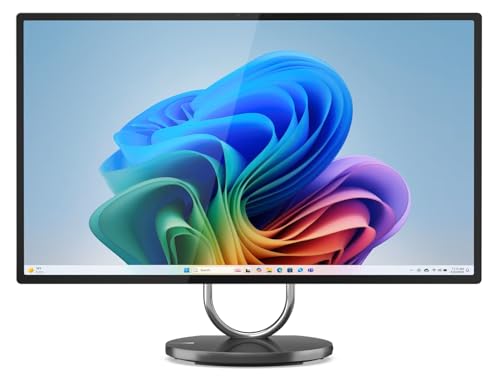
Where to buy
Check the latest price, availability and delivery on Amazon. Orders are placed on Amazon. We may earn a commission from qualifying purchases.
- Closest thing to a 1440p gaming all-in-one: Lenovo Yoga AIO 32i, Core Ultra 7 258V, RTX 4050, 32GB, 1TB — Check on Amazon
- HP OmniStudio X 32-c1010, Core Ultra 7 256V, 16GB, 2TB SSD — Check on Amazon
- Apple iMac 24-inch with M4 (10-core), 24GB, 512GB — Check on Amazon
- Dell Inspiron 7730 All-in-One 27-inch Touch, Core 7 150U, 32GB, 1TB — Check on Amazon
See 2 more Amazon options
- Lenovo Yoga AIO 27, Core Ultra 7 255H, 16GB, 1TB — Check on Amazon
- Apple iMac 24-inch with M4 (8-core), 16GB, 256GB — Check on Amazon
Read the full guide ↓
Disclosure: As an Amazon Associate, reviewstook.com earns from qualifying purchases. Links to Amazon on this page are affiliate links; they cost you nothing extra. Listing details such as price and availability change often, so check the current Amazon listing before you buy.
Start with the sentence most guides in this category will not print: there is no all-in-one PC that plays modern games natively at 1440p, at $3,000 or at any other price we could verify on Amazon. The search phrase that brought you here joins two ideas — “all-in-one” and “1440p gaming” — that the current market simply does not join back. An all-in-one is laptop hardware sealed inside a monitor, and laptop hardware at the top of this category peaks at exactly one discrete graphics card across all six machines below: a laptop RTX 4050 with 6GB of memory, inside the Lenovo Yoga AIO 32i. That card is a genuine GPU, and its honest gaming mode is 1080p, helped by DLSS upscaling. It is not a native 1440p gaming card, and it is certainly not a 4K gaming card — even though the screen it is attached to is a 31.5-inch 4K panel. Every other pick in this guide renders games on integrated graphics, the kind built into the processor, which means 720p to 1080p rendering on a good day, whatever the badge on the box says.
Understanding why requires one distinction that this entire guide is built on: the difference between the resolution a screen displays and the resolution a graphics chip renders. They are independent numbers, and all-in-one marketing profits from blurring them. A 4K panel displays 3840 × 2160 pixels whether the game feeding it was rendered at 4K, at 1440p, or at 720p and stretched. A “1440p gaming PC,” properly speaking, is a machine whose graphics card renders modern games at 2560 × 1440 fast enough to be enjoyable — and that takes a desktop-class graphics card with the power budget and cooling of a tower, hardware that physically does not fit inside a screen. So when an all-in-one advertises a 4K or QHD display next to the word “gaming,” it is describing the window, not the engine. This guide grades both numbers separately for every pick: what the panel shows, and what the silicon can actually render. Where upscaling enters the picture — and it should, because upscaling is the legitimate bridge technology here — we give the real internal render resolutions, not the marketing output number.
There is a second honesty item, about the budget itself. Three thousand dollars sounds like it should buy the flagship of anything, but on Amazon the all-in-one category does not reach $3,000 at all. The most expensive machine we could pin to a verified Amazon listing is the Yoga AIO 32i, a premium-tier machine — check its price on Amazon; HP’s OmniStudio X family sits in the same premium tier. Above that band the shelf is empty — Lenovo’s own store lists a newer OLED model over budget and not as an Amazon listing. The six machines below all sit below the ceiling, spanning mainstream to premium tiers. That gap between budget and ceiling is not a disappointment; for a reader who came here wanting 1440p gaming, it is the solution. The money an all-in-one cannot absorb is exactly the money that buys a real 1440p gaming tower — and this guide will keep pointing at that exit, with links, because sending a gamer to a tower is better service than selling them a beautiful screen that renders games at 1080p.
So who should still buy one of these six? Three readers. The first wants a superb desk computer — a 4K or 4.5K display, silence, one cable — and plays lighter or older games on the side, at the settings integrated graphics honestly allow. The second is the console hybrid: two picks below have an HDMI input, so a console or a small gaming PC can use the all-in-one’s big screen as its display while something else does the rendering. The third is the upscaling pragmatist, who takes the one discrete-GPU machine, runs modern games at a 1080p-class render with DLSS reconstructing the image for its 4K panel, and accepts that trade knowingly. If you recognize yourself in one of those three readers, read on.
In this guide
Quick Picks
Short on time, or comparing several options at once? Each row below names a buyer type and the product that suits it, with a link to the listing. Note the second column’s honesty: it grades what each machine renders, not what its screen displays.
| Buyer type | Pick | The 1440p reality | Link |
|---|---|---|---|
| Best gaming all-in-one, full stop | Lenovo Yoga AIO 32i (RTX 4050) | The only discrete GPU here — modern games at 1080p with DLSS on a 4K screen | Check on Amazon |
| Best screen for a console or second PC | HP OmniStudio X 32-c1010 | Integrated graphics render light games; the 4K HDMI-in panel serves real gaming hardware | Check on Amazon |
| Best for Mac players | Apple iMac 24-inch, M4 10-core, 24GB/512GB | Strong integrated GPU, reduced render resolutions, a limited macOS game catalogue | Check on Amazon |
| Best where screen and GPU honestly match | Dell Inspiron 7730 All-in-One 27-inch | Entry discrete GPU behind a 1080p panel — light games at the screen’s native resolution | Check on Amazon |
| Best actual 1440p display | Lenovo Yoga AIO 27 | A native QHD 120Hz panel — fed by integrated graphics, or natively by a console via HDMI-in | Check on Amazon |
| Best value — keep the change for a tower | Apple iMac 24-inch, M4 8-core, 16GB/256GB | Everyday machine first; esports at reduced settings as a bonus — check price on Amazon | Check on Amazon |
How These Picks Were Chosen
The starting pool was the same as our main all-in-one guide’s: real, verified Amazon listings in the United States, at or under the $3,000 ceiling — which in practice means the six best all-in-ones Amazon sells, since nothing verified sits near the top of that ceiling. Prices change often, so each pick directs you to check the current price on Amazon rather than relying on a figure printed here; that applies to every listing in this guide. Machines that could not be pinned to a verified listing were excluded however interesting they were — Lenovo’s OLED Aura Edition is discussed only as a ceiling marker, because it is sold through Lenovo’s own store, over budget.
What changed for this guide is the grading. A normal all-in-one roundup grades the display first and the graphics last; a 1440p gaming guide has to do it the other way round, and then reconcile the two. So every pick was scored on three separate axes. First, render capability: the actual graphics hardware — a laptop RTX 4050, an entry MX570A, or one of three integrated GPUs — and the internal resolution it can sustain in modern games, which is 1080p at best here and 720p at worst. Second, display capability: the panel’s native resolution, size, refresh rate and color, graded as a display and nothing more. Third, the bridge between them: upscaling support (DLSS exists only on the NVIDIA pick; the integrated GPUs rely on game-implemented upscalers such as FSR, and the iMacs on MetalFX in supported Mac titles) and input/output reality — an HDMI input, where documented, lets external gaming hardware use the panel, which is a genuinely different product from an HDMI output and is graded as such. Ports or outputs not documented in our source research are not claimed for any pick; where a machine’s documented connections are Thunderbolt ports, we say that and no more.
Two standing filters from the main guide still apply. The permanence filter: nearly every machine here has soldered memory, so the listed configuration is the lifetime configuration — we flag 16GB ceilings where they occur. And the seller filter: several top-of-category Amazon listings are reseller bundles or reseller-upgraded configurations, so seller and warranty checks are written into the reviews where they belong. We did not use these machines ourselves; the gradings rest on maker listings, specification pages and the published review record.
Render Resolution vs Display Resolution: The One Idea This Guide Runs On
Every frame of a game is drawn twice, in a sense — once by the graphics chip, at the render resolution, and once by the screen, at its display resolution. When the two match, the image is native and sharp. When the render resolution is lower, the image is scaled up to fill the panel: softer, but far cheaper for the GPU to produce, because pixel count is the dominant cost of rendering. The arithmetic is unforgiving. A 4K frame has about 8.3 million pixels; a 1440p frame about 3.7 million; a 1080p frame about 2.1 million. Rendering at 1080p and displaying on a 4K screen asks the GPU for a quarter of the work of native 4K. That is why every machine in this guide can truthfully “play games on a 4K screen” while none of them can play games at 4K.
Upscaling is the technology that makes the lower render resolution look better than simple stretching. Modern upscalers reconstruct the output image from the lower-resolution render using motion data and accumulated detail from previous frames, and the honest way to describe any upscaled mode is by its internal render resolution. The figures that matter for this guide: DLSS Quality aimed at a 1440p output renders at roughly 1707 × 960 internally; DLSS Quality aimed at a 4K output renders at roughly 2560 × 1440 internally — a 1440p-class render, reconstructed up to 4K; and DLSS Performance aimed at a 4K output renders at roughly 1920 × 1080 internally. Two consequences follow. First, DLSS is NVIDIA-only technology, so in this guide it exists on exactly one machine, the RTX 4050 Lenovo; the Intel and AMD integrated GPUs depend on upscalers implemented game by game, such as FSR, and Apple’s machines on MetalFX where a Mac port supports it — coverage is patchier and the reconstruction generally less refined. Second, even on the Lenovo, the honest description of its best gaming mode is “rendered around 1080p to 1440p internally and reconstructed for a 4K panel” — which is a good experience, and is still not native 1440p gaming on a 1440p screen. Keep those two sentences in mind and no listing in this category can mislead you.
The last piece of vocabulary is the input side. Two picks below — the HP OmniStudio X and the Lenovo Yoga AIO 27 — document an HDMI input: the panel can display a signal from another device. That turns the all-in-one into a part-time monitor. A console connected to the Yoga AIO 27’s HDMI-in renders its games itself and shows them on a native 1440p, 120Hz screen — which is, not coincidentally, the only way any screen in this guide displays a genuinely native 1440p game. When you read the reviews, grade each machine on all three numbers: what it renders, what it displays, and what it can be fed.
The 6 Best All-in-One PCs for 1440p Gaming Under $3,000, Honestly Graded
Lenovo Yoga AIO 32i — Core Ultra 7 258V, RTX 4050, 32GB, 1TB
Who it suits: The buyer who wants the most gaming an all-in-one can honestly offer — one machine for a 4K desktop, creative work with real GPU acceleration, and modern games played the way this card is meant to play them: at 1080p-class rendering with DLSS doing the reconstruction.
This is the only machine in the guide with a discrete graphics card, and everything about its gaming grade flows from that single fact. The NVIDIA GeForce RTX 4050 is a laptop GPU with 6GB of GDDR6 memory. It is a real card with real CUDA and Tensor cores, which buys two things no other pick has: hardware that renders modern games at 1080p with settings negotiated rather than minimized, and DLSS, the most mature upscaling technology in the industry. Paired with a Core Ultra 7 258V, 32GB of LPDDR5X memory and a 1TB PCIe Gen4 SSD, it sits behind the joint-best Windows screen in the guide: a 31.5-inch 4K UHD IPS panel with 97% DCI-P3 coverage, HDR 600 and 495 nits, on a tilting metal hinge. Around that core: a 5MP IR camera, Harman Kardon speakers with Dolby Atmos, Wi-Fi 7, Thunderbolt 4, and a base that wirelessly charges a phone. Check its price on Amazon — it is the premium flagship of this guide and still sits under the ceiling.
Now the grading, in this guide’s terms. What it displays: 4K, beautifully. What it renders: modern games at 1080p natively, or at a 1440p-class internal resolution when DLSS Quality is aimed at the 4K panel — the card drawing roughly 2560 × 1440 and DLSS reconstructing the 4K image from it. That second mode is the closest anything in this guide comes to “1440p gaming,” and it deserves a precise verdict: it looks genuinely good, it is the smart way to use this machine, and it is an upscaled image, not a native one — step the quality down to DLSS Performance in a demanding title and the internal render falls to roughly 1920 × 1080. Native 4K rendering in modern games is beyond a 6GB laptop card, full stop, and native 1440p is a category error here because the panel is 4K, not 1440p: there is no mode in which this machine is a native-1440p gaming PC. Buyers who understand that get the best all-in-one in the category. Buyers who buy the phrase “4K gaming all-in-one” will be disappointed by a machine that did nothing wrong.
The standing caveats from the main guide apply unchanged. The 32GB of memory is soldered on-package and can never be upgraded — this configuration is the lifetime configuration. The stand’s ports live mostly at the back, and reviewers have noted the design asks for a deep desk. And the Amazon listing for this configuration is a reseller bundle that includes a 64GB USB drive — a flourish, not a Lenovo feature — so check the seller and the warranty path before paying flagship money; on a premium machine like this the warranty is part of the product.
- The only discrete GPU in the guide — RTX 4050 6GB, with DLSS, the bridge technology this category runs on.
- 31.5-inch 4K IPS, 97% DCI-P3, HDR 600: a flagship desktop and creative display.
- 32GB memory and 1TB Gen4 SSD — the configuration needs nothing at purchase.
Honest limitation: Its gaming ceiling is 1080p rendering with DLSS reconstruction — not native 1440p, not native 4K — and the soldered 32GB is a lifetime ceiling.
Choose it if you want one beautiful machine for work and play and accept upscaled gaming as the all-in-one’s honest best. Skip it if native 1440p gaming is the actual goal — that money buys a tower in a different performance league entirely.

HP OmniStudio X 32-c1010 — Core Ultra 7 256V, 16GB, 2TB SSD
Who it suits: The console hybrid and the media-first buyer: someone whose serious gaming happens on a console or a separate PC, and who wants this machine’s 31.5-inch 4K screen to serve that hardware as faithfully as it serves the desktop.
Grade the panel first, because here the panel is the gaming product. The 31.5-inch 4K UHD IPS display is rated at 550 nits — the brightest in this guide — with HDR 600 and 95% DCI-P3 coverage, behind anti-glare coating on a height-adjustable stand. Crucially, it documents an HDMI input: connect a console or a gaming PC and this screen becomes their display, at its full native 4K, with the rendering done by hardware built for it. That is a real and underrated route to big-screen gaming at this desk — the all-in-one handles work, media and storage by day (the 2TB SSD in this configuration is the largest in the guide, room for a decade of photo and video libraries), and lends its panel to real gaming hardware by night. The machine itself is a Copilot+ PC with a Core Ultra 7 256V, Intel Arc 140V integrated graphics, a 5MP IR camera and Wi-Fi 7. Check the price on Amazon for this exact 2TB listing before judging it; other configurations of this family sit in the premium tier, so confirm the memory and storage on the listing you open rather than judging by the family name.
Its own rendering, graded plainly: the Arc 140V is competent integrated graphics — genuinely fine for photo work, everyday creative tasks and light or older games rendered at 720p to 1080p and upscaled to the panel by the game or the driver. It is not within reach of 1440p rendering in modern titles, and there is no DLSS on Intel hardware; upscaling depends on whatever a given game implements. The configuration’s real weakness is memory: 16GB of LPDDR5x, soldered, in a flagship-tier machine. For office, media and console-display duty it is enough today; it is the specification most likely to age first, and it cannot be changed. This listing has also shown as unavailable in past crawls, which is common for HP’s rotating configurations — if it is in stock when you check, the panel, the HDMI input and the 2TB drive make the case; if you need more memory, one of the family’s 32GB configurations is the better buy.
- The guide’s brightest screen: 31.5-inch 4K at 550 nits, with HDR 600 and 95% DCI-P3.
- HDMI input lets a console or gaming PC use that panel natively — the screen’s real gaming role.
- A 2TB SSD — more internal storage than any other pick here, so no external drive joins the desk.
Honest limitation: Integrated graphics render light games at 720p–1080p only, and 16GB of soldered memory is a permanent ceiling in a flagship-tier machine.
Choose it if your gaming arrives over HDMI from a console or PC and you want the best big screen here to receive it. Skip it if you expect the machine itself to render your games — it will not, beyond light titles at reduced resolutions.

Apple iMac 24-inch with M4 (10-core) — 24GB, 512GB
Who it suits: Mac players — people inside the Apple ecosystem who play the games macOS actually has, and who want the sharpest display in the guide doing double duty as their desktop and their screen.
The iMac’s display is smaller than the Windows flagships’ and denser than both: a 24-inch 4.5K Retina panel at 4480 × 2520 with P3 wide color and 500 nits. This is the upgraded configuration — M4 with a 10-core CPU and 10-core GPU, 24GB of unified memory, a 512GB SSD — plus the 12MP Center Stage camera that is by a wide margin the best webcam in the guide. Check its price on Amazon. It stands out on value: display quality and everyday speed that compete with the premium Lenovo, in a thinner, quieter enclosure.
The gaming grade needs two honest halves. The hardware half is respectable: Apple’s integrated GPU in the 10-core M4 is the strongest integrated graphics in this guide after the Lenovo’s discrete card, and in Mac-native titles it renders at reduced internal resolutions — typically in the 1080p class and below — with MetalFX upscaling, where a port supports it, reconstructing the image for the 4.5K panel. There is no DLSS on Apple silicon; NVIDIA’s technology simply does not exist here. The catalogue half is the constraint: macOS gaming is a subset of gaming. The big native releases play well; much of the wider PC catalogue never arrives, and no all-in-one purchase changes that. What the iMac will not do, at any setting, is render modern games natively at 1440p or anywhere near its panel’s 4.5K — the display’s resolution is a desktop and photo virtue, and games meet it from far below. Buyers whose gaming lives inside the Mac catalogue get a superb machine.
The fixed-configuration warnings are Apple’s usual ones. Memory and storage are set at purchase forever — 24GB and 512GB are generous today, and 512GB still fills quickly for video work, so budget for fast external storage if your libraries are large. There is no touchscreen and no height adjustment beyond tilt. And this ASIN is the Pink finish, because Amazon sells each iMac color as its own listing; the identical configuration in other colors lives under different listings, so search by the model number family if the color is wrong for your room.
- The 4.5K Retina panel — sharper and more color-accurate than anything else in this guide.
- 10-core M4 with 24GB unified memory: the strongest integrated graphics here bar the discrete pick.
- 12MP Center Stage camera and studio-quality mics — the best video-call hardware in the guide.
Honest limitation: Games render at reduced resolutions for a 4.5K panel it cannot natively feed, and the macOS catalogue — not the hardware — is the real gaming ceiling.
Choose it if you are in the Apple ecosystem and your games are Mac-native. Skip it if your library is the wider PC catalogue, or you need a 27-inch-plus screen or terabytes of internal storage.

Dell Inspiron 7730 All-in-One 27-inch Touch — Core 7 150U, 32GB, 1TB
Who it suits: Families and shared desks who want a big touchscreen everyone can use, with light gaming that — uniquely in this guide — happens at the screen’s own native resolution.
The Dell makes an argument none of the flagships can: its graphics and its panel are honestly matched. The 27-inch display is Full HD, 1920 × 1080, with touch and ComfortView Plus low-blue-light treatment. Behind it sits a 10-core Intel Core 7 150U, 32GB of memory, a 1TB SSD, and an NVIDIA GeForce MX570A with 2GB of dedicated memory — a small discrete GPU, honestly described as an entry-level part. That pairing means the Dell’s light gaming — casual titles, older games, esports at modest settings — renders at 1080p and displays at 1080p, native, no upscaling story required. In a guide full of 4K panels being fed 1080p renders, the Dell is the one machine whose screen does not outclass its engine. For a shared family computer — homework, recipes scrolled by touch, video calls, streamed film, a child’s game library — that honesty, plus Windows 11 Pro, Wi-Fi 6E and Bluetooth 5.3, is a coherent product. Check the price on Amazon for this exact upgraded configuration; the note below matters more than the number.
The note: this listing’s own text states the original seal is opened so the seller can install the advertised upgrades. This is a reseller-upgraded machine, not a factory Dell configuration — a common and legitimate Amazon practice that nonetheless makes two checks essential before purchase: who the seller is, and how the warranty works, because a seal-opened upgrade can complicate a manufacturer warranty claim. The second honest point is the mirror of its virtue: Full HD on 27 inches is visibly the softest desktop display in this guide — fine for video and family use, noticeably less fine for text-dense work or a photographer, and there is no 1440p anything here, in either direction: the panel cannot show it and the GPU was never going to render modern games at it. The Core 7 150U is also an efficiency-class processor, a step below the H-series chip in the Lenovo below for sustained heavy work. Buy the Dell for touch, size and a specification that asks nothing of its buyer — not for sharpness, and not for gaming beyond the light end.
- A 27-inch touch panel — the sole touchscreen among this guide’s Windows machines.
- MX570A discrete graphics matched to a 1080p panel: light games at native resolution, no upscaling caveats.
- 32GB of memory and a 1TB SSD in the listing — nothing needs adding on day one.
Honest limitation: The softest display in the guide and an entry GPU — 1440p is absent in both directions — and this is a reseller-upgraded listing, so verify seller and warranty first.
Choose it if the machine is shared, touch will actually be used, and gaming means casual and older titles. Skip it if you edit photos critically, want a factory-sealed machine, or are chasing any form of 1440p.
Lenovo Yoga AIO 27 — Core Ultra 7 255H, 16GB, 1TB
Who it suits: The reader who typed “1440p” and meant the screen: desk workers who want a true 2560 × 1440 display with a 120Hz refresh, plus console players who can feed that panel natively through its HDMI input.
This is the only native 1440p display in the guide, and it is a good one: a 27-inch QHD IPS panel at 2560 × 1440, 120Hz, 400 nits, 99% sRGB, on the best stand in the business — tilt, swivel, 70mm of height adjustment and a full pivot into portrait. The processor is a Core Ultra 7 255H, an H-series chip with more sustained headroom than the efficiency parts elsewhere here, with Intel Arc integrated graphics, 16GB of LPDDR5X memory and a 1TB SSD. JBL speakers, a 5MP camera and the line’s signature wireless phone charging complete the desk. Check its price on Amazon — it is a mid-range pick, offering the guide’s best ergonomics and its only QHD panel.
The gaming grade splits cleanly in two. Fed externally, this is a genuine 1440p gaming display: the documented HDMI input lets a console or a gaming PC drive the panel at its native 2560 × 1440 and up to its 120Hz refresh, rendering done by hardware built for it. If a console lives on your desk, this is the pick whose screen your games will actually use at 1440p. Rendering internally, it is not a 1440p gaming machine: the Arc integrated graphics play light and older games at 720p to 1080p internal resolutions, which the panel then upscales — with one elegant detail in its favor, since a 720p render scales to 1440p by an exact factor of two and stays comparatively clean. There is no DLSS on Intel graphics; upscaling is whatever each game implements. The compromises are the main guide’s: the 16GB of memory is soldered and cannot be expanded, so heavy multitaskers should weigh the 32GB machines; 99% sRGB is a step below the flagships’ DCI-P3 for color-critical work. And one model-specific check matters: several Amazon listings circulate for this family with different memory and storage combinations, so confirm the exact configuration on the listing you buy — 255H, 16GB, 1TB — and that the listing resolves to it, rather than trusting the family name.
- The only native 1440p panel in the guide — QHD at 120Hz, on a stand that pivots to portrait.
- HDMI input: a console or gaming PC can drive that panel at native 1440p.
- H-series Core Ultra 7 255H — the most sustained CPU headroom among the integrated picks.
Honest limitation: Its own graphics render at 720p–1080p; the 1440p is a display resolution, and the soldered 16GB is the long-term ceiling.
Choose it if you want a true QHD desktop and your 1440p gaming arrives from a console or second PC over HDMI. Skip it if the machine itself must render your games, or you need 32GB of memory or wide-gamut color.

Apple iMac 24-inch with M4 (8-core) — 16GB, 256GB
Who it suits: The budget realist: a buyer with a $3,000 ceiling whose real needs are everyday computing, and who would rather keep the difference for the machine that actually plays games at 1440p.
Everything said about the iMac display above applies here, because it is the same display: 24-inch 4.5K Retina, P3 color, 500 nits, the same 12MP Center Stage camera, the same six-speaker system, the same silent thin enclosure. The differences are inside — an M4 with an 8-core CPU and 8-core GPU, 16GB of unified memory and a 256GB SSD. For browsing, documents, photo management, streaming and video calls, that specification is not a felt compromise: the M4 is fast enough that everyday computing feels identical to the upgraded model. Value is the argument — check its price on Amazon, where this base configuration sits at the budget end of this guide. In a guide nominally about spending $3,000, this pick is the strategy: buy the best mainstream all-in-one on Amazon for the desk, and leave much of the budget available toward a genuine 1440p gaming tower.
Graded as a gaming machine on its own, it is the lightest here relative to its panel: the 8-core GPU renders Mac-catalogue games at reduced internal resolutions — esports and lighter titles at modest settings are the honest envelope — with MetalFX upscaling where supported, and no DLSS, as on all Apple hardware. The 4.5K panel is a desktop virtue that games meet from far below. The standing warnings hold: 256GB is genuinely small — a large photo library, a few games or a year of phone backups fills it, and since it can never be upgraded, an external SSD becomes a permanent desk accessory; this base configuration carries two Thunderbolt ports rather than four, with no Gigabit Ethernet on the standard power adapter; and the two fewer GPU cores show against the 10-core model in sustained creative exports. None of that matters for the workload this machine is for. Buy it as the best mainstream all-in-one on Amazon and it will not disappoint; buy it as a discounted gaming flagship and both the storage and the GPU will correct you within the year.
- The same 4.5K Retina display and camera as the flagship iMac — check price on Amazon.
- Leaves most of a $3,000 budget unspent — the only pick that funds a real 1440p tower alongside.
- Everyday computing runs on the M4 with no felt compromise at all.
Honest limitation: 256GB of fixed storage, the guide’s lightest gaming envelope relative to its panel, and ports trimmed against its 10-core sibling.
Choose it if your workload is everyday computing and gaming will be handled by a console or a tower bought with the change. Skip it if it must be your only machine and your libraries or game ambitions are large — step up to the 24GB/512GB iMac, or rethink the form factor entirely.

Comparison Table
Read the middle columns together — that pairing is the whole guide. “Displays” is the panel’s native resolution; “Renders games at” is what the machine’s own graphics can sustain in modern titles, before upscaling.
| Product | Displays | Renders games at | Graphics | Memory / Storage | Link |
|---|---|---|---|---|---|
| Lenovo Yoga AIO 32i | 31.5-inch 4K, 97% DCI-P3 | 1080p native; 1440p-class internal with DLSS Quality to 4K | RTX 4050 6GB (discrete) | 32GB / 1TB | Check on Amazon |
| HP OmniStudio X 32-c1010 | 31.5-inch 4K, 550 nits | 720p–1080p, light titles | Intel Arc 140V (integrated) | 16GB / 2TB | Check on Amazon |
| Apple iMac 24-inch, M4 10-core | 24-inch 4.5K Retina, P3 | Reduced resolutions, 1080p class and below | Apple M4 10-core GPU (integrated) | 24GB / 512GB | Check on Amazon |
| Dell Inspiron 7730 AIO 27 | 27-inch FHD touchscreen | 1080p, light titles — native to its panel | GeForce MX570A 2GB (discrete) | 32GB / 1TB | Check on Amazon |
| Lenovo Yoga AIO 27 | 27-inch QHD 120Hz, rotating | 720p–1080p internally; native 1440p only via HDMI-in from external hardware | Intel Arc (integrated) | 16GB / 1TB | Check on Amazon |
| Apple iMac 24-inch, M4 8-core | 24-inch 4.5K Retina, P3 | Reduced resolutions, light titles | Apple M4 8-core GPU (integrated) | 16GB / 256GB | Check on Amazon |
How to Choose an All-in-One for 1440p Gaming
- Decide which 1440p you actually want. Native 1440p rendering in modern games requires a desktop graphics card, which no all-in-one contains. Native 1440p display exists here exactly once (the Yoga AIO 27). Upscaled 1440p-class rendering exists exactly once (the Yoga AIO 32i, via DLSS). Name your target before you shop, because the three are different products wearing one phrase.
- Grade the GPU, then the panel — never the reverse. Listings lead with screen size and resolution because those numbers are big. The graphics hardware decides what you will actually see in a game. In this category the ladder is short: one laptop RTX 4050, one entry MX570A, and integrated graphics everywhere else.
- Learn the upscaling arithmetic. DLSS Quality to a 4K panel renders at roughly 2560 × 1440 internally; DLSS Performance to 4K renders at roughly 1920 × 1080; DLSS Quality to a 1440p output renders near 1707 × 960. Any “4K gaming” claim that does not state its internal render resolution is hiding the only number that matters. And DLSS needs an NVIDIA card — on Intel, AMD and Apple graphics, upscaling is whatever each game implements.
- Check whether the screen can be fed. A documented HDMI input converts an all-in-one into a part-time gaming monitor for a console or PC — on a purchase this size, that feature can matter more than the built-in graphics. Do not assume an input or output exists because the category usually has one; check the specific listing’s documented connections.
- Treat memory as a lifetime decision. Nearly every premium all-in-one solders its memory. 32GB is the flagship standard; 16GB is a permanent ceiling that gaming-plus-streaming-plus-browser workloads will find first.
- Size storage for games, not documents. Modern game installs are tens of gigabytes each. A 256GB machine is not a games library; 1TB is the comfortable minimum if games live on the all-in-one itself.
- Interrogate the listing, not just the model. Top-of-category Amazon listings are often reseller bundles or reseller-upgraded configurations. Confirm the exact CPU, GPU, memory and storage on the listing, identify the seller, and understand the warranty path before paying flagship money.
- Price the alternative honestly. An all-in-one’s price includes a display you would otherwise buy separately — but if gaming is the priority, price the tower-plus-monitor combination too. At this budget the comparison is not close, and this guide’s final section exists to make it.
The Real Routes to Native 1440p Gaming
If the honest grading above has clarified one thing — that what you want is a machine that renders modern games at 2560 × 1440 natively — then the correct purchase is not in the table above, and a guide that pretended otherwise would be wasting your $3,000. Native 1440p gaming lives in towers: a desktop chassis has the power supply, the cooling and the physical room for a desktop-class graphics card, and at the top of this budget that class of card renders 1440p the way the phrase promises, with headroom to spare. The same money that buys the flagship all-in-one buys a tower that out-renders it several times over — the all-in-one’s premium pays for the screen, the silence and the single cable, none of which draw a single frame.
Our dedicated guides cover that territory properly. Start with Best 1440p Gaming PC Under $3000 for towers graded on exactly this resolution at exactly this budget, and Best Gaming PC Under $3000 for the wider flagship field. If the budget splits — an all-in-one for the desk and gaming hardware beside it — then Best 1440p Gaming PC Under $1500 plus the base iMac in this guide is a combination worth pricing against any single machine here, and Best Mini Gaming PC Under $3000 covers compact towers that keep the desk nearly as clean as an all-in-one’s. And if you stay with an all-in-one but at a lower tier, the sibling guides Best All In One PC For 1440p Gaming Under $2500 and Best All In One PC For 1440p Gaming Under $1500 apply this same render-versus-display grading further down the price ladder, while Best All In One PC Under $3000 is our main roundup of these six machines graded as all-in-ones first and gaming machines second.
Common Buying Mistakes
- Reading “4K display” as “4K gaming.” The panel’s resolution describes what the screen can show, not what the graphics chip can render. In this entire category, no machine renders modern games at its own panel’s native resolution except the 1080p Dell.
- Believing a “1440p gaming all-in-one” exists because the search results are full of the phrase. Search phrases describe what people type, not what factories build. The verified product does not exist; the phrase’s results are ordinary all-in-ones wearing the keyword.
- Counting upscaled output as native resolution. A game rendered at 1080p and reconstructed to 4K is a 1080p render with good reconstruction — often a smart trade, never a native one. Ask for the internal render resolution.
- Assuming DLSS is a feature of “gaming PCs” generally. It is NVIDIA-only. Five of the six machines in this guide cannot use it at all.
- Buying 16GB of soldered memory for a machine that will game, stream and browse simultaneously. The saving is real today; the ceiling is forever.
- Choosing 256GB of storage and then installing games. A handful of modern titles fills it; fixed storage cannot grow, and an external drive becomes furniture.
- Handing flagship money to a reseller-upgraded listing sight unseen. Check who sells it, what exactly is inside, and how warranty service works — the model name matches the factory product; the machine behind it may not.
- Skipping the HDMI-input question. A screen that can serve a console today and a future PC tomorrow is worth years of extra use; a screen that cannot is retired with its computer.
- Picking an iMac color before its configuration. Amazon lists each color separately, and the listing in your color may carry different memory and storage than the configuration you researched — verify both on the exact listing you order.
Final Recommendation
- The most gaming an all-in-one can offer: Lenovo Yoga AIO 32i — the only discrete GPU, DLSS, and a 32GB/1TB configuration that needs nothing.
- A 4K screen for a console or gaming PC: HP OmniStudio X 32-c1010 — the brightest panel here, with the HDMI input to use it.
- Mac players: Apple iMac 24-inch, M4 10-core, 24GB/512GB.
- Shared desks and light native gaming: Dell Inspiron 7730 All-in-One 27-inch.
- A true 1440p display, fed externally: Lenovo Yoga AIO 27 — native QHD at 120Hz via its own desktop or a console’s HDMI.
- The strategist’s pick: Apple iMac 24-inch, M4 8-core — and put the change toward a real gaming tower.
Our top two for this keyword are the Lenovo Yoga AIO 32i and the Lenovo Yoga AIO 27, because between them they cover the two honest things “1440p” can mean at this desk. The 32i is the only machine here that renders anything at a 1440p-class internal resolution, via DLSS Quality reconstructing its 4K panel from a roughly 2560 × 1440 render — upscaled, not native, and still the best gaming any all-in-one on Amazon currently does. The 27 is the only machine here with a native 1440p screen, and its HDMI input means a console or gaming PC can use that screen at its full resolution and refresh — native 1440p gaming at this desk, rendered by hardware that lives outside the all-in-one. Everything else in the guide is a fine desktop computer whose gaming should be graded as a bonus. And the recommendation this guide owes you in closing: if native 1440p rendering is the goal rather than the search term, buy the tower — Best 1440p Gaming PC Under $3000 is where that budget performs as advertised. Whichever route you choose, verify the exact configuration and seller on the live listing and check the current price before you order; at the top of this category, the listing deserves as much scrutiny as the machine.
Frequently Asked Questions
Is there an all-in-one PC that plays games natively at 1440p?
None that we could verify on Amazon, at any price. Native 1440p rendering in modern games requires a desktop-class graphics card, and all-in-ones are built from laptop hardware for thermal reasons. The strongest graphics in this guide are a laptop RTX 4050, whose honest mode is 1080p rendering with DLSS upscaling. Any listing or guide claiming a native-1440p gaming all-in-one is describing a display resolution, an upscaled output, or a product that does not exist.
What does the Lenovo Yoga AIO 32i actually do in games?
It renders modern games at 1080p natively, or — with DLSS Quality aimed at its 4K panel — at an internal resolution of roughly 2560 × 1440, which DLSS reconstructs into the 4K image you see. That is the best gaming in this category and a genuinely good experience. It is not native 1440p gaming (the panel is 4K, and the render is reconstructed, not native) and it is not native 4K gaming, which is beyond a 6GB laptop GPU in modern titles.
What do the DLSS quality modes really render at?
DLSS renders internally at a fraction of the output resolution. Quality mode uses about two-thirds of the output in each dimension: aimed at a 1440p output it renders near 1707 × 960, and aimed at a 4K output it renders near 2560 × 1440. Performance mode uses half in each dimension, so a 4K output is built from roughly 1920 × 1080. When any product claims upscaled gaming, those internal numbers — not the output number — are its real render resolution.
The Lenovo Yoga AIO 27 has a 1440p screen. Isn’t that a 1440p gaming PC?
It is a 1440p display attached to integrated graphics. Its own GPU renders light games at 720p to 1080p, which the panel upscales. But its HDMI input changes the answer for console and second-PC owners: feed it from hardware that renders at 1440p and the panel shows a genuine native 1440p image at up to 120Hz. The screen is 1440p; the computer inside it is not a 1440p gaming computer.
Can I connect a console to these all-in-ones and game on the big screen?
On the two picks with a documented HDMI input, yes: the HP OmniStudio X (31.5-inch 4K) and the Lenovo Yoga AIO 27 (27-inch QHD 120Hz) can both display an external device, so a console renders its games and the all-in-one’s panel shows them at full native resolution. The other picks do not document an HDMI input in our source research, so do not assume the feature — check the specific listing’s documented connections before relying on it.
Mac or Windows for gaming at this budget?
Windows, and it is not close — not because of hardware, but because of catalogue. The iMacs are superb machines whose M4 graphics are strong for integrated parts, yet the macOS game library is a subset of the PC library, and neither iMac has DLSS or a discrete GPU. If your games are Mac-native, the 10-core iMac is a fine pick. If your library is the wider PC catalogue, every route in this guide — the Lenovo 32i for upscaled play, or a tower for native play — runs Windows.


