Where to buy
Check the latest price, availability and delivery on Amazon. Orders are placed on Amazon. We may earn a commission from qualifying purchases.
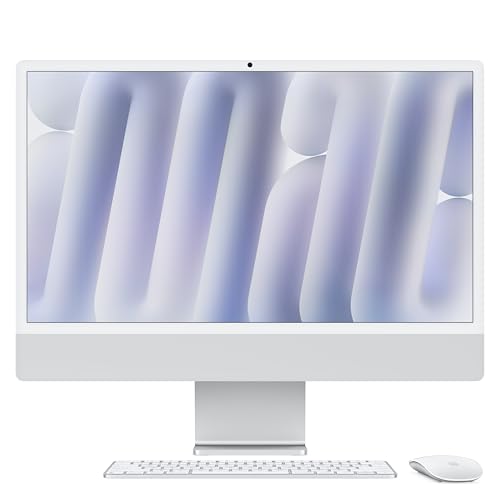
- Sharpest screen, best light gaming on its own panel: Apple 2024 iMac with M4 Chip, 16GB Unified Memory, 256GB SSD — Silver — Check on Amazon
- Dell 27 All-in-One ec27250, Core 7 150U, GeForce MX570A, 32GB DDR5, 1TB SSD — Check on Amazon
- HP OmniStudio X 27-cs0010, Core Ultra 7 155H, 16GB RAM, 1TB SSD — Check on Amazon
- HP 27-cr0012, Ryzen 7 7730U, 32GB RAM, 1TB SSD — Check on Amazon
See 2 more Amazon options
- Lenovo IdeaCentre 27, Core i7-13620H, 32GB RAM, 2TB SSD (seller-upgraded listing) — Check on Amazon
- Dell Inspiron 7710 All-in-One, Core i7-1255U, GeForce MX550, 32GB RAM, 1TB SSD — Check on Amazon
Read the full guide ↓
Disclosure: As an Amazon Associate, reviewstook.com earns from qualifying purchases. Links to Amazon on this page are affiliate links; they cost you nothing extra. Listing details such as price and availability change often, so check the current Amazon listing before you buy.
This guide exists because the search term does, so it starts with the answer the search term does not want to hear: there is no all-in-one PC under $1,500 that plays modern games natively at 1440p. Not one of the six machines below — not the two with discrete NVIDIA graphics, not the one with a screen sharper than 1440p — renders demanding games at 2560×1440 on its own hardware. That is not a flaw in this list; it is the physics of the form factor. An all-in-one hides a laptop’s worth of components behind a screen, and laptop-class integrated and entry-level graphics are built to render at 1080p and below. If native 1440p gaming is the actual goal, the honest destination is a tower or a compact gaming PC, and this guide links to those routes rather than pretending otherwise.
So what does “1440p gaming” honestly mean at this budget on an all-in-one? Three real things, and this guide grades every pick against them. First, games rendered at 720p to 1080p on the built-in screen — the everyday reality of light, older, esports and indie titles on integrated graphics, which is genuinely enjoyable and covers a large share of what people actually play. Second, a screen that meets or beats 1440p as a display: exactly one pick here, the iMac, has a panel sharper than 1440p, and that sharpness is real for desktop work, video and the lighter games its chip can drive — but display resolution and render resolution are different numbers, and confusing them is how buyers get disappointed. Third, the external-monitor route: an all-in-one feeding a separate 1440p monitor for desktop use and light games, which depends entirely on the video output a given listing actually documents — so this guide never assumes a port exists, and tells you to confirm it on the live listing before planning around one.
One more piece of vocabulary decides more purchases than any benchmark: upscaling. Modern games increasingly render below the output resolution and reconstruct the image, and the quality of that trick depends on which chip you own. NVIDIA’s DLSS exists only on GeForce RTX cards — and neither of the two discrete GPUs here is one. The newer MX570A and the older MX550 are both MX-class parts, so neither Dell has DLSS, and FSR is the upscaling route for both despite their similar names. Intel’s Arc and Xe graphics offer XeSS, AMD’s integrated Radeon offers FSR, and Apple’s M4 offers MetalFX in the Mac games that support it. Where the math matters, this guide states it plainly: FSR set to Quality while outputting 1440p is actually rendering at roughly 1707×960 internally and reconstructing the rest. That is a legitimate, good-looking way to play lighter games — it is not native 1440p, and no pick below will be described as though it were.
What follows is the same six verified all-in-ones from our main under-$1,500 guide, re-graded through the gaming lens: what each one actually renders, on what screen, with which upscaling route, and where its ceiling sits. The seller warnings and buying rules are unchanged, because a gaming angle does not make a bad deal good. If you finish this page and conclude that what you really want is native 1440p, the routing sections will point you at the machines that do it — starting with our guide to the Best 1440p Gaming PC Under $1500 — and nothing here will have wasted your money on the way.
In this guide
Quick Picks
Short on time, or comparing several options at once? Each row below names a buyer type and the product that suits it, with a link to the listing.
| Buyer type | Pick | Why it stands out | Link |
|---|---|---|---|
| Best screen for light gaming | Apple 2024 iMac with M4, 16GB, 256GB — Silver | 4.5K panel sharper than 1440p; M4 renders lighter games below native with MetalFX help | Check on Amazon |
| Strongest gaming hardware here | Dell 27 All-in-One ec27250, MX570A, 32GB, 1TB | The strongest discrete GPU here; native 1080p on light titles, upscaled beyond that | Check on Amazon |
| Best integrated graphics, Windows | HP OmniStudio X 27-cs0010, Ultra 7 155H, 16GB, 1TB | Intel Arc integrated graphics with XeSS; renders at 720p–1080p on a 1080p touch panel | Check on Amazon |
| Best value for casual play | HP 27-cr0012, Ryzen 7 7730U, 32GB, 1TB | 8-core CPU and 32GB for multitasking; Radeon integrated graphics with FSR for light games | Check on Amazon |
| Most memory and storage | Lenovo IdeaCentre 27, i7-13620H, 32GB, 2TB | Seller-upgraded spec beyond Lenovo’s factory maximums; integrated graphics, FSR route | Check on Amazon |
| Best older-model bargain | Dell Inspiron 7710, i7-1255U, MX550, 32GB, 1TB | Discrete MX550 graphics at the low end of this tier — but no DLSS, so FSR is its upscaling route | Check on Amazon |
How These Picks Were Chosen
The six machines are the verified set from our main all-in-one guide at this budget, carried over with their seller research intact — this variant re-grades them for gaming rather than re-shopping the category, because inventing a second set of “gaming all-in-ones” would mean inventing the hardware to match. The budget rule is the one buyers experience: a pick belongs here if it sells at or under the $1,500 budget — check the current price on Amazon for each one, because listing prices move. One flagged pick sits near the top of the band and is known to drift above it, so it carries an explicit instruction to buy only when the live price is at or under the line. One pick is flagged differently: it is recommended only at a live price of $1,500 or less, after seller checks.
The gaming grading itself uses three questions, applied identically to every pick. What resolution does the built-in panel show? What resolution can the graphics hardware actually render in games — a separate and always lower number? And which upscaling technology, if any, bridges the gap, on which chip? Integrated graphics are described as integrated graphics throughout: Intel Arc and Xe, AMD Radeon and Apple’s M4 GPU are all capable of light gaming at reduced resolutions, and none of them is a 1440p gaming solution. The two NVIDIA MX chips are graded as what they are — entry-level discrete GPUs, neither of them an RTX part and neither with DLSS support — not as gaming cards. No frame-rate figures are quoted for any game, because none were measured and invented numbers would be exactly the dishonesty this guide is written against; rendering classes (“native 1080p on light titles”, “720p on demanding ones”) are stated instead.
Seller type is treated as a specification, as in the main guide. The set spans factory configurations sold as the maker built them, one seller-upgraded listing whose specification exceeds the maker’s own factory maximums — flagged wherever it appears, with the warranty consequence stated — and one 2022 model now reaching buyers through marketplace and renewed stock. A gaming angle changes none of that: the checks in each review are the checks to run.
Render Resolution vs Display Resolution: The Distinction This Whole Guide Runs On
Every disappointment in this category comes from mixing up two numbers. The display resolution is what the panel can show: 1920×1080 on five of these six machines, and 4480×2520 — marketed as 4.5K — on the iMac. The render resolution is what the graphics hardware actually computes for each frame of a game, and on integrated and entry-level graphics it is almost always lower: 1280×720 or 1600×900 on demanding titles, 1920×1080 on lighter ones. When the two differ, the image is scaled up to fill the panel. Done crudely, that looks soft. Done by a modern upscaler — DLSS, FSR, XeSS or MetalFX — it can look surprisingly close to native while costing a fraction of the rendering work. That reconstruction step is where “1440p” sneaks into marketing: a game outputting a 1440p image may have rendered at roughly 1707×960 with a Quality upscaling preset, and a game on a 1080p all-in-one panel may have rendered at 720p. Neither is cheating. Both are misdescribed if the listing calls them native.
Apply that to the keyword that brought you here. Native 1440p gaming — rendering every frame at 2560×1440 — needs a discrete graphics card with real memory and power behind it, the class of hardware our Best 1440p Gaming PC Under $1500 guide is built around. Nothing behind an all-in-one’s screen at this price is in that class, and the gap is not small. What these machines offer instead is a ladder: undemanding games at their panel’s native 1080p; mid-weight games at 900p or 1080p with an upscaler set to Quality; demanding games at 720p with upscaling, or not at all. The iMac complicates the ladder in an interesting way — its panel is sharper than 1440p, so even a game rendered at 1080p and scaled up is being shown on a display with more pixels than a 1440p monitor has — but the M4’s graphics still decide what gets rendered, and they decide it well below 4.5K.
The external-monitor route deserves the same precision. Driving a separate 1440p monitor for desktop work, video and strategy or indie games at reduced render settings is a reasonable plan for an all-in-one — the desktop at 1440p is not hard work, and the sharper text is a genuine upgrade. But it lives or dies on a physical fact: the machine needs a video output, and output configurations vary by model and sometimes by configuration of the same model. The base research for this guide documents the iMac entry model’s two-port arrangement; it does not document a video output for every Windows pick, and this guide will not guess at one. Before you buy any machine here with an external 1440p screen in mind, confirm the output on the live Amazon listing and, if it is still ambiguous, on the maker’s specification page. A plan that depends on a port the listing never promised is not a plan.
The 6 Best All-in-One PCs for 1440p Gaming Under $1500, Honestly Graded
Apple 2024 iMac with M4 Chip, 16GB Unified Memory, 256GB SSD — Silver
Who it suits: Buyers who want the one screen in this guide that beats 1440p, play the lighter end of the Mac game library, and value the display for everything else they do far more than they value gaming headroom.
Start with the panel, because it is the only one here that changes the 1440p conversation. The iMac’s 24-inch 4.5K Retina display shows more pixels than a 1440p monitor, with the colour accuracy and text sharpness the Windows picks’ 1080p panels cannot approach. For desktop work, photo editing and video, that screen is simply in a higher class, and it is the main reason this machine tops the list. For games, the panel is a display, not a promise: the M4 chip in this entry configuration — 8-core CPU, 8-core GPU, 16GB of unified memory shared between them — renders modern games well below the panel’s native resolution. Expect lighter and older titles, indie games and the Mac-native catalogue at reduced render resolutions, with MetalFX upscaling in the titles that support it doing respectable reconstruction work. Demanding games that exist on macOS at all will be 1080p-render-class experiences shown on a beautiful screen; demanding games that do not exist on macOS are a library problem no hardware fixes.
The buying facts are unchanged from the main guide. This configuration sits in the upper part of this guide’s budget band — check the current price on Amazon before you buy, because its position within the band moves over time. The constraints are the familiar Apple ones: 256GB of fixed storage (a plan involving cloud or an external SSD, not a surprise), memory that can never be upgraded, two ports on this entry configuration rather than four, no touchscreen, and macOS itself — which for a gaming-leaning buyer means checking that the specific games you play actually ship for Mac before anything else in this review matters.
- The only panel here sharper than 1440p — a genuine display upgrade for everything, games included.
- M4 graphics handle light and indie gaming at reduced render resolutions, with MetalFX in supported titles.
- Sits in the upper part of this tier’s price band — check the current price on Amazon.
Honest limitation: The 4.5K screen is not 4.5K gaming, or 1440p gaming: the M4 renders well below native, the Mac game library is a subset of the Windows one, and 256GB of storage fills quickly with game installs.
Choose it if the display is the purchase and gaming is the secondary, lighter use. Skip it if your library is Windows-only or gaming is the main event — the routes at the end of this guide are yours.

Dell 27 All-in-One ec27250 — Core 7 150U, GeForce MX570A, 32GB DDR5, 1TB SSD
Who it suits: Windows buyers who want the strongest gaming hardware an all-in-one at this price offers — which means the only discrete GPU here whose upscaling support points the right way — inside a complete factory package.
The MX570A is the headline, so grade it precisely. It is an entry-level NVIDIA discrete GPU with 2GB of GDDR6: not a gaming card, and this is not a gaming PC. But it is a genuine step above every integrated chip in this guide for games, and it is still an MX-class part, not a GeForce RTX part, so NVIDIA’s DLSS upscaling is not available on it — there is no DLSS anywhere in this set, and its upscaling route in supported games is AMD’s hardware-agnostic FSR, like the rest of the set. In practice that means older, esports and indie titles at the panel’s native 1080p at modest settings, and heavier games rendered below 1080p with FSR reconstructing the output. Should you later pair it with an external 1440p monitor — after confirming the video output on the live listing, per the rule above — the honest math is that FSR Quality at a 1440p output renders around 1707×960 internally; on an MX570A that is a light-games arrangement, not a way to play demanding titles, and the 2GB of video memory is the ceiling that decides which games qualify. Around the GPU sits the most complete specification here: Intel Core 7 150U, 32GB of DDR5, a 1TB SSD and a 27-inch Full HD touchscreen, in a numbered factory Dell configuration (model DEC27250-7277WHT-PUS) with Dell Onsite Service named in the listing.
This exact configuration sits comfortably within the budget — check the current price on Amazon before you buy. The standing caution matters more than usual for a gaming buyer comparing listings: the EC27250 family is sold in several near-identical configurations at notably different prices, and a cheaper sibling without the MX570A is a different gaming proposition entirely. Match the model number, and confirm the graphics line reads MX570A, before paying.
- The strongest graphics in this guide — a genuine discrete step above every integrated chip here.
- 32GB DDR5 and 1TB SSD: headroom the integrated picks’ shared memory cannot match.
- A numbered factory Dell build with onsite service named in the listing — check the current price on Amazon.
Honest limitation: Entry-level graphics with 2GB of VRAM on a 1080p panel — light gaming at native resolution, upscaled gaming beyond that, and no path to native 1440p on any screen.
Choose it if you want the best gaming an all-in-one under $1,500 can honestly do, plus a complete everyday machine. Skip it if “gaming PC” is the requirement rather than the bonus — see the routing section below.

HP OmniStudio X 27-cs0010 — Core Ultra 7 155H, 16GB RAM, 1TB SSD
Who it suits: Buyers who want the most capable integrated graphics on the Windows side and HP’s flagship all-in-one design — and who will obey this pick’s strict price rule.
The Core Ultra 7 155H brings Intel Arc integrated graphics, the strongest integrated solution among the Windows picks here, with XeSS upscaling available in the games that support it and FSR as the broader fallback. Graded for gaming, that means a machine a clear step above basic integrated graphics: light and esports titles at or near the 27-inch panel’s native 1080p, mid-weight games at reduced render resolutions with upscaling, and demanding titles at 720p-class rendering or off the menu. It is the best version of integrated gaming this guide contains — and it is still integrated gaming, sharing the system’s 16GB of memory with the processor, on a 1080p touchscreen. The rest of the package is HP’s flagship formula: factory build (model A82XXAA#ABA), 1TB SSD, and a design aimed at people who live on video calls and in creative apps as much as in games.
The price rule is absolute, and the gaming angle does not soften it. HP launched the 27-inch OmniStudio X near the top of this budget band, and it has since been listed above the $1,500 line at some retailers. It belongs in this guide only while the live Amazon price is at or under $1,500 — check the current price on Amazon before anything else. If the page shows more when you look, the Dell above is the better gaming buy anyway — do not pay a premium over a discrete GPU for an integrated one, however polished the design around it.
- Intel Arc integrated graphics with XeSS: the strongest integrated gaming here.
- Core Ultra 7 155H is the fastest Windows processor in the guide.
- Launched near the top of this budget band — a pick only while the live price stays at or under $1,500; check the current price on Amazon.
Honest limitation: Integrated graphics sharing 16GB of memory, on a 1080p panel, at a price that has repeatedly drifted above budget — the gaming ceiling and the price both need watching.
Choose it if the live price is at or under $1,500 and you value the flagship design and processor for work as much as play. Skip it if the price has drifted up, or if gaming matters more than design — the Dell’s discrete GPU wins that comparison.

HP 27-cr0012 — Ryzen 7 7730U, 32GB RAM, 1TB SSD
Who it suits: Multitaskers first and casual gamers second — buyers whose gaming is the lighter catalogue and whose real workload is thirty tabs, two office suites and a call running at once.
Grade the graphics first, since that is this guide’s lens: the Ryzen 7 7730U’s integrated Radeon graphics are the modest end of this set, a Vega-class integrated solution that handles casual, older and indie games at the 27-inch panel’s 1080p or below, and wants 720p-class rendering for anything heavier. FSR is available in the games that support it and is the upscaling route here — there is no DLSS on AMD hardware, and no XeSS either. What the machine offers instead is everything around the graphics: a proper 8-core processor, 32GB of memory and a 1TB PCIe NVMe SSD in a factory HP configuration that sits well below this guide’s ceiling — check the current price on Amazon. For a buyer whose games are the undemanding kind, that positioning is the review: the budget this pick leaves unspent can fund the monitor, the chair, or the compact gaming PC later if the hobby grows.
The trade-offs are the ones its price implies. The display is a non-touch 1080p panel on a tilt-only stand — fine for a desk that is mostly work, less fine for anyone who annotates by hand. And the standing warning from the main guide applies: HP’s cr-series shelf is crowded with seller-upgraded variants carrying bigger memory and storage figures at higher prices. This recommendation is for the factory 27-cr0012 configuration; if the listing in front of you shows different numbers, you are looking at a different offer, with a different seller standing behind it.
- An 8-core Ryzen 7 backed by 32GB of memory and a 1TB SSD, at a price well below this tier’s ceiling.
- Factory HP configuration that sits well under this tier’s ceiling — check the current price on Amazon.
- FSR in supported games is its upscaling route for light play at or below 1080p.
Honest limitation: The weakest gaming hardware in the guide relative to its ambitions — integrated Radeon graphics, no touchscreen, tilt-only stand — a workhorse that plays, not a player that works.
Choose it if work is the workload and gaming is casual. Skip it if games are a serious part of the purchase; at that point the Dell’s discrete GPU, or a real gaming PC, is the honest spend.

Lenovo IdeaCentre 27 — Core i7-13620H, 32GB RAM, 2TB SSD (Seller-Upgraded)
Who it suits: Buyers who want the largest memory-and-storage specification on this page and a strong H-series processor for a big installed game library — and who understand, and accept, what a seller-upgraded listing is.
The gaming grade is a tale of two components. The processor is the strongest conventional CPU here: Intel’s Core i7-13620H, a 10-core H-series chip of the kind fitted to performance laptops. The graphics are integrated Intel graphics sharing the 32GB of DDR5 memory — which places actual game rendering in the same class as the other integrated picks: light titles at the 27-inch touchscreen’s 1080p, heavier ones rendered lower with FSR in supported games doing the reconstruction, and no DLSS, because DLSS requires an NVIDIA GPU this machine does not have. Where this pick genuinely serves a gamer is capacity: 2TB of storage is the largest game library any machine here can hold without deleting titles to make room, and the bundled wireless keyboard and mouse plus 8-in-1 hub complete a desk quickly.
Now the flag, exactly as in the main guide, because the gaming angle changes nothing about it. Lenovo’s own factory specification for this IdeaCentre family caps storage at 1TB, so a 2TB unit did not leave the factory in this configuration — a marketplace seller opened the machine, fitted the larger drive (and in listings like this, typically the memory too), and the warranty you rely on is that seller’s, not Lenovo’s. This guide claims no price position for this exact listing: it is a recommendation only when the live listing sits at or under $1,500, ideally well under — check the current price on Amazon — with the seller’s storefront feedback read, the warranty provider and term confirmed in the listing text, and the fitted drive and memory verified in Windows settings on arrival. Do those things and it is the most computer in this guide. Skip them and the storage figure is a promise from a stranger.
- 10-core i7-13620H, 32GB DDR5 and 2TB SSD — the biggest specification and game library here.
- The 27-inch touchscreen arrives with a wireless keyboard and mouse plus an 8-in-1 hub in the box.
- A live price at or under $1,500 is the entry condition — and only after the seller and warranty checks.
Honest limitation: Integrated graphics behind a flagship-class CPU — the library is huge, the rendering is not — and a seller-upgraded machine whose warranty rests with the marketplace seller, with no verified price behind it.
Choose it if capacity matters most and you will run the seller checks. Skip it if rendering power or a factory warranty is the priority — the Dell EC27250 answers both.

Dell Inspiron 7710 All-in-One — Core i7-1255U, GeForce MX550, 32GB RAM, 1TB SSD
Who it suits: Bargain hunters who want the guide’s second discrete GPU and a full 32GB/1TB specification for well under budget, and who are comfortable buying a 2022 premium model through marketplace or renewed channels.
The MX550 needs the most careful grading in this guide, because its name sits one generation behind the other Dell’s MX570A and its upscaling story is different. The MX550 is a real NVIDIA discrete GPU with 2GB of GDDR6, and it accelerates creative work and light gaming beyond any integrated chip here except its newer sibling. But it is built on NVIDIA’s older Turing-class architecture without the Tensor cores DLSS requires — so despite being an NVIDIA chip, it has no DLSS. Its upscaling route is FSR, which runs in supported games regardless of GPU brand. Expect older, esports and indie titles at the 27-inch touchscreen’s native 1080p at modest settings, and reduced render resolutions beyond that — a genuinely playable light-gaming machine, graded as exactly that and no more. The surrounding specification remains premium-era: Core i7-1255U, 32GB of DDR4, 1TB SSD, Windows 11 Pro.
It sits at the low end of this guide’s price band — check the current price on Amazon — which makes it the most accessible discrete-graphics route in the guide. The condition attached is the model year: 2022. Dell’s own channel now sells the EC27250 above, so the 7710 reaches buyers through marketplace sellers and renewed stock, and the original listing’s Dell onsite-service wording described Dell’s offer when Dell sold it — do not assume it transfers to a third-party sale. Read the condition grade, the returns window and the warranty line as carefully as the specification, and prefer sellers who state all three plainly.
- A discrete GeForce MX550 alongside 32GB of memory and a 1TB SSD.
- The most accessible discrete-GPU specification in the guide — check the current price on Amazon.
- FSR is its upscaling route; the 27-inch touchscreen runs Windows 11 Pro.
Honest limitation: No DLSS despite the NVIDIA badge — the MX550 predates the Tensor-core design — and a 2022 model sold through marketplace and renewed channels, so condition and warranty vary by seller.
Choose it if you will verify the seller, condition and warranty, and want discrete graphics at the lowest end of this band. Skip it if a current factory warranty matters — that points to the EC27250.

Comparison Table
| Product | Display | Graphics | What it actually renders | Upscaling route | Price signal | Link |
|---|---|---|---|---|---|---|
| Apple iMac M4 (2024), Silver | 24″ 4.5K Retina | M4 integrated, 8-core GPU | Light/indie games below native panel resolution | MetalFX in supported Mac titles | Upper part of the band — check price on Amazon | Check on Amazon |
| Dell 27 All-in-One ec27250 | 27″ FHD touch | GeForce MX570A 2GB | Light titles at native 1080p; heavier games rendered below | FSR | Comfortably within budget — check price on Amazon | Check on Amazon |
| HP OmniStudio X 27-cs0010 | 27″ FHD touch | Intel Arc integrated | Light titles near 1080p; mid-weight games reduced | XeSS; FSR | Near the top of the band; buy ≤ $1,500 only | Check on Amazon |
| HP 27-cr0012 | 27″ FHD | Radeon integrated | Casual/older games at or below 1080p; 720p class beyond | FSR | Well under the ceiling — check price on Amazon | Check on Amazon |
| Lenovo IdeaCentre 27 (seller-upgraded) | 27″ FHD touch | Intel integrated | Light titles at 1080p; heavier games rendered lower | FSR | No verified price; buy ≤ $1,500 only | Check on Amazon |
| Dell Inspiron 7710 (2022) | 27″ FHD touch | GeForce MX550 2GB | Older/esports titles at native 1080p, modest settings | FSR only — no DLSS | Low end of the band — check price on Amazon | Check on Amazon |
How to Choose an All-in-One for Gaming Under $1500
- Decide what “1440p” means in your purchase before anything else. If it means rendering modern games natively at 2560×1440, no all-in-one qualifies and the routing section below is your guide. If it means a sharp screen, light games rendered at 1080p or below, and a beautiful everyday machine, this list is honestly built for you.
- Grade the graphics, not the title. Integrated graphics — Arc, Xe, Radeon, M4 — render light games at reduced resolutions. The MX570A adds a real discrete step — the stronger of the two. The MX550 adds the discrete step a class below it. Neither adds DLSS: both are MX-class parts, and FSR is the upscaling route for each. Nothing here is a gaming card, whatever a listing’s headline claims.
- Know your upscaler before you buy. DLSS needs a GeForce RTX card, which no pick here has; XeSS belongs to Intel graphics; FSR runs broadly, including on AMD and older NVIDIA hardware; MetalFX serves supported Mac games. The upscaler your chip supports decides how good reduced-resolution gaming will look for the life of the machine.
- Treat the panel as a display decision, not a gaming spec. The iMac’s 4.5K screen is sharper than 1440p and superb for everything — it does not raise the render resolution of any game. The 27-inch 1080p touch panels trade sharpness for size and touch.
- If an external 1440p monitor is part of the plan, verify the video output. Outputs vary by model and configuration, and this guide does not document one for every pick. Confirm it on the live listing or the maker’s specification page before ordering — and remember the monitor upgrades the display, never the rendering.
- Hold the memory and storage floors. Gaming libraries are large and most all-in-ones cannot be upgraded. 16GB is the floor, 32GB the comfortable target, and 1TB the storage standard at this price — the iMac’s 256GB is the exception that needs a plan.
- Identify the seller type before the specification. Factory configuration, seller-upgraded, or older and renewed stock: the warranty line and the seller’s name tell you which purchase you are actually making, and the gaming angle does not change that arithmetic.
The Real Routes to 1440p Gaming at This Budget
If the honest grading above has clarified that native 1440p gaming is what you actually want, $1,500 is a workable budget for it — just not in this form factor. A dedicated gaming PC at this price carries a discrete graphics card with the memory and power to render at 2560×1440 natively, and our Best 1440p Gaming PC Under $1500 guide is built around exactly those machines. If the appeal of the all-in-one was the small, clean footprint rather than the built-in screen, a compact gaming PC keeps most of that virtue while restoring the graphics: see the Best Mini Gaming PC Under $1500 and Best Compact Gaming PC Under $1500 guides, and add a standalone 1440p monitor of your choosing — a combination that also lets you upgrade the PC and the screen on separate schedules, something no all-in-one permits. Buyers set on a factory-built machine with a warranty should also compare the Best Prebuilt Gaming PC Under $1500 options before deciding.
None of that makes the all-in-ones above bad purchases. It makes them correctly described ones: superb integrated desk computers that play lighter games well at the resolutions their hardware honestly renders, bought by people whose priority is the integration itself. The only bad outcome in this category is paying gaming-PC money — or believing gaming-PC claims — for hardware that was never built for it.
Common Mistakes to Avoid
- Reading a 4.5K or “1440p-ready” screen as gaming resolution. The panel’s pixel count is what it can show, not what the graphics can render. They are different specifications, and the second one decides your games.
- Assuming every NVIDIA chip has DLSS. Neither Dell’s chip qualifies: the MX550 in the older Dell is a Turing-class design without Tensor cores, and the MX570A is an MX-class part, not a GeForce RTX card. Both take the FSR route. The badge is not the feature list.
- Believing a “gaming” all-in-one listing. Integrated and MX-class graphics do not become gaming hardware because a title says so — at any price in this form factor, and especially not under $1,500.
- Planning an external 1440p monitor around an unverified port. If the listing does not document a video output, the plan is a hope. Check the live listing and the maker’s spec page first.
- Mistaking a seller-upgraded listing for a factory model. If the memory or storage exceeds the maker’s published maximums — the Lenovo’s 2TB drive against Lenovo’s 1TB factory cap — the maker did not build it that way and will not warranty it that way.
- Paying a drifted price for a deal-dependent pick. The OmniStudio X is a sub-$1,500 recommendation only while it sells there. Check the live price against the budget, not against a discount percentage.
- Buying 256GB for a game library. A handful of modern installs can consume the iMac’s entire drive. At this tier, storage is a gaming specification too.
Final Recommendation
For the buyer this keyword usually describes — someone who wants an all-in-one and hopes it games — the Dell 27 All-in-One ec27250 is the strongest honest answer: the strongest discrete GPU in the set, 32GB of memory, 1TB of storage and a factory warranty — check the current price on Amazon. If the screen is the real priority and your games are the lighter, Mac-available kind, the Apple iMac with M4 shows them on the finest display in the category. The OmniStudio X joins the shortlist whenever its live price obeys the $1,500 rule; the HP cr0012 and the older Dell 7710 serve casual players and bargain hunters respectively; and the Lenovo rewards careful buyers with capacity nothing else here matches. And if native 1440p rendering is the non-negotiable requirement, take the same budget to the 1440p gaming PC guide linked above — that is where this money buys the thing the keyword describes.
FAQ
Can any all-in-one under $1500 play games at native 1440p?
No. Every machine in this guide renders games at 1080p or below, using integrated or entry-level discrete graphics. Native 1440p rendering requires a proper gaming graphics card, which at this budget means a tower or compact gaming PC — not an all-in-one.
The iMac’s screen is 4.5K — doesn’t that make it a 1440p gaming machine?
It makes it a machine with a display sharper than 1440p, which is excellent for work, video and the appearance of everything on screen. Games are still rendered by the M4’s integrated-class GPU at resolutions well below the panel’s native count, with MetalFX upscaling in supported titles. Display resolution and render resolution are separate specifications.
What does FSR Quality at 1440p actually render?
Roughly 1707×960 internally, reconstructed up to a 1440p output. It is a legitimate and good-looking technique — but it is upscaling, not native rendering. FSR is the route this guide grades because no pick here has DLSS: DLSS belongs to GeForce RTX cards, and both Dells carry MX-class parts instead — the EC27250’s MX570A and the older Dell’s MX550 alike.
Can I connect one of these to a 1440p monitor?
Possibly — for desktop use and light games it can be a sensible upgrade — but only if the specific listing documents a video output, which varies by model and configuration and is not documented for every pick in the base research. Verify on the live Amazon listing or the maker’s specification page before buying, and remember an external monitor raises the display resolution, never the render resolution.
Which of these is best for light gaming?
The Dell EC27250, on hardware: the MX570A is the strongest graphics here — though, like every pick in this set, it has no DLSS, and FSR is its upscaling route. The HP OmniStudio X has the best integrated graphics if its price is within budget, and the iMac is the pick when the display matters more than the library.
Is 16GB of RAM enough for gaming on these machines?
For the light gaming these machines honestly do, yes — with the caveat that integrated graphics share that memory with the system, so 32GB picks (the Dells, the HP cr0012, the Lenovo) hold up better when a game, a browser and a call compete. None of it changes the rendering ceiling; memory is headroom, not horsepower.


