Where to buy
Check the latest price, availability and delivery on Amazon. Orders are placed on Amazon. We may earn a commission from qualifying purchases.
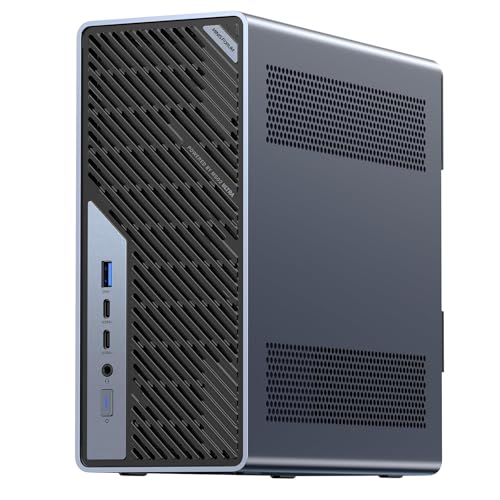
- Best overall streaming workstation: Minisforum MS-02 Ultra, Core Ultra 9 285HX, ECC to 256GB, PCIe 5.0 x16, Dual 25GbE — Check on Amazon
- Lenovo Legion Tower 7i Gen 10, Core Ultra 9 285K, RTX 5080, 32GB, 2TB — Check on Amazon
- GMKtec EVO-X2, Ryzen AI Max+ 395, 64GB Unified Memory, Radeon 8060S — Check on Amazon
- Alienware Aurora ACT1250, Core Ultra 9 285, RTX 5080, 32GB, 1TB — Check on Amazon
- iBUYPOWER Y40 PRO, Ryzen 9 7900X, RTX 5070 Ti, 32GB, 2TB — Check on Amazon
See 1 more Amazon option
- Minisforum MS-A2, Ryzen 9 HX 16-Core, PCIe x16 Slot, Dual 10G SFP+, RAM to 96GB — Check on Amazon
Read the full guide ↓
Disclosure: As an Amazon Associate, reviewstook.com earns from qualifying purchases. Links to Amazon on this page are affiliate links; they cost you nothing extra. Listing details such as price and availability change often, so check the current Amazon listing before you buy.
A workstation that streams is really two machines sharing one chassis. The first does the work — the render queue, the compile farm, the local model, the edit timeline. The second broadcasts it: OBS compositing your screen, camera and overlays, an encoder turning that composite into a live feed, and chat, alerts and a browser riding along beside both. This guide grades all six picks on both jobs at once, and it grades the second job the way streamers actually fail at it — encoder first. The specification that decides your stream is one no workstation listing prints: which hardware encoder the silicon carries, how many independent encoder blocks it has, and whether it can encode AV1. A machine can top every workstation chart here and still be the wrong streaming purchase, and a mid-priced tower can be the best broadcaster by a distance. Both machines are in this list, and the reviews say which is which.
The workflow standard used throughout is the real one. On Twitch, the practical ceiling is around 6,000 kbps at constant bitrate with two-second keyframes, in H.264 — the codec every viewer device can decode. YouTube is more generous: higher bitrates, 1440p ingest, and AV1, which is where the AV1-capable picks earn their keep. Live 4K streaming is platform-limited rather than machine-limited, so 4K appears here only as a local recording resolution, never as a broadcast promise. And the base guide’s workstation honesty carries over unchanged: no ISV certification on any pick, ECC on exactly one, the three gaming towers graded as render nodes, and no RTX 5090 system anywhere near $3,000 — complete 5090 machines sit in a higher tier well above this budget. The two RTX 5080 towers fit this budget only when their current pricing does — check the current price on Amazon.
For most streaming professionals we would start with the Lenovo Legion Tower 7i, whose RTX 5080 carries two independent ninth-generation NVENC blocks — one for the live stream, one for a simultaneous local recording — or the Minisforum MS-02 Ultra if your stream is a window onto memory- and network-heavy work rather than GPU work. Below are the quick picks, an encoder map, detailed reviews, an OBS setup section, a comparison table, and the mistakes that waste money when a workstation doubles as a broadcast rig.
In this guide
Quick Picks
Short on time? Each row below names a streaming workload, the machine that suits it, and a link to the listing.
| Streaming workload | Pick | Why it stands out | Link |
|---|---|---|---|
| Best stream + record tower | Lenovo Legion Tower 7i Gen 10 | RTX 5080 with dual NVENC blocks, 24-core CPU, documented 2.5GbE | Check on Amazon |
| Best platform that streams | Minisforum MS-02 Ultra | ECC to 256GB, a PCIe slot for a capture card or GPU, dual 25GbE | Check on Amazon |
| Best for AI demo streams | GMKtec EVO-X2 64GB | 64GB unified memory for big local models, AV1 encode on board | Check on Amazon |
| Best GPU broadcast node (deal only) | Alienware Aurora ACT1250 | RTX 5080 dual NVENC behind a 1000W Platinum PSU — check price on Amazon | Check on Amazon |
| Best value producer-streamer | iBUYPOWER Y40 PRO | RTX 5070 Ti dual NVENC and 2TB storage — check price on Amazon | Check on Amazon |
| Best CPU-encode mini | Minisforum MS-A2 | 16 Zen 5 cores for software encoding, real PCIe slot, dual 2.5GbE | Check on Amazon |
How These Picks Were Chosen
The budget was applied as a ceiling for a complete, working machine: every pick is a real Amazon listing selected to fit the under-$3,000 budget in the United States, and where a pick fits only at favourable pricing, the review says so plainly. The RTX 5080 towers are here on that conditional basis. Prices move — check the current price on Amazon before you buy.
We did not use these machines ourselves. We read maker listings, specification pages and independent review coverage, and graded each machine on two scorecards. The workstation scorecard is the base guide’s: sustained multi-core throughput, memory ceiling and genuine ECC support, expansion (PCIe slots and their electrical width, storage positions), and networking speed. The streaming scorecard is this variant’s, and it is narrow: the hardware encoder documented for the machine’s actual silicon — generation, AV1 support, one block or two — the CPU cores available as a software-encoding fallback, the storage a recording habit consumes, and the wired networking the listing actually documents. Where a listing disagrees with itself — and one below does, twice — the review prints the disagreement rather than settling it in the seller’s favour.
One discipline governs every encoder claim here: nothing is credited beyond the documented silicon. A desktop RTX 5080 or 5070 Ti carries two ninth-generation NVENC blocks with AV1 encode — NVIDIA’s published specification, and the only dual-encoder claim in the guide. The integrated graphics in the Minisforum platforms and the EVO-X2 are graded as exactly what they are. And wired-Ethernet speeds are claimed only where the base documentation publishes one; where it documents Wi-Fi only, this guide says so and claims nothing.
The Encoder Map: What Each Machine Can Actually Broadcast
Everything else in this guide hangs off this section, so it comes before the reviews. An encoder is a fixed-function block that turns your composited OBS canvas into the compressed feed your viewers receive. It works independently of the CPU cores and of the GPU’s rendering load, which is why a hardware encoder is the single most valuable streaming component in a workstation: it lets the machine broadcast and work at once without either job stealing from the other. The six picks divide into three classes.
Dual NVENC with AV1 — the three towers. The Legion Tower 7i and the Alienware Aurora carry desktop RTX 5080 cards; the Y40 PRO carries a desktop RTX 5070 Ti. NVIDIA’s published specification gives both cards two independent ninth-generation NVENC encoder blocks, each able to encode H.264, HEVC and AV1. Two blocks is the streamer’s configuration: OBS sends the live broadcast out through one block — H.264 at Twitch’s roughly 6,000 kbps, or AV1 where YouTube accepts it — while the second block records a clean local copy at a higher bitrate and a different resolution, for VODs, clips and archives, with neither encode touching the CPU or slowing the render queue. If you stream professionally and keep local masters, this class is the guide’s centre of gravity. The two Intel towers add a reserve: their Core Ultra 9 285K and 285 chips are non-F parts with integrated graphics, so Intel Quick Sync exists in both as a lighter third route for H.264 and HEVC secondary encodes. No AV1 claim is made for Quick Sync anywhere in this guide. The Y40 PRO’s Ryzen 9 7900X carries only basic integrated graphics, and no second encoder is claimed for it; its dual NVENC blocks are the whole story, and they are enough.
One integrated block with AV1 — the EVO-X2. The GMKtec EVO-X2’s Radeon 8060S is an RDNA 3.5 design, and its media block encodes H.264, HEVC and AV1 in hardware — the only integrated pick here that can send an AV1 feed to YouTube. Two honest qualifications follow. AMD’s H.264 encoding at Twitch’s roughly 6,000 kbps is the softest in this guide in fine detail — grass, foliage, fast camera pans — because Twitch’s bitrate ceiling is exactly where encoder implementations diverge. And it is a single block: stream and record share it, so a high-bitrate local recording competes with the broadcast in a way the towers’ second block avoids. The compensating route is real: sixteen Zen 5 cores make x264 at sensible presets a genuine option, and its 64GB of unified memory lets it do the thing no tower here can — run a very large local model and stream the demonstration.
Integrated encode-assist and the slot route — the two Minisforum platforms. The MS-02 Ultra ships with integrated Intel graphics, and the base guide credits it with encode-assist duties: its Quick Sync block handles H.264 and HEVC hardware encoding, which covers a single 1080p60 Twitch broadcast without troubling its 24 cores. No AV1 encode is credited to it — AV1 broadcasting is not part of this platform’s documented story as shipped. What the MS-02 offers instead is the guide’s only genuine upgrade path: a PCIe 5.0 x16 slot that the base documentation explicitly lists as taking a capture card or a low-profile GPU, inside a low-profile, dual-slot envelope under a 350W supply. The MS-A2 is the mirror image: its Radeon 610M is an RDNA 2 part whose media block encodes H.264 and HEVC but cannot encode AV1 — the oldest encoder class here. Its streaming case is its sixteen Zen 5 cores, which make software x264 a first-class route rather than a fallback, plus its own PCIe slot for later. Neither mini should be bought as an AV1 machine; both are platforms that stream competently today and can grow a dedicated encoder tomorrow.
The 6 Best Workstation PCs for Streaming Under $3,000
Lenovo Legion Tower 7i Gen 10 — Core Ultra 9 285K, RTX 5080, 32GB, 2TB
Who it suits: The creator-engineer who streams production work — renders, builds, 3D sessions, gameplay-adjacent demos — and records a local master of every broadcast, from one tower with a major brand’s support network behind it.
Start with the encoder, because here it is the headline: the desktop RTX 5080’s two ninth-generation NVENC blocks are the strongest broadcast configuration in this guide. One block carries the live feed — H.264 CBR for Twitch, AV1 available for YouTube’s higher-bitrate, 1440p-friendly ingest — while the second records locally at archive quality, and the 24-core Core Ultra 9 285K is left entirely free for the workload being streamed. That division of labour is what a streaming workstation is for. Around it, the supporting specification reads like a producer’s checklist: a 360mm liquid cooler, an 850W power supply, a 2TB SSD with room for a recording habit, Thunderbolt 4, keyboard and mouse in the box, and — documented in the base material, and claimed here because it is — 2.5-gigabit Ethernet, the wired connection the OBS section below insists on. The 285K’s integrated graphics add a Quick Sync reserve for H.264 and HEVC secondary encodes; no AV1 is claimed for it. Check the current price on Amazon, match the exact configuration at checkout, and treat this tower as in-budget only when its live pricing fits the under-$3,000 ceiling.
The workstation grading is the base guide’s, unchanged: a 24-core desktop chip under a 360mm cooler holds clocks through a render queue in a way the minis cannot, and Lenovo’s support infrastructure is the closest thing here to the certified-workstation route, even though this Legion is a gaming line with no ISV certification.
The honest limitation is printed in the listing itself: the memory maximum is stated as 32GB, with no ECC at any price on this platform. A streamer whose production work is memory-heavy — huge timelines, VM fleets — will hit that ceiling, and it does not move. Treat this as a very fast 32GB broadcast and creation tower, bought only when its price fits the budget, and it is honestly specified.
- Dual ninth-generation NVENC with AV1 — stream and record on separate blocks.
- 24-core 285K plus RTX 5080 16GB, with Quick Sync held in reserve.
- Documented 2.5GbE, 2TB of storage, 360mm cooling and an 850W PSU.
Honest limitation: The listing states a 32GB memory maximum and there is no ECC option; it belongs in this budget only at an in-budget price — check the current price on Amazon before ordering.
Choose it if streaming and recording are daily work and your projects fit in 32GB. Skip it if your memory needs grow year on year — the MS-02 Ultra’s platform is the growth path.

Minisforum MS-02 Ultra — Core Ultra 9 285HX, ECC to 256GB, PCIe 5.0 x16, Dual 25GbE
Who it suits: Professionals whose stream is a window onto serious infrastructure work — virtualisation hosts, container fleets, storage-backed media work — and who need the broadcast to be competent without compromising the platform doing the work.
Grade this machine in the right order. As a workstation it is the only pick designed as one from the motherboard out: a 24-core Core Ultra 9 285HX, four DDR5 SO-DIMM slots accepting up to 256GB with ECC support on this chip, four M.2 2280 storage positions, and a network stack no tower here approaches — dual 25GbE SFP+ on an Intel E810 controller, plus 10GbE and a 2.5GbE copper port, with Wi-Fi 7 behind that. For the streaming brief, that networking is not decoration: the wired rule in the OBS section is satisfied at 2.5 gigabits on copper before you reach for the SFP+ cages, and broadcast media can live on a NAS and stream in place at those speeds. The encoder story is the modest part, stated plainly: as shipped, graphics are integrated Intel graphics, and its Quick Sync block provides H.264 and HEVC hardware encoding — enough for a clean single 1080p60 broadcast at Twitch settings while all 24 cores stay on the workload. No AV1 encode is credited to this pick.
What turns a modest encoder story into a platform recommendation is the slot. The PCIe 5.0 x16 slot takes a low-profile dual-slot card, and the base documentation names the uses itself: a low-profile GPU, a capture card, a further network card. A streamer who outgrows Quick Sync — who wants AV1, or a second block for recording — adds a card rather than replacing the machine, inside the honest limits of the slot’s envelope and the internal 350W supply. Check the current price on Amazon — it sits toward the lower end in this guide, because none of the budget went to a gaming GPU.
The honest limitation mirrors the base guide’s. The 32GB fitted as standard is a starting point, not a destination — budget the ECC upgrade if memory is your bottleneck — and the as-shipped encoder is a single integrated block, so stream-plus-record at full quality is a card purchase away, not a setting. Price this platform with the memory you actually need, not the memory it ships with.
- The only ECC platform in the guide: four SO-DIMM slots, up to 256GB.
- Dual 25GbE SFP+ plus 10GbE and 2.5GbE copper — the wired rule, exceeded.
- PCIe 5.0 x16 slot documented for a capture card or low-profile GPU.
Honest limitation: Integrated graphics and a single Quick Sync encoder as shipped, under a 350W ceiling on what the slot can become; the 32GB standard memory is a starting configuration.
Choose it if your work is memory-, VM- or network-bound and your stream is one professional feed. Skip it if dual-encoder broadcasting is the job — the towers carry it already fitted.

GMKtec EVO-X2 — Ryzen AI Max+ 395, 64GB Unified Memory, Radeon 8060S
Who it suits: The AI-focused creator whose stream is the work — live local-model demonstrations, AI-assisted development sessions, large in-memory datasets explored on camera — where the model that fits is the one that matters.
The EVO-X2’s proposition is memory architecture. Its Ryzen AI Max+ 395 pairs 16 cores and 32 threads with a Radeon 8060S integrated GPU of 40 compute units that shares the machine’s 64GB of LPDDR5X-8000 — soldered, fast and unified, with AMD’s variable graphics memory guidance allowing the graphics side to address up to 48GB of the pool. A 16GB RTX 5080 is a far faster GPU, but a model needing 40GB does not fit on it at all, and fits here — the only pick that can stream a large-model demo from the machine running the model. The encoder grading follows the silicon: the 8060S is an RDNA 3.5 part whose media block encodes AV1 in hardware, so a YouTube broadcast can go out as a genuine AV1 feed at the platform’s higher bitrates, with HEVC beside it. For Twitch, the encoder map’s qualification applies in full — AMD H.264 at roughly 6,000 kbps is the softest fine-detail picture in this guide, and the towers’ NVENC is visibly cleaner at that ceiling. The compensating route is sixteen Zen 5 cores: x264 at a sensible preset is a real alternative here, not an emergency measure, and for a talking-head or screen-and-code stream it can be the better-looking choice. Add a 1TB PCIe 4.0 SSD, USB4, Wi-Fi 7 and quad-display support per the listing — check the current price on Amazon.
One documentation point belongs in this review, because it decides a setup question: the base material documents Wi-Fi 7 and USB4 for this pick and publishes no wired-Ethernet speed, so none is claimed for it. The wired rule still stands — confirm the live listing’s port arrangement before ordering, and plan the cable run around what it actually shows.
The honest limitations are architectural. The memory is soldered: 64GB is what this machine will ever have, and the 128GB versions of this chip class sit in a higher tier above this guide’s budget after shortage repricing — a landmark, not a pick. There is no ECC, no PCIe slot and no path to a discrete GPU, and the single encoder block means stream and record share one engine. Buy it when your workload is memory-capacity-bound today; do not buy it as a platform to grow.
- 64GB unified memory, up to ~48GB addressable by the GPU — unique in this guide.
- Hardware AV1 encode from an integrated part — a real YouTube route.
- 16 Zen 5 cores make x264 a genuine alternative to its own H.264 block.
Honest limitation: Memory soldered at 64GB forever, a single shared encoder block, the softest Twitch H.264 in the guide, and no wired-Ethernet speed documented in the base material.
Choose it if local AI at large model sizes is the content. Skip it if your stream is fast, fine-detail H.264 on Twitch — that work belongs on the NVENC towers.

Alienware Aurora ACT1250 — Core Ultra 9 285, RTX 5080, 32GB, 1TB (Deal Only)
Who it suits: GPU-render and 3D professionals who stream their production sessions and want the strongest encoder configuration in the guide with the strongest power supply behind it — and who buy on a deal cycle rather than a schedule.
The broadcast specification matches the Legion’s class and exceeds its headroom. The desktop RTX 5080 brings the same two ninth-generation NVENC blocks with AV1 encode — live feed on one, local master on the other — and the Core Ultra 9 285 behind it is a 24-core chip by Intel’s specification whose integrated graphics hold a Quick Sync reserve for H.264 and HEVC secondary encodes, with no AV1 claimed for it. Feeding all of it is a 1000W Platinum-rated power supply, the most headroom in this guide, in a clear-panel chassis from the industry’s largest PC maker, with liquid cooling and 32GB of DDR5. For a streamer the PSU figure is not trivia: a machine that encodes and renders for eight hours should never have power delivery as its open question. Check the current price on Amazon. When its live pricing fits the under-$3,000 budget it is a rational professional purchase; when it sits above that ceiling, the Legion is the better buy. That is the whole recommendation — a price-conditional broadcast node with the best PSU in the guide.
Two pieces of diligence are part of the recommendation, carried over from the base guide because the listing earns them. Amazon’s own product information contradicts itself — describing the Ultra 9 285 as a 20-core part where Intel’s specification is 24 cores, and the liquid cooling as both fitted and optional. Trust Intel’s specification, confirm the cooling with the seller before ordering, and document everything at delivery. Second: the base material publishes no wired-Ethernet speed for this pick, so none is claimed here — the wired rule applies to this tower like any other, and the live listing is where you confirm the port.
The honest limitation: Alienware’s proprietary platform is the trade behind the brand — motherboard and case standards are Dell’s own, which makes some future upgrades a Dell-shaped problem — and there is no ECC path and a 1TB fitted drive that a recording habit will fill faster than the Legion’s 2TB. Buy it when the current price fits the budget, for GPU broadcasting and rendering, with both listing contradictions verified.
- RTX 5080 dual NVENC with AV1 behind a 1000W Platinum PSU.
- Only an in-budget pick when the current price fits — check price on Amazon.
- Quick Sync reserve from the non-F Ultra 9 285; big-brand warranty route.
Honest limitation: Deal-dependent pricing, a proprietary platform with no ECC path, 1TB of fitted storage, and a listing that contradicts itself on core count and cooling — verify both before ordering.
Choose it if the current price on Amazon fits the budget and GPU broadcasting is the workload. Skip it if its current price sits above the budget ceiling, or you need memory expandability and standard parts.

iBUYPOWER Y40 PRO — Ryzen 9 7900X, RTX 5070 Ti, 32GB, 2TB
Who it suits: Working creators — video editors, 3D generalists, producers who stream — who need the dual-encoder broadcast configuration and a balanced production tower now, at a price that leaves budget for the microphone, monitor and software the job also needs.
The Y40 PRO is the value centre of this guide, and its streaming specification is not the compromise the price suggests. The desktop RTX 5070 Ti carries the same dual ninth-generation NVENC arrangement as the 5080 towers — two independent blocks, H.264, HEVC and AV1 on each — so the stream-plus-record workflow that defines this guide’s top class is fully available here: broadcast on one block, local master on the other, and the 12-core Ryzen 9 7900X left to the editing, encoding and compile work that is the channel’s actual content. The 5070 Ti’s 16GB of VRAM covers GPU rendering and AI-assisted tools, 32GB of DDR5 sits in a proper two-stick configuration, and the 2TB NVMe SSD is the storage tier where recordings and project files stop being a juggling act. Keyboard and mouse are included, with a 1-year manufacturer warranty. Check the current price on Amazon — it sits below the 5080 towers in this guide’s range, giving up one GPU tier and nothing in the encoder column.
Two documentation disciplines from the base guide apply at full strength. The PSU wattage is not headlined in the verified listing material: for a work machine that figure matters — it bounds the drives and cards you can add later — so confirm it on the live listing before purchase, and treat any GPU-upgrade plan as conditional on the fitted supply’s label. And the Y40 PRO name covers a different 7800X3D configuration under another listing; this review is only for the 7900X machine linked here, model Y40BA9N57T01. The base material documents Wi-Fi readiness for this pick and publishes no wired-Ethernet speed, so none is claimed — the port is a live-listing check like the PSU.
Graded on workstation criteria it remains a gaming-branded tower — no ISV certification, no ECC — and the review does not pretend otherwise. What it is, honestly, is the guide’s easiest recommendation per dollar for a producer who streams: the full dual-encoder workflow, a balanced production specification, and money left over for the rest of the desk.
- RTX 5070 Ti dual NVENC with AV1 — the top encoder class at the value end of this guide.
- 12-core 7900X, 32GB in two sticks and 2TB of storage, keyboard and mouse included.
- Positioned below the 5080 towers in this guide’s range — check price on Amazon.
Honest limitation: PSU wattage is not published in the verified listing material — confirm before buying, and condition any upgrade plan on it; gaming platform, so no ECC or ISV certification.
Choose it if you want the complete stream-and-record tower with money left for the rest of the desk. Skip it if your renders are long enough that the 5080’s extra GPU tier pays for itself.

Minisforum MS-A2 — Ryzen 9 HX 16-Core, PCIe x16 Slot, Dual 10G SFP+, RAM to 96GB
Who it suits: Homelab professionals, developers and small studios that stream technical sessions — builds, network work, server projects — and are comfortable treating a PC as a platform they finish themselves.
The MS-A2’s streaming case is made of CPU cores and a slot, and it should be bought with both eyes on that. Its 16-core, 32-thread Zen 5 processor is a genuine software-encoding engine: x264 at the presets a single-streamer actually uses runs on cores like these without drama, which makes this the one pick in the guide whose primary broadcast route is the CPU itself. Its integrated Radeon 610M is an RDNA 2 part — its media block encodes H.264 and HEVC in hardware and cannot encode AV1, and it is the oldest encoder class here, best treated as a light-duty secondary rather than the main feed. The PCIe x16 slot (PCIe 4.0, x8 electrical) in its 1.78-litre chassis is the documented growth path — the base material lists a low-profile GPU, a capture card or further networking as its uses — so a dedicated encoder card is an addition, not a replacement. Networking is documented and claimed: dual 10G SFP+ on an Intel X710 controller plus dual 2.5GbE copper ports, with Wi-Fi 6E — the wired rule is met on copper out of the box. Memory runs to 96GB across two DDR5-5600 SO-DIMM slots, with three M.2/U.2 storage positions, and displays run from HDMI and two USB-C outputs. The family spans two styles, barebone and configured 32GB/1TB — check the current price on Amazon for the exact style. Either way it is the most accessible route in this guide to a slotted, fast-networked platform.
Independent review coverage adds the texture a spec sheet hides, and for a streamer one finding matters most: the machine is audible under sustained load. A microphone does not care about your core count; it cares about the fan two feet from it, and an x264 encode is precisely a sustained load. Budget the placement — machine off the desk’s near edge, microphone close and directional — as part of this pick’s real cost, alongside the same reviews’ notes on relatively high idle power and limited PCIe-area airflow, which caps how hard a slot card should be pushed.
The honest limitations follow from the size and the silicon: basic integrated graphics as shipped, no AV1 encode on any route it owns today, no ECC support (that is the MS-02’s step-up), and a listing family that mixes barebone and configured styles — confirm the exact configuration on the live page, because the barebone style is a kit that still needs memory, storage and an operating system. The link here is the family’s configured listing, and the copy distinguishes both styles deliberately.
- 16 Zen 5 cores — the guide’s strongest software-encoding CPU in a mini chassis.
- A real PCIe x16 slot (x8 electrical) and dual 10G SFP+ plus dual 2.5GbE in 1.78 litres.
- Barebone and configured styles in one listing family — check price on Amazon for the exact configuration.
Honest limitation: The oldest encoder class in the guide with no AV1 encode, audible under the sustained load encoding creates, no ECC — and barebone vs configured styles must be confirmed on the live listing.
Choose it if CPU encoding, expansion and networking per litre are the priorities. Skip it if you need a fitted discrete GPU or a silent desk — step up to the MS-02 Ultra or the towers.

Comparison Table
| Machine | CPU | Encoder story | Memory ceiling | Documented wired networking | Link |
|---|---|---|---|---|---|
| Lenovo Legion Tower 7i Gen 10 | Core Ultra 9 285K, 24-core | Dual NVENC (9th gen) + AV1; Quick Sync reserve | 32GB (listing maximum) | 2.5GbE | Check on Amazon |
| Minisforum MS-02 Ultra | Core Ultra 9 285HX, 24-core | Quick Sync H.264/HEVC; slot for a card | 256GB, ECC supported | Dual 25GbE SFP+, 10GbE, 2.5GbE | Check on Amazon |
| GMKtec EVO-X2 64GB | Ryzen AI Max+ 395, 16-core | RDNA 3.5 block with AV1 encode; x264 alternative | 64GB unified, soldered | None published in base material | Check on Amazon |
| Alienware Aurora ACT1250 | Core Ultra 9 285, 24-core | Dual NVENC (9th gen) + AV1; Quick Sync reserve | 32GB fitted | None published in base material | Check on Amazon |
| iBUYPOWER Y40 PRO | Ryzen 9 7900X, 12-core | Dual NVENC (9th gen) + AV1 | 32GB fitted | None published in base material | Check on Amazon |
| Minisforum MS-A2 | Ryzen 9 HX, 16-core | x264 on 16 cores; RDNA 2 block, no AV1 encode | 96GB, two slots | Dual 10G SFP+, dual 2.5GbE | Check on Amazon |
Streaming From a Workstation: The OBS Section
Encoder assignment comes first, because it is the setting this guide exists to inform. On the three towers, set OBS to NVENC for the broadcast — H.264 at constant bitrate, roughly 6,000 kbps, two-second keyframes for Twitch; AV1 or HEVC at YouTube’s higher bitrates if YouTube is the destination — and set the local recording to the second NVENC block at a higher bitrate and your working resolution. The two encodes never meet, and neither touches the CPU. On the EVO-X2, choose per destination: its hardware block for an AV1 feed to YouTube, or x264 at a faster preset range for Twitch, where its sixteen cores buy back the fine detail its own H.264 block softens — and record through whichever route the broadcast is not using, at moderated settings, because the block is shared. On the MS-02 Ultra, the Quick Sync block carries a single 1080p60 broadcast while the 24 cores work; a simultaneous high-quality local record is the job the slot’s future card inherits. On the MS-A2, x264 is the broadcast encoder and the 610M’s block is the secondary. On every pick: constant bitrate, two-second keyframes, and the canvas at the resolution you actually send — 1080p for Twitch, 1440p ingest reserved for YouTube.
When a stream stutters, OBS’s three counters tell you which of three different machines inside the machine is failing, and each has a different fix. Rendering lag means the GPU could not composite the OBS canvas in time because the game, render or viewport had it saturated: the fix is headroom — cap the workload’s frame rate, lower its resolution or effects, and never let a render queue and a broadcast fight for the same GPU without a cap. Encoding lag means the encoder you chose could not keep up: on x264, step the preset faster or hand the feed to the hardware block; on a shared integrated block, lower the recording’s settings before touching the broadcast’s; on the dual-NVENC towers, encoding lag on a correctly split setup means a setting is wrong, because the capacity is there. Network dropped frames are not the computer’s fault at all — they are the uplink’s: the fix is a cable, a lower bitrate, or a router conversation, in that order, and no encoder setting repairs them.
Which is why the wired rule is stated without exceptions: stream on Ethernet, not Wi-Fi, whenever a port exists. The speeds claimed here are only the ones the base documentation publishes. The MS-02 Ultra documents 2.5GbE on copper alongside its 10GbE and dual 25GbE SFP+ ports; the Legion documents 2.5GbE; the MS-A2 documents dual 2.5GbE copper alongside dual 10G SFP+. For the EVO-X2, the Aurora and the Y40 PRO, the base material publishes no wired speed — Wi-Fi is what is documented for the first and third — so none is claimed, and the pre-purchase check is the live listing’s port list. Any gigabit-class wired link is ample for a 6,000 kbps broadcast; what wired buys is not bandwidth but stability, and stability is what dropped frames measure.
Costing the Rest of the Rig (Without Inventing Prices)
The workstation is the largest cheque in a streaming setup, not the only one, and this section names no peripheral prices — the order matters more than the figures. Buy the microphone first. Audio is the half of a broadcast viewers forgive least, and the microphone interacts with these picks directly: the MS-A2 is documented as audible under sustained load, and an encoding workstation is a noise source by profession, so a close, directional microphone and honest placement outrank every other accessory. Lighting and a camera come second. A second monitor comes third, fed from the display outputs each listing documents — four video outputs on the MS-02 Ultra, quad-display support on the EVO-X2, HDMI plus two USB-C on the MS-A2, and the towers’ desktop graphics cards — because chat, OBS meters and the recording indicator should never share the screen being broadcast. A capture card comes last and, for most readers, never: it exists to ingest an external source — a console, a camera’s clean feed, a second PC — and is explicitly unnecessary for streaming the workstation itself, whose own screen OBS already has. The two slotted Minisforum platforms can take an internal card for exactly that external-source job.
How to Choose a Streaming Workstation Under $3,000
- Decide whether you record while you stream. That single habit splits this guide in two. Stream-plus-record at full quality wants two independent encoder blocks — the three NVENC towers — because a shared block makes the broadcast and the archive compete. Stream-only, or stream with a modest local copy, is honest work for the EVO-X2’s single AV1-capable block, the MS-02’s Quick Sync, or the MS-A2’s cores.
- Let your destination grade AV1. Twitch’s live standard remains H.264 at roughly 6,000 kbps, where NVENC’s fine-detail quality leads and AMD’s H.264 is at its softest. YouTube accepts AV1 and higher bitrates, which rehabilitates the EVO-X2 and rewards the towers’ AV1 blocks. Buy the encoder for the platform your audience actually watches.
- Count cores as the fallback encoder. Software x264 is the insurance policy on every machine here, but a first-class route only where cores are plentiful — the MS-A2’s and EVO-X2’s sixteen, the towers’ 24 and 12. Reserve the cores in your head before the workload does: an all-core render and an x264 broadcast are the same resource spent twice.
- Read the memory ceiling, not the memory fitted. Streaming adds OBS, chat, a browser and recording overhead to a workstation load that already wanted memory. The ceilings here run from a hard 32GB (the Legion, per its own listing) through a soldered 64GB (EVO-X2) and 96GB (MS-A2) to 256GB with ECC (MS-02 Ultra). Buy the ceiling your next three years need.
- Treat ECC as a workstation feature, not a streaming one. ECC does nothing for a broadcast; it protects the long, unattended, expensive-to-re-run work happening behind it. Only the MS-02 Ultra supports it in this guide. If your streams are windows onto that class of work, it is a genuine reason to choose the platform; if your work is interactive, the towers are better buys.
- Check the wired port before the cable run. Documented wired speeds in this guide: 2.5GbE copper on the MS-02 Ultra, Legion and MS-A2. For the other three picks the base material publishes no wired speed — confirm the live listing’s ports, and never plan a broadcast around Wi-Fi because a spec sheet was silent.
- Price the noise. A streaming workstation sits near a microphone and works under sustained load — the exact condition under which the MS-A2 is documented as audible. Placement and microphone choice are part of that pick’s cost; no machine in this guide solves noise by accident.
- Respect the price structure on 5080 towers. Both 5080 towers belong in this budget only when their current pricing fits the under-$3,000 ceiling — check the current price on Amazon for each. If the live price is above that line, the correct move is the Y40 PRO or patience — not stretching past a budget this guide never endorsed.
- If your employer or client requires certification, stop here. ISV-certified drivers and validated configurations are a contractual feature of the ThinkStation, HP Z and Dell Precision lines. No machine in this guide substitutes for them, streaming or otherwise; they are named here as that alternative without links, because no in-budget listing for them met this guide’s verification standard.
Common Buying Mistakes
- Buying the encoder you wish the machine had. An integrated block does not become NVENC because the listing says “workstation”, and the MS-A2’s RDNA 2 block does not encode AV1 because its bigger siblings do. The encoder map above is the whole truth of this set.
- Paying over the budget ceiling for a price-conditional machine. Both 5080 towers are recommendations only while their current pricing fits the budget; above the ceiling the value argument inverts and the Y40 PRO wins by default.
- Streaming over Wi-Fi while a documented 2.5GbE port sits empty. Dropped frames are a network diagnosis, and the cable is the cheapest fix in this guide.
- Asking one encoder block to broadcast and archive at maximum settings. On the single-block picks, the recording’s settings yield first — or the purchase should have been a dual-block tower.
- Buying the MS-A2’s barebone style as if it were the configured machine. The kit still needs memory, storage and an operating system; the configured style is a different listing configuration, and the copy says so wherever the two styles appear.
- Trusting the Aurora listing’s own arithmetic. It disagrees with itself on core count and cooling — verify with the seller, and treat a listing that cannot count its cores as a reason to document everything at delivery.
- Assuming the Y40 PRO’s PSU from its GPU. The wattage is not published in the verified material; an upgrade plan built on an assumed supply is a plan built on air.
- Hunting RTX 5090 broadcasting at $3,000. Complete 5090 systems sit in a higher tier above this budget; listings that blur this are selling a 5080 or less under a bigger headline.
Final Recommendation
- Stream and record professionally: Lenovo Legion Tower 7i Gen 10, bought when the current price on Amazon fits the budget — dual NVENC, 24 cores, documented 2.5GbE.
- The platform that streams: Minisforum MS-02 Ultra — ECC to 256GB, 25GbE networking, and a slot that grows an encoder when you do.
- Local AI as the content: GMKtec EVO-X2 64GB — the only machine that can run the big model and broadcast the demo.
- GPU broadcasting on a deal: Alienware Aurora ACT1250, only when the current price on Amazon fits the budget, with the listing’s contradictions verified.
- Balanced production on a budget: iBUYPOWER Y40 PRO — the full dual-encoder workflow at the value end of this guide; confirm the PSU, then check the current price on Amazon and buy.
- CPU encoding per litre: Minisforum MS-A2 — sixteen cores, a real slot and dual 2.5GbE, with a microphone plan for its documented noise.
Our top two for streaming professionals at this budget are the Legion Tower 7i, whose dual NVENC blocks make stream-plus-record a setting rather than a compromise, and the MS-02 Ultra, the only true workstation platform here, whose slot lets its streaming story grow with its owner’s. If the content is local AI, the EVO-X2’s unified memory is the third answer, and if the budget must also furnish the microphone, monitor and software, the Y40 PRO leaves the money to do it. Buyers whose real ceiling is lower should also see Best Workstation PC Under $2500 and Best Workstation PC For Streaming Under $2500, and anyone whose “workstation” will in truth spend its evenings gaming should start with Best Gaming PC Under $3000 instead. Verify the live price and the exact configuration before you order — at $3,000, that homework is the difference between a broadcast rig and an expensive misunderstanding.
Frequently Asked Questions
Can one PC really work and stream at the same time?
Yes — that is precisely what a hardware encoder is for. The encoder block compresses your broadcast independently of the CPU cores and the GPU’s rendering load, so the workload keeps its resources while the stream goes out. The honest limits are the ones this guide grades: a single shared block makes a simultaneous high-quality recording compete with the broadcast, an uncapped GPU workload can starve OBS’s compositing (rendering lag), and x264 spends the same cores your render wanted. The dual-NVENC towers are where none of those three limits binds at once.
Do I need AV1 to stream?
No. Twitch’s live standard is H.264 at roughly 6,000 kbps, and every pick in this guide can send that feed by some route. AV1 matters for YouTube, which accepts it at higher bitrates and 1440p ingest, and for efficient local recording. In this set, AV1 encode belongs to the three towers’ NVENC blocks and the EVO-X2’s RDNA 3.5 block. It is explicitly not available on the MS-A2’s RDNA 2 block, and no AV1 encode is credited to either Intel integrated route here.
Why is there no RTX 5090 pick in a $3,000 streaming guide?
Because there is no RTX 5090 system near $3,000 to pick. Complete 5090 machines sit in a higher tier well above this budget, and a listing at this budget that gestures at 5090 performance is selling a 5080 or 5070 Ti under a bigger headline. For streaming the loss is smaller than the headline suggests: the 5080 and 5070 Ti carry the same dual ninth-generation NVENC blocks, so the broadcast configuration a 5090 machine would offer is already recommended here inside the under-$3,000 budget.
Can the MS-02 Ultra stream without a graphics card?
Yes, within its documented limits. As shipped, its integrated Intel graphics provide Quick Sync hardware encoding for H.264 and HEVC — a clean single 1080p60 broadcast at Twitch settings while its 24 cores stay on the workstation load. What it cannot do as shipped is encode AV1, or run a second full-quality encode for a local master. Both of those arrive through its PCIe 5.0 x16 slot, which the base documentation lists as taking a low-profile GPU or a capture card, inside a low-profile dual-slot envelope under a 350W supply.
Do I need a capture card with any of these machines?
Not to stream the machine itself — OBS captures its own screen directly, and a capture card adds nothing to that path. A capture card earns its place only for external sources: a console, a camera’s clean output, or a second PC. If that is your format, the two Minisforum platforms are the interesting picks, because their documented PCIe slots can take an internal card; on the towers and the EVO-X2, an external USB unit is the route. Either way it is the rig’s last purchase, after the microphone.
Does ECC memory matter for streaming?
Not to the broadcast — an encoder neither knows nor cares whether the system memory corrects its own errors. ECC matters to the work happening behind the broadcast: long, unattended, expensive-to-re-run jobs whose results a silent memory error would corrupt. In this guide only the MS-02 Ultra supports ECC. If your streams are live windows onto that class of work, ECC is a platform reason to choose it; if your work is interactive, it is a feature you will never notice, and the encoder-first picks are the better buys.
- Best Workstation PC Under $2500
- Best Workstation PC Under $1500
- Best Workstation PC For Streaming Under $2500
- Best Workstation PC For Beginners Under $3000
- Best Workstation PC For Small Spaces Under $3000
- Best Workstation PC For 1440p Gaming Under $3000
- Best Mini PC Under $3000
- Best Home Office PC Under $3000
- Best Prebuilt Gaming PC Under $3000
- Best High End Gaming PC Under $2000


