Where to buy
Check the latest price, availability and delivery on Amazon. Orders are placed on Amazon. We may earn a commission from qualifying purchases.
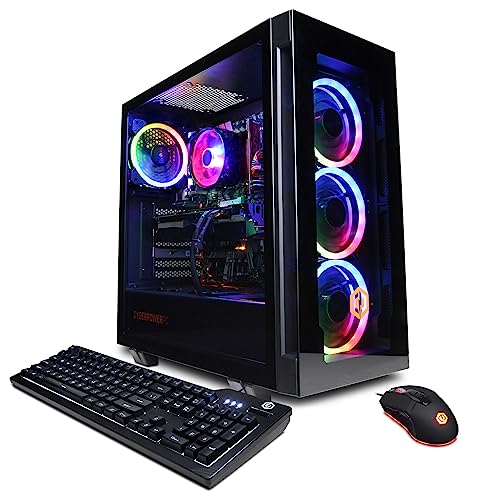
- Best first high end PC for most beginners: CYBERPOWERPC Gamer Xtreme VR, Intel Core i7-13700F, GeForce RTX 4060 Ti 16GB — Check on Amazon
- Skytech Chronos Gaming PC, AMD Ryzen 7 5700X, GeForce RTX 4070 Ti 12GB — Check on Amazon
- HOENGAGER Gaming PC, Intel Core i7-12700F, GeForce RTX 4070 12GB, 32GB DDR4 — Check on Amazon
- iBUYPOWER Scale Gaming PC, AMD Ryzen 5 7600, GeForce RTX 4060 Ti 8GB — Check on Amazon
See 2 more Amazon options
- Thermaltake LCGS Quartz i1460, Intel Core i5-14400F, GeForce RTX 5060 8GB — Check on Amazon
- CYBERPOWERPC Gamer Master, AMD Ryzen 7 8700F, GeForce RTX 4060 Ti 8GB — Check on Amazon
Read the full guide ↓
Disclosure: As an Amazon Associate, reviewstook.com earns from qualifying purchases. Links to Amazon on this page are affiliate links; they cost you nothing extra. Listing details such as price and availability change often, so check the current Amazon listing before you buy.
Buying your first gaming PC is confusing in a specific way: the expensive words and the important words are not the same words. Listings shout about RGB lighting, core counts and boost clocks, while the things that decide whether a machine still feels good in three years — how much memory the graphics card carries, whether the platform underneath can still be upgraded, whether the price in front of you is the machine’s normal price or a rare dip — get one quiet line each. Twelve hundred dollars is real money, and at this level it buys something worth having: the first rung of what can honestly be called high end, where games run at 1440p — the sharper resolution explained below — rendered properly by the hardware rather than faked by software tricks. Every pick here is a complete, ready-to-play prebuilt tower: none is a refurbished unit, none arrives as a parts kit to finish yourself, and none has its memory soldered in place the way a laptop’s often is. All are standard towers with replaceable parts, sold new with Windows installed.
Because this is a beginners’ guide, it is organised differently from our other $1,200 guides. After the quick picks there is a plain-language glossary defining every technical term the reviews use. The reviews explain not just what each machine is, but what owning it involves: what to check before ordering, what can catch you out, and what your first upgrade would be. After the comparison table comes a numbered walkthrough of your first evening, from opening the box to sitting in a game — including the single most common beginner mistake in PC gaming, plugging the monitor into the wrong set of ports. That mistake matters more here than in most guides, because four of the six processors have no built-in graphics at all: plug into the wrong ports on one of those and the screen stays black, which feels exactly like a broken PC and has sent many perfectly good machines back to the seller. A section on what else you will spend beyond the tower follows, because a budget that ignores the monitor is not finished.
In this guide
Quick Picks
Short on time? Each row below names a buyer type and the PC that suits it, with a link to the listing.
| Buyer type | Pick | Why it stands out | Link |
|---|---|---|---|
| Best for most beginners | CYBERPOWERPC Gamer Xtreme VR, i7-13700F, RTX 4060 Ti 16GB | The most forgiving machine here — most graphics memory, strongest all-round CPU | Check on Amazon |
| Fastest graphics, if you can wait for a deal | Skytech Chronos, Ryzen 7 5700X, RTX 4070 Ti 12GB | A card from the tier above — but only at its rare low price | Check on Amazon |
| Best if you will stream or edit too | HOENGAGER, i7-12700F, RTX 4070 12GB, 32GB DDR4 | Double the system memory of every other pick, plus a stronger card | Check on Amazon |
| Best if you want to upgrade later | iBUYPOWER Scale, Ryzen 5 7600, RTX 4060 Ti 8GB | The current AMD platform, at a price that stays under budget | Check on Amazon |
| Newest features | Thermaltake LCGS Quartz i1460, i5-14400F, RTX 5060 8GB | The current graphics generation and its latest software features | Check on Amazon |
| Lowest price onto the modern platform | CYBERPOWERPC Gamer Master, Ryzen 7 8700F, RTX 4060 Ti 8GB | Eight modern cores on the modern platform — check price on Amazon | Check on Amazon |
How These Picks Were Chosen
Every machine below is a real Amazon listing, researched against the maker’s own specification pages and price-tracking records, and every one is a complete new prebuilt — that filter came first, because a first PC should not be a project. Renewed towers fill the cheaper guides, and barebone kits — boxes arriving without memory or storage fitted — are a hobbyist product, but neither belongs in a first purchase. All six picks arrive with Windows installed and every part fitted; the only assembly in your future is plugging things in, and the walkthrough below covers it step by step.
The budget was treated as a ceiling with rules attached, because at this tier prices swing hard. The iBUYPOWER Scale is the calm one: it tends to sit comfortably inside the budget whenever you happen to shop — check price on Amazon to confirm the live figure. The others need timing discipline, and each review states its rule in plain terms. The Gamer Xtreme VR moves around the ceiling: buy it only when the live listing sits at or under the $1,200 budget, and if it is sitting above that line, wait for the next deal event or look at the next tier up instead. The Chronos is the extreme case — its price varies the most of any pick here — so it appears on a strict condition: buy it only when its live price fits the budget; check price on Amazon and be ready to walk away when it does not. The HOENGAGER follows the same discipline: its specification was verified in full, and it qualifies only if the live listing sits at or under the $1,200 budget. Prices change often, so the live listing is the one that counts.
On specification, the bar was the graphics card. Anything below the RTX 4060 Ti class was excluded, because below that class a machine stops rendering 1440p properly in current games and starts leaning on upscaling — and a beginner deserves a machine whose default experience is the real thing. Beyond the card’s name, we compared what the glossary below defines: VRAM capacity, which decides how long high texture settings survive; processor core count; whether the platform underneath is current or finished; whether the fitted memory runs in the faster dual-channel mode; and the power supply’s wattage and rating, which decides whether a future card upgrade is a simple swap or a bigger job. We did not benchmark these machines ourselves, and no frame-rate figures are claimed anywhere in this guide; performance is described by tier and resolution, the honest level of precision for a researched guide. One last filter: each review names what the tier above would add, because you should know what you are not buying before you decide you do not need it.
The Words the Listings Use, in Plain Language
Every term below appears in the reviews that follow; none is complicated once explained plainly.
- CPU (processor). The computer’s general-purpose brain — it runs Windows, your browser, and the parts of a game that are not drawing the picture. Names like Core i7-13700F and Ryzen 5 7600 are model numbers; the beginner fact that matters is that a modern mid-range CPU is plenty for gaming, because the graphics card does most of the playing.
- GPU (graphics card). The separate card inside the tower that draws the game. It is the single most important part in a gaming PC and the first thing to compare. GeForce RTX names rank by the last digits: a 4070 Ti is faster than a 4070, which is faster than a 4060 Ti.
- VRAM (graphics memory). The memory on the graphics card itself, separate from the PC’s main memory, used to hold the game’s textures — 8GB, 12GB or 16GB in this guide. More VRAM does not make a card faster today; it decides how many years pass before new games force you to turn texture settings down.
- RAM (system memory). The PC’s main working memory, also in gigabytes. Sixteen is the current standard for gaming; 32GB — fitted to one pick here — is comfort for streaming, editing and heavy multitasking. It comes as physical sticks slotting into the motherboard.
- Dual channel. Memory runs faster fitted as a matched pair of sticks than as one stick of the same total size. A PC sold with a single 16GB stick leaves performance unused until a second stick is added — a cheap, easy fix covered again below.
- SSD (storage). Where Windows, games and files live. Every pick here has a 1TB NVMe SSD — NVMe is simply the fast modern kind — enough for a healthy game library to start with, and addable later.
- Platform / socket. The motherboard standard a processor fits. AMD’s AM5 is current, with new processors still being released for it, so an AM5 machine can accept a faster CPU years from now. AM4 and Intel’s LGA1700 are finished — excellent today, but their fastest compatible CPU already exists. Nothing here is soldered to its board; every processor and stick of RAM in these towers can be replaced.
- PSU (power supply). The box inside the tower feeding electricity to everything else, rated in watts. It matters to a beginner for one reason: a future graphics card upgrade is only simple if the fitted supply is strong enough for the new card — which is why this guide promises easy card swaps only for the picks whose supplies are published and sufficient.
- Integrated graphics. A small graphics capability built into some processors, enough to show a picture and handle desktop work. Processors whose names end in F — four of the six here — do not have it, so on those machines the graphics card is the only thing that can produce a picture: why the monitor cable’s destination matters so much in the walkthrough.
- 1440p and native rendering. Resolutions are counted in pixels: 1440p means a 2560×1440 picture, noticeably sharper than the older 1080p standard. A game rendered natively at 1440p is genuinely calculated at that full resolution by the graphics card — what every pick here does in most current games.
- Upscaling and DLSS. Upscaling means the game is rendered at a lower resolution and software reconstructs a larger picture from it. DLSS is NVIDIA’s version, and it is genuinely good — but it extends a machine’s reach rather than substituting for a card that can do the real rendering, and this guide grades the picks on real rendering first.
- Refresh rate. How many times per second a monitor redraws, measured in Hz. A 60Hz screen shows at most 60 frames a second no matter how fast the PC is; a 1440p monitor at 144Hz or more is the natural partner for every machine here, and the spending section below treats it as part of the purchase.
The 6 Best High End Gaming PCs for Beginners Under $1,200
CYBERPOWERPC Gamer Xtreme VR — Intel Core i7-13700F, GeForce RTX 4060 Ti 16GB (GXiVR8040A14)
Who it suits: The first-time buyer who wants one machine that does everything well and asks the fewest questions for years — the default recommendation of this guide.
The headline specification is the graphics card, and specifically the number after its name. The RTX 4060 Ti comes in two versions that perform almost identically today, one with 8GB of VRAM and one with 16GB; this machine has the 16GB version, and that difference is about time rather than speed — at 1440p, current games with detailed textures already press against 8GB, and sixteen gigabytes postpones the day they force your settings down by years. The processor is the strongest all-rounder in the guide: an Intel Core i7-13700F with sixteen cores, far more than games need and genuinely useful if your PC life includes video editing, streaming or a desktop full of open work. Around those two sit 16GB of DDR5 system memory, a fast 1TB SSD, Wi-Fi and Windows 11 Home. The card’s outputs — one HDMI and two DisplayPorts — take a 1440p main monitor and a second screen with no adapters.
Two things need your attention, and neither is hidden. The first is price: this model’s live price moves around this guide’s ceiling, so check price on Amazon before you decide. Buy it only when the live listing sits at or under the $1,200 budget. If it is sitting above that line, wait for the next deal event — they recur — or look at the tier above, where the extra money buys a faster card instead. The second is a question for the live listing: whether the 16GB of system memory is fitted as one stick or two. The listing material we researched did not settle it, and it matters, because a single stick runs in the slower single-channel mode. If it is one stick, the fix is a second matching stick — the cheapest meaningful upgrade in this guide, covered in the spending section below. Note also what this review does not promise: the listing publishes no power supply wattage, so no easy future card swap is promised for this pick.
- The 16GB version of the RTX 4060 Ti — double the graphics memory of most rivals here, and the best insurance against future games.
- A sixteen-core i7 that shrugs at streaming, editing and heavy multitasking alongside gaming.
- Two DisplayPorts plus HDMI on the card — a dual-monitor desk needs no adapters.
Honest limitation: Its live price moves around the ceiling and its memory stick layout is unconfirmed, so both need a live check — check price on Amazon before you order.
Choose it if you want the balanced, longest-lived first PC at this budget and can buy when its live price is at or under the $1,200 budget — check price on Amazon. Skip it if you find it sitting above the budget and cannot wait — that money belongs to the tier above.

Skytech Chronos Gaming PC — AMD Ryzen 7 5700X, GeForce RTX 4070 Ti 12GB
Who it suits: The patient beginner — current setup still working, a price alert set, wanting the strongest graphics this budget has ever touched.
Start with what makes this machine unusual: the RTX 4070 Ti is not a graphics card from this budget tier at all. It belongs to the tier above, it is faster than every other card in this guide by a clear margin, and it renders demanding games natively at 1440p at high settings with room to spare. Skytech pairs it with a Ryzen 7 5700X eight-core processor, 16GB of DDR4 memory, a 1TB SSD, Wi-Fi and Windows 11 Home, in a white case. One ownership point works in a beginner’s favour: the fitted power supply is a published 750W Gold unit, strong enough that a future graphics card swap is a realistic, simple job — unplug the old card, fit the new one, install its drivers. Only two picks here have a documented supply, so only two get that promise. Skytech’s listing also notes the graphics card’s brand may vary; the model and its 12GB of memory are what you are contracted to receive, the board maker is not.
Now the catch, which is not small and will not be softened: the price. This listing’s price swings widely, and it only occasionally dips into this guide’s budget. That is the most useful lesson in this guide: the same listing is a superb purchase on the handful of days it fits the budget and a poor-value purchase the rest of the time. So the rule is absolute. Buy the Chronos only when the live listing fits the $1,200 budget — check price on Amazon, set an alert, and keep a genuine willingness to walk away from every higher price. The second catch is slower-acting: the 5700X sits on AMD’s finished AM4 platform with DDR4 memory, so the card can be upgraded later but the processor cannot — a CPU step means a new motherboard and memory too. Judge it as a strong finished machine with one upgrade route open.
- RTX 4070 Ti 12GB — a card from the tier above, the fastest graphics in this guide by a clear margin.
- A published 750W Gold power supply — a future card swap is a simple job, not a research project.
- When its live price dips into this budget, the strongest graphics value anywhere near this tier — check price on Amazon.
Honest limitation: Its in-budget price is an event, not the norm — it usually sits well above this budget — and the AM4 platform underneath is finished, so the processor upgrade path is closed even though the card path is open.
Choose it if waiting is easy for you and your rule is in budget or nothing. Skip it if you are shopping this week at whatever the listing says, or a multi-year processor upgrade path matters to you.

HOENGAGER Gaming PC — Intel Core i7-12700F, GeForce RTX 4070 12GB, 32GB DDR4
Who it suits: The beginner whose PC life will not be only games — the future streamer, the video editor, the person with twenty things open.
Two specifications set this machine apart, and both are easy for a beginner to underrate. The first is the graphics card: a plain RTX 4070 with 12GB of VRAM, a genuine step above the 4060 Ti class in raw rendering pace, which at native 1440p means demanding games held at high settings with more in reserve. The second is the system memory: 32GB, double what every other pick in this guide fits as standard. System memory decides whether a gaming PC is also a comfortable working PC — a stream running alongside the game, a video timeline open next to a capture, a browser full of tabs behind everything. On a 16GB machine those loads are juggled; on this one they are simply absorbed — headroom a first-time buyer will be glad of. The supporting cast is solid: a twelve-core Intel Core i7-12700F, a 1TB SSD, a 240mm liquid cooler — quieter than a basic air cooler — an RGB tempered-glass case, and Windows 11 Pro rather than Home, a small genuine plus if the PC doubles as a work machine.
The discipline this pick demands is about price: its specifications were verified in full, but prices for machines like this move too much for any printed figure to stay honest, so check price on Amazon rather than trusting a number in a guide. Machines with this card have historically listed well above this budget. The pick therefore comes with a condition instead of a number — buy it only if the live listing in front of you sits at or under the $1,200 budget, at which point it is arguably the best-configured machine in the guide; if it is priced into the tier above, it has wandered into a different comparison and should be judged there instead. The platform caveat matches the Chronos: the 12700F sits on Intel’s finished LGA1700 socket with DDR4 memory, so there is no future processor to drop in, and the listing does not publish a power supply wattage, so no easy card-swap promise is made for this pick either. Treat it as a complete machine, not a platform to grow.
- RTX 4070 12GB — a real step above the 4060 Ti class at native 1440p.
- 32GB of system memory fitted as standard — double every rival here, and the multitasker’s comfort.
- Liquid cooling and Windows 11 Pro included, where rivals ship air cooling and the Home edition.
Honest limitation: It qualifies only if the live price is at or under the $1,200 budget — check price on Amazon — and its LGA1700/DDR4 platform is finished, with no processor upgrade path.
Choose it if the listing in front of you is under the ceiling and your evenings mix gaming with streaming, editing or heavy multitasking. Skip it if its price has drifted well above this budget, where you would be paying this tier’s money for last tier’s platform.

iBUYPOWER Scale Gaming PC — AMD Ryzen 5 7600, GeForce RTX 4060 Ti 8GB (SCA5N46T01)
Who it suits: The beginner thinking in years — who wants a first PC that can grow with them, without deal-hunting.
The Scale’s argument is the platform, so here is that idea in beginner terms. A PC’s processor fits a socket on its motherboard, and AMD’s current socket, AM5, is still receiving new processors — so years from now this machine can accept a faster one as a drop-in upgrade, keeping its motherboard and its DDR5 memory. Every other platform in this guide is finished; their fastest compatible processor already exists. The rest of the machine is honestly mid-tier and well judged: a Ryzen 5 7600 six-core processor whose gaming pace is far better than its modest name suggests, an RTX 4060 Ti with 8GB of VRAM — the standard card of this tier, a genuine native-1440p performer in most current games — a 1TB SSD, Windows 11 Home, and two beginner-friendly inclusions rivals mostly skip: a keyboard and mouse in the box, and a one-year manufacturer warranty. Its processor also carries basic integrated graphics, which sounds like a footnote and is actually your safety net: it is the pick where the monitor-plug mistake in the walkthrough below produces a slow picture rather than no picture, and where the PC can still show a screen if the graphics card is ever removed.
The pricing is the calmest in the guide: this is the pick most likely to sit comfortably under the ceiling whenever you shop — check price on Amazon to confirm the live figure. That steadiness leaves room for this pick’s one real flaw, which the listing states openly and this guide flags honestly rather than hiding: the 16GB of memory is a single stick. One stick runs in single-channel mode and costs real performance in processor-limited games. The fix is a second matching DDR5 stick — the cheapest upgrade in this guide — and you should budget for that fix from day one as well, which still lands comfortably inside the budget. Do that one small job and the pick is complete: the platform with a future, at a steadier, in-budget price.
- AM5 platform with DDR5 memory — the only pick whose processor can be upgraded to future models.
- Steadier, in-budget positioning than the other picks — check price on Amazon.
- Keyboard, mouse and a one-year warranty in the box, plus integrated graphics as a display safety net.
Honest limitation: The 16GB of memory is one stick running in single-channel mode — a real performance cost until the second stick is added — and the 8GB graphics card needs texture settings watched in the heaviest 1440p games.
Choose it if a long upgrade path and a price that never misbehaves matter more than the biggest specification today. Skip it if opening the case for any reason is something you know you will never do — buy a finished specification instead.

Thermaltake LCGS Quartz i1460 — Intel Core i5-14400F, GeForce RTX 5060 8GB
Who it suits: The beginner who plays new releases on day one and wants the current generation’s features — and the one who wants the best-looking machine on the desk.
Every other graphics card in this guide is from NVIDIA’s previous 40-series generation. The Quartz’s RTX 5060 is from the current 50-series, and a beginner should understand what that does and does not buy. It does not buy much raw speed — in plain rendering terms the 5060 and the 4060 Ti trade blows, with the older Ti often ahead. What it buys is the newest version of DLSS, including a feature called multi frame generation, which inserts extra software-generated frames between real rendered ones so motion looks smoother on a high-refresh monitor. Used honestly, that is a presentation feature: it makes games look smoother, it does not make the PC respond faster the way genuinely rendered frames do, and competitive players should grade this card on its rendered pace. For single-player spectacle in supported titles, it is the one capability here no 40-series card can be updated to match. Around the card sit a ten-core Intel Core i5-14400F, 16GB of Thermaltake’s own ToughRam DDR4 memory, a 1TB SSD, and a white liquid-cooled showcase case that is the prettiest object in this guide.
Ownership practicalities are this pick’s quiet strength. Its pricing tends to sit comfortably under the ceiling as a normal state — check price on Amazon to confirm the live figure. And its power supply is a published 600W Gold unit, which makes this the second of only two picks where a future graphics card swap can honestly be promised as a simple job — the supply is documented, the case is a standard tower, and a card in the same class years from now will fit the arrangement. The compromises are the platform ones, the mirror image of the Scale’s: the 14400F sits on Intel’s finished LGA1700 socket, the memory is DDR4, and the card’s 8GB of VRAM carries the same texture caveat as the other 8GB picks. Buy it as what it is: the current generation’s features in a machine you replace rather than rebuild when it ages — check price on Amazon.
- The guide’s only current-generation card: an RTX 5060 carrying the newest DLSS, multi frame generation included.
- A published 600W Gold power supply, so a future card swap is a promised simple job, not a hope.
- Comfortably in-budget positioning — check price on Amazon.
Honest limitation: Raw rendering pace is roughly 4060 Ti class rather than beyond it, the 8GB of VRAM needs texture discipline at 1440p, and the LGA1700/DDR4 platform is finished.
Choose it if your library is this year’s releases and the newest features matter more to you than a spec-sheet win. Skip it if raw pace or graphics memory per dollar is the priority — the 16GB CyberPowerPC spends the same money differently.

CYBERPOWERPC Gamer Master — AMD Ryzen 7 8700F, GeForce RTX 4060 Ti 8GB (GMA2900A)
Who it suits: The beginner who wants the modern AMD platform and more processor cores for multitasking from the most accessible AM5 machine in this guide.
This is the Scale’s platform argument with the balance struck differently. The shared virtues come first: the AM5 socket with DDR5 memory, so the processor upgrade path stays open for years, on a B650 motherboard with Wi-Fi and Windows 11 Home. The difference is the processor trade: a Ryzen 7 8700F with eight current-generation cores against the Scale’s six. In pure 1440p gaming the extra cores rarely show; in a real desktop life — a game with a browser, chat, music and a capture program behind it — they are the difference between headroom and contention. The graphics card is the tier-standard RTX 4060 Ti with 8GB, and the storage a 1TB SSD. It is positioned as the most accessible AM5 pick here — check price on Amazon — which can leave genuine room under the ceiling for the monitor below. One caution before the caveats proper: CyberPowerPC sells newer machines under similar Gamer Master names with RTX 5060 Ti cards priced well above this budget, on separate listings. The listing linked here is the verified 4060 Ti configuration — confirm on the live page that what you are looking at says 8700F, 4060 Ti and DDR5 before ordering, and be suspicious of marketplace markups — check price on Amazon before ordering.
The trade you accept for the eight cores is printed in the processor’s name. The F in 8700F means no integrated graphics: this processor cannot produce a picture by itself. Day to day that is invisible, because the graphics card does all display work — but it removes the safety net the Scale keeps: if the card is ever removed or fails, the PC shows nothing until a card returns. For most beginners that is a fair trade, but it makes the walkthrough’s central lesson non-negotiable here: the monitor cable goes into the graphics card’s ports, full stop. The listing also publishes no power supply wattage, so — as with the Gamer Xtreme — no easy card-swap promise is made here, even though the platform’s processor path is wide open. Buy it for what is documented: eight cores, the current socket, tier-standard graphics, and the cheapest honest route onto the platform with a future.
- Eight current-generation cores on AM5 — the strongest multitasking processor on the upgradeable platform here.
- The most accessible AM5 entry point in the guide — check price on Amazon.
- DDR5 memory and an open processor upgrade path for years.
Honest limitation: The 8700F has no integrated graphics — no display fallback if the card is removed or fails — and the model family includes pricier 5060 Ti variants on other listings, so the exact configuration must be confirmed before ordering.
Choose it if eight cores on the modern platform at the lowest entry price is your priority and the missing display fallback does not worry you. Skip it if that safety net matters — the Scale keeps it — or the price in front of you is a marketplace markup rather than the Amazon-sold range.

Comparison Table
| Product | Graphics card | Best use | Link |
|---|---|---|---|
| CYBERPOWERPC Gamer Xtreme VR (GXiVR8040A14) | RTX 4060 Ti 16GB | The balanced first PC with the graphics memory that ages best | Check on Amazon |
| Skytech Chronos | RTX 4070 Ti 12GB | Fastest graphics in the guide, at its deal price only | Check on Amazon |
| HOENGAGER | RTX 4070 12GB | 4070 pace plus 32GB of memory for streamers and multitaskers | Check on Amazon |
| iBUYPOWER Scale (SCA5N46T01) | RTX 4060 Ti 8GB | The upgradeable platform at a steady in-budget price | Check on Amazon |
| Thermaltake LCGS Quartz i1460 | RTX 5060 8GB | Newest graphics generation in a showcase build | Check on Amazon |
| CYBERPOWERPC Gamer Master (GMA2900A) | RTX 4060 Ti 8GB | Eight modern cores at the lowest platform entry price | Check on Amazon |
Your First Evening: Setup, Step by Step
Every pick arrives assembled with Windows installed, so your first evening is cabling, checking and configuring — about an hour at a calm pace. Work through the steps in order; step 3 saves beginners the most panic.
- Unbox on a table and check the paperwork against the listing. Confirm the model name on the box matches what you ordered — GXiVR8040A14, SCA5N46T01, GMA2900A and the rest are printed in the reviews above for exactly this purpose. Model families drift, and the moment to discover a wrong variant is now, not after setup.
- Open the side panel and remove any transit packing. Prebuilt towers often ship with foam or an air pack inside the case protecting the graphics card; it must come out before first power-on. While the panel is off, glance at the memory sticks — if your machine was supposed to arrive with two, you should see two — then put the panel back.
- Plug the monitor into the graphics card — not the motherboard. The back of the tower has two clusters of sockets: the motherboard’s sits high, near the USB ports, usually running vertically; the graphics card’s sits lower, in a horizontal row of its own. The monitor cable goes in the card’s row, always. Here is why: four of the six processors here — the 13700F, 12700F, 14400F and 8700F, the ones whose names end in F — have no integrated graphics at all, so on those machines a monitor plugged into the motherboard’s ports shows a black screen while the PC sounds alive: an evening that feels like a disaster and is actually a cable in the wrong hole. The Scale teaches the other version of the trap — its Ryzen 5 7600 does have basic integrated graphics, so a wrongly plugged monitor there lights up and works, but slowly, on the tiny backup graphics while your real card sits idle, a fault beginners have lived with for months without noticing. Whichever pick you bought: card ports, lower cluster, every time.
- Connect keyboard, mouse and network. A wired Ethernet cable is the calm choice for the first night — faster for the large downloads ahead, one less password to type — though every pick here has Wi-Fi too. Only the Scale includes a keyboard and mouse in the box, so have yours ready if you bought any other pick.
- Power on and complete the Windows setup. Follow the on-screen steps — region, account, privacy choices — and let it finish fully rather than rushing to install games: Windows does a round of its own configuration in the background, and interrupting it is how first evenings acquire mysteries.
- Verify you received the machine you paid for. Open Settings, then System, then About, and read three lines: the processor name, the installed RAM, and — under Display in the graphics settings — the graphics card’s name. They should match the listing exactly. This two-minute check is your real protection against variant drift and honest packing errors alike, and it is far easier to act on in week one than month three.
- Set your monitor’s refresh rate. Windows often defaults a fast monitor to 60Hz; in Display settings, under Advanced display, choose the highest rate your monitor offers. Skip this on a 144Hz screen and you have paid for smoothness you are not seeing.
- Run Windows Update, then update the graphics driver. Let Windows Update complete and restart as many times as it asks, then install NVIDIA’s current driver package for your card. Do both before installing games, so everything’s first launch is on finished foundations.
- Install your games and set expectations in the settings menu. Start at 1440p with high settings — that is what these machines are for. If a demanding title feels heavy, the first dial to touch is textures on the 8GB cards, and DLSS set to Quality is a legitimate, good-looking tool on every card here. Then play; the rest is supposed to be fun.
What Else You Will Spend
The tower is the largest single purchase, not the whole purchase. This section lists the rest in the order you will need it, with no invented prices — peripherals vary too much by taste for fake precision — and with each pick-specific catch counted openly.
- A monitor comes first — before everything else on this list. None of the six picks includes one, and every machine here was chosen to render 1440p. Run one on an old 1080p 60Hz screen and you have bought half an experience. If your budget is truly fixed at $1,200 all-in, the honest purchase is a cheaper PC plus a 1440p high-refresh monitor — the guides linked at the end of this page cover those tiers. If the tower budget is separate, treat the monitor as part of this purchase.
- The Scale’s second memory stick. The Scale ships with a single 16GB stick, and a second matching DDR5 stick is the cheapest meaningful upgrade in this guide. Budget for it from day one as part of the purchase.
- Possibly the same fix for the Gamer Xtreme VR. Its memory layout could not be confirmed from the listing material; if the live listing — or the machine that arrives — shows a single stick, the same second-stick fix applies.
- A headset or speakers, and somewhere for the tower to live. No pick promises audio devices, and a tower needs a ventilated spot — on or under the desk with air space around it, never sealed inside a closed cabinet.
- What you will not be spending on. No pick here needs a parts kit, tools beyond a screwdriver for panel removal, a Windows licence — installed and included — or any assembly service. And nothing in these machines is soldered in a way that blocks the upgrades described: memory and storage are standard replaceable parts throughout.
How to Choose a High End Gaming PC Under $1,200 as a Beginner
- Compare graphics cards first, and their VRAM second. The card decides what the machine is; its memory decides how long it stays that way. At 1440p, longevity here runs 16GB, then 12GB, then 8GB — even where today’s speed ranking runs the other way.
- Hold a walk-away price for every pick whose price moves. The Chronos in budget and the Chronos well above budget are different purchases sharing a listing; the Gamer Xtreme in budget is this guide’s top pick, while the same machine priced above the budget is an argument for the tier above. Check price on Amazon and set your walk-away line in a calm moment, not mid-sale.
- Choose between a finished machine and a growing platform. AM5 — the Scale and Gamer Master — accepts future processors. AM4 and LGA1700 are finished, which is not the same as bad: the Chronos and HOENGAGER are complete purchases, judged as finished machines. Buy the trade you will actually use.
- Check the memory layout, not just the amount. Sixteen gigabytes as two sticks runs in the faster dual-channel mode; as one stick it leaves performance unused. Where the listing does not say — the Gamer Xtreme — check before ordering, and budget for a second stick if needed.
- Only trust upgrade promises that name the power supply. A future card swap is a simple job on the Chronos (750W Gold, published) and the Quartz (600W Gold, published). Where no wattage is published — the other four picks — no honest guide can promise it, and this one does not.
- Confirm the exact configuration on the live listing. Families drift under shared names — the Gamer Master badge now covers pricier variants elsewhere. Verify the processor, the graphics card model, its VRAM and the memory type; two minutes on the listing beats a return.
- Know what the tier above buys, then stop worrying about it. Stepping up a tier gains the 4070 Super class of card; stepping up further brings the 5070 Ti class with 16GB of memory. If your games and monitor do not demand those, this budget is not a compromise — it is the correct rung.
Common Buying Mistakes
- Plugging the monitor into the motherboard’s ports. On the four F-processor picks the result is a black screen and a panic; on the Scale it is a silently slow picture. The graphics card’s lower row of ports is the only correct destination — see step 3 of the walkthrough.
- Paying the Chronos’s ordinary above-budget price because a guide listed it in this budget. It belongs here only when its live price fits the budget and nowhere else; check price on Amazon, not the headline.
- Treating the 8GB and 16GB versions of the RTX 4060 Ti as the same card because their names nearly are. Today’s speed is similar; the 1440p texture headroom is not, and the gap grows every year.
- Buying a Gamer Master by name alone. The family includes RTX 5060 Ti variants above this budget on separate listings — confirm the processor, card and memory on the live listing, not the badge.
- Blowing the whole budget on the tower and keeping an old 1080p 60Hz monitor. At that point a cheaper PC plus a 1440p screen is the better purchase by a wide margin — the monitor is part of the machine.
Final Recommendation
- Most beginners at this budget: CYBERPOWERPC Gamer Xtreme VR (RTX 4060 Ti 16GB), bought at or under the $1,200 budget — check price on Amazon.
- Patient deal-watchers: Skytech Chronos — only when its live price fits the budget; check price on Amazon.
- If you will stream or edit as well as game: HOENGAGER, provided the live price sits at or under the $1,200 budget — check price on Amazon.
- Upgraders who want certainty: iBUYPOWER Scale, plus its second memory stick.
- Current-generation features: Thermaltake LCGS Quartz i1460.
- Eight cores on the modern platform for less: CYBERPOWERPC Gamer Master.
For a first high end PC, two picks cover almost everyone. The Gamer Xtreme VR is the finished article — the most graphics memory in the guide, the strongest all-round processor, nothing structural to fix — and bought on a deal it is the machine we would hand a beginner who never wants to think about parts again. The Scale is the grower’s choice: a humbler specification on the one platform here with a future, at the one price that never misbehaves, with a single cheap homework assignment in its review. The Chronos stands behind both as the exception for buyers patient enough to wait for a tier-above card at a tier-below price. Readers who decide the honest move is to spend less while learning should see Best High End Gaming PC Under $1000 and Best Gaming PC For Beginners Under $1200; those who want the real next step should go directly to Best High End Gaming PC Under $1500. Two sibling guides cover this same budget from other angles: Best 1440p Gaming PC Under $1200 and Best Gaming PC Under $1200. Whichever you choose: check the live price, confirm the configuration, hold your walk-away number, and plug the monitor into the graphics card. That is most of PC ownership, learned in one evening.
Frequently Asked Questions
I have never owned a gaming PC. Is $1,200 too much to spend on a first one?
It is a serious budget, but also the first at which nothing about the machine needs an apology: every pick here renders 1440p natively and carries a graphics card with years of life in it. If you are unsure PC gaming will stick, the cheaper guides in this series are the safer experiment. If you already know it will, this is the tier where you stop re-buying your way up it.
My screen is black but the PC sounds like it is running. Is it broken?
Almost certainly not — this is the most common first-evening fault in PC gaming, and it is a cable, not a casualty. If your monitor is plugged into the motherboard’s upper cluster of ports and your processor is one of the F models — the 13700F, 12700F, 14400F or 8700F — it has no integrated graphics to feed those ports, so they are dark by design. Move the cable to the graphics card’s lower row and the picture appears. On the Scale, the same mistake gives a working but slow picture instead, because its processor does carry backup graphics; the fix is identical.
Does the 16GB version of the RTX 4060 Ti actually matter?
In today’s raw speed, barely — the two cards run within a few percent of each other in most games. The difference is capacity: at 1440p with high texture settings, a growing list of current games presses against 8GB, and when graphics memory runs out the cost is stutter and forced texture reductions, not a graceful slowdown. The 16GB version is a longevity purchase — over a four-year ownership it is the one that keeps its settings.
Is it worth waiting for the Chronos to come back into budget?
Only if waiting costs you nothing. Its pricing pattern says an in-budget price recurs at deal events but is never the machine’s normal state. If a PC cannot wait, check price on Amazon for the Gamer Xtreme or the Scale — the two honest alternatives that more often sit inside the budget. If your current setup still serves and you can set an alert and walk away from every higher price, the Chronos in budget is the best graphics value in this guide.
- Best High End Gaming PC Under $1200
- Best High End Gaming PC Under $1000
- Best High End Gaming PC Under $1500
- Best High End Gaming PC For 1440p Gaming Under $1200
- Best High End Gaming PC For Streaming Under $1200
- Best High End Gaming PC For Small Spaces Under $1200
- Best Prebuilt Gaming PC Under $1200
- Best Gaming PC For Beginners Under $1200


