Where to buy
Check the latest price, availability and delivery on Amazon. Orders are placed on Amazon. We may earn a commission from qualifying purchases.
- Best for small spaces overall: KAMRUI E3B Mini Gaming PC, Ryzen 5 7430U, 32GB RAM, 512GB SSD, VESA plate included — Check on Amazon
- Beelink SER5 MAX Mini PC, Ryzen 7 5800H, 16GB RAM, 500GB SSD — Check on Amazon
- GMKtec M5 Plus Gaming Mini PC, Ryzen 7 5825U, 32GB RAM, 1TB SSD — Check on Amazon
- MINISFORUM UM870 Slim Barebone Mini PC, Ryzen 7 8745H, No RAM/SSD/OS — the salvage build — Check on Amazon
See 2 more Amazon options
- Dell RGB Gaming Tower, Core i7 6th Gen, GTX 1050 Ti, 16GB RAM (Renewed) — Check on Amazon
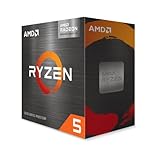
- AMD Ryzen 5 5600G Desktop Processor with Radeon Graphics — the from-parts build — Check on Amazon
Read the full guide ↓
Disclosure: As an Amazon Associate, reviewstook.com earns from qualifying purchases. Links to Amazon on this page are affiliate links; they cost you nothing extra. Listing details such as price and availability change often, so check the current Amazon listing before you buy.
A small space changes what “best” means, and it changes it before performance ever gets a vote. In a dorm room, a studio flat, a bedroom corner or a shared family desk, the first question is not how fast the machine is — it is where the machine physically goes, what it plugs into, where its cables fall, and where its heat goes when the cabinet, the drawer or the tiny room is closed. A gaming PC that wins on a spec sheet and loses on the tape measure is not a bargain; it is furniture you have to work around. So this guide grades the same six verified routes as our standard under-$400 build guide — three complete Ryzen APU mini PCs, one renewed tower with a real graphics card, one true from-parts build and one barebone kit — but it grades them as installations first: form-factor class, mounting options that are actually documented, the external power brick every mini PC in this class brings with it, cable drop, airflow, and the discipline of never sealing a working computer inside an unventilated box.
Two honesty rules run through everything below, and both matter more in a small room than anywhere else. The first is inherited from the base guide: the budget is applied to the finished PC, never to the most flattering line in the cart. A barebone kit is not a finished computer — completed with new memory and storage it becomes a well-over-budget route, and it only lives under $400 for the builder whose DDR5 and SSD come off a shelf they already own. The from-parts build prints its full worksheet and totals well over budget before an operating system — stated plainly. The second rule is this variant’s own: no dimension, volume, VESA pattern or noise figure is printed for any pick unless the base research documented it — and only one pick, the KAMRUI E3B, documents a monitor-mounting plate in the box. The others are graded by form-factor class, and where a measurement would decide your purchase, take it from the live listing rather than from us.
In this guide
Quick Picks
Short on time, or comparing several routes at once? Each row below names a small-space situation and the route that suits it, with a link to the listing.
| Your space | Pick | Why it stands out | Link |
|---|---|---|---|
| Zero desk footprint | KAMRUI E3B, Ryzen 5 7430U, 32GB / 512GB | The only pick with a documented VESA plate in the box — it mounts behind the monitor and the desk stays empty — check price on Amazon | Check on Amazon |
| Smallest complete performance | Beelink SER5 MAX Mini PC, Ryzen 7 5800H | The strongest CPU among the complete boxes in a mini-PC chassis; its 54W chip carries the strictest placement rule here — check price on Amazon | Check on Amazon |
| One box, nothing to add | GMKtec M5 Plus, Ryzen 7 5825U, 32GB / 1TB | 32GB and 1TB fitted, so no upgrade ever has to be staged on a small desk — check price on Amazon | Check on Amazon |
| Slim shelf or media unit | MINISFORUM UM870 Slim Barebone | A slim chassis with the strongest integrated graphics here — a barebone kit, so memory, SSD and OS are not included; check price on Amazon | Check on Amazon |
| Floor space beside the desk | Dell RGB Gaming Tower (Renewed), GTX 1050 Ti | A full-size tower: it does not shrink, it relocates — the only discrete GPU in the guide, bought only when the live price is at or under $400 | Check on Amazon |
| A corner that can take a tower | Ryzen 5 5600G from-parts build | An ATX mid tower is the largest installation here — honestly totaled as well over budget all-new, and the only route with a graphics card in its future | Check on Amazon |
How These Picks Were Chosen
The six routes are the verified set from our base under-$400 build guide, re-graded for installation. The money discipline is unchanged: every route is totaled to a working PC — anchor product plus every part it lacks — and that honest total is discussed in its review whether it flatters the route or not. That is why the barebone below is discussed as a route that lands well over budget when completed with new parts, and the from-parts build likewise.
What this variant adds is an installation grade, built from five things. Form-factor class comes first: four of the six routes are mini-PC-class boxes that sit on or behind the desk furniture you already own, and two are towers that need a floor or a deep shelf. Mounting is graded only on documentation: the KAMRUI E3B ships with a VESA plate in the box, so it alone is credited with behind-monitor mounting; for every other pick, mounting is a live-listing question, never an assumption. The power brick is treated as part of the footprint: every mini PC in this class runs from an external adapter, and that adapter needs a home — on the desk, behind the monitor, in a cable tray — with its cable run counted, not discovered on delivery day. Cable drop covers the display, power and network runs from where the machine sits to where they land; documented display outputs are named where the base research documents them, and wired Ethernet is recommended wherever it can reach — a small room is exactly where Wi-Fi contention is worst. Heat and airflow close the grade: every pick needs open air on its intake and exhaust sides, the 54W chip in the Beelink is held to the strictest standard, and no pick in this guide — mini or tower — is approved for a sealed cabinet, a closed drawer or a fabric-lined cubby.
Performance language stays settings-based, as in the base guide: Vega 7 and Vega 8-class integrated graphics for esports and older titles at 1080p on low-to-medium settings, the Radeon 780M a clear class above them within the same territory, and one genuine discrete card — the GTX 1050 Ti in the renewed Dell. Nothing here targets native 1440p or modern AAA games at high settings, and no frame-rate figures are claimed for any route. We did not install these machines ourselves; the grades rest on maker listings, specification pages and the base guide’s documented research.
The 6 Best Gaming PC Builds for Small Spaces Under $400
KAMRUI E3B Mini Gaming PC — Ryzen 5 7430U, 32GB RAM, 512GB SSD
Who it suits: The smallest desks and the strictest landlords of desk space — anyone whose ideal gaming PC is one they cannot see, mounted out of sight behind the monitor it drives.
The E3B leads this variant for one documented reason no other pick can match: a VESA plate is included in the box. That single accessory changes the installation completely. Bolt the plate to the back of a VESA-compatible monitor and the entire PC — processor, 32GB of memory, 512GB SSD, Windows — lives in the dead space behind the screen. The desk surface it leaves behind is not reduced; it is untouched. The cables shorten to match: the display connection becomes a short hop from the machine to the monitor it is bolted to, power drops from the same area as the monitor’s own cable, and what remains is a keyboard, a mouse and a clean rectangle of desk. For a dorm desk or a studio corner, that is the best installation outcome in this guide.
The machine behind the mount is honestly mid-pack, and the small-space grade does not hide it. The Ryzen 5 7430U is a six-core, twelve-thread chip with Radeon RX Vega 7 integrated graphics — one step below the Vega 8-class graphics in the Beelink and GMKtec below — and its home is esports titles, indie games and older releases at 1080p on low settings, with demanding titles asking for reduced resolution sooner. Two installation virtues soften that: the memory is a proper 32GB two-stick dual-channel kit, which APU graphics genuinely depend on for bandwidth, with expansion open to 64GB and 2TB if the second year asks; and a U-series chip is a modest heat source — it still needs open air around the chassis (behind a monitor is open air, provided the monitor’s own vents stay unblocked), but it does not carry the placement warnings the 54W pick below does. One check before ordering: your monitor needs a free VESA mount. If the monitor stand already occupies it, or the panel has no VESA holes at all, this pick’s headline advantage evaporates and the Beelink below becomes the better buy — the five-step checklist later in this guide puts that check where it belongs, before the order.
Total cost to a working PC: the machine itself — check price on Amazon. Nothing to add — memory, storage and Windows are fitted, and the mounting plate is in the box.
- Documented VESA plate included: the only true zero-footprint installation in the guide.
- 32GB dual-channel memory fitted — the configuration APU graphics actually want.
- An affordable complete option here: a finished PC that leaves budget headroom for the desk itself.
Honest limitation: Vega 7 graphics are the weakest in this guide, and the whole mounting advantage depends on your monitor having a usable VESA mount.
Choose it if your monitor can take the plate and your games are esports, indie and older titles. Skip it if your monitor has no VESA mount, or you want the strongest integrated graphics under $400 — that is the barebone route, if you own its missing parts.
Beelink SER5 MAX Mini PC — Ryzen 7 5800H, 16GB RAM, 500GB SSD
Who it suits: Small-desk buyers who want the most gaming the complete boxes offer — a palm-class mini PC that sits beside or behind the monitor and outperforms everything else here that arrives finished.
As an installation, the SER5 MAX is the simple version of small: a mini-PC-class box that takes a corner of the desk, a spot behind the monitor, or a place on a shelf, with its documented triple-display output — HDMI, DisplayPort and Type-C — giving you a choice of cable runs rather than a single forced one. It arrives complete: Ryzen 7 5800H eight-core processor, 16GB of DDR4, a 500GB SSD, Windows 11 Pro, WiFi 6 and Bluetooth 5.2 — check price on Amazon. The memory is socketed and upgradeable to 64GB and the SSD can grow to 2TB, so the two upgrades a machine like this ever needs can be done on the same small desk it lives on, in minutes.
The placement rule is the review’s real subject, and this pick’s is the strictest in the guide. The 5800H runs at a 54W TDP — the highest sustained power among the complete mini PCs here — and sustained power is heat that has to leave the chassis. On an open desk or in open air behind a monitor, that is a non-issue. In a closed TV unit, a sealed drawer or a cabinet with the door shut, it is the difference between a gaming PC and a slow, throttling one. Treat the rule as absolute: open air on every side the maker vented, never buried under papers or pushed flush into a corner where its exhaust has nowhere to go, and the external power brick given its own address — in a cable tray, behind the monitor, on the floor by the socket — rather than left to colonize the desk space the mini PC just saved you. The graphics ceiling is the same honesty as the base guide’s: Vega 8-class integrated graphics, esports and older AAA titles at 1080p on low-to-medium settings, and no graphics card in this machine’s future, ever — there is no slot. What the small footprint buys is the strongest finished-box performance per inch in the guide; what it costs is that ceiling, accepted on day one.
Total cost to a working PC: the machine itself — check price on Amazon. Nothing to add — memory, storage and Windows are fitted. Monitor, keyboard and mouse are on you, as they are for every route in this guide.
- Strongest CPU among the complete sub-$400 boxes, in a mini-PC-class chassis.
- Documented triple-display output (HDMI, DisplayPort, Type-C) — flexible cable runs for tight desks.
- Memory to 64GB and storage to 2TB: its two realistic upgrades stay open.
Honest limitation: Its 54W chip has the strictest placement rule here — open air only, never a sealed cabinet — and the graphics can never be upgraded.
Choose it if you have an open spot on or behind the desk and want the most finished-box gaming under $400. Skip it if the only home available is inside closed furniture — no pick suffers more from that mistake than this one.

GMKtec M5 Plus Gaming Mini PC — Ryzen 7 5825U, 32GB RAM, 1TB SSD
Who it suits: Small-space buyers who never want to stage an upgrade on a tiny desk — the route that arrives with memory and storage already at the level other machines get upgraded to.
The M5 Plus is the same mini-PC form-factor class as the two picks above it — a compact box for the desk corner, the shelf or the space behind the monitor — and its installation story is about what it does not ask of your room. Its Ryzen 7 5825U comes fitted with 32GB of DDR4 memory and a full 1TB NVMe SSD: double the Beelink on both counts. In a small space that completeness is worth more than it sounds, because the alternative — buying a leaner box and upgrading it in month three — means parts, packaging and a half-dismantled PC spread across the same small desk the machine was bought to keep clear. Here there is nothing to stage: the storage is a dual-slot design with headroom to 4TB total, the memory expands to 64GB if it is ever wanted, and the machine as delivered is the machine finished. It comes with Windows 11 Pro fitted — check price on Amazon.
The cable picture is this pick’s one complication. Dual 2.5GbE networking is the best wired connectivity in the guide — genuinely useful in a small room, where wired Ethernet removes shared-housing Wi-Fi contention — but two LAN ports only help if the cables can reach, and a small desk far from the router turns that feature back into Wi-Fi 6E, which it also has. Plan the drop before you order: if one Ethernet run can reach the desk, this is the pick that rewards it most. Thermally it asks the standard mini-PC discipline — open air around the chassis, brick given an address off the desk surface — without the Beelink’s extra warning; its U-series chip is a gentler heat source. The gaming ceiling is the family’s ceiling: Vega 8-class integrated graphics, 1080p low-to-medium for esports and older titles, permanent as bought. The 32GB of memory earns its keep there in a way worth repeating: integrated graphics borrow system memory, and 32GB in dual channel feeds the game and its graphics without the two fighting over 16GB.
Total cost to a working PC: the machine itself — check price on Amazon. Nothing to add.
- 32GB of memory and 1TB of storage fitted — no upgrade to stage in a small room.
- Dual 2.5GbE LAN plus WiFi 6E: the best-connected box in the guide, if the cable can reach.
- Dual-slot storage to 4TB and memory to 64GB keep its future open without opening it now.
Honest limitation: Same permanent integrated-graphics ceiling as every mini PC here, and it positions toward the top of this budget tier — check the live price before deciding how its value compares.
Choose it if you want one purchase that needs nothing and stores everything. Skip it if the live price is at list and the Beelink is on deal — the gap buys a lot of patience.

MINISFORUM UM870 Slim Barebone — Ryzen 7 8745H, No RAM, No SSD, No OS
Who it suits: Builders with a parts shelf and a slim gap to fill — a shelf slot, a media-unit shelf or a monitor-side perch — who already own the DDR5 memory and NVMe drive this kit pointedly does not include.
Start with the shape, because the shape is the pitch. The UM870 Slim is a slim mini-PC chassis built around the Ryzen 7 8745H, an eight-core chip whose Radeon 780M integrated graphics are a clear class above the Vega graphics in every other pick — still integrated graphics, still a 1080p part, but the strongest version of it anywhere in this guide. The chassis carries two DDR5 SO-DIMM slots, an M.2 2280 PCIe 4.0 slot, HDMI, DisplayPort and USB4 output, and 2.5GbE networking. A slim box like this installs where a cube-shaped mini cannot: on a shallow shelf, upright beside a monitor, in the tier of a media unit — provided, and this is the condition that governs the whole pick, the shelf is open-fronted or the unit’s door stays open in use. Slim and sealed is still sealed.
Then the accounting, unchanged from the base guide and repeated at full size because a small-space buyer is the last person who can absorb a surprise: check price on Amazon for the kit — and that money buys no RAM, no SSD and no operating system. The listing itself says the buyer must install all three. Completing it with new memory and storage pushes the total well over budget before an operating system. That is not an under-$400 build when completed with new parts. The route is real for exactly one buyer: the one whose retired or upgraded laptop donates DDR5 SO-DIMMs and a 2280 drive, for whom the out-of-pocket total genuinely is the kit. Two checks before ordering: donor memory must be DDR5 SO-DIMM, not the DDR4 most older laptops carry, and a Windows license tied to a donor laptop generally does not transfer — the OS is Linux at no cost or a new license, priced separately either way. One more small-space note: completing this kit is a workbench job — plan it for a table you can clear once; after that session it installs as slimly as anything here.
Total cost to a working PC: the kit itself — check price on Amazon. With new memory and storage, the completed total lands well over budget before an OS. With salvaged DDR5 and an SSD you already own, the kit price is the total outlay. Never read the kit price as a PC price.
- Radeon 780M graphics: the strongest integrated GPU in this guide, a class above Vega.
- Slim chassis with USB4 and dual DDR5 slots — fits shallow shelves cube minis cannot.
- For builders with donor parts, the best performance per out-of-pocket dollar here.
Honest limitation: It is not a PC as sold — memory, storage and OS are all missing, and bought new they push the real total well over budget.
Choose it if compatible DDR5 and an NVMe drive are already on your shelf and the shelf it will live on breathes. Skip it if they are not — the complete boxes above deliver more PC for less money.

Dell RGB Gaming Tower (Renewed) — Core i7 6th Gen, GTX 1050 Ti, 16GB RAM, 512GB SSD
Who it suits: Buyers whose desk is tiny but whose floor is not — the tower does not shrink the PC, it moves it off the desk entirely, and it is the only route here that starts with a real graphics card.
Grade this pick as what it is: a full-size tower, the largest class of machine in this guide alongside the build below, and an installation measured in floor space rather than desk space. Stood beside a desk or under it, it frees the entire work surface — in a small room that trade can be worth more than any mini PC’s shrinkage, because the desk is where you live and the floor beside it is usually dead space. But the tower’s placement rules are stricter than its size suggests, not looser. Under-desk means open-fronted and open-backed: a tower pushed into a closed desk pedestal or a carpeted corner with its rear exhaust against the wall will cook slowly and throttle quietly. Give it clearance at the back for the exhaust and the cable bundle — power, display, peripherals all land at the rear of a tower, and the drop from desk to floor needs slack, not tension — and keep it off thick carpet where bottom intakes suffocate. Measure the under-desk height and depth from the live listing before ordering; this guide prints no dimension it did not document.
The machine inside the case is the renewed-tower recipe: a 6th-generation Core i7 at 3.4GHz, 16GB of DDR4, a 512GB SSD, built-in WiFi, Windows 11 Pro — and the GeForce GTX 1050 Ti with 4GB of its own memory in a PCIe slot, the only discrete graphics card in this guide. A discrete card of this class plays 1080p esports and older titles at low-to-medium settings with a steadiness integrated graphics work harder to match, and it frees the system memory the APUs share. It is sold as Amazon Renewed in Refurbished – Excellent condition by STG USA, with a 90-day refund or replacement window; stress-test it inside that window, because renewed means a previous life. The price discipline is printed as plainly here as in the base guide: its live price drifts above and below the budget line. Buy only on days the live price sits at or under $400; on days it sits above, wait, or take the Beelink. The platform honesty completes the picture: the 6th-generation Intel platform is a dead end for CPU upgrades, and the refurbished case and power supply limit how hungry a future graphics card can be.
Total cost to a working PC: the tower itself — check price on Amazon. Buy only when the live price is at $400 or under. Nothing to add; Windows is fitted.
- The only discrete graphics card in the guide — a GTX 1050 Ti with its own 4GB.
- Moves the PC off the desk entirely: the whole work surface stays yours.
- Windows 11 Pro fitted and a 90-day Renewed refund/replacement window behind it.
Honest limitation: It is renewed, its CPU platform has no upgrade path, and a full-size tower under a desk needs the same open air as any machine here — closed pedestals are out.
Choose it if floor space beside the desk is free, a discrete GPU now matters more than a platform future, and the live price is at or under $400. Skip it if the price is up, the only tower home is a closed cabinet, or renewed condition is a deal-breaker.

The From-Parts Build — AMD Ryzen 5 5600G on AM4
Who it suits: Builders with a corner that can honestly take a mid tower — the only route here that ends in a standard, upgradeable tower, bought with open eyes about both its footprint and its total.
Every other pick in this guide shrinks the PC or hides it. This one does neither, and its small-space review starts by refusing to pretend otherwise: the worksheet specifies an ATX mid tower case — the Rosewill RWGC1, a four-fan mid tower — which is the largest installation in this guide, a floor-standing or deep-shelf commitment with a tower’s full cable bundle at its rear. If your space cannot give a mid tower open air on its intake and exhaust sides and slack for its cables, stop here and take a mini PC; no rearrangement makes this footprint small. What the footprint buys is the only future in the guide: an empty PCIe slot and a deliberately oversized, reputable 650W power supply waiting for the graphics card that changes the machine’s class, standard socketed parts throughout, and a build you assemble yourself — once, on a cleared table, in a small room where even the assembly needs planning.
The anchor is the Ryzen 5 5600G: six cores, twelve threads, Radeon Vega 7 integrated graphics, a cooler in the box, on the mature AM4 platform — a B550 motherboard with display outputs, dual-channel DDR4, an NVMe drive. Assembled, day one is a Vega 7 esports and older-titles machine comparable to the KAMRUI above; the difference is everything after day one. Now the accounting, printed exactly as the base guide frames it:
| Part | Choice | Price |
|---|---|---|
| Processor | Ryzen 5 5600G (cooler included) | Check price on Amazon |
| Motherboard | B550 micro-ATX (Gigabyte B550M K; MSI B550M PRO-VDH WiFi) | Check price on Amazon |
| Memory | 16GB (2×8GB) DDR4-3200 kit, Silicon Power | Check price on Amazon |
| Storage | Kingston NV3 500GB NVMe | Check price on Amazon |
| Case | Rosewill RWGC1 mid tower, four fans included | Check price on Amazon |
| Power supply | MSI MAG A650BN 650W | Check price on Amazon |
| Total, before operating system | Well over the $400 budget |
Read that total the way this guide promised: the build does not fit the $400 budget, and it is not close — memory and storage are currently expensive compared with the calmer markets older build guides were written in, and complete new-parts lists are hard to bring in even at much higher budgets. Windows is excluded because no verified license price is used in this guide; Linux costs nothing, and readers bringing an existing license should confirm its transfer terms rather than assume them. The honest shapes of this route in a small space are two: stage it — platform first, graphics card months later, the APU playing from the day it boots — or wait for the memory line, the single most volatile line in the worksheet, to cool. Either way the installation verdict stands: this is the guide’s biggest machine and its most capable destination, and a small space should adopt it only when the corner, the airflow and the budget have all three said yes.
- The only standard tower: an empty PCIe slot and a 650W supply waiting for a real graphics card.
- Every part standard, socketed and replaceable — the fullest upgrade future in the guide.
- The APU plays esports and older titles from day one, so the build is usable between stages.
Honest limitation: An ATX mid tower is the largest installation here, and the parts total well over budget before an operating system.
Choose it if you have a corner with open air, you are building to learn and to upgrade, and you can stage the purchases. Skip it if the room genuinely cannot take a tower — that is what the four mini PCs above exist for.
Comparison Table
| Route | Installation class | Honest total cost | Link |
|---|---|---|---|
| KAMRUI E3B, 7430U, 32GB | Mini PC — documented VESA plate, mounts behind monitor | Complete — check price on Amazon | Check on Amazon |
| Beelink SER5 MAX, 5800H | Mini PC — desk, shelf or behind monitor; open air only | Complete — check price on Amazon | Check on Amazon |
| GMKtec M5 Plus, 5825U, 32GB / 1TB | Mini PC — desk or shelf; nothing to stage | Complete — check price on Amazon | Check on Amazon |
| MINISFORUM UM870 Slim | Slim barebone — shallow shelf or media unit, open-fronted | Kit — check price on Amazon; well over budget completed with new parts | Check on Amazon |
| Dell Gaming Tower, GTX 1050 Ti | Full-size tower — floor or under desk, open-backed | Check price on Amazon; buy only when the live price is at $400 or under | Check on Amazon |
| Ryzen 5 5600G from-parts build | ATX mid tower — floor or deep shelf; largest here | Well over budget all-new, before OS | Check on Amazon |
Measure Before You Buy: The Five Steps
Every installation mistake in the mistakes section below is a measurement that was skipped. Run these five steps, in this order, before any order is placed — ten minutes and a tape measure, and the difference between a PC that fits your room and one your room must accommodate.
- Step 1 — Measure the spot. Width, depth and height of the exact place the machine will live: the shelf tier, the desk corner, the under-desk bay, the floor beside the desk. Write the three numbers down. If the plan is a behind-monitor mount, check the monitor first: does it have VESA mounting holes, and are they free, or does its stand already use them? Only the KAMRUI E3B in this guide documents a plate in the box; for every other pick, confirm the exact dimensions and any mounting option on the live listing and compare them against your three numbers — never against a product photo, which lies about scale by design.
- Step 2 — Confirm ventilation clearance. Whatever the spot is, it must breathe: open air on the sides the maker vented, room at the rear for exhaust to escape, and no door, drawer front or fabric panel closing over it in use. Apply the strictest reading to the Beelink SER5 MAX, whose 54W chip produces the most sustained heat of the complete boxes, and the same refusal to the towers — an under-desk bay with a closed back panel fails this step for the Dell and the 5600G build alike. If the only available spot is sealed, the correct purchase is a different spot, not a different PC.
- Step 3 — Give the power brick an address. Every mini PC in this guide runs from an external power adapter, and that adapter is part of the installation whether you plan for it or not. Decide where it lives before ordering: in a cable tray under the desk, behind the monitor next to the machine it feeds, on the floor by the wall socket. Check the wall socket’s position too — a small room often has one reachable outlet, already shared with the monitor and a lamp, and the brick’s cable has to span from it to the machine. Towers fold the power supply inside the case, which is their one genuine installation advantage: one cable, straight to the wall.
- Step 4 — Walk the cable drop. Trace every run on paper: display cable from machine to monitor, power from machine and monitor to the outlet, Ethernet if the router or wall socket is within reach, keyboard and mouse to your hands. Short drops are the mini PC’s home advantage — a machine behind its monitor needs barely a hand’s length of display cable — while a floor tower’s bundle falls the full height of the desk and needs slack at the rear, not tension, plus clearance so the exhaust is not blowing into the cable nest. If Ethernet cannot reach, every pick here has Wi-Fi; if it can reach, wired is the better gaming connection and the GMKtec’s dual 2.5GbE ports reward it most.
- Step 5 — Then order. Only now — spot measured, clearance confirmed, brick addressed, cables walked — place the order, and re-check the two live things this guide cannot freeze: the pick’s current price against its rule (the renewed Dell is a buy at or under $400 and a pass above it; mini PC prices rotate weekly) and its live listing for the dimensions and mounting details your measurements depend on. Ten minutes of steps, then the click — in that order, every time.
How to Choose a Gaming PC Build for a Small Space Under $400
- Grade the installation before the specification. In a small room the order of questions is where it goes, how it breathes, what it plugs into — and only then how fast it is. Every review in this guide is written in that order on purpose.
- Total the finished PC, never the anchor product. Add memory, storage and the operating system to anything that lacks them, at live prices, before comparing routes. A barebone kit’s price alone is not its finished cost; a complete box’s listed price is its finished cost — check price on Amazon for both before comparing.
- Take mounting claims only from documentation. One pick here documents a VESA plate in the box. For any other machine, a mount is a live-listing question, not an assumption — and a monitor with no free VESA holes ends the behind-monitor plan regardless of the PC.
- Refuse the sealed cabinet, for every pick. Mini PCs throttle in closed TV units; towers cook in closed pedestals. Open-fronted, open-backed, or a different spot — there is no fourth option.
- Set a walk-away price for drifting picks and keep it. The renewed Dell is a buy at or under $400 and a pass above it; the mini PCs rotate through deal prices weekly. At this budget, timing can be the largest single saving available anywhere in the guide.
- Match the graphics class to your actual library. Esports, indie and older AAA at 1080p low-to-medium: every route here works. Recent AAA at high settings: no route here works, and the honest move is the $500 or $700 tier, not a braver reading of these listings.
Common Buying Mistakes
- Sealing a mini PC inside a TV unit or closing the cabinet door “just while gaming.” That is precisely when the machine makes its heat.
- Assuming every mini PC mounts behind a monitor. In this guide exactly one pick documents a VESA plate in the box. Assuming a mount the listing does not document is how a zero-footprint plan becomes a box balanced on a book.
- Forgetting the power brick in the footprint. Buyers measure the mini PC, clear exactly that much space, and then discover the adapter, which lives on the desk for the next three years.
- Reading a barebone kit’s price as a PC’s price. The UM870 Slim needs memory, storage and an operating system before it is a computer; completed with new parts it is a well-over-budget route.
- Buying a tower for a small room without measuring the under-desk bay — then wedging it against the back panel with its exhaust blocked and its cables under tension. Towers relocate the space problem; they do not abolish it.
- Building from a stale parts list. Memory and SSD prices change fast, so year-old worksheets go stale quickly — re-check every line at live listings before ordering anything.
- Buying a single memory stick for an APU build to save money. Integrated graphics run on system memory bandwidth; single-channel memory taxes the exact performance the build exists for.
- Chasing the renewed Dell above its walk-away price. When its live price sits above $400, the deal is gone and the new mini PCs win.
Final Recommendation
- Most small spaces: KAMRUI E3B — the documented VESA mount makes the PC disappear behind the monitor, and it is a finished PC — check price on Amazon.
- Most gaming from a complete box: Beelink SER5 MAX, on an open desk or in open air behind the monitor — never sealed in.
- Nothing to add, ever: GMKtec M5 Plus, with 32GB and 1TB already fitted.
- Slim shelf, parts on hand: MINISFORUM UM870 Slim barebone — the strongest graphics here, for the builder who owns its missing parts.
- Desk tiny, floor free: the renewed Dell tower, bought only at $400 or under.
- A corner and a long game: the Ryzen 5 5600G from-parts build, staged.
Our top two routes for small spaces are the KAMRUI E3B, because a documented monitor mount is the only installation in this guide that gives the desk back entirely, and the Beelink SER5 MAX, because where an open spot exists it delivers the strongest complete-box gaming under $400 in a chassis that asks for almost none of the room. Between them they cover the two honest shapes of this search: the PC you cannot see, and the PC you barely can. Readers whose space problem is really a budget problem in disguise should also see Best Gaming PC Build For Small Spaces Under $500 for the next tier’s options, and readers comparing the mini-PC route against finished small machines should see Best Gaming PC For Small Spaces Under $400 and Best Mini Gaming PC Under $400. Run the five steps, total every route to a working PC, set your walk-away prices before you shop, and check the live listing before you order.
Frequently Asked Questions
Can I put a mini gaming PC inside a TV unit or cabinet?
Only if the unit is open-fronted or the door stays open in use — and at that point it is a shelf, not a cabinet. Every machine in this guide exhausts heat into the air around it; a closed door traps that air, temperatures climb, and the processor slows itself to survive. The strictest case here is the Beelink SER5 MAX, whose 54W chip makes the most sustained heat of the complete boxes, but the rule covers the towers too: an under-desk pedestal with a closed back is the same trap at a larger scale.
Which of these PCs can actually mount behind a monitor?
One, on documentation: the KAMRUI E3B includes a VESA plate in the box. For the other mini PCs in this guide, mounting options were not documented in the base research, so this guide claims none — check the live listing for the exact machine, and check your monitor first either way: it needs VESA mounting holes that its stand is not already using. If the monitor fails that check, a small shelf or the space behind the monitor on the desk is the honest fallback.
Is a mini PC really a “build”?
Not in the screwdriver sense — and this guide does not pretend otherwise. It includes the complete boxes because they are what the budget actually buys in this market, and because in a small space their installation advantage is real. The genuinely build-shaped routes are all here too: the from-parts 5600G tower, the barebone you complete yourself, and the renewed tower you can open and upgrade. Choose by which kind of route — and which footprint — you actually want.
Can you really build a gaming PC for under $400 in 2026?
Not from new parts at current Amazon prices — the worksheet in this guide totals a basic APU build well over budget before an operating system, because memory and storage prices have spiked. What the $400 budget genuinely buys is a complete APU mini PC in this budget tier, a renewed tower with a discrete card when its live price dips to the line, or the first stage of a build finished over time. Anyone showing you a $400 all-new parts list is pricing a market that no longer exists.
Does the barebone UM870 Slim save money over the complete boxes?
Only if the memory and SSD are already yours. Completed with new parts, it totals well over budget before an operating system, against complete machines in this budget tier that include Windows — check price on Amazon for all of them before comparing. With donor DDR5 from a retired laptop, the arithmetic flips and it becomes the strongest route in the guide. The parts shelf is the entire question.
What games can these routes actually play?
Esports titles, indie games and older AAA releases at 1080p on low-to-medium settings are the honest territory for the Vega-class integrated graphics in most picks; the 780M in the completed barebone is a class stronger within the same territory, and the GTX 1050 Ti in the renewed Dell adds the steadiness of a discrete card in the same kinds of games. Modern AAA titles at high settings and native 1440p are beyond every route in this guide — see Best Gaming PC Build Under $500 and Best Gaming PC Build Under $700 for where the discrete-card builds start.


