Where to buy
Check the latest price, availability and delivery on Amazon. Orders are placed on Amazon. We may earn a commission from qualifying purchases.
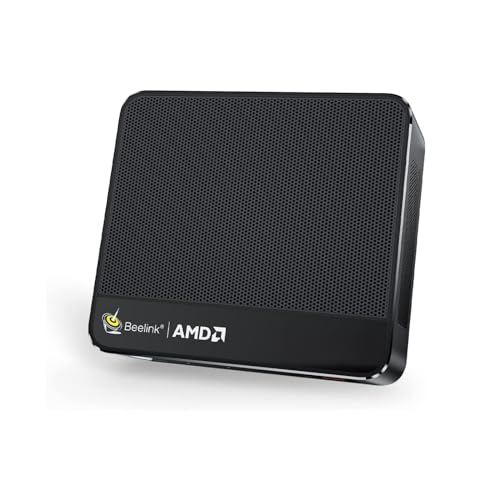
- Best small-space pick overall: Beelink SER5 MAX Mini PC, Ryzen 7 7735HS — a finished mini PC that lands on the budget line and takes less room than anything else complete in this guide — Check on Amazon
- MINISFORUM UM870 Slim Barebone — the tiniest class of machine here, with the RAM, SSD and OS it still needs accounted for honestly below — check price on Amazon — Check on Amazon
- abytespark Gaming PC, GTX 1660 Super — the complete tower for a room that can spare exactly one tower-sized corner — Check on Amazon
- AMD Ryzen 5 5600G — the starting point of the do-it-yourself path, the one route where you pick the case your room gets — Check on Amazon
See 2 more Amazon options
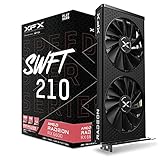
- XFX Speedster SWFT 210 Radeon RX 6600 8GB — the card at the heart of the all-new parts build: the strongest machine here, and the largest thing to install — Check on Amazon
- STGAubron Gaming PC, Ryzen 5 5500 and RX 580 — a full-size tower that justifies its footprint only when its current price checks within the budget — check price on Amazon — Check on Amazon
Read the full guide ↓
Disclosure: As an Amazon Associate, reviewstook.com earns from qualifying purchases. Links to Amazon on this page are affiliate links; they cost you nothing extra. Listing details such as price and availability change often, so check the current Amazon listing before you buy.
Shopping for a gaming PC build on $500 is already an exercise in honesty, before the room’s size enters it. The textbook all-new build — Ryzen 5 5500, B550 board, 16GB of DDR4, 500GB NVMe, Radeon RX 6600 — does not fit the $500 budget anymore when priced line by line: check the current price on Amazon for each part, with no Windows licence in the basket, because the 2025–2026 memory and flash shortage has pushed up the two lines every build must buy. A small room adds a second filter most build guides never apply. The six paths that survive the money filter divide into two physical kinds: two mini PCs, the smallest class of desktop made, boxes that disappear behind a monitor and draw power through an external brick; and four towers — a pair you assemble, a pair that arrive assembled — each asking any room for the same floor corner, open air and cable runs. In a small one it is the decision.
Every path below is therefore scored twice. The money score is an itemized total — CPU, board where one applies, 16GB of RAM, at least 500GB of storage, case and power supply where they apply, and an explicit word on the operating system’s cost. The installation score asks where the machine physically goes: its form-factor class, where its power brick lives if it has one, how its cables travel, and how much heat it pours into a room with little air to spare. On that second score one rule holds throughout: the research behind these picks verifies no chassis dimensions, weights, mount specifications or noise figures for these listings, so this guide states none — it grades by class (mini PC, mid-tower, tower) and tells you what to measure on the live listing before ordering.
The conclusions, up front. Genuinely short on space? The finished mini PC — check price on Amazon — is the pick, and the barebone mini joins it only when its missing memory and drive are already sitting in a drawer. Got one honest tower-sized spot with open air around it? The complete GTX 1660 Super tower — check the current price on Amazon — is the most gaming performance this budget buys, and it earns the corner. Determined to build? Then build with your eyes open: the tower’s size is decided by a single basket line, the case, and that is the one line you are free to choose for your room.
In this guide
Quick Picks
Short on time, or comparing several options at once? Each row below names a small-space situation and the path that suits it, with a link to the listing. What each path still needs is itemized in full in the reviews.
| Your space | Pick | Why it stands out | Link |
|---|---|---|---|
| The desk is the whole room | Beelink SER5 MAX Mini PC | Finished and complete at the budget line; the least installation any complete path here demands | Check on Amazon |
| Tiniest box, parts already owned | MINISFORUM UM870 Slim completion | A barebone that sits well above the budget once completed from zero — or far more attainable with salvaged RAM and SSD | Check on Amazon |
| One tower corner, maximum performance | abytespark Gaming PC, GTX 1660 Super | Complete with Windows; the strongest discrete graphics under the line | Check on Amazon |
| A builder who wants to choose the case | Ryzen 5 5600G APU build | New parts that honestly total above the budget; the case line is the single size call that is yours | Check on Amazon |
| Best machine, room permitting | Ryzen 5 5500 + RX 6600 parts build (XFX SWFT 210) | The 2024-era $500 build, now honestly well above the budget — in a mid-tower | Check on Amazon |
| Patient hunter with a floor corner | STGAubron Gaming PC, RX 580 | Worth its footprint only when the current price checks within the $500 budget, not above | Check on Amazon |
How These Picks Were Chosen
The ceiling was applied to the finished machine, never to its loudest component. Each path carries a total with nothing a PC needs left out: processor, motherboard where applicable, 16GB of memory, 500GB or more of SSD storage, case and power supply where applicable, and a plain statement of the operating system’s cost — included where it is, not yet bought where it is not. A product whose headline excluded parts a computer cannot run without was completed using real, sourced prices or dropped.
Installation grading used five tests. Class first: mini PC, mid-tower or tower, since class — not a decimal on a spec sheet — decides whether a machine hides behind a monitor, sits on a shelf or stands on the floor. Second, the power supply’s address: both minis here run off external adapter bricks, and a brick occupies space of its own, in open air, with a cable that must reach the wall; the towers and builds carry internal supplies, reducing the question to a socket within cord’s reach. Third, the cable drop: the runs from box to monitor, wall and peripherals, and whether they stay behind a desk or cross the room. Fourth, heat and air: every machine here exhausts into your room and draws its cooling air from it, so each pick is graded on the clearance its vented faces need — and shutting the PC inside a cabinet or closed TV unit is refused for all six, without exception. Fifth, permanence: a soldered mini is installed once and never changes shape, while a tower’s card — and a build’s case — can change when the room does.
We did not assemble or install these machines ourselves. Configurations come from maker listings and specification pages; prices move constantly, so check the current price on Amazon rather than relying on any hard promise. Performance language is held to what each hardware class supports: the discrete paths are 1080p machines, strong in esports, comfortable with older AAA titles at medium-to-high settings, leaning on upscaling for the newest releases; the integrated paths sit a class below and are described that way.
The 6 Best Gaming PC Builds for Small Spaces Under $500
1. Beelink SER5 MAX Mini PC — The Finished Machine That Asks the Least of a Room
Who it suits: Buyers in genuinely small rooms who want a complete, warranted gaming-capable PC at the budget line, in the smallest class of box sold — and who accept integrated graphics and a ceiling that never rises as the trade.
Inside the SER5 MAX sit a Ryzen 7 7735HS, its Radeon 680M integrated graphics, 24GB of LPDDR5 memory and a 500GB PCIe 4.0 NVMe drive, with Windows installed before it ships. Check the current listing on Amazon. No basket to assemble, no completion bill lurking, no licence to add afterwards: the listing price is the whole price, positioned at the budget line. Set against the barebone completion described next, it is a finished unit carrying more memory than that build ends with, warranted as one product, for notably less than completing the barebone from an empty drawer.
As an installation, nothing complete in this guide asks less of a room. Mini PCs of this class live behind monitors, on shelf corners, in the spare hand’s-width of a desk — placements no tower can attempt. Power arrives through an external adapter brick, and the brick is the single detail to plan rather than discover on delivery day: settle its home in advance, somewhere in open air, with a cable run to the wall you have actually traced. From a mini in that position the cable drop is the shortest available here — mains in, one display lead to the screen, peripherals where you sit — and room heat is the gentlest in the guide, since a mobile-class processor has far less warmth to shed than a tower under load. Two cautions complete the grading. No mount specification is documented for this listing, so a behind-the-monitor mount must be verified in the live listing’s specification section — if no kit is documented, plan on desk or shelf placement instead.
The permanence is the price. The 680M is the second-strongest integrated graphics in this guide — honest 1080p esports at reduced settings, older AAA titles at medium — and it is also the fastest rendering this box will ever do. Its 24GB of memory is soldered in place, so 32GB is not a future option; there is no graphics slot, and there never will be. Storage can grow, but the performance ceiling was set at the factory. In a small room that cuts both ways: the installation never needs to grow either. Place it once, and the question is settled in less space than any other complete path can manage.
- Finished at the line: check price on Amazon — Windows, 24GB of RAM and 500GB of storage included — no basket, no completion arithmetic.
- Mini-PC installation: behind a monitor or on a shelf corner, the shortest cable drop and the least added room heat in this guide.
- Radeon 680M graphics cover 1080p esports and older AAA titles at reduced-to-medium settings.
Honest limitation: Soldered memory and no expansion slot fix the performance at purchase forever — and with no mount documented for this listing, mounting must be confirmed on the live listing, not assumed.
Choose it if space is the binding constraint and you want the matter closed within the budget — check the current price on Amazon. Skip it if a discrete GPU is in your future — that future needs a tower, at tower size.

2. MINISFORUM UM870 Slim Barebone — The Smallest Box in the Guide, Completed Honestly
Who it suits: Builders whose drawer already holds DDR5 laptop memory and an NVMe drive from a retired laptop or an earlier project — the only audience for whom this path’s price, and its miniature installation, can both be real.
The UM870 Slim barebone packs a Ryzen 7 8745H with Radeon 780M graphics — the most capable integrated graphics AMD offers in this class — alongside two DDR5 SO-DIMM slots, two M.2 NVMe slots, USB4 and 2.5GbE networking. Check the barebone box on Amazon. What the headline leaves to the fine print is that this is the barebone variant: no memory, no storage, no operating system, all three to be supplied by the buyer. Supplied new, a 16GB DDR5 SO-DIMM and a 500GB NVMe drive of the Kingston NV3 class add a substantial completion cost on top. Completed from zero, the machine stands well above the budget, operating system still unpurchased, for integrated graphics. Nor is this model an outlier: sibling barebones in the same class follow the same pattern, costing notably more once completed than the identical machine sold finished.
As an installation, this is as small as desktop computing gets — a slimmer proposition even than the finished mini above, content with a shelf corner or a patch of desk, its external brick wanting the same planned address in open air. That footprint is exactly why the pick is treacherous in a small-space search: the size is genuine, it is the first thing a cramped buyer falls for, and it arrives months before the completion bill does. Two further facts belong in the grading. Stronger integrated graphics mean a harder-working laptop chip, so this box sheds more heat than the calmer mini above it; its vented faces want open air on every side, and the sealed-cabinet refusal binds it as firmly as any tower.
One honest use case survives, and it is a good one. When the DDR5 kit and the M.2 drive already exist in a drawer, completion costs collapse to the barebone box on its own — check price on Amazon — the 780M delivers the finest integrated performance in this guide, and the outcome is a compact, quiet, thoroughly capable 1080p esports machine for less than any rival path — in the smallest installation offered here. That is why this pick appears as a warning carrying a link rather than a recommendation carrying one.
- Radeon 780M graphics — the strongest integrated GPU in this guide — in a dual-slot, dual-drive, USB4 box in the smallest class here.
- The completion picture, itemized: the barebone box plus a 16GB DDR5 SO-DIMM plus a 500GB NVMe pushes the total well above the budget, OS excluded — check price on Amazon for each part.
- With salvaged memory and storage, the identical box completes for the cost of the box alone — check the current price on Amazon — the cheapest strong path in the guide.
Honest limitation: From zero, this is the guide’s worst value: well above the budget before an operating system, for integrated graphics the finished mini above supplies — complete and warranted — check price on Amazon.
Choose it if the memory and drive are already in a drawer at home. Skip it if the memory would be bought new — right now that one stick is a major part of what the computer it completes costs.

3. abytespark Gaming PC, GTX 1660 Super — The Tower That Earns Its Corner
Who it suits: Small-room buyers who do have one honest tower-sized spot, out in the open beside the desk, and who want the strongest gaming performance under $500 to be what stands in it.
What arrives here is a complete, assembled tower with Windows licensed: a discrete GTX 1660 Super carrying 6GB of GDDR6, 16GB of RAM and a 1TB NVMe drive, — check price on Amazon. No barebone catch, no parts basket, no staged promise — the entire computer, positioned below the cost of assembling its equivalent, in a market where the memory and storage inside it carry a substantial cost bought new today. The 1660 Super is a 2019 design and is judged as one, yet it remains a true discrete GPU: esports at high frame rates, older AAA titles at medium-to-high settings, recent releases turned down. Measured against every other path that genuinely fits $500, it is the strongest finished gaming machine on offer.
The installation grading refuses to flatter it. A tower is furniture: it claims a floor corner or a broad desk end, it cannot slip behind a monitor, and no wording in this guide will shrink it. Its power supply is internal — the listing declines to publish the wattage — so there is no brick to house; power reduces to a wall socket inside the cord’s reach. Cables run from case to desk, parking the machine beside the desk it serves, and a discrete card working hard pours real warmth into the room, so the case needs unobstructed air at its intake and exhaust faces. From those facts comes the pick’s one absolute placement rule — beside the desk, in the open, yes; shut inside a TV unit or closed cabinet, never. A sealed volume of air is how gaming towers cook themselves, and the urge to hide the big box is precisely the small-room mistake to resist.
The documented compromises travel with it. Behind the listing’s “Core i7” headline, its own specification fields name an i7-7700 — a willing quad-core from 2017 on a platform with no upgrade path beyond it. This listing family has changed its configuration before, so confirm the CPU and storage and check the current price on Amazon before ordering. The maker is a small brand, leaving support to the seller and Amazon rather than a global service network. For a small room with a corner to give, none of that overturns the verdict: the most gaming performance under $500, at the price of one honest footprint.
- Finished and licensed: 1660 Super, 16GB of RAM, 1TB NVMe and Windows — check price on Amazon — under the cost of the equivalent parts basket.
- The strongest discrete-GPU gaming performance genuinely available beneath $500 today.
- Internal power supply, so no brick to place: one tower spot, one reachable socket, one cable run to the desk.
Honest limitation: It is a full tower and cannot honestly be graded as anything smaller; the i7-7700 platform is a dead end, the PSU wattage goes unpublished, and the live configuration must be verified before buying.
Choose it if an open tower-sized spot exists and you want maximum performance standing in it. Skip it if the room has no such spot — the minis above exist for exactly that room — or if upgradeability outranks today’s frame rates for you.
4. The APU Build — Ryzen 5 5600G Now, a Graphics Card Later, in a Case You Choose
Who it suits: Patient builders in small rooms who want a proper tower with an empty graphics slot waiting — and who have noticed that building, unlike buying, hands them the one component that decides how much space the machine occupies.
The method is budget building’s oldest: start on a processor whose integrated graphics are good enough to play on, and let a discrete card follow later as a separate purchase instead of a compromise now. The anchor is AMD’s Ryzen 5 5600G — six Zen 3 cores, Radeon Vega 7 graphics, a cooler in the box — — check price on Amazon — which is why its total should be checked live rather than assumed. Around it, the basket shares this guide’s standard lines: the ASRock B550M-HDV board; a 16GB DDR4-3200 kit, with dual-channel layout doubly important because the integrated graphics feed on system memory and its bandwidth; a Kingston NV3 500GB drive; a case; and Thermaltake’s Smart 500W supply. Summed at current listings the build sits above the $500 budget, printed plainly, yet nearer than any other all-new tower.
For this guide’s angle, the build holds one card no prebuilt can play: its footprint is partly negotiable. As documented, the basket’s case is a Montech XR-class mid-tower, and graded as documented it installs like the other towers here — floor corner or broad desk end, internal supply, socket within reach, open air mandatory. But a case in a basket is a choice, not a property of the machine. The board is a micro-ATX board and the remaining components are standard parts, so the identical build can go together inside a smaller case class when a room demands it — the only installation improvement this guide can offer a builder without inventing a product to sell them. What a case swap cannot change is the discipline: the sealed-cabinet refusal outlives every case, and a smaller sealed box is worse than a larger one. Nor should the build evening be underestimated — components, boxes and tools will occupy the only desk for a night before the tower takes its place.
The Vega 7’s output deserves the same candour as the total. Integrated graphics from 2021 make their home in esports titles at 1080p on low-to-medium settings; older AAA games run reduced; the newest releases are a fight it occasionally loses. Because the graphics share the system’s memory, part of that memory kit is effectively a graphics purchase. The processor also runs its graphics slot at PCIe 3.0 pace, a small tax worth knowing before the eventual upgrade card is bought. As a finished $500 gaming PC, this is a promise wearing a parts list. As the first stage of a two-stage purchase — the only staged route here whose second stage is one card in a waiting slot, inside a case selected for the room — it is the shrewdest start a builder can make in a bad market and a tight space.
- A working tower of entirely new parts with the guide’s strongest upgrade story: a single card completes it.
- Basket, itemized: 5600G, board, 16GB DDR4, 500GB NVMe, case and PSU — check price on Amazon for each line.
- The case line is the builder’s one genuine size decision — a mid-tower as documented, with standard parts that allow a smaller case class to carry the same build.
Honest limitation: All-in it still breaks the budget when checked at current prices; until a card arrives it is the weakest gaming performer among the tower paths; and in any case it remains a tower-class installation that needs open air.
Choose it if building appeals, sizing the case to the room matters, and a graphics card can be funded within the year. Skip it if today’s performance per dollar is the priority — the complete tower one pick up wins that contest.
5. The All-New DIY Build — Ryzen 5 5500 and Radeon RX 6600 (XFX Speedster SWFT 210)
Who it suits: Builders set on every part being new, warranted and self-chosen, whose room can genuinely offer a mid-tower spot — and who prefer the real total — check price on Amazon for each part — to a $500 headline the parts cannot honour.
This is the configuration every forum thread recommends, priced in full, line by line — check the current price on Amazon for each part. AMD’s Ryzen 5 5500 — six Zen 3 cores, Wraith Stealth cooler bundled. The ASRock B550M-HDV, the pared-back entry point to the B550 chipset. A 16GB (2×8GB) DDR4-3200 kit of the Silicon Power class, for memory that costs notably more than it did two years back. Kingston’s NV3 500GB NVMe drive. The card anchoring the build, XFX’s Speedster SWFT 210 edition of the Radeon RX 6600 with 8GB of GDDR6, sits in the upper part of this budget’s range, with some marketplace offers far above the main listing. A Montech XR-class mid-tower case and Thermaltake’s Smart 500W supply complete the basket. The sum sits well above the budget — with Windows still outside the basket, since a licence costs extra and running unactivated costs nothing.
Its installation grading is simply the mid-tower grading, and in a small room it should be read as part of the best machine’s price. A mid-tower is the largest class in this guide: it claims a floor corner or a serious desk end, dominates a compact room’s sightlines in a way no mini can, and its cable drop arranges the desk around wherever it stands. The supply is internal, so no brick enters the plan. Its heat output under load is the guide’s highest, because the strongest hardware sheds the most warmth, and its fans want unobstructed air at intake and exhaust alike. The case line is, as in the APU build, a choice: a smaller case class can carry these same standard parts and trim the installation without touching performance. But no case turns a discrete-GPU tower into a shelf machine, and the sealed-cabinet refusal applies at full strength.
None of it makes the build a poor one. Part for part it is the finest machine in this guide: a genuine 1080p card with current driver support, a real six-core gaming processor, a B550 platform that leaves a Ryzen 7 5700X3D-class upgrade open, and a warranty behind every component. What it is not is a $500 build in 2026, and the most useful thing this review can do is account for the gap: a substantial part of it is memory and storage inflation alone, and most of the remainder is a graphics card that costs notably more than it did in earlier years. If budget and room can both stretch, this is the build worth stretching for.
- Every component new and individually warranted — the only fully DIY route to a modern discrete GPU in this guide.
- The basket, itemized: CPU, board, 16GB DDR4, 500GB NVMe, RX 6600, case and PSU — check price on Amazon for each line.
- The B550 platform keeps a genuine processor upgrade path open for later.
Honest limitation: Well above the budget before an operating system, overshooting the keyword’s budget by a wide margin — and the build installs as a full mid-tower, this guide’s largest footprint, in a market where no verifiable all-new discrete-GPU parts list reaches $500.
Choose it if both the budget and the room can stretch, and you want the best, most upgradeable machine here. Skip it if $500 is hard or no mid-tower spot exists — the complete systems above deliver a working gaming PC today, in less space, for notably less.
6. STGAubron Gaming PC, Ryzen 5 5500 and RX 580 — The Tower That Earns Its Floor Space Only on a Dip
Who it suits: Price-watchers with a tower corner to spare, who want the used-GPU formula’s value without a used market’s risks, from a listing whose dips beneath the line are a matter of record.
The forum era’s classic $500 formula — a modern budget processor beside a cheap, older graphics card — is this tower, assembled by somebody else. Within it: a Ryzen 5 5500 on the AM4 platform, a Radeon RX 580 with 8GB, 16GB of DDR4 and a 512GB SSD, Windows installed, a keyboard and mouse in the box. Its pricing behaviour is the entire review: its current price moves widely, so check it before judging. Hence the sternest rule in this guide, offered as non-negotiable: only when the current price checks within the $500 budget is this a strong buy — a living platform wearing an ageing card that can be swapped when the GPU market calms. Priced above the budget it is a skip, because the abytespark tower beats it at that level.
Installed, it matches the abytespark’s pattern: a floor corner or desk end, an internal supply that asks for a reachable socket rather than a brick’s address, a cable drop binding it to the desk beside it, open air at its vented faces, and the same refusal of any sealed cabinet. One point works in its favour for small rooms — with keyboard and mouse in the box, the desk side of the setup is complete the day the tower lands. One works against it: of all the towers here, this is the one most likely to be opened again, since its whole value argument rests on a future card replacing the 580. The seller leaves the power supply’s wattage unpublished, which matters on precisely that day and must be read off the delivered unit before a hungrier card is planned around it.
The RX 580 carries two warnings wherever it appears. It is a 2017 design, and AMD now serves the RX 500 series on a legacy driver cadence — security and stability fixes rather than day-one game optimisation — making its 1080p competence a slowly depreciating asset. The foundation, though, is right: where the i7-7700 tower is a dead end, the 5500’s AM4 socket accepts years of faster processors, the memory and drive are standard parts, and the formula itself — current platform, yesterday’s GPU, tomorrow’s upgrade — is exactly what a shrewd $500 builder would assemble by hand, offered, when its price dips within the budget, beneath the present cost of assembling it.
- The forum formula, pre-assembled: a living AM4 platform and an 8GB card, Windows and peripherals included.
- Its variable pricing — check the current price on Amazon — turns waiting for a dip within the budget into a strategy rather than a hope.
- The only complete tower here, when priced within the $500 budget, whose processor can later be upgraded.
Honest limitation: At its everyday pricing it often fails this guide’s budget outright; the RX 580’s legacy driver status puts its best gaming days behind it; and it takes a full tower footprint either way.
Choose it if you can wait for the dip, have the corner, and prize the upgradeable platform. Skip it if you are buying this week at a price above the budget — the abytespark is the better immediate buy for the identical footprint.

Comparison Table
| Path | Position vs budget | Form-factor class | Installation note | Link |
|---|---|---|---|---|
| Beelink SER5 MAX mini PC | At the budget line | Mini PC | Smallest finished installation; external brick needs a planned address; no mount documented — verify live | Check on Amazon |
| Barebone completion (UM870 Slim) | Well above the budget from zero; far lower with salvaged RAM/SSD | Mini PC (barebone) | Smallest class of box; arrives unusable until completed; brick address and open air both required | Check on Amazon |
| abytespark tower (GTX 1660 Super) | Within the budget | Tower | One open floor corner; internal PSU; never inside a closed cabinet | Check on Amazon |
| APU build (Ryzen 5 5600G) | Above the budget | Tower (case your choice) | A mid-tower as documented; standard parts allow a smaller case class to carry the same build | Check on Amazon |
| All-new DIY build (Ryzen 5 5500 + RX 6600) | Well above the budget | Mid-tower | The guide’s largest installation; the best machine claims the biggest spot | Check on Amazon |
| STGAubron tower (RX 580) | Only within the budget on a dip | Tower | Full tower footprint; keep the corner reachable — this is the tower you will reopen | Check on Amazon |
Measure Before You Buy: The Five-Step Small-Space Checklist
Each path here is the right purchase in the right room and the wrong one in the wrong room, and which it turns out to be is settled before ordering, not at the door. Work the five steps in order, against the specific pick you intend to buy.
- Step 1 — Measure the spot. Fix where the machine will live — behind the monitor, on the shelf, in the floor corner by the desk — and measure that space honestly, leaving room behind the box for the cables themselves, not just the chassis. Then read the exact unit’s dimensions in the live listing’s specification section and compare. This guide grades by form-factor class because the underlying research verifies no dimensions for these listings; the listing is where your centimetres live, and a mini-PC-class machine fits spots no tower class ever will.
- Step 2 — Confirm the ventilation clearance. Whatever the class, the machine draws cooling air from the room and returns heat to it: allow a hand’s breadth of open air around the faces carrying vents, and rule out any sealed cabinet, closed TV unit or drawer — refused for all six picks, minis included. When the only spot on offer is enclosed, the correct purchase is a different spot, not a different PC.
- Step 3 — Give the power supply its address. On the two mini PCs that means the external adapter brick: choose its home in advance — desk edge, shelf, floor by the socket — in open air, on a cable that reaches both box and wall. On the towers and builds the supply is internal, so the question collapses to the socket: is there one within the cord’s reach of the corner you measured, without a cable crossing the room?
- Step 4 — Walk the cable drop. Physically trace the runs the finished setup needs: display lead from box to monitor, mains from box to socket, peripherals from desk to box. A mini behind the monitor makes this a few short runs behind the desk; a tower makes the desk live beside the tower. If any run must cross a doorway, a walkway or the middle of the room, the spot is wrong — re-measure with the machine standing where the cables say it belongs.
- Step 5 — Only then, order. Spot measured, air confirmed, brick or socket addressed, cables walked: make one final pass over the live listing — the exact configuration, check the current price on Amazon set against this guide’s deal rules (the STGAubron only when within the $500 budget; the barebone only with its completion fully priced), and the dimensions from Step 1 — and then buy. In a small room the sequence is the entire game: measure, verify, order. Never order, receive, and then go hunting for a room the machine fits.
How to Choose Your $500 Path in a Small Room
- Let the room vote first. Where no tower-sized spot with open air exists, the argument is already over: the finished mini PC, or the barebone when its parts are salvaged. No performance case survives a machine that cannot be placed.
- Settle what the $500 must cover before pricing anything. A total that omits the operating system, or presumes parts you do not own, is not a total. Every path here prints its OS position; hold any other guide — or seller — to the same standard.
- Hard budget, immediate need: buy complete. Finished systems currently deliver more gaming per dollar than any basket of new parts, because their contents were priced ahead of the memory spike. The Beelink for the least installation, the abytespark for the strongest tower, the STGAubron on a dip for its platform.
- Read every barebone price as a down payment. Before buying one, check price on Amazon for the precise memory and drive it needs and add them in. That completion cost is substantial for a mini PC barebone — the gap between this guide’s warning and most guides’ silence, and the exact trap a tiny footprint sets.
- Building for the hobby: build the APU path, and choose the case for the room. The 5600G tower is the only staged route whose second stage is a single part in a waiting slot, and the only path whose footprint is partly yours to decide. Accept the honest above-budget total, or close the gap with parts already owned.
- Inventory your drawers before your cart. A case, supply, drive or DDR4 kit already owned is worth its 2026 replacement price. Reuse is the one lever that moves a DIY build by hundreds this year — and a salvaged case is a case whose fit in your room is already proven.
- Do not inherit an old power supply into a discrete-GPU build. It is among the cheapest components to replace and the costliest to have fail. Budget for a new unit — check price on Amazon — and reuse something else in its place.
- Treat price alerts as a build component. The STGAubron tower and the 5600G processor both have histories of dipping notably. At this budget, timing can make a meaningful difference — check the current price on Amazon.
- Match the path to your upgrade honesty. If the case will never be opened again, the sealed mini’s fixed ceiling costs nothing and its miniature installation is pure profit. If you tinker yearly, pay for the platform — the AM4 towers accept faster processors and any future card — and accept the tower footprint as that future’s rent.
Common Buying Mistakes
- Ordering first and measuring afterwards. In a small room, delivery day is the worst moment to learn the only available spot is inside a closed cabinet.
- Hiding any of these machines in a sealed cabinet, TV unit or drawer. All six breathe room air; a sealed volume is a slow oven, for the minis exactly as much as for the towers.
- Falling for the barebone’s footprint ahead of its completion bill. The smallest box in this guide is only part of a much more expensive completed computer once the memory comes from a checkout.
- Leaving the power brick out of the mini-PC plan. The box may vanish behind the monitor, but the brick still needs an address in open air, on cables that reach.
- Assuming a mount exists because a box is small. No VESA or mount specification is documented for the mini listings in this guide’s research — confirm mounting on the live listing before planning a behind-monitor installation.
- Working from a $500 parts list dated 2024, or a video shot then, and meeting the extra cost that RAM and SSD lines have quietly added at checkout.
- Quoting a build’s total without its operating system, then paying for Windows out of a budget already spent.
- Fitting one 8GB stick to save money in an APU build — integrated graphics live on memory bandwidth, and single-channel memory taxes the very performance the build exists to provide.
- Reusing an elderly supply of unknown history beneath a new graphics card to save a small amount, and putting every other component at risk to do it.
- Paying the STGAubron’s everyday price. Its value lives exclusively when its price dips within the budget; above the budget it loses to other picks here — while occupying a full tower footprint either way.
- Hunting a 1440p build on this budget. Nothing at $500 in November 2026 renders it natively and honestly — see Best Gaming PC Build For 1440p Gaming Under $500 for what that search actually returns, and Best Gaming PC Build Under $700 for the budget where the all-new build becomes real again.
Final Recommendation
- Genuinely tight spaces: Beelink SER5 MAX — finished and warranted, and the least installation any complete path here asks for.
- Salvage builders with DDR5 in a drawer: the MINISFORUM UM870 Slim completion for the box alone — the guide’s strongest integrated graphics in its smallest class of box.
- One open tower corner, maximum performance: abytespark Gaming PC with GTX 1660 Super — the strongest complete gaming machine beneath the line.
- Committed builders: the Ryzen 5 5600G APU build — honestly above the budget new, beneath budget with reused parts, one card from greatness, in a case chosen for the room.
- Patient hunters: the STGAubron RX 580 tower, bought only when its price checks within the $500 budget on a dip, in a corner kept reachable.
- Stretched budgets and rooms: the all-new RX 6600 build — the finest machine here, well above the budget, with its real mid-tower footprint.
Our top two for a small room on this budget are the Beelink SER5 MAX — the sole path at once complete within the budget and mini-PC small — check price on Amazon — and the abytespark tower, whose equal no truthful parts list currently assembles within the budget where a room holds one honest tower spot. Between them they cover the search’s two honest shapes: the appliance that disappears into the room, and the tower that earns its corner. Tight space with a looser budget? Weigh the wider mini field in Best Mini Gaming PC Under $500 against Best Gaming PC For Small Spaces Under $500; beginners should see Best Gaming PC Build For Beginners Under $500, and tighter budgets Best Gaming PC Build Under $400. Measure the spot, price every line, count the operating system, and check the live listings — at $500 in a small room in 2026, the homework is the build.
Frequently Asked Questions
What is the smallest complete gaming PC I can get for under $500?
The Beelink SER5 MAX: a finished mini PC — the smallest form-factor class in this guide — check price on Amazon, with Windows, 24GB of RAM and a 500GB drive included. The UM870 Slim barebone wears a lower headline in the same class, but it is not yet a computer; completed from zero it sits well above the budget. Where “complete” counts — and for a working machine it should — the finished mini is the smallest honest answer.
Can I put a gaming PC inside a closed cabinet or TV unit?
No — no pick in this guide, the minis included. Each machine cools itself with room air drawn through its vents, and a sealed enclosure feeds it back its own exhaust until it throttles or worse. The small-space answers are an open shelf, a desk corner or the space behind a monitor, with a hand’s breadth of air around the vented faces. When the only spot available is enclosed, change the spot before changing the PC.
Can I mount one of the mini PCs behind my monitor?
Perhaps — but do not plan the room around it on this guide’s word. The research behind these picks documents no VESA or mount specification for the mini listings here, so no mount is claimed for any of them. Read the exact listing’s specification section before ordering: where a mount kit is documented for the unit, a behind-monitor placement gives the shortest cable drop in this guide; where none is, plan on the desk or the shelf instead.
Can you really build a gaming PC for under $500 in 2026?
Honestly, no. Priced from entirely new parts, the verified basket for the standard build totals well above the budget before an operating system, because RAM and SSD prices have risen sharply in the 2025–2026 shortage — check price on Amazon for each part. Three honest routes do reach under $500: a complete system priced from older inventory, an APU machine built in stages, or parts you already own put back to work. Whoever shows you an all-new $500 parts list today is quoting yesterday’s prices.
Is a barebone mini PC a cheaper way to get a small gaming PC?
Not when its memory comes from a checkout. The barebone in this guide completes well above the budget from zero — beyond a finished, warranted mini PC — because a 16GB DDR5 stick is now a substantial purchase on its own. Barebones win only when the RAM and SSD are salvaged from parts already owned, and then the box alone — check the current price on Amazon — really is the cheapest strong path here.
Should I build the APU machine or buy one of the complete systems?
Buy complete when performance now, or the smallest installation, is the goal: the Beelink is finished within the budget — check price on Amazon — and disappears into the room, and where a tower spot exists the GTX 1660 Super tower out-guns any build at this money. Build the APU machine when the process and the future matter more — its graphics are weaker today, but one card in its waiting slot overtakes the towers later, and the build is the single path whose case, and therefore whose footprint, you select yourself.
What about Windows — is it included in these totals?
Deliberately, and stated per pick. The three complete systems carry Windows inside their price. The DIY and barebone paths do not: they either run Windows unactivated at no cost (fully usable, personalization limits aside), install Linux free, or add a licence on top of the totals printed here. Any build quote that hides the licence is understating itself by its price.
Can any of these PCs game at 1440p?
No — and a guide claiming otherwise at this budget deserves suspicion. All six paths are 1080p machines: the discrete ones hold the resolution credibly, the integrated ones at reduced settings. Native 1440p begins several price tiers up — the honest map of that search is in Best Gaming PC Build For 1440p Gaming Under $500, and the wider Best Gaming PC Under $500 guide covers the complete-system side of this same budget.
- Best Gaming PC Build Under $400
- Best Gaming PC Build Under $700
- Best Gaming PC Build Under $1200
- Best Gaming PC Build For Beginners Under $500
- Best Gaming PC Build For Streaming Under $500
- Best Mini Gaming PC Under $500
- Best Barebones Mini PC Under $500
- Best Compact Gaming PC Under $500
- Best Small Form Factor Gaming PC Under $500
- Best Gaming PC For Small Spaces Under $500
- Best Budget Gaming PC Under $500
- Best 1080p Gaming PC Under $500


