Where to buy
Check the latest price, availability and delivery on Amazon. Orders are placed on Amazon. We may earn a commission from qualifying purchases.
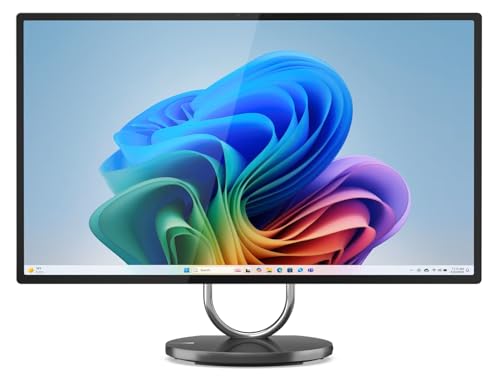
- Best flagship for a small desk: Lenovo Yoga AIO 32i, Core Ultra 7 258V, RTX 4050, 32GB, 1TB — Check on Amazon
- HP OmniStudio X 32-c1010, Core Ultra 7 256V, 16GB, 2TB SSD — Check on Amazon
- Apple iMac 24-inch with M4 (10-core), 24GB, 512GB — Check on Amazon
- Dell Inspiron 7730 All-in-One 27-inch Touch, Core 7 150U, 32GB, 1TB — Check on Amazon
See 2 more Amazon options
- Lenovo Yoga AIO 27, Core Ultra 7 255H, 16GB, 1TB — Check on Amazon
- Apple iMac 24-inch with M4 (8-core), 16GB, 256GB — Check on Amazon
Read the full guide ↓
Disclosure: As an Amazon Associate, reviewstook.com earns from qualifying purchases. Links to Amazon on this page are affiliate links; they cost you nothing extra. Listing details such as price and availability change often, so check the current Amazon listing before you buy.
Every all-in-one is already a small-space computer — that is the entire idea of the form factor. The screen is the computer, the speakers and camera live inside it, and a single power cable is the whole wiring diagram. There is no tower to house, no monitor arm to buy, no second box warming your shins. So a guide to all-in-ones for small spaces cannot grade the obvious; the machines below all pass that test before the comparison starts. What separates them is subtler, and it is what this guide actually measures: how much desk the screen class demands, whether the stand helps or fights a tight setup, and how many extra objects — an external drive, a network adapter, a separate webcam — quietly move back onto the desk after the “one box” promise is made.
One piece of market honesty belongs up front, because it changes how the money should move. With a $3,000 ceiling you might expect a shelf of halo machines, but on Amazon the all-in-one category does not fill that ceiling. The most premium machine we could pin to a verified Amazon listing is the Lenovo Yoga AIO 32i, a flagship-tier model; HP’s big-screen OmniStudio X family sits in the premium tier in its 32GB configurations. Above that band there is nothing verified to buy — Lenovo’s newer OLED Yoga AIO i Aura Edition is sold through Lenovo’s own store, over this budget and not an Amazon listing, so it is not a pick here and carries no link. Check price on Amazon for each pick, and remember that any unspent remainder is genuinely useful in a small room: it buys the shallow desk, the wall shelf or the better chair instead of a specification tier that does not exist.
The six machines below are ranked for tight desks, not just tight budgets. Two 31.5-inch flagships — the Lenovo Yoga AIO 32i and the HP OmniStudio X — deliver the biggest screens in the class and demand the deepest desks in return. Two 27-inch machines split the middle: a touchscreen Dell built for shared spaces and a rotating Lenovo whose stand is the most space-literate design here. And the two 24-inch iMacs are the shallow-desk specialists — the thinnest footprint in the guide, the sharpest panel per inch, and, in the base model’s case, a hidden space cost we will keep returning to: storage small enough that an external drive becomes permanent desk furniture. Below are the quick picks, the space costs nobody prints on a spec sheet, detailed reviews of all six, a comparison table, a measure-before-you-buy routine, the mistakes that crowd a small desk, and the questions small-space buyers ask most.
In this guide
Quick Picks
Short on time, or comparing several options at once? Each row below names a space situation and the product that suits it, with a link to the listing.
| Space situation | Pick | Why it fits | Link |
|---|---|---|---|
| Biggest screen, one deep desk | Lenovo Yoga AIO 32i (RTX 4050) | 31.5-inch 4K, the only discrete GPU, nothing else to house | Check on Amazon |
| Big screen, no external drive allowed | HP OmniStudio X 32-c1010 | 31.5-inch 4K at 550 nits with 2TB inside the machine | Check on Amazon |
| Shallow desk, sharpest picture | Apple iMac 24-inch, M4 10-core, 24GB/512GB | 24-inch 4.5K Retina in the thinnest enclosure here | Check on Amazon |
| Shared corner, kitchen counter, family nook | Dell Inspiron 7730 All-in-One 27-inch | 27-inch touchscreen everyone can walk up and use | Check on Amazon |
| One screen, two jobs, awkward corner | Lenovo Yoga AIO 27 | Rotating stand and an HDMI input for a second machine | Check on Amazon |
| Smallest spend, smallest footprint | Apple iMac 24-inch, M4 8-core, 16GB/256GB | The same slim iMac in the budget tier for this guide — check price on Amazon, and plan a drive | Check on Amazon |
How These Picks Were Chosen
The six machines are the verified flagship set from our main all-in-one research, re-ranked here through a space lens. Every product is a real US Amazon listing. Check price on Amazon for the current figure, because all-in-one prices move with coupons, seller changes and seasonal sales. For prose-only context in this guide, picks are positioned qualitatively by tier rather than by a fixed amount, and the reviews tell you what to check on the live listing instead. Anything that could not be pinned to a verified listing was excluded, however good it might be — which is why the OLED Aura Edition appears in this guide’s ceiling discussion but is not a pick.
The grading starts with screen class, because screen class is desk class. A 31.5-inch panel is a wall of display that wants a deep desk and a viewing distance to match; a 27-inch panel is the middle settlement; a 24-inch panel is what fits the desks that actually come with small rooms — shallow desks, kitchen counters, alcoves, the end of a dining table. Within each class we weighed the stand next: does it only tilt, does it lift, does it swivel or rotate to meet an awkward corner? Then the built-ins, because in a small space every integrated component is an external box that never arrives — a good camera deletes a webcam, good speakers delete a speaker bar, a big internal SSD deletes a drive and its cable. Finally we counted the hidden costs the reviews keep flagging: ports that live at the back, adapters a base configuration quietly requires, and storage small enough to guarantee an accessory.
Two filters from the main guide still apply unchanged. The permanence filter: nearly every machine here has soldered memory, so the configuration on the listing is the configuration forever — we favor listings that start at 32GB, or say clearly where 16GB is the ceiling being accepted. And the graphics honesty filter: integrated graphics in current Intel and Apple chips are genuinely capable for office work, photo editing and light creative tasks, but they are not gaming hardware, and the one discrete card in this guide — a laptop RTX 4050 with 6GB — is a light-gaming and acceleration card, not a flagship. Where a maker’s marketing implies more, the review corrects it. If gaming power is the real requirement, the section near the end of this guide on when an all-in-one is the wrong answer will route you to the small machines that actually deliver it.
The Space You Cannot See on the Spec Sheet
Spec sheets list screens and processors. They do not list the objects. Yet on a small desk, the objects are the purchase: the difference between a clean setup and a crowded one is rarely the computer — it is the three small boxes and two cables that arrive afterwards. Before the reviews, here is the honest inventory of what tends to move onto the desk with each kind of pick in this guide, so you can count your own setup in advance.
Storage is the biggest hidden object. A machine with 1TB or 2TB inside it swallows a photo library whole and asks for nothing. A machine with 256GB — the base iMac below — turns an external SSD into a permanent resident: a small box, a short cable, and one more thing competing for the back edge of a shallow desk. That does not disqualify it; it is still the slimmest computer here. But its true footprint is the iMac plus the drive, and this guide grades it that way.
Adapters are the second. The base iMac’s standard power adapter carries no Gigabit Ethernet port, so a wired network connection — the reliable kind, the kind a small room far from the router often needs — means an adapter or dock joining the desk. Port counts matter the same way: a machine whose ports mostly live at the back, like the big Lenovo, asks you to plan the cable drop once, properly, instead of reaching around a 31.5-inch screen every time something needs plugging in.
Built-ins are the subtraction. Every pick here integrates its camera and speakers, which is two boxes that never ship. The iMacs’ 12MP Center Stage camera is good enough that no webcam upgrade is rational; the Lenovo flagships’ 5MP IR cameras and named speaker systems — Harman Kardon in the 32i, JBL in the Yoga 27 — close the same question. Both Lenovos go one step further: the base of each stand wirelessly charges a phone, which quietly deletes a charging puck and its cable from the desk’s most contested corner.
The stand is the last invisible item. A tilt-only stand spends desk depth to buy viewing angle — lean the screen back and its footprint deepens. A height-adjustable stand, like the HP’s, or a rotating one, like the Yoga 27’s, lets the screen fit the space instead of the space fitting the screen: the Yoga 27 can turn portrait and read like a document column against a wall, the single most space-literate trick in this guide. None of the six listings in our sources documents dimensions, weight or a wall-mount standard, so this guide claims none — the measure routine in How to Choose turns the live listing’s own product-information block into your dimension source.
The 6 Best All-in-One PCs for Small Spaces Under $3,000
Lenovo Yoga AIO 32i — Core Ultra 7 258V, RTX 4050, 32GB, 1TB
Who it suits: A small-space buyer with one genuinely deep desk — a studio corner, a dedicated work nook — who wants the largest screen and the most complete machine, and will not need the desk for anything else.
Start with the placement truth: this is the biggest object in the guide. The 31.5-inch 4K UHD IPS panel — 97% DCI-P3, HDR 600, 495 nits, touch, behind a three-sided borderless design on a tilting metal hinge — needs viewing distance to make sense, and independent reviewers of this model have noted that the design asks for a deep desk. That is the whole trade, stated plainly: in exchange for the depth, everything else about the machine subtracts objects. The camera is a 5MP IR unit inside the bezel. The speakers are Harman Kardon with Dolby Atmos. The stand’s base charges a phone wirelessly. Storage is 1TB inside the machine, memory is 32GB, and there is exactly one power cable. A desk that can host it hosts nothing else — no tower, no monitor, no drive, no webcam, no charger puck — and for a one-desk room that total consolidation is the point.
The specification inside justifies the flagship label. An Intel Core Ultra 7 258V drives the machine, and behind the panel sits the component no other pick here has: an NVIDIA GeForce RTX 4050 laptop GPU with 6GB of GDDR6, which accelerates creative exports and AI features and makes light gaming at reduced settings a real option. Wi-Fi 7 and Thunderbolt 4 complete a premium-tier package — check price on Amazon for the current figure. The space caveats beyond size are two. The stand’s ports mostly live at the back, so day-to-day plugging happens by feel unless you plan the cable drop once and route it properly. And the memory is soldered onto the package: 32GB is generous, and it is also forever. The Amazon listing for this configuration is a reseller bundle that includes a 64GB USB drive — a flourish, not a Lenovo feature — so check the seller and the warranty path before buying, because on a premium machine the warranty is part of the product.
- The only discrete GPU in the guide — RTX 4050 6GB — inside a single-cable machine.
- 31.5-inch 4K, 97% DCI-P3, HDR 600: the joint-biggest, joint-best Windows screen here.
- Phone charging in the stand base, 5MP camera, Harman Kardon sound — boxes deleted.
Honest limitation: It asks for a deep desk and gives back a tilt-only stand — the screen class that most needs placement help gets the least of it — and the RTX 4050 is a laptop card that will not drive its own 4K panel in demanding games.
Choose it if your desk is deep, your work is creative, and you want one object to be the whole computer. Skip it if the desk is shallow — the 27-inch and 24-inch picks below exist precisely for you — or if gaming is the priority, because a small tower at this price is in a different league.

HP OmniStudio X 32-c1010 — Core Ultra 7 256V, 16GB, 2TB SSD
Who it suits: A buyer whose library is the space problem — terabytes of photos, video and documents — who wants the big screen and the archive in one object, with no external drive ever joining the desk.
The HP makes the same 31.5-inch demand as the Lenovo and then argues it spends the space better. Its 4K UHD IPS panel is the brightest in the guide at 550 nits, with HDR 600 and 95% DCI-P3 behind anti-glare coating — the screen most likely to survive a bright small room where the desk has to sit near a window. Crucially, it stands on a height-adjustable stand, the placement feature the Lenovo flagship lacks: on a shallow-ish desk, lift and viewing angle stop fighting each other. And the configuration attached to this listing carries a 2TB SSD, the largest storage in the guide. In space terms that number is not a luxury; it is the difference between a desk with one object on it and a desk with one object plus a drive, a cable and a small daily annoyance, forever.
The rest of the specification is a Copilot+ machine built around a Core Ultra 7 256V with Intel Arc 140V integrated graphics, a 5MP IR camera and Wi-Fi 7. The feature a small-space buyer should weigh most is the HDMI input: the panel can serve as a monitor for a laptop or console, so one screen does two jobs in a room that has no space for two screens — and can keep doing the display job after the built-in computer ages. The honest debits are real. The 16GB of LPDDR5x memory is soldered, and 16GB is the floor for a premium machine, not the standard — the Lenovo above carries 32GB, and so do HP’s own other configurations of this machine. Check price on Amazon for this exact 2TB listing, and note it has shown as unavailable in past crawls, so treat the live listing as the place to judge value: if the 32GB configurations are the better value when you check, consider one of those and accept the drive; if this listing is the better value, the panel, the stand and the 2TB make the case.
- Brightest panel in the guide: 31.5-inch 4K, 550 nits, HDR 600, anti-glare.
- 2TB inside the machine — the only pick that structurally bans the external drive.
- Height-adjustable stand and an HDMI input that lets the screen serve a second machine.
Honest limitation: 16GB of soldered memory in a flagship-priced machine, integrated graphics only — the configuration trades the memory ceiling for storage and screen.
Choose it if your files genuinely live on the machine and your workload is office, media and photo work. Skip it if you multitask heavily or keep machines six-plus years — the 32GB configurations of this same HP, or the Lenovo, age better in the same footprint.

Apple iMac 24-inch with M4 (10-core) — 24GB, 512GB
Who it suits: The shallow-desk buyer — the alcove, the kitchen-adjacent counter, the end of a shared table — who still wants a genuinely premium screen and the best video-call hardware in the guide.
If the 31.5-inch machines are the deep-desk answer, the iMac is the shallow-desk one, and it is not a compromise so much as a different geometry. The 24-inch 4.5K Retina panel resolves 4480 × 2520 with P3 wide color at 500 nits, packing a flagship-class pixel count into the smallest screen class here — text stays crisp at the close viewing distances small desks impose, which is exactly where a big 4K panel’s advantage evaporates. The enclosure is the thinnest in the guide, the machine is silent, and the 12MP Center Stage camera is by a wide margin the best webcam fitted to any pick — in a small home, where the desk is often also the meeting room, that deletes the webcam question entirely. This is the upgraded configuration: a 10-core M4 with a 10-core GPU, 24GB of unified memory and a 512GB SSD — check price on Amazon for the current figure.
The placement debits are specific. The stand tilts and does nothing else — no height adjustment — so on a fixed-height shallow desk, a riser or a stack of books may join the setup, and buyers should count that before ordering rather than after. Storage is 512GB and fixed: comfortable for documents and a managed photo library, tight for video work, where an external SSD becomes a desk resident just as it does on the base model. There is no touchscreen. And the listing’s color is a real buying detail, because Amazon sells each iMac color as its own listing — this ASIN is the Pink finish, model family MD2U4LL/A; the identical configuration in silver or blue lives under different listings, so search by model number if the color is wrong for your room, and confirm the memory and storage on the exact listing you land on.
- 4.5K Retina at 24 inches — the sharpest panel here, built for close viewing distances.
- The thinnest footprint in the guide and the best camera: 12MP Center Stage.
- 24GB of memory — the iMac configuration that does not need an apology.
Honest limitation: A tilt-only stand and 512GB of fixed storage — the two things a small-desk buyer will negotiate with daily and yearly, respectively.
Choose it if you are in the Apple ecosystem, your work is color-sensitive, and the desk is shallow. Skip it if you need Windows software, height adjustment, or a 27-inch-plus canvas.

Dell Inspiron 7730 All-in-One 27-inch Touch — Core 7 150U, 32GB, 1TB
Who it suits: A shared small space — the family corner, the kitchen counter, the hallway desk everyone passes — where the computer is furniture the whole household walks up to, not one person’s workstation.
Touch is a space feature, and this is the only pick that has it. A 27-inch Full HD touchscreen behind narrow borders, with ComfortView Plus low-blue-light treatment, changes the physical choreography of a shared machine: a child does homework standing at it, a cook scrolls a recipe without hunting for the mouse, a grandparent taps through a video call. No keyboard tray has to live out, no mouse needs a permanent home — the screen is the interface, which in a pass-through space is worth more than resolution. The configuration asks nothing on day one: a 10-core Intel Core 7 150U, 32GB of memory, a 1TB SSD, Wi-Fi 6E, Bluetooth 5.3, Windows 11 Pro, and an NVIDIA GeForce MX570A with 2GB of dedicated memory — an entry-level discrete chip, honestly framed: a real step above integrated graphics for light photo work and casual games, not a gaming card. Check price on Amazon for this exact upgraded configuration — and read the note below before you decide.
The note is about provenance. This listing’s own text states the original seal is opened so the seller can install the advertised upgrades: it is a reseller-upgraded machine, not a factory Dell configuration. That is a common and legitimate Amazon practice, and it makes two checks part of the purchase — who the seller is, and how the warranty works, because a seal-opened upgrade can complicate a manufacturer warranty claim. The panel is the second honest point, and in a small space it cuts both ways: Full HD on 27 inches is visibly softer than the 4K and 4.5K displays above, which matters at a photographer’s close desk and matters much less at a shared counter’s standing distance, where this machine will actually live. The Core 7 150U is an efficiency-class processor — snappy for everyday work, a clear step below the H-series chip in the Yoga 27 below for sustained heavy tasks. Buy the Dell for the touch, the size and the easy specification; do not buy it for fine detail.
- The only touchscreen here — the walk-up-and-use pick for shared spaces.
- 32GB of memory and 1TB inside: nothing to add, nothing to house.
- A discrete MX570A chip — modest, but a genuine rung above the integrated-only competition.
Honest limitation: The softest panel in the guide at 27 inches, in a reseller-upgraded listing — verify the seller and the warranty terms before buying.
Choose it if the machine is shared, touch will actually be used, and it will live at standing or family distance. Skip it if it is your solo close-up work desk or you want a factory-sealed machine with a clean manufacturer warranty.
Lenovo Yoga AIO 27 — Core Ultra 7 255H, 16GB, 1TB
Who it suits: The awkward-space buyer — the corner desk, the wall-adjacent setup, the room where the screen must fit the human and the architecture at once — plus anyone who wants one screen to serve a desktop and a laptop.
Every all-in-one in this guide asks the room to accommodate the screen, except this one. The Yoga AIO 27’s stand tilts, swivels, rises by 70mm and pivots the panel fully into portrait — the only display here that can turn vertical, reading like a document column against a wall, and the only one that adjusts enough to solve a corner instead of surrendering to it. The panel is a 27-inch QHD IPS at 2560 × 1440 with a 120Hz refresh rate — smoother in daily scrolling than every 60Hz screen here — at 400 nits with 99% sRGB coverage. Behind it sits a Core Ultra 7 255H, an H-series chip with more sustained headroom than the efficiency processors in the Dell and the big Lenovo, with Intel Arc integrated graphics, 16GB of LPDDR5X memory and a 1TB SSD. JBL speakers, a 5MP camera and the line’s wireless phone charging in the base complete the subtraction of desk objects — check price on Amazon for the current figure.
The feature that doubles its space value is the HDMI input: the screen works as a monitor for a work laptop, so a small desk that must host two computers hosts one screen. That is the strongest two-jobs-one-footprint argument in the guide, shared only with the HP. The compromises are memory and gamut. The 16GB is soldered — Lenovo’s own guidance and the review record agree it cannot be expanded — so heavy multitaskers should weigh the 32GB machines above, and photographers should note that 99% sRGB sits a step below the flagships’ DCI-P3 panels for color-critical work. One buying check is specific to this model: more than one Amazon listing circulates for the Yoga AIO 27 family with different memory and storage combinations, so confirm the exact configuration on the listing you buy — 255H, 16GB, 1TB — rather than trusting the family name.
- The most space-literate stand here: tilt, swivel, height and full portrait rotation.
- HDMI input — one footprint serves the desktop and a laptop.
- QHD at 120Hz: the smoothest everyday panel in the guide.
Honest limitation: The memory is soldered at 16GB and the panel stops at sRGB — precisely the two lines a buyer keeping this machine for years, or judging color critically, will feel first.
Choose it if your space is awkward, your hours at the desk are long, or one screen must do two jobs. Skip it if your workload will want 32GB, your photography needs a wider gamut than sRGB, or a discrete GPU is on your list.

Apple iMac 24-inch with M4 (8-core) — 16GB, 256GB
Who it suits: The smallest-desk buyer whose workload is everyday computing — browsing, documents, photo management, streaming, video calls — and who would rather keep most of the budget than buy headroom that will never be used.
Physically, this is the same proposition as its upgraded sibling: the same 24-inch 4.5K Retina panel with P3 color at 500 nits, the same 12MP Center Stage camera, the same six-speaker system, the same thin and silent enclosure that makes it the easiest object in this guide to place. The differences are internal: an M4 with an 8-core CPU and 8-core GPU, 16GB of unified memory and a 256GB SSD. For the workloads most all-in-ones actually perform, that is not a felt compromise — everyday computing runs identically, and 16GB carries heavy browsing, office suites and photo libraries without complaint. What closes the argument is its position as the budget-tier iMac in this guide: check price on Amazon for the current figure. In a guide addressed to small rooms, any budget left over is not a footnote — it is the desk, the chair and the shelf the machine will live with.
But this pick carries the guide’s clearest hidden space cost, and honesty requires pricing it in objects, not just dollars. The 256GB SSD is genuinely small: a large photo library, a few games or a year of phone backups fills it, and because it can never be upgraded, an external SSD stops being an option and becomes furniture — a box and a cable permanently sharing the shallow desk the iMac was bought to keep clean. The base configuration also trims quietly: two Thunderbolt ports rather than the 10-core model’s four, and no Gigabit Ethernet on the standard power adapter, so a wired connection adds an adapter to the same desk. None of that matters for the family-and-office workload this machine is for. All of it matters if the machine is secretly a creative workstation. Buy it as the best mainstream all-in-one on Amazon, with the drive planned from day one, and the footprint stays honest.
- The same slim enclosure, 4.5K display and camera as the flagship iMac — check price on Amazon.
- M4 speed that covers everyday computing without any felt compromise.
- Leaves most of a $3,000 budget for the room the machine lives in.
Honest limitation: 256GB of fixed storage — the smallest here — guarantees an external drive on the desk, and the base model trims ports and GPU cores against its sibling.
Choose it if the desk is tiny, the workload is everyday, and you will plan the external drive instead of resenting it. Skip it if your libraries are large or your creative work is sustained — the 24GB/512GB iMac above keeps the same footprint without the accessory.

Comparison Table
| Product | Screen class | Stand and placement | Memory / Storage | Link |
|---|---|---|---|---|
| Lenovo Yoga AIO 32i | 31.5-inch 4K IPS, 97% DCI-P3 | Tilt hinge; wants a deep desk | 32GB / 1TB | Check on Amazon |
| HP OmniStudio X 32-c1010 | 31.5-inch 4K IPS, 550 nits | Height-adjustable; HDMI-in second life | 16GB / 2TB | Check on Amazon |
| Apple iMac 24-inch, M4 10-core | 24-inch 4.5K Retina, P3 | Tilt only; thinnest footprint | 24GB / 512GB | Check on Amazon |
| Dell Inspiron 7730 AIO 27 | 27-inch FHD touchscreen | Touch — walk-up shared use | 32GB / 1TB | Check on Amazon |
| Lenovo Yoga AIO 27 | 27-inch QHD IPS, 120Hz | Rotates to portrait; HDMI-in | 16GB / 1TB | Check on Amazon |
| Apple iMac 24-inch, M4 8-core | 24-inch 4.5K Retina, P3 | Tilt only; plan an external drive | 16GB / 256GB | Check on Amazon |
How to Choose an All-in-One for a Small Space
Measure before you buy — in that order, and in this order. The routine below takes ten minutes with a tape measure and a roll of painter’s tape, and it prevents the only truly expensive mistake in this category: a beautiful machine that does not fit the room it was bought for.
- Step 1 — Measure the desk depth, then choose the screen class. Depth decides class before preference gets a vote. A shallow desk — the kind that fits an alcove or a spare wall — pairs with the 24-inch iMacs, whose pixel density is built for close viewing. A mid-depth desk takes the 27-inch machines. A 31.5-inch flagship wants a genuinely deep desk and the viewing distance to match; the big Lenovo’s own review record notes the design asks for depth, so believe it and measure yours.
- Step 2 — Tape the footprint. Mark the stand’s footprint on the desk with tape, using the dimensions in the live listing’s product-information block — our sources document no dimensions for these six, so the listing is your only honest source, and you should capture them there rather than from a roundup. Live with the tape for a day. If the keyboard, the notebook and the coffee no longer fit inside the remaining space, the screen class is wrong, not the desk.
- Step 3 — Count every object, not just the computer. List what will actually live on the desk: the machine, keyboard, mouse, plus the additions each pick implies — an external drive for the 256GB iMac, an Ethernet adapter for its base configuration, a riser for a tilt-only stand at a fixed-height desk. Picks with big internal storage and full built-ins — the HP’s 2TB, both Lenovos’ charging bases and integrated cameras and speakers — subtract objects; that subtraction is a specification, and in a small room it may be the deciding one.
- Step 4 — Walk the cable run. An all-in-one promises one power cable; make the room keep that promise. Check where the outlet sits relative to the desk, whether the cable drop falls cleanly behind, and — on the big Lenovo, whose ports mostly live at the back — whether the things you plug in weekly can reach, or whether one planned hub or cable route solves it permanently instead of daily.
- Step 5 — Then order, and verify on arrival. Confirm the exact configuration on the listing — CPU, memory, storage, operating system — identify the seller, and understand the warranty path, because several picks here are reseller bundles or reseller-upgraded listings. When the machine arrives, check the delivered specification against the order before the return window becomes a memory.
Beyond the tape measure, three specification rules survive every small-space purchase. Treat memory as a lifetime decision: nearly every machine here solders it, so 32GB is the flagship standard for a six-year machine and 16GB is acceptable only when the price honestly reflects it or the workload is light. Size storage for the library you have, remembering that in this form factor storage failure is not an upgrade problem — it is a furniture problem, an external box on a desk that had no room for one. And be precise about graphics: integrated Intel Arc and Apple GPUs are strong for office and creative work, and the one discrete card here, a laptop RTX 4050, is real acceleration for editing and light gaming — not a desktop gaming substitute at any price in this category.
When an All-in-One Is the Wrong Answer
There is one requirement no all-in-one in this guide can meet, and it is the one this site’s readers most often bring: real gaming power. The strongest graphics here are a laptop RTX 4050 with 6GB, and the honest name for that is light gaming at reduced settings. If the small space is a gaming space — if the desk is small but the ambition is a modern library at high settings — the correct purchase is not a bigger all-in-one; it is a small computer built for the job, plus the monitor you already own or choose separately. Our guides to the Best Mini Gaming PC Under $3000, the Best Small Form Factor Gaming PC Under $3000 and the Best Compact Gaming PC Under $3000 cover machines that put a desktop-class graphics card in a case a fraction of a tower’s size, and the Best Mini PC Under $3000 guide covers the smallest general-purpose route of all.
Name the trade in both directions before you switch. The small gaming machine wins on power and on future: desktop graphics, upgradeable memory and storage, a screen you keep when the computer changes. It loses on objects: a case and a monitor are two things, with a power cable each, plus the keyboard, the speakers and the webcam the all-in-one integrates — on a truly small desk, that inventory is the whole argument. The all-in-one wins the desk and loses the ceiling: laptop silicon, soldered memory, a screen retired with its computer unless it takes an HDMI input. Neither answer is a compromise of the other; they are different purchases wearing similar price tags. Buy the all-in-one for the room. Buy the small gaming PC for the games. Confusing the two is how a premium machine becomes a disappointment it never deserved to be.
Common Buying Mistakes
- Buying the 31.5-inch screen for a shallow desk. The panel is magnificent and the geometry is unforgiving — at close distance a big 4K screen is worse, not better, than a dense 24-inch one. Measure depth first.
- Measuring the screen and forgetting the stand. The footprint on the desk is the stand’s, not the panel’s, and a tilt-only stand spends depth every time you lean the screen back.
- Counting the computer and not the objects. The 256GB iMac plus its permanent external drive is the real footprint; the HP’s 2TB exists precisely to prevent that arithmetic. Price and place the whole setup.
- Assuming wall-mounting will solve it later. None of the six listings in our verified sources documents a mount standard, so treat mounting as unconfirmed until the live listing’s own specification says otherwise — never plan a room around a bracket a listing has not promised.
- Choosing an iMac by color and checking the configuration second. Each finish is a separate Amazon listing; confirm the memory and storage on the exact one in the cart, not on the family page you read about.
- Paying flagship prices for a reseller-upgraded listing without checking the seller, the exact configuration and the warranty path. The model name is the same; the product behind it may not be.
- Buying 16GB of soldered memory for a six-year machine. The saving is real today, the ceiling is permanent, and no desk arrangement fixes it later.
- Ignoring the HDMI-input question. On the HP and the Yoga 27, the screen can serve a future laptop or mini PC after the built-in computer ages — in a small space, one screen doing two jobs across two computer generations is worth years of room.
Final Recommendation
- Deep desk, one machine for everything: Lenovo Yoga AIO 32i — the flagship, with the only discrete GPU and a footprint that replaces every other box.
- Big screen, big library, zero external drives: HP OmniStudio X 32-c1010 — if its 16GB ceiling fits your workload.
- Shallow desk, premium expectations: Apple iMac 24-inch, M4 10-core, 24GB/512GB — the small-space flagship in spirit.
- Shared spaces and touch: Dell Inspiron 7730 All-in-One 27-inch — the walk-up machine.
- Awkward corners and two-computer desks: Lenovo Yoga AIO 27 — the stand and the HDMI input are the features.
- Smallest desk, smallest spend: Apple iMac 24-inch, M4 8-core — with the external drive planned, not resented.
Our top two for small spaces are the upgraded 10-core iMac, because its thin enclosure and dense 4.5K panel are the only flagship specification that improves as the desk gets shallower, and the Lenovo Yoga AIO 32i, because a room with one deep desk deserves the most complete single object that desk can host — big accurate screen, real graphics, full memory and storage, and nothing else to plug in. Between them they mark the honest poles of this purchase: the smallest flagship and the biggest one, each correct in the room it was measured for. Buyers between the poles are well served — the Yoga 27’s rotating stand solves corners nothing else here can, and the HP’s 2TB is the only structural cure for the external-drive problem. For the full technical treatment of this same set without the space lens, see Best All In One PC Under $3000; if the budget is smaller, see Best All In One PC Under $2500; first-time buyers should read Best All In One PC For Beginners Under $3000, and desk-streamers Best All In One PC For Streaming Under $3000. Whichever you choose, measure the desk, tape the footprint, verify the exact configuration and seller on the live listing, and check the current price before you order — in a small room, the measuring deserves as much care as the machine.
Frequently Asked Questions
Which of these is best for a really shallow desk?
Either iMac. The 24-inch class is built for close viewing — the 4.5K panel’s pixel density keeps text crisp at the distances a shallow desk imposes — and the enclosure is the thinnest in the guide. Choose the 10-core model if you can, because its 512GB delays the external drive that the base model’s 256GB makes inevitable; choose the base model when the budget matters more, and plan the drive from day one.
Can I wall-mount one of these to free the desk entirely?
Our verified sources do not document a wall-mount standard for any of the six listings, so this guide will not promise one. Treat mounting as unconfirmed: check the live listing’s own specification block for a mount line before planning around it, and if the listing is silent, assume the stand is the placement. It is better to learn that from the listing than from a bracket that does not fit.
How much desk depth does a 31.5-inch all-in-one need?
More than most small rooms have — that is the honest summary. The class wants a deep desk and a viewing distance to match, and reviewers of the Lenovo flagship have specifically noted that its design asks for depth. Our sources document no exact dimensions for these machines, so capture the figures from the live listing’s product-information block, tape the footprint on your desk, and sit at your real distance before ordering. If the tape leaves no room for a keyboard, the 27-inch class is your answer.
What extra objects will I actually end up buying?
It depends on the pick, which is the point of this guide. The HP’s 2TB and the Lenovos’ 1TB keep storage inside the machine; the base iMac’s 256GB makes an external SSD a permanent addition, and its standard adapter’s missing Ethernet port adds an adapter if you need a wired connection. Every pick integrates camera and speakers, so no webcam or speaker box should appear; both Lenovos even remove the phone charger, with wireless charging built into the stand base.
Can the screen outlive the computer in a small setup?
On two picks, yes — and in a small space that is worth real money. The HP OmniStudio X and the Lenovo Yoga AIO 27 both accept an HDMI input, so their panels can serve a future laptop or mini PC after the built-in computer slows: one screen, two computer generations, no second footprint. The iMacs and the other picks cannot do this; when their computers age, the screens retire with them.
Is there really no all-in-one between $2,500 and $3,000 worth buying?
There is no verified one on Amazon at all in that upper band. The most premium all-in-one pinned to a real listing in our research was the Yoga AIO 32i, with HP’s 32GB OmniStudio X configurations also in the premium tier; above that band, flagship all-in-ones live on manufacturer stores — Lenovo’s OLED Aura Edition is a manufacturer-store model — over this budget and outside Amazon. Spend the difference on the room instead: in a small space, the desk and chair the machine lives with are worth more than a tier that does not exist.
- Best All In One PC Under $3000
- Best All In One PC Under $2500
- Best All In One PC Under $1500
- Best All In One PC Under $1200
- Best All In One PC For Beginners Under $3000
- Best All In One PC For Streaming Under $3000
- Best All In One PC For 1440p Gaming Under $3000
- Best Mini Gaming PC Under $3000
- Best Gaming PC Under $3000


