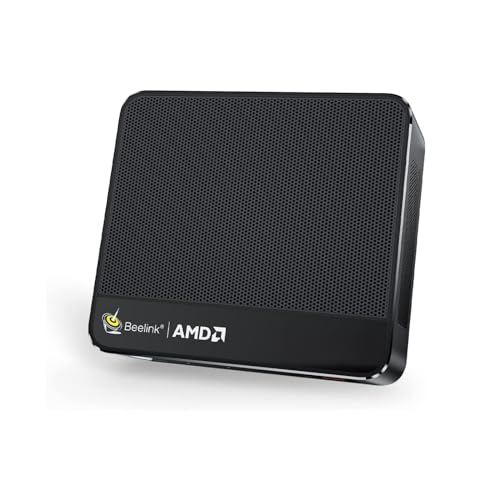
Where to buy
Check the latest price, availability and delivery on Amazon. Orders are placed on Amazon. We may earn a commission from qualifying purchases.
- Best small-space pick overall: Beelink SER5 MAX Mini PC, Ryzen 7 7735HS, Radeon 680M, 24GB LPDDR5, 500GB SSD — Check on Amazon
- MXZ Gaming Desktop, Ryzen 5 5500, GTX 1660 Super 6GB, 16GB DDR4, 500GB NVMe SSD — Check on Amazon
- GMKtec NucBox M6 Ultra Mini PC, Ryzen 5 7640HS, Radeon 760M, 16GB DDR5, 512GB SSD — Check on Amazon
- STGAubron Gaming PC, Ryzen 5 5500, Radeon RX 580 8GB, 16GB DDR4, 512GB SSD — Check on Amazon
See 2 more Amazon options
- GMKtec M5 Plus Mini PC, Ryzen 7 5825U, 32GB RAM, 1TB SSD — Check on Amazon
- ACEMAGICIAN AM06 Pro Mini PC, Ryzen 7 5800U, 16GB RAM, 512GB SSD — Check on Amazon
Read the full guide ↓
Disclosure: As an Amazon Associate, reviewstook.com earns from qualifying purchases. Links to Amazon on this page are affiliate links; they cost you nothing extra. Listing details such as price and availability change often, so check the current Amazon listing before you buy.
Small rooms punish computers in ways a spec sheet never mentions. The machine has to physically fit — on a shelf, beside a television, in the corner of a studio flat — and then it has to live there: breathing through vents that are not pressed against a wall, dumping its heat into a room that may already run warm, and staying quiet enough that the person sleeping three metres away is not part of the cooling discussion. This guide takes the six verified sub-$500 “4K” machines from our main budget roundup and grades them again through that lens: where each one can actually sit, what its footprint really costs you once the power brick and cables are counted, and which of them a small space should welcome — or refuse.
Two honesty rules govern everything below, and the first is inherited from the main guide: there is no true native-4K gaming PC under $500. Every pick here outputs a 4K desktop and 4K video flawlessly, games honestly at 1080p (lightly at 1440p on the stronger hardware), and upscales to fill a 4K screen. Real native-4K prebuilts start around the $1,200 tier. The second rule is specific to this variant: we do not invent measurements. Mini PC listings are notoriously loose with dimensions, and only one pick in this guide — the GMKtec NucBox M6 Ultra — has a footprint documented in its listing’s specification table (5 × 2 × 5 inches), so it is the only machine graded against a printed number. Everything else is graded by form-factor class: the four mini PCs are shelf, monitor-back and beside-the-TV machines; the two towers are floor furniture. Where a live listing publishes dimensions, we tell you to measure against them before ordering — and the checklist further down turns that into a five-minute routine.
The shape of the shortlist already tells the small-space story. Four of the six picks are mini PCs built on laptop-class Ryzen chips: the Beelink SER5 MAX with the strongest integrated graphics in the guide, the GMKtec M6 Ultra on the newest platform, the GMKtec M5 Plus trading graphics for memory and storage, and the ACEMAGICIAN AM06 Pro as the budget-tier entry. The other two are full towers — an MXZ build around a GTX 1660 Super and an STGAubron build around an RX 580 — included because they are the only sub-$500 machines with discrete graphics and a real upgrade path, and because some “small spaces” do have one free floor corner. But let us be plain about the compromise: a tower in a small room is not a small PC. It is a piece of furniture you place once, ventilate carefully, and walk around. Each tower review below grades that bargain honestly, and a dedicated section near the end covers when a tower is simply the wrong answer.
In this guide
Quick Picks
Short on time, or comparing several options at once? Each row below names a small-space situation and the machine that suits it, with a link to the listing.
| Your situation | Pick | Why it stands out | Link |
|---|---|---|---|
| Best small-space pick overall | Beelink SER5 MAX, Ryzen 7 7735HS, Radeon 680M | Strongest integrated graphics in a mini PC chassis — shelf or behind the TV, nothing on the floor | Check on Amazon |
| Smallest documented footprint | GMKtec NucBox M6 Ultra, Ryzen 5 7640HS, Radeon 760M | The only pick with listing-documented dimensions (5 × 2 × 5 in), plus a USB4 port for a future external GPU | Check on Amazon |
| Most rendering power, if you have the floor corner | MXZ Gaming Desktop, Ryzen 5 5500, GTX 1660 Super | A real discrete GPU and an upgradeable tower — the performance pick, and openly a furniture commitment | Check on Amazon |
| Cheapest tower to upgrade later | STGAubron Gaming PC, Ryzen 5 5500, RX 580 8GB | A standard tower bought as a platform; also the most heat this guide puts into a small room | Check on Amazon |
| Best memory and storage per shelf inch | GMKtec M5 Plus, Ryzen 7 5825U, 32GB RAM, 1TB SSD | Double the RAM and storage of most rivals, with strong value in this tier | Check on Amazon |
| Cheapest honest entry | ACEMAGICIAN AM06 Pro, Ryzen 7 5800U | Triple 4K output in a budget-tier box — a media-first pick for tight rooms | Check on Amazon |
How These Picks Were Chosen
The product set is the same six verified machines as our main under-$500 4K guide — same ASINs, same deal rules — re-graded for rooms where space is the scarce resource. Nothing was added, and no new specification is claimed here that the base research did not verify. What changed is the weighting. In the main guide, graphics hardware decides the ranking almost alone. Here it shares the decision with four space questions: What class of footprint is it — shelf, desk corner, or floor furniture? Where does its heat go, and how much of it is there? What does the machine need around it — vent clearance, a power brick’s worth of extra room, a cable run to the screen? And what does it cost the room when it is working hardest, in warmth and in fan presence?
On measurements, this guide follows a strict rule: a dimension is only printed if the verified listing documentation states it. That discipline leaves exactly one numbered footprint in the guide — the M6 Ultra’s 5 × 2 × 5 inches, taken from its Amazon specification table. For the other five machines we grade by documented form-factor class instead: mini PCs of this type are built to sit on a shelf, stand beside a television, or tuck behind a monitor, and towers are towers. We deliberately do not quote weights, volumes, mounting standards or noise figures that the sources do not document — and where a listing does publish a dimension or a mounting option, the live page is the authority, which is why the buying checklist below starts with a tape measure rather than a credit card. Treat any roundup that prints confident litre counts for all six of these machines with suspicion; several of them are simply not published.
Heat and noise are graded qualitatively, by hardware class, because that is what the evidence supports. A tower with a discrete graphics card converts far more electricity into warm air than a mini PC sipping power through a laptop-class chip, and within the towers the RX 580 build is the standout: that card was documented in our base research as drawing high power for its performance, which in a small room means the most heat of any pick here. The mini PCs, by contrast, are built from mobile processors designed for laptops — their heat output is modest and their fans are small; in practice the biggest noise lever in a small room is not the fan itself but distance, and a machine on the floor or behind a television is simply farther from your ears than one on the desk beside the monitor. No decibel figures are claimed anywhere in this guide, because none were documented.
Finally, the budget discipline is unchanged. Prices in this corner of Amazon change often, so check the live price on Amazon for every pick — and where a pick only fits the budget on sale, its review says so in plain words. Two picks are sale-dependent (the MXZ tower and the Beelink SER5 MAX), one carries a strong variant warning (the STGAubron), and one demands a configuration check in the cart (the M6 Ultra, whose under-budget claim applies only to the 16GB configuration). Those rules are repeated in each review, because in a small room a returned tower is not just a refund — it is a large box you have to store, repackage and ship from a home that had no spare space in the first place.
The 6 Best “4K” Gaming PCs Under $500 for Small Spaces
Beelink SER5 MAX Mini PC — Ryzen 7 7735HS, Radeon 680M, 24GB LPDDR5, 500GB SSD
Who it suits: The small-room buyer who wants the most gaming a mini PC can honestly do — a box that disappears behind the 4K TV or onto a shelf and still games properly at 1080p.
Placement verdict: top of the mini class. This is a shelf, TV-stand and behind-the-screen machine: it takes no floor, leaves the desk surface free, and its natural home in a small room is the same shelf the streaming sticks and consoles already live on. Like every mini PC here it runs from an external power brick, so budget a brick’s worth of room behind or beneath the shelf — the box is small, but the box plus brick plus cables is the real footprint, and the honest one to measure.
The reason it leads this guide is the silicon. The Radeon 680M — twelve RDNA 2 compute units inside the Ryzen 7 7735HS — is the strongest integrated graphics in this guide by a clear margin, and Beelink feeds it the way integrated graphics need to be fed: 24GB of dual-channel LPDDR5, fast memory the iGPU borrows as its own. In practice that is a genuine 1080p gaming chip: esports titles at high settings, older AAA games at medium, recent releases at low settings with FSR doing honest work, all presented upscaled on the 4K screen, alongside flawless 4K video and a triple-4K-display desktop. In a small room there is a second, quieter virtue: this is a laptop-class chip, so the heat it sheds into the room is a fraction of what either tower produces, and its fan lives behind the television rather than beside your head. Distance and a TV stand between you and the machine is the cheapest noise reduction there is, and this pick is built to take advantage of it.
The trade-offs are the ones every mini PC asks for, plus one that belongs to this model alone. The 24GB of RAM is soldered LPDDR5 — generous and well-chosen, but fixed for the life of the machine; storage, via the M.2 slots, is the only internal upgrade, and there is no graphics upgrade path at all. When the 680M stops being enough, the whole box is replaced (though in a small home it retires gracefully into media duty it already excels at). The price also needs watching: check price on Amazon before you buy — it is a sale-aware pick that fits the budget on deal days and can sit above it in between.
- Radeon 680M — the strongest integrated graphics in this guide, in a true mini PC chassis.
- 24GB of fast dual-channel LPDDR5 feeds the iGPU properly; triple 4K display support.
- Laptop-class heat output — the gentlest gaming pick here for a small, warm room.
Honest limitation: Soldered, non-upgradeable RAM and no GPU upgrade path; check the live price on Amazon, as it can move above the budget between deals.
Choose it if your room has a shelf or a TV stand but no floor corner to spare, and your gaming expectations are set at 1080p plus upscaling. Skip it if you plan to upgrade graphics later — that future belongs to a tower.

GMKtec NucBox M6 Ultra Mini PC — Ryzen 5 7640HS, Radeon 760M, 16GB DDR5, 512GB SSD
Who it suits: The measurer: a buyer with one specific shelf, cubby or monitor-back spot in mind, who wants the one pick in this guide whose size is a documented fact rather than a guess.
Placement verdict: the smallest documented footprint here. The M6 Ultra’s Amazon specification table lists the machine at 5 × 2 × 5 inches — the only dimensions published for any pick in this guide, and we print them for exactly that reason. A box of that class stands on a shelf, sits beside a TV, or tucks behind a monitor, and because the figure comes from the listing itself, you can tape out the exact footprint on your shelf before ordering and know it fits. Whether any particular unit ships with a mounting bracket is a live-listing question — check the current page rather than assuming, because this guide claims no mounting standard the sources do not document.
The platform is the newest in the guide: a six-core Ryzen 5 7640HS (Zen 4, up to 5.0GHz) with Radeon 760M graphics — eight RDNA 3 compute units that land close to the 680M in real games thanks to the newer architecture and DDR5 memory. Gaming expectations are the same honest band: strong 1080p in esports and older titles, low settings plus FSR in recent ones, upscaled presentation on the 4K screen, perfect 4K video, and triple 4K display output with dual 2.5GbE LAN and WiFi 6E. Heat and noise follow the mini PC pattern — a mobile chip’s modest warmth, best managed by giving the vents a little air rather than sealing the box into a closed cubby. Check price on Amazon for the verified 16GB/512GB configuration; a 32GB variant of the same listing family sits in a higher tier, so the under-$500 claim belongs to the 16GB machine and the configuration in your cart is the product.
What separates this pick strategically is the USB4 port. That connection allows an external GPU dock — the only route by which any mini PC in this guide ever renders native 4K, borrowing a desktop graphics card later at desktop-card prices. For a small room, think through what that means spatially before valuing it: an eGPU dock is another box, roughly console-sized, with its own power supply and cable, so the “mini” setup grows a second footprint the day you use the port. It is a real option the other minis do not offer, and this guide does not count it toward this guide’s budget — but in a genuinely tight room, a future that requires a second box may be worth less than it looks on paper.
- Documented 5 × 2 × 5 in footprint — the only pick you can measure against a printed figure.
- Newest platform in the guide: Zen 4 CPU, RDNA 3 graphics, DDR5, dual M.2 slots.
- USB4 keeps an external-GPU future open — with the honest caveat that the dock is a second box.
Honest limitation: 760M gaming is 1080p-class, 512GB fills fast, and the 32GB variant breaks the budget — verify the configuration before paying.
Choose it if you have a specific small spot measured and want the modern platform. Skip it if maximum integrated gaming per dollar is the priority — the SER5 MAX edges it.

MXZ Gaming Desktop — Ryzen 5 5500, GTX 1660 Super 6GB, 16GB DDR4, 500GB NVMe SSD
Who it suits: The small-room buyer with exactly one free floor corner and a performance-first mindset — someone who accepts a furniture-sized machine because it is the only pick here with a real discrete GPU and a graphics slot for the future.
Placement verdict: floor furniture, full stop. This is a conventional tower with six RGB fans, and in a small space it lives on the floor beside or under the desk — not on the desk, where a tower of this class eats the surface a small room cannot spare, and never inside a closed cabinet, where its fans would recycle their own exhaust. Floor placement brings its own discipline: hard floor or a board/stand rather than deep carpet, because carpet chokes bottom intakes and feeds a tower dust; and clearance at the back and sides so the exhaust has somewhere to go. Measure the corner before you order — the listing’s own specification details are the authority on the case’s size, and this guide prints no dimensions for it because the verified sources do not document them.
What the footprint buys is rendering power nothing else here can match. The GTX 1660 Super is a real discrete card with 6GB of GDDR6: modern titles at 1080p medium-to-high, older and lighter games natively at 1440p, and on a 4K screen the sensible mode of rendering at 1080p or 1440p with FSR or in-game scaling presenting the result at panel size. Around it sit a six-core Ryzen 5 5500, 16GB of DDR4 and a 500GB NVMe SSD, in a standard case whose graphics slot is the long-term point: a future GPU swap turns this into a genuine 4K machine without replacing the PC. The space trade cuts the other way on heat and noise. A discrete-GPU tower converts considerably more electricity into warm air than any mini PC here, and in a small, already-warm room that is a real cost across a long session; its fans are also the most present in the guide, mitigated mainly by the floor placement itself — distance from your ears is doing the work.
Two deal rules from the base guide apply at full size. First, price: check price on Amazon — it is a sale-dependent pick that fits the budget on sale and can sit above it at other times, so buy it only when the live price fits the budget. Second, configuration: the listing’s own bullets conflict on storage (a “1T” line against the 500GB figure in the title and spec table), so verify the exact configuration on the live page and in the cart. In a small home, that check matters twice — a wrong-variant tower is a very large box to store while a return is arranged.
- A genuine discrete GPU — alone in this guide in having headroom beyond 1080p rendering.
- Standard tower: the upgrade path is the point, and the footprint is the price.
- Balanced platform: 6-core Ryzen 5 5500, 16GB RAM, NVMe storage.
Honest limitation: No native 4K gaming, no DLSS, 6GB VRAM — plus the most floor space, heat and fan presence in this guide, and a price that only fits on sale.
Choose it if you have the floor corner, can give it clearance and hard flooring, and catch it on sale when the live price fits the budget. Skip it if your “space” is a shelf or a TV stand — that is what the mini PCs are for.

STGAubron Gaming PC — Ryzen 5 5500, Radeon RX 580 8GB, 16GB DDR4, 512GB SSD
Who it suits: The staged buyer with floor space: someone who needs a working tower now for the least money and plans to drop a real graphics card into it later — buying the chassis, CPU and platform first.
Placement verdict: the same furniture class as the MXZ — a standard tower for a floor corner, with the same rules about clearance, hard flooring over carpet, and never a closed cabinet. Two space facts separate it from the MXZ, and both cut against it in a small room. The first is heat: the RX 580 is a 2017 card that our base research documented as drawing high power for its performance, so this tower sheds the most warmth into the room of any pick in the guide — a genuine liability in a small bedroom in summer, and worth weighing before the price tempts you. The second is that the tower earns its footprint later rather than now: today it is a big box delivering 1080p-class gaming, and the space only pays off on the day a modern GPU goes in.
Read the pick the right way round, as the base guide insists. The RX 580 is a strong 1080p card for older and lighter games with a useful 8GB of VRAM; at 1440p or 4K rendering it is out of its depth in modern titles, and its 4K role is the desktop, video, and low-settings experiments with old games. What you are really buying is the tower around it: a six-core Ryzen 5 5500 that will not bottleneck a future mid-range GPU, 16GB of DDR4, a 512GB SSD, and a standard case with a PCIe slot and — verify on the live listing — a power supply with headroom. Check price on Amazon for this exact configuration, because this brand sells many configurations under near-identical titles and the live listing governs.
That last fact carries the guide’s strongest warning, and in a small home it is a space warning too: the exact configuration on the live page — CPU, card, storage — is what you are buying, not the headline, so screenshot your order. A mistaken variant means housing and returning a full tower from a home that bought a PC precisely because space was tight. The RX 580’s age also means legacy driver support. Bought knowingly — an inexpensive tower today, honest 1080p now, a platform for later — the logic holds. Bought because the listing said “4K,” it will disappoint by Friday, and it will be large while it does so.
- The least expensive way into a standard Ryzen 5 tower you can upgrade later.
- Its 8GB of VRAM lets older games run richer textures than most cards of its era manage.
- Honest 1080p play today across esports and the back catalogue.
Honest limitation: A 2017 GPU with legacy drivers and the highest heat output here; the 4K in its future costs extra, and the exact variant must be verified on the live listing.
Choose it if your plan is explicitly staged — tower now, graphics card later — and your room can take the heat and the footprint. Skip it if you want the best finished machine today, or your room runs warm.

GMKtec M5 Plus Mini PC — Ryzen 7 5825U, Radeon Graphics (Vega 8), 32GB RAM, 1TB SSD
Who it suits: The value pragmatist in a small home: a media-and-desktop-first 4K box with light gaming on the side, who would rather have 32GB of RAM and a full terabyte than the fastest integrated graphics.
Placement verdict: pure mini class — shelf, TV stand, or behind the screen, with no floor involved and nothing to walk around. For a small room this is the easiest machine in the guide to house: it occupies the same kind of spot as a streaming box, runs from a power brick (budget the brick its few inches behind the shelf), and its laptop-class processor sheds little heat into the room. Its generous specification also saves space indirectly: with 32GB of RAM and a 1TB SSD built in — plus a second M.2 slot — it is the pick least likely to send you shopping for external drives and docks that then need shelf room of their own.
The value case is the strongest in the guide. Check price on Amazon — it sits in the budget tier and does not depend on sale-watching the way the two sale-dependent picks do. For that you get a Ryzen 7 5825U, 32GB of dual-channel DDR4, a 1TB NVMe SSD, dual 2.5GbE networking, WiFi 6E and triple 4K display output. As a 4K living-room and home-office machine — video, streaming, a huge sharp desktop across multiple monitors, cloud gaming front end — it is arguably the most complete box here.
The trade is printed on the graphics line: the 5825U’s integrated Radeon graphics are Vega-generation, a clear step below the 680M and 760M in the Beelink and the M6 Ultra. Gaming means esports and older titles at 1080p low-to-medium, indie games happily, and modern AAA only via cloud streaming or aggressive upscaling. If local gaming is your first priority, this is the wrong pick however easy it is to house; if gaming is third behind media and desktop work, its value is hard to argue with. One configuration note from the base guide: listing titles for this model family have appeared with closely related configurations, so confirm the 32GB/1TB specification on the live page before paying.
- 32GB RAM and 1TB SSD — double the typical mini PC specification in this tier, so fewer external add-ons to house.
- No sale-watching needed to stay in budget — check price on Amazon for the current listing.
- Triple 4K output, dual 2.5GbE LAN — a complete media and office hub in mini form.
Honest limitation: Among the mini PCs here, its Vega-generation integrated graphics are the feeblest gaming hardware on offer, which keeps local play firmly in light-duty territory.
Choose it if your priorities run to 4K video, a roomy multi-monitor desktop and streamed games rather than rendering power on the box itself. Skip it if nightly local gaming is the plan — the 680M and 760M machines above are the step up you need.

ACEMAGICIAN AM06 Pro Mini PC — Ryzen 7 5800U, Radeon RX Vega 8, 16GB RAM, 512GB SSD
Who it suits: The cheapest honest entry: a first 4K-screen PC for video, cloud gaming and light local play, for a room where the PC budget and the PC’s footprint both need to be as small as possible.
Placement verdict: the most invisible pick in the guide. Like the other minis it is a shelf, TV-stand and behind-the-screen machine with a power brick to tuck away, and nothing about it asks for floor, desk surface or a dedicated corner. Bolted into a living-room setup it simply vanishes into the entertainment unit’s existing ecosystem of small black boxes — with the standing rule that “vanishes” must not mean “sealed in”: leave its vents air, because a mini PC in a closed cabinet suffocates just as surely as a tower does, only faster and quieter about it.
The hardware is a coherent light-duty package in the budget tier of this guide — check price on Amazon. Inside are an eight-core Ryzen 7 5800U, Radeon RX Vega 8 graphics, dual-channel 16GB DDR4, a 512GB NVMe SSD with a 2.5-inch expansion bay, dual LAN, WiFi 6, and triple 4K output across HDMI, DisplayPort and USB-C. As a 4K media PC and cloud-gaming terminal it is genuinely good, and locally it plays the esports and indie catalogue at 1080p on low-to-medium settings. The 5800U is a laptop chip, so heat shed into the room is minimal — the right temperament for a small bedroom or studio.
Where it sits in the gaming pecking order is just as plain: last. Its Vega 8 graphics predate every other architecture in this guide, so a recent AAA release is something you stream from the cloud rather than run on the box, and stretching a very low internal resolution up to a 4K panel leaves visible seams on a large TV. The usual pair of value-brand warnings comes with it: after-sales support from budget mini PC makers runs thinner than from the big names, and the half hour spent on a security scan — plus a clean Windows install if anything looks off — is the standard precaution for this class and worth taking. None of that is disqualifying at this budget tier: the box never claims to render 4K, and as the least expensive respectable way to put a 4K screen to work, it holds its spot.
- Budget-tier positioning in this guide — check price on Amazon.
- Drives three 4K displays at once, and a 2.5-inch bay makes extra storage a cheap add-on.
- Eight-core laptop-class CPU — quick desktop manners, minimal heat for a small room.
Honest limitation: No graphics architecture in the guide is older, so local play stops at light titles and anything modern arrives via the cloud.
Choose it if what your 4K screen really needs is an inexpensive, quiet box to feed it video and streamed games. Skip it if you are buying for local gaming muscle — the distance to the 680M machine is decisive.

Comparison Table
| Product | Graphics | Space class | Link |
|---|---|---|---|
| Beelink SER5 MAX (Ryzen 7 7735HS) | Radeon 680M, integrated | Mini — shelf / behind the TV; strongest iGPU, gentlest heat | Check on Amazon |
| GMKtec NucBox M6 Ultra (Ryzen 5 7640HS) | Radeon 760M, integrated | Mini — documented 5 × 2 × 5 in; USB4 eGPU path later | Check on Amazon |
| MXZ Gaming Desktop (Ryzen 5 5500) | GTX 1660 Super 6GB, discrete | Tower — floor furniture; most rendering power, most space | Check on Amazon |
| STGAubron Gaming PC (Ryzen 5 5500) | RX 580 8GB, discrete (2017) | Tower — floor furniture; a platform to upgrade, most heat here | Check on Amazon |
| GMKtec M5 Plus (Ryzen 7 5825U) | Radeon Vega 8-class, integrated | Mini — shelf class; best RAM/storage, light gaming | Check on Amazon |
| ACEMAGICIAN AM06 Pro (Ryzen 7 5800U) | Radeon RX Vega 8, integrated | Mini — shelf class; cheapest 4K media + cloud front end | Check on Amazon |
The Space You Cannot See on the Spec Sheet
Every PC in this guide has two footprints: the box, and everything the box needs. The second one is where small rooms get caught. Start with power. The four mini PCs run from external power bricks — a brick needs its own few inches on the shelf or floor, a socket within cable reach, and air around it, because bricks warm up too. A “PC that fits on the shelf” whose brick then dangles mid-air or cooks behind the television is a measuring failure, not a product failure. The towers invert the bargain: their power supplies are internal, so the wall connection is a single cable — but the case itself is the space cost, paid in floor area every day whether the machine is on or off.
Then come cables and clearance. A PC beside a 4K TV needs a display cable that reaches without tension, and in a small room the cable run often decides the placement more than the furniture does: measure the route the cable will actually take — around the stand, along the skirting, not through the air in a straight line. Ethernet deserves the same walk if you game or cloud-stream seriously, because wired networking is the cheapest performance upgrade in this entire guide and the cable has to live somewhere. Clearance is the third invisible cost. Every machine here breathes through vents, and vents pressed against a wall, a sofa back or a stack of books are vents denied. Leave a hand’s width of air at the intake and exhaust sides as a working rule, more for the towers, and re-check it after the room gets tidied — small spaces have a way of quietly re-filling the gaps you left.
Heat is the last hidden line item, and it is graded by class because that is what the evidence supports. The towers shed the most warmth into the room, the STGAubron’s RX 580 build most of all — that card was documented in our base research as drawing high power for the performance it returns, and every watt a PC consumes becomes heat in the room eventually. The mini PCs, built on laptop-class chips, shed comparatively little. In a large house this is trivia; in a small bedroom in August it is the difference between a PC you use all evening and one you switch off. Noise follows a simpler law: fans are most noticeable when they are close, high and at ear level. The cheapest noise reduction in this guide is not a setting — it is putting distance and furniture between you and the machine, which is precisely what floor placement does for a tower and what a TV stand does for a mini.
How to Choose a PC for a Small Space Under $500
Work through these steps in order — the first one is a measuring exercise, not a shopping one, and it eliminates more bad purchases than any other advice in this guide.
- Step 1 — Measure the spot. Decide where the PC will actually live — shelf, TV stand, desk corner, floor corner — and measure it: width, depth, height, and the depth of any shelf board itself. If the listing publishes dimensions (the M6 Ultra’s specification table lists 5 × 2 × 5 in), compare them directly; for machines whose listings do not publish a size, grade by class and treat the live listing’s product-information block as the only trustworthy source.
- Step 2 — Add the clearance. To your measured spot, add a hand’s width of breathing room on the vent sides and room at the back for cables to bend without kinking. A machine that fits with zero clearance does not fit.
- Step 3 — Tape the footprint. Mark the outline on the shelf or floor with painter’s tape, at the full size including the power brick for a mini PC, and live with the tape for a day. You will learn more from walking past it than from any product page.
- Step 4 — Walk the cable run. Trace the real routes: power to the nearest socket, display cable to the screen, Ethernet if you will wire it. If a cable cannot reach without crossing a walkway or hanging in tension, the placement is wrong, however well the box fits.
- Step 5 — Then order. Only now choose the machine, verifying the exact configuration and live price in the cart — RAM, SSD, CPU variant — because in this market the configuration in the cart is the product, and returning a tower from a small home is its own space problem.
- Match the class to the room, not the dream. Shelf or TV stand only → a mini PC. One free floor corner and a hunger for rendering power → the MXZ tower. A staged upgrade plan and tolerance for heat → the STGAubron. No local gaming ambition → the M5 Plus or AM06 Pro will serve you better per dollar and per inch.
- Rank graphics honestly within the class. Among the minis, the 680M and 760M are the gaming chips; the Vega machines are media-first. Among the towers, the 1660 Super is the finished product and the RX 580 is a placeholder with a platform attached.
- Respect the deal rules. The MXZ and the Beelink are sale-dependent — check price on Amazon and buy only when the live price fits the budget. The M6 Ultra’s under-$500 claim belongs to its 16GB configuration only. The STGAubron’s variant warning is the strongest in this guide.
When a Tower Is the Wrong Answer
Both towers in this guide are here on merit — they are the only sub-$500 machines with discrete graphics and an upgrade path — but merit is room-dependent, and there are small spaces where a tower is simply the wrong answer. If your room has no floor corner that is not a walkway, a doorway swing or a radiator’s blast zone, a tower has nowhere legal to live. If the only candidate spot is a closed TV cabinet, a tower will suffocate there — and so, frankly, will a mini PC run hard, which is why the cabinet question appears in the mistakes list below for every machine in this guide. If your room already runs hot, the towers’ heat — the RX 580 build’s above all — is a tax you pay every session. And if you move often, as students and renters in small flats tend to, a tower is the bulkiest thing you own, while a mini PC travels in a shoebox.
If any of that describes your room, shop the form factors that were designed for the problem instead. The Best Mini Gaming PC Under $500 guide covers small gaming machines as a category; the Best Small Form Factor Gaming PC Under $500 and Best Compact Gaming PC Under $500 guides cover the middle ground — cases smaller than a tower that still take real graphics cards; and the Best Mini PC Under $500 guide covers the general mini PC field beyond gaming. The four mini PCs in this guide are drawn from that same world, graded here for 4K-screen duty. Choosing small on purpose, from a guide written for small machines, beats shrinking a tower purchase into a room that never wanted one.
Common Buying Mistakes
- Sealing a PC inside a closed TV cabinet. Doors closed, vents breathing their own exhaust — towers and minis alike overheat and throttle. If the cabinet is the only spot, the door stays open in use, or the PC lives elsewhere.
- Standing a tower on deep carpet. Bottom intakes choke on pile, dust intake soars, and the machine slowly cooks. Hard floor, a board, or a low stand — never bare carpet.
- Measuring the box and forgetting the brick. Mini PCs run from external power bricks that need shelf or floor room, a reachable socket and air of their own. The footprint is box plus brick plus cables.
- Assuming “mini” means “mountable.” Whether a given mini PC ships with a bracket or fits a particular mount is a live-listing detail, not a category promise. Check the current page before planning a monitor-back installation.
- Buying a tower for a shelf. If the measured spot is a shelf, the answer is a mini PC. Towers belong on floors, and a tower wedged onto shelving is a cooling and safety compromise from day one.
- Blocking vents while tidying. Small rooms refill gaps: books, consoles and blankets migrate against intakes. Re-check your clearance a week after setup, not just on the day.
- Believing a cheap “4K gaming PC” headline. At this tier “4K” describes the output signal and video playback — never native game rendering in modern titles. The honest scale is in the main guide and repeated in every review here.
- Skipping the variant check to save five minutes. Listings in this market stack multiple configurations under one title; the M6 Ultra’s 32GB variant and the STGAubron’s many near-identical builds are the standing warnings. The configuration in your cart is the product.
- Paying the non-sale price for a sale-dependent pick. If the MXZ or the Beelink is sitting above the budget today, waiting beats overpaying — and beats housing a tower you resented buying.
Final Recommendation
- Most small rooms: Beelink SER5 MAX (Radeon 680M) — the strongest gaming mini PC here, kind to warm rooms.
- The measured fit: GMKtec NucBox M6 Ultra (documented 5 × 2 × 5 in, USB4 options).
- Most rendering power, floor corner available: MXZ Gaming Desktop (GTX 1660 Super) — bought on sale when the live price fits the budget.
- Staged upgrade plan, heat-tolerant room: STGAubron Gaming PC (RX 580 tower).
- Media, desktop duty and value in one: GMKtec M5 Plus (32GB / 1TB).
- Cheapest honest entry: ACEMAGICIAN AM06 Pro.
Our top two split by room, not by spec sheet. For most small spaces, the Beelink SER5 MAX is the right citizen: it takes no floor, sheds little heat, sits behind the television it serves, and still delivers the strongest integrated gaming under $500 — bought on a deal day, after checking the live price on Amazon fits the budget. The M6 Ultra runs it close for buyers who need a documented footprint and value the newer platform. The MXZ tower remains the performance answer for the minority of small rooms with a genuine floor corner to give — clearance, hard flooring, and a sale price are its three conditions. Buyers whose real dream is native 4K should treat this guide as the ground floor and read the main Best 4K Gaming PC Under $500 guide alongside Best 4K Gaming PC Under $700 and Best 4K Gaming PC Under $1200, where discrete GPUs with real 4K ambitions take over. Whatever you choose: measure first, verify the live price and exact configuration before you pay, and test everything inside the return window.
Frequently Asked Questions
Will a mini PC fit behind my TV?
That is the placement class these machines are built for — all four mini PCs here are shelf and beside/behind-the-screen machines. Two cautions decide it in practice: leave the vents air rather than pressing the box flat into a sealed gap, and measure for the power brick as well as the box. Whether a specific model includes a mounting bracket is a live-listing detail; check the current Amazon page for the exact unit before planning a screwed-on installation.
Can I keep a gaming PC inside a TV cabinet?
Not with the doors closed while it works. Every machine in this guide exhausts warm air that a closed cabinet hands straight back to the intakes; towers suffer most, but a mini PC under gaming load suffocates too. Cabinet placement with the door open during use, or a cabinet with genuine through-ventilation, is workable for a mini PC. For a tower, choose the floor corner instead.
Is it OK to put a tower PC on carpet?
On deep carpet, no: bottom-mounted intakes are choked by pile and the machine ingests dust at a rate that shortens its life. On hard flooring, a board or a low stand, a floor tower is exactly where it belongs — and floor placement has a noise virtue too, since distance and furniture between the fans and your ears is the cheapest quieting there is.
How much clearance does a small-space PC need?
As a working rule, a hand’s width of open air at the intake and exhaust sides, and enough room behind for cables to bend without kinking. Towers want more, minis can live with less, but zero clearance is wrong for everything in this guide. The measurement checklist above builds clearance into the spot before you order, which is the right order of operations.
Which pick puts the least heat into a small room?
The mini PCs, as a class — they are built on laptop-class processors and shed a fraction of a tower’s warmth. Within the guide, the towers shed the most heat and the STGAubron’s RX 580 build the most of all, because that card was documented as drawing high power for its performance. If your room already runs warm, that ordering should weigh as heavily as the graphics ranking.
Can any of these PCs actually game at 4K?
Not natively in modern titles — that is the honest core of this whole series. Every pick outputs a 4K desktop and 4K video perfectly, games at 1080p (lightly at 1440p on the stronger hardware), and upscales to fill the 4K screen, which at living-room distance looks convincing. Real native-4K prebuilts begin around the $1,200 tier; the towers here can be upgraded toward it, and the M6 Ultra keeps an external-GPU door open at extra cost.


