
Where to buy
Check the latest price, availability and delivery on Amazon. Orders are placed on Amazon. We may earn a commission from qualifying purchases.
- IPASON Gaming PC Desktop, Ryzen 5 5600 and RTX 3060 12GB (the 1440p value pick) — Check on Amazon
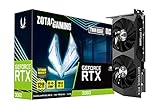
- ZOTAC Gaming GeForce RTX 3060 Twin Edge OC 12GB (anchor card for the DIY 12GB build) — Check on Amazon
- Best all-new build: ASRock Radeon RX 7600 Challenger 8GB OC — the graphics card the top DIY build in this guide is built around — Check on Amazon
- ZER-LON Gaming PC, Ryzen 5 5500 and RTX 4060 (the sale-watch prebuilt) — Check on Amazon
- Intel Core i5-1440F build — built around the same RX 7600 card as the top DIY build — Check on Amazon
- AMD Ryzen 5 5600G with Radeon Graphics (anchor chip for the staged APU build) — Check on Amazon
Read the full guide ↓
Disclosure: As an Amazon Associate, reviewstook.com earns from qualifying purchases. Links to Amazon on this page are affiliate links; they cost you nothing extra. Listing details such as price and availability change often, so check the current price on Amazon before you buy.
Before any parts list, one distinction decides whether this guide helps you or misleads you: the resolution your monitor displays is not the resolution your graphics card renders. A 1440p monitor always shows 2560×1440 pixels — about 3.7 million of them — but the card feeding it can do that work two ways. It can render every pixel natively, which at 1440p means roughly 78 percent more work per frame than 1080p. Or it can render at a lower internal resolution — 1080p, or lower still — and let an upscaler such as DLSS or FSR reconstruct the 1440p picture the screen displays. Both machines are honestly described as “running at 1440p,” and they are not the same machine. This guide grades all six picks on which of the two each one actually does, because at a $700 ceiling in late 2026 that difference is the whole story.
Here is the honest shape of it. No build at this budget renders modern, demanding games natively at 1440p and high settings — the cards that do that comfortably cost more than this entire budget once the rest of a PC is factored in, and the current shortage has made the arithmetic harder, with memory and new RTX 3060 12GB cards sitting in the upper part of their bands — check price on Amazon for the current position of any card you are considering. What $700 can honestly buy is a machine that renders lighter and older titles natively at 1440p, renders demanding titles at 1080p or at an upscaled internal resolution, and drives a 1440p desktop — text, video, browsing, work — at full native sharpness all day. Judged that way, the picks separate cleanly: the 12GB cards first, then the efficient 8GB cards graded on upscaling, then the staged path.
In this guide
Quick Picks
Short on time? Each row names a buyer and the path that suits them. For linked picks, check price on Amazon for the current total picture; the Windows line is handled openly in each pick.
| Buyer type | Pick | Its 1440p story | Link |
|---|---|---|---|
| Best 1440p value | IPASON Gaming PC (Ryzen 5 5600, RTX 3060 12GB) | 12GB of VRAM and DLSS in a complete machine positioned below the ceiling in this band, with Windows included — check price on Amazon | Check on Amazon |
| Best DIY 1440p build | RTX 3060 12GB + Ryzen 5 5600X build | The same 12GB card from parts — positioned under the ceiling if you reuse your DDR4, SSD and case | Check on Amazon |
| Best all-new build | RX 7600 + Ryzen 5 5500 AM4 build | Native 1440p in lighter titles, 1080p render plus FSR in demanding ones — positioned at the ceiling in the lower part of its band | Check on Amazon |
| Best sale watch | ZER-LON Gaming PC (Ryzen 5 5500, RTX 4060) | DLSS 3 with frame generation — buy only when it checks within the $700 budget, never above it | Check on Amazon |
| Best for multitaskers | Intel Core i5-14400F + RX 7600 build | Same render story as the RX 7600 build, ten cores beside it — positioned under the ceiling when reusing your DDR4 and SSD | Check on Amazon |
| Best staged build | Ryzen 5 5600G APU build | A native 1440p desktop today in the lower part of the band; games render at 1080p or below until a card joins | Check on Amazon |
How These Picks Were Chosen
Every pick was chosen from real Amazon listings and verified platform parts, and each review describes its position in its tier qualitatively rather than printing a fixed total that would go stale. Where listings vary, the review says whether the pick sits in the lower, middle or upper part of its band, and what discipline keeps it at this ceiling. Three rules hold across all six picks. Builds are complete — CPU, motherboard, memory, storage, power supply, case, graphics card, and a cooler wherever the CPU does not bundle one. Windows is handled openly: a new Windows 11 Home license is available from Microsoft’s store and as an Amazon USB listing — check price on Amazon — while both prebuilts include it. Performance is described at class level — native 1440p, upscaled 1440p, 1080p render — because those are the claims this tier can support; we do not print per-game frame rates we did not measure.
On top of that, this angle adds three grading tests. The first is VRAM, because 1440p output loads textures at 1440p intent whether the frame was rendered natively or reconstructed — upscaling rebuilds pixels, not texture data — so a 12GB card and an 8GB card age very differently on the same monitor. The second is upscaling support, graded only from documented hardware: DLSS where the card is an RTX card that supports it, FSR where the AMD hardware offers it, nothing claimed for silicon with neither. The third is native reach — which picks render lighter titles at a true 2560×1440, and which are honest only when their 1440p is a 1080p-or-below render, scaled up. Every pick is graded on all three in its own review.
The platform choices follow from the market. Every build sits on a DDR4 platform — AMD’s AM4 or Intel’s LGA1700 with a DDR4 board — because DDR5 memory sits in a much higher band than DDR4, and no $700 build survives that higher memory line. If resolution is not your constraint, Best Gaming PC Build Under $700 grades these same six paths purely on value; this guide re-grades them for the buyer whose monitor says 1440p.
Rendering Resolution vs Display Resolution: The Distinction This Guide Runs On
Your monitor’s resolution is fixed by its panel: a 1440p display shows 2560×1440 pixels, about 3.7 million, no matter what the PC sends it. The game’s rendering resolution is a separate setting — the one that costs performance. Rendering natively at 1440p means the graphics card shades all 3.7 million pixels every frame — roughly 78 percent more pixel work than 1080p’s 2.1 million. Rendering at a lower internal resolution and upscaling means the card shades fewer pixels and an algorithm — NVIDIA’s DLSS on RTX cards, AMD’s FSR on the Radeon hardware here — reconstructs a 1440p image from them. The displayed picture is 1440p in both cases. The workload, and the headroom left over for settings and frame rate, are not remotely the same.
The numbers behind upscaling are worth knowing. When DLSS targets 1440p output, Quality renders internally at roughly 1707×960 — about 44 percent of the output’s pixels — and Performance at roughly 1280×720, a quarter of them. Neither is “fake 1440p”; reconstruction from 1707×960 is genuinely sharp, often close to native at a glance. But a guide that says a card “does 1440p” without naming the internal resolution has told you the display’s specification, not the card’s — which is why every review names the render.
Two scaling facts shape the honest workflow. First, displaying a plain 1080p render on a 1440p panel without upscaling is the worst of both worlds: 1080p into 1440p is a non-integer 1.33× scale per axis, pixels land unevenly, and the image softens — worse than the same render on a native 1080p screen. A 1080p render should reach the panel through DLSS or FSR, never through the monitor’s dumb scaling. Second, the one clean integer relationship runs the other way: 720p scales to 1440p at exactly 2×2 pixels, so a 720p internal render upscaled to 1440p output stays orderly — which is why DLSS Performance’s 1280×720 internal render holds up as well as it does on this hardware class.
Finally, the VRAM point, because it decides the ranking. Upscaling reduces the pixels the card shades; it does not reduce the texture data a game loads when set up for 1440p output — texture pools are chosen for the output resolution and settings level, and they live in the card’s memory in full. A 12GB card holds a 1440p texture set with room to spare; an 8GB card is already negotiating, and dropping texture quality a notch in the heaviest titles is its standard, honest adjustment — a memory adjustment, not a speed one. Speed decides the render resolution you can afford; memory decides whether the 1440p picture you display is textured like one.
The 6 Best Gaming PC Builds for 1440p Gaming Under $700
Pick 1: The Benchmark — IPASON Prebuilt with RTX 3060 12GB (Best 1440p Value)
Who it suits: The buyer whose question is simply “what puts the best 1440p picture on my desk for $700 or less” — and who does not mind a factory doing the assembly to answer it.
Start with the two specifications that decide 1440p at this budget: an RTX 3060 with 12GB of VRAM, and DLSS. The IPASON desktop pairs that card with a Ryzen 5 5600 — PCIe 4.0, full cache, a stronger gaming CPU than either DIY Ryzen pick below — plus 16GB of DDR4-3200, a 1TB NVMe SSD, a named 550W power supply and Windows 11 Home installed. It is positioned in the lower part of this budget band as a complete machine Rendered honestly, its 1440p profile is the best in this guide: native 1440p in lighter and older titles at sensible settings, and in demanding titles the strongest version of the upscaled workflow — DLSS Quality rendering around 1707×960 up to the 1440p output, with 12GB of memory holding full-intent textures while it does it. No other pick here combines the VRAM, the upscaler and a complete-machine position under the ceiling; the DIY route to the same card, covered below, sits in a higher band from new parts.
The costs of that positioning are the standing ones for this listing. The GPU brand may vary, so the specific 3060 inside is the maker’s choice; the motherboard and case are unspecified, which matters when a future upgrade asks whether a bigger card fits. And there is documented variant drift on this listing family — the same product code has been seen wearing an RTX 4060 headline in a reseller’s spec sheet — so confirm the style name in the cart (Check on Amazon) and the configuration on the box before the return window closes. Its current position also matters: when it moves toward the upper part of its band the advantage narrows, though the included Windows license — a separate line every DIY pick answers separately — keeps it competitive.
- The tier’s reference 1440p combination: 12GB of VRAM for textures, DLSS for the render.
- Ryzen 5 5600 is the strongest gaming CPU among the complete machines here.
- Windows 11 Home included, and a named 550W PSU with a 1TB NVMe SSD — no silent downgrades.
Honest limitation: Even this card does not render demanding modern games natively at 1440p and high settings — its 1440p in those titles is a DLSS render, and the guide’s top pick is an upscaling pick. GPU brand may vary, and the board and case are the maker’s choice.
Choose it if the picture for the budget is the whole question. Skip it if choosing your own parts and knowing your motherboard are the point — that is what Pick 2 sells, at this market’s DIY premium.

Pick 2: The RTX 3060 12GB Build — Ryzen 5 5600X (Best DIY 1440p Build)
Who it suits: Owners of an aging DDR4 desktop whose memory, SSD and case are still good — the audience for whom this build genuinely fits under $700 — and who want the 12GB card on their own parts list.
The graphics card is the same one that leads Pick 1, bought in a box: the ZOTAC Twin Edge OC, a compact dual-fan RTX 3060 12GB — check price on Amazon for its current position, as it sits in the upper part of the card band, with cheaper new 3060 options such as an ASUS Phoenix card appearing in the lower part of that band in prose here because that card’s listing could not be pinned. Its 1440p profile matches the IPASON’s — native 1440p in lighter titles, DLSS Quality or Performance doing the heavy lifting in demanding ones, 12GB of VRAM under the textures — and the Ryzen 5 5600X beside it is the strongest gaming CPU in this guide, positioned in the lower-to-middle part of its CPU band.
- Graphics card: ZOTAC GeForce RTX 3060 Twin Edge OC 12GB — check price on Amazon; cheaper new 3060 options sit lower in the same card band
- CPU: AMD Ryzen 5 5600X (Check on Amazon) — check the current price on Amazon
- Motherboard: MSI PRO B550M-P — positioned in the lower part of its board band
- Memory: TEAMGROUP Elite DDR4-3200 16GB (2x8GB) — positioned in the middle part of the DDR4 band
- Storage: Crucial P3 Plus 1TB NVMe — positioned in the lower part of its band when on a deal listing; check price on Amazon
- Power supply: MSI MAG A650GN II 650W 80+ Gold — positioned in the lower part of its band
- Case: Antec NX200 M — positioned in the lower part of its band
- Position: well above the ceiling all-new; under the ceiling when reusing your DDR4 kit, SSD and case — check price on Amazon for each part’s current position
- Windows: add a new license — check price on Amazon for the USB listing — or use an eligible transfer at no extra purchase
The positioning states this market’s truth without decoration: from new parts, the 12GB build sits well above this guide’s ceiling this year, and it sits in a $700 guide because the reuse column is real. A DDR4 kit, an NVMe SSD and a case are exactly the parts that survive from a 2019-era gaming PC — and the lines the shortage has pushed highest. Keep yours, buy the card in the lower part of its band plus the CPU, board and power supply, and the strongest 1440p machine in this guide lands under the ceiling. One caution: some 5600X listings bundle a Wraith Stealth cooler and some do not, so check the listing and allow for a basic tower cooler in the lower part of the cooler band if none is included.
- The same 12GB + DLSS 1440p profile as the top pick, on a parts list you own and can upgrade.
- The 5600X is the strongest gaming CPU here, on a PCIe 4.0 platform.
- For upgraders reusing memory, storage and case, it is the best DIY machine in this guide under $700.
Honest limitation: From new parts it misses the budget by a wide margin, full stop — and its 1440p in demanding games is still an upscaled render, exactly like the prebuilt’s. The premium buys control and longevity, not a different resolution class.
Choose it if a DDR4 kit, an SSD and a case are coming over from your current machine, or the 12GB card matters enough to accept what the market currently asks for it — check the current price on Amazon before deciding. Skip it if you are starting from an empty desk — Pick 1 delivers the same card’s 1440p profile in a lower band.
Pick 3: The RX 7600 Build — Ryzen 5 5500, Radeon RX 7600 (Best All-New Build)
Who it suits: First-time builders who want a complete, all-new PC at the $700 ceiling and a 1440p monitor on the desk — and who can time the graphics card purchase instead of ordering everything today.
This is the only all-new discrete-GPU build that reaches the ceiling, and its 1440p grading is a study in doing one resolution honestly at two effort levels. The ASRock Radeon RX 7600 Challenger 8GB OC is a dual-fan RDNA 3 card with a 2,695 MHz boost clock; in lighter and esports titles it renders 1440p natively and does it well, because those games’ pixel demands sit within its raster strength. In demanding titles the honest workflow changes: render at 1080p and let FSR upscale to the 1440p output, or lean on the game’s own resolution scaling. What it does not have is the 3060’s memory: 8GB against 12GB, and at 1440p output that gap shows up as texture settings, not frame rates — the heaviest current titles will ask this card for a texture notch down that the 12GB picks refuse. The Ryzen 5 5500 makes the build possible — positioned in the lower part of its CPU band with the Wraith Stealth cooler in the box — with its compromises stated: a PCIe 3.0 chip with half the 5600X’s L3 cache, and the RX 7600’s PCIe x8 link means it belongs on a PCIe 4.0 board like the B550 below, not an older B450.
- Graphics card: ASRock Radeon RX 7600 Challenger 8GB OC — check price on Amazon; it moves between the lower and upper parts of its band
- CPU: AMD Ryzen 5 5500 (Check on Amazon) — positioned low in its band, cooler included
- Motherboard: MSI PRO B550M-P — positioned in the lower part of its board band
- Memory: TEAMGROUP Elite DDR4-3200 16GB (2x8GB) — positioned in the middle part of the DDR4 band
- Storage: Crucial P3 Plus 1TB NVMe — positioned low in its band on a deal listing; check price on Amazon
- Power supply: MSI MAG A650GN II 650W 80+ Gold — positioned in the lower part of its band
- Case: Antec NX200 M — positioned in the lower part of its band
- Position: at the ceiling when the card is in the lower part of its band; just above the ceiling when the card sits higher — check price on Amazon
- Windows: add a new license — check price on Amazon for the USB listing — or use an eligible transfer
Read the positioning the way it is written: a build at the ceiling on the days the card cooperates, and just past it on the days it does not, both assuming the SSD in the lower part of its band rather than the higher positions some listings show for 1TB drives. The discipline is the build — set a clear walk-away position for the card in the lower part of its band, buy the platform parts whenever, and let the GPU wait for its position; when the card sits in the upper part of its band the same list moves well above the ceiling and stops being this guide’s pick.
- Native 1440p rendering in lighter titles from all-new parts at the ceiling — no other all-new build here manages it.
- A clean upscaling workflow in demanding titles: 1080p render, FSR to the panel, never raw monitor scaling.
- Every part named and standard, with a 650W Gold PSU sized for the future card that completes the 1440p story.
Honest limitation: The 8GB of VRAM is this pick’s 1440p ceiling — texture quality in the heaviest titles is negotiated down sooner than on the 12GB picks — and the total only holds when the card is in the lower part of its band and the SSD is in the lower part of its own.
Choose it if you are building new, your games lean lighter or esports, and you can time the GPU purchase. Skip it if your library is demanding single-player titles you want textured at full 1440p intent today — that buyer belongs with the 12GB picks above.

Pick 4: The Sale Watch — ZER-LON Prebuilt with RTX 4060 (Best If You Can Wait for a Dip)
Who it suits: Patient buyers who want the newest upscaling technology in this guide on their 1440p desk, and who will let a price alert do the shopping.
The RTX 4060 is a generation newer than the 3060, more efficient, and the cheapest way into DLSS 3 — and for a 1440p buyer its feature list is pointed directly at this guide’s problem. DLSS upscaling from a Quality render around 1707×960 is this card’s home turf, and its frame generation can insert generated frames between rendered ones, smoothing motion on a high-refresh 1440p panel in supported titles — a display-side benefit worth having, graded here as exactly that and not as rendering power: the underlying render is still an upscaled one, and the card still carries 8GB of VRAM, so Pick 3’s texture negotiation applies unchanged. As a prebuilt, the ZER-LON AOV4060 — Ryzen 5 5500, RTX 4060 8GB, 16GB of DDR4, a 1TB NVMe SSD, Windows 11 Home — periodically falls into this budget. Its usual position is above the ceiling, in the upper part of the band, with sale dips that reach this ceiling — check price on Amazon for its current position. So the recommendation is a rule, not a shrug — buy this machine only when it checks within the $700 budget, and do not buy it above that budget, because above the ceiling the IPASON’s 12GB card is the better 1440p purchase and at the top of its band nothing about it is a deal.
Two fine-print items travel with this pick. The listing does not publish the power supply’s wattage; open the case on arrival, read the label, and let that number plan any future card upgrade. And its convenience changes nothing about the render math above — this pick is bought for its upscaler and its sale position, in that order. Set a price alert, hold the $700 line, and leave the usual higher position to less patient buyers.
- Newest GPU architecture in the guide: DLSS 3 upscaling plus frame generation for high-refresh 1440p panels.
- A complete machine with Windows already installed — no license to budget for when the sale lands.
- A full 1TB NVMe drive, not the 500GB that sale machines so often hide in the fine print.
Honest limitation: At its usual position above the ceiling it is not a $700 machine at all; this pick is a price alert with a hard ceiling. Its 8GB of VRAM caps 1440p textures exactly where Pick 3’s does, and the unpublished PSU wattage caps certainty about future upgrades.
Choose it if you can wait for a sale, value DLSS 3 and frame generation, and will actually walk away above $700. Skip it if you are buying this week at the showing position — that is the IPASON’s week, or Pick 3’s.

Pick 5: The Intel Build — Core i5-14400F and RX 7600 (Best for Multitaskers)
Who it suits: Builders who game at 1440p and keep a second workload alive beside the game — a stream, a recording, a browser full of tabs — and who own DDR4 worth reusing.
Grade this pick’s 1440p honestly and it is Pick 3’s story: the same ASRock RX 7600 does the rendering — native 1440p in lighter titles, a 1080p render upscaled through FSR in demanding ones, 8GB of VRAM setting the texture ceiling. What Intel changes is everything around the render. The Core i5-14400F runs six performance cores and four efficiency cores — ten cores, sixteen threads, boosting to 4.7 GHz, stock cooler in the boxed version — positioned in the middle part of its CPU band; check price on Amazon if a standalone listing is available. Those cores do not shade an extra pixel; what they do is keep the machine smooth while the game renders — stream encodes, recording writes, second monitor stays busy — the multitasker’s definition of a good 1440p session. The board matters: this build specifies the MSI PRO B760M-P DDR4, positioned above the B550, because the DDR5 version of the same-named board forces the much higher-band memory kit that sinks the budget. Check for DDR4 in the listing title.
- CPU: Intel Core i5-14400F, 10 cores (6P+4E), up to 4.7 GHz — positioned in the middle part of its band
- Motherboard: MSI PRO B760M-P DDR4 — positioned above the B550 boards (the DDR4 version; the DDR5 board of the same name does not fit this budget)
- Graphics card: ASRock Radeon RX 7600 Challenger 8GB OC — check price on Amazon; moves between the lower and upper parts of its band
- Memory: TEAMGROUP Elite DDR4-3200 16GB (2x8GB) — positioned in the middle part of the DDR4 band
- Storage: Crucial P3 Plus 1TB NVMe — positioned low in its band on a deal listing; check price on Amazon
- Power supply: MSI MAG A650GN II 650W 80+ Gold — positioned in the lower part of its band
- Case: Antec NX200 M — positioned in the lower part of its band
- Position: above the ceiling all-new; under the ceiling when reusing your DDR4 kit and SSD — check price on Amazon
- Windows: add a new license — check price on Amazon for the USB listing — or use an eligible transfer
Intel’s platform premium — a board positioned above the B550 and a CPU positioned above the 5500 — puts the all-new total past Pick 3’s and past the ceiling; the reuse column fixes it completely for the large population upgrading from a DDR4 machine, landing under the ceiling with the strongest multitasking CPU in the guide. Two platform notes deserve the space. Warehouse stock of B760 boards can predate the firmware a 14th-gen chip needs to boot, and with no BIOS flashback button on this board the update cannot be done CPU-less — buy from a seller stating current firmware, or have a loaner CPU lined up. And the 14400F has no integrated graphics at all — the F is literal — so the build shows nothing until the graphics card is installed and the cable is plugged into the card, not the board. Because the 14400F’s standalone listing could not be pinned for this guide, this build’s links point to its graphics card’s listing, labelled openly wherever they appear.
- Ten cores and sixteen threads: the only build here that shrugs at game-plus-stream workloads beside the 1440p render.
- A current Intel platform that still runs on DDR4 boards — no higher-band DDR5 memory kit in the basket.
- Same GPU, PSU and storage as Pick 3, so the upgrade path — including the future native-1440p card — is identical.
Honest limitation: All-new, it sits above the ceiling in a $700 guide, and its 1440p rendering is identical to the cheaper Pick 3’s — the premium buys cores beside the render, never a better render. Buyers who game only should take Pick 3.
Choose it if streaming or heavy multitasking is your workload and a DDR4 kit is coming over from your old machine. Skip it if you only game and every part is being bought new.
Pick 6: The Staged Build — Ryzen 5 5600G, Graphics Card Later (Best on a Split Budget)
Who it suits: Buyers whose $700 arrives in two stages, who want the 1440p monitor working at full sharpness from day one, and who accept that today’s gaming render is a placeholder.
Split this pick’s two resolutions apart, because they have opposite verdicts. As a display machine it is good from the first evening: the 5600G’s integrated Radeon Vega 7 graphics drive a 1440p desktop — text, browsing, video, work — at full native resolution, and outside games this staged build is indistinguishable from the finished one. As a rendering machine it is the weakest pick: six Zen 3 cores and integrated graphics that play esports and older games at 1080p on low settings, which on a 1440p panel means an upscaled or softly scaled picture, and demanding titles are beyond it until a card arrives. The chip sits in the middle part of its band — check price on Amazon — though stock is thin and it has at times been unavailable from Amazon itself. The build around it spends on parts a future card will want: the same B550 board, 1TB SSD and 650W Gold supply as Pick 3, roughly double the wattage today’s machine needs and exactly what an RX 7600 or RTX 3060 will want tomorrow. Nothing is a placeholder except the empty PCIe slot — the staged road to native 1440p, walked when the card budget lands.
- CPU: AMD Ryzen 5 5600G with Radeon Vega 7 integrated graphics — check price on Amazon, cooler in the box
- Motherboard: MSI PRO B550M-P — positioned in the lower part of its board band (choose a board with HDMI or DisplayPort output; the APU needs it)
- Memory: TEAMGROUP Elite DDR4-3200 16GB (2x8GB) — positioned in the middle part of the DDR4 band; dual-channel matters doubly here, because the integrated graphics share this memory
- Storage: Crucial P3 Plus 1TB NVMe — positioned low in its band on a deal listing; check price on Amazon
- Power supply: MSI MAG A650GN II 650W 80+ Gold — positioned in the lower part of its band
- Case: Antec NX200 M — positioned in the lower part of its band
- Position: in the lower part of the band today; above the ceiling all-in once a graphics card joins it — check price on Amazon
- Windows: add a new license — check price on Amazon for the USB listing — or use an eligible transfer
The honesty note is in the second position. Staging is a timing decision, not a saving: the finished machine sits in a higher band than Pick 3 bought in one go, because the 5600G carries a premium for graphics you will eventually stop using, and its compromises persist after the card arrives — half the L3 cache of the 5600X and a PCIe 3.0 link that slightly constrains an x8 graphics card like the RX 7600.
- A complete PC with a native 1440p desktop today in the lower part of the band — the lowest entry position in this guide.
- Board, storage and power supply are bought once, at their final specification; only the graphics card is staged.
- Even after a card goes in, the APU stays useful as a backup display output.
Honest limitation: Until the card arrives, gaming on the 1440p panel is a 1080p-or-below render — the softest gaming picture in this guide — and the completed machine costs more in total than building Pick 3 once.
Choose it if your budget genuinely arrives in stages and the monitor cannot wait. Skip it if the full $700 is already in hand — staging a budget you already hold buys nothing and costs more.
Comparison Table
| Pick | Graphics | How it reaches 1440p | Position in band | Link |
|---|---|---|---|---|
| Pick 1: IPASON prebuilt | RTX 3060 12GB | Native in lighter titles; DLSS Quality render in demanding ones; 12GB textures | Below the ceiling as a complete machine, Windows included — check price on Amazon | Check on Amazon |
| Pick 2: Ryzen 5 5600X + RTX 3060 build | RTX 3060 12GB | Same profile as Pick 1, on your own parts list | Above the ceiling all-new; under the ceiling when reusing parts | Check on Amazon |
| Pick 3: Ryzen 5 5500 + RX 7600 build | RX 7600 8GB | Native in lighter titles; 1080p render plus FSR in demanding ones; 8GB textures | At the ceiling when the card is low in its band, all-new | Card listing in the buy box above |
| Pick 4: ZER-LON prebuilt | RTX 4060 8GB | DLSS 3 upscaling, frame generation for high-refresh panels; 8GB textures | Buy only when it checks within the $700 budget; usually above the ceiling | Check on Amazon |
| Pick 5: Core i5-14400F + RX 7600 build | RX 7600 8GB | Identical render profile to Pick 3; ten cores beside it | Above the ceiling all-new; under the ceiling when reusing parts | GPU listing under Pick 3 |
| Pick 6: Ryzen 5 5600G staged build | Vega 7 integrated, card later | Native 1440p desktop; games render at 1080p or below until the card joins | In the lower part of the band today | Check on Amazon |
Pairing a Monitor With These Builds
The monitor these picks were graded against is the class sweet spot: a 27-inch 1440p panel. At 27 inches, 2560×1440 gives a pixel density that keeps text crisp and games detailed without display scaling, and it is where this resolution’s extra desktop room over 1080p is most usable. A 32-inch panel spreads the same pixels thinner — same render workload, less sharp picture — and a 24-inch panel is sharper than most eyes can use.
Refresh rate deserves the same honesty. These builds drive high-refresh 1440p panels happily in esports and lighter titles, and an upscaled render — plus frame generation on the ZER-LON — keeps motion smooth in heavier ones; but no pick renders demanding games natively at 1440p at high refresh, so a 240Hz panel’s top end is a forward-looking purchase. A 144Hz to 180Hz 1440p monitor is the honest pairing: its range matches what these cards deliver across a whole library and stays relevant when a future card raises the render. On the first evening, set the output to the panel’s native 2560×1440 and its refresh rate to the panel’s real maximum — monitors routinely arrive running at a default 60Hz, and a high-refresh panel left there is money spent on a specification you never see.
And the refusal, stated plainly: do not pair any build in this guide with a 4K monitor for gaming. A 4K panel doubles the pixel count again over 1440p, and even its upscaled route is a heavier lift — DLSS Quality targeting a 4K output renders around 2560×1440 internally, the very resolution these cards are already negotiating natively at 1440p. The desktop would be sharp and the games would be a compromise stacked on a compromise. This GPU class’s monitor is a 1440p monitor; the 4K upgrade belongs to the same future budget as the stronger graphics card.
How to Choose a Gaming PC Build for 1440p Gaming Under $700
- Decide which 1440p you are buying. Native rendering, upscaled rendering, and a native desktop with upscaled games are three different products wearing one label. This guide grades all three; a guide that does not is selling the monitor’s specification, not the machine’s.
- Put VRAM ahead of small speed differences. At 1440p output, textures load at full intent regardless of the render resolution, so the 12GB cards outlast the 8GB cards on the same panel. An 8GB card is a good 1440p purchase with a texture notch in reserve; the 12GB card never has to ask.
- Route every sub-native render through an upscaler. A raw 1080p signal on a 1440p panel is a non-integer 1.33× scale and looks worse than the same render on a 1080p screen. DLSS or FSR between the render and the panel is not a compromise at this tier — it is the correct pipeline.
- Consider the whole machine, never the headline parts. CPU plus GPU is the number forum posts quote; the build you can switch on adds a board, memory, storage, a power supply, a case and possibly a cooler and a Windows license — a substantial block of extra parts in the current market, and the place $700 builds quietly become higher-band builds.
- Give the graphics card a walk-away position. GPU positions in this tier swing widely between listings and weeks: keep Pick 3’s RX 7600 discipline in the lower part of its band, and hold the ZER-LON machine to the $700 budget flat. The platform parts are stable; the card is the trade, so let its purchase wait for its position — check price on Amazon before you commit.
- Match the card to the board’s PCIe generation. The RX 7600’s link is x8-wide and loses performance on PCIe 3.0 boards, so it belongs on B550 or B760; the RTX 3060’s x16 link tolerates older boards, one of its few practical edges for upgraders.
- Treat memory as the swing line. A 16GB DDR4 kit in the middle part of its band is the floor for new gaming memory right now, and DDR5 in its much higher band cannot survive a $700 budget — the reason every build here sits on AM4 or on LGA1700 with a DDR4 board. Reusing a desktop DDR4 kit you already own (full-size DIMMs, not laptop SO-DIMMs) is the largest single saving available.
Common Buying Mistakes
- Reading “runs at 1440p” as “renders at 1440p” — the most expensive misunderstanding in this category, and the one this guide’s grading exists to prevent.
- Sending a plain 1080p signal to a 1440p monitor and blaming the card for the softness; the non-integer scale is the monitor’s doing, and the fix is an upscaler, not a settings change.
- Comparing two cards on speed alone for a 1440p desk, when the 8GB card’s real limit is texture memory and the 12GB card’s real advantage never shows in a benchmark average.
- Pairing this GPU class with a 4K monitor because it was on sale, then upscaling a render that was already a compromise.
- Paying the ZER-LON’s usual above-ceiling position because a guide said “under $700”. The pick is the dip, not the listing — check price on Amazon and hold the budget line.
- Considering only the CPU and graphics card, then discovering the board, power supply, case and Windows standing between a parts pile and a PC.
- Saving a small amount by putting an RX 7600 on a PCIe 3.0 board, then paying the difference back in performance daily.
- Saving money with a single 16GB stick — most damaging on the 5600G build, whose integrated graphics feed on memory bandwidth, and a false economy on every other build too.
- Cabling the monitor to the motherboard on an F-series Intel or non-G Ryzen build, then troubleshooting a “dead” PC whose only fault is a display output that does not exist there.
Final Recommendation
- Best 1440p picture for the budget: the IPASON prebuilt — 12GB of VRAM and DLSS in a complete machine positioned below the ceiling in its band; check price on Amazon.
- Best DIY 1440p build: Pick 2, the RTX 3060 12GB and 5600X — positioned under the ceiling for upgraders reusing memory, storage and case.
- Building all-new: Pick 3, the RX 7600 and Ryzen 5 5500 — native 1440p in lighter titles, a clean upscaled workflow in demanding ones.
- Newest upscaling technology: the ZER-LON RTX 4060 machine, only when it checks within the $700 budget and not above it.
- Gaming plus streaming or heavy multitasking: Pick 5, the i5-14400F build — positioned under the ceiling for DDR4 owners.
- Budget in two stages: Pick 6, the 5600G staged build in the lower part of the band today, with a native 1440p desktop from the first evening.
Our top two are the IPASON and Pick 2, because between them they state this angle’s whole truth: at $700, 1440p is won on memory and upscaling, not raw rendering power, and the 12GB RTX 3060 is the only card in the budget that brings both — bought assembled in a lower band than its own parts, or built yourself at the reuse position. Buyers whose ceiling is firmer should see Best Gaming PC Build For 1440p Gaming Under $500, and those who can stretch should see Best Gaming PC Build For 1440p Gaming Under $800, where the all-new 12GB build starts to fit without conditions. If the desk rather than the panel is the constraint, Best Gaming PC Build For Small Spaces Under $700 grades these paths on installation, and Best 1440p Gaming PC Under $700 covers the wider prebuilt field at this resolution. Set the render honestly, route it through the upscaler, and let the walk-away discipline — not the listings — decide when you buy.
Frequently Asked Questions
Can a $700 build really game at 1440p?
Yes — with the distinction this guide runs on kept in view. Every discrete-GPU pick here displays games on a 1440p monitor: lighter and older titles rendered natively at 2560×1440, demanding titles rendered at a lower internal resolution and upscaled to the panel through DLSS or FSR. What $700 does not buy in the current market is native 1440p rendering at high settings across a modern library; that card class sits above this whole budget once the rest of the PC is factored in. Judged as a 1440p desktop plus an honestly upscaled gaming workflow, these builds are the real thing.
Is DLSS Quality at 1440p actually rendering at 1440p?
No — and knowing that is the point of using it well. DLSS Quality targeting a 1440p output renders internally at roughly 1707×960 and reconstructs the 1440p image from that render plus temporal data; DLSS Performance renders at roughly 1280×720. The reconstruction is genuinely good — at a normal viewing distance on a 27-inch panel, Quality is hard to tell from native in most titles — but the performance you get is the internal resolution’s performance, and honest card comparisons grade the render, not the output.
Why do the 12GB picks rank above faster-feeling 8GB cards?
Because at 1440p output the texture pool is loaded at 1440p intent whether the frame was rendered natively or upscaled, and that pool lives in VRAM. An 8GB card handles today’s 1440p texture sets by negotiating — a texture quality notch down in the heaviest titles — while the 12GB cards hold the full set with headroom. Speed differences between these cards are a few percent in either direction depending on the title; the memory difference is a ceiling one of them hits and the other does not.
Should I buy a 1440p monitor or a 1080p one for these builds?
A 1440p monitor, at 27 inches — with one condition. If your library is almost entirely demanding titles and you prefer native rendering, a good 1080p panel makes every pick a native-render machine. For a mixed library, the 1440p panel is the better buy: desktop native all day, lighter games native, demanding games through an upscaler. What not to buy for this class is a 4K panel.
Does frame generation make the ZER-LON a native 1440p machine?
No. Frame generation inserts algorithmically generated frames between rendered ones, which smooths motion on a high-refresh panel; it does not change the resolution the game is rendered at, and it does not add texture memory. The ZER-LON’s 1440p remains a DLSS render from an 8GB card — a good one, with the smoothest motion in this guide on supported titles.
Can the 5600G staged build use my 1440p monitor properly?
For the desktop, completely: its integrated graphics drive the panel at full native 2560×1440 for text, video and work. For games, not yet — it renders at 1080p or below, so the panel shows an upscaled or softly scaled picture until a discrete card joins the build, at which point the same monitor, board and power supply serve the finished machine. Buyers weighing the staged route should also see Best Gaming PC Build For Beginners Under $700.
Do I need to buy Windows for a DIY build?
The question has to be answered, even when the answer costs nothing extra. Microsoft’s store sells a new Windows 11 Home license and Amazon’s USB listing is available — check price on Amazon for that listing; a retail license from a machine being retired may transfer, while an OEM license tied to an old prebuilt generally does not; and Windows will install and run unactivated, watermark and locked personalization included. The prebuilts in this guide include a license, which is part of their value — and for streaming-focused buyers, Best Gaming PC Build For Streaming Under $700 re-grades these same paths on encoder hardware.


