Where to buy
Check the latest price, availability and delivery on Amazon. Orders are placed on Amazon. We may earn a commission from qualifying purchases.
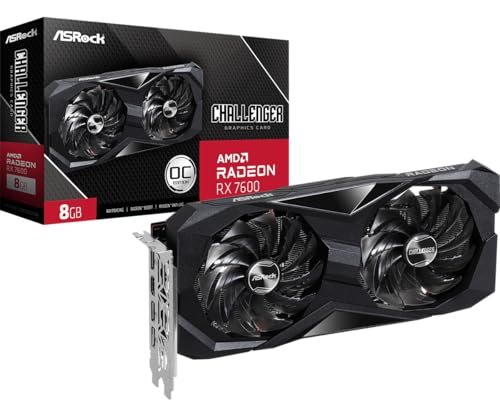
- Best streaming build under $700: ASRock Radeon RX 7600 Challenger 8GB OC — the graphics card the top streaming build in this guide is priced around — Check on Amazon
- Intel Core i5-14400F streaming build — ten cores beside the same RX 7600 card — Check on Amazon
- ZER-LON Gaming PC, Ryzen 5 5500 and RTX 4060 (the sale-watch prebuilt with this guide’s best encoder) — Check on Amazon
- IPASON Gaming PC Desktop, Ryzen 5 5600 and RTX 3060 12GB (the prebuilt benchmark) — Check on Amazon
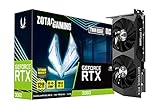
- ZOTAC Gaming GeForce RTX 3060 Twin Edge OC 12GB (anchor card for the RTX 3060 build) — Check on Amazon
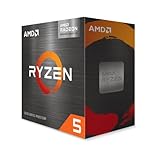
- AMD Ryzen 5 5600G with Radeon Graphics (anchor chip for the staged streaming build) — Check on Amazon
Read the full guide ↓
Disclosure: As an Amazon Associate, reviewstook.com earns from qualifying purchases. Links to Amazon on this page are affiliate links; they cost you nothing extra. Listing details such as price and availability change often, so check the current Amazon listing before you buy.
A streaming PC holds down two jobs at once: it renders the game, and it compresses every frame into a broadcast feed in real time. The second job belongs to a small fixed-function block inside the graphics silicon called the encoder, and at a $700 budget — in a late-2026 market where memory and graphics cards sit in the volatile part of the parts list — which encoder your parts list contains decides more than any other line in it. So this guide grades encoder-first, against the standard one-PC workflow: capture software such as OBS on the same machine that plays the game, sending a constant-bitrate feed of about 6,000 kbps at 1080p60 to Twitch, or a fatter feed to YouTube, which also takes 1440p and AV1 live streams. Twitch’s AV1 route still runs through its Enhanced Broadcasting programme, so the everyday Twitch stream remains H.264 — why H.264 quality at streaming bitrates is weighted heavily below, and AV1 support counts as future-proofing rather than a requirement.
The encoder map of this budget needs stating plainly, because two assumptions buyers bring to it are wrong. The Radeon RX 7600 in Builds 1 and 2 is an RDNA 3 card whose VCN media block encodes AV1 in hardware alongside H.264 and HEVC — the only all-new builds here that can send an AV1 stream at all. The RTX 3060 12GB in Builds 4 and 5 carries NVIDIA’s Ampere-generation NVENC: a superb H.264 encoder, the quality benchmark at Twitch bitrates, and no AV1 encode, because AV1 encoding arrived with the RTX 40-series and no driver update retrofits it. The RTX 4060 inside the ZER-LON prebuilt is one of those 40-series cards — a single Ada NVENC block, AV1 included, the finest encoder here — inside a machine that only reaches the budget on sale days. The 5600G’s integrated Vega graphics holds the weakest encoder here. And there is no Intel Quick Sync anywhere in these six paths: the lone Intel build runs the 14400F, whose F suffix means the chip has no integrated graphics to encode with. Every build below is described as a complete machine — CPU, board, memory, storage, power supply, case, a cooler wherever the CPU ships without one, with Windows handled as its own open line — so check the current price on Amazon for the linked picks before you add up any build.
In this guide
Quick Picks
Short on time? Each row names a streamer type and the path that suits it. The parts for each path are itemized in the reviews; the Windows line is handled openly in each build.
| Streamer type | Pick | Why it stands out | Link |
|---|---|---|---|
| Best streaming build under $700 | RX 7600 + Ryzen 5 5500 AM4 build | The only all-new build at the ceiling — and its RDNA 3 encoder does AV1 as well as H.264 | Check on Amazon |
| Best for heavy multitasking streams | Intel Core i5-14400F + RX 7600 build | Ten cores for game plus stream plus everything else; the reuse path for readers bringing their own DDR4 and SSD | GPU listing under Build 1 |
| Best encoder, on sale days | ZER-LON Gaming PC (Ryzen 5 5500, RTX 4060) | Ada NVENC with AV1 encode — buy at $700 or less, never above | Check on Amazon |
| Best value overall | IPASON Gaming PC (Ryzen 5 5600, RTX 3060 12GB) | A finished machine with Windows included; Ampere NVENC is the Twitch H.264 quality benchmark | Check on Amazon |
| Best for upgraders | RTX 3060 12GB + Ryzen 5 5600X build | Well above the ceiling all-new, but back inside it when you reuse your DDR4, SSD and case | Check on Amazon |
| Best staged streaming build | Ryzen 5 5600G APU build | The lowest entry point in this guide today; stream talk and light games now, add the card — and a real encoder — later | Check on Amazon |
How These Picks Were Chosen
Streaming reorders a build guide, so the grading starts with the encoder and works outward. The first question for every path: which encoder block does its documented silicon actually contain, and what can that block send? RDNA 3’s VCN and RTX 40-series NVENC encode H.264, HEVC and AV1. An RTX 3060’s Ampere NVENC stops at H.264 and HEVC — a fact repeated wherever that card appears below, because a buyer who purchases a 3060 expecting to stream AV1 to YouTube has been mis-sold. Integrated Vega graphics encodes H.264 and HEVC at modest capability. Nothing here credits an encoder the silicon does not have, or Quick Sync to a chip with no integrated graphics.
The second question is what remains for everything else the broadcast needs. A hardware encoder block compresses almost for free — that is its purpose — but the streaming software still composites scenes, the browser still renders alerts and chat, the voice app still runs, and the game still wants cores. That simultaneous load is graded per build: six-core chips cope while the hardware block carries the compression, and turn genuinely tight if encoding falls back to the CPU (x264), which is why x264 appears throughout as an emergency fallback rather than a plan. Ten cores, as in Build 2, is where the supporting cast stops borrowing from the game.
The accounting rules are the base guide’s, unchanged. Each linked pick is one you can verify live — check price on Amazon before you rely on any build fitting the budget, because listings in this tier move often. Windows is handled separately rather than buried: a fresh license is its own purchase at Microsoft’s store or through Amazon’s USB listing; the prebuilts fold it in; a DIY builder transfers an eligible license, runs unactivated under its watermark and personalization limits, or pays the line. Performance is described at class level — no per-game frame rates are printed — and every discipline rule from the base guide stands: the RX 7600 build works when the card’s current price lets the whole list fit the ceiling, the ZER-LON is bought at $700 or below and not above, and the builds that only fit when parts are reused say so in their headlines.
The 6 Best Gaming PC Builds for Streaming Under $700
Build 1: The RX 7600 Streaming Build — Ryzen 5 5500, Radeon RX 7600 (Best Streaming Build Under $700)
Who it suits: First-time builders who want one machine that plays and broadcasts today, at the $700 ceiling, with an encoder that will not be obsolete when AV1 streaming goes mainstream.
Begin with the encoder, because the encoder is what wins this build its rank. The ASRock Radeon RX 7600 Challenger 8GB OC is a dual-fan RDNA 3 card with a 2,695 MHz boost clock, and its VCN media block encodes AV1 in hardware next to H.264 and HEVC. In practical terms: on Twitch today you send H.264 at about 6,000 kbps, and AMD’s output at that bitrate runs visibly softer than NVIDIA’s NVENC on fine detail — faces, foliage, fast pans — a genuine difference this guide does not hide. On YouTube, or on the archive copy you record while the live feed runs, the same block sends AV1 or HEVC at a quality the Ampere cards below cannot offer at all. No other all-new build at this budget opens both doors. The platform around the card is what makes the build exist at all: the Ryzen 5 5500 — check price on Amazon, with the Wraith Stealth cooler in the box — is a six-core Zen 3 chip whose compromises — a PCIe 3.0 link, half the 5600X’s L3 cache — cost a few percent in CPU-heavy games and nothing in encoding, because the encoder never touches the CPU. Mount the card on a PCIe 4.0 board, as the B550 below does, since the 7600’s x8 link surrenders a little more on PCIe 3.0 boards.
- Graphics card: ASRock Radeon RX 7600 Challenger 8GB OC — check the current price on Amazon
- CPU: AMD Ryzen 5 5500 (Check on Amazon) — check price on Amazon, cooler included
- Motherboard: MSI PRO B550M-P
- Memory: TEAMGROUP Elite DDR4-3200 16GB (2x8GB)
- Storage: Crucial P3 Plus 1TB NVMe
- Power supply: MSI MAG A650GN II 650W 80+ Gold
- Case: Antec NX200 M
- Budget fit: the all-new build that fits the $700 ceiling when the card is bought at a favourable point in its range — check the current price on Amazon before you commit
- Windows: add the cost of a new license, or use an eligible transfer
The simultaneous-load picture is honestly mid-pack. Six cores play the game, the VCN block carries the encode, and scene compositing, a browser and a voice app fit into what is left — the arrangement most single-PC streamers at this budget genuinely broadcast on. What it does not leave is slack: move the encode onto the CPU, or stack a local recording and a pile of browser sources on top, and the 5500 announces its limits inside the game first. The budget fit carries the base guide’s discipline: be ready to walk away if the card’s current price pushes the whole list over the ceiling, because at the high end of this card’s range the identical list lands well above the budget — and note the storage line assumes you catch the SSD at a favourable point rather than at the higher end sometimes shown for 1TB drives.
- The only all-new build at the ceiling whose encoder sends AV1 as well as H.264 — YouTube-ready now, Twitch-ready when AV1 widens.
- Hardware encoding leaves all six CPU cores for the game; the stream costs a fixed-function block, not frame rate.
- A 650W Gold power supply on a B550 board keeps the upgrade path real.
Honest limitation: AMD’s H.264 encoding at Twitch bitrates is visibly softer than NVENC’s, the 8GB of VRAM will age faster than the 3060’s 12GB in texture-heavy games, and the budget fit only holds when the card and the SSD are both bought at favourable points in their ranges.
Choose it if you are building new, want AV1 in the building, and can time the GPU purchase. Skip it if your stream lives entirely on Twitch and H.264 quality per bit is your top priority — the NVENC machines below do that one job better.

Build 2: The Intel Streaming Build — Core i5-14400F and RX 7600 (Best for Heavy Multitasking Streams)
Who it suits: Streamers whose broadcast is a production — overlays, browser sources, a local recording running beside the live feed, a second workload in the background — and who feel core count, not just clock speed.
Intel’s entry at this tier is shaped differently from every Ryzen here: the Core i5-14400F mixes six performance cores with four efficiency cores for ten cores and sixteen threads in all, boosts to 4.7 GHz, and bundles a stock cooler in its boxed version. Judged on streaming, the extra cores are the entire argument: scene compositing, source switching, a browser full of alert and chat tabs, a voice app and a simultaneous recording each get threads of their own instead of borrowing the game’s. The graphics card is Build 1’s RX 7600, so the encoder story repeats exactly: RDNA 3 VCN with H.264, HEVC and hardware AV1 encode — softer than NVENC at Twitch bitrates, a generation ahead wherever AV1 is accepted.
One absence needs stating at full size, because Intel’s reputation invites the wrong assumption: this build has no Quick Sync. The F in 14400F certifies a chip with no integrated graphics whatsoever — no backup display output, and no Intel encoder waiting to take the stream over. Every frame this machine broadcasts is encoded by the RX 7600’s VCN block, and the monitor stays dark until that card is seated and the cable plugged into the card rather than the board. That is no flaw — the VCN block is good — but a buyer who picks Intel specifically for Quick Sync would be paying for a feature this chip does not contain. The board is the other decision to get right. LGA1700 takes DDR4 or DDR5 depending on the board fitted, and this build specifies the MSI PRO B760M-P DDR4 — check its live listing carefully — because the identically named DDR5 board would drag in a far costlier DDR5 memory kit that sinks the budget; confirm the listing title says DDR4 before ordering, since the pair are easily confused and the error is expensive. A warehouse-aged B760 may also need a BIOS update to boot a 14th-gen chip, and this board has no BIOS flashback button, so buy from a seller whose listing states current firmware, or be ready to borrow a CPU for the update.
- CPU: Intel Core i5-14400F, 10 cores (6P+4E), up to 4.7 GHz — a live-price check wherever you buy it
- Motherboard: MSI PRO B760M-P DDR4 (the DDR4 version; the DDR5 board of the same name does not fit this budget)
- Graphics card: ASRock Radeon RX 7600 Challenger 8GB OC — check the current price on Amazon
- Memory: TEAMGROUP Elite DDR4-3200 16GB (2x8GB)
- Storage: Crucial P3 Plus 1TB NVMe
- Power supply: MSI MAG A650GN II 650W 80+ Gold
- Case: Antec NX200 M
- Budget fit: above the $700 ceiling all-new; back inside the ceiling when you reuse your DDR4 kit and SSD
- Windows: add the cost of a new license, or use an eligible transfer
The pattern will look familiar: Intel’s platform tax — a board dearer than the B550 and a CPU dearer than the 5500 — pushes the all-new build past Build 1’s cost, and past the ceiling. For anyone upgrading from a DDR4 machine the reuse path repairs it completely: bring your kit and your SSD, and the Intel build lands inside the ceiling carrying the strongest simultaneous-load headroom in this guide — and a streamer’s old machine is the one most likely to be donating DDR4.
- Ten cores and sixteen threads: the one build here where OBS, the browser, the recording and the voice app never have to borrow from the game.
- The same AV1-capable encoder and 650W Gold power supply as Build 1, so the upgrade path matches it part for part.
- An LGA1700 seat with a DDR4 board, without the DDR5 memory bill.
Honest limitation: All-new, it sits above the ceiling in a $700 guide, and it offers no Quick Sync and no integrated graphics of any kind — its place here rests on the reuse path and the multitasking case.
Choose it if your stream is a production and you own DDR4 worth reusing. Skip it if you game and stream simply and are buying every part new; Build 1 sends the same encoded picture for noticeably less.
Build 3: The Sale Watch — ZER-LON Prebuilt with RTX 4060 (Best Encoder, on Sale Days)
Who it suits: Patient streamers who want the best encoder this budget can contain and are willing to let a price alert do the shopping.
Judged on silicon alone, this is the finest streaming machine in the guide. The RTX 4060 is an Ada-generation card, and its single NVENC block is the newest encoder here: the sharpest H.264 output at Twitch’s roughly 6,000 kbps ceiling, HEVC beside it, and hardware AV1 encode for YouTube’s AV1 live path and local archives — the complete encoder checklist, inside a finished machine with Windows 11 Home installed. Beside it sits a Ryzen 5 5500, a six-core chip that would raise a simultaneous-load question if the CPU were doing the encoding; with NVENC carrying compression on its own silicon, those six cores run the game and the OBS supporting cast the way Build 1’s do. The supporting specification is sound: 16GB of DDR4 and a 1TB NVMe SSD rather than the 500GB drive sale machines so often hide.
Why, then, does the set’s best encoder sit third? Because the recommendation is a rule rather than a shrug. This machine usually sits above this guide’s ceiling, with sale dips that reach it. So the rule is flat: buy this machine at $700 or below, and do not buy it above — check price on Amazon before you act. Above the ceiling it is not a $700 streaming PC at all — it belongs to the next budget tier up wearing this guide’s badge. At $700 or below, on the days a dip arrives, it leapfrogs everything ranked above it, and the correct move is to buy before the price recovers. The listing publishes no power supply wattage, which matters the day a stronger card tempts you; on arrival, open the case, read the label, and let that printed number — never optimism — plan the upgrade. And the 4060’s 8GB of VRAM is its generation’s standing trade: a faster, cleverer card than the 3060, holding less memory for textures, which is why the IPASON below keeps the value crown.
- The complete encoder: Ada NVENC with AV1 encode — the sharpest Twitch H.264 in this guide plus a YouTube AV1 path.
- A finished machine with Windows folded into the price — no separate license line when a dip lands.
- 1TB of NVMe storage and 16GB of memory — no silent downgrades hiding in the small print.
Honest limitation: Above its sale dips this is not a $700 machine at all; the pick is a price alert with a hard ceiling, so check the current price on Amazon, and the unpublished power supply wattage caps how confidently you can plan upgrades.
Choose it if you can wait for a sale and will genuinely walk away above $700. Skip it if you are streaming this week at the showing price — that week belongs to Build 1, or to the IPASON.

Build 4: The Benchmark — IPASON Prebuilt with RTX 3060 12GB (Best Value Overall)
Who it suits: Anyone whose stream lives on Twitch, whose real goal is the most performance for $700 or less, and who is willing to let a factory do the assembly to get it.
Every build guide needs a control group, and for a streaming guide this one teaches a specific lesson: the codec most Twitch viewers will judge you by is H.264 at about 6,000 kbps, and the RTX 3060’s Ampere NVENC is superb at exactly that job — mature, sharp, and effectively free for the game, since the encode runs on its own fixed-function block while the Ryzen 5 5600’s six cores play. The IPASON desktop pairs that card with the 5600 — a stronger gaming CPU than Build 1’s 5500 — plus 16GB of DDR4-3200, a 1TB NVMe SSD, a named 550W power supply and Windows 11 Home installed. Check price on Amazon: the tier’s reference encoder, a finished machine and an operating system, in a package that has repeatedly made building Build 1’s equivalent look expensive by comparison. Contract pricing explains the inversion — prebuilt makers buy memory and cards in bulk, so in a shortage the assembled machine undercuts the parts bin.
The encoder’s ceiling needs the same plain statement as its strength: the RTX 3060 does not encode AV1. Its NVENC is Ampere-generation — H.264 and HEVC, full stop — and AV1 encode lives only on RTX 40-series cards and newer. A plan built on YouTube AV1 streaming or AV1 archival recording cannot grow out of this machine; the card itself would have to change. For a Twitch-first streamer that ceiling may never matter; the machine ranks fourth only because Builds 1 and 2 send AV1 today, and the ZER-LON above sends a better H.264 picture on its sale days. What the price costs you is the thing the DIY category exists for: control. The listing warns that the GPU brand may vary, so the specific 3060 that arrives is the maker’s choice rather than yours; the motherboard and case are the maker’s choice too. This listing family also carries documented variant drift — the same product code has surfaced wearing an RTX 4060 headline in a reseller’s spec sheet — so confirm the configuration in the cart, then again on the box before the return window closes.
- Ampere NVENC: the Twitch H.264 quality benchmark, working on its own silicon while the CPU plays.
- An RTX 3060 12GB beside a Ryzen 5 5600 — the tier’s reference GPU with a full-strength CPU and VRAM that will hold textures for years.
- Windows 11 Home included — a separate license line that every DIY path here must answer on its own.
Honest limitation: No AV1 encode, ever — the Ampere encoder’s ceiling is fixed in silicon. GPU brand may vary, the board and case go unspecified, and its value edge depends on its current live price; at the high end of its range the edge over Build 1 narrows to the Windows license and the assembly. Check the current price on Amazon before you judge it.
Choose it if your stream is Twitch-first and performance per dollar is the whole question. Skip it if AV1 belongs in the plan, or if picking your own parts and upgrading on your own schedule are the point of the exercise.

Build 5: The RTX 3060 12GB Build — Ryzen 5 5600X (Best for Upgraders)
Who it suits: Owners of an aging DDR4 desktop whose memory, SSD and case are still good — the one audience for whom this build genuinely costs under $700 — who want the reference NVENC encoder inside a machine they chose part by part.
The encoder here is the IPASON’s own Ampere NVENC, with the same strengths and the same ceiling, so this review can be brief on silicon and specific about everything else: NVENC H.264 and HEVC, excellent at Twitch bitrates, no AV1 encode — the RTX 3060 is an Ampere card, and AV1 encoding begins with the RTX 40-series. What the DIY route adds is the platform wrapped around that encoder. The ZOTAC Twin Edge OC is a compact dual-fan RTX 3060 12GB — check price on Amazon. Other new 3060 cards on Amazon, such as an ASUS Phoenix card mentioned here without a link, sit in the same upper part of this tier, so verify any card’s live price before you build a total around it. The Ryzen 5 5600X — the strongest gaming CPU among this guide’s AMD builds, riding a PCIe 4.0 platform, with no integrated graphics and therefore no part in encoding — is likewise a live-price check wherever you buy it. Add it up at current prices and the honest headline is that from new parts, the RTX 3060 build sits well above this guide’s ceiling this year — and any guide presenting it at $700 is pricing a graphics card from a market that has closed.
- Graphics card: ZOTAC GeForce RTX 3060 Twin Edge OC 12GB — check price on Amazon
- CPU: AMD Ryzen 5 5600X (Check on Amazon) — check price on Amazon
- Motherboard: MSI PRO B550M-P
- Memory: TEAMGROUP Elite DDR4-3200 16GB (2x8GB)
- Storage: Crucial P3 Plus 1TB NVMe
- Power supply: MSI MAG A650GN II 650W 80+ Gold
- Case: Antec NX200 M
- Budget fit: well above the $700 ceiling all-new; inside the ceiling when you reuse your DDR4 kit, SSD and case
- Windows: add the cost of a new license, or use an eligible transfer
The reuse column is where this build earns its ranking. Memory kits, NVMe drives and cases are precisely the components that survive from a 2019-era gaming PC — and, not coincidentally, precisely the lines this shortage has inflated hardest. Keep yours, buy the card when its live price is at a favourable point, along with the CPU, board and power supply, and the build settles under the ceiling, with the strongest CPU and the most VRAM in this guide, behind an encoder that does not look last-generation at Twitch bitrates. Two cautions belong to this pick alone. Wraith Stealth coolers ship with some 5600X listings and not others; read the listing, and where no cooler is bundled, budget separately for a basic tower cooler.
- The tier’s reference encoder with 12GB of VRAM — texture headroom that will still matter in three years.
- The 5600X is the strongest gaming CPU among this guide’s AMD builds, on a PCIe 4.0 platform.
- For anyone reusing memory, storage and a case, the best machine here under $700.
Honest limitation: From new parts it misses the budget by a wide margin, full stop — and its encoder, however good, will never send AV1. Its place here rests on the reuse path being real and common, not on wishing the all-new total down.
Choose it if you have DDR4, an SSD and a case worth keeping, and want NVENC inside a machine you specified yourself. Skip it if you are starting from an empty desk, or if AV1 matters to you — Build 1 or the IPASON will serve you better for far less.
Build 6: The Staged Streaming Build — Ryzen 5 5600G, Graphics Card Later (Best on a Staged Budget)
Who it suits: Buyers whose $700 arrives in two stages — part now, the rest in a few months — who want to be on air from the first stage and are honest about what “on air” means at this stage.
The 5600G is the only chip in this guide with graphics worth the name built in: six Zen 3 cores and Radeon Vega 7 integrated graphics, with a cooler in the box. Check price on Amazon — with the caveat that stock runs thin and some trackers have lately shown it unavailable from Amazon itself, so treat its live listing as something to verify rather than assume. Its integrated encoder is the weakest in this guide, graded that way here: it will compress a talk stream, a desktop-and-webcam show or a light esports session at modest settings, and it will not hold a fast, detailed modern game stream together, because the game is already demanding everything from the same silicon. Judge it as a streaming starter with an honest ceiling, not a miniature Build 1. The parts chosen around the chip spend deliberately on what a future graphics card will want: the same B550 board, the same 1TB SSD and the same 650W Gold power supply as Build 1 — roughly double the wattage today’s machine draws, and exactly what an RX 7600 or RTX 3060 asks for tomorrow. The day that card drops in, the machine inherits whichever encoder story you pick — VCN with AV1, or NVENC without. Every part in the list is final except the empty PCIe slot.
- CPU: AMD Ryzen 5 5600G with Radeon Vega 7 graphics — check price on Amazon, cooler included
- Motherboard: MSI PRO B550M-P (choose a board with HDMI or DisplayPort output; the APU needs it)
- Memory: TEAMGROUP Elite DDR4-3200 16GB (2x8GB); dual-channel matters doubly here, because the integrated graphics and its encoder share this memory
- Storage: Crucial P3 Plus 1TB NVMe
- Power supply: MSI MAG A650GN II 650W 80+ Gold
- Case: Antec NX200 M
- Budget fit: the lowest entry point in this guide today; the finished machine, once a graphics card joins it, costs more in total than Build 1 bought in one go
- Windows: add the cost of a new license, or use an eligible transfer
The honesty note lives in that finished cost. Staging spreads a purchase over time; it does not discount one. The finished machine costs more than Build 1 bought in a single go, because the 5600G charges a premium for graphics you will eventually stop using, and its compromises outlast the upgrade — half the 5600X’s L3 cache, and a PCIe 3.0 link that slightly constrains an x8 card like the RX 7600. What the premium buys is time: a channel launched this month instead of four months from now. Buy the memory as a matched 2x8GB kit even though a single stick undercuts it — integrated graphics and their encoder feed on system memory bandwidth, and single-channel RAM is the one false economy that visibly slows this build’s stream as well as its games.
- A complete, streamable PC today — the lowest entry price in this guide.
- Platform, storage and power supply are already final; the graphics card — and with it, a real encoder — is the only staged part.
- Even after a card is installed, the APU remains on hand as a backup display output.
Honest limitation: Integrated graphics mean light-duty streaming — talk, desktop and undemanding games — not the game streams of Builds 1 to 5, and the completed machine costs more in total than building Build 1 once.
Choose it if your budget genuinely arrives in stages and your content fits the light-duty ceiling for now. Skip it if the full $700 is already in hand; splitting a budget you already hold only adds cost.
Comparison Table
| Build | Encoder | AV1 encode | Budget fit | Best streaming use | Link |
|---|---|---|---|---|---|
| Build 1: Ryzen 5 5500 + RX 7600 | AMD VCN (RDNA 3) | Yes | Inside the $700 ceiling, all-new, with timing | The true $700 streaming build, bought with timing | Check on Amazon |
| Build 2: Core i5-14400F + RX 7600 | AMD VCN (RDNA 3) | Yes | Above the ceiling all-new; inside it reusing parts | Game plus stream plus recording, all at once | GPU listing under Build 1 |
| Build 3: ZER-LON prebuilt | Ada NVENC | Yes | Buy at $700 or below only; usually above the ceiling | Best encoder in the guide, bought on a dip | Check on Amazon |
| Build 4: IPASON prebuilt | Ampere NVENC | No | Check price on Amazon; Windows included | Twitch-first streaming, most performance per dollar | Check on Amazon |
| Build 5: Ryzen 5 5600X + RTX 3060 | Ampere NVENC | No | Well above the ceiling all-new; inside it reusing parts | Upgraders with DDR4, an SSD and a case | Check on Amazon |
| Build 6: Ryzen 5 5600G staged | Vega integrated | No | Lowest entry point today; finished build costs more in total | Talk and light streams now, a real encoder later | Check on Amazon |
Setting Up OBS on Any of These Builds
The hardware decides what your stream can be; these settings decide whether it actually is. They apply to every build in this guide, starting with the per-build encoder choice, because selecting the wrong encoder in software wastes the silicon they paid for.
- Choose the encoder your card actually has. On the RTX 3060 paths (Builds 4 and 5) and the ZER-LON (Build 3), select NVENC. On the RX 7600 paths (Builds 1 and 2), select the AMD hardware encoder (VCN/AMF). On the 5600G (Build 6), the integrated AMD encoder is the only hardware option. Do not leave the software on x264 as an everyday setting on a six-core build: it spends the CPU your game needs, while a hardware block you already own does the job better.
- Use CBR with a two-second keyframe interval. Twitch’s standard diet is constant bitrate near 6,000 kbps for a 1080p60 feed, keyframes every two seconds — set both explicitly instead of trusting defaults. YouTube accepts and rewards higher bitrates, and it is where the AV1-capable builds (1, 2 and 3) can send AV1; keep H.264 for Twitch, whose AV1 route still runs through Enhanced Broadcasting rather than a standard ingest setting.
- Read the three lag counters — each one blames a different component. Streaming software reports rendering lag, encoding lag and network dropped frames separately, and each carries its own fix. Rendering lag means the GPU is saturated by the game: cap the game’s frame rate, trim its settings, or lighten the scene. Encoding lag means the encoder block is overloaded: step its preset one notch toward performance, or drop the output to 720p, which at Twitch bitrates often looks cleaner than a strained 1080p. Network drops indict the connection, not the computer: lower the bitrate — and obey the next rule.
- Run a wired Ethernet connection. This is a rule, not a preference. Wi-Fi — the ZER-LON’s Wi-Fi 5 included — varies its throughput with every wall, neighbour and appliance between you and the router, and a live stream converts every variation into a dropped frame your viewers watch happen. Every path here includes wired Ethernet on its board or in its box. Use it, for every stream, without exception.
- Rehearse for an hour inside the return window. Run a private or unlisted test at full settings — game, scenes, recording, alerts — for at least an hour while watching the three counters. A fault found in rehearsal is a setting; the same fault found live is a first impression.
What Else a Streaming Setup Costs
Nothing in this section sits inside any build’s cost above: a build’s price buys the computer, and the rest of a streamer’s kit is bought separately, in the order viewers actually notice it.
- The microphone comes first. An audience forgives a soft picture for a whole stream and bad audio for about thirty seconds. Whatever your current headset sounds like, a dedicated microphone is the first purchase after the PC — ahead of any camera, ahead of any lighting.
- Lighting comes second. One plain, front-facing light does more for a webcam picture than a better webcam does; feeding the camera you own is cheaper than replacing it.
- The webcam comes third. Only once the audio is clean and the light adequate does a camera upgrade show its value.
- A capture card is for console streaming only. Every build here captures its own gameplay in software — the one-PC workflow this guide grades. A capture card joins the list only if a console will be streamed through the PC; for PC-only streaming it buys nothing.
How to Choose a Streaming Build Under $700
- Name your platform before your parts. Twitch-first streaming rewards NVENC H.264 quality, which the 3060 paths and the ZER-LON deliver. YouTube and multi-platform streaming reward AV1 encode, which only Builds 1, 2 and 3 possess. The platform decision is the encoder decision, and the encoder decision is most of this guide.
- Never credit an Ampere card with AV1. The RTX 3060 and RTX 3050 are Ampere-generation silicon: NVENC H.264 and HEVC, no AV1 encode, permanently. AV1 encoding starts with the RTX 40-series. Any listing or guide implying otherwise is wrong about the hardware, and the error surfaces the first time you open your encoder menu.
- Count the cores your stream’s supporting cast needs. With a hardware block carrying compression, six cores run a game and a lean streaming setup. Add a simultaneous recording, heavy browser sources and background workloads, and you are describing Build 2’s ten cores. Buy for the stream you actually produce.
- Price the whole machine, never the headline parts. CPU plus GPU is the figure every forum post quotes; the machine you can switch on adds a board, memory, storage, a power supply, a case and possibly a cooler and a Windows license — a substantial stack of extras, and the place where $700 streaming builds quietly become far more expensive ones.
- Give the graphics card a walk-away rule. Prices in this tier swing widely between listings and weeks. Fix the condition the build works at — the RX 7600 paths only when the card’s current price lets the whole list fit the ceiling, $700 flat for the ZER-LON machine — check price on Amazon, and let the purchase wait for it.
- Match the card to the board’s PCIe generation. The RX 7600’s x8 link surrenders performance on PCIe 3.0 boards, so pair it with B550 or B760. The RTX 3060’s x16 link forgives older boards more readily — one of the few practical edges it holds for upgraders.
- Buy the power supply for the next card, not this one. The 650W Gold unit in these lists costs little more than a 450W bargain unit and removes the PSU from every future upgrade conversation — including the day the 5600G build finally receives its graphics card.
- Answer the Windows question before you order. A fresh license is a separate purchase at Microsoft, or through Amazon’s USB listing — check its current price there. A retail license from a retiring PC may transfer; an OEM license from a prebuilt generally does not. Running unactivated costs nothing and works, watermark and locked personalization notwithstanding. Any of the three is defensible — pretending the line does not exist is not.
Common Buying Mistakes
- Buying an RTX 3060 — or any Ampere card — in the expectation of streaming AV1. The encoder is fixed in silicon: H.264 and HEVC only. AV1 encode demands an RTX 40-series card or an RDNA 3 card such as the RX 7600.
- Choosing the Intel build for Quick Sync it does not have. The 14400F’s F suffix means no integrated graphics and no Quick Sync; every encode comes from its graphics card.
- Leaving the streaming software on x264 on a six-core build, then blaming the PC when the game stutters — while the hardware encoder already in the machine sits idle.
- Streaming over Wi-Fi because the prebuilt advertises it. The wired Ethernet rule admits no exceptions in this guide; Wi-Fi variation is dropped frames.
- Paying the ZER-LON’s usual above-ceiling price because a headline said “under $700”. The pick is the dip, not the listing.
- Budgeting CPU and GPU while forgetting the board, power supply, case and Windows — the substantial extra cost separating a parts pile from a PC.
- Buying a single 16GB memory stick to save money — worst on the 5600G build, where integrated graphics and the encoder live on memory bandwidth, but a false economy everywhere.
- Plugging the monitor into the motherboard on an F-series Intel or non-G Ryzen build, then troubleshooting a “dead” PC that simply has no graphics output there.
Final Recommendation
- Building new, streaming now: Build 1, the RX 7600 and Ryzen 5 5500 — the only all-new build at the ceiling, with an AV1-capable encoder.
- Streams with a full supporting cast: Build 2, the i5-14400F build — inside the ceiling for DDR4 owners, ten cores for everything beside the game.
- Patient and alert-driven: the ZER-LON RTX 4060 machine — the best encoder here, at $700 or below and not a dollar above.
- Twitch-first, most performance per dollar: the IPASON prebuilt — the benchmark every DIY build in this guide is judged against.
- Upgrading a DDR4 machine: Build 5, the RTX 3060 12GB and 5600X, inside the ceiling with your memory, SSD and case carried over.
- Budget in two stages: Build 6, the 5600G staged build — light streams now, a real encoder when the card arrives.
Our top two are Build 1 and the IPASON, because between them they state this market’s truth for streamers: the best build under $700 right now is an RX 7600 machine whose encoder already speaks AV1, bought with timing and discipline — and the best value is a prebuilt whose Ampere NVENC still draws the sharpest Twitch picture per dollar, at a price the parts market cannot match. Streamers on a tighter ceiling should see Best Gaming PC Build For Streaming Under $500, and those who can stretch should see Best Gaming PC Build For Streaming Under $800, where the unconditional RTX 4060 build starts to fit. If building itself is new to you, Best Gaming PC Build For Beginners Under $700 walks the same budget at a first-timer’s pace. Set your walk-away rules before you open a listing, wire the Ethernet cable before your first stream, and check the graphics card’s live price last — that order is the difference between a $700 streaming PC and a much more expensive surprise.
Frequently Asked Questions
Can one PC under $700 really play and stream at the same time?
Yes — that is the standard one-PC workflow this guide grades, and it works because the encoding runs on a fixed-function block inside the graphics card rather than on the CPU cores the game is using. The honest limits are stated per build: six-core chips run a lean setup comfortably, a heavy production with a simultaneous recording wants Build 2’s ten cores, and the 5600G’s integrated encoder is light-duty until its graphics card arrives.
Does the RTX 3060 encode AV1 for streaming?
No. The RTX 3060 is an Ampere-generation card whose NVENC block encodes H.264 and HEVC only. AV1 encode arrived with the RTX 40-series — the RTX 4060 inside the ZER-LON prebuilt has it — and AMD’s RDNA 3 cards, the RX 7600 in Builds 1 and 2 among them, encode AV1 as well. No driver update adds AV1 encoding to an Ampere card; the capability is in the silicon or it is nowhere.
Which encoder should I actually select in OBS?
The hardware one your build contains: NVENC on the RTX 3060 and RTX 4060 paths, the AMD hardware encoder on the RX 7600 and 5600G paths. Send constant bitrate with a two-second keyframe interval — about 6,000 kbps at 1080p60 for Twitch, higher on YouTube, where the AV1-capable builds can also send AV1. Keep x264 as a troubleshooting fallback only; on a six-core build it spends the CPU your game needs.
Why is there no Quick Sync option in any of these builds?
Because the only Intel chip here, the Core i5-14400F, has no integrated graphics — the F suffix is literal — and Quick Sync is Intel’s integrated-graphics encoder. The AMD chips offer none either; their paths run through the graphics card’s encoder. If Quick Sync is a hard requirement, none of these six paths is the right starting point, and this guide would rather say so than imply otherwise.
Is the RX 7600’s encoder as good as NVENC?
It depends on the codec, and the honest answer splits. At H.264 — the codec Twitch’s standard ingest runs on — NVIDIA’s NVENC produces a visibly cleaner picture at roughly 6,000 kbps, especially in fast motion and fine detail. The RX 7600’s VCN block answers with breadth: it also encodes AV1 in hardware, which the RTX 3060 cannot do at any setting, making it the better YouTube and archival encoder. Twitch-first buyers should weight the first fact; everyone else should weight the second.
Do I have to buy Windows for a DIY streaming build?
The question has to be answered; the license does not always have to be bought. A fresh Windows 11 Home license is a separate purchase at Microsoft’s store, or through Amazon’s USB listing — check the current price there; a retail license from a machine being retired may transfer, an OEM license tied to an old prebuilt generally does not, and unactivated Windows runs with a watermark. The prebuilts here fold a license into the price, which is part of their advantage.
Should I just wait for prices to fall?
Waiting is a legitimate strategy this year, and the shortage forecasts behind today’s memory pricing run into 2027. The middle path: buy the stable platform parts when fairly priced, hold a hard walk-away rule on the graphics card — the most volatile line — check price on Amazon for the IPASON, and let its current live price benchmark whether building beats buying this month. Readers weighing a finished machine instead should also see Best Gaming PC For Streaming Under $700, and anyone whose desk is the constraint should see Best Gaming PC Build For Small Spaces Under $700.


