Disclosure: As an Amazon Associate, reviewstook.com earns from qualifying purchases. Links on this page are affiliate links; they cost you nothing extra. Prices and availability change often, so check the current Amazon listing before you buy.
This smart thermostat buying guide is the category-level companion to take shopping: what a smart thermostat does, the main types on sale, the picks that represent each tier honestly, and the questions that separate a thermostat your system can use from one it cannot. It is not a ladder of prices and it makes no savings promises, because the right purchase in this category is decided by your heating system, your wiring, and your household’s routine — in that order — and only then by screens, finishes, and apps. Read the types and criteria first, place your home honestly among the buyer profiles, and the shortlist at the end will narrow itself.
Key Takeaways
- Compatibility is the first filter: system type, stage count, and the C-wire question eliminate more models than any feature comparison ever will.
- The category divides by control philosophy — learning, sensor-led, and straightforward connected — and the philosophy matters more than the brand.
- Premium tiers buy sensing ecosystems, accessory control, and complex-system handling; entry tiers buy honest app control and scheduling.
- Heat pump owners should shop for configuration quality above all, because auxiliary heat behaviour decides real running costs.
- Installation follows fixed safety rules: power off at the breaker, wiring photographed and labelled, and line-voltage, millivolt, or complex systems handed to an HVAC technician.
- Buy the company as well as the thermostat: support history, local fallback behaviour, and accessory availability decide how the purchase feels in year six.
- Judge energy features by interpretation, not raw charts — the report you act on is the one that explains itself against the weather.
In this guide
Smart Thermostat Buying Guide — What It Does and the Main Types
At its core, a smart thermostat does the old job — watching indoor temperature and calling for heating or cooling to hold your chosen set point — with three additions: a connection to your phone and voice assistant, sensors that report occupancy and sometimes conditions in other rooms, and software that turns schedules, learning, and geofencing into automatic behaviour. Everything sold in this category is some mixture of those additions. The types below are distinguished by which addition leads.
Learning thermostats
A learning thermostat builds its schedule from your manual adjustments during its first weeks, then maintains and refines that programme itself, layering presence sensing so it can trim when the house empties unexpectedly. The appeal is the near-disappearance of programming: households with regular routines get a schedule that fits without ever facing a scheduling grid. The weakness is the mirror image — a household without a learnable pattern teaches it chaos, and shift workers and irregular homeworkers often end up fighting the very automation they paid a premium for. Learning models sit at the premium tier, carry the richest displays in the category, and usually offer the broadest multi-stage and accessory support in their families.
Sensor-led thermostats
A sensor-led thermostat follows a schedule you set, but judges temperature through wireless room sensors as well as its own, averaging across occupied rooms or prioritising the room that matters at that hour — bedrooms overnight, the office by day. This type answers the most common comfort complaint in multi-room homes: the thermostat’s hallway is satisfied while the people are not. It rewards a little setup thought, because sensor placement and priority rules decide its quality, and it scales: start with the included sensor, add more for the rooms that prove stubborn. Platform support in this branch tends to be the widest in the category, spanning all the major assistants.
Straightforward connected thermostats
The third type skips learning and sensor ecosystems and delivers the connected essentials: an app schedule that is easy to edit, remote control, voice control through its chosen ecosystem, occupancy or geofence setbacks in simpler form, and basic energy summaries. For small, even-tempered homes, flats, rentals with permission, and second zones, this is not a compromise purchase; it is the correctly sized one. These models anchor the entry and lower-middle tiers, and their honesty about what they omit is a virtue — provided their compatibility and power requirements, which are just as strict as the flagships’, are met exactly.
Specialist thermostats outside the mainstream
Two neighbouring categories deserve mention so nobody buys across the boundary by accident. Line-voltage smart thermostats are built for electric baseboard and similar high-voltage heating, are wired completely differently, and belong in the hands of a licensed electrician or HVAC technician; no mainstream low-voltage model may be substituted for them. Proprietary communicating thermostats pair with specific premium equipment over a data connection and unlock variable-speed behaviours generic models cannot always reproduce; owners of such systems should ask the equipment manufacturer what is lost and gained before swapping. Both categories are legitimate — they are simply different shopping trips from this guide’s.
Top Picks at a Glance
Five models represent the field’s tiers and philosophies. Use the badges and tiers to shortlist, then check price on Amazon for the current listing before buying.

ecobee Smart Thermostat Premium — Best Overall for Multi-Room Homes
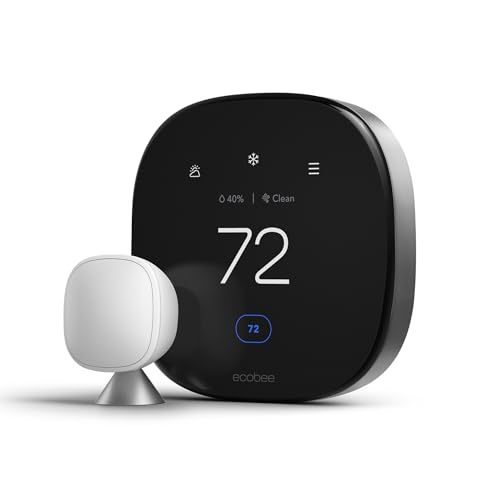
The sensor-led flagship: explicit scheduling, a room sensor ecosystem, wide assistant support, and thoughtful installation provisions including its documented power extender approach. Best for: uneven, multi-room homes. Tier: premium.
Nest Learning Thermostat — Best for Set-and-Forget Learning
The learning flagship with the category’s most polished display and broad equipment support, for regular routines that would rather be learned than programmed. Best for: regular households with multi-stage systems. Tier: premium.
Google Nest Thermostat — Best Design-Led All-Rounder
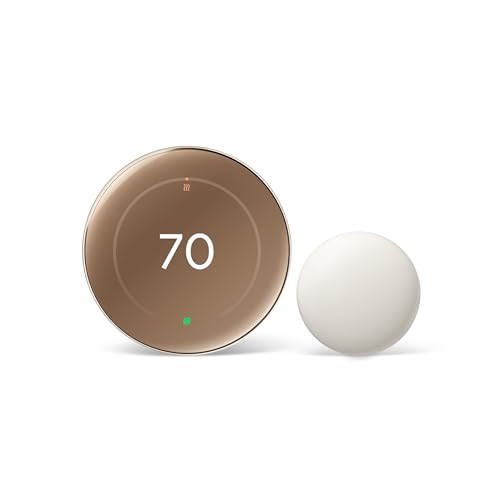
The schedule-driven middle tier in a mirrored finish that disappears into a hallway, with presence setbacks and energy summaries. Best for: standard systems and design-sensitive homes. Tier: mid.
Honeywell Home T9 — Best Traditional-Brand Sensor Option
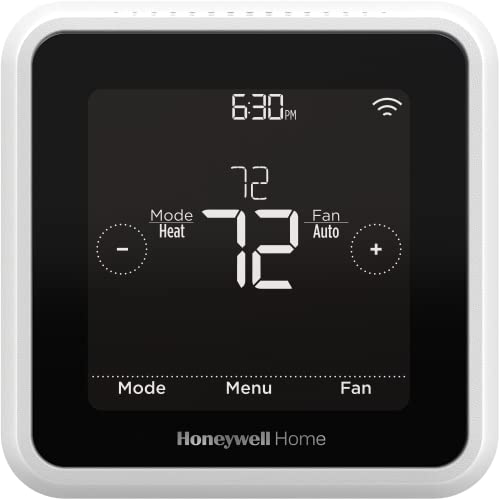
Room-sensor prioritisation from the brand many existing thermostats already wear, easing like-for-like upgrades on conventional systems. Best for: Honeywell households adding sensing. Tier: mid.

Amazon Smart Thermostat — Best Entry Pick for Alexa Homes
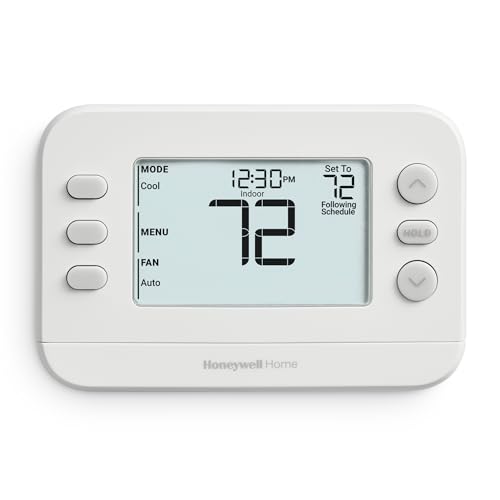
The connected essentials, Alexa-native, at the entry tier: app and voice control, scheduling, and hunches-based automation. Best for: Alexa flats and simple systems. Tier: entry. Households wanting the decision method behind these badges should read how to choose a smart thermostat in seven steps.
Does Your System Pass the Compatibility Test?
Before any criterion in this guide matters, your system must pass three gates. Gate one is type: forced-air furnace, boiler, heat pump, dual-fuel, or one of the specialist cases — line-voltage, millivolt, communicating — that redirect you out of the mainstream entirely. Gate two is complexity: how many heating and cooling stages, whether auxiliary heat exists, and whether accessories such as a humidifier, dehumidifier, or ventilator need controlling. Gate three is wiring: which conductors actually arrive at your wall, and above all whether a C-wire is present, a spare exists to become one, or the manufacturer’s adapter solution covers your configuration.
Spend the ten minutes this gate deserves even if a salesperson has already assured you verbally. Assurances evaporate; a checker result, screenshotted and kept with your installation archive, is evidence you can hand to an installer, a support line, or your future self. Note also what the checker asks: a tool that wants your equipment model, fuel, and stage count is doing engineering, while a tool that waves everything through is doing marketing, and the difference predicts the ownership experience with uncomfortable accuracy.
Every serious manufacturer publishes a compatibility checker that walks these gates with your answers. Use it, with the equipment’s real details, and treat its verdict as binding. If you do not know your stage count or fuel details, the answers live on the equipment’s nameplate, in its manual, or with the company that services it. Guessing at gate two is how heat pumps end up misconfigured, and the cost of that error arrives monthly. Compatibility is also where this guide repeats its standing advice: the checker saying no is information, not an obstacle to argue with.
How Much Sensing Does Your Home Actually Need?
Sensing is the criterion buyers most often misjudge in both directions. The diagnostic is simple: stand in the room where you sleep and the room where you spend evenings, and compare them honestly with the hallway where the thermostat hangs, at the hours that matter. If the difference is a shrug, your home is even-tempered and a thermostat’s own sensor, perhaps with presence detection, is enough; spend the difference on nothing. If the difference is a jumper, a blanket, or a portable heater, sensing is your category, and a room-sensor model will change daily life more than any other feature on this page.
There is a subtler sensing question hiding inside the first one: how stable is the temperature where the thermostat itself sits? Hallways near front doors, kitchens’ radiant spill, and sun-struck walls all produce a thermostat that is honestly reporting a dishonest location. If your current unit’s reading swings with the cooking or the afternoon sun, the cure may be relocation or a governing room sensor rather than a cleverer algorithm, and the buying implication follows: favour models whose sensors can overrule a badly placed wall unit, or budget the relocation into the project from the start.
Judge also the occupancy question. Sensing at the thermostat and in rooms does double duty: it feeds comfort averaging and it tells the system the house is empty. Homes with irregular occupancy gain twice from good sensing, because the same hardware that fixes the cold bedroom also trims the empty Tuesday. Homes occupied around the clock gain only the comfort half, and should value sensors accordingly. Finally, count the rooms you would actually equip. Sensor ecosystems are priced per room in effect, and a five-sensor plan for a house with one problem bedroom is overbuying in its purest form.
Which Platform and Assistant Should It Join?
The practical rule is to buy for the ecosystem you already speak to. If the house runs on one assistant — lights, speakers, routines — the thermostat should answer to it natively, including voice adjustment and away routines, and should join the same app the household already opens. Cross-platform models suit mixed households and future-proof against a change of phone allegiance; single-ecosystem models, like the Alexa-native entry pick, trade that breadth for simplicity and tier. Neither is wrong; buying against your installed base is.
Households should also decide, before buying, how the thermostat will treat guests and helpers. A cleaner, a house-sitter, or a grandparent staying for a month will meet the wall control, not the app, so the physical interface is the household’s public face; and where the platform supports limited guest access or a simple hold that cannot wreck the schedule, multi-generational life runs more smoothly. These are small criteria with outsized daily consequences, and they cost nothing to check at the buying stage.
Two checks refine the choice. First, subscriptions: confirm that scheduling, app control, and the reports you care about are free on your candidate, and note what, if anything, sits behind the manufacturer’s optional paid tier. Second, local behaviour: confirm the thermostat keeps its schedule and wall control through internet outages, because heating is infrastructure, not entertainment, and its core job should never depend on a distant server being awake. The strongest models are explicit about both points; vagueness on either is a reason to keep shopping.
How Will It Be Installed — and by Whom?
Build installation into the buying decision, because the models differ in how kindly they treat the installer. Look for clear compatibility tools, wire detection during setup, supplied labels, trim plates for older footprints, and a documented answer to the no-C-wire case. Then decide honestly who fits it. The standard swap — low-voltage, labelled wires, C-wire present — is a careful homeowner’s job under the mandatory rules: breaker off before covers move, old wiring photographed in close-up, every wire labelled by terminal, nothing bypassed, ever. The full method lives in our step-by-step guide to installing a smart thermostat.
The professional cases are equally clear. Line-voltage and millivolt systems are not DIY territory at all. Heat pumps with auxiliary and emergency heat arrangements you cannot map confidently onto the manufacturer’s diagrams deserve a technician’s configuration, because staging and lockout settings decide real money. Unlabelled, damaged, or previously improvised wiring is a stop sign regardless of system type. A technician’s installation, often paired with a service check, is a legitimate line in the purchase budget — for complex systems it is the line that makes the rest of the purchase work. If the value question itself is still open, settle it first with our household-by-household verdict on whether a smart thermostat is worth it.
How to Prioritise by Use Case
The even-tempered flat or small house
Prioritise: platform fit, an easy app, honest entry or mid tier. De-prioritise: sensor ecosystems and learning. Your home’s evenness has already solved the problems premium features exist for, so the buying guide’s advice is to purchase the connected essentials well — good wall controls, reliable scheduling, outage-proof local behaviour — and stop. The Amazon model for Alexa homes and the mainstream Nest model for Google-leaning homes are the natural shortlist.
The multi-storey family home
Prioritise: room sensing, scheduling clarity, and enough equipment support for your stages. De-prioritise: minimalism. Your problem is distribution of comfort, and the sensor-led flagship exists precisely for it. Budget for the sensors the problem rooms need, place them with the care the setup section describes, and let overnight bedroom priority become the feature the household judges the purchase by.
The heat pump home in a cold climate
Prioritise: configuration depth — staging, auxiliary heat management, defrost behaviour — and professional installation. De-prioritise: display glamour. In your house the thermostat is the heating system’s brain, and a winter of eager auxiliary heat costs more than any tier difference on this page. The learning flagship and the sensor-led flagship both offer serious heat pump handling; choose between them by routine and rooms, then have whichever you choose configured by someone who knows your equipment.
The second home and the rental
Prioritise: remote visibility, alerts, and recovery after outages. De-prioritise: learning, which has no routine to learn in an empty house. For rentals, add reversibility and the landlord’s written permission to the top of the list, and keep the original thermostat safe for refitting. A mid-tier model with excellent alerts beats a flagship with excellent learning in this profile, every time.
The Picks in Detail
ecobee Smart Thermostat Premium — the sensing benchmark
As a purchase, the ecobee flagship is a bet that information improves comfort: the more truthfully the system knows the house — which rooms are occupied, what they feel like, how the air is trending — the better its decisions. Owners get a large, legible display, explicit scheduling, broad assistant coverage, and an installation story that takes the no-C-wire home seriously through its documented adapter approach, to be followed exactly rather than adapted. Strengths: room sensing, platform breadth, installer documentation. Trade-offs: premium tier, and capability a small even home cannot spend. Best for: multi-room, uneven homes. Not suited for: minimalists in even flats. Check price on Amazon for the current listing.
Nest Learning Thermostat — the automation benchmark
The learning flagship is a bet that behaviour improves comfort: teach it for a few weeks and it programmes itself around your life, with presence sensing covering the deviations. Its display remains the category’s showpiece and its equipment support reaches the multi-stage and accessory cases smaller models decline. Strengths: learning quality, display, staging depth. Trade-offs: premium tier, and a philosophy that irregular households experience as interference. Best for: regular routines on capable systems. Not suited for: shift patterns and chaotic weeks. Check price on Amazon for the current listing.
Google Nest Thermostat — the balanced middle
The mainstream Nest model is a bet on proportion: most of the connected benefit — scheduling that sticks, presence setbacks, summaries that inform — in hardware designed to vanish into the decor. It asks its owners to set a schedule rather than teach one, which many households secretly prefer. Strengths: design, balance, mid-tier positioning. Trade-offs: no deep sensor ecosystem, less staging theatre than the flagship. Best for: standard systems in design-conscious homes. Not suited for: problem-room houses. Check price on Amazon for the current listing.
Honeywell Home T9 — the familiar-name sensor route
The T9 is a bet on continuity: room-sensor prioritisation delivered by the brand already on millions of walls, with documentation written in the trade’s familiar language. For a household replacing an ageing Honeywell, that continuity shortens both the installer’s work and the family’s learning curve. Strengths: sensors, familiarity, conventional terminals. Trade-offs: a narrower platform story than the ecobee, and a display that prioritises function over flair. Best for: conventional systems gaining sensing. Not suited for: households wanting the widest assistant coverage. Check price on Amazon for the current listing.
Wyze Thermostat — the entry-tier minimalist
The Wyze model is a bet on sufficiency: connected control and app scheduling at the entry tier, leaning on its app for compatibility checking and guided setup. It suits a simple, standard, labelled system where the household wants the connected essentials and nothing else, provided its stated power and system requirements are met exactly. Strengths: tier, simplicity. Trade-offs: the shallowest feature set here, and no headroom for accessories or complex staging. Best for: simple systems and tight briefs. Not suited for: heat pumps with complicated auxiliary arrangements. Check price on Amazon for the current listing. A two-sided summary of ownership across all these models sits in smart thermostat pros and cons, weighed honestly.
First Setup and Care Essentials
Setup quality decides whether a good purchase becomes a good ownership. Work through it in order: equipment questions answered from your system inventory, never guessed; a real schedule set on day one; room sensors placed at living height away from sun, vents, and exterior doors; geofencing enrolled on every household phone and tested with a deliberate departure; household members added with their own accounts; and alerts — low temperature, system fault, filter reminder — switched on and pointed at someone who will act on them. Then test every mode once: heating call, cooling call, fan only, and for heat pumps a check that auxiliary heat stays out of mild weather.
Care thereafter is light. Dust the unit with a dry cloth, keep its vents clear, confirm reconnection after router changes, and read the runtime report monthly through the first year, watching for short-cycling and auxiliary heat habits. Twice a year, re-aim the schedule at the coming season. Keep the installation archive — photographs, labels, configuration answers — with the house documents. That is the whole maintenance burden of the category, and it is deliberately listed in full so buyers can see how small it is when the purchase was right. The category’s ownership experience, good and bad, is reviewed in depth in our full smart thermostat review.
Mistakes to Avoid When Buying
Buying before the compatibility gates is the cardinal mistake, and buying a philosophy your routine contradicts is the second: learning for the irregular, minimalism for the house with problem rooms, flagship sensing for the flat that needs none. The third mistake is treating the C-wire as an installation-day surprise instead of a purchase-day question. The fourth is ignoring the rest of the household — a thermostat one person loves and three people override is a failed purchase wearing a nice screen. The fifth is forgetting the system around the thermostat: ageing equipment, a zone panel, a planned humidifier. Ask what the next five years of the heating system look like, and buy the thermostat that fits that story, not just this winter’s.
Displays, Controls, and the People Who Will Actually Use Them
Buying guides dwell on software and skip the object on the wall, yet the object is what guests, grandparents, and babysitters meet. Judge the physical interface with their hands in mind. The best designs offer one obvious gesture — turn, tap, or swipe — that changes the temperature, with the current and target temperatures legible from across the room. Presence-activated displays that wake as you approach are genuinely pleasant and save the squinting that makes people poke at screens randomly. Finishes divide into the expressive — metal rings, bright faces — and the disappearing, mirrored or fabric fronts that reflect the hallway back at itself. Neither is better; the hallway decides, and so does the light in it at the hour you pass most often.
Accessibility deserves a deliberate check. A household member with limited vision needs large numerals and high contrast more than it needs a learning algorithm. A member with limited dexterity needs a control that forgives imprecise input. Children need a lock or a hold limit more than they need voice control. These are not edge cases; they are the daily reality of multi-generational homes, and they are testable in a showroom or from detailed hands-on descriptions in a way that cloud features are not. When two models tie on system fit, the one your whole household can operate wins, and it is not close.
Energy Reports, Utility Programmes, and Demand Response
Most smart thermostats produce some account of themselves: runtime histories, day-by-day comparisons, and in the better ecosystems an interpretation layer that relates runtime to weather. As a buying criterion, prefer the interpretation over the raw graph. A household acts on “the system ran longer because the week was colder, and auxiliary heat joined in twice” in a way it never acts on an unexplained bar chart. Filter reminders and fault alerts belong in the same judgement: they convert the thermostat from a controller into a monitor, and monitoring is where several of the category’s largest real-world savings hide, in faults caught in November rather than January.
Utility programmes interact with the purchase in some regions. Suppliers may offer incentives toward a connected thermostat, or enrolment in demand-response schemes that permit small, brief set point adjustments during grid peaks in exchange for bill credits or payments. Programme terms change and vary by territory, so this guide quotes none of them; the buying action is simply to check your supplier’s current offers before choosing, because an incentive can favour one ecosystem over another, and programme participation may be tied to a specific device. Read enrolment terms as you would a subscription: what is adjusted, how often, how you override, and how you leave.
Smart Versus Programmable: What the Upgrade Actually Buys
Because many homes already own a programmable thermostat, the sharpest buying question is comparative. A programmable model, honestly used, delivers scheduled setbacks — the largest single behaviour in the savings story. What it cannot deliver is everything dynamic: it does not know the house emptied early, does not sense the bedroom, does not adjust from the train, does not report the heat pump’s bad habit, and — the quiet killer — it is so unpleasant to reprogramme that its schedule fossilises while the household’s life moves on. The smart premium buys adaptability and information, not the basic idea of a schedule.
That framing produces a clean buying rule, and it is worth pausing on the fossilised schedule, because it is the most common condition in real homes and the least admitted. Owners defend the old box — it works, it heats, what is the fuss — while its programme describes a household from two jobs and one child ago. The smart thermostat’s least glamorous feature, a scheduling screen a person can face without dread, is the direct cure, and it explains a pattern installers know well: the households most sceptical before the swap are often the most converted after it, not because the house became futuristic, but because its instructions finally describe its life again.
That framing produces a clean buying rule. If your programmable thermostat’s schedule is current and your rooms are even, the smart upgrade buys convenience and monitoring, and should be priced in your head as such — entry or mid tier, bought with open eyes. If the schedule is fossilised, the house empties irregularly, or the rooms disagree, the smart upgrade buys the behaviour change itself, and the flagship tiers come into honest contention. Either way, the comparison to beat is not the dial from 1975. It is the programmable box already on your wall, used as well as you actually use it.
Warranties, Support Horizons, and Buying the Company as Well as the Thermostat
A thermostat is a decade-scale fixture, so the manufacturer’s behaviour over a decade is part of the specification. Weigh the support record: how long the company has updated older models, whether its app has improved by refinement or lurched through abandonments, and whether its thermostats keep working locally when accounts or clouds falter. The category’s history includes well-loved products orphaned by corporate decisions, and the lesson is not to fear connected thermostats — their local fallback keeps the heat on regardless — but to buy from makers whose core business the thermostat plainly is. A heating-brand thermostat and a platform-brand thermostat both qualify on that test in different ways; a thermostat launched as a side project by a company that has since pivoted does not.
Warranty length and the clarity of the compatibility promise matter for the same reason. Prefer makers who state plainly which systems are supported, publish wiring documentation a technician can use without an account, and keep spare trim and sensor accessories available years after launch. When you buy, register the product if registration is offered, keep the receipt with your installation photographs, and record the model and serial in the house documents. None of this appears in comparison charts, and all of it decides how the purchase feels in year six.
Buying for More Than One Zone, and for the House You Will Have Next Year
Zoned homes should buy a family, not a product. One ecosystem across zones means one app, one account structure, consistent occupancy logic, and a single learning curve for the household and for the technician who services the system. Check how the family handles zone panels and simultaneous demands before committing, and phase the purchase zone by zone if budget requires, starting with the zone whose rooms complain loudest. The same consistency logic applies to accessories: if a humidifier or ventilator is planned within the thermostat’s life, buy the model that can control it now, because the alternative — replacing a two-year-old thermostat when the accessory arrives — is the category’s most avoidable waste.
Finally, buy for the house twelve months ahead rather than the house of the brochure photograph. A baby coming, a parent moving in, an office moving home, an extension warming one wing and shading another: each rewrites sensing and scheduling needs. The models that absorb such changes are the ones with headroom — sensor support you can grow into, accessory terminals you may not use yet, platform breadth that survives a change of phone. Headroom is the one flagship trait worth paying for even in a simple home, provided the fundamentals — compatibility, wiring, philosophy — are already right. Get those right, in that order, and the rest of this guide is refinement. Get them wrong, and no refinement saves the purchase.
Reading Specifications Without Being Mislead by Them
Thermostat specification sheets reward a sceptical reader. Compatibility lists should be read for your equipment specifically, not for their length: a model compatible with everything except your configuration is, for you, compatible with nothing. Sensor claims should be read for what is sensed and where: temperature at the thermostat is universal; humidity is common and useful; occupancy at the unit is common; room sensing requires the sensors themselves, which may be included, bundled, or sold separately — a distinction that changes the real tier of a purchase. Display claims are the least decision-worthy numbers in the category and should be weighted accordingly.
Connectivity claims deserve the same treatment. Dual-band Wi-Fi support matters in larger homes where the thermostat sits far from the router on a congested band. Support for modern interoperability standards matters if your smart home mixes brands, and matters not at all if your household lives inside one ecosystem happily. Voice assistant logos should be checked against the specific features you expect — basic adjustment is nearly universal among supported assistants, while routines and away modes vary. The general principle: every claim on the box is a question to verify against your house, not a point to score. Buyers who read specifications as questions end up with thermostats that fit; buyers who read them as scores end up with impressive boxes.
One specification rarely printed deserves active enquiry: behaviour when the internet fails. Ask it of every candidate. The answer you want is boring — the schedule continues, the wall control works, the heating and cooling run, and the smart features resume when the connection returns. Any answer more exciting than that is a reason to choose a different model, because a thermostat’s first duty is to the house in a storm, not to the cloud in fair weather.
A Short History of the Category, and Why It Matters to Buyers
The thermostat spent most of a century as a bimetallic coil and a mercury switch, then a few decades as a beige programmable box whose interface defeated most of its owners. The connected generation arrived when three curves crossed: cheap radios and colour screens, phones in every pocket, and heating systems efficient enough that control quality — staging, recovery, auxiliary management — became a meaningful share of their performance. That history explains the category’s present shape. The hardware is mature; the differentiation lives in software judgement and sensing, which is why this guide weights philosophy and information over displays and finishes.
It also explains the category’s central disappointment and its central promise. The disappointment: a smart thermostat cannot rescue a bad system, poor insulation, or a house whose heat leaks faster than any schedule can chase. Buyers who expected the device to halve a bill driven by single glazing were always going to be let down, and honest guides should say so before the purchase rather than after. The promise: within a sound house and a sound system, control is the cheapest performance left to buy, because the equipment’s capability is already paid for and only its instructions were primitive. Most households reading this guide own systems considerably smarter than the dial that has been instructing them. The thermostat is how the system finds out.
Expect the category to keep moving toward coordination: thermostats that talk to heat pumps as systems rather than switches, that participate in grid programmes, and that share occupancy truth with lighting, locks, and security. Buyers today should favour the ecosystems investing in that coordination — open standards support, documented integrations, a record of shipping improvements to existing hardware — because the thermostat bought this winter will still be on the wall when those features become ordinary. Longevity, in this category, is a feature you buy from the company’s roadmap as much as from its catalogue.
The Ten-Minute Showroom and Listing Checklist
When you are finally comparing two or three survivors, run this sequence against each, in order, and stop at the first failure. One: the manufacturer’s checker confirms your system, stages, and accessories by name. Two: your wiring case — C-wire present, spare available, or the documented adapter — is explicitly covered. Three: the control philosophy matches your routine in one sentence you can say out loud. Four: it joins your assistant and platform with the features you expect, free of any subscription you would resent. Five: every regular occupant can work it at the wall. Six: its local behaviour through an internet outage is documented and boring. Seven: its sensor and accessory headroom covers the house you will have next year. Eight: its maker has a support record measured in years, not launches.
A model that passes all eight is not merely a good thermostat; it is the right thermostat for your house, and the remaining differences between it and another eight-pass model are taste. Buy on taste at that point without guilt — finish, display, the feel of the app — because taste is what you will notice daily once fit is guaranteed. A model that fails early and charms late should be released without regret. The wall is a ten-year commitment, and ten years is far too long to spend negotiating with a beautiful misfit.
One more buying situation deserves its own paragraph because it reverses the usual advice: replacing a failed thermostat in a hurry, mid-winter, with the house cooling. In that moment, availability beats optimisation. Buy the compatible model you can obtain today at the entry or middle tier, confirm its wiring case from the failed unit still on the wall, and install it under the same safety discipline as any planned swap — haste is not a reason to skip the breaker, the photograph, or the labels. A good-enough thermostat heating the house tonight outperforms the perfect thermostat arriving Thursday, and the mid-tier models in this guide are good enough to keep for years if the emergency purchase turns permanent, as emergency purchases so often do.
And a closing word on timing for everyone not facing an emergency. The calmest moment to buy and fit a thermostat is the shoulder season, when the heating is neither life-support nor forgotten, a mistake costs a chilly evening rather than a frozen pipe, and a technician’s diary has room if your installation finds a stop sign. Buyers who shop in that window also judge more clearly, because no cold snap is shouting over the criteria. Whenever you buy, though, the order of this guide holds: system first, wiring second, philosophy third, platform fourth, and only then the pleasurable business of choosing the object itself. Followed in that order, the purchase almost makes itself — which is the surest sign a buying guide has done its work.
Before You Buy: The Smart thermostat Fit Audit Most Shoppers Skip
A buying guide earns its keep in the checks it makes you do before money changes hands, and this is the check most shoppers skip with a smart thermostat: verifying the fit in your own home, on your own routine, rather than in a showroom or a listing photograph. Work through what follows with a tape measure, your phone and ten quiet minutes in the room where the smart thermostat will live.
Judge a smart thermostat by your heating and cooling system first: compatibility with your equipment and wiring decides the shortlist before features get a vote. Then judge the scheduling and sensing model, whether it learns, follows room sensors or simply runs a programme you set, against how your household actually lives. Photograph your current thermostat’s wiring before buying, check for the common wire many models need, and note your system type from the existing unit’s labels. Decide where temperature should be sensed, because the hallway where thermostats live is rarely the room whose comfort matters most.
In a home with a predictable work pattern, a thermostat that pre-warms or pre-cools for arrival beats one that reacts after you walk in uncomfortable. For bedrooms that run hot or cold relative to the hall, remote room sensors that let the system average or prioritise the sleeping rooms fix the oldest complaint in heating. For a second home or rental, remote alerts for very low temperatures and the ability to check the system from afar justify the smart layer on their own. Use this as a pre-purchase audit: any model still standing after these checks has earned its place on your shortlist, and any model that fails one should be dropped without regret, however strong its other features look.
Apply all of this to the listings in front of you. When a listing such as the ecobee Smart Thermostat Premium, Nest Learning Thermostat and Google Nest Thermostat catches your eye, resist judging it by its headline claim and instead run the checks above against it: does its stated role match the room you measured, does its control path suit your household, and does the maker’s own guidance support the job you have in mind. A model that answers those questions cleanly on paper usually answers them cleanly in the home, and one that dodges them in the listing will dodge them on your wall, shelf or desk as well.
Systems with proprietary communicating controls and some older high-voltage setups sit outside most smart thermostats’ compatibility, whatever the box suggests. A thermostat is only as good as its sensor’s position; direct sun, a draught or a hot appliance nearby will run the whole house wrong. If the system short-cycles or the thermostat reboots when heating starts, the power supply to the thermostat is the first suspect, not the schedule. If one room never reaches the set point, check vents, doors and sensor placement before raising the temperature for the whole house.
- Measure the space and note the constraint that most limits your choice for your smart thermostat.
- Confirm the control path works for everyone in the household, not just the buyer for your smart thermostat.
- Check what still works when the home network is down for your smart thermostat.
- Read the maker’s guidance for your exact room and load type before ordering for your smart thermostat.
- Plan where accessories, chargers or spares will live from day one for your smart thermostat.
- Keep the return window in mind and schedule your own checks inside it.
If the app and the wall unit disagree, confirm both are on the same account and system after any router or password change. Keep the thermostat’s vents and sensors dust-free, replace room-sensor batteries on a rota, review the schedule at each season change, keep firmware updated, and have the heating system itself serviced on its own schedule regardless of the thermostat’s cleverness.
Finish the audit by writing down the one requirement you will not compromise on and the one feature you are willing to drop. A shortlist built on that honesty is short, and choosing from it stops feeling like a gamble.
It also helps to think in seasons rather than in days. A smart thermostat that seems ideal in the week it arrives may face different light, different temperatures, different routines and different demands a few months later, and the models that age well are the ones chosen with that longer view in mind.
Keep the household in the loop as you decide. The person who did not choose the smart thermostat is usually the person who discovers its most annoying habit first, and a two-minute conversation before buying can surface the objection that saves a return.
Frequently Asked Questions
Which type of smart thermostat is best for most homes?
For a standard system in a home with a fairly regular routine, the balanced middle — a schedule-driven model with presence setbacks, like the mainstream Nest — covers most households well. Homes with uneven rooms should step up to sensor-led; homes with strong routines and complex systems suit the learning flagship; small even homes should honestly buy the entry tier. Best in this category is a match, not a model.
Do I need room sensors?
Only if your rooms disagree with your hallway. Compare the bedroom and living room with the thermostat’s location at the hours you use them. If they match, sensors add cost without comfort. If they differ enough that you compensate with blankets, fans, or portable heaters, sensors are the single most valuable feature you can buy, and a sensor-led model should top your shortlist.
What does a C-wire do, and what if I do not have one?
The C-wire supplies continuous power to the thermostat’s screen, radios, and sensors. Without one, options are a spare wire in your cable connected properly at the equipment board, the manufacturer’s own power adapter fitted exactly as its instructions describe, or a technician adding the wire. Check your situation before buying, choose a model whose stated solution covers it, and never improvise a power connection.
Are smart thermostats compatible with heat pumps?
Many are, and they can manage auxiliary heat more carefully than basic controls, but configuration is everything: reversing valve behaviour, staging, and lockouts must match your system. Use the manufacturer’s checker with your exact model of equipment, favour models with documented heat pump depth, and have complex auxiliary arrangements configured by an HVAC technician.
Should I buy the flagship tier or the entry tier?
Let your system and your floor plan decide. Complex staging, accessories, problem rooms, and regular routines that suit learning all argue upward. A simple system in an even home argues downward, firmly. The expensive mistake in this category is not underbuying; it is buying flagship capabilities your house cannot use, which is why this guide spends more words on diagnosis than on products.
Can I take a smart thermostat with me when I move?
Technically, usually yes; practically, it depends on the next home’s system and wiring, and on what you owe the current one. Sellers often leave the thermostat as part of the home’s systems, with accounts reset for the buyer. Renters must restore the original unit unless agreed otherwise. If you do move it, treat the new installation as a fresh compatibility check, not a reunion.
Related Guides
Build the surrounding platform with the best smart speakers, the best smart light switches, the best smart humidifiers, and the best smart air quality monitors. For the plural view across owners and models, see our collected smart thermostat reviews.