Disclosure: As an Amazon Associate, reviewstook.com earns from qualifying purchases. Links on this page are affiliate links; they cost you nothing extra. Prices and availability change often, so check the current Amazon listing before you buy.
This wooting 60he 80he guide exists because the two keyboards in its title confuse almost everyone who shops for them. The Wooting 60HE and the Wooting 80HE share a name, a switch technology, and a software philosophy, yet they are built for different desks and different hands: one is a compact 60 percent board that strips everything back to the essentials of fast key response, and the other is a larger 80 percent layout that adds a function row, dedicated navigation keys, and a more substantial case. Before the comparison even starts, one fact needs stating plainly, because it shapes the whole page. Wooting sells its keyboards through its own store and has no official Amazon listing, so the Wooting models themselves are covered here in prose, with buying guidance for the direct route, while the linked picks further down are clearly labelled Hall-effect alternatives from other brands for readers who want rapid trigger performance through Amazon instead. Nothing below pretends an alternative is a Wooting; each is presented under its own name, for its own merits.
Key takeaways
- The 60HE is the small, light, travel-friendly expression of Wooting’s analog Hall-effect idea, while the 80HE adds keys, weight, and a more refined case for a permanent desk.
- Both boards rest on the same pillars: per-key adjustable actuation, rapid trigger that resets a key the instant it starts rising, and analog sensing that can read how far a key is pressed.
- Wooting keyboards are bought direct from the maker’s own store; there is no official Amazon listing, and any marketplace listing implying otherwise deserves suspicion.
- Rapid trigger matters most in games built on fast repeated movement inputs, and it is now available from several rival brands whose boards are sold through Amazon.
- The labelled alternatives in this guide span compact esports boards, a knob-equipped 75 percent model, a premium wireless custom board, and a value-focused 60 percent option.
- Choosing between the two Wooting sizes is mostly a layout question, while choosing between Wooting and an alternative is mostly a question of software depth, availability, and how much the analog ecosystem matters to you.
Wooting 60He 80He Guide: what separates the Wooting 60HE from the 80HE?
Begin with layout, because layout is the difference you live with every day. The 60HE follows the classic 60 percent arrangement: the alphanumeric block, modifiers, and little else, with arrows and function keys folded onto layers reached through a function key. That compactness frees a wide sweep of desk for the mouse, which is precisely why so many shooter players adopted it, and it makes the board easy to carry between home, office, and events. The 80HE moves to an 80 percent footprint, restoring the function row and a navigation cluster in a gasket-mounted case with a more deliberate, weightier build. Typists who live on function keys, players who bind the top row in strategy or MMO titles, and anyone who dislikes layer gymnastics for everyday shortcuts will feel the 80HE’s extra keys as a daily quality-of-life gain rather than a spec-sheet footnote.
Under the keycaps, the two boards are siblings rather than strangers. Both use Wooting’s Lekker magnetic switches, which pair a magnet in the stem with a Hall-effect sensor on the board that measures key position continuously instead of merely registering a fixed contact point. That sensing is what enables the features the brand is known for: actuation points adjustable per key across the travel range, rapid trigger behaviour that resets and re-presses with tiny movements at any point in the stroke, and analog output that can feed a game a graduated value the way a controller trigger does. The 80HE refines the formula with newer switch revisions and a case designed to sound and feel more composed out of the box, while the 60HE line has evolved through its own updated modules and editions since launch. Neither board is the budget option in its size class, and both assume the buyer cares about input performance first.
Software is the third leg. Wooting’s configuration tool runs in a browser, stores profiles on the board, and exposes the analog and rapid trigger settings with a clarity that rivals spent years chasing. Because profiles live on the hardware, a board set up once behaves identically on any machine, a trait tournament players and shared-PC households both appreciate. When you read the alternatives section below, judge each rival partly on this axis: several now match Wooting feature for feature on rapid trigger, but the polish and depth of the surrounding software still varies, and it is the thing you will touch most after the honeymoon week.
Why is there no Wooting keyboard to buy in the picks below?
Because honesty about availability beats a convenient fiction. Wooting has consistently sold through its own web store, shipping directly to customers, and searches of Amazon’s catalogue through the proper channels return no official Wooting listing. Third-party marketplace sellers occasionally surface around popular hardware, but an unofficial listing is not the brand’s channel, may not carry the brand’s warranty experience, and is not something this guide will route you toward. If your heart is set on a genuine 60HE or 80HE, the correct path is the maker’s own store, with delivery times and regional availability checked there, and the rest of this guide still serves you: the comparison, the setup advice, and the buying-guide criteria all apply to the direct purchase.
If, on the other hand, you want the rapid trigger experience with Amazon’s ordering, delivery, and returns wrapped around it, the five boards below are the verified alternatives, each checked against Amazon’s catalogue data for this guide. They are labelled as alternatives every time they appear, and the final recommendation section will be explicit about who should still buy direct from Wooting instead. Readers comparing the flagship rivalry head-on may also want Wooting 60HE against the SteelSeries Apex Pro in depth, and those surveying the whole family should see the complete Wooting lineup mapped.
In this guide
Quick picks: the labelled Hall-effect alternatives at a glance
| Alternative | Layout | Headline strength | Connection |
|---|---|---|---|
| SteelSeries Apex Pro Mini Gen 3 | 60 percent | Refined rapid trigger with per-key adjustment and a protection mode for cleaner inputs | Wired USB-C |
| Razer Huntsman V3 Pro Mini | 60 percent | Analog optical switches with rapid trigger and snap-style prioritisation | Wired |
| DrunkDeer A75 Pro | 75 percent | Hall-effect speed with a knob and quiet magnetic switches | Wired |
| Keychron Q1 HE | 75 percent | Custom-board build quality with wireless freedom and rapid trigger | 2.4 GHz, Bluetooth, wired |
| Aula WIN60 HE | 60 percent | High polling and rapid trigger at a value-leaning tier | Wired |
Every alternative in the table is a real, separately branded product with its own listing, and each detailed review below links to that listing with a plain check-price prompt. Treat the table as a map, not a verdict; the right choice depends on whether your priority is esports minimalism, desk comfort, wireless freedom, or value.
The alternatives in detail

SteelSeries Apex Pro Mini Gen 3 — the closest mainstream rival in the same small footprint
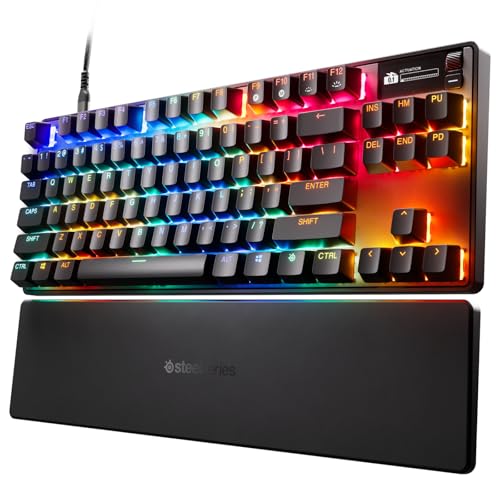
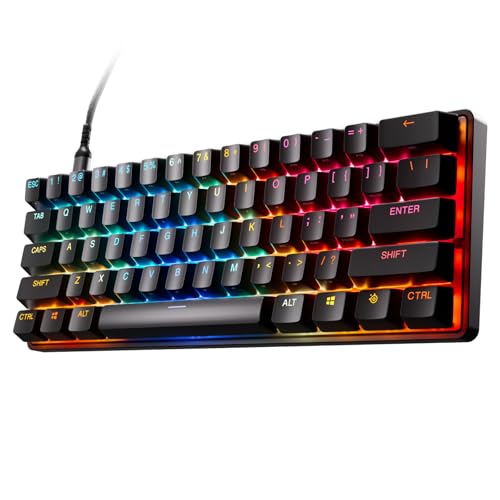
Badge: Best Amazon-sold alternative for competitive players. If the 60HE’s appeal is a tiny board with serious rapid trigger credentials, the Apex Pro Mini Gen 3 is the alternative that understands the assignment most completely. Its OmniPoint 3.0 HyperMagnetic switches offer adjustable actuation and rapid trigger, and SteelSeries layers on a protection mode that tempers accidental inputs on neighbouring keys plus a rapid tap feature for cleaner opposing-direction movement. The board feels like a product from a company that has iterated this exact formula for several generations, because it has.
At a glance: 60 percent layout; magnetic switches with per-key adjustable actuation; rapid trigger and rapid tap; RGB lighting; USB-C wired connection; doubleshot PBT keycaps on this generation.
Strengths
- Rapid trigger implementation is mature, with fine-grained per-key control in well-organised software.
- The protection mode genuinely helps players who rest fingers heavily and trigger neighbours by accident.
- Compact footprint preserves the same wide mouse space that draws players to the 60HE.
Trade-offs
- Wired only, which will rule it out for cable-free desks.
- The software suite is heavier than a browser-based tool and asks for an account-free but sizeable install.
- It carries a flagship-tier positioning, so it is not the value route into Hall-effect boards.
Best for: competitive shooter players who want the 60HE concept through Amazon with the deepest mainstream polish. / Not suited for: wireless seekers and buyers hunting the lowest-cost entry into rapid trigger.

Razer Huntsman V3 Pro Mini — analog optical speed in a 60 percent shell
Badge: Best for players already in Razer’s ecosystem. Razer reaches similar performance by a different road: instead of magnetic sensing, the Huntsman V3 Pro Mini uses analog optical switches that measure actuation by light, delivering adjustable actuation points and rapid trigger behaviour with a characteristically crisp, fast feel. Razer’s snap-style feature prioritises the most recent direction when opposing keys are held, which movement players in modern shooters have quickly adopted. Dual-purpose mod keys squeeze extra function out of the small layout, a thoughtful touch on a board this size.
At a glance: 60 percent layout; analog optical switches; rapid trigger with adjustable actuation; doubleshot PBT keycaps; wired connection tuned for esports; onboard profile storage.
Strengths
- Optical actuation feels exceptionally immediate, with a clean, consistent press from key to key.
- Direction-prioritisation for opposing inputs is built in and easy to configure per profile.
- Build and keycap quality match its position near the top of Razer’s keyboard range.
Trade-offs
- Razer’s software is powerful but famously opinionated, and not everyone enjoys living inside it.
- Optical switches are not hot-swappable in the way magnetic custom boards increasingly are.
- Like the SteelSeries, it is wired only and priced as a premium product.
Best for: Razer loyalists and movement-focused players who value optical snap. / Not suited for: tinkerers who want to swap switches and caps endlessly, or anyone avoiding large software suites.

DrunkDeer A75 Pro — Hall-effect pace with everyday comforts
Badge: Best alternative for mixed gaming and typing. DrunkDeer built its name inside the rapid trigger niche, and the A75 Pro shows a brand thinking beyond the tournament desk. The 75 percent layout keeps a function row and adds a control knob, the magnetic switches are tuned toward a quieter press, and the whole board has a friendlier, less austere personality than the esports minis. For a reader torn between a Wooting for ranked nights and something civilised for the working day, this is the alternative that splits the difference most gracefully.
At a glance: 75 percent layout with 82 keys; silent magnetic switches; adjustable actuation with rapid trigger; rotary knob; PBT keycaps; wired connection.
Strengths
- The knob and fuller layout make daily desktop life noticeably easier than on a bare 60 percent board.
- Quieter switch tuning suits shared rooms, calls, and late-night sessions.
- Rapid trigger credentials come from a specialist brand that focuses on this category alone.
Trade-offs
- The larger footprint gives back some of the mouse room a 60 percent board wins.
- Software and documentation are less polished than the big gaming brands offer.
- White colourway styling will not match every setup’s taste.
Best for: players who game seriously but type all day on the same board. / Not suited for: minimalists who want the smallest possible footprint or the lightest travel board.

Keychron Q1 HE — the custom-board route to rapid trigger
Badge: Best alternative for enthusiasts who want wireless and build quality. The Q1 HE comes from the custom keyboard world rather than the esports world, and it shows in the best ways: a heavy, premium-feeling 75 percent board with double-rail magnetic switches, rapid trigger support, and configuration through a clean launcher that keyboard hobbyists already trust. Crucially, it adds proper wireless — a fast 2.4 GHz link for gaming and Bluetooth for the rest of life — which neither Wooting’s current flagships nor the other alternatives here match in one package.
At a glance: 75 percent layout; Gateron double-rail magnetic switches, hot-swappable; rapid trigger; 2.4 GHz wireless, Bluetooth 5.2, and wired modes; Mac and Windows support; premium metal-case construction.
Strengths
- Wireless freedom without giving up rapid trigger separates it from every wired rival here.
- Case, acoustics, and typing feel are a clear tier above typical gaming-brand boards.
- Hot-swappable magnetic switches invite experimentation and easy replacement.
Trade-offs
- Its weight makes it a desk fixture rather than a travel companion.
- The enthusiast positioning means a premium outlay compared with value Hall-effect boards.
- Esports-specific extras like direction prioritisation are less central to its design brief.
Best for: keyboard enthusiasts who want one beautiful board for work and ranked play. / Not suited for: players who carry their setup to events or who want the absolute lightest input chain.

Aula WIN60 HE — rapid trigger on a value ticket
Badge: Best budget-leaning way to try the category. Not everyone should spend flagship money to discover whether rapid trigger suits their games, and the WIN60 HE exists for the curious. It packs magnetic hot-swappable switches, adjustable actuation with a rapid trigger mode, and an 8000 Hz polling rate into a compact 60 percent board positioned well below the premium tier. The compromises live where you would expect — case refinement, software polish, and overall fit and finish — but the core input features that define the category are present and functional.
At a glance: 60 percent layout; magnetic switches, hot-swappable; adjustable actuation and rapid trigger mode; 8000 Hz polling; RGB lighting; wired connection.
Strengths
- The essential Hall-effect feature set arrives without a flagship commitment.
- High polling rate support matches the spec sheets of far costlier boards.
- Hot-swappable switches let beginners experiment with feel cheaply.
Trade-offs
- Software is serviceable rather than delightful, and updates arrive on a smaller brand’s schedule.
- Case sound and keycap quality trail the premium alternatives noticeably.
- Long-term support and documentation depth cannot match the major brands.
Best for: first-time rapid trigger buyers and second-desk or travel setups. / Not suited for: buyers who want a single board to keep for many years with top-tier support behind it.
How do you choose between the 60HE, the 80HE, and an alternative?
Work through four questions in order. First, layout: count how often you reach for a function row, arrow keys, or a delete key in your actual week, not your imagined one. If the answer is constantly, the 80 percent class — the 80HE, or the 75 percent alternatives — will make you happier than any input feature can. If your desk time is dominated by one or two shooters and your mouse hand roams widely, the 60 percent class earns its compromises. Second, channel: decide whether you are comfortable buying direct from a specialist maker, with its shipping timelines, or whether Amazon’s logistics and returns matter more to you. There is no wrong answer, but pretending the choice does not exist leads readers to unofficial listings, which is the one genuinely bad outcome.
Third, software temperament. Wooting’s browser-based configuration is light, portable, and deep on analog features. SteelSeries and Razer offer broader ecosystems with heavier installs. Keychron’s launcher appeals to hobbyists. DrunkDeer and Aula provide functional tools with less ceremony. You will live in this software for every profile change, so weigh it as heavily as the switches. Fourth, the analog question: Wooting’s analog sensing, which can map key depth to graduated game inputs, remains its most distinctive capability, and a small set of games and creative uses exploit it beautifully. If analog control is your primary reason for shopping, buy the genuine article direct. If rapid trigger is the feature you actually want — true for most competitive players — the alternatives field is wide open, and the wider category context at Hall-effect gaming keyboards compared will help you place these five boards in the full market.
One more consideration belongs in the choice, and it is the household test. A board used on a shared family computer, a partner’s desk, or a machine that hosts video calls all day lives a different life from a dedicated gaming rig’s keyboard, and the comfort-first alternatives earn their place in exactly those homes. Conversely, a dedicated battlestation that exists for ranked play should be allowed to be uncompromising, and nobody should apologise for choosing the small, sharp, single-purpose board there. Matching the keyboard to the room it will actually sit in sounds obvious, yet a remarkable share of buyer’s remorse in this category traces back to ignoring it.
How should you set up a rapid trigger board once it arrives?
Start conservatively. Set a moderate actuation point across the board, enable rapid trigger on the movement cluster only, and play several full sessions before touching anything else. The classic beginner error is enabling every feature at maximum sensitivity on every key, which produces accidental inputs, mistimed jumps, and the false conclusion that the technology is hype. A sensible progression adds rapid trigger to the full alpha block once movement feels natural, then experiments with a shorter actuation on a few high-frequency keys while leaving typing-heavy keys calmer. Keep one profile as a plain, safe configuration you can return to; experimentation is only useful when it is reversible.
Then tune per game rather than globally. A tactical shooter rewards deliberate movement keys with a little protection against accidents. A movement-heavy arena title rewards the lightest, fastest resets you can control. A typing profile should disable the twitchiest settings entirely, because prose does not forgive a hair-trigger spacebar the way a strafe does. Save profiles on the board itself where the hardware allows it, label them clearly, and revisit them after a fortnight; the settings that survive two weeks of real play are your settings, and the rest was novelty. If you are migrating from a conventional mechanical board, the primer at mechanical keyboard switches explained in plain terms explains why magnetic sensing behaves so differently from the contact switches you are leaving behind.
What mistakes do buyers make in this category?
The first mistake is hunting for a Wooting on Amazon and buying whatever an unofficial seller labels creatively; the brand’s absence from the marketplace is a fact to plan around, not a puzzle to outsmart. The second is buying a 60 percent board for a workflow that secretly depends on function keys, then blaming layers for a mismatch that a week of honest self-observation would have predicted. The third is judging rapid trigger in a single session, often with extreme settings, and discarding a technology whose benefits compound over weeks of muscle memory. The fourth is ignoring the software entirely until the first profile change turns into an archaeology expedition. And the fifth is assuming the most expensive board is automatically the most responsive; input chains reward configuration and fit at least as much as they reward spending, as the head-to-head at the flagship 60 percent rivalry examined explores in detail.
How do Lekker switches and Hall-effect sensing actually work?
A conventional mechanical switch is a pair of metal contacts. Press the key, the contacts meet, the keyboard reports a press, and nothing about the journey between rest and contact is known to the board. A Hall-effect switch replaces that binary contact with measurement. A small magnet moves with the key stem, a sensor on the circuit board reads the changing magnetic field, and the keyboard therefore knows the key’s position continuously through its travel, many times per millisecond. Every headline feature in this category is a consequence of that single change. Because position is known, the actuation point becomes a software decision rather than a physical fact, so it can sit high for hair-trigger response or low for deliberate presses, and it can differ from key to key. Because position is tracked continuously, the board can notice the instant a key starts to rise and reset it there, which is rapid trigger. And because position is a value rather than an event, it can be reported as a graduated analog signal, like the squeeze of a gamepad trigger.
Wooting’s Lekker switches are its own implementation of this idea, tuned for a smooth linear travel that suits both rapid repeated presses and analog modulation. The practical texture matters as much as the theory: magnetic switches have no contact leaves to wear or to bounce, so their behaviour stays consistent over long service, and the absence of a fixed actuation leaf gives them a clean, unbroken stroke that many players describe as glassy. The trade is that the switch ecosystem is younger than the vast mechanical-switch market, so the variety of alternative magnetic switches, while growing, is smaller, and a magnetic board cannot accept ordinary mechanical switches at all. Buyers coming from the hobbyist mechanical world should register that clearly: this is a different platform with its own parts shelf.
What can analog control actually do in games?
Analog keys are the feature that sounds like a gimmick until a game uses them well. Any title that reads a gamepad’s triggers or sticks can, in principle, accept a key’s depth as a graduated input. The classic demonstrations are driving games, where a key pressed halfway accelerates gently and a fully pressed key accelerates hard, and stealth or adventure games where movement speed follows press depth, letting a character creep or stride from one key. Wooting’s software can also emulate controller axes from keys, split a single key into multiple digital actions at different depths, and blend keyboard and controller behaviour in ways that reward experimentation.
Honesty requires the other half of the picture. Most competitive shooters, the genre that made these boards famous, do nothing with graduated movement; their movement is digital, and there rapid trigger and actuation tuning do all the real work. Analog shines in a narrower library and in creative or simulation corners of a collection. So weigh it as a delightful bonus with specific uses, not as the reason to buy, unless your library is exactly the kind that exploits it. Readers who split time between desk gaming and controller-friendly titles will get the most from it; pure shooter players should buy for rapid trigger and let analog be a pleasant extra.
What is it like to type on these boards all day?
Competitive features get the headlines, but most owners will type thousands of ordinary words on whichever board they choose, and the experience differs meaningfully across this page’s cast. The 60HE’s linear switches and compact deck make for fast, light typing once the layer system for missing keys becomes habit, though writers who lean on function-key shortcuts will feel the layer tax daily. The 80HE’s fuller layout and more composed case make it the easier Wooting to live with as a sole keyboard, with a deeper, calmer sound profile that suits open rooms. Among the alternatives, the Keychron Q1 HE is the typing connoisseur’s choice, with the weight and acoustics of a custom board, and the DrunkDeer A75 Pro’s quieter tuning is kind to shared spaces and call-heavy jobs.
One adjustment deserves warning whichever board you pick: very short actuation settings that feel electric in games will produce typos in prose, because resting fingers and casual brushes start registering. This is what profiles are for. Keep a typing profile with a deeper actuation point and rapid trigger tamed or disabled, and a gaming profile with the sharp settings, and switch deliberately. Owners who skip this discipline often conclude that Hall-effect boards are fatiguing to type on, when the truth is that a single aggressive profile is fatiguing to type on. The boards themselves, set sensibly, are comfortable all-day tools.
Can you modify and maintain a Hall-effect board?
Yes, within the platform’s rules. Keycaps swap freely on the standard stems these boards use, so the entire keycap aftermarket is open to you. Switches are the constrained part: magnetic boards need magnetic switches, and on hot-swappable models like the Keychron and the Aula you can exchange them for other magnetic switches with different weights and feels, while some boards fix their switches in place. Lubrication, films, and case foams from the mechanical hobby carry over in spirit, though magnetic switches respond to modification a little differently and benefit from a lighter touch. Firmware and software updates matter more here than in the mechanical world, because sensing behaviour, rapid trigger curves, and calibration all live in code; a board that calibrates its sensors cleanly after an update will feel more consistent than one left on launch firmware.
Maintenance is mostly good news. With no contact leaves to oxidise, the common mechanical failure modes of chatter and missed presses are largely designed out, and routine care is the familiar routine of keeping the deck clean and the cable or receiver in good order. If a single key ever behaves oddly, recalibration through the software is the first remedy rather than the last resort. Buyers who enjoy tinkering will find a younger but lively modding scene; buyers who want to forget the hardware entirely will find these boards unusually willing to be forgotten.
How does buying direct from Wooting actually work?
Since the genuine boards are sold only through the maker’s store, a short orientation helps. You order the model and any accessories there, the store shows regional availability and shipping expectations before you commit, and support, firmware resources, and warranty handling all flow through the same channel afterwards. Stock of popular models has historically moved in waves, so a configuration showing as available is worth securing when you see it, and quoted delivery windows deserve to be read as part of the purchase decision rather than fine print. Keep your order confirmation and set up the browser-based software when the board arrives so profiles and firmware are sorted in the first session.
Compare that honestly with the Amazon route for the alternatives: faster and more predictable delivery for many readers, a familiar returns process, and no need to think about international shipping at all. Neither channel is morally superior; they simply suit different buyers. The reader who wants Wooting’s specific analog ecosystem should accept the direct channel’s rhythms as the price of the genuine article, while the reader who mainly wants rapid trigger by the weekend has five respectable ways to get it in the picks above. What this guide will not do is blur that line by dressing an alternative up as the real thing, and you should be wary of any page that does.
Which games actually reward rapid trigger?
The benefit is not evenly spread across a game library, and knowing where it concentrates helps you decide how much to spend chasing it. Tactical shooters built around counter-strafing — stopping dead to regain accuracy before firing — are the showcase case, because rapid trigger shortens both halves of the stop: the old direction releases sooner and the new direction engages sooner, and the whole exchange tightens in a way players feel within a single session. Movement shooters with air strafing, surfing, or rapid direction changes reward the same responsiveness continuously rather than in bursts. Fighting-game players on keyboard-style controllers value the fast resets for repeated directional inputs, and rhythm-game players value them for dense note streams where keys must cycle at speed.
Further down the list, battle royale titles gain in close-range fights but spend long stretches where keyboard response is irrelevant. MOBA and strategy players use so many keys across the whole deck that per-key tuning becomes a project of its own, with modest returns. Single-player and turn-based games gain essentially nothing, which is not a criticism of them or of the technology. The pattern to internalise is that rapid trigger is a competitive-input feature whose value scales with how often your games ask for fast, repeated, opposing key inputs — and if your library rarely asks, a comfortable conventional board or a comfort-first alternative will serve you better than an esports deck bought on reputation.
How does the rest of the input chain affect a fast keyboard?
A keyboard this responsive deserves a moment’s thought about what surrounds it, because the board’s speed is only realised if the path beyond it keeps up. Polling rate on keyboards has quietly become part of the spec race, with high-rate boards reporting far more often than the traditional thousand times per second; the same logic covered in depth at what mouse polling rates teach about input chains applies here, namely that the gains shrink as the numbers climb and that the surrounding system decides how much of the theoretical benefit you ever feel. A healthy USB connection straight into the machine, a game that samples input cleanly, and a frame rate high enough to act on fresh inputs all matter more than the last increment of keyboard specification.
There is also a human link in the chain. Rapid trigger rewards players who practise movement deliberately for a few weeks, because the board will faithfully execute sloppy inputs at the new speed just as it executes good ones. Expect a short period where your movement feels worse as old habits misfire against the faster resets, followed by a genuine improvement once timing recalibrates. Players who abandon the technology during the awkward fortnight are the ones who conclude it does nothing; players who persist usually stop being able to imagine going back. Budget that adjustment period into your expectations, whichever board in this guide you choose.
What should existing owners upgrade first?
If you already own a 60HE and are eyeing this page, the honest upgrade map is short. The move to an 80HE makes sense when layout, not speed, is your friction — when the missing function row taxes you daily or the small board’s sound and case feel have started to feel slight. It makes little sense as a pure performance upgrade, because the sensing core is shared. Owners of older conventional boards face the clearer decision: the jump to any well-configured Hall-effect deck, Wooting or alternative, is the meaningful step, and the differences among the top options are refinements around that step rather than separate leaps. And owners of any board in this guide who have not yet built the profile discipline described earlier — separate typing and gaming profiles, per-game tuning, one safe fallback — should do that free work before spending anything, because it routinely delivers more improvement than a hardware swap performed on top of neglected settings.
Where did Wooting come from, and why did it matter?
Wooting began as a small Dutch team with a single unfashionable conviction: that a keyboard key should report how far it is pressed, not merely whether it has been pressed. Its early analog keyboards were curiosities in a market obsessed with switch brands and lighting, bought by enthusiasts who wanted gamepad-style graduated control from a keyboard. The 60HE changed the company’s scale because it aimed that sensing technology squarely at competitive shooters and paired it with rapid trigger at exactly the moment the professional scene was hunting for movement advantages. Within a couple of seasons, the little board became a common sight on tournament desks, and the large gaming brands responded with the magnetic and optical flagships that now fill this guide’s alternatives list. That history explains the category’s shape today: a specialist originator selling direct, surrounded by giants distributing through every retail channel including Amazon, each camp borrowing the other’s ideas at speed.
It also explains why the direct-only model persists. A small company shipping worldwide from its own store keeps control of margins, support, and the software roadmap, at the cost of the convenience mainstream retail provides. Whether that trade suits you is a personal call, but it is a deliberate model rather than an oversight, and it is unlikely to change because a shopper found it inconvenient. Plan around it, as this guide does, and the category becomes easy to navigate.
How do the boards compare for sound and desk presence?
Sound is the quality players most often discover after purchase, because no specification captures it. Linear magnetic switches are inherently smoother and quieter in mechanism than clicky mechanical designs, but the case decides the final voice. Compact boards with light cases, the 60HE among them, tend toward a brighter, livelier note that some players love and others find hollow over a long typing day. The 80HE’s more substantial enclosure deepens and calms its voice, one of its least advertised but most lived-with upgrades. Among the alternatives, the Keychron Q1 HE sits at the composed, weighty end of the spectrum, the DrunkDeer leans deliberately quiet, and the SteelSeries and Razer minis land in the bright, purposeful middle typical of esports decks, while the Aula’s voice reflects its price tier and improves noticeably with the simple hobbyist tricks of case foam and a desk mat.
Desk presence is the visual twin of the same question. A 60 percent board leaves a desk looking open and gives the mouse a stage; an 80 or 75 percent board looks more like a workstation’s anchor. Lighting, cable routing, and case colour all feed the impression, and none of them affect a single round of any game. Choose the presence you want to live inside for years, because you will look at this object more than any other in your setup, and let the performance arguments settle the remaining ties.
What about revisions, modules, and buying used?
Popular specialist hardware lives a long life through revisions, and the 60HE line is no exception: over its life it has been offered in updated forms and as an upgradeable module concept that lets existing owners refresh the sensing heart of a board they already like. The practical advice for shoppers is to buy the current revision from the maker’s store rather than hunting older stock through resellers, because firmware support, switch revisions, and software features track the newest hardware most closely. If you do consider a used board, the checklist is the same one this guide applies everywhere: verify the exact model and revision, confirm the software recognises it and updates it, test every key’s actuation across its travel for consistency, and treat any listing that cannot answer those questions as priced accordingly. A well-kept Hall-effect board ages gracefully thanks to its contact-free sensing, which makes the used route more sensible here than in many hardware categories, provided the verification steps are honoured.
Owners of the current boards should also know that the platform rewards staying current in a way mechanical boards never asked for. Software releases for this category routinely refine rapid trigger curves, add per-key behaviours, and improve calibration, so a five-minute update session every few months is part of the ownership rhythm. It is a small price for hardware whose personality genuinely improves in code, and it is one more reason the software’s quality deserved the weight this guide gave it when comparing Wooting with its Amazon-sold rivals.
Final recommendation
If you want the authentic Wooting experience — the analog depth, the browser software, the specialist support — buy the 60HE or 80HE from the maker’s own store and choose between them purely on layout: the 60HE for mouse room and portability, the 80HE for keys and case refinement. If you want rapid trigger performance delivered through Amazon, the Apex Pro Mini Gen 3 is the most complete like-for-like substitute, the Huntsman V3 Pro Mini suits Razer households, the A75 Pro balances work and play most comfortably, the Q1 HE is the enthusiast and wireless pick, and the WIN60 HE is the sensible first step for the curious. Every one of those sentences names a different product for a different reader, which is exactly how a category with this many good options should resolve.
Frequently asked questions
Can you buy a genuine Wooting 60HE or 80HE on Amazon?
There is no official Wooting listing on Amazon; the brand sells through its own web store. This guide therefore covers the Wooting boards in prose and links only to clearly labelled alternatives from other brands. If you see a marketplace offer that appears to be a Wooting, treat it as an unofficial resale rather than the brand’s own channel and weigh warranty and returns accordingly.
What is rapid trigger, and why does everyone talk about it?
Rapid trigger lets a key reset the moment it begins to rise and register again the moment it presses back down, without travelling to a fixed reset point. In movement-heavy games that means direction changes and repeated inputs happen with far less key travel, which players feel as sharper counter-strafing and more responsive movement. It requires magnetic or analog optical sensing, which is why it defines this whole category of keyboards.
Is the 80HE simply a bigger 60HE?
Mostly in layout, but not entirely. The 80HE adds the function row and navigation keys most people expect, and it arrives in a more substantial case with a more refined out-of-box sound and feel, built around the same analog Hall-effect principles. Players choosing between them should decide on size and daily key needs first, because the core input technology is shared.
Do the alternatives match Wooting’s analog features?
They match the headline competitive features — adjustable actuation and rapid trigger — to varying degrees of polish, and Razer’s optical approach adds its own direction-prioritisation twist. Wooting’s graduated analog output for things like variable movement speed or driving inputs remains its most distinctive trick, and alternatives generally do not reproduce that ecosystem as completely. If analog depth control is your main goal, buy the genuine board direct.
Which alternative is best for a small desk?
The two 60 percent alternatives, the Apex Pro Mini Gen 3 and the Aula WIN60 HE, preserve the most mouse room, with the SteelSeries the polished flagship route and the Aula the value route. The 75 percent models give back some width in exchange for keys and comforts. Measure your tray or desk space before deciding, because the difference between layouts is a handful of centimetres you will notice every day.
Will rapid trigger get me banned in competitive games?
Rapid trigger itself is a hardware input feature sold by major brands and is broadly accepted, but rules differ by title and tournament, and certain direction-prioritisation behaviours have drawn restrictions in specific games. Check your main title’s current competitive rules before relying on any such feature in organised play, and keep a compliant profile saved for events.
How long does it take to get used to a 60 percent layout?
Most players report that the missing keys stop being a conscious problem within one to two weeks of daily use, provided they set up their layers deliberately in the first session rather than accepting every default. The arrow keys and the function row are the two habits that take longest to rebuild, and a useful trick is to place your most-used layered functions under the hand that does not move to the mouse, so the common shortcuts stay one-handed. If your work involves spreadsheets, code navigation, or heavy shortcut use across many applications, be honest that the adjustment is not a fortnight but a permanent small tax, and let that honesty push you toward the 80 percent or 75 percent options in this guide. The players who thrive on 60 percent boards are those whose days are dominated by a few games and light typing, and there is no virtue in forcing a layout against the grain of your actual life.
Should I wait for a sale or a new revision before buying?
Specialist hardware on a direct store follows its own calendar rather than the retail sale seasons, and revisions in this category have tended to refine cases, switches, and software more than they reinvent the sensing core. If a current board matches your layout and feature needs, buying it and starting the adjustment period described above is usually worth more than months spent waiting for an announcement that may change little you care about. The exception is a buyer whose needs sit exactly on a known gap, such as wireless, where the alternatives in this guide already offer a present-day answer.
More from the cluster: every Wooting model placed in order · tenkeyless boards for players who still want a number row nearby · the wider gaming keyboard field