Disclosure: As an Amazon Associate, reviewstook.com earns from qualifying purchases. Links to Amazon on this page are affiliate links; they cost you nothing extra.
Two mechanical keyboards can look identical and feel completely different, and the reason is almost always the switches. The switch is the mechanism under each key, and it decides how much force a press needs, whether you feel a bump, whether you hear a click, how deep the key travels and how fast the keyboard registers the press. For gamers and typists who spend hours on a keyboard, choosing the right switch matters far more than the color of the lighting.
This guide explains how mechanical switches work, the three classic types, the newer optical and magnetic designs, the numbers on a spec sheet, and how to match switches to games, typing and noise limits. It is based on general keyboard knowledge rather than lab testing of specific products, so confirm exact specifications with the maker before you buy.
By the Reviewstook Editorial Team. Last updated: November 1, 2026.
How a Mechanical Switch Works
Each key sits on its own switch. When you press the key, a stem moves down inside a housing, compressing a spring. At some point along the way the switch registers the press, which is the actuation point. When you release the key, the spring pushes it back up, and the switch registers the release at a reset point.
Traditional mechanical switches register presses by closing a metal contact. Optical switches use a beam of light that the stem interrupts. Magnetic switches, often called Hall effect switches, measure how close a magnet in the stem has come to a sensor. The design decides how precise the actuation is, how adjustable it can be and how long the switch lasts.
By comparison, most budget keyboards use membrane or rubber-dome designs. A dome collapses under pressure and presses a membrane below it. Domes are cheap and quiet but have a mushier feel and are harder to repair. Mechanical switches are individual parts that can usually be replaced or, on some keyboards, swapped by hand.
The Numbers on a Spec Sheet
Switch descriptions use a handful of terms. Knowing them lets you compare switches without trying each one.
| Term | What it means | Typical values |
|---|---|---|
| Actuation force | How much force it takes to register a press, in grams | Light about 35 to 45 g, medium about 45 to 55 g, heavy 60 g or more |
| Actuation point | How far the key must move before it registers | About 1.0 to 2.0 mm on many switches |
| Total travel | How far the key can move before bottoming out | About 3.5 to 4.0 mm on standard switches, less on low-profile ones |
| Bottom-out force | Force needed to press the key all the way down | Higher than actuation force |
| Reset point | Where the switch resets on release | Close to the actuation point on fast designs |
| Rated lifespan | Marketing figure for presses before wear | Often tens of millions of presses |
These are rough ranges and individual switches differ. Lifespan claims are not a practical concern for most people because keyboards are usually replaced for other reasons long before the switches wear out.
The Three Classic Types: Linear, Tactile and Clicky
Most mechanical switches fall into one of three feel categories. Makers use color names for them, and the best-known color scheme comes from the Cherry MX line, which other brands imitate with their own names.
Linear switches
A linear switch has a smooth, uninterrupted press from top to bottom. There is no bump and no click. Pressing feels the same force curve the whole way down, apart from the rising spring resistance. Cherry MX Red is the classic example.
- Feel: smooth and consistent.
- Sound: quieter than clicky switches, though bottoming out still makes noise.
- Best for: gaming, especially fast games where you press keys quickly or repeatedly, and for people who dislike bumps.
- Watch out: without feedback, it is easy to press keys by accident, and typists may find it less precise at first.
Tactile switches
A tactile switch has a bump partway through the press. The bump marks the actuation point so you feel when the key has registered. Cherry MX Brown is the classic example.
- Feel: a small, noticeable bump during the press.
- Sound: moderate, quieter than clicky switches.
- Best for: mixed typing and gaming, and people who like confirmation without noise.
- Watch out: a mild bump may feel scratchy to some gamers who press keys very quickly.
Clicky switches
A clicky switch adds an audible click to the tactile bump. Cherry MX Blue is the classic example. The click is produced by a part inside the switch and fires at the actuation point.
- Feel: a strong bump with a click.
- Sound: loud, noticeable to everyone nearby.
- Best for: typists who enjoy the feedback and work alone.
- Watch out: unsuitable for shared rooms, voice chat and offices. Reset behavior can be less ideal for fast repeated presses.
| Type | Feedback | Noise | Typical use |
|---|---|---|---|
| Linear | None, smooth | Low to moderate | Gaming and fast repeated presses |
| Tactile | Bump | Moderate | All-round gaming and typing |
| Clicky | Bump and click | High | Typing at home |
Optical Switches
Optical switches replace the metal contact with a beam of light. When the stem moves, it blocks or lets through the light, and a sensor registers the press. Because there is no contact to bounce, the signal is clean and the response can be very fast. Without a metal contact, wear is also reduced.
Optical switches come in linear, tactile and clicky feels, just like traditional ones. Some designs allow hot swapping between compatible optical switches. The main caveat is that switches from different families are not always interchangeable, so check which kind your keyboard accepts.
Magnetic (Hall Effect) Switches
Magnetic switches use a magnet in the stem and a sensor that measures how close the magnet is. Unlike a contact or a light beam, a sensor can report the exact depth of the key. That enables features that traditional switches cannot offer.
- Adjustable actuation point. You can set the key to register after a very short press or a deeper one, per key or per profile, in software.
- Rapid trigger. The key can reset the moment you start releasing it, not at a fixed point, so quick back-and-forth taps register faster. This is popular in fast shooters and rhythm games.
- Analog input. Some games and software can read how far a key is pressed, letting a keyboard act partly like a gamepad stick.
The trade-offs are cost, the need for software setup and, in some cases, a slightly different feel from classic switches. Magnetic keyboards have become common in the gaming market, and many models offer a manual or software mode to disable extremes when you want a conventional feel.
Our hot-swappable keyboard list covers boards that let you change switches.
Low-Profile Switches
Low-profile switches have shorter travel and a slimmer body, which suits thin keyboards and laptops. Travel can be about half of a standard switch. They feel different from standard switches, and the range of replacement switches and keycaps is smaller. They suit people who want a slim keyboard or who like short travel, and they are less common among enthusiasts.
Silent Switches
Silent switches add dampening to reduce noise, both on the downstroke and when the key bounces back. They come in linear and tactile versions. They suit shared spaces, voice chat and late-night use. The trade-off is a slightly softer, more cushioned feel, and some people prefer the crisp feel of regular switches.
Switch Properties That Change the Feel
Beyond type, several details affect how a switch feels.
- Spring weight. Heavier springs resist more. Light springs feel effortless and may cause accidental presses, while heavy ones reduce fatigue from accidentally resting fingers but demand more force.
- Stem and housing materials. Plastics, nylon and polycarbonate each add different sound and smoothness.
- Factory lubrication. A smooth, lubed switch feels and sounds different from a dry one. Some enthusiasts lubricate switches themselves.
- Top-down or bottom-out stops. The material that stops the key at the bottom changes the sound, from a sharp clack to a muted thock.
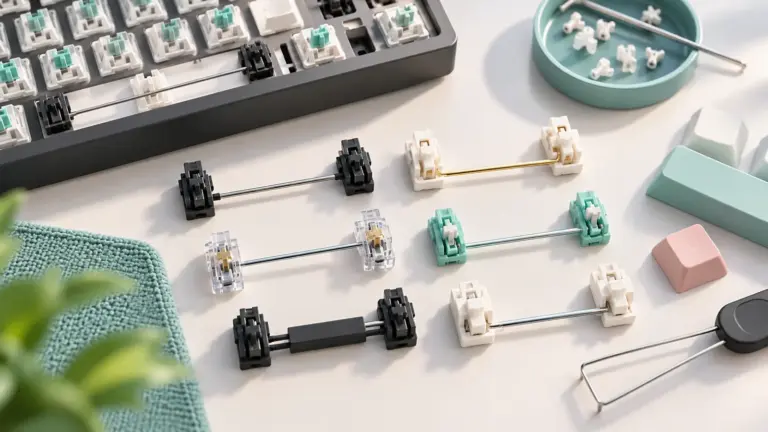
- Stabilizers. Larger keys such as the space bar and shift keys use stabilizers. Poorly tuned stabilizers rattle, regardless of the switch.
The keyboard case, plate and keycaps also shape the sound. A thick, sturdy case with good dampening sounds deeper and more solid than a thin hollow one. Keycap material matters too: PBT plastic tends to feel textured and resist shine, while ABS plastic can feel smoother and may develop a shine over time.
Hot-Swap Sockets and Switch Compatibility
A hot-swappable keyboard has sockets under the switches, so you can pull a switch out and push another in without soldering. This lets you try different feels or replace a failed switch.
- Check that the keyboard is truly hot-swappable, because some boards have soldered switches.
- Check the pin count. Many switches have five pins, and some have three. Most hot-swap sockets accept both, but five-pin switches fit more securely.
- Match the switch family. Magnetic switches generally work only in boards designed for them, and optical switches work only in optical-compatible boards.
- Use a switch puller and be gentle. Bent pins are the most common mistake. Our keycap and switch puller list covers tools.
Choosing Switches for Gaming
Different games ask different things of a keyboard.
| Game style | What helps | Suggested switch type |
|---|---|---|
| Fast competitive shooters | Quick presses and resets, no accidental inputs | Light to medium linear, or magnetic with rapid trigger |
| Rhythm and fast tapping games | Very fast reset and consistent travel | Linear or magnetic with adjustable actuation |
| Strategy, MMOs and many keybinds | Comfort and confirmation over long sessions | Tactile or medium linear |
| Mixed typing and gaming | Feedback for typing, smooth for gaming | Tactile, or a lighter linear |
| Shared rooms and voice chat | Low noise | Silent linear or silent tactile |
Do not overthink. Most people can game well on any decent switch, and personal comfort matters more than small differences in actuation. If possible, try a switch tester, a small board with several switches, before buying a full keyboard.
Choosing Switches for Typing
- Tactile switches are a favorite for typists because the bump confirms each press without noise.
- Clicky switches give the strongest feedback, but only suit private spaces.
- Linear switches feel smooth and quiet, but lack feedback, which may cause more typos at first.
- Heavier springs can reduce accidental key presses, while lighter springs reduce finger fatigue.
Typing comfort also depends on keyboard layout and keycap profile. Fewer, wider keys and a good wrist position matter as much as the switch.
Layouts and Sizes
Switch choice is only part of buying a keyboard. Layout changes how you game and use your desk.
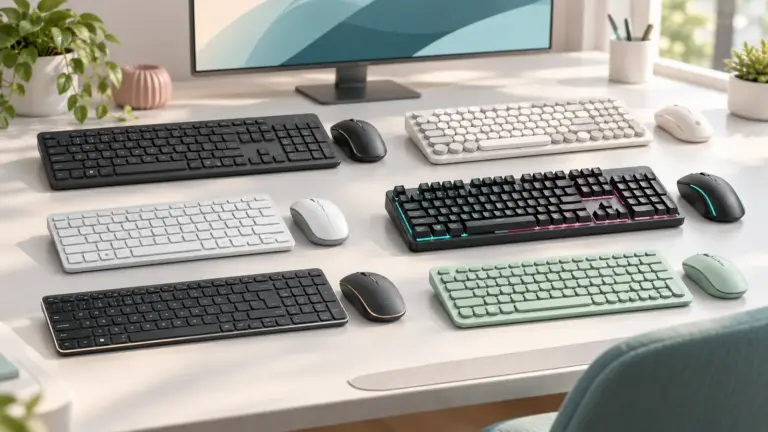
- Full size includes the number pad and suits productivity and strategy games.
- Tenkeyless (TKL) drops the number pad, giving more mouse room, which many shooter players prefer.
- 75 percent and 65 percent keep arrow keys in a compact body.
- 60 percent removes arrow keys and function row, relying on layers, and suits minimalists.
Smaller layouts leave more room for the mouse, which helps low-sensitivity players. Our mouse pad list includes large pads that fit a compact keyboard and a mouse side by side.
Maintenance and Modding
Mechanical keyboards are easy to maintain and customize.
- Cleaning. Pull the keycaps and use a soft brush or compressed air to remove dust and crumbs. Wash keycaps with mild soap and let them dry fully.
- Lubing. Some enthusiasts lubricate switches and stabilizers for a smoother sound. It takes time and care, and it is optional.
- Swapping keycaps. Keycaps are replaceable, but profile and stem type must match. Cross-shaped stems are standard on most mechanical switches.
- Sound dampening. Foam inside the case or under the plate can deepen the sound.
Treat modding as a hobby, not a requirement. A good keyboard works well out of the box.
Common Mistakes When Choosing Switches
- Buying clicky switches for a shared room or a call-heavy job.
- Assuming lighter is always better. Very light switches can cause accidental presses.
- Paying extra for a rated lifespan that you will never use up.
- Ignoring keyboard build quality and stabilizers, then blaming the switch for rattle.
- Buying a magnetic keyboard but never configuring it.
- Assuming all hot-swap boards accept all switches.
- Choosing by color name without checking the specs, since brands use color names inconsistently.
- Choosing a layout that leaves too little desk space for the mouse.
Frequently Asked Questions
Which switch type is best for gaming?
Many gamers prefer linear switches for their smooth, quick presses, but tactile switches are also popular. Personal feel matters more than any rule, and magnetic switches with rapid trigger are popular in fast competitive games.
Are clicky switches bad for gaming?
Not bad, but they are loud and some players find their reset less ideal for rapid taps. They suit private spaces more than voice chat.
What is actuation force?
It is the force needed to register a key press, measured in grams. Lower values feel lighter, higher values feel heavier.
What is rapid trigger?
A feature of some magnetic keyboards where the key resets as soon as you start to release it, rather than at a fixed point. It speeds up quick repeated presses.
Can I change the switches on my keyboard?
Only if the keyboard is hot-swappable. Otherwise the switches are soldered and replacing them requires desoldering.
Are mechanical keyboards worth it over membrane keyboards?
For many people yes: better feel, durability and customization. Membrane keyboards are cheaper and quieter, and fine for casual use.
What does switch lifespan mean?
It is the maker’s estimate of how many presses a switch can handle. Most people replace keyboards long before reaching it.
How do I choose between 60, 65, 75 percent and TKL?
Choose based on which keys you use. TKL and 75 percent keep arrows and function keys, while 60 percent saves the most desk space at the cost of layers.
Bottom Line
Pick the switch feel first: linear for smooth and fast presses, tactile for feedback without much noise, clicky only if you want sound and have the space. Consider optical or magnetic switches if you want faster response or adjustable actuation, and choose a hot-swappable board if you want to experiment. Match the layout to your desk, check noise needs and build quality, and try a switch tester if you can. The right switch is the one that feels comfortable for hours, not the one with the biggest numbers.