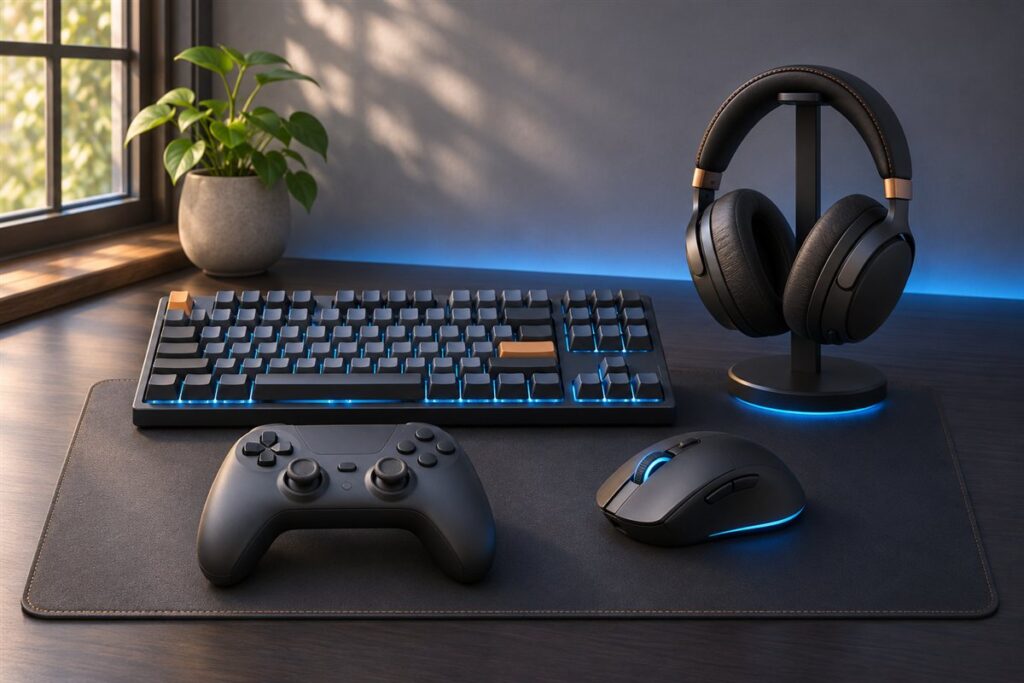
TKL keyboards, short for tenkeyless, drop the number pad to leave more desk room for your mouse while keeping the function row and arrow keys. We have not used these products ourselves, so this guide relies on general knowledge and the maker’s own descriptions rather than personal experience. It helps you compare switches, layouts and construction before you choose.
Switch type shapes the whole experience. Linear, tactile and clicky switches differ in feel and sound, and a quiet office asks for different choices from a gaming room. Also think about layout details such as the key legends, the position of the arrow cluster and the keycap material, because these small differences decide whether the board feels natural during long sessions.
As an Amazon Associate we earn from qualifying purchases. Links on this site are affiliate links, and they do not change the information we give.
What to Look For
| Factor | Why it matters | What to check |
|---|---|---|
| Switch type | It decides feel, sound and travel distance. | Linear, tactile or clicky, and actuation figures |
| Hot-swap sockets | They let you change switches without soldering. | Socket support and compatible switch types |
| Keycaps | Material and legends affect durability and look. | Plastic type, legend printing and profile |
| Case and plate | They influence sturdiness and sound. | Plastic or metal case, plate material, weight |
| Connection | Wired and wireless options suit different desks. | USB cable type, Bluetooth, wireless dongle, battery life |
| Software and layers | Remapping keys adds flexibility. | Driver support, onboard memory and macro options |
| Layout and size | Key positions affect typing comfort and muscle memory. | ANSI or ISO layout, arrow keys and function row |
Setup and Care Tips
- Place the keyboard so your forearms rest naturally on the desk.
- Use a soft brush or compressed air to clear crumbs between the keys.
- Pull keycaps gently with the correct tool if you deep clean.
- Pair wireless boards following the maker’s steps and charge them regularly.
- Save custom layouts to the keyboard memory where it is supported.
Mistakes to Avoid
- Choosing switches without knowing how loud they are.
- Ignoring layout differences between ANSI and ISO boards.
- Assuming every board supports hot-swappable switches.
- Forgetting that wireless boards need charging.
- Eating or drinking over the keys.
FAQ
Is a TKL keyboard good for gaming?
Many players like the extra mouse room it gives. Check the connection type and the switches for response and noise.
What do I lose without a number pad?
You lose the dedicated number keys, which matters if you enter many figures. Some boards add number layers using a function key.
Questions to Ask Before You Buy
A tenkeyless layout drops the number pad but still leaves many decisions. Think through these questions.
- How often do I type numbers, and could I live without a dedicated pad?
- Do I want a wired connection, or the freedom of a wireless mode?
- Which switch feel suits me: linear, tactile or clicky?
- Do I need a detachable cable for travel?
- How much desk width do I want to free for my mouse?
- Do I care about replaceable keycaps and switches?
Matching It to Your Use
Gaming desks
The narrower body leaves extra room for mouse movement. Look for quick response and a layout that keeps the keys you use within easy reach.
Office and writing
A consistent typing feel and a quiet switch type help during long sessions. If you enter spreadsheet figures often, think about a separate number pad you can add.
Small desks and travel
This size slips into most bags and suits compact setups. A detachable cable makes packing easier.
Feature Trade-offs
| Choice | Advantage | Drawback |
|---|---|---|
| No number pad | More mouse room | Slower numeric entry |
| Hot-swap sockets | Easy switch changes | Slightly less rigid feel on some boards |
| Wireless mode | Clean desk | Battery to recharge |
| Dense foam inside | Muted sound | Less open, lively tone |
Who Should Skip It
Anyone who works with figures all day, such as accountants or data entry staff, may find the missing pad a constant annoyance. A full-size board will serve them better. Likewise, if you value having every key on one board, including media controls, check that the layout includes them before ordering. If your desk is wide and your mouse movements are small, the space savings of this layout may not matter much to you.
Compatibility Checks
Confirm the connector on the keyboard matches the ports on your computer, and check whether an adapter is needed. If you want to swap keycaps, look at the stem type and the layout, because a few boards use unusual bottom rows. Software for lighting and remapping may only run on some computers, so check before you rely on it.
Storage Notes
A tenkeyless board is easy to store upright in a drawer or slide under a monitor stand. Keep a cover or cloth over it when it is not in use, and keep the cable coiled loosely so the connector is not bent.
The Short Version
A good TKL keyboard balances switch feel, build and connection with the space on your desk. Decide how it should sound and feel, compare the specs, and choose a layout you are comfortable typing on. Before buying, consider the noise level in your room and whether you want wired or wireless use. Also think about the extras that improve daily use, such as a wrist rest, a spare cable and a keycap puller, and about how the board looks and sounds on your own desk. These small additions and personal preferences shape the experience as much as the specifications do, so give them time before you decide.