Disclosure: As an Amazon Associate, reviewstook.com earns from qualifying purchases. Links on this page are affiliate links; they cost you nothing extra. Prices and availability change often, so check the current Amazon listing before you buy.
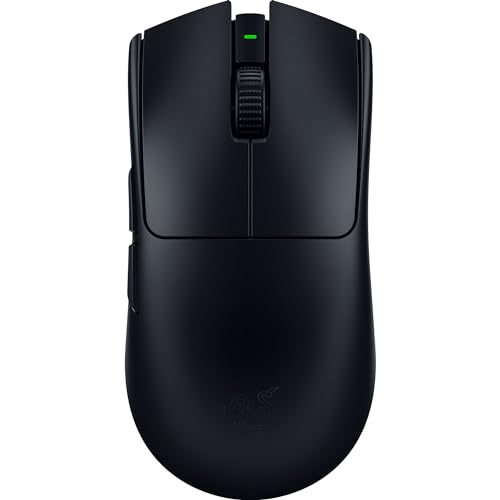
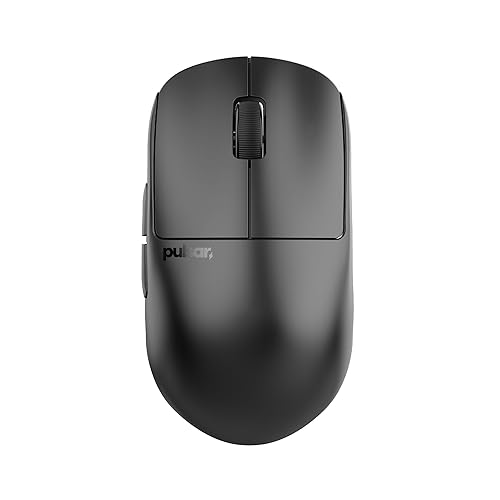
The pulsar x2h is a small, symmetrical wireless gaming mouse built around one idea: a pronounced rear hump that fills the back of your palm, in a shell light enough to flick like a fingertip mouse. That combination is rarer than it sounds. Most mini mice flatten the hump to save weight, and most humped mice are large. The X2H mini keeps the hump and drops the weight to the low fifties in grams, which is why claw-grip players kept recommending it long after newer sensors arrived. This review covers the original X2H mini as the main subject, then places its two newer relatives honestly beside it: the X2H v3, a newer version of the same line with an updated sensor, and the X2H CrazyLight, the extreme-weight experiment of the family. They are not the same mouse with different stickers, and this article will not pretend otherwise.
Why does the hump matter enough to build a review around? Because grip is the interface between your hand and your aim, and the rear of the shell is where a claw grip actually anchors. When the back of the mouse presses into the base of your fingers and the lower palm, the mouse stops floating and starts pivoting from a fixed point, which is what makes micro-corrections repeatable. Players who rest their whole palm on a mouse get that anchor from length; claw players get it from height at the back. The X2H’s shape is a deliberate answer to that, sized for small to medium hands, and everything else about it — the optical switches, the PAW3395 sensor in the original, the wireless implementation — is in service of not getting in the shape’s way.
Key takeaways
- The original X2H mini is the subject pick: a 52-gram symmetrical wireless mouse with a high rear hump, optical switches, and a PAW3395 sensor, shaped first and foremost for claw and relaxed-claw grips in small to medium hands.
- The X2H v3 is a newer version of the same line — similar weight, an XS-1 sensor with higher headline numbers, and 8K polling compatibility; the verified listing for it is a renewed listing, which the section below states plainly.
- The X2H CrazyLight is the family’s ultralight experiment at a listed 37 grams with dot skates and an included 8K dongle, in Uyuni White — a specialist tool, not a default upgrade.
- Shape fit decides satisfaction more than sensor generation: a hump your hand loves on an older sensor beats a newer sensor in a shell your fingers fight.
- All three mice are wireless-first designs for competitive play; none is a productivity mouse, and large hands or full palm grips should look elsewhere in Pulsar’s range or beyond it.
In this guide
Quick picks: which X2H should you actually buy?
- The original, and our main subject: Pulsar X2H mini — the hump-shaped claw mouse in its first, lightest-touch form. Check price on Amazon
- The newer version: Pulsar X2H v3 — the same idea updated with the XS-1 sensor and 8K compatibility; the verified listing is renewed stock. Check price on Amazon
- The ultralight experiment: Pulsar X2H CrazyLight — 37 grams, dot skates, 8K dongle in the box, for players who chase minimum weight above all. Check price on Amazon
How these picks were chosen: each listing was verified through this site’s Creators API check, with the exact product title matched against the official product image before a link was earned. Only the three mice above passed as genuinely being X2H-family products. Other Pulsar shapes — the Xlite line with its ergonomic right-handed shell, the larger X2 sizes — are fine mice but they are not this article’s subject, and you will find them discussed as prose context rather than linked substitutes. If a listing’s title does not say X2H, it is not linked here.

Pulsar X2H mini: is the original still the one to beat?
Badge: The subject pick — the original hump-shaped claw mouse.
Mini spec box — Form: symmetrical mini, high rear hump · Weight: 1.83 oz (52 g) per listing · Sensor: PAW3395 optical, up to 26,000 DPI per listing · Switches: optical · Connection: 2.4 GHz wireless, 1 ms · Colour in listing: Black
The original X2H mini earns its reputation in the first ten seconds of holding it. The rear hump rises to meet the back of a claw grip with a contact patch that feels deliberate, and because the shell is short, your fingertips reach the main buttons without stretching. In game, that translates to a mouse that pivots rather than slides: small corrections rotate around the anchored rear, and the front stays light enough that stopping a flick is a fingertip decision, not a whole-hand brake. For fingertip-grip players the same shell works differently — the hump becomes a reference point your palm’s edge brushes rather than a shelf — and many fingertip players also get on with it, provided their hands are not large.
The PAW3395 sensor is a known quantity: a flagship-class optical sensor of its generation with clean tracking at the DPI values players actually use and no reputation for spinning out on fast swipes. Headline DPI is the least interesting number on the box; what matters is that at typical competitive settings the tracking is consistent, and it is. The optical switches remove the double-click lottery that haunts mechanical switches as they age, and they give the clicks a crisp, immediate character. Optical switches can feel and sound a little different — slightly sharper, slightly hollower — and players who love a deep mechanical thunk should know the X2H’s clicks are tuned for speed and consistency instead.
Wireless performance on the 2.4 GHz connection is the standard competitive story: a dongle near the mousepad, a connection you forget exists. Battery life on mice of this class and weight is measured in days of play rather than weeks, the unavoidable tax of a small shell and a small cell; players who charge during a natural break in their week will never meet the empty battery, and players who do not will meet it mid-match exactly once before becoming chargers. The stock skates are competent rather than exceptional, and the aftermarket for this popular shape is deep if you develop preferences about glide.
Strengths
- The rear hump gives claw grips a genuine anchor point that most mini mice simply do not offer.
- At a listed 52 grams it stays flickable for fingertip play while still feeling planted at the back.
- Optical switches promise consistent clicks over the mouse’s life, with no mechanical double-click degradation.
Trade-offs
- The mini size and high hump are a poor match for large hands and for committed full-palm grips.
- Its sensor generation is older than the v3’s, which matters to players who specifically want 8K polling.
- Lightweight wireless mice of this class need regular charging; it will not match the endurance of heavier office-leaning mice.
Best for: claw and relaxed-claw players with small to medium hands who want the original, proven shape. / Not suited for: large-handed palm grippers, or players who need the newest sensor and highest polling options. Check price on Amazon

Pulsar X2H v3: what does the newer version change?
Badge: The newer version of the same line — not the original.
Mini spec box — Form: symmetrical mini · Weight: 1.87 oz (53 g) per listing · Sensor: XS-1, up to 32,000 DPI and 750 IPS per listing · Polling: 8K compatible per listing · Listing status: Renewed · Colour in listing: Black
Read the badge twice, because it carries this section’s honesty obligations. The X2H v3 is a newer version of the same line, not the original mouse this article is named for, and the verified listing available for it is a renewed listing — refurbished stock sold through Amazon’s renewed programme rather than a brand-new retail unit. Neither fact makes it a bad choice. Both facts belong in your decision with your eyes open.
What the v3 changes is the electronics generation. The XS-1 sensor carries higher headline figures — up to 32,000 DPI and 750 IPS tracking speed in the listing — and the mouse is 8K polling compatible, meaning with the appropriate receiver setup it can report its position up to eight thousand times per second. Who actually feels 8K polling? Players on high-refresh monitors, playing fast flick-heavy games, with a PC that shrugs at the extra CPU cost, may perceive a small smoothing of the fastest cursor movements. Everyone else is buying headroom they will not use, which is fine as future-proofing and pointless as a sole reason to upgrade from a working original X2H.
The shape story stays the family story — a symmetrical mini with the hump that defines the line, at essentially the same listed weight as the original. That continuity is the v3’s real selling point: a player who loves the original shell and wants the newer electronics does not have to relearn a grip. The renewed status cuts both ways in the usual renewed ways: it can be the value route into the newer version, and it asks you to check the listing’s condition notes and return terms with more care than a new unit would. Inspect on arrival, test clicks, wheel, and wireless in the first days, and keep the packaging until you are sure.
Strengths
- Newer XS-1 sensor generation with 8K polling compatibility for high-refresh competitive setups.
- The defining hump shape carries over, so existing X2H hands keep their muscle memory.
- Renewed stock can be the friendliest tier route into the current version of the line.
Trade-offs
- It is a newer version, not the original — collectors of the first release and purists should buy the mini above.
- Renewed stock varies by unit; condition and completeness depend on the individual listing’s grading.
- The practical gains over the original concentrate in high-polling setups most players do not run.
Best for: X2H-shaped hands that want the current electronics and are comfortable buying renewed. / Not suited for: buyers who want a factory-new unit, or the original model specifically. Check price on Amazon
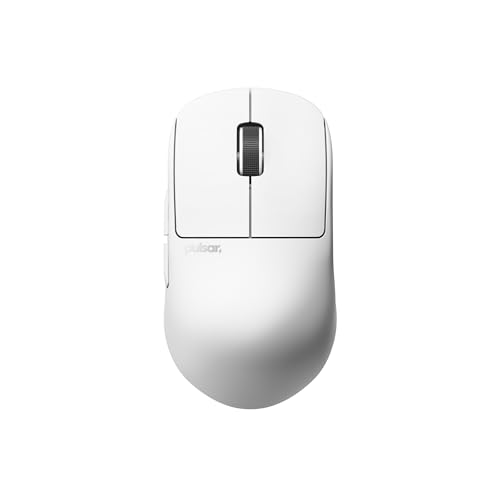
Pulsar X2H CrazyLight: who is a 37-gram mouse really for?
Badge: The ultralight experiment — minimum weight, specialist brief.
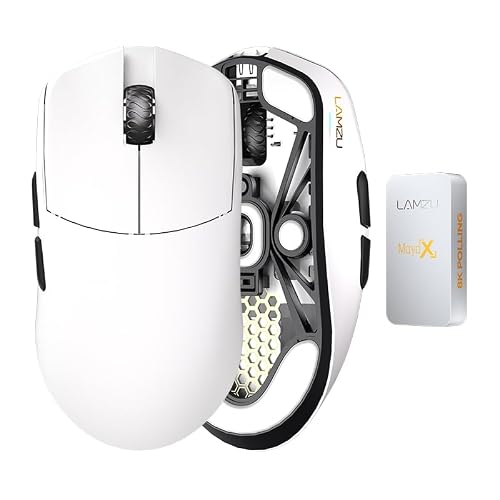
Mini spec box — Form: symmetrical mini · Weight: 37 g with dot skates per listing · Sensor: XS-1, 32K DPI per listing · Switches: 100M-click optical per listing · Extras: 8K dongle included per listing · Colour in listing: Uyuni White · Grip style named in listing: claw / relaxed claw
The CrazyLight takes the family’s shape and asks how much mouse can be removed before the answer becomes none. Thirty-seven grams is a startling number to hold: the mouse feels closer to a prop than a tool for the first hour, and then something interesting happens — your hand stops budgeting effort for movement entirely, and micro-adjustments become almost thoughtless. For relaxed-claw players in aim trainers and tactical shooters, that effortlessness is the product. The listing itself names claw and relaxed-claw as the grip brief, and for once the marketing and the physics agree.
Dot skates are part of the recipe: small contact points reduce friction and make the glide fast and slightly raw, with more surface texture transmitted to your hand than full-size skates give. Players who prize a controlled, muddy glide for stopping power may find dots too free; players who want the pad to disappear will love them. The included 8K dongle removes the separate-receiver errand that high polling usually requires, and the optical switches are listed with a high click-life figure that suits a mouse built to be clicked relentlessly. Uyuni White is the listed colour — a bright finish that shows hand oils and pad dust honestly, which is either a cleaning habit or a deal-breaker depending on the owner.
The honest cautions: extreme lightness amplifies an unsteady hand as faithfully as it amplifies a skilled one, and some players aim worse for a week while their braking recalibrates. A shell this light also has nowhere to hide a big battery, so charging discipline matters even more than with the standard mini. And the CrazyLight is a specialist purchase at a flagship tier of the range — as a first gaming mouse for a player who does not yet know their grip, it is an expensive way to learn that weight was never their problem.
Strengths
- At a listed 37 grams, it is among the lightest competitive mice a claw player can buy.
- The 8K dongle is included, so the high-polling setup is complete in the box.
- Dot skates give a fast, low-friction glide that suits aim-trainer and tactical-shooter play.
Trade-offs
- The extreme lightness can feel unstable until your stopping technique recalibrates.
- Dot skates transmit more pad texture and offer less inherent stopping control than full skates.
- It is a flagship-tier specialist; casual players pay for performance they will not use.
Best for: experienced claw and relaxed-claw players chasing minimum weight with a complete 8K setup. / Not suited for: beginners, palm grips, or anyone who prefers a planted, heavy mouse feel. Check price on Amazon
How do the three X2H versions compare side by side?
Set side by side, the family’s logic is clear. The original mini is the lightest-touch expression of the idea: 52 grams, the PAW3395 generation, standard competitive polling, and the shape in its purest form. The v3 keeps the shape and the weight class and modernises the electronics — XS-1 sensor, 8K compatibility — and in the verified listing it arrives as renewed stock. The CrazyLight keeps the electronics modern and radicalises the weight, trading battery margin and glide control for 37 grams and dot skates. Nobody in the family is the productivity pick, the large-hand pick, or the bargain-bin pick; Pulsar sells other mice for those jobs, and this article’s discipline is to compare the three that genuinely answer to the X2H name.
The decision tree is short. If you want the original article — the mouse the reputation was built on, new — that is the mini. If your hands already know the shape and your setup can use high polling, the v3 is the current version of your mouse, with the renewed caveat understood. If weight is the variable you have already optimised everything else around, the CrazyLight is the end of that road. What you should not do is buy by headline DPI: all three sensors track far beyond human need, and the differences that will reach your hand are shape, weight, glide, and polling — in that order.
How do you choose a gaming mouse by shape and grip, not by sensor?
This family is the perfect case study for the buying rule that matters: shape first, then weight, then everything else. Start with your grip, honestly observed rather than aspired to. Play a normal session and photograph your hand on your current mouse. If your fingers arch and your palm’s base hovers or just kisses the rear, you are a claw player and humps are your friends. If your whole palm rests and your fingers lie flat, you are a palm player and this mini family will feel like a toy in the wrong way — you want length and a lower, longer curve. If only your fingertips touch, almost any small symmetrical shell can work, and weight becomes your main dial.
Hand size is the second filter, and it is measured, not guessed: length from middle fingertip to wrist crease, width across the knuckles. Mini mice reward hands at the smaller end; a large hand on a mini shell cramps the ring and pinky fingers into the sides and turns the celebrated hump into a lump digging into the wrong place. Players between sizes should consider that Pulsar and its rivals sell the same shapes in larger shells — the buying mistake is falling for a review’s enthusiasm and ignoring the centimetres. Our general guides go deeper on the method: how to choose a gaming mouse and the gaming mouse buying guide both teach the measurement-first approach, while best gaming mouse for fps surveys the wider field if the X2H’s shape brief does not fit your hand.
Weight is the third filter and the most personal. The modern competitive consensus favours light mice because they reduce the effort of starting and stopping movement, but the consensus has a floor: below it, some players lose the sense of where the mouse is. The honest test is a week, not a minute, because the first hour with a much lighter mouse always feels like a revelation and the third day is when your flicks start overshooting. The X2H family conveniently spans the question — low fifties for the mainstream answer, thirty-seven for the extreme — so a player can choose their weight without changing their shape, which is exactly how a product line should be built.
Finally, the unglamorous filters: wireless freedom versus a cable’s zero charging, button count for your games, and whether the software is a tool you open twice or a resident you tolerate daily. Mice in this class increasingly store settings on board, which is the right direction — set DPI steps, polling, and lift-off behaviour once, save them to the mouse, and let the software leave your system tray. Whatever you buy, the pad beneath it is part of the purchase: glide is a system of mouse feet and surface together, a point best gaming mouse pads explores properly.
How do you set up an X2H for competitive play?
Setup begins before software, with the dongle. Place the wireless receiver close to the pad — on the desk, in line of sight, away from USB hubs buried behind a metal case — because 2.4 GHz links are happiest with a short, clear path, and every stutter blamed on a sensor is a dongle in a bad neighbourhood until proven otherwise. Charge the mouse fully before its first session and decide your charging ritual now: a cable by the monitor, a dock, a specific weekday. Light mice forgive nothing about battery procrastination.
In software or on-board settings, reduce the DPI steps to the two you actually use — one for desktop and general play, perhaps a second for a specific game — so the DPI button can never strand you on a forgotten value mid-match. Most competitive players live somewhere in the moderate DPI range and adjust in-game sensitivity around it; the exact figure matters less than never changing it casually. Set polling to the standard competitive rate your system sustains effortlessly, and treat 8K on the newer versions as an experiment: enable it, play for several days, and keep it only if your frame times stay clean and your hand genuinely prefers it, because high polling taxes the CPU and can introduce the very inconsistency it promises to remove.
Lift-off distance deserves one experiment. A lower lift-off suits players who reset the mouse with small, frequent lifts and hate cursor drift during them; a slightly higher setting forgives tilted resets on fast pads. Then the skates: play the stock feet for their break-in period before judging glide, because new skates carry a scratchy first day that settles. If you move to the CrazyLight’s dot skates or aftermarket feet later, change nothing else that week — glide and sensitivity are a married couple, and counselling them one at a time is how you learn which one was unhappy. Finish with a week of aim routine at final settings before any verdict; hands learn mice the way they learn instruments, through repetitions at a stable setup.
What mistakes do buyers make with mini claw mice?
The first mistake is buying a mini mouse for a large hand because a favourite player uses it. Players’ hands are not downloadable. The second is grip tourism: adopting a claw grip because a shape is famous for it, when your natural grip is palm — a week of cramped fingers later, the mouse gets blamed for a mismatch the buyer chose. Grip follows hand and habit; shapes should be matched to the grip you have, or to one you are genuinely, patiently retraining for reasons of your own.
Third, chasing the newest version reflexively. The v3’s electronics are newer and the CrazyLight’s weight is lower, but a player whose original mini is healthy gains little from replacing shape-identical hardware on a spec sheet’s orders; the honest upgrade triggers are a dying battery, a worn shell, or a setup that can finally use high polling. Fourth, neglecting the renewed listing’s homework: renewed can be excellent value, but only for buyers who read the condition grade, confirm what is in the box, and test everything inside the return window. Fifth, judging any of these mice in the first hour. Light mice and new shapes all have an adaptation curve measured in days; reviews — including this one — can tell you what a mouse is, but only your third day with it tells you whether it is yours.
Our final recommendation
For most readers who arrived by searching this mouse’s name, the original Pulsar X2H mini is the recommendation: the proven shape, a sensor generation with no competitive excuses, optical switches, and a weight that serves claw and fingertip players alike, in a new retail unit. Choose the v3 instead if your setup is built for high polling and you are comfortable with the renewed route into the current electronics — it is a newer version of the same idea, honestly labelled. Choose the CrazyLight if weight is your religion and your technique is already disciplined enough to exploit thirty-seven grams; it is the family’s brilliant extreme, not its default. And if your hand is large or your grip is a full palm, let this article talk you out of the whole family with thanks — the right mouse for you exists, and it is a different shape. Readers comparing across brands may also want our take on a rival lightweight ergonomic line in razer deathadder v3 hyperspeed, and the sensor-technology background in optical vs laser gaming mouse.
Why does a rear hump change how a claw grip aims?
It is worth slowing down on the ergonomics, because the hump is not a styling choice and understanding it tells you in advance whether this mouse will suit you. In a relaxed claw grip, your fingers arch, your fingertips and the base of your palm make the main contacts, and the middle of your palm hovers. A flat-backed mouse gives that grip almost nothing to register against at the rear, so the hand stabilises the mouse mainly by squeezing the sides — which tires the hand and couples your aim to grip pressure. A rear hump fills the hover. The base of the fingers and the top of the palm gain a broad, passive contact, the squeeze can relax, and the mouse gains a pivot: push with the fingertips and it rotates predictably around that rear contact instead of skidding.
That pivot is the whole trick. Small corrections in a tactical shooter are rotational as often as they are translational — you are rarely sliding the mouse in a straight line; you are swinging the front of it through a small arc while the rear stays home. A shape that supports the arc makes the correction repeatable, and repeatability is what players mean when they call a mouse trustworthy. The cost is commitment: the hump decides where your hand sits, and hands that want to sit elsewhere — further forward, flatter, larger — experience the same feature as an intrusion. This is why X2H owners sound evangelical and X2H returners sound baffled. Both are reporting the same geometry meeting different hands.
Hand posture across a long session is the second-order effect. A grip that stabilises passively generally fatigues slower than one maintained by constant side pressure, and players who moved to a well-fitted hump often report their fourth hour aiming closer to their first than it used to. That is not a medical claim — it is the ordinary mechanics of doing less unnecessary work with small muscles. The reverse also holds: a hump in the wrong place creates a pressure point, and pressure points end sessions. Fit is not a preference layered on top of performance; at this level, fit is performance.
What do sensor and polling numbers actually buy you?
Because the three versions span two sensor generations and two polling classes, this family is a clean place to demystify the spec sheet. DPI — more precisely counts per inch — is a sensitivity multiplier, not an accuracy score. All three sensors here resolve far beyond what a hand can express; you will set a few hundred to a couple of thousand and never approach the ceiling, on the original or the v3. IPS, the tracking-speed figure, describes how fast the mouse can move before the sensor loses the surface; again, all three exceed what arms do in games by a wide margin. Motion delay, consistency at your chosen DPI, and behaviour on your pad are the sensor qualities that reach your hand, and they are strong across this family.
Polling rate is the one number with a real, if narrow, experiential difference. Each report is a snapshot of position; more snapshots per second can render very fast movement as a smoother line, which some players on very high refresh monitors perceive in flicks and in the micro-texture of tracking. The costs are real too: more CPU work per second, more battery drain, and diminishing returns that arrive quickly. The mature position is the one this article has taken throughout — polling is a finishing variable. A player choosing between the original mini and the v3 should decide on shape loyalty, new-versus-renewed comfort, and whether their setup can use high polling at all, and only then glance at the number.
Lift-off behaviour and skate friction complete the tracking picture, and both are pad-dependent. The same mouse feels surgical on a controlled cloth pad and nervous on a glass-speed surface; reviewers who test on one pad are reporting one marriage, not the mouse alone. If your X2H feels too free or too muddy in its first week, the cheapest experiment in gaming is a different surface before a different mouse.
How does the X2H family sit in the wider lightweight market?
Context helps a buying decision, so here is the landscape in prose. The lightweight symmetrical field divides into flat-backed mice that suit fingertip and loose claw styles, and humped mice that serve anchored claw grips; the X2H is the humped school’s mini flagship. Ergonomic right-handed lightweights — the DeathAdder-shaped school — trade symmetrical freedom for a sculpted palm fit and suit players who never switch hands and aim with a more planted posture. Ultra-budget lightweights have improved enormously and now deliver honest sensors at friendly tiers, but they usually concede the details this family charges for: switch quality, coating, wireless polish, and quality control consistency.
Within that landscape the X2H’s identity is focus. It does not chase the most buttons, the longest battery, or the wildest headline DPI; it perfects one shape for one grip at one size, then iterates the electronics (v3) and the weight (CrazyLight) around it. Product lines built on a point of view age better than lines built on a checklist, and the continued demand for the original mini — the version this article leads with — is the market agreeing. Buy the point of view if it matches your hand; the spec sheet will take care of itself.
How do you look after a lightweight wireless mouse?
Care is unglamorous and decisive, because mice this light have thin shells, small batteries, and skates that are wear items. Keep the sensor lens clean with a dry, gentle pass — a contaminated lens is the most common cause of mysterious tracking complaints. Wipe the shell with a slightly damp cloth rather than solvents; coatings that provide grip can be dulled by harsh cleaners, and a bright white finish like the CrazyLight’s rewards regular, gentle attention. Skates wear fastest at their edges; when the glide develops a scratchy direction or the mouse starts catching on pad seams, replacement feet restore the original feel for a small effort, and this popular shape enjoys a deep aftermarket.
Battery manners extend life: avoid leaving the mouse flat for months, charge before long breaks in play rather than after them, and keep the dongle stored with the mouse when travelling so the pair is never separated. Firmware updates, when offered, should be applied with the mouse connected as instructed and not interrupted — most update horror stories are interruption stories. Finally, keep the box and receipt for any version, and doubly so for renewed stock: your future self, making a warranty enquiry or a resale listing, will be grateful for the boring admin you did on day one.
Which players should skip this family entirely?
Honest reviews name their non-audience, so here it is in full. Full-palm players with medium or large hands: the mini shell will perch under your hand and the hump will land in the wrong county — you want a longer mouse, possibly an ergonomic one. MMO and MOBA players who live on side buttons: this family carries the standard competitive minimum, and your spells deserve more keys than a tactical-shooter mouse provides. Players who hate charging: every mouse here trades endurance for weight, and a wired mouse or a heavy wireless with a big cell will make you happier every single week. Players on glass desks without pads, and players whose setup is a sofa and a laptop: the sensors and skates here assume a proper surface and a desk posture.
Also skip it, for now, if you do not know your grip yet. New players often buy three mice in their first year because they purchase shapes before self-knowledge. A season on any competent mouse teaches you your grip, your size, and your weight preference, and then a focused purchase like an X2H becomes a conclusion instead of a guess. The family’s very focus — the quality that makes it excellent — makes it a poor instrument of self-discovery. Buy it when you can complete the sentence: I grip like this, my hand measures this, and the back of my current mouse feels empty. If that sentence is true, you are exactly who the hump was designed for.
What should you do in the first week with a new X2H?
Day one is inspection and setup, not judgement: check the shell, clicks, wheel steps, and wireless stability; place the dongle properly; charge fully; set your DPI steps and save them. Days two and three are calibration: an aim routine at your existing sensitivity, noting whether flicks overshoot (common with a lighter mouse — the cure is usually a small sensitivity reduction, not a verdict on the mouse) and whether the hump’s contact feels supportive or intrusive at the forty-minute mark. Days four to seven are ordinary play at frozen settings, because a mouse can only be evaluated by a hand that has stopped consciously operating it.
Keep notes, briefly and honestly. One line a day — glide feel, grip comfort late in sessions, any tracking oddity and the pad involved — turns a vague impression into a decision you can trust at the return deadline. If the verdict is no, the notes tell you which variable to change next time: size, hump, weight, or glide. If the verdict is yes, the notes become the baseline that makes future problems diagnosable. Either way you have bought information as well as hardware, which is the most a first week can offer.
How do the X2H versions play across different game genres?
Tactical shooters are the home turf: low sensitivity, deliberate crosshair placement, and corrections measured in millimetres reward exactly what the hump and the light weight provide, and the original mini’s reputation was built in those servers. Arena and movement shooters ask a different question — constant large swipes and vertical tracking — and there the mini’s small footprint can run out of shell under a big hand during a long rocket-jump sequence, while fingertip players thrive. Battle royales sit between the two, mixing long scoped holds with sudden close fights; the relaxed-claw comfort of the shape across a long match is a genuine asset, because the genre’s aim test is as much about hour three as second one.
Outside shooters, the picture narrows honestly. Real-time strategy and MOBA players click relentlessly and benefit from the optical switches’ consistency, but many prefer more side buttons for camera and control groups. Creative and office work is simply not the brief: no horizontal wheel, no productivity gestures, and a shape tuned for a grip nobody maintains over a spreadsheet. A household that games competitively and works at the same desk will likely keep a second, larger mouse — which is not a criticism of this family, only a recognition that focus has edges.
What should you know about settings, software, and profiles?
Mice in this class typically offer a choice between a lightweight web or desktop configurator and pure on-board operation, and the wisest workflow uses software as a one-time workshop: set it, save it to the mouse, and then let the mouse travel between machines carrying its own configuration. Decide your DPI steps first and delete the rest, because every extra step is a wrong value waiting for an accidental press. Assign the side buttons deliberately — in shooters they often serve as push-to-talk, melee, or a DPI clutch for scoped holds, and a button with a job is a button you will not press by accident and resent.
Debounce and click settings, where exposed, should be left at the maker’s defaults unless you know precisely which problem you are solving; optical switches already remove most of the mechanical double-click story, and over-tinkering click behaviour can create the very inconsistency it chases. Angle snapping and motion prediction belong off for raw competitive aim — your hand should draw the line, not an algorithm’s idea of the line. Ripple and smoothing features are the same conversation at the sensor level: competitive players want the unassisted signal, full stop.
Profiles per game are a temptation to resist in part. A second profile with a different DPI for a sniper-heavy title is reasonable; five profiles with five sensitivities is a memory palace your hand never asked to live in. The players who aim most consistently across titles are usually the ones whose mouse presents the same fundamental behaviour everywhere and let each game’s own sensitivity setting do the adapting. Consistency is a feature, and on this family it is one you configure once and then defend.
Is the original X2H mini still worth buying over its newer versions?
This is the question the whole article has been circling, so let it have a direct answer. Yes — for the player this mouse was designed for, the original remains a fully competitive purchase, because the things that decide matches have not moved: the shape is identical in philosophy, the sensor generation tracks beyond human demand at real-world settings, the switches are optical, and the wireless link is the mature 2.4 GHz standard. Newer electronics add genuine but narrow benefits, concentrated in high-polling setups, and narrower benefits still if the route to them is renewed stock whose condition must be managed. A new original, with full warranty and no question marks, is not a compromise purchase; for many hands it is the sensible one.
The counter-case is equally clear. If you run a high-refresh monitor, your PC has headroom, and you have felt high polling and liked it, the v3 is the same beloved shape with the newer electronics and the decision is really about renewed comfort. If your entire optimisation journey has been about weight and you have the technique to exploit the extreme, the CrazyLight is not an upsell but a destination. The family’s generosity is that all three answers are defensible — what is not defensible is choosing by the biggest number on the box, because in this family the biggest numbers are the ones your hand will notice least.
A closing word on value, since this site’s readers ask it of every family we review. Judge these mice by cost per year of daily service rather than by the day-one transaction: a mouse you aim with for three years amortises into irrelevance, while a cheaper mouse replaced twice and cursed daily is the expensive one. The original mini’s case rests exactly there — not on novelty, but on the probability that a well-matched hand will still be happily using it when its newer relatives have themselves been succeeded. Match the shape to the hand first, and the arithmetic tends to take care of itself.
One more consideration for the reader choosing between the original mini and its newer relatives on a deadline: availability and condition are part of the specification in the real world. A new original, in hand this week, with its warranty intact, is worth more to most players than a theoretically superior version that arrives as a question mark. Buy the mouse you can verify, from the listing you have read, and let the family’s shared shape — the thing you are actually purchasing — carry the decision.
Frequently asked questions
Is the Pulsar X2H mini good for palm grip?
Generally no. The shell is short and its hump is positioned for claw contact at the back of the fingers and lower palm; a full palm grip on a mini shell leaves fingers overhanging the front and the hand feeling perched. Palm players should look at larger, longer shapes, including bigger siblings in the same brand’s range.
What is the difference between the X2H mini, the v3, and the CrazyLight?
The mini is the original: 52 grams listed, PAW3395 sensor, standard competitive wireless. The v3 is a newer version of the same line with an XS-1 sensor and 8K polling compatibility at a similar weight — and the verified listing for it is renewed stock. The CrazyLight radicalises weight down to a listed 37 grams with dot skates and an included 8K dongle. The shape philosophy — symmetrical mini, high rear hump, claw brief — unites all three.
Do I need 8K polling to play competitively?
No. Standard competitive polling has carried professional play for years. Higher polling can subtly smooth the fastest movements on high-refresh monitors, at some CPU cost, and suits players who have already optimised shape, weight, and settings. It is a finishing touch, not a foundation, and it should never be the sole reason to replace a mouse you aim well with.
How long does the battery last on mice this light?
Lightweight wireless mice trade endurance for weight, so expect days of regular play per charge rather than the weeks a heavier mouse might offer, with exact life depending on polling rate and settings — higher polling drains faster. A simple charging ritual, such as topping up on a set day each week, makes the limitation disappear in practice.
Are optical switches better than mechanical ones?
They solve a specific problem: mechanical switches can develop double-click faults as their contacts age, while optical switches actuate with light and are built to avoid that failure mode. The feel is a little sharper and the sound a little different, which some players love and others merely accept. For longevity-focused buyers, optical is the safer bet; for feel-focused buyers, it is worth trying before committing if you can.
Is buying the renewed v3 listing a good idea?
It can be, for the right buyer. Renewed stock offers the newer version at a friendlier tier, but condition is graded per listing and completeness can vary. Read the condition notes, confirm the return terms, and test clicks, wheel, skates, and wireless thoroughly as soon as it arrives. If you want certainty and factory-new peace of mind, the original mini is the straightforward purchase.