Where to buy
Check the latest price, availability and delivery on Amazon. Orders are placed on Amazon. We may earn a commission from qualifying purchases.
- Best small-space pick overall: Beelink SER5 MAX Mini PC — Ryzen 7 7735HS, Radeon 680M, 24GB LPDDR5, 500GB SSD — Check on Amazon
- ACEMAGIC Mini Gaming PC — Ryzen 7 7735HS, Radeon 680M, 24GB RAM, 512GB SSD — Check on Amazon
- abytespark Gaming PC — Core i7, GTX 1660 Super 6GB, 16GB RAM, 1TB NVMe SSD, RGB Fan x4 — Check on Amazon
- STGAubron Gaming PC — Ryzen 5 5500, Radeon RX 580 8GB, 16GB DDR4, 512GB SSD, RGB Fan x4 — Check on Amazon
See 2 more Amazon options
- STGAubron Gaming PC — Core i7, Radeon RX 580 8GB, 16GB RAM, 512GB SSD, RGB Fan x4 — Check on Amazon
- Dell RGB Gaming Tower — Core i7 6th Gen, GTX 1050 Ti 4GB, 16GB RAM, 512GB SSD (Renewed) — Check on Amazon
Read the full guide ↓
Disclosure: As an Amazon Associate, reviewstook.com earns from qualifying purchases. Links to Amazon on this page are affiliate links; they cost you nothing extra. Listing details such as price and availability change often, so check the current Amazon listing before you buy.
“Small spaces” and “RGB gaming PC” pull in opposite directions, and this guide will not pretend otherwise. The RGB part of the search means a glass-sided tower with lit fans — an object designed to be seen, which means an object that needs a visible home: desk surface beside the monitor, or floor space with open air around it. The small-spaces part means a dorm desk, a studio corner, a bedroom shelf, a living-room TV stand — places where every spare handspan is already spoken for. Under $500, the honest shape of this search is that the two halves are served by different machines. Two of the six picks below are mini PCs that genuinely disappear — they tuck behind a monitor or under a shelf and take almost no room at all — but they have no RGB lighting whatsoever, because at this budget the lights and the smallness are bought with the same dollars and nobody sells both in one box. The other four picks are lit towers. None of them is small. What this guide can honestly do for the tower buyer is grade them as installations: which one earns the footprint it takes, what each one demands in clearance, cable room and moving air, and which compromises are worth making when the room is tight.
One discipline runs through everything below: the research behind this guide documents no measurements for any of these machines — no case dimensions, no volumes, no weights, no mounting specifications. So this guide prints none. You will not find a single invented centimetre here, and where a lesser guide would quote a tidy litre figure for a mini PC or a tower, this one grades by form-factor class and by documented installation facts instead: whether the machine is a mini PC or a tower, whether its side panel must come off (and therefore needs working room beside it), whether it runs hot previous-generation graphics that need moving air, and where its cables have to fall. Before you order anything in this guide, work through the five-step measuring checklist further down — it exists precisely because the listings will not do the measuring for you. If your space is truly tiny and the lights were negotiable, start at the top: the first two picks are the small-space answer. If the glow is the point and the room must adapt, the towers start at pick three, ranked by how gracefully they install rather than by raw power alone.
In this guide
Quick Picks
Short on time, or comparing several options at once? Each row below names a space situation and the machine that suits it, with a link to the listing.
| Space situation | Pick | Why it stands out | Link |
|---|---|---|---|
| Smallest possible footprint | Beelink SER5 MAX Mini PC — 7735HS, Radeon 680M | A mini PC that hides behind the monitor; the strongest CPU here, and no lights at all | Check on Amazon |
| Tiny desk, working desk too | ACEMAGIC Mini Gaming PC — 7735HS, Radeon 680M | The same invisible footprint, with triple-4K outputs and 2.5Gbps wired LAN | Check on Amazon |
| Lit tower that earns its space | abytespark Gaming PC — i7, GTX 1660 Super, 1TB SSD | The strongest graphics card and the fullest light show, if a tower must take the room | Check on Amazon |
| Lit tower with a future | STGAubron Gaming PC — Ryzen 5 5500, RX 580 8GB | Glass, four remote-run fans and the only CPU upgrade path — buy only at $500 or below | Check on Amazon |
| The look for the least money | STGAubron Gaming PC — Core i7, RX 580 8GB | The identical documented light show for less, in the same tower class | Check on Amazon |
| Cheapest lit tower, floor-standing | Dell RGB Gaming Tower (Renewed) — i7, GTX 1050 Ti | A renewed business tower with an RGB set fitted; a floor machine, not a desk jewel | Check on Amazon |
How These Picks Were Chosen
The $500 line was treated as a hard ceiling. Every pick is a real Amazon listing that sells at or regularly within that line in the United States, and where a listing’s price drifts above that line, the review says so plainly and sets a firm buy-or-skip threshold instead of pretending the drift away. Lighting accessories, bare cases and towers priced above this budget were all excluded.
Because this is the small-spaces variant of the guide, the grading changed. Raw gaming power still matters — a machine that fits but cannot play is a paperweight — but each pick is judged first as an installation. We asked four questions of every machine. What form-factor class is it: a mini PC that can vanish behind a display, or a tower that will occupy visible room for years? What does it demand around itself: towers with glass side panels need working clearance on the panel side, because the panel comes off for setup and cleaning, and previous-generation graphics cards run warm enough that the air around the case is part of the cooling system. Where do its cables fall, and can a short desk absorb the drop from the rear panel to the wall? And what does it refuse: every pick in this guide, tower and mini alike, is refused a sealed cabinet, a closed TV-stand compartment or any other airless box, because no machine here can cool itself in one. A final note on evidence: the underlying research documents no dimensions, volumes, weights or mounting specifications for any pick, so installation grading rests on form-factor class and documented behaviour only. Any guide that quotes you exact measurements for these listings is inventing them.
The 6 Best RGB Gaming PCs for Small Spaces Under $500
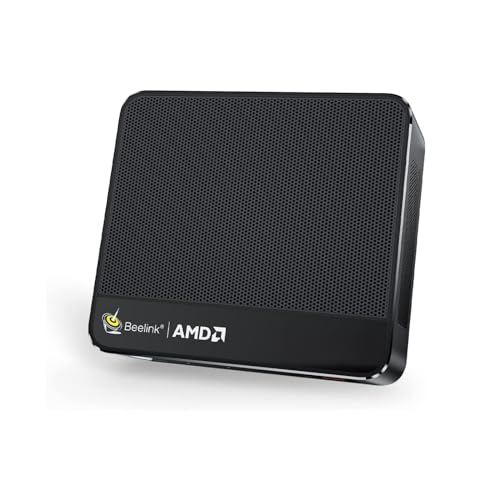
Beelink SER5 MAX Mini PC — Ryzen 7 7735HS, Radeon 680M, 24GB LPDDR5, 500GB SSD
Who it suits: The reader whose space problem is real — a desk that is also a dining table, a dorm room, a rented corner — and who is willing to trade the light show for a machine that effectively takes no room.
As an installation, this is the easiest machine in the guide to place, and it is not close. The SER5 MAX is a mini PC: a compact box that the base research describes as mounting behind a monitor and drawing a fraction of a tower’s power. In practice that means its desk footprint can be zero — the machine lives in the dead space behind your display, a spot no other object in a small room was using — or near-zero on a shelf edge or beside the monitor stand. There are no panels to swing open, no glass to keep a respectful distance from furniture, and no tower bulk dictating where the desk goes. One honest caution belongs here, because this guide does not invent specifications: the research documents no mounting hardware or VESA specification for this machine, so treat “behind the monitor” as a placement the form factor allows, and confirm exactly how it attaches — bracket, mount or simply standing in the monitor’s shadow — on the live listing before you plan around it. The same applies to its power arrangement: no adapter or brick details are documented in the research, so check the listing and plan a home for whatever it ships with, ideally on the same shelf rather than dangling off the desk edge.
The computer inside the tiny box is, awkwardly for an RGB guide, the best one here. The Ryzen 7 7735HS is a modern eight-core, sixteen-thread processor that out-computes every CPU in the towers below by a generation or two, and its Radeon 680M integrated graphics are the strongest of their generation — roughly in the class of a GTX 1050 Ti, which means esports titles at high settings, older big games at medium, and current releases at low settings with upscaling helping. The 24GB of memory is generous and the 500GB SSD is a fast PCIe 4.0 NVMe drive. Check the price on Amazon before you buy, as it sits at the top end of this budget — tower money spent on the opposite priorities. Heat is the one installation note: a mini PC concentrates its work in a small enclosure, so give it open air on a shelf rather than a drawer, and never a sealed compartment — the refusal in this guide applies to it exactly as it applies to the towers. Its genuine limits are permanence: the memory is soldered LPDDR5, so 24GB is what it will ever have, and there is no graphics upgrade path at all.
- The only pick whose desk footprint can be zero — it lives behind the monitor.
- Modern 8-core Ryzen 7 7735HS: the strongest, most efficient CPU in this guide.
- Radeon 680M graphics: discrete-card-class esports gaming with no card at all.
Honest limitation: Zero RGB and zero showpiece value, soldered memory, and no graphics upgrade path — and no mounting specification is documented, so verify how it attaches before planning a behind-monitor install.
Choose it if the space is the problem and your gaming is esports-class. Skip it if you came for the lights — it has none, deliberately, and the towers below are your guide-within-the-guide.

ACEMAGIC Mini Gaming PC — Ryzen 7 7735HS, Radeon 680M, 24GB RAM, 512GB SSD
Who it suits: The small-desk buyer whose PC also has to be a work machine — multiple screens, a wired network, a setup that disappears when guests come over.
ACEMAGIC’s mini PC is built on the same silicon as the Beelink — the Ryzen 7 7735HS with Radeon 680M graphics and 24GB of RAM, here with a 512GB SSD — so the gaming story is the same class: esports titles fast at high settings, the last generation’s big games at medium, current releases at low settings with upscaling doing honest work, and no ray tracing worth switching on. As an installation it argues its case on connectivity rather than size, where it is quietly the best-equipped machine in this guide: Windows 11 Pro rather than Home, a 2.5Gbps wired LAN port, Wi-Fi 6, and support for three 4K displays. In a small space that matters more than it first appears. A wired connection means one cable run planned deliberately instead of a router relocated to suit the PC; three display outputs mean a compact desk can grow a second or third screen vertically — on arms and stands — rather than demanding a wider desk. The machine itself follows the mini-PC pattern: a compact dark box that the base research describes as disappearing behind a monitor or under a shelf, for desks where a glowing tower would be visual noise and rooms where the setup must pack away. As with the Beelink, the research documents no mounting specification and no power-adapter details for this pick, so confirm both on the live listing and plan the adapter’s home before the box arrives.
Check the price on Amazon: sold by ACEMAGIC US, it offers the full mini-PC proposition at exactly tower money, so check the live price on Amazon before you buy. The cautions are the category’s standard ones. Nothing inside is meaningfully upgradeable, so the specification on delivery day is the specification forever, and mini-PC listings carry multiple configurations under one roof, so confirm the 7735HS and 24GB variant is the one in your cart before paying — that selector warning is load-bearing, because the smaller configurations change what this machine is. Judged purely as a small-space installation, it ties the Beelink at the top of this guide. Judged as an RGB gaming PC it scores zero, on purpose.
- 2.5Gbps wired LAN, Windows 11 Pro and three 4K display outputs — the guide’s best desk connectivity.
- An invisible footprint: behind a monitor or under a shelf, out of the room’s way.
- Beelink-matching 7735HS/680M silicon — check the price on Amazon.
Honest limitation: No RGB of any kind, no upgrade path, and a multi-configuration listing that demands a careful variant check before ordering; no mounting or adapter details are documented.
Choose it if your desk is small, wired and multi-screen, and clean beats glowing. Skip it if the light show is the purchase — in that case it was never a contest.

abytespark Gaming PC — Core i7, GTX 1660 Super 6GB, 16GB RAM, 1TB NVMe SSD, RGB Fan x4
Who it suits: The buyer who has measured, accepted that a tower is coming into a small room, and wants the tower that best justifies the room it takes.
Start with the installation reality, because this guide grades it first: this is a glass-sided tower, and no dimension for it is documented in the research, so plan by class — it needs a permanent home on the desk or on the floor beside it, open air on its vented sides, and working clearance on the glass-panel side, because panels come off for setup and cleaning and a panel that cannot open is a machine you cannot maintain. What the research does document is the presentation: four RGB fans and RGB case lighting behind a tempered-glass side panel per the maker’s own product description for this tower line, plus an RGB gaming keyboard, mouse and mouse pad in the box. For a small room that completeness cuts both ways. The glow is the whole point and it is genuinely the fullest light show in this guide; but a lit tower in a small bedroom is also the room’s nightlight, and the fans run as a self-contained set with no documented motherboard sync or named software control — there is no documented path to dimming them into a wider lighting scheme, so think about where the glow lands before you decide the tower faces the bed.
The reason this tower ranks first among the towers here is that it earns its footprint in hardware. The GTX 1660 Super is the best graphics card in this guide — a generation newer in architecture than the RX 580s below, with 6GB of fast GDDR6 memory — delivering esports titles at high settings with frame rates to spare, the big releases of the last several years at medium-to-high at 1080p, and current releases playable at low-to-medium settings with upscaling. Around the card, the listing documents a Core i7 — its own processor field specifies an i7-7700, a chip from 2017, and this review will keep saying so, because the “Core i7” badge in a 2026 title is marketing the silicon cannot cash — plus 16GB of RAM, a genuinely generous 1TB NVMe SSD where rivals fit 512GB, Wi-Fi and Windows 11 Home. The 1TB drive is itself a small-space feature: no external drive colonising the desk beside the tower. Check the price on Amazon — it is not even the priciest machine in this guide. What you are not getting is a future: the i7-7700’s platform is a dead end with no meaningful CPU upgrade, so this is a machine to enjoy as it stands. Heat deserves a sentence: a previous-generation discrete card in a tower case needs the case’s airflow unimpeded — never a sealed cabinet, never pushed flush into a corner — and this pick is refused those placements as firmly as any in the guide.
- The GTX 1660 Super 6GB GDDR6 — plainly the best graphics card in this guide.
- RGB case lighting and four RGB fans, with a lit keyboard, mouse and pad in the box.
- 1TB NVMe SSD — double the storage of the other new towers, so no external drive on the desk.
Honest limitation: The documented CPU is a 2017 i7-7700 on a dead-end platform, the lighting is a fixed, self-contained fan set with no motherboard ARGB sync — and it is a full tower that needs a permanent, ventilated home.
Choose it if a tower is coming anyway and you want the one whose hardware justifies its room. Skip it if your space cannot give a glass tower air and access — no tower in this guide can, and the minis at the top exist for you.
STGAubron Gaming PC — Ryzen 5 5500, Radeon RX 580 8GB, 16GB DDR4, 512GB SSD, RGB Fan x4
Who it suits: The small-room buyer playing a longer game — willing to give a tower its corner now in exchange for the one machine here that can be upgraded instead of replaced.
The installation facts first. This is a glass-sided tower of the same class as the abytespark above, and it carries one documented placement demand the others do not state as precisely: STGAubron’s own user manual for its RX 580 tower line has you unbolt the glass side panel — four corner screws — to remove the shipping foam before first use. Read that as an installation requirement, not trivia: the panel side of this machine must face open room, with enough working space beside it to lift a glass panel clear on day one and again for every cleaning. A tower wedged panel-side against a wall or a bookcase is a tower you cannot open, and in a small room that single fact should decide which way round the machine sits. The same manual documents the lighting: four RGB fans whose effects — static colors, breathing modes — are run by a remote control, a closed, self-contained set with no motherboard ARGB header and no sync software. The included RGB keyboard and mouse extend the show across the desk. Plan the cable drop like any tower’s: power, display and peripherals all leave from the rear, so the machine wants to sit within an easy cable fall of the wall and the monitor, not marooned in the middle of a desk run.
The hardware is why this tower, alone among the towers here, can argue that its footprint is an investment. The Ryzen 5 5500 is a modern six-core Zen 3 chip on AMD’s AM4 platform, and the platform is the point: when the machine begins to feel slow in a few years, a faster AM4 processor drops into the same motherboard — an afternoon’s upgrade, not a replacement computer competing for the same small room. Beside it, the Radeon RX 580 8GB is budget gaming’s known quantity: an older card that AMD now services on a legacy driver cadence, but one whose 8GB of memory still takes 1080p texture loads in its stride, with esports titles at high settings and the last generation’s big games at medium-to-high. The supporting spec is the tier’s standard kit done properly — 16GB DDR4, a 512GB SSD, Wi-Fi 6, Bluetooth 5.2, Windows 11 Home. The RX 580 also runs warm by modern standards, which sharpens the airflow rule: this tower needs moving air around it and is refused a sealed cabinet or a closed compartment outright. Then the price, which is this review’s hard edge. This listing’s price often sits above this budget, which makes it a pick only when it dips back inside the line. Catch it at $500 or below and buy with confidence — check the price on Amazon first; above that line you are paying next-tier money for this tier’s graphics card, and the right move is to wait, or to step up a guide.
- A modern Ryzen 5 5500 on AM4 — alone among these towers, it can be upgraded rather than replaced.
- Documented glass panel (removable — plan panel-side clearance) and remote-controlled RGB fans, plus RGB keyboard and mouse.
- Wi-Fi 6 and Bluetooth 5.2, the newest connectivity any tower here offers.
Honest limitation: It spends much of the year priced above $500 — this is a buy-on-a-dip pick with a hard ceiling — the RX 580 is on AMD’s legacy driver cadence, and the glass panel needs open working room on its side.
Choose it if you catch it at $500 or below and your small room can spare one tower that will grow instead of being replaced. Skip it if the live price sits above the budget line — that money belongs to the machines in the Best RGB Gaming PC Under $700 guide.

STGAubron Gaming PC — Core i7, Radeon RX 580 8GB, 16GB RAM, 512GB SSD, RGB Fan x4
Who it suits: The value hunter in a small room who wants the complete lit-tower picture — glass, four fans, lit peripherals — for the least money of any new tower in this guide.
As an installation this machine is its sibling above, repeated: a glass-sided tower whose panel is documented in STGAubron’s own manual for the line as a removable glass side panel, so it carries the same placement law — panel side to open room, working clearance beside it, rear cables falling to wall and monitor, and no sealed or airless placement for a warm RX 580. The lighting is the same documented package too: four RGB fans with remote-controlled effects per the maker’s manual, and an RGB keyboard and mouse in the box. It photographs identically to the Ryzen machine — on a desk, in a photo, in a stream background, the two are indistinguishable, which is precisely the point of this pick: the entire visible RGB experience of this guide is available here for less — check the price on Amazon — and what you surrender for the saving is invisible and takes no space at all — platform age and upgrade headroom, not a single LED or centimetre.
The hardware tells you where the money went. You get the same RX 580 8GB as the pick above, with the same honest profile — strong esports performance at 1080p, the last generation’s big games at medium-to-high settings, the newest ones at low-to-medium with upscaling, and drivers on AMD’s legacy cadence — wrapped in 16GB of RAM, a 512GB SSD, Wi-Fi 6, Bluetooth 5.0 and Windows 11 Home. Nothing essential is missing. What is missing is a name: the listing’s processor is a “Core i7” quoted up to 3.9GHz with no generation attached, and at this end of the market the omission speaks — sellers with a modern i7 put its generation in the title in large type. So treat the chip as an unknown older part, check what actually arrives on delivery day, and judge the machine by what it demonstrably is: an RX 580 tower whose processor is adequate for the card it feeds, not a headline act. For a first gaming PC in a bedroom corner — a machine whose job is to look right and play esports and the back catalogue well for a few years — that trade is rational. It fails only the buyer who already knows more CPU is coming, because this platform has no later: the upgrade is a new machine, and a new machine means finding the room all over again.
- The complete documented STGAubron show — glass panel, four remote-run fans, lit peripherals — at the lowest new-tower price here.
- An RX 580 8GB whose memory still shrugs off 1080p texture loads — the tier’s joint-best value card.
- 16GB of RAM, 512GB of storage and Wi-Fi 6 — a coherent spec with nothing essential cut.
Honest limitation: The listing does not specify the Core i7’s generation — assume old, verify on delivery — the platform has no CPU upgrade path, and the tower needs the same panel-side clearance and airflow as its sibling.
Choose it if the look and honest 1080p gaming at the lowest new-tower price are the brief, and you will run the machine as delivered. Skip it if an unnamed processor generation bothers you — the pick above names its chip, and prices accordingly off sale.
Dell RGB Gaming Tower — Core i7 6th Gen, GTX 1050 Ti 4GB, 16GB RAM, 512GB SSD (Renewed)
Who it suits: The buyer whose small space is a floor, not a desk — someone with a spare patch of carpet beside the TV stand or under a desk, who wants lights and a discrete card for the least money in this guide and accepts what “Renewed” means.
This machine begins life as a Dell business tower and reaches this guide by a well-worn, legitimate route: a refurbisher fits a graphics card, an SSD and an RGB set, installs Windows 11 Pro, and sells the result under Amazon’s Renewed program, sold by STG USA. Grade it as an installation and its character is clear: it is a business-tower conversion, not a showcase. The listing documents an “RGB set” fitted to the machine — lights added to a case that was never designed as a showpiece, behind a business-tower panel rather than a glass window. In a small room that actually suits floor placement well: this is the one tower here you do not need to display. Put it on the floor beside the desk or the TV stand, give it open air — a previous-generation card and a converted business case still need to breathe, and the sealed-cabinet refusal applies with full force — and let the fitted lights do their modest work at ankle height. What it will not do is reward desk placement: the glow is a fixed set of effects in a workmanlike case, and spending scarce desk surface on it buys the least impressive version of the look in this guide.
The documented hardware is a 6th-generation Core i7, a GeForce GTX 1050 Ti 4GB, 16GB of RAM and a 512GB SSD, with built-in Wi-Fi. The 1050 Ti is, by a clear margin, the weakest discrete card in this guide — think esports titles and older games at 1080p on low-to-medium settings, and current AAA only at low settings with upscaling doing the heavy lifting. Its appeal on price is simple: check the price on Amazon — on most days it sits comfortably inside this budget and well below every new tower here. The renewed route also buys structure: the Amazon Renewed framework instead of a marketplace gamble, and a Windows 11 Pro license in the box. What it costs is certainty — the brands of the components inside vary by refurbisher and batch, and the machine’s first life is simply unknown — so the buying ritual is non-negotiable: verify the delivered specification on day one, then stress-test hard inside the return window. At the budget end of this guide that ritual is a fair trade for the saving; priced up near the new towers it stops being one, and the correct move is up the guide.
- The cheapest tower here with a discrete card — check the price on Amazon.
- Windows 11 Pro and an RGB set fitted by the refurbisher — lit and ready out of the box.
- 16GB of RAM and a 512GB SSD — the sensible core spec, not a cut-down one.
Honest limitation: It is a renewed conversion — the GTX 1050 Ti is the weakest card here, the lighting is an added set rather than a designed showcase, internal component brands vary by batch, and it still needs open air like every tower here.
Choose it if your space is floor space, your budget outranks everything, and your games are esports and older titles. Skip it if you want the designed glass-tower look on the desk — the three new towers above exist precisely for you.

Comparison Table
| Product | Graphics | Form factor & placement | Lighting — what it actually is | Best use | Link |
|---|---|---|---|---|---|
| Beelink SER5 MAX Mini PC | Radeon 680M (integrated) | Mini PC — behind a monitor or on a shelf; no mounting spec documented | None — no decorative lighting at all | The smallest footprint with the strongest CPU | Check on Amazon |
| ACEMAGIC Mini Gaming PC | Radeon 680M (integrated) | Mini PC — behind a monitor or under a shelf; no mounting spec documented | None — no decorative lighting at all | Small-desk gaming with triple-4K outputs | Check on Amazon |
| abytespark Gaming PC (i7 / GTX 1660 Super) | GTX 1660 Super 6GB | Glass-sided tower — desk or floor, panel-side clearance needed | RGB Fan x4 + RGB case lighting; lit keyboard, mouse and pad; self-contained fan set, no motherboard sync | The fullest light show with the strongest GPU | Check on Amazon |
| STGAubron Gaming PC (Ryzen 5 5500 / RX 580) | RX 580 8GB | Glass-sided tower — removable panel documented; panel-side working room required | RGB Fan x4, remote-controlled effects per maker’s manual; RGB keyboard and mouse; no motherboard sync | The upgradeable platform in RGB dress | Check on Amazon |
| STGAubron Gaming PC (Core i7 / RX 580) | RX 580 8GB | Glass-sided tower — removable panel documented; panel-side working room required | RGB Fan x4, remote-controlled effects per maker’s manual; RGB keyboard and mouse; no motherboard sync | The same show for less money | Check on Amazon |
| Dell RGB Gaming Tower (Renewed) | GTX 1050 Ti 4GB | Business-tower conversion — floor placement suits it best | RGB set fitted by the refurbisher to a business case; fixed effects | The cheapest lit discrete tower | Check on Amazon |
Measure Before You Buy: The Five-Step Checklist
Listings in this segment do not publish the measurements that decide whether a machine fits your room — the research behind this guide documents no dimensions for any pick — so the measuring is yours to do, with a tape and ten honest minutes. Do it before ordering, in this order.
- Measure the spot. Decide where the machine will actually live — the desk’s left or right end, the floor beside it, the shelf, the space behind the monitor — and measure that spot, not the room. For a mini PC the question is whether the shadow behind your display or a shelf edge is free. For a tower it is whether a full-size case’s worth of desk or floor exists at all; if the honest answer is “only just,” the minis at the top of this guide are your answer, not a tower wedged in hope.
- Check the ventilation clearance. Whatever you measured must include air. Every pick here — previous-generation graphics cards in the towers, a hard-working chip in each mini — cools itself with room air, and a spot that fits the box exactly will cook it. Leave open space on the vented sides, keep the machine out of direct sun and away from radiators, and apply the refusal without exceptions: no sealed cabinet, no closed TV-stand compartment, no drawer, for any machine in this guide.
- Give the power supply an address. Every machine here needs mains power where it sits. The research documents no adapter or brick details for any pick, so check the live listing for what your machine ships with, then plan its home in advance: a tower’s cord should reach the wall or a surge strip without crossing the room, and a mini PC’s adapter — whatever form it takes — deserves a planned spot on the shelf or desk rather than a dangle off the edge pulling on the machine.
- Walk the cable drop. Display, power, keyboard, mouse and network all leave from the machine and fall somewhere. Trace each run with your eyes before ordering: from the machine’s position to the monitor, to the wall socket, to the router if you are wiring in — the ACEMAGIC’s 2.5Gbps port rewards the effort. A drop that crosses a walkway or hangs in mid-air is a placement that will be re-done within a week; find the route that falls straight and hidden.
- Then order. Only now — spot measured, air confirmed, power addressed, cables walked — does the machine get bought. Ordering first and measuring on delivery day is how towers end up on beds and mini PCs end up returned for no fault of their own.
How to Choose a Gaming PC for a Small Space Under $500
- Decide whether the lights or the space win. Under $500 they are different machines. If the room is genuinely tiny, the minis in this guide are the honest answer and the glow must be forgone or added later as ambient strips. If the glow is the purchase, accept that a tower is coming and plan the room around it.
- Grade the panel side, not just the footprint. The glass panels on the STGAubron towers are documented as removable, and the abytespark’s panel is part of its presentation. Any glass tower needs working room on its panel side for setup and cleaning — a tower that cannot open cannot be maintained.
- Refuse sealed placements absolutely. No pick in this guide — tower or mini — belongs in a closed cabinet, a sealed TV compartment or a drawer. Previous-generation cards and compact mini-PC enclosures both need moving room air. If the only available spot is enclosed, the correct purchase is a different spot, not a different PC.
- Count storage as desk space. The abytespark’s 1TB drive versus the 512GB drives elsewhere is a placement feature: a small desk has nowhere for the external drive a full 512GB machine eventually demands.
- Ask what controls the lights before anything else. On every tower here the answer is a remote or a self-contained fan set, not motherboard software. That is fine — but keep the remote somewhere safe, because on a hub-lit machine the remote is the lighting system.
- Apply the dip rule to sale-driven listings. Hold the $500 line and wait for the dip — the Ryzen STGAubron often sits above this budget, so patience, not chasing, is the buying strategy.
- Renewed means verify, then stress-test. A refurbished conversion is a legitimate budget route, but component brands vary by batch. Check the delivered specification against the listing on day one, then run the machine hard while returns are still painless.
- Check the configuration selector on mini-PC listings. The ACEMAGIC listing carries multiple configurations; confirm the 7735HS and 24GB variant is in your cart, and apply the same suspicion to the Beelink’s options.
- Plan the wired run if you can. Small rooms often mean the router is close — one of the few advantages. A short Ethernet run beats Wi-Fi for gaming, and two of these picks reward it.
Common Buying Mistakes
- Ordering the tower first and measuring the desk when it arrives. The five steps above exist to be done in order, before money moves.
- Shoving a warm tower into a closed TV cabinet because it fits. It fits, and then it cooks; every machine here is refused that placement.
- Believing a listing’s tidy dimensions or a roundup’s litre figure for these machines. The research documents no measurements for any pick — treat unsourced numbers as inventions.
- Assuming a mini PC’s mounting is sorted because it is small. No mounting specification is documented for either mini here; confirm how it attaches before planning a behind-monitor install.
- Wedging a glass tower panel-side against a wall. The panel has to come off for setup and cleaning; a tower that cannot open cannot be kept.
- Buying the Ryzen STGAubron at its everyday price above the budget line, when the whole pick is waiting for it to dip back inside the budget.
- Believing “ARGB” in a title means motherboard-controlled lighting. At this tier it means a remote-run hub — on the towers here, every time.
- Judging a renewed conversion by factory-RGB standards, or skipping the day-one spec check that makes the renewed route safe.
- Forgetting the peripherals in the space budget. Towers here bundle lit keyboards and mice that need desk room; minis bundle nothing — compare total desk cost and total desk clutter.
Final Recommendation
- The space is the problem: Beelink SER5 MAX — the footprint that disappears, with the strongest CPU here.
- Small desk, serious desk: ACEMAGIC mini — invisible, wired at 2.5Gbps, driving up to three 4K displays.
- A tower, justified: abytespark Gaming PC — GTX 1660 Super, the fullest light show, 1TB of storage.
- A tower with a future: STGAubron Gaming PC — Ryzen 5 5500, bought at $500 or below.
- Least money for the full look, new: STGAubron Gaming PC — Core i7, RX 580.
- The floor-standing floor price: Dell RGB Gaming Tower (Renewed).
Our top two for this keyword are the Beelink SER5 MAX, because it is the only pick that solves the space problem outright — a modern eight-core computer that lives in the dead space behind a monitor — and the abytespark, because if a tower must take room in a small space, it should be the tower whose graphics card, storage and light show repay the footprint every day. Between them they cover the two honest shapes of this search: the machine you never see, and the machine you see on purpose. Buyers still deciding whether the lights matter should read Best RGB Gaming PC Under $500 for the full lighting-first grading of the same six machines; anyone whose space is a touch less tight should compare Best RGB Gaming PC For Small Spaces Under $700; first-timers should see Best RGB Gaming PC For Beginners Under $500; and streamers, whose tower is also set dressing, should see Best RGB Gaming PC For Streaming Under $500. Then check the live price, confirm the configuration in the listing, measure the spot one last time — and keep the remote somewhere safe.
Frequently Asked Questions
Is there an RGB gaming PC that actually fits behind a monitor?
Not under $500, and this guide will not pretend otherwise. Behind-monitor machines exist at this budget — the two mini PCs at the top of this guide live exactly there — but they carry no RGB lighting at all, because the lights and the smallness are bought with the same dollars. If a glowing machine behind the monitor is a firm requirement, the honest routes are a higher budget or accepting a small tower on the desk instead; readers set on the miniature form should also see Best Mini PC Under $500 and Best Compact Gaming PC Under $500.
Can I put one of these towers inside my TV stand or cabinet?
No — not a closed one. Every tower here runs a previous-generation graphics card that cools itself with room air, and the mini PCs concentrate their heat in small enclosures; a sealed compartment defeats all of them. An open-backed, open-front stand with generous air around the machine is a different matter, but a door that closes in front of a running gaming PC is a slow failure, whichever pick you buy.
How much room does a glass tower need around it?
More than its footprint, in two directions. It needs open air on its vented sides so its fans can move room air, and it needs working clearance on the glass-panel side, because the panel comes off — on the STGAubron towers this is documented in the maker’s own manual, screws and all — for setup and cleaning. Measure the spot with the panel’s swing and your own hands included, not just the case’s outline; the checklist above walks through it in order.
Do the mini PCs come with a mount for the back of the monitor?
The research behind this guide documents no mounting specification or included mount for either mini PC, so do not plan around one until the live listing confirms it. What the form factor guarantees is size and weight class small enough to live behind a display or on a shelf edge; how it attaches — bracket, mount or simply standing in the monitor’s shadow — is a listing detail to verify before ordering, like the power adapter it ships with.
Will a tower this size overheat in a small bedroom?
The room’s size is not the variable; the air immediately around the case is. A tower with open space on its vented sides, out of direct sun and away from radiators, cools itself as designed even in a small room — and a small room will warm up noticeably during long sessions, which is a comfort question, not a hardware one. The failures come from sealed cabinets, corners that block every vent, and panels wedged against walls, all of which this guide refuses.
How well do these PCs actually game?
Grade it by class. The GTX 1660 Super tower is the leader — esports at high settings, the last generation’s AAA at medium-to-high at 1080p, current releases at low-to-medium with upscaling. A step behind sit the RX 580 towers, carrying their legacy-driver caveat, and behind them the renewed 1050 Ti tower and the two 680M minis form the esports-and-older-games class. Nothing here does ray tracing worth using or native 1440p in demanding games — for that question, see Best RGB Gaming PC For 1440p Gaming Under $500.
Is a renewed RGB tower a safe buy for a small room?
It is a risk you manage rather than a risk you simply take: buy it under the Amazon Renewed framework, check on day one that the delivered CPU, card, memory and storage match the listing, and stress-test the machine while the return window is open. Do that, and the renewed Dell is a rational route to a lit discrete tower at the budget end of this guide — and the one pick here that suits a floor better than a desk.


