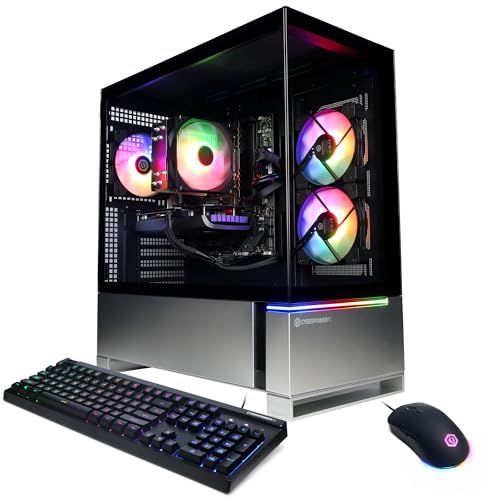
Where to buy
Check the latest price, availability and delivery on Amazon. Orders are placed on Amazon. We may earn a commission from qualifying purchases.
- Best for streaming first: CyberPowerPC Gamer Master, Ryzen 7 8700F, RTX 4060 Ti — Check on Amazon
- CyberPowerPC Gamer Xtreme VR, i7-13700F, RTX 4060 Ti 16GB — Check on Amazon
- Skytech Archangel, i5-14400F, RTX 4060, 32GB RAM, 2TB SSD — Check on Amazon
- Thermaltake LCGS Quartz i1460, i5-14400F, RTX 5060 — Check on Amazon
See 2 more Amazon options
- iBUYPOWER Scale, Ryzen 5 7600, RTX 4060 Ti — Check on Amazon
- Skytech Blaze4 Mini, Ryzen 7 5700, RTX 4060 Ti — Check on Amazon
Read the full guide ↓
Disclosure: As an Amazon Associate, reviewstook.com earns from qualifying purchases. Links to Amazon on this page are affiliate links; they cost you nothing extra. Listing details such as price and availability change often, so check the current Amazon listing before you buy.
A streaming PC does two jobs at once, and the second job is the one this guide grades. While you play, the machine is also capturing your screen, encoding that picture into a compressed video feed, and pushing it up your internet connection — for hours, without a dropped frame your audience can see. So before any pick is discussed, here is the workflow every machine below is judged against. On Twitch, the standard contract is roughly 6,000 kbps of constant bitrate (CBR) carrying a 1080p60 picture, with keyframes every two seconds; that is the load your encoder signs up for every single night. YouTube is the more generous platform: it accepts higher bitrates, carries 1440p streams, and takes AV1-encoded live video today. Twitch’s AV1 support exists only through its Enhanced Broadcasting programme and remains limited, so for most streamers AV1 is a YouTube feature and a future-proofing feature, not a Twitch one. And 4K live streaming is limited by the platforms themselves rather than by anything you can buy — no purchase in this guide, or any guide, changes that. Hardware enters the picture at exactly one point: a dedicated encoder chip on the graphics card turns your gameplay into that feed without asking the game’s own rendering hardware to do it. That chip — and the CPU, memory and storage that have to keep up around it — is what separates these six machines.
Here is the honest headline, stated before the rankings so nothing later sounds like a contradiction: at the level of the encoder chip itself, this is close to a six-way tie. Every pick carries an NVIDIA card whose single NVENC encoder block handles H.264 and AV1, and not one machine here has a second encoder block or an Intel Quick Sync fallback — every Intel processor in the set is an F-suffix part with no integrated graphics at all. What actually separates the picks for a streamer is everything around that chip: how many CPU cores are left over for OBS scenes, browser sources, chat bots and Discord while the game runs; whether the memory arrives in a configuration that strangles bandwidth; whether the drive can hold months of recordings; and what the machine costs on the day you buy it, because two of these six are only recommendations when their live price fits this budget. Check price on Amazon before you buy, because prebuilt prices move between sale events.
In this guide
Quick Picks
Short on time, or comparing several options at once? Each row below names a streamer type and the machine that suits it, with a link to the listing.
| Streamer type | Pick | Why it stands out for streaming | Link |
|---|---|---|---|
| Best for streaming first | CyberPowerPC Gamer Master (GMA2900A) | Eight AM5 cores beside the encoder for OBS, chat and everything else live — check price on Amazon | Check on Amazon |
| Most headroom overall | CyberPowerPC Gamer Xtreme VR (GXiVR8040A14) | The strongest CPU in the guide plus a 16GB card whose memory the game and the encode pipeline share — check price on Amazon and buy only when its live price fits this budget | Check on Amazon |
| Best for recording everything | Skytech Archangel | 32GB of RAM and 2TB of storage — the simultaneous-load and local-recording pick | Check on Amazon |
| Newest encoder generation | Thermaltake LCGS Quartz i1460 | The RTX 5060’s current-generation NVENC with AV1 — check price on Amazon | Check on Amazon |
| Steadiest price | iBUYPOWER Scale | A steady mid-range pick in this budget tier — check price on Amazon, and budget a second memory stick separately | Check on Amazon |
| Best value on sale | Skytech Blaze4 Mini | The same encoder class in a value-tier package, on a finished platform — check price on Amazon | Check on Amazon |
How These Picks Were Chosen
The grading order in this guide is the streaming order. First, the encoder: which dedicated hardware turns gameplay into a feed, which codecs it speaks, and whether anything backs it up. Second, simultaneous load: a stream is never just a game and an encoder — it is the game, OBS with its scenes and browser sources, a chat window, voice software, and the recording you forgot you were also making, all competing for CPU cores, memory bandwidth and drive space at the same moment. Third, the ownership facts this batch always checks on prebuilts: whether the builder publishes its power supply, whether the live price fits this budget on the day you check it, and whether the listing’s configuration can be trusted to match the model name on the box. A machine that wins the first test and fails the second is a machine that stutters on your busiest night, which is why the rankings below sometimes differ from a pure gaming order.
We did not use these machines ourselves. We read the maker listings and specification pages and the verified research behind the sibling guides in this series, and compared encoder hardware, processors, core counts, memory configuration, storage and the documented configuration details for each model. Where a fact is not in the verified record — a power-supply wattage a builder does not publish, a memory stick layout a listing does not confirm — the review says so plainly instead of filling the gap, and tells you the delivery-day check that resolves it. Performance is described by tier and workload throughout; no frame-rate figures are claimed, because none of these systems was benchmarked for this article.
The Encoder Map: What Each Pick Actually Streams With
Every streaming claim in this guide traces back to this section, so read it before the reviews. NVENC is NVIDIA’s dedicated encoder block: a separate piece of silicon on the graphics card that compresses video without consuming the cores that render your game. The RTX 4060 and RTX 4060 Ti — in both its 8GB and 16GB forms — carry a single NVENC block of the Ada generation, encoding H.264 for Twitch today and AV1 for YouTube and the future. The RTX 5060 in the Thermaltake pick carries a single NVENC block of the newer generation, with the same H.264 and AV1 codec support. Single is the operative word everywhere: no pick in this guide has dual encoder blocks, so no review below will describe one as if it did, and a streamer who records a high-quality local copy while broadcasting is asking one encoder to do both jobs on every machine here.
Three absences matter as much as the hardware present. First, there is no Quick Sync anywhere in this set: Quick Sync is Intel’s integrated-graphics encoder, and all three Intel processors here — the i7-13700F and the two i5-14400F machines — are F-suffix parts with no integrated graphics, so the fallback encoder some buyers assume they have simply does not exist in these boxes. Second, no AMD integrated encoder is graded or claimed for any pick; the streaming story of every machine below begins and ends with its NVIDIA card. Third, software x264 encoding on the CPU is treated throughout as an emergency fallback, not a plan: it spends the same cores your game and OBS are already using, and on the six-core and finished-platform picks it is the first thing that falls apart under a busy scene. The practical consequence is discipline, stated once here and applied in every review: set NVENC as the encoder in OBS, let the card carry the broadcast, and spend the CPU on everything else.
One feature deserves a fence around it before it causes confusion. The RTX 5060’s DLSS 4 multi frame generation synthesises extra frames for your monitor; it is a display-side technology, and the encoder never sees those generated frames as rendered gameplay — your stream is built from the real frame stream, and frame generation is not credited anywhere in this guide as a streaming benefit. What your audience receives is decided by the encoder settings in the OBS section below, not by the frame counter on your screen.
The 6 Best Prebuilt Gaming PCs for Streaming Under $1,200
CyberPowerPC Gamer Master — Ryzen 7 8700F, RTX 4060 Ti (GMA2900A)
Who it suits: The one-box streamer who plays and broadcasts from the same machine every night, and wants CPU headroom rather than a headline discount.
Streaming rewards boring arithmetic: cores left over after the game takes its share. The Gamer Master is built around exactly that surplus — a Ryzen 7 8700F with eight cores on an AM5 motherboard with a B650 chipset, 16GB of DDR5 memory and a 1TB PCIe Gen4 SSD. While the RTX 4060 Ti’s single Ada-generation NVENC block carries the broadcast itself, those eight cores absorb the supporting cast a real stream runs alongside the game: OBS scenes and browser sources, chat and alerts, voice chat, a local recording. That division of labour is the whole one-box streaming arrangement, and this is the machine in the guide whose processor was effectively specified for it — the sibling gaming guide reached the same conclusion from the gaming side and named this model its streamer pick. The AM5 platform adds a future: a later Ryzen processor drops into the same board and memory when the supporting cast outgrows the current chip.
The encoder itself needs one clarification the F in the processor’s name forces. The 8700F has no integrated graphics, so this machine has no second hardware encoder of any kind and no display output at all if the graphics card is ever removed — the 4060 Ti is the broadcast, the picture and the backup plan, all in one card. In practice that costs a working streamer nothing, because NVENC was always going to carry the stream; it simply removes a safety net you were never going to use. Its positioning is the other half of the case: this is a mid-range pick in this budget tier — check price on Amazon — so unlike the guide’s flagship this recommendation does not depend on catching a sale week.
- Eight AM5 cores for the stream’s supporting cast while NVENC carries the encode.
- RTX 4060 Ti with a single Ada NVENC block — H.264 for Twitch, AV1 for YouTube.
- Mid-range positioning in this budget tier — check price on Amazon.
Honest limitation: CyberPowerPC does not publish this model’s power-supply wattage in the verified listing material, so check the label on delivery day before planning any graphics upgrade; and this model family has drifted — newer variants under similar names ship an RTX 5060 Ti in higher tiers, so confirm on the live listing that the configuration in front of you is the 4060 Ti build described here.
Choose it if streaming is the primary job and you want the cores and the platform in one purchase. Skip it if you want the strongest all-round processor and the longest-lived card, and can wait for a sale — that is the Gamer Xtreme below.

CyberPowerPC Gamer Xtreme VR — i7-13700F, RTX 4060 Ti 16GB (GXiVR8040A14)
Who it suits: The streamer who also edits, records at high quality, or runs a heavy scene collection — and who can time the purchase to when its live price fits this budget.
If the Gamer Master is the balanced streaming buy, this is the headroom buy. The Core i7-13700F is the strongest general-purpose processor in the guide, and around a broadcast that strength buys the deepest bench: more cores for layered OBS scenes, headroom to run a demanding game and a busy desktop at once, and the only CPU here with enough spare capacity to make the x264 software fallback a genuine emergency option rather than a theoretical one. The graphics card matters to a streamer for a second reason beyond its encoder. Its single Ada NVENC block is the same class as the other 4060 Ti picks, but its 16GB of VRAM is shared territory: the game renders into it and the encode pipeline works alongside, and at 1440p the extra memory is texture headroom that keeps the game side of that bargain from squeezing the stream side as titles grow heavier.
Two conditions frame the recommendation, and both come straight from the base record. The price first: check price on Amazon before you buy — this is a streaming pick only when its live price fits this budget; when it sits above this tier, compare it with the next tier instead. The memory second: whether the 16GB arrives as one stick or two is not confirmed in the verified listing data, and for a streamer the answer matters more than it does for a pure gamer, because single-channel memory taxes exactly the mixed game-plus-desktop load a broadcast creates. Check on arrival; if it is a single stick, a matching second stick is the first upgrade — treat it as a separate purchase on top of the machine. CyberPowerPC also does not headline this model’s PSU wattage, so the delivery-day label check applies before any future card swap.
- The guide’s strongest CPU — the deepest simultaneous-load headroom of the six.
- 16GB of VRAM shared between game and encode pipeline at 1440p.
- Single Ada NVENC with AV1 — the same encoder class as the top pick, with more machine around it.
Honest limitation: Only a pick when its live price fits this budget — check price on Amazon; the memory stick configuration is unconfirmed, and the PSU wattage is unpublished.
Choose it if you can buy when its live price fits this budget and your stream involves heavy scenes, editing or high-quality local recording. Skip it if its live price sits above this budget today — the Gamer Master gives you the streaming essentials without the wait.

Skytech Archangel — i5-14400F, RTX 4060, 32GB RAM, 2TB SSD (ST-ARCH4-1247-W-AM)
Who it suits: The streamer who records everything — full sessions kept locally, a large installed library, and no patience for deleting footage to make room.
Most streaming guides stop at the encoder; working streamers run out of two other things first. The Archangel is the only machine here that ships 32GB of DDR5-5600 memory and a 2TB SSD, double the rest of the guide on both counts, and for a broadcast workload those numbers are not luxuries. The memory is simultaneous-load insurance: game, OBS, browser sources, chat and a recording all resident at once without the system quietly paging to disk mid-stream. The storage is the recording archive: high-quality local copies of every session, kept for editing and clips, on top of a library of hundred-gigabyte games installed simultaneously rather than rotated. In the current market the specification is also simply hard to buy as parts, which is why this premium-capacity configuration in this budget tier — check price on Amazon — earns its place even with the guide’s plainest graphics card inside.
That card is the honest trade, and for streaming it is a smaller one than a gaming guide would make it. The plain RTX 4060’s single Ada NVENC block encodes H.264 and AV1 exactly as the 4060 Ti picks do — the broadcast your audience sees is not downgraded by this choice. What the plain 4060 gives up is on the game side: a clear step less rendering speed, and 8GB of VRAM that will age first at 1440p. Skytech publishes the power supply — a 650W 80 Plus Gold unit — so the obvious future correction, a stronger card on a known supply, can be planned from facts. The i5-14400F is an F-suffix part, so there is no Quick Sync here either; the NVENC discipline in the encoder map applies in full. Buy this as the streaming workstation whose capacity is already solved, with a graphics upgrade pencilled in for a later sale.
- 32GB of memory and 2TB of storage — the simultaneous-load and recording pick.
- The same single-NVENC, AV1-capable encoder class as the 4060 Ti machines.
- Published 650W Gold PSU, so the eventual card upgrade is plannable.
Honest limitation: The RTX 4060 8GB is the weakest game-rendering card in the guide — the stream is unaffected, but the game side leans on upscaling sooner at 1440p, and its memory will age first.
Choose it if recording volume and memory headroom are your real constraints. Skip it if maximum game frame rates are the priority — the 4060 Ti picks render faster today.

Thermaltake LCGS Quartz i1460 — i5-14400F, RTX 5060 (S2QT-B760-560-LCS)
Who it suits: The streamer who wants the newest encoder silicon and plans to use YouTube’s AV1 pipeline, in a mid-range package that needs no sale timing.
The Quartz is the current-generation entry, and for streaming its headline is inside the graphics card rather than on the box. The RTX 5060 carries a single NVENC block of the newest generation, encoding H.264 for Twitch and AV1 for the platforms that accept it, and it is the most modern encoder in this guide. Around it, Thermaltake assembles an honest machine: a Core i5-14400F, 16GB of DDR4-3600 memory and a 1TB NVMe SSD — check price on Amazon; this is a mid-range pick in this budget tier, with no alert-setting required. Coverage of this configuration documents a 600W 80 Plus Gold power supply, making Thermaltake the second builder here that publishes its PSU, and the case is a standard, serviceable tower from a company whose main business is cases and cooling.
Two fences from the encoder map apply directly to this pick. First, the 5060’s celebrated multi frame generation is a display feature: it synthesises frames for your eyes, the encoder never broadcasts them as rendered gameplay, and it does not reduce input latency — value it as smoothness on your monitor, not as stream quality. Second, the 14400F is an F-suffix processor with no integrated graphics, so despite being the newest machine here it has no Quick Sync reserve; if the card is out, there is no picture and no encode. The platform underneath is the structural debit: LGA1700 with DDR4 memory is a finished generation, so this is a closed purchase with no processor or memory-generation path ahead of it. Judged as a complete streaming appliance bought for its encoder and its chassis, in this budget tier, it is a clean fourth pick.
- The newest-generation NVENC in the guide, with AV1 for YouTube live.
- 600W Gold PSU documented; standard Thermaltake tower, easy to service.
- In this budget tier — check price on Amazon.
Honest limitation: LGA1700 and DDR4 are finished platforms, and frame generation is a display bonus that contributes nothing to the broadcast.
Choose it if current-generation encoding and steady mid-range positioning matter most. Skip it if a future in-case processor upgrade is part of the plan — both AM5 picks outlive it.

iBUYPOWER Scale — Ryzen 5 7600, RTX 4060 Ti (SCA5N46T01)
Who it suits: The new streamer buying this week in a calm mid-range tier, who is willing to make one small upgrade part of the purchase.
The Scale’s streaming case starts with its positioning, which is the least dramatic in the guide and, for a buyer on a schedule, the most useful: a steady mid-range pick in this budget tier — check price on Amazon. The machine pairs a Ryzen 5 7600 on the AM5 platform with an RTX 4060 Ti whose single Ada NVENC block does the broadcast work to the same standard as the picks above it, and the listing is the most completely documented of the six — a keyboard and mouse are included in the box and a one-year warranty is stated, the whole-system cover that is half the argument for buying prebuilt. Six cores is the fewest in this guide’s front rank, but with NVENC carrying the encode, six modern cores run a game, OBS and the usual supporting cast without drama for the typical one-box stream.
The limitation is printed in its own specification and weighs heavier on a streamer than on a gamer: the 16GB of DDR5-5200 ships as a single stick, so memory runs in single-channel mode until a second stick is added. A broadcast workload is precisely the mixed load — game rendering, OBS compositing, browser sources, chat — where memory bandwidth is spent from several directions at once, so treat the matching second stick as part of this purchase from day one, planned as a separate addition on top of the machine. iBUYPOWER does not publish this model’s PSU wattage in the verified material, so the delivery-day label check applies before any future graphics upgrade. With the stick added, this is the steadiest route into streaming in the guide: a current platform that accepts future processors, a documented warranty, and steady mid-range positioning that does not ask you to win a sale event first.
- AM5 platform and a 4060 Ti encoder in the mid-range tier — check price on Amazon, no sale required.
- Keyboard and mouse included; one-year warranty stated in the listing.
- The only platform here, alongside the Gamer Master, that accepts future CPUs.
Honest limitation: The single memory stick leaves the machine in single-channel mode until you add a second — for a streamer, budget that fix immediately; the PSU wattage is unpublished.
Choose it if you are buying now and value the platform and the paperwork. Skip it if you will never open the case — the single-stick penalty then stays unpaid, and the Gamer Master’s cores argue louder.

Skytech Blaze4 Mini — Ryzen 7 5700, RTX 4060 Ti (ST-BLAZE4MINI-1266-B-AM)
Who it suits: The patient value hunter — a streamer willing to wait for this machine’s documented low rather than buying on a schedule.
Strip the streaming question down to its cheapest honest answer and it looks like this: the same encoder class as the guide’s leaders, in a value-tier package — check price on Amazon. The Blaze4 Mini combines a Ryzen 7 5700 with eight cores, an RTX 4060 Ti 8GB whose single Ada NVENC block handles H.264 and AV1, 16GB of DDR4-3200 memory and a 1TB SSD. Eight cores is a genuinely comfortable supporting cast for OBS and everything around it, and Skytech does the thing this guide keeps asking builders to do — it publishes the power supply, a 650W 80 Plus Gold unit — so a future graphics upgrade can be planned from the listing rather than from a label hunt after delivery. As a value package, no parts list in the companion build coverage matches this combination for streaming or gaming; the integrator’s volume pricing is doing work the retail shelf currently cannot.
The two debits are the same ones its gaming review carries, and neither is softened by the streaming angle. Its value depends on timing, so check price on Amazon before you buy: it is a superb purchase when its live price sits in the value tier for this budget, and an ordinary one when it drifts toward the top of the tier, where the Scale’s platform and the Gamer Master’s cores take over. And the platform is finished — the Ryzen 7 5700 rides the AM4 socket with DDR4 memory, so there is no processor upgrade that does not also mean a new motherboard and new RAM; you are buying a complete, closed streaming answer. One Skytech-wide note from the listing itself: the brand of card fitted may vary from unit to unit. What is contracted is the model and its encoder; the badge on the cooler is not part of the deal.
- Value-tier positioning — the guide’s encoder class in a budget-friendly tier; check price on Amazon.
- Eight cores for the stream’s supporting cast; published 650W Gold PSU.
- A complete one-box streaming machine with nothing essential left to buy.
Honest limitation: The AM4/DDR4 platform is finished with no CPU upgrade path, and its value is timing-dependent — check price on Amazon before you buy.
Choose it if you can catch it in its value tier and want maximum streaming value today. Skip it if its live price has drifted to the top of this budget, or if a future in-case upgrade matters — that is the AM5 picks’ whole case.

Comparison Table
| Product | Encoder | Best streaming use | Link |
|---|---|---|---|
| CyberPowerPC Gamer Master (GMA2900A) | Single NVENC (Ada) + AV1 | Eight AM5 cores for one-box streaming — check price on Amazon | Check on Amazon |
| CyberPowerPC Gamer Xtreme VR (GXiVR8040A14) | Single NVENC (Ada) + AV1 | Most CPU headroom and 16GB of VRAM — check price on Amazon; buy only when its live price fits this budget | Check on Amazon |
| Skytech Archangel | Single NVENC (Ada) + AV1 | 32GB RAM and 2TB storage for recording everything | Check on Amazon |
| Thermaltake LCGS Quartz i1460 | Single NVENC (newest generation) + AV1 | Current-generation encoding in this budget tier — check price on Amazon | Check on Amazon |
| iBUYPOWER Scale | Single NVENC (Ada) + AV1 | Steady mid-range tier and an AM5 future — check price on Amazon and add the second memory stick | Check on Amazon |
| Skytech Blaze4 Mini | Single NVENC (Ada) + AV1 | The same encoder class in a value tier — check price on Amazon | Check on Amazon |
Setting Up OBS on Any of These Machines
The hardware decision ends at purchase; the stream your audience sees is decided in one settings screen. Every pick in this guide takes the same core configuration, because every pick encodes the same way. In OBS, set the encoder to NVENC — the hardware block on the NVIDIA card — and never to x264 except as a temporary emergency measure, because software encoding spends the CPU cores your game and scenes are already using. Use constant bitrate (CBR) with a two-second keyframe interval, the combination both major platforms expect. For Twitch, run around 6,000 kbps at 1080p60; that is the platform’s practical ceiling for most channels and the figure this guide’s workflow is built on. For YouTube, you have room to push the bitrate higher, to stream at 1440p for a cleaner picture after the platform’s processing, and to select AV1 encoding — the one place in this workflow where the AV1 support in every pick here is usable today.
When a stream stutters, OBS tells you which of three counters is failing, and each has a different fix — learn to read them before your first live night. Rendering lag means the graphics card is saturated by the game and OBS cannot composite its scenes: cap the game’s frame rate, lower its settings, or reduce the scene’s browser sources. Encoding lag means the encoder is being asked for more than the current settings allow: confirm you are on NVENC rather than x264, and step the output resolution or frame rate down rather than raising the bitrate into the problem. Network lag — dropped frames with both other counters clean — is almost never the PC: it is the connection, and its fix is below. Misdiagnosing these is the most common new-streamer error; the counters exist so you do not have to guess.
The network rule is absolute and worth its own paragraph: stream on a wired Ethernet connection, never on Wi-Fi. A broadcast is an hours-long, unbroken upload, and wireless is a shared, variable medium that will eventually hand you a dropped-frame burst in your best moment. Run the cable, whatever it takes. Finally, rehearse: before your first public stream, run a full private or unlisted session at your exact live settings for an hour, with your busiest game and your full scene collection, and watch the three counters. Every pick in this guide can hold the workflow defined at the top of this article; the rehearsal is how you prove your individual unit, connection and settings do, inside the return window, while any problem is still the seller’s.
What Else a Streaming Setup Costs
The PC is the centre of a streaming setup, not the whole of it, and this section exists so the rest is budgeted as its own list rather than discovered mid-build. No prices are quoted here, deliberately: accessory prices move, and the honest point is the order of priorities, not figures that would stale. Buy in this order. First, the microphone: your audience will forgive a soft picture long before they forgive bad audio, and the mic is the single largest quality jump a new streamer can make — it matters more than every other item on this list combined. Second, lighting: a simple, decent light pointed at your face does more for a webcam picture than a camera upgrade does, because small sensors are starved for light, not resolution. Third, the webcam itself, once it is properly lit. Fourth — and only for a specific job — a capture card: it exists to bring an external source, above all a games console, into OBS. For games played on the same PC that is streaming, a capture card does nothing at all; the software already has the picture. Streamers who play on the PC and never on a console should skip it permanently, and console streamers should understand it is the console’s accessory, not the PC’s.
Two machine-side costs belong in the same plan, both already flagged in the reviews and repeated here so they are not lost: if you choose the iBUYPOWER Scale, its matching second memory stick is part of the purchase, not an optional extra; and whichever 1TB machine you choose, recordings accumulate — a streamer who keeps local copies of every session should expect a second drive to join the setup in time, planned as a separate addition when the day comes. Neither cost is included with any pick in this guide.
How to Choose a Prebuilt for Streaming Under $1,200
- Start with the encoder, then grade the machine around it. Every pick here carries a single NVENC block with AV1 — the differences that matter are CPU cores, memory configuration and storage, in that order.
- Count cores for the supporting cast, not the game. The encoder carries the broadcast; the processor carries OBS, chat, browser sources and recording. Eight cores (Gamer Master, Blaze4 Mini) or the i7’s deeper bench (Gamer Xtreme) are streaming features, not gaming luxuries.
- Refuse single-channel memory in a streaming machine. A lone 16GB stick taxes exactly the mixed load a broadcast creates. Either add the matching stick on day one or choose a configuration that ships with its memory properly arranged.
- Size storage for recordings, not just games. A local copy of every session is a streamer’s archive and clip mine. The Archangel’s 2TB is the only configuration here that treats that as a first-class requirement.
- Do not pay for a second encoder that is not there. No pick here has dual NVENC blocks or Quick Sync — the Intel chips are all F-suffix parts. If a listing implies a fallback encoder, it is describing a different machine.
- Keep frame generation out of the streaming maths. Generated frames are for your monitor. The broadcast is built from rendered frames and encoder settings; judge the Quartz on its NVENC, not its frame counter.
- Check the live price, not the listing headline. The Gamer Xtreme is a pick when its live price fits this budget and belongs to a higher tier when it does not; the Blaze4 Mini is a pick in its value tier and ordinary near the top of this budget. Check price on Amazon before the sale starts.
- Verify the exact configuration at checkout. Model families drift — the Gamer Master name now sits near RTX 5060 Ti variants in higher tiers. The graphics model, memory and storage in the cart are the contract; the family name is not.
Common Streaming Buying Mistakes
- Choosing x264 in OBS because it sounds higher quality. On a one-box setup it spends the cores the game needs; NVENC exists precisely so the broadcast does not compete with the game, and at Twitch bitrates it is the correct tool.
- Assuming an Intel processor means Quick Sync is available as a backup encoder. Every Intel pick here is an F-suffix part with no integrated graphics — there is no backup encoder, on any machine in this guide.
- Streaming over Wi-Fi because the router is in another room. The first dropped-frame burst during a peak moment is the tuition; run the cable instead.
- Buying a capture card to stream PC games from the same PC. It captures external sources — consoles — and does literally nothing for a game already running inside OBS.
- Spending on a camera before a microphone and light. Audio is the quality your audience actually judges; the correct order is mic, light, then camera.
- Paying above this budget for the Gamer Xtreme and calling it an under-$1,200 streaming rig. Its recommendation applies only when its live price fits this budget; above that, compare it with the next tier.
- Ignoring the memory stick count. The Scale’s single stick is a known, separate fix — but only if you actually make it; left alone, it taxes every stream you run.
- Skipping the rehearsal stream. An hour at full live settings, inside the return window, is the only test that covers your unit, your scenes and your connection at once.
Final Recommendation
- Best for streaming first: CyberPowerPC Gamer Master — eight AM5 cores around the encoder, in this budget tier — check price on Amazon.
- Most headroom: CyberPowerPC Gamer Xtreme VR — when its live price fits this budget; check price on Amazon.
- Best for recording: Skytech Archangel — 32GB of RAM and 2TB of storage.
- Newest encoder: Thermaltake LCGS Quartz i1460 and the RTX 5060’s current-generation NVENC.
- Steadiest purchase: iBUYPOWER Scale — with its second memory stick budgeted.
- Best value on sale: Skytech Blaze4 Mini — in its value tier; check price on Amazon.
Because the encoder is close to a tie across this guide, the recommendation reduces to the machine around it. The Gamer Master is the streamer-first buy: the eight-core processor a broadcast’s supporting cast actually uses, a platform with a future, and mid-range positioning in this budget tier — start there unless a specific need points elsewhere. The Gamer Xtreme is the upgrade for streamers whose sessions are productions — heavy scenes, high-quality local recording, editing afterwards — provided its live price fits this budget at purchase, and the Archangel is the answer when the archive matters more than the frame counter. Readers speccing a machine purely for play can compare the gaming-first ordering in Best Prebuilt Gaming PC Under $1200, and those weighing a self-build against these prebuilts should read Best Gaming PC Build Under $1200 before deciding. Whichever pick you take: wire the Ethernet cable, set NVENC, and rehearse before you go live.
Frequently Asked Questions
Can one PC really play and stream at the same time at this budget?
Yes — that is exactly the arrangement this guide is built around. The graphics card’s hardware encoder carries the broadcast as a separate job from rendering the game, so a modern six-to-eight-core processor is left to run the game, OBS and the supporting software. The strain shows up in the supporting cast first, which is why this guide grades cores, memory configuration and storage rather than treating the encoder as the whole story.
Which encoder should I select in OBS?
NVENC, on every pick in this guide. Pair it with constant bitrate and a two-second keyframe interval. Around 6,000 kbps suits Twitch at 1080p60; YouTube accepts higher bitrates, 1440p streaming, and AV1 — and AV1 is available on every card here when you stream there. Leave x264 for emergencies: it spends CPU cores the rest of the setup needs.
Do any of these PCs have a backup encoder?
No. Every pick carries a single NVENC block, and there is no Quick Sync anywhere in the set because all three Intel processors are F-suffix parts without integrated graphics. The discipline that follows is simple: the NVIDIA encoder is the plan, set correctly from day one, rather than one option among several.
Does the RTX 5060’s frame generation improve my stream?
No. Multi frame generation synthesises frames for your own monitor; your broadcast is encoded from the rendered frame stream and your OBS settings. The Quartz earns its place on the strength of its current-generation NVENC encoder — the frame generation is a gaming-side bonus that this guide does not count toward streaming.
Is 16GB of RAM enough for streaming?
Enough, with one configuration warning: what matters is not only the amount but the arrangement. Sixteen gigabytes as a single stick runs in single-channel mode and taxes the mixed game-plus-stream load; the Scale ships that way and its review treats the matching second stick as part of the purchase. Streamers who record everything and keep large libraries should look at the Archangel’s 32GB and 2TB as the configuration that removes the question.
Do I need a capture card with one of these PCs?
Only if a console is part of your stream. A capture card imports an external source into OBS; for games running on the streaming PC itself it adds nothing. Spend first on a microphone, then lighting, then a webcam — the order in the kit section above — and let console players treat the card as the console’s accessory.
What should I check when the PC arrives?
Inside the return window: the graphics card model matches the listing (the Gamer Master’s family now includes pricier variants under similar names), the memory size and stick count, the storage capacity, and the power-supply label on the picks whose wattage is unpublished. Then run the hour-long rehearsal stream at your live settings and read the three OBS counters. Any hardware mismatch is a return, not a compromise.
- Best Prebuilt Gaming PC Under $1200
- Best Prebuilt Gaming PC Under $800
- Best Prebuilt Gaming PC Under $1500
- Best Prebuilt Gaming PC For Beginners Under $1200
- Best Prebuilt Gaming PC For 1440p Gaming Under $1200
- Best Prebuilt Gaming PC For Small Spaces Under $1200
- Best Prebuilt Gaming PC For Streaming Under $800
- Best Prebuilt Gaming PC For Streaming Under $1500
- Best Streaming PC Under $1200
- Best Gaming PC Under $1200


