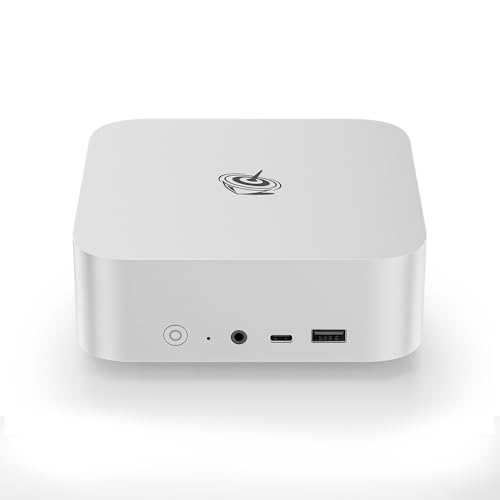
Where to buy
Check the latest price, availability and delivery on Amazon. Orders are placed on Amazon. We may earn a commission from qualifying purchases.
- Best overall: Beelink SER8 Mini PC, Ryzen 7 8745HS, 32GB DDR5, 1TB SSD — Check on Amazon
- GMKtec NucBox K8 Plus, Ryzen 7 8845HS, 32GB DDR5, 1TB SSD, OCuLink — Check on Amazon
- Beelink SER5 MAX Mini PC, Ryzen 7 7735HS, 24GB RAM, 500GB SSD — Check on Amazon
- Apple Mac mini with M4 Chip, 16GB Memory, 256GB SSD — Check on Amazon
- GMKtec NucBox M6 Mini PC, Ryzen 5 6600H, 16GB DDR5, 512GB SSD — Check on Amazon
See 1 more Amazon option
- Dell OptiPlex 5060 SFF Desktop, Core i7, 32GB RAM, 1TB SSD (Renewed) — Check on Amazon
Read the full guide ↓
Disclosure: As an Amazon Associate, reviewstook.com earns from qualifying purchases. Links to Amazon on this page are affiliate links; they cost you nothing extra. Listing details such as price and availability change often, so check the current Amazon listing before you buy.
This keyword contains a tension, and this guide starts by resolving it honestly rather than papering over it. A home office PC under $700 is built around integrated graphics — not one of the six machines below carries a discrete graphics card — while 1440p gaming, meaning games actually rendered at 2560×1440, is the workload discrete cards exist for. So here is the standing truth for the whole guide: no pick here renders demanding modern games natively at 1440p. What the strongest picks do honestly reach is native 1440p rendering in light, older and esports-style titles at reduced settings, and — for everything heavier — a different, legitimate arrangement: the game renders at 1080p or below and is upscaled to fill your 1440p monitor. That is not a consolation prize. A 1440p panel still transforms the working day (sharper text, more spreadsheet on screen), an upscaled image on it looks cleaner than the same render on a 1080p screen, and the office half of these machines is genuinely excellent. What this guide refuses to do is call an upscaled 1080p render “1440p gaming” without telling you which half of the sentence is doing the work.
One technology note belongs up front, because it shapes every verdict below. DLSS — NVIDIA’s upscaling — appears in none of these machines, because DLSS requires RTX hardware and there is no RTX hardware anywhere in this set. Anyone who tells you a mini PC like these “supports DLSS” is mistaken or selling something. The AMD picks use FSR, AMD’s upscaling, which this guide credits generically and honestly: it reconstructs a 1440p picture from a lower-resolution render, it does not render at 1440p, and no internal-resolution figures are claimed for it here. Frame generation, where a game offers it, is treated the same way throughout: it smooths motion on the display side; it never adds rendered resolution. With those ground rules set, the ranking below grades each machine on what its documented silicon can actually do at a 1440p desk: the two Radeon 780M machines lead, because that is the strongest integrated graphics class money buys in this form factor; the 680M machine follows; and the guide ends with the picks whose honest 1440p role is the desktop itself rather than the game. If your evenings matter more than your workdays, the honest signpost is our dedicated gaming coverage, starting with Best Gaming PC For 1440p Gaming Under $700 — this guide is for the buyer whose PC works all day and plays in the evening, in that order.
In this guide
Quick Picks
Short on time, or comparing several options at once? Each row below names a 1440p-desk situation and the machine that suits it, with a link to the listing.
| Buyer type | Pick | Its honest 1440p verdict | Link |
|---|---|---|---|
| Best overall for a 1440p desk | Beelink SER8, Ryzen 7 8745HS, 32GB, 1TB | Radeon 780M: native 1440p in light titles, 1080p-render + FSR upscale for the rest; 32GB shared pool | Check on Amazon |
| Best future path to real 1440p | GMKtec NucBox K8 Plus, Ryzen 7 8845HS, 32GB, 1TB | Same 780M verdict today; its OCuLink port is the only route here to a discrete GPU later — at $700 or less | Check on Amazon |
| Best mid-price 1440p all-rounder | Beelink SER5 MAX, Ryzen 7 7735HS, 24GB, 500GB | Radeon 680M: light titles near 1440p at reduced settings, heavier games rendered at 1080p and upscaled | Check on Amazon |
| Best if your games live on macOS | Apple Mac mini, M4 chip, 16GB, 256GB | Strong integrated GPU and a superb 1440p desktop; the Mac game library, not the silicon, is the limit | Check on Amazon |
| Best budget route onto a 1440p desk | GMKtec NucBox M6, Ryzen 5 6600H, 16GB, 512GB | Radeon 660M: the lightest titles only, rendered low and upscaled; the panel earns its keep in office work | Check on Amazon |
| 1440p desktop, not 1440p gaming | Dell OptiPlex 5060 SFF, Core i7, 32GB, 1TB (Renewed) | UHD 630 drives a sharp 1440p working desktop over DisplayPort; gaming at 1440p is not on offer at any setting | Check on Amazon |
How These Picks Were Chosen
The six machines are the verified set from our office guide at this budget — see Best Home Office PC Under $700 — re-graded here against a single question: what does each one honestly do at a desk built around a 1440p monitor? The budget was applied as a ceiling for a finished, working computer: RAM, storage and an operating system installed, within $700 in the United States. Where a listing drifts — and with memory prices climbing, several of these drift a great deal — check the price on Amazon rather than trusting any number printed elsewhere. Two picks carry explicit buy-only rules for exactly that reason: only buy them when the live listing sits within this guide’s budget.
We did not use these PCs ourselves. We read the maker listings, specification pages and manuals, and compared processors, graphics, memory configuration, storage and display outputs, favoring sources that publish their numbers in full. On top of the office filters from the base guide — at least two display outputs, no configuration under 16GB of memory, and a support route that actually exists — this variant applies three 1440p-specific tests. The first is the render test: what resolution does the graphics hardware genuinely render games at, judged by its class? Integrated graphics share system memory instead of carrying their own VRAM, so memory capacity and configuration count double here — a 32GB machine lends its GPU a larger pool than a 16GB machine running the same chip. The second is the upscaling test: what reconstruction technology does the silicon actually support? FSR on the AMD picks, nothing comparable claimed for the Intel pick, and DLSS nowhere, because there is no RTX hardware in this set — any guide that credits these machines with DLSS is inventing a feature. The third is the display test: can the documented outputs carry a 1440p signal at the refresh rates a gaming panel offers, taken only from the ports the base research documents for each machine?
Performance characterizations are class-level and qualitative throughout: no per-game frame rates are claimed for any product, because integrated-graphics results swing with the individual game’s settings, the memory configuration fitted and the driver version. What can be stated firmly, and is, is the class ordering — Radeon 780M above 680M above 660M, all of them in a different world from the renewed Dell’s UHD Graphics 630 — and the structural facts: which machines are capped by soldered memory, which one’s graphics can never be upgraded, and which single pick has a documented path to a discrete GPU later.
Rendered Pixels vs Displayed Pixels: The Distinction This Guide Runs On
Almost every misleading claim in this corner of the market dissolves once one distinction is clear. Your monitor displays 2560×1440 pixels. Your graphics hardware renders some number of pixels, and those two numbers are only sometimes the same. When a game renders at the full 2560×1440, that is native 1440p — the expensive, honest article. When it renders at 1920×1080 and software stretches and reconstructs the result to fill the panel, the display shows a 1440p-sized picture built from a 1080p render: softer than native, cheaper to produce, and — on a good panel, with a good upscaler — often perfectly pleasant. Marketing copy blurs these constantly (“1440p gaming ready” on a box that upscales everything), so every review below states both halves separately: what the machine renders, and what the panel shows.
Upscaling quality is the middle term. FSR, the technology on this set’s AMD picks, analyzes the lower-resolution render and reconstructs detail as it scales — visibly better than a naive stretch, visibly short of native rendering in fine detail and motion. This guide credits FSR generically, without internal-resolution figures, because the honest claim is about the technique’s existence and class, not a pixel count we cannot verify per game. DLSS, NVIDIA’s equivalent, is simply absent here: it runs on RTX Tensor cores, and no pick in this guide has any. Frame generation is the third term and the most abused: it inserts synthesized frames between rendered ones, so motion looks smoother while the rendered resolution — and the input responsiveness underneath — stays exactly where it was. Treat it as a display-side comfort feature, never as resolution. A buyer who holds these three distinctions can read any listing in this category and know precisely what is being promised.
The 6 Best Home Office PCs for a 1440p Desk Under $700
Beelink SER8 Mini PC — Ryzen 7 8745HS, 32GB DDR5, 1TB SSD
Who it suits: The home worker who wants the strongest honest shot at 1440p in this guide — a 1440p monitor for work all day, and the best integrated-graphics gaming this budget allows in the evening — in a machine quiet enough to share a room with.
The SER8’s case for the top spot rests on two documented facts. The first is its Radeon 780M integrated graphics, the strongest iGPU class sold in mini PCs, driven here by the eight-core Ryzen 7 8745HS. Graded by the render test, that class reaches native 1440p in light, older and esports-style titles at reduced settings — genuinely rendered 2560×1440 frames, not reconstruction. Step up to demanding modern games and the honest route changes: render at 1080p, let FSR upscale to the panel, and accept a picture that is clean rather than native. The second fact is memory. Integrated graphics borrow system RAM, and the SER8’s linked configuration carries 32GB of DDR5 in upgradeable SO-DIMM slots (ceiling 64GB) — the largest shared pool in this guide alongside the K8 Plus — which matters at 1440p because textures and frame buffers compete with your browser tabs for the same memory. A 1TB PCIe 4.0 SSD with a second M.2 slot completes the specification, and the machine drives three 4K displays over HDMI, DisplayPort and USB4, so a 1440p gaming panel plus office screens is an easy arrangement.
The ownership details from the base research carry over unchanged. Notebookcheck’s measured review recorded about 34.6 dB(A) under full load — the quiet benchmark in this class, and a real asset when the gaming happens in a shared room after work. There is no OCuLink port, so the external-GPU future belongs to the GMKtec below; this machine’s graphics are the graphics it retires with. Some reviewers noted Wi-Fi dropouts traced to the wireless card inside the metal case, so a wired connection — which gaming wants anyway — is the sensible default. And the configuration discipline is real: this listing covers several styles, and the other styles are not the build reviewed here, so check the price on Amazon for the exact configuration in front of you. For this angle the configuration check matters twice over, because the 16GB style halves the memory pool the 780M draws from — confirm the listing in front of you is the 32GB/1TB build before paying.
- Radeon 780M: the only graphics class here that renders light titles natively at 1440p.
- 32GB of socketed DDR5 gives the integrated GPU the largest shared memory pool in the guide.
- Measured around 34.6 dB(A) under full load — evening gaming that doesn’t fill the room.
Honest limitation: Demanding games are a 1080p render upscaled to the panel, not native 1440p — and with no OCuLink, that ceiling is permanent.
Choose it if you want the best integrated-graphics 1440p story under $700 with office headroom to spare. Skip it if native 1440p in modern games is a hard requirement — that requirement points at a discrete GPU and a different guide.

GMKtec NucBox K8 Plus — Ryzen 7 8845HS, 32GB DDR5, 1TB SSD, OCuLink
Who it suits: The buyer who accepts this guide’s honest verdict for today — integrated graphics, upscaled demanding games — but wants the one documented escape hatch: a port that lets a real graphics card join the machine later.
On silicon alone, the K8 Plus ties the SER8: a Ryzen 7 8845HS with the same Radeon 780M graphics, 32GB of DDR5 across two SO-DIMM slots (rated to 96GB), a 1TB SSD with a second M.2 slot, and Windows 11 Pro. Its render test and upscaling test therefore return the same answers — native 1440p in light titles at reduced settings, 1080p renders with FSR upscaling for demanding games, no DLSS anywhere. The display test is where it pulls ahead: HDMI 2.1 and DisplayPort 2.1 outputs with up to four displays supported is the strongest output set in this guide, so a high-refresh 1440p panel gets a full-bandwidth connection with headroom to spare. Two USB4 ports and dual 2.5-gigabit Ethernet complete a connectivity package nothing else here matches.
Then there is the port that defines the pick. The native OCuLink connection attaches an external GPU dock at PCIe speeds — the only route by which any machine in this guide can later render games with a discrete card, which is to say the only route to genuine native 1440p in demanding titles without replacing the computer. The base guide’s honesty about that route applies in full: the dock, its power supply and the graphics card are three further purchases beyond the PC itself, and the connector is not hot-pluggable. Value it as an option you own, not performance you have. The counterweight is price volatility, and it can be severe during the memory shortage, so check the price on Amazon before judging this pick. The rule is therefore absolute — when the live listing sits within this guide’s $700 budget, this is arguably the best-connected 1440p desk machine in the guide; above that budget, walk away and wait for the price to come back to earth.
- Same 780M verdict as the top pick, plus HDMI 2.1 / DP 2.1 outputs for high-refresh 1440p panels.
- Native OCuLink: the only documented path in this guide to a discrete GPU later.
- 32GB in two slots (to 96GB) and two M.2 slots — the most expandable mini here.
Honest limitation: Its Amazon price is volatile during the memory shortage, so check the price on Amazon first. This is a buy-only-within-this-guide’s-budget pick, full stop.
Choose it if you want today’s 780M performance with tomorrow’s discrete-GPU option kept open. Skip it if the live price is above $700, or you know you will never buy the dock — the SER8 then does the same job for saner money.

Beelink SER5 MAX Mini PC — Ryzen 7 7735HS, 24GB RAM, 500GB SSD
Who it suits: The two- or three-monitor home worker whose gaming taste runs to older, lighter and esports titles — and who would rather keep part of the budget for the 1440p panel itself than chase the last rung of integrated graphics.
The SER5 MAX runs the previous step of AMD’s integrated ladder: a Ryzen 7 7735HS with Radeon 680M graphics. Graded honestly, that class sits one rung below the 780M pair — light and older titles can run near or at 1440p with settings trimmed, esports titles are comfortable, and demanding games belong at a 1080p render with FSR upscaling to the panel, where they still look respectable on a good screen. DLSS is absent here as everywhere in this set; the 680M is Radeon silicon, and FSR is its upscaling story. The display side is a genuine strength: HDMI 2.0, DisplayPort 1.4 and a USB-C port carrying video give three independent 4K outputs, so the 1440p gaming monitor can sit inside a triple-screen office desk rather than replacing it. Check the price on Amazon — it sits in mid-budget territory for this guide, money that leaves real room for the panel, which at this tier is often the better spend.
The structural caveats are the ones the base research documents. The 24GB of LPDDR5 memory is soldered — a comfortable pool for the 680M today and a generous office allowance, but the ceiling is fixed at purchase and cannot be raised when a future game wants more. Storage is friendlier: two M.2 PCIe 4.0 slots mean the fitted 500GB drive can be joined or replaced cheaply. The USB-C port is a 10Gbps port with video rather than USB4, which closes off the fastest docks, and there is no OCuLink, so — like the SER8 — this machine’s graphics ceiling is the one it ships with. One naming caution from owner coverage: Beelink sells several machines under the SER5 name, including an older 5800H model with weaker graphics, so confirm the listing says 7735HS and 24GB before paying. None of that dents the proposition for the right player: a triple-monitor office mini whose integrated graphics handle the lighter end of a game library at or near 1440p, at a mid-range tier for this guide.
- Radeon 680M handles light and esports titles near 1440p; heavier games upscale cleanly from 1080p.
- Three independent 4K display outputs — the 1440p panel joins a full office desk.
- Mid-range tier for this guide — check the price on Amazon — leaving budget for the monitor this keyword is really about.
Honest limitation: The 24GB of RAM is soldered and final, and the 680M is a clear step below the 780M pair for anything demanding.
Choose it if your library is light, older or esports-leaning and the panel matters as much as the PC. Skip it if you play current demanding releases — start with the 780M picks, or budget for a discrete GPU.

Apple Mac mini — M4 Chip, 16GB Unified Memory, 256GB SSD
Who it suits: The home worker already living in Apple’s ecosystem whose game library genuinely lives on macOS too — and who wants the finest 1440p desktop experience in this guide wrapped around that narrower gaming role.
Start with what is not in dispute. The Mac mini’s M4 chip — a 10-core CPU with a 10-core GPU — is strong integrated silicon, the machine is the quietest and smallest in this guide, and as a device for driving a 1440p monitor through the working day it is superb: text is razor sharp, the desktop is fluid, and Apple’s support network stands behind it. For games that ship in proper Mac versions, that GPU renders light titles at or near 1440p credibly and handles the platform’s catalog of older and indie games with ease. There is no DLSS here — that is NVIDIA technology — and this guide makes no upscaling claims for the Mac beyond what its documented hardware supports; the honest grading is that its silicon is not the constraint.
The constraint is the library. macOS simply receives a fraction of the Windows game catalog, and many headline titles never arrive at all. A buyer whose evenings run through a Windows game library will find the fastest office machine here to be the wrong gaming machine regardless of its GPU. The structural limits from the base research apply with extra force at 1440p: the 16GB of unified memory is shared between system and GPU and can never be upgraded, the 256GB SSD is the smallest storage in this guide — a real consideration when modern games are large — and both are fixed at purchase, with the 512GB configuration sitting outside this budget. Pricing needs discipline too: check the price on Amazon, because third-party offers can sit well above the level this guide’s budget allows. Buy only when the live listing sits within this guide’s budget, ideally sold or shipped by Amazon or Apple. Chosen by a Mac-native player, it is a delight; chosen as a cheap Windows gaming PC, it is a category error.
- The sharpest, quietest 1440p desktop experience in this guide, with Apple’s support behind it.
- Strong integrated GPU renders the Mac-native catalog’s light titles at or near 1440p.
- Check the price on Amazon — and favour listings sold or shipped by Amazon or Apple.
Honest limitation: The Windows game library is mostly closed to it, and its 16GB memory and 256GB storage are fixed forever.
Choose it if your work and your games both live in Apple’s world. Skip it if your library is Windows-based — no price makes the wrong platform right.

GMKtec NucBox M6 Mini PC — Ryzen 5 6600H, 16GB DDR5, 512GB SSD
Who it suits: The buyer whose real project is the desk — a good 1440p monitor first, an office PC that can grow, and gaming that honestly means the lightest end of the library after hours.
The M6’s Radeon 660M graphics are the modest member of this lineup, a step below the 680M and two below the 780M class, and this guide grades them without varnish. Native 1440p gaming is limited to the lightest and oldest titles at trimmed settings; the realistic gaming mode is a render at 1080p or below with FSR upscaling to the panel, which suits casual and indie play and visibly strains beyond it. No DLSS, as everywhere here. Where the M6 earns its place in a 1440p guide is everything around that verdict. It drives a dual-monitor desk comfortably, its USB4 port runs fast single-cable docks and external drives, and the 1440p panel you pair it with will be driven beautifully for the ninety percent of the week that is work: documents, browsers, calls and spreadsheets are exactly its home ground.
The structure is the other half of the case. The 16GB of DDR5 sits in a socketed SO-DIMM slot rather than being soldered, and there are two SSD slots around the fitted 512GB drive — so the two specifications that pinch first are both five-minute upgrades, which no cheaper sealed mini offers. That matters for the shared-memory question too: 16GB is the tightest pool any AMD pick here lends its GPU, and the socket is the documented fix when it pinches. It sits at the budget end of this guide — check the price on Amazon; at that tier the allocation argument is compelling — buy the M6, put the savings into the 1440p monitor itself and a second screen, and the desk is better than one built around a top-of-budget box driving a lesser panel. Support runs through the seller and GMKtec’s own channels, normal for this category and priced in. As an entry point that can grow — more RAM, a second SSD, a dock on the USB4 port — it is the budget conscience of this guide.
- Socketed DDR5 and dual SSD slots — the cheapest pick here whose limits can be lifted later.
- USB4, dual 2.5GbE and Windows 11 Pro at a budget-tier price — check the price on Amazon.
- Lets the budget flow to the 1440p panel, where a 1440p desk is actually won or lost.
Honest limitation: The 660M is the floor of this guide: gaming means light titles rendered low and upscaled, and 16GB is a tight shared pool until you upgrade it.
Choose it if the $700 covers PC and panel together, or you want a starter machine with real upgrade paths. Skip it if gaming is the priority from day one — the 780M picks are the honest starting point.

Dell OptiPlex 5060 SFF Desktop (Renewed) — Core i7, 32GB RAM, 1TB SSD
Who it suits: The value pragmatist who wants a 1440p monitor for the working day — sharp text, roomy spreadsheets — and is honest with themselves that gaming is not what this machine is for.
Every guide needs its boundary marker, and this is it. The renewed OptiPlex’s Intel UHD Graphics 630 is an office display driver from 2018, and graded by this variant’s render test it fails cleanly: it does not game at 1440p, at any setting, in any title worth the name. There is no DLSS, no meaningful upscaling story, and no settings menu that changes the verdict. What it does do — and does well — is the display half of the keyword: its two standard DisplayPort 1.2 outputs carry a crisp 1440p desktop, so the monitor this keyword is about earns its keep across every working hour, with documents and browsers rendered natively at the panel’s full resolution by hardware that finds that workload trivial. A third video output was an optional extra on this model, so plan on two displays, exactly as the base research documents.
The rest of the proposition is the base guide’s value case, unchanged. A six-core Core i7-8700 — on Microsoft’s official Windows 11 supported list, unlike the cheaper 6th- and 7th-generation renewed stock — with 32GB of DDR4 RAM and a 1TB SSD, refurbished by a Microsoft Authorized Refurbisher and backed by the Amazon Renewed Guarantee rather than a Dell factory warranty. The RAM and SSD are standard, replaceable parts in a serviceable business chassis. Judge it as this guide does: a budget-tier renewed machine buys a fully capable 1440p work desk, and the savings can fund the panel, a second screen and the chair. The buyer it fails is the one who reads “1440p” on the monitor box, “gaming” in this keyword, and assumes the renewed desktop splits the difference. It does not, and no honest guide should let the assumption survive to checkout.
- Drives a native 1440p working desktop over two standard DisplayPort outputs.
- 32GB of RAM and a 1TB SSD — the top picks’ headline specs — at a budget-tier price; check the price on Amazon.
- Core i7-8700 is officially Windows 11 supported, unlike older renewed generations.
Honest limitation: UHD Graphics 630 means no 1440p gaming whatsoever — this is a desktop-resolution pick, not a gaming pick, backed by the Amazon Renewed Guarantee rather than a manufacturer warranty.
Choose it if the 1440p panel is for work and your gaming happens elsewhere or not at all. Skip it if games on this machine are part of the plan — every other pick in this guide serves that plan better.

Comparison Table
| Product | Graphics | Renders natively at 1440p | Upscaling route | Link |
|---|---|---|---|---|
| Beelink SER8 | Radeon 780M (integrated) | Light, older and esports titles at reduced settings | FSR from a 1080p render for demanding games; no DLSS | Check on Amazon |
| GMKtec NucBox K8 Plus | Radeon 780M (integrated) | Light, older and esports titles at reduced settings | FSR today; OCuLink dock is the future discrete route — at $700 or less | Check on Amazon |
| Beelink SER5 MAX | Radeon 680M (integrated) | Lightest and older titles, settings trimmed | FSR from a 1080p render; no DLSS | Check on Amazon |
| Apple Mac mini (M4) | Apple M4 10-core GPU | Light Mac-native titles at or near 1440p | None claimed here; the Mac library is the binding limit | Check on Amazon |
| GMKtec NucBox M6 | Radeon 660M (integrated) | The lightest titles only, settings trimmed | FSR from a 1080p-or-lower render; no DLSS | Check on Amazon |
| Dell OptiPlex 5060 SFF (Renewed) | Intel UHD Graphics 630 | Nothing — desktop resolution only | None; a 1440p work desktop, not a gaming machine | Check on Amazon |
Pairing These PCs With a 1440p Monitor
The monitor is half of this keyword, and pairing it well is mostly a matter of matching the connection to the machine’s documented outputs. For the two 780M picks and the SER5 MAX, any modern 1440p panel connects directly: the SER8 offers HDMI, DisplayPort and USB4 video; the K8 Plus offers HDMI 2.1 and DisplayPort 2.1, the full-bandwidth connections a high-refresh 1440p panel wants; the SER5 MAX offers HDMI 2.0, DisplayPort 1.4 and USB-C video. The M6 drives its 1440p panel over its documented display outputs and USB4. The Mac mini pairs over HDMI or Thunderbolt. The renewed Dell is the constrained case: its two standard DisplayPort 1.2 outputs carry a 1440p desktop at standard refresh rates, which is all its role requires — a high-refresh gaming panel would be wasted money behind it.
Three pairing rules follow from the render verdicts. First, refresh rate is a desktop feature before it is a gaming feature here: a 1440p panel with a high refresh rate makes scrolling, window movement and video calls feel smoother all day on every pick, even where games render below the panel’s ceiling — so a faster panel is not wasted on an integrated-graphics machine, provided you buy it for the right reason. Second, set the panel’s real refresh rate in your operating system’s display settings after connecting it; panels routinely default to a basic rate until told otherwise, and the sharpest monitor in the world looks ordinary at the wrong setting. Third, run the game at the render resolution the review recommends, not the panel’s: on the AMD picks, set the game to 1080p and let FSR upscale, or use the game’s own render-scale control — forcing a native 1440p render the silicon cannot sustain produces a worse experience than an honest upscale. Buyers speccing a whole desk from scratch should also read Best 1440p Gaming PC Under $700 for how the dedicated gaming tier approaches the same panel.
How to Choose a Home Office PC for a 1440p Desk
- Grade the render, not the display. Every pick here can put a 1440p picture on a monitor. Only the 780M pair renders games natively at 1440p, and only in light titles. The question that separates the picks is what is rendered, not what is shown.
- Put the 780M class at the top of the shortlist. If evening gaming matters at all, Radeon 780M machines — the SER8 and the K8 Plus — are the honest starting point at this budget. Everything below them is a compromise taken knowingly.
- Count shared memory as graphics memory. Integrated GPUs borrow system RAM. The 32GB configurations lend the GPU a larger pool than 16GB ones, and on soldered machines — the SER5 MAX, the Mac mini — the number on the listing is the number forever.
- Ignore any DLSS claim for this class of machine. DLSS needs RTX hardware. None of these PCs has any, so any listing or guide crediting them with DLSS is inventing a feature — and probably inventing others.
- Treat FSR as a technique, not a resolution. FSR reconstructs a 1440p picture from a lower render. It is genuinely useful and genuinely not native rendering; buy it with both halves of that sentence in mind.
- Value the K8 Plus’s OCuLink port as an option, not performance. It is the only documented route here to a discrete GPU later, but the dock, its power supply and the card are further purchases. And hold its price line: at or under $700 only.
- Check the platform before the GPU on the Mac. The Mac mini’s silicon is strong; its game library is the constraint. If your titles are Windows-only, no benchmark makes it the right pick.
- Hold the budget line. The K8 Plus and the Mac mini can both drift above this guide’s budget through third-party sellers or during shortages, so check the price on Amazon before buying either. Both are wait situations. A shortage spike is not urgency.
- Spend the difference on the panel. At this tier the monitor is not an accessory to the decision — it is half the keyword. A cheaper pick plus a good 1440p panel beats a flagship mini driving a mediocre screen, every working day of the year.
Common Buying Mistakes
- Believing “1440p gaming ready” on an integrated-graphics listing means games render at 1440p. On this class of machine it almost always means the output is 1440p and the render is not.
- Paying for DLSS that does not exist. No pick in this guide has RTX hardware; a seller implying DLSS support on a mini PC like these is a reason to close the tab.
- Treating frame generation as resolution. It interpolates frames for smoother motion; the rendered pixel count — and the responsiveness underneath — is unchanged.
- Forcing native 1440p in a demanding game on integrated graphics, then blaming the monitor for the slideshow. Render at 1080p and upscale, as the reviews direct.
- Buying the 16GB style of a multi-configuration listing for a 1440p desk. The SER8’s 16GB/512GB styles halve the shared memory pool its GPU draws from — confirm the 32GB configuration before paying.
- Paying a shortage spike. The K8 Plus and the Mac mini can both drift above this guide’s budget through third-party sellers; both are walk-away situations, not urgency — check the price on Amazon and wait.
- Assuming the renewed Dell “does a bit of everything.” Its UHD 630 drives a fine 1440p desktop and no 1440p gaming at all; buying it for games is the one unforced error this guide exists to prevent.
- Counting a barebone or configurable listing’s headline price as the machine’s price. Confirm the exact configuration — processor, memory, storage — on the listing you actually check out.
Final Recommendation
- Best 1440p story under $700: Beelink SER8.
- Best future path to native 1440p: GMKtec NucBox K8 Plus — at $700 or less.
- Light libraries, mid budget: Beelink SER5 MAX.
- Mac-native players: Apple Mac mini (M4) — check the price on Amazon, and only within this guide’s budget.
- Panel-first budgets: GMKtec NucBox M6, with the savings spent on the monitor.
- 1440p for work only: Dell OptiPlex 5060 SFF (Renewed).
Our top two for a 1440p desk at this budget are the Beelink SER8, for the strongest integrated graphics here wrapped in the quietest, most complete office machine, and the GMKtec K8 Plus, for buyers who want the same 780M verdict today plus the OCuLink option on a discrete GPU tomorrow — bought strictly at $700 or less. Below them, the SER5 MAX serves lighter libraries at a mid price, the Mac mini serves Mac-native players superbly and Windows players not at all, the M6 frees the budget for the panel itself, and the renewed Dell draws the honest boundary of the keyword: a 1440p desktop, full stop. If your priorities sit elsewhere in this family, the sibling guides cover Best Home Office PC For Beginners Under $700, Best Home Office PC For Streaming Under $700 and Best Home Office PC For Small Spaces Under $700, and buyers ready to step up should see Best Home Office PC Under $800. Hold the render-versus-display distinction, hold the budget line, check the price on Amazon, and check the live listing’s exact configuration before you order.
Frequently Asked Questions
Can any of these PCs actually game at 1440p?
Yes — with the distinction this guide runs on. The two Radeon 780M machines (SER8, K8 Plus) render light, older and esports-style titles natively at 2560×1440 at reduced settings, and the 680M SER5 MAX reaches the lightest titles. Demanding modern games are rendered at 1080p and upscaled to the panel on every pick here. No machine under $700 in office form renders demanding games natively at 1440p; guides that imply otherwise are describing the display, not the render.
Do these PCs support DLSS?
No — none of them. DLSS runs on NVIDIA RTX hardware, and there is no RTX hardware in any pick in this guide. The AMD machines use FSR, AMD’s upscaling technology; the Mac and the renewed Dell have no equivalent claim made for them here. If a listing for a mini PC like these advertises DLSS, treat everything else on the page with suspicion.
Is upscaled 1080p on a 1440p monitor actually worth it?
For this class of machine, yes. An FSR-upscaled image on a 1440p panel looks cleaner than the same render shown on a 1080p screen, and the panel separately transforms office work — sharper text and more room on screen — where every pick renders natively at full resolution all day. What upscaling is not is native rendering: fine detail and motion clarity sit a step below a true 1440p render, which is why this guide grades both halves separately.
Does frame generation make these PCs 1440p machines?
No. Frame generation inserts synthesized frames between rendered ones, so motion appears smoother. It does not raise the rendered resolution and does not improve input responsiveness. On integrated graphics it is a comfort feature layered on top of the render verdicts in the reviews — never a substitute for them.
Which pick gives me a route to real native 1440p later?
Only the GMKtec K8 Plus, through its native OCuLink port: an external GPU dock connects at PCIe speeds and lets a discrete card do the rendering. The dock, its power supply and the card are separate purchases beyond the PC itself, so it is a genuine option rather than included performance — and the machine itself should only be bought at $700 or less. Buyers who want native 1440p in demanding games today should start from Best Mini Gaming PC Under $700 and the dedicated gaming guides.
Is the renewed Dell a trap for 1440p buyers?
Only if bought for the wrong half of the keyword. Its UHD Graphics 630 drives a native 1440p working desktop over its two standard DisplayPort outputs, and its 32GB of RAM and 1TB SSD at a budget tier — check the price on Amazon — make it the value pick of the base guide. It plays no part in 1440p gaming at any setting. Bought as a work desk with the savings spent on the panel, it is shrewd; bought as a gaming machine, it is the mistake its review exists to prevent.


