Where to buy
Check the latest price, availability and delivery on Amazon. Orders are placed on Amazon. We may earn a commission from qualifying purchases.
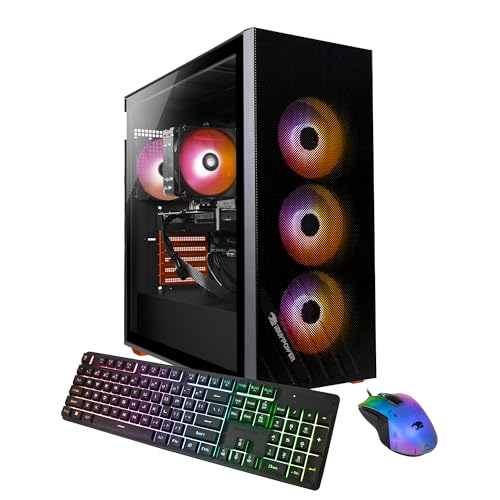
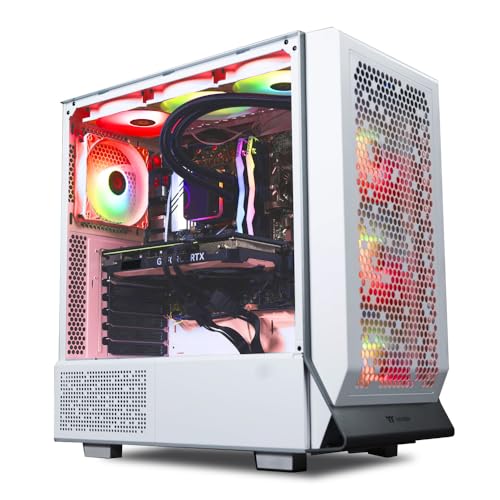
- Best streaming PC under $1,500, ready out of the box: Skytech Omega, Ryzen 7 7700X, RTX 4070 Super, 32GB DDR5, 1TB — Check on Amazon
- Best streaming build to assemble yourself: Ryzen 7 7700X + RTX 4070 Super build, anchored on the Gigabyte RTX 4070 Super Eagle OC — Check on Amazon
- Best current-generation encoder build: Ryzen 7 7700X + RTX 5070 build, anchored on the PNY RTX 5070 OC Triple-Fan — Check on Amazon
- Best for recording storage: MSI Codex Z2, Ryzen 7 8700F, RTX 5070, 32GB DDR5, 2TB SSD — Check on Amazon
See 2 more Amazon options
- Best CPU headroom for streaming: Ryzen 7 7800X3D + RTX 5070 build, anchored on the Ryzen 7 7800X3D — Check on Amazon
- Cheapest AV1-capable path: Ryzen 7 7700X + RX 9070 build, anchored on the Sapphire PURE RX 9070 — Check on Amazon
Read the full guide ↓
Disclosure: As an Amazon Associate, reviewstook.com earns from qualifying purchases. Links to Amazon on this page are affiliate links; they cost you nothing extra. Listing details such as price and availability change often, so check the current Amazon listing before you buy.
A streaming PC has two jobs that fight over the same hardware. The game wants every core and every watt; the broadcast wants a clean, unbroken encode of whatever the game renders, plus a local recording, browser sources, chat overlay and voice app in OBS. The workflow this guide grades against is the real one: a Twitch broadcast at roughly 6,000 kbps with constant bitrate (CBR) at 1080p60, which is that platform’s practical ceiling for most channels; YouTube streaming alongside it, where higher bitrates, 1440p broadcasts and AV1 encoding are all on the table; and a local recording running at the same time, because most creators now cut their clips and videos from the recording rather than the VOD. So this guide grades the encoder first, the simultaneous load second, and raw game performance third.
The good news at $1,500 is that the encoder hardware in this class is genuinely strong. Every NVIDIA path below carries AV1 encoding, and the two RTX 4070 Super paths carry two independent NVENC blocks, so the live stream and the high-quality local recording run on separate silicon instead of sharing one block. One warning belongs up front, because it decides two of the six rankings: the plain RTX 5070 carries a single NVENC block — a newer generation than the 4070 Super’s, but one block, not two — and no honest guide should let the newer badge imply otherwise. The other warning is about money. Component prices in late 2026 swing violently, and memory and graphics cards are the most volatile lines in any build. Treat every path below as a buying rule rather than a fixed total: check the current price on Amazon for the linked parts before you commit, and only proceed while the complete machine — Windows included where you need a license — still lands under $1,500. That volatility is also why two factory-built machines earn places in a build guide: when their current pricing is favorable, a prebuilt can undercut the cost of assembling its own specification, and when it is not, the DIY version is the better buy.
One ceiling note, stated once: the RTX 4070 Ti Super does not fit this budget in any form, and neither does its successor class — a graphics card from the RTX 5070 Ti class alone can consume more than the whole budget before any other part is added. What $1,500 honestly buys a streamer is the RTX 4070 Super / RTX 5070 class with AV1, AMD’s RX 9070, and an eight-core Ryzen platform underneath. Below are the quick picks, six paths — four to build, two to buy built — a comparison table, an OBS setup section, and the questions streamers ask.
In this guide
Quick Picks
Short on time, or comparing several options at once? Each row below names a streamer type and the path that suits it, with a link to the listing for its defining part — or, for the two prebuilts, the whole machine.
| Streamer type | Pick | Why it stands out | Link |
|---|---|---|---|
| Stream tonight, no assembly | Skytech Omega (7700X, RTX 4070 Super) | Dual NVENC + AV1, complete with Windows — check price on Amazon | Check on Amazon |
| Build your own dual-encoder rig | Ryzen 7 7700X + RTX 4070 Super (Gigabyte Eagle OC) | Two NVENC blocks for stream + recording, with Windows included in the plan — check the current price on Amazon | Check on Amazon |
| Newest encoder generation | Ryzen 7 7700X + RTX 5070 (PNY OC Triple-Fan) | Single newer-generation NVENC + AV1, with Windows included in the plan — check the current price on Amazon | Check on Amazon |
| Records everything | MSI Codex Z2 (8700F, RTX 5070, 2TB) | 2TB of recording room, complete with Windows — check price on Amazon | Check on Amazon |
| Heaviest multitasker | Ryzen 7 7800X3D + RTX 5070 | The strongest gaming CPU here for game + OBS + everything else — but a new Windows license pushes the complete machine over budget | Check on Amazon |
| Tightest budget, YouTube-first | Ryzen 7 7700X + RX 9070 (Sapphire PURE) | AV1 encode and 16GB VRAM, positioned as the lowest-cost path in this guide — check price on Amazon | Check on Amazon |
How These Picks Were Chosen
Encoder first. A streaming PC’s defining component is not the part that renders the game; it is the fixed-function encoder block that turns rendered frames into the broadcast, because that block works at full load for every second of every stream and its quality ceiling is set in silicon. So the first sort on this page is the encoder map, and it is drawn only from the hardware these paths actually contain. The two RTX 4070 Super paths (Build 2 and the Skytech Omega) carry two eighth-generation NVENC blocks plus AV1 encoding: the stream occupies one block while a high-quality local recording occupies the other, and neither job touches the game’s rendering or the CPU. The three RTX 5070 paths (Builds 1 and 3 and the MSI Codex Z2) carry a single, newer-generation NVENC block plus AV1: excellent stream quality and the newest feature set, but a simultaneous recording shares that one block with the broadcast. The RX 9070 path (Build 4) encodes through AMD’s VCN engine, which does support AV1 encoding — genuinely useful for YouTube — but at Twitch’s roughly 6,000 kbps H.264 ceiling its output is visibly softer than NVENC’s at the same bitrate, and Twitch is where most of this guide’s readers broadcast. No path here offers a second hardware encoder of any other kind: every processor in the six is an AMD chip, there is no Intel Quick Sync anywhere in this guide, and the basic integrated graphics on the Ryzen 7700X and 7800X3D is a display fallback, not a streaming encoder we are willing to credit. The 8700F in the MSI has no integrated graphics at all. Software x264 encoding exists in OBS on all six machines, but it spends the CPU headroom the game and the supporting cast also need, so throughout this guide x264 is the emergency fallback, never the plan.
Simultaneous load second. A stream is never just a game plus an encoder: OBS composites scenes, browser sources animate alerts, a browser holds chat, a voice app runs noise suppression, and the recording writes continuously to disk. That is why every path here pairs its graphics card with an eight-core Ryzen and 32GB of memory: the memory figure matters more for streamers than for pure gamers, because the whole supporting cast lives in RAM all stream long. Storage is graded the same way — a 1TB drive fills faster than new streamers expect once local recordings accumulate, so the one 2TB machine earns real credit for it.
Then the budget discipline, applied to the whole machine. Every DIY path is itemized to nine lines — graphics card, processor, motherboard, memory, storage, power supply, case, cooler and a Windows 11 Home license — and the complete machine, license included, is what has to fit under $1,500. Check the current price on Amazon for each linked part before you buy, because individual part prices move and a build that fits one week may not fit the next. Where a total only works under a condition, the condition is printed in the review: one build below fits in parts alone and is pushed over the line by its Windows license, and we say so in its review, the comparison table and the FAQ rather than dropping the license from its list. The two prebuilts were admitted under a stricter rule: a factory machine belongs in a build guide only when it competes honestly with the DIY cost for its class, Windows included. Both earn their place on that basis — and both reviews concede what building still wins.
We did not assemble or stream from these machines ourselves. We worked from the makers’ listings and specification pages, and every performance statement is kept qualitative — encoder generations, resolution classes, headroom — because a frame-rate figure quoted without a test bench, a driver version and a settings list is decoration.
The 6 Best Gaming PC Builds for Streaming Under $1,500
Pick 1 — Stream Tonight: Skytech Omega (Ryzen 7 7700X, RTX 4070 Super)
Who it suits: The streamer who wants the strongest encoder arrangement in this guide without assembling anything — and who catches this machine at a favorable price.
What the machine is: a complete Skytech Omega desktop built around a Ryzen 7 7700X, an RTX 4070 Super with 12GB of GDDR6X, 32GB of DDR5, a 1TB NVMe Gen4 SSD, a published 750W Gold power supply, Wi-Fi and Windows 11 Home installed. Check the current price on Amazon for this machine before you judge its value. For a streamer, the headline is not the price — it is the graphics card’s encoder section. The RTX 4070 Super carries two independent eighth-generation NVENC blocks with AV1 encoding, which is the exact arrangement a one-box streaming setup wants most: point OBS at one block for the live broadcast and the second block records a high-quality local copy at the same time, and neither job borrows anything from the game’s rendering or from the eight-core processor running it. The 7700X underneath is the value CPU of the AM5 line — fast enough that the game, OBS compositing, chat browser and voice app coexist without the processor becoming the story — and 32GB of memory means the supporting cast never has to be closed to make room.
The comparison this guide owes you is against Build 2 below, which is this machine’s specification assembled by hand, with Windows included in the plan. When the Omega’s current price is favorable, it can undercut its own DIY twin, and it arrives in one box with one warranty and can be streaming the evening it lands. What building still wins is control: Skytech chooses the motherboard model, the memory kit’s timings and the specific power supply unit (the wattage and Gold rating are published, but the brand is theirs to pick), and the graphics card’s board brand may vary between units. The price also needs its condition stated at full size: this listing’s price moves a great deal, and when it sits high the arithmetic flips and Build 2 becomes the better buy.
- Dual NVENC + AV1: stream and high-quality local recording on independent encoder blocks.
- Complete with Windows — check price on Amazon; when its pricing is favorable it undercuts the equivalent DIY total.
- Published 750W Gold PSU and a full 32GB of DDR5 — no hidden downgrade where streamers would feel it.
Honest limitation: Its price is volatile, and the value case depends on catching it at a favorable point; when its price sits high, the value case collapses. The 1TB drive is also the first thing a recording-heavy streamer outgrows — budget a second drive into the machine’s real first-year cost.
Choose it if its current price — check price on Amazon — keeps the complete machine comfortably within budget and you want to broadcast this week. Skip it if its current price has climbed — build its twin (Build 2) patiently instead.

Build 2 — Best Streaming Build to Assemble: Ryzen 7 7700X + RTX 4070 Super
Who it suits: The streamer who wants the dual-encoder arrangement and wants to choose every part that surrounds it — the power supply by model, the memory by speed, the card by cooler.
The parts list:
- Graphics card: Gigabyte RTX 4070 Super Eagle OC, 12GB GDDR6X — check price on Amazon; this card’s pricing moves a great deal, so timing matters
- Processor: AMD Ryzen 7 7700X, 8 cores, up to 5.4 GHz
- Motherboard: MSI B650 Gaming Plus WiFi, AM5, DDR5
- Memory: 32GB (2×16GB) DDR5-6000 kit — check the current price on Amazon; this is the most volatile line in the build (see the spike note in How to Choose)
- Storage: 1TB PCIe Gen4 NVMe SSD, in the WD Black SN850X class — check the current price on Amazon
- Power supply: Corsair RM750e 750W, 80+ Gold, fully modular, ATX 3.1
- Case: Montech AIR 903 MAX, four 140mm fans included
- Cooler: Thermalright Peerless Assassin 120 SE
- Operating system: Windows 11 Home (USB retail)
Total: positioned as one of the most affordable routes to a dual-NVENC streaming machine with a license included — check the current price on Amazon for the linked card, total the complete machine before you buy, and proceed only while it still fits under $1,500. The encoder story is identical to Pick 1’s, because the graphics class is identical: two eighth-generation NVENC blocks and AV1 encoding, so the broadcast and the local recording run on separate silicon, and the 7700X’s eight cores are left to the game and the stream’s supporting cast rather than to encoding. What the hand-built version adds is everything around that silicon. The power supply is a named Corsair 750W Gold unit with a native 12V-2×6 connector and a seven-year warranty — the part a prebuilt asks you to take on faith. The board brings WiFi 6E and, more important for this guide, a wired 2.5Gb Ethernet port — the wired-Ethernet rule in the OBS section below is not negotiable, and this platform honors it without adapters. The memory is a 6000 MT/s kit you specified. And the platform is AM5, so the board and memory carry forward when a future CPU or GPU replaces today’s. Gigabyte’s Eagle OC is the workmanlike version of the card — triple-fan Windforce cooler, factory overclock, no lighting tax — and its pricing is this build’s whole condition: when the card’s current price sits high it is a poor buy, while a favorable price makes it one of the best streaming values in this guide.
- The same dual-NVENC + AV1 encoder arrangement as Pick 1, with every surrounding part chosen by you.
- Named 750W Gold PSU, specified DDR5-6000 kit, wired 2.5Gb Ethernet on the board.
- Positioned among the most affordable dual-encoder paths on this page, with Windows included in the plan.
Honest limitation: The most price-conditional build here. When the card’s price climbs, the complete total can stop fitting under $1,500, so it belongs to a buyer willing to wait for a favorable price. The card is also a discontinued generation — if favorable pricing stops coming, Build 1 is the natural alternative in this tier.
Choose it if you can watch prices for a few weeks and want the stream-plus-record arrangement with parts control. Skip it if you are buying on a deadline — take Pick 1 when its price is favorable, or Build 1 instead.
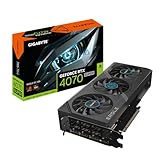
Build 1 — Newest Encoder Generation: Ryzen 7 7700X + RTX 5070
Who it suits: The streamer who broadcasts mainly to YouTube, or who values the newest encoder generation and the longest driver runway over the dual-block arrangement — and understands exactly what the newer card does and does not add.
The parts list:
- Graphics card: PNY RTX 5070 OC Triple-Fan, 12GB GDDR7 — check the current price on Amazon; pricing for this class moves a great deal
- Processor: AMD Ryzen 7 7700X
- Motherboard: MSI B650 Gaming Plus WiFi
- Memory: 32GB (2×16GB) DDR5-6000 kit — check the current price on Amazon; this is a volatile line
- Storage: 1TB PCIe Gen4 NVMe SSD — check the current price on Amazon
- Power supply: Corsair RM750e 750W Gold, fully modular
- Case: Montech AIR 903 MAX
- Cooler: Thermalright Peerless Assassin 120 SE
- Operating system: Windows 11 Home (USB retail)
Total: the complete machine is planned to fit under the $1,500 budget with the license included, provided the graphics card and memory are bought at favorable prices — check the current price on Amazon and total the whole machine before you commit. Now the encoder grading, stated as plainly as this guide can state it: the RTX 5070’s NVENC is a newer generation than the 4070 Super’s, with AV1 encoding and the current DLSS feature set behind it — and it is a single encoder block. For a streamer who broadcasts and does not record locally at high quality, that distinction barely matters: one block carries a 6,000 kbps Twitch stream or a high-bitrate YouTube AV1 stream without touching the game. For a streamer who does both at once, the recording shares the block with the broadcast, which caps how hard you can push the recording’s quality settings — the dual-block paths above exist precisely for that workflow. Grade this build on what it is: the newest single-encoder platform, on the same named AM5 platform as Build 2 — same board with wired 2.5Gb Ethernet, same specified memory, same Corsair power supply — with the 7700X’s eight cores holding the game and the cast while the encoder does its one job well. Its 12GB of VRAM is the class standard: comfortable for 1440p gaming and streaming today, not a 4K texture buffer.
- Newest-generation NVENC with AV1 — the natural pick for a YouTube-first streamer.
- Every supporting part named and published, on the AM5 platform with an upgrade future.
- Current-generation card with the longest support runway in this guide.
Honest limitation: One encoder block, not two — stream-plus-record workflows share it. The total is also a discipline, not a fixed figure: the linked PNY card’s price and the memory kit’s price both swing widely, and bought at spike pricing this build can stop fitting the budget altogether.
Choose it if your workflow is broadcast-first (especially to YouTube, where its AV1 earns its keep) and you can time the card and memory purchases. Skip it if simultaneous high-quality recording is central to your channel — the dual-block paths above are built for you.

Pick 6 — Best for Recording Storage: MSI Codex Z2 (Ryzen 7 8700F, RTX 5070, 2TB)
Who it suits: The streamer who records everything — full sessions, not clips — and wants the current-generation encoder with room for the archive, without assembling anything.
The machine: MSI’s Codex Z2, in the A8NVP-436US configuration — Ryzen 7 8700F, RTX 5070, 32GB of DDR5, a 2TB SSD and Windows 11 Home. Check the current price on Amazon, because this listing’s pricing is especially volatile. Its streaming specification reads like Build 1’s with one upgrade and two cautions. The encoder is the RTX 5070’s: a single newer-generation NVENC block with AV1, graded exactly as in Build 1’s review — excellent for the broadcast, shared if you also record. The upgrade is the drive: 2TB is double what every other path here carries, and for a streamer who keeps full-session recordings it is the difference between managing an archive and rationing one. The first caution is the processor. The 8700F is an eight-core Zen 4 chip close to the 7700X in gaming, but it is a former APU design with half the L3 cache and PCIe 4.0 graphics lanes — a real but small step down — and the F in its name means no integrated graphics: there is no fallback display output and no second encoder of any kind hiding in this machine. The second caution is the specification MSI does not publish: the power supply’s wattage appears nowhere in the listing, which is precisely the omission the DIY paths on this page exist to avoid, and it caps any future GPU upgrade until you can read the fitted unit’s label.
The price discipline matters more here than anywhere else in the guide. This listing is the most volatile of the six — its price has spent long stretches far above its favorable range — so the pick is a price with a machine attached: when its current price is favorable it competes with Build 1’s complete cost while doubling its storage; when its price sits high it is among the worst buys on the page. Set a price alert, and confirm the model code A8NVP-436US at checkout, because other Codex Z2 configurations share the name with different parts inside.
- 2TB of storage — the only path here with real room for a recording archive.
- RTX 5070 encoder with AV1, and 32GB of DDR5 where several rivals quietly ship 16GB.
- Complete with Windows — check price on Amazon; at a favorable price it competes with Build 1 while doubling storage.
Honest limitation: The most volatile price in this guide, so the recommendation applies only when its current price is favorable. Single NVENC block, unpublished PSU wattage, and an F-suffix processor with no integrated graphics — no fallback output, no second encoder.
Choose it if recording volume is your bottleneck and you can wait for a favorable price. Skip it if you are buying this week at whatever it costs — at high pricing, Builds 1 and 2 are the rational buys.

Build 3 — Most CPU Headroom: Ryzen 7 7800X3D + RTX 5070
Who it suits: The competitive streamer whose setup runs the heaviest simultaneous load in this guide — a CPU-limited game at high refresh, OBS, browser sources, chat, voice — and who already owns a Windows license.
The parts list:
- Processor: AMD Ryzen 7 7800X3D, 8 cores with 3D V-Cache — check price on Amazon
- Graphics card: PNY RTX 5070 OC Triple-Fan, 12GB GDDR7 — check the current price on Amazon
- Motherboard: MSI B650 Gaming Plus WiFi
- Memory: 32GB (2×16GB) DDR5-6000 kit — check the current price on Amazon; this is a volatile line
- Storage: 1TB PCIe Gen4 NVMe SSD — check the current price on Amazon
- Power supply: Corsair RM750e 750W Gold, fully modular
- Case: Montech AIR 903 MAX
- Cooler: Thermalright Peerless Assassin 120 SE
- Operating system: Windows 11 Home (USB retail) — it does not fit within budget alongside the rest; see the total note below
Total: the parts alone sit near the top of the budget — and adding a fresh Windows license pushes the complete machine over the $1,500 budget. Both numbers are printed because the gap between them is the most useful fact in this review. The streaming case for the 7800X3D is real: its 3D V-Cache made it the defining gaming CPU of its generation, and in the CPU-limited competitive titles streamers most often broadcast, it holds frame rates steadier than the 7700X while OBS, browser sources and the rest of the cast take their share. If any path here shrugs off the simultaneous load, it is this one. But grade the rest of the specification honestly. Its encoder is the RTX 5070’s single NVENC block — identical to Builds 1 and 6’s arrangement, a generation newer than the 4070 Super’s but one block where they have two — so the premium buys game-side headroom, not broadcast-side capacity. And the premium over the 7700X is, in this tier, roughly the cost of the Windows license itself: a builder who needs the license in the budget is looking at a machine that lands over budget, and this guide will not call that an under-$1,500 build. Buy it with a license already in hand and it is the strongest multitasking path here; buy it without one and Build 1 is the same encoder and platform at a lower position in the tier.
- The strongest gaming CPU of its generation — the steadiest frames under a full streaming load.
- Same named AM5 platform as the other DIY paths; the premium is spent entirely on the processor.
- The X3D carries a clear premium over the 7700X — check the current price on Amazon before you commit to it.
Honest limitation: With a new Windows license the complete total lands over the $1,500 budget, full stop. And its encoder is a single NVENC block; the extra money buys CPU headroom, not a second encoder.
Choose it if you stream CPU-limited titles at high refresh and already own a Windows license. Skip it if you need the license in the budget, or your bottleneck is the recording workflow — the dual-block paths solve that; this one does not.

Build 4 — Cheapest AV1 Path: Ryzen 7 7700X + RX 9070
Who it suits: The YouTube-first streamer on the tightest budget — someone whose broadcasts can use AV1, who records a lot of gameplay locally, and who is willing to trade Twitch H.264 polish for the lowest total in this guide.
The parts list:
- Graphics card: Sapphire PURE RX 9070, 16GB GDDR6 — check the current price on Amazon
- Processor: AMD Ryzen 7 7700X
- Motherboard: MSI B650 Gaming Plus WiFi
- Memory: 32GB (2×16GB) DDR5-6000 kit — check the current price on Amazon; this is a volatile line
- Storage: 1TB PCIe Gen4 NVMe SSD — check the current price on Amazon
- Power supply: Corsair RM750e 750W Gold, fully modular
- Case: Montech AIR 903 MAX
- Cooler: Thermalright Peerless Assassin 120 SE
- Operating system: Windows 11 Home (USB retail)
Total: positioned as the lowest-cost build in the guide, with Windows included in the plan — check the current price on Amazon — and the build with the most budget slack in it. The encoder grading is this review’s honest core. The RX 9070’s VCN engine does encode AV1, which makes this a legitimate YouTube streaming card: send AV1 at a healthy bitrate and the output is genuinely good, and the same engine handles the local recording. What it does not do is match NVENC at Twitch’s game. Twitch’s mainstream workflow is H.264 at roughly 6,000 kbps, and at that bitrate AMD’s encoder output is visibly softer than NVIDIA’s — fast motion smears sooner, fine detail gives up earlier. That is a silicon fact no preset fixes, and it is why this card still ranks sixth for a guide whose default reader broadcasts on Twitch. The rest of the machine argues in its favor: the 16GB of VRAM is a third more than every NVIDIA path carries and it is the specification that ages best — texture-heavy games and long sessions never pressure it — and the platform underneath is the same named AM5 set as the other builds, wired Ethernet and all. Note the family boundary: the faster RX 9070 XT does not fit this budget — its cards sit in a higher price band — so this build is the non-XT card, chosen because it is the one that fits.
- AV1 encoding in the lowest-cost position in the guide — a real YouTube streaming path.
- 16GB of VRAM: the only future-proofed memory capacity here, kind to long recording sessions.
- Same named platform as the NVIDIA builds — the trade is confined to the encoder.
Honest limitation: At Twitch’s ~6,000 kbps H.264, its encoder output is visibly softer than NVENC’s — the single most important streaming fact about this build. No DLSS either, and ray tracing trails the NVIDIA class on the game side.
Choose it if you stream to YouTube with AV1, or your Twitch content is slower-paced and the saving matters more than encoder polish. Skip it if fast-motion Twitch broadcasting is your main stage — every NVIDIA path above will simply look better at the same bitrate.

Comparison Table
| Path | GPU / encoder | CPU | Storage | Budget position (with Windows) | Link |
|---|---|---|---|---|---|
| Pick 1 — Skytech Omega (prebuilt) | RTX 4070 Super — dual NVENC + AV1 | Ryzen 7 7700X | 1TB | Within budget when favorably priced, complete — check price on Amazon | Check on Amazon |
| Build 2 — Dual-encoder DIY | RTX 4070 Super — dual NVENC + AV1 | Ryzen 7 7700X | 1TB | Within budget with Windows, price-conditional — check the current price on Amazon | Check on Amazon |
| Build 1 — Newest encoder DIY | RTX 5070 — single NVENC + AV1 | Ryzen 7 7700X | 1TB | Within budget with Windows, price-conditional — check the current price on Amazon | Check on Amazon |
| Pick 6 — MSI Codex Z2 (prebuilt) | RTX 5070 — single NVENC + AV1 | Ryzen 7 8700F | 2TB | Within budget when favorably priced, complete — check price on Amazon | Check on Amazon |
| Build 3 — CPU headroom DIY | RTX 5070 — single NVENC + AV1 | Ryzen 7 7800X3D | 1TB | Parts near the top of the budget; over budget with a new Windows license | Check on Amazon |
| Build 4 — Cheapest AV1 DIY | RX 9070 — AMD VCN + AV1 | Ryzen 7 7700X | 1TB | Lowest-cost position in the guide, with Windows — check price on Amazon | Check on Amazon |
Setting Up OBS on Any of These Machines
Pick the hardware encoder, always. In OBS, set the stream encoder to NVENC on the five NVIDIA paths and to the AMD hardware encoder (VCN) on Build 4. Never select x264 as your plan: software encoding spends the processor headroom your game and your scene composition need, and on every path here the hardware block produces equal or better output at Twitch bitrates while costing the game nothing. x264’s only legitimate role here is as a temporary fallback while you troubleshoot a driver problem. Note what frame generation is not: it smooths what you see on your own monitor, but the encoder sends the stream at its set frame rate — generated frames are a local presentation feature your viewers never receive, and they earn no path any credit here.
Twitch settings. Use CBR at roughly 6,000 kbps for a 1080p60 broadcast, with a keyframe interval of 2 seconds — Twitch’s ingest expects that interval, and drifting from it causes exactly the buffering viewers blame on your PC. On the dual-NVENC paths (Pick 1 and Build 2), set the recording encoder separately and let the second block carry it at a much higher quality than the stream: your clips and edits come from that file, so give it the bitrate the stream cannot have. On the single-NVENC paths (Builds 1 and 3, Pick 6), the recording shares the block with the broadcast — keep its preset modest, or record at stream quality. On Build 4, the same VCN discipline applies, with one addition: if your audience is on YouTube rather than Twitch, switch the stream itself to AV1 at a higher bitrate, which is the one workflow where this card’s encoder competes on equal terms.
YouTube settings. YouTube accepts substantially higher bitrates than Twitch and supports 1440p broadcasts and AV1 ingest, which changes the ranking math for the RTX 5070 paths: their single newer-generation block is an excellent YouTube encoder, and AV1 at a generous bitrate closes most of the practical gap to the dual-block machines for anyone who does not record simultaneously. A YouTube-only creator should not pay a premium for a second block they will never load.
The three lag counters, and what each one is telling you. OBS reports dropped frames in three separate counters, and each has a different fix. Rendering lag means the GPU could not composite your scene in time — the game is consuming the whole card; cap the game’s frame rate, lower its heaviest settings, or reduce the OBS canvas work (fewer animated browser sources). Encoding lag means the encoder block itself is saturated — you have asked one block to do too much; on a single-NVENC path, lower the recording quality or stop recording during the broadcast, and check that you have not accidentally set the encoder to a slower preset than the block can sustain at 1080p60. Network dropped frames mean the connection, not the computer, is failing — which brings up the rule with no exceptions in this guide.
Wire the machine. Always. Every path here is graded on the assumption of a wired Ethernet connection to the router. Wi-Fi — including the Wi-Fi 6E fitted to the DIY board and both prebuilts — is a convenience for everything except the broadcast itself: a single interference spike drops frames no encoder can recover. The DIY platform’s board carries a 2.5Gb Ethernet port; use it, and treat any stream that stutters on Wi-Fi as a cabling problem before you touch a single OBS setting.
Rehearse at full load. Before your first real broadcast, record locally for an hour with the game, the full scene stack, the browser sources and the voice app all running, and read the OBS log afterwards. Every weakness in this class of machine announces itself in rehearsal for free and on air for keeps.
What the Rest of the Streaming Kit Costs You
The PC is the largest purchase in a streaming setup, but it is not the whole setup, and the honest way to budget the remainder is by priority rather than by price — so this section names no prices at all. Buy in this order. A microphone first. Viewers forgive a soft picture for an entire stream and forgive bad audio for about thirty seconds; a decent microphone on a boom or stand, close to your mouth and away from the keyboard, is the single highest-value purchase in streaming after the PC itself. Lighting second. One soft light source aimed at your face does more for a webcam image than a camera upgrade costing several times as much, because small sensors starve in dim rooms and no encoder setting fixes noise captured at the source. A webcam third — and only third; many streamers start with no camera at all. A capture card last, and only for console play. Every path in this guide plays and streams PC games from the same box, so a capture card buys a PC streamer nothing; it exists for bringing a console’s picture into OBS, and if you do not stream console games it should never appear in your budget at all. Headphones you likely own; a second monitor is a genuine convenience for reading chat, but it can wait until the four items above are settled.
How to Choose a Gaming PC Build for Streaming Under $1,500
- Decide your recording workflow before your graphics card. It is the question that splits this guide. Stream and record at high quality simultaneously and you want two encoder blocks — the RTX 4070 Super paths. Stream only, or record at stream quality, and a single newer block — the RTX 5070 paths — serves you just as well.
- Know your platform’s encoder terms. Twitch’s mainstream workflow is H.264 at roughly 6,000 kbps CBR with 2-second keyframes; NVENC is the strongest encoder at that job in this class. YouTube rewards AV1 and higher bitrates, which is where the RTX 5070’s newer block and even the RX 9070’s VCN become competitive. Buy the encoder your platform actually uses.
- Never let a newer badge imply a second encoder. The plain RTX 5070 carries one NVENC block. The RTX 4070 Super carries two. Both statements are printed in this guide’s reviews because listings will not print them for you — check the encoder arrangement, not the generation number, before you pay for a recording workflow.
- Total the whole machine before you fall for a graphics card. A build is nine purchases. Card, CPU, board, memory, SSD, PSU, case, cooler and Windows, added up at current prices you have actually checked. A premium card inside an over-budget cart is not a $1,500 streaming build, whatever the card’s own price band suggests.
- Do not pay spike prices for memory. A 32GB DDR5-6000 kit is the same kit whether its current price is favorable or deep in a spike. The kit does not stream better when it costs more. If the memory line is in its spike range, the correct purchase is patience — or the prebuilt, whose maker did not pay retail for RAM.
- Count recording storage as a streaming specification. Full-session recordings accumulate relentlessly. The Codex Z2’s 2TB is a feature, not a luxury, for a record-everything workflow; on a 1TB path, schedule the second drive or archive recordings off the machine as a habit, not an emergency.
- Buy a power supply you can name, or do not buy. The DIY advantage in one sentence: the Corsair RM750e is a known 750W Gold unit with a native 12V-2×6 cable and a seven-year warranty behind it. A machine — yours or a factory’s — whose PSU wattage is not even published, like the Codex Z2’s, is hiding the part that will decide its next GPU.
- Budget the license like a part. Windows 11 Home is a real line in the budget — check the current price on Amazon and at Microsoft’s own store — and a retail license transfers to your next build. Build 3 shows what happens when it is treated as an afterthought: the premium CPU quietly spends that headroom, and the complete total lands over budget.
Common Buying Mistakes
- Assuming the RTX 5070 has two NVENC encoders because it is newer. It has one. The dual-block arrangement in this class belongs to the RTX 4070 Super — plan a stream-plus-record workflow around the wrong card and the recording is what suffers.
- Budgeting for an RTX 4070 Ti Super or RTX 5070 Ti build at $1,500. A graphics card from that class alone can consume more than the whole budget before the other eight parts are even priced.
- Selecting x264 in OBS because a forum post called it higher quality. On these machines it spends the CPU your game and scenes need, and the hardware encoder matches or beats it at streaming bitrates for free.
- Streaming over Wi-Fi because the board or the prebuilt advertises fast wireless. One interference spike drops frames no setting recovers. The wired-Ethernet rule has no exceptions.
- Paying the DDR5 spike. A 32GB kit at spike pricing is the same kit that sells for far less in calmer periods; buying it at spike pricing can push a $1,500 build well over budget just to save a few weeks of patience.
- Ordering a Codex Z2 by name alone. Multiple configurations share the name; the pick on this page is model A8NVP-436US with the RTX 5070 and the 2TB drive. Confirm the model code at checkout.
Final Recommendation
- Most streamers: Pick 1, the Skytech Omega at a favorable price — dual NVENC, complete with Windows; check price on Amazon.
- Builders who want the same encoder arrangement with parts control: Build 2 — the RTX 4070 Super build, with Windows included in the plan when the card’s price is favorable; check the current price on Amazon.
- YouTube-first streamers: Build 1 — the RTX 5070 build, with Windows included in the plan; its single newer block with AV1 is the right tool for that platform.
- Record-everything creators: Pick 6, the MSI Codex Z2 at a favorable price — 2TB and the 5070’s encoder; check price on Amazon.
- Competitive multitaskers who already own a license: Build 3 — the 7800X3D build, with parts alone near the top of the budget.
- Tightest budgets: Build 4 — the RX 9070 build, positioned as the lowest-cost path here with Windows included in the plan, with the Twitch encoder caveat understood.
Our top two paths are two shapes of the same correct answer: the Skytech Omega, which hands you the dual-encoder arrangement in a finished, warranted box that can cost less than its parts when its pricing is favorable, and Build 2, which assembles that identical specification around parts you chose yourself. Between them they cover most streamers; the other paths serve YouTube-first creators, recording archives, the heaviest simultaneous load for license-holders, and the tightest budgets. Readers whose workflow is a dedicated streaming machine rather than a build should also see Best Streaming PC Under $1500; builders stepping down a tier can compare Best Gaming PC Build For Streaming Under $1200, and those who would rather skip the encoder homework entirely can start from Best Gaming PC For Streaming Under $1500. Set price alerts and check the current price on Amazon before you order anything, wire the machine when it arrives, and rehearse at full load before your first broadcast — in streaming, the homework is not a preliminary to the setup. It is the setup.
Frequently Asked Questions
Is one NVENC encoder enough for streaming and recording at the same time?
It is enough to do both, with a compromise: on a single-block card like the RTX 5070, the broadcast and the recording share one encoder, so the recording’s quality settings have to stay modest while you are live. The dual-block RTX 4070 Super paths remove the compromise entirely — the second block records at full quality without touching the stream. Decide which workflow is yours before you decide which card is yours; it is the most consequential choice in this guide.
Can I stream to Twitch and YouTube from the same machine?
Yes — every path here has the CPU and memory headroom for a restreaming workflow, and the encoder guidance is the same: hardware encoder, CBR, 2-second keyframes. The dual-NVENC paths handle the combined load most gracefully. What simulcasting cannot fix is bandwidth: two outbound streams need roughly double the upload headroom of one, which is another reason the wired-Ethernet rule in the OBS section is absolute.
Why does the AMD build rank last for streaming when it has AV1 and 16GB of VRAM?
Because the ranking follows the encoder at the workflow most readers use. The RX 9070’s VCN engine does encode AV1, and for a YouTube broadcast at a healthy bitrate it performs well — that is why Build 4 is recommended to YouTube-first streamers. At Twitch’s mainstream H.264 settings of roughly 6,000 kbps, the same engine’s output is visibly softer than NVENC’s, and that difference is in the silicon, not the settings. The 16GB of VRAM is a genuine game-side advantage; it does not change the encoder verdict.
Is it cheaper to build or buy a streaming PC at $1,500 right now?
When the prebuilts’ prices are favorable, buying. The Skytech Omega, complete with Windows, can undercut building its specification yourself — check the current price on Amazon for both routes before you decide — and the MSI Codex Z2 pairs its encoder with double the DIY builds’ storage. Building still wins on specified parts, a power supply you chose, and per-part warranties — but in late 2026 it does not always win on the invoice, and this page will not claim it does.
Do I need a capture card with any of these PCs?
Only if you stream console games. A capture card brings an external source — a console — into OBS; for PC gaming on a one-box setup it does nothing at all. Spend the money in the kit order instead: microphone, lighting, webcam, and the capture card only when a console actually joins the setup.
Why is there no RTX 4070 Ti Super or RTX 5070 Ti build?
Because the graphics card alone breaks the budget. A card from the RTX 5070 Ti class alone can exceed the entire $1,500 budget, and no verified new Amazon listing for a 4070 Ti Super leaves room for a CPU, board, memory, storage, PSU, case, cooler and Windows beneath it. The realistic ceiling of this tier is the RTX 4070 Super / RTX 5070 class plus AMD’s RX 9070 — the silicon all six paths here are built on. Builders with a larger total should see Best Gaming PC Build For Streaming Under $2500.
- Best Gaming PC Build Under $1500
- Best Gaming PC Build Under $1200
- Best Gaming PC Build Under $2500
- Best Gaming PC Build For Beginners Under $1500
- Best Gaming PC Build For 1440p Gaming Under $1500
- Best Gaming PC Build For Small Spaces Under $1500
- Best Streaming PC Under $1500
- Best Gaming PC Build For Streaming Under $1200