
Where to buy
Check the latest price, availability and delivery on Amazon. Orders are placed on Amazon. We may earn a commission from qualifying purchases.
- Best overall compact PC for streaming: GMKtec NucBox K8 Plus, Ryzen 7 8845HS, 32GB, 1TB — Check on Amazon
- HP Victus 15L Gaming Desktop (TG02-1020h), Core i5-13400F, RTX 3050, 8GB, 512GB — Check on Amazon
- Beelink SER8 Mini PC, Ryzen 7 8745HS, 32GB, 1TB — Check on Amazon
- GMKtec NucBox K11, Ryzen 9 8945HS, 32GB, 1TB — Check on Amazon
See 2 more Amazon options
- Minisforum UM890 Pro Barebone, Ryzen 9 8945HS, No RAM/SSD/OS — Check on Amazon
- Minisforum UM880 Plus Barebone, Ryzen 7 8845HS, Without RAM/SSD/OS — Check on Amazon
Read the full guide ↓
Disclosure: As an Amazon Associate, reviewstook.com earns from qualifying purchases. Links to Amazon on this page are affiliate links; they cost you nothing extra. Listing details such as price and availability change often, so check the current Amazon listing before you buy.
A streaming PC is judged by a component most gaming guides treat as a footnote: the encoder, the piece of silicon that turns your gameplay into the video your viewers actually watch. A compact PC complicates that judgment, because in a one-liter box the encoder is rarely a separate graphics card with a dedicated encoding block — it is usually a corner of the same integrated chip that is also rendering your game, feeding on the same pool of memory. So this guide grades all six machines encoder-first. Five of them are built on AMD’s Radeon 780M, whose RDNA3 video engine is genuinely modern: it encodes H.264 for Twitch and AV1 for YouTube, a trick no integrated graphics could do a generation ago. The sixth, a slim HP tower, carries the set’s only discrete card — an RTX 3050 whose Ampere-generation NVENC is a proper dedicated encoder, but an older one that will never encode AV1. And two of the six are barebone kits that, as shipped, cannot encode anything at all, because they cannot even switch on. Each of those facts changes what “streaming on this machine” honestly means, and each review below starts there.
The realistic workflow map is worth drawing before the picks. On the HP tower, one-machine game-plus-stream at 1080p60 is the honest headline: the NVENC block encodes while the card renders, and neither job steals from the other. On the four complete-or-completed 780M machines, the honest headline is talk, desktop and console-via-capture-card streaming at a full 1080p60, plus game streaming in esports and lighter titles — in demanding games the render and the encode share one chip, and 720p60 or 1080p30 is the truthful setting. On the two barebone kits, there is no workflow at all until you have bought and fitted memory, storage and an operating system, and that completion cost needs checking before you commit. Platform rules frame everything: Twitch’s standard is around 6,000 kbps CBR with two-second keyframes, YouTube accepts higher bitrates and takes AV1 live streams where the silicon supports them, and a wired Ethernet connection is not optional advice — it is the difference between a stable broadcast and a dropped-frames counter that climbs all night.
In this guide
Quick Picks
Short on time, or comparing several options at once? Each row below names a streaming buyer type and the machine that suits it, with a link to the listing.
| Buyer type | Pick | Why it stands out | Link |
|---|---|---|---|
| Best overall compact PC for streaming | GMKtec NucBox K8 Plus (32GB/1TB) | 780M encoder with AV1 for YouTube, dual 2.5GbE, and a native OCuLink dock in its future | Check on Amazon |
| Best one-machine game streamer | HP Victus 15L (TG02-1020h) | The set’s only dedicated encoder: RTX 3050 NVENC that never touches the game’s rendering | Check on Amazon |
| Best for streaming in a shared room | Beelink SER8 (8745HS, 32GB/1TB) | Measured around 32 dBA — the fan your microphone will not hear | Check on Amazon |
| Strongest CPU for the broadcast stack, when discounted | GMKtec NucBox K11 (32GB/1TB) | Ryzen 9 headroom for game + OBS + browser; check price on Amazon before you buy | Check on Amazon |
| Best project streamer for parts owners | Minisforum UM890 Pro Barebone | Strongest kit platform with native OCuLink — once you complete it | Check on Amazon |
| Budget-tier route to an AV1-capable encoder | Minisforum UM880 Plus Barebone | Barebone kit — check price on Amazon; the worked example of what completion really costs | Check on Amazon |
How These Picks Were Chosen
The six machines are the verified set from our compact gaming research at this budget — the same listings, re-graded here for broadcast work instead of gaming alone. Every ASIN and specification was verified from the listing itself or from independent sources that record it, and because listing prices move often, each review points you to check the current price on Amazon rather than printing a figure that will go stale. We did not use these PCs ourselves. We read the maker listings, specification pages and independent reviews, and compared encoders, processors, memory, storage, networking, dimensions and noise measurements. No hands-on streaming test is claimed for any pick; the encoder gradings are class-level facts about documented silicon, and they are labeled as such.
Three streaming rules shaped the ranking. The first is that the encoder is the streaming specification. A hardware encoder that sits apart from the rendering work — the Victus’s NVENC block — grades differently from an encoder that shares a chip and a memory pool with the game itself, which is the situation on every 780M machine here: capable, AV1-equipped, and honest about its ceiling. The second rule is simultaneous load. A streaming PC never runs one program; it runs the game, OBS, a browser full of dashboards and chat, and a local recording, all at once — so memory capacity, core count and recording storage are graded as streaming specifications, not conveniences. That is why an 8GB machine is marked down hard in this guide even though it games acceptably, and why second SSD slots earn their mentions. The third rule is the whole-price rule, applied to the kits: a barebone has no encoder story until it is a computer, so both kits carry their completion costs in the open, because memory and storage can be expensive enough to invert the usual build-it-cheaper logic. Where a pick only makes sense when discounted, the review says so in its first lines and tells you to check price on Amazon before you buy.
The 6 Best Compact Gaming PCs for Streaming Under $800
GMKtec NucBox K8 Plus — Ryzen 7 8845HS, 32GB DDR5, 1TB SSD (Complete)
Who it suits: Streamers who want one finished, one-liter machine that can broadcast today — talk, desktop, console capture and lighter game streams — and hold a genuine encoder upgrade for later.
Start with the encoder, because it is this machine’s streaming credential: the Radeon 780M’s video engine is RDNA3-generation, which means it encodes AV1 as well as H.264 and HEVC. In practice that gives you the full modern menu from an integrated chip — H.264 at Twitch’s roughly 6,000 kbps CBR standard today, AV1 to YouTube where the platform takes it, and high-quality AV1 local recordings that look better per gigabyte than anything the older encoders in this guide can produce. The honest boundary is sharing. The same 780M is rendering your game, and the same 32GB of DDR5 feeds the game, OBS, your browser and the graphics memory all at once. For talk and desktop broadcasts, console capture and esports-class game streams, that pool is comfortable at 1080p60. For a demanding modern title, grade it truthfully: drop the game stream to 720p60 or 1080p30, let the encoder keep its quality, and the broadcast stays clean.
The supporting cast is why this machine tops the guide rather than merely qualifying for it. Two 2.5-gigabit Ethernet ports mean the wired-connection rule this guide insists on is satisfiable twice over — one port for the broadcast, one for everything else your desk network does. The second M.2 slot takes a dedicated recording drive, so local recordings stop competing with the game library on the 1TB system SSD. And the native OCuLink port is the streaming endgame as much as the gaming one: a docked desktop graphics card brings its own dedicated encoder with it, so the day the shared-iGPU ceiling starts to bind, the fix is a dock and a card — a DEG1-class dock, plus a power supply and the card itself — not a new computer. Check price on Amazon for the 32GB/1TB configuration before you buy, because pricing in this category moves with the memory market. When it sits within this guide’s budget it is the best compact streaming PC here; above that line, wait for a better listing, or consider the K11 when it is discounted.
- RDNA3 video engine: H.264 for Twitch and AV1 encode for YouTube and recordings — the full modern menu from integrated graphics.
- Dual 2.5GbE ports and a second M.2 slot: the wired rule and the recording drive are both satisfied out of the box.
- Native OCuLink — a docked desktop card later brings a dedicated encoder with it.
- Complete 32GB/1TB configuration — check price on Amazon before you buy.
Honest limitation: Render and encode share one chip and one memory pool, so demanding game streams are a 720p60/1080p30 story, not a 1080p60 one — and pricing in this category swings, so check price on Amazon and only buy when it sits within budget.
Choose it if you want the complete compact streaming package now with an encoder upgrade path kept open. Skip it if the listing sits above this guide’s budget when you shop, or if one-machine 1080p60 streams of demanding games are the whole point — that is the Victus’s job, or a dock’s.

HP Victus 15L Gaming Desktop (TG02-1020h) — Core i5-13400F, RTX 3050, 8GB, 512GB
Who it suits: Streamers whose main event is the game itself — the only buyer type in this guide who gets a dedicated encoder that never competes with the rendering.
The Victus is the odd machine here and, for one specific job, the best one. Its RTX 3050 is a desktop card with a dedicated NVENC encoding block: when you stream, the encode runs on its own silicon while the card’s rendering cores play the game, which is precisely the division of labor a one-machine game streamer wants. That makes this slim tower — 6.1 × 11.71 × 13.27 inches, about 15.5 liters — the only pick that honestly headlines game-plus-stream at 1080p60 across a broad library. Two limits must be printed next to that headline. The first is generational: this is Ampere NVENC, and Ampere does not encode AV1. Your Twitch stream in H.264 will look exactly as good as Twitch allows; your YouTube uploads and local recordings simply will not have the AV1 option the 780M machines offer. The second is that the F in the Core i5-13400F means the CPU carries no integrated graphics of its own, so there is no second encoder hiding in this box — NVENC is the plan, and the ten desktop cores behind it are a respectable software-encoding fallback for talk formats, nothing more.
The catch this guide will not soften is memory. The Victus ships with 8GB of RAM in a single stick, and a streaming load is exactly where that hurts most: the game, OBS, a browser and a recording all queueing for a pool that was already the tightest in this guide before broadcasting entered the picture. Budget for the machine as PC plus a second stick, and fit the stick before your first broadcast, not after your first stuttering one. Storage argues the same way: 512GB is a game library or a recording archive, not both, so plan where recordings live from day one. The rest of the base caveats stand at full size. The proprietary HP power supply and cramped interior cap any graphics swap at short, low-power cards, so treat the fitted RTX 3050 — and therefore this encoder — as the machine’s final one. It is a 2023 model sold largely by third parties now, so check price on Amazon and buy only when it sits within this guide’s budget, from a seller you trust.
- Dedicated Ampere NVENC: the encode never steals rendering power from the game — the only such arrangement in this guide.
- Ten-core desktop CPU with real headroom behind the broadcast stack.
- About 15.5 liters from a major brand, with a warranty and support network behind it.
Honest limitation: Ampere NVENC has no AV1 encode, and the machine ships with 8GB of single-stick RAM that is inadequate for a game-plus-OBS load — budget the second stick as part of the purchase, and treat the fitted card and its encoder as final, because the proprietary PSU forecloses meaningful upgrades.
Choose it if your stream is the game, at 1080p60, and Twitch is your main platform. Skip it if AV1 recordings or YouTube AV1 streaming matter to you, or if you are not willing to add the RAM stick on day one.

Beelink SER8 Mini PC — Ryzen 7 8745HS, 32GB DDR5, 1TB SSD
Who it suits: Streamers broadcasting from a bedroom, a shared room or anywhere a microphone sits close to the PC — anyone whose audience would otherwise hear the machine.
Every streaming guide grades encoders; this pick exists because it grades the room. The SER8 runs the same Radeon 780M as the K8 Plus, so the encoder story is the same silicon story: RDNA3 video engine, H.264 for Twitch, AV1 encode available for YouTube and for local recordings, and the same shared-chip honesty — talk, desktop and capture work at a full 1080p60, game streams in lighter titles, reduced output for demanding ones. What the SER8 adds is the acoustic half of streaming that spec sheets ignore. Its vapor-chamber cooler in an aluminum case of 5.31 × 5.31 × 1.76 inches (about 0.8 liters) has been measured by independent reviewers at around 32 dBA under load — repeatedly described as the quietest fan noise testers had heard from a mini PC. A microphone a meter away picks up fan whine before it picks up most room noise, and on this machine there is essentially no whine to pick up. For a talk-format or ASMR-adjacent broadcast from a quiet room, that is not a comfort feature; it is audio quality.
The limitations are connectivity-shaped. There is no OCuLink port, so the eGPU future here runs over USB4 — a narrower, higher-overhead tunnel than OCuLink’s direct PCIe link — which makes the docked-encoder endgame the weakest version of itself. There is no VESA mount in the box. Reviewers found the Wi-Fi prone to dropouts, an Intel card inside a metal case, which converts this guide’s wired-Ethernet rule from advice into a condition: the single 2.5GbE port is how this machine streams, full stop. A second M.2 slot at least gives recordings their own drive. Price discipline closes the review: check price on Amazon for the 32GB/1TB configuration, and buy only when a configuration shows within this guide’s budget; above the line you are paying a premium for silence, however real the silence is.
- Measured around 32 dBA under load — the microphone-friendly pick, and the quietest compact PC here.
- Same RDNA3 encoder as the class leaders: AV1 encode for YouTube and recordings, H.264 for Twitch.
- Second M.2 slot for a dedicated recording drive; 2.5GbE for the wired connection it must use.
Honest limitation: No OCuLink, so the eGPU route is the weaker USB4 version; Wi-Fi dropouts make wired Ethernet mandatory rather than advisable; and it only belongs here when a configuration shows within this guide’s budget — check price on Amazon before you buy.
Choose it if your stream happens in a quiet or shared room and your format is talk, desktop, capture or lighter games. Skip it if an OCuLink dock is already in your plans — buy the K8 Plus — or if the only listings you can find sit above this guide’s budget.

GMKtec NucBox K11 — Ryzen 9 8945HS, 32GB DDR5, 1TB SSD
Who it suits: Streamers who want the most simultaneous-load headroom a liter can hold — and who are patient enough to buy it only when it is on sale.
The warning comes first, as it does in the base guide: the K11’s pricing swings widely, so this is a discount-watch pick — check price on Amazon and only buy when it is discounted and within this guide’s budget. Nothing in its streaming case changes that. What that patience buys is the strongest broadcast-stack platform in the guide. The Ryzen 9 8945HS is the fastest CPU here, and for streaming that matters twice: eight Zen 4 cores give OBS, a browser full of dashboards and a game the most room to coexist, and they make software x264 encoding at a veryfast preset a genuine fallback for talk formats rather than a desperation move. The Radeon 780M is the same AV1-capable RDNA3 encoder as its siblings — H.264 to Twitch, AV1 to YouTube and recordings — and reviewers found this implementation running up to 15% faster than the same graphics in rival boxes, which buys a little more simultaneous-load headroom before the shared-chip ceiling arrives. The front-mounted OCuLink port keeps the docked-encoder endgame open, dual 2.5GbE satisfies the wired rule with a port to spare, and a second M.2 slot houses recordings.
Then the bill for that power budget arrives, and it is acoustic. Reviewers measured fan noise around 36 to 39 dB(A) under load — plainly audible, the opposite end of the scale from the SER8 — and a microphone does not grade on a curve. Add owner reports of high temperatures on the factory thermal paste in the 65W performance mode, a top RGB light that cannot be switched off, and no VESA mount, and the K11’s streaming identity is precise: the most capable compact broadcast engine here, for a desk in a room of its own, behind a microphone with decent rejection, bought only after you check price on Amazon twice. When discounted and within budget it earns that description. At an inflated listing price it is simply the wrong purchase wearing the right spec sheet.
- Ryzen 9 8945HS — the most CPU headroom here for game + OBS + browser, and the strongest x264 fallback.
- AV1-capable 780M encoder in its fastest implementation, with a front OCuLink port for the dock endgame.
- Discount-watch pick — check price on Amazon and buy only when discounted and within budget.
Honest limitation: Its listing price swings widely — never buy it at an inflated price; check price on Amazon first. Fans measured at 36–39 dB(A) under load will reach a nearby microphone, the top RGB cannot be turned off, and there is no VESA mount.
Choose it if simultaneous-load headroom outranks quiet and you will wait for the sale. Skip it if you stream from a bedroom or shared room — the SER8 exists for that room — or if you need the PC this week at whatever price it shows.
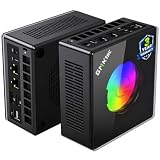
Minisforum UM890 Pro Barebone — Ryzen 9 8945HS, No RAM/SSD/OS
Who it suits: Parts-owning builders who want to assemble the strongest compact streaming platform in stages — and who understand that, as shipped, this pick cannot stream anything at all.
Read the listing title the way this guide does: barebone means the kit — check price on Amazon — buys a chassis, a motherboard and a Ryzen 9 8945HS. No memory, no storage, no Windows. A machine that cannot boot has no encoder, so this review grades a completion, not a product: fit DDR5 in the two SO-DIMM slots (to 96GB) and an SSD in one of the two M.2 slots, and what wakes up is a Ryzen 9 platform whose Radeon 780M carries the same RDNA3 encoder as the finished minis — AV1 for YouTube and recordings, H.264 for Twitch, with the 8945HS’s cores behind the broadcast stack and a metal chassis of about 5.12 × 5.0 × 2.62 inches (roughly 1.1 liters, about 1.6 kg) that sustains the chip’s 70W mode better than the slim boxes sustain theirs. Native OCuLink, dual USB4 and dual 2.5GbE make it the best-connected hub here, and the staged-build endgame is real: kit now, your shelf parts inside it tonight, a dock and a desktop card — with that card’s own dedicated encoder — when the budget allows.
The completion cost is the review’s second half, and it is not flattering to the kit when parts are bought new. The complete 32GB/1TB version of this same PC is the mid-range alternative to compare against — check price on Amazon for both — and a kit plus a new 32GB memory kit and 1TB SSD can land in that same territory or beyond, with the assembly done by you. The kit wins in exactly two situations: you already own the DDR5 and the SSD, or you want a configuration the factory does not sell. One streaming-specific consequence deserves spelling out: your choice of completion SSD is also your recording-drive decision, and a single small drive will repeat the Victus’s storage squeeze inside a machine you built yourself — fit capacity for recordings now, or use the second slot for them. Bought with open eyes, this is the strongest compact streaming platform in the guide. Bought because the kit sticker looked like a streaming PC, it is the most expensive misunderstanding here.
- Strongest kit platform: 8945HS, native OCuLink, dual 2.5GbE, dual USB4, RAM to 96GB across two slots.
- Completed, it carries the same AV1-capable 780M encoder as the finished minis, in a metal chassis with real cooling headroom.
- Barebone kit — check price on Amazon; completion parts are extra.
Honest limitation: The kit price is not a computer price — it has no encoder story, or any story, until completed, and with new parts at current prices completion can meet or exceed the cost of the finished version — check price on Amazon for both before you commit.
Choose it if you own DDR5 and an SSD already, or you are deliberately staging a build that ends at a docked desktop card. Skip it if every part would be bought new — the finished K8 Plus is the simpler route to the same encoder.
Minisforum UM880 Plus Barebone — Ryzen 7 8845HS, Without RAM/SSD/OS
Who it suits: The same parts-owning builder as the UM890 Pro, spending the least cash down — and anyone who wants this category’s pricing trap demonstrated on one machine before committing to it.
The UM880 Plus is the budget-tier ticket to the modern encoder in this guide: the barebone kit — check price on Amazon — is built around a Ryzen 7 8845HS with Radeon 780M in the slim 130 × 126.5 × 50.4 mm chassis — about 0.83 liters and 0.67 kg, the joint-smallest footprint here. Completed with memory, storage and an OS, it wakes up with the same RDNA3 video engine as every 780M pick in this guide: AV1 encode for YouTube and local recordings, H.264 for Twitch, and the class’s usual simultaneous-load honesty — talk, desktop and capture at 1080p60, lighter game streams, reduced output for demanding ones. One specification must be translated rather than repeated: its OCuLink arrives through an internal adapter board, not a native port, and the adapter occupies internal expansion room. For a streaming build that trade is concrete — internal room is where your second SSD, the natural recording drive, wants to live — so plan the layout before you buy, and credit the dock path as an adapter path, never as the native port its pricier siblings carry.
This machine is also the documented demonstration of why the whole-price rule exists. Surveys of Amazon’s mini PC listings have priced the exact exercise, and the lesson is consistent: completing this barebone with a new 32GB DDR5 kit and a 1TB SSD can cost more in total than buying the complete version of the same machine finished — building it yourself can cost more than buying it finished when memory is expensive. That is the memory shortage talking, and it will not always be true; check current prices on Amazon for the kit, the parts and the complete machine before you decide. So the streaming recommendation is narrow and firm: complete this kit from parts already on your shelf and it is the smartest spend in the guide — the full AV1-capable encoder, the dock future, the least cash down. Complete it from a shopping cart and you may pay more than the finished machine for the privilege of assembly.
- Budget-tier entry to an AV1-capable encoder in the guide — check price on Amazon for the kit.
- 8845HS and Radeon 780M in a 0.83-liter chassis — the full class encoder, kit-priced.
- The documented lesson: completing the kit with new parts can cost more than the complete machine.
Honest limitation: OCuLink comes via an adapter board rather than a native port, and with new parts the finished build costs more than the complete version — as a streaming PC it only makes sense completed from parts you already own.
Choose it if DDR5 and an SSD are already waiting on your shelf and you want the modern encoder as a budget-tier entry. Skip it if you are buying parts new, or if you want every internal slot free alongside a native OCuLink port — that is the UM890 Pro.

Comparison Table
| Product | Encoder | Best streaming use | Link |
|---|---|---|---|
| GMKtec NucBox K8 Plus (32GB/1TB) | Radeon 780M (RDNA3) — H.264 + AV1 encode | The complete compact streamer, with a docked encoder in its future | Check on Amazon |
| HP Victus 15L (TG02-1020h) | RTX 3050 NVENC (Ampere) — H.264, no AV1 | One-machine game streaming at 1080p60 | Check on Amazon |
| Beelink SER8 (32GB/1TB) | Radeon 780M (RDNA3) — H.264 + AV1 encode | Quiet-room talk, desktop and capture streaming | Check on Amazon |
| GMKtec NucBox K11 (32GB/1TB) | Radeon 780M (RDNA3) — H.264 + AV1 encode | Maximum broadcast-stack headroom, bought when discounted | Check on Amazon |
| Minisforum UM890 Pro Barebone | None until completed; then Radeon 780M — H.264 + AV1 | Staged builds ending in a docked desktop encoder | Check on Amazon |
| Minisforum UM880 Plus Barebone | None until completed; then Radeon 780M — H.264 + AV1 | Budget-tier AV1-capable start for parts owners | Check on Amazon |
How to Choose a Compact PC for Streaming Under $800
- Start with your format, not the spec sheet. If the stream is the game itself, you need an encoder that does not share silicon with the rendering — in this guide that is the Victus’s NVENC, or a docked card in your future. If the stream is you — talk, desktop, console capture, lighter games — the 780M machines cover it at 1080p60 with the more modern encoder. Naming the format first makes the rest of this list a formality.
- Read the encoder’s generation, not just its brand. AV1 encode exists only on the newer silicon: the RDNA3 engine in every 780M pick here has it, and the Victus’s Ampere NVENC does not, despite the RTX badge. If YouTube AV1 streaming or efficient AV1 recordings are in your plan, that single line decides between the tower and the minis.
- Count memory against the whole broadcast stack. Game plus OBS plus browser plus recording is a 32GB lifestyle at comfortable settings. Every finished mini here ships 32GB; the tower ships 8GB in one stick, and closing that gap is part of its total cost whether the listing admits it or not.
- Give recordings their own storage. A high-quality local recording consumes on the order of 20GB an hour. The minis’ second M.2 slots and 1TB drives absorb that; a 512GB system drive does not. Decide where recordings live before the first long session, not during it.
- Treat wired Ethernet as part of the PC. Every pick here offers a wired port — dual 2.5GbE on the K8 Plus, K11 and UM890 Pro — and the broadcast should use it. This matters most on the SER8, whose documented Wi-Fi dropouts make the cable a condition of purchase rather than a preference.
- Grade noise as a microphone specification. The measured spread in this guide runs from about 32 dBA (SER8) to 36–39 dB(A) under load (K11). In a gaming room that gap is trivia; with a microphone a meter from the case, it is the difference between a clean track and a constant whine your noise suppression has to eat.
- Price the whole machine, never the sticker. For the barebones, add memory, storage and an OS at current prices before comparing anything — at current memory prices the kit route with new parts can cost more than the finished PC, as the UM880 Plus example in this guide documents. For the Victus, add the second RAM stick. For everything, add the kit in the section after next.
- Treat the eGPU dock as a second purchase, because it is one. A DEG1-class dock is a separate purchase — check its current price before you budget — plus a power supply if you lack one, plus the graphics card — whose dedicated encoder is the actual prize. The OCuLink port is worth choosing now; the dock is worth buying when you mean it. On the UM880 Plus, remember its port arrives via an adapter board and plan the internal layout around that.
- Apply the budget rule with a walk-away limit. Listings in this category swing across the budget line with the memory market. Decide your ceiling first, check price on Amazon, buy when the listing is under it, and let an over-line price be a reason to wait rather than a reason to stretch.
Set Up OBS Once, Correctly
Hardware first, settings second: in OBS, choose the hardware encoder that matches your machine, not the software default. On the Victus, that is NVENC H.264. On every 780M machine — the finished minis and both kits once completed — it is the AMD hardware encoder: H.264 for a Twitch stream, AV1 for a YouTube stream or for local recordings where the platform and your archive benefit from it. Software x264 is a fallback with a narrow honest role: talk and desktop formats on the eight-core chips here, the Ryzen 9 machines most comfortably, at a veryfast preset. The moment a real game joins the software encode on an integrated machine, something in the picture starts paying for something else.
Then the platform settings, which are boring precisely because they are settled. Stream at a constant bitrate — around 6,000 kbps is the Twitch standard this class of connection is judged against — with keyframes every two seconds, and keep your output resolution honest: 1080p for talk, desktop and capture work and for the Victus’s game streams; 720p60 or 1080p30 for demanding game streams on the integrated machines, where a lower output resolution encoded well beats a higher one encoded badly. Record locally at a higher quality setting than the stream, to the second drive where your machine has one, and expect roughly 20GB an hour at high-quality settings.
Finally, learn the three counters in OBS’s Stats dock, because each one accuses a different component and each has a different fix. Dropped frames are the network: the broadcast is not reaching the platform, and the fix is the wired Ethernet connection this guide keeps insisting on — not a lower resolution. Encoding lag is the encoder: the hardware block is saturated or the preset is too ambitious, and the fix is to step the preset down or move the encode to the hardware block if you somehow left it on software. Rendering lag is the graphics side: the game is consuming everything the chip has and leaving OBS nothing to compose with, and the fix is to cap the game’s frame rate so the broadcaster gets its share. Read the counter that is actually climbing, apply its fix, and ignore the other two — most streaming problems on capable little machines like these are one of these three, wearing a disguise.
What $800 Does Not Include
No pick in this guide is a streaming station by itself, and the honest order of the remaining purchases matters more than their size. The microphone comes first, always: your audience forgives a soft picture years before it forgives bad audio, and a decent microphone transforms a talk broadcast more than any encoder generation does. Lighting comes second — a single well-placed light does more for a camera image than a camera upgrade does. A webcam follows if your format shows your face. A capture card belongs on the list only if you stream a console; every machine here plays its own games, so for a PC-only channel the card is money spent on a problem you do not have. Add the unglamorous lines too: the Ethernet cable that the wired rule requires, and surge protection for the whole desk. None of these extras is folded into any pick’s listing in this guide, and no accessory prices are quoted here — check current prices for each item, and budget the kit as its own line, in that order, after the PC itself is chosen.
Common Buying Mistakes
- Reading a barebone kit’s price as a streaming PC’s price. The UM890 Pro and UM880 Plus cannot broadcast — cannot boot — until memory, storage and an OS are fitted, and at current parts prices that completion can exceed the finished machines.
- Assuming the RTX badge means AV1. The Victus’s RTX 3050 is an Ampere card: excellent NVENC for Twitch, and no AV1 encode, ever. The integrated 780M machines are the AV1 picks in this guide.
- Streaming the Victus on its stock 8GB. A game plus OBS plus a browser on a single 8GB stick is a stutter looking for a broadcast to happen on. The second stick is part of the purchase.
- Paying the K11’s inflated listing price. Its price swings widely between discounted and inflated listings; the difference between a bargain and a blunder is the week you bought it — check price on Amazon first.
- Broadcasting over Wi-Fi because the desk is far from the router. Dropped frames are a network verdict, and on the SER8 — whose Wi-Fi dropouts are documented — the cable is not optional.
- Recording everything to a 512GB system drive. At roughly 20GB an hour, the archive eats the game library within a season. Use the second slot, or plan the external drive.
- Buying the loud machine for the quiet room. A 39 dB(A) performance mode beside a microphone is an audio problem no encoder can fix; check measured noise, not maker claims.
- Counting the eGPU dock as a minor accessory. Dock, power supply and card together are a major second purchase — the port is a plan, not a perk you already own.
Final Recommendation
- Most streamers: GMKtec NucBox K8 Plus (32GB/1TB), bought when its listing sits within budget — check price on Amazon.
- Game-first streamers on Twitch: HP Victus 15L (TG02-1020h) — plus the second RAM stick, fitted before the first broadcast.
- Quiet rooms and shared spaces: Beelink SER8, wired, when a configuration shows within budget — check price on Amazon.
- Maximum headroom, patient shoppers: GMKtec NucBox K11, when discounted only — check price on Amazon.
- Building in stages toward a docked encoder: Minisforum UM890 Pro Barebone.
- Parts on the shelf, least cash down: Minisforum UM880 Plus Barebone.
Our top two frame the category’s real streaming choice. The GMKtec NucBox K8 Plus is the complete compact broadcaster: an AV1-capable encoder, 32GB for the whole broadcast stack, two wired ports, a recording drive’s worth of expansion, and an OCuLink port that keeps a dedicated encoder in its future — bought within budget, it asks for no apologies. The HP Victus 15L is the specialist: the only dedicated encoder here, and therefore the only honest one-machine 1080p60 game streamer in the set, priced with an asterisk shaped like a RAM stick. Between them sit the quietest machine in the class, the fastest one when it is on sale, and two kits that turn a shelf of spare parts into the cheapest modern encoders in the guide. Readers whose streaming plans live in a bigger or smaller budget should also see Best Compact Gaming PC For Streaming Under $500 and Best Compact Gaming PC For Streaming Under $1200, and anyone still deciding whether compact is the right shape at all can compare Best Compact Gaming PC Under $800. Set your walk-away number, wire the Ethernet, fit the RAM — and check the live price before you order.
Frequently Asked Questions
Can a mini PC really game and stream at the same time?
Yes, within honest limits. On the 780M machines the game and the encode share one chip, so esports and lighter titles stream well at 1080p60, demanding games are better at 720p60 or 1080p30, and talk, desktop and console-capture formats run at a full 1080p60 without strain. The Victus is the exception that proves the rule: its dedicated NVENC block is why it alone headlines one-machine game streaming at 1080p60 across a broad library.
Does the Radeon 780M encode AV1?
Yes. The 780M’s video engine is RDNA3-generation and encodes AV1 as well as H.264 and HEVC, which is why every 780M pick in this guide — the finished minis and both kits once completed — can send AV1 to YouTube and record in AV1 locally. It is the RTX 3050 in the Victus, an Ampere card, that cannot: its NVENC predates AV1 encoding.
Do I need a capture card with one of these PCs?
Only if you stream a console. A capture card’s job is to bring an external device’s video into the PC; if the games run on the PC itself, OBS captures them directly and the card adds nothing. Budget the microphone and lighting first — they change what your audience hears and sees far more.
Are the barebone kits a good deal for a streaming PC?
Only if you already own the parts. As shipped they cannot boot, let alone encode, and when memory is expensive a build of the UM880 Plus with new parts can total more than the complete machine — check price on Amazon for the kit, the parts and the finished version. With DDR5 and an SSD on your shelf, the same kit is the cheapest route in this guide to a modern AV1-capable encoder.
Why does this guide keep insisting on wired Ethernet?
Because the most common streaming failure is a network failure wearing a hardware costume. OBS reports it plainly as dropped frames, and no encoder setting fixes it. Every pick here has a wired port — several have two — and the SER8’s documented Wi-Fi dropouts make the cable a condition on that machine in particular.
How much storage do recordings actually need?
More than new streamers expect: on the order of 20GB an hour at high-quality local recording settings. A 512GB drive shared with a game library fills within a season of regular broadcasts. The minis’ free second M.2 slots are the tidy answer — a dedicated recording drive keeps the archive off the system disk entirely.
Which of these is quietest near a microphone?
The SER8, and it is not close: independent reviewers measured around 32 dBA under load, the quietest figure in this guide. The K11 sits at the other end at 36–39 dB(A) measured — a fine machine for a room of its own, and the wrong one for a bedroom broadcast.
- Best Compact Gaming PC Under $800
- Best Compact Gaming PC Under $500
- Best Compact Gaming PC Under $1200
- Best Compact Gaming PC For Small Spaces Under $800
- Best Compact Gaming PC For Beginners Under $800
- Best Compact Gaming PC For 1440p Gaming Under $800
- Best Streaming PC Under $800
- Best Mini Gaming PC Under $800
- Best Small Form Factor Gaming PC Under $800


