
Where to buy
Check the latest price, availability and delivery on Amazon. Orders are placed on Amazon. We may earn a commission from qualifying purchases.
- Best first PC under $400: KAMRUI AM08PRO Mini Gaming PC, Ryzen 7 7735HS, 32GB DDR5, 512GB SSD — Check on Amazon
- Beelink EQR6 Pro Mini PC, Ryzen 7 7735HS, 24GB DDR5, 1TB SSD — Check on Amazon
- KAMRUI Mini PC, Ryzen 7 7735HS, 16GB LPDDR5, 512GB SSD — Check on Amazon
- FIREBAT A6 Mini Gaming PC, Ryzen 7 7735HS, 16GB LPDDR5, 512GB SSD — Check on Amazon
See 2 more Amazon options
- GMKtec NucBox M6 Mini PC, Ryzen 5 6600H, 16GB DDR5, 512GB SSD — Check on Amazon
- Beelink SER5 MAX Mini PC, Ryzen 7 5800H, 16GB DDR4, 500GB SSD — Check on Amazon
Read the full guide ↓
Disclosure: As an Amazon Associate, reviewstook.com earns from qualifying purchases. Links to Amazon on this page are affiliate links; they cost you nothing extra. Listing details such as price and availability change often, so check the current Amazon listing before you buy.
If this is your first gaming PC, welcome — and before anything else, you deserve one honest sentence that most adverts skip: no computer under $400 plays modern games at full 1440p quality. Not a slow one, not a basic one — none. That is not a reason to close this page. It is the reason this page exists. A first PC bought with clear expectations is a joy for years; a first PC bought on a misunderstanding goes back in its box within a fortnight. So this guide is written for beginners from the first line: every technical word is explained the first time it appears, and where a machine cannot do something, we say so in plain English and tell you what it does instead.
Here is the plain-English version of what your $400 really buys. Every computer in this guide is a mini PC — a complete Windows computer in a box roughly the size of a thick paperback book. None of them contains a separate graphics card (the plug-in board that does the heavy lifting in big gaming towers). Instead, the picture-making hardware is built into the main processor. That built-in graphics is called an iGPU (integrated graphics processing unit), and the best one available at this price — AMD’s Radeon 680M — is genuinely good at the games most people actually play. Fast, light competitive games (often called esports titles: Counter-Strike, League of Legends, Valorant, Rocket League) run smoothly. Big story games from a few years ago run well on modest settings. Brand-new blockbuster games (the industry calls the biggest releases AAA games) run too — just not in the way the box art suggests, and the next section explains what that means.
One more thing, because it shapes every recommendation below: a “1440p gaming PC” search mixes up two numbers. Your monitor has a resolution — the dots it can show. A game also has a resolution — the dots the computer actually draws before sending the picture out. On an expensive PC those numbers match; on a $400 PC they usually do not, and a trick called upscaling bridges the gap. The short section below untangles them — read it, and you will understand more about gaming PCs than most people who sell them.
Five Words That Unlock Every Listing on Amazon
Product pages are written to sound impressive, which makes them hard work if you are new. These are the only terms you need for this guide.
- Resolution, and “1440p”. A screen picture is made of tiny dots called pixels. A 1440p screen (also labelled QHD) shows 2560 pixels across by 1440 down — about 3.7 million dots. A 1080p screen shows 1920×1080, about 2.1 million. More dots means a sharper picture and more work for the computer: 1440p asks roughly 78 percent more work than 1080p, every single frame.
- Render resolution vs display resolution. The display resolution is what your monitor shows. The render resolution is what the PC actually draws. If a game renders at 1080p and displays on a 1440p monitor, the picture is stretched to fit — slightly soft, like enlarging a photo. When an advert says a cheap PC “does 1440p,” it almost always means the monitor is 1440p, not that the game was drawn that way.
- Upscaling (and FSR). Upscaling is a smarter stretch. The PC renders the game at a lower resolution, then software rebuilds it up to fill your screen, guessing the missing detail. AMD’s version is called FSR (FidelityFX Super Resolution) and it is built into most modern games as a simple on/off menu option. FSR at its “Quality” setting is this entire budget’s best friend: the picture looks close to full resolution, while the PC does far less work.
- iGPU and graphics card. A graphics card is a separate, powerful board inside big PCs. An iGPU is graphics built into the main processor chip. The iGPU in most picks below, the Radeon 680M, is the strongest built-in graphics ever sold at this price — but it is still built-in graphics, roughly one class below the cheapest proper graphics card. Everything honest in this guide follows from that one fact.
- RAM, and why “dual-channel” matters. RAM is the computer’s short-term memory — the desk space it works on. These PCs list 16GB, 24GB or 32GB of it. The catch for beginners: an iGPU has no memory of its own, so it borrows the PC’s RAM. RAM can be wired up in one lane (single-channel) or two lanes side by side (dual-channel), and two lanes feed the graphics roughly twice as fast. Same chip, same game, two-lane memory can mean a fifth to a third more speed. You cannot see this on the box, which is why this guide checks it for every pick.
- SSD. The storage drive — where Windows, games and files live. All six picks use a fast SSD (solid-state drive) rather than an old spinning hard drive, so they start up and load games quickly. Sizes run from 500GB to 1TB; as a beginner’s rule of thumb, 500GB holds Windows plus about four to six large modern games.
In this guide
Quick Picks
In a hurry? Each row names the kind of beginner a machine suits, and why. Every pick shares the same honest ceiling explained above: light games drawn at full resolution, heavier games drawn lower and upscaled to your 1440p screen.
| Best for | Pick | Why it stands out for a first PC | Link |
|---|---|---|---|
| Best first PC overall | KAMRUI AM08PRO, Ryzen 7 7735HS, 32GB DDR5, 512GB SSD | The strongest built-in graphics here, fed by the best memory setup, and the easiest to upgrade later | Check on Amazon |
| Best for a quiet, tidy desk | Beelink EQR6 Pro, Ryzen 7 7735HS, 24GB DDR5, 1TB SSD | No power brick to hide, double the storage, and built to run quietly in a bedroom or shared room | Check on Amazon |
| Best “just plug it in” choice | KAMRUI Mini PC, Ryzen 7 7735HS, 16GB LPDDR5, 512GB SSD | The same strong graphics in the simplest box — nothing to open, nothing to configure | Check on Amazon |
| Best for esports fans | FIREBAT A6, Ryzen 7 7735HS, 16GB LPDDR5, 512GB SSD | A full-power mode that suits fast competitive games — with one memory catch explained in its review | Check on Amazon |
| Best if money is tightest | GMKtec NucBox M6, Ryzen 5 6600H, 16GB DDR5, 512GB SSD | A budget-friendly option that leaves room in the budget for the monitor and keyboard you also need | Check on Amazon |
| Best for older game collections | Beelink SER5 MAX, Ryzen 7 5800H, 16GB DDR4, 500GB SSD | The cheapest way in, with a strong everyday processor for homework, work and classic games | Check on Amazon |
How These Picks Were Chosen
Three rules governed this list, and a beginner deserves to hear all three. First, the $400 ceiling is real: every machine here is a genuine Amazon listing in this budget tier. Mini PC prices hop around with coupons more than almost anything else on Amazon, so this guide does not print a fixed number that could go stale — check the live price on Amazon for each pick before you buy.
Second, we ranked graphics chips, not boxes. At this budget the order is fixed by the hardware itself: Radeon 680M first, Radeon 660M second, the older Vega graphics third. After the chip, we ranked the memory feeding it (two lanes good, one lane bad — see the glossary), then the power the maker lets the chip use, then storage and connections. That is why two machines with the same processor can finish in different positions: the chip is only half the story, and the memory wiring is the other half. Independent reviewers who tested one pick below measured its one-lane memory costing it roughly 20 to 35 percent of its speed in demanding 3D games. Where a pick carries that flaw, its review says so at full size, not in a footnote.
Third, two kinds of product were deliberately left out, and knowing why will protect you in future searches. We excluded the big RGB-lit towers in this price range that wear “gaming PC” in their title but contain no graphics card at all, or one many generations old: at $400 they are consistently worse at games than the little boxes below, despite looking the part. And we excluded anything that only dips under $400 with coupons aimed at individual accounts — a fair price has to be one any normal buyer can get. We also want to be straight about method: we did not use these PCs ourselves. We read the makers’ listings, manuals and specification pages, and independent reviews and tests, and compared the things that decide how games run. The expectations in each review come from that published testing of these chips, not from marketing.
The 6 Best First PCs for a 1440p Monitor Under $400, Reviewed
Top pick
1. KAMRUI AM08PRO Mini Gaming PC, Ryzen 7 7735HS, 32GB DDR5, 512GB SSD
Who it suits: The beginner who wants the best games performance this budget can honestly produce — and a machine that can grow instead of being replaced.
Start with the processor, the Ryzen 7 7735HS. In plain terms it is two things in one chip: a fast eight-core brain for everyday computing (a “core” is a worker; eight workers handle games, Windows and your browser tabs all at once without stuttering), and the Radeon 680M iGPU — the strongest built-in graphics at this price. What lifts this particular box above the other 680M machines is the memory behind that graphics. Inside are two removable memory sticks (the slot type is called SO-DIMM) totalling 32GB, wired in the fast two-lane dual-channel layout the 680M was designed for. Because the graphics borrow this memory, that wiring is worth real, visible smoothness in games. It is the setup every other pick is measured against.
The rest of the box is equally grown-up. Storage is a 512GB SSD with an empty second slot beside it, so adding space later is a five-minute job rather than a new computer. Three display outputs (two HDMI, one USB-C) can run up to three screens. A dial of three performance modes — silent, auto and performance — lets the same box whisper through a film at night and work at full tilt in a game. WiFi 6 for wireless internet, Bluetooth 5.2 for headphones and controllers, and a fast 2.5-gigabit wired network port complete a list with no embarrassing gaps. Independent reviewers who tested this model describe its gaming exactly as we do here: 2D games beautifully, esports smoothly, older big games at 1080p on sensible settings, and the newest games at a reduced render resolution with FSR upscaling the picture to your 1440p screen.
Check the live price on Amazon before you buy — this is that rare thing: the best pick and one of the most budget-friendly serious options here. For a beginner, its kindest feature is the future. When 32GB of memory eventually feels small, you can fit up to 64GB. When the drive fills, you add a second one. You open the case instead of replacing the computer — and several rivals below cannot say that.
- Strongest honest graphics setup under $400: the 680M fed by fast two-lane, removable memory.
- Room to grow: memory up to 64GB and a spare drive slot, so your first upgrade is cheap.
- Three screens supported, three performance modes, fast wired and wireless networking.
Honest limitation: It is still built-in graphics. No setting inside this box makes a brand-new blockbuster game draw itself at full 1440p, and a small brand’s after-sales support is a step below the giant computer companies if something goes wrong.
Choose it if you want the most games performance and the longest life from your $400. Skip it if you know your games list is mostly this year’s biggest releases and you refuse to run them upscaled — in that case, save longer and start at the $700 tier linked at the end of this guide.

2. Beelink EQR6 Pro Mini PC, Ryzen 7 7735HS, 24GB DDR5, 1TB SSD
Who it suits: The beginner whose PC will live in a bedroom, a shared room or next to the TV — anywhere a noisy, cable-tangled box would be unwelcome.
The EQR6 Pro uses the same Ryzen 7 7735HS processor and Radeon 680M graphics as the pick above, so the games story is the same good one: esports at 1080p without drama, older games at 1080p on low-to-medium settings, newer games rendered lower and upscaled by FSR onto your 1440p screen. What Beelink changes is everything around the chip, in the direction of calm. The power supply is built into the box itself, so there is no laptop-style power brick trailing across your desk — a small thing you will appreciate every day. Beelink quotes the cooling at around 32 decibels in its own testing — treat that as a maker figure, though this line’s reputation for quiet running is consistent in reviews.
Memory is 24GB across two sticks — the proper two-lane layout the graphics need — and it can be swapped for up to 64GB later. Storage is the most generous in this guide at 1TB, double most rivals, with a second slot for more; for a beginner, that simply means not deleting a game every time a new one arrives. Two HDMI sockets run two 4K screens, and two wired network ports let the box double as a home file server later if you get curious. Check the live price on Amazon before you buy — it sits in this budget tier either way.
- Built-in power supply: one tidy box, no brick, the calmest desk in this guide.
- 1TB of storage as standard — double most rivals — plus a second slot for later.
- 24GB of two-lane memory feeds the graphics properly and can be upgraded to 64GB.
Honest limitation: 24GB is a slightly odd in-between size, and the quiet figure is a maker claim — expect quiet under load, not silent. If squeezing out every last frame matters more than calm, the AM08PRO’s performance mode is tuned gamer-first.
Choose it if the PC shares space with people sleeping, studying or watching TV, and you want storage you will not outgrow this year. Skip it if you are chasing maximum games performance per dollar above all else.

3. KAMRUI Mini PC, Ryzen 7 7735HS, 16GB LPDDR5, 512GB SSD
Who it suits: The true beginner who wants to unbox, plug in two cables, and play — no upgrades planned, no tinkering, ever.
This is KAMRUI’s plain mini PC rather than its gaming-tower model above, and its appeal is what it leaves out. The same Ryzen 7 7735HS and Radeon 680M graphics sit in a smaller, simpler box with 16GB of memory and a 512GB SSD. It can run three screens at once, connects with WiFi 6 and Bluetooth 5.2, and has the fast 2.5-gigabit wired port. Check the live price on Amazon before you buy — it lives right at this guide’s ceiling tier. Sixteen gigabytes of memory is enough for every game this graphics tier plays, and the drive holds a rotating handful of big titles plus a shelf of smaller ones.
The trade-off has a name worth learning: this memory type, LPDDR5, is soldered — permanently attached to the board at the factory. Sixteen gigabytes is what the machine will have on the day you retire it, and if a memory chip ever failed, the fix would be a replacement machine rather than a cheap stick. The good news is that the memory is wired in the fast multi-lane layout, so the graphics are fed properly — this is the simple option done correctly, not done cheaply. Judge it as you would a games console: a finished appliance. Bought that way, it is a very good one.
- The full 680M experience with zero decisions: unbox, plug in, play.
- Three-screen output and the fast wired port that cheaper mini PCs often skip.
- Sits in this budget tier — check the live price on Amazon before you buy.
Honest limitation: The memory can never be upgraded because it is soldered in, and 512GB fills quickly if your games are the hundred-gigabyte kind.
Choose it if you want a finished, warranty-and-done first PC and have no interest in opening a case. Skip it if the idea of upgrading later appeals to you — that is exactly what the AM08PRO and EQR6 Pro above are for.
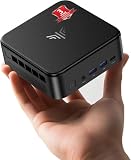
4. FIREBAT A6 Mini Gaming PC, Ryzen 7 7735HS, 16GB LPDDR5, 512GB SSD
Who it suits: The beginner whose gaming is mostly fast competitive titles and older favourites — and who likes a machine styled like gaming gear rather than office equipment.
The A6’s headline is power, in the electrical sense. Every processor has a power budget measured in watts, and a bigger budget lets it run faster for longer before slowing down to cool off. This chip is allowed up to 54 watts — the generous end of its range — so in long gaming sessions its processor and its Radeon 680M graphics hold their top speeds better than in more cautious boxes. Around that sit 16GB of memory, a 512GB SSD with a second empty slot for more storage, USB-C, WiFi 6, Bluetooth 5.2 and the fast wired port, in a case designed to look like it means it. Independent testing of this model found the competitive-gaming experience exactly right: Counter-Strike 2 on low settings ran at a very playable 75 to 110 frames per second (frames per second — “fps” — is how smoothness is measured; 60 and above feels fluid). Check the live price on Amazon before you buy — it sits right at this guide’s ceiling tier.
Now the catch, stated at full size because a beginner cannot be expected to spot it alone: this machine’s 16GB of memory is soldered, and in the configuration reviewers examined it runs in a restricted way that starves the graphics of memory speed. The same testing measured games running roughly 20 to 35 percent slower in demanding 3D titles than on a two-lane machine with the identical chip. In esports and older games you will rarely feel it — there is speed to spare there. In the newest games, where every frame is already scarce, you will. That is why a box with the joint-best chip in this guide sits fourth in it. Bought knowingly — as an esports, indie and back-catalogue machine with a strong power budget — it is a satisfying little PC.
- A full 54-watt power budget keeps speeds up through long gaming sessions.
- Two drive slots, so storage can grow even though memory cannot.
- Reviewer-tested esports performance: Counter-Strike 2 at low settings in the 75–110 fps range.
Honest limitation: Soldered, speed-restricted memory costs the graphics a measured 20–35 percent in demanding 3D games, and the memory can never be upgraded or replaced.
Choose it if your library is esports, indie and older games, and you like the styling and power mode. Skip it if brand-new big games are the point — the two-lane machines above will serve you measurably better for similar money.
5. GMKtec NucBox M6 Mini PC, Ryzen 5 6600H, 16GB DDR5, 512GB SSD
Who it suits: The beginner on the tightest total budget — especially anyone who still needs to buy the monitor, keyboard and mouse out of the same pot of money.
The M6 steps one rung down AMD’s ladder and charges far less for the drop. Its Ryzen 5 6600H processor has six cores instead of eight — still plenty for games, schoolwork and everyday use — and its Radeon 660M graphics have roughly half the picture-making hardware of the 680M machines above. Everything around the chip, though, is surprisingly premium: 16GB of memory in proper removable two-lane slots, a 512GB SSD with a second slot beside it, two fast wired network ports, the newer WiFi 6E, a USB4 port (the fast all-purpose socket that opens the door to quick external drives and docks), and Windows 11 Pro included. Check the live price on Amazon before you buy — it is the most budget-friendly pick here and the one that most easily leaves room in the budget, which matters when a first setup needs more than just the PC (see the starter-kit section below).
Price the graphics step down honestly, in beginner terms. Esports games at 1080p on low settings: fine. Older and smaller indie games: comfortable. Brand-new big games: only at genuinely low render resolutions with FSR upscaling doing heavy lifting, and on a 1440p screen you will see that it is working. Where this box shines is as the all-rounder — the student machine, the family machine, the media and classic-games box with gaming as a strong sideline rather than the headline.
- The most budget-friendly pick here — real room left in the budget for the monitor and starter kit.
- Removable two-lane memory, two drive slots, two wired ports and USB4: connections the pricier boxes envy.
- Six cores are ample for the games its graphics can actually run, and for all everyday work.
Honest limitation: The 660M is about half a 680M. Modern games mean low render resolutions and clearly visible upscaling on a 1440p screen.
Choose it if gaming shares this PC with work, study, media or classic games, and value leads the decision. Skip it if games come first — the step up to a 680M pick above is the best upgrade step in this guide.

6. Beelink SER5 MAX Mini PC, Ryzen 7 5800H, 16GB DDR4, 500GB SSD
Who it suits: The beginner whose game collection leans on the classics — the big titles of the last decade, indies and esports — and who wants a capable everyday computer for everything else, for the least money.
The SER5 MAX is the previous generation’s champion, and it has aged gracefully. Its Ryzen 7 5800H processor has the same eight cores as the newer chip above and remains genuinely quick at everyday computing: multitasking, office work, media and emulating older consoles all run without strain. Memory is 16GB of the older DDR4 type across two removable slots, expandable to 64GB, and storage is a 500GB SSD with room to grow toward 2TB. Three screens run at once over HDMI, DisplayPort and USB-C, and WiFi 6 and Bluetooth 5.2 are present. Check the live price on Amazon before you buy — it is the most budget-friendly entry to a serious mini PC in this guide.
The compromise is the graphics generation. This chip’s built-in graphics use the older Vega design — capable, but a clear step behind the 680M in the picks above, and missing some features the newest games favour. In beginner terms: esports at 1080p on low settings, comfortably yes. Big games from the mid-2010s, yes, with settings chosen sensibly. Anything brand new means dropping the render resolution toward 720p and letting FSR carry the picture to your 1440p screen, which you will notice. Buy it for the library you already own and the work you already do, at a price that admits its age, and it is a bargain with years left in it.
- Eight fast cores at the lowest price here — the strongest everyday computer per dollar in this guide.
- Removable memory expandable to 64GB and three-screen support, in a budget-friendly package.
- A mature, well-documented machine with a deep pool of owner advice online.
Honest limitation: The older Vega graphics are a full generation behind the 680M picks; current games are a low-render-resolution, upscaled experience.
Choose it if your games are older, your budget is firm, and the PC works for a living between gaming sessions. Skip it if you buy new games on release day — spend the extra on a 7735HS machine above.

Comparison Table
One row per pick. The columns a beginner should read first are “Graphics” — which chip draws the games — and “Memory” — whether it is fed properly and can grow.
| Product | Graphics | Memory | Best use | Link |
|---|---|---|---|---|
| KAMRUI AM08PRO, 7735HS, 32GB, 512GB | Radeon 680M | 32GB, two-lane, upgradeable | Best first PC overall; games plus room to grow | Check on Amazon |
| Beelink EQR6 Pro, 7735HS, 24GB, 1TB | Radeon 680M | 24GB, two-lane, upgradeable | Quiet desks, big game libraries, tidy setups | Check on Amazon |
| KAMRUI Mini PC, 7735HS, 16GB, 512GB | Radeon 680M | 16GB, soldered — fixed for life | Simplest plug-and-play first PC | Check on Amazon |
| FIREBAT A6, 7735HS, 16GB, 512GB | Radeon 680M | 16GB, soldered, speed-restricted | Esports and older games, gaming styling | Check on Amazon |
| GMKtec NucBox M6, 6600H, 16GB, 512GB | Radeon 660M | 16GB, two-lane, upgradeable | Value all-rounder; money left for the monitor | Check on Amazon |
| Beelink SER5 MAX, 5800H, 16GB, 500GB | Radeon Vega 8 (older) | 16GB, two-lane, upgradeable | Classic games and everyday work for the least money | Check on Amazon |
Your First Evening: Setting Up, Step by Step
Never set up a PC before? Here is the whole job, in order. It takes about an hour, most of it waiting for downloads.
- Unbox and place it. Put the mini PC on your desk with a few inches of clear space around its vents — these little boxes breathe through slots in the case, and a box suffocated inside a cabinet or buried under papers will slow itself down to stay cool. Keep the box and packaging until you are sure you are keeping the machine.
- Connect the screen. One cable — HDMI is the common one — from the PC to your monitor. If your monitor is 1440p, it will simply work; the PC detects the screen and matches it. Plug the monitor into the wall, then the PC’s power supply into the wall (on the EQR6 Pro the supply is built in, so it is one cable, not two).
- Connect keyboard and mouse. USB ones plug straight in; wireless ones use a tiny USB receiver from their box, or Bluetooth, which the PC can pair with after setup.
- Switch on and follow Windows. The PC arrives with Windows 11 installed. The first switch-on walks you through language, Wi-Fi password, and creating a sign-in. Choose your home Wi-Fi network when asked — or better, if the PC sits near your router, plug in a network cable instead: a wired connection is faster and steadier for downloading and playing games, and every pick in this guide has the port for it.
- Let it update, then restart. Windows will want updates on day one. Let them finish (a progress bar, some waiting, usually one restart).
- Install a game store. Most PC games are bought and downloaded from Steam, a free app that acts as shop, library and launcher in one. Epic Games Store and the Xbox app are the other common ones, and both are free. Download Steam from its official site, sign in or create an account, and your library follows you to any PC you ever own.
- Install one light game first. Resist starting with the biggest new release. An esports title or a favourite older game installs faster, runs beautifully on these machines, and lets you confirm everything works while your confidence is fresh. Big downloads can run overnight; a 100GB game on a slow connection is a marathon, not a fault.
- Set the two magic settings. In your first demanding game, open its graphics settings, set the display resolution to 2560×1440 (your monitor’s), then find FSR and set it to Quality. That pair of settings is the whole trick this budget runs on: the screen gets its full sharpness, the PC does a manageable amount of work, and the game stays smooth. If a game still feels choppy, FSR “Balanced” is the next notch, and turning shadows down is the classic first sacrifice.
The Starter Kit: What Else You Need, Priced Separately
Here is the surprise that catches almost every first-time buyer: your budget in this guide buys the computer only. None of the six picks includes a monitor, a keyboard or a mouse — that is normal for mini PCs, and normal across most of this category, but it means your real first-setup budget is the PC plus a small kit. None of the kit below is included with any pick, and none of it needs to be fancy to start.
- A monitor. If you do not own one, a basic 1440p monitor is the natural partner for these machines — a decent entry-level one from a known brand is the right tier to look at, and a perfectly good 1080p screen is a sensible budget alternative if money is tighter. Do not let anyone sell you an expensive high-refresh gaming monitor for these PCs: their graphics cannot feed 144Hz in games, so that premium buys nothing today.
- Keyboard and mouse. A basic wired or wireless combo set is genuinely all a beginner needs. Gaming-branded sets cost more for lighting and feel, not for scores.
- Sound. Your monitor may have small built-in speakers; any headphones or earbuds you already own will sound better. No extra spend is needed to start.
- A network cable (optional). If the PC will live near your router, a basic Ethernet cable gives you the steadiest downloads and online play for very little extra cost.
Add it up honestly and a from-scratch first setup is the PC plus the kit on top. That is exactly why the NucBox M6 — the most budget-friendly pick here — earns its place in this guide: it is the pick that leaves the kit money in your pocket. If you already own a TV you can use as a screen and a keyboard from an old computer, you may need no kit at all, and the full $400 budget can go on the PC itself.
Your First Upgrade: The Only Two That Exist
Beginners often buy a cheap PC imagining they will “add a graphics card later.” On these machines, say it plainly one more time: you cannot. There is no slot for one inside a mini PC, and the external graphics docks that exist cost more than the PC itself while delivering a fraction of a card’s speed. So what can your future self upgrade? Two things, and only on the picks whose memory and storage are removable rather than soldered.
- More storage — the upgrade everyone actually makes. Games are big and libraries grow. On the AM08PRO, EQR6 Pro, FIREBAT A6, NucBox M6 and SER5 MAX there is a second drive slot or room to grow, and adding a 1TB or 2TB SSD later is the single most useful upgrade in this guide: one small panel, a few screws, and Windows sees the new drive. On the plain KAMRUI mini PC, what you buy is what you keep — 512GB for life.
- More memory — the upgrade that also speeds up games. On the AM08PRO, EQR6 Pro, NucBox M6 and SER5 MAX, the memory sticks can be swapped for up to 64GB. More memory helps heavy multitasking, and because the graphics borrow memory, keeping it in the fast two-lane layout matters: always replace sticks as a matched pair, never with one big single stick — a single stick quietly removes the two-lane speed your games were enjoying. On the two soldered KAMRUI and FIREBAT picks, memory is fixed at 16GB forever.
And when the day comes that you want real, full-resolution 1440p in new games? The honest upgrade is a different class of machine — a tower with a proper graphics card, starting around the $700 tier. The good news: your games library, your monitor and your skills all carry over.
How to Choose Your First One
- Start from your games list, not the spec sheet. Write down the five games you most want to play. Mostly esports, indies and games over three years old? Every pick here will please you. Mostly this year’s biggest releases at the highest settings? No pick here will, and the kind choice is to save toward $700 instead of spending $400 on disappointment.
- Buy the graphics chip first. 680M beats 660M beats Vega, whatever the box looks like. Lighting, case styling and the word “gaming” in a title do not draw a single frame.
- Then check the memory wiring. Two-lane and removable is best; two-lane soldered is fine; restricted one-lane memory (the FIREBAT A6’s catch) costs real speed in new games. This guide has done this homework pick by pick — it is the spec Amazon listings least like to explain.
- Decide: appliance or project? If opening a computer case sounds like a chore, buy the plain KAMRUI or the EQR6 Pro and never think about it again. If it sounds fun, the AM08PRO, NucBox M6 and SER5 MAX reward you with cheap upgrades for years.
- Count storage in games. 512GB is Windows plus roughly four to six large games. Rotating library? Fine. Keeper of everything? Start at 1TB (the EQR6 Pro) or confirm a second slot exists.
- Budget the whole desk, not just the PC. If a monitor and keyboard still need buying, the NucBox M6’s lower price is a feature, not a compromise. A great PC with no screen is a paperweight.
Common Beginner Mistakes
- Believing “1440p” in a listing title. It describes the monitor the seller imagines, not the resolution the game is drawn at. On any PC under $400, new games are drawn lower and upscaled — good, but different.
- Buying the big RGB tower because it looks like a gaming PC. At $400, those towers usually contain no graphics card or an ancient one, and the mini PCs in this guide outplay them from a box the size of a book.
- Spending the whole budget on the PC and forgetting the kit. No monitor, keyboard or mouse is included with any pick here. Price the desk, not just the box.
- Buying an expensive high-refresh monitor to match. These graphics cannot feed 144Hz in games. A good basic 1440p screen is the right partner; the savings belong in your pocket.
- Judging the PC by the hardest possible test. Launching the newest blockbuster at full 1440p and maximum settings, then concluding the machine is broken. It is not broken; that job belongs to a $700-plus machine. Test it on the games it was bought for.
- Never turning on FSR. The single most valuable setting for this entire class of PC sits one menu deep in most games. Quality mode is the difference between choppy and smooth.
- Filling a 512GB drive in month one. Modern games can exceed 100GB each. Check the size before you download, and favour picks with a second slot if your library accumulates.
- Planning a graphics-card upgrade that does not exist. There is no slot, on any of these, ever. The real upgrades are memory and storage — and only where they are not soldered.
Final Recommendation
- Most beginners: KAMRUI AM08PRO — the strongest graphics setup here, fed the right way, with the friendliest upgrade path.
- Bedrooms and shared rooms: Beelink EQR6 Pro — the same graphics, wrapped in the quietest, tidiest, best-storaged box.
- Zero tinkering wanted: KAMRUI Mini PC (LPDDR5) — a finished appliance; just know its memory is fixed for life.
- Esports first: FIREBAT A6 — with its memory catch understood before you buy, not after.
- Monitor and kit still to buy: GMKtec NucBox M6 — the pick that leaves the money for them.
- Classic libraries, tightest budget: Beelink SER5 MAX — yesterday’s champion at yesterday’s price.
Our top two for a first PC under $400 are the KAMRUI AM08PRO, because its removable two-lane memory lets the Radeon 680M perform at its full honest level and leaves the machine upgradeable, and the Beelink EQR6 Pro, because it wraps the same graphics in the calmest, best-storaged box here. Between them they cover the two shapes a first purchase really takes once the 1440p myth is set aside: the best frames the budget can buy, and the best all-round computer the budget can buy. When you are ready to see what the next rung buys, Best 1440p Gaming PC For Beginners Under $500 continues this same beginner-friendly tour one tier up, and the first genuinely native-1440p machines appear at Best 1440p Gaming PC Under $700. If your screen is a 1080p one rather than 1440p, you can spend with confidence using Best 1080p Gaming PC Under $400 instead — every pick in this guide is more than that job requires. Check the live price on Amazon before you order, and on your first evening: wired cable if you can, updates done, FSR set to Quality. Then just play.
Frequently Asked Questions
I am completely new. Will I manage to set one of these up?
Yes — honestly, this class of PC is the easiest start in gaming. There is nothing to build: the computer arrives assembled with Windows installed. Your first evening is: plug in screen, keyboard, mouse and power; follow the on-screen Windows steps; connect to Wi-Fi (or plug in a cable); let updates finish; install Steam; download a game. The setup section above walks through it in order.
So can these PCs actually play games on a 1440p monitor, or not?
Both, and the distinction is the one from the glossary: the monitor shows 1440p, and light games — esports titles, indies, older games — are genuinely drawn at or near that full resolution on the 680M picks. Heavy modern games are drawn at a lower resolution and upscaled by FSR to fill the screen: smooth and good-looking from a normal chair distance, but not drawn at full 1440p. Anyone who tells you a $400 PC draws new games at native 1440p is describing the monitor, not the machine.
What should I actually budget in total for my first setup?
The PC (within the under-$400 budget in this guide) plus, if you do not already own them, a basic 1440p monitor, a keyboard-and-mouse set, and optionally a network cable — check the live price on Amazon for the PC itself before you buy. If the total strains the budget, the NucBox M6 — the most budget-friendly pick here — exists precisely to leave room for the rest of the desk.
Which games will run well, in plain terms?
Esports and competitive games (Counter-Strike 2, League of Legends, Valorant, Rocket League, Fortnite on modest settings): well, at 1080p and often at 1440p on low settings — a reviewer measured Counter-Strike 2 at 75–110 fps on the FIREBAT A6, and the two-lane 680M picks are faster still in demanding scenes. Big story games a few years old: well at 1080p on low-to-medium settings, upscaled to your screen. This year’s biggest releases: playable at reduced render resolution with FSR, with visible softness. That spread is the honest shape of $400.
Why does the memory wiring matter if I never open the box?
Because it decides how fast your games run on day one, not just what you can upgrade later. The built-in graphics have no memory of their own and borrow the PC’s; two-lane memory feeds them roughly twice as fast as one lane. Independent testing of the FIREBAT A6 — the one pick here with restricted memory — measured demanding 3D games running 20 to 35 percent slower than on two-lane machines with the identical graphics chip. You will never see this on a listing, which is why this guide flags it in every review.
Can I add a graphics card later when I have more money?
No — and it is better to know now. Mini PCs have no slot for a graphics card and no power supply for one, and external docks cost more than the PC while delivering a fraction of the benefit. The genuine later upgrades are storage (a second or bigger SSD) and, on the non-soldered picks, memory up to 64GB. When you eventually want full-resolution 1440p in new games, the step is a graphics-card tower from around $700 — and your games, monitor and peripherals all move with you.

