
Where to buy
Check the latest price, availability and delivery on Amazon. Orders are placed on Amazon. We may earn a commission from qualifying purchases.
- Best overall for streaming under $400: KAMRUI AM08PRO Mini Gaming PC, Ryzen 7 7735HS, 32GB DDR5, 512GB SSD — Check on Amazon
- Best second-PC encoder box: Beelink EQR6 Pro Mini PC, Ryzen 7 7735HS, 24GB DDR5, 1TB SSD — Check on Amazon
- Simplest one-PC streaming combo: KAMRUI Mini PC, Ryzen 7 7735HS, 16GB LPDDR5, 512GB SSD — Check on Amazon
- Best for esports streams: FIREBAT A6 Mini Gaming PC, Ryzen 7 7735HS, 16GB LPDDR5, 512GB SSD — Check on Amazon
See 2 more Amazon options
- Best budget encoder box and NDI receiver: GMKtec NucBox M6 Mini PC, Ryzen 5 6600H, 16GB DDR5, 512GB SSD — Check on Amazon
- Best for streaming an older library: Beelink SER5 MAX Mini PC, Ryzen 7 5800H, 16GB DDR4, 500GB SSD — Check on Amazon
Read the full guide ↓
Disclosure: As an Amazon Associate, reviewstook.com earns from qualifying purchases. Links to Amazon on this page are affiliate links; they cost you nothing extra. Listing details such as price and availability change often, so check the current Amazon listing before you buy.
A streaming PC has two jobs, and this budget barely covers one of them. The first job is playing the game. The second — the one this guide grades first — is encoding: compressing your gameplay into a video stream, sixty times a second, without dropping frames, while the game is still running. On a streaming PC the encoder is not a feature on the spec sheet. It is the spec sheet. And here is the sentence the rest of this guide is built on: under $400, there is no PC with NVIDIA’s NVENC encoder, the hardware every streaming tutorial quietly assumes you have. The cheapest new towers with a modern discrete NVIDIA card cost hundreds more. What $400 buys instead is a shelf of AMD mini PCs whose integrated Radeon graphics carry AMD’s own encoder, called VCN — capable, honestly a step behind NVENC at the low bitrates Twitch allows, and graded as exactly that below.
So let us fix expectations before a single product appears. On one of these machines, playing your game and streaming it at the same time — the combo setup most beginners start with — is a 720p60 broadcast. Not 1080p, and certainly not 1440p, no matter what resolution your monitor shows. The second honest fact is that the resolution you play at and the resolution you broadcast at are two different numbers: you can play on a 1440p monitor, with the game upscaled to fill it, while your stream goes out at 720p — and your viewers will never know the difference, because at Twitch bitrates they could not see it anyway. The third fact is the hopeful one: split the jobs across two machines and the math changes completely. A $400 mini PC that only has to encode — fed by a capture card or over your network — can put out a clean 1080p60 stream, because encoding alone is a far lighter job than encoding while gaming. Every pick below is graded on both roles: what it does as your only PC, and what it does as the second box in a two-PC setup.
In this guide
Quick Picks
Short on time? Each row names a streaming job and the machine that does it best under $400. Every pick shares the same encoder ceiling — AMD VCN hardware encoding, no NVENC anywhere in this guide — so the differences that matter are CPU headroom, memory configuration, network ports and noise.
| Streaming job | Pick | Why it stands out | Link |
|---|---|---|---|
| Best overall streaming combo | KAMRUI AM08PRO, Ryzen 7 7735HS, 32GB DDR5, 512GB SSD | Eight cores and 32GB of dual-channel memory: the most x264 headroom here | Check on Amazon |
| Best dedicated encoder box | Beelink EQR6 Pro, Ryzen 7 7735HS, 24GB DDR5, 1TB SSD | Dual LAN for NDI, 1TB for recordings, and the quietest box near a microphone | Check on Amazon |
| Simplest plug-and-play combo | KAMRUI Mini PC, Ryzen 7 7735HS, 16GB LPDDR5, 512GB SSD | The full 680M encoder in the plainest box here — nothing to configure or upgrade | Check on Amazon |
| Best for esports streams | FIREBAT A6, Ryzen 7 7735HS, 16GB LPDDR5, 512GB SSD | A 54W power mode for sustained clocks, in the games where its memory flaw hides | Check on Amazon |
| Best budget encoder box | GMKtec NucBox M6, Ryzen 5 6600H, 16GB DDR5, 512GB SSD | Dual 2.5G LAN and USB4 for capture duty, routinely seen well under budget | Check on Amazon |
| Best for an older library | Beelink SER5 MAX, Ryzen 7 5800H, 16GB DDR4, 500GB SSD | Eight Zen 3 cores for x264 in a budget-tier package | Check on Amazon |
How These Picks Were Chosen
The budget was applied as a hard ceiling, exactly as in our non-streaming guide to these machines: every product below is a real Amazon listing at or under the $400 ceiling in the United States — check price on Amazon for the current listing, because mini PC prices swing with coupons and change often. What changed is the grading order. A gaming guide ranks these boxes by graphics chip and memory; a streaming guide ranks them by encoder first, CPU second, and everything else after — because a stream that drops frames at the encoder looks broken no matter how smoothly the game ran.
Concretely, each machine was assessed on four streaming questions. First, its hardware encoder: all six picks encode H.264 in silicon through AMD’s VCN, but the generation matters — the RDNA 2-based encoder in the Radeon 680M and 660M machines is newer than the VCN generation paired with the older Vega graphics in the SER5 MAX, and both are graded against the NVENC benchmark below. Second, its software-encoding headroom: switch OBS to x264 and the CPU does the compressing, and the eight-core, sixteen-thread Ryzen 7 chips in five of these six boxes have real headroom at the veryfast preset while the six-core NucBox M6 has noticeably less. Third, its memory configuration, because on integrated graphics the game, the encoder’s work and OBS’s scene compositing all drink from the same system RAM — dual-channel socketed memory copes; a bandwidth-restricted soldered setup struggles twice over. Fourth, the unglamorous infrastructure: a wired Ethernet port you will actually use (every pick has at least one 2.5-gigabit port; two picks have two), storage for local recordings, and fan noise low enough to sit near a microphone.
We did not use these products ourselves. The assessments rest on maker listings, manuals, specification pages and independent reviews of the same machines and their graphics platform, read for encoder behaviour, memory configuration and sustained power. No frame-rate figure is claimed for any game in this guide, because a streamer’s real question is never the game’s frame rate in isolation — it is whether the frame rate and the encode survive each other. Where a pick’s weakness is measured rather than rumoured — one pick below carries a reviewer-measured memory-bandwidth penalty of 20 to 35 percent in demanding 3D games — the review says so, because that penalty lands on streaming twice.
The Encoder Is the Streaming Spec
Every streaming setup compresses video somewhere. The only question is which silicon does it, and what it costs you. There are three routes, and this budget offers two and a half of them.
Route one: NVENC, the encoder you cannot have. NVIDIA’s dedicated encoder block is the gold standard for a reason: it produces the cleanest H.264 picture at Twitch’s roughly 6,000 kbps ceiling, supports AV1 encoding on the newest generation, and does it all on separate silicon that barely touches the game’s performance. It is also, at this budget, entirely absent — no new PC under $400 contains a modern NVIDIA card, and the guides that say “just use NVENC” are written for considerably more expensive machines. Keep NVENC in mind as the benchmark your $400 encoder is graded against, and as the first thing a future upgrade buys.
Route two: AMD VCN, the encoder every pick here actually has. The Radeon 680M and 660M graphics in five of these machines carry AMD’s VCN encoder; the older Vega graphics in the sixth carry its previous generation. VCN’s honest report card: it is dedicated hardware, so encoding costs the game almost nothing in frame rate — that alone makes it the default for one-PC streaming at this budget. Its H.264 quality at generous bitrates is good. But Twitch is not generous: at the low bitrates live platforms allow, VCN’s H.264 is visibly softer than NVENC’s in fast motion — grass, rain, confetti and rapid pans smear into blocks sooner. Its HEVC encoding is stronger, but the big platforms’ standard ingest is H.264, so that strength mostly helps local recordings. And there is no AV1 encode anywhere in this guide; if AV1 streaming is your plan, the plan needs a different budget.
Route three: x264, the CPU does it. OBS can hand encoding to the processor instead, and here the news genuinely improves. The eight-core, sixteen-thread Ryzen 7 chips in these mini PCs can run x264 at its veryfast preset — the realistic ceiling while a game shares the chip — and at 720p60 a well-fed veryfast encode rivals or beats VCN at Twitch bitrates, because the software encoder spends transistors the hardware block does not have. The cost is contention: those threads are taken from the game, from OBS’s compositing and from everything else you run — alerts, browser sources, a VTuber rig. The preset ladder ends at veryfast on a combo machine; slower presets belong to dedicated encoder boxes. This is why the reviews keep returning to core counts and memory: on a $400 streaming PC, the CPU is your second encoder.
One consequence ties the three routes together. Because VCN is free and x264 is hungry, the sensible combo recipe at this budget is: VCN hardware encoding by default, x264 veryfast as the quality play for lighter games, and 720p60 as the output either way. The picks are ranked by how well they support exactly that recipe.
Two Resolutions: The One You Play At and the One You Broadcast
Nothing in budget streaming confuses more people — or sells more misleading listings — than the word “1440p” in this keyword, so let us separate the numbers once. Your play resolution is what your monitor shows you. Your broadcast resolution is what OBS sends your viewers. They are set in different menus, they cost different amounts of performance, and at this budget they should almost never be equal.
Here is the setup this guide recommends and grades for. You play on your 1440p monitor with the game rendering at 1080p or below and upscaling to the panel — the render-low, display-high strategy of our gaming guide to these machines — because the graphics chip’s budget is already spoken for. In OBS, set the base canvas to match what you play, then set the output to 1280×720 at 60 frames per second. The encoder now compresses a 720p picture: a quarter of 1440p’s pixels, at a bitrate Twitch can carry without smearing. Your viewers see a clean, stable 720p60 stream. A 1440p broadcast at the same bitrate would show them a higher number in the menu and a worse picture on screen — more pixels, each one starved. At roughly 6,000 kbps, 720p60 is not a compromise; it is the correct engineering answer.
The exception is the two-PC split, and it is the reason half the picks below are graded as encoder boxes as well as computers. When a second machine handles only the encode — receiving your gameplay from a capture card, or over your wired network using NDI — its encoder and CPU have nothing else to do. VCN at 1080p60 with the bitrate spent on a single job, or x264 veryfast at 1080p60 with all eight cores pointed at one task, both become realistic. Same $400, same silicon, completely different ceiling — because the machine stopped doing two jobs at once.
The 6 Best PCs for Streaming Under $400
KAMRUI AM08PRO Mini Gaming PC, Ryzen 7 7735HS, 32GB DDR5, 512GB SSD
Who it suits: The one-PC streamer who wants the most encoding options this budget can offer — VCN hardware encoding for heavy games, x264 veryfast for light ones — in a single box.
Streaming on one machine is an argument over resources, and the AM08PRO arrives with the most resources to argue over. Its Ryzen 7 7735HS is an eight-core, sixteen-thread Zen 3+ processor boosting to 4.75GHz, and its 32GB of DDR5 sits in two SO-DIMM slots in proper dual channel, expandable to 64GB. Both halves feed the stream directly. The cores are your x264 budget: at veryfast and 720p60, this chip has the headroom to software-encode while a lighter game runs — the quality route at this price. The memory is the game’s and the compositor’s budget: the Radeon 680M graphics borrow system RAM for everything, OBS composites through the same graphics, and 32GB dual-channel is the only configuration here that never makes the three tenants fight. The VCN encoder in the 680M is your default for demanding titles, producing its softer-at-low-bitrate H.264 at almost no cost to the game. Around that core: a 512GB PCIe 4.0 SSD with a second slot for a recording drive, three performance modes (performance while live; silent is for after), triple display outputs, WiFi 6, Bluetooth 5.2, and a 2.5-gigabit Ethernet port this guide will insist you plug in. Check price on Amazon for the current listing.
The streaming ceiling is the category’s ceiling: combo streams at 720p60, with 1080p60 reserved for the day this box retires to encoder-only duty beside a stronger gaming PC — a second career it is genuinely well built for. What it will never do is NVENC or AV1, because the silicon is not in the box.
- Eight cores plus 32GB dual-channel DDR5: the most x264 veryfast headroom and the least memory contention here.
- VCN hardware encoding on the 680M for heavy games, at almost no cost to frame rates.
- Second SSD slot for a dedicated recording drive, and a 2.5G Ethernet port for a properly wired stream.
Honest limitation: It is still an AMD-encoder machine — VCN’s H.264 softens in fast motion at Twitch bitrates, and no setting adds the NVENC or AV1 hardware this box does not contain.
Choose it if one PC must do everything and you want both encoding routes open. Skip it if your channel is built on fast-motion games at 1080p60 today — that stream needs a discrete-GPU budget, not a cleverer $400 box.

Beelink EQR6 Pro Mini PC, Ryzen 7 7735HS, 24GB DDR5, 1TB SSD
Who it suits: The streamer building a two-PC setup — or planning one — who needs an encoder box that is quiet beside a microphone, generous with recording storage, and wired for network video.
Read the EQR6 Pro’s spec sheet with a streamer’s eyes and a pattern emerges. Dual LAN ports: one for your network, and the cleanest possible path for receiving an NDI feed from your gaming PC. A 1TB PCIe 4.0 SSD as standard — the most storage in this guide — with a second M.2 slot beyond it, because a streamer who records locally eats disk the way gamers eat patches. A built-in power supply, so the desk near your microphone has one less brick in it. And cooling Beelink rates at around 32 decibels in its own testing — treat that as a maker claim, not a measurement, but the EQR line’s quiet reputation is consistent across independent reviews, and in streaming fan noise is not a comfort spec: it is an audio spec. Every decibel your PC does not make is one your microphone does not pick up. The silicon matches the pick above: the same 7735HS with eight cores for x264 veryfast, the same 680M and VCN encoder, and 24GB of DDR5 in dual channel — enough for either role, and swappable to 64GB later. Dual HDMI, WiFi 6, Bluetooth 5.2, Wake-on-LAN and auto power-on complete a box that behaves like infrastructure. Check price on Amazon for the current listing.
As a combo machine it streams 720p60 like everything here. As a dedicated encoder box — its recommended role — it is the strongest candidate under $400: feed it a capture card or an NDI stream, point all eight cores or the VCN block at the single job, and 1080p60 is realistic. Most streamers who stick with it eventually split the jobs; this box is ready either way.
- Dual LAN ports make it the natural NDI receiver and second-PC encoder in this guide.
- 1TB of storage as standard, with a second slot — room for the local recordings serious channels keep.
- Quiet-first design and a built-in PSU: the box least likely to be heard on your own microphone.
Honest limitation: The quoted noise figure is the maker’s, not an independent measurement, and the 24GB memory size is an awkward middle step if you later want a matched 32GB or 64GB pair.
Choose it if you have, or will soon have, a separate gaming PC and need the streaming half of the desk. Skip it if you want maximum gaming frames from a single box and will never split the setup — the AM08PRO’s memory and modes serve that plan better.

KAMRUI Mini PC, Ryzen 7 7735HS, 16GB LPDDR5, 512GB SSD
Who it suits: The new streamer who wants to unbox one small PC, install OBS, and go live this week — accepting a fixed spec in exchange for zero decisions.
This plain KAMRUI box carries the same streaming heart as the two picks above: a Ryzen 7 7735HS with eight cores and sixteen threads, and Radeon 680M graphics with the VCN encoder inside. For the combo recipe this guide recommends — VCN encoding by default, x264 veryfast at 720p60 when the game is light — it is fully equipped, and its LPDDR5 memory, while soldered, runs in a proper dual-channel-class configuration, so neither the game nor the encoder is starved of bandwidth the way they are in the restricted design further down this list. Triple-display output covers a chat monitor, and the 2.5-gigabit LAN port covers the wired-connection rule. Check price on Amazon for the current listing — it sits at the top end of this budget tier.
The trade is permanence, and for a streaming PC it bites in a specific place. Sixteen gigabytes is the memory this machine will have forever: enough for a game, OBS, alerts and chat today, but with no growth path if your scenes or ambitions get heavier — VTuber rigs and elaborate overlays will strain this box first, with no upgrade to buy. The 512GB SSD likewise asks you to rotate recordings off the box rather than archive them on it. None of that makes it a bad streamer; it makes it a finished one. Streamers who know their format — a game, a mic, a camera, a chat window — can run it for years. Streamers still inventing their format should buy headroom instead.
- The full 680M and VCN package with eight x264-capable cores, in the simplest box here.
- Dual-channel-class LPDDR5 feeds game and encoder properly — no bandwidth trap.
- Triple displays and 2.5G Ethernet: chat monitor and wired stream without adapters or dongles.
Honest limitation: The 16GB of memory is soldered and can never be upgraded; a growing stream’s overlays and browser sources will feel that ceiling before a socketed machine does.
Choose it if your stream format is settled and simple, and you value a finished appliance. Skip it if your scenes, games or ambitions are still growing — the AM08PRO’s slots are the insurance policy.
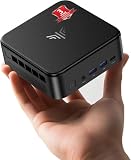
FIREBAT A6 Mini Gaming PC, Ryzen 7 7735HS, 16GB LPDDR5, 512GB SSD
Who it suits: The esports streamer — competitive titles, high frame rates, a fast chat — whose games are light enough to hide this machine’s one serious flaw.
Start with what the A6 does well for a live broadcast. Its Ryzen 7 7735HS is allowed up to 54W, the generous end of this chip’s range, and sustained watts matter more in streaming than in gaming: a chip that holds its boost clocks through a three-hour session encodes at hour three the way it did at minute three, where a throttling box degrades mid-stream. The encoder is the same VCN block in the same Radeon 680M as the picks above, the CPU offers the same eight cores for x264 veryfast, and dual M.2 slots give recordings somewhere to live. USB-C, WiFi 6, Bluetooth 5.2 and a 2.5-gigabit LAN port are present, and check price on Amazon — it sits right at this guide’s ceiling. For esports — where independent testing found this machine entirely at home — that is a coherent streaming package.
Then the flaw, which this guide will not bury: the A6’s 16GB of LPDDR5 is soldered, not upgradeable, and configured in a way that restricts the 680M’s memory bandwidth — the same independent testing measured graphics performance cut by roughly 20 to 35 percent in advanced 3D games versus a dual-channel machine. On a streaming PC that costs you twice, because the encoder’s compositor and the game’s renderer share the narrowed pipe: OBS’s rendering-lag counter is where bandwidth starvation shows up first, as dropped composite frames in busy scenes. Esports titles at modest settings stay clear of the wall, which is why this pick exists with its audience named on the label. A streamer whose game is a modern AAA title should read the penalty as a verdict and buy a dual-channel machine above instead.
- A full 54W envelope holds CPU and graphics clocks steady across long sessions — a streaming virtue.
- Dual M.2 slots give recordings somewhere to live despite the soldered memory.
- Eight cores and the standard VCN encoder, in a gaming-styled chassis — check price on Amazon.
Honest limitation: Soldered, bandwidth-restricted memory costs a measured 20–35% in demanding 3D games and squeezes OBS compositing too — and the RAM can never be changed.
Choose it if your stream is esports, indie or retro, where the penalty stays invisible. Skip it if you stream modern AAA games — the same money buys dual-channel machines that will not fight their own encoder.
GMKtec NucBox M6 Mini PC, Ryzen 5 6600H, 16GB DDR5, 512GB SSD
Who it suits: The budget builder of a two-PC setup — someone who already owns a gaming machine and needs the cheapest credible box to take the encoding off its hands.
Grade the M6 as a combo PC and it is the weakest gaming machine in this guide: its Ryzen 5 6600H has six cores and twelve threads, and its Radeon 660M graphics — six compute units at 1900MHz — are roughly half a 680M, so the games it plays while encoding are the lightest ones, at the lowest render resolutions. Grade it as an encoder box and the same spec sheet turns into a bargain. The VCN encoder in the 660M is the same generation as the 680M’s, and encoding a received feed does not care how many graphics units surround it. Six Zen 3+ cores pointed at nothing but x264 veryfast at 1080p60 is a workload this chip can carry. Dual 2.5-gigabit LAN ports — a feature the pricier picks mostly lack — make it a clean NDI receiver, and USB4 welcomes a capture card or fast external recording storage. Memory is 16GB of DDR5 in real SO-DIMM slots, dual channel, with a second SSD slot beside the 512GB drive, and Windows 11 Pro is preinstalled. Check price on Amazon for the current listing — it is positioned as the budget pick in this guide, leaving the most room in the budget for the capture card, microphone or cable this guide keeps telling you to buy.
The honest boundary is the combo role. Six cores split between a game and x264 is threadbare; if this is your only PC, VCN encoding at 720p60 in light games is its ceiling, and heavier titles force the choice every streamer hates: the game’s frames or the stream’s. As the second box in a split setup, none of that applies.
- The cheapest credible dedicated encoder here: same-generation VCN, six cores for x264, dual 2.5G LAN for NDI.
- USB4 for capture cards and fast external drives; socketed memory and a spare SSD slot for growth.
- Positioned at the budget end of this guide, leaving real room in the budget for the accessories streaming actually needs.
Honest limitation: As a one-PC combo it is the weakest here — six cores and half the graphics — so the game-versus-stream fight arrives sooner than on any 7735HS pick.
Choose it if a gaming PC already exists in your life and this box’s only job is the broadcast. Skip it if it must game and stream alone — choose a 7735HS machine instead.

Beelink SER5 MAX Mini PC, Ryzen 7 5800H, 16GB DDR4, 500GB SSD
Who it suits: The streamer whose content is their back catalogue — classics, indies, retro and emulation — and who would rather leave room in the budget for a microphone than spend on graphics they will not use.
The SER5 MAX is a generation older than the 7735HS machines, and for streaming that cuts in two directions at once. In its favour: the Ryzen 7 5800H is still a proper eight-core, sixteen-thread Zen 3 processor with a 54W ceiling, and for x264 veryfast at 720p60 — the quality route for lighter content — those threads are nearly the equal of the newer chips’. Its memory is honest too: 16GB of DDR4-3200 in two SO-DIMM slots, dual channel, expandable to 64GB, with a 500GB NVMe SSD that can grow toward 2TB. Triple display outputs, WiFi 6, Bluetooth 5.2 and Wake-on-LAN complete a spec with no streaming-relevant holes — check price on Amazon, as it is positioned at the budget end of this guide.
Against it: the encoder generation. The 5800H’s integrated Radeon graphics are the older Vega design, and the VCN encoder paired with them is a generation behind the RDNA 2 machines above — at Twitch’s bitrates, where VCN already trails NVENC, the older block gives up a little more quality in fast motion. The graphics are likewise a step behind: fine for the older library this pick is aimed at, visibly stretched by current releases. None of that matters if your stream is a decade-deep back catalogue and a good microphone — and its budget positioning leaves room for exactly that microphone, which your viewers will appreciate more than a newer encoder. Buy it for the content you actually make.
- Eight Zen 3 cores at a 54W ceiling: x264 veryfast headroom nearly matching the newer picks, at a budget-tier positioning.
- Socketed DDR4 to 64GB and triple displays — a mature, well-documented platform with no streaming holes.
- Its budget-tier positioning leaves room in the budget for the microphone and lighting your viewers will notice first.
Honest limitation: The Vega-era VCN encoder is a generation behind the 680M picks and softens a little more at low bitrates; current games are a low-render-resolution experience.
Choose it if your streamed library is older and your audio setup needs the savings more than your encoder does. Skip it if new releases headline your channel — the 7735HS machines are the current generation for a reason.

Comparison Table
| Product | Encoder and CPU | Best streaming use | Link |
|---|---|---|---|
| KAMRUI AM08PRO, 7735HS, 32GB DDR5, 512GB | VCN (680M) + 8-core x264 headroom | One-PC combo: both encoding routes, least contention | Check on Amazon |
| Beelink EQR6 Pro, 7735HS, 24GB DDR5, 1TB | VCN (680M) + 8-core x264 headroom | Dedicated encoder box: dual LAN, 1TB, quiet near a mic | Check on Amazon |
| KAMRUI Mini PC, 7735HS, 16GB LPDDR5, 512GB | VCN (680M) + 8-core x264 headroom | Settled, simple combo streaming with nothing to upgrade | Check on Amazon |
| FIREBAT A6, 7735HS, 16GB LPDDR5, 512GB | VCN (680M) + 8 cores, bandwidth-restricted RAM | Esports streams, where its memory penalty stays hidden | Check on Amazon |
| GMKtec NucBox M6, 6600H, 16GB DDR5, 512GB | VCN (660M) + 6-core x264 headroom | Budget second PC: NDI receiver and capture-card encoder | Check on Amazon |
| Beelink SER5 MAX, 5800H, 16GB DDR4, 500GB | Older-generation VCN (Vega) + 8-core x264 headroom | Back-catalogue combo streaming at a budget-tier positioning | Check on Amazon |
How to Choose a Streaming PC Under $400
- Decide the job split before the product. One PC doing everything means 720p60 combo streaming; a second PC doing only the encode means 1080p60 is back on the table. The same boxes serve both plans but rank differently in each — the encoder-box picks are marked, and buying a combo champion for a second-PC job (or the reverse) wastes the specialisation.
- Grade the encoder before the graphics. Every pick here encodes through AMD VCN; none has NVENC or AV1. Within that ceiling, the newer RDNA 2-generation VCN in the 680M and 660M machines beats the Vega-era block in the SER5 MAX, and x264 veryfast on eight cores beats both at 720p when the game leaves threads free. That ordering is the streaming hierarchy.
- Count cores as encoding budget. Eight cores and sixteen threads run a game plus veryfast; six cores run a game plus hardware encoding, or veryfast alone on a dedicated box. If your format adds a VTuber rig, heavy browser sources or a co-streamer’s feed, cores disappear faster than any other resource in this guide.
- Treat memory as shared infrastructure. The game renders from system RAM, the encoder composites from system RAM, and OBS lives in system RAM. Dual-channel socketed memory is the full-performance, upgradeable setup; soldered dual-channel is a fixed but honest one; a bandwidth-restricted soldered configuration taxes the game and the stream simultaneously — and on the soldered picks, the memory you buy is the memory you retire with.
- Wire it, and check the port before you buy. Every pick here has at least one 2.5-gigabit Ethernet port; the two encoder-box picks have two LAN ports each, which is the quiet reason they suit NDI duty. WiFi is for watching streams, not sending them — plan the cable run as part of the purchase.
- Budget storage for recordings, not just games. A streamer who records locally — for highlights, uploads and insurance against a dropped connection — consumes disk at a rate gamers do not. A second SSD slot or a 1TB standard drive is a streaming feature, not a luxury.
- Listen for the microphone’s sake. The PC sits near your mic for every broadcast hour. Quiet cooling is audio equipment. Maker noise figures are claims, not measurements — favour designs with a quiet reputation across independent reviews.
- Price-watch, then spend the savings on audio. Mini PC prices swing with coupons on the same listing, so check price on Amazon before you buy; money not overpaid here is the microphone, light or capture card your audience will actually perceive.
OBS on a $400 PC: The Settings and Counters That Matter
Hardware chosen, the stream is won or lost in OBS’s settings and its Stats window — the window new streamers never open. It keeps three counters for three separate diseases, each with a different cure. Frames missed due to rendering lag means the graphics side could not composite your scene in time: the game, overlays and preview are over-subscribing the integrated GPU and its memory bandwidth. Cure it by lowering the game’s render load, capping its frame rate or simplifying scenes — not by touching the encoder. Frames skipped due to encoding lag means the encoder itself fell behind: step x264 from veryfast toward faster, drop the output to 720p, or move the encode to the VCN hardware block. Dropped frames in the network column are neither — that is your connection, and on WiFi it is usually the WiFi. Learn those three lines and every streaming problem at this budget announces its own address.
The starter configuration for any pick here: output 1280×720 at 60 frames per second for combo streaming; the AMD hardware encoder for demanding games, or x264 at veryfast for lighter ones on the eight-core picks; bitrate around 6,000 kbps on Twitch as the standard ceiling, noting that platform norms shift and YouTube accepts considerably more; and the base canvas matched to the resolution you actually play at, letting OBS’s output scaling downscale in one clean step. Then the rule that outranks every setting here: plug in the Ethernet cable. A wired connection’s dropped-frame counter sits at zero for years; a WiFi stream drops frames in bursts whenever a neighbour’s router wakes up, and no encoder setting repairs a network problem. Buy the cable first.
One PC or Two: What a Capture Card and NDI Really Cost
Nothing in this section is inside any pick’s price, and it is separated deliberately: streaming add-ons are where tight budgets quietly grow. A basic USB capture card — the device that takes your gaming PC or console’s HDMI output and hands it to the streaming PC — is an added cost that varies with the passthrough quality you want, so check current pricing before you buy. That is the entire extra hardware cost of the two-PC route if you already own the gaming machine: an encoder-box pick from this guide, one capture card, two Ethernet cables. The alternative is NDI, which sends the video over your wired network instead — the software is free, and the one requirement is a genuinely wired, gigabit-or-better path between the machines, which is why the dual-LAN picks exist here. NDI keeps a single-desk setup tidy, at the price of a little latency and a little of the gaming PC’s CPU.
What the split buys, restated plainly: the encoder box’s whole CPU and VCN block serve one job, so 1080p60 output becomes realistic on the same silicon that combo-streams at 720p60, and a crash in your game no longer takes the stream down with it. What it does not buy is a better encoder — VCN in a dedicated box is still VCN. If your channel’s ceiling is set by encoder quality rather than resolution, the honest upgrade is not a second $400 box; it is one discrete-GPU machine, and the step-up guides at the end of this article are where that conversation starts.
Common Buying Mistakes
- Assuming every streaming guide’s advice applies to you. “Use NVENC” is correct advice for a machine with an NVIDIA card. Nothing under $400 has one; plan around VCN and x264, or change the budget, not the laws of physics.
- Setting the broadcast resolution to match the monitor. A 1440p canvas at Twitch bitrates starves every pixel and overloads the encoder. Play at the resolution you enjoy; broadcast at 720p60 — 1080p60 only when a dedicated box encodes.
- Streaming on WiFi because the router is “fast”. Speed tests measure the wrong thing; live upload needs consistency, and WiFi drops frames in bursts. Every pick here has a wired port. Use it.
- Chasing x264 presets you cannot afford. Slower than veryfast on a combo machine steals the game’s threads and drops frames in both counters at once. Veryfast is the ceiling while gaming; slower presets are a dedicated-box luxury.
- Buying the bandwidth-restricted machine for modern games. The penalty is measured, it hits the renderer and the compositor together, and it cannot be upgraded away — the memory is soldered for life.
- Forgetting the accessories in the budget. A capture card, a microphone, a second monitor for chat: none of it is in the PC’s price, and bad audio loses more viewers than 720p ever will.
- Recording nothing locally. When the connection drops — and on any connection, someday it drops — the local recording is the only copy of the stream that survives. Storage is a streaming spec.
- Buying without checking the live price in Amazon’s most coupon-driven category, then having nothing left for the cable, card and mic the setup actually needed.
Final Recommendation
- Most one-PC streamers: KAMRUI AM08PRO, Ryzen 7 7735HS, 32GB DDR5.
- Building a two-PC setup: Beelink EQR6 Pro, 24GB DDR5, 1TB SSD.
- Settled format, zero fuss: KAMRUI Mini PC, 7735HS, 16GB LPDDR5.
- Esports channels: FIREBAT A6, with its memory caveat understood.
- Cheapest credible second PC: GMKtec NucBox M6.
- Back-catalogue streamers: Beelink SER5 MAX.
Our top two under $400 are the KAMRUI AM08PRO, because a one-PC streamer needs resources more than anything and its eight cores plus 32GB of dual-channel, upgradeable memory are the largest pool of them here — both encoding routes stay open on it longest — and the Beelink EQR6 Pro, because the moment a setup splits into two machines, its dual LAN ports, terabyte of storage and quiet manners make it the encoder box the others are compared against. Between them they cover the two honest shapes of $400 streaming: everything in one box at 720p60, or the broadcast half of a two-box rig that can reach 1080p60. Streamers whose budget can grow should read Best 1440p Gaming PC For Streaming Under $500 and Best 1440p Gaming PC For Streaming Under $700, where discrete graphics — and with them, NVENC — enter the picture; readers who do not stream at all will find the same six machines graded purely as game players in Best 1440p Gaming PC Under $400. Whatever you buy: wire it with Ethernet, set the output to 720p60, record locally, and spend what you saved on the microphone.
Frequently Asked Questions
Can I really stream from a PC under $400?
Yes, with the expectations set in this guide: one-PC streaming at 720p60 using AMD’s VCN hardware encoder, or x264 veryfast on the eight-core picks for lighter games. What you cannot do at this budget is NVENC encoding, AV1 encoding, or a comfortable 1080p60 combo stream — those arrive with discrete graphics cards at higher budgets, or at 1080p60 when a second PC handles only the encode.
Why does everyone recommend NVENC, and what do I lose without it?
NVENC is dedicated NVIDIA silicon that produces the cleanest H.264 picture at the low bitrates live platforms allow, while costing the game almost nothing. Without it, you lose some sharpness in fast motion at the same bitrate — VCN’s output smears sooner in grass, rain and rapid pans — and you lose AV1 entirely. You do not lose the ability to stream well: at 720p60 with sensible bitrates, a VCN or veryfast x264 stream looks clean, and audio, consistency and content outweigh the encoder gap for almost every viewer.
I play on a 1440p monitor. Should my stream be 1440p too?
No — they are different numbers set in different menus. Your play resolution is what you see; your broadcast resolution is what OBS sends. At the roughly 6,000 kbps that Twitch’s standard ingest allows, a 720p60 broadcast looks better than a 1440p one because each pixel gets enough bits. Play on your 1440p panel with the game upscaled to fill it, broadcast at 720p60, and let a future budget — or a dedicated encoder box at 1080p60 — raise the second number.
Is x264 or hardware encoding better on these machines?
It depends on the game, which is why the best picks here offer both. x264 at veryfast on an eight-core Ryzen 7 produces the finer picture at 720p60, but spends CPU threads the game may want. VCN hardware encoding costs the game almost nothing and is the right default for demanding titles, at slightly softer quality in fast motion. The practical recipe: VCN for heavy games, x264 veryfast for light ones, and the OBS Stats counters — rendering lag versus encoding lag — to tell you which resource ran out when frames drop.
What does a second streaming PC actually get me?
One job per machine. The gaming PC plays; the streaming PC — one of this guide’s encoder-box picks, plus a capture card budgeted separately, or a free NDI feed over wired Ethernet — encodes with its whole CPU and encoder free, which makes 1080p60 output realistic on the same silicon that combo-streams at 720p60. It also isolates crashes: a game that takes its PC down no longer ends the broadcast. It does not upgrade the encoder itself; VCN remains VCN in either role.
Can these PCs stream a console instead?
Yes — that is the capture-card route with no gaming load on the box at all, the lightest duty in this guide. Any pick here can take a console’s feed through a USB capture card and encode it; the dual-LAN, quiet, storage-rich picks — the EQR6 Pro and the NucBox M6 — suit the role best. Budget the card separately, and keep everything wired.
Why is wired Ethernet such a big deal for streaming?
Because live upload punishes inconsistency, not slowness. WiFi delivers its speed in bursts and drops frames whenever interference spikes; OBS reports those as network dropped frames, and no encoder setting fixes them. A wired connection to the 2.5-gigabit port every pick here includes is the cheapest quality upgrade in streaming — often the only one a struggling stream actually needed.

