Where to buy
Check the latest price, availability and delivery on Amazon. Orders are placed on Amazon. We may earn a commission from qualifying purchases.
- Best one-box game streamer: abytespark Gaming PC, GTX 1660 Super — a complete tower whose Turing NVENC encoder carries the broadcast while the card plays the game — Check on Amazon
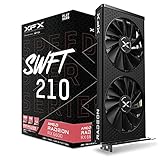
- XFX Speedster SWFT 210 Radeon RX 6600 — the anchor card of the all-new DIY build, the strongest game performance here with a discrete encoder of its own — Check on Amazon
- MINISFORUM UM870 Slim Barebone — the only AV1-encode silicon in this guide, priced honestly with the RAM, SSD and OS it still needs — Check on Amazon
- Beelink SER5 MAX Mini PC, Ryzen 7 7735HS — the dedicated stream-box pick, complete at the budget line with nothing else competing for its encoder — Check on Amazon
See 2 more Amazon options
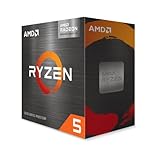
- AMD Ryzen 5 5600G — the staged APU build: streams modestly on integrated graphics today, gains a real encoder the day a card drops into its slot — Check on Amazon
- STGAubron Gaming PC, Ryzen 5 5500 and RX 580 — the oldest encoder in the guide on an upgradeable platform, a buy only on a price dip — Check on Amazon
Read the full guide ↓
Disclosure: As an Amazon Associate, reviewstook.com earns from qualifying purchases. Links to Amazon on this page are affiliate links; they cost you nothing extra. Listing details such as price and availability change often, so check the current Amazon listing before you buy.
A streaming PC has two jobs, and only one of them is playing the game. The second job is encoding: taking every frame the game renders and compressing it into the stream your viewers watch, in real time, for hours. That work is done by a dedicated block of silicon — the encoder — and whether your machine has a good one matters more to your broadcast than any other single specification in this guide. So let us define the job before pricing the machines. The working standard today is Twitch at roughly 6,000 kbps with constant bitrate (CBR) at 1080p60, in H.264. YouTube accepts higher bitrates, carries 1440p streams, and takes AV1 live; Twitch’s AV1 path runs through its Enhanced Broadcasting programme rather than as a universal default. Streaming in 4K is limited by the platforms, not by your hardware budget — it is not a reason to spend here. Every pick below is graded against that workflow, encoder first.
Then there is the budget, which needs the same honesty our base build guide gives it. Memory and storage prices have roughly doubled in a shortage, and the classic all-new parts build — Ryzen 5 5500, B550 board, 16GB of DDR4, 500GB NVMe, Radeon RX 6600 — honestly totals well over this budget before an operating system; check the live price of each part on Amazon before you commit. No verified all-new discrete-GPU parts list fits $500 this year, and this guide will not fake one. What $500 does buy is six complete paths, each accounted for whole with RAM, storage and OS included in the reckoning — and, judged as streamers, they split sharply. Exactly one pick carries the encoder streamers have trusted for years, NVIDIA’s NVENC, in its Turing form. Exactly one carries AV1 encode, and it is a barebone that only makes sense with salvaged parts. The rest encode on AMD hardware of four different generations, with quality at Twitch bitrates that ranges from workable to visibly soft. If you came here to play and broadcast from one machine this month, the first pick is your answer; if you came here to build toward streaming, the staged and second-box routes below are accounted for just as honestly.
In this guide
Quick Picks
Short on time, or comparing several options at once? Each row below names a streamer type and the path that suits it, with a link to the listing. Prices change often, so check the current price on Amazon; each path is accounted for in full in the reviews.
| Streamer type | Pick | Why it stands out | Link |
|---|---|---|---|
| Best one-box game streamer | abytespark Gaming PC, GTX 1660 Super | Turing NVENC encodes the broadcast on its own silicon while the card renders the game — complete, under the budget line — check price on Amazon | Check on Amazon |
| Best game performance with an encoder | Ryzen 5 5500 + RX 6600 parts build (XFX SWFT 210) | The strongest gaming machine here; its RDNA2 encoder works, but the honest total sits well above this budget | Check on Amazon |
| Only AV1 encode in the guide | MINISFORUM UM870 Slim completion | The 780M’s RDNA3 encoder is the set’s newest — but completed from zero it lands well above this budget; with salvaged parts it is just the barebone to pay for | Check on Amazon |
| Best dedicated stream box | Beelink SER5 MAX Mini PC | Complete at the budget line — check price on Amazon; as a second machine its encoder has no game competing with it | Check on Amazon |
| Best staged route to streaming | Ryzen 5 5600G APU build | Streams lightly on Vega 7 today, at a total just over the budget line; the waiting slot is where the real encoder arrives later | Check on Amazon |
| Best platform, weakest encoder | STGAubron Gaming PC, RX 580 | Polaris encoding is the softest here at Twitch bitrates — a buy only at $500 or under on a dip | Check on Amazon |
How These Picks Were Chosen
This guide grades encoder first, because that is the order a stream fails in. A machine can render a beautiful game and still broadcast a smeared, blocky picture if the silicon compressing the frames is weak — and at Twitch’s roughly 6,000 kbps ceiling, encoder quality is the difference between a stream that looks like your game and one that looks like a rumour of it. So each pick below is introduced by its encoder: which block of silicon does the compressing, which codecs it can encode, and what else is competing for that same silicon while you play. Game performance still matters — it is graded second, honestly, at the 1080p level every path here shares — and the build totals are held to the same standard as our base guide: every path is itemized whole, with RAM, storage and operating system accounted for, and no barebone headline is ever presented as the price of a computer.
The encoder map of this set deserves its own paragraph, because it overturns the ranking a gaming guide would produce. The GTX 1660 Super in the abytespark tower carries Turing NVENC — a dedicated encode block, separate from the rendering cores, and the generation of NVENC that made one-box streaming normal. It encodes H.264 and HEVC; it has no AV1 encode, because AV1 encoding exists only on RTX 40-series cards and newer, and no card anywhere near this budget carries one. The RX 6600 build and the Beelink’s 680M encode on AMD’s RDNA2 VCN hardware: competent, a step softer than NVENC at Twitch bitrates, and likewise H.264/HEVC only — RDNA2 has no AV1 encode either. The 5600G’s Vega 7 uses an older AMD encoder generation still, and shares it with the graphics rendering your game. The STGAubron’s RX 580 is Polaris: the oldest encoder here, visibly the softest at 6,000 kbps, on a legacy driver cadence. And the UM870 Slim’s Radeon 780M is RDNA3 — the one encoder in this guide that can encode AV1, which matters for YouTube today and for Twitch’s Enhanced Broadcasting path. One rule follows from the map and is enforced throughout: no pick is credited with an encoder its silicon does not have, and AV1 is claimed for exactly one pick of the six.
The second grading axis is simultaneous load, because streaming is never the only thing running. The game renders, the encoder compresses, OBS composites your scenes, a browser holds chat and alerts, and a voice app carries your call — all at once, for hours. Picks are graded on how much headroom survives that pile-up: whether the encoder sits on its own silicon or shares the graphics that render the game, whether the CPU has cores to spare, and whether memory is plentiful or borrowed by the graphics. The third axis is the one this batch never drops: the honest total. Two of these paths exceed $500 once fully costed — the all-new build by a wide margin and the APU build by a smaller one — and that overage is stated plainly because a streamer budgeting real money deserves the honest picture: check price on Amazon for the current totals.
The 6 Best Gaming PC Builds for Streaming Under $500
1. The One-Box Answer — abytespark Gaming PC, GTX 1660 Super
Who it suits: Streamers who want to play and broadcast from a single machine, starting this month, at the strongest value in this guide.
Every streaming guide in this batch hunts for the same arrangement — a dedicated hardware encoder that compresses the broadcast without touching the cores that render the game — and at $500 this complete tower is the only place it genuinely lives. The GTX 1660 Super’s Turing NVENC block is the reason. NVENC is fixed-function silicon: OBS hands it the frames, it produces the H.264 stream, and the cost to your game is close to nothing, because the rendering cores were never asked to do the compressing. That is what makes one-box streaming work on a machine whose processor is a quad-core i7-7700 from 2017. The discipline follows directly, and it is stated here as a rule rather than a tip: the broadcast runs on NVENC, always. Encoding on the CPU (x264) would throw the second job onto the four cores the game is already using, and on this platform that trade ends in dropped frames on one side or the other. Let the dedicated block do the job it exists for.
Judged purely as a game machine, the tower is the strongest complete system in this guide: a discrete 6GB card that handles the shared 1080p brief — esports at high frame rates, older AAA at medium-to-high settings, newer titles reduced — in a complete system with 16GB of RAM, a 1TB NVMe drive and Windows included; check price on Amazon. Judged as a streamer, two limits belong in print. The 7700’s four cores are the simultaneous-load ceiling: the game, OBS’s scene compositing, a browser full of chat and alerts, and a voice app all fit, but they fit without much spare, so keep background software lean and let NVENC carry the encode. And there is no AV1 encode here — Turing predates it — so YouTube streams ride H.264 like everyone else at this budget; the picture at 6,000 kbps on Twitch, which is where most small streamers actually live, is exactly what this encoder is good at. The platform caveats from the base guide stand unchanged: the i7-7700 is a dead end with no CPU upgrade path, the power supply wattage is unpublished, the brand is a small one, and this listing family’s configuration has drifted before — confirm the exact CPU, storage and price on the live listing before ordering.
- Turing NVENC: the only dedicated, render-independent encoder among the complete systems here — the one-box streaming arrangement itself.
- Complete with Windows, 16GB of RAM and 1TB of storage — check price on Amazon; it undercuts the parts cost of building its equivalent.
- The strongest discrete-GPU game performance actually available under $500 today, streamed or not.
Honest limitation: The 2017 quad-core leaves thin simultaneous-load headroom, the platform has no upgrade path, and there is no AV1 encode — the encoder is excellent at today’s Twitch standard and silent about tomorrow’s.
Choose it if you want to play and stream from one machine now, for the least money. Skip it if you plan to upgrade the platform over time — the staged build further down is the one with a future.
2. The Strongest Game, the Working Encoder — All-New DIY Build, Ryzen 5 5500 and Radeon RX 6600
Who it suits: Builders who want the best gaming machine in this guide with an encoder that does its job — and who can face its real November 2026 total.
The parts list is the familiar one, each line’s current price a listing to check on Amazon rather than a number to inherit: a Ryzen 5 5500, an ASRock B550M-HDV, a 16GB DDR4-3200 kit — memory is the line the current shortage has hit hardest — a Kingston NV3 500GB drive, the XFX Speedster SWFT 210 RX 6600, a Montech XR-class case and a Thermaltake Smart 500W. The sum lands well above this guide’s budget, with Windows still to add or to run unactivated. That total is this pick’s honest limitation and it is stated before its virtues, the same as in the base guide: the memory and storage lines alone have climbed sharply against two years ago, and no part-swapping cleverness removes them.
As a streaming machine, the build’s story is a strong game carried by a competent encoder. The RX 6600 renders the best 1080p gaming in this guide, and its RDNA2 VCN block encodes H.264 and HEVC without borrowing the CPU — OBS on the AMD encoder leaves the 5500’s six cores to the game and its supporting cast, a comfortable simultaneous-load picture. The honest grading is about quality at the bitrate that matters: at Twitch’s roughly 6,000 kbps, AMD’s encoder output runs visibly softer than NVENC’s in fast motion — grass, rain and confetti effects smear sooner — and that gap, not the codec list, is what a viewer notices. There is no AV1 encode on RDNA2, and none is claimed. If the game looking its best is your priority and the stream is its companion, this is the strongest path here. If the broadcast looking its best is the priority, the cheaper tower above out-encodes it — the difference belongs to the encoder silicon, not to effort.
- The best 1080p gaming in the guide, with a discrete encoder that leaves all six CPU cores to the game and its supporting software.
- Every part new, warrantied and individually replaceable — the only fully DIY route here, at a fully itemized total well above the budget line.
- B550 platform keeps real CPU and GPU upgrade paths open for the stream’s second year.
Honest limitation: Costed honestly before an operating system, this build misses the budget by a wide margin, and its encoder, while fully workable, produces a softer picture than NVENC at Twitch bitrates.
Choose it if gaming performance leads and streaming follows, and the budget can stretch. Skip it if $500 is a hard ceiling or the broadcast is the main event — the tower above does the streaming job better for less.
3. The AV1 Outlier — MINISFORUM UM870 Slim Barebone Completion
Who it suits: Builders who already own a DDR5 SO-DIMM kit and an M.2 drive — the only buyers whose arithmetic makes this the most modern encoder in the guide affordable.
Start with the silicon, because it is genuinely remarkable in this company. The UM870 Slim’s Ryzen 7 8745H carries Radeon 780M graphics, and the 780M’s encoder is RDNA3-generation — the only encoder among these six paths that can encode AV1. For a streamer publishing to YouTube, which takes AV1 live today, or aiming at Twitch’s Enhanced Broadcasting path, that is a real capability no other pick here offers: better picture per bit, on the codec the platforms are moving toward. The eight-core processor is also the strongest CPU in this guide, so OBS, chat software and a browser sit comfortably beside a game. On encoder specifications alone, this box would top the ranking.
Then the completion maths arrives, unchanged from the base guide, and it decides the ranking instead. The barebone is the entry ticket — check price on Amazon — and the listing itself states it ships without RAM, SSD or OS. A single 16GB DDR5 SO-DIMM is, in the current shortage, an expensive part at retail, and a 500GB NVMe drive adds another meaningful line on top. Completed from zero, the total lands well above this budget, no operating system yet, for integrated graphics. A documented pattern in this category shows sibling barebones completing for notably more than the same machine bought complete, so this is a category pattern, not one bad listing. There is a second streaming-specific cost: the 780M renders the game and encodes the stream on the same integrated graphics, borrowing the same system memory for both — simultaneous load on an iGPU is a negotiation, and demanding games will make the stream and the frame rate bid against each other in a way the NVENC tower above never experiences. The honest use case remains the salvage one: with DDR5 memory and an SSD already in a drawer, the completion cost collapses to the barebone alone, and the result is a compact, quiet machine with the most modern encoder in this guide. That buyer should buy it. Every other buyer is paying a premium to reach AV1 early, inside the most expensive route in the guide.
- RDNA3 encoder with AV1 encode — unique in this guide — plus the strongest CPU here for the stream’s supporting cast.
- The honest completion maths: the barebone plus a 16GB DDR5 SO-DIMM and a 500GB NVMe bought new lands well above this budget, OS still excluded — check price on Amazon for each line.
- For owners of salvaged DDR5 and an SSD, the same box completes for the barebone’s price alone — the cheapest modern-encoder path anywhere in the guide.
Honest limitation: Bought from zero, this is the worst-value path in the guide — a completed total well above the budget before an OS, for integrated graphics that must render and encode simultaneously — and complete mini PCs below deliver a finished machine at the budget line.
Choose it if the RAM and SSD are already yours and AV1 on YouTube is a genuine goal. Skip it if you would be buying the memory new — in this market that single stick costs nearly as much as the computer it completes.

4. The Second-Box Specialist — Beelink SER5 MAX Mini PC
Who it suits: Streamers whose games live on a console or a main PC — buyers who need a machine whose only job is the broadcast.
Reframe this pick and it jumps the ranking in spirit, if not in number. As a one-box game streamer it is middling, for the structural reason this guide keeps stating: the Radeon 680M would have to render the game and encode the stream on the same integrated graphics, from the same soldered memory pool. But streaming has a second classic arrangement — two machines, one that plays and one that broadcasts — and as the broadcast half of that arrangement, the SER5 MAX is the most sensible purchase in this guide. Its RDNA2 encoder compresses H.264 and HEVC with nothing competing for it: no game on its own silicon, no rendering load, just OBS, your scenes, your alerts and the encode. Fed by a capture card from a console or a gaming PC, it produces a calm, stable Twitch-standard stream, and its eight-core processor handles the supporting cast without effort. It is sold complete — check price on Amazon — with 24GB of memory, a 500GB PCIe 4.0 NVMe drive and Windows installed, in a box that sits silently beside a TV.
The gradings that keep it at fourth are about the one-box job it is not being hired for, and about permanence. Its encoder is the same RDNA2 generation as the big build’s: no AV1 encode, and output a step softer than NVENC at 6,000 kbps when the source is busy — though a dedicated box encoding a captured feed wears that gap better than a machine also rendering the game. The 24GB of memory is soldered and will never grow; there is no graphics slot and never will be, so the machine you buy is the machine you keep. For the console streamer or the two-PC household, none of that is a flaw — a stream box is an appliance, and this is a good one at exactly the budget line. For the solo PC gamer hoping one purchase does everything, the tower at the top of this guide remains the honest recommendation, and this pick is the answer to a different question.
- A dedicated encoder with no game competing for it — the two-machine arrangement’s broadcast half, complete at the budget line — check price on Amazon.
- 24GB of memory and an eight-core CPU give OBS and its supporting software room the one-box integrated picks cannot.
- Small, quiet and low-power — a stream box that lives beside a console without announcing itself.
Honest limitation: As a one-box game streamer it shares its integrated graphics between game and encode, its RDNA2 encoder has no AV1, and soldered memory plus no expansion slot fix its ceiling at purchase forever.
Choose it if your games are on a console or another PC and this machine’s job is the broadcast alone. Skip it if you need one box to play and stream — that job belongs to the first pick.

5. The Staged Route — Ryzen 5 5600G APU Build, Card Later
Who it suits: Patient builders who want to start streaming modestly now and own a genuinely good streaming machine after one future purchase.
The APU build’s streaming story is a story in two acts, and this review grades both honestly. Act one is today: the Ryzen 5 5600G’s Vega 7 integrated graphics render your game and its older-generation AMD encoder compresses the stream, with both jobs drawing on the same system memory the game is borrowing for its frame buffer. That is the tightest simultaneous-load picture in this guide. Light, undemanding titles — the esports and indie catalogue this chip plays at 1080p reduced settings — can be streamed at the Twitch standard with the encoder carrying the load and settings kept humble; demanding games will force a choice between the frame rate and the broadcast, and the honest advice is to stream the games this act of the build can actually hold. The basket around the chip repeats the shared lines — an ASRock B550M-HDV, 16GB of DDR4-3200 with dual-channel memory mattering twice over because the graphics borrow its bandwidth, a Kingston NV3 500GB, a Montech XR-class case and a Thermaltake Smart 500W — with the 5600G itself the basket’s biggest single line; check price on Amazon for each part. The total lands just over the budget line, and it is stated as such.
Act two is why the pick exists. The tower has an empty PCIe slot — connected at PCIe 3.0 speed, a small tax on future mid-range cards that belongs in the plan — and a power supply with headroom. The day a discrete card drops into that slot, this machine’s streaming story is rewritten by the card’s encoder, not the APU’s: an NVIDIA card brings NVENC and takes the encode off the integrated graphics entirely, and the 5600G retires to being a capable six-core gaming CPU with its graphics as a spare output. No other path in this guide has that second act; the towers are finished, the minis are sealed, and the big build already spent its money. Judged as a finished $500 streamer, this build is the weakest tower here. Judged as the first instalment of the best streaming machine this budget can grow into, it has no rival in the guide.
- A real tower with a waiting slot: the only path whose encoder story transforms with a single future part.
- The basket, line by line: the 5600G, the board, 16GB of DDR4, a 500GB NVMe, the case and the PSU — every line a current listing to check on Amazon.
- Streams lighter titles today at the Twitch standard, with the discipline of letting the hardware encoder — never the CPU — carry it.
Honest limitation: The all-in total lands over budget, and until the card arrives, game and encode share the weakest graphics in the guide — demanding titles cannot be played and streamed well at once.
Choose it if you are building toward streaming over the coming year and can fund a card within it. Skip it if you need the broadcast to be good this month — the complete tower at the top already is.
6. The Platform Worth Keeping, the Encoder Worth Replacing — STGAubron Gaming PC, Ryzen 5 5500 and RX 580
Who it suits: Hunters willing to watch a price for a few weeks, who value the upgradeable AM4 foundation and accept the oldest encoder in the guide as a temporary tenant.
Streaming grades this tower on the component its gaming reviews forgive. The RX 580 is a 2017 Polaris card, and its encoder is the oldest silicon in this guide: at Twitch’s roughly 6,000 kbps its output is visibly the softest here, with fast motion dissolving sooner than on any other pick, and AMD’s legacy driver cadence for the RX 500 series — stability updates rather than day-one game work — means the card’s best days are behind it in every sense. It encodes H.264, it works, and a stream from it is watchable; it is simply the broadcast this guide would choose last, and the ranking says so. The Ryzen 5 5500 behind it carries no integrated graphics, so there is no second encoder of any kind in the machine — no fallback, no spare. What streams here streams on Polaris, or not at all.
The case for the pick is the same foundation argument the base guide makes, extended one step into the future. The 5500’s AM4 socket accepts years of faster CPUs, the memory and storage are standard parts, and the RX 580 is a card a streaming owner can plan to replace — at which point the replacement’s encoder, like the APU build’s future card, rewrites this machine’s broadcast completely. The price rule is the hardest in the guide and unchanged: this listing’s price swings widely, and its everyday level sits well above this budget. At $500 or below, on a genuine dip — check price on Amazon — this is a platform purchase with a working stream today. Above $500 it is a skip, full stop — the abytespark tower is a better streamer and a better gaming machine at its own price. The power supply wattage is unpublished, which matters on the day a hungrier, better-encoding card replaces the 580, so read the delivered unit’s label before planning that swap. Set the alert, wait for the dip, and treat the encoder as the first upgrade.
- The forum-formula build, pre-assembled: a live AM4 platform whose CPU, memory and storage all accept upgrades, with Windows and peripherals included.
- Its price swings are wide and well documented, so waiting for a dip under the budget line is a strategy with evidence behind it, not a hope.
- The card is replaceable, and replacing it replaces the encoder: the broadcast’s ceiling is a purchase, not a life sentence.
Honest limitation: The Polaris encoder is the softest at Twitch bitrates and its drivers are legacy; at its everyday price the machine also fails this guide’s budget outright.
Choose it if you catch the dip at $500 or under and plan to replace the card as the stream grows. Skip it if you are buying this week at the showing price, or if the broadcast must look its best from day one.

Comparison Table
| Path | Price | Encoder | OS included | Link |
|---|---|---|---|---|
| abytespark tower (GTX 1660 Super) | Under the budget line — check price on Amazon | Turing NVENC — dedicated block, H.264/HEVC, no AV1 | Yes | Check on Amazon |
| All-new DIY build (Ryzen 5 5500 + RX 6600) | Well above budget — check price on Amazon | RDNA2 VCN — H.264/HEVC, softer at Twitch bitrates, no AV1 | No | Check on Amazon |
| Barebone completion (UM870 Slim) | Well above budget from zero; barebone only with salvaged RAM/SSD — check price on Amazon | RDNA3 — the set’s only AV1 encode, shared with the game | No | Check on Amazon |
| Beelink SER5 MAX mini PC | At the budget line — check price on Amazon | RDNA2 VCN — H.264/HEVC, no AV1; unshared in second-box duty | Yes | Check on Amazon |
| APU build (Ryzen 5 5600G) | Just over budget — check price on Amazon | Vega-generation AMD encoder — shared with the game, until a card arrives | No | Check on Amazon |
| STGAubron tower (RX 580) | Buy only on a dip under the budget line — check price on Amazon | Polaris — oldest here, softest at Twitch bitrates, legacy drivers | Yes | Check on Amazon |
Setting Up OBS on Any of These Machines
Whichever path you buy, the broadcast is configured the same way, and the settings matter as much as the silicon. Work through this section once, before your first public stream, on whichever pick is yours. First, the encoder choice, which OBS will not make correctly for you by default: open the output settings, switch to advanced mode, and select the hardware encoder that matches your pick — NVENC on the abytespark tower, the AMD hardware encoder on the RX 6600 build, the UM870 Slim, the Beelink and the STGAubron, and the AMD encoder on the 5600G build with the understanding that it shares silicon with your game. Never leave the encoder on x264 software encoding on any machine in this guide: every CPU here is needed by the game and its supporting cast, and the hardware block exists precisely so the processor never has to compress video. Set the rate control to CBR — constant bitrate — at roughly 6,000 kbps for Twitch, with a keyframe interval of 2 seconds, which the platforms require and which costs nothing to obey. For YouTube, the same machines can push a higher bitrate and a 1440p canvas; the UM870 Slim’s owner can additionally select AV1 there, the one pick that owns the option.
Second, learn the three counters OBS shows you, because every stream problem you will ever have announces itself in one of them, and each has a different fix. Frames lost to rendering lag mean the graphics are saturated — the game and OBS’s scene compositing are fighting over the same GPU; the fix is to cap the game’s frame rate, lower its settings a notch, and simplify heavy scenes, and on the integrated-graphics picks this counter is the one to watch first, because render and encode share one chip. Frames lost to encoding lag mean the encoder itself cannot keep up — lower the output resolution or frame rate (a 720p60 stream encoded well beats a 1080p60 stream encoded badly), step the encoder’s quality preset down one level, and confirm you are actually on the hardware encoder and not on x264 by accident. Frames lost to network lag are neither: your connection is dropping what the machine encoded perfectly well, and no setting inside the PC fixes it. That leads to the rule this guide applies to all six picks without exception: stream over a wired Ethernet connection. Every path here can be cabled to the router, and a cable removes the single most common cause of a ruined broadcast — a Wi-Fi wobble in hour two that no encoder, at any price, can encode its way around.
Third, rehearse before it counts. Record locally with the exact settings you intend to stream — the encoder does the same work for a recording as for a broadcast — and watch the file for softness in fast motion and for the three counters’ behaviour across a full session, not a five-minute test. Run the rehearsal for an hour, with your real scenes, browser sources and voice app open, because simultaneous load is a condition that only appears at full length. The streamers whose first month goes well are not the ones with the best encoder; they are the ones who met their machine’s limits in private.
What Else a Stream Needs — and What It Costs You in Attention, Not in a Pick’s Price
A PC, however well it encodes, is not a stream. The remaining kit matters, and this guide lists it in the order it deserves your money — deliberately without prices, because none of it belongs inside any pick’s total above, and because a microphone’s price is a listing to check, not a number to inherit from an article. First, the microphone, and it is not close: viewers forgive a soft picture for hours and a bad microphone for about ninety seconds. Your voice is the stream’s constant; give it a real microphone on a stand that keeps it near your mouth, and treat everything else on this list as secondary until that is done. Second, lighting: a single light aimed at your face does more for a webcam picture than any camera upgrade, because small sensors fail in the dark long before they fail in resolution. Third, the webcam itself, which only needs to be competent once the light is right — most streamers’ camera problems are lighting problems wearing a camera’s name.
Fourth, and only for a specific reader: the capture card. If your games live on a console, a capture card is the bridge that feeds them to the stream box — it is the component that makes the Beelink’s second-box role, or any pick’s console role, possible at all. If your games live on the same PC that streams them, you need no capture card, and buying one is a common beginner expense that solves a problem you do not have. Notice what is not on this list: nothing here is a second graphics card, a faster processor or a more expensive pick from the table above. The machines are graded; the kit is sequenced; and the total cost of streaming well at this level is the pick you chose, wired to the router, plus a microphone you did not cheap out on.
How to Choose Your Streaming Path
- Decide the arrangement before the machine: one box or two. One box asks the encoder to share a home with the game, and only the NVENC tower here does that without negotiation. Two boxes — a console or gaming PC playing, a quiet machine broadcasting — let a modest encoder work unshared, which is the Beelink’s whole case. The arrangement is the decision; the pick follows from it.
- Grade the encoder, not the graphics card’s badge. The strongest gaming card in this guide does not produce the best stream, and the weakest card sits on the most replaceable platform. Ask of every machine: which silicon compresses my broadcast, what else is it doing at the same time, and which codecs can it actually encode? The comparison table answers all three for these six.
- Match the codec ambition to the platform you will really use. Twitch’s working standard is H.264 at roughly 6,000 kbps, and every pick here speaks it. AV1 encode exists in exactly one pick, matters today mainly on YouTube, and arrives attached to the most expensive route in the guide — buy it for a YouTube-first channel or a salvage drawer, not for a codec logo.
- Count simultaneous load, not just specifications. The game, the encoder, OBS’s scenes, a browser and a voice app run together for hours. Dedicated encode silicon, spare CPU cores and memory that is not borrowed by the graphics are streaming specifications, even though no listing headlines them.
- Hold every total to the whole-machine standard. A barebone’s headline is a down payment; a build’s total excludes its OS until you add it. The streaming hobby has enough surprise expenses — keep the PC’s cost the itemized one described in the reviews, checked live on Amazon.
- Wire the machine to the router. Whichever pick you choose, budget the cable run as part of the build. Network-lag frame loss is the most common stream failure and the only one no component upgrade can fix.
- Sequence the kit after the machine. Microphone first, lighting second, webcam third, capture card only if a console is involved — and none of it inside the PC’s price, where it would corrupt the comparison this guide just made for you.
- Buy the encoder you will replace last. Platforms differ in what can change. The APU build and the STGAubron let a future card replace the encoder entirely; the sealed minis and the dead-end tower keep theirs forever. If the stream is a multi-year project, that permanence is a specification too.
Common Buying Mistakes
- Choosing the best gaming machine and assuming it is the best streaming machine. In this guide those are different picks, separated by one block of encoder silicon.
- Leaving OBS on x264 software encoding. On every CPU in this guide, that hands the broadcast to the cores the game is using — the hardware encoder exists to be selected.
- Crediting a card with AV1 encode because it is recent or expensive. AV1 encoding lives on RTX 40-series cards and newer, and on the RDNA3 integrated graphics of exactly one pick here — nowhere else in this guide, whatever a listing implies.
- Counting a barebone’s headline price as a streaming PC. Add a memory stick and a drive at their current prices before comparing it with complete machines.
- Streaming over Wi-Fi because the desk is far from the router. Move the desk, run the cable, or accept the dropped frames as a design decision you made.
- Buying a capture card for a one-box PC stream. It captures external sources; a PC streaming its own games has no external source to capture.
- Spending the kit money on a camera before a microphone. The audience hears you constantly and sees you in a corner of the screen; fund them in that order.
- Paying the STGAubron’s everyday price. Its streaming case exists only when a dip brings it under the budget line; at its everyday price, the top pick out-streams and out-games it for less.
- Chasing a 1440p or 4K stream at this budget. The platforms cap what viewers receive, the encoders here are graded at the 1080p60 Twitch standard, and Best Gaming PC Build For 1440p Gaming Under $500 covers what that resolution actually costs — while Best Gaming PC Build Under $700 is where the all-new build becomes a real parts list again.
Final Recommendation
- One-box streamers, starting now: abytespark Gaming PC with GTX 1660 Super — the only dedicated-encoder complete system under the line — check price on Amazon.
- Game-first builders with a stretch budget: the all-new RX 6600 build — the strongest gaming machine here, honestly well above this budget, with a workable encoder.
- Salvage builders chasing AV1: the MINISFORUM UM870 Slim completion with parts in hand — the set’s only AV1 encode, at its only sane cost.
- Console and two-box streamers: Beelink SER5 MAX — a dedicated broadcast machine, complete at the budget line.
- Patient builders: the Ryzen 5 5600G APU build — modest streaming today at a total just over the budget line, transformed by one future card.
- Dip hunters on a platform: the STGAubron RX 580 tower, bought only at $500 or under, with the card — and its encoder — first in the upgrade queue.
Our top two at this budget are the abytespark tower, because Turing NVENC on its own silicon is the arrangement one-box streaming is built on and this one arrives complete for less than any parts list in the guide, and the 5600G APU build, because it is the one route whose broadcast gets dramatically better with a single planned purchase rather than a replacement machine. Between them they cover the two honest shapes of starting a stream at $500 in 2026: buy the finished encoder today, or build the platform the encoder will move into. Readers whose games live on console should weigh the second-box route in Best Streaming PC Under $500, beginners will find the staged approach expanded in Best Gaming PC Build For Beginners Under $500, small-desk streamers should see Best Gaming PC Build For Small Spaces Under $500, and anyone comparing the complete-system side of this budget belongs in Best Gaming PC For Streaming Under $500. Choose the encoder first, wire the machine to the router, rehearse in private — and check the live listings before you order, because at these prices the homework is half the hobby.
Frequently Asked Questions
Can one PC under $500 really play and stream at the same time?
Yes — one of these can, and the reason is a block of silicon rather than raw power. The abytespark tower’s GTX 1660 Super carries Turing NVENC, a dedicated encoder that compresses the broadcast without spending the cores or the graphics that render the game. The arrangement works at the Twitch standard of roughly 6,000 kbps CBR at 1080p60. The other paths either share their encoder with the game on integrated graphics, or encode on AMD hardware a step softer at that bitrate — they stream, but with negotiations the NVENC machine never has to make.
Do I need AV1 encoding to start streaming?
No. Twitch’s working standard is H.264, YouTube accepts H.264 happily alongside its AV1 and higher-bitrate options, and every pick in this guide encodes H.264. AV1 encode is a genuine advantage where a platform takes it — better picture per bit — but in this guide it exists only in the UM870 Slim’s RDNA3 graphics, attached to the most expensive completion route. It is a reason to choose that pick with salvaged parts in hand, not a requirement for a first stream.
Why does the strongest gaming build here not make the best stream?
Because rendering and encoding are different jobs done by different silicon. The RX 6600 build renders the best game in the guide, but its RDNA2 encoder produces a visibly softer picture than NVENC at Twitch’s roughly 6,000 kbps ceiling in fast motion. The tower above it renders a step less game and encodes a step better — and since your audience sees the encoded picture, not your monitor, the encoder’s grading is the one that reaches them.
Should I use x264 and let the CPU encode instead?
Not on any machine in this guide. Software encoding spends the same processor cores the game, OBS’s compositing, your browser and your voice app are already sharing, and on the quad-core tower it is a direct trade against frame rates on one side or the other. Every pick here has a hardware encoder; select it in OBS, set CBR with a 2-second keyframe interval, and keep x264 as the fallback you never plan to use.
Is a second PC or a console setup better at this budget?
For many beginners, yes — it is the arrangement the Beelink pick exists for. A console or an existing gaming PC plays the game; a quiet, complete machine at the budget line with an unshared encoder runs OBS and the broadcast, joined by a capture card. Neither machine negotiates with itself, and the stream box’s modest encoder stops mattering because nothing else is asking it for anything. The one-box route wins on simplicity and total cost; the two-box route wins on headroom per dollar already owned.
What about Windows — is it included in these totals?
Stated per pick, as in the base guide. The three complete systems — the abytespark tower, the Beelink and the STGAubron — are sold with Windows included. The DIY, APU and barebone paths do not: they run Windows unactivated at no cost, with personalization limits, or a free Linux installation, or add a licence on top of the totals described. OBS runs on all of those, so the streaming plan survives any of the choices — but a build quote that hides the OS is understating itself, and this guide does not hide it.
- Best Gaming PC Build Under $400
- Best Gaming PC Build Under $700
- Best Gaming PC Build Under $1200
- Best Gaming PC Build For Beginners Under $500
- Best Streaming PC Under $500
- Best Budget Gaming PC Under $500
- Best Barebones Mini PC Under $500
- Best Mini Gaming PC Under $500
- Best 1080p Gaming PC Under $500


