
Where to buy
Check the latest price, availability and delivery on Amazon. Orders are placed on Amazon. We may earn a commission from qualifying purchases.
- Best overall route to a 1440p desk: Beelink SER5 MAX Mini PC, Ryzen 7 5800H, 16GB RAM, 500GB SSD — Check on Amazon
- GMKtec M5 Plus Gaming Mini PC, Ryzen 7 5825U, 32GB RAM, 1TB SSD — Check on Amazon
- KAMRUI E3B Mini Gaming PC, Ryzen 5 7430U, 32GB RAM, 512GB SSD — Check on Amazon
- Dell RGB Gaming Tower, Core i7 6th Gen, GTX 1050 Ti, 16GB RAM (Renewed) — Check on Amazon
See 2 more Amazon options
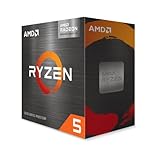
- AMD Ryzen 5 5600G Desktop Processor with Radeon Graphics — the from-parts build — Check on Amazon
- MINISFORUM UM870 Slim Barebone Mini PC, Ryzen 7 8745H, No RAM/SSD/OS — the salvage build — Check on Amazon
Read the full guide ↓
Disclosure: As an Amazon Associate, reviewstook.com earns from qualifying purchases. Links to Amazon on this page are affiliate links; they cost you nothing extra. Listing details such as price and availability change often, so check the current Amazon listing before you buy.
Before a single pick, this guide owes you a distinction that decides whether a 1440p purchase makes you happy or quietly cheated: the resolution a game is rendered at and the resolution your monitor displays are two different numbers, and at $400 they almost never match. A 1440p panel shows 2560 × 1440 — about 3.7 million pixels. Rendering a game natively at that resolution means the graphics hardware computes every one of those pixels, roughly 78% more work per frame than 1080p’s 2.1 million. No route in this guide — not one — renders modern games natively at 1440p. What every route here can do is run a sharp, genuinely 1440p desktop: text, browsing, video and the Windows interface itself at the panel’s full native resolution, with games rendered at 1080p or below and scaled up to fill the screen. That is not a consolation prize. It is how most 1440p gaming at this end of the market honestly works, and a guide that lets you believe otherwise is selling you a monitor advertisement, not a PC.
Why is a build guide at $400 talking about 1440p at all? Because the panel is the part of a setup people keep longest, and because the build side of this budget has its own hard truth, carried over from our base research: a from-parts build with a discrete graphics card does not fit this budget on Amazon — memory and storage inflation saw to that — so the six routes below are the same six honest shapes this budget takes everywhere. Three are complete Ryzen APU mini PCs with Windows fitted — check price on Amazon for each. One is an Amazon Renewed tower holding the guide’s only discrete graphics card. One is the true parts build, printed with its full worksheet — honestly over budget when priced with all-new parts, labelled as such wherever it appears. And one is a barebone kit that completes under $400 only when its memory and SSD come off your shelf. What changes in this guide is the grading: each route is judged on how it drives a 1440p display — the outputs it documents, the memory its integrated graphics have to borrow, and whether its rendering story at 1440p is native, upscaled, or a future upgrade away. Every total is the cost to a finished, working PC. That rule does not bend for the angle.
In this guide
Quick Picks
Short on time, or comparing several routes at once? Each row below names a buyer type and the route that suits it, with a link to the listing.
| Buyer type | Pick | Why it stands out | Link |
|---|---|---|---|
| Best overall route | Beelink SER5 MAX Mini PC, Ryzen 7 5800H | Strongest complete renderer here and triple-display output — check price on Amazon | Check on Amazon |
| Best shared-memory headroom | GMKtec M5 Plus, Ryzen 7 5825U, 32GB / 1TB | 32GB feeding the integrated graphics under a 1440p desktop — check price on Amazon | Check on Amazon |
| Best for the lowest complete cost | KAMRUI E3B, Ryzen 5 7430U, 32GB / 512GB | Check price on Amazon — its budget-tier positioning leaves real room in the budget for the 1440p panel itself | Check on Amazon |
| Best for a real graphics card | Dell RGB Gaming Tower (Renewed), GTX 1050 Ti | The only discrete GPU in the guide — buy only when the live price is at or under $400 | Check on Amazon |
| Best true DIY build | Ryzen 5 5600G from-parts build | The only route whose 1440p story can change class later — honestly presented as over budget when totaled all-new — check price on Amazon | Check on Amazon |
| Best if you already own parts | MINISFORUM UM870 Slim Barebone | Strongest integrated graphics here once completed — check price on Amazon for the kit, memory and SSD not included | Check on Amazon |
How These Picks Were Chosen
The six routes in this guide are inherited from the base guide’s verified research — the same listings and the same deal rules — and nothing new has been added to the record. What this variant adds is a grading lens, and the lens has three parts. First, display outputs as documented: a route earns 1440p credit for the ports its listing actually specifies — HDMI, DisplayPort, USB-C or USB4 with display output — because a 1440p desktop starts with a cable that can carry it, and outputs a base listing does not document are not claimed here. Second, memory, because integrated graphics have no memory of their own: an APU’s frame buffer and textures are carved out of system RAM, so a 32GB dual-channel fit is graded as a genuine 1440p asset and a 16GB fit as a tighter one, in a way that would matter far less behind a discrete card. Third, the rendering verdict itself, stated per route without decoration: native 1440p, 1080p-rendered-and-upscaled, or not yet.
The budget discipline is unchanged from the base guide, because it is the part readers most need protected. Every route is totaled to a working PC — anchor product plus memory, storage and operating system wherever those are missing — and that completeness is assessed in the review whether it flatters the route or not. A barebone’s sticker price is never treated as a PC price anywhere in these pages. Two picks carry explicit buy-only rules because their live prices can drift across the $400 budget line in both directions. Performance language stays settings- and class-based throughout: no frame-rate figures, no benchmark scores, because the documentation behind these picks supports classes of play, not invented numbers.
One technology note belongs here, because 1440p guides usually get it wrong at this budget. There is no NVIDIA RTX graphics hardware anywhere in this set — the single discrete card is a GTX 1050 Ti, a Pascal-generation part from before RTX existed — so DLSS is not available on any pick in this guide, and no DLSS internal-resolution figure appears anywhere below. The upscaling these Radeon and GeForce GTX routes actually use is in-game render scaling and AMD’s FSR on the Radeon picks, referred to generically in this guide because the base research documents no FSR figures for this hardware — and generic is where it stays, rather than borrowing numbers from a different GPU class. If a rival page quotes you DLSS resolutions for a machine like these, it is describing hardware the machine does not have.
Rendered at 1440p, Displayed at 1440p
Hold the two numbers apart and everything else in this guide falls into place. Display resolution is what the panel physically shows: a 1440p monitor has 2560 × 1440 pixels, about 3.7 million of them, and everything on it — desktop, text, video, the game’s interface — is ultimately presented on that grid. Render resolution is what the graphics hardware actually computes before the image is scaled to fit. When the two match, the image is native and maximally sharp. When the render is lower, the picture is reconstructed upward, and the honest questions are only how much softer it gets and what you bought with the savings.
The arithmetic explains why $400 cannot close the gap. Stepping from 1080p to 1440p multiplies the pixels per frame by about 1.78 — call it 78% more rendering work for the same scene at the same settings. Integrated graphics that are already working at their limit to hold 1080p on low-to-medium settings do not have 78% in reserve, and a 2016-era discrete card does not either. So the working method for every pick below is the same, and it is a good method rather than a sheepish one: set the display output to the panel’s native 2560 × 1440 and never touch it again, then scale the render, not the display. Windows, text and video stay perfectly native and sharp; the game renders at 1080p — or at an in-between render scale the game itself offers — and is upscaled to fill the panel. Lowering the monitor’s output resolution instead would blur everything, desktop included, which is the one arrangement this guide tells you never to use.
Two scaling facts are worth knowing precisely. Dropping a render to 720p under a 1440p output is an exact 2×2 integer scale — each rendered pixel becomes a clean block of four — which is why very demanding titles dropped that far look soft but not smeared. A 1080p render under a 1440p output is a non-integer scale of about 1.33× per axis, which costs a little softness in fine detail; in-game render scaling and FSR exist largely to make that step smarter, sharpening edges as they upscale, and either is preferable to the monitor’s own dumb scaling. What none of it does is create detail that was never rendered. Upscaling at this level buys smoothness and frame rate; it does not buy native sharpness, and any pick below that seems to promise otherwise in its marketing should be read again with that sentence in mind.
There is one route by which these machines genuinely present games rendered elsewhere at full 1440p, and it deserves its honest sentence: cloud gaming services render the game on a server and stream the picture, so the local hardware’s job shrinks to decoding a video feed — work every pick here handles easily at 1440p. The catches are equally real: it depends on the service, the subscription and your connection, and it carries input lag that local rendering does not. Treat it as a bonus capability of a 1440p desk built on this hardware, never as the reason to buy the hardware.
The 6 Best Gaming PC Builds for a 1440p Desk Under $400
Beelink SER5 MAX Mini PC — Ryzen 7 5800H, 16GB RAM, 500GB SSD
Who it suits: The buyer building a 1440p desk on the tightest honest budget — someone who wants the strongest complete renderer in this guide, a native 1440p desktop today, and games upscaled to the panel without apology.
Start with why this complete mini PC leads a 1440p guide it was never marketed for. Its Ryzen 7 5800H is an eight-core processor with Radeon integrated graphics in the Vega 8 class, allowed a 54W power budget that lets the graphics sustain more than most laptop-derived APUs manage, and — the detail that matters most for this angle — it documents triple-display output over HDMI, DisplayPort and Type-C. A 1440p monitor connects over DisplayPort, runs at its native resolution for everything on the desktop, and the machine behind it costs less than most of the panels it will drive: Check price on Amazon for current pricing, with 16GB of DDR4, a 500GB SSD and Windows 11 Pro already fitted. No parts list a reader can assemble on Amazon today reaches a finished machine at a comparable budget-tier cost, which is why this box is the benchmark the rest of the guide is measured against.
Its 1440p gaming verdict, stated plainly: the desktop, video and interface are native 1440p; games are not. Esports titles and older games render at 1080p on low-to-medium settings and are upscaled to the panel — a workload this graphics class handles as its home territory — while only the lightest titles should be tried at native 1440p rendering, where the 78% pixel tax arrives immediately. The honest constraint inside the box is memory: the graphics borrow from the same 16GB the game is using, so the shared pool is the tightest of the three complete minis here. The saving grace is that this is the rare sealed box whose constraint has a documented answer — the memory is socketed and upgradeable to 64GB, and the SSD can grow to 2TB — so the two upgrades a 1440p desk eventually asks for are both open. The graphics themselves are not: there is no PCIe slot, no card in this machine’s future, and its rendering ceiling is the one it ships with.
Total cost to a working PC: the machine itself — check price on Amazon — with memory, storage and Windows already fitted — nothing further to buy. The 1440p monitor is on you, as it is for every route in this guide.
- Documented triple-display output (HDMI, DisplayPort, Type-C) — a 1440p panel connects properly, over DP.
- The 5800H’s eight cores at a 54W budget make it the strongest processor in any complete box here under $400.
- Socketed memory to 64GB and storage to 2TB keep the two upgrades it will actually need within reach.
Honest limitation: Games render at 1080p and upscale — native 1440p gaming is beyond its graphics — and the shared 16GB memory pool is the tightest here until you upgrade it.
Choose it if you want the most 1440p desk per dollar today and accept upscaled gaming as the deal. Skip it if a future graphics card is the whole point — that is the 5600G route below.

GMKtec M5 Plus Gaming Mini PC — Ryzen 7 5825U, 32GB RAM, 1TB SSD
Who it suits: The 1440p buyer who multitasks around their games — big library installed at once, browser and chat living on the same screen — and wants the integrated graphics fed from the deepest memory pool this budget offers.
The M5 Plus runs the same class of silicon as the Beelink — an eight-core Ryzen 7 5825U with Vega 8-class Radeon graphics — but wraps it in the specification that matters most once a 1440p panel is involved: 32GB of DDR4 memory and a full 1TB NVMe SSD. Integrated graphics own no memory; every frame buffer and texture under that 3.7-million-pixel desktop comes out of system RAM, and at 1440p the desktop itself, the game and everything running beside it are all drawing on the same pool. Doubling that pool from 16GB to 32GB is therefore not a luxury line in this guide — it is the single specification that most improves how an APU machine feels at 1440p, and GMKtec fits it as a proper dual-channel arrangement, which is also the configuration APU graphics bandwidth depends on. The storage story matches: a dual-slot design with headroom to 4TB total, memory expandable to 64GB, dual 2.5GbE networking, WiFi 6E and Windows 11 Pro. Check price on Amazon for current pricing.
The rendering verdict is the same shape as the Beelink’s, reached more comfortably. Native 1440p covers the desktop, text and video without effort; games render at 1080p and upscale, with the lightest titles only as native-1440p candidates. Where this box pulls ahead is everything around the render: the game that alt-tabs to a 1440p browser window, the library that stays installed because 1TB allows it, the streaming or capture utility that would strangle a 16GB machine’s shared pool. What it does not change is the ceiling — the 5825U’s graphics are the graphics forever, a Vega-class limit that no memory fit repeals. Buy this as the most finished version of the upscaled-1440p arrangement, not as a machine on its way somewhere else.
Total cost to a working PC: the machine itself — check price on Amazon. Nothing further to buy.
- 32GB dual-channel memory fitted — the deepest pool feeding integrated graphics in this guide.
- 1TB storage in a dual-slot design, with headroom to 4TB and memory to 64GB.
- Dual 2.5GbE wired networking plus WiFi 6E — no pick here is better connected.
Honest limitation: Its graphics ceiling is the same upscaled one every mini PC here lives under, and as a top-of-tier option it can consume the whole budget — the case for it rests on checking the live price on Amazon.
Choose it if you want the 1440p APU arrangement with its memory constraint already solved. Skip it if it is sitting at list while the Beelink is discounted — patience is worth more than the difference.

KAMRUI E3B Mini Gaming PC — Ryzen 5 7430U, 32GB RAM, 512GB SSD
Who it suits: The display-first buyer — someone whose plan is to spend the real money on the 27-inch 1440p panel and the least possible on the box behind it, without dropping to a machine that embarrasses the screen.
Read this pick backwards, the way its buyers will actually use it: the panel is the purchase, and the E3B is what makes the panel affordable. Check price on Amazon for a genuinely complete machine — a six-core, twelve-thread Ryzen 5 7430U, Radeon RX Vega 7 integrated graphics, 32GB of DDR4 fitted as a proper two-stick dual-channel kit, a 512GB M.2 SSD, WiFi 6, Bluetooth 5.2, triple-display output and Windows. It even arrives with a VESA plate in the box, so the entire PC can mount on the back of the 1440p monitor it serves and the desk stays empty. In a guide about builds, the E3B’s argument is that the money it leaves unspent is not a compromise at all — it is the difference between a 24-inch 1080p panel and the 1440p panel this search is actually about.
The trade, unhidden: Vega 7 is the weakest graphics in this guide, a step below the Vega 8-class silicon in the two picks above it, and its 1440p story is the most display-sided here. The desktop at native 2560 × 1440 is effortless — desktop rendering is cheap, and 32GB of memory keeps it that way with a game installed beside your work — but games belong at 1080p on low settings, upscaled, and demanding titles will ask for a lower render sooner than on any other pick. Native 1440p rendering is not a realistic setting on this machine for anything beyond the lightest indie fare, and this review will not pretend the panel changes that. The six-core CPU is also a step down, though rarely the limiting part at this graphics level. Expansion stays honest — memory to 64GB, storage to 2TB — so the box can grow around the panel even though its graphics cannot.
Total cost to a working PC: the machine itself — check price on Amazon — with nothing further to buy. Should the live price have drifted upward, the Beelink above becomes the better buy; compare the two on Amazon before ordering.
- Lowest complete cost in the guide — the saving funds the 1440p panel itself.
- A proper 32GB two-stick fit from the factory — exactly the configuration APU graphics reward.
- A VESA plate is in the box, so the PC can live on the monitor’s back and free the desk entirely.
Honest limitation: Vega 7 graphics are the weakest in this guide — its 1440p strength is the desktop, not the render — and the six-core CPU gives back a step to the eight-core picks.
Choose it if the panel is the priority and your games are esports, indie and older titles. Skip it if integrated graphics strength is your priority — the barebone route owns that claim, provided its missing parts are already yours.
Dell RGB Gaming Tower (Renewed) — Core i7 6th Gen, GTX 1050 Ti, 16GB RAM, 512GB SSD
Who it suits: Buyers who want a discrete graphics card driving their 1440p panel — its own memory, its own outputs — and are willing to buy renewed and watch the price to get one at this budget.
This is the only route in the guide whose graphics do not borrow from system memory. The GeForce GTX 1050 Ti carries 4GB of its own VRAM, and that changes the texture side of the 1440p question in a way worth understanding: when a game renders at 1080p and upscales to the panel, its textures still load at the intent of the displayed image, and a card with dedicated memory handles that without raiding the pool the game itself is running in. As delivered, though, be precise about what the card is: a 1080p card. It plays older and esports titles at 1080p on low-to-medium settings with the steadiness discrete cards bring, and under a 1440p panel those games render at 1080p and upscale like everyone else’s. Native 1440p rendering is beyond it in anything modern. Its one genuine 1440p story is in its future: the card sits in a real PCIe slot in a real tower, so a later low-profile, slot-powered card swap is the only upgrade in this guide that changes a pick’s rendering class without changing the machine — subject to the honest limits below. The rest of the machine is a refurbished business-tower recipe: a 6th-generation Core i7, 16GB of DDR4, a 512GB SSD, built-in WiFi and Windows 11 Pro, sold as Amazon Renewed in Refurbished – Excellent condition by STG USA with a 90-day refund or replacement window.
The price discipline is the review. The live price for this exact listing is why the rule exists: it can drift above this guide’s budget line. So the qualification is mechanical: on days the live price is at or under the $400 budget, this pick belongs here; on days it is not, wait, or take the Beelink instead. The platform honesty matters as much as the price: a 6th-generation Intel platform is a dead end for CPU upgrades, and the case and power supply are refurbished-tower parts whose headroom for a hungrier graphics card is limited and unpublished — the future card this route promises is a modest, slot-powered one, verified against the delivered unit, not any card you fancy. Renewed also means a previous life; the 90-day window is the protection, and stress-testing the machine inside it is part of the purchase.
Total cost to a working PC: the tower itself — check price on Amazon. Buy only when the live price is at or under the $400 budget; Windows is already fitted, so nothing else is required.
- The only discrete graphics card in the guide — a GTX 1050 Ti with its own 4GB of memory.
- A real tower: the card sits in a slot, so a modest future card swap can change its rendering class.
- Windows 11 Pro is installed, and Amazon Renewed’s 90-day refund-or-replacement window stands behind the machine.
Honest limitation: As delivered it is a 1080p card under a 1440p panel, its CPU platform has no upgrade path, its power supply limits future cards, and its live price can drift above this budget.
Choose it if a discrete GPU now — and a slot for a better one later — matters more than a platform future, and the live price is at or under $400. Skip it if the price has drifted up, or if renewed condition itself puts you off — the complete mini PCs above are new machines.

The From-Parts Build — AMD Ryzen 5 5600G on AM4
Who it suits: Builders whose 1440p plan is a destination, not a day-one claim — anyone willing to run an upscaled 1440p desk now in exchange for the only chassis in this guide that can grow into a native-1440p machine later.
Every other pick in this guide has its rendering ceiling cast on the day it is bought. This one does not, and that is its entire argument at this angle. The anchor is the Ryzen 5 5600G: a six-core, twelve-thread APU with Radeon Vega 7 integrated graphics and a cooler in the box, set into a B550 motherboard with display outputs, dual-channel DDR4, an NVMe drive, a mesh case and — the deliberate extravagance — a reputable 650W power supply, oversized for a machine that draws a fraction of it today because it is bought for the graphics card the empty PCIe slot is waiting for. On day one the verdict matches the KAMRUI above it: a native 1440p desktop, games rendered at 1080p and upscaled, esports and older titles as the home territory. The difference is what happens in year two, when a discrete card drops into the slot and the same tower, same panel, same desk becomes a machine that renders at 1440p natively. No mini PC in this guide can make that trip at any price. Now the worksheet, with pricing to check on Amazon for each part:
| Part | Choice | Pricing |
|---|---|---|
| Processor | Ryzen 5 5600G (cooler included) | Check price on Amazon |
| Motherboard | B550 micro-ATX (Gigabyte B550M K and MSI B550M PRO-VDH WiFi among the documented options) | Check price on Amazon |
| Memory | 16GB (2×8GB) DDR4-3200 kit, Silicon Power | Check price on Amazon |
| Storage | Kingston NV3 500GB NVMe | Check price on Amazon |
| Case | Rosewill RWGC1 mid tower, four fans included | Check price on Amazon |
| Power supply | MSI MAG A650BN 650W | Check price on Amazon |
| Total, before operating system | Over the $400 budget with all-new parts — check price on Amazon |
Read that total the way this guide promised: the build does not fit the $400 budget when priced with all-new parts on Amazon, and it is not close — the memory and storage lines alone carry a substantial share of that total, reflecting the tighter markets recent build guides have had to work in, and independent builders pricing complete new-parts lists from Amazon have likewise concluded that a complete new-parts gaming PC is difficult to fit at this tier. So this pick carries two honest labels. Bought in a single cart today, call it an over-budget build: over this guide’s budget, without qualification. Bought the way budget builds actually happen — parts staged across months, memory when the market cools, pieces from the shelf — it is the only route here whose 1440p story improves instead of expiring, and the only one that teaches the builder anything. The total leaves Windows out deliberately: this guide uses no license price it has not verified, Linux costs nothing, and anyone bringing an existing license should check its transfer terms instead of assuming them.
- The only standard tower: an empty PCIe slot and a 650W supply waiting to make it a native-1440p machine.
- Nothing proprietary anywhere: every part is standard, socketed and individually replaceable.
- The APU runs the 1440p desk and upscaled games from day one, so the build is usable between stages.
Honest limitation: Priced with all-new parts on Amazon, the parts total sits well over budget before an operating system — and today it renders games no better than the cheapest complete box here.
Choose it if you are building toward native 1440p over time and can stage the purchases. Skip it if the finished PC has to land at $400 this month; the complete boxes above exist for exactly that reader.
MINISFORUM UM870 Slim Barebone — Ryzen 7 8745H, No RAM, No SSD, No OS
Who it suits: Builders with a parts shelf — anyone holding DDR5 SO-DIMMs and an M.2 drive from a retired or upgraded laptop — who want the strongest rendering integrated graphics can offer at this budget, driving their 1440p panel.
The silicon is the best in this guide, and at this angle the gap matters more than usual. The Ryzen 7 8745H’s Radeon 780M integrated graphics sit a clear class above the Vega parts in every other pick: still integrated, still fundamentally a 1080p-rendering part, but the strongest version of it — the pick that holds an upscaled 1440p picture together most convincingly, keeps the most settings alive while doing it, and comes closest to native 1440p in the lightest titles. The chassis around it is slim and modern: two DDR5 SO-DIMM slots, M.2 2280 PCIe 4.0 storage, HDMI, DisplayPort and USB4 outputs, and 2.5GbE networking — the output set a 1440p desk wants, including a USB4 port that carries display to a compatible monitor over a single cable. Check price on Amazon for the barebone listing. What the kit price buys is precisely what the listing’s own title admits: a chassis and a processor, with RAM, SSD and operating system all absent. Priced rather than waved at, completing it with new parts — a 16GB DDR5 SO-DIMM kit and a 500GB NVMe drive, each to check on Amazon — totals well over budget before an operating system. That is not a $400 build, and this review does not call it one.
Exactly one buyer makes this route real: the one who completes it from parts already in hand. The classic donors are DDR5 SO-DIMMs and a 2280 drive lifted from a laptop that died or was upgraded, and for that builder the entire out-of-pocket cost is the kit itself — check price on Amazon — for the strongest integrated graphics in this guide, in a chassis whose memory and storage can still grow later. Two checks come before the order, though: donor RAM has to be DDR5 SO-DIMM rather than the DDR4 most older laptops carry, and a Windows license bound to a donor laptop generally will not transfer, leaving Linux at no cost or a fresh license priced on its own. Anyone who would be buying the memory and drive new should take the SER5 MAX or the M5 Plus and keep the difference — the completion worksheet is the entire argument.
Total cost to a working PC: the kit — check price on Amazon. Completed with new memory and storage: well over budget before an OS. Completed from salvaged DDR5 and an SSD already on your shelf: the kit price is the whole total. The kit price alone is never a PC price.
- The Radeon 780M is the strongest integrated graphics here — a clear class above the Vega parts.
- Eight-core 8745H, HDMI/DisplayPort/USB4 outputs and dual DDR5 slots in a slim chassis.
- For a builder holding donor parts, no route here returns more performance per dollar actually spent.
Honest limitation: As sold it is not yet a PC: memory, storage and an operating system are all missing, and buying them new takes the real total well over budget.
Choose it if compatible DDR5 and an NVMe drive are already on your shelf. Skip it if they are not on your shelf; the complete boxes above deliver more finished PC for less money.

Comparison Table
| Route | Type | Its 1440p story | Honest total cost | Link |
|---|---|---|---|---|
| Beelink SER5 MAX, 5800H | Complete mini PC | Native 1440p desktop; games rendered at 1080p and upscaled | Check price on Amazon, complete | Check on Amazon |
| GMKtec M5 Plus, 5825U, 32GB / 1TB | Complete mini PC | Same upscaled route, with the deepest shared-memory pool behind it | Check price on Amazon, complete | Check on Amazon |
| KAMRUI E3B, 7430U, 32GB | Complete mini PC | Display-side pick: native desktop, lightest render, saving funds the panel | Check price on Amazon, complete | Check on Amazon |
| Dell Gaming Tower, GTX 1050 Ti | Renewed tower | 1080p card today; a modest slot-powered swap is its future 1440p story | Check price on Amazon when in budget; buy only at or under the $400 budget | Check on Amazon |
| Ryzen 5 5600G from-parts build | DIY tower build | Upscaled today; the only route that can become a native-1440p machine | Over budget all-new, before OS — check price on Amazon | Check on Amazon |
| MINISFORUM UM870 Slim | Barebone kit | Strongest integrated rendering here, once completed | Kit: check price on Amazon; well over budget completed with new parts | Check on Amazon |
How to Choose a Gaming PC Build for a 1440p Desk Under $400
- Total the finished PC, never the anchor product. One rule disciplines this whole guide: before comparing any two routes, add memory, storage and the operating system — at live prices — to whichever lacks them. Counted that way, a barebone kit becomes a complete PC only once those parts are added, while a complete box needs nothing further.
- Set the display native and scale the render. Output 2560 × 1440 from the PC, always. Lower the game’s render resolution or render scale — never the monitor’s output — so the desktop, text and video stay perfectly sharp while games take the softness.
- Count memory as a graphics specification. Integrated GPUs borrow system RAM, and at 1440p the borrow is bigger. A 32GB dual-channel fit is a real upgrade over 16GB for these machines; a single-stick fit is the one saving that taxes the exact performance the build exists for.
- Check the outputs before the panel arrives. A 1440p monitor wants DisplayPort or a documented HDMI/USB-C output that carries it. Every pick here documents its outputs in its listing — read them, and prefer DisplayPort where both exist.
- Ignore DLSS claims at this budget entirely. No pick here has RTX hardware, so no pick here has DLSS, whatever a listing’s keyword stuffing implies. The upscaling on offer is render scaling and FSR — useful, honest, and a different thing.
- Decide whether your 1440p story needs a future. If upscaled gaming is the destination, the complete boxes win and it is not close. If native 1440p is the destination, only the tower routes can grow toward it — the 5600G build by design, the renewed Dell within its power supply’s modest limits.
- Give every drifting pick a walk-away price — and keep it. The renewed Dell earns a buy at or under the $400 budget and a pass above it, and the mini PCs cycle through deal prices weekly — at this budget, timing alone can be the biggest single saving this guide can offer.
- Price the operating system honestly. Windows 11 Pro comes fitted on the complete boxes and the renewed tower; the DIY build and the barebone ship without it. This guide invents no license price to fill that gap — Linux is free, an existing license transfers only if its terms allow, and a new one is a genuine line item to price before ordering parts.
Pairing the Monitor: What a 1440p Panel Asks of These Machines
The panel this search points at is a specific and sensible object: a 27-inch 1440p monitor. At 27 inches, 2560 × 1440 lands at the pixel density where text turns crisp without any display scaling, the screen is big enough for the resolution to feel like space rather than mere sharpness, and it is the size the panel market prices most kindly. Smaller 1440p panels exist and are sharper still per inch, but they waste the resolution’s working-room advantage; larger ones spread the same pixels thinner. If this guide’s whole budget logic has a physical form, it is that monitor, bought once and kept through two or three PCs — which is precisely why the picks are graded on feeding it honestly rather than on pretending to be more than they are.
Refresh rate is where honesty matters most, because panels advertise it and this hardware cannot always spend it. A 144Hz-class 1440p monitor is a reasonable, forward-looking purchase beside any pick here: the desktop itself is visibly smoother at high refresh, esports titles — the games these machines genuinely run well — can use a good share of it, and the panel will still be right when a future graphics card arrives. What this hardware will not do is feed high refresh rates in demanding games, and a premium 240Hz panel bought for these picks is money spent on headroom nothing here can reach; the same dollars belong in the panel’s size and quality, or kept toward the 5600G build’s second stage. Buy the refresh rate for the desk’s future, priced as a future — not as a feature of today’s machine.
Connection and setup are short but unforgiving. Use DisplayPort where the pick offers it — the Beelink documents it, the UM870 documents it alongside USB4 — and set two things on day one: the PC’s output resolution to the panel’s native 2560 × 1440, and the refresh rate to the panel’s real rated rate in the display settings, since systems routinely default to 60Hz and leave the rest of the panel you paid for switched off. Then set each game’s render resolution or render scale to the level its pick’s review describes, and leave the output alone forever after.
And one refusal, stated flatly: do not buy a 4K monitor for this GPU class. Native 4K is 8.3 million pixels — four times the 1080p workload these machines are built around, and more than double the 1440p step they already cannot render natively. A 4K panel on this hardware means every game upscales from further away, the desktop asks more of the same integrated graphics, and the one genuinely sharp thing in the setup — the native desktop — gets bought at a price the picks pay daily. If 4K is where your desk is going, it goes there behind a discrete graphics card from a higher tier, as in Best Gaming PC Build For 1440p Gaming Under $700 — not behind anything in this guide.
Common Buying Mistakes
- Believing a $400 machine renders games natively at 1440p. None here does — the honest arrangement is a native 1440p desktop with games rendered lower and upscaled, and a listing implying otherwise is marketing, not specification.
- Lowering the monitor’s output resolution to help games along. That blurs the desktop, text and video too. Scale the render inside the game; keep the output at 2560 × 1440.
- Mistaking a barebone kit’s price for a PC’s price. The UM870 Slim barebone kit still needs memory, storage and an operating system before it computes anything; with new parts it is a well-over-budget route.
- Trusting a DLSS claim on this hardware. The only discrete card here is a GTX 1050 Ti, which predates RTX entirely — there is no DLSS on any pick in this guide, and no internal-resolution figure that applies to them.
- Saving money with a single memory stick in an APU build. Integrated graphics live on system-memory bandwidth, so single-channel memory taxes precisely the performance the build was assembled for.
- Following the renewed Dell above its walk-away price. Its live price can drift above the $400 budget; when it does, the bargain has evaporated and the new mini PCs are the better buy.
- Buying a 240Hz or 4K panel for this GPU class. The refresh headroom goes unused in demanding games and the 4K pixel count quadruples a workload these machines already upscale at 1440p — buy the 27-inch 1440p panel and keep the change.
- Leaving the operating system out of the total, or assuming a laptop’s Windows license moves to a new build with you. Read the license terms first, and budget Linux or a license as its own line.
Final Recommendation
- Most buyers: Beelink SER5 MAX — the complete benchmark for an upscaled-1440p desk — check price on Amazon.
- Heaviest multitasking at 1440p: GMKtec M5 Plus, with 32GB and 1TB already fitted.
- Panel-first budgets: KAMRUI E3B — a finished PC at a budget-tier position — check price on Amazon — leaving real money for the monitor.
- A discrete card today: the renewed Dell tower — only ever at $400 or under.
- Builders playing the long game to native 1440p: the Ryzen 5 5600G from-parts build, staged.
- Builders with donor parts: MINISFORUM UM870 Slim barebone — the strongest integrated rendering here.
Our top two routes are the Beelink SER5 MAX, because it delivers a complete, licensed PC with documented triple-display output for less than the core parts of any build a reader can assemble today, and the GMKtec M5 Plus, because its 32GB of memory is the specification that most improves an integrated-graphics machine living under a 3.7-million-pixel desktop. Between them they cover the two honest shapes of this search: the cheapest finished route to a 1440p desk, and the most finished one. Readers whose destination is a tower should read the 5600G worksheet twice — once for its total, and once for the empty slot that makes it the only pick whose 1440p verdict can change — and readers weighing the prebuilt side of the same question should compare Best Gaming PC For 1440p Gaming Under $400 before deciding. Total every route to a working PC, set your walk-away prices before you shop, and check the live listing before you order.
Frequently Asked Questions
Can any PC under $400 actually game at 1440p?
At native 1440p rendering in modern games, no — and this guide is built around saying so. What $400 buys is a native 1440p desktop with games rendered at 1080p or below and upscaled to the panel, which is a genuinely good arrangement for esports, indie and older titles, plus cloud gaming as a service-dependent bonus. Native 1440p rendering starts at higher tiers; see Best Gaming PC Build For 1440p Gaming Under $500 for how the picture changes one step up.
Is an upscaled 1080p picture on a 1440p monitor worse than a 1080p monitor?
Slightly softer in games, better everywhere else. A 1080p render scaled to 1440p is a non-integer scale, so fine detail softens a little compared with a native 1080p panel — in-game render scaling and FSR narrow most of that gap. Meanwhile the desktop, text and video are dramatically sharper than any 1080p panel, and the monitor stays right for the stronger PC that eventually replaces this one. For a panel you will keep for years, the trade favors 1440p.
Do these PCs support DLSS?
No. DLSS requires NVIDIA RTX hardware, and there is none in this set — the only discrete card is a GTX 1050 Ti, a Pascal-generation GTX part with no RTX features, and the other five routes run AMD integrated graphics. The upscaling available here is in-game render scaling and AMD’s FSR on the Radeon picks. Any listing or rival guide attaching DLSS figures to machines like these is describing hardware they do not contain.
Why does memory matter so much for a 1440p picture on these machines?
Because integrated graphics keep their frame buffer and textures in system RAM. At 1440p the displayed image is bigger, the desktop compositor holds more, and the game and its graphics are drawing from the same pool — so 32GB in dual channel is a genuine picture-quality-and-smoothness specification on an APU machine, not a luxury. It is why the two 32GB complete boxes grade above their graphics class alone would suggest, and why the DIY worksheet is written as a two-stick kit.
Which pick is closest to native 1440p gaming?
The completed UM870 Slim, on the strength of its Radeon 780M — the strongest integrated graphics here — and only in the lightest titles, with everything demanding still rendered lower. The route with the real native-1440p future is the 5600G tower, whose empty PCIe slot and 650W power supply are bought precisely for the card that changes its class. Neither changes today’s verdict: under $400, native 1440p gaming is a plan, not a purchase.
Should I buy the 1440p monitor now, or wait until I have a stronger PC?
Now, if the desk is being built anyway. The panel is the longest-lived part of the setup, the native desktop alone justifies it from day one, and every pick here drives it properly for everything except native-rendered games. The exception is a buyer whose next step is a 4K build — that panel decision belongs with the higher-tier machine, not this one. First-time builders may also want Best Gaming PC Build For Beginners Under $400 for the same routes graded on simplicity instead.

