
Where to buy
Check the latest price, availability and delivery on Amazon. Orders are placed on Amazon. We may earn a commission from qualifying purchases.
- Best overall build route: Beelink SER5 MAX Mini PC, Ryzen 7 5800H, 16GB RAM, 500GB SSD — Check on Amazon
- GMKtec M5 Plus Gaming Mini PC, Ryzen 7 5825U, 32GB RAM, 1TB SSD — Check on Amazon
- KAMRUI E3B Mini Gaming PC, Ryzen 5 7430U, 32GB RAM, 512GB SSD — Check on Amazon
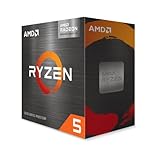
- Dell RGB Gaming Tower, Core i7 6th Gen, GTX 1050 Ti, 16GB RAM (Renewed) — Check on Amazon
See 2 more Amazon options
- AMD Ryzen 5 5600G Desktop Processor with Radeon Graphics — the from-parts build — Check on Amazon
- MINISFORUM UM870 Slim Barebone Mini PC, Ryzen 7 8745H, No RAM/SSD/OS — the salvage build — Check on Amazon
Read the full guide ↓
Disclosure: As an Amazon Associate, reviewstook.com earns from qualifying purchases. Links to Amazon on this page are affiliate links; they cost you nothing extra. Listing details such as price and availability change often, so check the current Amazon listing before you buy.
A “gaming PC build under $400” used to be a parts list. In the current market, honesty requires this guide to start with what the parts market actually looks like, because the arithmetic has changed. Memory and storage prices have spiked hard: a basic 16GB DDR4 desktop kit that build guides once treated as one of the cheapest lines in a build now costs several times what it did in calmer markets, and a 500GB NVMe drive has gone from a minor line to a major one. The cheapest APU worth building around, AMD’s Ryzen 5 5600G, is a substantial purchase by itself. Add those three lines together and you are already past $400 before a motherboard, case, power supply or operating system enters the cart. Independent builders pricing complete new-parts lists from Amazon have reached the same conclusion from the other direction: even a lowest-cost complete list with a discrete graphics card totals far beyond this budget at live Amazon prices, with memory named as most of the reason. So this guide will not insult you with a fake $400 parts list. A discrete-GPU gaming PC built entirely from new parts does not exist at $400 right now, and any page that shows you one is pricing parts from a market that no longer exists.
What does exist at $400 is a set of real routes, and they are the six picks below. Three are complete Ryzen APU mini PCs — machines with the CPU, memory, storage and Windows already fitted, priced inside this budget — which function as the build you do not have to build, and which every parts list at this budget now has to beat and cannot. One is an Amazon Renewed tower with a genuine discrete graphics card, the only route here that starts with a GPU in a slot. One is the true from-parts build, anchored on the Ryzen 5 5600G, printed with its full worksheet: at current Amazon prices it totals well over budget, and this guide says so in the review itself rather than hiding it — it earns its place because it is the only route that ends in a standard tower with a graphics card in its future, and because staged buying is how real $400 builds have always happened. And one is a barebone kit that only completes under $400 if the memory and SSD come off your shelf or out of a donor laptop. Every pick is judged on its full cost to a working machine, including whatever it does not come with. That is the rule of this guide: the budget is applied to the finished PC, never to the most flattering line in the cart.
In this guide
Quick Picks
Short on time, or comparing several routes at once? Each row below names a builder type and the route that suits it, with a link to the listing.
| Buyer type | Pick | Why it stands out | Link |
|---|---|---|---|
| Best overall route | Beelink SER5 MAX Mini PC, Ryzen 7 5800H | Complete, Windows included, comfortably inside the budget — the benchmark every build must beat | Check on Amazon |
| Best for maximum RAM and storage | GMKtec M5 Plus, Ryzen 7 5825U, 32GB / 1TB | The most complete box in the guide, listed just under the budget line and often discounted below it | Check on Amazon |
| Best for the lowest complete cost | KAMRUI E3B, Ryzen 5 7430U, 32GB / 512GB | The lowest finished cost in the guide — a complete, gaming-capable PC well inside the budget | Check on Amazon |
| Best for a real graphics card | Dell RGB Gaming Tower (Renewed), GTX 1050 Ti | The only discrete GPU in the guide — buy only when the live price is at or under $400 | Check on Amazon |
| Best true DIY build | Ryzen 5 5600G from-parts build | The only route ending in a standard tower — honestly totaled well over budget all-new | Check on Amazon |
| Best if you already own parts | MINISFORUM UM870 Slim Barebone | Strongest graphics here once completed — the kit sits inside the budget, memory and SSD not included | Check on Amazon |
How These Picks Were Chosen
The budget was applied to the finished machine. Every route below is judged the same way: the anchor product, plus every part it needs that it does not include — memory, storage, operating system — at current Amazon prices, and the verdict is printed in its review whether it flatters the route or not. A barebone kit’s sticker price was never treated as a PC price anywhere in this guide. Because listing prices move, the reviews avoid printing a hard number you should hold us to — check price on Amazon before you buy — and two picks carry explicit buy-only-at-or-under rules because their prices drift across the $400 line in both directions.
We did not build these machines ourselves. We read the maker listings and specification pages, price-history records for the exact listings, and independent build coverage that prices complete parts lists from live Amazon carts. Performance language is settings-based throughout — which class of game, at which resolution and settings tier — because that is what the hardware documentation supports. No frame-rate figures or benchmark scores are claimed for any route. Graphics fall into three honest classes at this budget: Vega 7 and Vega 8-class integrated Radeon graphics, which play esports titles and older AAA games at 1080p on low-to-medium settings; the Radeon 780M in the barebone pick, a meaningfully stronger integrated GPU that is still integrated; and one genuine discrete card, the GTX 1050 Ti in the renewed tower. Nothing here plays modern AAA games at high settings, nothing here does 1440p as a native target, and the reviews say so where it matters.
Two filters decided the final six. The first is the completeness filter: a route had to reach a working, gaming-capable Windows or Linux PC through purchases a reader can actually make, with every gap accounted for rather than waved at. Routes that only work with parts priced from stale guides were rejected, however classic the parts list. The second is the future filter: at $400, what a route leaves open matters almost as much as what it delivers — a free PCIe slot and a standard power supply, memory that can double, storage that can grow. Each review closes that account explicitly: what can be upgraded later, and what is fixed forever on the day you buy.
The 6 Best Gaming PC Builds Under $400
Beelink SER5 MAX Mini PC — Ryzen 7 5800H, 16GB RAM, 500GB SSD
Who it suits: Builders who want the gaming first and the building optional — anyone whose honest priority is a working 1080p esports and older-games machine this week, at the lowest complete cost in this guide.
This complete mini PC is the benchmark the rest of the guide is measured against, and it is worth understanding why it wins. The Ryzen 7 5800H is an eight-core chip with Radeon integrated graphics in the Vega 8 class, running at a 54W TDP that gives the graphics more sustained power than most laptop-derived APUs get. It arrives with 16GB of DDR4 memory, a 500GB SSD and Windows 11 Pro already installed, with WiFi 6, Bluetooth 5.2 and triple-display output over HDMI, DisplayPort and Type-C. Amazon deal listings regularly show it well inside this budget — a complete, licensed, ready-to-play machine for roughly the cost of the 5600G chip, a motherboard and a memory kit alone, before storage, case or power supply. No parts list assembled on Amazon today comes close to it at equal completeness, and that gap is the single most important fact in this guide.
The build character is better than the mini PC stereotype, too. The memory is socketed and upgradeable to 64GB, and the SSD can be swapped for up to 2TB, so the two upgrades a machine like this actually needs over its life are both open. What is fixed is the graphics: the Vega-class integrated GPU is part of the processor, there is no PCIe slot and no graphics card in this machine’s future, and its gaming ceiling — esports titles and older AAA games at 1080p on low-to-medium settings — is the ceiling it keeps. Treat it as a console-shaped purchase: superb value on day one, complete as bought, and finished. Judged that way, at its usual deal pricing it is not merely the best route under $400; it is the reason the from-parts build below has to justify itself on future potential rather than price.
Total cost to a working PC: the machine itself — check price on Amazon. Nothing to add — memory, storage and Windows are fitted. Monitor, keyboard and mouse are on you, as they are for every route in this guide.
- Complete and licensed out of the box — the only assembly is plugging it in.
- Eight-core 5800H at 54W: the strongest CPU among the complete sub-$400 boxes here.
- Memory upgradeable to 64GB and storage to 2TB, so its two realistic upgrades stay open.
Honest limitation: The graphics can never be upgraded — no slot, no card, ever — and 500GB fills quickly with modern game installs.
Choose it if you want the most gaming per dollar today and accept the machine as finished. Skip it if a future graphics card is the whole point of building — that is the 5600G route below.

GMKtec M5 Plus Gaming Mini PC — Ryzen 7 5825U, 32GB RAM, 1TB SSD
Who it suits: Buyers who keep a big game library installed at once and hate memory ceilings — the route that maximizes what is inside the box for builders who never want to open it.
Where the Beelink wins on price, the M5 Plus wins on completeness. Its Ryzen 7 5825U is another eight-core APU with Radeon graphics in the same Vega 8 class, but GMKtec fits it with 32GB of DDR4 memory and a full 1TB NVMe SSD — double the memory and double the storage of the SER5 MAX — plus dual 2.5GbE networking, WiFi 6E and Windows 11 Pro. The list price sits just under the $400 line, and the machine is frequently discounted well below it, with coupon deals lower still — check price on Amazon. At its discounted pricing it is arguably the best hardware-per-dollar package in this entire guide: the two components a mini PC owner would otherwise upgrade first are already at the level most people would upgrade to.
The memory detail matters for integrated graphics in a way it does not for discrete cards: the APU’s graphics borrow system memory, so 32GB in dual channel feeds both the game and its graphics without the two fighting over 16GB. The storage is a dual-slot design with headroom to 4TB total, and the memory expands to 64GB, so even this most-complete box keeps its expansion doors open. The fixed part is the same as every mini PC here: the 5825U’s graphics are the graphics forever, a Vega-class ceiling for esports and older titles at 1080p low-to-medium. Buy it as the finished article — the most finished article this budget buys — rather than as a starting point.
Total cost to a working PC: the machine itself — check price on Amazon. Nothing to add.
- 32GB of memory and 1TB of storage fitted — double the Beelink on both counts.
- Dual-slot storage design and memory headroom to 64GB keep upgrades open.
- Dual 2.5GbE LAN and WiFi 6E: the best-connected box in the guide.
Honest limitation: Same integrated-graphics ceiling as every mini PC here, and at its list price it spends nearly the entire budget — the value case rests on its frequent discounts.
Choose it if you want one purchase that needs nothing and stores everything. Skip it if the live price is at list and the Beelink is on deal — the gap buys a lot of patience.

KAMRUI E3B Mini Gaming PC — Ryzen 5 7430U, 32GB RAM, 512GB SSD
Who it suits: The strictest budgets — buyers who want a complete, credible gaming PC well inside the budget and are happy to trade a little graphics class for the lowest finished price in the guide.
The E3B’s headline is its position: the lowest finished cost in this guide, for a machine that is genuinely complete. A Ryzen 5 7430U with six cores and twelve threads, Radeon RX Vega 7 integrated graphics, 32GB of DDR4 fitted as a proper two-stick dual-channel kit, a 512GB M.2 SSD, WiFi 6, Bluetooth 5.2, triple-display output and Windows — with a VESA plate in the box so the whole PC can live on the back of a monitor. As a build substitute it is remarkable: the finished PC costs less than the 5600G processor and its motherboard on the same marketplace. Check price on Amazon before you buy, because mini PC deal pricing rotates — but at its usual position this is the budget route that leaves the most money unspent.
The trade is graphics class. Vega 7 is one step below the Vega 8-class graphics in the two picks above it: esports titles and older games at 1080p on low settings are its home, and demanding titles will ask for reduced resolution sooner. The six-core CPU is also a step down from the eight-core chips above, though at this graphics level it is rarely the limiting part. Expansion is honest for its tier — memory to 64GB, storage to 2TB — and the dual-channel memory fit from the factory is exactly right for an APU, whose graphics performance depends on memory bandwidth. For a first gaming PC, a bedroom or dorm setup, or a living-room emulation and indie box, this is the route that leaves a healthy share of the budget unspent for the monitor, the controller or the games themselves — which, at this budget, is a feature no parts list can match.
Total cost to a working PC: the machine itself — check price on Amazon. Nothing to add. If the live price has climbed back toward the top of the budget, the Beelink above is the better buy — check both.
- Lowest complete cost in the guide — a finished PC well inside the budget.
- 32GB dual-channel memory fitted, which APU graphics genuinely benefit from.
- VESA plate included: mounts behind a monitor for a zero-footprint desk.
Honest limitation: Vega 7 graphics are the weakest in this guide, and the six-core CPU gives back a step to the eight-core picks.
Choose it if the lowest finished price matters most and your games are esports, indie and older titles. Skip it if you want the strongest integrated graphics under $400 — that is the barebone route, if you own its missing parts.
Dell RGB Gaming Tower (Renewed) — Core i7 6th Gen, GTX 1050 Ti, 16GB RAM, 512GB SSD
Who it suits: Buyers who want a real graphics card in a real tower — the only route in this guide that starts with discrete graphics and a case you can open, for those willing to buy renewed and watch the price.
Every other route in this guide runs on integrated graphics. This one has a GeForce GTX 1050 Ti with 4GB of its own memory in a PCIe slot, and that single fact changes the gaming character: a discrete card of this class handles 1080p gaming at low-to-medium settings in older and esports titles with a steadiness integrated graphics work harder to match, and it frees the system memory the APUs have to share. The rest of the specification is a refurbished business-tower recipe: a 6th-generation Core i7 at 3.4GHz, 16GB of DDR4, a 512GB SSD, built-in WiFi and Windows 11 Pro, sold as Amazon Renewed in Refurbished – Excellent condition by STG USA with a 90-day refund or replacement window. It is, in build terms, the renewed-tower-plus-GPU path already assembled — the classic budget build, bought instead of built.
The price discipline is the review. Price-history records for this exact listing show it drifting across the $400 line in both directions — in budget roughly half the time, above it the rest. So the rule is printed plainly: this pick qualifies only on days the live price sits at or under $400, and on days it sits above, the correct move is to wait or buy the Beelink. The platform honesty matters too: a 6th-generation Intel platform is a dead end for CPU upgrades, the case and power supply are refurbished-tower parts whose headroom for a hungrier graphics card is limited and unpublished, and renewed means a previous life — the 90-day window is the protection, and stress-testing the machine inside it is part of the purchase. What you get for accepting all that is the only discrete GPU this budget can honestly claim.
Total cost to a working PC: the tower itself — check price on Amazon, and buy only at $400 or under. Nothing to add; Windows is fitted.
- The only discrete graphics card in the guide — a GTX 1050 Ti with its own 4GB.
- A real tower: the case opens, the card sits in a slot, storage and memory are standard parts.
- Windows 11 Pro fitted and a 90-day Renewed refund/replacement window behind it.
Honest limitation: It is renewed, its CPU platform has no upgrade path, its power supply limits future graphics cards, and its price spends about half its life above this budget.
Choose it if a discrete GPU now matters more than a platform future, and the live price is at or under $400. Skip it if the price is up, or renewed condition is a deal-breaker — the complete mini PCs above are new.

The From-Parts Build — AMD Ryzen 5 5600G on AM4
Who it suits: Actual builders — anyone for whom the building is the hobby and the destination is a standard tower that can take a graphics card later, and who can buy in stages or wait for memory prices to cool.
This is the only true build in the guide, and its review is the worksheet. The anchor is the right one: the Ryzen 5 5600G is a six-core, twelve-thread APU with Radeon Vega 7 integrated graphics, a cooler in the box, and a mature AM4 platform around it — a B550 motherboard with display outputs, dual-channel DDR4, an NVMe drive, a mesh case and a reputable 650W power supply chosen deliberately oversized so a future graphics card needs no second PSU purchase. Assembled, it is the most upgradeable machine in this guide by a wide margin: the PCIe slot waits empty for the card that turns it into a different class of PC, the memory slots and M.2 slot are standard, and every part is replaceable. As a gaming machine on day one it is a Vega 7 esports and older-titles box, comparable to the KAMRUI above; as a platform it is worth more than any of them. Now the honest verdict, at current Amazon prices:
| Part | Choice | Price picture |
|---|---|---|
| Processor | Ryzen 5 5600G (cooler included) | A substantial purchase on its own — check price on Amazon |
| Motherboard | B550 micro-ATX (Gigabyte B550M K and MSI B550M PRO-VDH WiFi are the usual budget-tier candidates) | Budget-tier board pricing |
| Memory | 16GB (2×8GB) DDR4-3200 kit, Silicon Power | The inflated line of the build — check the live price before committing |
| Storage | Kingston NV3 500GB NVMe | No longer a minor line — check the live price |
| Case | Rosewill RWGC1 mid tower, four fans included | Budget mid-tower pricing |
| Power supply | MSI MAG A650BN 650W | Mid-range 650W pricing |
| Total, before operating system | Well over the $400 budget |
Read that verdict the way this guide promised: the build does not fit $400 at current Amazon prices, and it is not close — the memory and storage lines alone now cost several times what both cost together in the calmer markets older build guides were written in, and independent builders pricing complete new-parts lists from Amazon reached the same conclusion, that no complete new-parts gaming PC fits budgets far above this one. The four core parts at their best current prices already pass the budget before a case or power supply enters the cart. So this pick carries two honest labels. Bought all at once today, it is an over-budget build — over this guide’s budget, full stop. Bought the way budget builds actually happen — the processor and board when they dip, memory when the market cools, a case and drive from the parts shelf — it is the only route here whose second year can include a graphics card, and the only one that teaches the builder anything. Windows is excluded from the total because no verified license price is used in this guide; Linux costs nothing, and readers bringing an existing license should confirm its transfer terms rather than assume them.
- The only standard tower: an empty PCIe slot and a 650W supply waiting for a real graphics card.
- Every part standard, socketed and replaceable — the fullest upgrade future in the guide.
- The APU plays esports and older titles from day one, so the build is usable between stages.
Honest limitation: At current Amazon prices the parts total well over the $400 budget before an operating system, and the 5600G’s PCIe 3.0 interface and smaller cache cap its ultimate ceiling.
Choose it if you are building to learn and to upgrade, and can stage the purchases. Skip it if you need the finished PC at $400 this month — that is what the complete boxes above exist for.
MINISFORUM UM870 Slim Barebone — Ryzen 7 8745H, No RAM, No SSD, No OS
Who it suits: Builders with a parts shelf — anyone with DDR5 SO-DIMMs and an M.2 drive already in hand, typically from a retired or upgraded laptop, who can complete the strongest graphics in this guide for the price of the kit alone.
The kit itself is the best silicon in this guide. The Ryzen 7 8745H is an eight-core processor whose Radeon 780M integrated graphics are a clear class above the Vega graphics in every other pick — still integrated graphics, still a 1080p part, but the strongest version of it, in a slim chassis with two DDR5 SO-DIMM slots, M.2 2280 PCIe 4.0 storage, USB4, HDMI and DisplayPort output and 2.5GbE networking. The barebone kit sits inside this budget on its own — check price on Amazon. What that money buys is exactly what the listing title says: no RAM, no SSD, no operating system. The listing itself warns that the buyer must install all three to make the product work, and this guide accounts for them rather than waving at them: at current Amazon prices for a DDR5 SO-DIMM kit and an NVMe drive, completing this kit with new parts totals well over the budget before an operating system. That is not a $400 build, and the review does not call it one.
The route is real for exactly one buyer: the one completing it from parts already owned. DDR5 SO-DIMMs and a 2280 drive pulled from a dead or upgraded laptop are the classic donor parts, and for that builder the out-of-pocket cost is the kit alone — for the strongest integrated graphics under discussion anywhere in this guide, in a machine whose memory and storage can still grow afterward. Two checks before ordering: the donor memory must be DDR5 SO-DIMM, not the DDR4 most older laptops carry, and a Windows license tied to a donor laptop generally does not transfer, so the operating system is Linux, which is free, or a new license, priced separately either way. If you would be buying the memory and drive new, buy the SER5 MAX or the M5 Plus instead and keep the change — the worksheet is the whole argument.
Total cost to a working PC: the kit — check price on Amazon. With new memory and storage at current prices, well over the budget before an OS. With salvaged DDR5 and an SSD you already own, the kit price is the total. Never read the kit price as a PC price.
- Radeon 780M graphics: the strongest integrated GPU in this guide, a class above Vega.
- Eight-core 8745H, USB4 and dual DDR5 slots in a slim, modern chassis.
- For builders with donor parts, the best performance per out-of-pocket dollar here.
Honest limitation: It is not a PC as sold — memory, storage and OS are all missing, and bought new they push the real total well past this budget.
Choose it if compatible DDR5 and an NVMe drive are already on your shelf. Skip it if they are not — the complete boxes above deliver more PC for less money.

Comparison Table
| Route | Type | Cost picture | Link |
|---|---|---|---|
| Beelink SER5 MAX, 5800H | Complete mini PC | Complete, comfortably inside the budget — check price on Amazon | Check on Amazon |
| GMKtec M5 Plus, 5825U, 32GB / 1TB | Complete mini PC | Complete, listed just under the budget line and often discounted | Check on Amazon |
| KAMRUI E3B, 7430U, 32GB | Complete mini PC | Complete, the lowest finished cost in the guide | Check on Amazon |
| Dell Gaming Tower, GTX 1050 Ti | Renewed tower | In budget only on its good days; buy only at $400 or under | Check on Amazon |
| Ryzen 5 5600G from-parts build | DIY tower build | Well over budget all-new, before OS | Check on Amazon |
| MINISFORUM UM870 Slim | Barebone kit | Kit inside the budget; well over budget completed with new parts | Check on Amazon |
How to Choose a Gaming PC Build Under $400
- Total the finished PC, never the anchor product. The discipline of this entire guide in one rule: add memory, storage and the operating system to anything that lacks them, at live prices, before comparing routes. A barebone kit is a much more expensive PC once completed; a complete box is a finished PC at its listed price.
- Decide what the build is for: playing, or becoming. If the point is gaming this month, the complete APU boxes win and it is not close. If the point is a tower that becomes a real gaming PC over a year of upgrades, only the from-parts build and the renewed tower have slots — choose between them on condition tolerance and patience.
- Check memory prices before committing to any parts list. In the current market, memory and storage are the budget: a large share of the DIY worksheet is a RAM kit and a 500GB drive. A parts list priced from an older guide will lie to you badly on those two lines alone.
- For integrated graphics, dual-channel memory is not optional. APU graphics borrow system memory and its bandwidth. Two sticks, always — every complete pick in this guide ships that way, and the DIY worksheet is written as a two-stick kit for the same reason.
- Buy the power supply for the second build, not the first. The DIY worksheet specifies a reputable 650W unit for a machine that draws a fraction of that today, because the graphics card it exists to receive will want the headroom. A minimum-wattage PSU is the false economy that taxes the upgrade.
- Price the operating system honestly. The complete boxes and the renewed tower include Windows 11 Pro. The DIY build and the barebone do not, and this guide invents no license price: Linux is free, an existing license may or may not transfer under its terms, and a new license is a real line item to check before you order parts.
- Set a walk-away price for drifting picks and keep it. The renewed Dell is a buy at or under the budget line and a pass above it; the mini PCs rotate through deal prices weekly. At this budget, timing is worth real money — often the largest single saving available anywhere in the guide.
- Match the graphics class to your actual library. Esports, indie and older AAA at 1080p low-to-medium: every route here works. Recent AAA at high settings: no route here works, and the honest move is the $500 or $700 tier, not a braver reading of these listings.
Staged Buying: How Real $400 Builds Actually Happen
There is a gap between the build this keyword imagines and the builds people actually finish at $400, and it is bridged by time rather than money. The staged build is the traditional form: the machine is assembled in an order that keeps it usable at every step, and the budget is a monthly figure rather than a single cart. For the 5600G route above, the honest staging runs like this. Stage one is the platform — processor, motherboard, memory, storage, case and power supply — which at current prices is the over-budget worksheet above, and which plays esports and older titles on the APU from the day it first boots. Stage two, months later, is the graphics card the empty slot and the 650W supply were bought for, at which point the APU’s graphics retire and the machine changes class entirely. The budget version of staging is patience applied to stage one itself: processor and motherboard prices move between sellers and dip on deal cycles, and the memory kit is the single most volatile line in the worksheet — the part most likely to reward waiting, because the spike that inflated it is a market condition, not a law.
The other bridge is the parts shelf, and it deserves more respect than build guides usually give it. A case, a power supply, an SSD or a DDR5 kit carried over from a previous machine is not cheating the budget; it is the accumulated capital of every previous build, and it is precisely what makes the UM870 Slim barebone an in-budget route for one builder and a well-over-budget route for another. The worksheet rule keeps it honest: count shelf parts at what they save you, say that you counted them, and never present a total that quietly assumes them to a reader who does not have them. Judged by that rule, the six routes in this guide are not six answers to one question — they are the same $400 wearing six different starting points, and the right one is the one whose starting point is yours.
Common Buying Mistakes
- Reading a barebone kit’s price as a PC’s price. The UM870 Slim needs memory, storage and an operating system before it is a computer; completed with new parts it is a well-over-budget route.
- Building from a stale parts list. Memory and SSD prices in the current market make year-old worksheets badly wrong — re-price every line at live listings before ordering anything.
- Expecting a new discrete-GPU build at $400. It does not exist at current prices; the discrete card at this budget is renewed, in the Dell, or it is stage two of a staged build.
- Buying a single memory stick for an APU build to save money. Integrated graphics run on system memory bandwidth; single-channel memory taxes the exact performance the build exists for.
- Skimping on the power supply in a build meant to gain a graphics card. The cheap unit gets replaced at upgrade time, which makes it the most expensive PSU you can buy.
- Forgetting the operating system in the total — or assuming a laptop’s Windows license transfers to a new build. Check the license terms; budget Linux or a license explicitly.
- Chasing the renewed Dell above its walk-away price. Its own history puts it at or under the budget line about half the time; above the line the deal is gone and the new mini PCs win.
- Buying the strongest APU graphics in a sealed box and expecting a graphics card later. Mini PCs have no slot. If a card is in your future, the tower routes are the only ones that can receive it.
Final Recommendation
- Most buyers: Beelink SER5 MAX — the complete benchmark, comfortably inside the budget.
- Biggest library, zero assembly: GMKtec M5 Plus, with 32GB and 1TB already fitted.
- Tightest budget: KAMRUI E3B — a finished PC at the lowest complete cost in the guide.
- A real graphics card today: the renewed Dell tower, bought only at $400 or under.
- Builders playing the long game: the Ryzen 5 5600G from-parts build, staged.
- Builders with donor parts: MINISFORUM UM870 Slim barebone.
Our top two routes are the Beelink SER5 MAX, because at its usual deal pricing it delivers a complete, licensed, gaming-capable PC for less than the core parts of any build a reader can assemble today, and the GMKtec M5 Plus, because its 32GB of memory and 1TB of storage remove the two upgrades a mini PC owner would otherwise be pricing within a year. Between them they cover the two honest shapes of this search: the cheapest finished machine, and the most finished machine. Builders whose real destination is a tower should read the 5600G worksheet twice — once for its verdict, and once for what the build buys that no sealed box can — and readers ready to spend a little more for a discrete card in a new machine should see Best Gaming PC Build Under $500 and Best Gaming PC Build Under $700. Total every route to a working PC, set your walk-away prices before you shop, and check the live listing before you order — at $400 in this market, the homework is not a step in the process; it is most of the savings.
Frequently Asked Questions
Can you really build a gaming PC for under $400 in 2026?
Not from new parts at current Amazon prices — the honest worksheet in this guide totals a basic APU build well over budget before an operating system, because memory and storage prices have spiked. What $400 genuinely buys is a complete APU mini PC priced inside this budget, a renewed tower with a discrete card when its price dips to the line, or the first stage of a build finished over time. Anyone showing you a $400 all-new parts list is pricing a market that no longer exists.
Why is memory so expensive in these totals?
Because the market moved. A 16GB DDR4 desktop kit that build guides once treated as a cheap line now costs several times more, a 500GB NVMe drive has become a major line rather than a minor one, and DDR5 laptop memory sits in a premium tier of its own in current Amazon pricing. Independent builders pricing complete lists from live Amazon carts reached the same conclusion, naming memory as most of the reason a complete new-parts gaming PC no longer fits budgets far above this one. Re-price any parts list at live listings before trusting it.
Is a mini PC really a “build”?
Not in the screwdriver sense — and this guide does not pretend otherwise. It includes the complete boxes because they are what the budget actually buys in this market, and because every parts list has to beat them to justify itself. The genuinely build-shaped routes are all here too: the from-parts 5600G tower, the barebone you complete yourself, and the renewed tower you can open and upgrade. Choose by which kind of route you actually want.
What games can these routes actually play?
Esports titles, indie games and older AAA releases at 1080p on low-to-medium settings are the honest territory for the Vega-class integrated graphics in most picks; the 780M in the completed barebone is a class stronger within the same territory, and the GTX 1050 Ti in the renewed Dell adds the steadiness of a discrete card in the same kinds of games. Modern AAA titles at high settings and native 1440p are beyond every route in this guide — see Best Gaming PC Build For 1440p Gaming Under $400 for how that search reads at this budget, and the $700 tier for where it starts to be answered.
What is the upgrade path for each route?
The mini PCs take memory and storage upgrades and nothing else — their graphics are permanent. The renewed Dell can accept storage, memory and a modest graphics card within its power supply’s limits, but its CPU platform is finished. The 5600G tower takes everything: a graphics card in its empty slot is the planned second stage, and memory, storage and eventually the processor all stay replaceable within the AM4 platform. The barebone’s upgrade path begins with completing it; after that it behaves like the mini PCs.
Does the barebone UM870 Slim save money over the complete boxes?
Only if the memory and SSD are already yours. Completed with new parts at current prices — a DDR5 kit and an NVMe drive bought new — it totals well over the budget before an operating system, against complete machines priced inside the budget that include Windows. With donor DDR5 from a retired laptop, the arithmetic flips and it becomes the strongest route in the guide. The parts shelf is the entire question.
Should I wait for prices to fall instead of buying now?
If your route is a parts list, waiting has a real case: the memory line is the most inflated and the most likely to cool, and the worksheet in this guide would shrink by the most if it did. If your route is a complete box on a deal, the deal is the discount — the SER5 MAX and the KAMRUI at their usual deal pricing are already priced like a calmer market. Check price on Amazon, buy the finished machines when they dip, and stage the build if you are building.

