Where to buy
Check the latest price, availability and delivery on Amazon. Orders are placed on Amazon. We may earn a commission from qualifying purchases.
- Best overall compact: ASUS ROG NUC (2025), Core Ultra 9 275HX, RTX 5070 Laptop GPU, 32GB RAM, 1TB SSD — Check on Amazon
- Cooler Master NR2 Pro Mini ITX, Ryzen 7 9800X3D, RTX 5070 Ti 16GB, 32GB DDR5, 2TB SSD — Check on Amazon
- Alienware Aurora ACT1250, Core Ultra 9 285, RTX 5080, 32GB RAM, 1TB SSD — Check on Amazon
- MINISFORUM AtomMan G7 Pro, Core i9-14900HX, RTX 5070 Laptop GPU — Check on Amazon
- MINISFORUM AtomMan G7 Ti, Core i9-14900HX, RTX 4070 Laptop GPU, 32GB RAM, 1TB SSD — Check on Amazon
See 1 more Amazon option
- HP OMEN 16L TG03, Core i7-14700F, RTX 5060 Ti 16GB, 32GB RAM, 2TB SSD — Check on Amazon
Read the full guide ↓
Disclosure: As an Amazon Associate, reviewstook.com earns from qualifying purchases. Links to Amazon on this page are affiliate links; they cost you nothing extra. Listing details such as price and availability change often, so check the current Amazon listing before you buy.
“Compact” is the most abused word in gaming PCs, and a $3,000 budget is where the abuse costs real money. So here is the verified ceiling before anything else, because it decides what this guide can honestly contain. There is no RTX 5090 system anywhere near $3,000 — the cheapest complete 5090 systems we have verified on Amazon sit well above this budget, in a clearly higher tier. A true small-form-factor desktop RTX 5080 — Zotac’s 11.46-liter Magnus One Ultra — also sits well above this budget on Amazon, which is to say it does not exist at this budget either. Even ASUS’s own three-liter ROG NUC with the RTX 5080 Laptop GPU sits in a higher tier above this guide’s ceiling on Amazon. What $3,000 actually buys in a small box is a ladder of honest compromises: laptop GPUs in three-liter minis that sip desk space and give back upgradeability, one genuine small-form-factor build with a desktop RTX 5070 Ti and the best gaming CPU AMD makes, one big-brand 16-liter tower whose graphics card tops out two tiers lower, and — at the large end of “compact” — a roughly 38-liter tower that is the only verified way to get a desktop RTX 5080 under this cap — check the current price on Amazon before you rely on it fitting the budget.
Every pick below was chosen on three tests. Size first: the machine’s volume is stated in liters wherever the maker publishes it, and anything that is really a standard mid-tower wearing a “compact” label was excluded. Graphics honesty second: laptop and desktop GPUs with the same name are different parts with different power budgets, and each review says which one you are getting and what that means at 1440p and 4K. Thermals third: a small case is a promise the cooling has to keep, so each review addresses whether the box can hold its clocks through a long session or quietly throttles — the tax nobody lists on the box. Prices in this category move weekly, so check the current price on Amazon for every pick before you buy, and two of the six picks are only worth buying when their live price still fits this budget. Below are the quick picks, detailed reviews of all six, a comparison table, a size ladder, the mistakes that waste money at this tier, and the questions compact buyers actually ask.
In this guide
Quick Picks
Short on time, or comparing several options at once? Each row below names a buyer type and the machine that suits it, with a link to the listing.
| Buyer type | Pick | Why it stands out | Link |
|---|---|---|---|
| Best overall compact | ASUS ROG NUC (2025), RTX 5070 Laptop GPU | A three-liter box with a 24-core HX processor and a three-year warranty | Check on Amazon |
| Best true SFF, desktop GPU | Cooler Master NR2 Pro, 9800X3D / RTX 5070 Ti | Desktop 5070 Ti and the best gaming CPU made, in 18.25 liters | Check on Amazon |
| Best for a desktop RTX 5080 | Alienware Aurora ACT1250, RTX 5080 | The only verified desktop-5080 route under $3,000 — check price on Amazon | Check on Amazon |
| Best value mini | MINISFORUM AtomMan G7 Pro, RTX 5070 Laptop GPU | Current-generation laptop GPU in a slim vertical mini, well under budget | Check on Amazon |
| Best mini under $1,500 | MINISFORUM AtomMan G7 Ti, RTX 4070 Laptop GPU | The 4070 Laptop chip at its full 140W, in about 2.55 liters | Check on Amazon |
| Best big-brand compact | HP OMEN 16L TG03, RTX 5060 Ti 16GB | A 16-liter tower from a major brand, with a replaceable desktop card | Check on Amazon |
How These Picks Were Chosen
The budget was applied as a ceiling on the complete, usable machine: every pick is a real Amazon listing that belongs in this budget tier — check the current price on Amazon to confirm it still fits under $3,000 before you buy — and where fitting the budget depends on the live price, the review says so plainly. Anything that only fits the budget as a barebones shell — no RAM, no SSD, no operating system — was either excluded or has its completion needs stated in the open. That rule matters more in this category than any other, because the mini-PC market loves quoting the empty-box price.
We did not use these machines ourselves. We read the maker listings, specification pages and independent coverage, and compared GPU class and power budget, CPU, memory, storage, case volume and cooling design. Two distinctions were enforced throughout. The first is laptop versus desktop graphics: an RTX 5070 Laptop GPU and a desktop RTX 5070 share a name and almost nothing else — different silicon, different wattage, different performance — so every review names the class explicitly and never lets a mini borrow a desktop card’s reputation. The second is volume: “compact” in this guide means a published volume, from about three liters for the minis to 16 liters for the big-brand tower. The one deliberate exception is the Alienware, included at roughly 38 liters by its outside dimensions and labeled a compact tower rather than small-form-factor — it earns its place as the only verified desktop RTX 5080 under the cap, and the review says plainly that buyers who need genuinely small should look at the five machines above it.
Cooling got its own filter because it is where small PCs quietly lose. A three-liter box with a laptop GPU, an 18-liter ITX case with a 280mm radiator, and a 38-liter tower move heat in completely different ways, and sustained clocks — not launch-day boost clocks — are what a two-hour session feels. Where independent coverage reported noise, throttling or reliability patterns for a specific model, the review carries it, including the ROG NUC’s divided owner reports and the NR2 Pro’s known riser-cable quirk. Finally, upgradeability was scored honestly: in most minis the GPU is soldered and forever, and a guide that pretends otherwise is selling you a second purchase.
The 6 Best Compact Gaming PCs Under $3,000
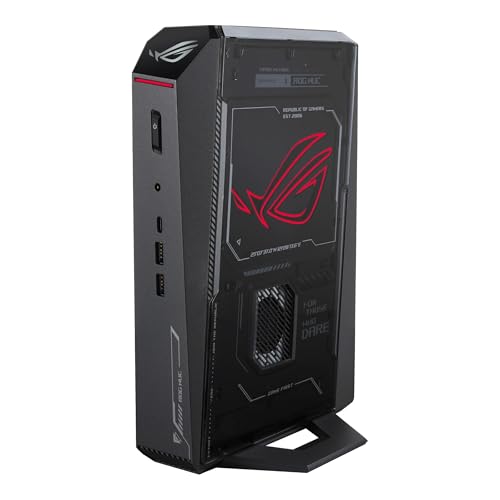
ASUS ROG NUC (2025) — Core Ultra 9 275HX, RTX 5070 Laptop GPU, 32GB RAM, 1TB SSD
Who it suits: Buyers who want the smallest serious gaming PC a major brand sells — a machine that stands behind a monitor or beside a TV — and who accept a laptop GPU as the price of three liters.
The ROG NUC is the reference point for this entire category: a vertical chassis of roughly three liters holding Intel’s Core Ultra 9 275HX, a 24-core Arrow Lake-HX processor that would not embarrass a full tower, paired with an NVIDIA GeForce RTX 5070 Laptop GPU, 32GB of DDR5-6400 memory and a 1TB NVMe SSD. The port selection is the best in this guide — dual Thunderbolt 4, six USB-A, dual HDMI and DisplayPort outputs and Ethernet — because ASUS designed it to replace a desktop, not to apologize for being small. For 1440p gaming with DLSS doing its share of the work, this is a complete, warrantied, three-year-covered answer that takes less desk than the monitor’s own stand. The configuration on this listing (model RNUC15JNK9X489AU) is sold through ASUS’s own Amazon storefront — check price on Amazon for the current listing.
Now the honesty this class of machine demands. The GPU is the laptop part: 8GB of GDDR7 and a mobile power budget, a clear step below the desktop RTX 5070 in the Cooler Master below, and it is soldered — the graphics this box has on day one are the graphics it retires with. The RTX 5080 Laptop version of this same chassis exists and would be the dream pick, but its Amazon listing sits well above this guide’s ceiling, in a higher tier, which is exactly why the 5070 configuration is the one here. Owner sentiment in independent roundups is genuinely divided: reviewers praise the performance for the size, while owner reports include dead-on-arrival and failing units, so buy it from ASUS’s storefront, register the warranty, and stress-test it hard inside the return window. And watch the seller line — third-party offers on this model can carry heavy markups, which is markup, not value. Bought from ASUS’s storefront when you check the current price on Amazon and it fits this budget, it is the best compact gaming PC under $3,000; bought at a heavy third-party markup, it is a cautionary tale.
- About three liters with a 24-core HX processor — the smallest complete package here.
- Best connectivity in the guide: dual Thunderbolt 4 and five display outputs.
- Three-year warranty from a major brand, sold via ASUS’s own Amazon storefront.
Honest limitation: The RTX 5070 Laptop GPU is a mobile part with 8GB of VRAM, soldered in place, and owner reports for the line are divided — test your unit thoroughly in the return window.
Choose it if minimum footprint with a real warranty is the priority. Skip it if you want a desktop-class GPU or any graphics upgrade path — that is the Cooler Master below.

Cooler Master NR2 Pro — Ryzen 7 9800X3D, RTX 5070 Ti 16GB, 32GB DDR5, 2TB SSD
Who it suits: The small-form-factor purist who refuses the laptop-GPU compromise: this is a real desktop build, with a real desktop graphics card, that happens to be 18.25 liters.
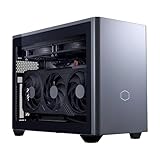
Everything the minis give up, the NR2 Pro keeps. Inside Cooler Master’s NR200P Max chassis — 18.25 liters, the case that defined modern ITX building — sits an AMD Ryzen 7 9800X3D, the fastest gaming CPU in this guide and arguably anywhere, a desktop Gigabyte GeForce RTX 5070 Ti with 16GB of GDDR7, 32GB of DDR5-6000, a 2TB Gen4 SSD, a Gigabyte B850I AORUS PRO Mini-ITX motherboard, an 850W SFX Gold power supply and a custom 280mm liquid radiator for the CPU. It is sold and shipped by Amazon.com, and it is the only machine in this guide where every component is a standard, replaceable part: when a future GPU generation tempts you, this box can actually take it, space permitting. Its live price can move a lot between deal cycles — check the current price on Amazon before you buy: this is a machine to catch when its live price fits this budget comfortably, not when it is sitting at the top of its range.
The small print is the ITX small print. A 280mm radiator and a full-power desktop card in 18 liters means fan noise that reviewers describe as reasonable rather than silent, and the GPU arrives on a riser cable — the known ownership quirk in independent coverage is a front USB-C port dead on one unit and a GPU riser connection that needed reseating after shipping on another. Neither is a defect of this model so much as the physics of dense builds, but check both in your first week while returns are painless. The 5070 Ti’s 16GB also makes this the longevity pick of the guide: at 1440p it is the card most likely to still feel adequate in four years, and unlike every mini here, the card can be swapped when it stops being true.
- Desktop RTX 5070 Ti 16GB and a 9800X3D — the strongest gaming pairing in this guide.
- Standard ITX parts throughout: the only genuinely upgradeable machine here.
- 280mm liquid cooling and an 850W SFX Gold PSU — no proprietary power brick.
Honest limitation: At 18.25 liters it is six times the ROG NUC’s volume, it runs audible under load, and its live price can swing widely between deal cycles — check the current price on Amazon before you commit.
Choose it if you want desktop performance and a GPU upgrade path in a genuinely small case. Skip it if the listing’s current price no longer fits this budget comfortably, or you need a machine that disappears behind a monitor.
Alienware Aurora ACT1250 — Core Ultra 9 285, RTX 5080, 32GB RAM, 1TB SSD
Who it suits: Buyers whose real priority is a desktop RTX 5080 under $3,000, and who will trade genuine smallness for it — this is the compact-tower end of the guide, included with its size stated, not hidden.
Let us be precise about what this machine is. The Aurora ACT1250 measures 18.05 × 7.76 × 16.46 inches — roughly 38 liters by outside dimensions, about 40% smaller by volume than the previous Aurora design and far smaller than the 45–55 liter mid-towers that fill the general $3,000 guides, but not small-form-factor by any honest definition. What that volume buys is the thing nothing smaller on Amazon can offer at this budget: a full desktop GeForce RTX 5080 with 16GB of GDDR7, an Intel Core Ultra 9 285, 32GB of DDR5, a 1TB SSD, liquid cooling and a 1000W Platinum power supply, from Dell, with Dell’s warranty and support. This configuration (model DACT1250-9575BLK-PUS) belongs in this guide only when its live price fits the cap — check the current price on Amazon before you buy — which makes the rule simple: in budget when the live price fits, out of budget when it does not, and the only desktop-5080 route under the cap either way. For native 4K gaming, this is the strongest machine in the guide, and its larger case is precisely why its 5080 can hold desktop clocks through long sessions where a hypothetical sub-15-liter 5080 would be throttling or melting its power budget.
Two listing warnings come from our own verification of this ASIN. Amazon’s product information for it contradicts itself — describing the Ultra 9 285 as 20-core in one section while Intel specifies 24 cores, and describing the liquid cooling as both fitted and optional in different sections — so confirm the exact configuration with the seller before ordering and trust the chipmaker’s spec over the listing copy. And to close the question this budget always raises: the RTX 5090 was never offered in this chassis at any price, so no configuration of this machine is a back door to one. Buyers who need genuinely small should treat this review as the price of desktop-5080 performance — measured in liters — and choose the NR2 Pro or ROG NUC instead.
- Desktop RTX 5080 16GB — the fastest graphics in this guide — check price on Amazon.
- 1000W Platinum PSU and liquid cooling: the thermal headroom small boxes cannot offer.
- Dell’s warranty, support and retail presence behind a flagship configuration.
Honest limitation: Roughly 38 liters is a compact tower, not SFF — and it only belongs in this guide when its live price fits the budget; check the current price on Amazon before you buy.
Choose it if desktop-5080 performance matters more than footprint and the live price fits this budget when you check price on Amazon. Skip it if you actually need small — five other machines in this guide are a third of its size or less.

MINISFORUM AtomMan G7 Pro — Core i9-14900HX, RTX 5070 Laptop GPU
Who it suits: Value hunters who want the current-generation laptop GPU and a flagship HX processor in a slim vertical mini — and who are willing to read a listing carefully, because this one demands it.
The G7 Pro pairs Intel’s Core i9-14900HX — 24 cores, boosting to 5.8GHz — with an NVIDIA GeForce RTX 5070 Laptop GPU in Minisforum’s slim vertical AtomMan chassis, with two DDR5 SO-DIMM slots up to 96GB and two M.2 slots, so memory and storage remain genuinely upgradeable even though the GPU does not. The configured 32GB/1TB version sits in the lower half of this guide’s budget tier for a current-generation GPU mini from the specialist brand that iterates fastest in this category — check price on Amazon for the configured style. For 1440p play with DLSS, it delivers the ROG NUC’s essential proposition with a larger upgrade allowance and a much lower position in the tier.
The caveat is the listing itself, and we state it the way our verification found it: the Amazon page for this ASIN is titled as the barebone version — without storage or operating system — while some marketplace mirrors of the same ASIN describe a configured 32GB/1TB unit. Minisforum sells both through shared listings with a style selector, so before ordering, confirm on the live page that the style you are buying is the configured one, with RAM, SSD and Windows included. If only the barebone style is live, price the completion honestly: a barebone still needs memory, storage and an operating system, and current memory costs are high enough that a from-scratch completion can erase the value gap against the configured ROG NUC — check the current price on Amazon for both the machine and any parts you would need to add. Bought configured and positioned in the lower half of this budget tier, it is the value pick of this guide; bought carelessly, it is a very fast box that cannot boot.
- RTX 5070 Laptop GPU and a 24-core i9-14900HX, positioned in the lower half of this budget tier in configured form — check price on Amazon.
- Two SO-DIMM and two M.2 slots — real memory and storage headroom for a mini.
- Slim vertical chassis with six heat pipes and dual fans for the HX chip.
Honest limitation: The Amazon listing is titled as the barebone version and mixes styles — you must confirm the configured style, with RAM, SSD and OS, before ordering.
Choose it if you will verify the style selector and want current-gen mini performance at half the budget. Skip it if you want a single unambiguous listing and a big-brand warranty — that is the ROG NUC.

MINISFORUM AtomMan G7 Ti — Core i9-14900HX, RTX 4070 Laptop GPU, 32GB RAM, 1TB SSD
Who it suits: Buyers who want the proven version of the mini formula: last generation’s flagship laptop GPU run at its full power limit, in about 2.55 liters, for roughly half the budget.
The G7 Ti’s party trick is a number most mini makers hide: its GeForce RTX 4070 Laptop GPU runs at the full 140W TGP, the highest power configuration NVIDIA allows for that chip, which closes much of the gap to desktop-class 4060 Ti and 4070 territory that detuned laptop implementations leave open. Around it: the same 24-core Core i9-14900HX as the G7 Pro, two DDR5-5600 SO-DIMM slots up to 96GB, two PCIe 4.0 M.2 slots and WiFi 7, in a chassis of roughly 2.55 liters. The configured 32GB/1TB version sits in the lower part of this budget tier on Amazon — check the current price on Amazon — and it undercuts every other discrete-GPU mini in this guide while giving up surprisingly little at 1440p with DLSS, and the budget left over can go toward the monitor this class of machine deserves.
The discipline this listing requires is the same as its sibling’s: barebone and configured styles share one listing family, and the ASIN here is that family’s — select the configured 32GB/1TB style and confirm it on the page before checkout, because a barebone plus today’s memory costs can be a worse deal than the configured box. The GPU is a generation old and soldered, with 8GB of GDDR6 that will age faster than the 16GB cards above it in this guide; this is a machine bought for what it does now, from its position in the lower part of this tier. Within those terms, it is the easiest recommendation in the guide to defend.
- RTX 4070 Laptop GPU at the full 140W — the honest, undetuned version of the chip.
- Configured 32GB/1TB positioned in the lower part of this tier — check price on Amazon; about 2.55 liters.
- Socketed SO-DIMM memory and dual M.2 slots soften the soldered-GPU compromise.
Honest limitation: A previous-generation, soldered GPU with 8GB of VRAM, sold through a shared listing where barebone and configured styles must be told apart.
Choose it if you want maximum mini performance per dollar today. Skip it if 16GB of VRAM or a current-generation GPU matters more than the substantial saving over the higher-tier picks.

HP OMEN 16L TG03 — Core i7-14700F, RTX 5060 Ti 16GB, 32GB RAM, 2TB SSD
Who it suits: Buyers who want compact from a household-name brand with a real service network — and who accept that HP’s 16-liter chassis tops out at an RTX 5060 Ti, two GPU tiers below this guide’s ceiling.
The OMEN 16L is the only machine here you could plausibly find on a retail shelf: a 16-liter tower — small enough for a dorm desk or a media console shelf — holding desktop parts, including a replaceable desktop graphics card, which already separates it from every soldered mini in this guide. This listing’s configuration pairs an Intel Core i7-14700F with a GeForce RTX 5060 Ti carrying the full 16GB of GDDR7 (the version worth buying; an 8GB variant exists and is the trap), 32GB of DDR5 and a 2TB SSD. OMEN 16L builds with the 16GB card sit in the lower half of this guide’s budget tier on Amazon depending on configuration — this 32GB/2TB listing sits in that family, so check the current price on Amazon, because the honest frame for this machine is that it leaves much of the budget unspent.
That framing is also its limitation, stated plainly: at 1440p the 5060 Ti is a good card, but a buyer with $3,000 who chooses this is paying for brand, warranty logistics and a quiet retail-grade acoustic profile, not for performance — the NR2 Pro above is dramatically faster from a higher position in this tier. The second warning is about Amazon’s OMEN 16L stock generally: many listings for this chassis are reseller bundles that have been opened and upgraded, where the upgraded RAM and SSD carry the seller’s warranty rather than HP’s. Check who is selling this listing and which warranty covers which parts before you buy; a factory-sealed HP configuration and a reseller-upgraded one are different purchases wearing the same name.
- 16 liters with a replaceable desktop GPU — the big-brand compact done properly.
- The 16GB version of the RTX 5060 Ti, with 32GB RAM and 2TB storage in this configuration.
- HP’s service network and retail presence, positioned in the lower half of the guide’s budget — check price on Amazon.
Honest limitation: The GPU ceiling is the honest cost: a 5060 Ti in a $3,000 guide is a brand-and-warranty purchase, and Amazon’s stock of this chassis includes reseller-upgraded bundles with split warranties.
Choose it if brand support matters and your gaming is 1080p/1440p. Skip it if performance per dollar is the metric — the NR2 Pro and the minis all outrun it.

Comparison Table
| Product | Size | GPU class | Best use | Link |
|---|---|---|---|---|
| ASUS ROG NUC (2025) | ~3 liters | RTX 5070 Laptop, 8GB | Smallest warrantied gaming PC | Check on Amazon |
| Cooler Master NR2 Pro | 18.25 liters | Desktop RTX 5070 Ti, 16GB | True SFF with an upgrade path | Check on Amazon |
| Alienware Aurora ACT1250 | ~38 liters | Desktop RTX 5080, 16GB | Desktop-5080 performance — check price on Amazon | Check on Amazon |
| MINISFORUM AtomMan G7 Pro | Mini PC, vertical slab | RTX 5070 Laptop | Current-gen mini value | Check on Amazon |
| MINISFORUM AtomMan G7 Ti | ~2.55 liters | RTX 4070 Laptop, 140W | Most mini performance per dollar | Check on Amazon |
| HP OMEN 16L TG03 | 16 liters | Desktop RTX 5060 Ti, 16GB | Big-brand compact with support | Check on Amazon |
How to Choose a Compact Gaming PC Under $3,000
- Decide your liter budget before your dollar budget. Under 5 liters means laptop GPUs, soldered and final. Around 8–20 liters is where desktop cards begin — the NR2 Pro at 18.25 liters is the honest benchmark. Above 30 liters you are buying a compact tower, which is fine, but call it that.
- Read the GPU’s class, not its name. An RTX 5070 Laptop GPU and a desktop RTX 5070 are different silicon at different wattages. Every listing in this category profits from the confusion; the reviews above name the class for each pick, and you should demand the same of any listing you consider.
- Ask what the wattage is. The same laptop GPU ships detuned or at full power depending on the maker. The G7 Ti’s verified 140W is why it punches above its generation; a listing that will not state its GPU power limit is telling you something.
- Price the whole machine, never the shell. A barebone listing excludes RAM, SSD and Windows. At current memory costs, a “cheap” barebone can finish above the configured version of the same box once you add the parts it needs — check the current price on Amazon for the complete machine and for any parts you would need to add.
- Treat sustained clocks as the spec that matters. In sub-15-liter cases especially, ask how the machine cools over hours, not minutes: radiator size, fan count, external power brick wattage. A top GPU in a tiny case that throttles is a mid GPU with a flagship receipt.
- Score the upgrade path you will actually use. In five of these six machines the GPU never changes; in several, RAM and SSD do. If you keep PCs for five-plus years, the one fully standard-parts build here is worth its premium. If you replace whole machines, soldered minis stop being a compromise.
- Buy the deal cycle, not the day. This category’s live prices can swing widely between events. Set your ceiling per model within this budget, check the current price on Amazon, and wait until a pick’s live price fits that ceiling rather than buying on the day.
- Verify the seller and the style. Shared listings mix barebone and configured styles; reseller bundles split warranties between maker and seller; third-party offers on brand-name minis can carry heavy markups over the brand’s own storefront. The cheapest step in this entire purchase is reading the listing you are actually buying.
- Budget the brick and the desk. Minis hide a 330W-class external adapter that needs a home too, and vertical slabs need clearance above and behind for exhaust. Measure the space the whole system — box, brick and airflow — will occupy.
- Match the machine to the display. Every mini here is a 1440p-with-DLSS machine; native 4K at high settings is the Aurora’s job. Buying a 4K 240Hz monitor for a three-liter box wastes both purchases.
The Size Ladder: What $3,000 Cannot Buy in a Small Box
It is worth laying out the verified shape of this market, because the gap between what shoppers imagine and what exists is where the money leaks. At the top of the imagination sits the RTX 5090: no system with one has been verified anywhere near $3,000 — the cheapest complete 5090 systems on Amazon sit well above this budget, in a clearly higher tier — and a true small-form-factor 5090 effectively does not exist at retail at any price, because a 575W card and the cooling it needs do not fit in a small box. One step down, the desktop RTX 5080 in genuine SFF exists exactly once in our research: Zotac’s 11.46-liter Magnus One Ultra, positioned well above this budget on Amazon. Zotac’s smaller 8.48-liter Magnus One with a desktop RTX 5070 Ti is real too, but we could not verify a US Amazon listing for it, and as a barebone abroad it would still need RAM and storage added before it could be judged against this budget. And ASUS’s ROG NUC with the RTX 5080 Laptop GPU, the flagship of the three-liter class, sits above this budget on Amazon.
So the ladder under $3,000 is this: laptop 5070-class graphics in three liters near the upper part of this tier; a desktop 5070 Ti in 18.25 liters whose position in the tier moves with the deal cycle — check the current price on Amazon; a desktop 5080 only by accepting a ~38-liter compact tower when its live price fits this budget; and below those, the value minis and the big-brand 16-liter tower trading GPU tiers for a lower position in the tier and stronger support. There is also a legitimate DIY edge: Intel’s NUC 13 Extreme kit — a roughly 14-liter chassis with a socketed i9-13900K and a slot for a dual-slot desktop card — is a kit route on Amazon, and completing it with a desktop card, memory and storage can land under $3,000 if you shop the memory market carefully and check current prices before you commit. It is a kit, not a computer, so it is not a pick here; but for builders it is the one route to a desktop GPU in a sub-15-liter box that the prebuilt market currently skips. Everything else anyone promises you at this budget and size is a listing trick — a laptop GPU wearing a desktop name, a barebone wearing a system price, or a “compact” tower that is neither.
Heat: The Tax Every Small Case Collects
Every machine in this guide makes the same trade in a different place: volume for temperature, and temperature for either noise or clocks. The minis move the least air. The ROG NUC answers with a triple-fan cooler and a 330W external brick that dumps the power supply’s heat outside the chassis entirely — a genuine engineering advantage — but a laptop GPU under sustained load in three liters will run its fans audibly and hold mobile clocks, not desktop ones; that is physics, not a flaw in this particular box. The AtomMan machines run six heat pipes and dual fans against HX processors that can draw serious wattage, and their slim vertical format needs unobstructed clearance to breathe.
The NR2 Pro shows the middle path: 18.25 liters buys a 280mm radiator for the CPU and room for a full-size desktop card with its own cooler, which is why it can sustain desktop performance — at the cost of fan noise that coverage describes as reasonable rather than quiet, and a riser cable that dense packaging makes a shipping risk. The Aurora, at the far end, is what unlimited air buys: its desktop 5080 holds clocks indefinitely because 38 liters of case is a wind tunnel next to three. The practical rules follow from the physics. Never enclose a mini in a cabinet without ventilation. Give vertical slabs clearance on every vented face. Prefer the machine whose sustained performance you have evidence for over the one with the higher boost clock on the box. And if your room is hot and your sessions are long, liters are a performance feature — buy them deliberately, the way you would buy VRAM.
Common Buying Mistakes
- Believing a compact RTX 5090 exists at this budget. It does not — not near $3,000, and not in true SFF at retail at all. Listings implying otherwise are selling a laptop GPU, a barebone, or a mistake.
- Comparing a laptop GPU to a desktop GPU by name. The ROG NUC’s RTX 5070 Laptop and the NR2 Pro’s desktop RTX 5070 Ti are not rivals on a spec sheet; they are different classes of part.
- Buying the barebone style by accident on a shared listing — and discovering the “system” has no RAM, no SSD and no Windows when the box arrives.
- Paying a third-party markup on a brand-name mini. The ROG NUC can carry a heavy markup from marketplace sellers on the same platform compared with ASUS’s own storefront — check the current price on Amazon and who is selling it.
- Ignoring the power brick. A 330W external adapter is furniture too; minis that “disappear” still need somewhere for it to live and vent.
- Assuming small means quiet. Dense cases run small fans fast; the quietest machine in this guide is the biggest one.
- Buying 8GB of VRAM at the top of a budget. At $3,000, the 16GB cards are the longevity play; the 8GB picks here earn their place from their lower position in this tier, not on future-proofing.
- Skipping the stress test. Owner reports in this category include dead-on-arrival units across brands. Run the machine hard in week one, while the return is free.
- Judging “compact” by a product photo. Demand the liters. A tower photographed alone can be 38 liters wearing a small-looking design.
Final Recommendation
- Most compact buyers: ASUS ROG NUC (2025), RTX 5070 Laptop GPU — check the current price on Amazon and buy from ASUS’s storefront when it fits this budget.
- True SFF with desktop parts: Cooler Master NR2 Pro — when its live price fits this budget comfortably; check the current price on Amazon.
- Desktop RTX 5080 or nothing: Alienware Aurora ACT1250 — only when its live price fits this budget; check the current price on Amazon.
- Value in a mini: MINISFORUM AtomMan G7 Pro configured, or the G7 Ti under $1,500.
- Brand and support first: HP OMEN 16L TG03 with the 16GB 5060 Ti.
Our top two for compact buyers at this budget are the ROG NUC, for the complete three-liter package with a real warranty — bought from ASUS’s storefront, never at a marketplace markup (check the current price on Amazon), and the NR2 Pro, for everyone who hears “laptop GPU” as a dealbreaker and wants desktop parts, a 16GB card and an upgrade path in 18.25 liters. Between them they cover the two honest shapes of this search: smallest possible, and smallest without compromise. If neither fits — you need the desktop 5080 — the Aurora is the answer when its live price fits this budget, with its size understood. Shoppers who can spend less for the same desk footprint should also see Best Compact Gaming PC Under $2500 and Best Compact Gaming PC Under $1500, and those whose real constraint is the room rather than the budget should start with Best Compact Gaming PC For Small Spaces Under $3000. Measure your space in liters, name your GPU class out loud, confirm the style and the seller on the listing, and check the current price on Amazon before you order.
Frequently Asked Questions
Can I get an RTX 5090 in a compact gaming PC under $3,000?
No. The cheapest complete RTX 5090 systems verified on Amazon sit well above this budget, in a clearly higher tier, and a true small-form-factor 5090 effectively does not exist at retail — a 575W desktop card and its cooling do not fit a small case. Any listing suggesting otherwise is describing a laptop GPU, a barebone kit, or an error.
What is the strongest graphics card I can actually get in a small PC at this budget?
In a genuinely small case, a desktop RTX 5070 Ti — the NR2 Pro’s card, in 18.25 liters. The desktop RTX 5080 under $3,000 exists only in a roughly 38-liter compact tower (the Alienware, when its live price fits this budget — check the current price on Amazon); the one true-SFF desktop 5080 we verified, Zotac’s Magnus One Ultra, sits well above this budget. In three-liter minis, the ceiling at this budget is the RTX 5070 Laptop GPU.
Is a laptop GPU in a mini PC a bad deal?
Not inherently — it is a trade you should make knowingly. You give up raw performance, VRAM headroom and any upgrade path; you get three liters, low heat and a machine that fits anywhere. At 1440p with DLSS, the ROG NUC and G7 Pro are genuinely capable. The mistake is paying desktop-GPU money for one, which is why this guide judges them against their own class — check the current price on Amazon before you compare them with a desktop-card build.
Will a small gaming PC throttle or get loud?
Both are managed, not eliminated, at this size. Minis use external power bricks and dense heat-pipe or multi-fan coolers to hold mobile clocks, and they are audible under sustained load; the 18-liter NR2 Pro sustains desktop clocks with a 280mm radiator at moderate noise; the 38-liter Aurora barely works up a sweat. If silence matters, buy liters — and never seal a mini in an unventilated cabinet.
What does “barebone” mean on these listings, and why does it matter?
It means the box ships without RAM, storage or an operating system. Minisforum and others sell barebone and configured versions through the same listing with a style selector, and at current memory costs, completing a barebone can cost more than the configured version — check the current price on Amazon for the parts you would need to add. Confirm the style name on the listing before checkout.
Can I upgrade a compact gaming PC later?
It depends entirely on the shape. In the minis, the GPU and CPU are soldered; RAM and SSD are usually upgradeable, and that is all. The OMEN 16L takes a replacement desktop card within its power and space limits. The NR2 Pro is built from standard ITX parts and is the only machine here with a real GPU upgrade path. Buy the soldered machines for what they are today.
Is $3,000 overkill for a compact gaming PC?
For most players, yes — and the guide is built to save you the difference. The G7 Ti, positioned in the lower part of this tier — check the current price on Amazon — covers 1440p gaming in 2.55 liters, and the OMEN 16L covers the big-brand route in the lower half of the budget. The top of the budget buys specific things: the 9800X3D and a 16GB desktop card in the NR2 Pro, or Dell’s desktop 5080 in the Aurora. If you cannot name which of those you need, spend less.
- Best Compact Gaming PC Under $3000
- Best Compact Gaming PC Under $2500
- Best Compact Gaming PC For 1440p Gaming Under $3000
- Best Compact Gaming PC For Beginners Under $3000
- Best Compact Gaming PC For Streaming Under $3000
- Best Small Form Factor Gaming PC Under $3000
- Best Mini Gaming PC Under $3000
- Best Gaming PC Under $3000


